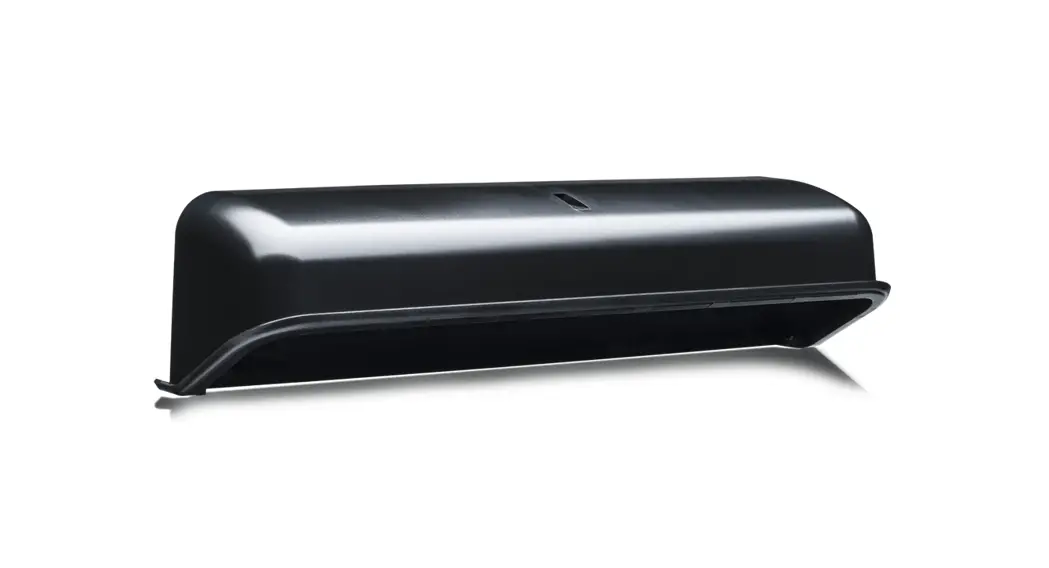
 UNIVERSAL RAIN ACCESSORY
Bracket accessory for ULTIMO and IXIO sensors
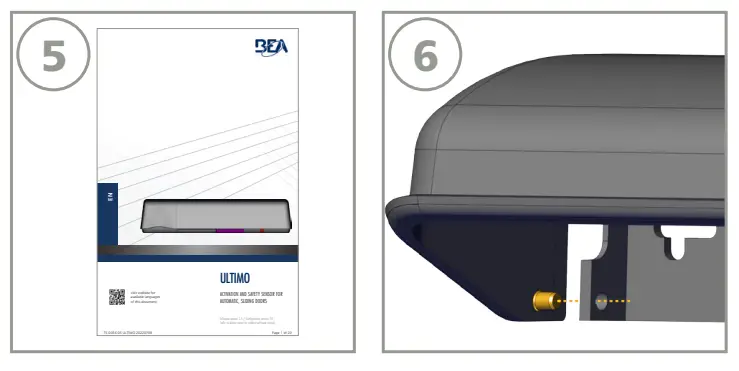
Visit website for available languages of this document.
ULTIMO IXIO Universal Rain Accessory
BEA, INC. INSTALLATION/SERVICE COMPLIANCE EXPECTATIONS
BEA, Inc., the sensor manufacturer, cannot be held responsible for incorrect installations or incorrect adjustments of the sensor/device; therefore, BEA, Inc. does not guarantee any use of the sensor/ device outside of its intended purpose.
BEA, Inc. strongly recommends that installation and service technicians be AAADM-certifi ed for pedestrian doors, IDA-certifi ed for doors/gates, and factory-trained for the type of door/gate system.
Installers and service personnel are responsible for executing a risk assessment following each installation/service performed, ensuring that the sensor/device system performance is compliant with local, national, and international regulations, codes, and standards.
Once installation or service work is complete, a safety inspection of the door/gate shall be performed per the door/gate manufacturer’s recommendations and/or per AAADM/ANSI/DASMA guidelines (where applicable) for best industry practices. Safety inspections must be performed during each service call – examples of these safety inspections can be found on an AAADM safety information label (e.g. ANSI/DASMA 102, ANSI/DASMA 107, UL294, UL325, and International Building Code).
Verify that all appropriate industry signage, warning labels, and placards are in place.

MOUNTING & ASSEMBLY
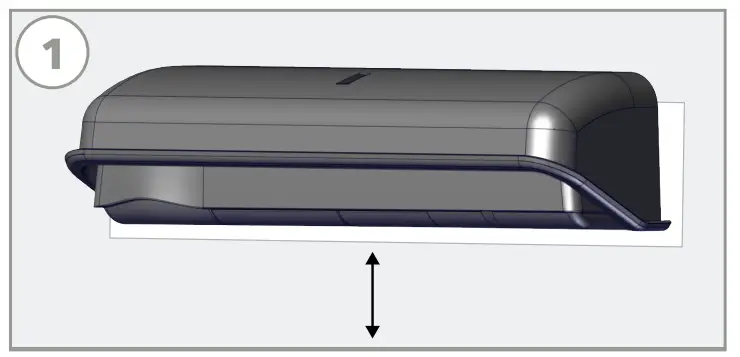
- Verify the existing mounting location orientation:
• ULTIMO: the bottom of the sensor is no more than 5” from the bottom of the door header
• IXIO: the bottom of the sensor is no more than 2” from the bottom of the door header
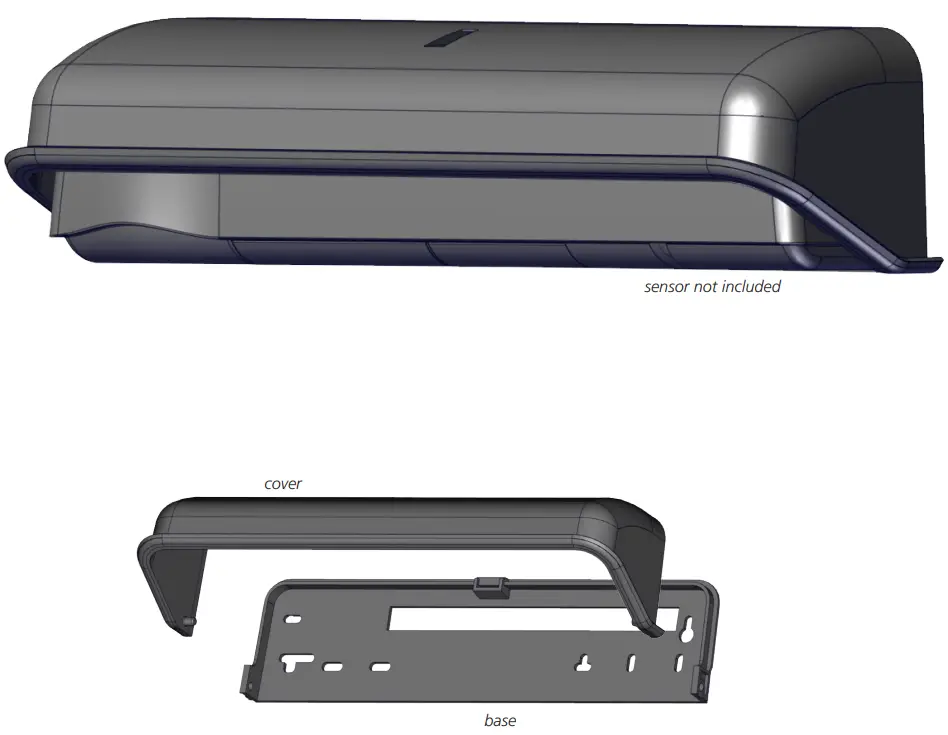
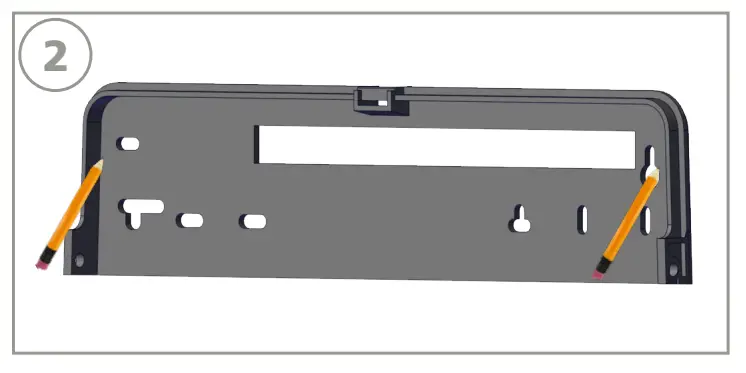
- Place the Universal Rain Accessory (URA) base in the desired mounting location, and mark and drill pilot holes. Remove existing sensor if necessary.

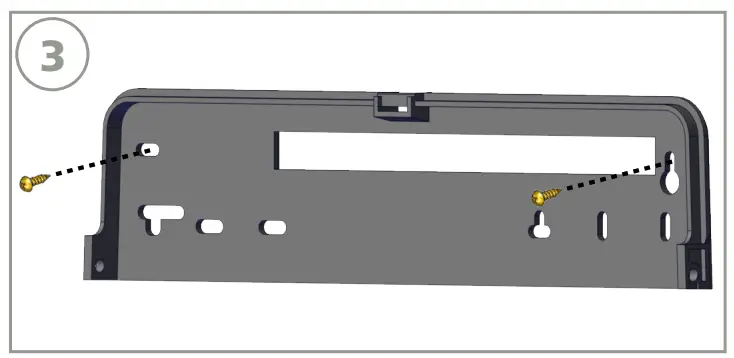
- Secure the URA base to the mounting location using the provided screws.

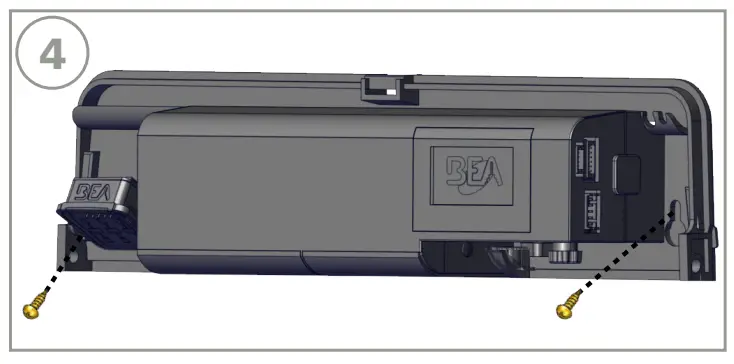
- Secure the sensor to the URA base using the screws provided with the sensor.

- Wire as instructed in the applicable sensor’s User’s Guide and secure the sensor cover.
- Slightly pull the sides of the cover and insert the pin guides on the inside of the URA cover into the outside of the URA base.

Tech Support & Customer Service: 1-800-523-2462 | General Tech Questions: [email protected] | Tech Docs: www.BEAsensors.com
©BEA | Original Instructions
75.0056.02 UNIVERSAL RAIN ACCESSORY 20221215
 Homepage | BEA Americas