 5398 DST Setting and Module
Instructions
5398 DST Setting and Module
Firstly, make sure it is in the Timekeeping Mode.
 To return to the Timekeeping Mode, hold down Ⓒ for two seconds.
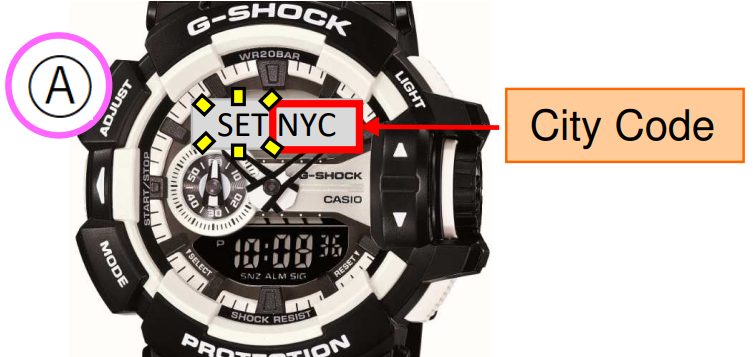
- In the Timekeeping Mode, hold down Ⓐ until the city code appears on the upper display.

- Press Ⓒ once to display the DST Setting Mode.

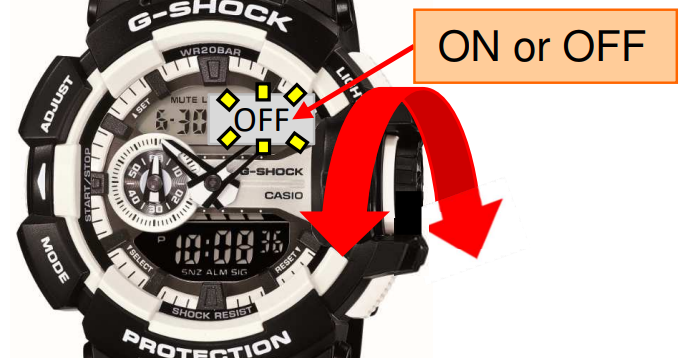
- Rotate the rotary switch to toggle between “ON” and “OFF”.

- Press Ⓐ to return to the Timekeeping Mode.