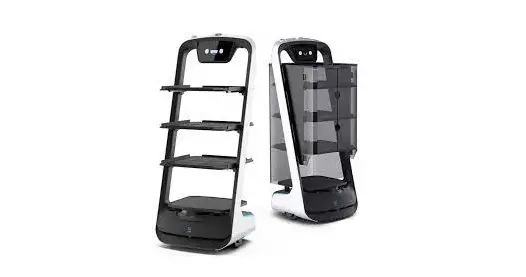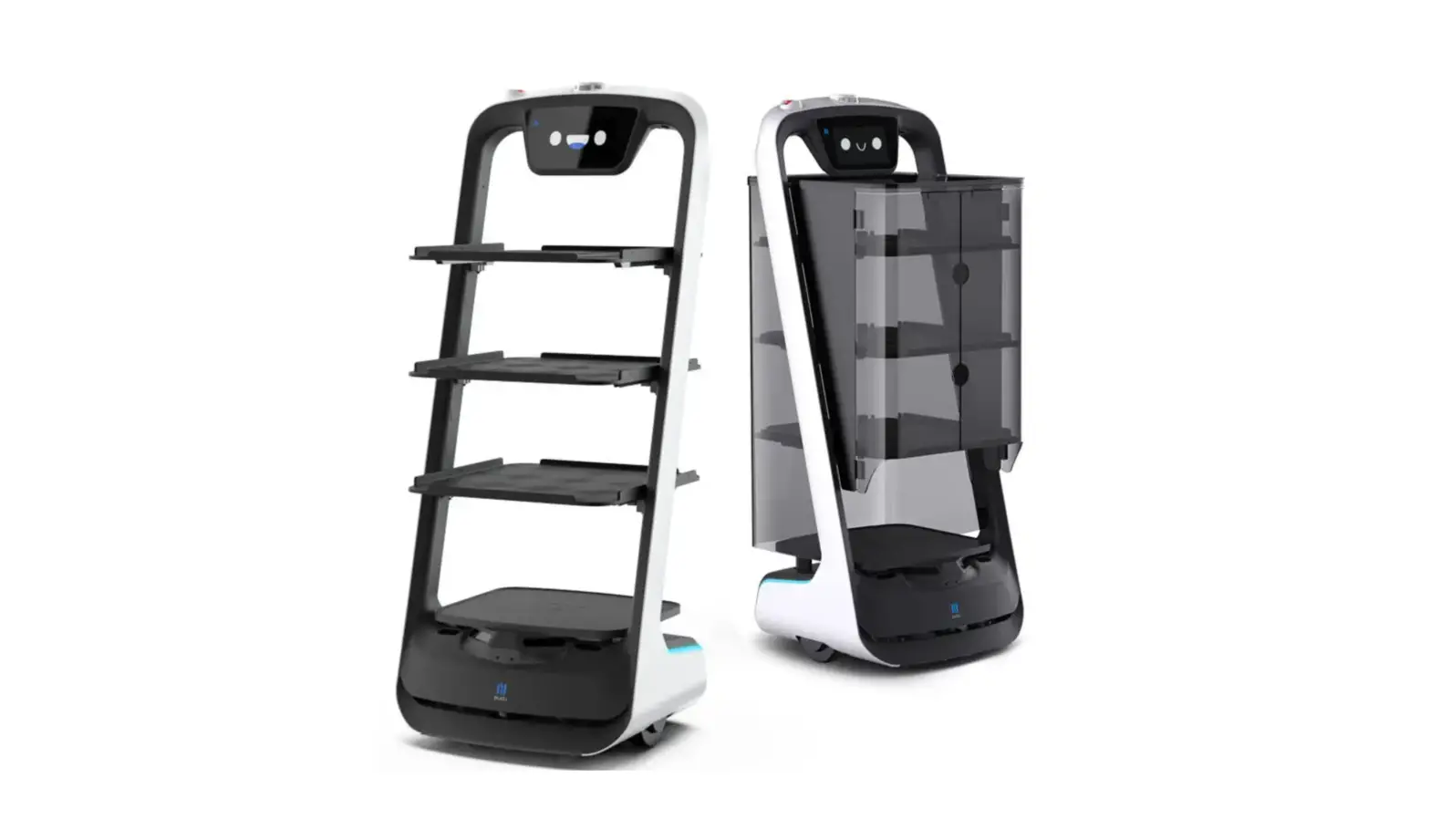
PUDU BL101 BellaBot Smart Delivery Robot
Copyright © 2021 Shenzhen Pudu Technology Co., Ltd. All rights reserved. This document may not be copied, reproduced, transcribed or translated, in part or in whole, by any persons or organizations, or be transmitted in any form or by any means (electronic, photocopy, recording, etc.) for any commercial purposes without the prior written permission of Shenzhen Pudu Technology Co., Ltd. The product specifications and information mentioned herein are for reference only and are subject to change without prior notice. Unless otherwise specified, the manual is intended as a guide only and all the statements are provided without warranty of any kind.
Safety instructions
Power usage
- Always use the original rechargeable batteries and chargers. Do not charge your robot using non-original chargers. If the charger is damaged, replace it immediately.
- When the battery drops to 20%, the robot should be charged timely. Running at a low battery for a long time may impair battery life.
- Make sure that the power voltage matches the voltage indicated on the charger, or it may cause damages to the charger.
Robot usage
- Do not cover the robot’s top camera while it is working to prevent it from moving abnormally. If the camera is covered, pause the current task and move the robot to the correct route before continuing the task.
- Do not clean or maintain the robot when it is powered on and working.
- Do not put open-flame stoves or any flammable and explosive articles on the robot.
- Do not pick or place dishes while the robot is moving to avoid any food loss or personal injury caused by accidental collision.
- Do not move or transport the robot while it is working to prevent it from moving abnormally.
- The robot must not be disassembled or repaired by untrained personnel. In case of malfunction, contact Shenzhen Pudu Technology Co., Ltd for technical support in time.
- Observe the maximum weight a person is allowed to lift as required by local laws and regulations when transporting the robot. Keep the robot upright during transportation. Never attempt to transport it by lifting the tray or the box.
Environment
- Do not use or charge the robot in a high temperature/pressure environment, areas with fire or explosion hazard, or other dangerous scenarios to avoid personal injury or robot damage.
- Do not use the robot in a humid environment or on surfaces covered with fluid or gooey stuff to avoid damage to the robot.
- Do not use the robot in places where the use of wireless devices is explicitly prohibited, otherwise it may cause interference to other electronic devices or lead to other dangers.
- Do not dispose of the robot or its accessories as household waste. Always dispose of the robot and its accessories according to local laws and regulations, and recycle wherever possible.
Product components
Packing list
Robot × 1BellaBot User Manual × 1Quality Certificate × 1Warranty Card × 1Charger× 1Positioning Sticker × 1 Power Key × 1 Markers × 1.
Overview
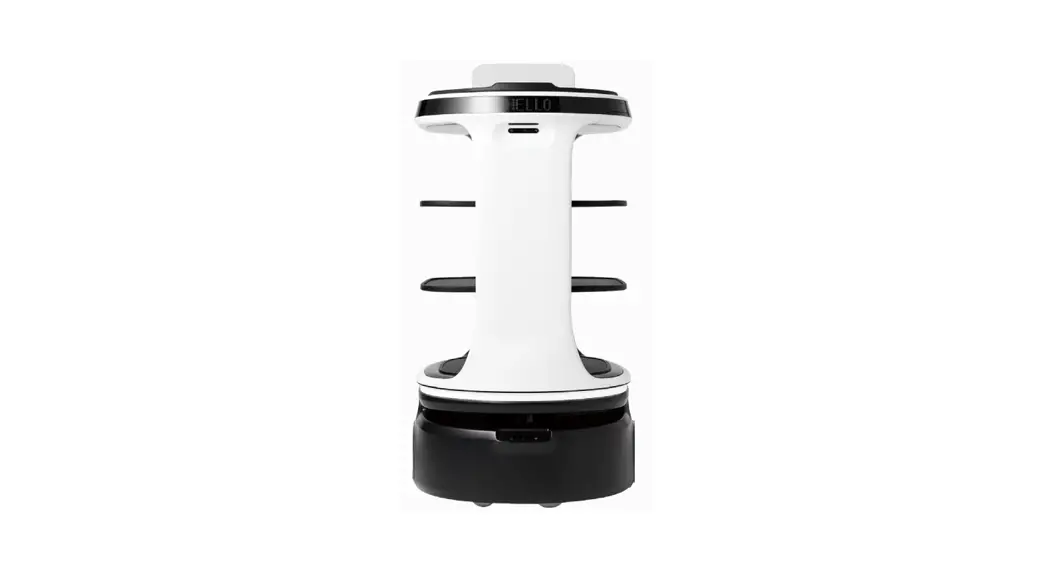
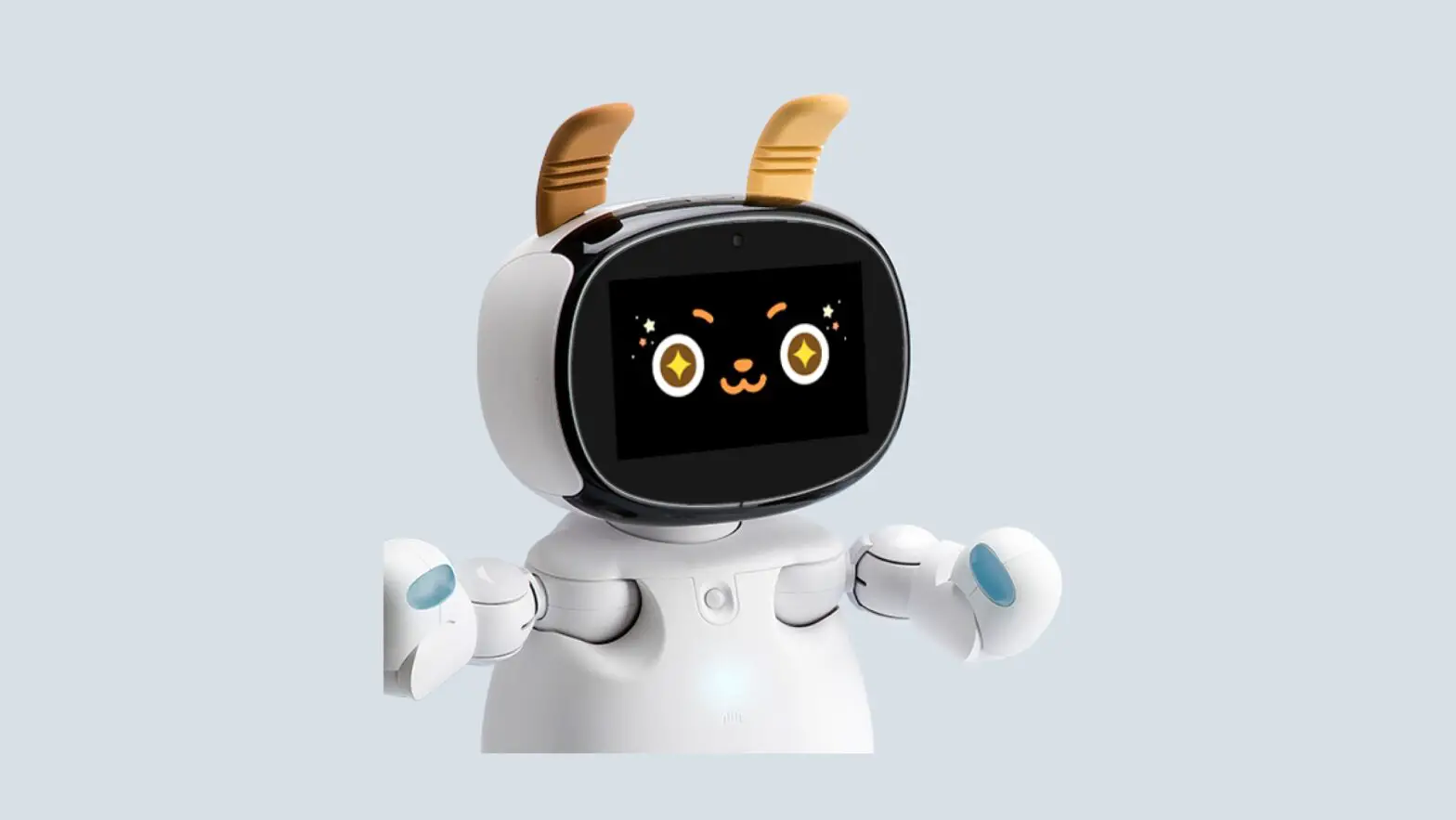
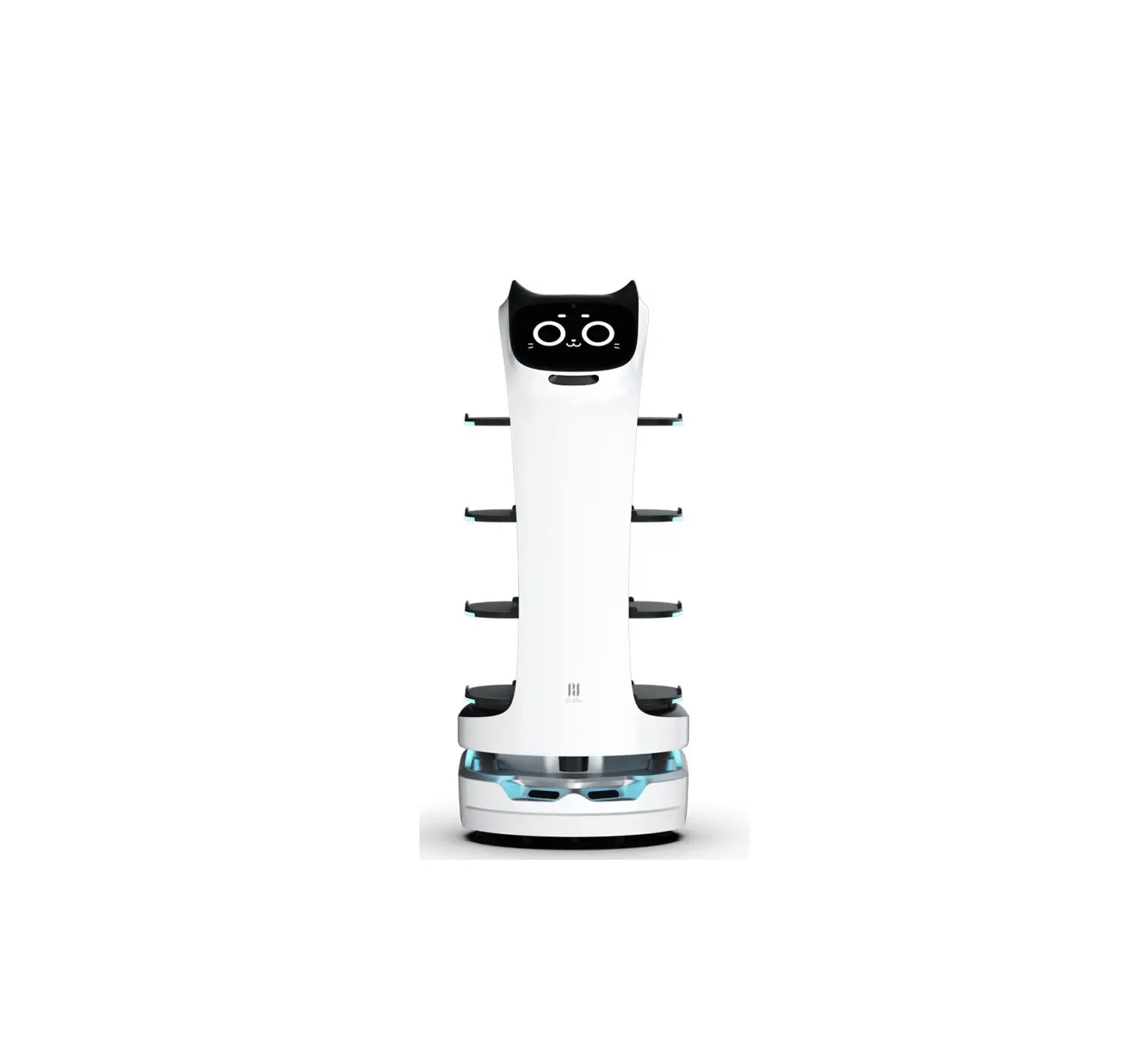
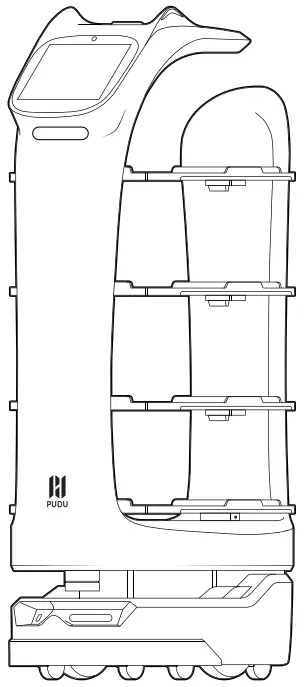
BellaBot is an indoor delivery robot that features visual SLAM and laser SLAM positioning and navigation solutions, superior human-robot interaction capabilities, AI voice, cute design, multimodal interaction, and many other functions. It comes with various modes, including Delivery Mode, Cruise Mode, Direct Mode, Birthday Mode, and Escorting Mode, to cater to the needs of different scenarios.
Appearance & Components
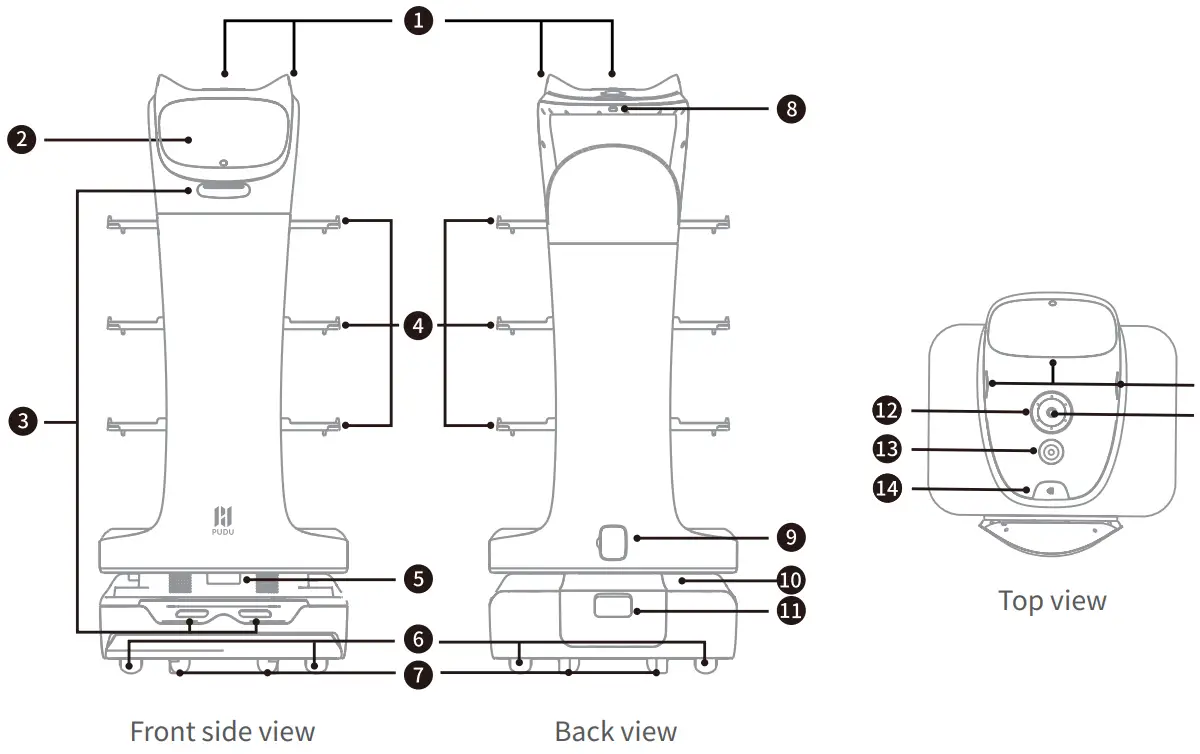
❶ Touch sensor
❷ LCD screen
❸ Depth vision sensors
❹ Trays
❺ Lidar
❺ Drive wheels
❼ Auxiliary wheels
❽ Power switch
❾ Charging jack
❿ Light strip
⓫ Battery box
⓬ 6-mic circular array kit
⓭ Emergency stop switch
⓮ Lightning button
⓯ Vision sensor
Specifications
| Feature | Description |
| Operating voltage Power input | DC 23–29.4 V AC 100–264 V, 50/60 Hz |
| Power output | 29 V/8 A |
| Battery capacity | 25.6 Ah |
| Charging time | 4.5 h |
| Battery life | 12–24 h |
| Cruise speed | 0.5–1.2 m/s (adjustable) |
| Navigation | Laser SLAM or visual SLAM |
| Min. travel width | 70 cm |
| Max. surmountable height | 10 mm |
| Max. climbing angle | 5º |
| Tray dimensions | 410 mm × 510 mm |
| No. of trays | Four |
| Height between trays | From top to bottom: 230 mm/200 mm/200 mm/180 mm |
| Tray load | 10 kg/layer |
| Machine material Robot weight | ABS/aviation grade aluminum alloy 59 kg |
| Robot dimensions Screen size | 565 mm × 537 mm × 1290 mm 10.1-inch LCD screen |
| Operation system | Android |
| Microphone Speaker power | 6-mic circular array kit 2 × 20 W stereo speakers |
| Service life | 5 years |
| Working environment | Temperature: 0 ℃ to 40 ℃ |
| Storage environment | RH: ≤ 85% Temperature: -40 ℃ to 65 ℃ |
| RH: ≤ 85% | |
| Working altitude | < 2000 m Indoor environment, flat and smooth ground |
| Operation environment IP rating | IP20 |
| Frequency band range | |
| 2.4G Wi-Fi: 2402–2480 MHz, 2412–2472 MHz 5G Wi-Fi: 5150–5725 MHz 5.8G Wi-Fi: 5725–5875 MHz | |
| Max. transmit power | 2.4G Wi-Fi: 16.96 dBm 5G Wi-Fi: 13.07 dBm 5.8G Wi-Fi: 12.93 dBm |
How to use
Power-on:
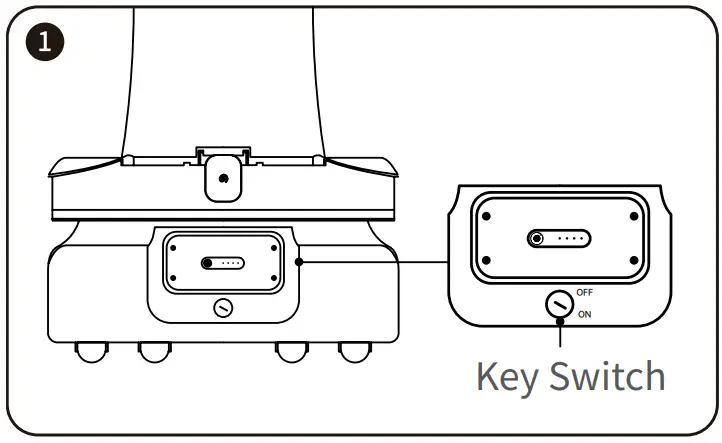
Move the robot to the startup location, and press and hold the power switch for 1 second. The bottom light strip will go on, indicating that the robot is powered on.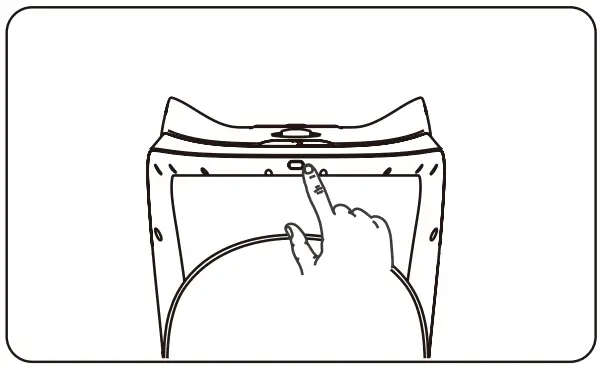
Caution: Be sure to turn the key switch to “ON” and push back the battery back cover before powering on the robot. |
The startup location for using the laser SLAM navigation (make sure that the robot has the correct position and direction at the startup location):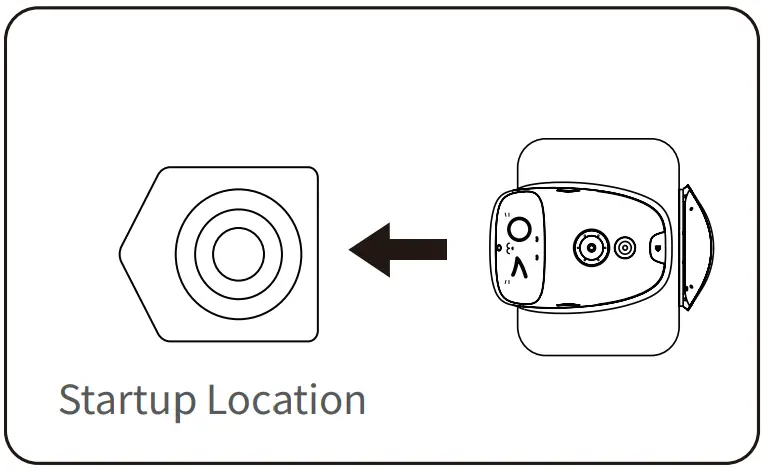
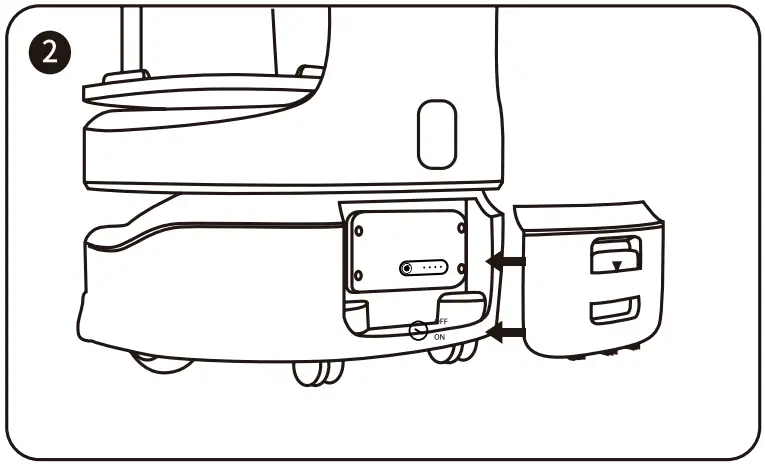
The startup location for using the visual SLAM navigation
(right below the marker):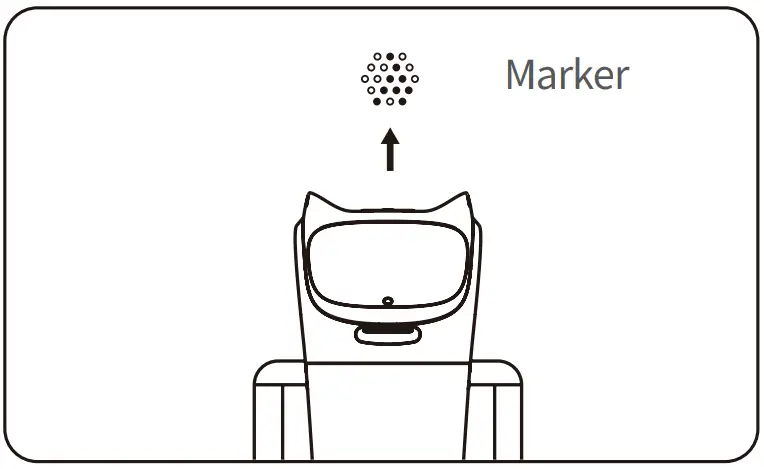
Power-off:
Press and hold the power switch for 3 seconds. The bottom light strip and screen will go off, indicating that the robot is powered off.
Pause:
Tap on the screen to pause the working robot. Tap again to resume operation. You can also press the lightning button to pause the robot.
Emergency stop:
In case of an emergency, press the emergency stop switch to stop a working robot. Rotate the emergency stop switch clockwise, tap on the screen or press the lightning button to resume operation.
* Refer to BellaBot Operation Guide for more information on how to use the robot.
Maintenance and care
| Components | Robot Status | Inspection Interval | Maintenance Method |
| Trays, driving wheels, and auxiliary wheels | Power-off | Weekly | Wipe the surface with a clean cloth |
| Vision sensor, depth vision sensors, and Lidar | Power-off | Weekly | Use a clean cloth or lens cleanser for the cleaning. In case of unexpected contamination, address it immediately to avoid blocking the sensor and prevent the robot from working improperly |
| Robot body | Power-of | Weekly | Wipe the surface with a clean cloth. |
After-sales service
Shenzhen Pudu Technology Co., Ltd provides free warranty service within the effective warranty period (the warranty period may vary for different components). The fees incurred by the after-sales service will be covered by Pudu. Beyond the warranty period or in any circumstances not covered by the free warranty, a certain fee will be charged according to the normal price. Please call the after-sales hotline for detailed after-sales service policy and repair services. The policy can also be found in BellaBot Operation Guide.
Pudu after-sales email: [email protected].
Compliance information
Federal Communications Commission compliance statement
The following information applies to Pudu robotic.
This equipment has been tested and found to comply with the limits for a Class B digital device, pursuant to part 15 of the FCC Rules. These limits are designed to provide reasonable protection against harmful interference in a residential installation. This equipment generates, uses and can radiate radio frequency energy and, if not installed and used in accordance with the instructions, may cause harmful interference to radio communications. However, there is no guarantee that interference will not occur in a particular installation. If this equipment does cause harmful interference to radio or television reception, which can be determined by turning the equipment off and on, the user is encouraged to try to correct the interference by one or more of the following measures:
- Reorient or relocate the receiving antenna.
- Increase the separation between the equipment and receiver.
- Connect the equipment into an outlet on a circuit different from that to which the receiver is connected.
- Consult the dealer or an experienced radio/TV technician for help.
- This device complies with Part 15 of the FCC rules. Operation is subject to the following two conditions:
- This device may not cause harmful interference.
- This device must accept any interference received, including interference that may cause undesired operation.
Industry Canada compliance statement
This device complies with Industry Canada licence-exempt RSS standard(s). Operation is subject to the following two conditions:
- This device may not cause interference.
- This device must accept any interference, including interference that may cause undesired operation of the device.
Manufacturer’s Name: SHENZHEN PUDU TECHNOLOGY co., LTD.
Address: Room 501, Building A, Block 1, Phase 1, Shenzhen International lnno Valley, Dashi 1st
Road, Nanshan District, Shenzhen, China 518057
Product name : BellaBot
Model number: BL101
Operating Temperature: 0° C to 40° C
This device in compliance with the essential requirements and other relevant provisions of Directive 2014/53/EU. All essential radio test suites have been carried out.
- The product shall only be connected to a USB interface of version USB 2.0
- Adapter shall be installed near the equipment and shall be easily accessible.
- The plug considered as disconnect device of adapter
- The device complies with RF specifications when the device used at 20cm form your body
- Operations in the 5.15-5.35GHz band are restricted to indoor usage only.
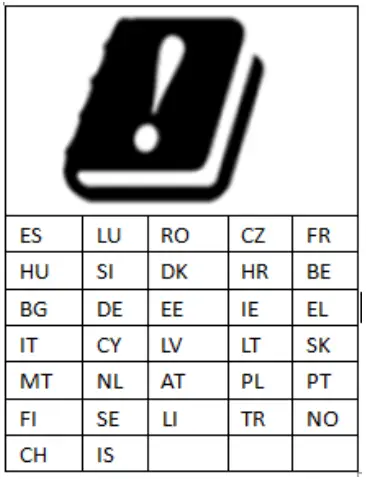
Restrictions in the 5 GHz band:
According to Arucle 10 (10) of Directive 2014/53fEU, the packag.ing shows that this 1adio equipment w,”J be subject to some restrictions when placed on the market in Belgium (BE), Bulgaria (BG), the Czech Republic (CZ},Oenmack (DK), Germany (OE), Estonia {EE), Ireland (IE), Greece (El }, Spain(ES), France (FR}, Croatia {HR}, Italy (IT}, Cyprus (CY}, Latvia {LV). l ithuania(LT), l uxembourg {LU), Hungary (HU), Ma.tla {MT), Netherlands (NL), Austria(AT}, Poland {PL). Portugal (PT), Romania {RO), Sloven.ia (SI}, Slovakia (SK),Finland {Fl), SWeden (SE). Turkey (TR), No,way(NO), Switzeriand (CH), Iceland (IS), and Liechtenstein (LI).
According to Radio Equipment Regulations (SI 2017/1206}, the packaging shows that this radio equipment wrl be subject to some restrictions when piaced on the market in the United KITTgdom (UK)
RF POWER
| Function | Operation Frequency | Max RF outputpower: | Limit |
| BLE | 2402MHz–2480MHz | 6.69dBm | 20 dBm. |
| BT(BR+EDR) | 2402MHz–2480MHz | 9.83 dBm | 20 dBm. |
| WIFI 802.11b/g/n(HT20,HT40) 2.4G | 802.11b/g/n(20MHz): 2412~2472MHz; 802.11n(40MHz):2422~2462MHz | 6.96 dBm | 20 dBm. |
| 5.2G WIFI 802.11a/n(HT20,HT40) | 802.11a/ac/n20:5180~5240MHz; 802.11ac40/n40:5190~5230MHz; 802.11ac80:5210~5210MHz | 13.07dBm | 23 dBm. |
| 5.3G WIFI 802.11a /n(HT20,HT40) | 802.11a/ac/n20: 5260~5320MHz; 802.11ac40/n40: 5270~5310MHz; 802.11ac80:5290~5290MHz | 12.66 dBm | 23 dBm. |
| 5.6G WIFI 802.11a/n(HT20,HT40) | 802.11a/ac/n20: 5500~5700MHz; 802.11ac40/n40: 5510~5670MHz; 802.11ac80:5530~5610MHz | 12.73 dBm | 23 dBm. |
| 5.8G WIFI 802.11a/n(HT20,HT40) | 802.11a/ac/n20: 5745-5825 MHz 802.11ac40/n40: 5755-5795 MHz 802.11ac80:5775~5775MHz | 12.93 dBm | 13.98dBm |
| WCDMA Band 1 | Tx(Uplink): 1920MHz~1980MHz; Rx(Downlink): 2110MHz~2170MHz | 23.64dBm | Class3 24 (dBm) +1,7/-3,7 (dB) |
| WCDMA Band 8 | Tx(Uplink): 880MHz~915MHz; Rx(Downlink): 925MHz~960MHz | 21.71dBm | Class3 24 (dBm) +1,7/-3,7 (dB) |
| FDD-LTE Band 1 | Tx(Uplink): 1920MHz~1980MHz; Rx(Downlink): 2110MHz~2170MHz | 23.77dBm | Class3 23 (dBm)+2.7/-2.7(dB) |
| FDD-LTE Band 3 | Tx(Uplink): 1710MHz~1785MHz; Rx(Downlink): 1805MHz~1880MHz | 23.51dBm | Class3 23 (dBm)+2.7/-2.7(dB) |
| FDD-LTE Band 7 | Tx(Uplink): 2500MHz~2570MHz; Rx(Downlink): 2620MHz~2690MHz | 23.7dBm | Class3 23 (dBm)+2.7/-2.7(dB) |
| FDD-LTE Band 8 | Tx(Uplink): 880MHz~915MHz; Rx(Downlink): 925MHz~960MHz | 23.22 dBm | Class3 23 (dBm)+2.7/-2.7(dB) |
| FDD-LTE Band 20 | Tx(Uplink): 832MHz~862MHz; Rx(Downlink): 791MHz~821MHz | 22.97dBm | Class3 23 (dBm)+2.7/-2.7(dB) |
| FDD-LTE Band 28 | Tx(Uplink): 703MHz~748MHz; Rx(Downlink): 758MHz~803MHz | 23.05 dBm | Class3 23 (dBm)+2.7/-3.2(dB) |
| TDD-LTE Band 34 | Uplink & Downlink: 2010 MHz to 2025 MHz | 23.73 dBm | Class3 23 (dBm)+2.7/-3.2(dB) |
| TDD-LTE Band 38 | Tx(Uplink): 2570MHz~2620MHz; Rx(Downlink): 2570MHz~2620MHz | 23.97 dBm | Class3 23 (dBm)+2.7/-2.7(dB) |
| TDD-LTE Band 40 | Tx(Uplink): 2300MHz~2400MHz; Rx(Downlink): | 23.45dBm | Class3 23 (dBm)+2.7/-2.7(dB) |
| 2300MHz~2400MHz |

 欢乐送送餐机器人_深圳市普渡科技有限公司官网