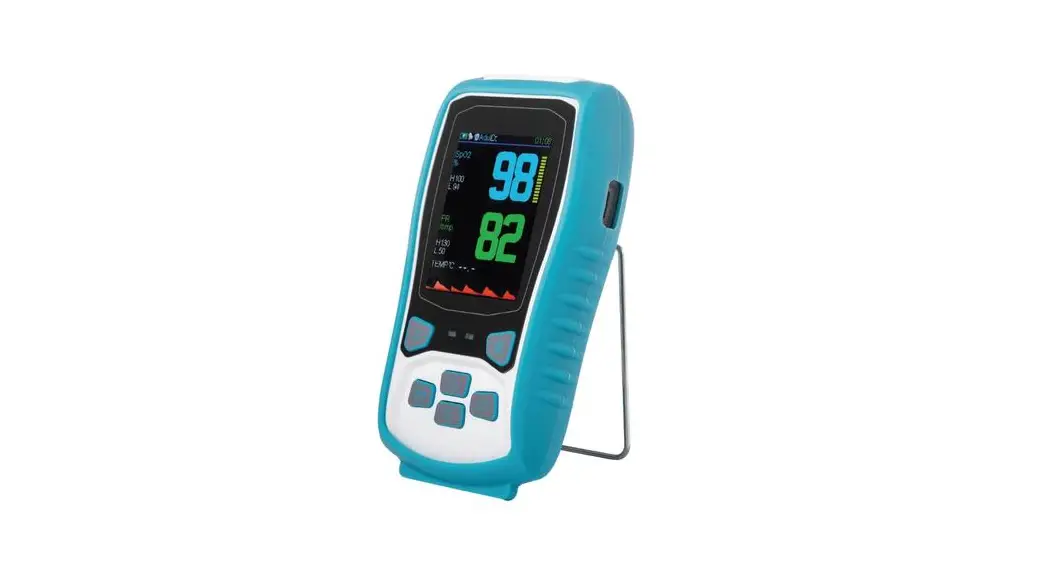
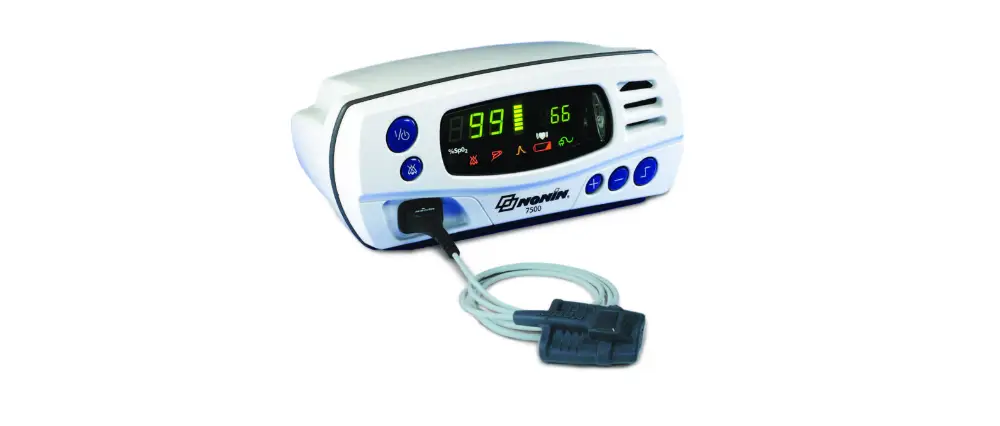
7500FO MRi Pulse Oximeter
Product Information:
Product Name: Nonin Model 7500FO Pulse Oximeter
Manufacturer: Nonin Medical Inc.
Indications for Use: The Nonin Model 7500FO Pulse
Oximeter is a portable tabletop device indicated for use in
simultaneously measuring, displaying, and recording functional
oxygen saturation of arterial hemoglobin (SpO2) and pulse rate of
adult, pediatric, and infant patients in a Magnetic Resonance (MR)
environment. It is intended for spot checking and/or continuous
monitoring of patients who are well or poorly perfused.
Warnings and Cautions: The user manual contains warnings
and cautions related to the proper usage and performance of the
device. Please refer to the user manual for detailed
information.
Warranty: The device comes with a 3-year warranty. For
more information, visit nonin.com/warranty.
Compliance: This product complies with ISO 10993
standards and is not made from natural rubber latex.
Product Usage Instructions:
- Fully charge the battery pack, which takes approximately four
hours. - Press the ON/STANDBY button. Make sure all LEDs (except the AC
Power Supply LED) light up and the unit beeps three times during
the startup sequence. If any LED is not lit, do not use the device
and contact Nonin Technical Service for assistance. - Insert the sensor into the Model 7500FO, then apply it to the
patient and take the measurement. For more information on how to
use a specific sensor, please refer to that sensor’s Operator’s
Manual. - When done using the Model 7500FO, press and hold the ON/STANDBY
button for one to three seconds to turn the device off.
Contact Information:
Customer Service:
- Toll Free: 800.356.8874 (U.S. and Canada only)
- Phone: +1 763.553.9968
- Email: [email protected]
Technical Service:
- Toll Free: 800.356.8874 (U.S. and Canada only)
- Phone: +1 763.553.9968
Manufacturer Addresses:
- Nonin Medical Inc., 13700 1st Avenue North Plymouth, MN
55441-5443, USA - Nonin B.V., Doctor Paul Janssenweg 150 5026 RH Tilburg,
Netherlands
Additional Information:
For more information about the company’s history, product
offerings, and more, visit nonin.com.
Model 7500FO
Instructions for Use
Thank you for trusting Nonin with your patients’ healthcare needs. We sincerely appreciate your business. Please read your Operator’s Manual carefully and direct any further questions to a Nonin Technical Service representative. If you would like to order products or check the status of a current order, please contact Customer Service.
Contact Customer Service or Technical Service
Toll Free: 800.356.8874 (U.S. and Canada only) Phone: +1 763.553.9968 Email: [email protected]
Nonin Medical Inc.
13700 1st Avenue North Plymouth, MN 55441-5443, USA
Nonin B.V.
Doctor Paul Janssenweg 150 5026 RH Tilburg, Netherlands
Have other questions or want to learn more? Visit nonin.com to read more about our history, product offerings, and more.
Nonin is committed to sustainable practices. This paper is made with FSC-certified materials, printed with soy ink, and is 100% recyclable.
7500FO Specifications *Additional specifications are available in the IFU/Operator’s Manual that can be located using the QR Code. · Oxygen saturation measured from 0%-100% SpO2. With an accuracy typically ± 2 with a maximum of ± 3. · Pulse rate measured from 18bpm-321bpm. With an accuracy data is typically ± 3 with a maximum of ± 5. Measurement Wavelengths and Output Power: · Red: 660 nanometers @ 0.8 mW maximum average · Infrared: 910 nanometers @ 1.2 mW maximum average
Indications for Use/Intended Use/Intended Purpose
The Nonin Model 7500FO Pulse Oximeter is a portable tabletop device indicated for use in simultaneously measuring, displaying, and recording functional oxygen saturation of arterial hemoglobin (SpO2) and pulse rate of adult, pediatric, and infant patients in a Magnetic Resonance (MR) environment. Testing was performed in MR conditional environments at 1.5T and 3T. It is intended for spot checking and/or continuous monitoring of patients who are well or poorly perfused.
Warnings
· Do not operate this device with the oximeter or sensor connectors within the MR room. The oximeter and sensor connector should be positioned in the control/observation room with the fiber optic cable and sensor entering the MR room through the wall.
· Do not use in an explosive atmosphere or in the presence of flammable anesthetics or gases. · This device is not defibrillation proof per IEC 60601-1. · The battery charger cannot be used in the MR environment. · This device is intended only as an adjunct device in patient assessment. It must be used in conjunction with other methods of assessing clinical
signs and symptoms. · Inspect the sensor application site at least every 4 hours to ensure correct sensor alignment and skin integrity. Patient sensitivity to sensors and/or
double-backed adhesive strips may vary due to medical status or skin condition. · Avoid excessive pressure to the sensor application site as this may cause damage to the skin beneath the sensor. · Oximeter readings of this device may be affected by the use of an electrosurgical unit (ESU). · To avoid patient injury, use only Nonin-branded PureLight® pulse oximeter sensors. These sensors are manufactured to meet the accuracy
specifications for Nonin pulse oximeters. Using other manufacturers’ sensors can result in improper pulse oximeter performance. · To prevent improper performance and/or patient injury, verify compatibility of the monitor, sensor(s), and accessories before use. · No modifications to this device are allowed as it may affect device performance. · Do not use a damaged sensor. If the sensor is damaged in any way, discontinue use immediately and replace the sensor. · Verify all alarm settings and limits during system startup to ensure that they are set as intended. · Do not use this device in or around water or any other liquid, with or without AC power.
· As with all medical equipment, carefully route patient cables and connections to reduce the possibility of entanglement, strangulation, or injury to the patient.
P/N 115157-000-01 05/2023
13700 1st Avenue North, Plymouth, MN 55441-5443 USA
nonin.com
Warnings (continued)
· Use this device only with power adapters supplied by Nonin Medical.
· This device turns off after approximately 30 minutes when in low battery mode.
· This device should not be used adjacent to or stacked with other equipment. If adjacent or stacked use is necessary, the device should be observed carefully to verify normal operation.
· The battery pack must be installed at all times while the device is operating–even when operating on AC power. Do NOT use the device without batteries.
· The use of accessories, sensors, and cables other than those listed in this manual may result in increased electromagnetic emission and/or decreased immunity of this device.
· To comply with relevant product safety standards, ensure that all alarm volumes are set appropriately and are audible in all situations. Do not cover or otherwise obstruct any speaker openings.
· The fiber cable for this device is extremely sensitive and must be handled with caution at all times. Do not use a damaged sensor.
· Ensure that the routing of the sensor cable from the 7500FO device in the control/observation room to the MR room does not compromise the RF shielding of the MR room. A proper wave guide for the sensor cable passage through the RF cage must be taken into account by the RF cage builder during site planning, or created afterwards.
· Portable RF communications equipment such as cell phones or radios (including peripherals such as antenna cablesand external antennas) should be used no closer than 30 cm (12 inches) to any part of the medical electrical system, including cables specified by the manufacturer. Otherwise, degradation of the performance of this equipment could result.
Cautions
· This equipment complies with IEC 60601-1-2 for electromagnetic compatibility for medical electrical equipment and/or systems. This standard is designed to provide reasonable protection against harmful interference in a typical medical installation. However, because of the proliferation of radio-frequency transmitting equipment and other sources of electrical noise in healthcare and other environments, it is possible that high levels of such interference due to close proximity or strength of a source might disrupt the performance of this device. Medical electrical equipment needs special precautions regarding EMC, and all equipment must be installed and put into service according to the EMC information specified in this manual.
· When mounting the monitor to a mobile pole, mounting the monitor higher than 1.5 meters (5 feet) or mounting more than 2 kilograms (4.5 pounds) of equipment onto the pole may result in tipping, damage to the equipment, or injury.
· If the device does not beep during the initialization sequence, the speaker may not be functioning properly. Discontinue use until the situation is corrected by Nonin Technical Service.
· Review all limits to ensure they are appropriate for the patient.
· Setting alarm limits to extremes can render the alarm system useless.
· Do not simultaneously touch the accessible connector pins and the patient.
· This device is a precision electronic instrument and must be repaired by Nonin Technical Service. Field repair of the
· device is not possible. Do not attempt to open the case or repair the electronics. Opening the case may damage the device and void the warranty.
· If this device fails to respond as described, discontinue use until the situation is corrected; contact Nonin Technical Service.
· The sensor might not work on cold extremities due to reduced circulation. Warm or rub the finger to increase circulation, or reposition the sensor.
· Do not gas sterilize or autoclave this device.
· Batteries might leak or explode if used or disposed of improperly.
· This device has motion tolerant software that minimizes the likelihood of motion artifact being misinterpreted as good pulse quality. In some circumstances, however, the device may still interpret motion as good pulse quality.
· Do not place liquids on top of this device.
· Do not immerse this device or sensors in any liquids.
· Do not use caustic or abrasive cleaning agents on the unit or sensors.
· Follow local, state and national governing ordinances and recycling instructions regarding disposal or recycling of the device and device components, including batteries. Use only Nonin-approved battery packs.
· In compliance with the European Directive on Waste Electrical and Electronic Equipment (WEEE) 2002/96/EC, do not dispose of this product as unsorted municipal waste. This device contains WEEE materials; please contact your distributor regarding take-back or recycling of the device. If you are unsure how to reach your distributor, please call Nonin for your distributor’s contact information.
· To prevent potential loss of monitoring or inaccurate data, remove any objects that might hinder pulse detection and measurement (e.g., blood pressure cuffs).
· If the entire memory is filled, portions of the oldest record will be overwritten when a new record begins. · This device is designed to determine the percentage of arterial oxygen saturation of functional hemoglobin. Factors that may degrade pulse
oximeter performance or affect the accuracy of the measurement include the following:
· Excessive ambient light
· Improperly applied sensor
· Carboxyhemoglobin
· Excessive motion
· Incorrect sensor type
· Methemoglobin
· Electrosurgical interference
· Poor pulse quality
· Dysfunctional hemoglobin
· Blood flow restrictors (arterial catheters, blood pressure cuffs, infusion lines, etc.)
· Venous pulsations · Anemia or low hemoglobin concentrations
· Artificial nails or fingernail polish · A sensor not at heart level
· Moisture in the sensor
· Cardiogreen and other intravascular dyes
· Residue (e.g., dried blood, dirt, grease, oil) in the light path
· A functional tester cannot be used to assess the accuracy of a pulse oximeter monitor or sensor. · All parts and accessories connected to the serial port of this device must be certified according to at least IEC Standard EN 60950, IEC 62368-1,
or UL 1950 for data-processing equipment. · Operation of this device below the minimum amplitude of 0.3% modulation may cause inaccurate results. · The two-minute alarm silence is automatically engaged at startup. · Do not use the power supply if the integrity of the AC cord conductors or the outlet is in doubt. · Failure of a network data coupling (serial cable/connectors) will result in loss of data transfer.
©2023 Nonin Medical, Inc. All trademarks are the property of Nonin Medical, Inc. unless otherwise noted.
Model 7500FO
Instructions for Use
Instructions for Use / Operator’s Manual
ENG FRE GER ITL SPA POR DUT GRK
DAN SWE FIN POL NOR
Translations of the IFU can be found using this QR code. Les traductions de cette notice d’utilisation peuvent être retrouvées à l’aide de ce code QR. Übersetzungen dieses Handbuchs können über diesen QR-Code abgerufen werden. Utilizzando questo codice QR, è possibile trovare le traduzioni delle Istruzioni per l’uso. Las traducciones de este manual se pueden encontrar utilizando este código QR. Pode aceder às traduções das instruções de utilização através deste código QR. Vertalingen van de handleiding zijn te vinden met behulp van deze QR-code. QR (IFU). Scan denne QR-kode for at finde oversættelser af denne brugsvejledning. Översättningar av den här guiden kan hittas med denna QR-kod. Käyttöohjeen käännökset löytyvät tällä QR-koodilla. Tlumaczenia tego przewodnika mona znale za pomoc tego kodu QR. Oversettelser av denne bruksanvisningen kan finnes ved å bruke denne QR-koden.
Warranty
The device warranty is 3 years. nonin.com/warranty
Symbol Glossary
nonin.com/symbols
For summary of safety and clinical data see above QR code.
Compliance
This product complies with ISO 10993. Not made from natural rubber latex.
EC REP
MPS, Medical Product Service GmbH Borngasse 20
D-35619 Braunfels, Germany
CH REP
MedEnvoy Switzerland Gotthardstrasse 28, 6302 Zug
Switzerland
P/N 115157-000-01 05/2023
13700 1st Avenue North, Plymouth, MN 55441-5443 USA
nonin.com
Model 7500FO
Instructions for Use
To set up and use the Nonin Model 7500FO pulse oximeter, please follow the simple instructions below.
Operating the Model 7500FO
1. Fully charge the battery pack, which takes approximately four hours.
2. Press the ON/STANDBY button. Make sure all LEDs (except the AC Power Supply LED) light up and the unit beeps three times during the startup sequence. If any LED is not lit, do not use the device and contact Nonin Technical Service for assistance.
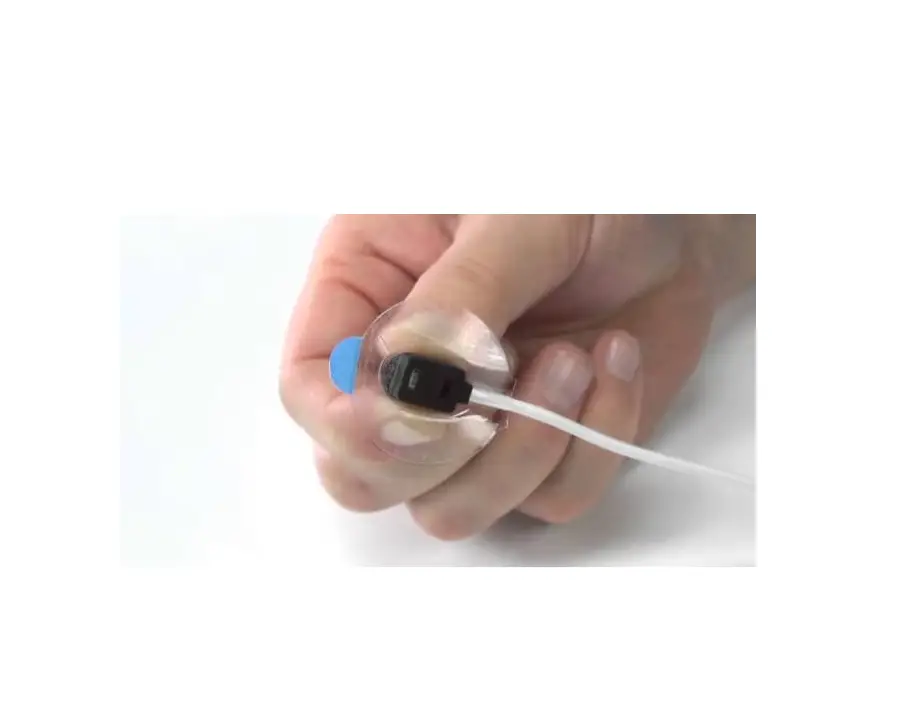
3. Insert the sensor into the Model 7500FO, then apply it to the patient and take the measurement. For more information on how to use a specific sensor, please refer to that sensor’s Operator’s Manual.
4. When done using the Model 7500FO, press and hold the ON/STANDBY button for one to three seconds to turn the device off.
Displays, Indicators, and Controls
On/Standby
Alarm Silence
% SpO2 Pulse Rate Alarm Display Display Bar Speaker
Alarm Bar LED Pulse Quality LED Sensor Alarm LED Pulse Strength Bargraph LED
Alarm Silence LED
AC Power Supply LED Low Battery LED
Sensor Connector
Plus (+) Minus (-) Limits
This LED indicates all alarm conditions.
This amber LED blinks to indicate a poor pulse signal. If there is a sustained period of poor-quality signals, this LED will display a steady, constant light.
This amber LED indicates when a sensor has become disconnected, has failed, or is not compatible with this monitor.
Indicates pulse strength. The height of the Pulse Strength Bargraph LED is proportional to the pulse signal, and the color is determined by pulse strength.
When blinking, this amber LED indicates that the audible alarm is silenced for two minutes. When alarms are active, this LED blinks in time with the alarm bar. If no alarms are active, this LED flashes at the medium priority alarm rate. When lit solid, the Alarm Silence LED indicates that audible alarm volumes are set to less than 45 dB.
Glows green when connected to external power.
This amber LED indicates a low battery charge when blinking, and a critical battery charge when lit solidly.
For more information on the displays, indicators, and controls, please refer to the Operator’s Manual.
P/N 115157-000-01 05/2023
13700 1st Avenue North, Plymouth, MN 55441-5443 USA
nonin.com
Model 7500FO
Instructions for Use
Operator Functions
Function
Turn the Model 7500FO on and off
Initiate an event marker
Temporarily mute the audible alarms
Change pulse tone volume
Set alarm limits or alarm volumes, clear memory or set clock
Button
Instruction
To turn on, press the ON/STANDBY button. To turn off, press and hold the button for at least one second. In Patient Security mode, hold the ON/STANDBY button for three seconds to turn off.
Quickly press the ON/STANDBY button while the unit is on.
Press the Alarm Silence button.
Then Or
Quickly press the Plus (+) button while the unit is in operating mode. Press again to sequence through volume options for pulse tones.
Quickly press the Limits button to step through the Limits menu. Use the Plus or Minus buttons to adjust alarm limits or selected volumes as desired.
Refer to the Operator’s Manual for more information about advanced options, which are only recommended for trained operators.
Operating Modes and Defaults
The Model 7500FO is shipped with factory defaults active. Refer to the Operator’s Manual for more information about its other modes, including Setup mode, User-Defined Defaults, and Patient Security mode.
Parameter SpO2 High Alarm Limit SpO2 Low Alarm Limit Pulse Rate High Alarm Limit Pulse Rate Low Alarm Limit Alarm Volume Oximetry Averaging
Factory Default Off 85% 200 BPM 50 BPM High Standard/Fast Averaged SpO2 (no)
Clinical Benefits Nonin pulse oximeters allow for the management of patients’ medical conditions by providing fast, accurate, real-time, noninvasive oxygen measurement in order to meet patients’ medical needs.
Adverse Event Statement Users and/or patients should report adverse events involve their Nonin device to Nonin Medical, Inc. and the competent authority of the EU Member State in which the user and/or patient is established, if applicable.
P/N 115157-000-01 05/2023
13700 1st Avenue North, Plymouth, MN 55441-5443 USA
nonin.com
Model 7500FO
Instructions for Use
Alarms and Limits Audio and visual alarms alert you about product malfunctions or changing patient conditions.
Alarm
Indicated By
What It Means
High priority alarm
Medium priority alarm Watchdog alarm
Informational tone
Rapidly-blinking red Alarm Bar LED and a red Pulse Immediate patient attention is required. Strength Bargraph LED
Slowly-blinking amber Alarm Bar LED
There may be problems with the equipment, or a non-life-threatening change in patient condition.
Loud, two-tone, steadily-beeping signals
Hardware of software malfunction.
Single beeps or series of Communicating important information, such as
three beeps
startup/initialization.
To silence an alarm for two minutes, press the Alarm Silence button.
Memory Features The Model 7500FO can collect and store 70 hours of continuous SpO2 and pulse rate information. Patient data is retained even when both external and battery power are lost.
For information on clearing patient memory or playing back memory data, please refer to the Operator’s Manual.
Care and Maintenance Clean the Model 7500FO separately from the sensors. Please refer to the sensor’s Operator’s Manual for information on how to clean the sensors.
To clean the Model 7500FO:
1. Dampen a soft cloth with isopropyl alcohol, mild detergent, or a 10% bleach (5.25% sodium hypochlorite) with water solution. Do not pour or spray any liquids onto the Model 7500FO, and do not allow any liquid to enter any openings in the device.
2. Allow the unit to dry thoroughly before reusing it.
Field repair of the Model 7500FO circuitry is not possible. If the Model 7500FO is not functioning properly, please reference the “Troubleshooting” section of the Operator’s Manual.
Error Codes
This device includes error codes that indicate problems with the unit. Error codes are indicated by “Err” in the %SpO2 display, and a capital “E” followed by a 2-digit code in the pulse rate display. To correct error conditions, perform the following steps:
1. Turn the unit off and then back on again to remove the error code.
2. If the error persists, disconnect all power, and then reconnect the power and turn the unit back on.
If the error still persists, note the error code and contact Nonin Technical Service.
Please refer to the Operator’s Manual on nonin.com/support/7500fo for troubleshooting guidance and more detailed operating instructions.
P/N 115157-000-01 05/2023
13700 1st Avenue North, Plymouth, MN 55441-5443 USA
nonin.com
 Pulse and Regional Oximeters, Capnographs, Sensors | Nonin
 Model 7500FO - Nonin