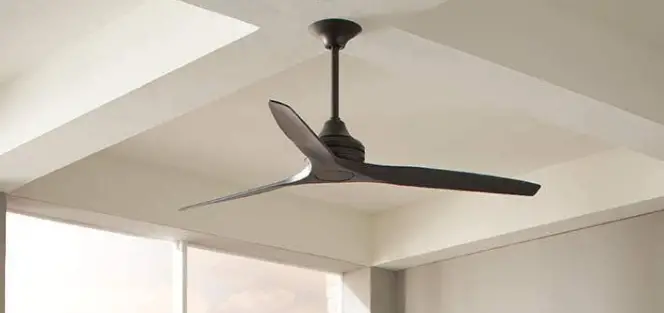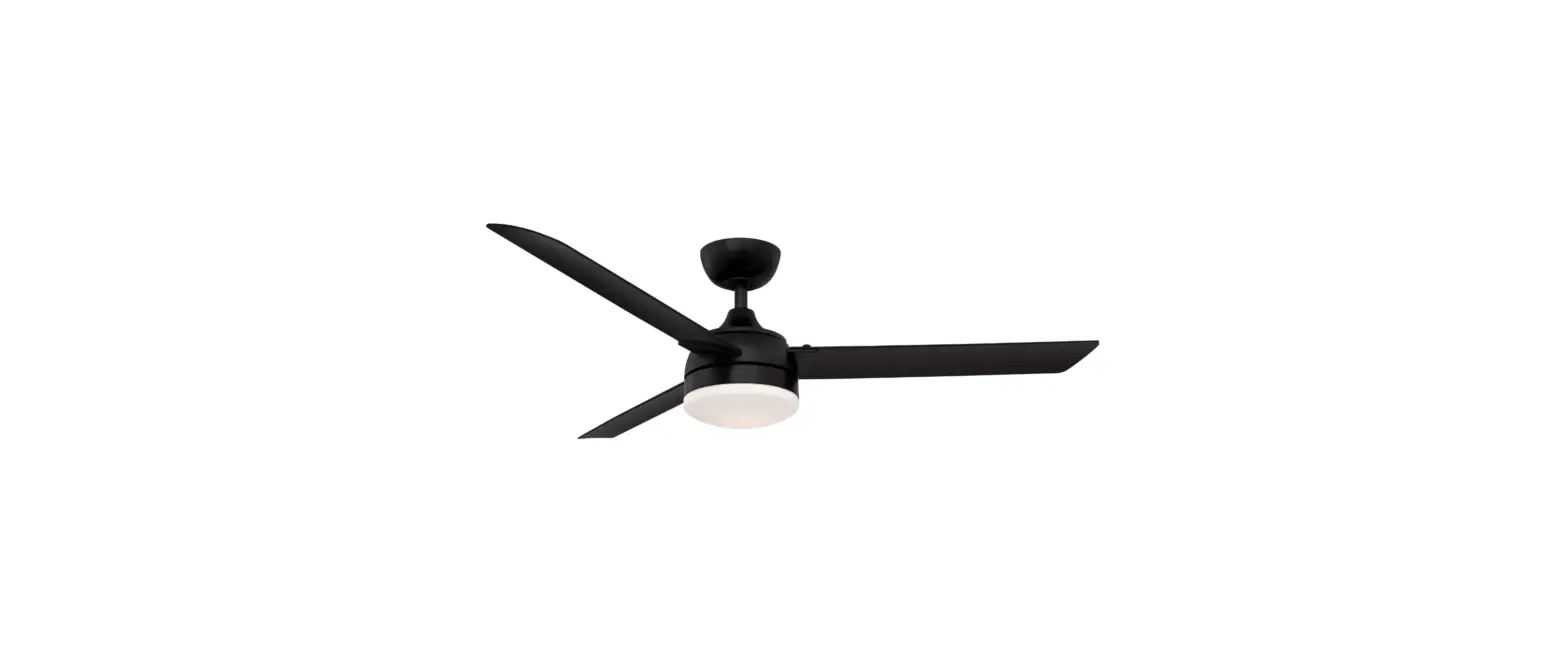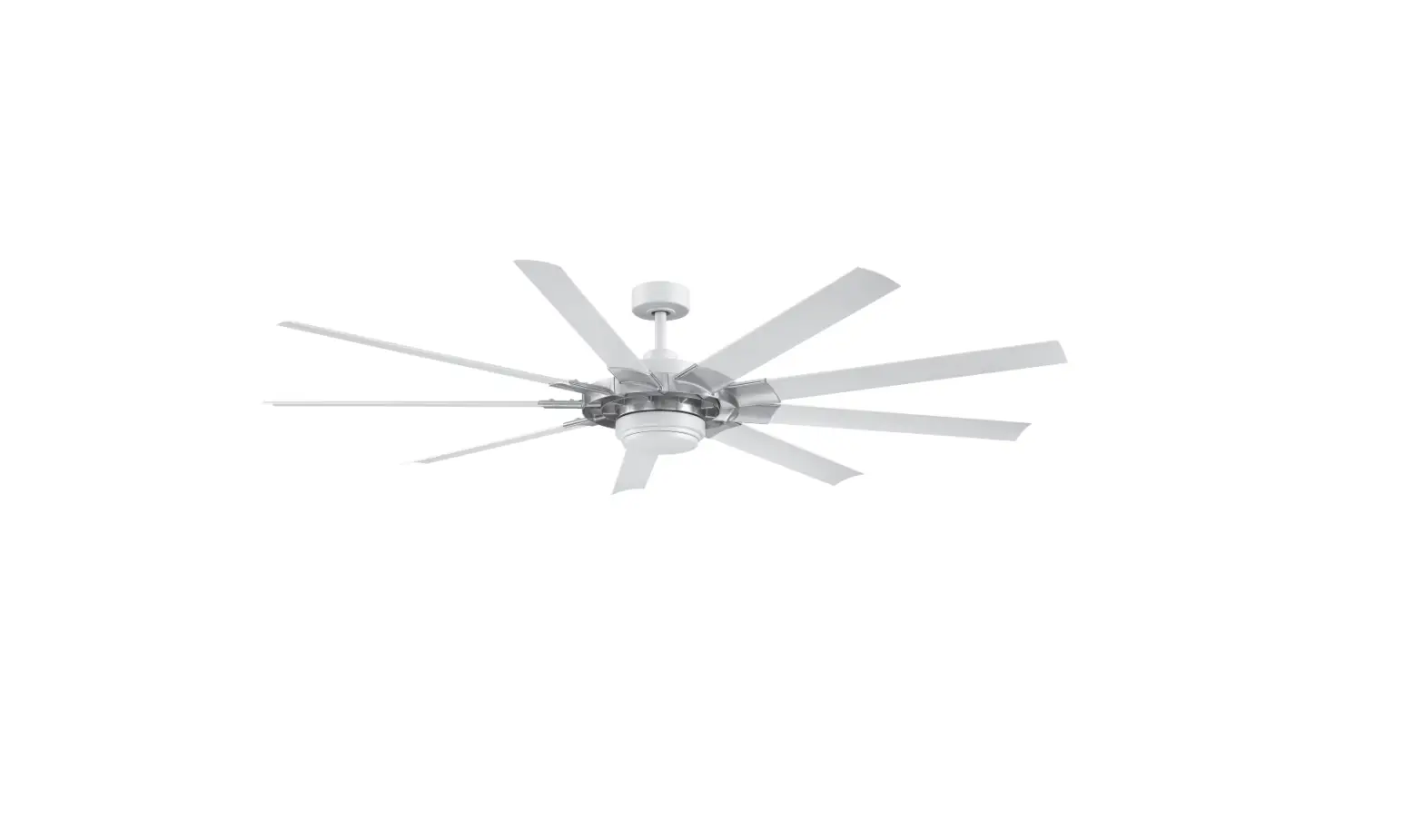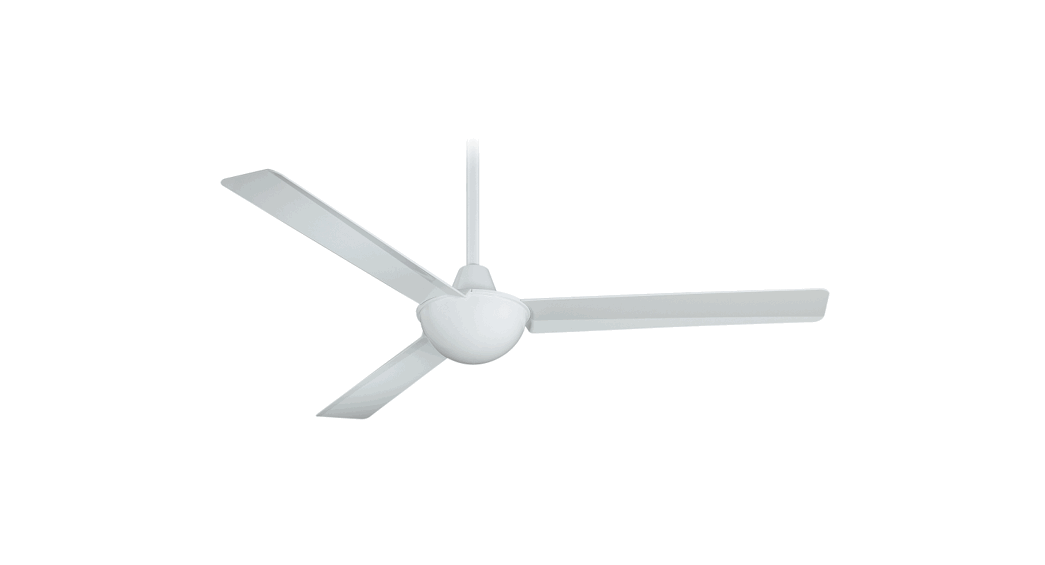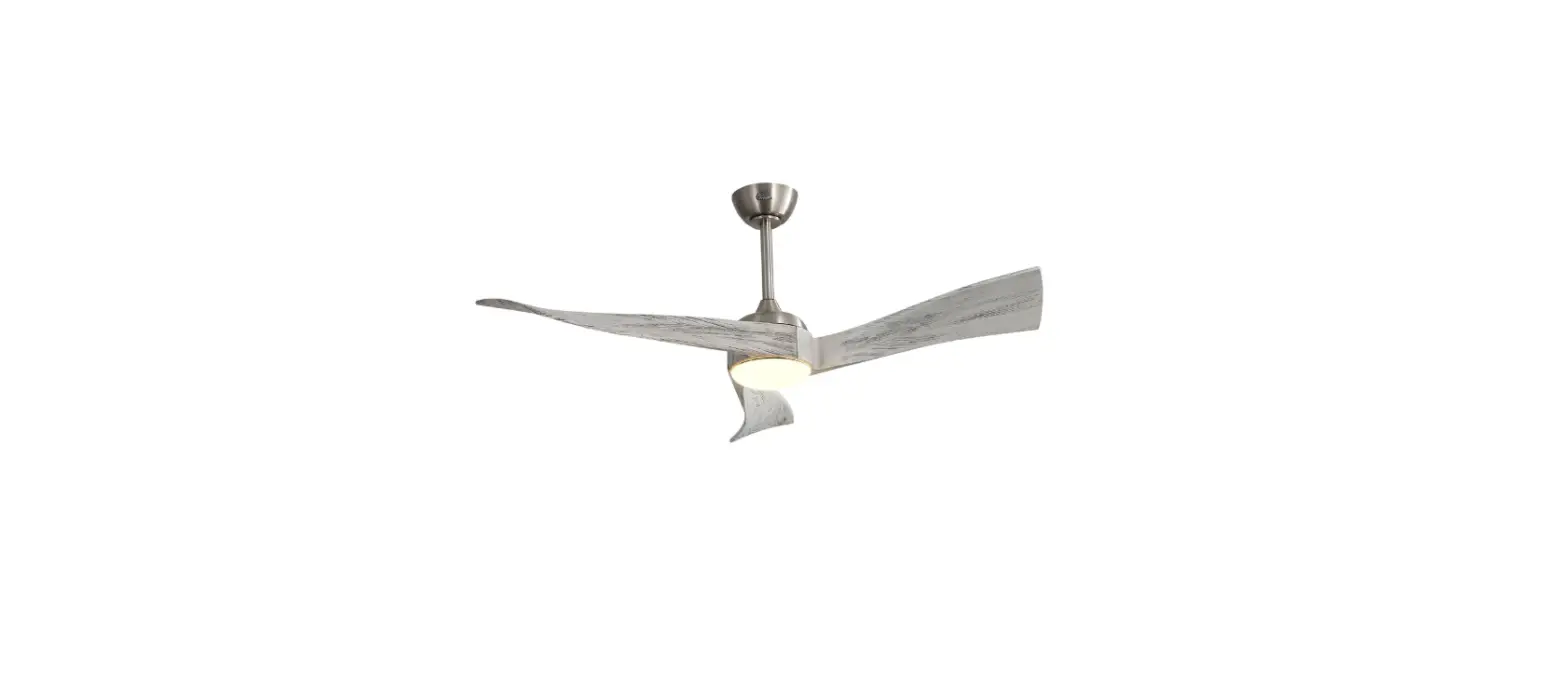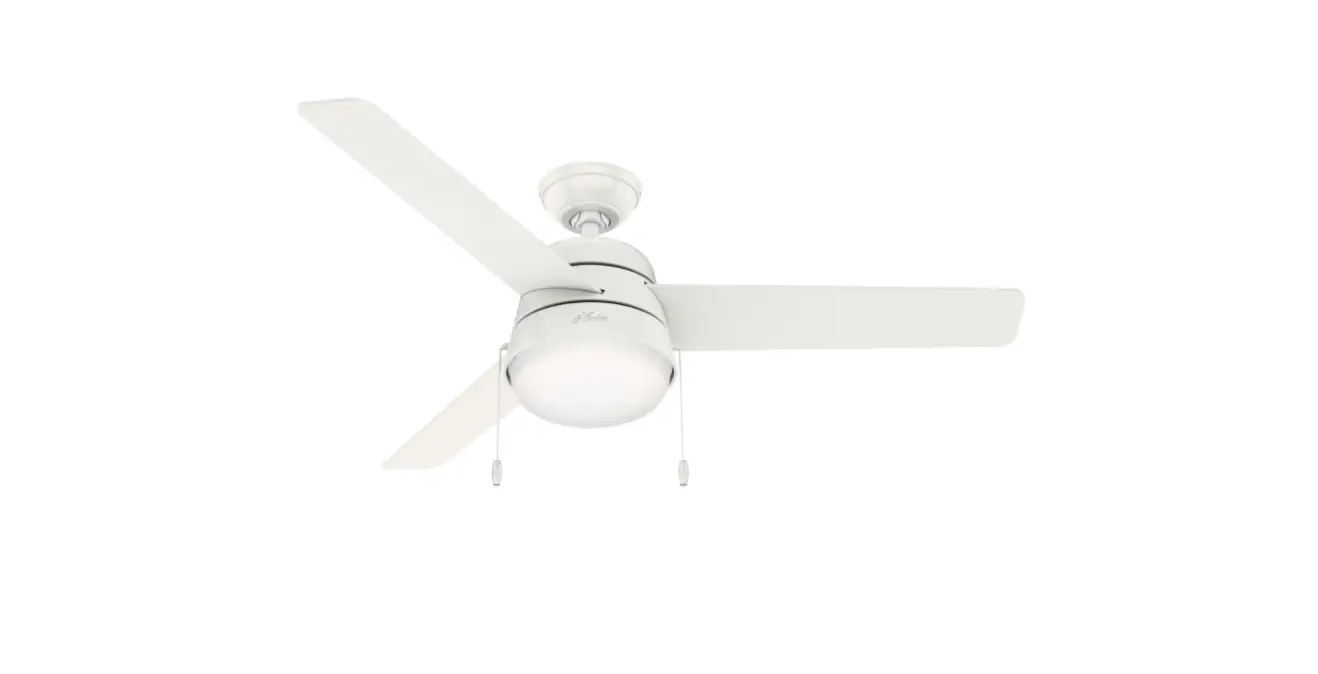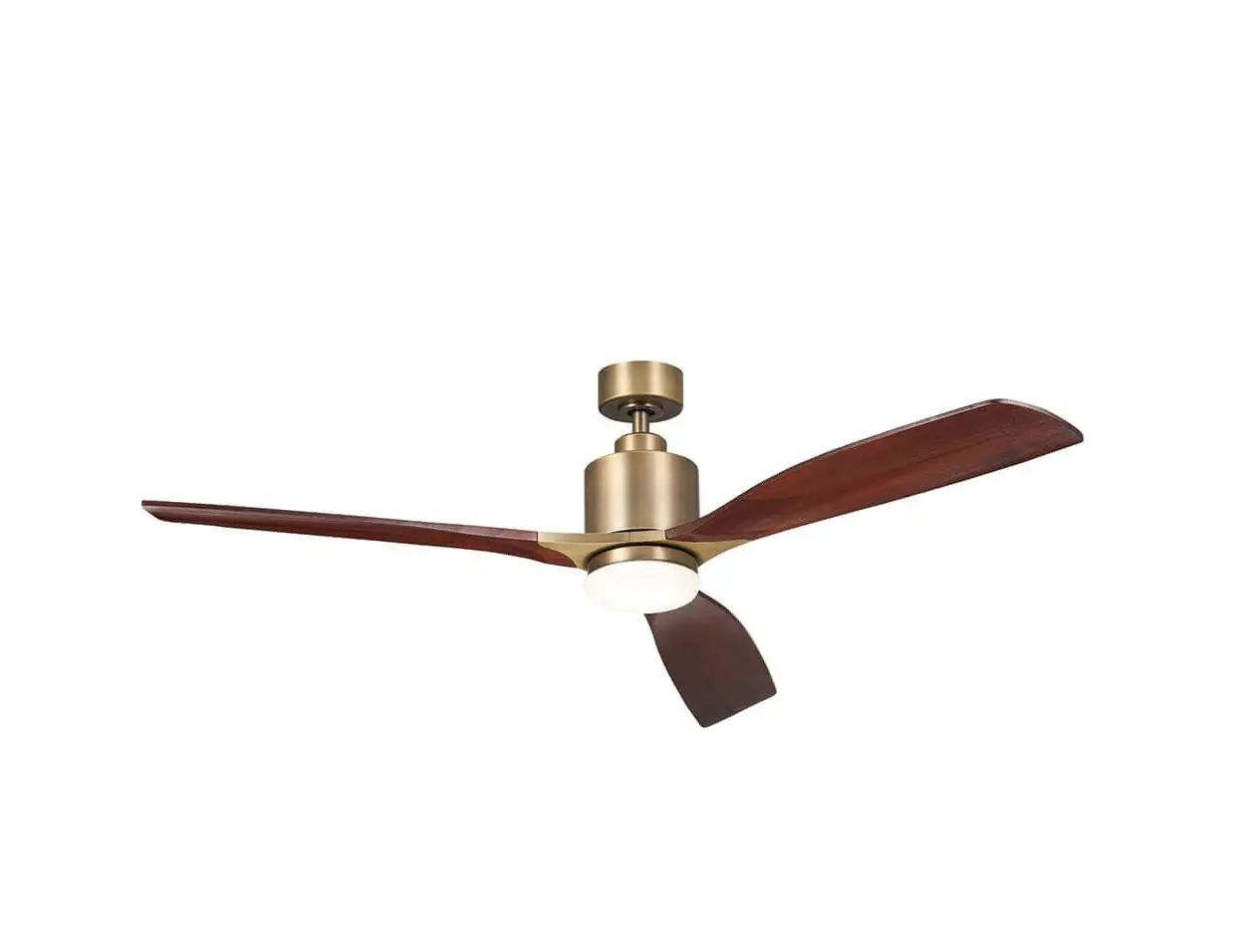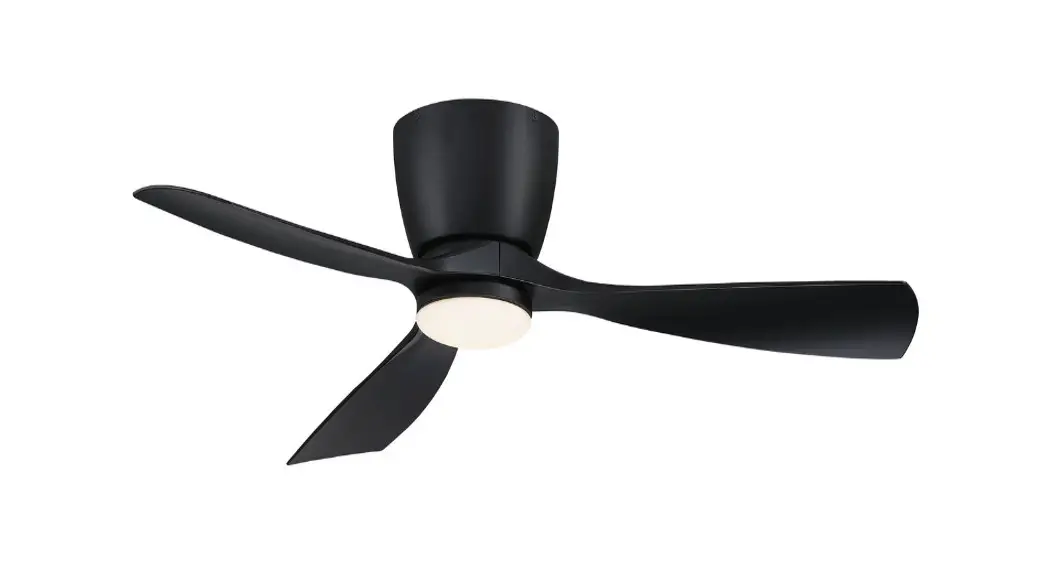
 FPS7681MW Klinch 44 Ceiling Fan
Instruction Manual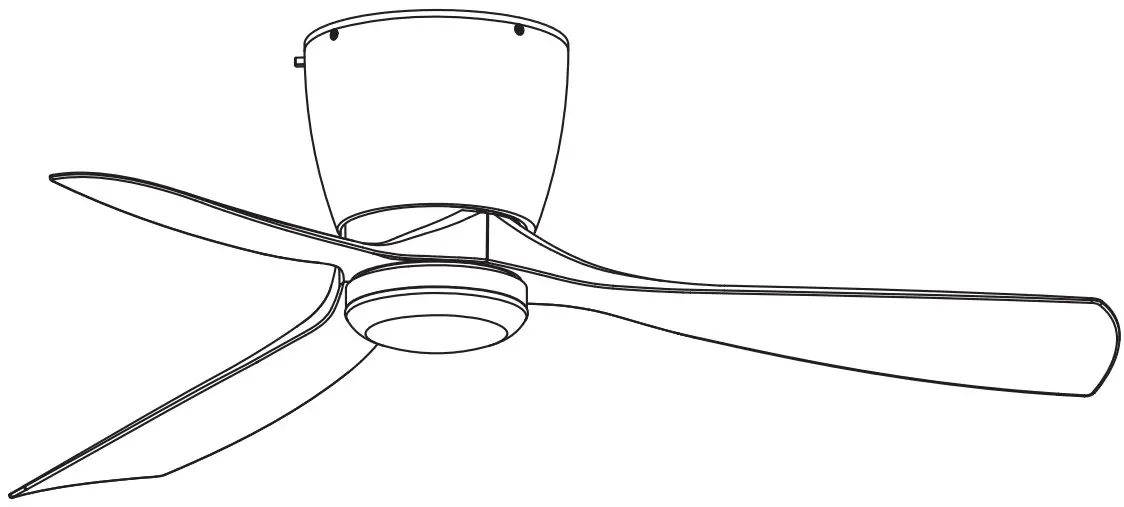 KLINCH™ 44 CEILING FAN MODEL
#FPS7681**
FPS7681MW Klinch 44 Ceiling Fan
ATTACH YOUR RECEIPT HERE AND REGISTER YOUR FAN AT FANIMATION.COM READ AND SAVE THESE INSTRUCTIONS
Date Code
Purchase Date
Net Weight 16.32 lbs (7.40 kgs)
For best and quickest service please provide date code. You can find the date code on the carton, hand-held remote (inside of the battery compartment), receiver or ceiling plate. Questions, problems, missing parts? Before returning to your retailer, call our customer service department at 1-888-567-2055, 8 a.m.-5 p.m., EST, Monday-Friday.
Important Safety Instructions
WARNING: To avoid fire, shock and serious personal injury, follow these instructions.
- Read your owner’s manual and safety information before installing your new fan. Review the accompanying assembly diagrams.
- Before servicing or cleaning unit, switch power off at service panel and lock service panel disconnecting means to prevent power from being switched on accidentally. When the service disconnecting means cannot be locked, securely fasten a warning device, such as a tag, to the service panel.
- Be careful of the fan and blades when cleaning, painting, or working near the fan. Always turn off the power to the ceiling fan before servicing.
- Do not insert anything into the fan blades while the fan is operating.
- Do not operate reversing switch until fan blades have come to a complete stop.
- The appliance is not intended for use by young children or infirm persons without supervision. Young children should be supervised to ensure that they do not play with the appliance.
Additional Safety Instructions
- To avoid possible shock, be sure electricity is turned off at the fuse box before wiring, and do not operate fan without blades.
- All wiring and installation procedures must satisfy National Electrical Codes (ANSI/ NFPA 70) and Local Codes. The ceiling fan must be grounded as a precaution against possible electrical shock. Electrical installation should be made or approved by a licensed electrician.
- The fan base must be securely mounted and capable of reliably supporting at least 35 lbs. See page 5 of owner’s manual for support requirements. Consult a qualified electrician if in doubt.
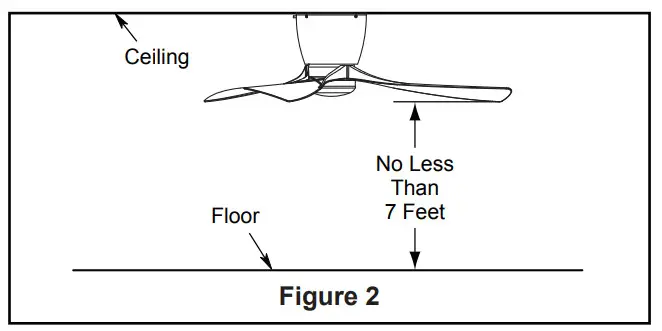
- The fan must be mounted with the fan blades at least 7 feet from the floor to prevent accidental contact with the fan blades.
- Follow the recommended instructions for the proper method of wiring your ceiling fan. If you do not have adequate electrical knowledge or experience, have your fan installed by licensed electrician.
- Suitable for use with solid-state speed controls.
- This fan is to be used in damp locations.
- Use only with light kits marked suitable for use in damp locations.
- For supply connections, if the conductor of a fan is identified as a grounded conductor, then it should be connected to a grounded conductor power supply. If the conductor of a fan is identified as an ungrounded conductor, then it should be connected to an ungrounded conductor power supply. If the conductor of a fan is identified for equipment grounding, then it should be connected to an equipment grounding conductor.
WARNING: TO REDUCE THE RISK OF ELECTRIC SHOCK, THIS FAN MUST BE INSTALLED WITH A GENERAL USE ISOLATING WALL CONTROL/SWITCH.
WARNING: This product is designed to use only those parts supplied with this product and/or accessories designated specifically for use with this product. Using parts and/or accessories not designated for use with this product could result in personal injury or property damage.
WARNING: To reduce the risk of personal injury, do not bend the blade when installing the fan blades, balancing the blades, or cleaning the fan. Do not insert foreign objects in between rotating fan blades.
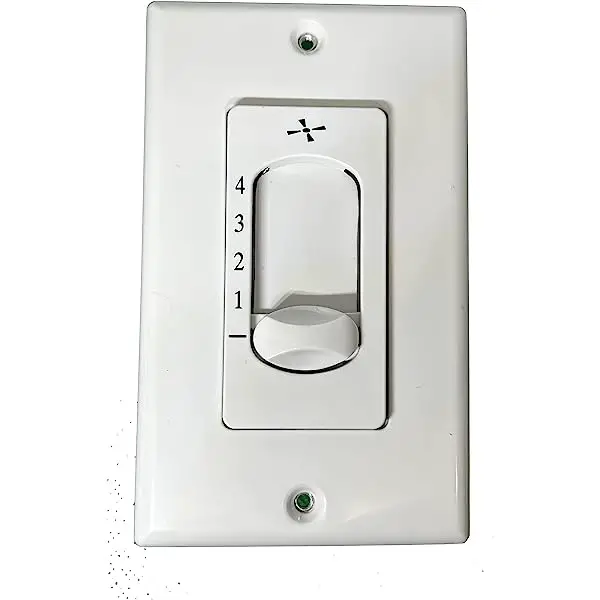
WARNING: Do not operate this fan with a variable (Rheostat) wall controller or dimmer switch. Doing so could result in damage to the ceiling fan’s remote control unit.
WARNING: Mount to an outlet box marked acceptable for fan support of 15.9 kg (35 lbs) or Less.
This device complies with Part 15 of the FCC Rules. Operation is subject to the following two conditions:
(1) This device may not cause harmful interference, and (2) this device must accept any interference received, including interference that may cause undesired operation. Please note that changes or modifications not expressly approved by the party responsible for compliance could void the user’s authority to operate the equipment.
Note: This equipment has been tested and found to comply with the limits for Class B digital device, pursuant to part 15 of the FCC Rules. These limits are designed to provide reasonable protection against harmful interference in a residential installation.
This equipment generates, uses and can radiate radio frequency energy and, if not installed and used in accordance with the instructions, may cause harmful interference to radio or television reception, which can be determined by turning the equipment off and on, the user is encouraged to try to correct the interference by one or more of the following measures:
- Reorient or relocate the receiving antenna.
- Increase the separation between the equipment and the receiver.
- Connect the equipment into an outlet on a circuit different from that to which the receiver is connected. Consult the dealer or an experienced radio/TV technician for help.
Note: For a Class A digital device, statements of 15. 105(a) must be included when appropriate for the device in question.
LIMITED LIFETIME WARRANTY
Extends to the original purchaser of a Fanimation fan from an authorized Fanimation dealer/retailer only
- LIMITED LIFETIME MOTOR WARRANTY – If any part of your fan motor fails, due to a defect in materials or workmanship during the lifetime of the original purchaser, Fanimation will provide the replacement part free of charge, when the defective fan is returned to our national service center. Proof of purchase is required. Customer shall be responsible for all costs incurred in the removal or reinstallation and shipping of the product for repairs or replacement.
- ONE YEAR MOTOR LABOR WARRANTY – If your fan motor fails at any time within one year from the original purchase, due to defects in materials or workmanship, labor to repair the motor will be provided free of charge at our national service center. Purchaser will be responsible for labor charges after this one-year period. Customer shall be responsible for all costs incurred in the removal or reinstallation and shipping of the product for repairs or replacement.
- If any other part of your fan fails at any time within one year after original purchase, due to a defect in materials or workmanship, we will repair, or replace, at our option, the defective part free of charge for parts and labor performed at our national service center.
- Because of varying climate conditions, this warranty does not cover changes in the finish, including rusting, pitting, corroding, tarnishing, or peeling.
- This warranty is void and does not apply to damage from improper installation, neglect, accident, misuse, exposure to extremes of heat or humidity, or as a result of any modification to the original product.
- All costs of removal and reinstallation of the fan are the sole responsibility of the owner of the fan and not the store that sold the fan or Fanimation.
- Fanimation reserves the right to modify or discontinue any product at any time and may substitute any part under this warranty.
- Under no circumstances may a fan be returned without prior authorization from Fanimation. The receipt of purchase must accompany authorized returns and must be sent freight prepaid to Fanimation. The fan to be returned must be properly packed to avoid damage in transit; Fanimation will not be responsible for any damage resulting from improper packaging.
- It is understood that any repair or replacement is the exclusive remedy available from Fanimation. There is no other expressed or implied warranty. Fanimation hereby disclaims any and all implied warranties, including, but not limited to those of merchantability and fitness for a particular purpose to the extent permitted by law. Some states do not allow limitations on implied warranties. Fanimation will not be liable for incidental, consequential, or special damages arising out of or in conjunction with product use or performance, except as may otherwise be accorded by law. This warranty gives you special legal rights and you may also have other rights that vary from state to state.
- A certain amount of wobble is normal and should not be considered a problem or a defect.
This manual is designed to make it as easy as possible for you to assemble, install, operate and maintain your ceiling fan
Tools Needed for Assembly (Not Included)
- One Phillips head screwdriver
- One ¼˝ blade screwdriver
- One stepladder
- One wire stripper
 WARNING
Before assembling your ceiling fan, refer to section on proper method of wiring your fan (page 9). If you feel you do not have enough wiring knowledge or experience, have your fan installed by a licensed electrician.
Materials
Wiring outlet box and box connectors must be of type required by local code. The minimum wire would be a 3conductor (2-wire with ground) of the following size:
Installed Wire Length
Up to 50 ft.
50-100 ft.
Wire Size A.W.G.
14
12
NOTE: Place the parts from the loose parts bags in a small container to keep them from being lost. If any parts are missing, contact your local retailer.
Unpacking Instructions
For your convenience, check-off each step. As each step is completed, place a check mark. This will ensure that all steps have been completed and will be helpful in finding your place should you be interrupted.
WARNING
Do not install or use fan if any part is damaged or missing. This product is designed to use only those parts supplied with this product and/or any accessories designated specifically for use with this product by Fanimation. Substitution of parts or accessories not designated for use with this product by Fanimation could result in personal injury or property damage. Contact your retail store for missing or damaged parts.
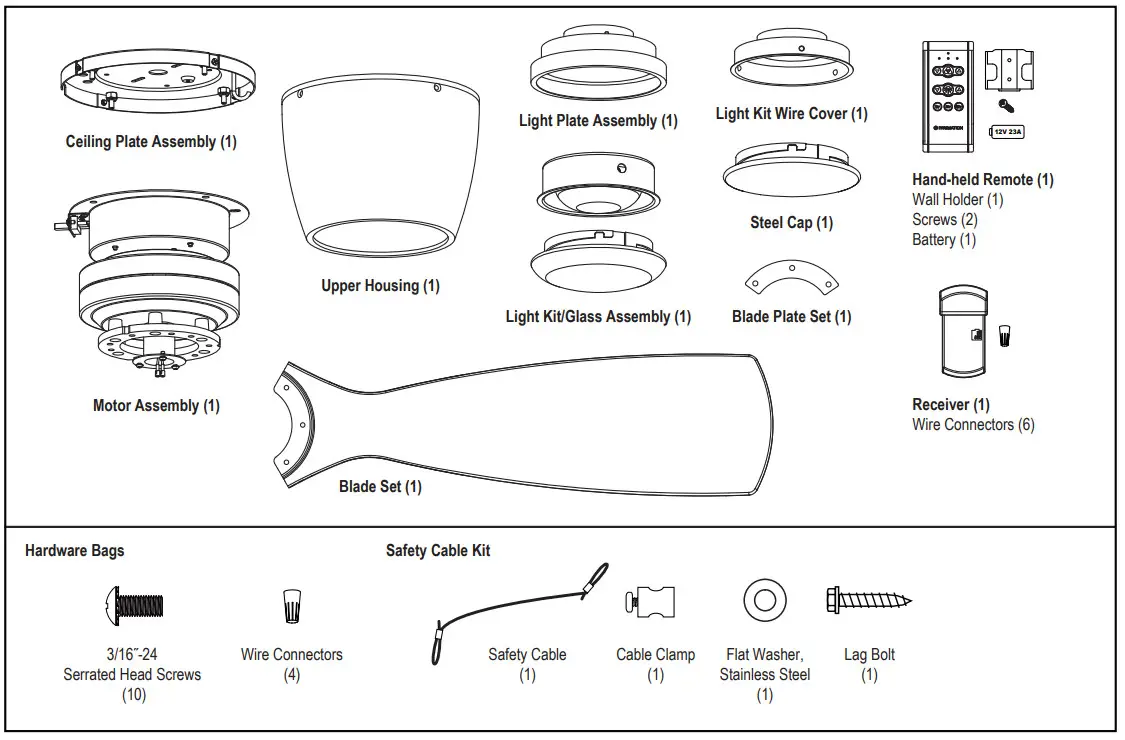
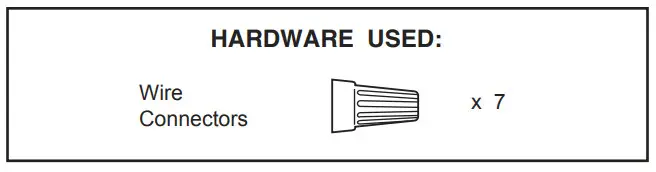
- Check to see that you have received the following parts:
NOTE: If you are uncertain of part description, refer to exploded view illustration.
Energy Efficient Use of Ceiling Fans
Ceiling fan performance and energy savings rely heavily on the proper installation and use of the ceiling fan. Here are a few tips to ensure efficient product performance.
Choosing the Appropriate Mounting Location Ceiling fans should be installed, or mounted, in the middle of the room and at least 7 feet from floor to the blade and 18 inches from wall to the blade. If ceiling height allows, install the fan 8 – 9 feet from floor to the blade for optimal airflow. Consult your Fanimation Retailer for optional mounting accessories.
Turn Off When Not in the Room
Ceiling fans cool people, not rooms. If the room is unoccupied, turn off the ceiling fan to save energy.
Using the Ceiling Fan Year Round
Summer Season: Use the ceiling fan in the counterclockwise direction. The airflow produced by the ceiling fan creates a wind-chill effect, making you “feel” cooler. Select a fan speed that provides a comfortable breeze, lower speeds consume less energy.
Winter Season: Reverse the motor and operate the ceiling fan at low speed in the clockwise direction.
This produces a gentle updraft, which forces warm air near the ceiling down into the occupied space.
Remember to adjust your thermostat when using your ceiling fan-additional energy and dollar savings could be realized with this simple step!
Electrical and Structural Requirements
Your new ceiling fan will require a grounded electrical supply line of 120 volts AC, 60 HZ, 15 Amp Circuit. Electrical code requires use of a fan-rated outlet box to support the extra weight and motion associated with a ceiling fan. A fan-rated box will be labeled as such and typically supports up to a 70lbs ceiling fan. Fan-Rated Outlet Boxes vary in ratings and design. Ensure the ratings of your ceiling fan outlet box meet the requirements for the ceiling fan being installed. Figure 1, Figure 2 and Figure 3 depicts different structural configurations that may be used for mounting the outlet box.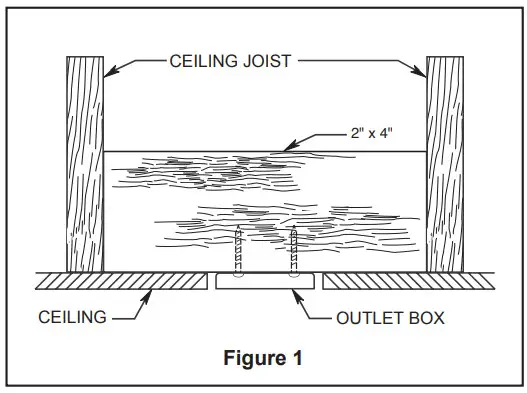
Low profile box (Figure 1)
A 1/2-in.-deep pancake box is meant to be screwed to a joist or block. It’s used if only one cable is coming into the box. It is also available in a saddle-mount configuration. 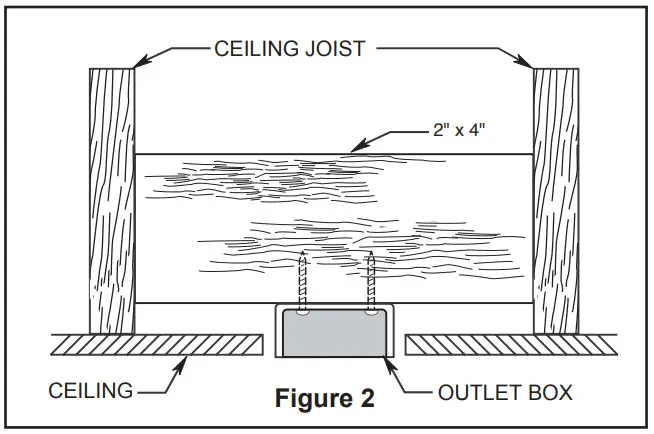
Deep box (Figure 2)
A 2-1/4-in.-deep box can be attached to blocking between joists and is roomy enough to handle more than one cable.
Deep box with brace (Figure 3)
Paired with a deep box, this hanger is meant to span between two joists and takes the place of wooden blocking.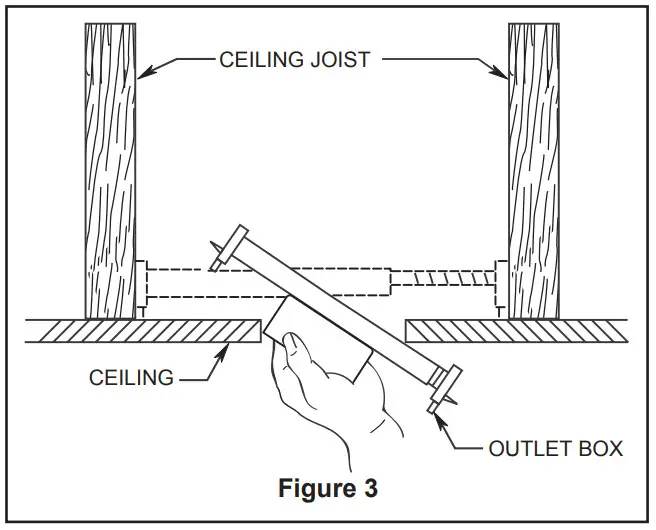 WARNING
To reduce the risk of fire, electric shock, or personal injury, mount to outlet box marked acceptable for fan support of 15.9 kg (35 lbs) or less and use mounting screws rovided with the outlet box. Most outlet boxes commonly used for the support of luminaires are not acceptable for fan support and may need to be replaced, consult a qualified electrician if in doubt.
If your fan is to replace an existing light fixture, turn electricity off at the main fuse box at this time and remove the existing light fixture.
WARNING
Turning off wall switch is not sufficient. To avoid possible electrical shock, be sure electricity is turned off at the main fuse box before wiring. All wiring must be in accordance with National and Local codes and the ceiling fan must be properly grounded as a precaution against possible electrical shock.WARNING
To avoid fire or shock, follow all wiring instructions carefully. Any electrical work not described in these instructions should be done or approved by a licensed electrician. WARNING
Do not operate this fan with a variable (Rheostat) wall controller or dimmer switch. Doing so could result in damage to the ceiling fan’s remote control unit.
How to Hang Your Ceiling Fan
WARNING
To avoid possible electrical shock, be sure electricity is turned off at the main fuse box before hanging. (Figure 1)
NOTE: If you are not sure if the outlet box is grounded, contact a licensed electrician for advice, as it must be grounded for safe operation. WARNING
The fan must be hung with at least 7´ of clearance from floor to blades. (Figure 2) WARNING
It is critical that the outlet box and the screws are securely anchored to the building structure and capable of withstanding a load of at least 35 lbs. Failure to verify that the screws are properly installed could result in the fan falling. CAUTION
Do not connect fan blades until the fan is completely installed. Hanging fan with blades connected may result in damage to the fan blades.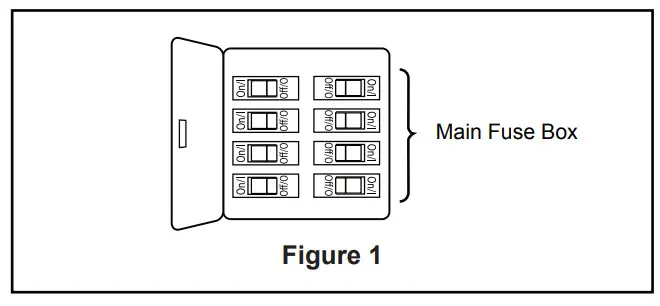
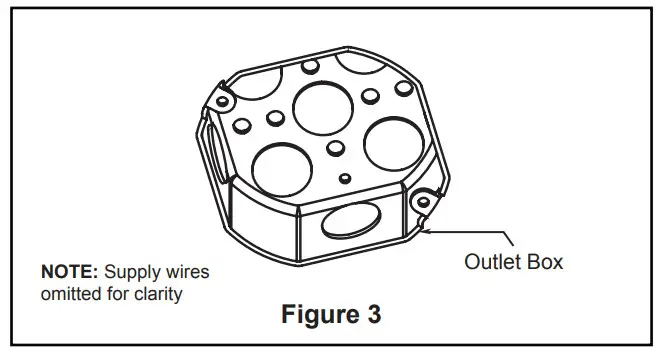
- Securely attach the outlet box acceptable for ceiling fan support into the building structure. Outlet box is not supplied with the fan. (Figure 3)

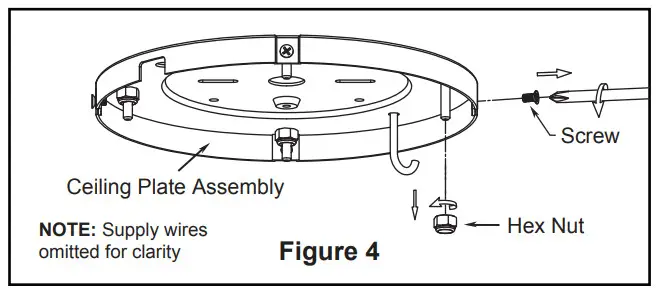
- Remove the four screws and hex nuts from the ceiling plate assembly. Retain the screws and hex nuts for later. (Figure 4)
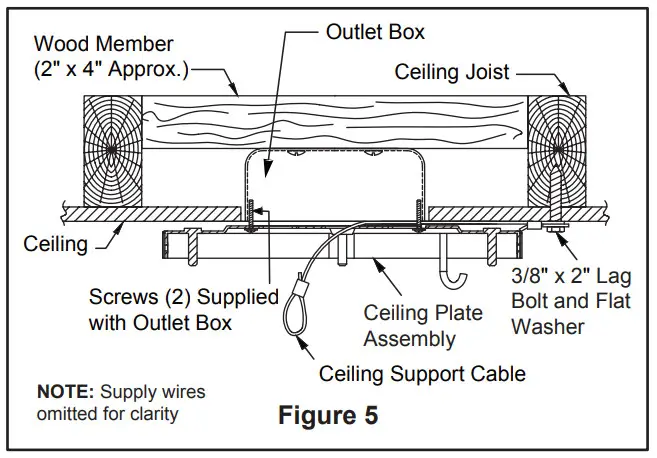
- Using the 3/8″ x 2″ lag bolt and flat washer, attach safety cable to ceiling joist or wood structural member. The lag bolt will pass through the flat washer, safety cable loop, and into the building structure (Figure 5). You will first drill a 1/4″ pilot hole into the building structure to prevent splitting or cracking.

- The ceiling support cable need to pass through the center hole of ceiling plate assembly when mounting. Using the two #8-32 screws and washers securely attach the ceiling plate assembly to ceiling outlet box as shown. (Figure 5)

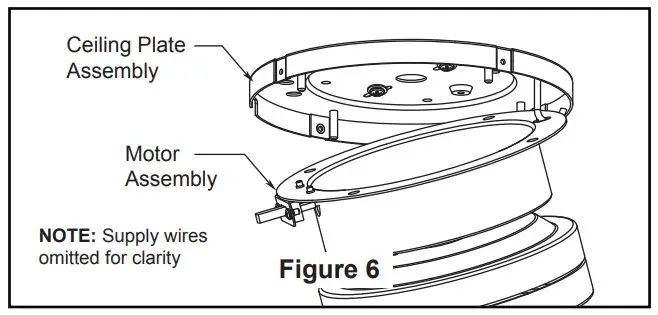
- Hang the motor assembly as shown. (Figure 6)

- Make sure the electrical supply wires, including the ground wire from supply and ceiling support cable are pulled through the center hole of ceiling plate assembly, between the ceiling plate assembly and the motor assembly so that electrical connections can be made later.

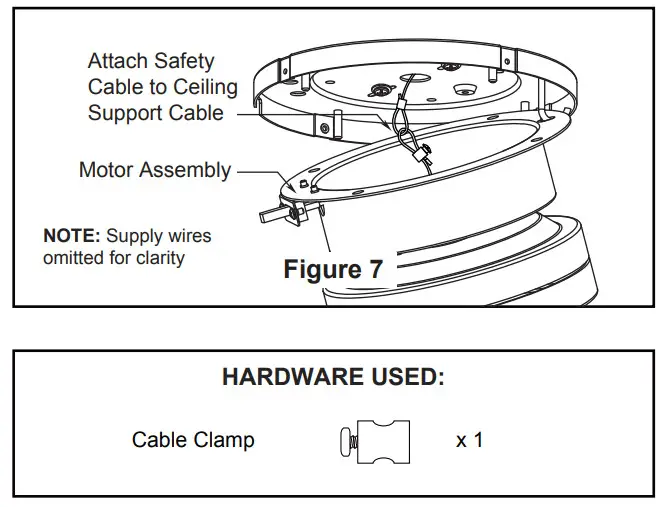
- Attach the safety cable to ceiling support cable. Slide cable clamp onto safety cable (from fan). Place the end of cable through the loop of ceiling support cable. Pull as much cable through loop as possible. Feed end of cable into clamp hole and firmly tighten screw (Figure 7). Cut off excess safety cable.
How to Wire Your Ceiling Fan
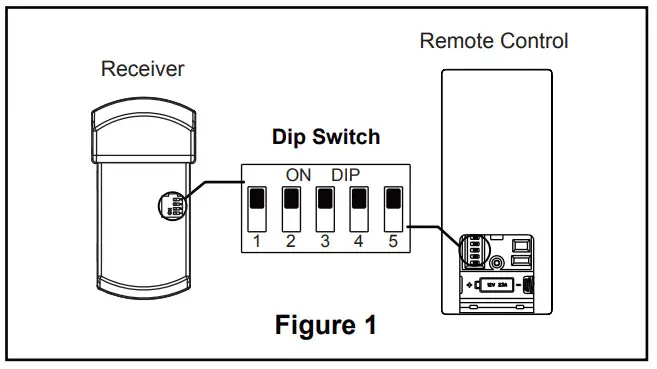
NOTE: The remote unit has 32 different code combinations. To prevent possible interference from or to other remote units, simply change the combination code in the remote and receiver.
- To set the code on receiver unit, slide dip switches to the same positions as set on the remote. (Figure 1)
NOTE: Factory setting is all up. Do not use this position.
NOTE: If you are not sure if the outlet box is grounded, contact a licensed electrician for advice, as it must be grounded for safe operation.
CAUTION: INCORRECT WIRE CONNECTION WILL DAMAGE THIS RECEIVER.
 WARNING
To avoid possible electrical shock, be sure electricity is turned off at the main fuse box before wiring. (Figure 2)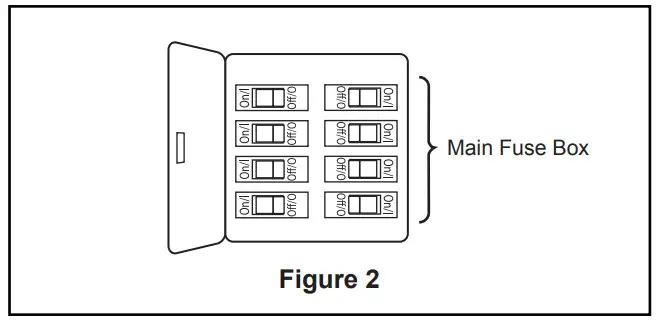

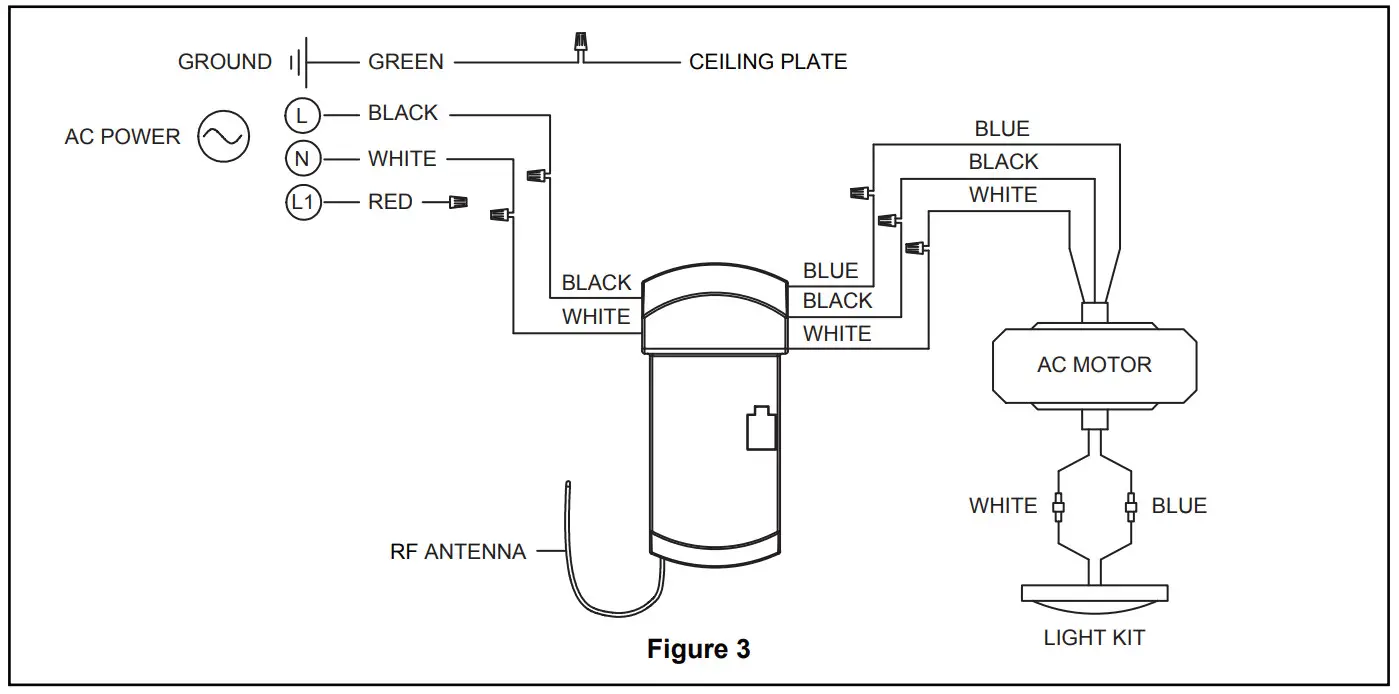
- Connect green wires from ceiling plate assembly and ground from supply using wire connector. Connect black wire from receiver unit marked “AC IN L” to black supply wire using wire connector. Connect white wire from receiver unit marked “AC IN N” to white supply wire using wire connector. Connect white wire from eceiver unit marked “TO MOTOR N” to white wire from fan using wire connector supplied with receiver unit. Connect black wire from receiver unit marked “TO MOTOR L” to black wire from fan using wire connector supplied with receiver unit. Lastly, connect blue wire from receiver unit to the blue fan light wire using wire connector supplied with receiver unit. (Figure 3)
 NOTE: If you feel that you do not have enough electrical wiring knowledge or experience, have your fan installed by a licensed electrician.
 - After splicing and making the wire connections, the wires should be spread apart and turned upward with the grounded conductor (white), the equipment -grounding conductor (green) on one side of the ceiling plate assembly and the ungrounded conductor (black and blue) on the other side of the ceiling plate assembly. (Figure 3)
 NOTE: If you feel that you do not have enough electrical wiring knowledge or experience, have your fan installed by a licensed electrician.
WARNING
Check to see that all connections are tight, including ground, and that no bare wire is visible at the wire connectors except for the ground wire. Do not operate fan until the blades are in place. Noise and motor damage could result.
How to Assemble Your Ceiling Fan
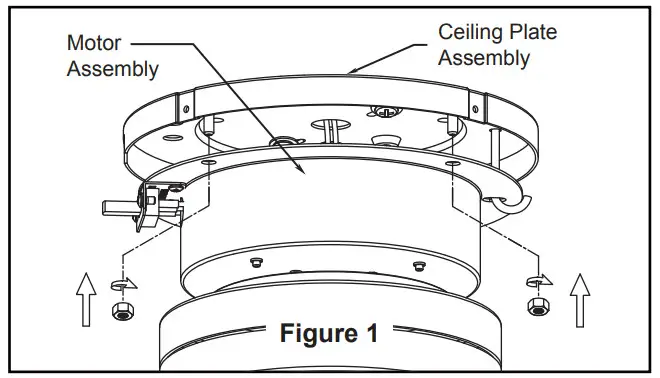
- Assemble the motor assembly to ceiling plate assembly. Be sure the receiver and all wiring are tucked into the motor housing and are not pinched. Once the motor assembly is flush with your ceiling plate assembly, replace the previously removed hex nuts and securely tighten all four hex nuts. (Figure 1)

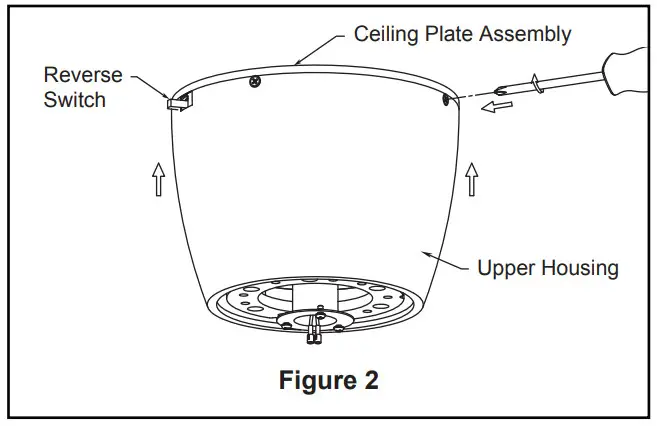
- Assemble the upper housing to ceiling plate assembly using the previously removed screws and securely tighten all four screws. (Figure 2)
NOTE: Position the hole of upper housing over the reverse switch of motor assembly.
How to Assemble Your Ceiling Fan Blades
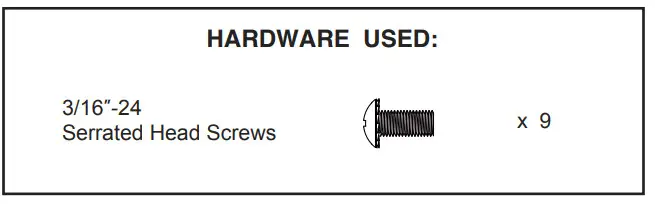
- Secure the blades to the bottom of the motor assembly using the 3/16”-24 serrated head screws and blade plates. Be sure the groove in the flywheel is lined up with central hole on the blade. (Figure 1)
NOTE: Periodically check blade hardware and resecure if necessary.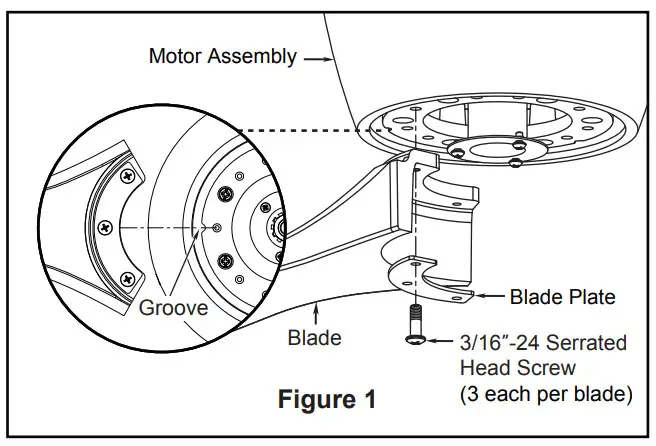 CAUTION
Do not connect fan blades until the fan is completely installed. Installing the fan with blades assembled may result in damage to the fan blades. WARNING
To reduce the risk of personal injury, do not bend the blades when installing, balancing or cleaning the fan. Do not insert foreign objects in between the rotating blades.
How to Assemble Your Light Kit or Cap
CAUTION
To reduce the risk of electric shock, disconnect the electrical supply circuit to the fan before installing your light kit.
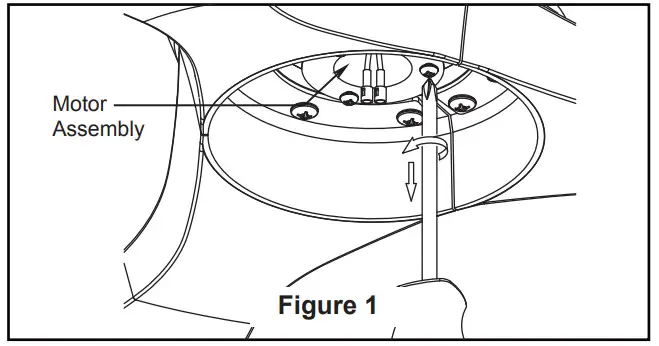
- Remove one of the three screws in the support bracket at the bottom of the motor assembly. Retain the screw for later and slightly loosen the remaining two screws. (Figure 1)
Option A–for use with steel cap
NOTE: If installing the light kit, please skip to Step 4.
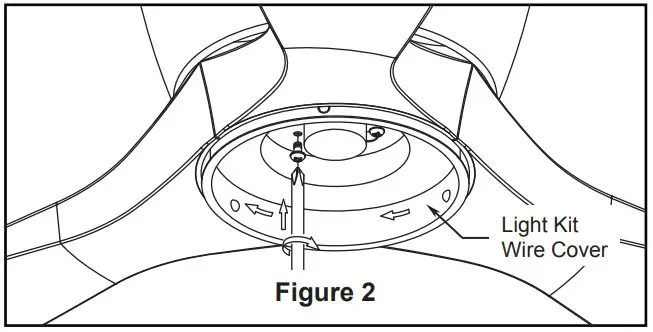
- Assemble the light kit wire cover to the support bracket of the motor assembly using the two key slots in the light kit wire cover. Replace the previously removed screw and securely tighten all three screws. (Figure 2)

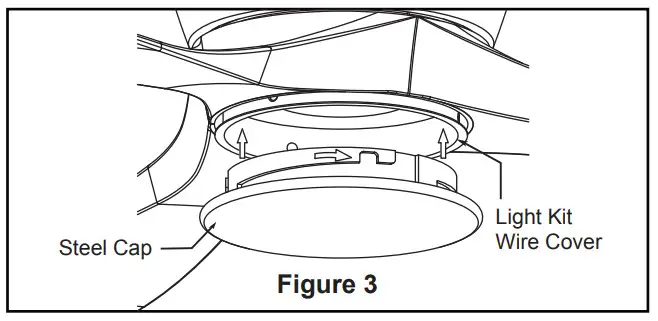
- Assemble the steel cap to the light kit wire cover by twisting in a clockwise direction. (Figure 3)
 Option B–for use with light kit
 - Assemble the light plate assembly to the support bracket of the motor assembly using the two key slots in the light plate assembly. Replace the previously removed screw and securely tighten all three screws. (Figure 4)

- Remove one of the three screws in the light plate assembly. Retain the screw for later and slightly loosen the remaining two screws. (Figure 5)

- Connect the 2 single pin connectors from the light kit assembly to the 2 single pin connectors from the motor assembly. (Figure 6)

- Assemble the light kit assembly to the light plate assembly using the two key slots. Replace the removed screw from Step 5 and secure all three screws. (Figure 7)
 CAUTION
The light source is designed for this specific application and can overheat if serviced by untrained personnel. If any servicing is required, the product should be returned to an authorized service facility for examination or repair. - Secure the glass to light kit assembly by twisting in a clockwise direction. Twist the glass gradually until it snaps onto the light kit assembly. Do not over-tighten. (Figure 8)

 Option B–for use with light kit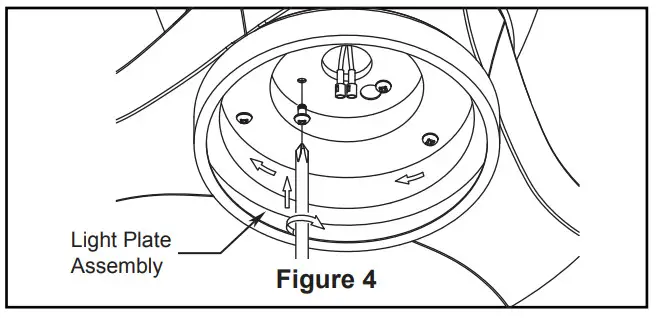
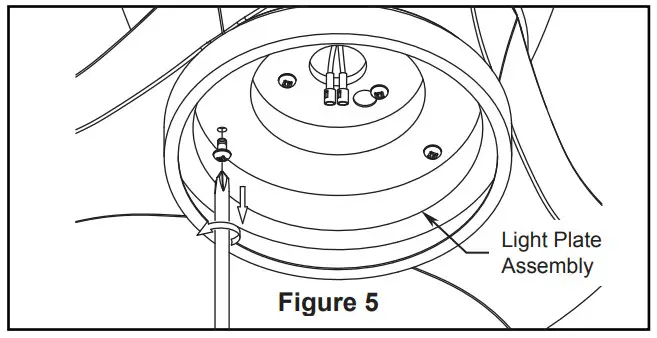
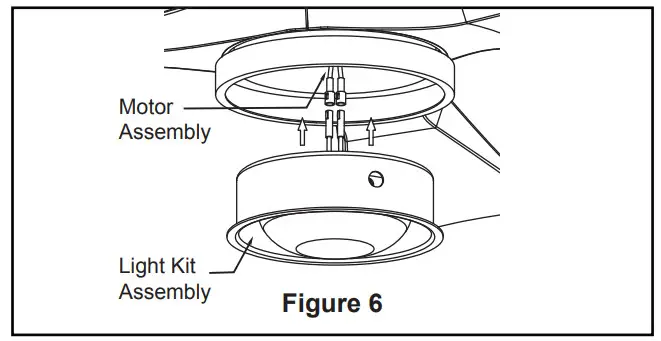
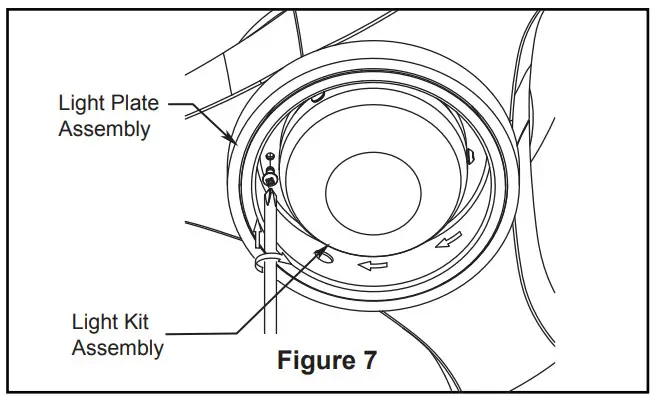 CAUTION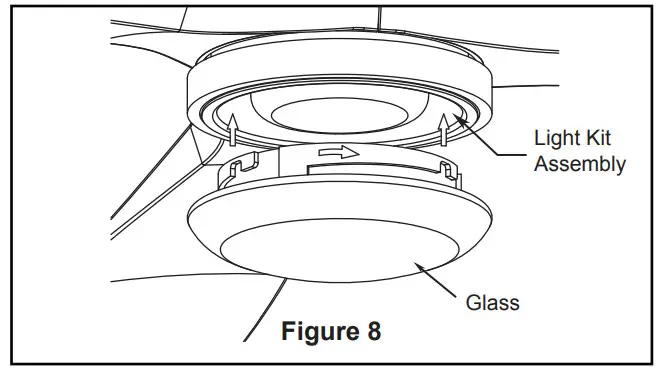
How to Operate Your Ceiling Fan
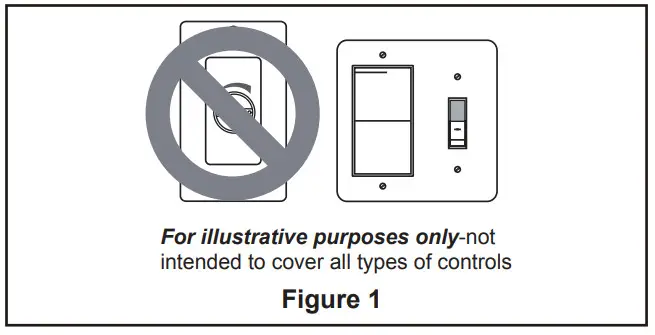
- IMPORTANT: Using a full range dimmer switch (not included) to control fan speed will damage the fan. To reduce the risk of fire or electrical shock, do not use a full range dimmer switch to control the fan speed. (Figure 1)

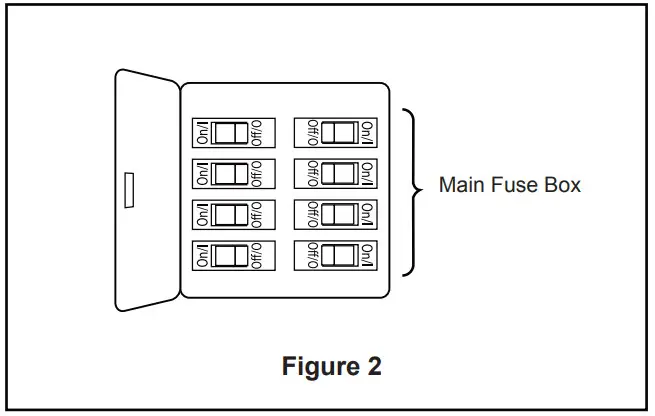
- Restore electrical power to the outlet box by turning the electricity on at the main fuse box. (Figure 2)
 WARNING
Check to see that all connections are tight, including ground, and that no bare wire is visible at the wire connectors, except for the ground wire. Do not operate fan until the blades are in place. Noise and fan damage could result. WARNING
Do not operate this fan with a variable (Rheostat) wall controller or dimmer switch. Doing so could result in damage to the ceiling fan’s remote control unit.
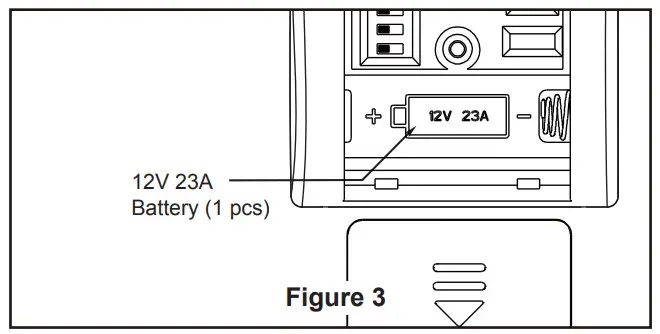
- To make fan operational, install 23A/12V battery (included) in hand-held remote transmitter, with fan power off. Then follow the remote code setting process. (If not used for long periods of time, remove battery to prevent damage to transmitter). Store the remote away from excessive heat or humidly. (Figure 3)
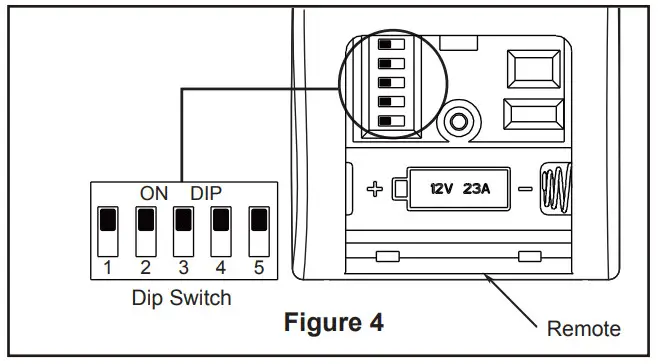
- To set the remote code in the same positions as the receiver, use a small screwdriver or ball point pen (neither included) to slide dip switches firmly up or down. (Figure 4)
NOTE: Factory setting is all up. Do not use this position.
NOTE: The remote unit has 32 different code combinations. To prevent possible interference from or to other remote units, simply change the combination code in the remote and receiver.
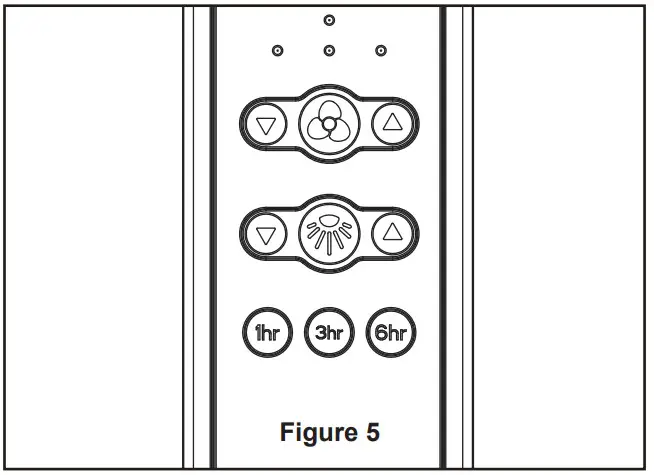
- Remote functions: (Figure 5)
• Indicator LED light: fan speed
• button: Turns fan off.
• Fan Speed: Turns fan on and turns speed up.
 Turns fan on and turns speed down.
• Light button: Turns light on and off.Increases light output level.Decreases light output level.
• Sleep Timer: Tap and the fan and light will turn off after 1 hour.
 Tap and the fan and light will turn off after 3 hours.
 Tap and the fan and light will turn off after 6 hours.
- If airflow is desired in the opposite direction, turn the fan off and wait for the blades to stop turning. Then slide the reverse switch on top of motor assembly to the opposite position and turn fan on again. (Figure 6)
 Indicator LED light: fan speed
 button: Turns fan off.
 Turns fan on and turns speed up.
 Turns fan on and turns speed down.
 Light button: Turns light on and off.
 Tap and the fan and light will turn off after 1 hour.
 Tap and the fan and light will turn off after 3 hours.
 Tap and the fan and light will turn off after 6 hours.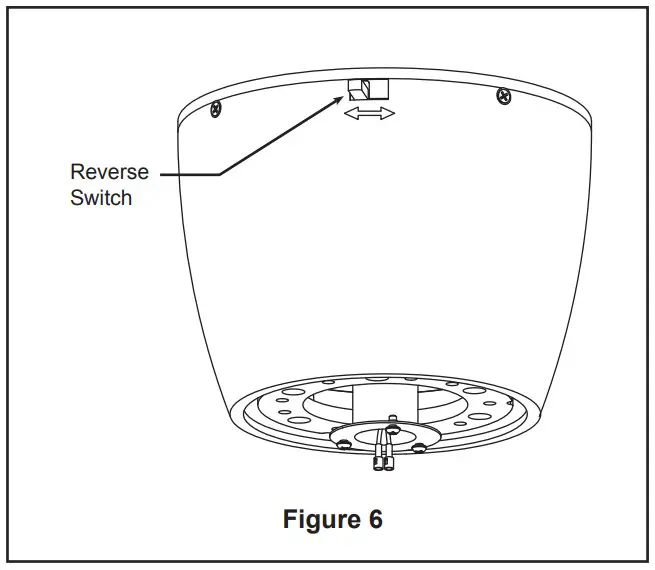
| Reverse Switch Information | ||
| Season | Rotation Direction | Switch Position |
| Summer | Counterclockwise | Left |
| Winter | Clockwise | Right |
How to Install Your Remote Control
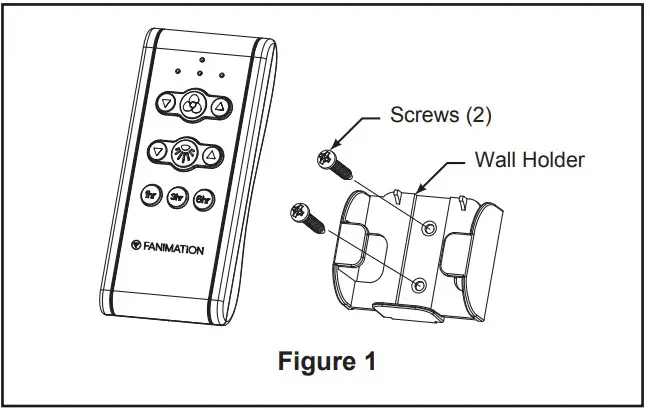
- Installing Wall Holder: (Figure 1)
Attach wall holder using the two provided screws.
Maintenance
Periodic cleaning of your new ceiling fan is the only maintenance necessary.
When cleaning, use only a soft brush or lint free cloth to avoid scratching the finish.
Abrasive cleaning agents are not required and should be avoided to prevent damage to finish.
CAUTION
Do not use solvents when cleaning your ceiling fan. It could damage the motor or the blades and create the possibility of electrical shock.
How to Clean Your Ceiling Fan Blades
Periodic light dusting of the blades is recommended.
A feather duster will work best.
Avoid using water, cleansers, or harsh rags, which can warp and ruin the blades.
Troubleshooting
WARNING
For your own safety turn off power at fuse box or circuit breaker before trouble shooting your fan.
| Trouble | Probable Cause | Suggested Remedy |
| 1. FAN WILL NOT START. | 1. Fuse or circuit breaker blown. 2. Loose power line connections to the fan, or loose switch wire connections in the switch housing. 3. Dead battery in remote control. 4. Reverse switch in neutral position. | 1. Check main and branch circuit fuses or circuit breakers. 2. Check line wire connections to fan and switch wire connections in the switch housings. CAUTION: Make sure main power is turned off ! 3. Replace with new battery. 4. Make sure reverse switch position is all the way to one side. |
| 2. FAN SOUNDS NOISY. | 1. Blades not attached to fan. | 1. Attach blades to fan before operating. 2. Check to make sure all screws in motor housing are snug (not over-tight). 3. Check to make sure wire connectors in switch housing are not rattling against each other or against the interior wall of the switch housing. CAUTION: Make sure main power is turned off ! 4. Some fan motors are sensitive to signals from solid-state variable speed controls. Solid-state controls are not recommended, choose an alternative control method. |
| 3. FAN WOBBLES EXCESSIVELY. | 1. Screws securing fan blade to motor hub are loose. 2. Ceiling plate and/or ceiling outlet box is not securely fastened. | 1. Check to be sure screws which attach the fan blade to the flywheel are tight. 2. Tighten the ceiling plate screws to the outlet box, and secure outlet box. |
| 4. REMOTE CONTROL DOES NOT WORK. THE CONTROL INDICATOR LED IS CONSTANTLY FLASHING. | 1. The battery/batteries are going to run out. | 1. Please replace the battery/batteries. |
Parts List
Model #FPS7681**
| Ref. # | Description | Part # |
| 1 | Ceiling Plate Assembly | AP796620** |
| 2 | Motor Assembly | AMA7681** |
| 3 | Upper Housing | P767901** |
| 4 | Blade Set | AP768103** |
| 5 | Blade Plate Set | AP767904BL |
| 6 | Light Plate Assembly | AP767905** |
| 7 | Light Kit / Glass Assembly | AP767907** |
| 8 | Light Kit Wire Cover | P767909BL |
| 9 | Steel Cap | P767910** |
| 10 | Hand-held Remote | TR500 |
| 11 | Receiver | RCCA040040012 |
| 12 | Hardware Bags Containing: | HDWFPS7679** |
| Wire Connectors (4) | ||
| Safety Cable Kit | ||
| Blade Mounting Hardware Bags Containing: | ||
| 3/16˝-24 Serrated Head Screws (10) |
** Insert FINISH CODES (Refer to fan model number located on downrod support)
Before discarding packaging materials, be certain all parts have been removed.
How To Order Parts
When ordering repair parts, always give the following information:
• Fan Model Number
• Part Number
• Part Description
• Date Code
Contact [email protected] or call 1.888.567.2055 for repair parts.
Klinch™ 44
Model FPS7681**
Exploded-View Illustration 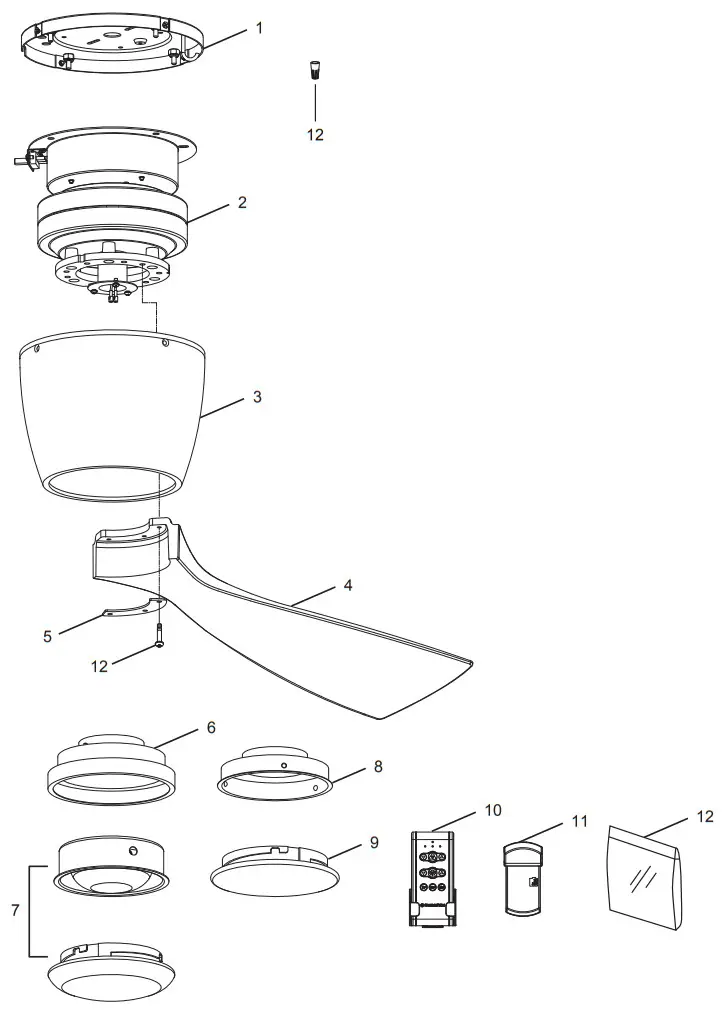 NOTE: The illustration shown is not to scale or its actual configuration may vary. Product/parts are subject to change without notice.
10983 Bennett Parkway
Zionsville, IN 46077
Phone: 888-567-2055
Outside U.S.: 317-733-4113
FAX: 866-482-5215
FANIMATION.COM
2022/06 V.01
Copyright 2022 Fanimation
 Fanimation
 Fanimation