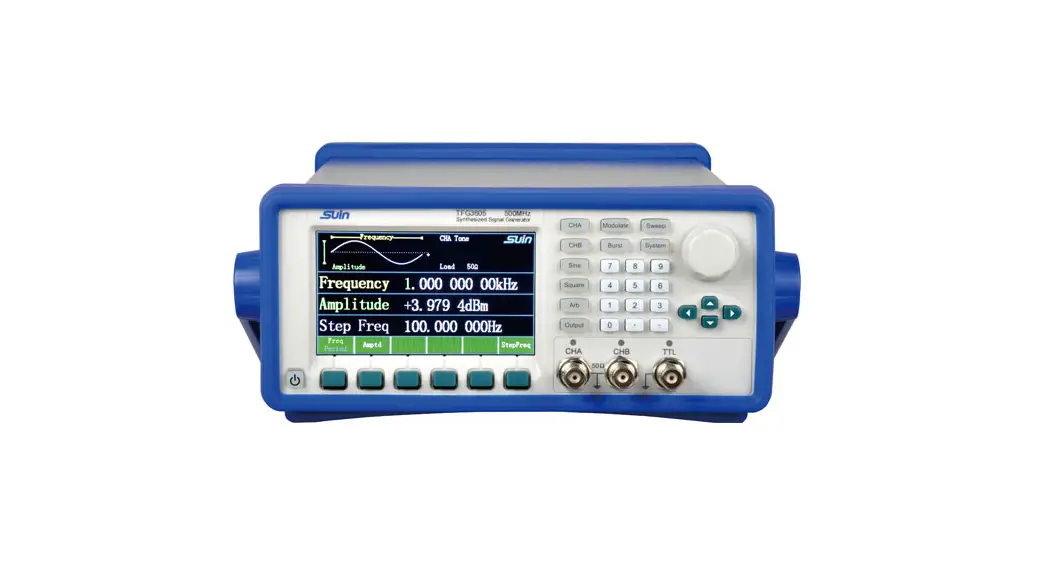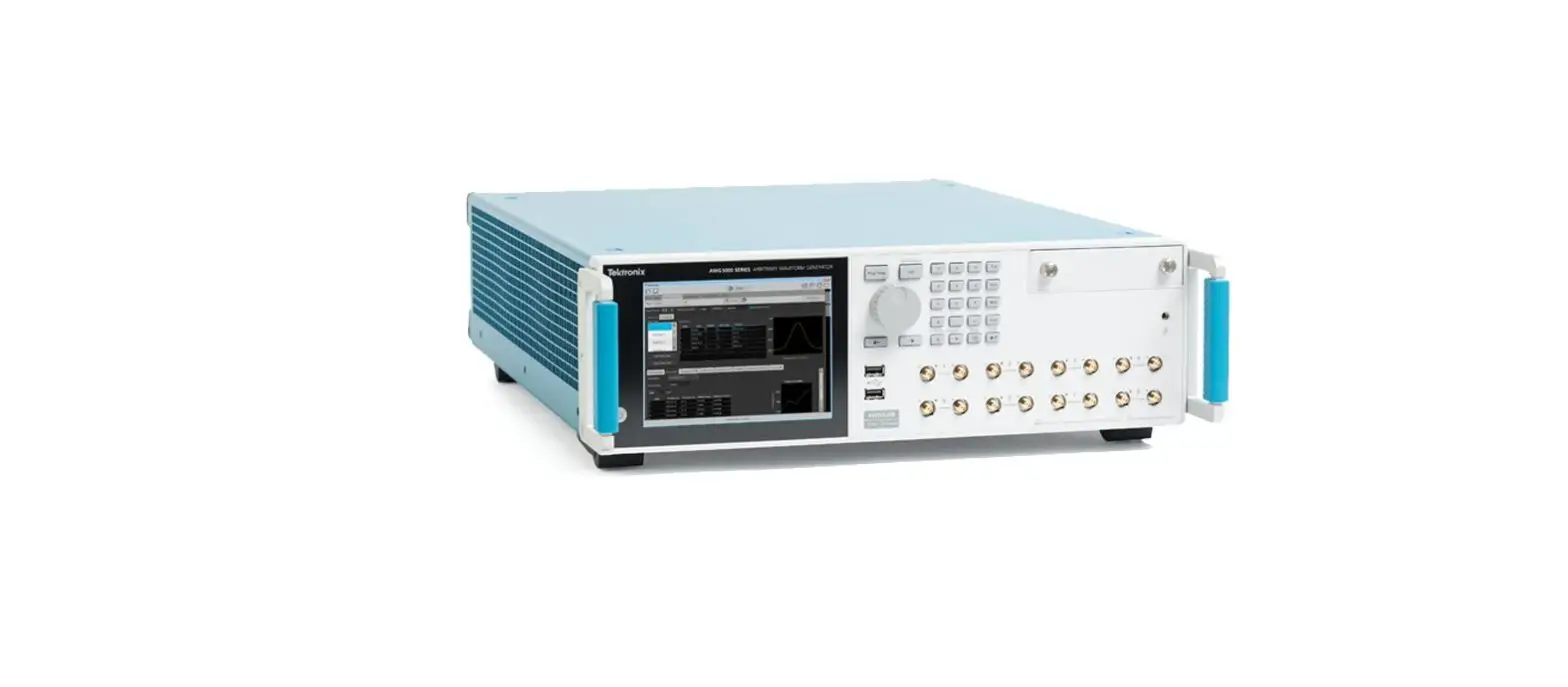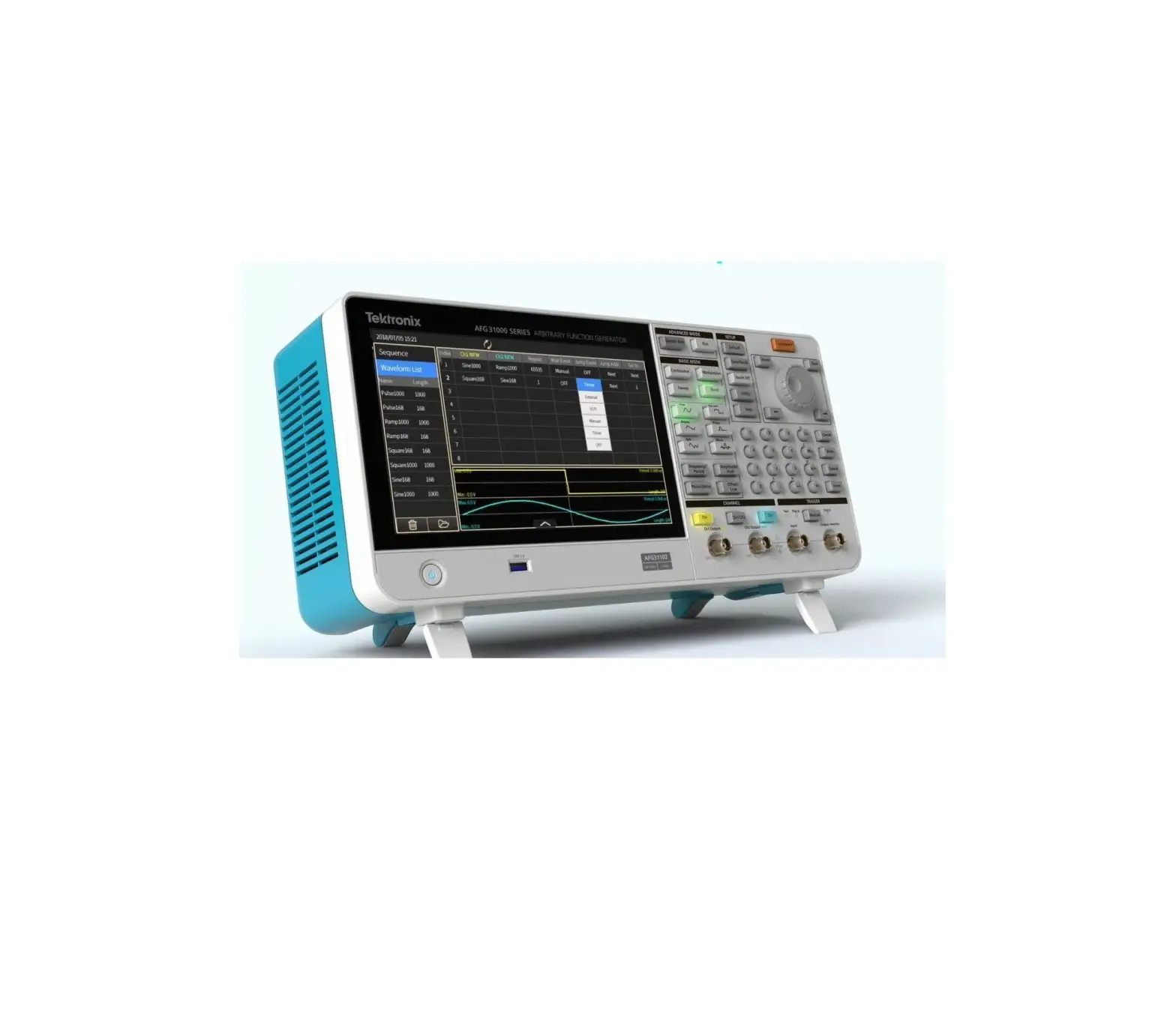
Tektronix AFG31000 Arbitrary Function Generator
Important information
These release notes contain important information about version 1.6.1 of the AFG31000 software.
Introduction
This document provides supplemental information regarding the behavior of the AFG31000 software. This information is grouped into six categories:
| Revision history | Lists the version of software, the document version, and the date of the software release. |
| New features / enhancements | Summary of each significant new feature included. |
| Problem fixes | Summary of each significant software/firmware bug fix |
| Known problems | Description of each significant known problem and ways to work around it. |
| Installation instructions | Detailed instructions describing how to install the software. |
| Appendix A – Previous versions | Contains information about previous versions of the software. |
Revision history
This document is periodically updated and distributed with releases and service packs to provide the most up-to-date information. This revision history is included below.
| Date | Software version | Document number | Version |
| 3/23/2021 | V1.6.1 | 0771639 | 02 |
| 12/3/2020 | V1.6.0 | 0771639 | 01 |
| 9/30/2019 | V1.5.2 | 0771639 | 00 |
| 11/15/2018 | V1.4.6 |
VERSION 1.6.1
Problem fixes
| Issue number | AFG-676 |
| Models affected | AFG31XXX |
| Symptom | Modulation issues on single-channel units. |
| Resolution | This issue has been corrected. |
VERSION 1.6.0
New features/enhancements
| Issue number | AFG-648 |
| Models affected | AFG31XXX |
| Enhancement | Added a new SCPI command to get the MAC address of an AFG31XXX instrument: SYSTem: MAC ADDress?. |
Problem fixes
| Issue number | AFG-471 |
| Models affected | AFG31XXX |
| Symptom | System could crash when running Instaview and then immediately changing the system language setting. |
| Resolution | This issue has been corrected. |
| Issue number | AFG-474 |
| Models affected | AFG31XXX |
| Symptom | Step 9 of the firmware installation section of the User’s manual is incorrect. |
| Resolution | This issue has been corrected. |
| Issue number | AFG-484 / AR63489 |
| Models affected | AFG31XXX |
| Symptom | A previously-installed feature license will disappear if the system time zone setting is changed to more than two of hours difference than originally set. |
| Resolution | This issue has been corrected. |
| Issue number | AFG-497 / AR63922 |
| Models affected | AFG31XXX |
| Symptom | When two channels are both in Pulse mode, the pulse width setting of one channel might affect the other channel when an irrelevant pulse parameter is changed. |
| Resolution | This issue has been corrected. |
| Issue number | AFG-505 |
| Models affected | AFG31XXX |
| Symptom | When using Burst mode with an external delay, the Trigger delay value does not affect the displacement of the waveform. This issue was introduced in the v1.5.2 release. |
| Resolution | This issue has been corrected. |
| Issue number | AFG-506 / AR63853 |
| Models affected | AFG31XXX |
| Symptom | Incorrect PM Output formula in the “Modulate a waveform” topic in the User’s manual. |
| Resolution | This issue has been corrected. |
| Issue number | AFG-508 / AR64101 |
| Models affected | AFG31XXX |
| Symptom | Two-channel waveforms’ phases are not aligned in modulation and sweep modes. The Align Phase button does not function correctly in these modes. |
| Resolution | This issue has been corrected. The Align Phase button will re-align two-channel waveforms’ phases when pressed in continuous, modulation, and sweep modes. |
| Issue number | AFG-588 / AR64270 |
| Models affected | AFG31XXX |
| Symptom | The displayed string length update routine was limited to filenames less than 18 characters in length. |
| Resolution | The filename string length has been increased to 255 characters. |
| Issue number | AFG-598 |
| Models affected | AFG31XXX |
| Symptom | The word “Frequency” is not translated into Chinese correctly. |
| Resolution | This issue has been corrected. |
| Issue number | AFG-624 |
| Models affected | AFG31XXX |
| Symptom | SCPI command: SEQuence:ELEM[n]:WAVeform[m] does not default the m parameter to 1 when unspecified. |
| Resolution | This issue has been corrected. |
| Issue number | AFG-630 |
| Models affected | AFG31XXX |
| Symptom | The TRACE:DATA command example shown in the manual is incorrect. |
| Resolution | This issue has been corrected. |
| Issue number | AFG-653 / AR64599 |
| Models affected | AFG31XXX |
| Symptom | Not all settings are recalled when a setup is overwritten. |
| Resolution | This issue has been corrected. |
Known problems
| Issue number | AFG-663 |
| Models affected | AFG31XXX |
| Symptom | The predefined equations in ArbBuilder will not compile with the default settings |
| Workaround | Change the range or the number of points for the equation to compile properly. |
| Issue number | AFG-663 |
| Models affected | AFG31XXX |
| Symptom | When running the Refresh Relay action using the Utility front panel hard key, the display operations are not locked out, allowing other functions to run. |
| Workaround | It is recommended that the Refresh Relay action be run using the touch screen menus. If it is run using the Utility front panel hard key, then do not select any other options from the touch screen until the action completes. |
Installation instructions
You can use the front-panel USB Type A connector to update your instrument firmware using a USB flash drive. This task is done using the front-panel touchscreen.
 | CAUTION. Updating your instrument firmware is a sensitive operation; it is critical that you follow the instructions below. If you do not, you may cause damage to your instrument. For example, to prevent damage to the instrument, do not remove the USB flash drive at any time while updating the firmware, and do not power off the instrument during the update process |
To update your instrument firmware:
- Visit tek.com and search for the Series 31000 firmware.
- Download the compressed .zip file to your computer.
- Unzip the downloaded file and copy the .ftb file to the USB flash drive root directory.
- Insert the USB in the AFG31000 Series instrument front panel.
- Press the Utility button.
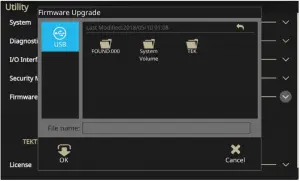
- Select Firmware > Update.
- Select the USB icon.

- Select the file that you are using to update your instrument.
- Select OK. You will see a message asking to confirm this update.
- Verify that the instrument powered off and powered on to install the update.
- Remove the USB drive.
| NOTE. When using InstaView, each time a cable is changed, the firmware is upgraded, or the instrument is power-cycled, the cable propagation delay must be auto-measured or manually updated to make sure InstaView works properly. |
Appendix A – Previous versions
V1.5.2
New features/enhancements
| Issue number | AFG-131 / AR62531 |
| Models affected | AFG31XXX |
| Enhancement | The AFG31000-RMK Rack Mount Kit is available for AFG31XXX models. Visit tek.com for details. |
| Issue number Models affected Enhancement | AFG-336 AFG31XXX Updated language translations for the user interface. |
| Issue number Models affected Enhancement | AFG-373 AFG31XXX Added SYSTem: RESTart SCPI command to reboot the instrument. |
| Issue number | AFG-430 |
| Models affected | AFG31XXX |
| Enhancement | Waveform preview images will update immediately after entering new values in Standard waveform view. |
| Issue number Models affected Enhancement | AFG-442 AFG31XXX Display default brightness is now 100%. |
Problem fixes
| Issue number | AFG-21 / AR-62242 |
| Models affected | AFG3125X |
| Symptom | Cannot create DC offset waveform in ArbBuilder for the AFG3125x in Sequence mode |
| Resolution | This issue has been corrected. |
| Issue number | AFG-186 |
| Models affected | AFG3125X |
| Symptom | An application crash can occur when cancelling the Recall Default Setup dialog, after closing the virtual keyboard, and when editing the Point Draw Table of ArbBuilder. |
| Resolution | This issue has been corrected. |
| Issue number | AFG-193 |
| Models affected | AFG31XXX |
| Symptom | Trig out should stay disabled when transitioning to DC waveform. |
| Resolution | This issue has been corrected. |
| Issue number | AFG-194 |
| Models affected | AFG31XXX |
| Symptom | In Burst mode, the graphical green arrow would not display when starting to modify the Interval parameter. |
| Resolution | This issue has been corrected. |
| Issue number | AFG-198 |
| Models affected | AFG31XXX |
| Symptom | On-screen keyboard crashes in some situations. |
| Resolution | This issue has been corrected. |
| Issue number | AFG-199 |
| Models affected | AFG31XXX |
| Symptom | Graph refresh issue when selecting an ARB waveform for Mod Shape using the Modulation function in Basic Mode. |
| Resolution | This issue has been corrected. |
| Issue number | AFG-264 |
| Models affected | AFG31XXX |
| Symptom | You should be prompted with a warning when you try to delete a file that is not empty. |
| Resolution | This issue has been corrected. |
| Issue number | AFG-290 |
| Models affected | AFG31XXX |
| Symptom | Screen capture functionality not working. |
| Resolution | This issue has been corrected. Press and hold both the left and right keys in either order, then release either key. |
| Issue number | AFG-291 / AR62720 |
| Models affected | AFG31XXX |
| Symptom | SCPI license commands not fully implemented. |
| Resolution | This issue has been corrected. See the AFG31000 Series Arbitrary Function Generator Programmer’s Manual, available from tek.com. |
| Issue number | AFG-300 |
| Models affected | AFG31XXX |
| Symptom | Dual channel waveform alignment problems under the following conditions:
|
| Resolution | These issues have been corrected. |
| Issue number | AFG-303 / AR62139 |
| Models affected | AFG31XXX |
| Symptom | When using the Japanese language setting in Basic mode, changing from a Sine waveform to another type may cause the unit to hang. |
| Resolution | This issue has been corrected. |
| Issue number | AFG-308 / AR62443 |
| Models affected | AFG31XXX |
| Symptom | This update fixes an issue setting the generated waveform using the Recall feature in Basic mode. The pulse width was not always set properly, causing unexpected results. |
| Resolution | This issue has been corrected. |
| Issue number | AFG-310 / AR62352 |
| Models affected | AFG31XXX |
| Symptom | The user will not get the expected waveform when they attempt an AM modulation with an Arb file greater than 4,096 points. The max points for AM modulation using an Arb waveform is 4,096 points. |
| Resolution | This issue has been corrected. The product datasheet has been updated. |
| Issue number | AFG-316 / AR62581 |
| Models affected | AFG31XXX |
| Symptom | Undesired glitches could occur in burst mode idle state or when turning the output on and off. |
| Resolution | This issue has been corrected. |
| Issue number | AFG-324 |
| Models affected | AFG31XXX |
| Symptom | Instrument Ethernet connection using DHCP mode is unstable, repeatedly disconnecting and reconnecting, for a long time with certain network configurations. |
| Resolution | This issue has been corrected. |
| Issue number Models affected Symptom | AFG-330 AFG31XXX Grammar and typographical errors in the automatic calibration dialog. |
| Resolution | This issue has been corrected |
| Issue number Models affected Symptom | AFG-337 AFG31XXX Grammar and typographical errors in the self-diagnostics dialog. |
| Resolution | This issue has been corrected. |
| Issue number | AFG-352 / AR62937 |
| Models affected | AFG31XXX |
| Symptom | In Sequence mode, the idle value of the signal is always the offset of the waveform (or example, 2.5 V of a 0 to 5 Vpp waveform), This will ultimately distort the customer’s desired waveform shape. |
| Resolution | Changed the default sequence mode from idle value to be 0 V if the waveform can reach 0 V. Otherwise the idle value will be the offset. |
| Issue number | AFG-356 |
| Models affected | AFG31XXX |
| Symptom | The ArbBuilder equation editor allows equation lines up to 256 characters in length to be entered, but it is limited to 80 characters per line in the compiler. |
| Resolution | This issue has been corrected. The compiler now supports up to the full 256 characters per line. |
| Issue number | AFG-374 |
| Models affected | AFG31XXX |
| Symptom | Keyboard can appear partially off-screen. |
| Resolution | This issue has been corrected. This fix limits keyboard positioning so that the keyboard is always displayed within the screen boundaries. |
| Issue number | AFG-376 |
| Models affected | AFG31XXX |
| Symptom | Advanced Sequence view incorrectly allowed selection of .tfw files |
| Resolution | This issue has been corrected. .tfw files are not supported in the Advanced sequence view. |
| Issue number | AFG-391 |
| Models affected | AFG31XXX |
| Symptom | Advanced Sequence menu sometimes left the New and Save buttons selected. |
| Resolution | This issue has been corrected. |
| Issue number | AFG-411 |
| Models affected | AFG31XXX |
| Symptom Resolution | Scrolling the sequence table is too sensitive. This issue has been corrected. |
| Issue number | AFG-422 |
| Models affected | AFG31XXX |
| Symptom | Running the Refresh Relay operation is too lengthy. |
| Resolution | The issue has been corrected. The Refresh Relay operation has been reduced to 250 cycles. |
| Issue number | AFG-427 |
| Models affected | AFG31XXX |
| Symptom Resolution | The 123 button of the soft alpha-numeric keyboard does not work with some plugins. This issue has been corrected. |
| Issue number | AFG-437 |
| Models affected | AFG31XXX |
| Symptom Resolution | Selecting x on the small numeric virtual keyboard should issue a cancel request and close the dialog. This issue has been corrected. |
Known problems
| Issue number Models affected Symptom | AFG-380 AFG31XXX The predefined equations in ArbBuilder will not compile with the default settings. |
| Workaround | Change the range or the number of points for the equation to compile properly. |
V1.4.6
| Issue number Models affected Enhancement | 1 AFG31151, AFG31152, AFG31251, and AFG31252 Support the AFG31151, AFG31152, AFG31251, and AFG31252 models. |
| Issue number Models affected Enhancement | 2 AFG31151, AFG31152, AFG31251, and AFG31252 Optimized user interface. |

 Test and Measurement Equipment | Tektronix