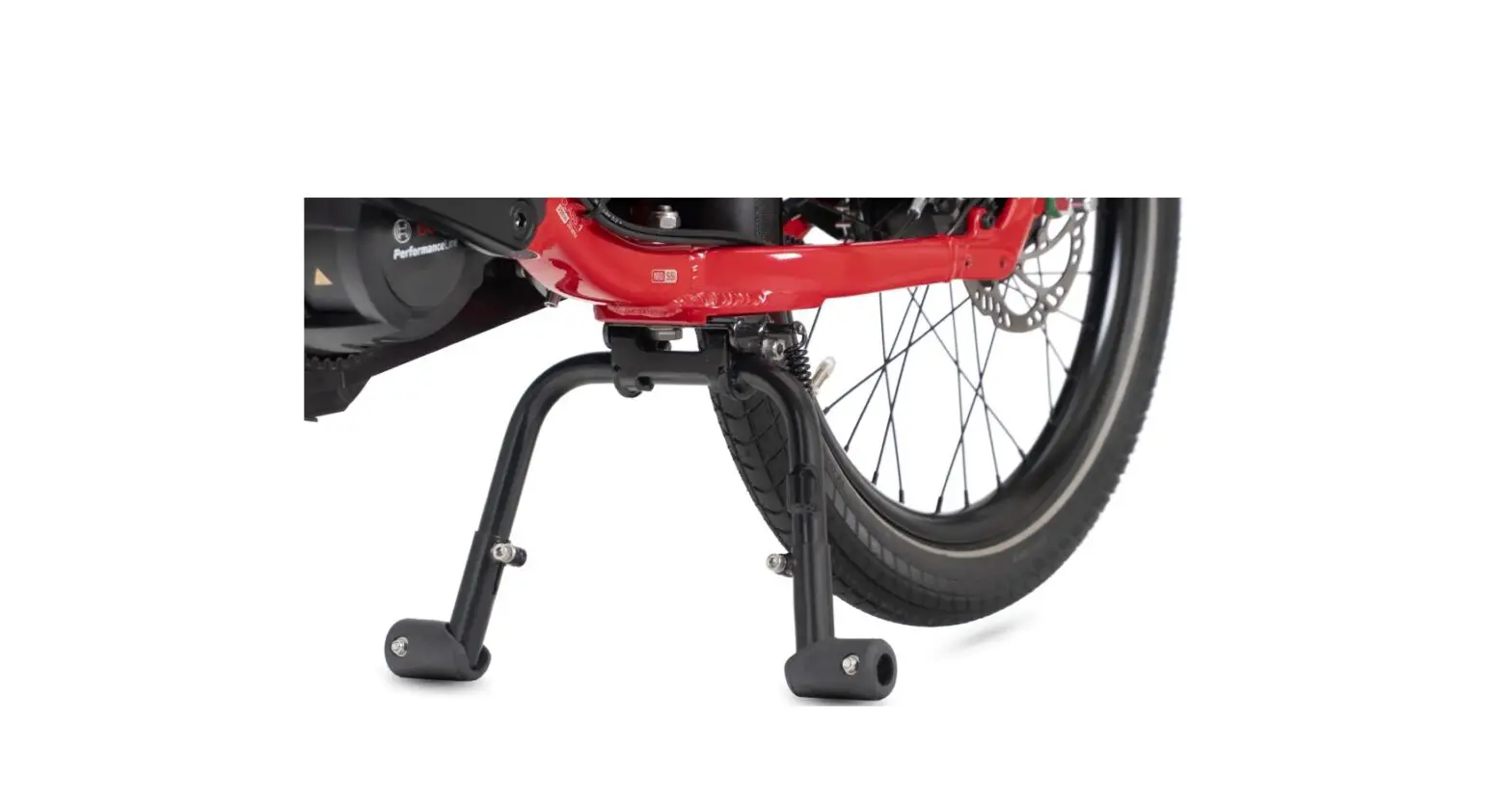
Lockstand QuadStruts Bike Stand
Lockstand QuadStrutsTM
The Lockstand QuadStruts can only be installed on GSD Gen 2
bikes.
What’s Included
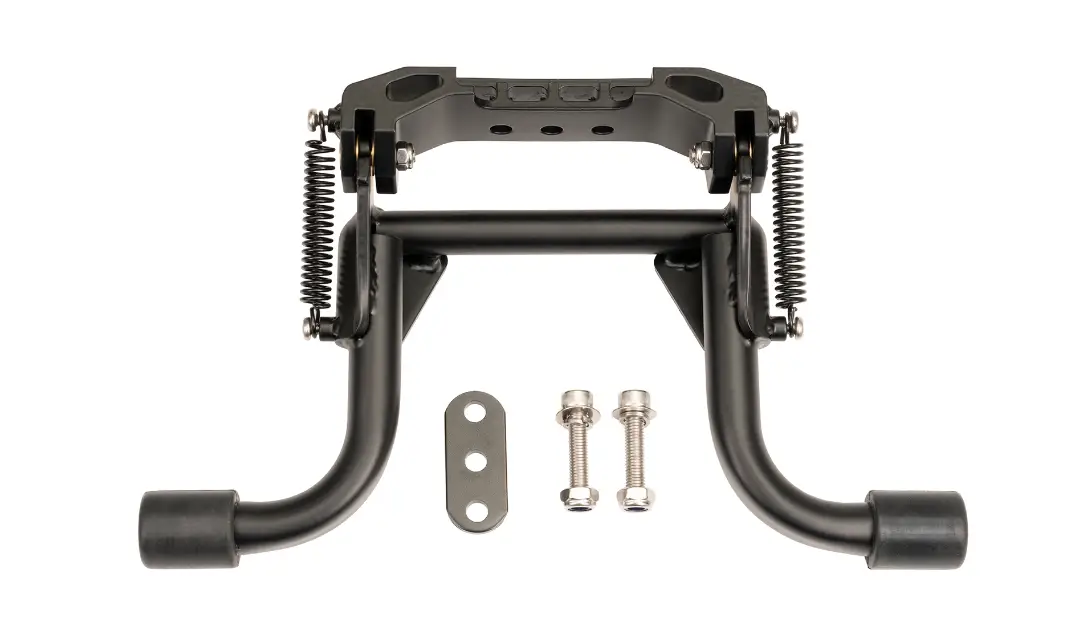
- QuadStruts Leg x 2
- QuadStruts Linkage Rod x 2
- M6 Bolt Set x 2
- M8 Bolt Set x 2
- M10 Bolt Set x 2
If you are unsure how to install this product, please visit your
local dealer. Please read the instructions carefully before
starting.
Hardware Detail
- M6 x 25 Bolt
- M6 x 13 x 1 Washer
- M6 Nylon Nut
- M6 Custom bushing
- M8 x 15.9 x 1.5 Washer
- M8 Nylon Nut
- M10 x 22.2 x 1 Washer
- M10 Nylon Nut
How to Install
To ensure a successful installation, please note the
following:
- All bolts must be tightened to the appropriate torque.
- During the installation process, keep the QuadStruts Legs in
the folded position and DO NOT CUT THE CABLE TIES on the spring
until instructed. - Check that both tires have a pressure between 40-55 psi.
- Identify the left and right QuadStruts Legs. The left leg
should be attached to the non-drive side and the right leg should
be attached to the drive side of the bike. Make certain that during
installation each leg is attached to the proper side. - The Lockstand Extensions should be installed on the Atlas
Lockstand before installation of the Lockstand QuadStruts. - Add anti-seize lubricant to the tip of the bolts before
securing the nuts. If anti-seize lubricant is not available, apply
any standard lubricant to reduce friction and prevent thread
galling. - For installation on GSD Gen 2 bikes equipped with a derailleur,
please shift to the lowest gear.
Installation Steps
- Install the Lockstand Extensions (sold separately).
- Remove the plastic plate from the lower deck on the drive
side. - Install the right QuadStruts Leg.
- Attach the Linkage Rod to the Atlas Lockstand.
- Cut the cable tie on the spring.
- Rotate the bearing on the end of the Linkage Rod to adjust the
length of the rod. - Attach the Linkage Rod to the QuadStruts Leg and tighten the
bolt by hand. - Measure the distance between the QuadStruts Leg and the frame
(Gap A). The recommended clearance is 1-5 mm. Readjust the length
of the Linkage Rod as shown in Step 6 until Gap A is 1-5 mm. If the
gap is too wide, the Lockstand Extensions might bottom out while
cornering. - Fully tighten the M8 bolt set to the Linkage Rod.
- Fully tighten the Nut on the Linkage Rod.
- Reinstall the top plastic plate on the lower deck.
- Install the left QuadStruts Leg on the nondrive side by
following Steps 2-11. - Adjust the ground clearance on both sides.
How to Use the Lockstand QuadStruts
Tire pressure must be between 40 – 55 psi and the distance
between the Dome Head Bolt on the QuadStruts Leg (Gap B) and the
ground must be properly set in order for the QuadStruts to
function. The amount of ground clearance will depend upon total
load weight.
How to Adjust Ground Clearance
The ground clearance can be adjusted by following these
steps:
- Unscrew the M6 Nylon Nut from the QuadStruts Leg.
- Rotate the QuadStruts Leg until the desired ground clearance is
achieved. - Tighten the M6 Nylon Nut to secure the QuadStruts Leg in
place.
Lockstand QuadStrutsTM
The Lockstand QuadStruts can only be installed on GSD Gen 2 bikes.
What’s Included
1. QuadStruts Leg x 2 2. QuadStruts Linkage Rod x 2 3. M6 Bolt Set x 2 4. M8 Bolt Set x 2 5. M10 Bolt Set x 2
If you are unsure how to install this product, please visit your local dealer.
Please read the instructions carefully before starting.
1 2
5
4
3
Left
Right
Hardware Detail 3: M6 x 25 Bolt
M6 x 13 x 1 Washer M6 Nylon Nut M6 Custom bushing
4: M8 x 30 Bolt M8 x 15.9 x 1.5 Washer M8 Nylon Nut
5: M10 x 25 Bolt M10 x 22.2 x 1 Washer M10 Nylon Nut
How to Install
Tools Required (not included) · 3 mm, 4 mm, 6 mm and 8 mm Allen Wrenches · 8 mm, 10 mm, 13 mm and 17 mm Open Wrenches
· Ruler · Scissors
To ensure a successful installation, please note the following:
Scan to view additional info
All bolts must be tightened to the appropriate torque.
During the installation process, keep the QuadStruts Legs in the folded position and DO NOT CUT THE CABLE TIES on the spring until instructed.
Check that both tires have a pressure between 40-55 psi.
Identify the left and right QuadStruts Legs. The left leg should be attached to the non-drive side and the right leg should be attached to the drive side of the bike. Make certain that during installation each leg is attached to the proper side.
The Lockstand Extensions should be installed on the Atlas Lockstand before installation of the Lockstand QuadStruts.
Add anti-seize lubricant to the tip of the bolts before securing the nuts. If anti-seize lubricant is not available, apply any standard lubricant to reduce friction and prevent thread galling.
For installation on GSD Gen 2 bikes equipped with a derailleur, please shift to the lowest gear.
Lockstand QuadStruts
Atlas Lockstand Lockstand Extensions
1. Install the Lockstand Extensions (sold separately).
2. Remove the plastic plate from the lower deck on the drive side.
3. Install the right QuadStruts Leg. 5 8 mm 17 mm
4. Attach the Linkage Rod to the Atlas Lockstand. 3 4 mm 10 mm
5. Cut the cable tie on the spring.
Torque: 35-40 Nm
Torque: 8-9 Nm 6. Rotate the bearing on the end of the Linkage
Rod to adjust the length of the rod.
7. Attach the Linkage Rod to the QuadStruts Leg and tighten the bolt by hand. 4
3 mm 8 mm
ternbicycles.com
SidekickTM Wide Decks
8. Measure the distance between the QuadStruts Leg and the frame (Gap A). The recommended clearance is 1-5 mm. Readjust the length of the Linkage Rod as shown in Step 6 until Gap A is 1-5 mm. If the gap is too wide, the Lockstand Extensions might bottom out while cornering.
A
9. Fully tighten the M8 bolt set to the Linkage Rod.
4
6 mm
13 mm
10. Fully tighten the Nut on the Linkage Rod.
13 mm
Torque: 10-12 Nm
11. Reinstall the top plastic plate on the lower deck.
3 mm
8 mm
Torque: 18-20 Nm
12. Install the left QuadStruts Leg on the nondrive side by following Steps 2-11.
13. Adjust the ground clearance on both sides.
LIMITED PRODUCT WARRANTY INFORMATION: This Product comes with a ONE (1) YEAR Limited Warranty from the date of retail purchase by the original end-user. If a material or workmanship defect arises and a valid claim is received within the Warranty Period, this Product will be replaced. Mobility Holdings cannot be held liable for damages to personal property due to misuse or improper care and maintenance. This Product Warranty does not, under any circumstance, cover the replacement or cost of any third party product used with or connected to the Product. Tern, the Tern Werd (logotype), the Tern Berd (device), Lockstand and QuadStruts used alone or in combination are trade names, trade devices or registered trademarks of Mobility Holdings, Ltd.
© 2022. Tern is a trademark of Mobility Holdings, Ltd. All Rights Reserved.
@ternbicycles
ternbicycles.com
ternbicycles.com
How to Use the Lockstand QuadStruts
Tire pressure must be between 40 – 55 psi and the distance between the Dome Head Bolt on the QuadStruts Leg (Gap B) and the ground must be properly set in order for the QuadStruts to function. The amount of ground clearance will depend upon total load weight.
B
How to Adjust Ground Clearance
Make sure the bike is unloaded and on flat ground before making any adjustments. Make sure that both tires have a pressure between 40-55 psi. Do not adjust the length of the Linkage Rod. Adjustments should be made in Steps 6-8.
Total Load Weight
Ground Clearance (Gap B)
30 – 60 kg (66-132 lb) 8 mm (0.32″)
> 60 kg (>132 lb)
< 8 mm (<0.32″)
1. Adjust the length of the Dome Head Bolt until it touches the ground.
2. Loosen the middle M10 nut to create a gap above the rubber spacer. Refer to the table above to determine the height of the gap.
3. Rotate the Dome Head Adjustment Bolt until the rubber spacer touches the upper portion of the Leg.
4. Tighten the middle M10 nut to 20-25 Nm. B
17 mm
Do not rotate the Dome Head Bolt. Only tighten using the middle M10 nut.
B
1
2
3
4
Safety · Important: Do not exceed the max load limit of 100 kg (220 lb). Please remember the max load limit for both the Atlas
Lockstand and Lockstand QuadStruts includes the total weight of the bike, accessories, cargo and passengers. · Never leave passengers or pets on a parked bike unattended.
Before Riding · Using and riding a heavily-loaded GSD is quite different than riding without any additional weight. To become familiar with riding with
a load, gradually add heavier items to the bike. Then ride in a safe location to get a feel how to balance with the additional weight. · Check that both tires have a pressure between 40-55 psi. · Check to ensure accessories have been correctly installed and securely fastened.
To Engage the Lockstand QuadStruts · Hold the handlebar with both hands, use your foot to push the Lockstand Extensions toward the ground and then pull the bike backwards. · When the bike starts to move up and over the Altas Lockstand, pull back until you feel resistance.
Then push the handlebar downwards until the Altas Lockstand is locked. · Ensure the Atlas Lockstand is locked before removing your hands.
To Disengage the Lockstand QuadStruts · Hold the handlebar with both hands, press the remote unlock lever and push the bike forward.
To Park the GSD Vertically · Disengage the Lockstand QuadStruts before parking the GSD vertically.