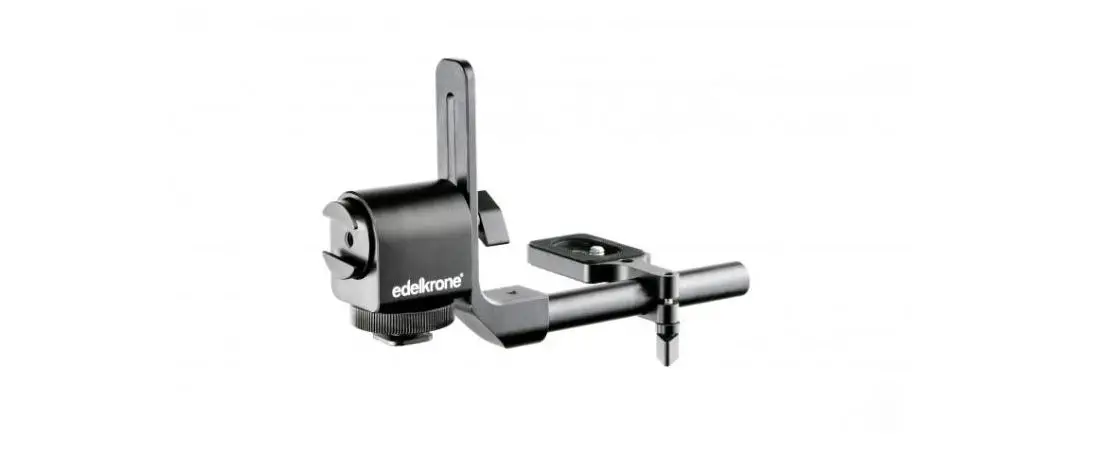
edelkrone 80071 Monitor/EVF Holder
User Manual
1) WHAT’S IN THE BOX & THE BASICS
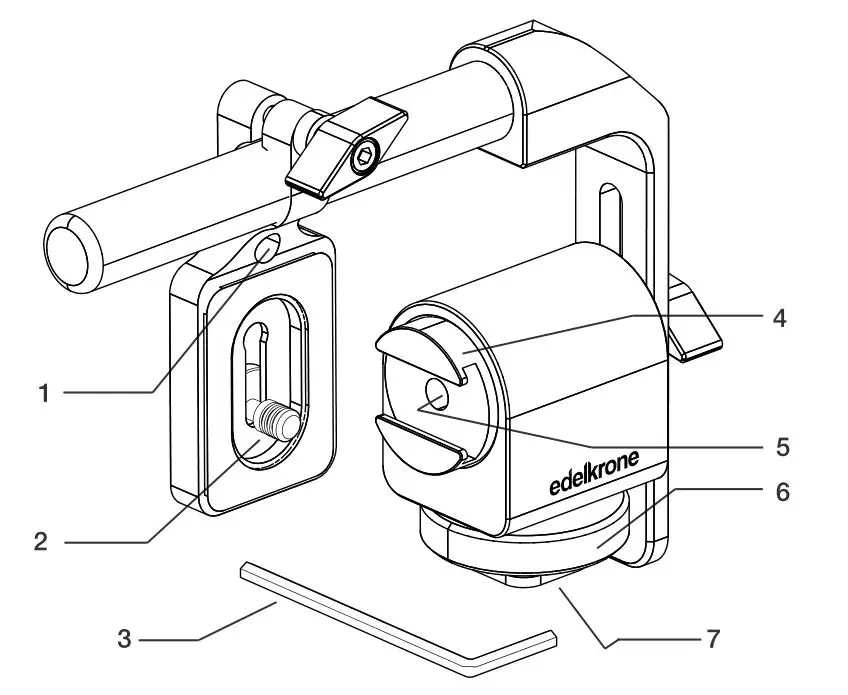
- 1/4”-20 Mounting port
- 1/4”-20 Mounting screw
- 3mm allen wrench
- Accessory shoe mount
- Angle adjustmnet port
- Shoe mount
- 3/8”-16 Mounting screw port
 A detailed video explaining how to reassemble the Monitor/EVF Holder can be found at: manuals.edelkrone.com
2) HOW TO ASSEMBLE
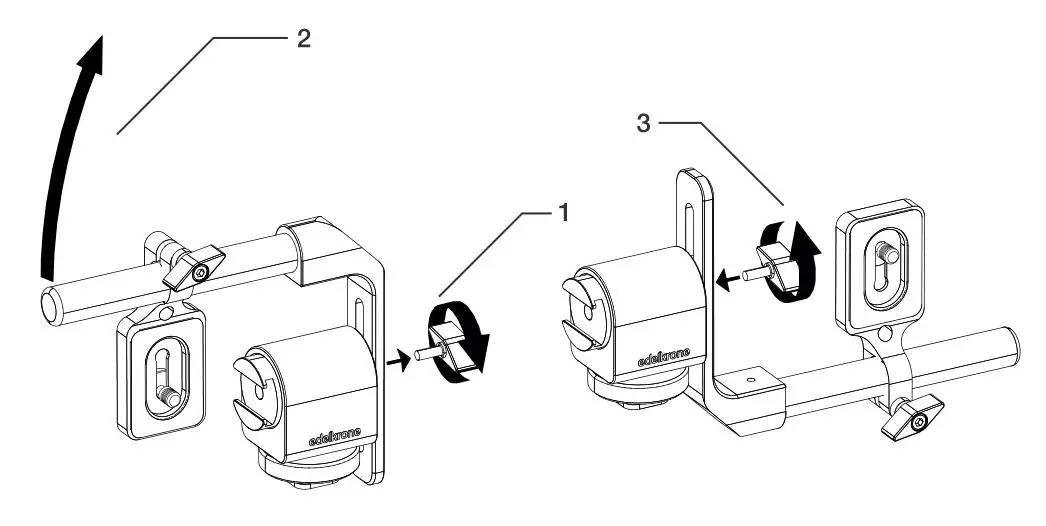
- Loosen the thumb screw to remove the arm.
- Rotate the arm.
- Re-attach as shown above.
- Make sure the arm is aligned correctly.
 You need to reassemble Monitor/EVF Holder to use.
A detailed video explaining the assembly process can be found at: manuals.edelkrone.com
3) HOW TO MOUNT
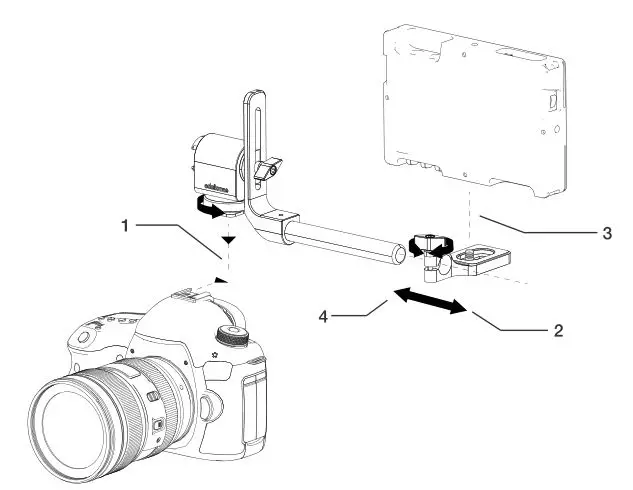
- Place your Monitor/EVF Holder on to your camera’s hot shoe mount and tighten.
- Remove your plate.
- Attach your monitor with help of a coin.
- Slide the plate back onto the rail and tighten.
A detailed video explaining the mounting process can be found at: manuals.edelkrone.com
4) ADJUSTING THE TENSION OF MONINTOR ANGLE
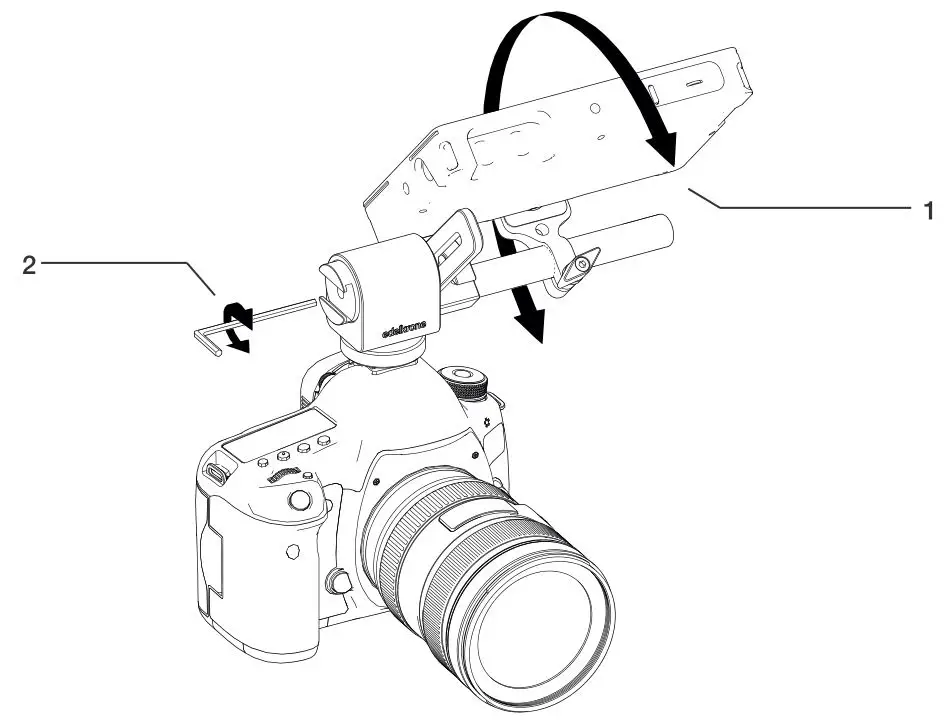
- You can easily rotate your Monitor/EVF Holder by holding and rotating your EVF/Monitor Holder.
- Use your 3mm allen wrench to tighten or loosen the screw to achieve your desired tension.
A detailed video explaining how to adjust the tension of monitor angle can be found at: manuals.edelkrone.com
5) REVERSING PLATE
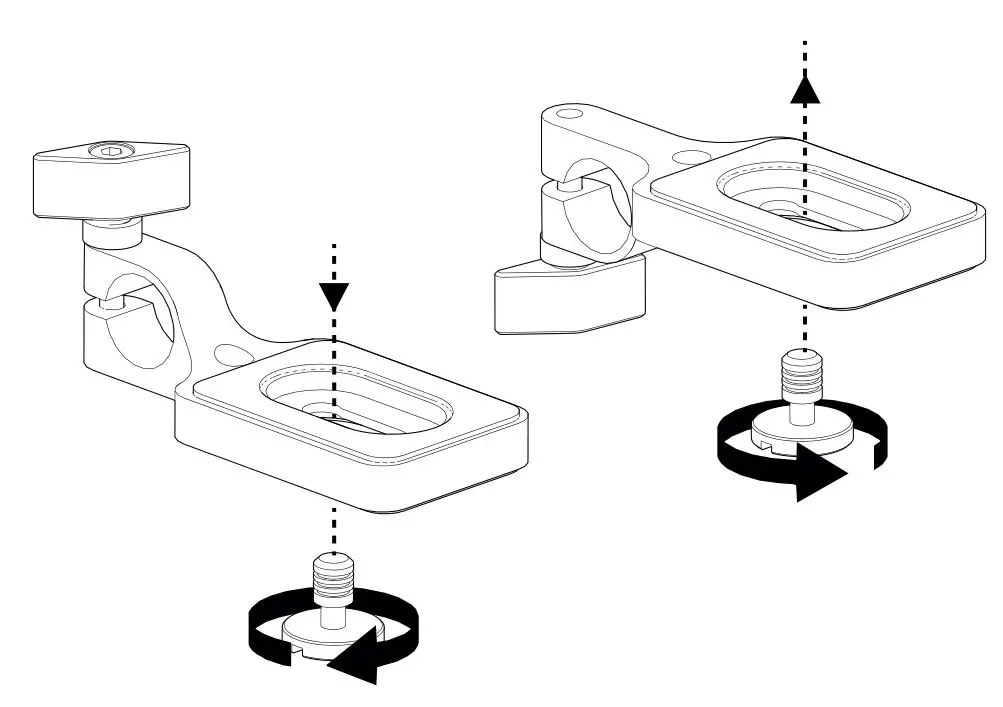
**You can change the direction of the screw for thicker monitors
A detailed video explaining how to change the direction of the screw can be found at: manuals.edelkrone.com
6) FULL OF ACCESSORIES
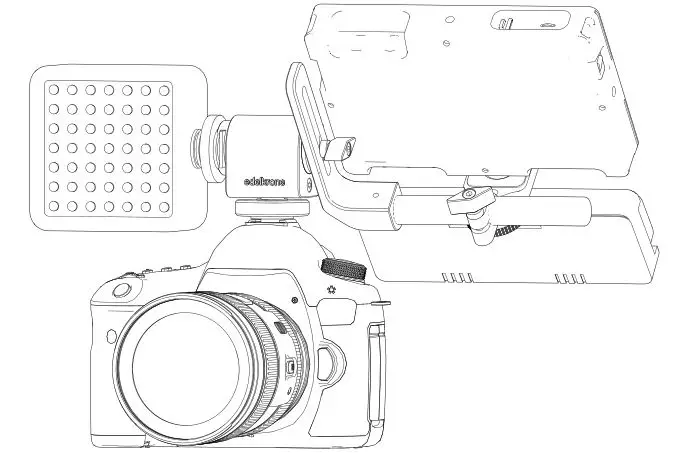
A detailed video explaining many mounting position can be found at: manuals.edelkrone.com
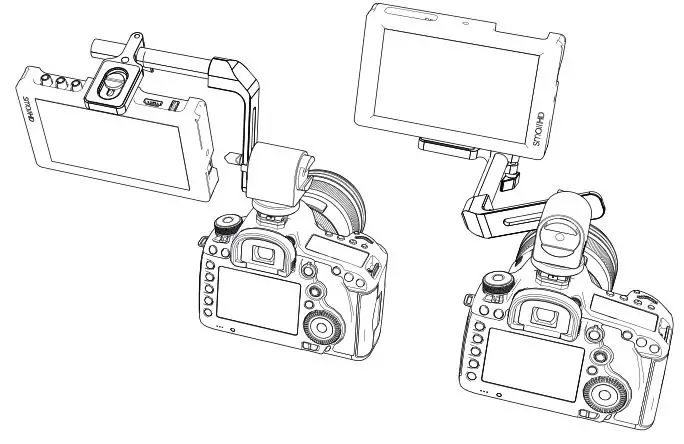
7) POSITION EXAMPLES
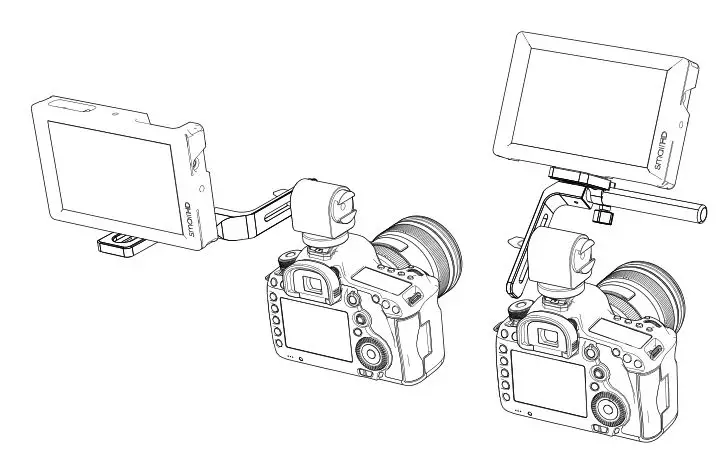
A detailed video explaining many mounting options can be found at: manuals.edelkrone.com
DISCLAIMER
edelkrone cannot be held responsible for damage caused by improper use or modification of the product.
For more information and tips about your Monitor/EVF Holder, please watch the user’s manual videos at: manuals.edelkrone.com
 User Manuals - edelkrone