
Operating Instructions
Fan oven Baumatic
PMC 355 SS
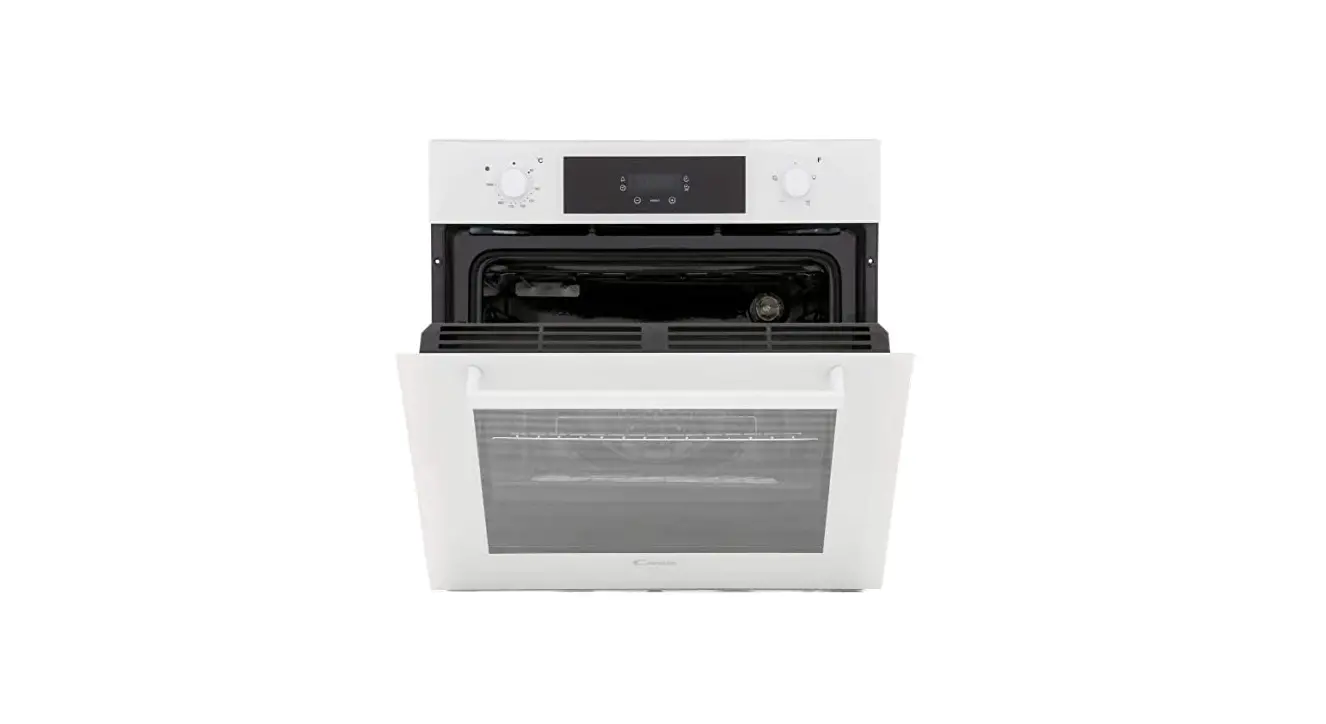
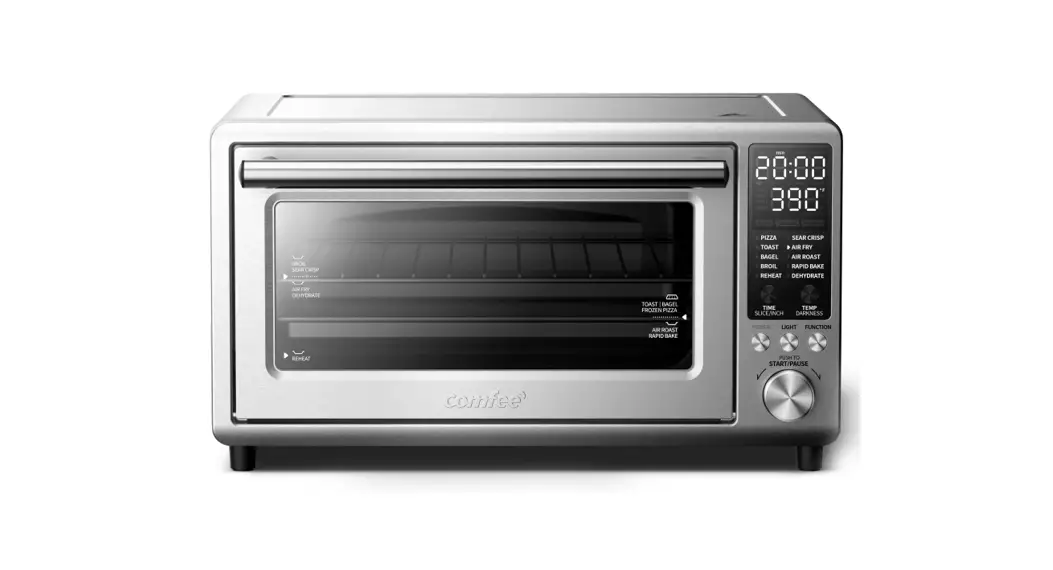
Control Panel
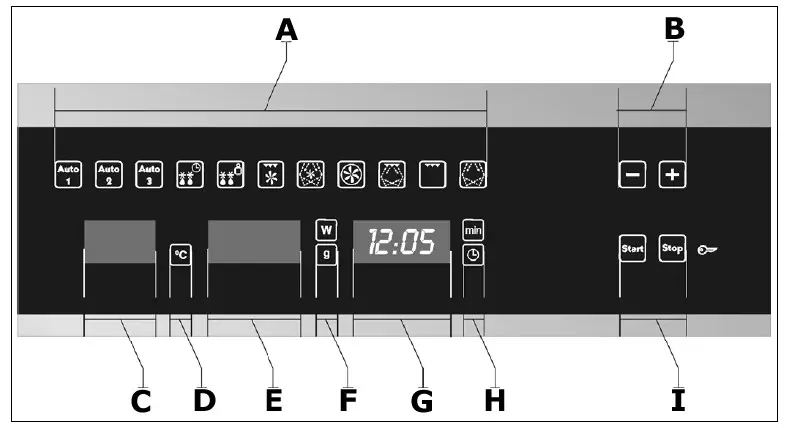
A) Cooking function indicators
B) Plus and minus buttons
C) Temperature button/display
D) Centigrade indicator
E) Power or weight button/display
F) Grams or watts indicator
G) Clock or cook time button/display
H) Clock or cook time indicator
I) Start and stop buttons
Cooking functions – Microwave function
Use this function to cook and heat vegetables, potatoes, rice, fish, and meat
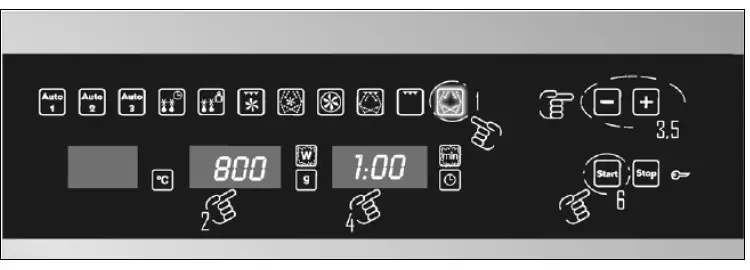
- Press the microwave function button
- The appliance will automatically select a power level of 800W
- To adjust the power level, press the power button/display (E), the watts indicator will light. Use the plus and minus buttons to adjust the power level.
- Press the cook time button/display (G), the cook time indicator will flash. Use the plus and minus buttons to adjust the cooking time.
- Press the start button (I) and the oven will start cooking.
Microwave function (Quickstart)
Use this function to rapidly heat foods with high water content, such as coffee, tea or thin soup.
- Press the start button (I) and the oven will automatically select the microwave function, cooking at maximum power (1000 W) for 30 seconds.
- If you want to increase the cooking time, press the start button again. Each time you press the start button, the cooking time will increase by 30 seconds.
Grill function
Use this function to quickly brown the top of food.
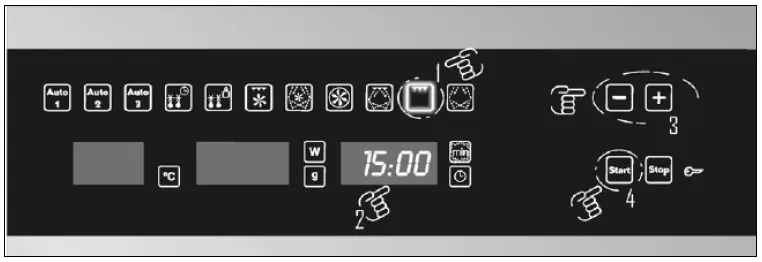
- Press the grill function button
- Press the cook time button/display (G), the cook time indicator will flash. Use the plus and minus buttons to adjust the cooking time.
- Press the start button (I) and the oven will start cooking.
Grill with fan
Use this function for crispy roast meat, fish, or poultry.
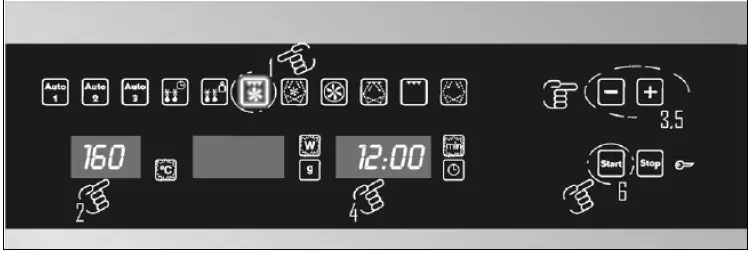
- Press the grill with the fan function button
- The appliance will automatically select a temperature of 160°C, the centigrade indicator will light
- To adjust the temperature, press the temperature button/display (C.) Use the plus and minus buttons to adjust the temperature.
- Press the cook time button/display (G), the cook time indicator will flash. Use the plus and minus buttons to adjust the cooking time.
- Press the start button (I) and the oven will start cooking.
Grill & microwave function
Use this function to cook lasagne, poultry, roast potatoes, and toasted foods.
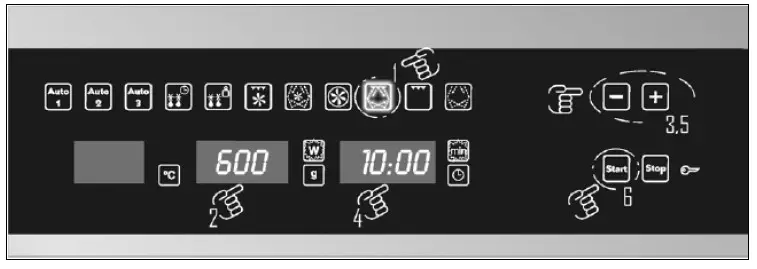
- Press the grill & microwave function button
- The appliance will automatically select a power level of 600W. 600W is the maximum power level that can be set on the grill and microwave function.
- To adjust the power level, press the power button/display (E). The watts indicator will light. Use the plus and minus buttons to adjust the power level.
- Press the cook time button/display (G), the cook time indicator will flash. Use the plus and minus buttons to adjust the cooking time.
- Press the start button (I) and the oven will start cooking.
Hot air function
Use this function to bake and roast
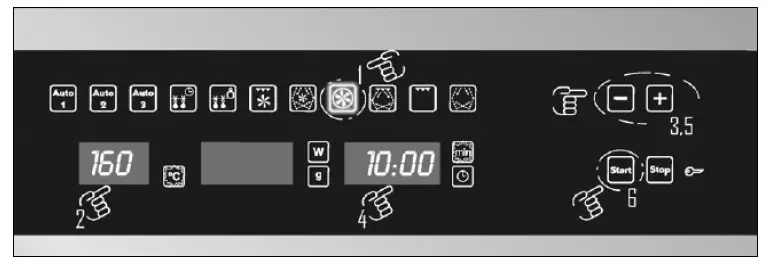
- Press the hot air function button
- The appliance will automatically select a temperature of 160°C, the centigrade indicator will light.
- To adjust the temperature, press the temperature button/display (C). Use the plus and minus buttons to adjust the temperature.
- Press the cook time button/display (G), the cook time indicator will flash. Use the plus and minus buttons to adjust the cooking time.
- Press the start button (I) and the oven will start cooking.
Hot air & microwave function
Use this function to bake and roast.
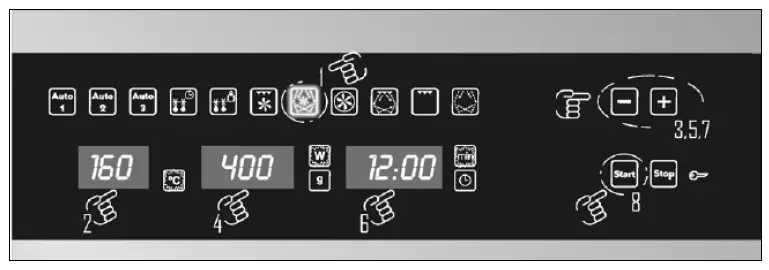
- Press the hot air & microwave function button
- The appliance will automatically select a temperature of 160°C, the centigrade indicator will light.
- To adjust the temperature, press the temperature button/display (C). Use the plus and minus buttons to adjust the temperature.
- The appliance will automatically select a power level of 600W.
- To adjust the power level, press the power button/display (E), the watts indicator will light. Use the plus and minus buttons to adjust the power level.
- Press the cook time button/display (G), the cook time indicator will flash. Use the plus and minus buttons to adjust the cooking time.
- Press the start button (I) and the oven will start cooking.
During operation
- If you press the stop button (I) then the production of microwaves will cease automatically.
- The timer will stop and the cook time button/display (G) will continue to show the remaining cooking time.
- If you press the stop button twice, this will cancel the cooking process. The appliance will give an audible signal and the appliance will return to showing the time of day.
- After opening the door, it is possible to stir the foodstuffs that you are cooking or adjust their position on the rotating plate.
- Press the cook time button/display (G), the cook time indicator will flash. Use the plus and minus buttons to adjust the cooking time.
- To adjust the power level, press the power button/display (E), the watts indicator will light. Use the plus and minus buttons to adjust the power level.
- To restart the cooking process, make sure that the door of the oven is shut securely and then press the start button (I).
End of cooking
- At the end of the cooking time, your oven will give an audible signal and the LED display will show the word “END”.
- The audible signal will be repeated every 30 seconds until the door is opened.
- After the food has been removed from the microwave, you should make sure that the door is closed.
- You may hear a cooling fan operate for a period of time afterward until the inside of the microwave has cooled sufficiently. During this period of time, the microwave light will remain on. The cooling fan will switch off automatically.