
CONDE CLP015 Condé LaserMPrints TrimFree IC Dark
APPLICATION INSTRUCTIONS
Printing Your Image onto the A Sheet
- Step 1: Using your software (eg. Photoshop, Illustrator) create the white toner mask (refer to your White Laser Toner user manual).
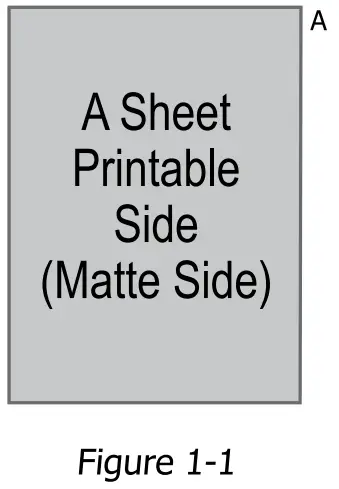
- Step 2: Load A sheet into Printer. Printable side is the matte side.
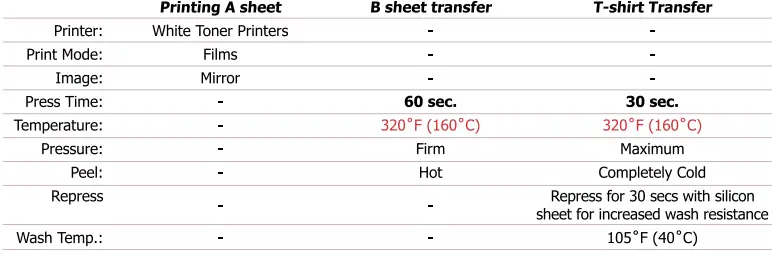
- Step 3: Set Print mode to “Films”. To do this, go into your printer driver setting and set the media type to “Films”.
- Step 4: Feed A sheet into the bypass tray of your color laser printer so that the Matte side is face up (Figure 1-1).
- Step 5: Print the image mirrored (The print driver has mirror image option checked by default).

B Sheet Transfer - Step 6: Before first press, preheat lower platen for 30 seconds.
- Step 7: Place imaged A sheet on heat press with image face up (matte side up).
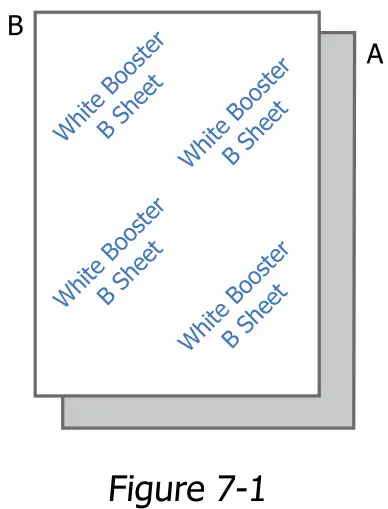
- Step 8: Place B sheet on top with coating face down (blue backmark face up) (Figure 7-1).
- Step 9: Press at 320°F (160°C) for 60 seconds using firm pressure.
- Step 10: Peel A and B sheet apart immediately after pressing.
Note: Coating from B sheet will stick to areas with toner on A sheet.
If toner from A sheet sticks to B sheet, increase the temperature by 5°F.
- A sheet (grey) on bottom with matte side face up.
- B sheet on top with backmark face up
T-shirt Transfer
- Step 11: Place shirt on heat press and pre-press for 5-10 seconds to remove moisture.
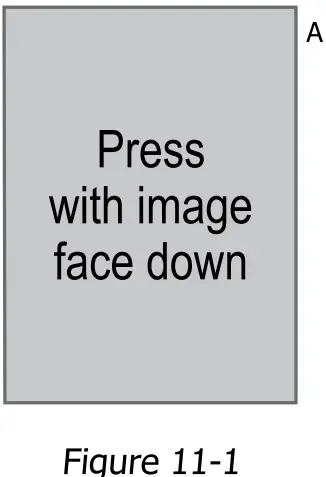
- Step 12: Leave shirt on heat press, and place imaged A sheet on top of shirt with image face down (glossy side face up).
Press the shirt at 320°F (160°C) for 30 seconds. - Step 13: Wait a minimum of 5 minutes and peel the A sheet off shirt when completely cold.
- Step 14: Repress shirt with silicon sheet for another 30 seconds for increased wash resistance.
Important: TrimFree IC Dark requires a professional swing-away heat press.
TIPS AND HINTS
- Recommended Fabrics
- White, Black, or Colored:
- 100% cotton
- 100% polyester
- Poly/cotton blends
- White, Black, or Colored:
- Accessories Required
Computer, White Toner Color Laser Printer with white toner, Professional Heat Press. Paropy CL TrimFree Dark (A and B sheet) - Printable Side
The printable side of the transparent A sheet is the matte side - Paper Setting
Ensure you are using the paper mode “films”. If other paper modes are used, the paper may jam or the white may not fuse properly onto the paper. - Pressure Settings
To ensure that the coating has properly fused with the fabric, we recommend to use firm pressure. - Separating A-B Sheet
When separating A-B sheet (step 10), peel immediately. No toner should stick on B sheet. If toner sticks on B sheet, increase temperature by 5˚F and slightly increase the pressure. - Care Instructions
Wait 24 hours before washing. Machine wash using mild detergent. Do not use bleach or other aggressive cleaning agents. Cannot be dry cleaned. Wash Temperature cannot exceed 105˚F. Hang dry only (dryer machine not recommended). - Storage
CL TrimFree Dark has an indefinite shelf life when stored at room temperature. Keep away from direct heat, sunlight and humidity.
APPLICATION SUMMARY
All technical information & recommendations are based on tests we have conducted. Users should conduct their own tests before proceeding.
Important: TrimFree IC Dark requires a professional swing-away heat press.
www.conde.com
800-826-6332
 Sublimation Blanks, Inks, Printers, Presses, Paper - Condé Systems, Inc