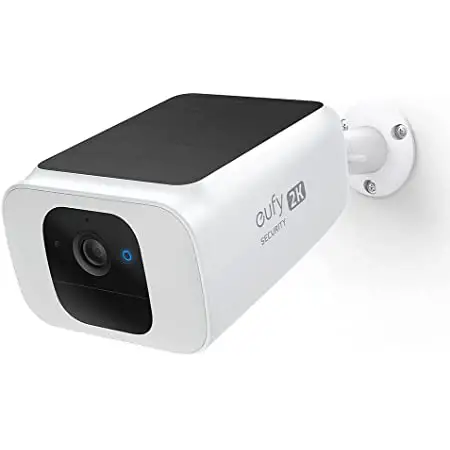
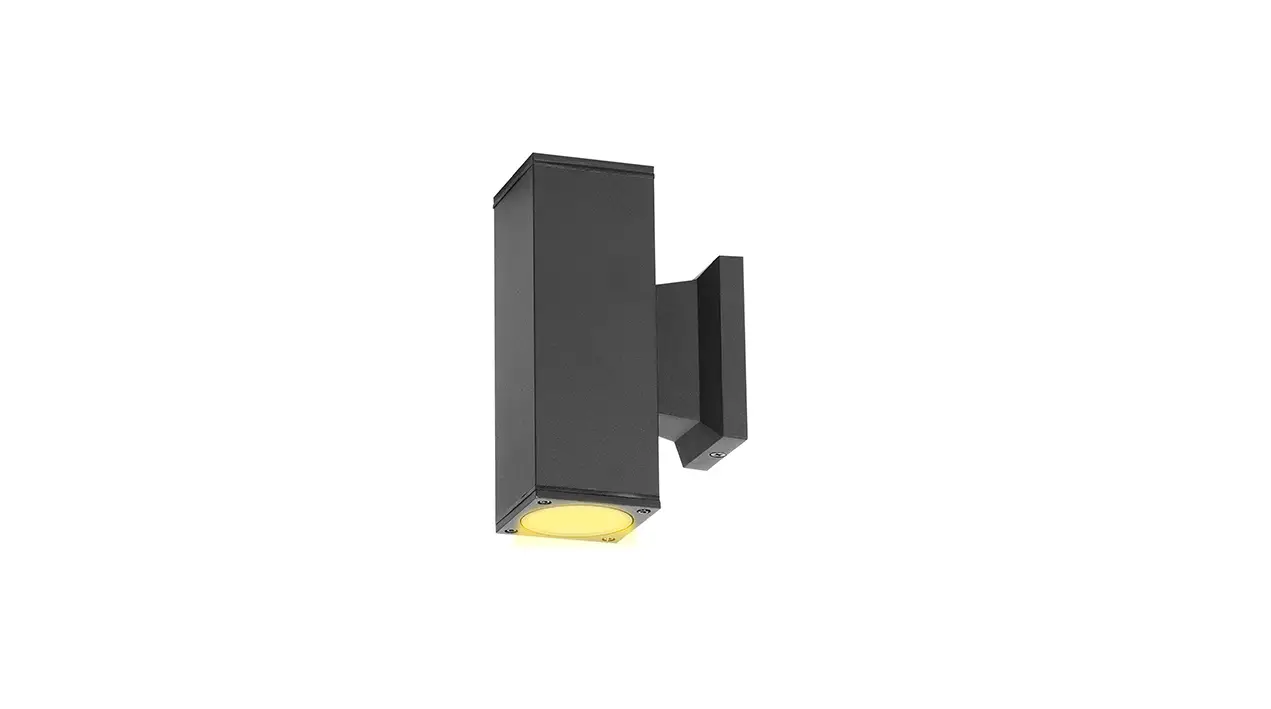
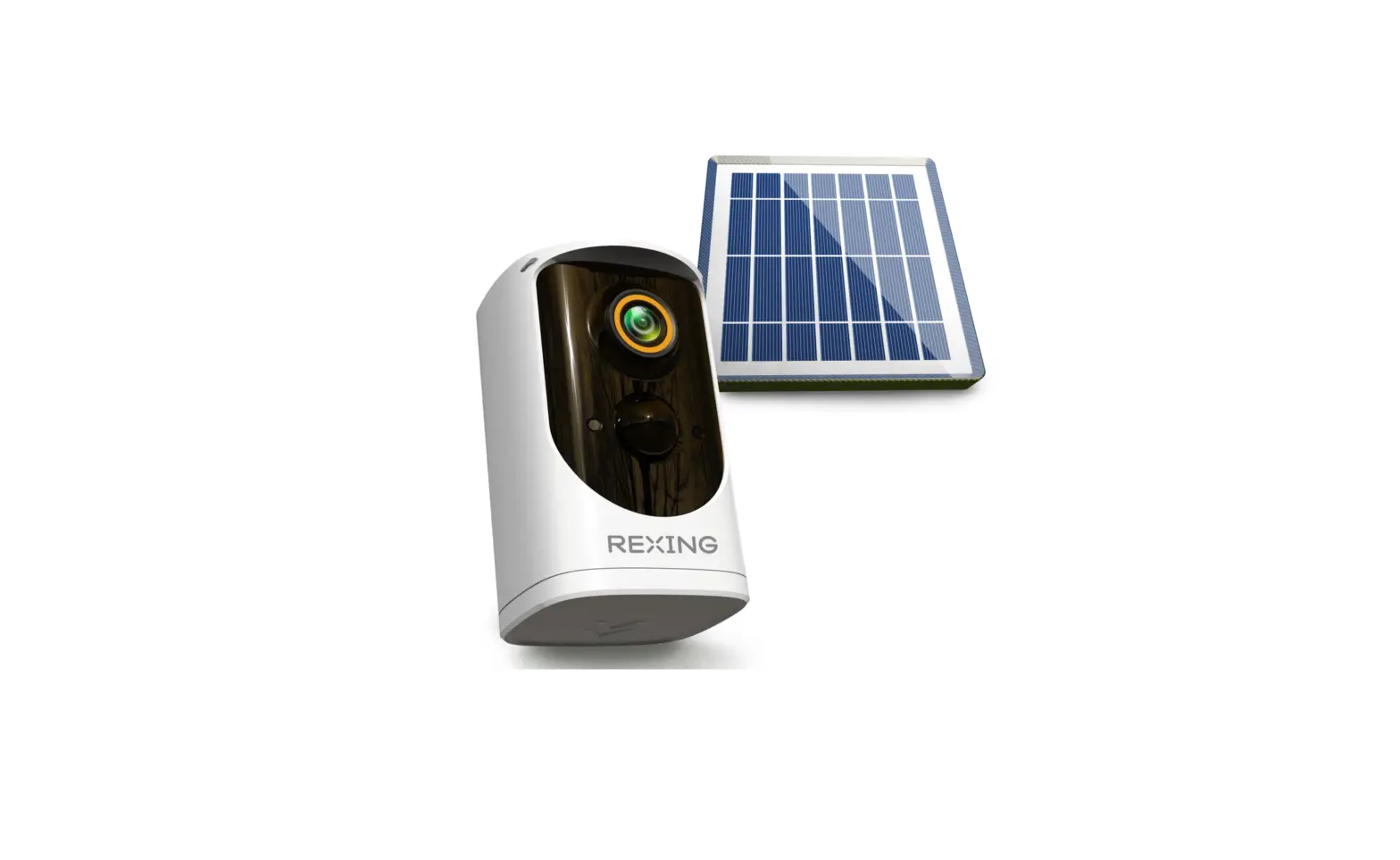
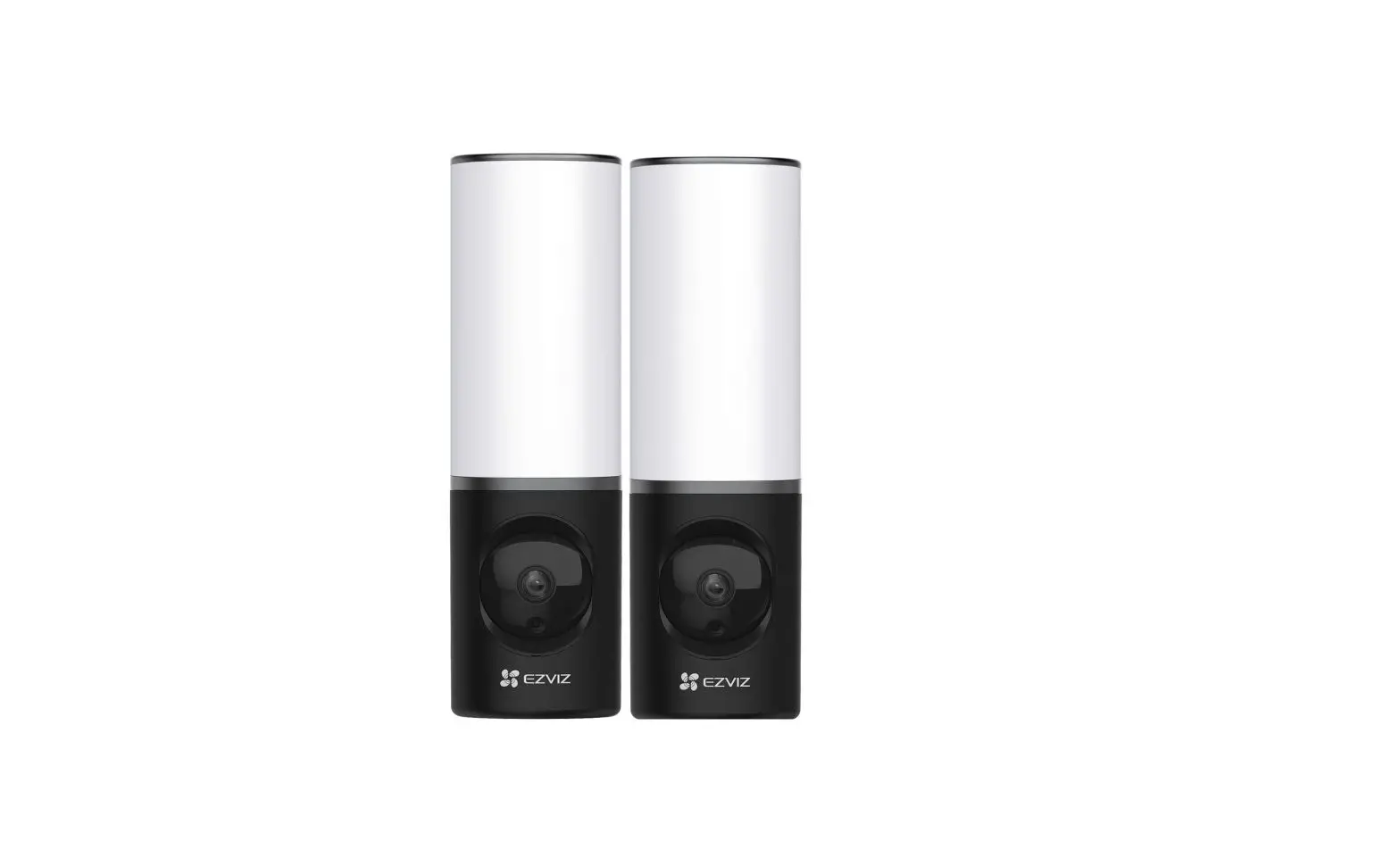
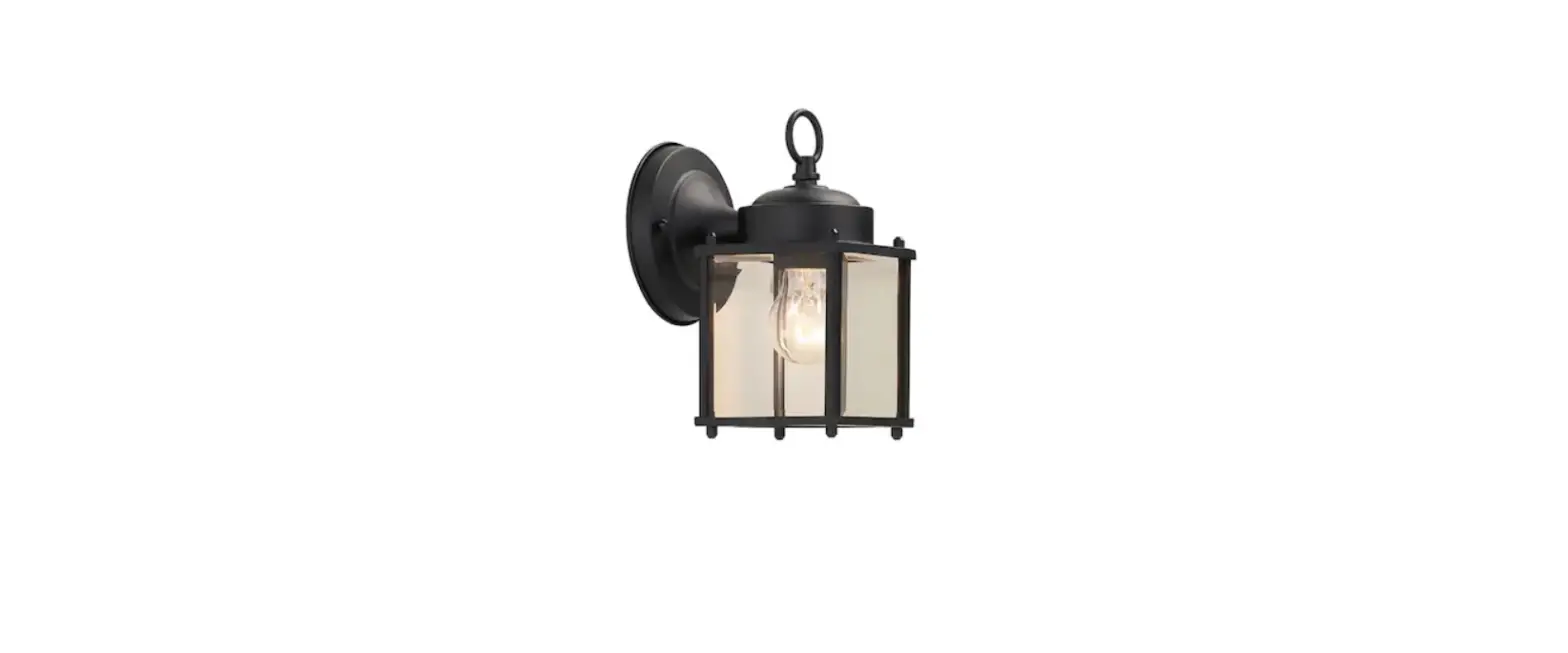
S100 Wall Light Cam
Product Information
Product Name: S100 Wall Light Cam
Model: T84A1
Manufacturer: Anker Innovations Limited
Trademark: eufy Security
Compatibility: Compatible with eufy Security
app
Product Usage Instructions
Setting Up the System
- Open the USB port cover on the back of the device, then connect
it to power with the provided cable. The status LED will display
red when the device is ready for setup. - Download and install the eufy Security app, then set up an
account. - Scan the QR code on the back of the device, then follow the
on-screen instructions to complete the setup. - Disconnect the device from power and close the USB port cover,
then secure the rubber plugs.
Installation
Note: To avoid the risk of shock, injury, or death, always
be cautious when working with electricity. Hire a professional
electrician if you’re uncomfortable working with electrical
wiring.
- Turn off the circuit breaker of your home. Turn the lights on
and off to check if the electricity in your home is properly turned
off. - Select a location for the device and mark it.
- If required, insert the provided anchors at the marked
locations and use the provided screws to fix the mounting bracket
to the wall. - Loosen the wire screws, insert the neutral, ground, and live
wires into the connectors, and then tighten the wire screws to
thoroughly secure the wires. Note: The wire colors vary
depending on the region. - Mount the device onto the mounting bracket and secure it with a
screw on each side. - Turn on the circuit breaker of your home.
Adjusting Angles
- Turn the device while checking the live stream from the eufy
Security app until you get the desired view. - Turn each light for different lighting effects.
Note: The above instructions are provided as a summary.
Please refer to the complete user manual for detailed instructions
and safety precautions.
USER MANUAl
S100 Wall Light Cam
BENUTZERHANDBUCH MANUAL DE USUARIO MANUEL D’UTILISATION MANUALE UTENTE GEBRUIKERSHANDLEIDING MANUAL DO UTILIZADOR
Anker Innovations Limited. All rights reserved. eufy Security and eufy Security Logo are trademarks of Anker Innovations Limited, registered in the United States and other countries. All other trademarks are the property of their respective owners.
V01
Model: T84A1
English
01
Deutsch
08
Español
15
Français
22
Italiano
29
Nederlands
36
Português
43
50
AT A GLANCE
Light Camera Lens Status LED Motion Sensor Micro-USB Port Reset Hole
WHAT’S INCLUDED
S100 Wall Light Cam
Mounting Base
Base Screw
Camera Fixing Screw
USB Cable
Quick Start Guide
EN 1
SETTING UP THE SYSTEM
1. Open the USB port cover on the back of the device, then connect it to power with the provided cable. The status LED will display red when the device is ready for setup.
3. Scan the QR code on the back of the device, then follow the on-screen instructions to complete the setup.
Not Included
2. Download and install the eufy Security app, then set up an account. eufy security
Apple and the Apple logo are trademarks of Apple Inc. Google Play and the Google Play logo are trademarks of Google Inc.
2 EN
4. Disconnect the device from power and close the USB port cover, then secure the rubber plugs.
EN 3
INSTALLATION
To avoid the risk of shock, injury, or death, always be cautious when working with electricity. Hire a professional electrician if you’re uncomfortable working with electrical wiring.
3. If no wires exist, run wires to the installation location. Next, screw the mounting bracket onto the wall. · On wooden walls, do not pre-drill holes. Use the screws provided to fix the mounting
bracket onto the wall. · For walls made of hard materials, such as stucco, brick, or concrete, pre-drill holes in the
required locations, insert the provided anchors, and then use the provided screws to fix the mounting bracket to the wall.
1. Turn off the circuit breaker of your home. Turn the lights on and off to check the electricity in your home is properly turned off.
OFF
OFF
2. Select a location for the device and mark it.
(optional)
4. Loosen the wire screws, insert the neutral, ground, and live wires into the connectors, and then tighten the wire screws to thoroughly secure the wires.
Ground
Neutral
Live
1.8m~2m
For the best motion detection experience, install the device between 1.8m and 2m above the ground. Do not install the device more than 2.2m above the ground.
4 EN
Ground Neutral Live
North America Green / Yellow White Black
Europe Green / Yellow Blue Brown
The wire colors vary depending on region.
EN 5
5. Mount the device onto the mounting bracket, and then secure it with a screw on each side.
ADJUSTING ANGLES
1. Turn the device while checking the live stream from the eufy Security app until you get the
desired view.
30°
30°
6. Turn on the circuit breaker of your home.
ON
ON
6 EN
2. Turn each light for different lighting effects.
360° 360°
EN 7
AUF EINEN BLICK
Lampe Kameraobjektiv Status-LED Bewegungssensor Micro-USB-Anschluss Zurücksetz-Öffnung
IM LIEFERUMFANG
Wandlicht-Kamera S100
Halterung
Basisschraube
Schraube zum Befestigen der Kamera
8 DE
USB-Kabel
KURZANLEITUNG
Einrichten des Systems
1. Öffnen Sie die Abdeckung des USB-Anschlusses auf der Rückseite des Geräts, und schließen Sie es mit dem mitgelieferten Kabel an die Stromversorgung an. Die Status-LED leuchtet rot, wenn das Gerät für die Einrichtung bereit ist.
Not Included
2. Laden Sie die eufy Security-App herunter und richten Sie anschließend ein Konto ein. eufy security
Apple and the Apple logo are trademarks of Apple Inc. Google Play and the Google Play logo are trademarks of Google Inc.
DE 9
3. Scannen Sie den QR-Code auf der Rückseite des Geräts und folgen Sie dann den Anweisungen auf dem Bildschirm, um die Einrichtung abzuschließen.
INSTALLATION
4. Trennen Sie das Gerät von der Stromversorgung, schließen Sie die Abdeckung des USBAnschlusses und befestigen Sie die Gummistopfen.
Um das Risiko eines Stromschlags, einer Verletzung oder des Todes zu vermeiden, gehen Sie bei Arbeiten mit Elektrizität immer vorsichtig vor. Beauftragen Sie einen professionellen Elektriker, wenn Sie sich bei Arbeiten an der elektrischen Verkabelung nicht sicher fühlen.
1. Schalten Sie die Sicherung in Ihrem Haus aus. Schalten Sie das Licht ein und aus, um zu prüfen, ob der Strom in Ihrer Wohnung ordnungsgemäß abgeschaltet ist.
OFF
OFF
2. Wählen Sie einen Ort für das Gerät und markieren Sie ihn.
10 DE
1.8m~2m
Für eine optimale Bewegungserkennung sollten Sie das Gerät zwischen 1,8 m und 2 m über dem Boden installieren. Installieren Sie das Gerät nicht höher als 2,2 m über dem Boden.
DE 11
3. Wenn keine Kabel vorhanden sind, verlegen Sie Kabel zum Installationsort. Schrauben Sie dann die Halterung an die Wand. · Bohren Sie bei Holzwänden keine Löcher vor. Befestigen Sie die Montagehalterung mit
den mitgelieferten Schrauben an der Wand. · Bei Wänden aus hartem Material, wie z. B. Stuck, Backstein oder Backstein, bohren
Sie Löcher an den gewünschten Stellen vor, setzen Sie die mitgelieferten Dübel ein und befestigen Sie die Halterung mit den mitgelieferten Schrauben an der Wand.
5. Montieren Sie das Gerät auf die Halterung und sichern Sie es mit einer Schraube auf jeder Seite.
(optional)
4. Lösen Sie die Kabelschrauben, stecken Sie den Neutralleiter, den Schutzleiter und den stromführenden Leiter in die Verbinder und ziehen Sie dann die Kabelschrauben fest, um die Kabel zu sichern.
Ground
Neutral
Live
6. Schalten Sie die Sicherung in Ihrem Haus an.
ON
ON
Schutzleiter Neutralleiter
Nordamerika Grün/Gelb Weiß
Stromführender Leiter Schwarz
Europa Grün/Gelb Blau Braun
12 DE
Der Farben der Kabel können je nach Region variieren.
DE 13
EINSTELLEN DES WINKELS
1. Drehen Sie das Gerät, während Sie den über die eufy Security-App zugänglichen Live-
Stream überprüfen, bis Sie die gewünschte Ansicht erhalten.
VISTA GENERAL
30°
30°
2. Schalten Sie jedes Licht für verschiedene Lichteffekte ein.
360°
Luz Objetivo de la cámara LED de estado Sensor de movimiento Puerto micro-USB Orificio de reinicio
Contenido
360°
14 DE
Cámara con luz de pared S100
Base de montaje Tornillo para la base
Tornillo de sujeción de la cámara
Cable USB
GUÍA DE INICIO RÁPIDO
ES 15
Configuración del sistema
1. Abra la tapa del puerto USB de la parte posterior del dispositivo y conecte el cable de corriente incluido. El LED de estado se iluminará en rojo cuando el dispositivo esté listo para configurarse.
3. Escanee el código QR que está en la parte posterior del dispositivo y siga las instrucciones en pantalla para completar la configuración.
Not Included
2. Descargue e instale la aplicación eufy Security y cree una cuenta. eufy security
Apple and the Apple logo are trademarks of Apple Inc. Google Play and the Google Play logo are trademarks of Google Inc.
16 ES
4. Desenchufe el dispositivo de la corriente, cierre la tapa del puerto USB y luego fije bien los tapones de goma.
ES 17
INSTALACIÓN
Para evitar el riesgo de descargas eléctricas, lesiones o incluso muerte, tenga siempre cuidado al trabajar con electricidad. Llame a un electricista profesional si no quiere manipular el cableado eléctrico.
3. Si no hay cables cerca, lleve cableado hasta la zona de montaje. Después, atornille el soporte de montaje a la pared. · En paredes de madera, no taladre agujeros. Utilice los tornillos incluidos para fijar el
soporte de montaje a la pared. · En paredes hechas de materiales duros, como estuco, ladrillo u hormigón, taladre
los agujeros en los puntos correspondientes, introduzca los anclajes incluidos y luego use los tornillos designados para fijar el soporte de montaje a la pared.
1. Desconecte el diferencial de su casa. Encienda y apague las luces para comprobar que no hay suministro de electricidad en su hogar.
OFF
OFF
2. Busque una zona donde poner el dispositivo y márquelo.
(optional)
4. Afloje los tornillos para cables, introduzca los cables neutros, de toma de tierra y de corriente en los conectores y luego apriete los tornillos para cables para sujetar bien los cables.
Ground
Neutral
Live
1.8m~2m
Para que funcione lo mejor posible la función de detección de movimiento, instale el dispositivo a una altura de entre 1,8 m y 2 m sobre el suelo. No monte el dispositivo a más de 2,2 m de altura del suelo.
18 ES
Toma de tierra Neutro De corriente
Norteamérica
Europa
Verde / Amarillo Verde / Amarillo
Blanco
Azul
Negro
Marrón
Los colores de los cables varían según la región.
ES 19
5. Coloque el dispositivo en el soporte de montaje y fíjelo con un tornillo en cada lado.
ÁNGULOS DE A JUSTE
1. Gire el dispositivo a la vez que comprueba que sale la imagen en directo en la aplicación
eufy Security hasta conseguir el ángulo deseado.
30°
30°
6. Conecte el diferencial de su casa.
ON
ON
20 ES
2. Gire las luces para lograr diferentes efectos de iluminación.
360° 360°
ES 21
RÉCAPITULATIF
Lumière Objectif de caméra Voyant d’état Détecteur de mouvement Port micro USB Orifice de réinitialisation
Contenu
S100 Wall Light Cam
Base de montage
Vis de base
Vis de fixation de la caméra
22 FR
Câble USB
GUIDE DE DÉMARRAGE RAPIDE
Configuration du système
1. Ouvrez le couvercle du port USB à l’arrière de l’appareil, puis connectez-le à l’alimentation avec le câble fourni. Le voyant d’état s’allume en rouge lorsque l’appareil est prêt à être configuré.
Not Included
2. Téléchargez et installez l’application eufy Security, puis créez un compte. eufy security
Apple and the Apple logo are trademarks of Apple Inc. Google Play and the Google Play logo are trademarks of Google Inc.
FR 23
3. Scannez le code QR au dos de l’appareil, puis suivez les instructions à l’écran pour terminer la configuration.
INSTALLATION
Pour éviter tout risque d’électrocution, de blessure ou de mort, soyez toujours prudent lorsque vous travaillez avec l’électricité. Faites appel à un électricien professionnel si vous ne vous sentez pas à l’aise avec le câblage électrique.
4. Débranchez l’appareil de l’alimentation et fermez le couvercle du port USB, puis fixez les bouchons en caoutchouc.
1. Coupez le disjoncteur de votre maison. Allumez et éteignez les lumières pour vérifier que l’électricité de votre maison est bien coupée.
OFF
OFF
2. Sélectionnez un emplacement pour l’appareil et marquez-le.
1.8m~2m
24 FR
Pour une détection optimale des mouvements, installez l’appareil entre 1,8 et 2 mètres du sol. N’installez pas l’appareil à plus de 2,2 m au-dessus du sol.
FR 25
3. S’il n’y a pas de fils, faites-en passer jusqu’au lieu d’installation. Ensuite, vissez le support de montage sur le mur. · Sur les murs en bois, ne pré-percez pas de trous. Utilisez les vis fournies pour fixer le
support de montage au mur. · Pour les murs en matériaux durs, tels que le stuc, la brique ou le béton,
percez des trous aux endroits requis, insérez les ancrages fournis, puis utilisez les vis fournies pour fixer le support de montage au mur.
5. Montez l’appareil sur le support de montage, puis fixez-le avec une vis de chaque côté.
(optional)
4. Desserrez les vis, insérez les fils neutre, de terre et sous tension dans les connecteurs, puis serrez les vis pour bien fixer les fils.
Ground
Neutral
Live
6. Allumez le disjoncteur de votre maison.
ON
ON
Terre Neutre Phase
Amérique du Nord Vert jaune Blanc Noir
Europe Vert jaune Bleue Marron
26 FR
Les couleurs des fils varient selon la région.
FR 27
RÉGLAGE DES ANGLES
1. Tournez l’appareil tout en vérifiant le flux en direct depuis l’application eufy Security
jusqu’à ce que vous obteniez la vue souhaitée.
30°
30°
2. Tournez chaque lumière pour différents effets d’éclairage.
360°
DESCRIZIONE DEL PRODOTTO
Luce Obiettivo della telecamera LED di stato Sensore di movimento Porta micro USB Foro di ripristino
CONTENUTO DELLA CONFEZIONE
360°
28 FR
S100 Telecamera e luce da parete
Base di montaggio
Vite di base
Vite di fissaggio della telecamera
Cavo USB
GUIDA RAPIDA
IT 29
Configurazione del sistema
1. Aprire il coperchio della porta USB sul retro del dispositivo, quindi collegarlo all’alimentazione con il cavo in dotazione. Quando il dispositivo è pronto per la configurazione, il LED di stato è rosso.
3. Scansionare il codice QR sul retro del dispositivo, quindi seguire le istruzioni sullo schermo per completare la configurazione.
Not Included
2. Scaricare e installare l’app eufy Security e configurare un account. eufy security
Apple and the Apple logo are trademarks of Apple Inc. Google Play and the Google Play logo are trademarks of Google Inc.
30 IT
4. Scollegare il dispositivo dall’alimentazione e chiudere il coperchio della porta USB, quindi fissare i tappi in gomma.
IT 31
INSTALLAZIONE
Per evitare il rischio di scosse elettriche, lesioni o morte, prestare sempre attenzione quando si lavora con l’elettricità. Assumere un elettricista professionista se si è a disagio nel lavorare con i cavi elettrici.
1. Spegnere l’interruttore automatico dell’abitazione. Accendere e spegnere le luci per controllare che l’elettricità nell’abitazione sia effettivamente spenta.
OFF
OFF
2. Scegliere una posizione per il dispositivo e contrassegnala.
3. Se non sono presenti cavi, far passare i cavi nel percorso di installazione. A questo punto, avvitare la staffa di montaggio alla parete. · Su pareti in legno non praticare fori. Utilizzare le viti in dotazione per fissare la staffa di
montaggio alla parete. · Per pareti in materiali duri, come stucco, mattoni o cemento, eseguire
i fori nei punti richiesti, inserire i tasselli in dotazione, quindi utilizzare le viti in dotazione per fissare la staffa di montaggio alla parete.
(optional)
4. Allentare le viti dei cavi, inserire i cavi neutro, di messa a terra e sotto tensione nei connettori, quindi stringere le viti dei cavi per fissarli completamente.
Ground
Neutral
Live
1.8m~2m
Per la migliore esperienza di rilevamento del movimento, installare il dispositivo a una distanza compresa tra 1,8 m e 2 m dal suolo. Non installare il dispositivo a più di 2,2 m dal suolo.
32 IT
Messa a terra Neutro Sotto tensione
Nord America Verde/giallo Bianco Nero
Europa Verde/giallo Blu Marrone
I colori dei cavi variano a seconda dell’area geografica.
IT 33
5. Montare il dispositivo sulla staffa di montaggio, quindi fissarlo con una vite su ciascun lato.
REGOLAZIONE DEGLI ANGOLI
1. Ruotare il dispositivo mentre si controlla la riproduzione in diretta streaming dall’app eufy
Security finché non si ottiene la visualizzazione desiderata.
30°
30°
6. Accendere l’interruttore automatico dell’abitazione.
ON
ON
34 IT
2. Accendere ciascuna luce per ottenere effetti di luce diversi.
360° 360°
IT 35
IN EEN OOGOPSLAG
Lamp Cameralens Statusled Bewegingssensor Micro-USB-poort Resetgaatje
WAT ZIT ER IN DE DOOS?
S100 Wall Light Cam
Montagevoet
Bevestigingsschroef montagevoet
Bevestigingsschroef camera
36 NL
USB-kabel
SNELSTARTGIDS
Het systeem instellen
1. Open het klepje van de USB-poort achterop het apparaat en sluit de meegeleverde kabel aan op de USB-poort en de voeding. Als het apparaat kan worden ingesteld, brandt de indicatieled rood.
Not Included
2. Download en installeer de eufy Security-app en stel een account in. eufy security
Apple and the Apple logo are trademarks of Apple Inc. Google Play and the Google Play logo are trademarks of Google Inc.
NL 37
3. Scan de QR-code achterop het apparaat en volg de instructies op het scherm om het instellen te voltooien.
4. Koppel het apparaat los van de voeding en sluit het klepje van de USB-poort en de rubberen dopjes.
MONTAGE
Wees altijd voorzichtig met elektra om schokken, letsel of overlijden te voorkomen. Schakel een professionele elektricien in als u niet bekend bent met het werken met elektrische bedrading.
1. Onderbreek de stroomvoorziening van uw huis. Doe het licht aan en uit om te controleren of de elektriciteit echt is uitgeschakeld.
OFF
OFF
2. Selecteer en markeer de locatie voor het apparaat.
1.8m~2m
38 NL
Voor de beste bewegingsdetectie monteert u het apparaat tussen 1,8 m en 2 m boven de grond. Monteer het apparaat niet hoger dan 2,2 m boven de grond.
NL 39
3. Als er geen draden aanwezig zijn, moet u draden naar de montagelocatie aanleggen. Schroef de montagevoet op de muur. · In een houten ondergrond hoeft u niet voor te boren. Gebruik de meegeleverde schroeven
om de montagevoet aan de muur te bevestigen. · In harde ondergronden, zoals stucwerk, baksteen of beton, boort u op
de vereiste locaties gaten voor, plaatst u de meegeleverde pluggen en bevestigt u vervolgens de montagevoet met de meegeleverde schroeven.
5. Plaats het apparaat op de montagevoet en zet het vast met een schroef aan elke kant.
(optional)
4. Draai de schroeven van de draadklemmen los, steek de fase-, nul- en aardedraad in de klemmen en draai de schroeven weer aan, zodat de draden stevig vastzitten.
Ground
Neutral
Live
6. Herstel de stroomvoorziening van uw huis.
ON
ON
Aarde Nul Fase
Noord-Amerika Groen-geel Wit Zwart
Europa Groen-geel Blauw Bruin
40 NL
De kleuren van de draden verschillen per regio.
NL 41
DE HOEK AANPASSEN
1. Draai het apparaat terwijl u de livestream van de eufy Security-app bekijkt, tot u het
gewenste beeld hebt.
VISTA GERAL
30°
30°
2. Draai de lampen voor verschillende lichteffecten.
360°
Luz Lente da câmara LED de estado Sensor de movimento Porta micro-USB Orifício de reposição
INCLUÍDO
360°
42 NL
Câmara com luz de parede S100
Base de montagem Parafuso da base
Parafuso de fixação da câmara
Cabo USB
GUIA DE INÍCIO RÁPIDO
PT 43
Configurar o sistema
1. Abra a tampa da porta USB na parte posterior do dispositivo e depois ligue à corrente com o cabo fornecido. O LED de estado fica vermelho quando o dispositivo estiver pronto para ser configurado.
3. Leia o código QR na parte posterior do dispositivo e depois siga as instruções apresentadas no ecrã para concluir a configuração.
Not Included
2. Transfira e instale a aplicação eufy Security e depois configure uma conta. eufy security
Apple and the Apple logo are trademarks of Apple Inc. Google Play and the Google Play logo are trademarks of Google Inc.
4. Desligue o dispositivo da corrente, feche a tampa da porta USB e depois fixe as tampas de borracha.
44 PT
PT 45
INSTALAÇÃO
Para evitar o risco de choque, ferimentos ou morte, tenha sempre cuidado quando trabalhar com eletricidade. Contrate um eletricista profissional se não se sentir confortável em trabalhar com fios elétricos.
1. Desligue o disjuntor de sua casa. Ligue e desligue as luzes para verificar se cortou o fornecimento de eletricidade em sua casa.
OFF
OFF
2. Selecione um local para o dispositivo e marque-o.
3. Caso o local de instalação não disponha de fios elétricos, instale-os. A seguir, aparafuse o suporte de montagem à parede. · Em paredes de madeira, não pré-perfure os orifícios. Utilize os parafusos fornecidos para
fixar o suporte de instalação à parede. · Para paredes feitas de materiais duros, como estuque, tijolo ou cimento, pré-
perfure os orifícios nas posições necessárias, insira as buchas fornecidas e depois utilize os parafusos fornecidos para fixar o suporte de montagem à parede.
(optional)
4. Desaperte os parafusos dos fios, insira os fios neutro, de terra e de corrente nos conectores e depois aperte os parafusos dos fios para fixar bem os fios.
Ground
Neutral
Live
1.8m~2m
Para usufruir da melhor experiência de deteção de movimento, instale o dispositivo entre 1,8 m e 2 m acima do solo. Não instale o dispositivo a mais de 2,2 m acima do solo.
46 PT
América do Norte
Terra
Verde/amarelo
Neutro Branco
Corrente Preto
Europa Verde/amarelo Azul Castanho
As cores dos fios variam consoante a região.
PT 47
5. Monte o dispositivo no suporte de montagem e fixe-o com um parafuso em cada lado.
ÂNGULOS DE A JUSTE
1. Rode o dispositivo enquanto verifica a transmissão em direto a partir da aplicação eufy
Security até obter a vista desejada.
30°
30°
6. Ligue o disjuntor de sua casa.
ON
ON
48 PT
2. Rode cada luz para obter efeitos de iluminação diferentes.
360° 360°
PT 49
LED . USB .1 .
Not Included
. eufy Security .2 eufy security
Apple and the Apple logo are trademarks of Apple Inc. Google Play and the Google Play logo are trademarks of Google Inc.
LED Micro USB
S100
51 AR
USB
AR 50
.3 .
.
.
. . .1
OFF
OFF
. .2
. USB .4
1.8m~2m
53 AR
. 1.8 . 2.2
AR 52
55 AR
. .5
. . .3 . . .
(optional)
. .6
ON
.4 .
Ground
Neutral
Live
ON
.
/
/
AR 54
. eufy Security .1
30°
30°
. .2
360°
Customer Service
Kundenservice | Servicio de atención al cliente | Service client | Servizio clienti | Klantenservice | Serviço de Apoio ao Cliente |
12-month limited warranty | 12 Monate eingeschränkte Garantie | Garantía limitadade 12 meses | Garantie limitée de 12 mois | Garanzia limitata di 12 mesi | 12 maanden beperkte garantie | 12 meses de garantia limitada |
(US) +1 (800) 988-7973 (UK) +44 (0) 1604 936200 (DE) +49 (0) 69 9579 7960 ( ) +86 400 0550 036 ( ) 03 4455 7823 (AU) +61 3 8331 4800 (Egypt) +20 8000000826 (UAE) +971 8000320817 (Kuwait) +965 22069086 (Saudi Arabia) +966 8008500030 (Middle East & Africa) +971 42428633
[email protected]
Anker Innovations Limited Room 1318-19, Hollywood Plaza, 610 Nathan Road, Mongkok, Kowloon, Hong Kong
@EufyOfficial @EufyOfficial @EufyOfficial
360°
56 AR
57
Anker Innovations Limited. All rights reserved. eufy Security and eufy Security Logo are trademarks of Anker Innovations Limited,
registered in the United States and other countries. All other trademarks are the property of their respective owners. 51005003643 V01
1
SAFETY
· This equipment is not suitable for use in locations where children are likely to be present. This equipment is not intended for use by children. · Do not use the product in any way other than described herein in order to avoid personal injury or property damage. · User should comply with the laws and regulations of the corresponding countries and regions where the equipment is located (used), abide by professional ethics, pay attention to safety obligations, and strictly prohibit the use of our products or equipment for any illegal purposes. Our company will not be responsible for any violators’ legal liability under any circumstances. · An appropriate disconnect device shall be provided as part of the building installation An all-pole mains switch in accordance with Annex L shall be incorporated in the electrical installation of the building · Un dispositif de déconnexion approprié doit être prévu dans le cadre de l’installation du bâtiment. Un interrupteur secteur tous pôles conforme à l’annexe L est incorporé dans l’installation électrique du bâtiment · The luminaire internded to be mounted on or over an outlet box and shall be provided with supply conductors long enough to extend 150mm(6 in) into the outlet box. Le luminaire doit être monté sur ou au-dessus d’une boîte de sortie et doit être fourni avec des conducteurs d’alimentation suffisamment longs pour s’étendre de 150 mm (6 po) dans la boîte de sortie.
· Caution, risk of electric shock
· Attention, risque de choc électrique · THIS PRODUCT MUST BE INSTALLED IN ACCORDANCE WITH THE APPLICABLE INSTALLATION CODE BY A PERSON FAMILIAR WITH THE CONSTRUCTION AND OPERATION OF THE PRODUCT AND THE HAZARDS INVOLVED CE PRODUIT DOIT ÊTRE INSTALLÉ SELON LE CODE D’INSTALLATION PERTINENT, PAR UNE PERSONNE QUI CONNAÎT BIEN LE PRODUIT ET SON FONCTIONNEMENT AINSI QUE LES RISQUES INHÉRENTS · MIN 90°C SUPPLY CONDUCTORS LES FILS D’ALIMENTATION 90°C MIN
2
NOTICE
NOTICE (United States of America)
FCC Statement This device complies with Part 15 of the FCC Rules. Operation is subject to the following two conditions: (1) this device may not cause harmful interference, and (2) this device must accept any interference received, including interference that may cause undesired operation. Warning: Changes or modifications not expressly approved by the party responsible for compliance could void the user’s authority to operate the equipment. Note: This equipment has been tested and found to comply with the limits for a Class B digital device, pursuant to Part 15 of the FCC Rules. These limits are designed to provide reasonable protection against harmful interference in a residential installation. This equipment generates uses and can radiate radio frequency energy and, if not installed and used in accordance with the instructions, may cause harmful interference to radio communications. However, there is no guarantee that interference will not occur in a particular installation. If this equipment does cause harmful interference to radio or television reception, which can be determined by turning the equipment off and on, the user is encouraged to try to correct the interference by one or more of the following measures: (1) Reorient or relocate the receiving antenna. (2) Increase the separation between the equipment and receiver. (3) Connect the equipment into an outlet on a circuit different from that to which the receiver is connected. (4) Consult the dealer or an experienced radio/TV technician for help. FCC Radio Frequency Exposure Statement The device has been evaluated to meet general RF exposure requirements. The device can be used in fixed/mobile exposure condition. The min separation distance is 20cm. Notice: Shielded cables All connections to other computing devices must be made using shielded cables to maintain compliance with FCC regulations. The following importer is the responsible party Company Name: POWER MOBILE LIFE, LLC Address: 10900 NE 8th St, Ste 501, Bellevue WA 98004 Telephone:1-800-988-7973
3
NOTICECanada
IC Statement This device complies with Industry Canada licence-exempt RSS standard(s). Operation is subject to the following two conditions: (1)this device may not cause interference, and (2)this device must accept any interference, including interference that may cause undesired operation of the device. Le présent appareil est conforme aux CNR d’Industrie Canada applicables aux appareils radio exempts de licence. L’exploitation est autorisée aux deux conditions suivantes: (1)l’appareil nedoit pas produire de brouillage, et (2)l’utilisateur de l’appareil doit accepter tout brouillage radioélectrique subi, même si le brouillage est susceptible d’en compromettre le fonctionnement. This Class B digital apparatus complies with Canadian ICES-003. Cet appareil numérique de la classe B est conforme à la norme NMB-003 du Canada. IC RF Statement When using the product, maintain a distance of 20cm from the body to ensure compliance with RF exposure requirements. Lors de l’utilisation du produit, maintenez une distance de 20 cm du corps afin de vous conformer aux exigences en matière d’exposition RF.
4
NOTICE (Europe and United Kingdom)
This product complies with the radio interference requirements of the European Community. Declaration of Conformity Hereby, Anker Innovations Limited declares that this device is in compliance with the essential requirements and other relevant provisions of Directive 2014/53/EU.For the declaration of conformity, visit the Web site: https://uk.eufylife.com/ This product complies with the radio interference requirements of the United Kingdom Declaration of Conformity Hereby, Anker Innovations Limited declares that this device is in compliance with Radio Equipment Regulations 2017(SI 2017/1206). The full text of the UK declaration of conformity is available at the following internet address: https://uk.eufylife.com/ Do not use the Device in the environment at too high or too low temperature, never expose the Device under strong sunshine or too wet environment. The suitable temperature for the device and accessories is -20°C to 50°C. It is recommended to supply the device in an environment with a temperature that ranges from 5~25. When supplying, please place the device in an environment that has a normal room temperature and good ventilation. RF exposure information The Maximum Permissible Exposure (MPE) level has been calculated based on a distance of d=20 cm between the device and the human body. To maintain compliance with RF exposure requirement, use product that maintain a 20cm distance between the device and human body. Frequency bands and power as below:
Function Bands Operation Frequency
Max.Power
Wi-Fi
2.4GHz 2412-2472MHz
EIRP 19.83dBm
The following importer is the responsible party (contract for EU matters): Anker Innovations Deutschland GmbH I Georg-Muche-Strasse 3, 80807 Munich, Germany
The following importer is the responsible party (contract for UK matters): Anker Technology (UK) Limited I GNR8, 49 Clarendon Road, Watford, Hertfordshire, WD17 1HP, United Kingdom
This product is designed and manufactured with high quality materials and components, which can be recycled and reused.
5
This symbol means the product must not be discarded as household waste, and should be delivered to an appropriate collection facility for recycling. Proper disposal and recycling helps protect natural resources, human health and the environment. For more information on disposal and recycling of this product, contact your local municipality, disposal service, or the shop where you bought this product.
NOTICE (Australia)
Do not use the Device in the environment at too high or too low temperature, never expose the Device under strong sunshine or too wet environment. The suitable temperature for the device and accessories is -20°C to 50°C. It is recommended to supply the device in an environment with a temperature that ranges from 5~25. When supplying, please place the device in an environment that has a normal room temperature and good ventilation.
This product is designed and manufactured with high quality materials and components, which can be recycled and reused. This symbol means the product must not be discarded as household waste, and should be delivered to an appropriate collection facility for recycling. Proper disposal and recycling helps protect natural resources, human health and the environment. For more information on disposal and recycling of this product, contact your local municipality, disposal service, or the shop where you bought this product. Anker Innovations Limited | Room 1318-19, Hollywood Plaza, 610 Nathan Road, Mongkok, Kowloon, Hong Kong
6
 eufy | Smart Home Simplified - eufy UK