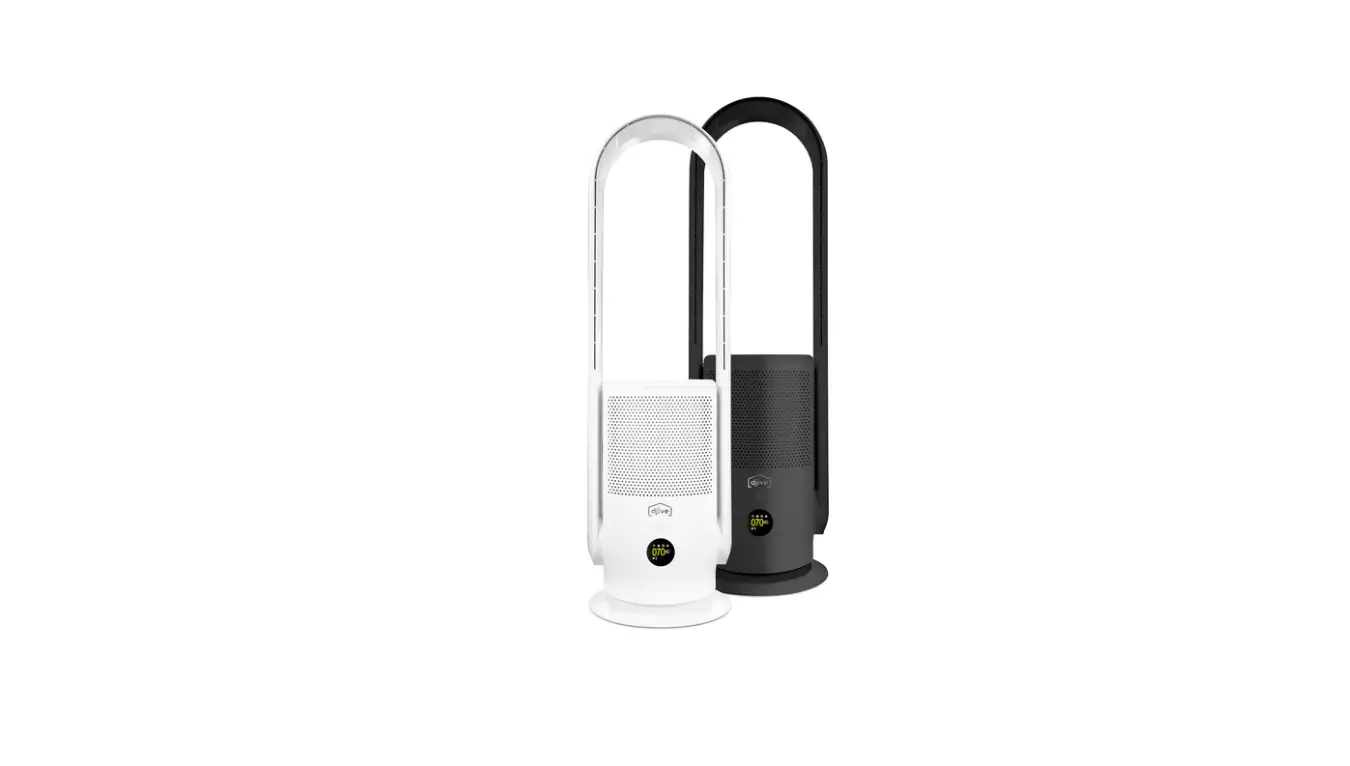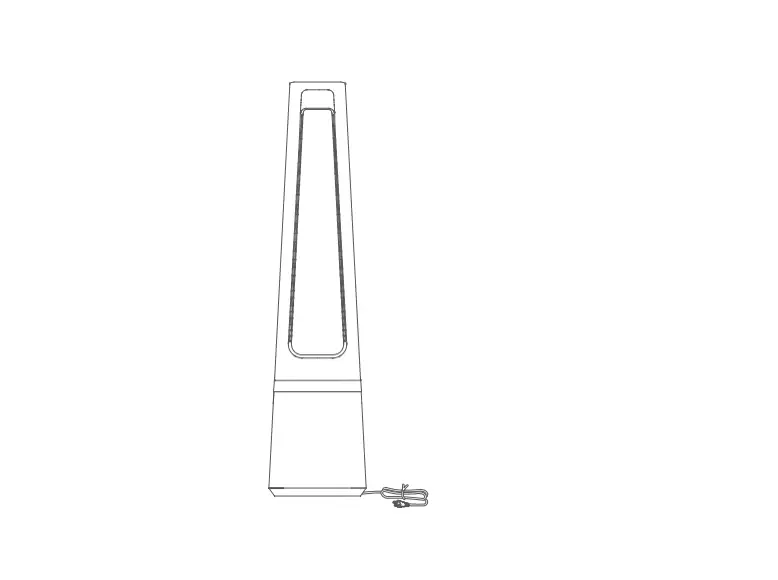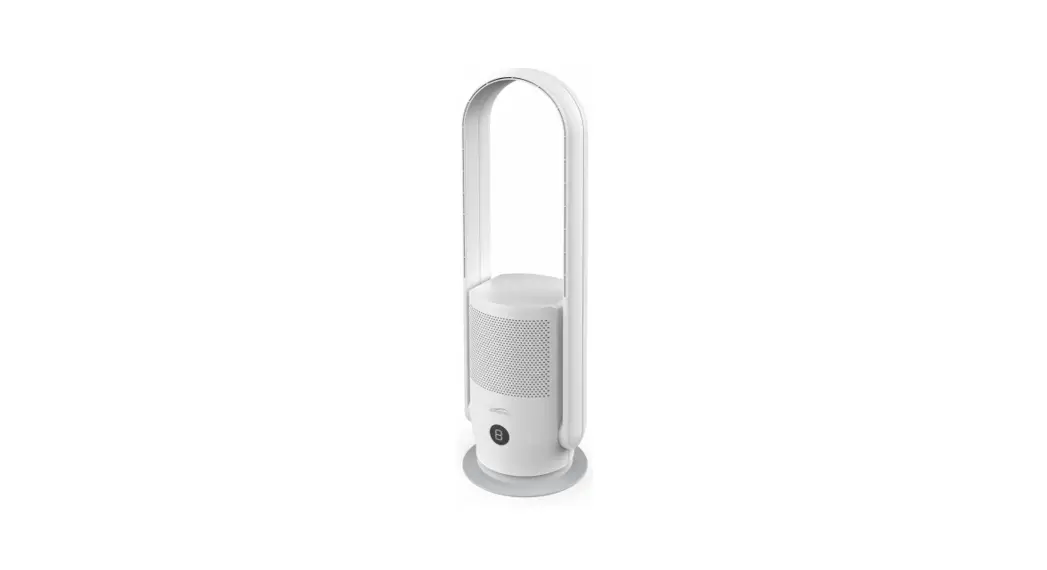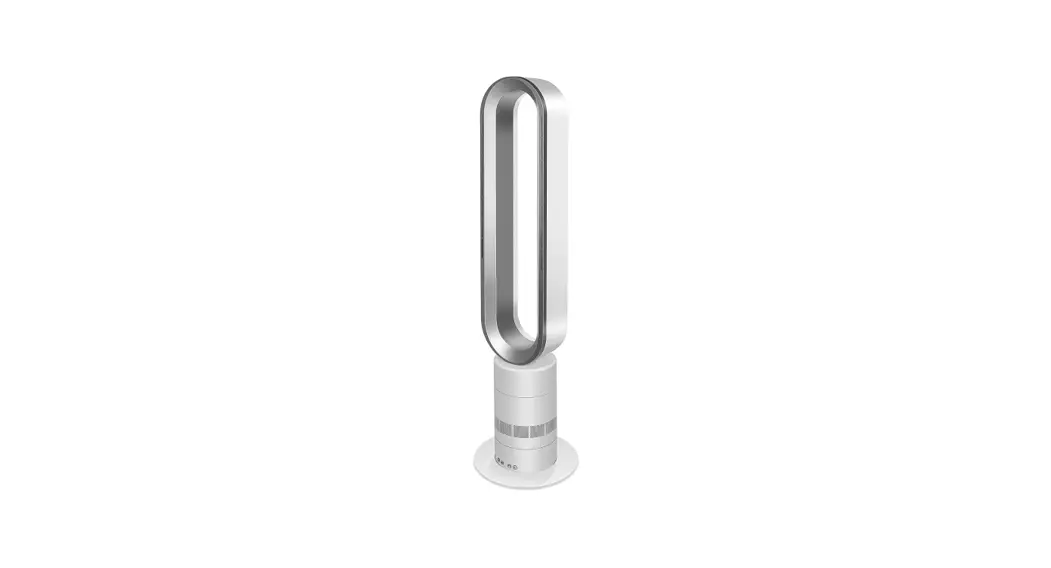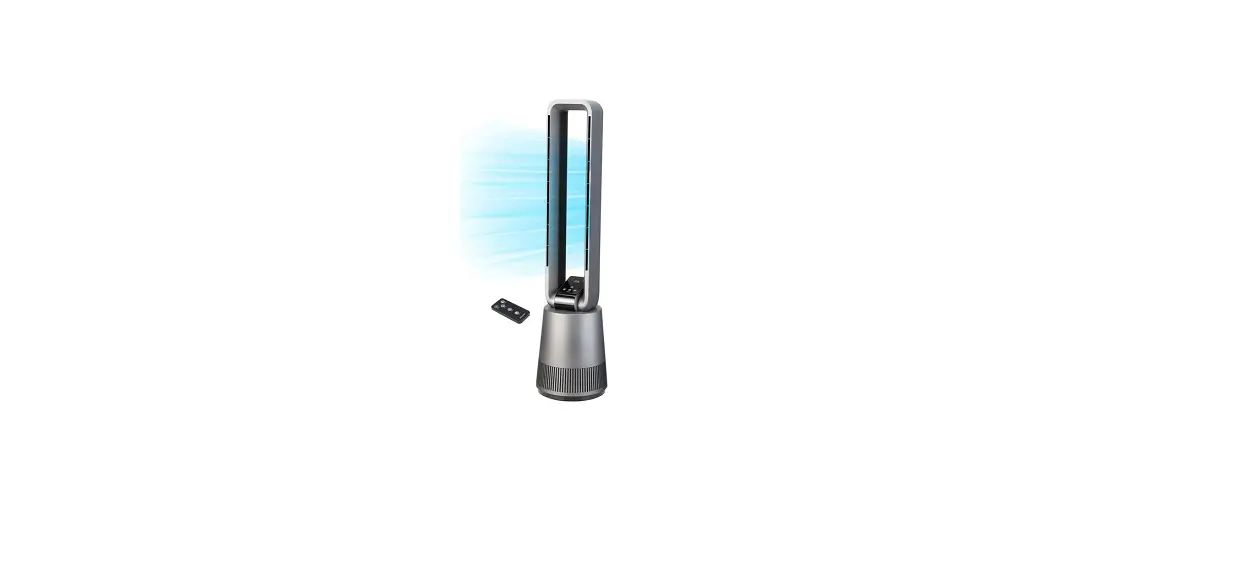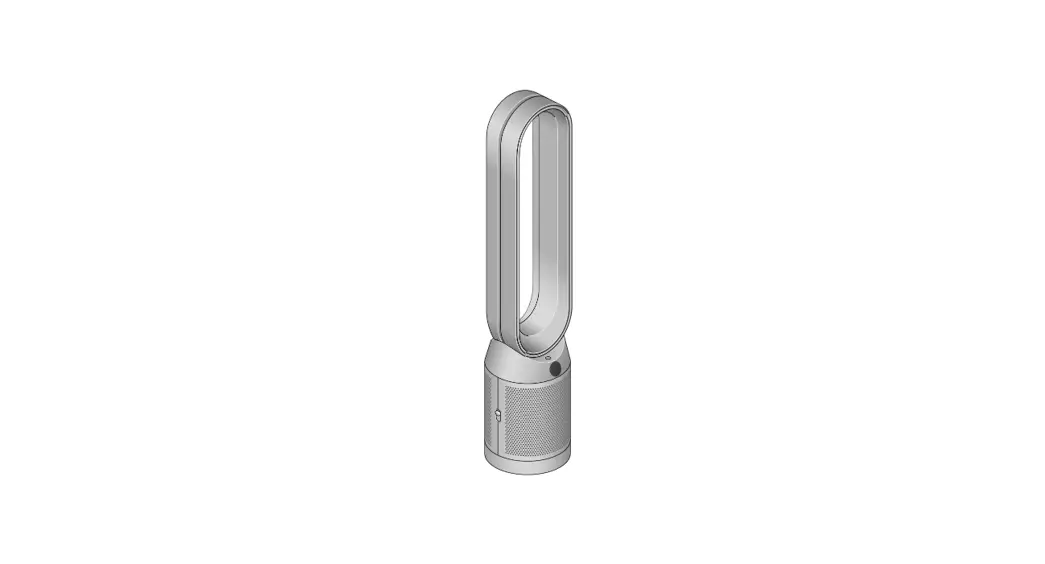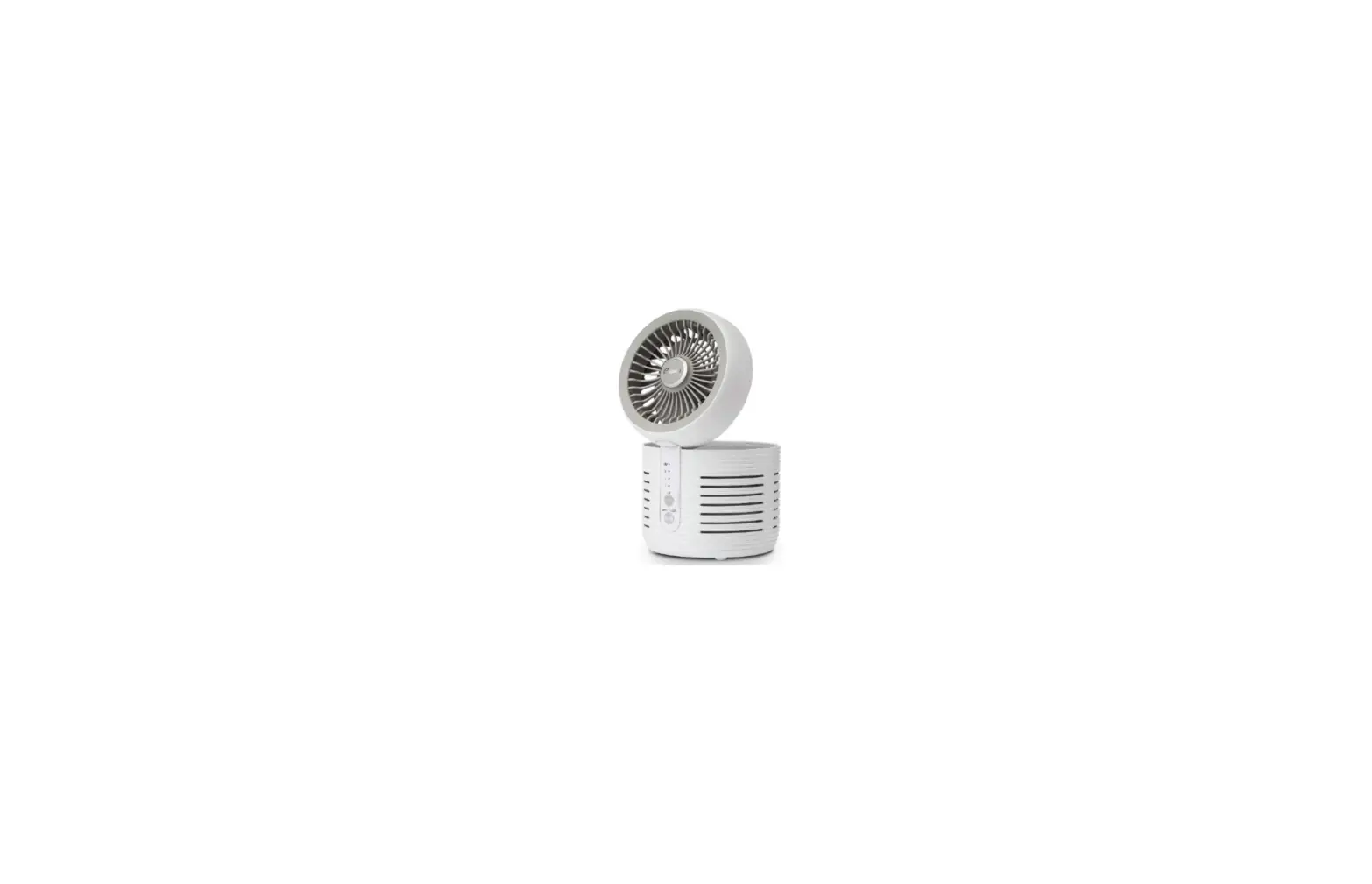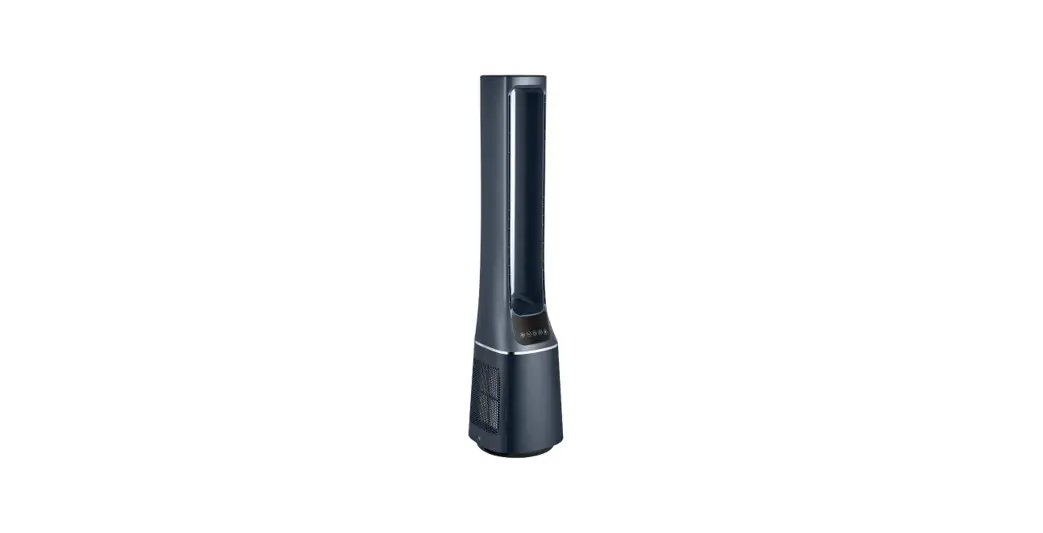
 AMS150-PB Bladeless Dc Fan Air Purifier
User Manual
Read This Manual
Inside you’ll find many helpful hints on how to use and maintain your appliance properly. Just a little preventive care on your part can save you a great deal of time and money over the life of your appliance. You’ll find many answers to common problems in the troubleshooting tips – you should be able to fix most of them quickly before calling customer service. These instructions may not cover every possible condition, so attention to safety details is required when operating and maintaining this product.
SAFETY PRECAUTIONS
To prevent injury to the user or other people and property damage, the instructions shown here must be followed. Incorrect operation due to ignoring of instructions may cause harm or damage. The different levels of risk is shown by the following indications.
 This symbol indicates a hazardous situation that, if not avoided, could result in death or serious injury.
 This symbol indicates a hazardous situation, which, if not avoided, could result in minor or moderate injury.
 This symbol addresses practices not related to physical injury.
IMPORTANT SAFETY INSTRUCTIONS
 CAUTION
Read Rules for Safe Operation and Instructions Carefully.
WARNING
- This appliance has a polarized plug (one blade is wider than the other). To reduce the risk of electric shock, this plug is intended to fit in a polarized outlet only one way. If the plug does not fit fully in the outlet, reverse the plug. If it still does not fit, contact a qualified electrician. Do not attempt to defeat this safety feature.
- WARNING—To reduce the risk of fire or electric shock, do not use this fan with any solid-state speed control device.
- This product employs overload protection (fuse). A blown fuse indicates an overload or short-circuits situation. If the fuse blows, unplug the product from the outlet. Replace the fuse as per the user servicing instructions (follow product marking for proper fuse rating) and check the product. If the replacement fuse blows, a short-circuit may be present and the product should be discarded or returned to an authorized service facility for examination or repair.
a) Do not operate any fan with a damaged cord or plug. Discard the fan or return it to an authorized service facility for examination or repair.
b) Do not run cord under carpeting. Do not cover the cord with throw rugs, runners, or similar coverings.
Do not route the cord under furniture or appliances. Arrange cord away from traffic area and where it will not be tripped over. - Do not leave the fan running unattended.
- Keep electrical appliances out of reach from children or infirm persons. Do not let them use the appliances without supervision.
WARNING
- If the supply cord is damaged, it must be replaced by the manufacturer or its service agent or a similarly qualified person in order to avoid a hazard.
- This product complies with the maximum allowable concentration of ozone of 0.050 parts per million by volume (ppmv) in a 24-h period.
- This appliance is not intended for use by persons (including children) with reduced physical, sensory or mental capabilities, or lack of experience and knowledge unless they have been given supervision or instruction concerning the use of the appliance by a person responsible for their safety. Children should be supervised to ensure that they do not play with the appliance.
- When the fan was assembled, the rotor blade guard shall not be taken off anymore.
– Prior to cleaning unplug the fan.
– The rotor guard shall not be dissembled/opened to clean the rotor blades.
– Wipe the fan enclosure and rotor blade guard with a slightly damp cloth. - CAUTION: HIGH VOLTAGE INSIDE.
- CAUTION: This equipment should be inspected frequently and collected dirt removed from it regularly to prevent excessive accumulation that may result in flashover or a risk of fire.
RULES FOR SAFE OPERATION
- Never insert fingers, pencils, or any other object through the grille when the fan is running.
- Disconnect fan when moving from one location to another.
- Be sure the fan is on a stable surface when operating to avoid overturning.
- DO NOT use fan in window, rain may create electrical hazard.
- Household use only.
PRODUCT INTRODUCTION
Note:
Pictures in the manual are for reference only, and real objects within the packaging box will prevail in the end.
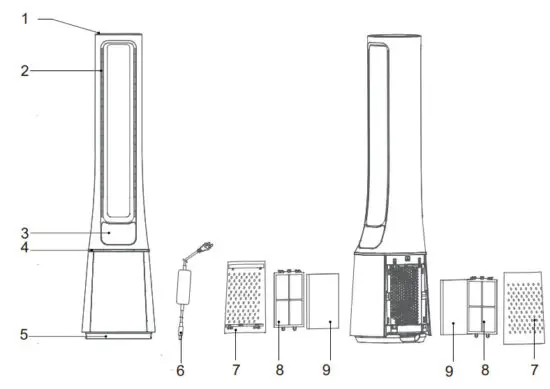
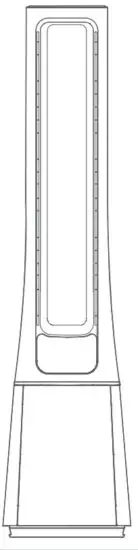
| NO. | Description | NO. | Description |
| 1 | Top cover | 6 | Adapter |
| 2 | Air outlet | 7 | Air inlet grille |
| 3 | Display and Control panel | 8 | Pre-filter |
| 4 | Centerpiece | 9 | NEPA filter |
| 5 | Base |

INSTALLATION INSTRUCTIONS
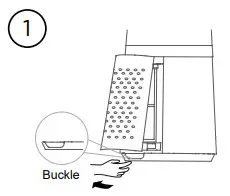
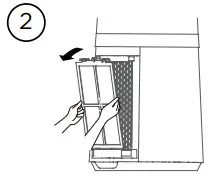
- Remove the air inlet grille.

- Take out the pre-filter.
Press the raised part on both sides to pull it outwards and take out the pre-filter.
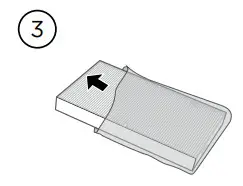
- Remove the protective film of the filter.

- Install the HEPA filter.

- Install the pre-filter. Align the slot position at the bottom and buckle up the upper U-shaped buckle.

- Install the air inlet grille.
 Align the upper two buckles and press them tightly, then press the two sides at the lower part, slowly and gently buckle the air inlet grille.
 - Install the adapter, Tighten the plug with the socket position of the base.

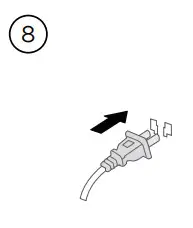
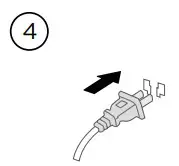
- Plug power supply.

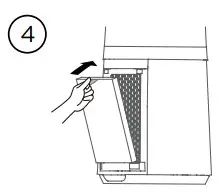
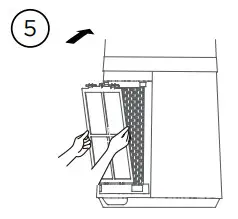
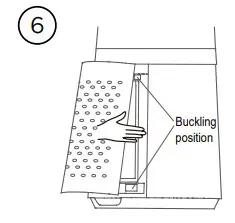 Align the upper two buckles and press them tightly, then press the two sides at the lower part, slowly and gently buckle the air inlet grille.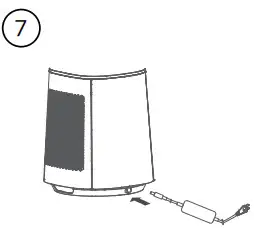
• It is recommended to clean the filter once every two weeks and replace it once every six months (the cleaning and replacement cycle can be adjusted according to the use environment).
INSTRUCTIONS
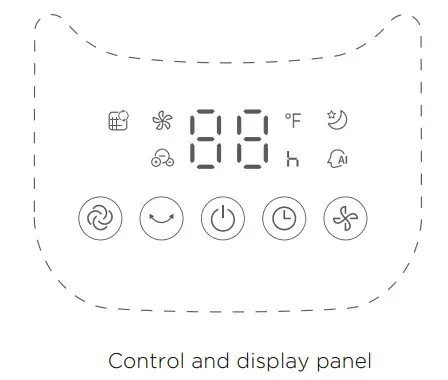
| Button | Function Description |
 | Startup/Standby |
 | Touch this button to switch the wind mode among nor (When the filter replacement reminder light is on, press and hold this button to turn off the reminder light) |
 | Touch this button to start/stop the swing. |
 | Touch this button to switch the wind speed (cycles among levels 1-2-3-•••-10-1-2). |
 | Schedule to shut down in the power-on state, and schedule to start up in the standby state; Touch this button to set the timer (the display cycles among 0-1-2-•••-12-0h); 0h means that the timer is canceled. |
 | Filter replacement reminder icon; when the icon stays on, the filter needs to be replaced; |
 | In AI smart wind mode, the indicator light is on, and the wind power is automatically adjusted according to changes in ambient temperature. |
 | This indicator light is on in sleep wind mode. Start the sleep wind function, and the fan automatically adjusts the level according to the program; there are three levels: 1, 2, and 3; you can adjust the level of the sleeping wind by pressing the wind speed button. |
 | Displays the wind speed level or set timer, and displays the temperature in the wind mode. |
 | This indicator light is on in ion wind mode. In this mode, the plasma cluster is turned on, and level 1~10 wind has a plasma cluster. |
Additional Features and Maintenance
- Forced shut down
There is no operation during the running of the fan, after 15 hours of continuous operation, the fan will be forced to shut down automatically. - Intelligent memory
When the fan is turned off or powered off, it will run in the state before turning off or power off when the power is powered on again (the timing function is not memorized). - Screen-off function
In case of no operation for 30 seconds during normal operation, the indicator light on the body will be automatically off, but the fan will continue to operate. Press the ON/OFF button to turn off the fan when the screen is off, and press the other button to restore the display.
Remote control button description
Note:
- The remote control should be normally used on the front of the product and 30 degrees of the deviation angle.
- The battery contains many heavy metals, acids, bases, etc., which may threaten human health; Waste batteries should be recycled separately.
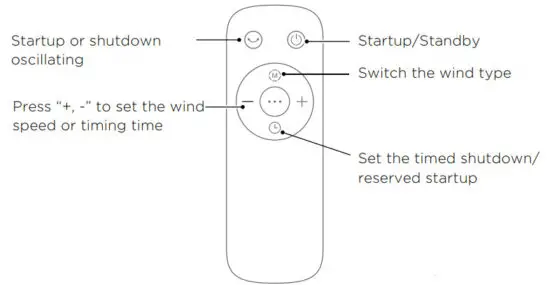
Remote control button description
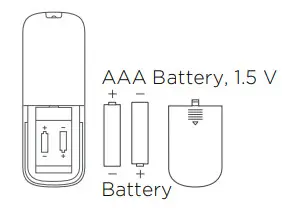
Use manganese or alkaline batteries of type “AAA”.
DO not use rechargeable batteries.
The battery is not included in the packaging.
BATTERY WARNING AS BELOW
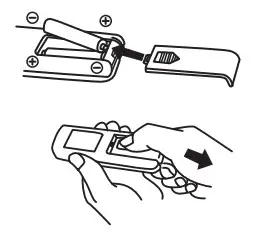
- Do not dispose of batteries in fire, batteries may explode or leak
- Do not mix old and new batteries.
- Do not mix alkaline, standard (carbon-zinc) or rechargeable (nickel-cadmium) batteries.
- Non-rechargeable batteries are not to be recharged.
- Batteries are to be inserted with the correct polarity.
- Exhausted batteries are to be removed from the product.
- The batteries must be removed from the remote controller before it is scrapped and that they are disposed of safely.
Filter replacement
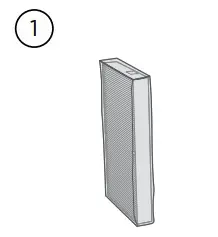
- Filter model: FQ150CJ-2 (including 2 sets).

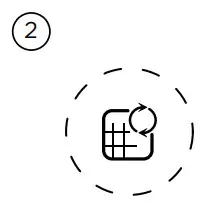
- When the indicator light for replacement of the filter is on, the prompt that reminds you of filter replacement will appear. If it is not replaced in time, the prompt will appear during each startup.

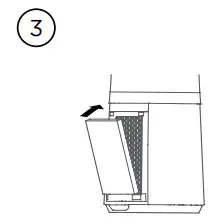
- Replace a new filter.

- Long press the mode button for 3 seconds to turn off the indicator light for filter replacement.

Pre-Filter cleaning
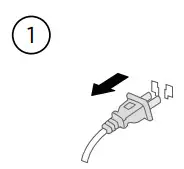
- Unplug the power cord.

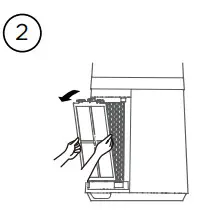
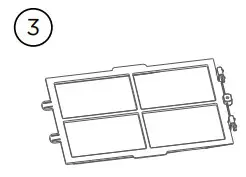
- Take out the filter.

- Remove the dust with a vacuum cleaner.

- Install the machine in reverse order and plug the power supply.

USER SERVICING INSTRUCTIONS
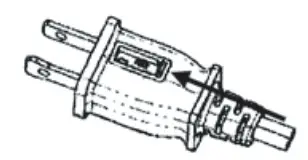
- Grasp plug and remove from the receptacle or other outlet device.
Do not unplug by pulling on the cord. - Open fuse cover. Slide open fuse access cover on top of attachment plug towards blades.
- Remove fuse carefully. Insert the tip of your tool into the fuse slot (close with the terminal), then prize the fuse gradually and slowly, but not overexert. If you feel tight, you can try it several times and prize the fuse little by little. When one side of the fuse has been prized, then you can get the fuse out entirely.
- Risk of fire. Replace fuse only with 2.5 Amp, 125 Volt fuse.
- Close fuse cover. Slide closed the fuse access cover on top of attachment plug.
- Risk of fire. Do not replace the attachment plug. Contains a safety device (fuse) that should not be removed. Discard the product if the attachment plug is damaged.
Note:
- When you replace the fuse, please don’t operate suddenly or overexert, or else the product will be damaged or cause an accident.
- When you feel it is hard to be operated, please make sure you have got the right way.
CLEANING
- Be sure to unplug from the electrical supply source before cleaning.
- Plastic parts should be cleaned with mild soap and a damp cloth or sponge. Thoroughly to remove soap film with clean water.
- Be sure not to make water or other liquid enter inside of the motor.
PRODUCT PARAMETER
| Model | Parts | Input | Output |
| AMS150-PB | Adapter | 100-240V~ 50/60Hz 1.5A | 24V  1.5A 1.5A |
SERVICE AND SUPPORT
In the event of a warranty claim or if service is required for this unit, please contact us at the following:
Toll-Free: 866-646-4332
For questions or comments, please write to:
Midea America Corp
759 Bloomfield Ave., # 386
West Caldwell, NJ 07006-6701
Customer Service: 866-646-4332
For your records, staple your sales receipt to this manual and record the following:
DATE OF PURCHASE:______________________________________________
PLACE OF PURCHASE:_____________________________________________
(STAPLE SALES RECEIPT HERE)
NOTE: PROOF OF PURCHASE IS REQUIRED FOR ALL
WARRANTY CLAIMS