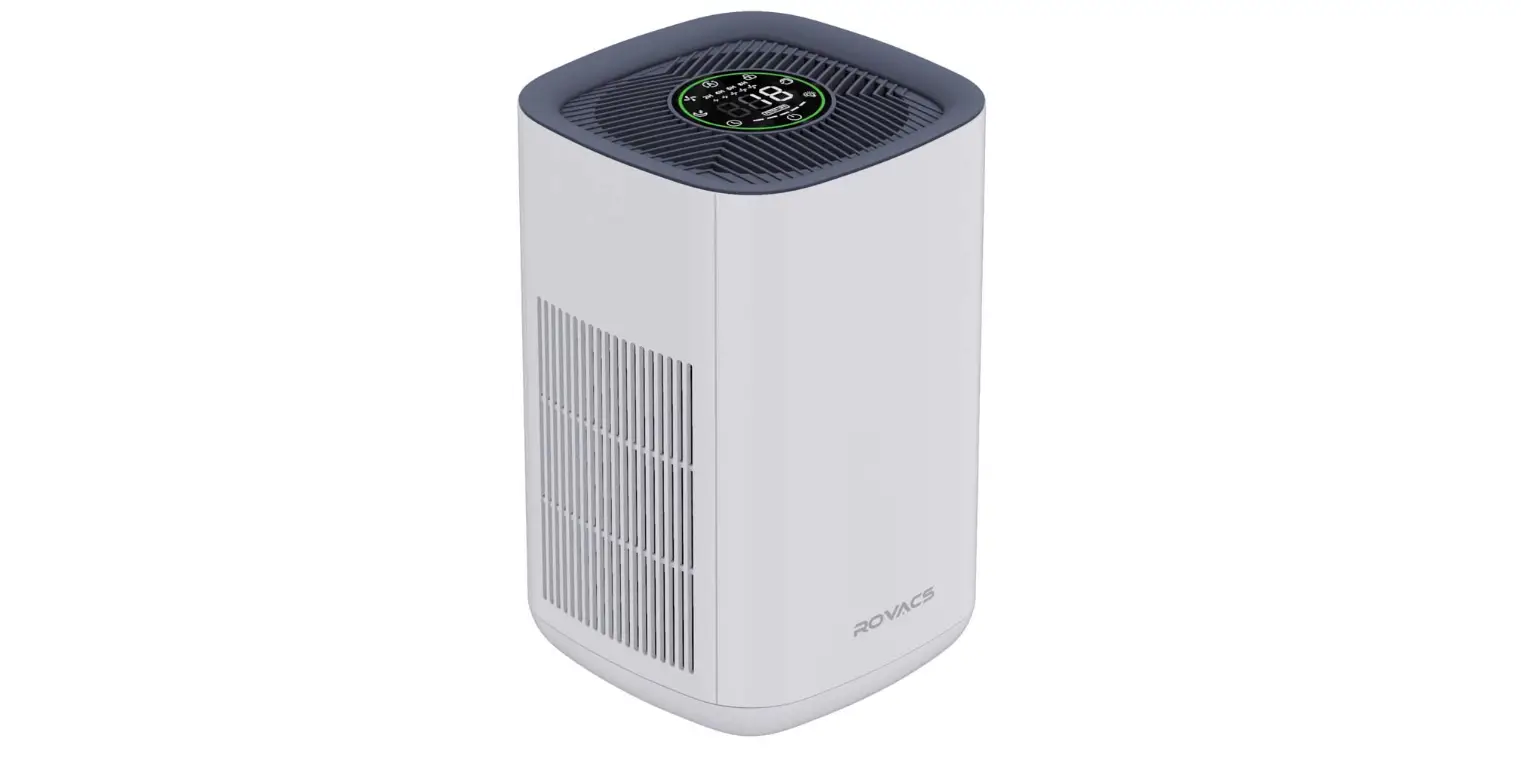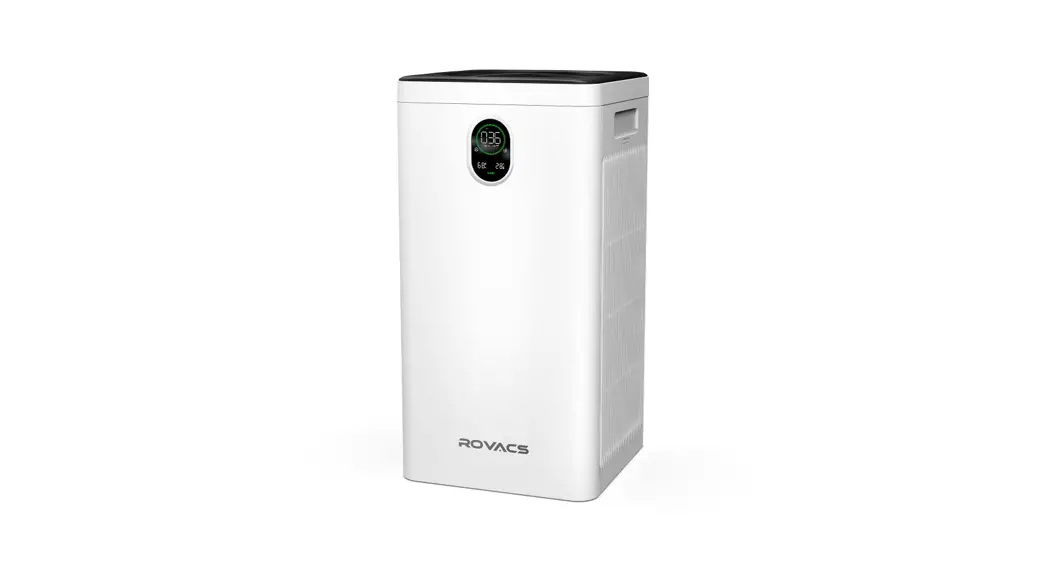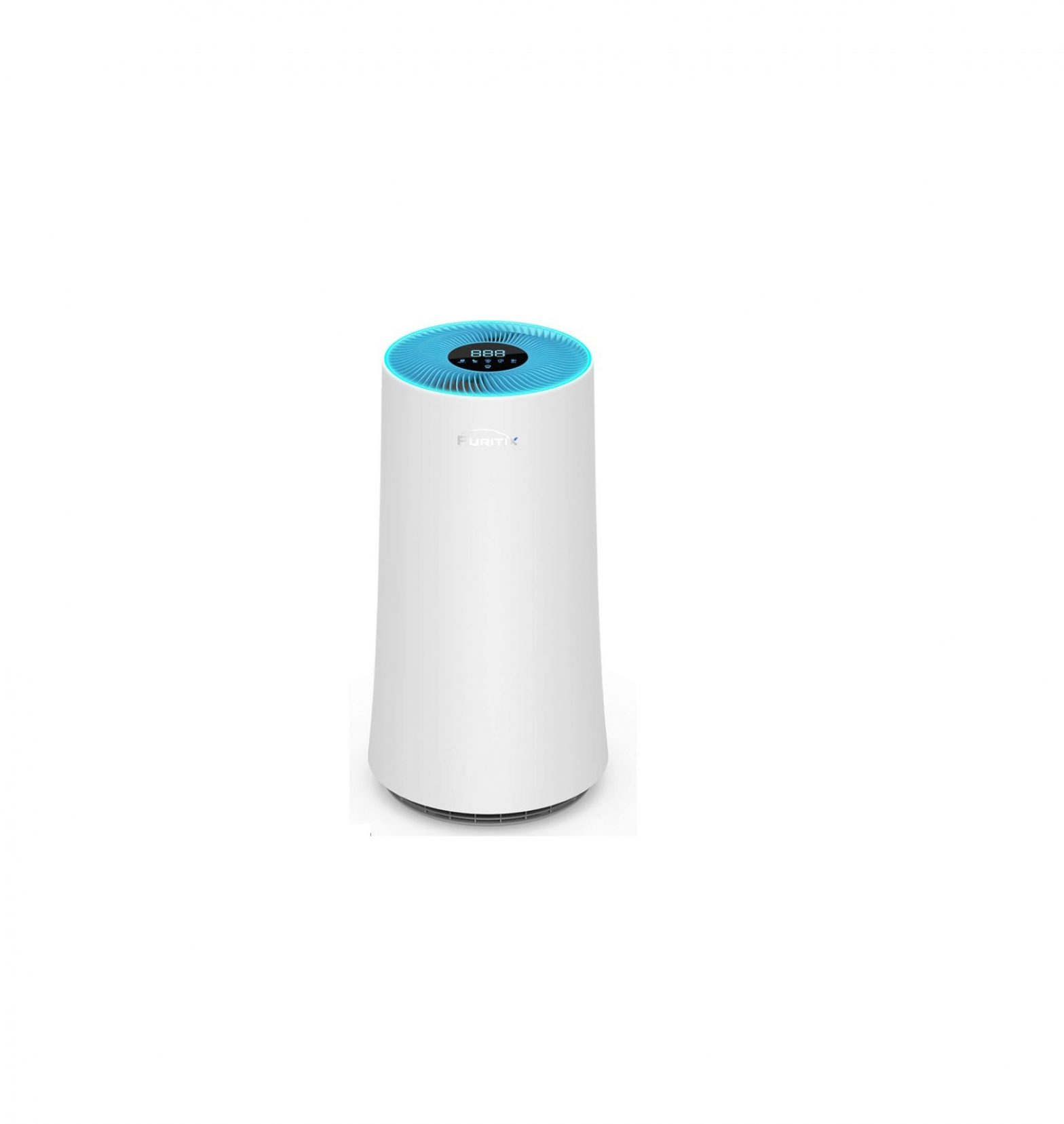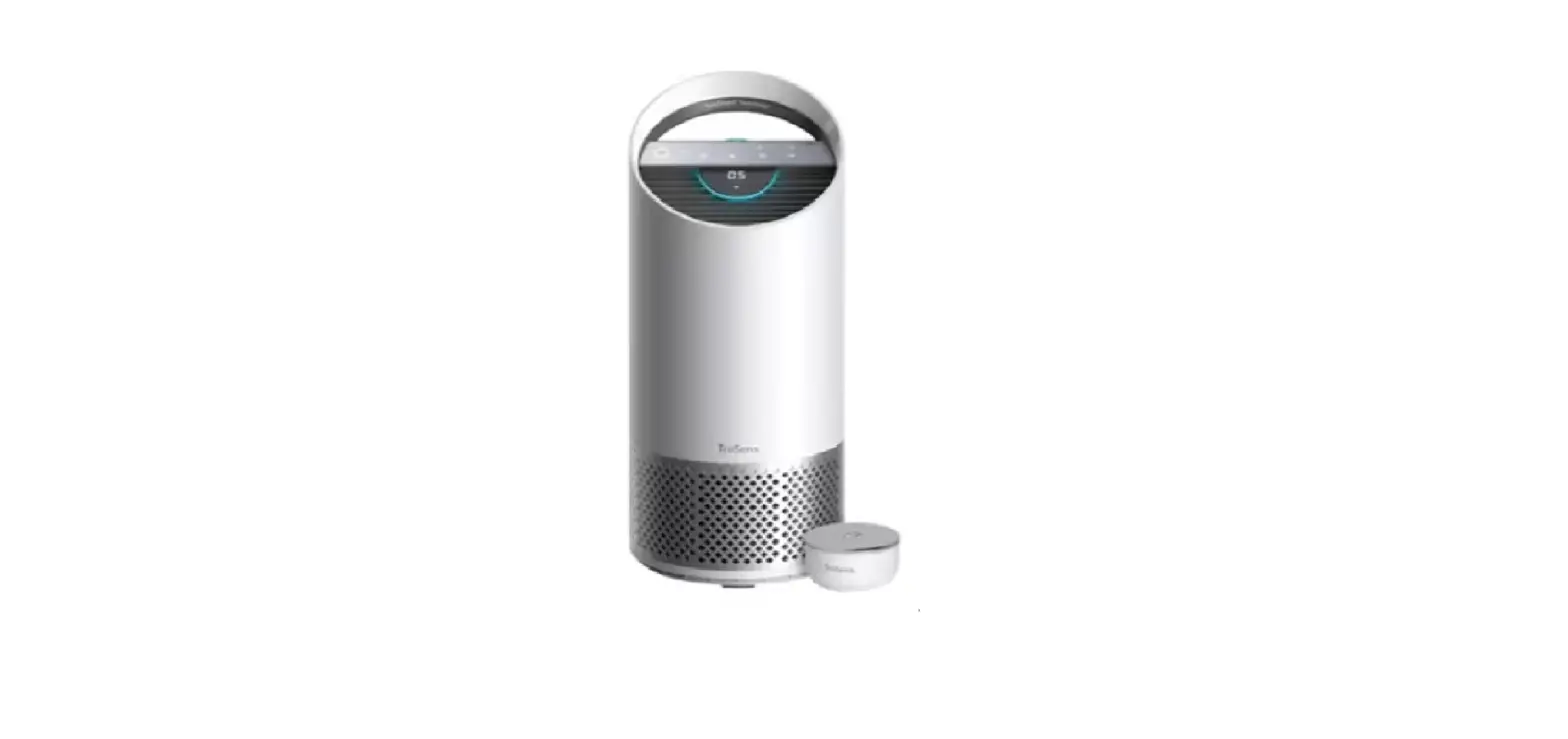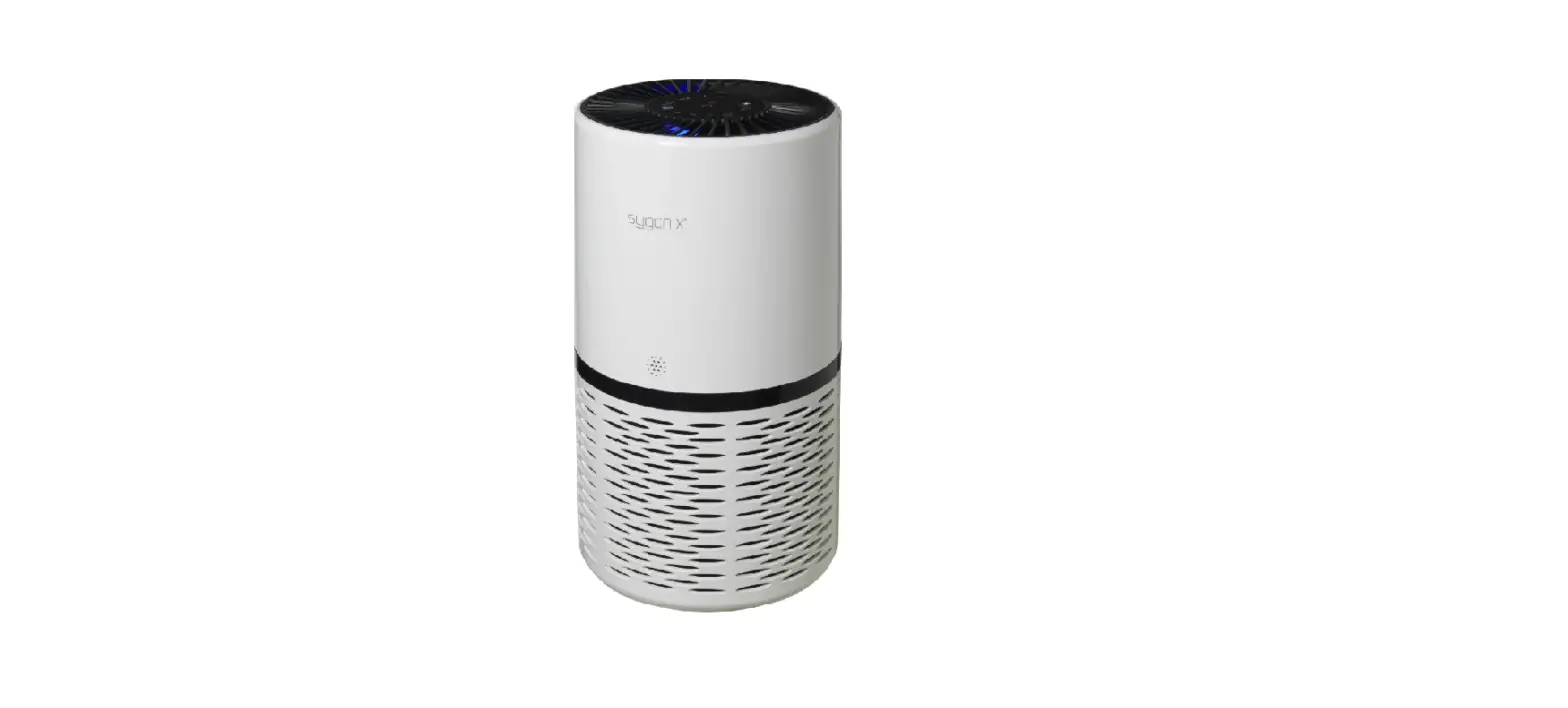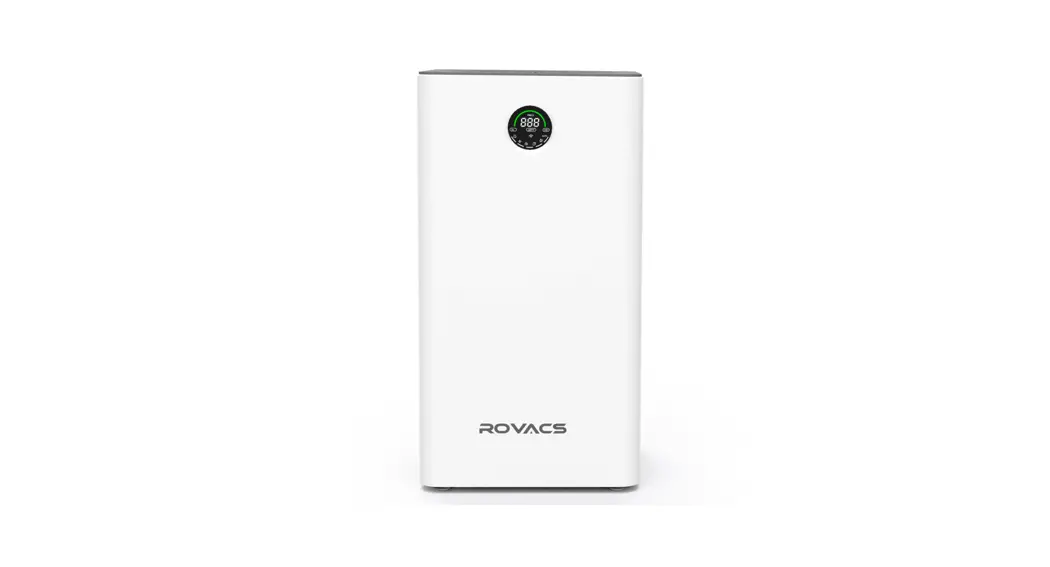

Air Purifier
Model Number: RV320
V2021.0.1
Instruction Manual Read and save these instructions
Safety Warning
You must observe the following safety precautions and read the relevant instructions carefully when using this product!
 Prohibition Prohibition | Any content with this mark must be prohibited, otherwise, it may cause damage to the product or endanger the user’s personal safety. |
 Warning Warning | Any content with this mark must be operated in strict accordance with the requirements, otherwise, it may cause damage to the product or endanger the user’s personal safety. |
 Important Important | Any content with this mark must be paid attention to, otherwise, it may cause damage to the product or other losses due to improper use. |
| Do not touch the power plug with a wet hand. | Do not block the air inlet/outlet. |
| Do not clean or reuse the high-efficiency composite mesh. | Do not use the product in rooms with greasy particles or moisture like a shower room. |
| The only configured power cable can be used. | Please remove the dust from the body and power plug periodically. |
| Please be careful when cleaning the air purifier. The strong corrosive detergent will damage the surface of the device. | Do not use the product near or on heat source objects (such as fireplaces, heaters, or places that may be exposed to flammable gas). |
| Remove the plug from the power socket when cleaning or not using the machine. Otherwise, it may cause an electric shock due to a loose connection or cause fire due to a short circuit. | This product is not suitable for the physical disabled, the visual disabled, the mentally disabled, and children unless the safety responsible person is on the spot for supervision and provide guidance. |
Product Component
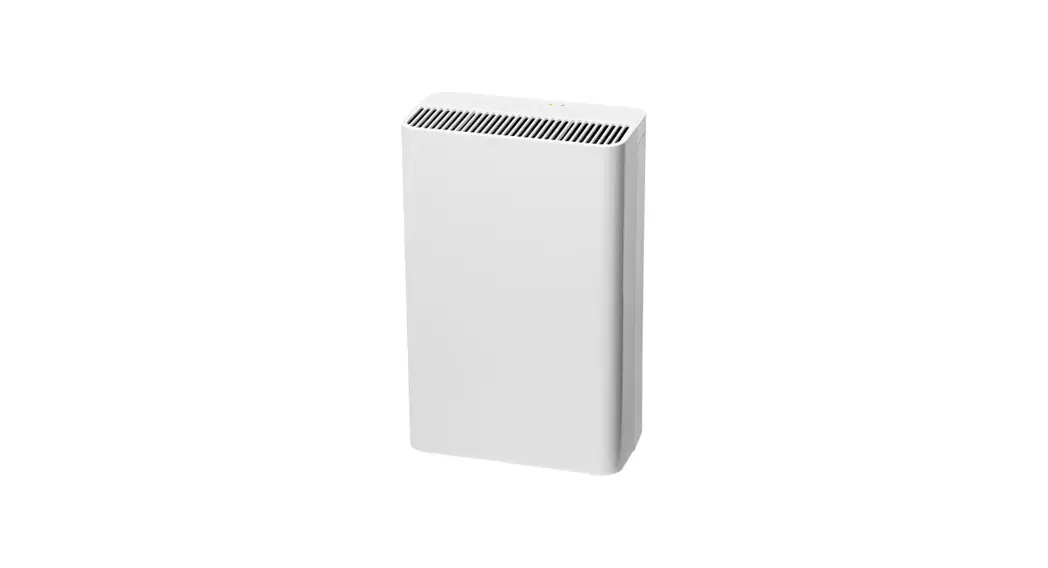
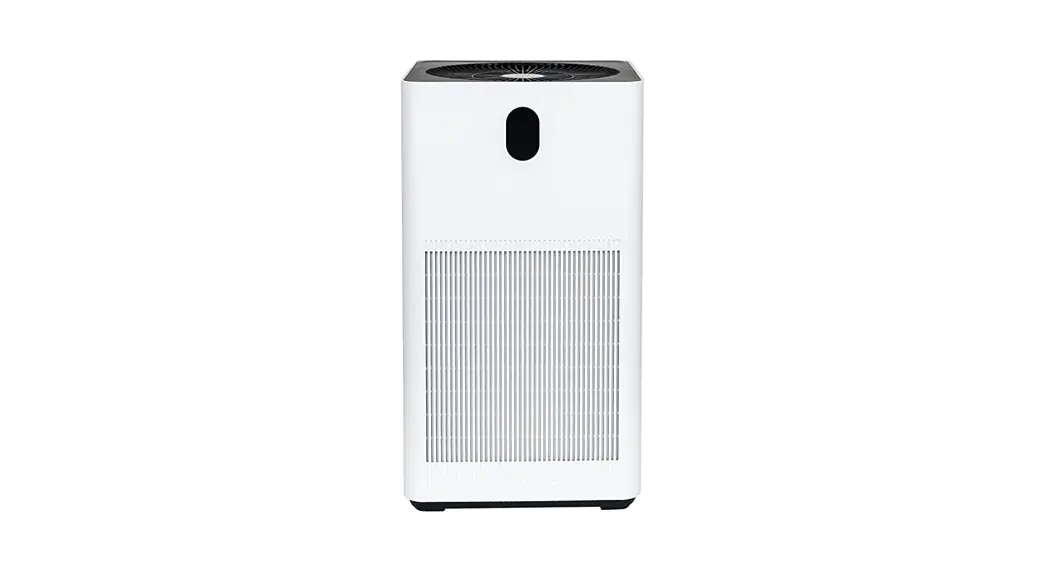
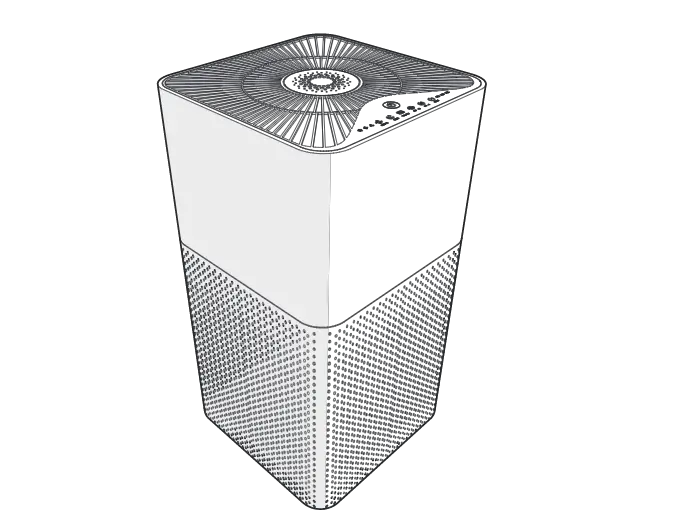
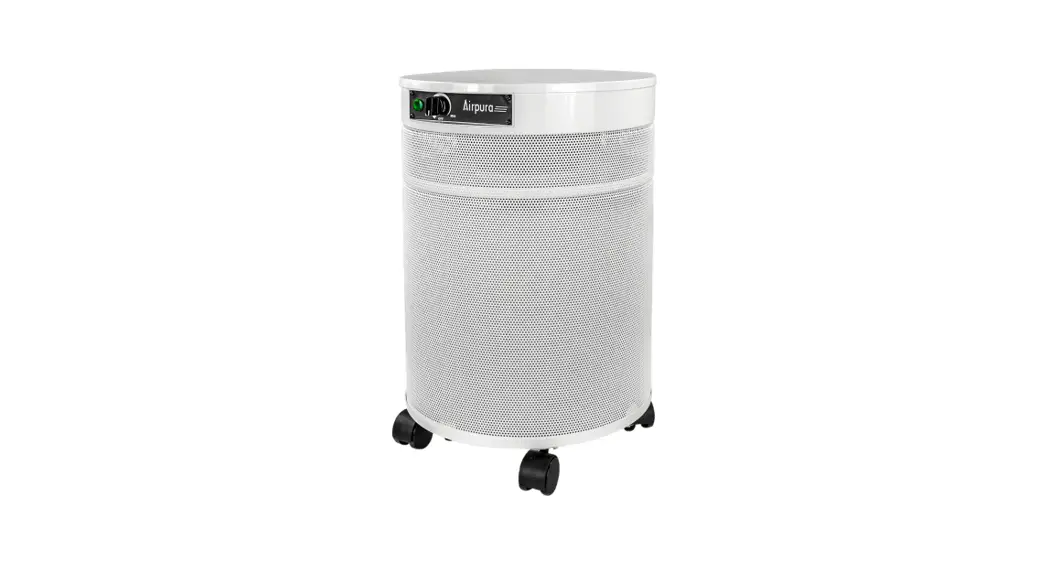
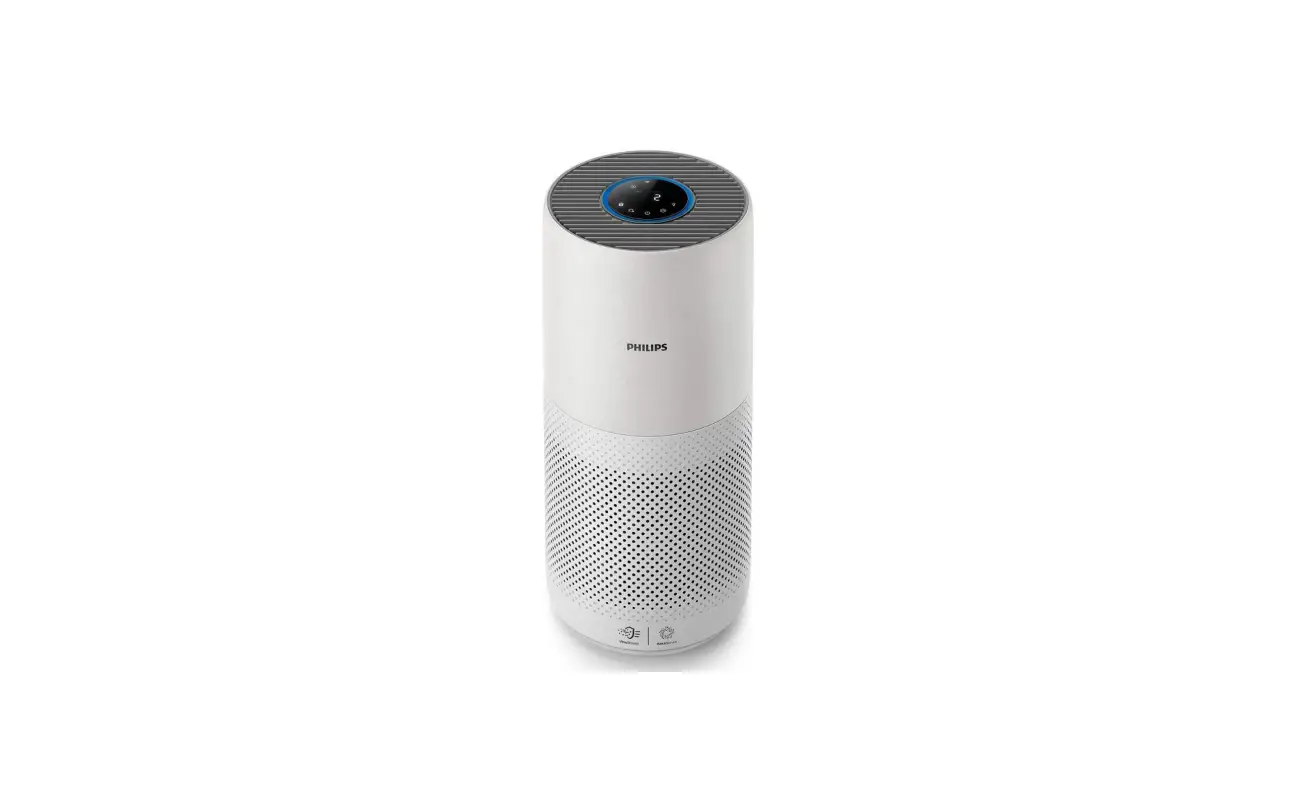
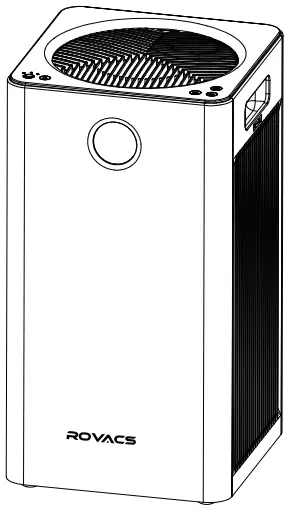
Product Component and Name
- Filter Cover
- Composite filter
- Host
- Power Cable
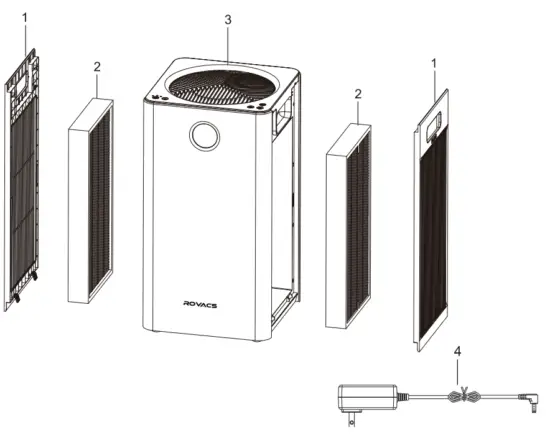
The image shown here is indicative only. If there is any inconsistency between the image and the actual product, the actual product shall govern.
| RV320 Host | 1 Set |
| Composite Filter | 2 Sets (Loaded into the machine) |
| Power Cable | 1 Piece |
| Instruction Manual | 1 Set |
Features
Combine Multiple Functions
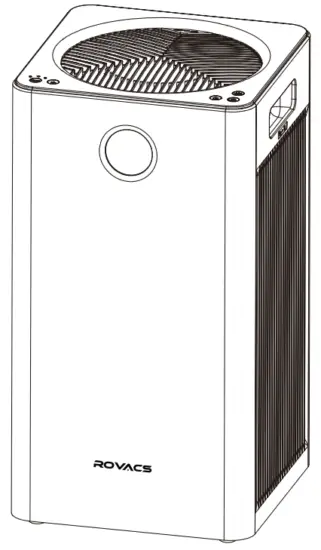
- Efficiently purify PM2.5, smoke, pollen, and other particulate pollutants.
- Efficiently purify gaseous harmful pollutants.
- 5-speed design.
- Time setting function.
- Filter replacement display.
- Equipped with manual, automatic, and sleep operation modes.
- Child lock function.
- Real-time display of PM2.5 value.
Unique purification technology
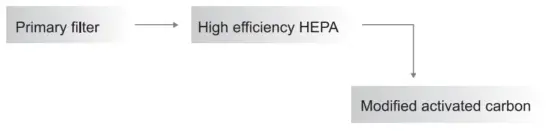
| Primary filter | Intercepts hair, fiber fleece, large particles, dander, etc. |
| HEPA | Filter out particles as small as 0.01 micron, such as PM2.5, smoke, pollen, mites, etc. |
| High-quality activated carbon | Purify gaseous harmful pollutants with high-quality modified activated carbon. |
[Note] The primary filter, HEPA, and high-performance activated carbon are combined in one filter.
Instructions
Instructions
 Using Caution
- All filters are included inside this air purifier.
- Please make sure the packaging film on the filter is removed and the filter installed correctly before using.
Install the Filter
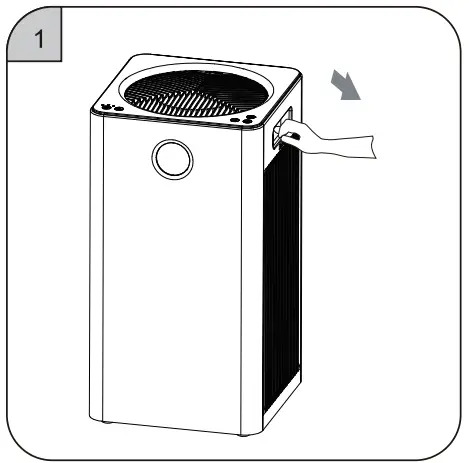 | 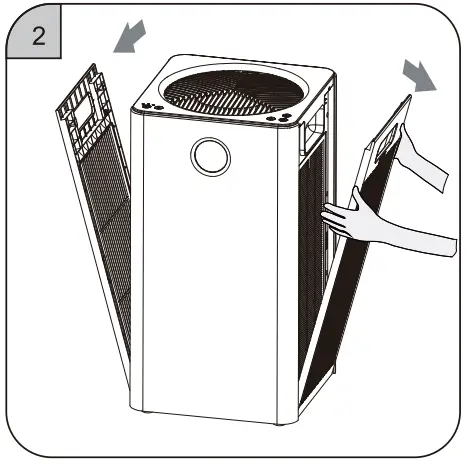 |
| 1. Put your hand on the clasp of the filter | 2. Remove the fitter cover upwards cover and pull it out gently. |
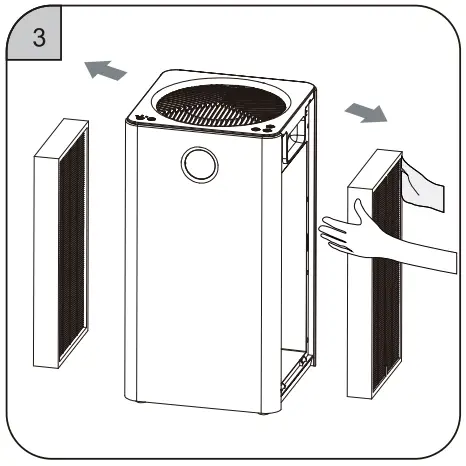 | 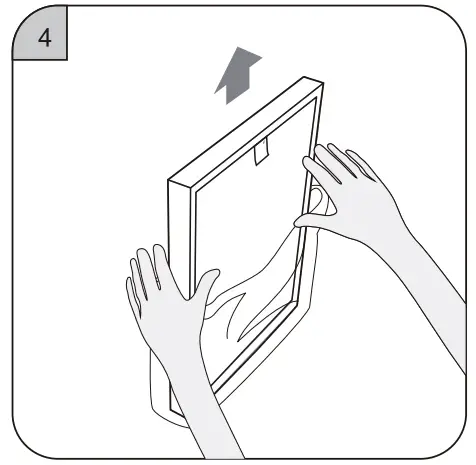 |
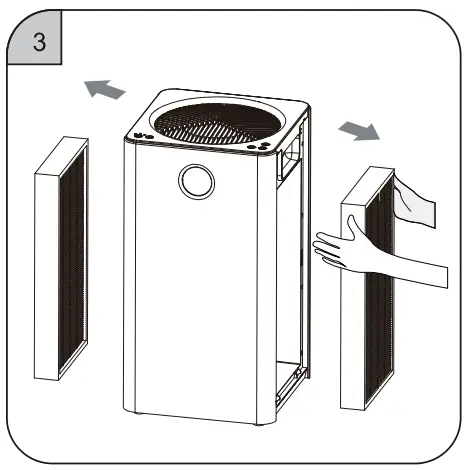
| 3. Take out the new filter screen with | 4. Remove all packaging film on the filter. plastic film in the machine. |
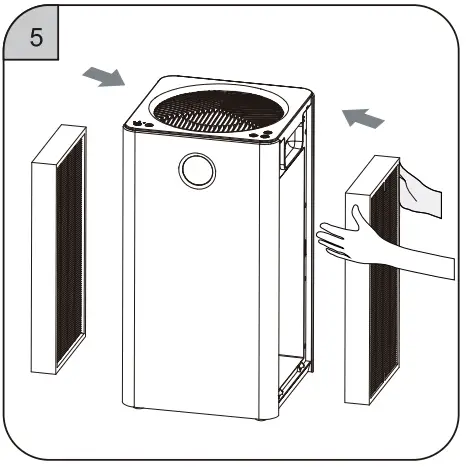 | 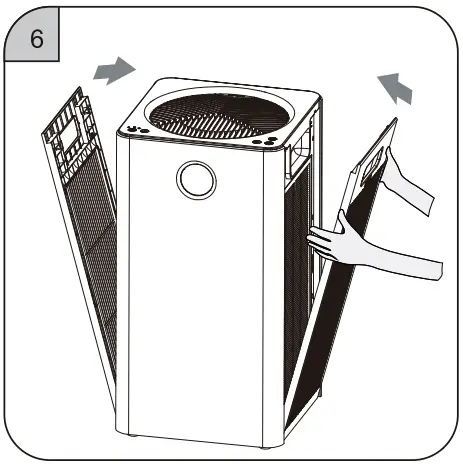 |
| 5. Install the filter | 6. Install the filter cover |
Getting started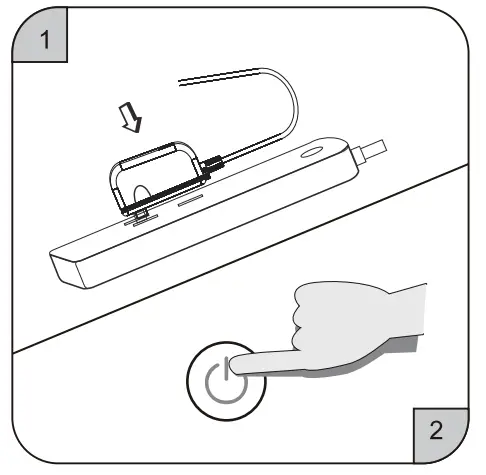
- When powered on, the buzzer gives a Ding sound.
- Touch the power switch to turn it on.

- The screen lights up and the machine enters into a working state
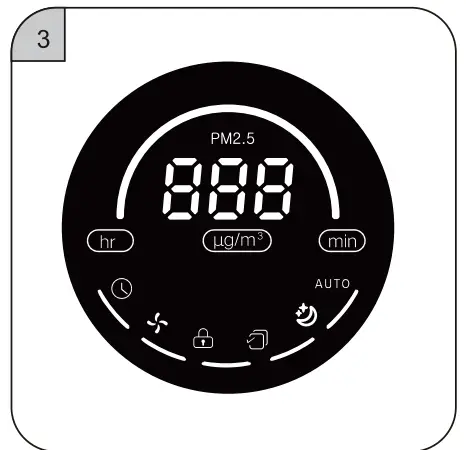
Display states
Display states
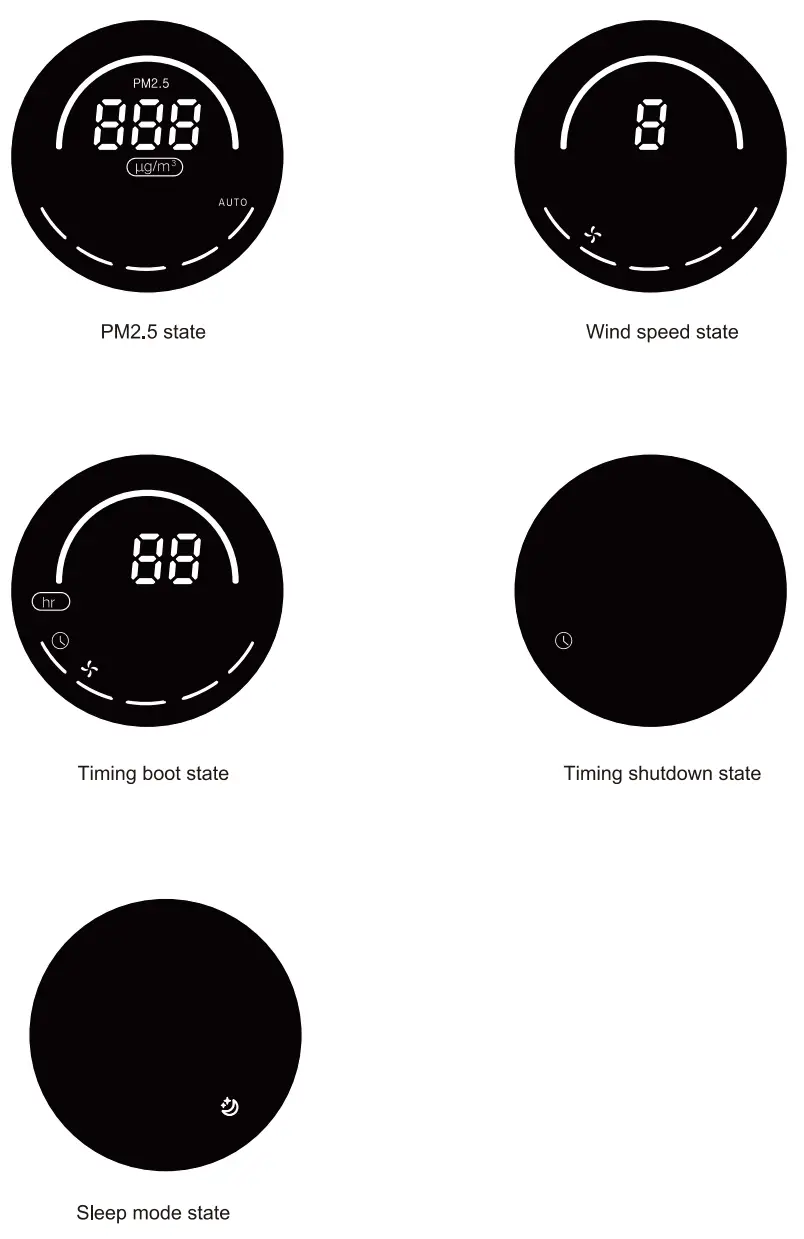
Display Symbols and Meaning
Symbols | Symbol Names | Meanings |
 | ON/OFF | In the standby state, tapping the button will turn on the purifier. In the power-on state, tapping the button viii shut down the purifier. |
 | Mode | In the power-on state, tapping the Mode button will circularly switch the machine into Sleep mode -‘ Manual mode -‘ Automatic mode -. Sleep mode. |
AUTO | Automatic Mode | In the power-on slate, tap the Mode button can switch to Automatic mode, and the Automatic symbol and Automatic mode indicator on the keyboard will light on. The machine will automatically adjust to the corresponding wind speed gear according to the PM2.5 particle value detected by the internal sensor (see p12 for the corresponding relationship). |
 | Sleep Mode | In the power-on slate, after switching to Sleep mode by tapping the Mode button, the fan will run at 1 speed, and the sleep mode indicator and sleep mode symbol will light on. and the digital display is off. After 10 seconds, the sleep mode Indicator and sleep mode symbol will light off. In sleep mode, tapping any button other than the ON/OFF can wake up the sleep mode. |
 | Child Lock | In the power-on see. long-press the Mode and the Wind Speedbutton for 3. seconds at the same time, the child lock function will activate with the Child Lock symbol on the display screen lights up, all other buttons can not be operated; After pressing the mode key and wind speed key for 3 seconds at the same time again, the child lock function will be exited with the Chid Lock symbol on the display screen light off and other buttons can be operated. |
 | Wind Speed | In the power-on state. tap the Mode button can switch to manual mode, and the Wind Speed symbol and manual mode indicator light will on. After tapping the Wind Speed button, the machine will cycle in the”1-2-3-4-5-1″ gears of wind speed. |
 | Timing Setting | In the power-on state, the current timing status will be displayed after one tap on the Timing Setting button and it will light on. If there is no time setting. “00” and “min” will be displayed in the middle of the digital screen. If there is a timing setting, the remaining time of the current timing in units of 1 hour will display on the screen. Each tap on the Timing Setting button will switch the display content on the screen from the current setting. 3 seconds after you tap, it will switch back to the PM2.5 value display. If you continue to tap within 3 seconds, it will enter the timing setting state. In the standby state, the button can be used to set the start-up time; ln the power-on state, the button can be used to set the shutdown time. Shut down and start again can dear the existing timing settings. |
|
| Filter Reset | The filter life Is &fined as 3000–hours, and the filer life Indicator is reduced by one frame for every 600 hours of titer Ife. When the remaining filter life is less than 150 hours, the Filter Reset indicator and the last frame of the Filter Life indicator will flash to remind the user to replace the filter until the filter life is reset and the Filter Life indicator Fights are all on. Filter life reset: when the filter life is more than 150 hours, long-press the Filter Reset button can not reset the life of the filter, only a ‘Ding’ sound is emitted. When the filter life is less than 150 hours, press and hold the Filter Reset button (more than 3S) can reset the filter life and the Filter Life indicator Fights will all on. Forced filter life reset: within the 30sof power on, the filter life will reset with a “Ding’ sound after long-pressing the Automatic button and Sleep button (more than 3S) in the standby state. The screen will flash 6 times to indicate that the filer fife is resetting, and the Filter Life indicator lights will al on, |

Operation Interface
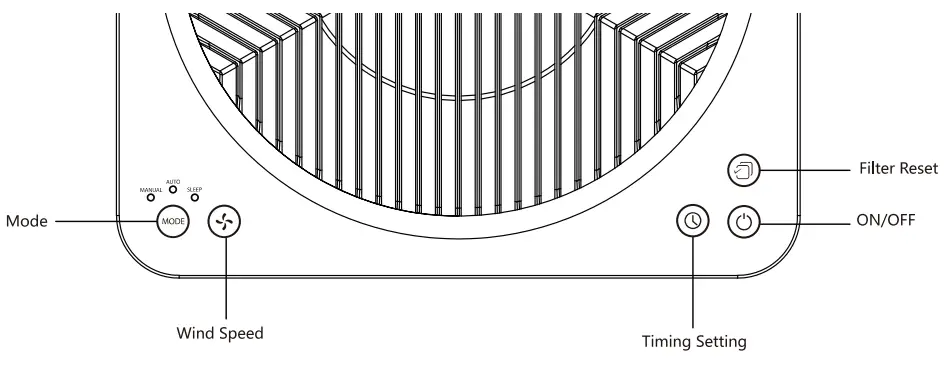
The Use And Instructions of Remote Control
Remote Control
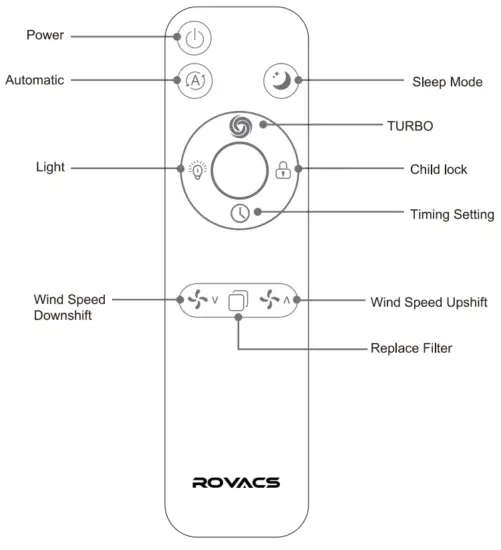
Tips:
- Please take out the power insulation of the remote control before the first use of it.
- 1t is recommended to use the remote control within 6 meters of the machine.
- Light off function:
In the power-on state, pressing the light button will make the display cyclically switch in three modes: Light-Dark-Off. In the light off state, other functions remain unchanged except that the display screen is turned off. - Timing function:
In the power-on state, press the Timing Setting button to set the timing shutdown.
In the shutdown state, press the Timing Setting button to set the timing boot.
Cleaning and Maintenance.
Cleaning and Maintenance
The machine must be unplugged before maintenance.
- Clean the Body 1) Use soft cloth to wipe off stains.
- Dip an appropriate mild detergent on a soft cloth to wipe off the stubborn stains.
Note: Do not scratch the machine shell with hard objects during maintenance. Please operate according to the instructions and do not damage the machine parts when removing the front cover.
- Replace and Cleaning Filter
- The filter life is different due to different user environments. Please replace the filter timely according to the sound and smell produced by the machine.
- When the surface of the primary filter is dusty, cleaning it with a soft cloth can extend the filter life.
- High-efficiency composite filter is recommended to be replaced upon expiration.
*The filter replacement cycle may be shorted or extended due to different use methods and places. Filter life can be extended in a special environment.
*Please dispose of the used filters as combustible rubbish.
Replacing Filter
Replacing Filter
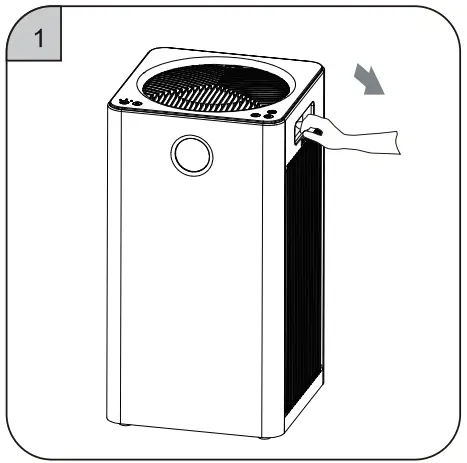 | |
| Put your hand on the clasp of the filter cover and pull it out gently. | Remove the filter cover upwards. |
| |
| Take out the old filter inside the machine. | Take out the new filter and remove the packaging film on it. |
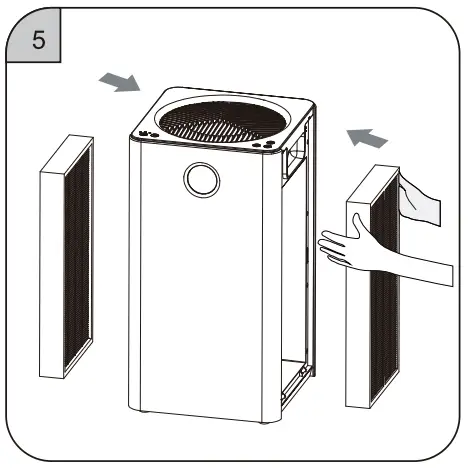 | 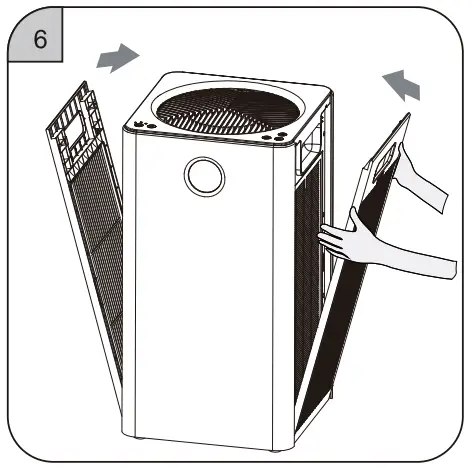 |
| Install the new filter. | Install the filter cover and reset the filter life (see the filter life reset button operation on page 7 for details). |
Replacing Sensor
Replacing (Non-professionals do to Replacing Sensor of operate)
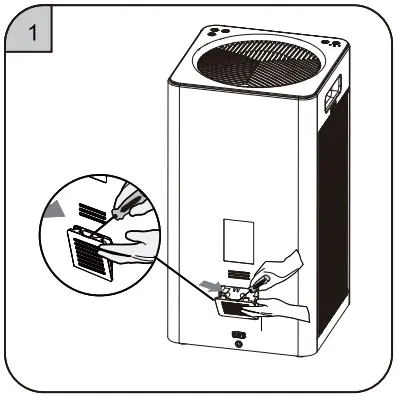 |  |
| Pry the sensor cover with ® Remove the cover. “—” shaped screwdriver. | Remove The Cover |
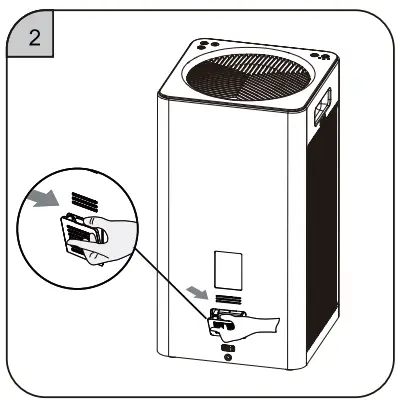
 | 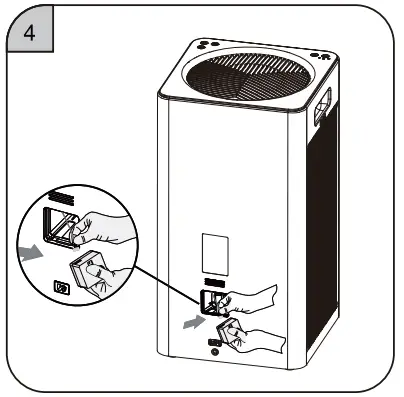 |
| Pull out the sensor module by pulling the hardware. | Pull out the terminal block from the old sensor module and replace it with a new sensor module. |
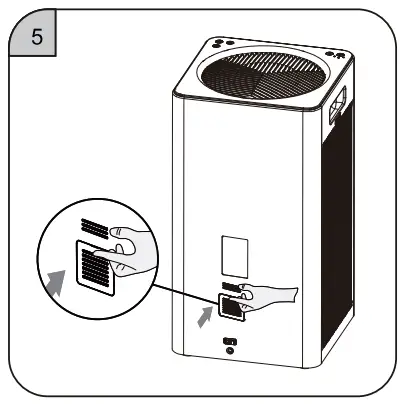 | |
| Put the sensor module back into the machine cavity and cover it. |
Technology and Specification
Specification
| Model | RV320 |
| Rated voltage | 24V =1.5A |
| Rated power | 35W |
| Applicable Area | 2441m2 |
| Noise | 52dB |
| CADR | 200CFM |
| Net Weight (include filter) | 5.8kg |
| Gross Weight | 7.8kg |
| Product Dimensions | 260)(260)(486mm |
| Package Dimensions | 330×330)(595mm |
Real-time Display of Air Quality
| PM2.5 Value | Air Quality | Air Quality Indicator | Wind Speed |
| 0-35 | Excellent | Green | 1 |
| 36-75 | Good | Blue | 2 |
| 75-115 | Light Pollution | Yellow | 3 |
| >115 | Heavy Pollution | Red | 4 |
Common Problems and Solutions
| Symptom | Possible causes | Obviation Methods |
| The product does not work properly | 1. Connection problem 2. Filter cover is not placed properly. | 1. Please make sure that the plug is inserted into the socket and that the ON/OFF button is turned on. 2. Please re-install the filter. |
| Fresh air cannot be delivered smoothly from the air outlet | 1. The plastic packaging of the new filter is not been removed. 2. The air outlet of the purifier is blocked by foreign matters. | 1. Please remove the plastic packaging 2. Please remove the foreign matters. |
| Poor odor removal | 1. The air quality around the room is not good. 2. High-efficiency activated carbon filter fails due to environmental factors. 3. The room exceeds the applicable area of this product. | 1 Please open windows to promote air circulation. 2. Please replace the high-efficiency activated carbon filter. |
| Abnormal noises during operation | 1. The air inlet or outlet is blocked by foreign objects. 2. Foreign matters fall into the air duct of the machine. | 1. Please remove the blocking objects 2. Please remove the foreign matters that have fallen in. |
If you have a problem that is not listed above, or you have another problem that you would like to consult.
You can do the following:
- Contact Amazon’s Seller with your order number, for example, 113-0965983-348xxxx
Then you will get all the help within 24H - Contact our brand official email: [email protected]
Again, we will give you a satisfactory reply within 24 hours
Thank you for your patience and support!
Warranty
Warranty Period and Component Warranty Period
Product | Warranty Period | Component Warranty Period |
RV320 | 1 year (household use only) | 1 year |
- this product has passed strict quality inspection.
- During the warranty period, the company will be responsible for the free maintenance if there is any performance or function failure under normal use. A replacement will be provided if the failure can not be repaired.
We will provide paid maintenance services if machine failure is caused by the following reasons:
- Poor performance and machine failure after the warranty period.
- Machine failure is caused by improper application.
- Failure caused by repairing privately in the sales service center or agent not designated by our company.
- Failure due to nonconformity of power supply or poor quality of power socket (not covered under warranty).
- Product failures or defects due to natural disasters.
Air Purifier
Model Number: RV320