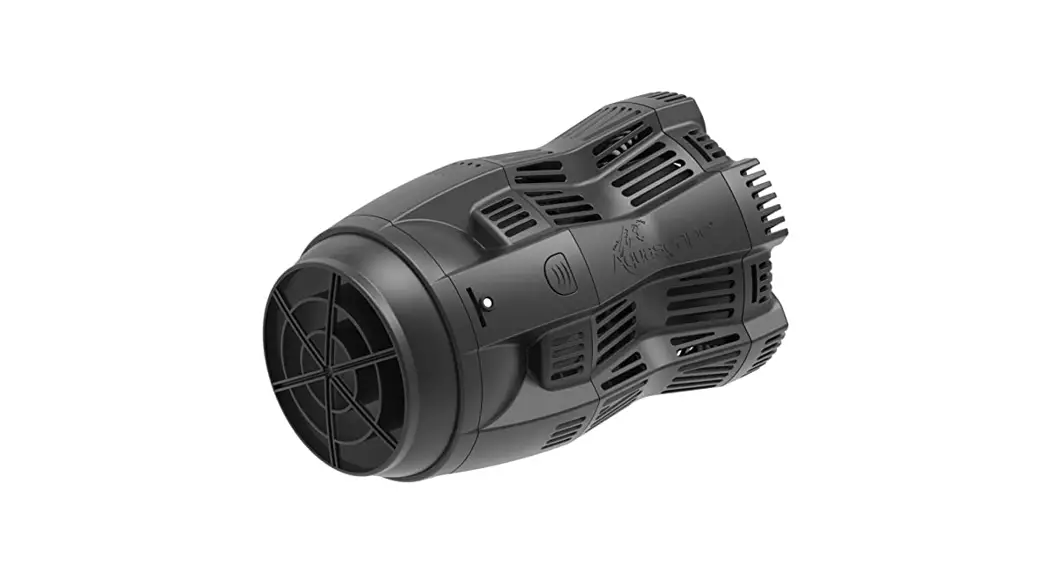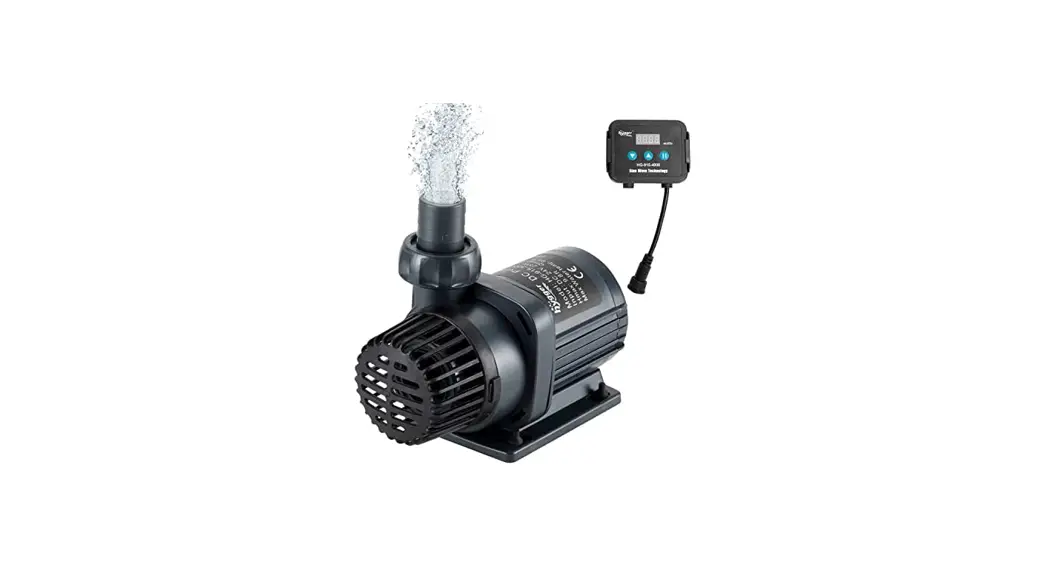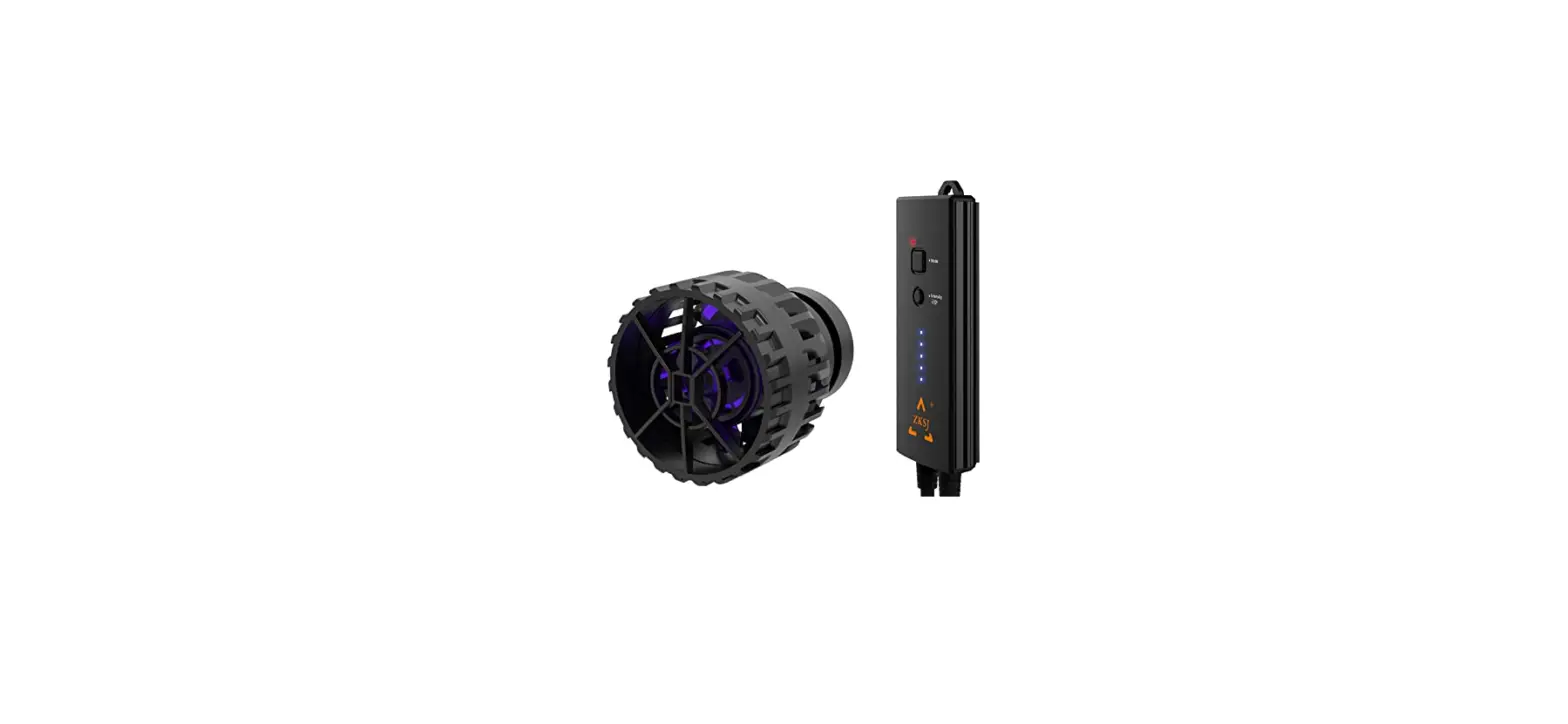

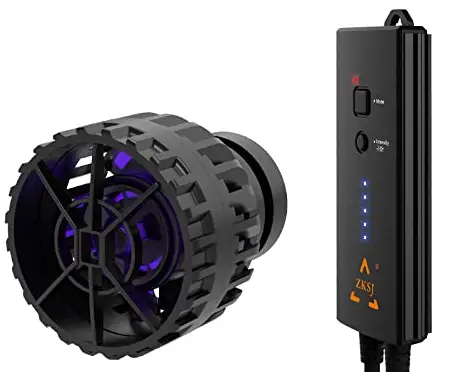
MagTool SlimPro6000 Aquarium Wave Maker Circulation Pump
Product Introduction
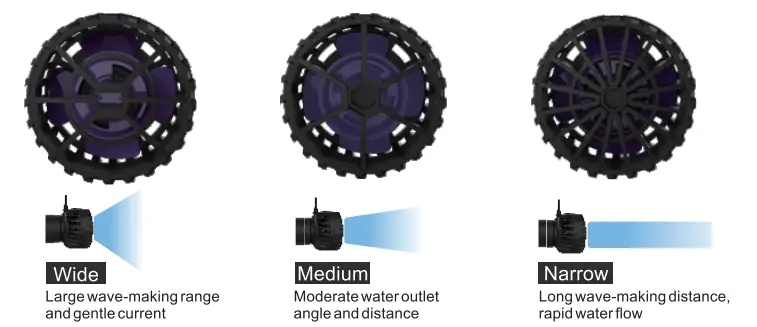
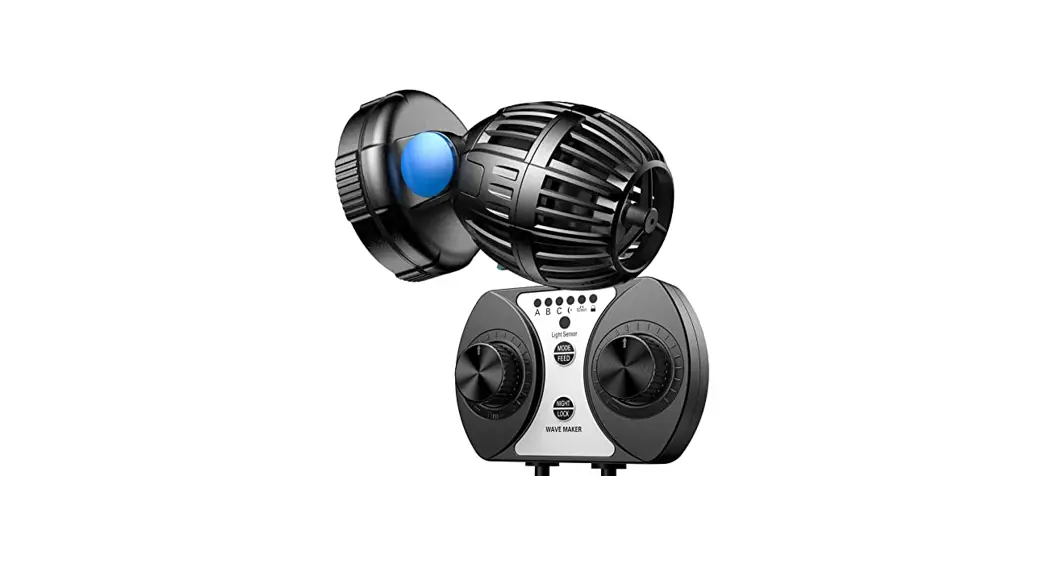
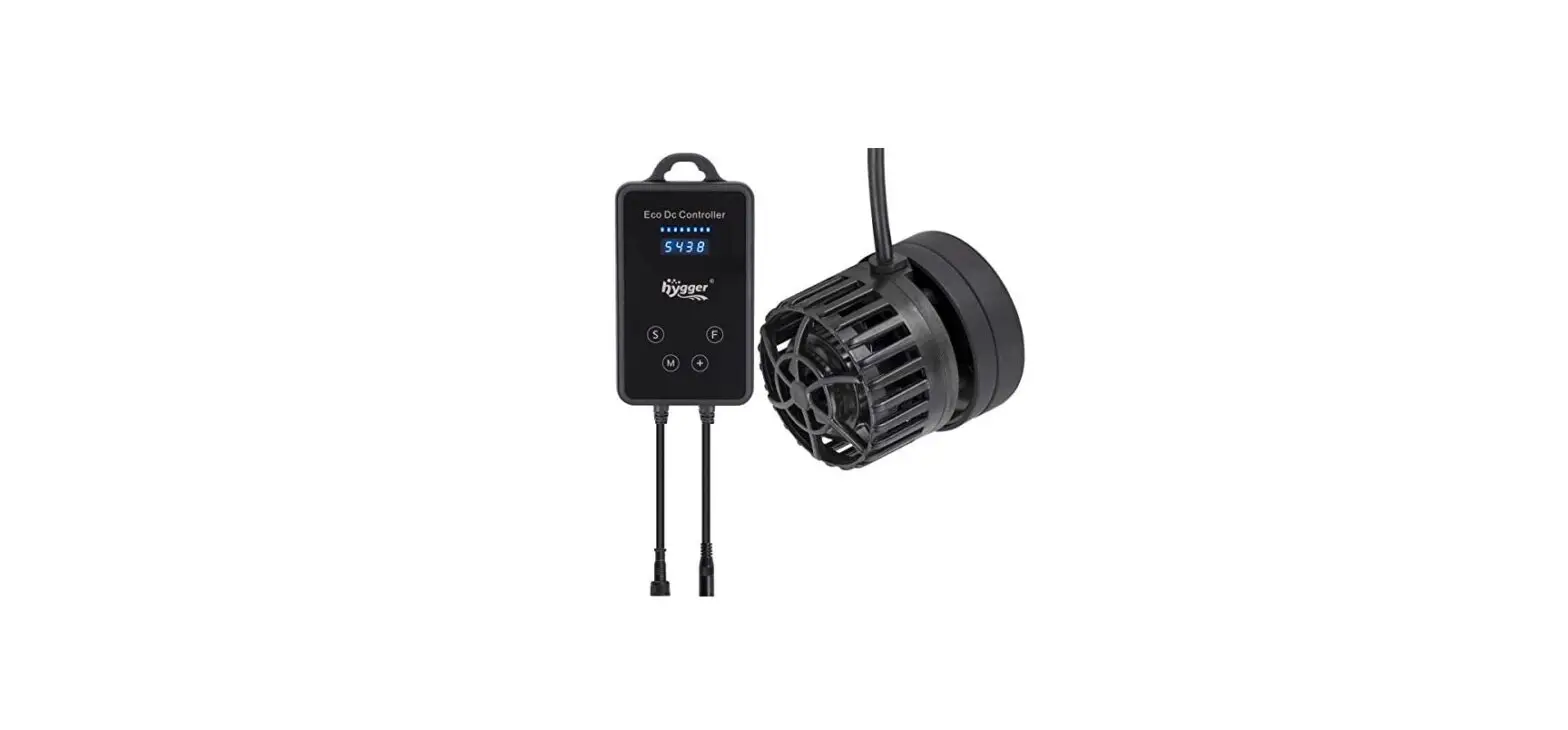
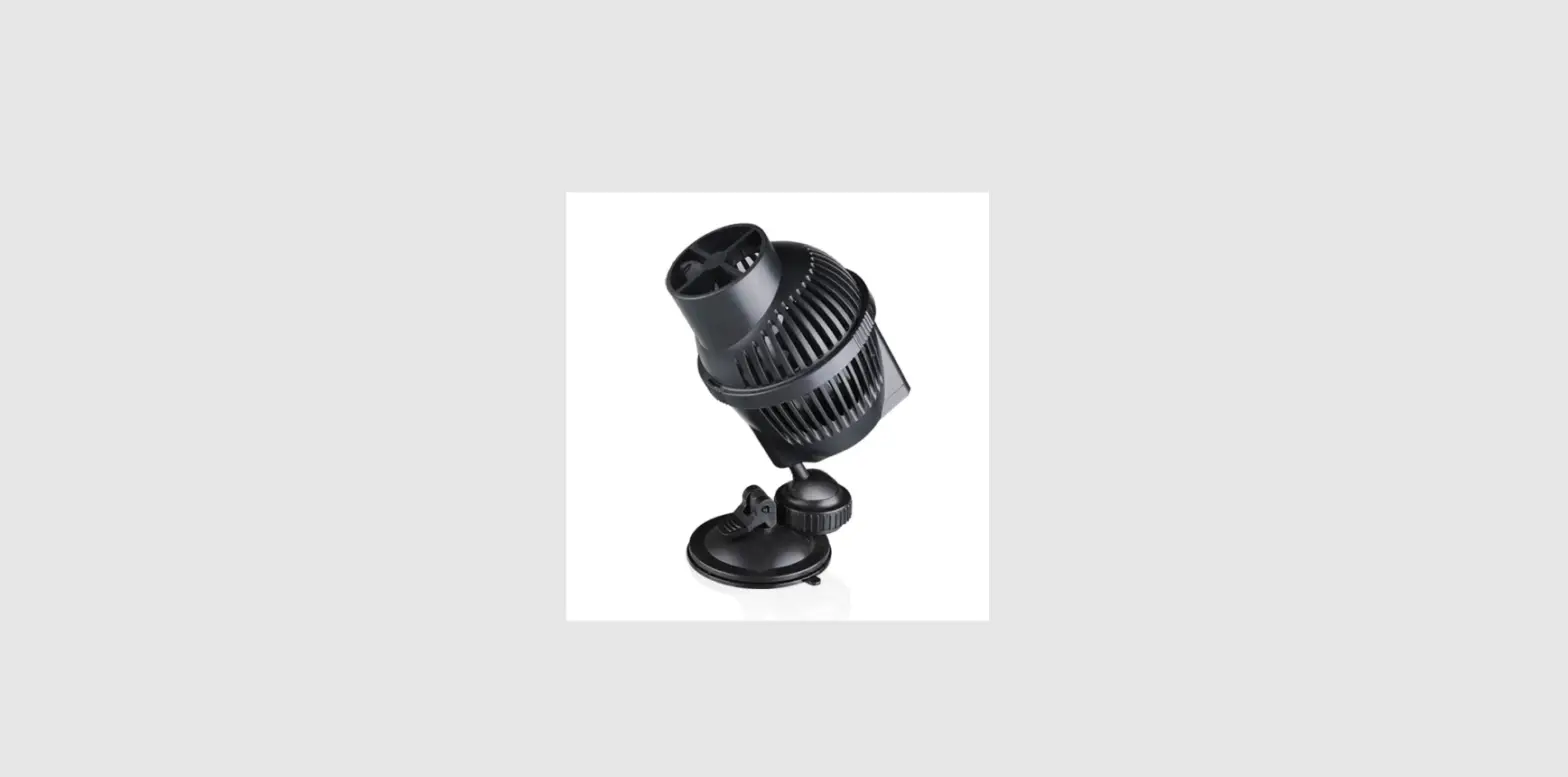
The third generation of zhongke intelligent, wave pump has a unique appearance and a pioneering control mode. Real simulation of the ocean state, According to the sunrise and sunset, the ebb and flow of the tide set different working conditions wave making pump of state. The wave-making pump sets Different wave-making power and di fferent wave-making modes according to a different time and different wave-making frequencies. Wave pump has three kinds of net cover interchange, Provide wide and narrow three kinds of outlet angle adjustment degrees, adapts to different fish tank scene, new magnetic suction positioning function can achieve flexible angle direction to make waves. There is no dead end for a fish tank to make waves. small volume, good concealment, low noise, full strength, and high diffusion.
Product Features
- Wireless controller operation, APP intelligent linkage control.
- Alloy motor isolation layer, long service life.
- Increase the diversion groove. the diversion shaft is long-lasting lubrication, and the impurities are removed to prevent the shaft stuck.
- Three wave types: wide, medium, and narrow, six wave modes can be adjusted.
- Compact appearance, quieter, more powerful water flow.
Product Parameters
| Model | SllmPro6000 | SlimPro8000 | SlimPro12000 | SlimPro15000 | SlimPro20000 | SlimPro25000 |
| Flow | 6000I.JH | 8000LJH | 12000LJH | 15000LJH | 20000LJH | 25000UH |
| Power | 12W | 16W | 24W | 35W | 45W | 70W |
| Voltage | DC12V | DC12V | DC24V | DC24V | DC24V | DC24V |
| Size | 048 mm | 05 63mm | 072*76mm | |||
| Tank size | <50CM | <70CM | <100CM | <120CM | <150CM | <200CM |
Product Breakdown Diagram
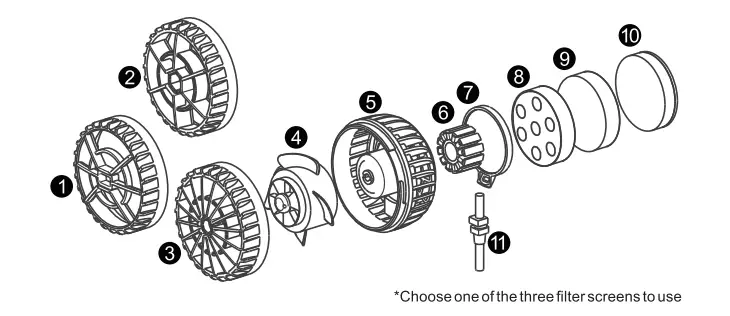
- Filter Screen 1,2,3
- Impeller 4
- Pump Body 5
- Stator 6
- Back Cover 7
- Locating sucker 8
- Fixed magnet 9,10
- Power Cord 11
Installation
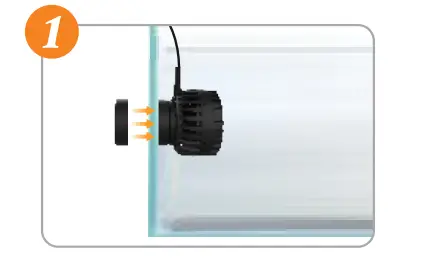
- Adjust the direction of the wave pump body on the positioning suction cup, and then install it at a position 15-20 meters below the water level, and place the other half of the magnetic suction outside the fish tank with the wave pump in the tank.

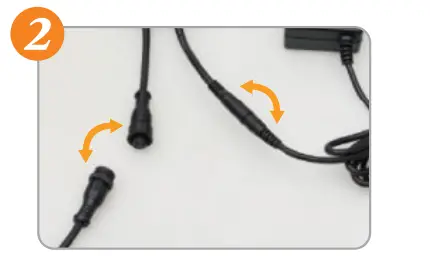
- Cord of the wave pump to the corresponding interface of the controller. Connect the other end of the controller to the power adapter.

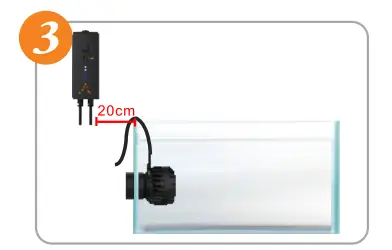
- According to the installation environment, stick the controller with double-sided adhesive or hang it in a suitable position.
Note: The Controller needs to be installed 20cm away from the watersurface to prevent accidentally falling into the water or wetting the components of the controller by the water splash.
- Plug the power adapter into the power socket, and adjust the wave pump mode to the required state after the pump is started, then the installation is complete.
Controller Operating Instructions
- LED light display definition
- Signal Lamp: The
 red light keeps flashing indicating the wavemaker is waiting for connecting, when connected the red light will off.
 - The
 blue light on it indicates the wavemaker work in app control mode. After the APP set successfully, click Send, the red light flashes once to indicate that the reception is successful.
 - Intensity Lamp:
- 1 and 2 flash simultaneously: hardware over current protection
- 1 and 4 flashes at the same time: over-voltage protection
- 1 and 5 flashes at the same time: under voltage protection
- 2 and 3 flash simultaneously: software over current protection
- 3 and 4 flashes at the same time: open phase protection
- 4 and 5 flashes at the same time: idle stuck protection
- Signal Lamp: The
- Button definition
- Mode button:
- Long press: ON/OFF wave making
- Short press: 1sth,constant current mode
- 2nd, the pulse wave-making mode
- 3nd, the nutrition transport mode
- 4th , change into APP control mode
- Mode button:
- Intensity button:
- Press to increase intensity one at a time
- Cycle between 1-10 intensity
 red light keeps flashing indicating the wavemaker is waiting for connecting, when connected the red light will off.
 blue light on it indicates the wavemaker work in app control mode. After the APP set successfully, click Send, the red light flashes once to indicate that the reception is successful.
App instructions
Download and install the app
- Open the application market of mobile phones.
- Enter” AQUA ZKSJ “in the search bar, and identify the icon
 . Click open when the installation is completed.
 . Click open when the installation is completed.
APP instructions 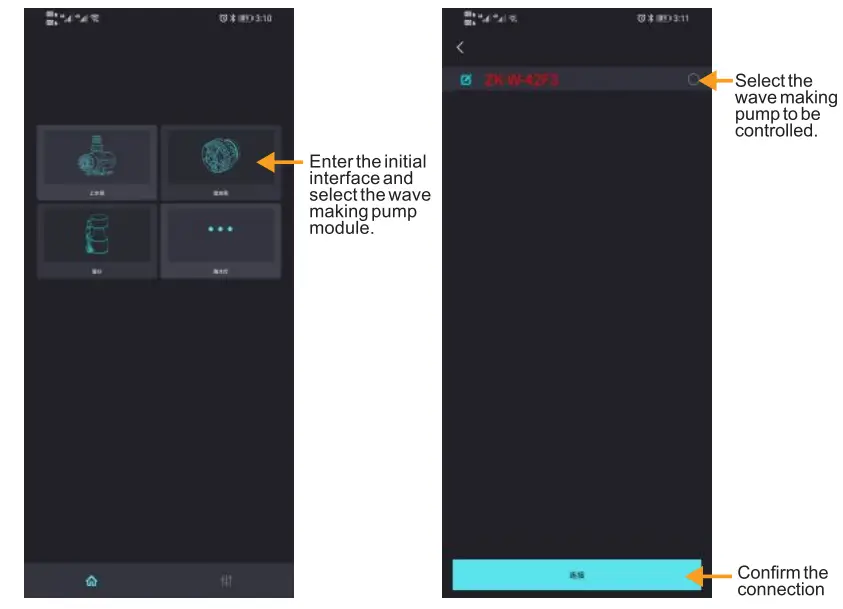
Manual mode page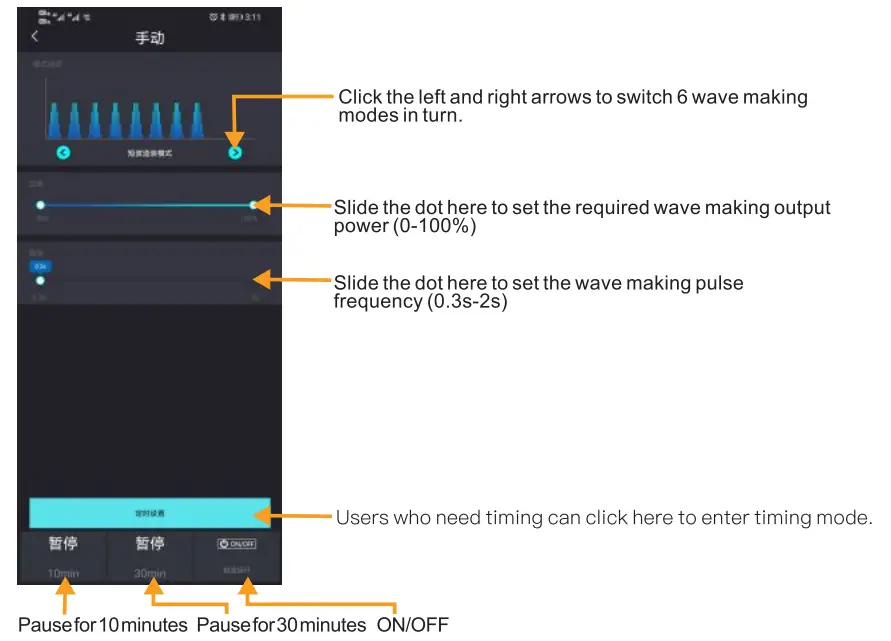
Timing mode page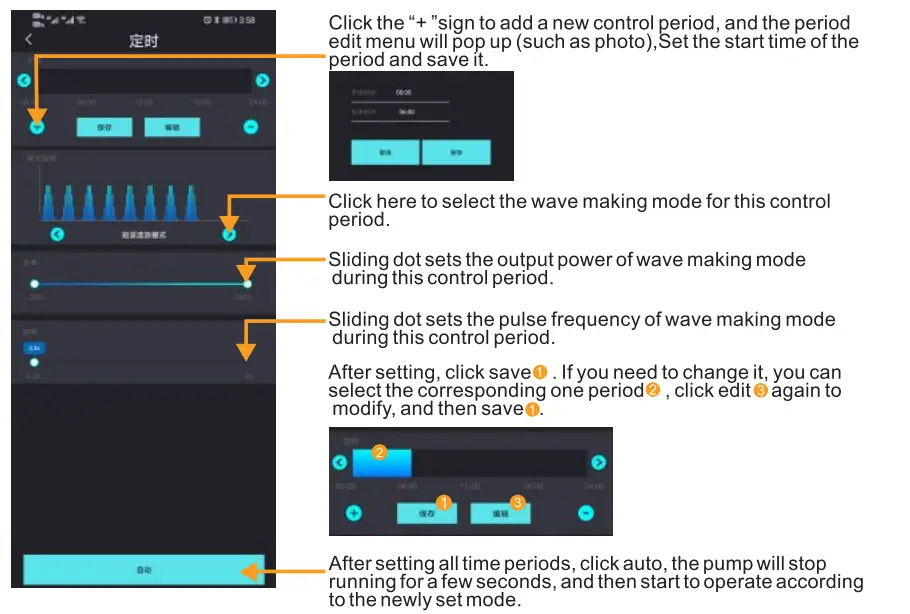
Cleaning And Maintenance
Clean the wave-making pump regularly to ensure its effective action Please clean it once at least in three months.)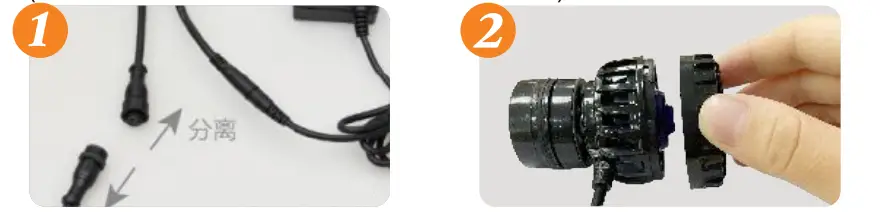
- Unplug the power supply., separate the controller from the main body of the wave-making pump,and do not allow charged poeration.
- Separate the magnetic suction and take out the main wave-making pump body from the fish tank.
- Dry the main body of the water pump with a dry cloth.
- Turn the filter screen anticlockwise and remove it.
- Wash the impeller and pump body.
- Close the filter screen and rotate it clockwise to back to the pump body.
- After cleaning and installation can be used normally.
When there is water on the surface of the control box, please dry it with a dry cloth to prevent water from entering the conurorDoA,
When the wave-making pump does not turn, first check whether the control box is powered on, and then use the above cleaning process method to open the main pump body, check the wave-making pump body and imperials are stuck with foreign bodies. If it is stuck with foreign matter, wipe it with a soft cloth and clean the pump body with water.
This product is suitable for use in the home, but it is strictly forbidden to immerse the control box and adapter in water to avoid unnecessary damage.
(Note: Be careful when taking out and cleaning to avoid accidentally falling to the ground and breaking.)
Precaution Notes
Remarks: If the controller displays 5 indicator lights flashing, it means an abnormal alarm. There are several cases of abnormal alarm:
- The wave pump is not placed in the water, or idling;
- In order to ensure product performance, it is forbidden to run without water
- Regarding the installation position of the control box, pay attention to waterproofing, and prevent water splashing on the control box.
- The wave pump body is not connected to the controller;
- The wave pump is stuck, it needs to be cleaned and reassembled;
- Non-professionals, please do not open the control box and adapter casually to avoid damage;
Disclaimer
Dear customer
Thank you tor choosing the high-quality products produced by Shenzhen Zhongke Century 1TechnologyCo., Ltd.
- In the following cases, the product will get a free warranty: During the warranty period, under the condition of normal use and maintenance of the product, if there is a problem with the material and workmanship of the product itself, we will provide the product with a warranty. lf there is a quality problem with the sold product, you can get free repair or compensation at the agent or designated point signed by us. (excluding other miscellaneous expenses other than the product).
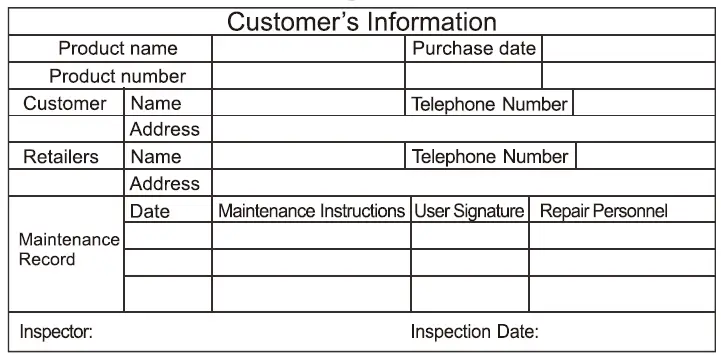
When the product fails and requires after-sales service, please bring the product, purchase receipt and warranty card, and go to the place of purchase (the official company authorized outlet) to apply for warranty service. IT the purchase receipt cannot be provided, the warranty period for the product will be automatically calculated based on the date the serial number of the product itself is on our system. - The following situations are not within the scope of the free warranty service:
- The product is not properly installed and used in accordance with the user’s manual, resulting in damage
- Products is not repaired/repaired by a person designated by the company and are damaged;
- Any consumables or normal tear (such as O- ring, gasket, rotors.etc.);
- Damage caused by negligence, accident or misoperation;
- The product is damaged during transportation, and the product is damaged during the user’s use such as falling;
- Accidental natural disasters or other man-made failures or damages to the product;
- The warranty scope is limited to Zhongke products sold through Shenzhen Zhongke Century Technology Co., Ltd. and purchased from authorized dealers.
- The company is not responsible for any direct or indirect, special, incidental, punitive, exemplary consequential or economic closs or damage related to the use of our products or related to the warranty.
- The Company is responsible for products that are covered by the warranty period of the inspection but are limited to replacement or direct repair of the products with the same or equivalent products, whichever is lower.
Shenzhen Zhongke Century Technology Co., Ltd. is committed to continuous product development, we wll reserve the right to modity product specifications or design, versions are subject to change without notice. We reserves all rights to the final interpretation and modification of the terms and conditions ofthis warranty card.Thank you again for choosing to use our products
Product Warranty Card
FCC Statement
Changes or modifications not expressly approved by the party responsible for compliance could void the user’s authority to operate the equipment. This equipment has been tested and found to comply with the limits for a Class B digital device, pursuant to Part 15 of the FCC Rules. These limits are designed to provide reasonable protection against harmful interference in a residential installation. This equipment generates uses and can radiate radio frequency energy and, if not installed and used in accordance with the instructions, may cause harmful interference to radio communications. However, there is no guarantee that interference will not occur in a particular installation. If this equipment does cause harmful interference to radio or television reception, which can be determined by turning the equipment off and on, the user is encouraged to try to correct the interference by one or more of the following measures:
- Reorient or relocate the receiving antenna.
- Increase the separation between the equipment and the receiver.
- Connect the equipment to an outlet on a circuit different from that to which the receiver is connected.
- Consult the dealer or an experienced radio/TV technician for help.
This device complies with part 15 of the FCC Rules. Operation is subject to the following two conditions:
- This device may not cause harmful interference, and
- this device must accept any interference received, including interference that may cause undesired operation.
The device has been evaluated to meet the general RF exposure requirements.
Warranty
- Slim Pro Series Warranty: 2 Year.