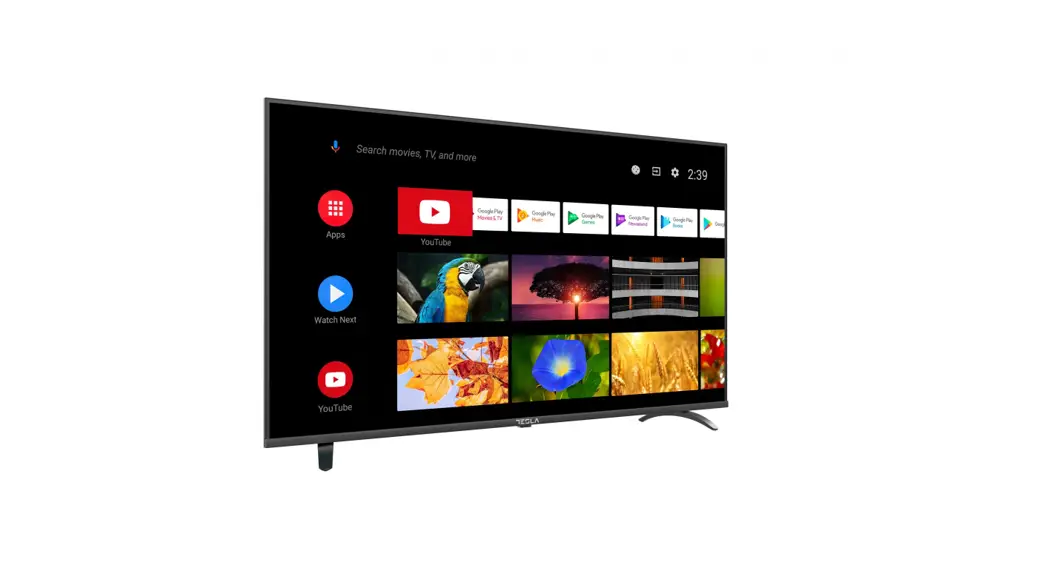
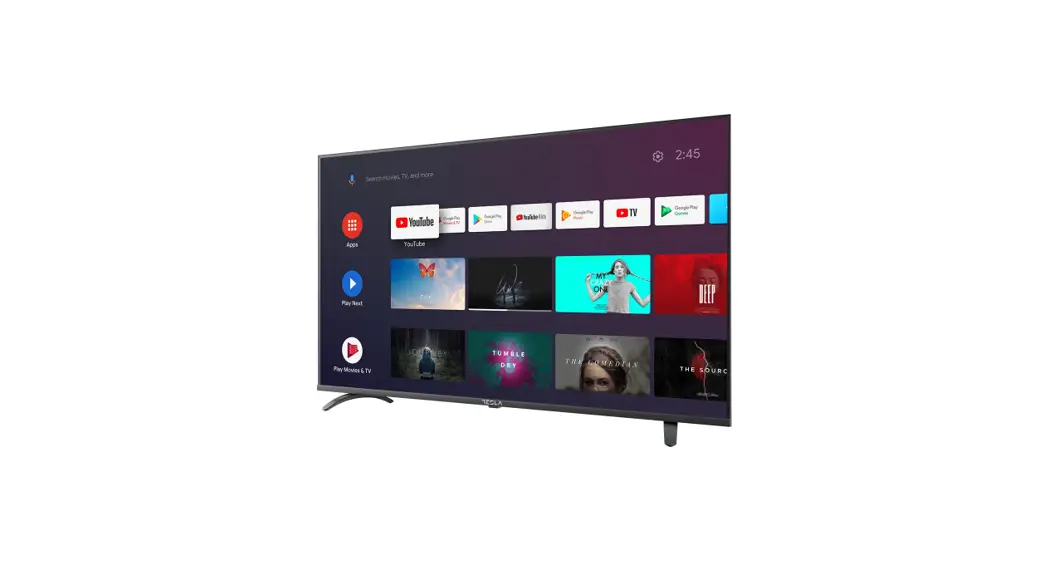
M325 Smart 43 Inch Full HD TV
M325 SMART
Quick Start Guide
Languages: ENG BIH/ GRC HUN MKD ROU SLV SRB
MNE
Operating Instructions
Please read these instructions before operating your set and
retain them for future reference.
BIH/ MNE: UPUTSTVO ZA UPOTREBU
Prije upotrebe ureaja procitati ova uputstva i zadrzati ih radi
kasnijih referenci.
GRC:
HUN:
MKD:
ROU: INSTRUCIUNI DE UTILIZARE
SLV: NAVODILA ZA UPORABO
Pred uporabo pozorno preberite navodila in jih shranite za
morebitno uporabo v prihodnosti.
SRB: UPUTSTVO ZA UPOTREBU
Pre upotrebe ureaja procitati ova uputstva i zadrzati ih radi
kasnijih referenci.
ENG:
Warning and Precautions
Warning:
Risk of electric shock Do not open
Warning: To avoid the risk of electric shock, do not remove cover
(or back). No user-serviceable parts inside. Refer servicing to
qualified service personnel.
The lightning flash with arrowhead symbol, within an equilateral
triangle is intended lo alert the user lo the presence of
uninsulated dangerous voltage within the product’s enclosure that
may be of sufficient magnitude to constitute a risk of electric
shock to a person.
The exclamation point within an equilateral triangle is intended to
alert the user to the presence of important operating and
maintenance (servicing) instructions in the literature accompanying
the appliance.
WARNING: TO PREVENT FIRE OR SHOCK HAZARDS, DO
NOT EXPOSE THIS UNIT TO RAIN OR MOISTURE.
CAUTION: TO ENSURE PERSONAL SAFETY, OBSERVE THE
FOLLOWING RULES REGARDING THE USE OF THIS UNIT.
- Operate only from the power source specified on the unit.
- Avoid damaging the AC plug and power cord.
- Avoid improper installation and never position the unit where
good ventilation is unattainable. - Do not allow objects or liquid into the cabinet openings.
- In the event of trouble, unplug the unit and call a service
technician. Do not attempt to repair it yourself or remove the rear
cover.
CAUTION: Do not attempt to service the product
yourself. To prevent electrical shock, do not open the TV casing.
There are no user-serviceable parts inside. Please refer to
qualified service personnel for repairs.
Important Safety Instructions
- Read these instructions.
- Keep these instructions.
- Heed all warnings.
- Follow all instructions.
- Do not use this unit near water.
- Clean only with dry cloth.
- Do not block any ventilation openings. Ventilation should not
be impeded by covering the ventilation openings. - Refer all servicing to qualified service personnel. Servicing
is required when the unit has been damaged in any way, such as
power-supply cord or plug is damaged, liquid has been spilled or
objects have fallen into the unit, the unit has been exposed to
rain or moisture, does not operate normally or has been
dropped. - The unit should not be exposed to dripping or splashing and no
objects filled with liquids, such as vases, should be placed on the
unit. - Place the television on a stable, flat surface. Failure to do
so can result in the television falling, causing injury. - Do not allow young children to play around or on the
television. Do not hang from the unit Failure to do so can result
in the television falling, causing injury. - Do not allow young children to play with the plastic bag that
came with the television when you unpacked it.
The M325 SMART is a television set that comes with a quick start
guide and operating instructions in multiple languages. The user
manual provides important safety instructions and warnings to
ensure personal safety and proper usage of the product.
Product Usage Instructions
- Read the operating instructions carefully before using the M325
SMART television set. - Keep the instructions for future reference.
- To avoid electric shock, do not remove the cover or back of the
television set. There are no user-serviceable parts inside. Refer
servicing to qualified service personnel. - Do not expose the television set to rain or moisture to prevent
fire or shock hazards. - Operate the television set only from the power source specified
on the unit. - Avoid damaging the AC plug and power cord.
- Do not install the unit improperly and never position it where
good ventilation is unattainable. - Do not allow objects or liquid into the cabinet openings to
avoid damage to the product. - In the event of trouble, unplug the unit and call a service
technician. Do not attempt to repair it yourself or remove the rear
cover. - Do not attempt to service the product yourself. Refer to
qualified service personnel for repairs. - Clean the television set only with a dry cloth.
- Do not use the television set near water or block any
ventilation openings to prevent damage to the product. - If the unit has been damaged in any way, such as power-supply
cord or plug is damaged, liquid has been spilled or objects have
fallen into the unit, the unit has been exposed to rain or
moisture, does not operate normally or has been dropped, refer all
servicing to qualified service personnel. - The unit should not be exposed to dripping or splashing and no
objects filled with liquids, such as vases, should be placed on the
unit. - Place the television on a stable, flat surface to prevent it
from falling and causing injury. - Do not allow young children to play around or on the television
and do not hang from the unit. Failure to do so can result in the
television falling, causing injury. - Do not allow young children to play with the plastic bag that
came with the television when you unpacked it.
M325 SMART
QUICK START GUIDE
ENG BIH/ GRC HUN MKD ROU SLV SRB
MNE
ENG
OPERATING INSTRUCTION
Please read these instructions before operating your set and retain them for future reference.
BIH/ MNE
UPUTSTVO ZA UPOTREBU
Prije upotrebe ureaja procitati ova uputstva i zadrzati ih radi kasnijih referenci.
GRC
.
HUN
KEZELÉSI UTASÍTÁ
Kérjük, a készülék használata eltt olvassa el ezeket az utasításokat, és rizze ezeket meg késbbi betekintésre.
MKD
.
ROU
INSTRUCIUNI DE UTILIZARE
V rugm s citii aceste instruciuni înainte de a folosi televizorul i pstrai-le pentru referine ulterioare.
SLV
NAVODILA ZA UPORABO
Pred uporabo pozorno preberite navodila in jih shranite za morebitno uporabo v prihodnosti.
SRB
UPUTSTVO ZA UPOTREBU
Pre upotrebe ureaja procitati ova uputstva i zadrzati ih radi kasnijih referenci.
ENG
WARNING AND PRECAUTIONS
Warning
Risk of electric shock Do not open
Warning: To avoid the risk of electric shock, do not remove cover (or back). No user-serviceable parts inside. Refer servicing to qualified service personnel.
The lightning flash with arrowhead symbol, within an equilateral triangle is intended lo alert the user lo the presence of uninsulated “dangerous voltage” within the product’s enclosure that may be of sufficient magnitude to constitute a risk of electric shock to a person.
The exclamation point within an equilateral triangle is intended to alert the user to the presence of important operating and maintenance (servicing) instructions in the literature accompanying the appliance.
WARNING: TO PREVENT FIRE OR SHOCK HAZARDS, DO NOT EXPOSE THIS UNIT TO RAIN OR MOISTURE. CAUTION: TO ENSURE PERSONAL SAFETY, OBSERVE THE FOLLOWING RULES REGARDING THE USE OF THIS
UNIT.
1. Operate only from the power source specified on the unit. 2. Avoid damaging the AC plug and power cord. 3. Avoid improper installation and never position the unit where good ventilation is unattainable. 4. Do not allow objects or liquid into the cabinet openings. 5. In the event of trouble, unplug the unit and call a service technician. Do not attempt to repair it yourself or
remove the rear cover.
· When you don’t use this TV set for a long period of time, be sure to disconnect both the power plug from the AC outlet and antenna for your safety.
· To prevent electric shock do not use this power plug with an extension cord, receptacle or other outlet unless the blades can be fully inserted to prevent blade exposure.
CAUTION!
Do not attempt to service the product yourself
To prevent electrical shock, do not open the TV casing. There are no user serviceable parts inside. Please refer to qualified service personnel for repairs.
IMPORTANT SAFETY INSTRUCTIONS
1. Read these instructions. 2. Keep these instructions. 3. Heed all warnings. 4. Follow all instructions. 5. Do not use this unit near water. 6. Clean only with dry cloth. 7. Do not block any ventilation openings. Ventilation should not be impeded by covering the ventilation openings
with items such as newspapers, table-cloths, curtains etc. There must be a minimum distance of 5cm clear space around the unit at all times to ensure proper ventilation. 8. Do not install near any heat sources such as radiators, heat registers, stoves or other apparatus (including amplifiers) that produce heat. No naked flame sources such as lit candles, should be placed on or near the unit. 9. Protect the power cord from being walked on or pinched particularly at plugs, convenience receptacles and the point where they exit from the unit. 10. Only use attachments/accessories specified by the manufacturer. 11. Use only with a cart, stand, tripod, bracket or table specified by the manufacturer or sold with the unit. When a cart is used, use caution when moving the cart/unit combination to avoid injury from tip-over. 12. Unplug this unit during lightning storms or when unused for long periods of time.
3
ENG
13. Refer all servicing to qualified service personnel. Servicing is required when the unit has been damaged in any way, such as power-supply cord or plug is damaged, liquid has been spilled or objects have fallen into the unit, the unit has been exposed to rain or moisture, does not operate normally or has been dropped.
14. The unit should not be exposed to dripping or splashing and no objects filled with liquids, such as vases, should be placed on the unit.
15. Place the television on a stable, flat surface. Failure to do so can result in the television falling, causing injury. 16. Do not allow young children to play around or on the television. Do not hang from the unit Failure to do so can
result in the television falling, causing injury. 17. Do not allow young children to play with the plastic bag that came with the television when you unpacked it.
Failure to do so can result in suffocation, which may lead to death. 18. Avoid improper installation and never position the unit where good ventilation is impossible. When installing
this unit, distance recommendations must be maintained between the set and the wall, as well as inside a tightly enclosed area or piece of furniture. Keep to the minimum distance guidelines shown for safe operation. 19. Cautions for installation – Do not tilt the unit towards the left or right or towards the back. – Ensure the power cord is out of the path of foot traffic. – The unit will generate a slight amount of heat during operation. Ensure that sufficient space is available around the unit to allow satisfactory cooling. – Have two people remove the unit from the box with the screen facing away from you. It’s possible your clothing (such as a belt buckle or button) may scratch the front of the unit. Do the same when moving the unit to another location. 20. T his unit shall be connected to a mains socket outlet with a protective earthing connection. 21. Make enough room for inserting and removing the power plug. Place the unit as close to the outlet as possible. The main power supply for this unit is controlled by inserting or removing the power plug. Physically disconnecting the power plug is the only way to completely disconnect the unit from the mains power source. 22. Batteries shall not be exposed to excessive heat such as sunshine, fire or the like. 23. When this unit is connected to the wall outlet, it is always on standby even when all the LED lamps are not lit. To shut down the unit, unplug the unit from the wall outlet. 24. If the supply cord is damaged, it must be replaced before further use by the manufacturer, its service agent or similarly qualified persons in order to avoid a hazard. 25. Always place the TV on furniture that can safely support the TV. Make sure the ends of the TV do not overhang the edge of the supporting furniture. 26. Do not place the TV on tall furniture (for example, cupboards or bookcases) without anchoring both the furniture and the TV to a wall or other suitably strong support. 27. Do not stand the TV on cloth or other materials placed between the TV and the supporting furniture. 28. Where the mains plug is used as the disconnect device, the disconnect device shall remain readily operable.
Important information
Televisions that are not positioned in sufficiently stable locations can present potential falling hazards. To avoid injuries, particularly to children, take the following simple precautions: · Place this television only on furniture that can safely support it. · Use only a cabinet or stand recommended by the manufacturer of the television. · Ensure the television does not hang over the edge of supporting furniture. · Do not place the television on tall furniture (such as cupboards or bookcases) without anchoring both the
furniture and the television to a suitable support. · Do not place cloth or other materials between the television and the supporting furniture. · Do not let children climb on furniture to reach the television or its controls.
4
ENG
REMOTE CONTROL OPERATION
Installing Batteries
1. Slide in the direction shown by the arrow in Image 1 below to open the cover of the batteries on the back of the remote control.
2. Load two AAA alkaline batteries in the compartment. 3. Replace the cover of the batteries.
Precautions
· Make sure that there is no obstacle bet ween the remote control and television set. · Keep the remote control away from heat sources and humid areas to ensure effective performance of the remote
control. · As strong light may interfere with the signals, change your position to operate the remote control if the television
cannot be turned on or off as you excpect. · Make sure that two AAA 1.5V alkaline batteries are loaded correctly.
TERMINAL INTERFACE
AV input External AV Signal Input And Relevant Right/Left Sound Channel
AV output TV AV Signal output And Relevant Right/Left Sound Channel (Some models without this interface)
Y Pb Pr input Connect to the composite terminal of yourDV D/VCR (Some models without this interface)
HDMI input Digital signal input from HDMI video connector.
ANT75 Connect the antennal/cadle tv input (75NHF/UHF)
VGA input PC analog signal input
PC AUDIO INPUT VGA input and audio input when VGA input
EARPHONE output When earphones are plugged in, speakers are disabled (Some models without this interface)
USB input Connect a USB device here to play its media files
COAXIAL Connect the SPDIF receiver. (Some models without this interface)
SCART input Standard, it supports composite and RGB signal input.It is a connection for european (Some models without this interface)
Cl Connect the Data TV decryption card
5
ENG
REMOTE CONTROL
POWER ( ): Turns the TV on or off. INPUT: To select input source menu. NUMBER BUTTONS: Press 0-9 select a TV channel directly when you are watching TV. GUIDE: Shows Electronic Program Guide. CH.LIST: Access the channel list. RED/GREENNELLOW/BLUE: Use add-on functions in OSD menu. MENU ( ): Accesses the Main Menu.
: play or pause media files. Arrows ( / / / ): Uses the four arrows to highlight different items in the TV menu or change the value. OK: Enter and confirm button. ( ): Returns to the previous channel. EXIT: Exits the current menu or function. VOL+ or VOL-: Increases or decreases the TV volume. HOME ( ): Press to open home page. MUTE ( ):Mute or restore the TV sound CH or CH : Scans up or down through the current channel list TEXT: To enter Teletext mode. SUBTITLE: Press to enable or disable subtitles. INFO: To display the current program information on the screen. APP: Quick access to the app
: Custom button to launch input or apps quickly APP: Quick access buttons to apps MEDIA: Enter the media mode BROWSER: Enter into BROWSER
NOTE: All pictures in this manual are examples, only for reference, actual product may differ from the pictures.
6
ENG
FIRST TIME INSTALLATION
Please according to the Text Tip to First Time Setup. Press / button to select Language & choose TV Mode.
After setup language ,you can enter the Internet setup page,please confirm and connect the internet. Select the country you want .confirm and enter the next page.
Press [/ button to select the corresponding privacy notice/terms and conditions, and press OK button to go to next step.
Sign in your VIDAA account. If you haven’t created an account,please create an account first and then sign in.
Choose the NETFLIX or enter the Smart TV.
7
ENG Please make sure the device has connected, then press /// button to select the primary input source
HOME
When finish First Time setup,you can enter HOME screen. Press MENU button to select HOME screen.
Press /// button to select.
INPUT
Press / button to select Inputs menu. Press /// button to select. Press ENTER to select input.
Inputs: Icon to select an input source. Setting: Various settings can be configured here.
8
ENG
MAIN MENU OPERATION
Picture
Press [MENU] to enter the main menu, press / to select picture menu , 1. Press / button to select the option that you want
to adjust in the PICTURE menu. 2. Press Enter button to adjust. 3. After finishing your adjustment, Press Enter button to
save and return to the previous menu.
Picture Mode Press / button to select Picture Mode, then press / & Enter button to select. (Optional: Standard/ Cinema day/Cinema night/Dynamic/Sports).
Standard: The default mode, to make users experience high-quality images under normal light. Cinema day: Enhance the contrat, color and clarity of the screen to make the color more vivid. Cinema night: Reduce the screen contrast, coIorand clarity to make the screen looks soft. Dynamic: Enhance the contrast,color and clarity of the screen, so that the picture in the dynamic will balance the color. Sports: This mode is more suitable for watching sport video.
Aspect Ratio Adjust the Aspect Ratio to stretch or zoom in on your picture. Press / button to select Aspect Ratio. Press / button to select Automatic/16:9/4:3/ Panoramic/Movie Zoom/Direct. Game Mode Press / to select,and press / to select On/Off. Picture Mode Settings Press / to select,and press & ENTER to enter. Apply Picture Settings In this menu.you can adjust current picture mode to apply to all sources or just current source. Press / to select,and press & ENTER to enter. (Optional: AII Sources/Curremt Source)
Press / button to select Colour Tuner. Press / button to enter sub-menu and adjust.
White Balance Adjust the intensity of red,green and bule lights to view the ture colors of all images in the picture. Press / button to select White Balance. Press / button to enter and adjust.
Black Level (Only available on HDMI source) In this menu,you can adjust the HDMI signal range to be more suitable for content. Press / to select Black Level, press / to select.
Gamma Adjustment Press / to select Gamma Adjustment. Press / to select 2.0/2.2/2.4/BT.1886.
Gamma Calibration In this menu,you can adjust the Gamma curve which one you selected. Press / to select Gamma Calibration. Press / button to enter sub-menu to adjust.
RGB Only Mode Press / to select RGB Only Mode . Press / to select Off/Red/Green/Blue.
Low Blue Light Press / to select Low Blue Light. Press / to select Off/Low/Middle/High/Very High.
Overscan Press / button to select Overscan. Press / button to select On/Off.
Reset Current Mode Press / button to select Reset Current Mode. Press / button to enter sub-menu.
Sound
Press MENU button to display the main menu. Press / button to select SOUND in the main menu, 1. Press / button to select the option that you want
to adjust in the SOUND menu. 2. Press Enter button to adjust. 3. After finishing your adjustment, Press Enter button to
save and return to the previous menu.
Backlight/Brightness/Contrast/ColourSaturation/ Sharpness Press / to select,and press / to adjust.
Backlight: Adjust image backlight.(OptionsI:Off/Low/ High) Brightness: Adjust image brightness. Contrast: Adjust image contrast. Colour Saturation: Adjust image color density. Sharpness: Adjust the image edge sharpness. Colour Tuner Adjust the Hue,saturation and Brightness of color srttings.
Sound Mode Press / button to select your favorite Sound Mode. (Optional: Standard/Theatre/Music/Speech/Late Night/ Sports.)
Standard: Produces a balanced sound in all environments. Theatre: Theatre mode increases the surround sound effect and provides a more prominent subwofer response. Music: Preserves the original sound.Good for musical programs. Speech: Low and high frequencies are attenuated to
9
ENG
improve the reproduction and clarity of the human voice. Late Night: Improve the reproduction and clarity of the human voice with a low volume level. Sports: Optimised sound for watching football game.
Headphone Press / button to select Headphone.lt only available on headphone is inserted. It can set the sound output mode through headphones.
Sound Mode Settings Press / button to select Sound Mode Settings. Press / button to enter sub-menu.
Apply Audio Settings Adjust the Curren sound mode to apply to all source or just current source. Press / button to select, then press &Enter button to select Current Source/AII Sources.
Equalizer Press / button to select.and adjust Equalizer detail (Optional:100Hz/500Hz/1.5KHz/5KHz/10KHz)
Bass Boost/Surround Sound/Dialog Clarity/ TruVolume/Wall Mount Setup/Auto Volume Control Press / button to select, and press / button to select On/Off.
Reset Current Mode Press / button to select, a nd press / button to choose restore or not.
Speakers Press / button to select Speakers. Press / button to enter sub-menu.
Audio Output Press / button to select Audio Output and enter, then press / button to select ARC/TV Speaker/ SPDIF Only.
Digital Audio Output Press / button to select Digital Audio Out, then press / button to select.
Digital Audio Delay Press / button to select Digital Audio Delay, then press / button to adjust.
Lip Sync Press / button to select, then press / button to adjust.
Balance Balanced left and right channels. Press / button to select Balance. Press / button to adjust.
Network
Press MENU button to display the main menu. Press / button to select Network in the main menu. Press / button to select:Network Configuration/ lnternet Connection/ Wake on Wireless Network/Wake on LAN.
Network Cofiguration Press / button to select Network Configuration to set up the network. Internet Connection Press / button to select Internet Connection to check Internet Connection. Wake on Wireless Network Press / button to select Wake on Wireless Network, then press / button to selece On/Off. Wake on LAN Press / button to select Wake on LAN. Press / button to select On/Off.
Channel
Press MENU button to display the main menu. Press / button to select Channel.
1. Press / button to select the option that you want to adjust in the Channel menu.
2. Press Enter button to adjust. 3. After finishing your adjustment, Press Enter button to
save and return to the previous menu.
Auto Scan Automatic search can search for effective program channel automatically. Press / button to select Auto Scan, then press OK button to setup. Rescan In this page,you can choose rescan channel or change setup. Reception Press / button to select Reception,and press / button to select Satellite/Antenna/Cable. Operator Press / button to select ,and press / button to setup. Mode setup Press / button to select Mode setup, and press / button to select Channel/Scan Mode/LCN. Auto Scan If you want to stop searching, press Stop or Exit button to stop searching. Channel Edit Press / button to select Channel Edit. Advanced Settings Press / button to select Advanced Settings,then press Enter/ button to enter. Manual Scan Press / button to select Manual Scan, then press Enter button to enter. Press / button to select DTV Manual Scan/ATV Manual Scan.
DTV Manual Scan Press / button to select DTV Manual Scan, then press Enter button to enter.
10
ENG
ATV Manual Scan Press / button to select ATV Manual Scan, then press Enter button to enter.
Channel List Auto-Update Press / button to select Channel List Auto-Update, then press / button to select On/Off.
Programme Guide Auto Update Press / button to select Programme Auto Update.
Programme Auto Update Press / button to select Channel ListAuto-Update, then press / button to select On/Off.
Channel Selection Press / button to select Channel Selction.
CI+ Module Settings Press / button to select CI+ Module Settings and you can review the advanced settings menu.
Accessibility Press / button to select Aaccessibility.then press Enter button to enter.
Menu Scheme Press / button to select Menu Scheme,then press / button to choose Dark/Light.
High Contrast Menu Press / button to select High Contrast Menu,then press / button to select On/Off.
MenuTransparency Press / button to select MenuTransparency, then press / button to choose Off/Medium/High.
Hard of Hearing Subtitles Press / button to select Hard of Hearing Subtitles, then press / button to select On/Off.
Audio Type Press / button to select Audio Type,then press Enter button to enter sub-menu.
Audio Type Press / button to select Audio Type, then press / button to select Normal/Audio Description/ Spoken Subtitles/AII Supplementary Audio.
Voiceover Volume Press / button to select Voiceover Volume^hen press / button to select On/Off.
Dialogue Enhancement Press / button to select Dialogue Enhancement,then press Enter button to enter submenu.
System
Press MENU button to display the main menu. Press / button to select System in the main menu.
1. Press / button to select the option that you want to adjust in the System menu.
2. Press Enter button to adjust. 3. After finishing your adjustment, Press Enter button to
save and return to the previous menu.
Time Press / button to select Time.
Time Format Press / button to select Time Format. (Optional: 12-hour/24-hour)
Date/Time Set the Date and Time Press / button to select.then press Enter/ to setup.
Time Zone Select yourtime zone Press / button to select Timer zone,then press Enter/ to enter sub-menu to setup.
Daylight Savings Press / button to select Daylight Savings. (Optional:Off/On/Sync from DTV)
Timer Settings Press / button to select Timer Settings.
Sleep Timer Press / button to select Sleep Timer. (Optional: Off/15/30/60/90/120 Minutes/User Defined)
Power On Timer Press / button to select Power On Timer.
Power Off Timer Press / button to select Power Off Timer.
Menu Timeout Press / button to select Menu Timeout. (Optional :0ff/10s/20s/30s/60s/5min)
Auto Sleep Press / button to select Auto Sleep. (Optional:Off/3H/4H)
Auto Standby with No Signal Press / button to select Auto Stand by with No Signal. (Optional:Off/15 Minutes)
System PIN Press / button to select System PIN. Change your PIN that you use to access Parental Controls, Auto Channel Scan and Reset To Factory Defaults.
Parental Control Press / button to select Parental Control. Turn on Parental Controls to block children from being able to view certain programmes.
Language and Location Press / button to select Language and Location. Turn on Parental Controls to block children from being able to view certain programmes.
Location Press / button to select Location,and press Enter/ to select.
Menu Language Press / button to select Menu Language.and press Enter/ to select.
Primary Audio Press / button to select Primary Audio,and press Enter/ to select.
11
ENG
Secondary Audio Press /button to select Secondary Audio,and press Enter/ to select.
Primary Subtitle Press / button to select Primary Subtitle, and press Enter/ to select.
Secondary Subtitle Press / button to select Secondary Subtitle, and press Enter/ to select.
Digital Teletext Press / button to select Digital Teletext. Optional:WEST EUR/EAST EUR/Russian/Aarabic/ Persian/Greek) button to select Content Sharing. Then press / button to select On/Off.
Application Settings Press / button to select Application Settings.
Content Sharing Press / button lo select Content Sharing,lhen press / button lo select On/Off.
HbbTV Press / button to select Hbb TV,then press / button to select On/Off.
Clear Cache Press / button to select Clear Cache,then press ENTER/ button to enter sub-menu.
Delete Cookies Press / button lo select Delete Cookies,lhen press ENTER/ button lo enter sub-menu.
Do Not Track Press / button to select Do Not Track,then press ENTER/ button to enter sub-menu.
Prime Video Press / button to select Prime Video, and press Enter/ to select.
Netflix Press / button to select Netflix, and press Enter/ to select.
HDMI&CEC Press / button to select HDMI&CEC,then press Enter button to enter sub-menu to select. Press button to select CEC Control/Device Auto Power Off/Device Auto Power On/ TV Auto Power On/ CEC Device Lists. Note: All the Options are available only when the CEC Control select On.
CEC Control Press / button to select CEC Control.and press / button to select On/Off. The following terms are available only when “On” is selected in CEC Control.
Device Auto Power Off Press / button to select Device Power Off,and press / to select On/Off.
Device Auto Power On Press / button to select DeviceAuto Power On, and press / buttonto select On/Off.
TvAuto Power On Press / button to select TVAuto Power On, and press / buttonto select On/Off.
CEC Device Lists Press / button to select CEC Device Lists, and press ENTER button to enter.
Usage Mode Press / button to select Usage Mode, then press ENTER/ button to select Home Mode/Store Mode.
Advanced Settings Press / button to select Advanced Settings,then press ENTER/ button to enter
TV Name Press / button to select TV Name.then press ENTER/ button to setup your TV name.
Power Indicatior Press / button to select Power Indicatior,then press / button to select On/Off.
Screen saver Press / button to select Screen saver,then press ENTER/ button to enter. (Optional:None/5 Minutes/10 Minutes/20 Minutes)
Input Labels Press / button to select Input Labels,then press ENTER/ button to enter. (Optional:TV/AV/HDMI1/ HDMI2/HDMI3)
Notifications Press / button to select Notifications, then press ENTER/ button to enter sub-menu and select.
Enhanced Viewing Press / button to select Enhanced Viewing, then press ENTER/ button to enter sub-menu and select.
Setup Wizard Press / button to select Setup Wizard,then press ENTER/ button to select.
Fast Power On Press / button to select Fast Power On. Then press / button to select On/Off.
Power On Mode Press / button to select Power On Mode.then press ENTER/ button to select.
Support Press / button to select Support.then press ENTER/ button to enter
System Info View System information Press / button to select System Info,then press ENTER/ button to enter sub-menu.
Self Diagnosis Perform self diagnosis to test sound,pictureand connections. Press / button to select Self Diagnosis.then press ENTER/ button to enter sub-menu.
E-Manual Press / button to select E-Manual, then press ENTER/ button to enter sub-menu.
12
ENG
System Update Set your TV to receive the latest firmware. Press / button to select System Update, then press ENTER/ button to enter sub-menu.
Disclaimer and Privacy Click to read the Disclaimer details. Press / button to select Disclaimer and Privacy, then press ENTER/ button to enter sub-menu.
Mobile App Download Press / button to select Mobile App Download, then press ENTER/ button to enter sub-menu.
Restore To Factory Default Press / button to select Restore To Factory Default, then press ENTER/ button to enter sub-menu and select. Press MENU button to wakeup Menu,then press / button to select.
Channel List Press / button to select Channel List,then press ENTER button to enter sub-menu.
Subtitle Press / button to select Subtitle, then press /button to select Off/On.
Audio Only Press / button to select Audio Only. Press OK button enterthe sub-menu.
Settings Press / button to select Settings. Press OK button enterthe sub-menu. Please refer to the home page-Setting part
Guide Press / button to select Guide, then press ENTER button to enter sub-menu.
Subtitle Press / button to select Subtitle, then press / button to select Off/On.
Audio Only Press / button to select Audio Only. Press OK button enter the sub-menu.
Settings Press / button to select Settings. Press OK button enter the sub-menu. Please refer to the home page-Setting part
13
ENG
HELP
Problem
Solution
No Power
· Check the AC cord of TV is plus in or not. If still no power, please pull out the plug and replug in after 60 seconds. And open the TV again
Signal receive not properly
· To cause double image or phantom if there has high building or high mountain round TV. You can adjust image effect by manually operation: consult instruction of vernier regulation or change the direction of external antenna.
· If you use the indoor antenna, under certain circumstance, receive will be more difficult .So you can change the direction of the antenna to adjust the image effect . If can’t change image receiving effect either , you have to use external antenna.
No picture
· Check the antenna at the back of TV is connected properly or not. · Try to select other channels and check whether the TV problem itself or
not
Video is ok without audio
· Increase the volume. · Check the TV is in mute mode or not , and please press the mute button
to make sound resume.
Audio is ok color error or no picture
· Increase contrast and brightness.
Snow statics picture and noise · Check the antenna at the back of TV is connected or not.
Level broken line
· Vacuum, such as hair drier, Maybe has electrical appliance interfere. Please turn off these kinds of electrical appliance, cleaner and so on.
Image or-Dual “simulacrum” The TV no response with the Remote
· Perhaps the location for the antenna is not good.Use the tall beamed antenna can be improved quality of the display image.
· Operate the remote direct to the remote sensor on the TV.If still no response for the TV, please check if the plastic bag on the remote take or not. And check if the location for the battery is correct.Change the new battery.
· The TV will shift to the STAND BY if no response from the remote in the few minutes.
NO Video In (PC Mode)
· Please check if the display cable connect to the VGA correcte. · Please check if there has the bend on the display cabIe
Vertical twinkling (PC Mode}
· Enter the main menu . Use the clock regulator for the video display noise to eliminate the vertical line.
Horizontal ripping (PC Mode)
· Adjust the Audio sound horizontal in the main menu to clear the horizontal ripping line.
The screen is too bright or too dark (PC Mode)
· Adjust the contrast ratio or brightness in the main menu.
PC Function no response
· Check the computer setting in the state of compatible display resolution
Ripping line in RCA connecting · Please use good quality connecting cable.
Problem still exist
· Unplug the power cable and wait for 30 seconds, then connect. If there is some problem with our TV, do not repair it by yourself, please contact with the customer service canter.
There will be complete picture and the brightness wi ll come down if the TV is in Note. So please do not kee p the TV in a state of same, the static picture for too long time. Menu or same picture that has much difference in brightness and contrast ratio for too long time. Note: TV panel is built with very high precision technology giving you fine picture details in vibrant color. Occasionally, a few non-active pixels may appear on the screen as fixed point of red,green,blue or white. Please note this does not affect the performance of the product.
14
BIH/ MNE
UPOZORENJE I MJERE OPREZA
Upozorenje
Rizik od strujnog udara. Ne otvarati.
Upozorenje: Kako biste izbjegli rizik od strujnog udara, nemojte uklanjati poklopac (ili straznju stranu). Unutra nema dijelova koje moze servisirati korisnik. Servisiranje prepustite kvalificiranom servisnom osoblju.
Bljesak munje sa simbolom vrha strelice unutar jednakostranicnog trokuta ima za cilj upozoriti korisnika na prisutnost neizoliranog “opasnog napona” unutar kuista proizvoda koji moze biti dovoljno velik da predstavlja opasnost od strujnog udara za osobu.
Uzvicnik unutar jednakostranicnog trokuta ima za cilj upozoriti korisnika na prisutnost vaznih radnih uputa i uputa za odrzavanje (servisiranje) u literaturi koja ide uz aparat.
UPOZORENJE: KAKO BISTE SPRIJECILI OPASNOST OD POZARA ILI UDARA, NE IZLAZITE OVU JEDINICU KISI ILI VLAGI. OPREZ: DA BISTE OSIGURALI OSOBNU SIGURNOST, PRIDRZAVAJTE SE SLJEDEIH PRAVILA U VEZI UPOTREBE OVE JEDINICE.
1. Radite samo na izvoru napajanja navedenom na jedinici. 2. Izbjegavajte osteivanje AC utikaca i kabla za napajanje. 3. Izbjegavajte nepravilnu instalaciju i nikada ne postavljajte jedinicu na mjesto gdje je dobra ventilacija
nedostizna. 4. Ne dopustite da predmeti ili tekuina uu u otvore kuista. 5. U slucaju problema, iskljucite jedinicu i nazovite servisera. Ne pokusavajte ga sami popraviti ili ukloniti straznji
poklopac.
· Kada ne koristite ovaj TV prijemnik duze vrijeme, obavezno odspojite utikac iz AC uticnice i antenu radi vlastite sigurnosti.
· Kako biste sprijecili elektricni udar, nemojte koristiti ovaj utikac s produznim kablom, uticnicom ili drugom uticnicom osim ako se ostrice ne mogu do kraja umetnuti kako biste sprijecili izlaganje ostrica.
OPREZ!
Ne pokusavajte samostalno servisirati ureaj
Kako biste sprijecili elektricni udar, nemojte otvarati kuiste televizora. Unutra nema dijelova koje korisnik moze servisirati. Za popravke se obratite kvalificiranom servisnom osoblju.
VAZNE SIGURNOSNE INSTRUKCIJE
1. Procitajte ove upute. 2. Cuvajte ove upute. 3. Obratite paznju na sva upozorenja. 4. Slijedite sve upute. 5. Ne koristite ovu jedinicu u blizini vode. 6. Cistite samo suhom krpom. 7. Nemojte blokirati ventilacijske otvore. Ventilacija se ne smije ometati pokrivanjem ventilacijskih otvora
predmetima kao sto su novine, stolnjaci, zavjese itd. Oko jedinice uvijek mora postojati minimalna udaljenost od 5 cm slobodnog prostora kako bi se osigurala odgovarajua ventilacija. 8. Ne instalirajte u blizini izvora topline kao sto su radijatori, grijaci, pei ili drugi ureaji (ukljucujui pojacala) koji proizvode toplinu. Izvori otvorenog plamena, kao sto su upaljene svijee, ne smiju se postavljati na ili blizu jedinice. 9. Zastitite kablo za napajanje od gazenja ili prikljestenja, osobito na utikacima, uticnicama i na mjestu gdje izlaze iz jedinice. 10. Koristite samo dodatke/dodatke koje je naveo proizvoac. 11. Koristite samo s kolicima, postoljem, tronoscem, nosacem ili stolom koje je odredio proizvoac ili koji se prodaju s jedinicom. Kada koristite kolica, budite oprezni kada pomicete kombinaciju kolica/jedinice kako biste izbjegli ozljede usljed prevrtanja.
15
BIH/ MNE
12. Iskljucite ovu jedinicu iz struje tokom grmljavine ili ako je ne koristite duze vrijeme. 13. Sve servise prepustite kvalificiranom servisnom osoblju. Servisiranje je potrebno kada je jedinica osteena na
bilo koji nacin, kao sto je osteeno kablo za napajanje ili utikac, prolivena je tekuina ili su neki predmeti upali u jedinicu, jedinica je bila izlozena kisi ili vlazi, ne radi normalno ili je ispustena. 14. Jedinica se ne smije izlagati kapanju ili prskanju i na jedinicu se ne smiju stavljati predmeti napunjeni tekuinom, poput vaza. 15. Postavite televizor na stabilnu, ravnu povrsinu. Ako to ne ucinite, moze doi do pada televizora i ozljeda. 16. Ne dopustite maloj djeci da se igraju oko ili na televiziji. Ako to ne ucinite, televizor moze pasti i uzrokovati ozljede. 17. Ne dopustite maloj djeci da se igraju plasticnom vreicom koju ste dobili uz televizor kad ste ga raspakovali. Ako to ne ucinite, moze doi do gusenja, sto moze dovesti do smrti. 18. Izbjegavajte nepravilnu instalaciju i nikada ne postavljajte jedinicu na mjesto gdje je dobra ventilacija nemogua. Prilikom postavljanja ove jedinice, moraju se pridrzavati preporucene udaljenosti izmeu ureaja i zida, kao i unutar tijesno zatvorenog prostora ili komada namjestaja. Za siguran rad pridrzavajte se smjernica o minimalnoj udaljenosti. 19. Upozorenja za instalaciju – Nemojte naginjati jedinicu lijevo ili desno ili prema natrag. – Osigurajte da je kablo za napajanje izvan puta pjesackog prometa. – Jedinica e generisati malu kolicinu topline tokom rada. Osigurajte dovoljno prostora oko jedinice kako biste omoguili zadovoljavajue hlaenje. – Neka dvoje ljudi izvadi jedinicu iz kutije sa zaslonom okrenutim od vas. Mogue je da vasa odjea (kao sto je kopca kaisa ili dugme) moze izgrebati prednji dio jedinice. Ucinite isto kada premjestate jedinicu na drugo mjesto. 20. Ova jedinica mora biti spojena na mreznu uticnicu sa zastitnim uzemljenjem. 21. Ostavite dovoljno mjesta za umetanje i uklanjanje utikaca. Postavite jedinicu sto blize uticnici. Glavnim napajanjem za ovu jedinicu upravlja se umetanjem ili uklanjanjem utikaca. Fizicko odspajanje utikaca je jedini nacin da potpuno odspojite jedinicu od glavnog izvora napajanja. 22. Baterije se ne smiju izlagati pretjeranoj toplini kao sto je sunceva svjetlost, vatra ili slicno. 23. Kada je ova jedinica spojena na zidnu uticnicu, uvijek je u stanju pripravnosti cak i kada sve LED lampice ne svijetle. Za iskljucivanje jedinice, iskljucite je iz zidne uticnice. 24. Ako je kablo za napajanje osteeno, mora ga zamijeniti proizvoac, njegov serviser ili slicno kvalificirana osoba prije daljnje uporabe kako bi se izbjegla opasnost. 25. TV uvijek postavljajte na namjestaj koji moze sigurno podrzati TV. Pazite da krajevi TV-a ne nadvisuju ivicu namjestaja koji ga podupire. 26. Ne postavljajte TV na visoki namjestaj (na primjer, ormarie ili police za knjige) bez pricvrsivanja i namjestaja i TV-a na zid ili drugu prikladno jaku potporu. 27. Ne postavljajte TV na tkaninu ili druge materijale izmeu TV-a i namjestaja koji ga podrzava. 28. Ako se mrezni utikac koristi kao ureaj za iskljucivanje, ureaj za iskljucivanje mora biti spreman za rad.
VAZNE INFORMACIJE
Televizori koji nisu postavljeni na dovoljno stabilna mjesta mogu predstavljati potencijalnu opasnost od pada. Kako biste izbjegli ozljede, osobito djece, poduzmite sljedee jednostavne mjere opreza: · Postavite ovaj televizor samo na namjestaj koji ga moze sigurno nositi. · Koristite samo ormari ili postolje koje preporucuje proizvoac televizora. · Pazite da televizor ne visi preko ivice potpornog namjestaja. · Nemojte postavljati televizor na visoki namjestaj (kao sto su ormari ili police za knjige) bez pricvrsivanja i
namjestaja i televizora na odgovarajui nosac. · Nemojte stavljati tkaninu ili druge materijale izmeu televizora i namjestaja koji ga podrzava. · Ne dopustite djeci da se penju na namjestaj kako bi dohvatili televizor ili njegove kontrole
16
BIH/ MNE
RAD NA DALJINSKOM UPRAVLJACU
Instaliranje baterija
1. Gurnite u smjeru strelice na slici 1 ispod kako biste otvorili poklopac baterija na straznjoj strani daljinskog upravljaca.
2. Stavite dvije AAA alkalne baterije u odjeljak. 3. Zamijenite poklopac baterija
Mjere predostroznosti
· Pobrinite se da ne postoji prepreka izmeu daljinskog ureaja i televizora. · Drzite daljinski ureaj dalje od izvora toplote i vlaznih podrucja kako biste osigurali efektivno upravljanje
daljinskim ureajem. · Budui da jako svjetlo moze ometati signale, promijenite polozaj za upravljanje daljinskim upravljacem ako se
televizor ne moze ukljuciti ili iskljuciti kako ocekujete. · Pobrinite se da su dvije AAA 1,5V alkalne baterije ispravno napunjene
TERMINALNO SUCELJE
AV ulaz Ulaz vanjskog AV signala i odgovarajui desni/lijevi zvucni kanal
AV izlaz TV AV izlaz signala i odgovarajui desni/lijevi kanal zvuka (neki modeli bez ovog sucelja)
Y Pb Pr ulaz Spojite se na kompozitni terminal vaseg DV D/VCR-a (neki modeli bez ovog sucelja)
HDMI ulaz Ulaz digitalnog signala iz HDMI video konektora.
ANT75 Spoojite antenski/cadle tv ulaz (75A/HF/UHF)
VGA ulaz PC analogni signalni ulaz
PC AUDIO ULAZ VGA ulaz i audio ulaz kada je VGA ulaz
Izlaz za SLUSALICE Kad su slusalice prikljucene, zvucnici su onemogueni (Neki modeli bez ovog sucelja)
USB ulaz Spojite USB ureaj ovdje za reprodukciju njegovih medijskih datoteka
KOAKSIJALNI Spojite SPDIF prijemnik. (Neki modeli bez ovog sucelja)
SCART ulaz Standardno, podrzava kompozitni i RGB ulaz signala. To je veza za europsku (neki modeli bez ovog sucelja)
Cl Spojite Data TV karticu za desifriranje
17
BIH/ MNE
DALJINSKI UPRAVLJAC
POWER ( ): Pali i gasi TV INPUT: Odabir izbornog menija Tipke brojeva: Pritiskanje brojeva 0-9 bira TV kanal kada palite TV. VODIC: Prikazuje elektronicki programski vodic. Lista kanala: Pristupite listi kanala. CRVENA/ZELENA/ZUTA/PLAVA: Koristite dodatne funkcije u OSD izborniku. IZBORNIK ( ): Pristupite glavnom izborniku.
: pustite ili pauzirajte medijske fajlove Strelice ( / / / ): Koriste se 4 strelice da se naznace razlicite stavke na TV meniju ili promijeni vrijednost OK: Enter i confirm tipka. ( ): Vraa na prethodni kanal. EXIT: Izlaz iz trenutnog menija ili funkcije. VOL+ or VOL-: Pojacava i smanjuje TV volume. HOME ( ): Otvaranje HOME stranice. MUTE ( ): Mutiranje ili pustanje TV zvuka CH or CH : Skenira trenutni popis kanala TEXT: Tipka za ulat u Teletext rezim SUBTITLE: Odobravanje ili uklanjanje titlova. INFO: Prikaz trenutnih informacija na ekranu. APP: Brzi pristup aplikaciji
: Prilagoena tipka za brzo pokretanje unosa ili aplikacija APP: Tipke za brzi pristup aplikacijama MEDIA: Pristup media rezimu BROWSER: Pristup pretrazivacu
NAPOMENA: Sve slike u ovom prirucniku su primjeri, samo kao referenca, stvarni proizvod moze se razlikovati od slika.
18
BIH/ MNE
INICIJALNO INSTALIRANJE
Molimo u skladu s tekstualnim savjetom za prvo postavljanje. Pritisnite/ tipke za odabir jezika & odaberite TV rezim.
Nakon postavljanja jezika, mozete ui na stranicu za postavljanje Interneta, potvrdite i povezite se s Internetom. Odaberite zemlju koju zelite. Potvrdite i uite na sljedeu stranicu.
Pritisnite / tipku kako biste odabrali odgovarajuu obavijest o privatnosti/uvjete i odredbe te pritisnite tipku OK za prelazak na sljedei korak.
Ulogujte se na svoj VIDAA profil. Ako niste kreirali profil, molimo kreirajte nalog prvo i prijavite se.
Odaberite NETFLIX ili pristupite Smart TV-u.
19
BIH/ MNE
Molimo pobrinite se da je ureaj povezan, zatim pritisnite///tipke za odabir primarnog izvora ulaza.
HOME
Pritisnite tipku IZBORNIK za odabir POCETNOG zaslona.
Press /// button to select. Pritisnite /// tipke za odabir.
INPUT
Pritisnite/tipku da odaberete Inputs izbornik. Pritisnite/// tipke za odabir. Pritisnite ENTER za izbor ulaza.
Inputi: Ikona za odabir ulaznog izvora.
Postavka: Ovdje se mogu konfigurisati razlicite postavke.
20
BIH/ MNE
OPERACIJE GLAVNOG IZBORNIKA
Slika
Pritisnite [MENU] da pristupite glavnom meniju, pritisnuti / za odabir izbornika slike, 1. Pritisnite/ za odabir opcije koju zelite prilagoditi u
izborniku SLIKE. 2. Pritisnite tipku Enter za podesavanje. 3. Nakon zavrsetka podesavanja, pritisnite tipku Enter za
spremanje i povratak na prethodni izbornik.
Rezim slike Pritisnite/ tipke za odabir Rezima Slike, zatim pritisnite / & Enter tipku za odabir. (Odabir: Standardni/Cinema day/Cinema night/Dynamic/Sports). Standard: Zadani nacin rada, kako bi korisnici iskusili slike visoke kvalitete pod normalnim svjetlom. Cinema day: Poboljsajte kontrast, boju i jasnou zaslona kako bi boje bile zivopisnije. Cinema night: Smanjite kontrast, boju i jasnou zaslona kako bi zaslon izgledao mekano. Dynamic: Poboljsajte kontrast, boju i jasnou zaslona, tako da e slika u dinamici uravnoteziti boje. Sports: Ovaj rezim je pogodan za gledanje sportskih videa.
Omjer slike Podesite omjer slike da prosirite ili zumirate vasu sliku. Pritisnite / tipku da odaberete omjer slike. Pritisnite / tipku da odaberete Automatic/16:9/4:3/ Panoramic/Movie Zoom/Direct. Game rezim Pritisnite / da odaberete, i pritisnite / da odaberete On/Off. Postavke rezima slike Pritisnite / da odaberete i pritisnite & ENTER da pristupite opciji. Apliciranje postavki slike U ovom meniju, mozete podesiti trenutni rezim slike na sve izvore ili trenutni izvor. Pritisnite / da odaberete, i pritisnite & ENTER za pristupanje opciji. (Odabir:Svi izvori/Trenutni izvori)
Pozadinsko osvjetljenje/Svjetlost/Kontrast/ Zasienost boja/Ostrina Pritisnite / da odaberete i pritisnite da / podesite.
Pritisnite / tipku za ulazak u podizbornik i podesavanje.
Balans bijele boje Podesite intenzitet crvenog, zelenog i crvenog svjetla kako biste vidjeli prirodne boje svih slika na slici. Pritisnite tipku/ za odabir Balansa bijele boje. Pritisnite tipku /za ulazak i podesavanje.
Razina crne (dostupno samo na HDMI izvoru) U ovom izborniku mozete prilagoditi raspon HDMI signala kako bi bio prikladniji za sadrzaj. Pritisnite/ za odabir razine crne, pritisnite / za odabir.
Gamma podesavanje Pritisnite/za odabir Gamma Adjustment. Pritisnite / za odabir 2.0/2.2/2.4/BT.1886.
Gama kalibracija U ovom izborniku mozete podesiti gama krivulju koju odaberete. Pritisnite/za odabir Gamma Calibration. Pritisnite tipku / za ulazak u podizbornik za podesavanje.
Nacin samo RGB Pritisnite/ za odabir samo RGB rezima. Pritisnite / za odabir Iskljuceno/Crveno/Zeleno/ Plavo.
Slabo plavo svjetlo Pritisnite/za odabir Low Blue Light. Pritisnite / za odabir Iskljuceno/Nisko/Srednje/ Visoko/Vrlo visoko.
Overscan Pritisnite tipku/ za odabir Overscan. Pritisnite / tipku za odabir On/Off.
Resetiraj trenutni nacin rada Pritisnite tipku/ za odabir Reset Current Mode. Pritisnite / tipku za ulazak u podizbornik.
Zvuk
Pritisnite tipku MENU za prikaz glavnog izbornika. Pritisnite/ tipku za odabir ZVUK u glavnom izborniku,. 1. Pritisnite tipku / za odabir opcije koju zelite
prilagoditi u izborniku ZVUK. 2. Pritisnite tipku Enter za podesavanje. 3. Nakon zavrsetka podesavanja, pritisnite tipku Enter za
spremanje i povratak na prethodni izbornik.
Pozadinsko osvjetljenje: Podesite pozadinsko osvjetljenje slike.(OpcijeI:Off/Nisko/Visoko) Svjetlost: Podesite svjetlost slike Kontrast: Podesite kontrast slike Zasienost boje: Podesite zasienost boje slike Ostrina: Podesite ostrinu slike
Tuner boja Podesite nijansu, zasienost i svjetlost postavki boja. Pritisnite tipku/ za odabir Color Tuner.
Rezim zvuka Pritisnite /tipku za odabir omiljenog nacina zvuka. (Izborno: Standardno/Teatar/Muzika/Govor/Late Night/ Sport.)
Standardno: Proizvodi uravnotezen zvuk u svim okruzenjima. Teatar: Kazalisni nacin rada poveava efekt surround zvuka i pruza izrazeniji odziv subwofera. 21
BIH/ MNE
Muzika: Cuva izvorni zvuk. Dobro za muzicke programe. Govor: Niske i visoke frekvencije su prigusene kako bi se poboljsala reprodukcija i jasnoa ljudskog glasa. Late Night: Poboljsajte reprodukciju i jasnou ljudskog glasa s niskom razinom glasnoe. Sport: Optimiziran zvuk za gledanje nogometne utakmice.
Slusalice Pritisnite/ tipku da odaberete slusalice. Dostupno je samo ako su umetnute slusalice. Moze postaviti nacin izlaza zvuka kroz slusalice.
Postavke nacina zvuka Pritisnite tipku / za odabir postavki nacina zvuka. Pritisnite tipku / za ulazak u podizbornik.
Primijenite audio postavke Prilagodite trenutni nacin zvuka za primjenu na sve izvore ili samo na trenutni izvor. Pritisnite tipku/ za odabir, zatim pritisnite &Enter tipku za odabir trenutnog izvora/Svi izvori.
Ekvilajzer Pritisnite / tipku za odabir i podesavanje pojedinosti ekvilizatora (Opcija: 100Hz/500Hz/1,5KHz/5KHz/10KHz)
Bass Boost/Surround Sound/Dialog Clarity/ TruVolume/Wall Mount Setup/Auto Volume Control Postavljanje zidnog nosaca/automatska kontrola glasnoe Pritisnite /tipku za odabir i pritisnite / tipku za odabir On/Off.
Resetiraj trenutni nacin rada Pritisnite tipku/ za odabir, a zatim pritisnite / tipku za odabir vraanja ili ne.
Zvucnici Pritisnite tipku/ za odabir Zvucnici. Pritisnite tipku / za ulazak u podizbornik.
Audio izlaz Pritisnite tipku/ za odabir Audio izlaz i unesite, zatim pritisnite /tipku za odabir ARC/TV zvucnik/ Samo SPDIF.
Digitalni audio izlaz Pritisnite /tipku za odabir Digital Audio Out, zatim pritisnite/tipku za odabir.
Kasnjenje digitalnog zvuka Pritisnite tipku /za odabir Digital Audio Delay, zatim pritisnite tipku/za podesavanje.
Sinhronizacija Pritisnite /tipku za odabir, zatim pritisnite / tipku za podesavanje.
Ravnoteza Balansiran lijevi i desni kanal. Pritisnite tipku / za odabir Balance. Pritisnite tipku / za podesavanje.
Mreza
Pritisnite tipku IZBORNIK za prikaz glavnog izbornika. Pritisnite tipku/ za odabir Mreza u glavnom
izborniku. Pritisnite tipku/ za odabir: Konfiguracija mreze/Internetska veza/Buenje na bezicnoj mrezi/ Buenje na LAN-u.
Konfiguracija mreze Pritisnite /tipku za odabir Mrezne konfiguracije za postavljanje mreze.
Prikljucak za internet Pritisnite tipku / za odabir internetske veze za provjeru internetske veze.
Wake on Wireless Network Pritisnite /tipku za odabir Wake on Wireless Network, zatim pritisnite / tipku za odabir On/Off.
Wake on LAN Pritisnite tipku / za odabir Wake on LAN. Pritisnite tipku / za odabir On/Off.
Kanali
Pritisnite MENU tipku za prikaz ekrana menija. Pritisnite / tipku da odaberete Kanal.
1. PritisniteItipku da odaberete opciju koju zelite podesiti u meniju Kanali.
2. Pritisnite Enter tipku za podesavanje. 3. Nakon zavrsetka podesavanja, pritisnite tipku Enter za
spremanje i povratak na prethodni izbornik.
Auto Scan Automatsko pretrazivanje moze automatski traziti efektivni programski kanal. Pritisnite/ tipku da odaberete Auto Scan, zatim pritisnite OK tipku za podesavanje.
Rescan Na ovoj stranici, mozete odabrati ponovno skeniranje kanala ili promijeniti postavke. Prijem Pritisnite / tipku da odaberete Prijem, i pritisnite/ tipku da odaberete Satelit/Antena/Kablovska.
Operater Pritisnite / tipku da odaberete, i pritisnite/tipku za podesavanje.
Postavka rezima Pritisnite / tipku da odaberete postavke rezima, i pritisnite/tipku da odaberete Kanal/Scan Rezim/ LCN.
Auto Scan Ako zelite zaustaviti pretrazivanje, pritisnite tipku Stop ili Izlaz da biste zaustavili pretrazivanje.
Ureivanje kanala Pritisnite / tipku da odaberete Edit Kanala
Prilagoene postavke Pritisnite/tipku da odaberete Prilagoene postavke, onda pritisnite Enter/tipku za ulaz.
Manualni Scan Pritisnite / tipku da odaberete Manualni Scan, onda pritisnite Enter tipku za ulaz. Pritisnite / tipku da odaberete DTV Manualni Scan/ATV Manualni Scan.
22
BIH/ MNE
DTV Manualni Scan Pritisnite / tipku da odaberete DTV Manualni Scan, onda pritisnite Enter tipku za ulaz.
ATV Manualni Scan Pritisnite / tipku da odaberete ATV Manualni Scan, onda pritisnite Enter tipku za ulaz.
Lista Kanala Auto-Update Pritisnite/ tipku da odaberete Auto-Update Liste Kanala, onda pritisnite / tipku da odaberete On/Off.
Programme Guide Auto Update Press / button to select Programme Auto Update.
Auto Update Programa Pritisnite/ tipku da odaberete Auto-Update Liste Kanala, onda pritisnite / tipku da odaberete On/Off.
Odabir kanala Pritisnite / tipku da odaberete Selekciju Kanala.
CI+ Postavke Modula Pritisnite/tipku da odaberete CI+ Postavke Modula i mozete pregledati meni naprednih postavki. Dostupnost Pritisnite / tipku da odaberete Dostupnost, onda pritisnite Enter tipku za ulaz.
Menu Sema Pritisnite/ tipku da odaberete Semu Menija, onda pritisnite / tipku da odaberete Tamno/Svijetlo.
Izbornik Visokog Kontrasta Press/ button to select High Contrast Menu,then press / button to select On/Off.
Transparentnost Menija Pritisnite/tipku da odaberete Transparentnost Menija, onda pritisnite / tipku da odaberete Off/ Medium/High.
Titlovi Pritisnite/ tipku da odaberete titlove, Zatim pritisnite / tipku za odabir On/Off.
Tip zvuka Pritisnite/tipku da odaberete Tip Zvuka, onda pritisnite Enter tipku za ulazak u podizbornik.
Tip zvuka Pritisnite/ tipku za odabir Tipa Zvuka, onda pritisnite / tipku da odaberete Normal/Audio Opis/ Govorni titlovi /AII dopunski audio
Jacina glasa Pritisnite tipku / da odaberete Jacina glasa^a zatim pritisnite tipku / da izaberete Ukljuceno/Iskljuceno.
Unapreenje dijaloga Pritisnite tipku/ da odaberete Poboljsanje dijaloga, a zatim pritisnite tipku Enter da uete u podmeni.
Sistem
Pritisnite tipku MENU za prikaz glavnog menija. Pritisnite tipku / da izaberete Sistem u glavnom meniju.
1. Pritisnite tipku Cv] / da izaberete opciju koju zelite da podesite u meniju Sistem.
2. Pritisnite tipku Enter za podesavanje.
3. Kako biste dovrsili podesavanje, pritisnite tipku Enter da biste sacuvali i vratili se na prethodni meni.
Vrijeme Pritisnite / tipku da odaberete Vrijeme. Format vremena Pritisnite tipku/ da odaberete Format vremena. (Opciono: 12-satni/24-satni)
Datum/Vrijeme Postavite datum i vrijeme Pritisnite tipku/ za odabir, a zatim pritisnite Enter/ za podesavanje.
Vremenska zona Odaberite svoju vremensku zonu Pritisnite tipku/ da izaberete zonu tajmera, zatim pritisnite Enter/ da uete u podmeni za podesavanje.
Daylight Savings Pritisnite tipku/ za odabir ljetnog racunanja vremena. (Opciono: iskljuceno/ukljuceno/sinhronizacija sa DTV-a)
Postavke tajmera Pritisnite/ tipku za odabir Postavki tajmera.
Sleep tajmer Pritisnite/ tipku za odabir Sleep tajmera. (Opcionalno: Off/15/30/60/90/120 Minutes/User Defined)
Tajmer za paljenje Pritisnite/tipku za odabir Tajmera za paljenje.
Tajmer za gasenje Pritisnite/ tipku za odabir Tajmera za gasenje. Vremensko ogranicenje menija Pritisnite tipku/ da odaberete Vremensko ogranicenje menija. (Opcionalno: 0ff/10s/20s/30s/60s/5min)
Auto Sleep Pritisnite tipku/ za odabir Auto Sleep opcije. (Opcionalno:Off/3H/4H)
Automatsko stanje pripravnosti bez signala Pritisnite/ tipku za odabir Automarskog stanja pripravnosti bez signala. (Opcionalno:Off/15 Minutes)
Sistemski PIN Pritisnite/ tipku za odabit Sistemskog PIN-a. Promijenite svoj PIN koji koristite za pristup roditeljskom nadzoru. Automatski skenirajte kanal u povratku na tvornicke postavke.
Roditeljska kontrola Pritisnite/ tipku za odabir Roditeljske kontrole. Ukljucite roditeljski nadzor za djecu kako biste sprijecili gledanje odreenih programa.
Jezik i Lokacija Pritisnite/ tipku za odabir Jezika i Lokacije Ukljucite roditeljski nadzor da djeci onemoguite gledanje odreenih programa.
Lokacija Pritisnite/tipku za odabir Lokacije, i pritisnite Enter/ za odabir.
23
BIH/ MNE
Meni jezika Pritisnite/tipku za odabir Menija Jezika i pritisnite Enter/ za odabir.
Primarni Zvuk Pritisnite/ tipku za odabit Primarnog zvuka, i pritisnite Enter/ za odabir.
Sekundarni Zvuk Press/ tipku za odabir Sekundardnog zvuka, i pritisnite Enter/ za odabir.
Primarni titlovi Pritisnite/ tipku za odabir Primarnih titlova, i pritisnite Enter/ za odabir.
Sekundarni titlovi PritisniteI tipku za odabir Sekundardnih titlova, i pritisnite Enter/ za odabir
Digitalni Teletext Pritisnite/ tipku za odabir Digitalnog Teletexta. (Opcionalno:WEST EUR/EAST EUR/Russian/Aarabic/ Persian/Greek) tipka za odabir Dijeljenje Sadrazaja, zatim pritisnite / tipku za odabir On/Off.
Postavke aplikacije Pritisnite / tipku za odabir Postavki aplikacije.
Dijeljenje sadrzaja Pritisnite / tipku za odabir Dijeljenje sadrzaja, Zatim pritisnite / tipku za odabir On/Off.
HbbTV Pritisnite / tipku da odaberete HbbTV, zatim pritisnite / ipku za odabir On/Off.
Brisanje predmemorije Pritisnite / tipku za odabir Brisanja predmemorije, onda pritisnite ENTER/ tipku za ulaz u predizbornik.
Brisanje kolacia Pritisnite/ tipku za odabir Brisanja kolacia, zatim pritisnite ENTER/ tipku za pristup predizborniku.
Ne pratiti Pritisnite/ tipku za odabir opcije Ne pratiti, onda pritisnite ENTER/ tipku za pristup predizborniku.
Prime Video Pritisnite/tipku za odabir Prime Videa, i pritisnite Enter/ za odabir.
Netflix Pritisnite / tipku za odabir Netflixa, i pritisnite Enter/ za odabir.
HDMI&CEC Pritisnite / tipku za odabir HDMI&CEC, zatim pritisnite Enter tipku za ulaz u predizbornik za odabir. Pritisnite tipku za odabir CEC Kontrole/Automatsko paljenje/gasenje ureaja / Automatsko paljenje TV ureaja/Lista CEC ureaja. Napomena: Sve opcije su dostupne samo kada je CEC Kontrola ukljucena.
CEC Kontrola Pritisnite/ tipku za odabir CEC Kontrole, i odaberite / tipku za izbor On/Off. Sljedei uslovi su dostupni samo kada je ukljucena CEC Kontrola.
Automatsko iskljucenje ureaja Pritisnite/ tipku za odabir automatskog iskljucenja ureaja, i pritisnite / za odabir On/Off.
Automatsko paljenje ureaja Pritisnite/ tipku za odabir automatskog paljenja ureaja i pritisnite / tipku za odabir On/Off.
Automatsko paljenje TV ureaja Pritisnite/tipku za odabir automatskog paljenja TV ureaja, i pritisnite / tipku za odabir On/Off.
Lista CEC ureaja Pritisnite / tipku za odabir Liste CEC ureaja, i pritisnite ENTER tipku za ulaz.
Rezim upotrebe Pritisnite / tipku za odabir Rezima upotrebe, potom pritisnite ENTER/ tipku za odabir Kunog rezima/ Rezima prodavnice.
Prilagoene postavke Pritisnite/tipku za odabir Prilagoenih postavki, zatim pritisnite ENTER/tipku za ulaz.
TV Ime Pritisnite/ tipku za odabir TV Imena, zatim pritisnite ENTER/tipku za postavku TV imena.
Indikator paljenja ureaja Pritisnite / tipku za odabir indikatora za paljenje, zatim pritisnite / tipku za odabir On/Off.
Screen saver Pritisnite/tipku za Screen saver, zatim pritisnite ENTER/ Tipku za ulaz. (Opcionalno: Nista/5 Minuta/10 Minuta/20 Minuta)
Oznake za ulaz Pritisnite/tipku za odabir Oznaka za ulaz, zatim pritisnite ENTER/ tipku za ulaz. (Opcionalno: TV/AV/ HDMI1/HDMI2/HDMI3)
Notifikacije Pritisnite/ tipku za odabir Notifikacija, zatim pritisnite ENTER/ Tipku za ulaz u predizbornik i odaberite.
Poboljsano gledanje Pritisnite/ tipku za odabir Poboljsanog gledanja, Zatim pritisnite ENTER/ tipku za ulaz u predizbornik i odabir.
Postavke Wizard-a Pritisnite/ tipku za odabir postavki Wizard-a, zatim pritisnite ENTER/tipku za odabir.
Brzo paljenje Pritisnite/ tipku za odabir brzog paljenja, zatim pritisnite / tipku za odabir On/Off.
Rezim paljenja Pritisnite / tipku za odabir rezima paljenja, zatim pritisnite ENTER/ tipku za odabir.
Podrska Pritisnite/ tipku za odabir podrske, zatim pritisnite ENTER/ tipku za ulaz.
Sistem info Pogledajte informacije o sistemu Pritisnite/tipku za odabir informacija o sistemu, zatim pritisnite ENTER/ tipku za ulaz u predizbornik.
24
Samodijagnostika Izvrsite samodijagnostiku da testirate zvuk, sliku i konekcije. Pritisnite / tipku za odabir samodijagnostike, potom pritisnite ENTER/ tipku za ulaz u predizbornik.
E-Manual Pritisnite/ tipku za odabir E-Manuala, zatim pritisnite ENTER/I kl tipku za ulaz u predizbornik.
Azuriranje sistema Podesite svoj TV ureaj za primanje najnovijeg firmware-a. Pritisnite / tipku za odabir Azuriranja sistema, zatim pritisnite ENTER/ tipku za ulaz u predizbornik.
Disclaimer i Privatnost Kliknite da procitate Disclaimer detalje. Pritisnite/ tipku za odabir Disclaimer i Privatnost, zatim pritisnite ENTER/ tipku za ulaz u predizbornik.
Skidanje mobilnih aplikacija Pritisnite/ tipku za odabir Skidanja mobilnih aplikacija, zatim pritisnite ENTER/ tipku za ulaz u predizbornik.
Vrati na tvornicke postavke Pritisnite / tipku za odabir Vraanja na tvronicke postavke, zatim pritisnite ENTER/ tipku za ulaz u predizbornik i odabir. Pritisnite MENU tipku za pokretanje menija, zatim pritisnite/tipku za odabir.
BIH/ MNE
Lista kanala Pritisnite/ tipku za odabir Liste kanala, zatim pritisnite ENTER tipku za ulaz u predizbornik.
Titlovi Pritisnite/ tipku za odabir Titlova, zatim pritisnite/tipku za odabir Off/On.
Zvuk samo Pritisnite fv) / za odabir Zvuka samo. Pritisnite OK tipku za ulaz u predizbornik.
Postavke Pritisnite / tipku za odabir Postavki. Pritisnite OK tipku za ulaz u predizbornik. Molimo pogledajte pocetnu stranicu Podesavanje.
Vodic Pritisnite/tipku za odabir Vodica, zatim pritisnite ENTER tipku za ulaz u predizbornik.
Titlovi Pritisnite/ tipku za odabir Titlova, zatim pritisnite/ tipku za odabir Off/On.
Zvuk samo Pritisnite / tipku za odabir Zvuka samo. Pritisnite OK tipku za ulaz u predizbornik.
Postavke Pritisnite / tipku za odabir Postavki. Pritisnite OK tipku za ulaz u predizbornik. Molimo pogledajte pocetnu stranicu Podesavanje.
25
BIH/ MNE
POMO
Problem
Resenje
Nema snage
· Provjerite je li AC kablo TV-a ukljuceno ili ne. Ako i dalje nema napajanja, izvucite utikac i ponovo ga ukljucite nakon 60 sekundi. I ponovo upalite TV
Prijem signala nije ispravan
· Mozete podesiti efekat slike rucno: pogledajte uputstvo za regulaciju nonija ili promijenite smjer vanjske antene.
· Ako koristite unutrasnju antenu, pod odreenim okolnostima, prijem e biti tezi. Tako da mozete promijeniti smjer antene kako biste podesili efekat slike. Ako ne mozete promijeniti ni efekat prijema slike, morate koristiti eksternu antenu.
Nema slike
· Provjerite da li je antena na zadnjoj strani televizora pravilno povezana ili ne. · Pokusajte da izaberete druge kanale i provjerite da li je problem u samom
televizoru ili ne
Video je ok, ali bez zvuka
· Pojacajte volumen zvuka · Provjerite da li je TV u rezimu iskljucenja zvuka ili ne i pritisnite tipku za
iskljucivanje zvuka da se zvuk nastavi.
Zvuk je ok, ali greska boje ili bez slike
· Pojacajte kontrast i svjetlost.
Prikaz `snijega’ slike i sum
· Provjerite da li je antena na zadnjoj strani televizora povezana ili ne.
Nivo izlomljene linije
· Ureaj, kao sto je fen za kosu, mozda ometa elektricni ureaj, iskljucite ove vrste elektricnih ureaja, cistaca i tako dalje.
Slika ili-Dual “simulakrum” Televizor nema odgovor sa daljinskim upravljacem
· Mozda lokacija antene nije dobra. Upotreba antene sa visokim snopom moze poboljsati kvalitet slike na ekranu.
· Upravljajte daljinskim upravljacem direktno na senzor daljinskog upravljaca na TV-u. Ako jos uvijek nema odgovora za TV, provjerite da li plasticna vreica na daljinskom upravljacu odgovara ili ne. I provjerite da li je lokacija baterije ispravna. Promijenite novu bateriju.
· TV e se prebaciti u STAND BY ako daljinski upravljac ne odgovori u roku od nekoliko minuta.
Nema prikaza Videa (PC Rezim) · Provjerite da li je kablo ekrana povezano na VGA ispravano. · Provjerite ima li krivine na kablu ekrana.
Vertikalno treperenje (PC Rezim) · Uite u glavni meni. Koristite regulator sata za sum video ekrana, da eliminisete vertikalnu liniju.
Horizontalni ripping (PC Rezim) · Podesite vodoravni zvuk u glavnom meniju da obrisete horizontalnu liniju ripping-a.
Ekran je previse svijetao or pretaman (PC Rezim)
· Podesite omjer kontrasta ili svjetlinu u glavnom meniju.
PC funkcija ne reaguje
· Provjerite postavke racunara u stanju kompatibilne rezolucije ekrana
Ripping linija u RCA povezivanju · Molimo koristite kablo za povezivanje dobrog kvaliteta.
Problem jos uvijek postoji
· Iskljucite kablo za napajanje i sacekajte 30 sekundi, a zatim povezite. Ako postoji neki problem sa nasim televizorom, nemojte ga sami popravljati, obratite se korisnickom centru.
Bit e kompletna slika i osvjetljenje e se smanjiti ako je TV u Note-u. Stoga vas molimo da ne drzite televizor u istom stanju, staticnu sliku predugo. Izbornik ili ista slika koja ima veliku razliku u svjetlini i omjeru kontrasta predugo.
Napomena: TV panel je napravljen pomou tehnologije visoke preciznosti koja vam daje fine detalje slike u zivopisnim bojama. Povremeno se nekoliko neaktivnih piksela moze pojaviti na ekranu kao fiksna tacka crvene, zelene, plave ili bijele boje. Imajte na umu da ovo ne utice na performanse proizvoda.
26
GRC
: , ( ). / . .
« » , .
() .
: , . : , .
1. .
2. AC.
3. .
4. .
5. , . .
· , AC .
· , , , .
!
, . . .
1. . 2. . 3. . 4. . 5. . 6. /. 7. . ,
, .. . 5 . 8. , , , ( ) . , , . 9. , , . 10. / . 11. , , , . , / .
27
GRC
12. .
13. . , , , , .
14. , .
15. . , .
16. . . , .
17. . , .
18. . , . .
19. – . – . – . . – . , . ( ) . .
20. . 21. .
. . . 22. , , . 23. , LED . , . 24. , , , . 25. . . 26. ( ) , . 27. . 28. , .
, . , , : · . · . · . · ( )
, . · . ·
.
28
GRC
1. , 1 .
2. . 3. .
· . ·
. · ,
, . · 1.5V .
AV AV (L) (R)
AV AV (L) (R) ( )
Y Pb Pr (composite) DVD/ VCR ( )
HDMI HDMI
ANT75 (75NHF/UHF)
VGA
29
PC VGA
, ( )
USB USB
SPDIF ( )
SCART , (composite) RGB . ( )
Cl CI
GRC
( ): . INPUT: (source menu) : 0-9 . GUIDE: . CH.LIST: ///: OSD. ( ): .
: .. ( / / / ): . OK: . ( ): . EXIT: . VOL+ VOL-: . ( ): . ( ): CH CH : TEXT: . SUBTITLE: . INFO: . :
: : MEDIA: BROWSER: (BROWSER)
: . .
30
GRC
, . / .
, Internet (). . , .
[/ / «OK» .
VIDAA. , .
NETFLIX (Smart TV).
31
GRC
/// .
, (HOME). «MENU» (HOME).
/// .
/ . /// . «ENTER» .
: .
: .
32
GRC
[MENU] , / «». 1. /
«». 2. «Enter» . 3. , «Enter»
.
: . . , . / « ». / .
/ « ». / & «Enter»
. ( : /
()/ ()//).
, . / « ». / .
(
: . (): , . (): , . : , . : .
HDMI) , HDMI . / « », / .
/ « ». / 2.0/2.2/2.4/BT.1886.
. / « ». / /16:9/4:3/ / /.
/ , / /.
/ , & «ENTER» .
, . / , & «ENTER» . ( : /
///// / , / .
, . / « ». / .
RGB / « RGB ». / / //.
/ « ». / /// / .
/ «». / /.
/ « ». / .
: ( : //) -: . : .
[MENU] . / «» . 1. /
«».
33
GRC
2. «Enter» . 3. , «Enter»
.
/ . ( : /// //.)
: . : . : . . : / . : / . : .
/ «». . .
/ « ». / .
, . / , & «Enter» / .
/ ( : 100Hz/500Hz/1.5KHz/5KHz/10KHz)
/ / / TruVolume/ Wall Mount/ / , / /.
/ , / .
/ «». / . / « » , / ARC/ / SPDIF.
/ « », / .
/ « », / .
Lip Sync / «Lip Sync», / .
. / «». / .
[MENU] . / «» . / : / /Wake on Wireless Network/Wake on LAN.
/ « » .
/ « » .
Wake on Wireless Network / «Wake on Wireless Network», / /.
Wake on LAN / «Wake on LAN». / /.
[MENU] . / «».
1. / «».
2. «Enter» . 3. , «Enter»
.
. / « », «» .
, .
34
GRC
/ «», / //.
/ «», / .
/ « », / / /LCN.
, «» «» .
/ « ».
/ « », «Enter»/ .
/ « », «Enter» . / « / ».
/ « », «Enter» .
/ « », «Enter» .
/ « », / /.
/ « ».
/ « », / /.
/ « ».
CI+ / « CI+» .
/ «», «Enter» .
/ « », / / .
/ « », / /.
/ « », / //.
/ « », / /.
/ « », «Enter» .
/ « », / / / / .
/ «», / /.
/ « », «Enter» .
[MENU] . / «» . 1. /
«». 2. «Enter» . 3. , «Enter»
.
/ «».
/ « ». ( : 12/24)
/ / , «Enter»/ .
/ « », «Enter»/ .
35
GRC
/ « ». ( : // )
/ « ».
/ « ». ( : /15/30/60/90/120 / )
/ « ».
/ « ».
/ « ». ( : /10./20./3 0./60./5.)
/ « ». ( : /3/4)
/ « » ( : /15 )
PIN / « PIN». PIN , .
/ « ». .
/ « ». .
/ «», «Enter»/ .
/ « », «Enter»/ .
/ « », «Enter»/ .
/ « », «Enter»/ .
/ « », «Enter»/ .
/ « », «Enter»/ .
/ « ». : . /. ////) « ». / /.
/ « ».
/ « », / /.
/ « », / / .
cache / « cache», «ENTER»/ .
cookies / « cookies», «ENTER»/ .
/ « », «ENTER»/ .
Prime Video / «Prime video», «Enter»/ .
Netflix / «Netflix», «Enter»/ .
HDMI-CEC / «HDMI-CEC», «Enter» . CEC/ / / / CEC. : « CEC» .
CEC / « CEC», / /.
36
GRC
« CEC» . / « », / /.
/ « », / /.
/ « », / /.
CEC / « CEC», «ENTER» .
/ « », «ENTER»/ / .
/ « », «ENTER»/ .
/ « », «ENTER»/ .
/ « », / / .
/ « », «ENTER»/ . ( : /5 /10 /20 )
/ « », «ENTER»/ . ( : TV/AV/HDMI1/ HDMI2/HDMI3)
/ «», «ENTER»/ .
/ « », «ENTER»/ .
/ « », «ENTER»/ .
/ « ». / /.
/ «
», «ENTER»/ .
/ «», «ENTER» .
/ « », «ENTER»/ .
, . / « », «ENTER»/ .
/ « », «ENTER»/ .
. / « », «ENTER»/ .
. / « », «ENTER»/ .
/ « », «ENTER»/ .
/ « », «ENTER»/ . «MENU» , / .
/ « », «ENTER» .
/ «», / /.
/ « ». «OK» .
/ «». «OK» . , «».
37
GRC
/ «», «ENTER» . / «», / /. / « ». «OK» .
/ «». «OK» . , «».
· (AC) . , 60 .
· . : .
· , . , . , .
· .
· .
· .
· , .
· .
· .
· . , , ..
. .
· . .
· . , . . .
· (STAND BY) .
( PC)
· VGA.
· .
( · .
PC)
.
( PC) · .
38
GRC
· . ( PC)
PC · .
RCA
· .
· 30 . . , . .
. , , .
: . , () , . .
39
HUN
FIGYELMEZTETÉS ÉS ÓVINTÉZKEDÉSEK
Warning
Risk of electric shock Do not open
Figyelem! Az áramütés elkerülése érdekében ne távolítsa el a hátlapot. Nincs a készülékben a felhasználó által szervizelhet alkatrész. Csak szakember végezhet rajta karbantartást, javítást.
A háromszögben lév villám szimbólum arra figyelmezteti a felhasználót, hogy a termék burkolatán belül szigeteletlen vezetékek vannak, amelyekben elegend nagyságú feszültség lehet ahhoz, hogy halálos áramütést okozzon.
A háromszögben lév felkiáltójel arra figyelmezteti a felhasználót, hogy a készülékhez mellékelt kézikönyvben fontos üzemeltetési és karbantartási (szervizelési) utasítások találhatók.
FIGYELEM: A TZ- ÉS ÁRAMÜTÉSVESZÉLY ELKERÜLÉSE ÉRDEKÉBEN NE TEGYE KI EZT A KÉSZÜLÉKET NEDVESSÉGNEK. VIGYÁZAT: A BIZTONSÁGA ÉRDEKÉBEN TARTSA BE A KÖVETKEZ SZABÁLYOKAT A KÉSZÜLÉK HASZNÁLATÁVAL KAPCSOLATBAN!
1. Kizárólag az elírt elektromos hálózatról mködtesse a készüléket.
2. Kerülje a hálózati csatlakozó és a tápkábel rongálását.
3. Kerülje a helytelen telepítést, és soha ne helyezze a készüléket olyan helyre, ahol a jó szellzés nem biztosított.
4. Ne tegyen tárgyakat vagy folyadékot a készülék nyílásaiba.
5. Hiba esetén húzza ki a készüléket a hálózatból, és hívjon szakembert. Ne próbálja meg saját maga megjavítani a TV-t, és ne távolítsa el a hátsó fedelet.
· Ha hosszabb ideig nem használja a TV-készüléket, az Ön biztonsága érdekében mindenképpen húzza ki a hálózati csatlakozót a konnektorból és az antennából is.
· Az áramütés elkerülése érdekében ne használja a készüléket hosszabbítóval, azt lehetség szerint közvetlenül a fali dugaljba csatlakoztassa.
Ne próbálja meg saját maga karbantartani a terméket
FIGYELEM!
Az áramütés elkerülése érdekében ne távolítsa el a hátlapot. Nincs a készülékben a felhasználó által szervizelhet alkatrész. Csak szakember végezhet rajta karbantartást, javítást.
FONTOS BIZTONSÁGI UTASÍTÁSOK
1. Olvassa el az utasításokat. 2. rizze meg a kézikönyvet késbbi felhasználás céljából. 3. Vegyen figyelembe minden figyelmeztetést. 4. Kövesse az összes utasítást. 5. Ne használja a készüléket víz közelében. 6. Csak száraz ruhával tisztítsa. 7. A szellzést nem szabad akadályozni a szellznyílások eltakarásával, ezért ne helyezzen újságot, asztalterítt,
függönyt a készülékre. A megfelel szellzés érdekében a készülék körül mindig legalább 5 cm-es szabad térnek kell lennie. 8. Ne telepítse a készüléket hforrások, például radiátorok, fttestek, kályhák vagy más, ht termel készülékek (beleértve az ersítket is) közelébe. A készülékre vagy annak közelébe nem szabad nyílt lángforrást, például ég gyertyát helyezni. 9. Védje a tápkábelt a küls sérülésektl. 10. Csak a gyártó által meghatározott tartozékokat/kiegészítket használjon. 11. Kizárólag a gyártó által meghatározott vagy a készülékkel együtt forgalmazott állvánnyal, konzollal vagy asztallal használja. Ha a készüléket áthelyezi ügyeljen rá, hogy az ne boruljon Önre. 12. Húzza ki a tápkábelt vihar idején, vagy ha a készüléket hosszabb ideig nem használja.
40
HUN
13. A készüléken bármiféle javítást csak szakképzett technikus végezhet. Erre akkor lehet szükség, ha a készülék, vagy a tápkábel bármilyen módon megsérült, folyadék folyt, vagy tárgyak estek a készülékbe, a készülék esnek vagy nedvességnek volt kitéve, nem mködik rendesen, vagy leejtették.
14. A készüléket nem szabad semmilyen folyadéknak kitenni, és nem szabad folyadékkal töltött tárgyakat, például vázákat a készülékre helyezni.
15. A televíziót stabil, sík felületre helyezze. Ellenkez esetben a televízió leeshet, ami sérülést okozhat. 16. Ne engedje, hogy kisgyermekek a televízió körül vagy a televízión játszanak, mert a készülék elborulhat és
sérülést okozhat. 17. Ne engedje, hogy a kisgyermekek a televízió kicsomagolásakor a televízióhoz mellékelt manyag
csomagolással játsszanak, mert az fulladáshoz és halálesethez is vezethet. 18. Ügyeljen a megfelel elhelyezésre, és soha ne tegye a készüléket olyan helyre, ahol a jó szellzés nem
biztosított. A készülék telepítésekor be kell tartani a távolságra vonatkozó ajánlásokat. A biztonságos mködés érdekében tartsa be a feltüntetett minimális távolsági irányelveket. 19. Óvintézkedések a telepítéshez – Ne döntse a készüléket balra, jobbra, se hátrafelé. – Ügyeljen arra, hogy a tápkábel sehol ne legyen útban. – A készülék mködés közben valamennyi ht termel. Gondoskodjon arról, hogy elegend hely álljon rendelkezésre a készülék körül a megfelel htéshez. – A dobozból kiemelés két emberes feladat, ügyeljen rá, hogy a képernyt a ruházata (például egy övcsat vagy gomb) ne karcolhassa meg. Ugyanígy járjon el akkor is, ha a készüléket egy másik helyre telepíti át. 20. Ezt a készüléket védföldeléssel ellátott hálózati aljzatba kell csatlakoztatni. 21. Biztosítson elegend helyet a hálózati csatlakozó be- és kihúzásához. Helyezze a készüléket a lehet legközelebb a konnektorhoz. A hálózati dugó fizikai kihúzása az egyetlen módja annak, hogy a készüléket teljesen leválassza a hálózati áramforrásról. 22. Az elemeket nem szabad túlzott hnek, például napsütésnek, tznek vagy hasonlónak kitenni. 23. Ha ez a készülék a konnektorhoz van csatlakoztatva, mindig készenléti állapotban van, még akkor is, ha nem világít minden LED-lámpa. A készülék áramtalanításához húzza ki a tápkábelt a fali konnektorból. 24. Ha a tápkábel megsérül, a további veszélyek elkerülése érdekében azt csak a gyártó, annak szakszervize, vagy egy megfelel végzettséggel rendelkez szakember cserélheti ki. 25. A TV készüléket mindig olyan bútorokra helyezze, amelyek biztonságosan meg tudják tartani azt. Ügyeljen arra, hogy a TV szélei ne lógjanak túl a tartó bútor szélén. 26. Ne helyezze a TV-t magas bútorokra (például szekrényekre vagy könyvespolcokra) anélkül, hogy gondoskodna a megfelel rögzítésrl. 27. Ne állítsa a TV-t terítre, sem semmilyen más egyéb anyagra. 28. A hálózati csatlakozásnak mindig könnyen hozzáférhetnek kell lennie.
Fontos információk
Az instabilan elhelyezett televíziókészülékek potenciális balesetveszélyt jelenthetnek. A sérülések elkerülése érdekében (különösen a gyermekek esetében), tegye meg a következ egyszer óvintézkedéseket: · Ezt a televíziót csak olyan bútorokra helyezze, amelyek biztonságosan meg tudják azt tartani. · Csak a televízió gyártója által ajánlott szekrényt vagy állványt használjon. · Ügyeljen arra, hogy a televízió ne lógjon túl a tartó bútor szélén. · Ne helyezze a televíziót magas bútorokra (például szekrényekre vagy könyvespolcokra) anélkül, hogy mind a
bútorokat, mind a televíziót megfelel tartószerkezethez rögzítené. · Ne helyezzen ruhát vagy más anyagot a televízió és a tartóbútor közé. · Ne hagyja, hogy a gyermekek a bútorokra másszanak, hogy elérjék a televíziót vagy annak kezelszerveit.
41
HUN
TÁVIRÁNYÍTÓ HASZNÁLATA
Elemek behelyezése
1. A távirányító hátoldalán lév elemtartó fedelet az 1. képen látható módon nyithatja ki. 2. Helyezzen be két db AAA alkáli elemet a rekeszbe. 3. Helyezze vissza az elemek fedelét.
Óvintézkedések
· Gyzdjön meg róla, hogy nincs akadály a távirányító és a televízió között. · A távirányító hatékony mködésének biztosítása érdekében tartsa távol a azt a hforrásoktól és a párás
területektl. · Vegye figyelembe, hogy az ers fény zavarhatja a jeleket, ezért ha a készülék nem vezérelhet, akkor változtassa
meg a pozícióját a helységen belül. · Gyzdjön meg arról, hogy a két AAA 1,5 V-os alkáli elem megfelelen van behelyezve.
CSATLAKOZÓK
AV input Küls AV jel bemenet és a megfelel jobb/bal hangcsatorna
AV output TV AV jelkimenet és a megfelel jobb/bal hangcsatorna (Csak egyes modellek esetében.)
Y Pb Pr input Csatlakoztassa aDV D/VCR kompozit csatlakozójához (Csak egyes modellek esetében.)
HDMI input Digitális jel bemenet a HDMI videócsatlakozóról.
ANT75 Csatlakoztassa az antenna/kábel tv bemenetet (75NHF/UHF)
VGA input PC analóg jel bemenet
PC AUDIO INPUT VGA bemenet és hangbemenet VGA bemenet esetén
EARPHONE output Ha a fülhallgató be van dugva, a hangszórók ki vannak kapcsolva. (Csak egyes modellek esetében.)
USB input Csatlakoztasson ide egy USBeszközt a médiafájlok lejátszásához.
COAXIAL Csatlakoztassa az SPDIF-vevegységet. (Csak egyes modellek esetében.)
SCART input Szabványos, támogatja a kompozit és RGB jel bemenetet. EU szabvány. (Csak egyes modellek esetében.)
Cl Csatlakoztassa a Data TV dekódoló kártyát
42
HUN
TÁVIRÁNYÍTÓ
POWER ( ): Be- és kikapcsolja a TV-t. INPUT: A bemeneti forrás kiválasztása. SZÁMOZOTT GOMBOK: Nyomja meg a 0-9 gombot a TV-csatorna közvetlen kiválasztásához, bekapcsolt állapotban. GUIDE: Elektronikus programfüzet. CH.LIST: Belépés a csatornalistába. PIROS/ZÖLD/SÁRGA/KÉK: Kiegészít funkciók az OSD menüben. MENU ( ): A fmenübe való belépés.
: Médiafájlok lejátszása vagy szüneteltetése. Arrows ( / / / ): Használja a nyilakat a menüben történ navigáláshoz, vagy az értékek kiválasztásához. OK: Enter és megersítés gomb. ( ): Visszatérés az elz csatornára. EXIT: Kilép az aktuális menübl vagy funkcióból. VOL+ or VOL-: Növeli vagy csökkenti a TV hangerejét. HOME ( ): Nyomja meg a kezdlap MUTE ( ): A TV elnémítása vagy visszaállítása. CH or CH : Felfelé vagy lefelé pásztázik az aktuális csatornalistában TEXT: Teletext üzemmódba való belépés. SUBTITLE: Nyomja meg a gombot a feliratok engedélyezéséhez vagy letiltásához. INFO: Az aktuális programinformációk megjelenítése a képernyn. APP: Gyors hozzáférés az alkalmazásokhoz.
: Egyéni gomb a bemenet vagy alkalmazások gyors indításához. APP: Gyors hozzáférés gombok az alkalmazásokhoz. MEDIA: Belépés a média üzemmódba. BROWSER: Belépés a böngészbe.
NOTE: All pictures in this manual are examples, only for reference, actual product may differ from the pictures.
43
HUN
ELS BEKAPCSOLÁS
Elsként az idt kell beállítania. A / gombokkal válassza ki a nyelvet, majd válassza a TV üzemmódot.
A nyelv beállítása után csatlakozhat az internetre a helyi beállításokkal. Válassza ki a kívánt országot, ersítse meg és lépjen a következ oldalra.
A / gombokkal válassza ki a megfelel adatvédelmi nyilatkozatot/feltételeket, majd nyomja meg az OK gombot a következ lépéshez.
Jelentkezzen be a VIDAA-fiókjába. Ha még nem hozott létre, kérjük, elször regisztráljon, majd jelentkezzen be.
Válassza a NETFLIX-et, vagy lépjen be a Smart TV-be.
44
A csatlakozások után a /// gombokkal válassza ki a bemeneti üzemmódot.
HUN
KEZDKÉPERNY
A beállítások befejezésével, beléphet a kezdoldalra. Nyomja meg a MENU gombot a képerny megnyitásához.
A /// gombokkal válassza ki a kívánt menüpontot.
BEMENET
A / gombokkal válassza ki a bemeneti forrást. Az ENTER-el ersítse meg a kijelölést.
Bemenetek: ikon a bemeneti forrás kiválasztásához.
Beállíások: Itt különböz beállítások konfigurálhatók.
45
HUN
MENÜPONTOK
Kép
Nyomja meg a [MENU] gombot és a / gombokkal válassza ki a `Picture’ menüpontot. 1. A / gombok segítségével válassza ki a kívánt
menüpontot a PICTURE menüben. 2. Nyomja meg az Enter gombot. 3. A beállítások végeztével nyomja meg az Enter gombot, hogy visszalépjen az elz menübe.
Kép üzemmód A / gombokkal válassza ki a Picture Mode menüt, / & Enter a belépéshez. (Választható: Standard/ Nappali mozi/Éjszakai mozi/Dinamikus/Sport).
Standard: Az alapértelmezett üzemmód, hogy normál fényviszonyok mellett is kiváló minség legyen a kép. Cinema day: Emeli a képerny kontrasztját, színét és tisztaságát, hogy a színek élénkebbek legyenek. Cinema night: Csökkenti a képerny kontrasztját, színét és tisztaságát, hogy a képerny lágynak tnjön. Dynamic: Fokozza a képerny kontrasztját, színét és tisztaságát, hogy a kép a dinamikában egyensúlyban legyen a színekkel. Sports: Ez az üzemmód alkalmasabb sportvideók megtekintésére.
Képarány Állítsa be a képarányt a kép nyújtásához vagy nagyításához. A / gombokkal válassza ki az Aspect Ratio-t. A / gombokkal válasszon az Automatic/16:9/4:3/ Panoramic/Movie Zoom/Direct módok közül. Játék mód A /-al válassza ki, a /-al be-/kikapcsolhatja. Képmód beállítások A / -al válassza ki és ENTER a belépéshez. Képbeállítások alkalmazása Ebben a menüben beállíthatja, hogy az aktuális képmód minden forrásra vagy csak az aktuálisra vonatkozzon. A / -al válassza ki, majd és ENTER a belépéshez. (AII Sources/Current Source)
Háttérvilágítás/világosság/kontraszt/színtelítettség/ élesség Válasszon a / segítségével és a / -al állítsa be.
Háttérvilágítás: A kép háttérvilágítás beállítása. (Off/ Low/High) Fényer: A kép fényerejének beállítása. Kontraszt: A kép kontrasztjának beállítása. Színtelítettség: A kép színének beállítása. Élesség: A kép élességének beállítása. Színhangolás: Állítsa be a színárnyalatot, telítettséget és fényert. A / gombokkal válassza a Colour Tuner-t. A / gombokkal lépjen be az almenükbe.
Fehér egyensúly Állítsa be a piros, zöld és kék fények intenzitását, hogy a kép valódi színei megjelenjenek. A / gombokkal állíthatja be a fehéregyensúlyt. A / gombokkal lépjen be és állítsa be az értékeket.
Fekete szint (Csak HDMI forrás esetén elérhet) Ebben a menüben beállíthatja a HDMI jeltartományt, hogy az jobban jelenítse meg a tartalmakat. A / -al válassza ki a menüt, a / -val állítsa be.
Gamma beállítása A / -val válassza ki a Gamma Adjustment-et. A / -val válasszon: 2.0/2.2/2.4/BT.1886.
Gamma kalibrálás Ebben a menüben állíthatja be a kiválasztott gammagörbét. A / válassza ki a Gamma Calibration-t. A / gombokkal állíthatja be az értékeket.
Csak RGB mód A / gombokkal válassza a RGB Only Mode-t. A / -val válasszon: Off/Red/Green/Blue.
Alacsony kék fény A / gombokkal válassza ki a Low Blue Light-t. A / -val válasszon: Off/Low/Middle/High/Very High.
Overscan A / gombokkal válassza ki az Overscan-t. A / gombokkal válasszon: On/Off.
Jelenlegi üzemmód visszaállítása A / gombokkal válassza a Reset Current Mode-t. A / gombokkal lépjen be az almenübe.
Hang
Nyomja meg a MENU gombot a fmenü megjelenítéséhez. A / gombokkal válassza ki a `SOUND’ menüt. 1. A / gomb megnyomásával válassza ki a beállítani
kívánt opciót a SOUND menüben. 2. Nyomja meg az Enter gombot a belépéshez. 3. A beállítás befejezése után, nyomja meg az Enter
gombot a mentéshez és az elz menübe való visszatéréshez.
Hang üzemmód A / gomb megnyomásával választhatja ki a kedvenc hangmódját. (Standard/Theatre/Music/ Speech/Late Night/Sports.)
Standard: Kiegyensúlyozott hangzást produkál minden környezetben. Theatre: A Színház üzemmód fokozza a térhatást, és markánsabb mélysugárzó hatást biztosít. Music: Megrzi az eredeti hangzást. Jó a zenei programokhoz. Speech: Az alacsony és magas frekvenciák csillapításaaz emberi hang reprodukciójának és tisztaságának javítása érdekében történik.
46
HUN
Late Night: Javítja az emberi hang reprodukcióját és tisztaságát alacsony hangervel. Sports: Optimalizált hangzás sportesemény nézéséhez.
Fejhallgató A / gombokkal válassza a Headphone-t. Csak akkor érhet el, ha a fejhallgató be van dugva. Beállít- hatja a hangkimeneti módot a fejhallgatón keresztül. Hangmód beállítások A / -val válassza a Sound Mode Settings-et. Hangbeállítások alkalmazása Állítsa be az aktuális hangmódot, hogy minden forrásra vagy csak az aktuális forrásra vonatkozzon. A / -val válassza ki, majd és Enter a belépéshez. Válasszon: Current Source/AII Sources. Hangszínszabályzó A / -val válassza ki az Equalizer-t és állítsa be. (Állíthat ó:100Hz/500Hz/1.5KHz/5KHz/10KHz) Bass Boost/Surround Sound/Dialog Clarity/ TruVolume/Wall Mount Setup/Auto Volume Control A / -val válassza ki, a / pedig: On/Off. Aktuális üzemmód törlése A / -val válassza ki a menüpontot, majd a / -val választhatja a visszaállítást. Hangszórók A / -val válassza ki a Speakers-t. A / -val lépjen be az almenükbe. Audio kimenet A / -val válassza az Audio Output-ot, ENTER-rel lépjen be, majd a / gombokkal válasszon: ARC/TV Speaker/SPDIF Only.
Digital Audio Output A / -val válassza ki a Digital Audio Out-ot, majd a / -val válassza ki a kívánt menüt. Digital Audio Delay A / -val válassza ki a Digital Audio Delay-t, majd a / gombokkal állítsa be az értéket. Lip Sync A / -val válassza ki a menüt, majd a / gombokkal állítsa be a kívánt értéket. Balance A bal és jobb csatorna kiegyensúlyozásához. A / -val válassza ki a Balance-t. A / gombokkal állítsa be a kívánt értéket.
Hálózat
Nyomja meg a MENU gombot és válassz ki a / gombokkal a Network-t. A / gombokkal választhat: Hálózati konfiguráció/lnternetkapcsolat/ Wake on Wireless Network/Wake on LAN.
Network Cofiguration A / gombokkal beállíthatja a hálózati csatlakozást. Internet Connection A / gombok segítsével ellenrizheti az internet csatalkozást.
Wake on Wireless Network A / válassza ki a Wake on Wireless Network-t, majd a / nyilakkal a be/ki lehetséget.
Wake on LAN A / válassza ki a Wake on LAN-t, majd a / nyilakkal a be/ki lehetséget.
Csatornák beállítása
A MENU gombbal lépjen be a fmenübe, ezt követen / -val válassza a `Chanel’ lehetséget 1. A / gomb megnyomásával válassza ki a beállítani
kívánt opciót a `Chanel’ menüben. 2. Nyomja meg az Enter gombot a beállításhoz. 3. A beállítások befejezése után nyomja meg az Enter
gombot a mentéshez és az elz menübe való visszatéréshez.
Automatikus keresés Automatikusan megkeresheti az elérhet csatornákat. Válassza ki a / gombokkal az Auto Scan-t, majd nyomja meg az OK gombot.
Újrahangolás Ezen az oldalon kiválaszthatja a csatorna újraolvasását vagy a beállítások módosítását.
Vétel A / gombokkal válassza a Reception-t, és a / gombokkal válasszon: Satellite/Antenna/Cable.
Operátor A / válassza ki, majd a / gombokkal ersíse meg a kijelölést.
Mód beállítása A / -val válassza a Mode setup-t, és a / gombokkal válasszon: Channel/Scan Mode/LCN.
Automatikus keresés Ha le szeretné állítani a keresést, nyomja meg a Stop vagy Exit gombok egyikét.
Csatorna szerkesztése A / gombokkal válassza ki a Channel Edit-t.
Speciális beállítások A / -val válassza ki az Advanced Settings-t, majd nyomja meg az ENTER/ gombot.
Manuális szkennelés A / -val válassza ki a Manual Scan-t, majd Enter gomb a belépéshez. A / -val válasszon: DTV Manual Scan/ATV Manual Scan.
DTV Manuális szkennelés A / -val válasszon DTV Manual Scan, majd nyomja meg az Enter-t.
ATV kézi szkennelés A / -val válassza ki a ATV Manual Scan-t, majd nyomja meg az ENTER-t a belépéshez.
Csatornalista automatikus frissítése A / -val válassza ki Channel List Auto-Update-t, majd a / gombokkal válasszon: On/Off.
47
HUN
Programajánló automatikus frissítése A / -val válassza ki Programme Auto Update-t.
Program automatikus frissítése A / -val válassza ki Channel ListAuto-Update-t, majd a / gombokkal válasszon: On/Off.
Csatorna kiválasztása A / -val válassza ki Channel Selction-t.
CI+ Modul beállítások A / -val válassza ki CI+ Module Settings-t és áttekintheti a speciális beállítások menüt.
Hozzáférhetség A / -val válassza ki Aaccessibility-t, majd nyomja meg az ENTER-t a belépéshez.
Menü rendszer A / -val válassza ki Menu Scheme-t, majd a / gombokkal válasszon: Dark/Light.
Nagy kontrasztú menü A / -val válassza ki High Contrast Menu-t, majd a / gombokkal válasszon: On/Off.
Menü átlátszósága A / -val válassza ki MenuTransparency-t, majd a / gombokkal válasszon: Off/Medium/High.
Feliratok hallássérülteknek A / -val válassza ki Hard of Hearing Subtitles-t, majd a / gombokkal válasszon: On/Off.
Audio típus A / -val válassza ki Audio Type-t, majd nyomja meg az ENTER-t a belépéshez
Audio típus A / -val válassza ki Audio Type-t, majd a / gombokkal válasszon: Normal/Audio Description/ Spoken Subtitles/AII Supplementary Audio.
Voiceover hanger A / -val válassza ki Voiceover Volume-t majd a / gombokkal válasszon: On/Off.
Párbeszéd javítása A / -val válassza ki Dialogue Enhancement-t, majd nyomja meg az Enter gombot az almenükhöz.
RENDSZER
Nyomja meg a MENU gombot. A / -val válassza ki System-t a fmenüben. 1. A / gomb megnyomásával válassza ki a beállítani
kívánt opciót a SYSTEM menüben. 2. Nyomja meg az Enter a beállításokhoz. 3. A beállítások befejezése után nyomja meg az ENTER
gombot a mentéshez és a visszatéréshez.
Id A / -val válassza ki Time-t.
Idformátum A / -val válassza ki Time Format-t. (12-órás/24-órás)
Dátum/id A dátum és az id beállítása A / gombokkal állítsa be az idt, majd ENTER.
Idzóna Válassza ki az idzónát A / -val válassza ki Timer zone-t, majd nyomja meg az Enter/ gombot az almenük eléréséhez.
Nappali nyári idszámítás A / -val válassza ki Daylight Savings-t. (Off/On/Sync from DTV)
Idzít beállítások A / -val válassza ki Timer Settings-t.
Elalvás idzít A / -val válassza ki Sleep Timer-t. (Off/15/30/60/90/120 Perc/Egyéni idbeállítás)
Bekapcsolás idzít A / -val válassza ki Power On Timer-t.
Kikapcsolás idzít A / -val válassza ki Power Off Timer-t.
Menü idkorlátja A / -val válassza ki Menu Timeout-t. (Off/10s/20s/30s/60s/5min) Automatikus alvás A / -val válassza ki Auto Sleep-t. (Off/3H/4H)
Automatikus készenlét, ha nincs jel A / -val válassza ki Auto Stand by with No Signal-t. (Off/15 Minutes)
Rendszer PIN-kód A / -val válassza ki System PIN-t. Módosítsa a PIN-kódot, amelyet a szüli felügyelet, az automatikus csatornakeresés és a Gyári alapbeállítások visszaállítása eléréséhez használ.
Szüli felügyelet A / -val válassza ki Parental Control-t. Kapcsolja be a szüli felügyeletet, hogy megakadályozza a gyermekek számára bizonyos programok megtekintését.
Nyelv és helyszín A / -val válassza ki Language and Location-t. Tkapcsolja be a szüli felügyeletet, hogy megakadályozza, hogy a gyerekek bizonyos programokat nézhessenek.
Helyszín A / -val válassza ki Location-t, majd Enter/.
Menü nyelve A / -val válassza ki Menu Language-t, majd nyomja meg az Enter/ gombot.
Elsdleges hang A / -val válassza ki Primary Audio-t, majd az Enter/ gombot.
Másodlagos hang A / -val válassza ki a Secondary Audio-t, majd nyomja meg az Enter/ gombot a kiválasztáshoz.
Elsdleges felirat A / -val válassza ki a Primary Subtitle-t, majd nyomja meg az Enter/ gombot a kiválasztáshoz.
Másodlagos felirat A / -val válassza ki a Secondary Subtitle-t, majd nyomja meg az Enter/ gombot a kiválasztáshoz.
48
HUN
Digitális Teletext A / -val válassza ki a Digital Teletext-t. WEST EUR/EAST EUR/Russian/Aarabic/Persian/Greek)
Alkalmazás beállításai A / -val válassza ki a Application Settings-t. Tartalom megosztása A / -val válassza ki a Content Sharing, majd nyomja meg az / és válasszon: On/Off.
HbbTV A / -val válassza ki a Hbb TV-t, majd nyomja meg az / és válasszon: On/Off.
Cache törlése A / -val válassza ki at Clear Cache-t, majd nyomja meg az ENTER/ gombot az almenühöz.
Sütik törlése A / -val válassza ki a Delete Cookies-t, majd nyomja meg az ENTER/ gombot az almenühöz.
Do Not Track A / -val válassza ki a Do Not Track-t, majd nyomja meg az ENTER/ gombot az almenühöz.
Prime Video A / -val válassza ki a Prime Video-t, és nyomja meg az Enter/ gombot a kiválasztáshoz.
Netflix A / -val válassza ki a Netflix-t, és nyomja meg az Enter/ gombot a kiválasztáshoz.
HDMI&CEC A / -val válassza ki a HDMI&CEC-t, majd nyomja meg az Enter gombot az almenühöz. Nyomja meg a gombot és válasszon: CEC Control/ Device Auto Power Off/Device Auto Power On/ TV Auto Power On/CEC Device Lists. Megjegyzés: Az összes beállítás csak akkor érhet el, ha a CEC-vezérlés Be van kapcsolva.
CEC vezérlés A / -val válassza ki a CEC Control-t és nyomja meg a / gombot és válasszon: On/Off. A következ kifejezések csak akkor érhetk el, ha a CECvezérlésben az “On” van kiválasztva.
Eszköz automatikus kikapcsolása A / -val válassza ki a Device Power Off-t, és nyomja meg az Enter/ gombot és válasszon: On/Off.
Eszköz automatikus bekapcsolása A / -val válassza ki a DeviceAuto Power On-t, és nyomja meg a / gombot és válasszon: On/Off. Tv Automatikus bekapcsolása A / -val válassza ki a TVAuto Power On-t, majd nyomja meg a / gombot a választáshoz: On/Off.
CEC eszközlisták A / -val válassza ki a CEC Device Lists-t, és nyomja meg az ENTER gombot a belépéshez.
Használati mód A / -val válassza ki a Usage Mode-t, majd nyomja meg az ENTER/ gombot és válasszon: Home Mode/ Store Mode.
Speciális beállítások A / -val válassza ki a Advanced Settings-t, majd
nyomja meg az ENTER/ gombot a belépéshez. TV
Neve A / -val válassza ki a TV Name-t, majd nyomja meg az ENTER/ gombot a TV nevének beállításához.
Visszajelz LED A / -val válassza ki a Power Indicatior-t,majd nyomja meg az / gombot és válasszon: On/Off.
Képernykímél A / -val válassza ki a Screen saver-t, majd nyomja meg az ENTER/ gombot. (None/5min/10min/20min)
Inputok A / -val válassza ki a Input Labels-t, majd nyomja meg az ENTER/ gombot. (TV/AV/HDMI1/HDMI2/ HDMI3)
Értesítések A / -val válassza ki a Notifications-t, majd nyomja meg az ENTER/ gombot az almenühöz.
Továbbfejlesztett képmód A / -val válassza ki a Enhanced Viewing-t, majd nyomja meg az ENTER/ gombot az almenühöz.
Beállítás varázsló A / -val válassza ki a Setup Wizard-t,majd nyomja meg az ENTER/ button a kiválasztáshoz.
Gyors bekapcsolás A / -val válassza ki a Fast Power On-t. majd nyomja meg az / button to select On/Off.
Bekapcsolási mód A / -val válassza ki a Power On Mode-t.majd nyomja meg az ENTER/ button a kiválasztáshoz. Támogatás A / -val válassza ki a Support-t, majd nyomja meg az ENTER gombot.
Rendszer információ Rendszerinformációk megtekintése A / -val válassza ki a System Info-t, majd nyomja meg az ENTER/ gombot az almenühöz.
Öndiagnózis A / -val válassza ki a Self Diagnosis-t.majd nyomja meg az ENTER/ gombot az almenühöz.
E-kézikönyv A / -val válassza ki a E-Manual-t, majd nyomja meg az ENTER/ gombot az almenühöz.
Rendszerfrissítés Állítsa be a tévét a legújabb firmware fogadására. A / -val válassza ki a System Update-t, majd nyomja meg az ENTER/ gombokat.
Jogi nyilatkozat és adatvédelem Kattintson ide a jogi nyilatkozat elolvasásához. A / -val válassza a Disclaimer and Privacy-t, majd nyomja meg az ENTER/ gombokat.
Mobil alkalmazás letöltése A / -val válassza a Mobile App Download-t, majd nyomja meg az ENTER/ gombot.
Gyári alapértelmezés visszaállítása A / -val válassza a Restore To Factory Default-t, majd nyomja meg az ENTER/ gombokat. Nyomja meg a MENU-t, majd a / gombokkal válassza ki.
49
HUN
Csatorna lista A / -val válassza a Channel List-t, majd nyomja meg az ENTER gombot. Csak hang A / -val válassza ki az Audio Only-t. Nyomja meg az OK-t a belépéshez. Beállítások A / gomb megnyomásával válassza a Settings lehetséget. Nyomja meg az OK gombot az almenübe való belépéshez. Kérjük, olvassa el a Kezdlap-beállítás részt.
Útmutató A / gombot az Útmutató kiválasztásához, majd nyomja meg az ENTER-t.
Feliratok A / -val válassza ki a Subtitle-t, majd a / gombokkal válasszon: Off/On.
50
HUN
HIBAELHÁRÍTÁS
Probléma Nem lehet bekapcsolni a készüléket. A jel vétele nem megfelel.
Nincs kép A videó rendben van, hang nincs A hang rendben van, de színhiba vagy nincs kép Statikai képzaj Level broken line A kép nem megfelel, a távirányítóra nem reagál.
Nincs videó (PC mód) Függleges villogás (PC mód) Hanghiba (PC mód) A képerny túl világos vagy túl sötét (PC mód) PC funkció nincs válasz Hiba RCA csatlakozásnál. A probléma még mindig fennáll
Lehetséges megoldás · Ellenrizze, hogy a tápkábel csatlakoztatva van-e. Ha még mindig nem
kapcsol be, húzza ki a dugót, és 60 másodperc múlva dugja be újra.
· A magas épületek vagy magas hegységek ketts, vagy fantom képet okozhat . A képhatás kézzel hangolható: tekintse meg a szabályozás utasításait, vagy változtassa meg a küls antenna irányát
· Ha beltéri antennát használ, bizonyos körülmények között nehezebb lesz a vétel. Ha nem tudja megváltoztatni a kép minségét, akkor küls antennát kell használnia.
· Ellenrizze az antenna/kábel csatlakozásokat. · Próbáljon ki egy másik csatornát, váltson bemeneti forrást. · Növelje a hangert. · Ellenrizze, hogy a TV néma üzemmódban van-e vagy sem , és nyomja
meg a némító gombot a hang újraindításához. · Növelje a kontrasztot és a fényert.
· Ellenrizze, hogy a TV antenna csatlakoztatva van-e vagy sem. · Porszívó, hajszárító, esetleg elektromos készülék zavarja. Kérjük, kapcsolja
ki az ilyen típusú elektromos készülékeket. · Lehet, hogy az antenna pozíciója nem megfelel. Lehetség szerint
használjon magas, ersített antennát. · Próbálja meg közvetlen közelrl irányítani a TV-t. Ha továbbra sem
mködik ellenrizze, hogy a csomagolást megfelelen távolította-e el. Cserélje ki az elemeket. · Ha a távirányító néhány percen belül nem reagál, a TV átáll STAND BY állapotba. · Ellenrizze, hogy a kijelz kábel megfelelen csatlakozik-e a VGA-hoz. · Ellenrizze, hogy a kijelzkábel nem hajlott-e meg. · Lépjen be a fmenübe . A függleges vonal kiküszöböléséhez használja a videokijelz zajának órajel-szabályozóját. · Állítsa be a fmenüben az Audio hangot. · Állítsa be a kontrasztarányt vagy a fényert a fmenüben.
· Ellenrizze a számítógép beállítását egy megfelel felbontásban.
· Kérjük, használjon jó minség csatlakozókábelt. · Húzza ki a tápkábelt, és várjon 30 másodpercet, majd csatlakoztassa
újból a készüléket. Ha továbbra is probléma van a készülékkel, lépjen kapcsolatba az ügyfélszolgálattal.
Ne legyen a képernyn túl sokáig statikus kép, vagy menü. Egy biztonsági rendszer ugyan automatikusan leveszi a fényert, de a kép ilyenkor “beéghet” a képbe. Ilyen esetben ez nem tartozik jótállás hatálya alá. Megjegyzés: A kijelzpanel nagyon nagy pontosságú technológiával készült, amely finom képi részleteket és élénk színeket biztosít. Esetenként néhány hibás pixel megjelenhet a képernyn piros, zöld, kék vagy fehér szín fix pontként. Kérjük, vegye figyelembe, hogy ez nem befolyásolja a termék minségét és teljesítményét.
51
MKD
.
: , ( ). . .
, ,, ” .
() .
: , . : ,
1. .
2. .
3. .
4. .
5. , . .
· ,
.
· , ,
,
.
!
, . .
.
1. . 2. . 3. . 4. . 5. . 6. . 7. .
, , . 5 cm 8. , , ( ) . . 9. , . 10. / . 11. , , , . , / .
52
MKD
12. . 13. .
, , , , . 14. , .. 15. , . , , . 16. . . , , . 17. . , , . 18. . , , . . 19. — . — , . — . . — . ( ) . . 20. . 21. . . . . 22. , . 23. , LED . , . 24. , , . 25. . . 26. ( , ) . 27. . 28. , .
. , , : · . · . · . · ( )
. · . · .
53
MKD
1. 1 .
2. AAA . 3. .
· . ·
. · ,
. · AAA 1,5V .
AV AV / AV AV / ( ) Y Pb Pr DVD/ VCR ( ) HDMI HDMI tor.
ANT 75 / (75A/HF/ UHF ) VGA
VGA VGA
, ( ) USB USB- SPDIF . ( ) SCART , RGB . ( ) Cl Data TV
54
MKD
POWER ( ): : . : 0-9 . GUIDE: . CH.LIST: . / /: OSD. MENU ( ): .
: . ( / / / ): . OK: . ( ): . EXIT: . VOL+ or VOL-: . HOME ( ): . MUTE ( ): CH or CH : TEXT: . SUBTITLE: . INFO: . APP:
: APP: MEDIA: BROWSER:
: , , .
55
MKD
, . / .
, , . . .
/ / .
VIDAA. , .
NETFLIX Smart TV.
56
, ///
MKD
, . MENU .
/// .
: . : .
/ . /// . ENTER .
57
MKD
[MENU] , / , 1. /
. 2. Enter . 3. ,
Enter .
/ , /&Enter . (: / / / /).
: , . : , . : , . : , , . : .
. / Aspect Ratio. / /16:9/4:3// / .
/ , / /.
/ , ENTER .
. . / ENTER . (OptionakAII Sources/Curremt Source)
/// / / t , / .
: . ( I: / /) : . : . : . : .
, . / Color Tuner. / .
, . / . / .
( HDMI ) , HDMI . / , / .
/ Gamma Adjustment. / 2.0/2.2/2.4/BT.1886.
, . / . / .
RGB / RGB. / // /.
/ . / // // .
/ Overscan. / /.
/ Reset Current Mode.
58
MKD
/ .
MENU . / , 1. /
. 2. Enter . 3. , Enter .
/ . (: / ////.)
: . : . : . . : . : . : .
Headphone / Headphone(). . .
/ . / .
. / , & Enter / . ! / . ( :100Hz/500Hz/1,5KHz/5KHz/10KHz)
/ / / / /
/ , / / .
/ , / .
/ . / .
/ , / ARC/TV Speaker/SPDIF Only.
/ , / .
/ Digital Audio Delay, / .
/ , / .
. / Balance. / t.
MENU . / Network . / : / / / LAN.
/ Network Configuration .
/ -.
/ Wake on Wireless Network, / /.
LAN / Wake on LAN. / /.
59
MKD
MENU . / .
1. / .
2. Enter . 3. ,
Enter .
. / , .
, .
/ / // .
/ , / .
/ , / / /LCN.
, .
/ .
/ , Enter/ . / , Enter . / DTV Manual Scan/ATV Manual Scan.
DTV / DTV Manual Scan, Enter .
ATV / ATV Manual Scan, Enter .
/ , / /.
Programme Guide Auto Update Press / button to select Programme Auto Update.
/ , / /.
/
CI+ / CI+ Module Settings .
/ Aaccessibility. Enter .
/ Menu Scheme, / Dark/Light.
/ , / /.
/ MenuTransparency, / //.
/ , / /.
/ Audio Type, Enter .
/ , / / / / AII .
/ Voiceover Volume^ / On/Off.
/ Dialogue Enhancement, Enter .
MENU .
60
MKD
/ .
1. / System.
2. Enter . 3. ,
Enter .
/ .
/ . (: 12-/24-)
/ . Enter/ .
/ Timer zone, Enter/ .
/ Daylight Savings. (: // DTV)
/ .
/ . (: /15/30/60/90/120 / )
/ .
/ .
/ Menu Timeout.(: 0ff/10s/20s/30s/60s/5min)
/ Auto Sleep. (: /3H/4H)
/ Auto Stand by . (: /15 )
/ PIN. PIN , .
/ . .
/ .
/ Location Enter/ .
/ Menu Language. Enter/ .
/ Primary audio Enter/ .
/ Secondary Audio Enter/ .
/ Primary Subtitle Enter/ .
I Secondary Subtitle Enter/ .
/ . ( Clear Cache, ENTER/ .
Application Settings Press / button to select Application Settings.
/ button lo select Content Sharing,then press / button lo select On/Off.
HbbTV / HbbTV. / /
Clear Cache Press / button to select Clear Cache,then press ENTER/ button to enter sub-menu.
/ Delete Cookies, ENTER/ .
/ Do Not Track, ENTER/ .
Prime Video / Prime Video Enter / .
61
MKD
Netflix / Netflix Enter/ .
HDMI&CEC / HDMI&CEC, Enter sub-menu . CEC Control/ / / // CEC. : CEC Control .
CEC Control / CEC Control / / . ,,” CEC Control.
/ / / .
/ / /.
– / TVAuto Power On, / On/Off.
CEC / CEC Device Lists ENTER .
/ , ENTER/ / .
/ , ENTER/ .
TV / . ENTER/ .
/ , / /.
/ Screen Saver, ENTER/ . (: /5 /10 /20 )
/ , ENTER/ . (: /AV/HDMI1/HDMI2/HDMI3)
/ , ENTER/ .
/ o , ENTER/ .
Setup Wizard / Setup Wizard, ENTER/ .
/ . / /.
/ . ENTER/ .
/ . ENTER/
/ System Info, ENTER/ .
, . / Self Diagnosis. ENTER/ .
– / E-Manual, ENTER/I .
. / System Update, ENTER/ .
. / , ENTER/ .
62
MKD
/ , ENTER/ .
/ , ENTER/ J . MENU , / .
/ Channel List, ENTER .
/ , / /.
) / . .
/ . . .
/ Guide, ENTER .
/ , / /.
/ . .
/ . . .
63
MKD
Problem
, ,,”
Solution ·
. è , 60 . · . : . · , , . , . , . · . · . · . · , . · .
· . · , ,
, , . · . . · . , . . . · STAND BY .
( )
· VGA.
· .
( · .
)
.
( ) ( ) RCA
· .
· .
·
· . · 30 ,
. , , .
Note. , . : – . , , , . .
64
RO
AVERTISMENTE I PRECAUII
Atenie
Risc de electrocutare Nu deschidei.
Atenie! Pentru a evita riscul de electrocutare, nu scoatei capacul (sau spatele). Nu exist piese reparabile de utilizator în interior. Adresai-v personalului de service calificat.
Simbolul fulgerului cu vârf de sgeat, în interiorul unui triunghi echilateral, este destinat s avertizeze utilizatorul despre prezena ,,tensiunii periculoase” neizolate în carcasa produsului, care poate fi de o magnitudine suficient pentru a constitui un risc de electrocutare pentru o persoan.
Semnul de exclamare din cadrul unui triunghi echilateral are scopul de a avertiza utilizatorul cu privire la prezena unor instruciuni importante de operare i întreinere (de întreinere) în literatura care însoete aparatul.
AVERTISMENT: PENTRU A PREVENI PERICOLELE DE INCENDIU SAU ELECTROCUTARE, NU EXPUNEI ACEST APARAT LA PLOI SAU UMIDITATE. ATENIE: PENTRU A ASIGURA SIGURANA PERSONAL, RESPECTAI URMTOARELE REGULI PRIVIND UTILIZAREA ACESTEI UNITI.
1. Operai numai de la sursa de alimentare specificat pe unitate.
2. Evitai deteriorarea techerului AC i a cablului de alimentare.
3. Evitai instalarea necorespunztoare i nu poziionai niciodat unitatea acolo unde nu este posibil o bun ventilaie.
4. Nu lsai obiecte sau lichide s intre în orificiile carcasei.
5. În cazul unor probleme, deconectai unitatea i chemai un tehnician de service. Nu încercai s îl reparai singur sau s îndeprtai capacul din spate.
· Când nu utilizai acest televizor pentru o perioad lung de timp, asigurai-v c deconectai atât techerul de la priza de ca, cât i antena pentru sigurana dumneavoastr.
· Pentru a preveni ocurile electrice, nu utilizai acest techer cu un prelungitor, priz sau alt priz decât dac lamele pot fi introduse complet pentru a preveni expunerea lamei.
Nu încercai s reparai singur produsul
ATENIE!
Pentru a preveni electrocutarea, nu deschidei carcasa. Nu exist în interior piese care pot fi reparate. V rugm contactai personal calificat pentru reparaii.
INSTRUCIUNI DE SIGURAN IMPORTANTE
1. Citii aceste instruciuni. 2. Pstrai aceste instruciuni. 3. Respectai toate avertismentele. 4. Respectai toate instruciunile. 5. Nu utilizai aceast unitate lâng ap. 6. Curai numai cu o cârp uscat. 7. Nu blocai orificiile de ventilaie. Ventilaia nu trebuie împiedicat prin acoperirea orificiilor de ventilaie cu
articole precum ziare, fee de mas, perdele etc. Trebuie s existe o distan de minim 5 cm în jurul unitii în orice moment pentru a asigura o ventilaie adecvat. 8. Nu instalai lâng nicio surs de cldur, cum ar fi calorifere, sobe sau alte aparate (inclusiv amplificatoare) care produc cldur. Nicio surs de flacr liber, cum ar fi lumânrile aprinse, nu trebuie plasat pe sau lâng unitate. 9. Protejai cablul de alimentare s nu fie clcat sau ciupit, în special la prize i la punctul în care iese din unitate. 10. Folosii doar accesoriile recomandate de ctre productor. 11. Utilizai numai cu un crucior, suport, trepied, suport sau mas specificate de productor sau vândute împreun cu unitatea. Când se folosete un crucior, fii precaut când mutai combinaia crucior/unitate pentru a evita rnirea prin rsturnare. 12. Deconectai aceast unitate în timpul furtunilor cu fulgere sau când nu este utilizat pentru perioade lungi de timp.
65
RO
13. Adresai-v personalului de service calificat pentru toate lucrrile de întreinere. Întreinerea este necesar atunci când unitatea a fost deteriorat în orice fel, cum ar fi cablul de alimentare sau techerul este deteriorat, s-a vrsat lichid sau au czut obiecte în unitate, unitatea a fost expus la ploaie sau umezeal, nu funcioneaz normal sau a fost aruncat.
14. Unitatea nu trebuie expus la picurare sau stropire i nu trebuie aezate pe unitate obiecte pline cu lichide, cum ar fi vaze.
15. Aezai televizorul pe o suprafa stabil i plan. Nerespectarea acestui lucru poate duce la cderea televizorului, cauzând rniri.
16. Nu permitei copiilor mici s se joace în jurul sau la televizor. Nu v agai de unitate. În caz contrar, televizorul poate cdea, provocând rniri.
17. Nu permitei copiilor mici s se joace cu punga de plastic care a venit împreun cu televizorul când l-ai despachetat. Nerespectarea acestui lucru poate duce la sufocare, care poate duce la moarte.
18. Evitai instalarea necorespunztoare i nu poziionai niciodat unitatea acolo unde este imposibil o bun ventilaie. La instalarea acestei uniti, recomandrile de distan trebuie meninute între set i perete, precum i în interiorul unei zone sau piese de mobilier etan închise. Respectai instruciunile privind distana minim afiate pentru o funcionare în siguran.
19. Precauii la instalare – Nu înclinai unitatea spre stânga sau dreapta sau spre spate. – Asigurai-v c cablul de alimentare nu este în calea traficului pietonal. – Unitatea va genera o uoar cantitate de cldur în timpul funcionrii. Asigurai-v c este disponibil suficient spaiu în jurul unitii pentru a permite o rcire satisfctoare. – Rugai dou persoane s scoat unitatea din cutie, cu ecranul îndreptat spre dvs. Este posibil ca îmbrcmintea dvs. (cum ar fi catarama de centur sau nasture) s zgârie partea din fa a unitii. Facei acelai lucru când mutai unitatea în alt locaie.
20. Aceast unitate va fi conectat la o priz de alimentare cu o conexiune de împmântare. 21. Permitei suficient spaiu pentru introducerea i scoaterea techerului de alimentare. Aezai unitatea cât mai
aproape de priz. Alimentarea principal a acestei uniti este controlat prin introducerea sau scoaterea techerului de alimentare. Deconectarea fizic a techerului este singura modalitate de a deconecta complet unitatea de la sursa de alimentare. 22. Bateriile nu trebuie expuse la cldur excesiv, cum ar fi soarele, focul sau altele asemenea. 23. Când aceast unitate este conectat la priza de perete, este întotdeauna în standby chiar i atunci când toate lmpile LED nu sunt aprinse. Pentru a opri unitatea, deconectai unitatea de la priza de perete. 24. Dac cablul de alimentare este deteriorat, acesta trebuie înlocuit înainte de utilizare ulterioar de ctre productor, agentul su de service sau persoane calificate similar pentru a evita un pericol. 25. Aezai întotdeauna televizorul pe mobilierul care poate susine televizorul în siguran. Asigurai-v c capetele televizorului nu depesc marginea mobilierului de susinere. 26. Nu aezai televizorul pe mobilier înalt (de exemplu, dulapuri sau biblioteci) fr a fixa atât mobila, cât i televizorul de un perete sau de alt suport suficient de puternic. 27. Nu aezai televizorul pe pânz sau alte materiale plasate între televizor i mobilierul de susinere. 28. În cazul în care techerul de alimentare este utilizat ca dispozitiv de deconectare, dispozitivul de deconectare trebuie s rmân uor de utilizat.
Informaii importante
Televizoarele care nu sunt poziionate în locuri suficient de stabile pot prezenta pericole poteniale de cdere. Pentru a evita rnile, în special în cazul copiilor, luai urmtoarele msuri de precauie simple: · Aezai acest televizor numai pe mobilierul care îl poate susine în siguran. · Utilizai numai un dulap sau un suport recomandat de productorul televizorului. · Asigurai-v c televizorul nu atârn peste marginea mobilierului de susinere. · Nu aezai televizorul pe mobilier înalt (cum ar fi dulapuri sau biblioteci) fr a fixa atât mobila, cât i televizorul pe
un suport adecvat. · Nu aezai cârpe sau alte materiale între televizor i mobilierul de susinere. Nu lsai copiii s se urce pe mobilier
pentru a ajunge la televizor sau la comenzile acestuia.
66
RO
FUNCIONAREA TELECOMENZII
Montarea bateriilor
1. Glisai în direcia indicat de sgeata din imaginea 1 de mai jos pentru a deschide capacul bateriilor de pe spatele telecomenzii.
2. Încrcai dou baterii alcaline AAA în compartiment. 3. Punei la loc capacul bateriilor.
Precauii
· Asigurai-v c nu exist obstacole între telecomand i televizor. · inei telecomanda departe de sursele de cldur i zonele umede pentru a asigura performana eficient a
telecomenzii. · Deoarece lumina puternic poate interfera cu semnalele, schimbai-v poziia pentru a utiliza telecomanda dac
televizorul nu poate fi pornit sau oprit aa cum v ateptai. · Asigurai-v c dou baterii alcaline AAA de 1,5 V sunt încrcate corect.
INTERFA TERMINAL
AV input AV Signal Input extern i canal sunet stânga/dreapta
AV output TV AV Signal intern i canal sunet stânga/dreapta (undele modele fr aceast interfa)
Y Pb Pr input Conectai la terminalul DV D/ VCR (unele modele nu au aceast interfa)
HDMI input Input semnal digital de la conectorul video HDMI.
ANT75 Conecteaz antena/cablul tv (75NHF/UHF)
VGA input Input semnal analog PC
PC AUDIO INPUT Input VGA i input audio când input VGA
EARPHONE output Când sunt conectate ctile, boxele sunt dezactivate (unele modele nu au aceast interfa).
USB input Conectai un dispozitiv USB pentru a deschide fiierele media.
COAXIAL Conectai receiverul SPDIF. (Unele modele nu au aceast interfa.)
SCART input Standard, suport semnal RGB. Conexiune pentru Europa. Unele modele nu au aceast interfa.
Cl Conecteaz cardul de decriptare Data TV.
67
RO
TELECOMAND
POWER ( ): Pornete sau oprete televizorul. INPUT: Selecteaz sursa de input. NUMBER BUTTONS: Apsai 0-9 pentru a selecta un canal TV. GUIDE: Arat ghidul programelor electronice. CH.LIST: Accesai lista canalelor. RED/GREENNELLOW/BLUE: Folosii funciile din meniul OSD. MENU ( ): Accesai meniul principal.
: Pornii sau oprii fiierele media. Sgei ( / / / ): Folosii cele patru sgei pentru a activa diverse funcii sau pentru a schimba valoarea. OK: Apsai i confirmai. ( ): Revine la canalul anterior. EXIT: Iese din meniul sau funcia curente. VOL+ or VOL-: Crete sau scade nivelul volumului.e. HOME ( ): Apsai pentru a deschide pagina principal. MUTE ( ): Oprete sau repornete volumul. CH or CH : Scaneaz lista canalelor TEXT: Intr în modul Teletext. SUBTITLE: Apsai pentru a activa/dezactiva subtitlurile. INFO: Afieaz informaiile despre program pe ecran. APP: Acces rapid la aplicaie
: Buton personalizat pentru a lansa rapid input sau aplicaii PP: Buton de acces rapid la aplicaii MEDIA: Intrai în mod media BROWSER: Intrai în BROWSER
NOT: Toate imaginile sunt orientative, iar produsul real poate fi diferit de imagini.
68
RO
PRIMA INSTALARE
Conform Text Tip to First Time Setup. Apsai butonul / pentru a selecta limba i pentru a alege modul.
Dup configurarea limbii, putei accesa pagina de internet, confirmai i conectai-v la internat. Selectai ara dorit, confirmai i accesai pagina urmtoare.
Apsai butonul [/ pentru a selecta notificarea de confidenialitate corespunztoare/termenii i condiiile i apsai OK pentru a merge la pasul urmtor.
Conectai-v la contul VIDAA. Dac nu avei un cont, creai Alegei NETFLIX sau conectai Smart TV. unul.
69
RO Asigurai-v c dispozitivul este conectat, apoi apsai /// pentru a selecta sursa de input primar.
ACAS
Când ai terminat prima instalare, putei accesa ecranul HOME. Apsai MENU pentru a selecta ecranul HOME.
Apsai /// pentru a selecta.
INPUT
Apsai / pentru a selecta meniul Inputs. Apsai /// pentru a selecta. Apsai ENTER pentru a selecta input.
Inputs: Pictogram pentru a selecta o surs de input.
Setting: Diversele setri pot fi configurate aici.
70
RO
FUNCIONAREA MENIULUI PRINCIPAL
Imagine
Apsai [MENU] pentru meniul principal, apsai / pentru a selecta meniul pentru imagine, 1. Apsai / pentru a selecta opiunea pe care dorii
s o selectai în meniul PICTURE. 2. Apsai Enter pentru a modifica. 3. Dup modificare, apsai Enter pentru a salva i
revenii la meniul anterior.
Picture Mode Apsai / pentru a selecta Picture Mode, apoi apsai / & Enter pentru a slecta. (Opional: Standard/ Cinema day/Cinema night/Dynamic/Sports).
Standard: În modul implicit, pentru ca utilizatorii s beneficieze de imagini de bun calitate la o lumin normal. Cinema day: Mrii contrastul culoarea i claritatea imaginilor. Cinema night: reducei culoarea, contrastul i claritatea. Dynamic: Mrii contrastul culoarea i claritatea ecranului, astfel încât imaginea va echilibra culoarea. Sports: Acest mod este adecvat pentru emisiuni sportive.
Apsai / pentru a selecta Colour Tuner. Apsai / pentru a selecta submeniul i pentru a ajusta.
White Balance Ajustai intensitatea culorilor rou, verde i albastru pentru a vedea culorile reale ale tuturor imaginilor. Apsai / pentru a selecta White Balance. Apsai / pentru a ajusta i a intra.
Black Level (disponibil doar pentru sursa HDMI) În acest meniu putei ajusta intervalul de semnal HDMI pentru a fi mai potrivit coninutului. Apsai / pentru a selecta Black Level, apsai / pentru a selecta
Gamma Adjustment Apsai / pentru a selecta Gamma Adjustment. Apsai / pentru a selecta 2.0/2.2/2.4/BT.1886.
Gamma Calibration În acest meniu putei ajusta curba Gamma pe care ai selectat-o. Apsai / pentru a selecta Gamma Calibration.
Apsai / pentru a intra in submeniu pentru a ajusta. RGB Only Mode Apsai / pentru a selecta RGB Only Mode . Apsai / pentru a selecta Off/Red/Green/Blue.
Aspect Ratio Ajustai Aspect Ratio pentru a mri sau micora imaginea. Apsai / pentru a selecta Aspect Ratio. Apsai / pentru a selecta Automatic/16:9/4:3/ Panoramic/ Movie Zoom/Direct.
Game Mode Apsai / pentru a selecta i / pentru a selecta On/Off.
Picture Mode Settings Apsai / pentru a selecta i apsai & ENTER pentru a intra.
Apply Picture Settings În acest meniu pentru ajusta modul curent al imaginilor pentru a se aplica tuturor surselor sau doar sursei curente. Apsai / pentru a selecta i apsai & ENTER pentru a intra. (Opional: toate sursele/sursa curent)
Backlight/Brightness/Contrast/ColourSaturation/ Sharpness Apsai / pentru a selecta i apsai / pentru a ajusta. Backlight: Ajustai imaginea de fundal.(Opiuni: Off/ Low/High) Brightness Contrast: Ajustai luminozitatea. Colour Saturation: Ajustai contrastul. Sharpness: Ajustai densitatea. Ajustai marginile ascuite ale imaginilor.
Colour Tuner Ajustai nuanele, saturaia i luminozitatea.
Low Blue Light Apsai / pentru a selecta Low Blue Light. Apsai / pentru a selecta Off/Low/Middle/High/ Very High. Overscan Apsai / pentru a selecta Overscan. Apsai / pentru a selecta On/Off. Reset Current Mode Apsai / pentru a selecta Reset Current Mode. Apsai / pentru a intra în submeniu.
Sound
Apsai butonul meniului pentru a afia meniul principal. Apsai / pentru a selecta SOUND în meniul principal. 1. Apsai / pentru a selecta opiunea pe care dorii
s o modificai în meniul SOUND. 2. Apsai Enter pentru a modifica. 3. Dup ce ai fcut ajustarea, apsai Enter pentru a
salva i pentru a reveni la meniul anterior.
Sound Mode Apsai / pentru a selecta Sound Mode favorit. (Opional: Standard/Theatre/Music/Speech/Late Night/ Sports.)
Standard: Pentru un sunet echilibrat în toate mediile. Theatre: Modul Theatre mode crete efectul de surround sound i asigur un rspuns mai puternic al boxei subwoofer.
71
RO
Music: Pstreaz sunetul original. Potrivit pentru programele muzicale. Speech: Frecvenele joase i înalte sunt atenuate pentru a îmbunti reproducerea i claritatea vocii umane. Late Night: Îmbuntete reproducerea i claritatea vocii umane la un nivel sczu. Sports: Sunet optimizat pentru meciurile de fotbal.
Headphone Apsai / pentru a selecta Headphone. Disponibil doar dac sunt conectate ctile. Poate seta sunetul prin cti.
Sound Mode Settings Apsai / pentru a selecta Sound Mode Settings. Apsai / pentru a intra în submeniu.
Apply Audio Settings Ajustai modul curent pentru a se aplica tuturor surselor sau doar sursei curente. Apsai / pentru a selecta, apoi selectai &Enter pentru a selecta Current Source/AII Sources.
Equalizer Apsai / pentru a selecta i ajusta Equalizer. (Opional:100Hz/500Hz/1.5KHz/5KHz/10KHz)
Bass Boost/Surround Sound/Dialog Clarity/ TruVolume/Wall Mount Setup/Auto Volume Control
Apsai / pentru a selecta i apsai / pentru a selecta On/Off.
Reset Current Mode Apsai / pentru a selecta i apsai / pentru a reveni sau nu.
Speakers Apsai / pentru a selecta Speakers. Apsai / pentru a intra în submeniu.
Audio Output Apsai / pentru a selecta Audio Output i intra, apoi apsai / pentru a selecta ARC/TV Speaker/ SPDIF Only.
Digital Audio Output Apsai / pentru a selecta Digital Audio Out, apoi apsai / pentru a selecta.
Digital Audio Delay Apsai / pentru a selecta Digital Audio Delay, apoi selectai / pentru a ajusta.
Lip Sync Apsai / pentru a selecta, apoi apsai / pentru a ajusta.
Balance Echilibreaz canalele stâng i drept. Apsai / pentru a selecta Balance. Apsai / pentru a ajusta.
Reea
Apsai MENU pentru a afia meniul principal. Apsai. / pentru a selecta Network din meniul principal. Apsai/ pentru a selecta: Network Configuration/ lnternet Connection/ Wake on Wireless Network/Wake on LAN.
Network Cofiguration Apsai / pentru a selecta Network Configuration pentru a configura reeaua.
Internet Connection Apsai / pentru a selecta Internet Connection pentru a verifica conectarea la internet.
Wake on Wireless Network Apsai / pentru a selecta Wake on Wireless Network, apoi apsai / pentru a selecta On/Off.
Wake on LAN Apsai / pentru a selecta Wake on LAN. Apsai / pentru a selecta On/Off.
Canal
Apsai MENU pentru a afia meniul principal. Apsai / pentru a selecta Channel. 1. Apsai / pentru a selecta opiunea pe care dorii
s o ajustai în meniul Channel. 2. Apsai Enter pentru a ajusta. 3. Dup ce ai finalizat ajustarea, apsai Enter pentru a
salva i pentru a reveni la meniul anterior.
Auto Scan Automatic search poate cuta canalul automat. Apsai / pentru a selecta Auto Scan, apoi apsai OK pentru configurare.
Rescan În aceast pagin, putei alege s scanai din nou canalul sau s schimbai configurarea. Reception Apsai / pentru a selecta Reception i apsai / pentru a selecta Satellite/Antenna/Cable.
Operator Apsai / pentru a selecta i apsai / pentru configurare.
Mode setup Apsai / pentru a selecta Mode setup i apsai / pentru a selecta Channel/Scan Mode/LCN.
Auto Scan Dac dorii s oprii cutarea, apsai Stop sau Exit pentru a opri cutarea.
Channel Edit Apsai / pentru a selecta Channel Edit.
Advanced Settings Apsai / pentru a selecta Advanced Settings, apoi apsai Enter/ pentru a intra.
Manual Scan Apsai / pentru a selecta Manual Scan, apoi apsai Enter pentru a intra. Apsai / pentru a selecta DTV Manual Scan/ATV Manual Scan.
DTV Manual Scan Apsai / pentru a selecta DTV Manual Scan, apoi apsai Enter pentru a intra.
ATV Manual Scan Apsai / pentru a selecta ATV Manual Scan, apoi apsai Enter pentru a intra.
72
RO
Channel List Auto-Update Apsai / pentru a selecta Channel List AutoUpdate, apoi apsai / pentru a selecta On/Off.
Programme Guide Auto Update Apsai / pentru a selecta Programme Auto Update.
Programme Auto Update Apsai / pentru a selecta Channel ListAuto-Update, apoi apsai / pentru a selecta On/Off.
Channel Selection Apsai / pentru a selecta Channel Selction.
CI+ Module Settings Apsai / pentru a selecta CI+ Module Settings i putei revedea meniul de setri avansate.
Accessibility Apsai / pentru a selecta Aaccessibility, apoi apsai Enter pentru a intra.
Menu Scheme Apsai / pentru a selecta Menu Scheme, apoi apsai / pentru a selecta Dark/Light.
High Contrast Menu Apsai / pentru a selecta High Contrast Menu, apoi apsai / pentru a selecta On/Off.
MenuTransparency Apsai / pentru a selecta MenuTransparency, apoi apsai / pentru a alege Off/Medium/High.
Hard of Hearing Subtitles Apsai / pentru a selecta Hard of Hearing Subtitles, apoi apsai / pentru a selecta On/Off.
Audio Type Apsai / pentru a selecta Audio Type, apoi apsai Enter pentru a intra în submeniu.
Audio Type Apsai / pentru a selecta Audio Type, apoi apsai / pentru a selecta Normal/Audio Description/ Spoken Subtitles/AII Supplementary Audio.
Voiceover Volume Apsai / pentru a selecta Voiceover Volume, apoi apsai / pentru a selecta On/Off. Dialogue Enhancement Apsai / pentru a selecta Dialogue Enhancement, apoi apsai Enter pentru a intra în submeniu.
Sistem
Apsai MENU pentru a afia meniul principal. Apsai / pentru a selecta System în meniul principal. 1. Apsai / pentru a selecta pe care dorii s o
ajustai în meniul System. 2. Apsai Enter pentru a ajusta. 3. Dup ce ai finalizat ajustarea, apsai Enter pentru a
salva i pentru a reveni la meniul anterior.
Time Apsai / pentru a selecta Time.
Time Format Apsai / pentru a selecta Time Format. (Opional: 12-hour/24-hour)
Date/Time Setai data i ora Apsai / pentru a selecta, apoi apsai Enter/ pentru configurare.
Time Zone Selectai fusul orar. Apsai / pentru a selecta Timer zone, apoi apsai Enter/ pentru a intra în submeniu pentru configurare.
Daylight Savings Apsai / pentru a selecta Daylight Savings. (Opional: Off/On/Sync from DTV)
Timer Settings Apsai / pentru a selecta Timer Settings. Sleep Timer Apsai / pentru a selecta Sleep Timer. (Opional: Off/15/30/60/90/120 Minutes/User Defined)
Power On Timer Apsai / pentru a selecta Power On Timer.
Power Off Timer Apsai / pentru a selecta Power Off Timer.
Menu Timeout Apsai / pentru a selecta Menu Timeout. (Opional: 0ff/10s/20s/30s/60s/5min)
Auto Sleep Apsai / pentru a selecta Auto Sleep. (Opional: Off/3H/4H)
Auto Standby with No Signal Apsai / pentru a selecta Auto Stand by with No Signal. (Opional: Off/15 Minutes)
System PIN Apsai / pentru a selecta System PIN. Schimbai PIN-ul cu care accesai Parental Controls, Auto Channel Scan i Reset To Factory Defaults.
Parental Control Apsai / pentru a selecta Parental Control. Activai Parental Controls pentru a bloca accesul copiilor la anumite programe.
Language and Location Apsai / pentru a selecta Language and Location. Turn on Parental Activai Parental Controls pentru a bloca accesul copiilor la anumite programe.
Location Apsai / pentru a selecta Location,and press Enter/ pentru a selecta.
Menu Language Apsai / pentru a selecta Menu Language i apsai Enter/ pentru a selecta.
Primary Audio Apsai / pentru a selecta Primary Audio i apsai Enter/ pentru a selecta.
Secondary Audio Apsai / pentru a selecta Secondary Audio i apsai Enter/ pentru a selecta.
Primary Subtitle Apsai / pentru a selecta Primary Subtitle i apsai Enter/ pentru a selecta.
73
RO
Secondary Subtitle Apsai / pentru a selecta Secondary Subtitle i apsai Enter/ pentru a selecta.
Digital Teletext Apsai / pentru a selecta Digital Teletext. Opional: WEST EUR/EAST EUR/Russian/Aarabic/ Persian/Greek) pentru a selecta Content Sharing. Apoi apsai / pentru a selecta On/Off.
Application Settings Apsai / pentru a selecta Application Settings.
Content Sharing Apsai / pentru a selecta Content Sharing, apoi apsai / pentru a selecta On/Off.
HbbTV Apsai / pentru a selecta Hbb TV, apoi apsai / pentru a selecta On/Off.
Clear Cache Apsai / pentru a selecta Clear Cache, apoi apsai ENTER/ pentru a intra în submeniu.
Delete Cookies Apsai / pentru a selecta Delete Cookies, apoi apsai ENTER/ pentru a intra în submeniu.
Do Not
 Tesla.info | Technology for all