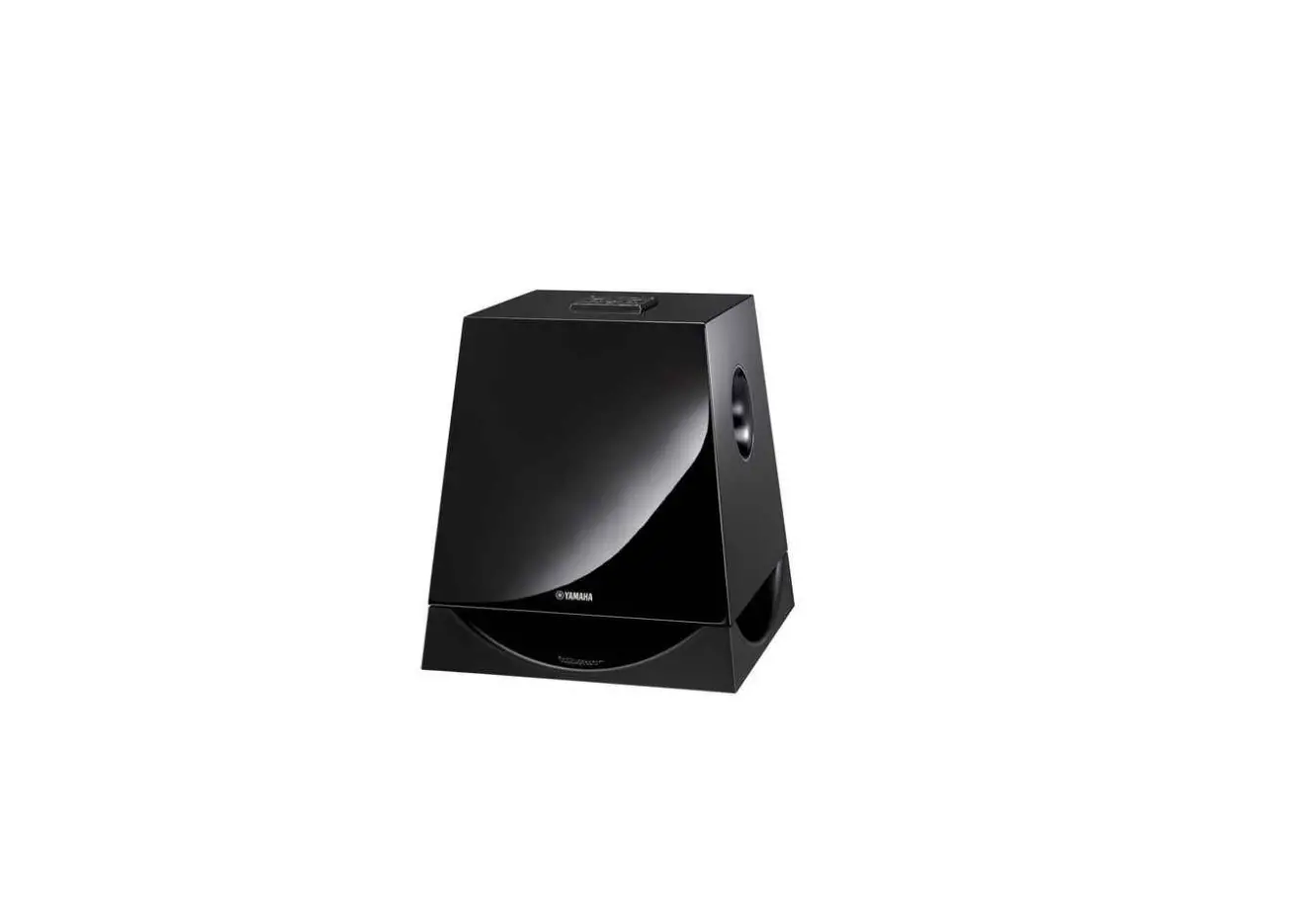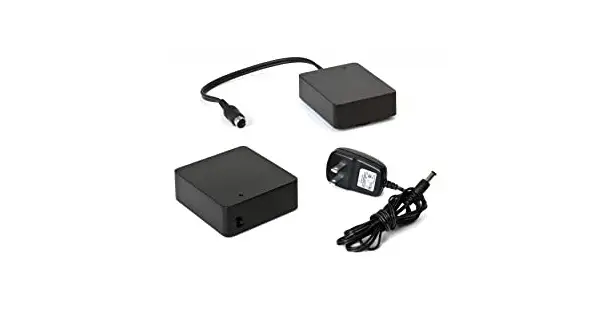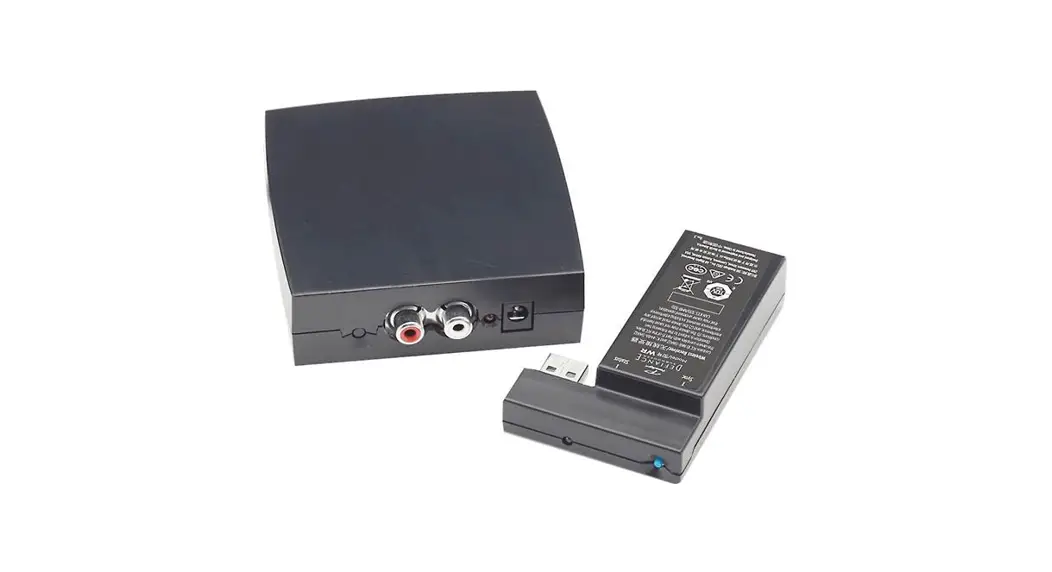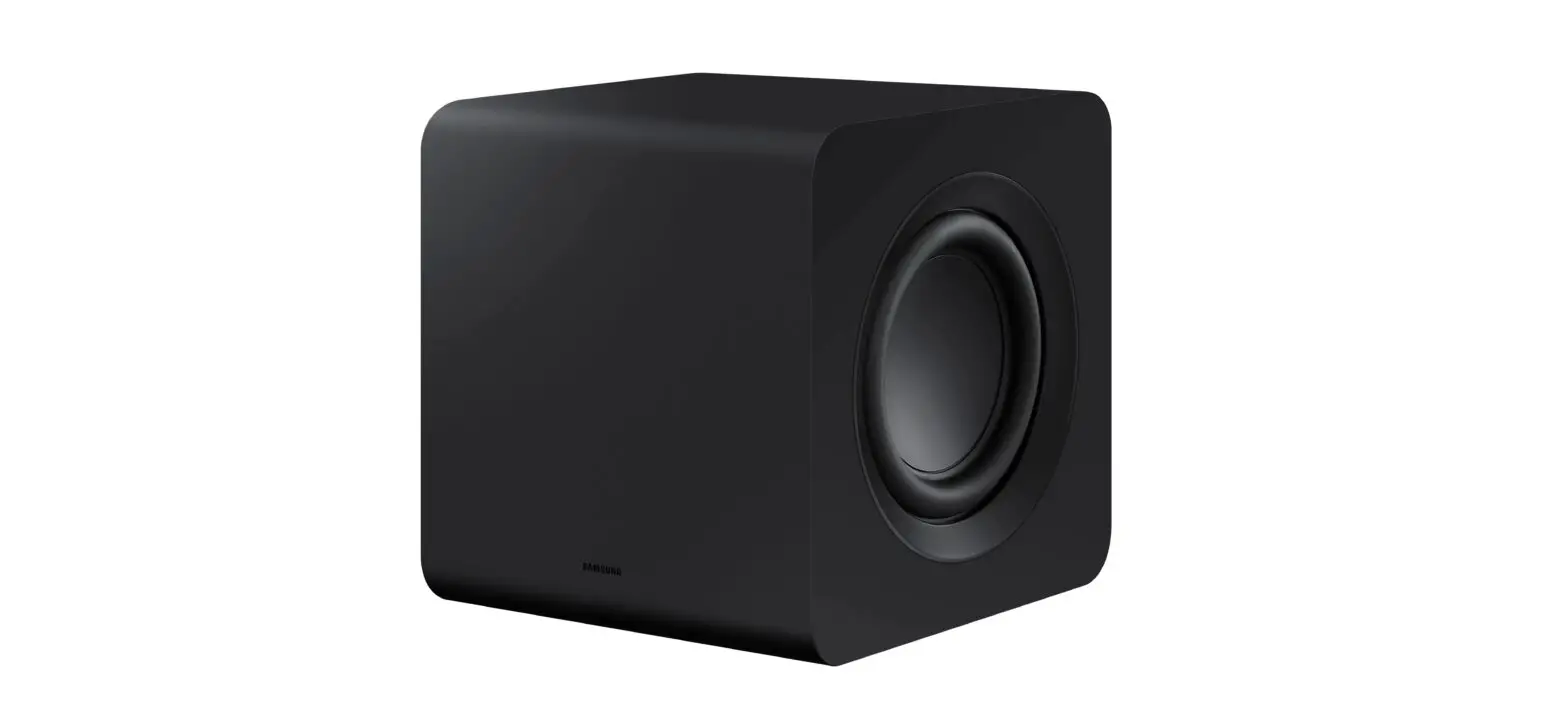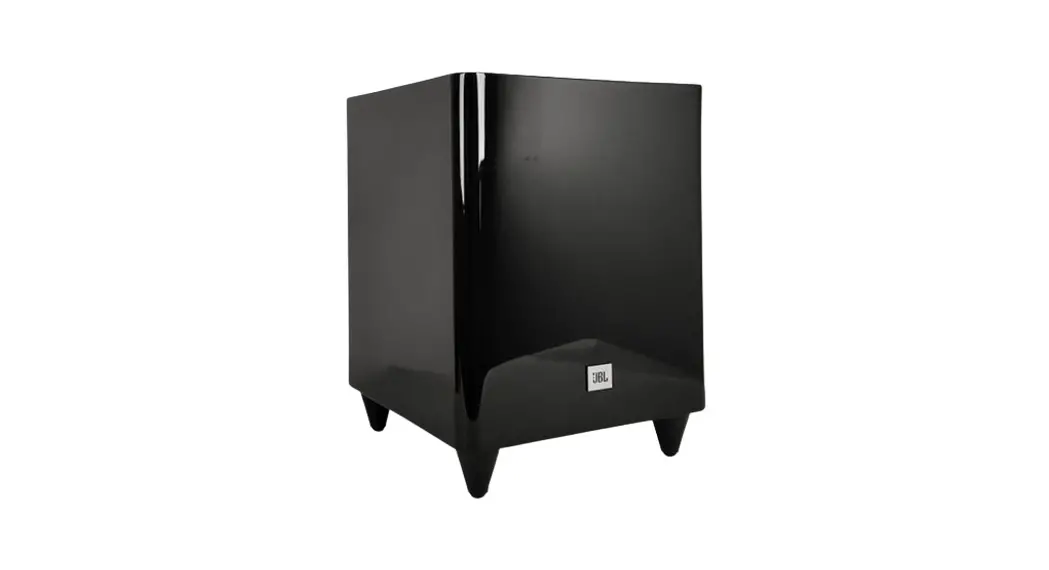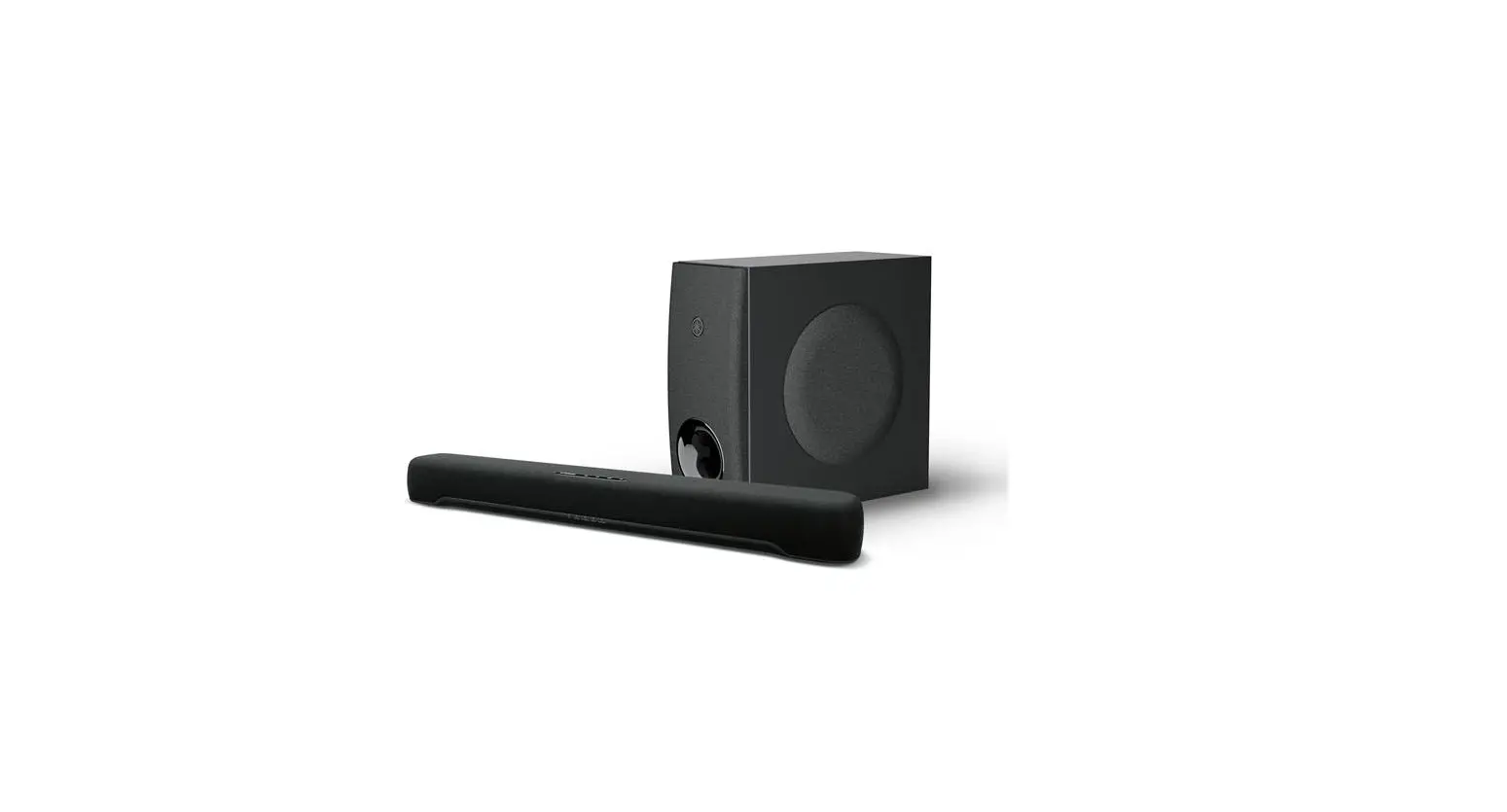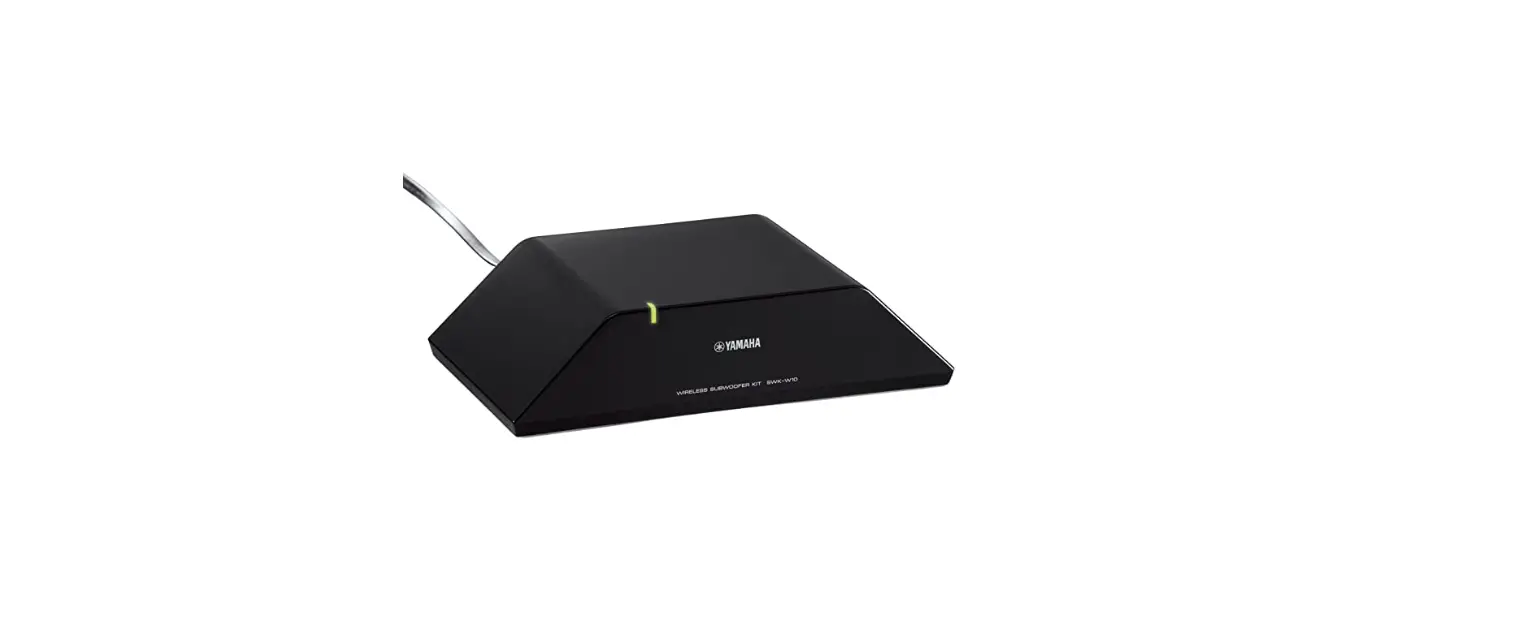

Yamaha SWK-W16 Wireless Subwoofer Kit
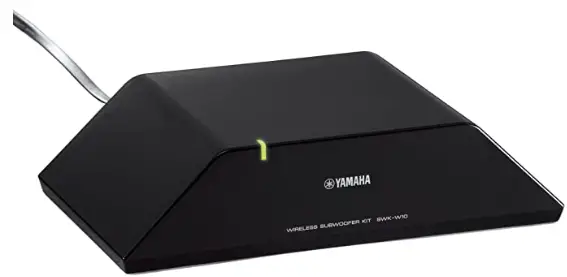
The SWK-W16 is a receiver for subwoofer signals transmitted wirelessly from Yamaha devices that transmit these signals such as the YSP-5600. Connecting the SWK-W16 to a subwoofer with an internal amplifier using a subwoofer cable allows you to enjoy bass sounds received by the subwoofer. In addition, Yamaha subwoofers compatible with the system can be configured to turn on and off at the same time the device that transmits signals is turned on and off.
Signal transmitting devices that can be connected to this unit (as of August, 2015): YSP-5600
- See the Yamaha website for the latest information.
- Other signal-transmitting devices cannot be used.
Check package contents.
Confirm that you have all of the items listed below.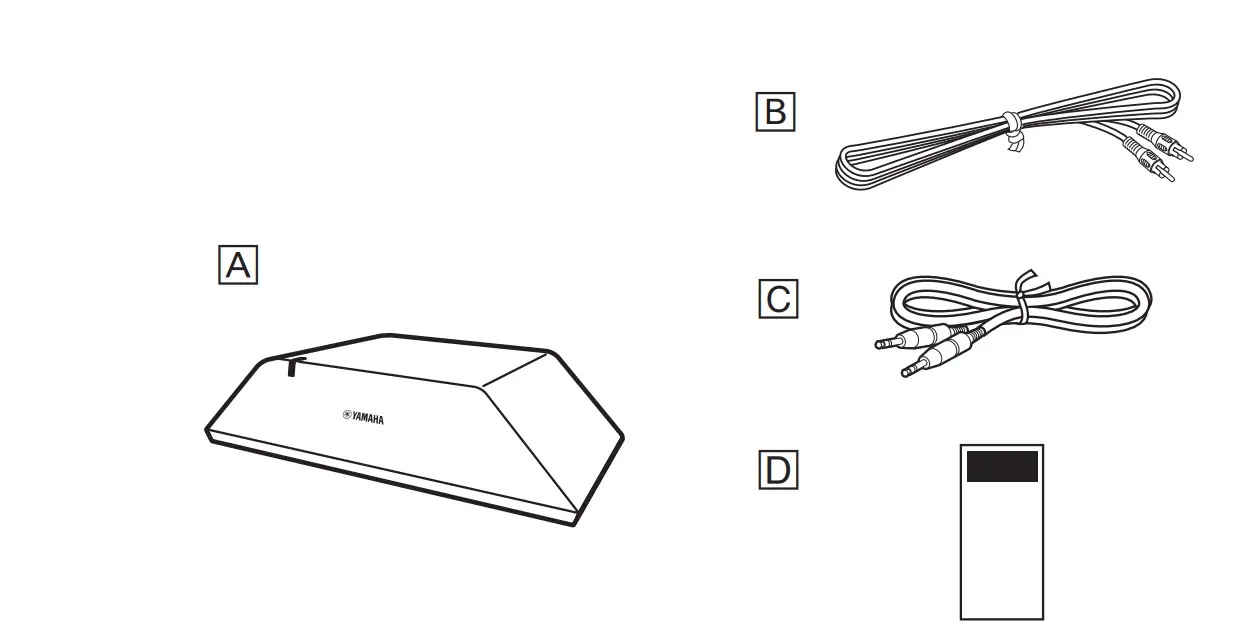
- SWK-W16
- Subwoofer cable (3 m/10 feet)
- System control cable (3 m/10 feet)
- Owner’s Manual (this manual)
Install the unit
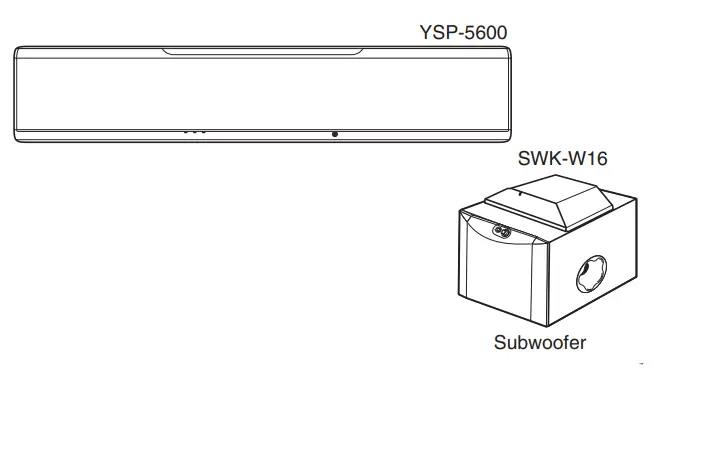
Install the unit on or near the subwoofer. If subwoofer vibrations cause the unit to move when installed on the subwoofer, install it elsewhere or fix it in place so that it does not move.
Connect the cables
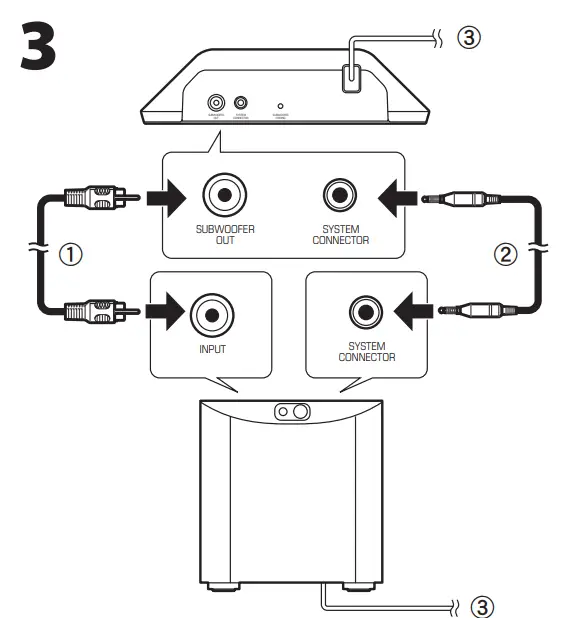
- Connect subwoofer cable B to the unit’s SUBWOOFER OUT jack and the subwoofer’s input jack.
- If the Yamaha subwoofer has a SYSTEM CONNECTOR jack, connect system control cable C to the unit’s SYSTEM CONNECTOR jack and the subwoofer’s SYSTEM CONNECTOR jack.
- When the signal-transmitting device is turned on and off, the subwoofer turns on and off at the same time.
- Plug the power cables for the subwoofer and the unit into an AC wall outlet.
Turn on the subwoofer. Set volume halfway between minimum and maximum, and then set the crossover frequency to the maximum setting.
Turn on the signal-transmitting device
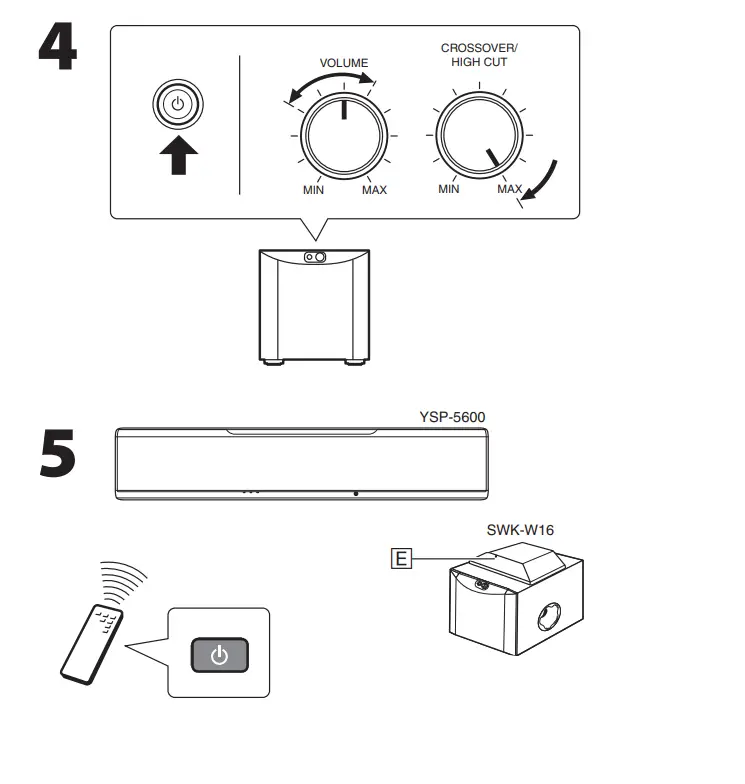
A wireless connection between the unit and signal transmitting device will be established. Status indicator E glows green once the wireless connection is established. The status indicator shows unit status as follows.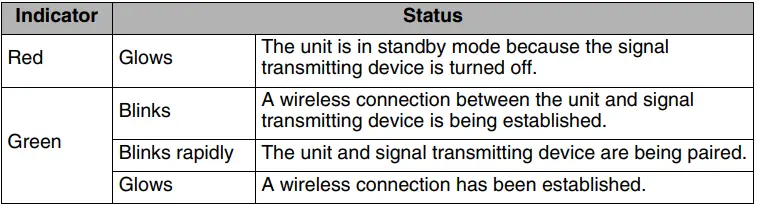
Troubleshooting
Check the following if the unit does not function properly. See the troubleshooting section of documentation supplied with the signal transmitting device for additional information. If the problem persists, or you are experiencing a problem not included in the following, contact your nearest authorized Yamaha dealer or service center.
The status indicator flashes green or glows red, and no sound is coming from the subwoofer.
The unit and device are too far apart.
- Move the unit closer to the signal-transmitting device.
Obstacles such as metal furniture are interfering with communication between the signal-transmitting device and the unit. - Rearrange obstacles or the unit.
Electromagnetic waves emitted from devices such as microwave ovens or wireless network devices are interfering with wireless communication. - Move the unit away from devices that emit electromagnetic waves.
The wireless connection is temporarily unstable. - Unplug the unit’s power cable from the AC wall outlet, and then plug it in again.
The status indicator flashes red, and no sound is coming from the subwoofer.
The unit is not paired* with the signal transmitting device.
Move the unit closer to the signal-transmitting device to improve conditions for wireless communications, and then pair it with the signal-transmitting device.
Follow the procedure below when the YSP-5600 is used as the signal-transmitting device.
- Set “Bass Out” for “Subwoofer” in the setup menu to “Front/Wireless”.
- select “Paring” for “Subwoofer” in the setup menu.
- Use a pointed object, such as a ballpoint pen, to press and hold the
SUBWOOFER PAIRING button F on the rear panel of the unit for three seconds.
See the YSP-5600 Owner’s Manual for more information.
The status indicator glows orange, and no sound is coming from the subwoofer.
The unit’s protection circuit has been activated.
- Disconnect the subwoofer and unit power cables from the AC wall outlet and contact your nearest Yamaha dealer or service center to request repair.
The status indicator glows green, but no sound is coming from the subwoofer.
The cables used to connect the subwoofer to the unit are not firmly connected.
- Check cable connections.
The volume is too low. - Increase the volume of the subwoofer.
- Increase the volume of the signal-transmitting device.
The signal-transmitting device and this unit do not turn on and off at the same time.
The subwoofer’s power function setting is not properly configured properly. (The power function setting varies depending upon the subwoofer used. See the documentation supplied with the subwoofer for more information.)
- Turn on the subwoofer manually.
- If a Yamaha subwoofer has been connected via the SYSTEM CONNECTOR jack, configure the subwoofer’s setting so that it turns on/off when the unit is turned on/ off.
- Some subwoofers have a function that turns them on when the transmission of audio signals by the unit is detected and off when no signal is detected, and/or a function that allows you to specify the strength of audio signals detected by the subwoofer. Be sure that these subwoofer functions are properly configured.
Pairing is the process of linking two devices, in this case the unit and a signal transmitting device, for wireless communication.
Specifications
Power supply
- North America model……………………………………………………. AC 120 V, 60 Hz
- Taiwan model …………………………………………………… AC 110-120 V, 50/60 Hz
- Other models……………………………………………………. AC 220-240 V, 50/60 Hz
- Power consumption …………………………………………………………………………….2 W
- Standby power consumption ……………………………………………………………..0.5 W
Output - Audio output (SUBWOOFER OUT/RCA/monaural) ……………………………….. 1
- System control (SYSTEM CONNECTOR/3.5 mm mini-jack/monaural). …….. 1
- Radiofrequency band……………………………………………………………………2.4 GHz
- Transmission range ………………………………..Approx. 10 m (without interference)
- Dimensions (W × D × H) excluding projections………………………………………….210 × 53.5 × 123.5 mm (8-1/4 x 2-1/8 x 4-7/8 in.)
- Weight…………………………………………………………………………… 0.65 kg (1.43 lbs)
Specifications are subject to change without notice.
IMPORTANT SAFETY INSTRUCTIONS
CAUTION
CAUTION: TO REDUCE THE RISK OF ELECTRIC SHOCK, DO NOT REMOVE COVER (OR BACK). NO USER-SERVICEABLE PARTS INSIDE. REFER SERVICING TO QUALIFIED SERVICE PERSONNEL.
Explanation of Graphical Symbols
The lightning flash with arrowhead symbol, within an equilateral triangle, is intended to alert you to the presence of uninsulated “dangerous voltage” within the product’s enclosure that may be of sufficient magnitude to constitute a risk of electric shock to persons.
The exclamation point within an equilateral triangle is intended to alert you to the presence of important operating and maintenance (servicing) instructions in the literature accompanying the appliance.
- Read these instructions.
- Keep these instructions.
- Heed all warnings.
- Follow all instructions.
- Do not use this apparatus near water.
- Clean only with dry cloth.
- Do not block any ventilation openings. Install in accordance with the manufacturer’s instructions.
- Do not install near any heat sources such as radiators, heat registers, stoves, or other apparatus (including amplifiers) that produce heat.
- do not defeat the safety purpose of the polarized or grounding-type plug. A polarized plug has two blades with one wider than the other. A grounding type plug has two blades and a third grounding prong. The wide blade or the third prong are provided for your safety. If the provided plug does not fit into your outlet, consult an electrician for replacement of the obsolete outlet.
- Protect the power cord from being walked on or pinched particularly at plugs, convenience receptacles, and the point where they exit from the apparatus.
- Only use attachments/accessories specified by the manufacturer.
- Use only with the cart, stand, tripod, bracket, or table specified by the manufacturer, or sold with the apparatus. When a cart is used, use caution when moving the cart/apparatus combination to avoid injury from tip-over.
- Unplug this apparatus during lightning storms or when unused for long periods of time.
- Refer all servicing to qualified service personnel. Servicing is required when the apparatus has been damaged in any way, such as power-supply cord or plug is damaged, liquid has been spilled or objects have fallen into the apparatus, the apparatus has been exposed to rain or moisture, does not operate normally, or has been dropped.
CAUTION: READ THIS BEFORE OPERATING YOUR UNIT
- To assure the finest performance, please read this manual carefully. Keep it in a safe place for future reference.
- Install this sound system in a well ventilated, cool, dry, clean place – away from direct sunlight, heat sources, vibration, dust, moisture, and/or cold. For proper ventilation, allow the following minimum clearances.
Top: 5 cm, Rear: 5 cm, Sides: 5 cm - Locate this unit away from other electrical appliances, motors, or transformers to avoid humming sounds.
- Do not expose this unit to sudden temperature changes from cold to hot, and do not locate this unit in an environment with high humidity (i.e. a room with a humidifier) to prevent condensation inside this unit, which may cause an electrical shock, fire, damage to this unit, and/or personal injury.
- Avoid installing this unit where foreign object may fall onto this unit and/or this unit may be exposed to liquid dripping or splashing. On the top of this unit, do not place:
- Other components, as they may cause damage and/or discoloration on the surface of this unit.
- Burning objects (i.e. candles), as they may cause fire, damage to this unit, and/or personal injury.
- Containers with liquid in them, as they may fall and liquid may cause electrical shock to the user and/or damage to this unit.
- Do not cover this unit with a newspaper, tablecloth, curtain, etc. in order not to obstruct heat radiation. If the temperature inside this unit rises, it may cause fire, damage to this unit, and/or personal injury.
- Do not plug in this unit to a wall outlet until all connections are complete.
- Do not operate this unit upside-down. It may overheat, possibly causing damage.
- Do not use force on switches, knobs and/or cords.
- When disconnecting the power cable from the wall outlet, grasp the plug; do not pull the cable.
- Do not clean this unit with chemical solvents; this might damage the finish. Use a clean, dry cloth.
- Only voltage specified on this unit must be used. Using this unit with a higher voltage than specified is dangerous and may cause fire, damage to this unit, and/or personal injury. Yamaha will not be held responsible for any damage resulting from use of this unit with a voltage other than specified.
- To prevent damage by lightning, keep the power cable and outdoor antennas disconnected from a wall outlet or this unit during a lightning storm.
- Do not attempt to modify or fix this unit. Contact qualified Yamaha service personnel when any service is needed. The cabinet should never be opened for any reasons.
- When not planning to use this unit for long periods of time (i.e. vacation), disconnect the AC power plug from the wall outlet.
- Be sure to read the “Troubleshooting” section on common operating errors before concluding that this unit is faulty.
- Before moving this unit, disconnect the AC power plug from the wall outlet.
- Condensation will form when the surrounding temperature changes suddenly. Disconnect the power cable from the outlet, then leave this unit alone.
- When using this unit for a long time, this unit may become warm. Turn the power off, then leave this unit alone for cooling.
- Install this unit near the AC outlet and where the AC power plug can be reached easily.
CAUTION: READ THIS BEFORE OPERATING YOUR UNIT.
Even if a subwoofer is not connected to this unit, this unit is not disconnected from the AC power source as long as it is connected to the AC wall outlet. In this state, this unit is designed to consume a very small quantity of power.
WARNING
TO REDUCE THE RISK OF FIRE OR ELECTRIC SHOCK, DO NOT EXPOSE THIS UNIT TO RAIN OR MOISTURE. Do not use this unit within 22 cm (9 inches) of persons with a heart pacemaker implant or defibrillator implant.
Radio waves may affect electro-medical devices.
Do not use this unit near medical devices or inside medical facilities.
The nameplate for SWK-W16 is located on the bottom of the unit.
FCC INFORMATION (for US customers)
IMPORTANT NOTICE:
- DO NOT MODIFY THIS UNIT!
This product, when installed as indicated in the instructions contained in this manual, meets FCC requirements. Modifications not expressly approved by Yamaha may void your authority, granted by the FCC, to use the product. - When connecting this product to accessories and/or another product use only high quality shielded cables. Cable/s supplied with this product MUST be used. Follow all installation instructions. Failure to follow instructions could void your FCC authorization to use this product in the USA.
- NOTE: This product has been tested and found to comply with the requirements listed in FCC Regulations, Part 15 for Class “B” digital devices. Compliance with these requirements provides a reasonable level of assurance that your use of this product in a residential environment will not result in harmful interference with other electronic devices. This equipment generates/uses radio frequencies and, if not installed and used according to the instructions found in the users manual, may cause interference harmful to the operation of other electronic devices.
Compliance with FCC regulations does not guarantee that interference will not occur in all installations. If this product is found to be the source of interference, which can be determined by turning the unit “OFF” and “ON”, please try to eliminate the problem by using one of the following measures:
- Relocate either this product or the device that is being affected by the interference.
- Utilize power outlets that are on different branch (circuit breaker or fuse) circuits or install AC line filter/s.
- In the case of radio or TV interference, relocate/reorient the antenna. If the antenna lead-in is 300 ohm ribbon lead, change the lead-in to coaxial type cable. If these corrective measures do not produce satisfactory results, please contact the local retailer authorized to distribute this type of product. If you can not locate the appropriate retailer, please contact Yamaha Corporation of
America A/V Division, 6600 Orangethorpe Avenue, Buena Park, CA 90620, USA.
The above statements apply ONLY to those products distributed by Yamaha Corporation of America or its subsidiaries.
This device complies with Part 15 of FCC Rules and Industry Canada licence-exempt RSS standard(s).
Operation is subject to the following two conditions:
- this device may not cause harmful interference, and
- this device must accept any interference received including interference that may cause undesired operation.
See the “Troubleshooting” section at the end of this manual if interference to radio reception is suspected.
NOTICE
This equipment has been tested and found to comply with the limits for a Class B digital device, pursuant to part 15 of the FCC Rules. These limits are designed to provide reasonable protection against harmful interference in a residential installation. This equipment generates, uses and can radiate radio frequency energy and, if not installed and used in accordance with the instructions, may cause harmful interference to radio communications. However, there is no guarantee that interference will not occur in a particular installation. If this equipment does cause harmful interference to radio or television reception, which can be determined by turning the equipment off and on, the user is encouraged to try to correct the interference by one or more of the following measures:
- Reorient or relocate the receiving antenna.
- Increase the separation between the equipment and the receiver.
- Connect the equipment into an outlet on a circuit different from that to which the receiver is connected.
- Consult the dealer or an experienced radio/TV technician for help.
This equipment complies with FCC/IC radiation exposure limits set forth for an uncontrolled environment and meets the FCC radio frequency (RF) Exposure Guidelines and RSS-102 of the IC radio frequency (RF) Exposure rules. This equipment should be installed and operated keeping the radiator at least 20cm or more away from person’s body. This transmitter must not be co-located or operated in conjunction with any other antenna or transmitter.
IMPORTANT
Please record the serial number of this unit in the space below.
MODEL:
Serial No.:
The serial number is located on the rear of the unit. Retain this Owner’s Manual in a safe place for future reference.
FOR CANADIAN CUSTOMERS
To prevent electric shock, match wide blade of plug to wide slot and fully insert.
CAN ICES-3 (B)/NMB-3 (B)
FAQS
Is this compatible with the MusicCast Sound Bar YSP-1600, or only the 5600 sound bar?
You can call Yamaha and ask. I purchased the 5600 and the separate sub woofer and use this so to connect using wifi. This my setup. The soundbar would to support wifi.
Yes. It did for me out of the box. If it doesn’t for you, you may want to check the settings. Enjoy! I sure love my YSP-5600, even better with a powered sub!
It doesn’t matter the sub you use. But you have to use Yamaha receivers and sound bars that has wireless sub capability.
CONNECT TO POWER SUPPLYTO YAMAHA SUBWOOFER SW 400
If the receiver has wireless sub output that can sync with this unit.
It will work with any subwoofer with analog unbalanced line input.
HAS WORKED WELL AT 15 METERS
Terrible product! Very problematic with even worse customer support and manuals provided! AVOID at all costs!
110v & it works perfectly.
Look at the specs, if it has wireless sub capability then it will.
I’m certain that it will, but the question you need to answer is will it communicate with the audio source, sound bar or ??
Yes. It did for me out of the box. If it doesn’t for you, you may want to check the settings. Enjoy! I sure love my YSP-5600, even better with a powered sub!
It doesn’t matter the sub you use. But you have to use Yamaha receivers and sound bars that has wireless sub capability.
Please verify for yourself, but it looks to me like there is a North American model that is 110v; there is a separate model for Taiwan and a separate model for other countries running 220-240v. I found this information in the user manual, which you can access from the Amazon site.
yes