Topsung
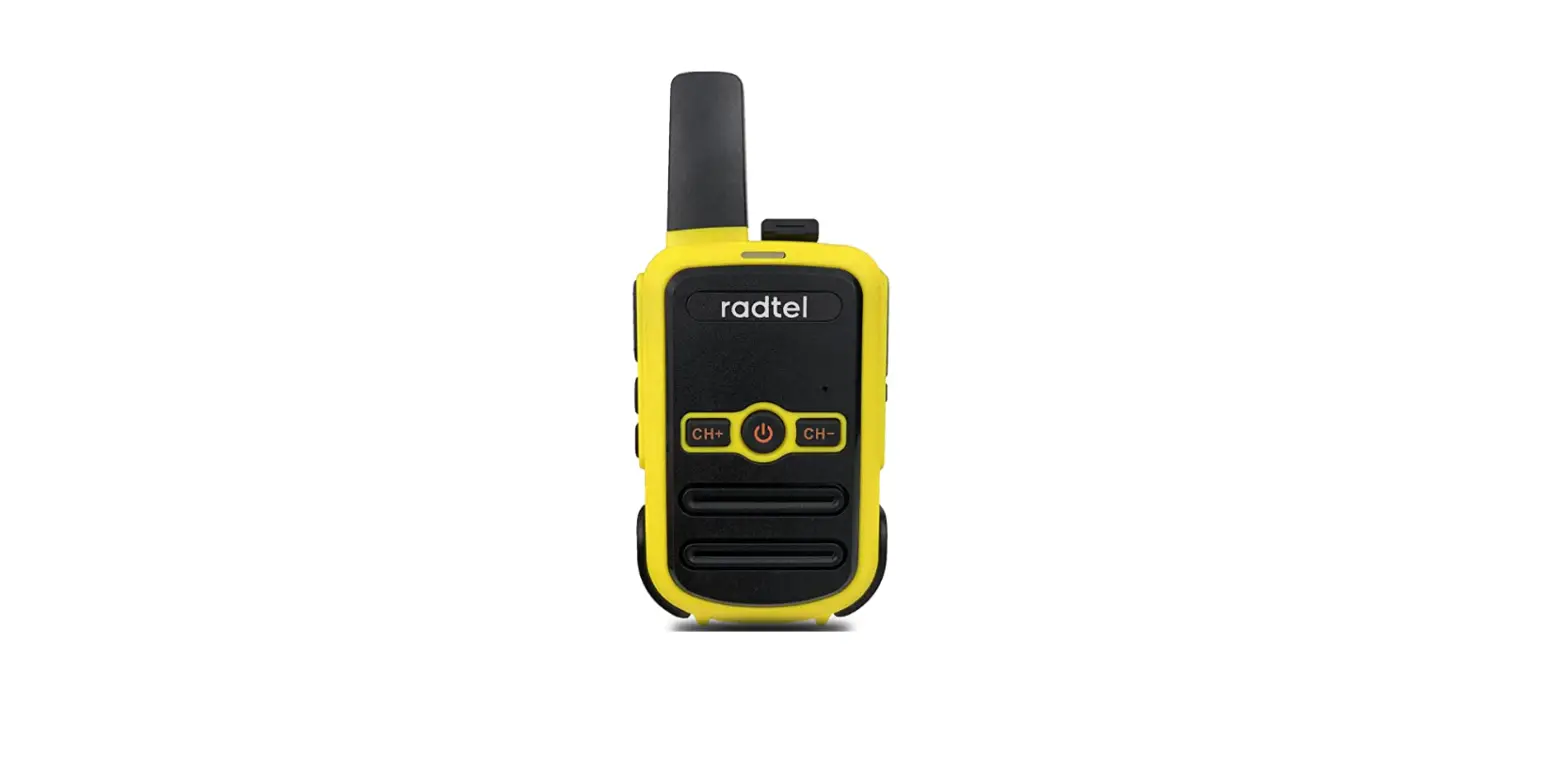
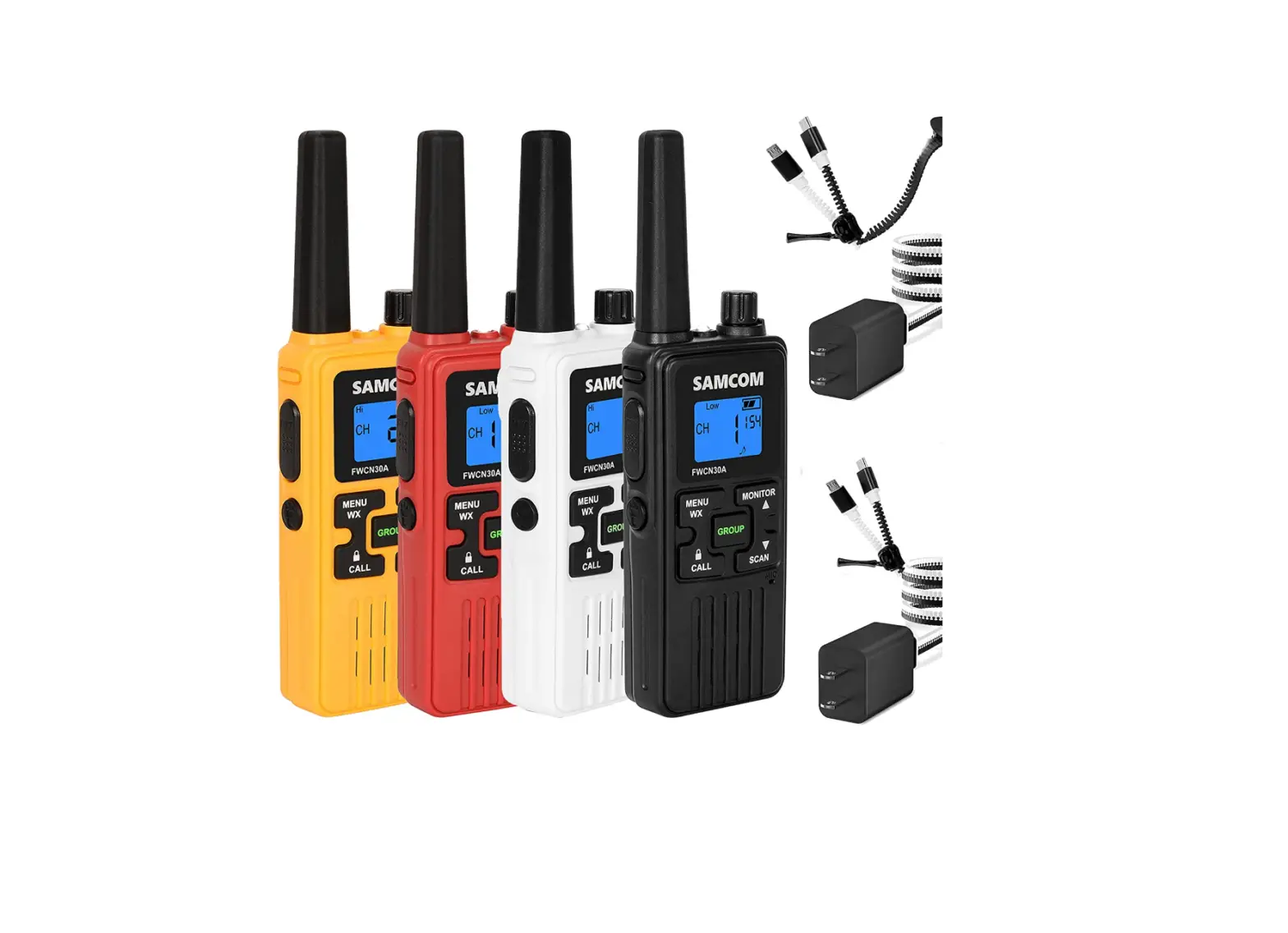
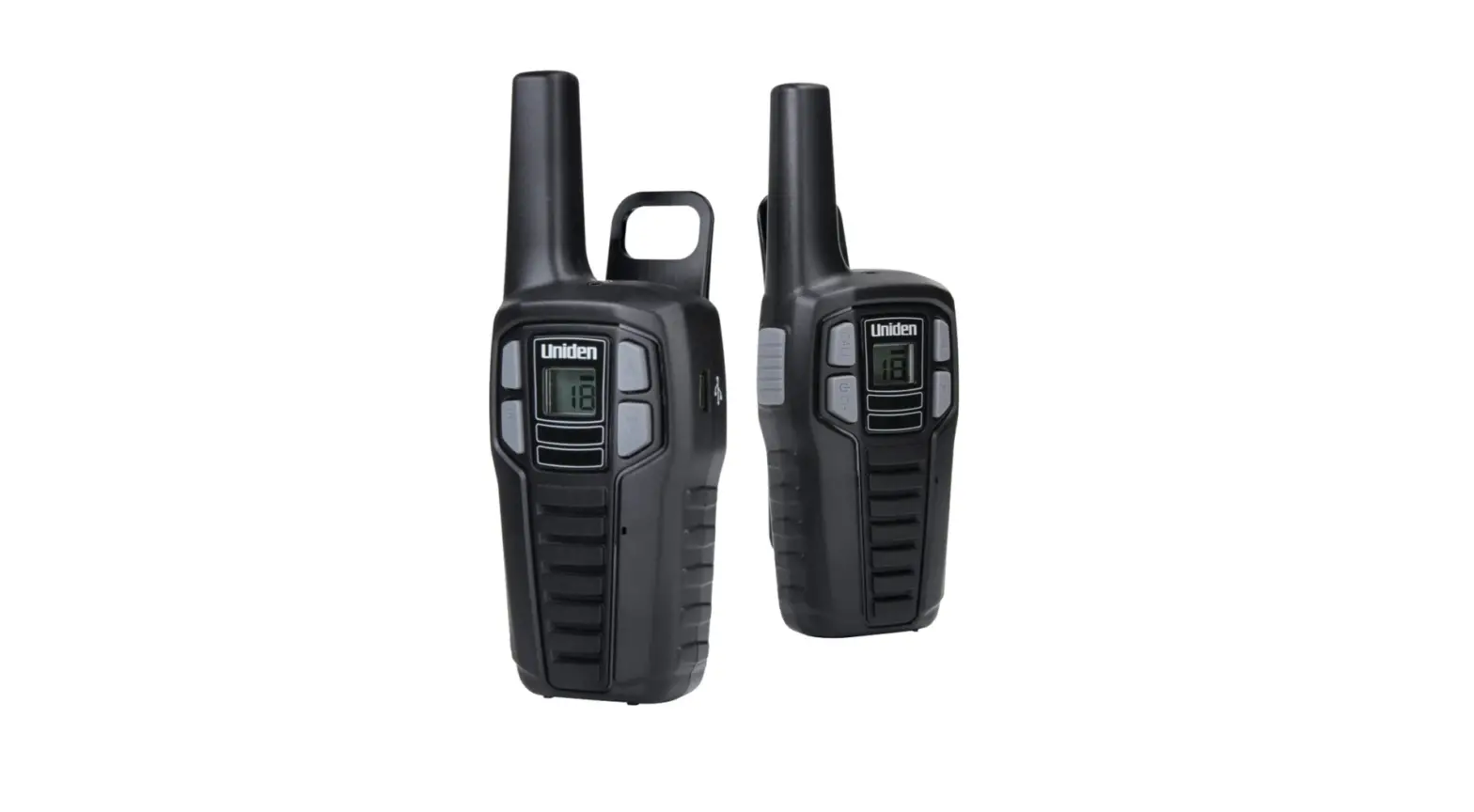
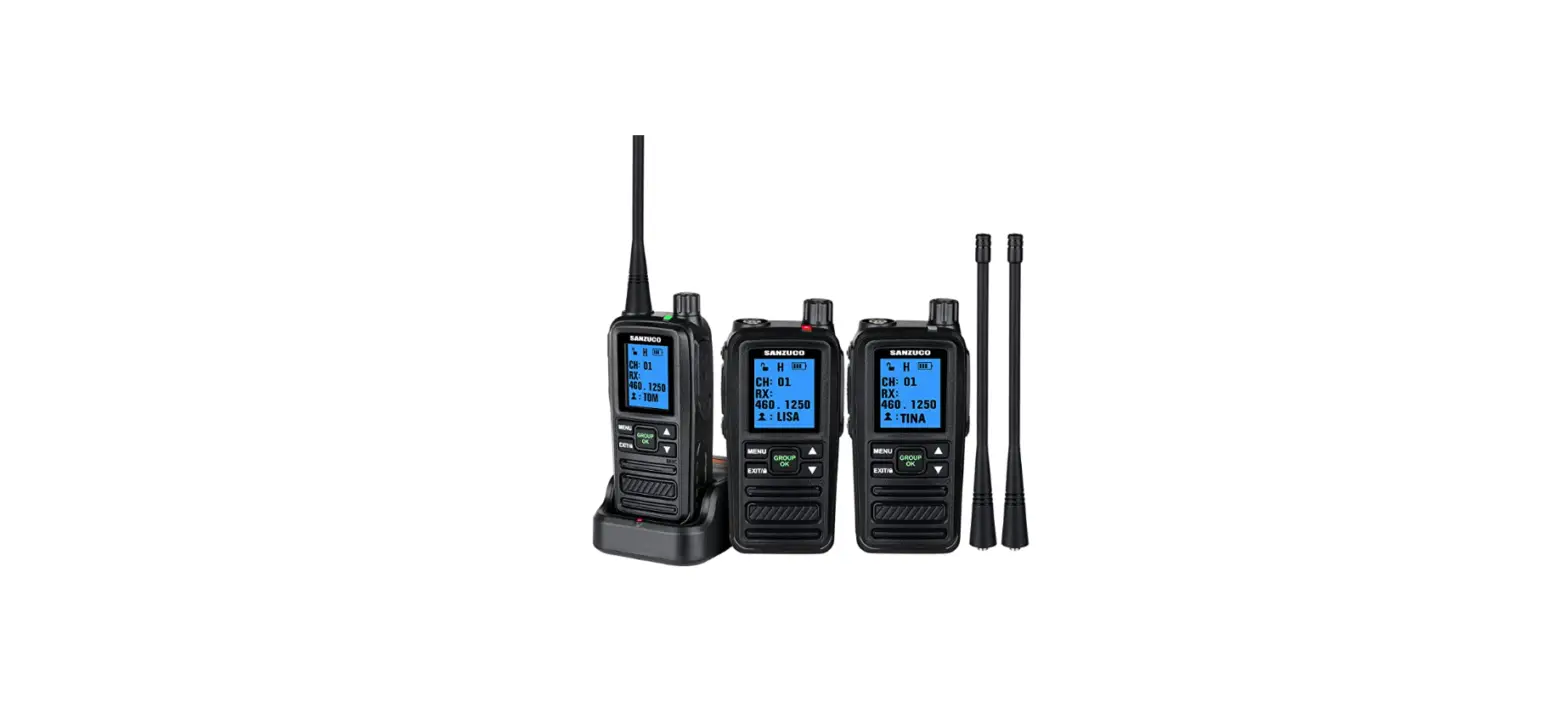
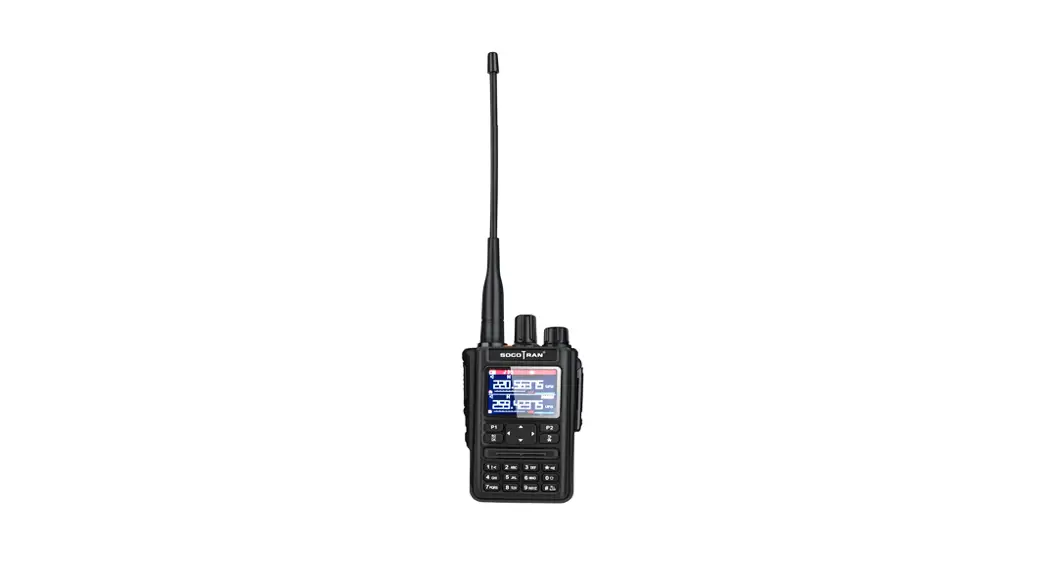
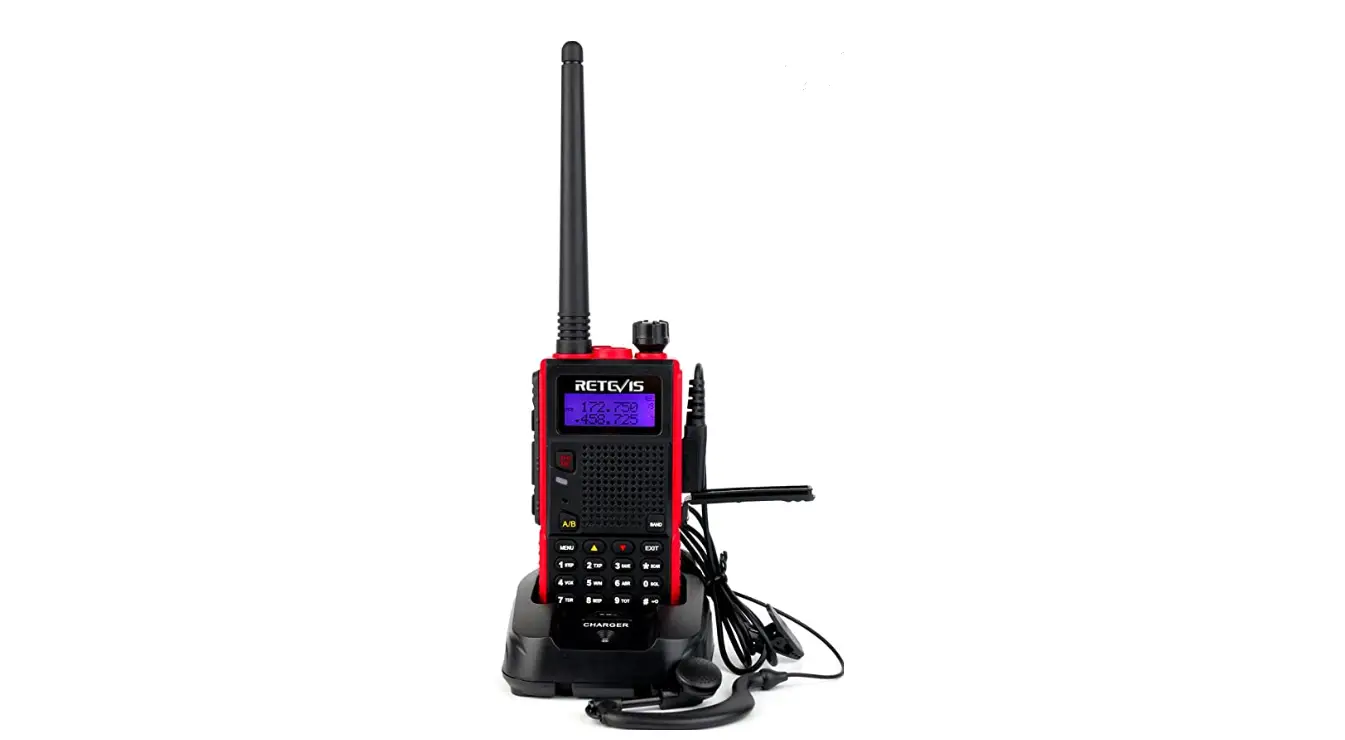
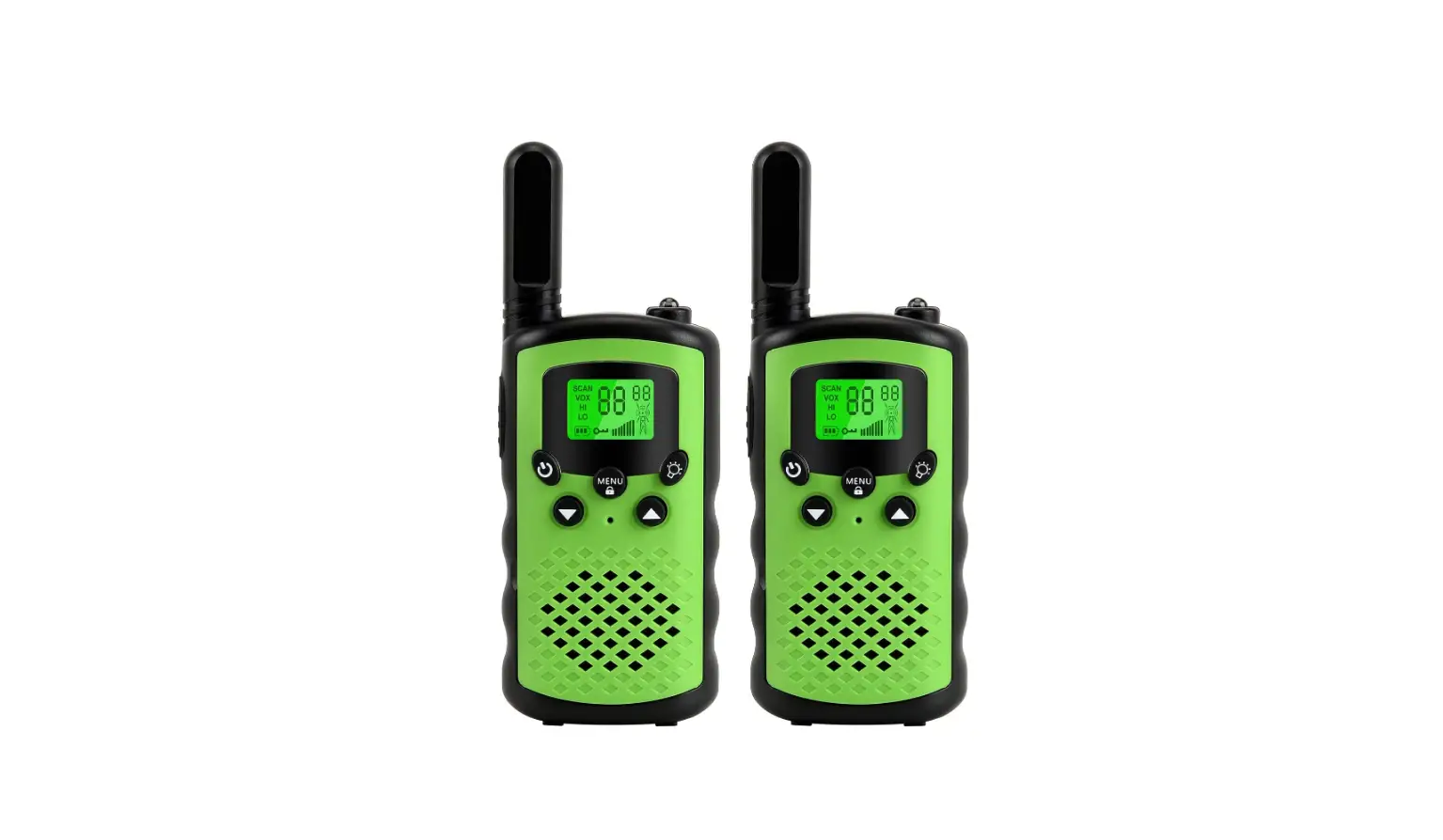
Topsung Walky Talky Long Range 2-Way Radio
CAUTION
Read this operating instruction carefully before using your two way radio, including the part on Product Safety and Important Notice.
PRODUCT OVERVIEW
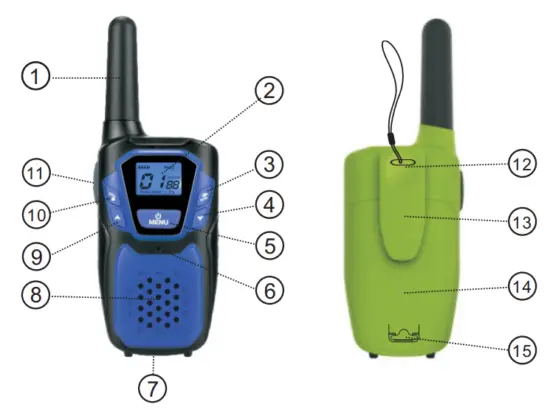
- Antenna
- Backlit LCD Display
- NOAA/Scan Button
- Down Button
- Menu/Power Button
- 6. Microphone
- External Speaker/ Microphone/Charge Jack
- Speaker
- Up Button
- Call/Lock Button
- PTT(Pull to talk) Button
- W rist Strap Connection
- Belt Clip
- Battery Compartment
- Battery Door Latch
Features
- 22 Channels
- 10 Channel NOAA All Hazards Radio
- Weather Alert
- 121 Privacy Codes (38 CTCSS codes/83 DCS codes)
- Hands-Free Operation (VOX)
- Scan Channels, privacy codes
- Backlit LCD Display
- Call Alert Ten selectable tones
- Button Lock
- Speaker/Microphone/Jack/Charge Jack
- Roger Beep Selectable On/Off
- Battery/Power Saver
- Keystroke Tones
- Battery Level Indicator
- Low Battery Audible Alert
- Auto Squelch
- Belt Clip
Backlit LCD Display
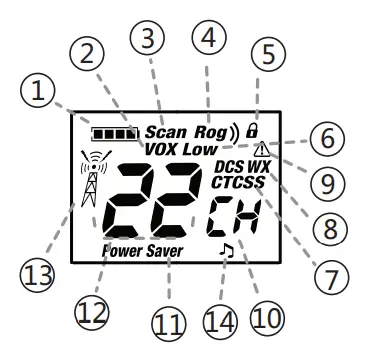
- Battery Level Indicator
- VOX Icon
- Scan Icon
- Roger Beep Icon
- Lock Icon
- Low Power Icon
- DCS/CTCSS Icons
- Weather Icon
- Weather Alert Icon
- DCS/CTCSS Privacy Code Numbers
- Power Saver Icon
- Channel Numbers
- Receive/Transmit Icon
- Key Tone Icon
Maximum range may vary and is based on unobstructed line-of-sight communication under ideal conditions.
Product Features
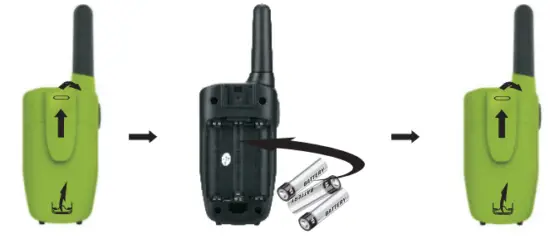
Installing Batteries
To install or replace batteries:
- Remove the belt clip by pulling the tab and sliding it up.
- Pull the battery door lock tab up to release the battery cover. Insert 3 “AA” batteries.
- Put the battery cover back into place. Snap the lock tab and belt clip back into place.
IMPORTANT
- Do not mix old and new batteries
- Do not mix alkaline, standard (carbon-zinc), or rechargeable (nickel-cadmium) batteries.

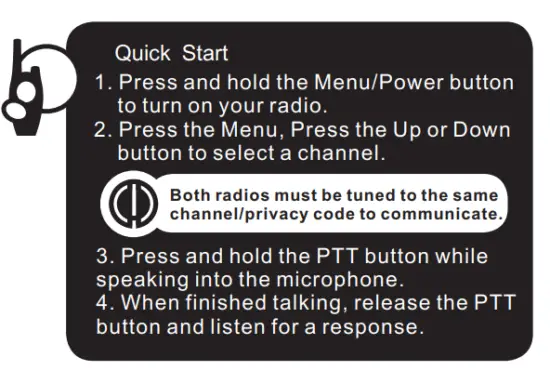
Quick Start
Turning on Your Radio
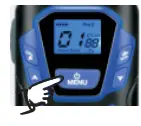
Press and hold the Menu/Power button until you hear a series of audible tones indicating the radio is on. Your radio is now in Standby mode, ready to receive transmissions. The radio is always in Standby mode except when the PTT, Call or Menu/Power buttons are pressed.
Battery Low
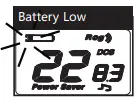
When battery power is low, the final bar in the Battery Low icon will blink and an audible tone will sound twice before the radio shuts off. Your batteries should be replaced or recharged if using rechargeable batteries.
The radio will display a flashing battery icon while charging.
For charging radios (Adapter /Batteries: Just for batteries and adapter packaging option)
- To charge a single radio, simply insert the connector directly into the charge jack located on the bottom of the radio.
The radio will display a flashing battery icon while charging. Recommends your radio be turned off while being charged.
Auto Battery Save
If there are no transmissions within 3 seconds, the radio will automatically switch to Battery Save mode and the Power Saver icon will display. This will not affect the radio’s ability to receive incoming transmissions.
Communicating with Another Person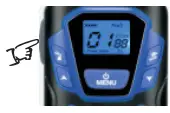
- Press and hold the PTT button.
- With the microphone about two inches (2.5-5 cm) from your mouth, speak in a normal voice.
- Release the PTT button when you are finished talking and listen for a response.
You cannot receive incoming calls while pressing the PTT button.
Both radios must be tuned to the same channel/privacy code to communicate.
To Select a Channel 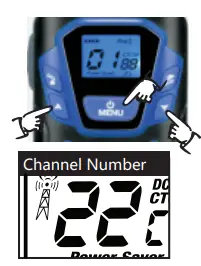
With the radio on, select any of the 22 channels by pressing Menu and the Up or Down button.
Both radios must be tuned to the same channel to communicate.
Listening for a Response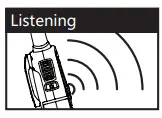
Release the PTT button to receive incoming transmissions. Your radio is always in Standby mode while the PTT or Call buttons are not pressed.
To Adjust Volume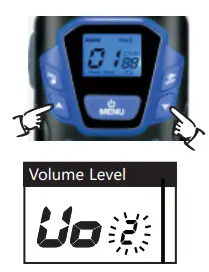
Press the Up or Down button at the standby mode.A double beep sound is used to indicate the minimum and maximum volume levels (1 through 8).
Call Button 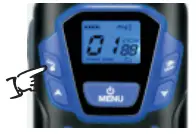
Press and release the Call button.
The other person will hear a two-second call tone. This tone is used only to establish voice communications.See page 8 on how to select between ten call tone settings.
Lock Function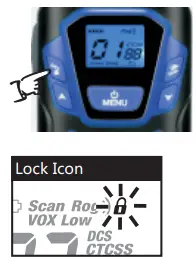
The Lock function locks the Up, Down, Scan and Menu/Power buttons to prevent accidental operation. To turn the lock on or off:
Press and hold the Call/Lock button for two seconds.
A double beep sound is used to confirm your lock on or off request. When in Lock mode,the Lock icon will be displayed.
Scrolling Through the Menu Function
By scrolling through the MENU function, you will be able to select or turn on preferred features of your radio. When scrolling through the Menu function, your radio features will be displayed in the same predetermined order: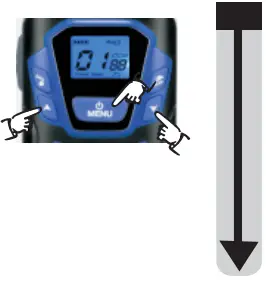
Privacy Codes
Your radio incorporates two advanced coded squelch systems that can help to reduce interference from other users on any given channel. CTCSS (Continuous Tone Coded Squelch System) provides 38 privacy codes and DCS (Digitally Coded Squelch) provides 83 privacy codes. This provides a total of 121 Privacy Codes. Either system can be used on all channels, but both systems cannot be used on the same channel at the same time.
To successfully communicate using a privacy code, both the sending and receiving radios must be tuned to the same channel and to the same privacy code system (CTCSS or DCS) and privacy code number. Each channel will remember the last privacy code system and number you select. The privacy code 00 is not a privacy code, but allows all signals to be heard on a channel that is set to 00 on both the CTCSS and DCS systems.
Set CTCSS Privacy Codes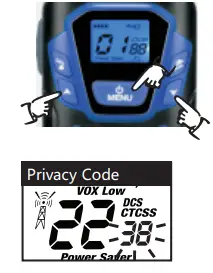
To select a CTCSS privacy code:
- After selecting a channel, press the Menu/Power button until the CTCSS icon appears and the small numbers next to the channel number flash on the display.
- Press using the Up or Down button to select a privacy code. You can hold the Up or Down button for fast advance.
- When your desired CTCSS privacy code is displayed, choose one of the following:
- Press the Menu/Power button to enter the new setting and proceed to other functions.
- Press PTT button to enter the new setting and return to Standby mode.
Set DCS Privacy Codes
To select a DCS privacy code: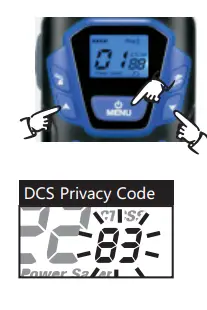
- After selecting a channel, press the Menu/Power button until the DCS icon appears and the small numbers flash on the display (01 through 83).
- Press using the Up or Down button to select a DCS privacy code. You can hold the Up or Down button for fast advance.
- When DCS privacy code is displayed, choose one of the following:
- Press the Menu/Power button to enter the new setting and proceed to other functions.
- Press PTT button to enter the new setting and return to Standby mode.
Voice Activated Transmit (VOX)
In VOX mode, your radio can be used “hands-free,” automatically transmitting when you speak. You can set the VOX sensitivity level to fit the volume of your voice and avoid transmissions triggered by background noise.
To turn VOX mode on/off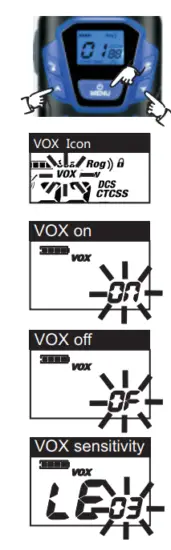
- Press the Menu/Power button until the VOX icon on the display.
- Press the Up or Down button to turn VOX On. The current “0N” setting is displayed.
- Press the Up or Down button to turn VOX Off. The current “0F” setting is displayed.
Choose one of the following:- Press the Menu/Power button to enter the new setting and proceed to other functions.
- Press PTT button to enter the new setting and return to Standby mode.
The current VOX sensitivity level is displayed with letters “ vox ” and a Number 1 through 3, with Number 3 being the most sensitive level and Number 1 being the least sensitive level.
- Press the Up or Down button to change the setting.
- Choose one of the following:
- Press the Menu/Power button to enter the new setting and proceed to other functions.
- Press PTT button to enter the new setting and return to Standby mode.
Ten Call Tone Settings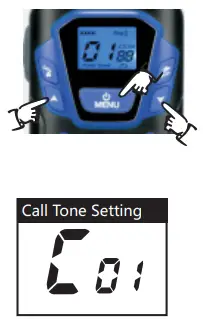
You can choose between ten different Call Tone Settings to transmit a call alert.
To change a call tone setting:
- Press the Menu/Power button until the letter “C” and the current call tone number (01 through 10) are displayed. The current call tone will sound for two seconds.
- Press the Up or Down button to hear the other call tone settings.
- Choose one of the following:
- Press the Menu/Power button to enter the new setting and proceed to other functions.
- Press the PTT button to enter the new setting and return to Standby mode.
Roger Beep Confirmation Tone
Your listener will hear an audible tone when you release the PTT button. This alerts the other party that you are finished talking and it is OK for them to speak.
To turn the roger beep on or off: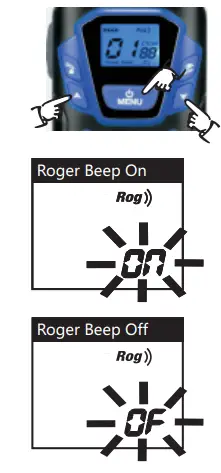
- Press the Menu/Power button until the Roger Beep icon is displayed. The current on or off-setting flashes.
- Press the Up or Down button to select roger beep on or off.
- Choose one of the following:
- Press the Menu/Power button to enter the new setting and proceed to other functions.
- Press the PTT button to enter the new setting and return to Standby mode.
Key Tone On/Off
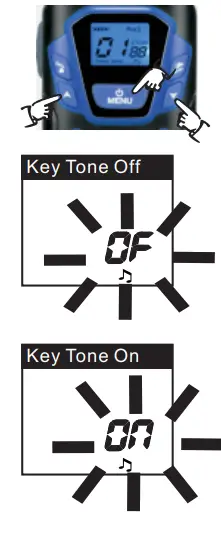
When Key Tone is On, an audible tone will sound each time a button is pressed.
To turn key tone on or off:
- Current key tone status On/Off will flash.
- Press the Up or Down button to select key tone on or off.
- Choose one of the following:
- Press the Menu/Power button to enter the new setting and proceed to other functions.
- Press PTT button to enter the new setting and return to Standby mode.

Channel Scan
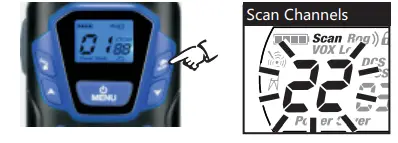
Your radio can automatically scan channels. To scan channels:
- Press and release the Scan button until the Scan icon and the channel numbers appear on the display.
- Press and hold the Scan button to begin scanning channels. The radio ignores specific privacy codes while scanning channels. The Scan icon will continue to be displayed when the scan is on. Your radio will continue to scan all channels and stop if an incoming transmission is detected. Your radio will remain on that channel for 10 seconds.
During scanning (while receiving an incoming transmission), you can choose from the following:- Press and hold the PTT button to communicate on that channel. Your radio will remain on that channel and return to Standby mode.
- Press the Channel Up or Channel Down button to resume scanning channels.
- Press and hold the Scan button to return to Standby.

Privacy Code Scan
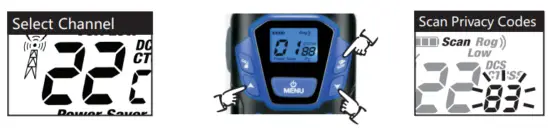
Your radio can automatically scan the Privacy Codes (either CTCSS 01 through 38 or DCS 01 through 83) within one channel. Only one set of privacy codes (CTCSS or DCS) can be scanned at a time.
To scan privacy codes:
- While in Standby mode, press and release the Scan button twice (CTCSS) or three times (DCS) until the CTCSS or DCS icon and numbers are flashing.
- Press and hold the Scan button to begin scanning privacy codes within the selected channel.
The Scan icon will continue to be displayed when the privacy code scan is on. Your radio will continue to scan privacy codes and stop as an incoming transmission is detected. Your radio will remain on that channel/privacy code for 10 seconds.
During scanning (while receiving an incoming transmission), you can choose from the following:- Press and hold the PTT button to communicate on that channel/privacy code. Your radio will remain on that channel/privacy code and return to Standby mode.
- Press the Up or Down button to resume scanning privacy codes. If you do not press any button within 10 seconds, your radio will automatically resume scanning privacy codes.

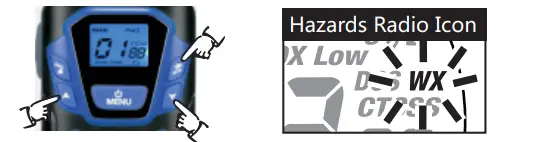
NOAA* All Hazards Radio Channels •
You can use your radio to listen to NOAA All Hazards Radio channels transmitting in your area.
To listen to All Hazards Radio channels:
- Press and hold the NOAA(WX) button until the All Hazards Radio icon and the currently selected All Hazards Radio channel are displayed.
- Use the Up or Down button to change All Hazards Radio channels.
- The All Hazards Radio icon will continue to be displayed when All Hazards Radio is on.
- To exit All Hazards Radio, press and hold the “WX” displayed.
*National Oceanographic and Atmospheric Administration Hazards Radio Icon.
Weather (WX) Alert Mode •
Turning On the Weather Alert function will allow your radio to automatically receive NOAA Hazard Alert radio signals and warnings from designated NOAA broadcast stations. If the radio is turned ON,it will alert to Weather and other emergency alerts broadcast by NOAA.
To turn Weather Alert On or Off
- Press the Menu/Power button until the Weather Alert icon flashes on the display in the NOAA mode. The current On or Off setting is displayed.
- Press the Up and Down button to turn Weather Alert On or Off.
- Press and hold the Menu/Power button again to save the new setting and exit the Weather Alert Mode and return to Standby mode.
This radio is rain resistant to JIS4 standards.
FCC Statement
This equipment has been tested and found to comply with the limits for Part 15 of the FCC rules. These limits are designed to provide reasonable protection against harmful interference in a residential installation. This equipment generates, uses and can radiate radio frequency energy and, if not installed and used in accordance
with the instructions, may cause harmful interference to radio communications.However, there is no guarantee that interference will not occur in a particular installation. If this equipment does cause harmful interference to radio or television reception, which can be determined by turning the equipment off and on,the user is encouraged to try to correct the interference by one or more of the following measures:
- Reorient or relocate the receiving antenna.
- Increase the separation between the equipment and receiver.
- Connect the equipment to an outlet on a circuit different from that to which the receiver is connected.
- Consult the dealer or an experienced radio/TV technician for help.
Any changes or modifications not expressly approved by the party responsible for compliance could void the user’s authority to operate the equipment.
This device complies with part 15 of the FCC Rules. Operation is subject to the condition that this device does not cause harmful interference.
RF Exposure Warning
This equipment must be installed and operated in accordance with provided instructions and must not be co-located or operated in conjunction with any other antenna or transmitter. End-users and installers must be provided with antenna installation instructions and transmitter operating conditions for satisfying RF exposure compliance. The SAR limit adopted by US is 1.6 W/kg averaging over 1 gram of tissue. The highest SAR value for this device type when properly worn on the body is 0.68 W/kg.
FAQS
That happened to the first set we got. Returned them and it happened to the second set. Trashed them both
YES, press the menu button until the “Rog” displayed. change the mode to “OF”. It will close the roger beep.
You need to make sure that they’re on the exact same channel and frequency. If say, three of them are on channel 10 and frequency OF, then the fourth one had to be too, it cannot just be on channel 10, and a different frequency.
No it doesn’t
They were defective when I got them .. so I returned them… I do not know if they are UHF.
It cuts off after a period of nonuse very helpful
The radio is 1W, and it can reach 1 mile,but the range will be affected by terrain,It maybe can reach more in the open area.
These came with a wall charger, however, even after charging them, the batteries are horrible. We can’t even get a consistent hour of time from them. And we have two sets of four. All 8 sets of batteries are worthless. The walkie-talkies are cute and have good audio and range, but pretty worthless if the batteries aren’t dependable. We have had to just put regular nonrecharging batteries in to make them usable.
Probably not. You could yell further…
This walkie-talkie has a vibration function: https://www.amazon.com/Walkie-Talkies-Rechargeable-Walkie-Talkies-Adults/dp/B093PLQJ8Z
Yes you can easy. They have good range, that’s too easy for them.
If all 4 are on the same channel. Then yes everyone would hear.. But if say
2 are on channel 3 and the other 2 are on 4 then no.. but you would have to switch back and forth to talk with everyone..
No, it will destroy the walkie talkie.
The ones I bought came with 4 in the box. The charging cord plugs into a USB charger, and splits out to 3 cords for charging the walkietalkies, so you can only charge 3 at a time.
They are small and cheap enough to be used as toys, but they work well for any limited distance purpose.
Yes. The package include the batteries and charger.
VIDEO