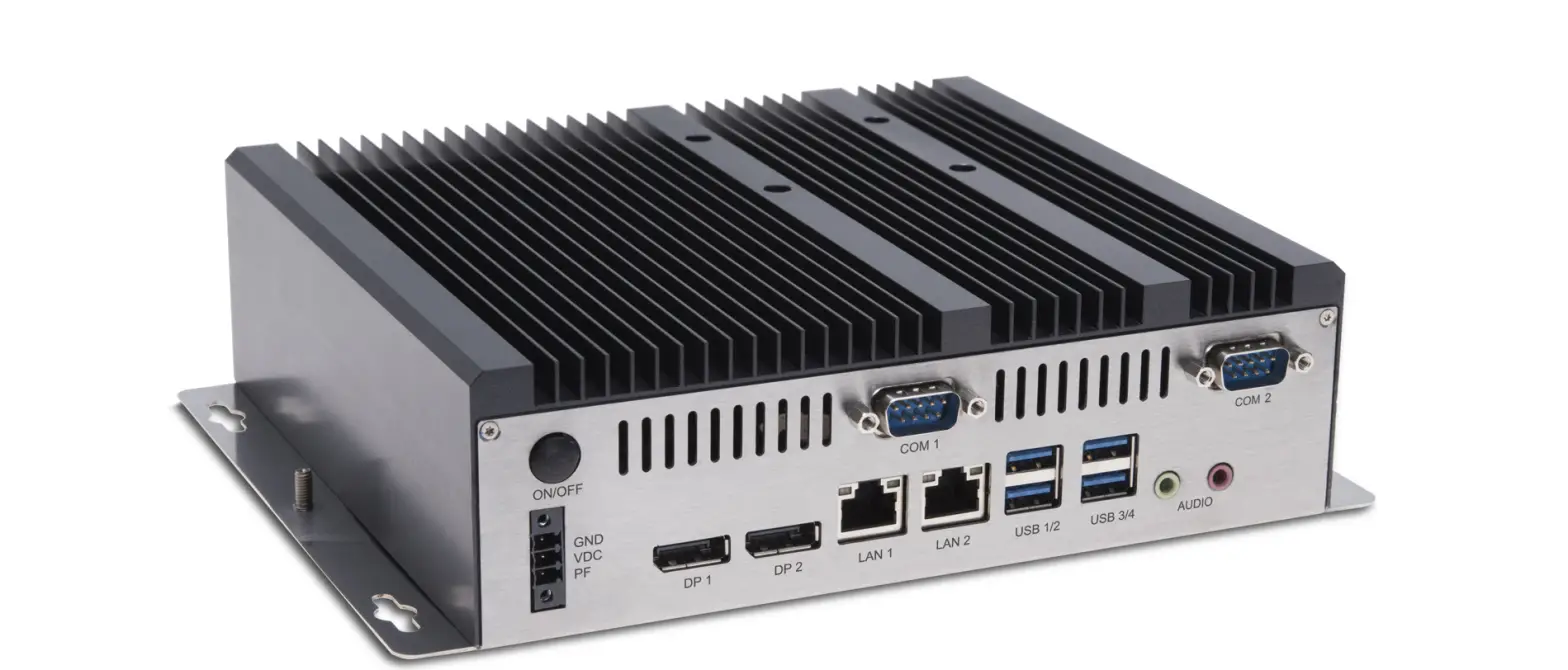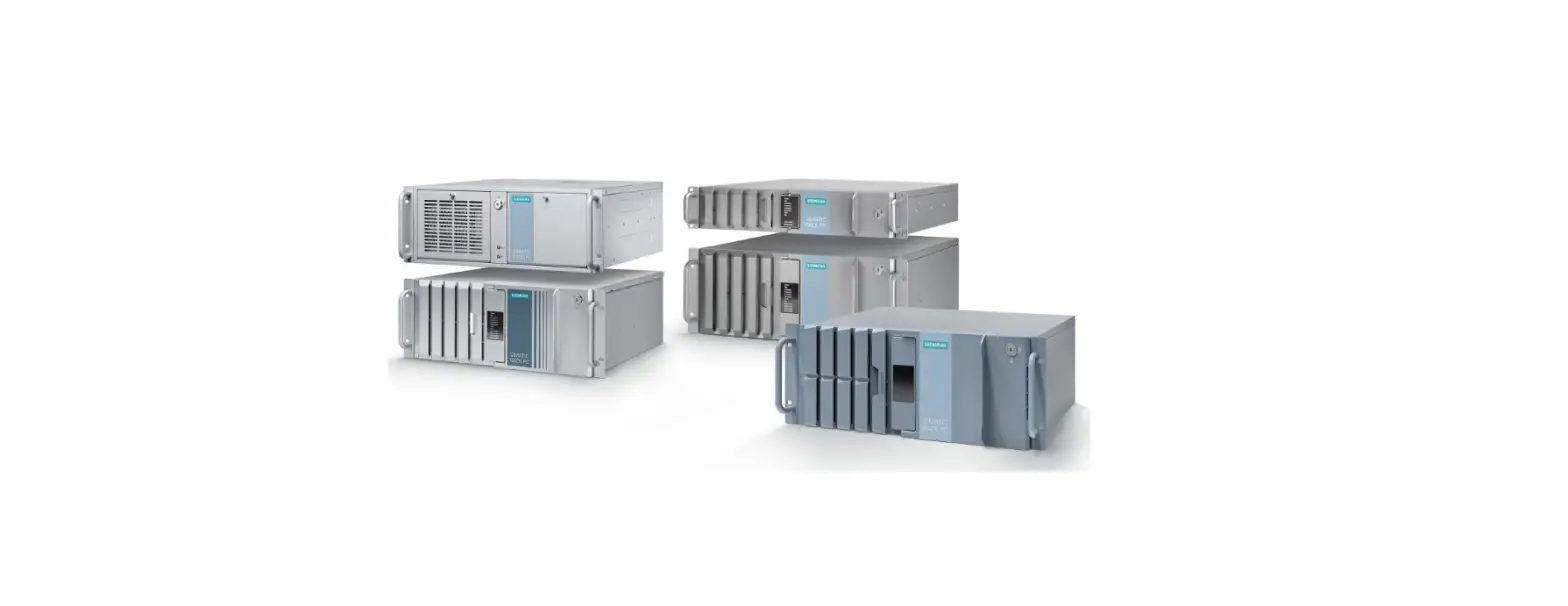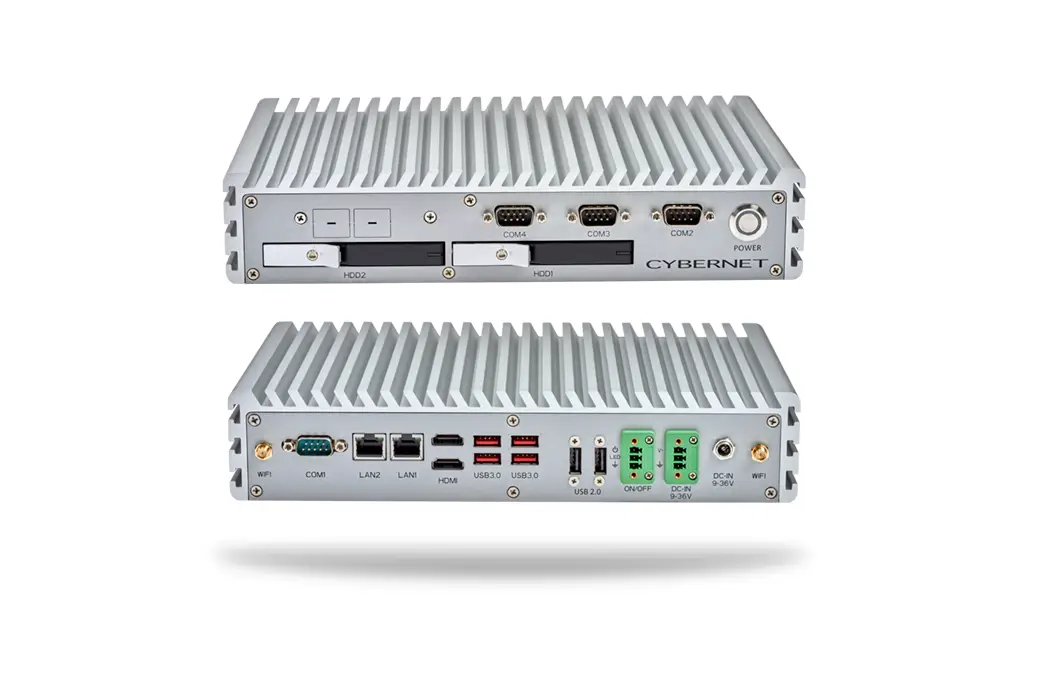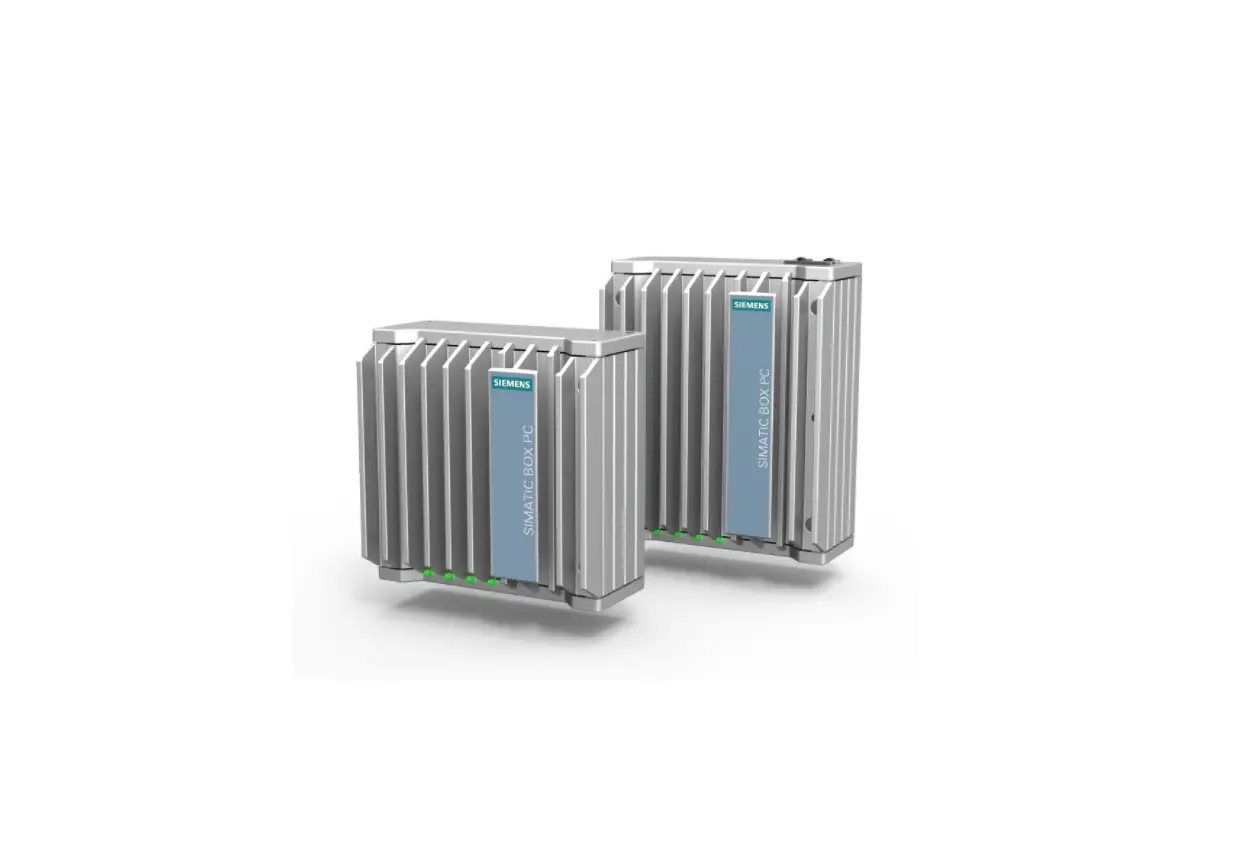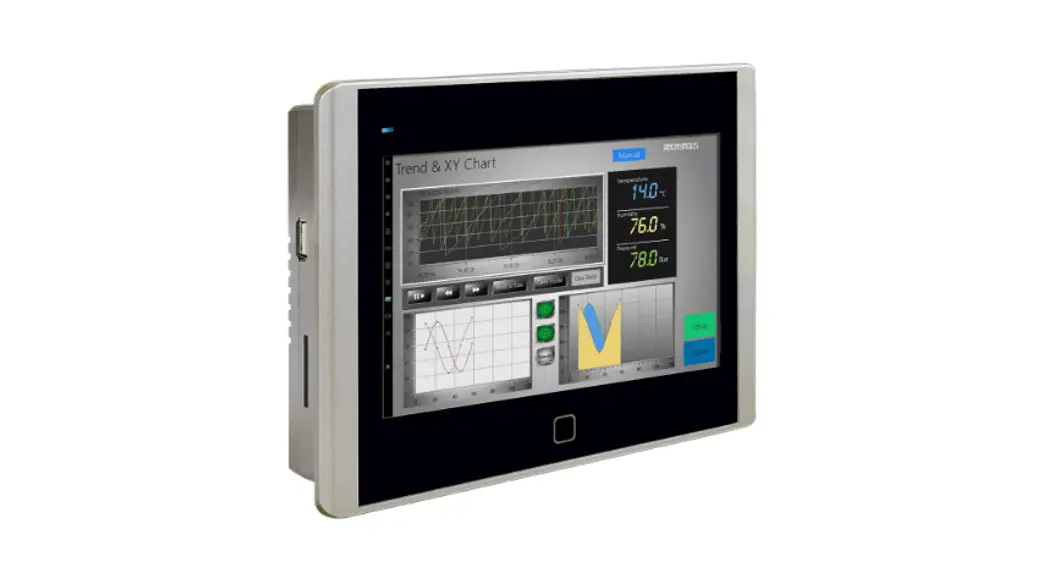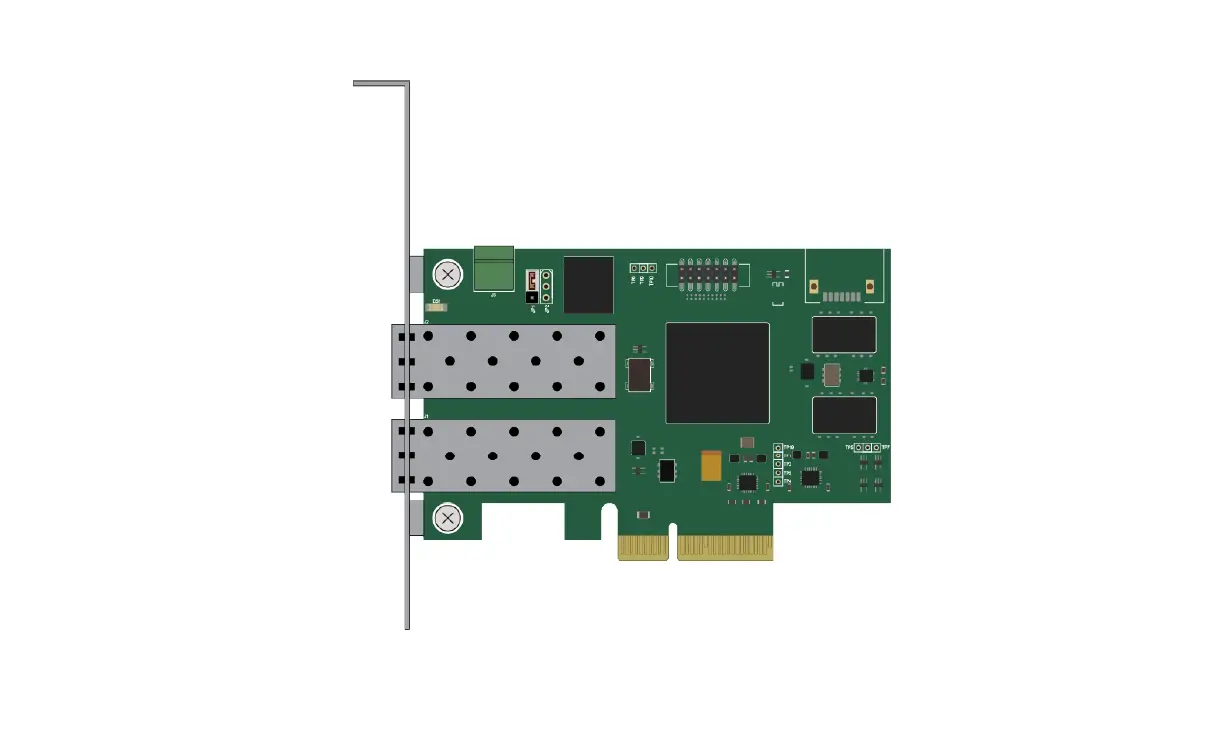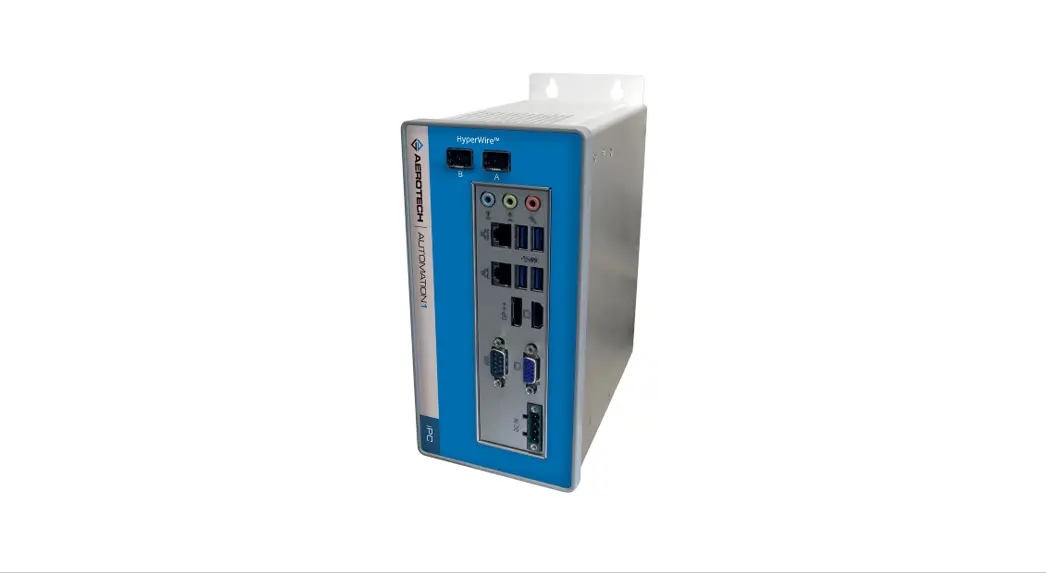

Automation1 IPC Intelligent Industrial PC
HARDWARE MANUAL
Revision 1.02
Automation1 IPC Intelligent Industrial PC
GLOBAL TECHNICAL SUPPORT
Go to the Global Technical Support Portal for information and support about your Aerotech, Inc. products. The website supplies software, product manuals, Help files, training schedules, and PC-to-PC remote technical support. If necessary, you can complete Product Return (RMA) forms and get information about repairs and spare or replacement parts. To get help immediately, contact a serviced office or your sales representative. Include your customer order number in your email or have it available
before you call.
This manual contains proprietary information and may not be reproduced, disclosed, or used in whole or in part without the express written permission of Aerotech, Inc. Product names mentioned herein are used for identification purposes only and may be trademarks of their respective companies.
Copyright © 2020-2021, Aerotech, Inc., All rights reserved.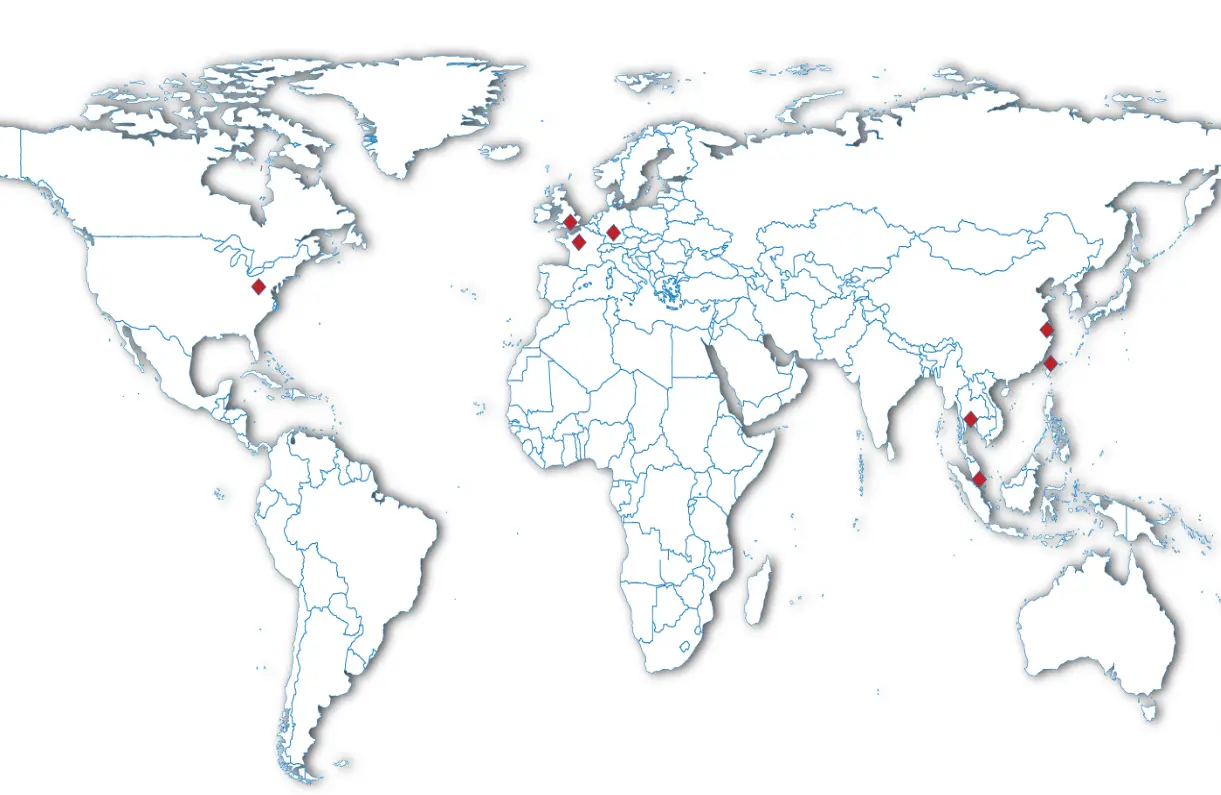
EU Declaration of Conformity
| Manufacturer | Aerotech, Inc. |
| Address | 101 Zeta Drive Pittsburgh, PA 15238-2811 USA |
| Product | Automation1 IPC |
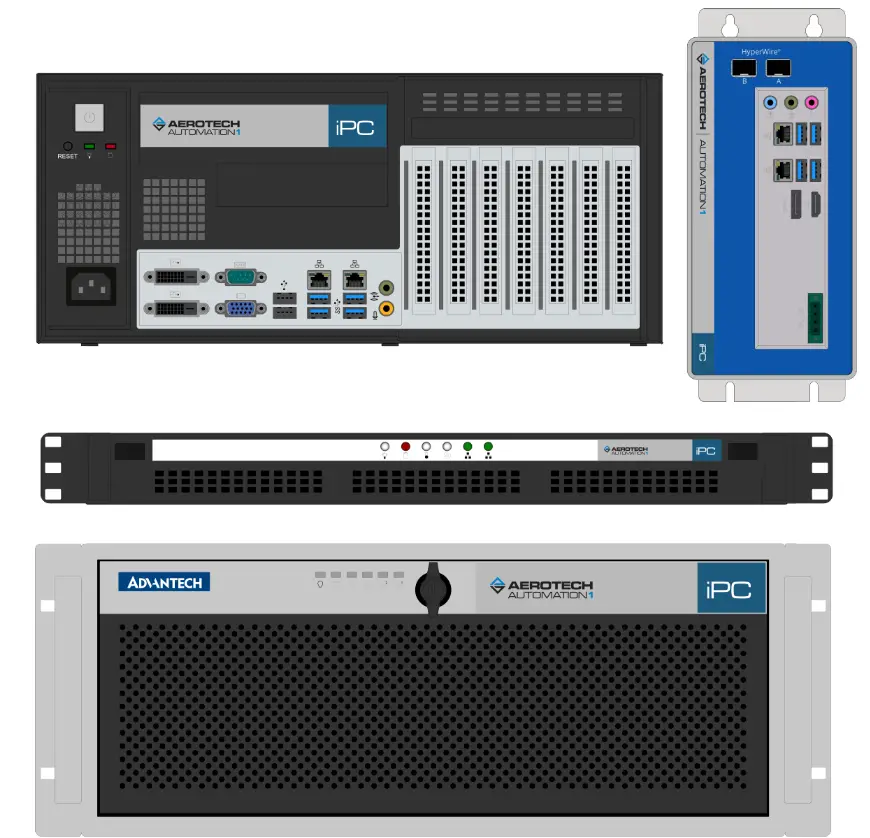
| Model/Types | Control Cabinet PCs: -CC04, -CC05 Desktop PC: -DT01 1U Rack Mounted PC: -R013 4U Rack Mounted PC: -R402 |
This is to certify that the aforementioned product is in accordance with the applicable requirements of the following directive(s):
| 2014/30/EU | Electromagnetic Compatibility (EMC) |
| 2014/35/EU | Low Voltage Directive |
| 2011/65/EU | RoHS 2 Directive |
| EU 2015/863 | Amendment RoHS 3 Directive |
and has been designed to be in conformity with the applicable requirements of the following standard(s) when installed and used in accordance with the manufacturer’s supplied installation instructions.
-CC04/-CC05 (Control Cabinet PCs)
EN 55011: 2009 +A1: 2010 (Group 1, Class A)
EN 55032: 2015 +AC: 2016 (Class A)
CISPR 32: 2015 +COR1: 2016 (Class A)
EN 61000-6-4: 2007 +A1:2011
EN 61000-3-2: 2014 (Class D) / EN 61000-3-3:2013
EN 55024: 2010 +A1: 2015 / EN 61000-6-2: 2005 +AC:2005
EN 61000-4-2:2009 / EN 61000-4-3: 2006 +A1: 2008 +A2: 2010
EN 61000-4-4:2012 / EN 61000-4-5: 2014 / EN 61000-4-6: 2014 +AC:2015
EN 61000-4-8:2010 / EN 61000-4-11:2004
-DT01 (Desktop PC)
EN 55011: 2009 +A1: 2010 (Group 1, Class A)
EN 55032: 2015 +AC: 2016 (Class A)
EN 61000-6-4: 2007 +A1:2011
CISPR 32: 2015 +COR1: 2016 (Class A)
EN 61000-3-2: 2014 (Class A) / EN 61000-3-3:2013
EN 55024: 2010 +A1: 2015 / EN 61000-6-2: 2005 +AC:2005
EN 61000-4-2:2009 / EN 61000-4-3: 2006 +A1: 2008 +A2: 2010
EN 61000-4-4:2012 / EN 61000-4-5: 2014 / EN 61000-4-6: 2014 +AC:2015
EN 61000-4-8:2010 / EN 61000-4-11: 2004 +A1:2017
-R103 (1U Rack Mounted PC), -R402 (4U Rack Mounted PC)
EN 55011: 2009 +A1: 2010 (Group 1, Class A)
EN 55032: 2015 +AC: 2016 (Class A)
EN 61000-6-4: 2007 +A1:2011
EN 61000-3-2: 2014 (Class D) / EN 61000-3-3:2013
EN 55024: 2010 +A1: 2015 / EN 61000-6-2: 2005 +AC:2005
EN 61000-4-2:2009 / EN 61000-4-3: 2006 +A1: 2008 +A2: 2010
EN 61000-4-4:2012 / EN 61000-4-5: 2014 / EN 61000-4-6: 2014 +AC:2015
EN 61000-4-8:2010 / EN 61000-4-11:2004
Agency Approvals
| Manufacturer | Aerotech, Inc. |
| Address | 101 Zeta Drive Pittsburgh, PA 15238-2811 USA |
| Product | Automation1 IPC |
| Model/Types | Control Cabinet PCs: -CC04, -CC05 Desktop PC: -DT01 1U Rack Mounted PC: -R013 4U Rack Mounted PC: -R402 |
This is to certify that the aforementioned product(s) is in accordance with the applicable requirements of the following Standard(s):
FCC Part 15, Subpart B
ANSI C63.4-2014
ICES-003 Issue 6: 2016
CISPR 22: 2008
CAN/CSA-CISPR 22-10
Agency Approvals
Chapter 1: Automation1 IPC
 IMPORTANT: All specifications and illustrations are for reference only and were complete and accurate as of the release of this manual. To find the newest information about this product, refer to www.aerotech.com.
Table 1-1: Ordering Options
| Hardware | |
| -CC05 | Control cabinet IPC; i7 processor; SSD; HyperWire 6.03 minimum |
| -CC04 | Control cabinet IPC; i5 processor; SSD; HyperWire 6.03 minimum |
| -R402 | 4U 19″ rack mount IPC; i7 processor; SSD; HyperWire 6.03 minimum |
| -R103 | 1U 19″ rack mount IPC; i7 processor; SSD; HyperWire 6.03 minimum |
| -DT01 | Desktop tower IPC; i7 processor; SSD; HyperWire 6.03 minimum |
| Software | |
| -MDK01 | Automation1 MDK is installed (default). |
| -MDK00 | No Automation1 MDK software is installed. |
| -SMC01 | Automation1 SMC is installed (default). |
| -SMC00 | No Automation1 SMC controller is installed. |
| Operating System (Required) | |
| -OS03 | Windows 10 LTSC 64-bit operating system (default) |
| Motion Bus Hardware | |
| -MB03 | HyperWire motion bus through a PCIe interface card |
| -MB00 | No motion bus interface card |
| Automation Bus Hardware | |
| -AB04 | EtherCAT interface card – HyperWire-PCIe add-on |
| -AB03(3) | EtherCAT interface card and Ethernet expansion card |
| -AB01(3) | Ethernet expansion card |
| -AB00 | No EtherCAT/PROFINET interface card or Ethernet expansion cards (default) |
| (3) Ethernet expansion card can be used for PC Modbus connections | |
| HMI Package | |
| -HMI04 | 24” LED monitor, USB keyboard with an integrated touchpad |
| -HMI03 | 24” LED monitor, USB keyboard, and mouse |
| -HMI02 | USB keyboard with an integrated touchpad |
| -HMI01 | USB keyboard and mouse |
| -HMI00 | No HMI package (default) |
| AC Adapter | |
| -AC1 | AC Adapter for PC power |
| -AC0 | No AC Adapter |
| Line Cord | |
| -LC0 | No line cord (default) |
| -LC1 | US 115 VAC line cord |
| -LC2 | US 230 VAC line cord |
| -LC3 | UK compatible line cord |
| -LC5 | Israel compatible line cord |
| -LC6 | India compatible line cord |
| -LC7 | Australia compatible line cord |
1.1. Specifications
IMPORTANT: PC specifications are subject to change without notice. Please contact the factory for the most up-to-date information. Refer to your third-party motherboard documentation to determine your current specifications.
Table 1-2: Automation Motion Server Specifications (Control Cabinet / Desktop PC)
| -CC05 | -CC04 | -DT01 | |
| Description | Control cabinet PC | Control cabinet PC | Desktop PC |
| A3200 Version | 6.x and above | 6.x and above | 6.x and above |
| Processor | Intel i7-7700 | Intel i5-7500 | Intel i7-7700 |
| RAM | 16 GB | 16 GB | 16 GB |
| Operating System(1) | Windows 10 LTSC | Windows 10 LTSC | Windows 10 64-bit |
| Hard Disk Space | 256 GB SSD | 128 GB SSD | 512 GB SSD |
| USB 3.0 Connections | 4 | 4 | 4 |
| USB 2.0 Connections | N/A | N/A | N/A |
| Input Power | 24 VDC | 24 VDC | 100-240 V, 2-4 A, 50-60 Hz |
| Display Connections | Display Port HDMI | Display Port HDMI | VGA DVI-D(2) |
| Available PCI/PCIe Expansion Slots (3) | N/A | N/A | 1 x PCIe x16 2 x PCIe x4 3x PCI |
| DVD Drive | No | No | Yes |
| Drive Interface | HyperWire | HyperWire | HyperWire |
| LAN | 10/100/1000 Mbit (Qty. 2) | 10/100/1000 Mbit (Qty. 2) | 10/100/1000 Mbit (Qty. 2) |
| Modbus Support | Yes (Ethernet) | Yes (Ethernet) | Yes (Ethernet) |
| EtherCAT/PROFINET Support | Available | Available | Available |
| Power Supply | Optional AC Adapter | Optional AC Adapter | 180 W |
| (1) To avoid machine disruption, Aerotech disables automatic updates on Windows PCs that are shipped from Aerotech. To customize your update settings, refer to Microsoft’s Windows documentation or Aerotech’s User Guide to Windows 10 Updates. (2) Refer to Section 1.5. for configuration details. (3) After the HyperWire card is installed. | |||
Table 1-3: Automation Motion Server Specifications (Rack Mount PCs)
| -R103 | -R402 | |
| Description | 1U rack mount | 4U rack mount |
| A3200 Version | 6.x and above | 6.x and above |
| Processor | Intel i7-7700T | Intel i7-7700 |
| RAM | 16 GB | 16 GB |
| Operating System(1) | Windows 10 64 bit | Windows 10 64 bit |
| Hard Disk Space | 256 GB SSD | 512 GB SSD |
| USB 3.0 Connections | 4 | 4 |
| USB 2.0 Connections | N/A | N/A |
| Input Power | 100-240 V, 2-4 A, 50-60 Hz | 100-240 V, 2-4 A, 50-60 Hz |
| Display Connections | • VGA • DVI-D(2) | • VGA • DVI-D(2) |
| Available PCI/PCIe Expansion Slots (3) | N/A | • 1 x PCIe x16 • 2 x PCIe x4 • 3 x PCI |
| DVD Drive | Yes | Yes |
| Drive Interface | HyperWire | HyperWire |
| LAN | 10/100/1000 Mbit (Qty. 2) | 10/100/1000 Mbit (Qty. 2) |
| Modbus Support | N/A | Yes (Ethernet) |
| EtherCAT/PROFINET Support | N/A | Available |
| Power Supply | 350 W | 400 W |
| (1) To avoid machine disruption, Aerotech disables automatic updates on Windows PCs that are shipped from Aerotech. To customize your update settings, refer to Microsoft’s Windows documentation or Aerotech’s User Guide to Windows 10 Updates. (2) Refer to Section 1.5. for configuration details. (3) After the HyperWire card is installed. | ||
1.2. Remote Server Operation
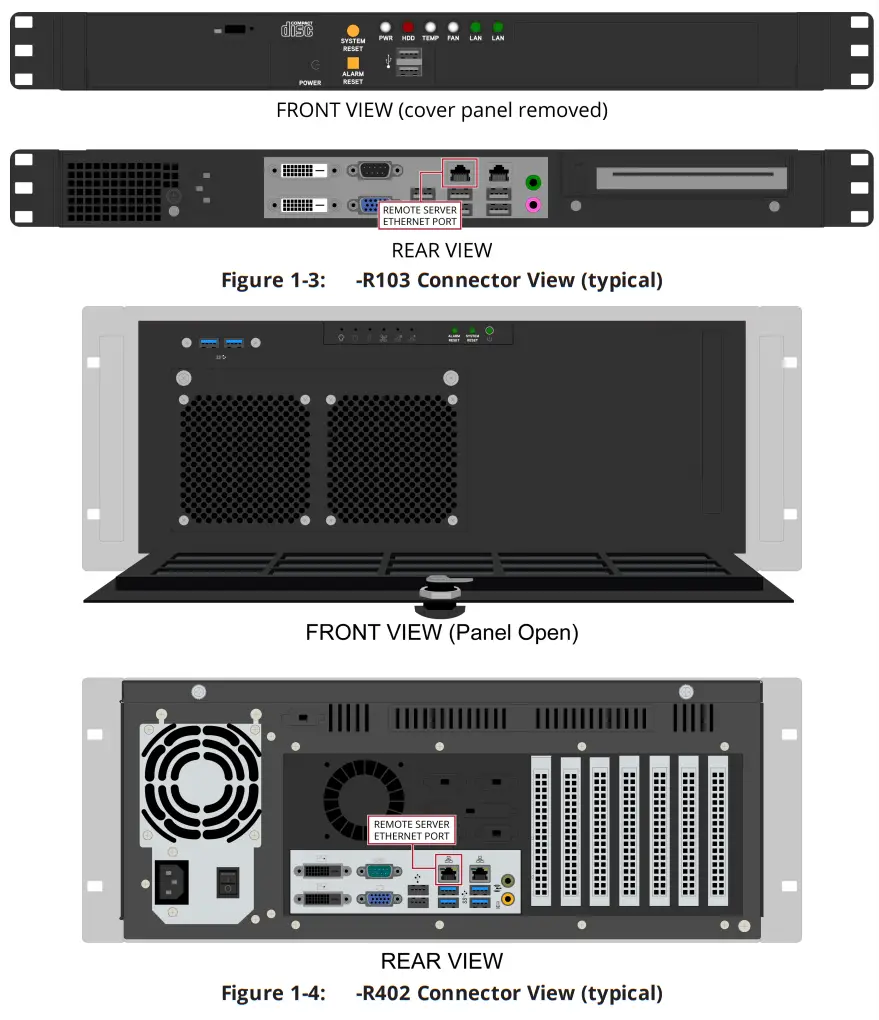
Only one of the available Ethernet ports will be configured for use with the remote server. Refer to the figures below to determine which port you should use for each Automation1 PC hardware configuration.
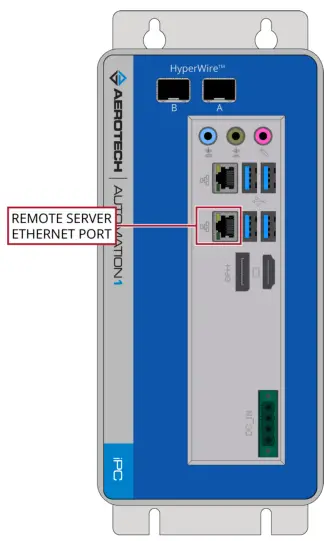 Figure 1-1: -CC04/-CC05 Connector View (typical)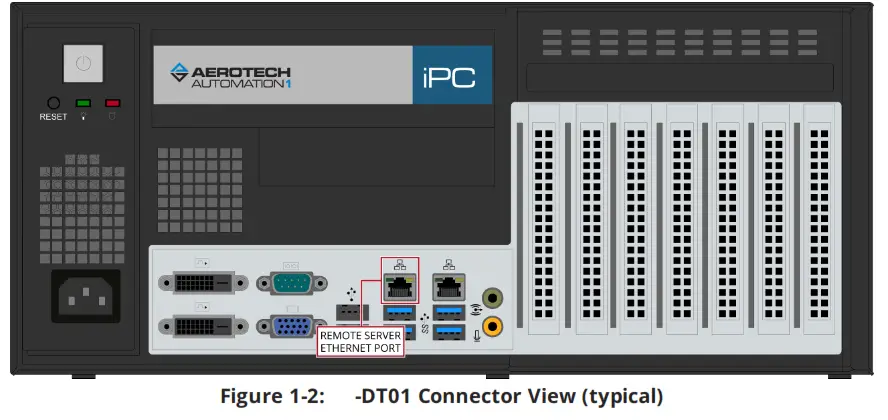
1.3. Dimensions
IMPORTANT: Aerotech continually improves its product offerings; listed options may be superseded at any time. All drawings and illustrations are for reference only and were complete and accurate as of this manual’s release. Refer to www.aerotech.com for the most up-to-date information.
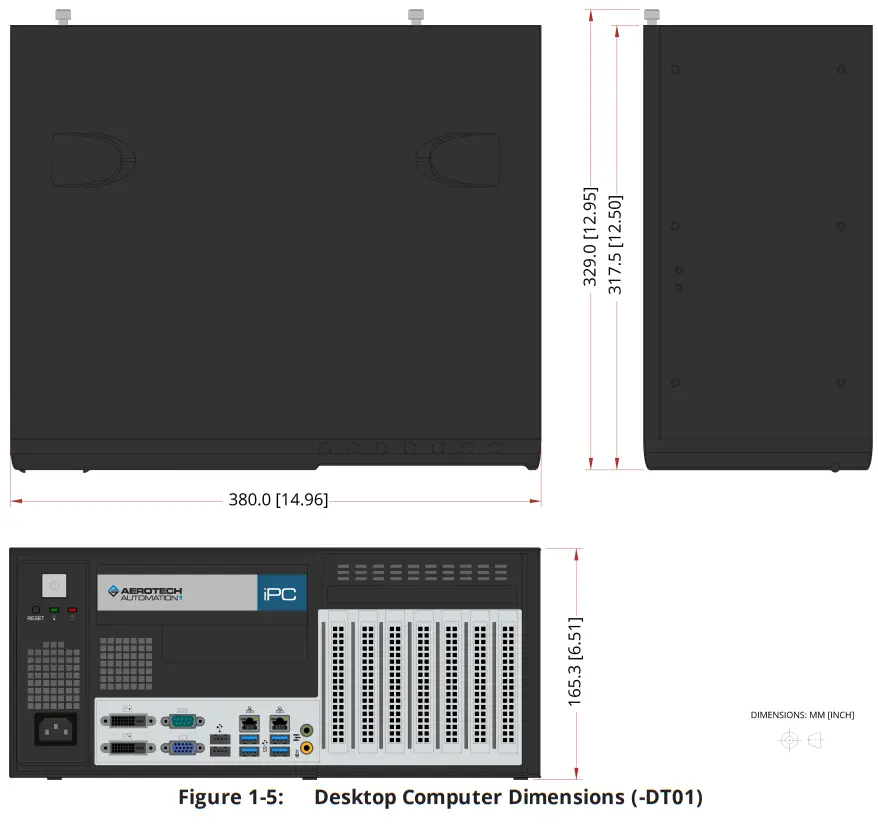
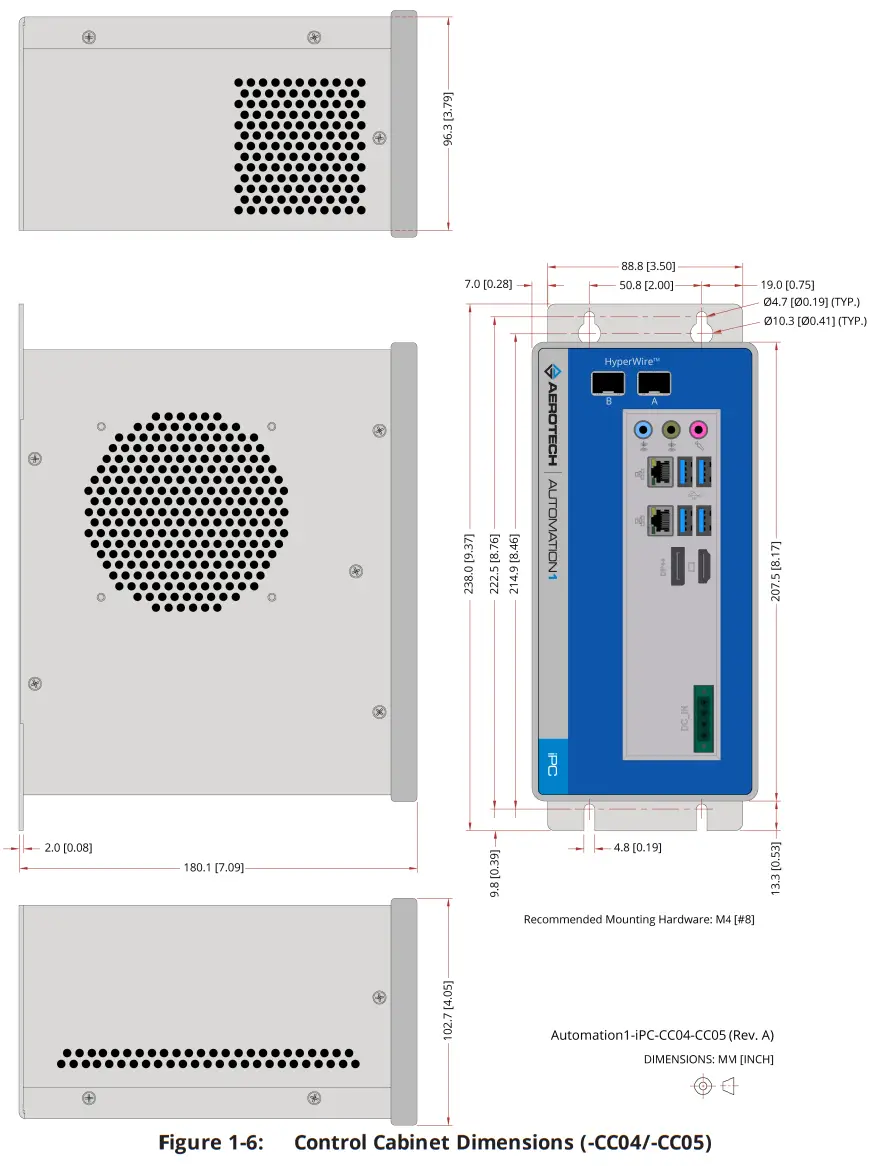
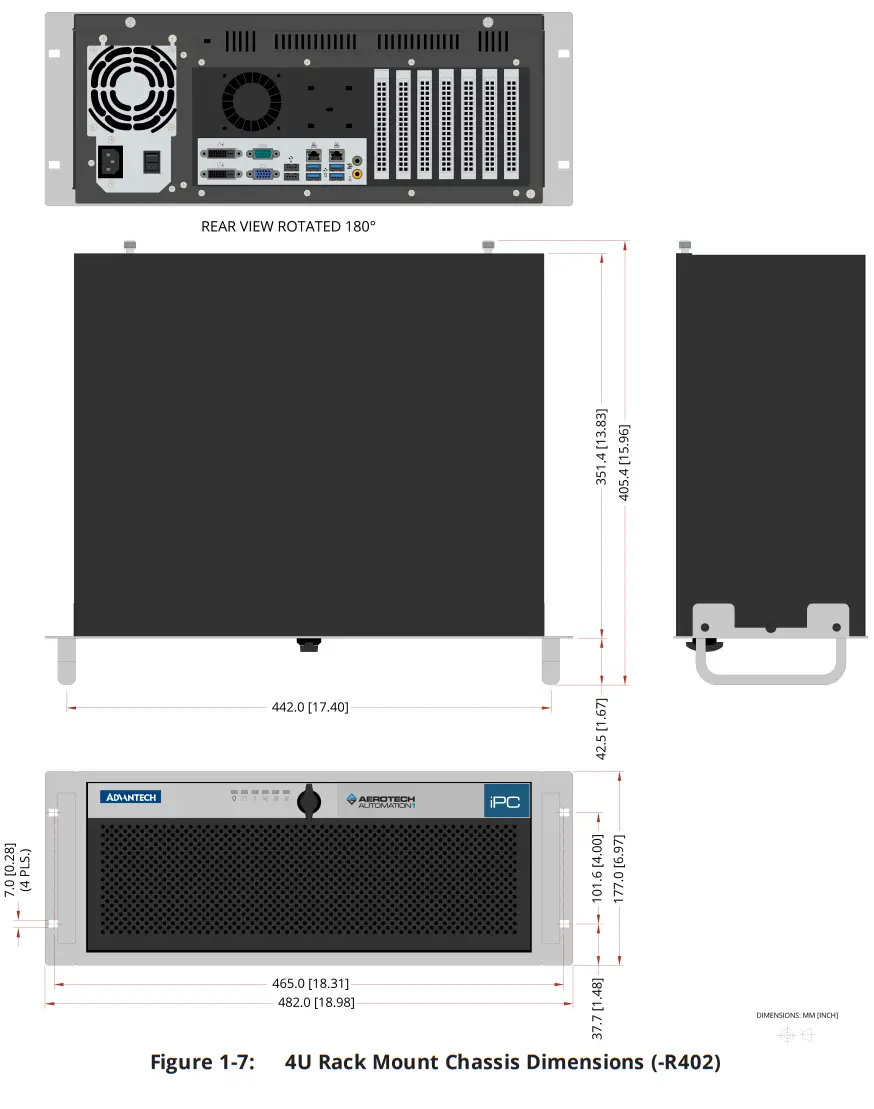
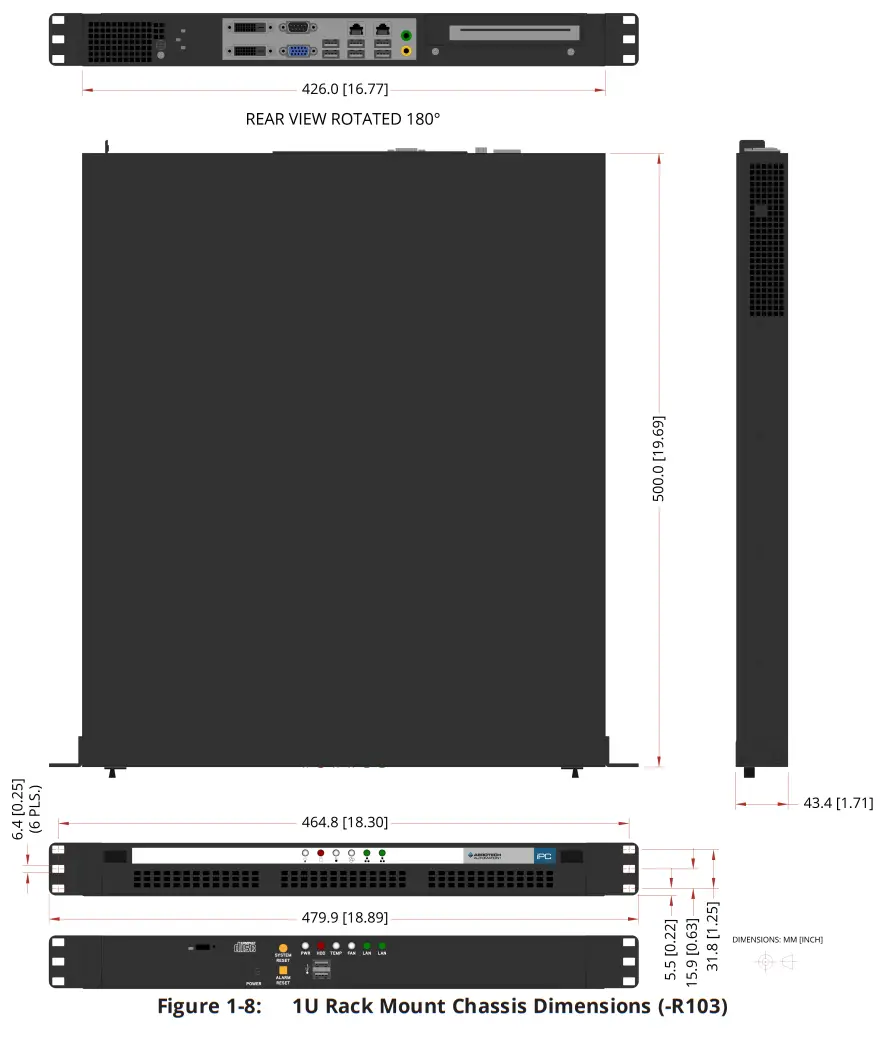
1.4. AC Power Setting
You can change the BIOS setting on the PC so that, in the event of a power failure, you will not need to access the PC to manually turn the PC back on. Use this item to select the AC power state when power is reapplied after a power failure.
Table 1-4: BIOS Settings
| PC Type | BIOS Category | Settings |
| -CC04 -CC05 | State after G3 | Power On |
| -R103 | Restore AC Power Loss | S0 State |
| -R402 | Restore AC Power Loss | S0 State |
| -DT01 | Restore AC Power Loss | S0 State |
1.5. DVI Monitor Configuration (-R103, -R402, -DT01 PC Options)
To let the Windows OS operate without a monitor connected, both the AIMB-785 motherboard and the standard Advantech-provided BIOS are configured to report to the Windows OS that a VGA monitor is always connected as the default primary display. If you connect a single DVI monitor to one of the rack mount (-R103 or -R402) or desktop (-DT01) computers, the BIOS will continue to report to Windows that the VGA monitor is also connected. You will need to update the Windows Display settings to get the system to correctly identify the DVI monitor. Either duplicate the Windows desktop to both monitors or identify and set the DVI monitor as the primary display.
1.6. Environmental Specifications
Table 1-5: Environmental Specifications
| Ambient Temperature | Operating: 0° to 40°C |
| Storage: -30° to 85°C | |
| Humidity Non-condensing | The maximum relative humidity is 80% for temperatures that are less than 31°C and decreases linearly to 50% relative humidity at 40°C. |
| Operating Altitude | 0 m to 2,000 m above sea level. If you must operate this product above 2,000 m or below sea level, contact Aerotech, Inc. |
| Pollution | Pollution Degree 2 Typically only nonconductive pollution occurs. |
| Operation | Use only indoors |
Appendix A: Warranty and Field Service
Aerotech, Inc. warrants its products to be free from harmful defects caused by faulty materials or poor workmanship for a minimum period of one year from the date of shipment from Aerotech. Aerotech’s liability is limited to replacing, repairing, or issuing credit, at its option, for any products that are returned by the original purchaser during the warranty period. Aerotech makes no warranty that its products are fit for the use or purpose to which they may be put by the buyer, whether or not such use or purpose has been disclosed to Aerotech in specifications or drawings previously or subsequently provided, or whether or not Aerotech’s products are specifically designed and/or manufactured for buyer’s use or purpose. Aerotech’s liability on any claim for loss or damage arising out of the sale, resale, or use of any of its products shall in no event exceed the selling price of the unit.
THE EXPRESS WARRANTY SET FORTH HEREIN IS IN LIEU OF AND EXCLUDES ALL OTHER WARRANTIES, EXPRESSED OR IMPLIED, BY OPERATION OF LAW OR OTHERWISE. IN NO EVENT SHALL AEROTECH BE LIABLE FOR CONSEQUENTIAL OR SPECIAL DAMAGES.
Return Products Procedure
Claims for shipment damage (evident or concealed) must be filed with the carrier by the buyer. Aerotech must be notified within thirty (30) days of shipment of incorrect material. No product may be returned, whether in warranty or out of warranty, without first obtaining approval from Aerotech. No credit will be given nor repairs made for products returned without such approval. A “Return Materials Authorization (RMA)” number must accompany any returned product(s). The RMA number may be obtained by calling an Aerotech service center or by submitting the appropriate request available on our website (www.aerotech.com). Products must be returned, prepaid, to an Aerotech service center (no C.O.D. or Collect Freight accepted). The status of any product returned later than thirty (30) days after the issuance of a return authorization number will be subject to review.
Visit Global Technical Support Portal for the location of your nearest Aerotech Service center.
Returned Product Warranty Determination
After Aerotech’s examination, warranty or out-of-warranty status will be determined. If upon Aerotech’s examination a warranted defect exists, then the product(s) will be repaired at no charge and shipped, prepaid, back to the buyer. If the buyer desires an expedited method of return, the product(s) will be shipped and collected. Warranty repairs do not extend the original warranty period.
Fixed Fee Repairs – Products having fixed-fee pricing will require a valid purchase order or credit card particulars before any service work can begin.
All Other Repairs – After Aerotech’s evaluation, the buyer shall be notified of the repair cost. At such time the buyer must issue a valid purchase order to cover the cost of the repair and freight or authorize the product(s) to be shipped back as is, at the buyer’s expense. Failure to obtain a purchase order number or approval within thirty (30) days of notification will result in the product(s) being returned as is, at the buyer’s expense.
Repair work is warranted for ninety (90) days from the date of shipment. Replacement components are warranted for one year from the date of shipment.
Rush Service
At times, the buyer may desire to expedite a repair. Regardless of warranty or out-of-warranty status,
the buyer must issue a valid purchase order to cover the added rush service cost. Rush service is subject
to Aerotech’s approval.
On-site Warranty Repair
If an Aerotech product cannot be made functional by telephone assistance or by sending and having the customer install replacement parts, and cannot be returned to the Aerotech service center for repair, and if Aerotech determines the problem could be warranty-related, then the following policy applies: Aerotech will provide an on-site Field Service Representative in a reasonable amount of time, provided that the customer issues a valid purchase order to Aerotech covering all transportation and subsistence costs. For warranty field repairs, the customer will not be charged for the cost of labor and material. If service is rendered at times other than normal work periods, then special rates
apply.
If during the on-site repair it is determined the problem is not warranty related, then the terms and conditions stated in the following “On-Site Non-Warranty Repair” section apply.
On-site Non-Warranty Repair
If any Aerotech product cannot be made functional by telephone assistance or purchased replacement parts, and cannot be returned to the Aerotech service center for repair, then the following field service policy applies:
Aerotech will provide an on-site Field Service Representative in a reasonable amount of time, provided that the customer issues a valid purchase order to Aerotech covering all transportation and subsistence costs and the prevailing labor cost, including travel time, necessary to complete the repair.
Service Locations
http://www.aerotech.com/contact-sales.aspx?mapState=showMap
USA, CANADA, MEXICO
Aerotech, Inc.
Global Headquarters
CHINA
Aerotech China
Full-Service Subsidiary
GERMANY
Aerotech Germany
Full-Service Subsidiary
TAIWAN
Aerotech Taiwan
Full-Service Subsidiary
UNITED KINGDOM
Aerotech United Kingdom
Full-Service Subsidiary
Appendix B: Revision History
| Revision | Description |
| 1.02 | Updated Section: Declaration of Conformity (EU Declaration of Conformity) |
| 1.01 | Updates: l The -R103 processor has been updated: Table 1-3 |
| 1.00 | New Manual |
Index
| 2011/65/EU 2014/30/EU 2014/35/EU | 2 | 5 5 5 |
| Agency Approvals Altitude Ambient Temperature | A | 7 18 18 |
| Declaration of Conformity | D | 5 |
| Electromagnetic Compatibility (EMC) EU 2015/863 | E | 5 5 |
| Humidity | H | 18 |
| Operation | O | 18 |
| Pollution | P | 18 |
| Revision History | R | 21 |
| Table of Contents | T | 3 |
| Use | U | 18 |
| Warranty and Field Service | W | 19 |
Authorized
Representative
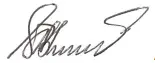 / Simon Smith, European Director
Aerotech Ltd
The Old Brick Kiln, Ramsdell, Tadley
Hampshire RG26 5PR
UK
Engineer Verifying
Compliance / Alex Weibel
Aerotech, Inc.
101 Zeta Drive
Pittsburgh, PA 15238-2811
USA
Date 6/30/2021