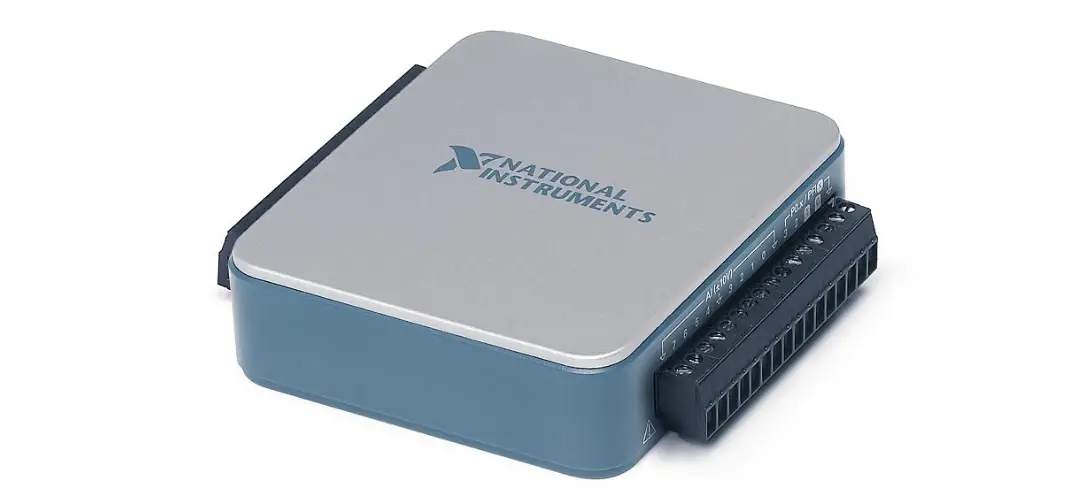
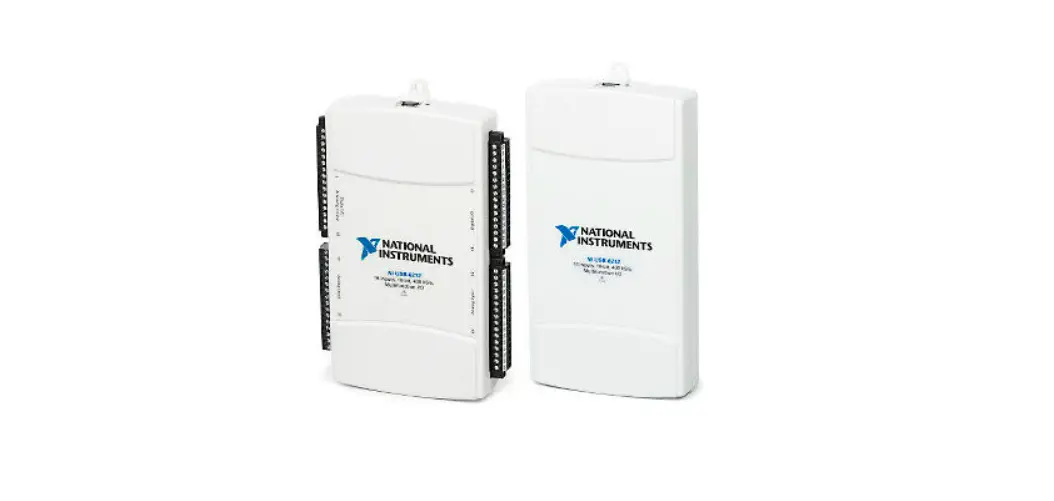
USB-6001, 6002, 6003 OEM Device
Product Information: USB-6001
The USB-6001/6002/6003 OEM device is a component of a larger
system that provides information about the dimensions, pinouts,
connectors, LEDs, and mounting holes. The device is not certified
for product safety, electromagnetic compatibility (EMC), or CE
marking compliance. The end product supplier is responsible for
conforming to any and all compliance requirements.
Specifications:
- Physical Characteristics: 3.18 mm (0.13 in.) 94.30 mm (3.71
in.) 89.50 mm (3.53 in.) - I/O Connector Pinouts: +5 V D GND
- Signal Descriptions: VBUS, D+, D-, LED
Product Usage Instructions
The USB-6001/6002/6003 OEM device is intended to be used as a
component of a larger system. The following instructions will guide
you on how to use the device:
- Refer to the NI USB-6001 Specifications, NI USB-6002
Specifications, and NI USB-6003 Specifications documents available
at ni.com/manuals for more information about the device. - Mount the USB-6001/6002/6003 OEM device to a motherboard using
the 34-pin connector and mounting screws and standoffs. - To connect to the USB host, either use the USB connector on
your motherboard or use the USB connector on the USB-6001/6002/6003
OEM device, but not both at the same time. If connecting through
the USB-6001/6002/6003 OEM device, leave the D+ and D- signals and
VBUS (on the 34-pin connector) unconnected. - Refer to the NI USB-6001/6002/6003 User Guide document
available for download at ni.com/manuals for more information about
the device’s signal descriptions and I/O connector pinouts.
USB-6001
USER GUIDE
NI USB-6001/6002/6003 OEM
This document provides information about the dimensions, pinouts, connectors, LEDs, and mounting holes of the National Instruments USB-6001/6002/6003 OEM device.
For more information about the device, refer to the NI USB-6001/6002/6003 User Guide and NI USB-6001 Specifications, NI USB-6002 Specifications, and NI USB-6003 Specifications documents available at ni.com/manuals.
Caution There are no product safety, electromagnetic compatibility (EMC), or CE marking compliance claims made for the NI USB-6001/6002/6003 OEM devices.
The NI USB-6001/6002/6003 OEM device is intended to be used as a component of a larger system. National Instruments can help developers meet their compliance requirements. The end product supplier, however, is responsible for conforming to any and all compliance requirements.
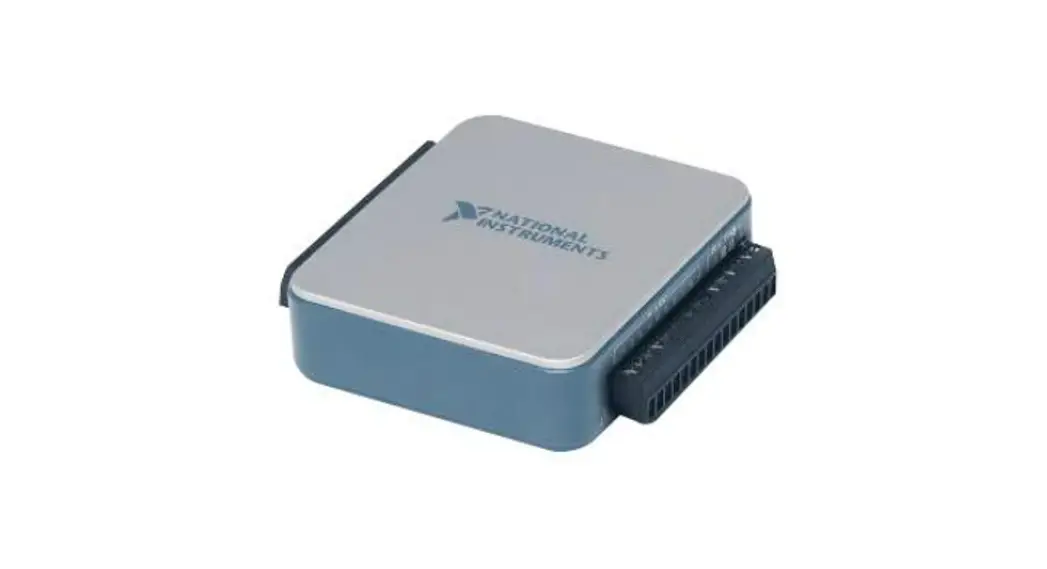
Figure 1. USB-6001/6002/6003 OEM Device
USB-6001/6002/6003 OEM Device Specifications
Most specifications of the USB-6001/6002/6003 OEM device are listed in the NI USB-6001, NI USB-6002, NI USB-6003 Specifications documents on ni.com/manuals. The following sections contain exceptions to the main specifications.
Physical Characteristics
Weight ………………………………………………………31 g (1.10 oz) Dimensions ……………………………………………….98 mm × 64 mm × 12 mm
(3.90 in. × 2.50 in. × 0.50 in.) Figure 2. USB-6001/6002/6003 OEM Device Dimensions
3.18 mm (0.13 in.) 94.30 mm (3.71 in.) 89.50 mm (3.53 in.)
11.40 mm (0.45 in.) 0.00 mm (0.00 in.) 3.73 mm (0.15 in.)
2 | ni.com | NI USB-6001/6002/6003 OEM User Guide
12.00 mm (0.47 in.) 0.00 mm (0.00 in.)
20.00 mm (0.79 in.) 40.00 mm (1.60 in.) 40.00 mm (1.59 in.) 52.00 mm (2.50 in.)
I/O Connector Pinouts
Figure 3 shows the USB-6001/6002/6003 OEM device I/O connector pinouts. Figure 3. USB-6001/6002/6003 OEM Terminal Assignments
+5 V D GND
P1.2 P1.0 P0.6 P0.4 P0.2 P0.0 LED VBUS AI GND AI 4 (AI 0) AI 5 (AI 1) AI 6 (AI 2) AI 7 (AI 3) AI GND AO1
34 33 32 31 30 29 28 27 26 25 24 23 22 21 20 19 18 17 16 15 14 13 12 11 10 9 87 65 43 21
P2.0/PFI 0 P1.3 P1.1/PFI 1 P0.7 P0.5 P0.3 P0.1 D GND D+ D AI GND AI 0 (AI 0+) AI 1 (AI 1+) AI 2 (AI 2+) AI 3 (AI 3+) AO GND AO0
Signal Descriptions
Most of the signals available on the I/O connector are described in the NI USB-6001/6002/6003 User Guide document available for download at ni.com/manuals. Table 1 describes additional signals on the I/O connector of the OEM device.
Table 1. Additional Signal Descriptions
Signal Name
Reference
Direction
Description
VBUS
D GND
Input
USB Power
D+, D-
D GND
Input/Output
USB Data Lines
LED
D GND
Output
Status LED Driver
For more information about USB signals, refer to the Universal Serial Bus Specification accessible at www.usb.org.
NI USB-6001/6002/6003 OEM User Guide | © National Instruments | 3
Using the 34-Pin Connector with a Board Mount Socket
The USB-6001/6002/6003 OEM device can be mounted to a motherboard using the 34-pin connector, as shown in Figures 4 and 5.
Figure 4. Mounting Using a 34-Pin Connector
4
3
5 2
1
1 Board Mount Socket 2 34-Pin Connector 3 USB-6001/6002/6003 OEM Device
4 Mounting Screw 5 Mounting Standoff
Note Refer to the Device Components section for more information about mounting components.
4 | ni.com | NI USB-6001/6002/6003 OEM User Guide
Figure 5. USB Device Installed on Motherboard
Connecting to USB
You can use the USB connector on the USB-6001/6002/6003 OEM device to connect to the USB host. In this case, leave the D+ and D- signals and VBUS (on the 34-pin connector) unconnected. You can also use a USB connector on your motherboard to connect the USB-6001/6002/ 6003 OEM device to the USB host through the 34-pin connector. In this case, do not connect to the USB connector on the USB-6001/6002/6003 OEM device.
Using the Status LED Driver
The LED signal indicates the device status as listed in the NI USB-6001/6002/6003 User Guide document on ni.com/manuals. An open collector output drives the LED signal. For applications that use the LED signal, connect an external pull-up resistor from the LED signal to an external voltage.
NI USB-6001/6002/6003 OEM User Guide | © National Instruments | 5
To drive a status LED, refer to the circuit as shown in Figure 6. Figure 6. To Drive a Status LED
Vpull-up (User-Provided, <=5.25 V)
LED Rpull
LED Signal
NI USB-6001/6002/6003
To use the LED signal to monitor the device state, refer to the circuit as shown in Figure 7. Figure 7. To Monitor Device State Through the LED Signal
Vpull-up (User-Provided, <=5.25 V)
Device Monitoring
Circuit
Rpull
LED Signal
NI USB-6001/6002/6003
Electrical Characteristics
Table 2 lists the LED electrical characteristics.
Table 2. LED Electrical Characteristics
Parameter Output Low Voltage External Pull-up Voltage Maximum Sinking Current
Condition IOL = 8 mA IOL = 18 mA
— —
Typical —
1.2 V — —
Maximum 0.4 V — 5.25 V 18 mA
6 | ni.com | NI USB-6001/6002/6003 OEM User Guide
Device Components
Table 3 lists the components used for interfacing and interacting with the USB-6001/6002/6003 OEM device.
Table 3. NI USB-6001/6002/6003 OEM Device Components
Component
Micro USB connector
Hi-Speed USB cable, A to Micro-B, 1 m
Hi-Speed USB cable, A to Micro-B, 2 m
34-pin connector
34-pin mating connector
Mounting Standoff
Using 34-pin board mount socket
Using ribbon cable
Screw
Reference Designator(s)
on PCB J001 — — J002 — —
—
—
Manufacturer Molex NI NI 3M 3M —
—
—
Manufacturer Part Number
105164-0001
782909-01
Part Specifications
—
—
782909-02
—
N2534-6V0CRB-WF
8534-4500PL (or equivalent)
—
—
—
4.76 mm (3/16 in.) HEX female-tofemale, 15 mm (0.59 in.) long
—
4.76 mm (3/16 in.)
HEX female-to-
female, 6.35 mm
(1/4 in.) long
—
M3 × 0.5,
4-40 UNC
NI USB-6001/6002/6003 OEM User Guide | © National Instruments | 7
Worldwide Support and Services
The National Instruments website is your complete resource for technical support. At ni.com/ support you have access to everything from troubleshooting and application development self-help resources to email and phone assistance from NI Application Engineers.
Visit ni.com/services for NI Factory Installation Services, repairs, extended warranty, and other services.
Visit ni.com/register to register your National Instruments product. Product registration facilitates technical support and ensures that you receive important information updates from NI.
National Instruments corporate headquarters is located at 11500 North Mopac Expressway, Austin, Texas, 78759-3504. National Instruments also has offices located around the world. For telephone support in the United States, create your service request at ni.com/support or dial 1 866 ASK MYNI (275 6964). For telephone support outside the United States, visit the Worldwide Offices section of ni.com/niglobal to access the branch office websites, which provide up-to-date contact information, support phone numbers, email addresses, and current events.
Refer to the NI Trademarks and Logo Guidelines at ni.com/trademarks for more information on National Instruments trademarks. Other product and company names mentioned herein are trademarks or trade names of their respective companies. For patents covering National Instruments products/technology, refer to the appropriate location: Help»Patents in your software, the patents.txt file on your media, or the National Instruments Patents Notice at ni.com/patents. You can find information about end-user license agreements (EULAs) and third-party legal notices in the readme file for your NI product. Refer to the Export Compliance Information at ni.com/legal/export-compliance for the National Instruments global trade compliance policy and how to obtain relevant HTS codes, ECCNs, and other import/export data. NI MAKES NO EXPRESS OR IMPLIED WARRANTIES AS TO THE ACCURACY OF THE INFORMATION CONTAINED HEREIN AND SHALL NOT BE LIABLE FOR ANY ERRORS. U.S. Government Customers: The data contained in this manual was developed at private expense and is subject to the applicable limited rights and restricted data rights as set forth in FAR 52.227-14, DFAR 252.227-7014, and DFAR 252.227-7015.
© 2014 National Instruments. All rights reserved.
374261A-01
Aug14
References
 Engineer Ambitiously - NI
-
Engineer Ambitiously - NI
-
Trade Compliance - NI
-
Product Documentation - NI
-
Contact Us - NI
-
National Instruments Patents - NI
-
Log In - National Instruments
-
NI Services - NI
-
Support - NI
-
NI Trademarks and Logo Guidelines - NI
-
Product Documentation - NI
-
Contact Us - NI
-
Log In - National Instruments
-
NI Services - NI
-
Support - NI
 Front Page | USB-IF
 USB-6001 National Instruments Multifunction I/O Device | Apex Waves
 Engineer Ambitiously - NI
 Product Documentation - NI
 Front Page | USB-IF
 USB-6001 National Instruments Multifunction I/O Device | Apex Waves