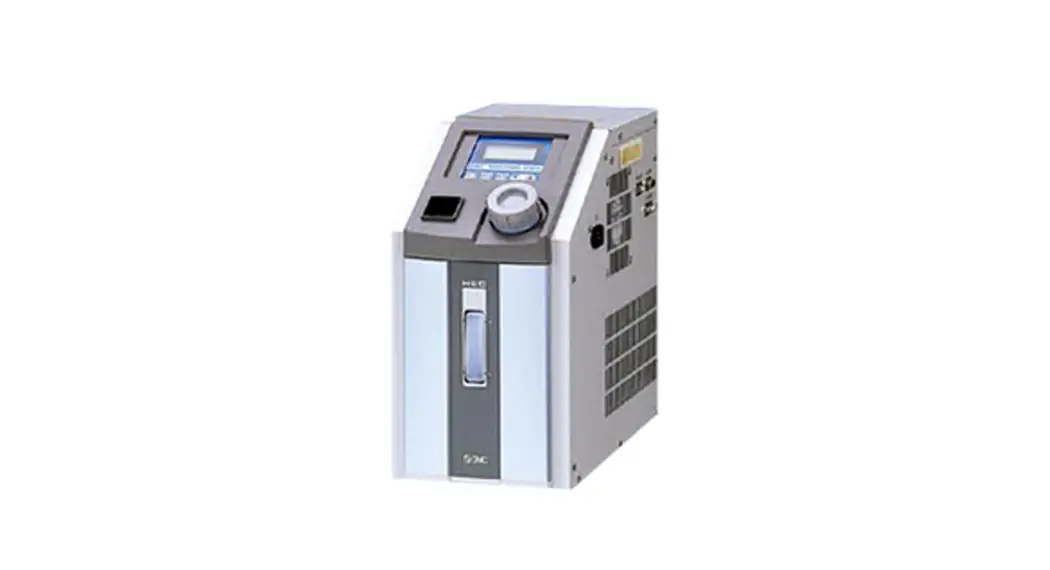
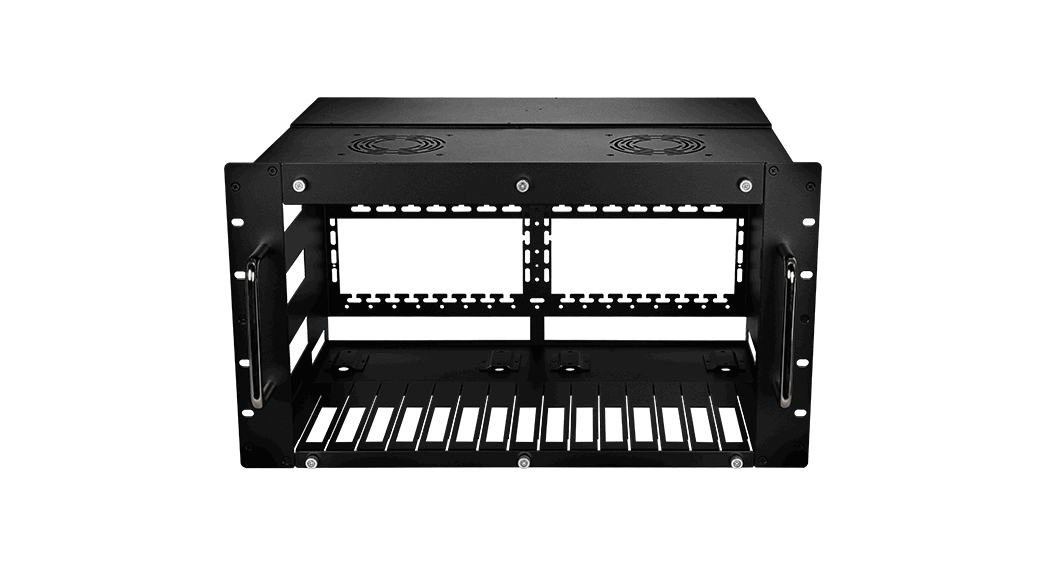
HECR Series Air Cooled Thermo Con for Rack Mount
HEC-OM-R008-G
Installation and Maintenance Manual
Air Cooled Thermo Con for Rack Mount
HECR Series
Original Instructions
1 Read Before Using
Thank you for purchasing SMC’s Thermo-con (hereinafter referred to as the “product”). This “Installation and Maintenance Manual” (hereinafter referred to as “this manual”) briefly explains the essential safety instruction procedures to start and stop the product and reset its alarms. Read this manual before using.
2 Safety Instructions
This manual contains essential information for the protection of users and others from possible injury and/or equipment damage.
Read this manual before using the product, to ensure correct handling, and read the manuals of related apparatus before use.
Keep this manual in a safe place for future reference.
These instructions indicate the level of potential hazard by label of “Caution”, “Warning” or “Danger”, followed by important safety information which must be carefully followed.
To ensure safety of personnel and equipment the safety instructions in this manual and the product catalogue must be observed, along with other relevant safety practices.
Caution Warning Danger
If instructions are not followed there is a possibility of injury or equipment damage.
If instructions are not followed there is a possibility of serious injury or loss of life.
In extreme conditions, there is a possibility of serious injury or loss of life.
This manual provides the following symbols in addition to “Danger”, “Warning”, and “Caution” to present warning details in an easy-tounderstand manner.
This symbol warns you of potential electrical shock.
This symbol warns you of potential burns.
During operation or maintenance of the product, do not disable the interlock function of any device. Otherwise unexpected personnel injury or damage to the product may occur.
When turning on/off the power observe the procedure. Otherwise unexpected malfunction or danger may occur.
When maintaining, cleaning or in case of emergency, turn off the power source.
After identifying a problem be sure to check the cause and take necessary countermeasures before turning on the power.
The product is operated at high voltage.
The compatibility of equipment is the responsibility of the person who designs the system or decides its specifications. Since the products specified here can be used in various operating conditions, their compatibility with the specific system must be based on specifications or after analysis and/or tests to meet specific requirements.
Only trained personnel should handle or operate the product. Transportation, installation and maintenance of the product can be dangerous and should be done by persons who have full knowledge and experience on the product and system. Cover panels of the product should be opened only by qualified service technicians or qualified personnel.
Do not modify or reconstruct the unit. Read all warning and caution labels carefully and keep them in mind.
Do not peel off or rub alert warning and caution labels. Confirm locations of alert warning and caution labels. Do not service machinery/equipment or attempt to remove components until safety is confirmed.
2 Safety Instructions Continued
1) Inspection and maintenance of machinery/equipment should only be performed after confirmation of safe locked-out positions.
2) When equipment is to be removed, confirm the safety process as mentioned above. Switch off electrical supplies and ensure any high temperature parts have cooled to ambient temperature.
3) Before machinery/equipment is re-started, ensure all safety measures are taken so the product and system can be started in a safe manner.
4) Do not use this product outdoor (indoor use). Do not use this product outside of the specifications. Contact SMC
if it is to be used in any of the following conditions. 1) Conditions and environments beyond the given specifications. 2) Installations in conjunction with atomic energy, railway, air navigation,
vehicles, medical equipment, food and beverage, recreation equipment, emergency stop circuits, press applications, or safety equipment. If abnormal conditions occur, such as abnormal noise or smoke, or water leakage, take the following actions
1) Shut down power. 2) Contact an authorised SMC dealer for repair.
After shutting down the power supply, ensure a time interval at least 3sec between ON and OFF. Restarting the product within that interval may cause it to malfunction.
Do not use devices that generate electromagnetic radiation such as cellular phones near the product. There is a possibility that this can cause the product to malfunction.
This unit has several interlock functions, which activate when a dangerous operation or condition occurs to stop the product and make it safe. This is a function to protect personnel and restrict operation that may cause damage to the product or facility, and to remove dangers related to safety.
When dispose the product, contact an industrial waste disposal company for disposal of the product. To minimize the risk, drain the fluid from the product when it is scrapped. If the fluid is left inside, an accident and damage can result during transportation.
3 Specifications Continued
Item Model No. Acoustic noise Cooling method Main functions
Input operation and indications
Communications
Temp. sensor Painting color Mass (at dry) Option
Contents of package
Spec.
HECR002
HECR004
HECR006
HECR008
HECR010
49dBA
54 to 62dBA
55 to 64dBA
54 to 65dBA
(variable fan speed control)
Air cooled
Auto tuning, Off set function, Learning control function, External tuning control function, Temperature sensor fine control function, Setting value memory function, Upper / lower temperature limit alarm function, Output shut off alarm, Communication, Fan speed control(HECR004,HECR006,HECR008,HECR010) Membrane key sheet LCD display panel (with back light) Output shut off alarm, Upper / lower temperature limit alarm : Relay contact specification
DC30V, 2A (Resistance load) DC30V, 1A (Induction load) RS-232C / RS-485 Communications: Setting of target temperature, Reading of the value detected by temperature sensor, Reading of warning status, Setting and of off-set value, Setting and reading of control operation, Setting and reading of PID values, Reading of output ratio. For operation by communication, it is necessary to order “Communication Manual”. Use shielded cable for serial communications. Resistance thermometer sensor (Pt100, 3-wire, class A, 1mA) (Both internal sensor and external sensor)
Urban white
Approx 14kg
Approx 18kg
Approx 21kg
Approx 31kg
With flow switch: Low flow rate alarm occurs at less than 0.7L/min NPT fitting: Fluid IN/OUT fittings With foot and no rack bracket High head pump
Thermo-con 1pc Installation and Maintenance Manual 1pc Power supply connector 1pc
Approx 33kg
3.3 Performance Charts
Values on the performance charts are not guaranteed values but representative values. Allow margins for safety when selecting the model.
3 Specifications
3.1 General Description and Intended Use
This product uses a built in pump to circulate liquid (water or 20% EG) at a constant temperature, controlled by Thermo-Electric (Peltier) Modules. This circulating fluid cools parts of the customer’s machine that generates heat. 3.2 General Specifications
Item
Spec.
Model No.
HECR002
HECR004
HECR006
HECR008
HECR010
Operation temp. range
10.0 to 60.0 C (No dew condensation)
Indication temp. range
Ambient environment
Storage environment
Accuracy related to temp Cooling capacity (Set temperature 25C and ambient temperature 25C) Circulating fluid
-9.9 to 80.0 C
Temp: 10 to 35 C Humidity : 35 to 80%RH Altitude : up to 1000m Environment : No corrosive gas, solvent such as thinner and flammable gas
Temp :-40 to 70 C (No dew condensation and icing) Humidity : 5 to 95%RH Environment : No corrosive gas, solvent such as thinner and flammable gas
Indication accuracy: +/- 0.2 C. Temperature drift: +/- 0.2C Stability: +/- 0.01 to 0.03 C
(Circulating fluid OUT is directly connected with IN)
Approx. 200W
Approx. 400W
Approx. 510W
Approx. 800W Approx. 1000W
(Flow rate 3L/min) (Flow rate 3L/min) (Flow rate 3L/min) (Flow rate 4L/min) (Flow rate 4L/min)
Water, Ethylene glycol solution up to 20%
Tank capacity
Approx.1.3L
Pump capacity Port size
IN/OUT: Rc1/4
Refer to performance chart.
IN/OUT: Rc3/8
IN/OUT: Rc3/8 Drain: CPC PLCD16004
Wetted materials
Stainless steel, EPDM, NBR, Ceramic, PPE, PPS, Carbon, Polyethylene, POM
Power supply
Current consumption Inrush current Over current protection Voltage interruptions Insulation resistance Over voltage category
Pollution degree Limitation of hazardous substance
Single phase AC100 to 240V(+/- 10%), 50/60Hz
Single phase AC200 to 240V (+/- 10%), 50/60Hz
Max.5A(100V) Max.2.5A(240V)
Max.9A(100V) Max.4A(240V)
Max.10A(100V) Max.4A(240V)
Max.8A (200V)
10A circuit protector
50A or less 14A
circuit protector
20ms or less
50M or more (DC500V)
Category II
Pollution degree II
RoHS compliant products
3.3.1 Cooling Capacity HECR002
*Cooling capacity decrease about 20W when high head pump option selected.
HECR004
*Cooling capacity decrease about 50W when high head pump option selected.
HECR006
*Cooling capacity decrease about 50W when high head pump option selected.
3 Specifications Continued
HECR008
*Cooling capacity decrease about 50W when high head pump option selected.
HECR010
*Cooling capacity decrease about 50W when high head pump option selected.
3.3.2 Heating Capacity HECR002
HECR004
HECR006
HECR008
3 Specifications Continued
HECR010
3.3.3 Pump Capacity HECR002
Normal
When high head pump option selected
HECR004
HECR006
Normal
When high head pump option selected
Normal
HECR008 / HECR010
When high head pump option selected
Normal
When high head pump option selected
3 Specifications Continued
3.4 Connector Specifications
Description
No.
Signal
HECR002
HECR004 HECR006
HECR010
Power supply
HECR008
connector (IEC60320,C14)
N
AC100 to 240V AC200 to 240V
L
AC100 to 240V AC200 to 240V
E
PE
RS-232C
RS-485
Communication connector
Note: Always use shielded cable connected to this connector.
Signal External temperature sensor connector Note: Always use shielded cable connected to this connector.
1 2 3 4 5 6-8 9 1-2 3-5 6
7
8
9
10
11 12-14
15
Unused
BUS +
RXD (RD)
Unused
TXD (SD)
Unused
Unused
Unused
SG
SG
Unused
Unused
Unused
BUS –
Unused
PT-RTD
Output Cutoff Alarm a contact (OPEN During Alarm)
Output Cutoff Alarm Common
Output Cutoff Alarm b contact (CLOSE During Alarm)
Temperature Alarm a contact (OPEN During Alarm)
Temperature Alarm Common
Temperature Alarm b contact (CLOSE During Alarm)
Unused
FG
Style and Part No. N L
E
5 4 3 2 1
9 8 7 6
D-sub 9 pin (socket type) Fixed screw: M2.6
8
1
15
9
D-sub 15 pin (Socket type)
Fixed screw: M2.6
3
4 5 RTD wiring
3.5 Model number of product
The product can be ordered with the model number configured as shown below.
HECR 002 – A 5 * – *
Cooling capacity
002 200W 004 400W 006 510W 008 800W 010 1000W
Cooling method
A
Air-cooled
Option
Nil
None
E
With foot, no rack bracket
F
With flow switch
P
High head pump
Power supply
2 AC200-240V
Piping thread type
Nil
Rc
5 AC100-240V
N
NPT
Note) Only HECR010 with AC200-240V
3.6 Product Serial Number Code
The production serial number code printed on the label indicates the year and month of production as per the following table:
Year 2015 2016 2017 …. 2021 2022 2023 ….
Month
T
U
V
….
Z
A
B
….
Jan o
To
Uo Vo ….
Zo
Ao
Bo ….
Feb P
TP
UP VP
….
ZP
AP
BP ….
Mar Q TQ UQ VQ …. ZQ AQ BQ ….
Apr R TR UR VR …. ZR AR BR ….
May S
TS
US VS
….
ZS
AS
BS ….
Jun T
TT
UT
VT
….
ZT
AT
BT ….
Jul U TU UU VU …. ZU AU BU ….
Aug V
TV
UV VV
….
ZV
AV
BV ….
Sep W TW UW VW …. ZW AW BW ….
Oct X
TX
UX VX
….
ZX
AX
BX ….
Nov y
Ty
Uy
Vy …. Zy
Ay
By ….
Dec Z
Tz
UZ VZ …. ZZ
AZ BZ ….
4 Special Features
Auto tuning This function sets the values necessary for the control system such as PID (proportional band, integral time, derivative time and ratio of cooling/ heating gain) automatically. If the controlled temperature fluctuates constantly after reaching the target temperature, perform auto tuning. Controller calculates optimum control PID and set automatically. Auto tuning may require time depending on the conditions.
1) Select “2” in control operation. 2) Pressing [AT] key to light “AT” indicator and start auto tuning. 3) Pressing [AT] key stops auto tuning. (“AT” indicator turns off) 4) “AT” indicator turns off when auto tuning is complete. If not completed
after 20min. [ERR19] (AT abnormal) occurs.
Offset function This function controls the temperature slide by an offset value from set point temperature. When the circulating fluid travels to the target object, a certain deviation occurs between the temperature just before the object and the set temperature of the product due to the influence of ambient temperature on the piping. In this case, if the deviation is input as the offset value, the temperature of the circulating fluid just before the object can match with the setting value. Internal sensor value for the alarm does not include the offset value. For example, if -0.15 °C is set here, the actual reference temperature for control is lower than the indicated SV by 0.15 °C. Internal sensor value for the alarm does not include the offset value.
Learning control function This function lets the product measure the temperature of circulating fluid flowing before temperature target object by an external temperature sensor and adjusts the offset function automatically to the set value at a certain sampling interval. The external temperature sensor needs to be prepared separately by the customer.
1) Install an external temperature sensor to the target object. 2) Select “3” in control operation. 3) Thermo-con controls the external sensor value to the set point. 4) When the temperature is not stable, then set the sampling interval
larger.
External tuning control function This function makes the temperature of circulating fluid consistent to the external (ambient) temperature all times. This function lets the product measure the temperature from a temperature sensor mounted in the customer preferred location, then it adjust the temperature of the fluid automatically to the temperature detected by the sensor. The separate temperature sensor needs to be prepared separately by the customer.
1) Install an external temperature sensor to the room. 2) Select “4” in control operation.
3) Thermo-con controls the fluid temperature to the ambient temperature.
4) When the temperature is not stable, then set the sampling interval larger.
Temperature sensor fine control function This is a function to finely control the measurement temperature of the control sensor within the range of -9.99 to 9.99 °C separate from offset function. Control sensor can be corrected by inputting difference (calibration value) between temperature of standard and that of control sensor. For example, if -0.15 °C is set here, the actual reference temperature for control is lower than the indicated SV by 0.15 °C.
Internal sensor value for alarm = Internal sensor value Fine control value
Setting value memory function Even if the power is turned off the set values are saved and will be restored at power on.
Upper / Lower temperature limit alarm function This function raises an alarm when temperature of the circulating fluid is out of allowable upper and lower range. When the alarm is raised, WRN is indicated on LCD. If circulating fluid temperature returns to within allowable upper/ lower range, this alarm is automatically cancelled. The allowable upper and lower range of temperature can be set between 0.1 and 10 °C.
Output shut off alarm function The product has a self-check function that can detect faults with the product and interrupts the output to the thermo modules, stopping operation (However, operation continues with ERR 15 and ERR 18). This function gives an alarm if a critical error happens, the display shows ERR and an alarm number. At the same time, the warning output connector gives an output through a relay contact. This warning cannot be removed unless the power is cycled. When the power is being cycled leave at least 3 seconds between turning the power off and turning the power back on.
4 Special Features Continued
Fan speed control (HECR004,HECR006,HECR008,HECR010) Fan speed is controlled automatically in accordance with the heat load.
5 Installation
5.1 Installation
Pay special attention to the safety of all personnel when installing and transporting the product.
Do not install the product unless the safety instructions have been read and understood.
The product is heavy, be careful when installing or moving the product. Always transport the product using both handles. Leakage from the product may damage peripheral equipment. Install a
drain pan under the product to capture leakage. Furthermore, mount devices like a leak sensor on the installed drain pan to detect leakage so that it can alert operators around the area. Install the product above 0.6m from the floor.
5.2 Environment
Do not use in an environment where the product is directly exposed to water, oil, corrosive gases, chemicals, salt water or steam.
The product should be installed upright on a stable base. Do not install the product in a location where the air inlet and air outlet
vents are blocked. Also do not use the product in a sealed enclosure. Do not use in an explosive atmosphere. Do not mount the product in a location where it can be exposed to
prolonged sunlight. Use a protective cover. Do not mount the product in a location where it is subject to strong
vibrations and/or shock. Check the product specifications. Do not use the product where it can be exposed to strong electrical or
magnetic emissions. Do not mount the product in a location where it is exposed to noise
sources (such as discharging equipment, large relay and thyristor).
Do not mount the product in a location with an altitude of more than 1000 meters.
Do not mount the product where it is exposed to materials such as silicone, which may generate harmful gas.
Install the product in a location where the ambient temperature range is between 10 to 35°C and the relative humidity range is between 35 to 80%. No dew condensation is allowed on the unit.
Do not mount the product in a location exposed to radiant heat.
5.3 Mounting When mounting the product to a cabinet, use a design which shall hold
the weight at the bottom. Ensure safety with transportation test if the product is to be installed on a transportation device such as a trailer. Mount the product using the fixing holes in the front of the product. Use M5,M6 screws (bolts) or equivalent to the fix the product.
Be sure to correctly tighten all screws to the required torque. (M5:3.0Nm, M6:5.2Nm)
5.4 Piping Ensure that the power source and the power supply of the product is
turned off (or the power plug must come off ) Ensure the flow rate of the circulating fluid is as high as possible to
maintain the temperature stability. Therefore, the length of the external piping should be minimized and internal diameter should be as large as possible. Piping must have sufficient strength for the maximum discharge pressure of the circulating circuit. Likewise, if a tube is bent or multiple elbow fittings are used, the piping resistance will increase and the flow rate will decrease. If the flow rate falls, the temperature stability will decrease. If installing a tank externally, only a sealed tank should be used. Do not use an open tank.
5 Installation Continued
Ensure that the INLET and OUTLET for circulating fluid is connected correctly. If any valves are used ensure that they do not restrict the flow, otherwise low flow may cause an alarm.
When installing piping or fittings, ensure sealant material does not enter inside the port. When using seal tape, leave 1.5 to 2 threads exposed on the end of the pipe/fitting.
Be sure to correctly tighten the fitting fittings to the required torque(Rc1/4:12 to 14 Nm, Rc3/8:15 to 20Nm).
5.5 Wiring
Ensure that the power source and the power supply of the product is turned off before connecting the various connectors and power supply cable.
Supply disconnecting device according to IEC60974-1 and IEC60947-3 for the product must be provided in the end system.
Do not install the disconnecting device in the place where the operation is difficult. And also the switch of the disconnecting device must comply with the direction of the switch specified by IEC60447.
Preparation and wiring of power supply cable 1) Strip the sheath from both ends of the cable. 2) Disassemble the power supply connector. Crimp one end of the cable to L, N, E inside of the connector, then reassemble the power supply connector.
3) Connect the other end of the cable to a plug or terminals
(e.g. crimped terminal).
L
Plug
N
E
N E (Earth) L
Crimped terminal
Cable quantity and size; 3 cores, 14AWG(include earth) 100, 300V, VW-1 or more
5 Installation Continued
Never touch the power switch with wet hands to avoid electrical shock.
Do not touch the surface when the set temperature is high. Temperature of the tank and the chassis near the tank could be high.
Fluid other than water or Ethylene Glycol (up to 20%) should not be used as circulating fluid. Using such fluid may lead to leakage or damage of the pump.
Operation of the pump with a large amount of air left in the piping for prolonged period may damage the pump. Remove air from piping before starting operation.
If the power switch is turned on without circulating fluid, the pump could be damaged.
Take care not to spill water over the product when supplying water to the reservoir. When a spill is made, wipe it off immediately and only supply power after it has dried. If this procedure is neglected, it may cause damage to the product.
If a fluid with low conductivity such as DI water is used as circulating fluid, it can cause static electricity due to friction and damage the product. Take measures to minimize the static electricity from circulating fluid.
If the product is operating for a long time with large temperature fluctuations after reaching the set temperature, the product may be damaged. Please set the PID values by using the auto-tuning function.
6 Operation
6.1 Power Up When power is turned on, the software version is indicated on display panel for approx. 1 second.
6.2 Operation The product begins operation immediately after the power is turned on. The pump and heat exchanger will be running and the product will begin temperature control.
6 Operation Continued
6.3.1 Level 1Settings
No.
Modes
Setting contents
Target Temp.
1 (No indication on Sets target temp. for control. display)
Selects control operation mode from those shown below. 0: Pump stop (No control) 1: Normal operation 2: AT(auto tuning) 2 Control Operation 3: Learn (learning control) 4: External (external tune control) 5: SeriRem (Serial remote) 5:Serial remote is displayed when choose the Modbus communication.
3
External Sensor Sampling Cycle
Sets sampling cycle for learning control or external tune control.
4 Offset Value
Indicates the offset value of the circulating fluid temperature used as reference value by the controller (SV + Offset).
5
Allowable Upper Temp. Range
Sets upper limit of temp. range which causes a warning to occur.
6
Allowable Lower Temp. Range
Sets lower limit of temp. range which causes a warning to occur.
Sets upper limit of temp.
7
High Temp. Cutoff
measured by the internal temp. sensor and stops operation of the
product.
Sets lower limit of temp. measured
8 Low Temp. Cutoff by the internal temp. sensor and
stops operation of the product.
6.3.2 Level 2Settings
No.
Modes
Setting contents
1
Fine Control of Internal Sensor
Sets the fine adjusting value to calibrate the internal temp. sensor
2
Fine Control of External Sensor
Sets the fine adjusting value to calibrate the external temp. sensor available optionally.
3
PB Range
Sets PB (Proportional Band) range used for PID control.
4
I Constant
Sets integral time used for PID control.
Setting range (Min. increment)
10.0 to 60.0C (0.1C)
Default 25.0
0,1,2,3,4,5
1
10 to 999sec (1sec)
60
-9.99 to 9.99C (0.01C)
0.00
0.1 to 10.0C (0.1C)
1.5
0.1 to 10.0C (0.1C)
1.5
11.0 to 70.0C (0.1C)
70.0
0.0 to 59.0C (0.1C)
0.0
Setting range (Min. increment) -9.99 to 9.99C
(0.01C)
-9.99 to 9.99C (0.01C)
0.3 to 9.9C (0.1C)
1 to 999sec (1sec)
Default 0.00 0.00 6.0 18
Ensure that there is enough space between the power supply cable and the communication cable of the product and power cables of other equipment.
Ensure the power supply and ground connections are made correctly. Be sure to provide the grounding. The PE line of the power supply cable
is available for grounding. Do not connect the ground in common with the ones for equipment that generates strong electromagnetic noise or high frequency. When an external temperature sensor is connected, connect the sensor with a shield cable. Use a platinum resistant temperature sensor (Pt100ohm, 3-wiring type, class A, 1mA).
Connect the host to this unit with a twisted pair shield cable when applying communication function or external sensor and alarm output function.
When using the Communication connector and Signal/External temperature sensor, connect the circuit separated from the mains circuit by reinforced insulation.
Ensure that external instruments connecting to this product provide the enclosure complied with UL61010-1 and use the cable which provide flame resistance (over VW-1).
5.6 Filling the product
1. Ensure that the power source and the power supply of the product is turned off (or the power plug must come off).
2. Remove the reservoir cap.
(When setting the product again, confirm the level of fluid does not exceed the “H” mark)
3. If using Ethylene Glycol, refer to the suppliers Material Safety Data Sheet (MSDS) and wear Personal Protective Equipment (PPE) as appropriate.
4. Fill the circulating fluid into the reservoir. Stop filling once the level of fluid reaches the “H” mark.
5. Turn on the power switch to fill the piping with the fluid. 6. When the piping is filled with the circulating fluid, the level of the
reservoir decreases and low fluid level alarm (ERR20) arises accordingly. Then, turn off the power supply once again. 7. Repeat the step from 4 to 6 until ERR20 alarm doesn’t appear anymore. 8. Then, replace the cap on the reservoir and tighten it securely. 9. Keep the fluid level between H and L of the level indicator.
The display can show the following information during operation.
1st line Indicates No. corresponding to the alarm which arises and [WRN] comes to light up when temp. upper or lower limit warning occurs.
4th line Indicates control operation mode during normal operation and set values during setting mode selection.
ERR11 WRN PV < 31.6 °C #1 SV < 30.0 °C MODE Normal
2nd, 3rd line Current temp.[PV]]and target temp.[SV] during normal operation.
Indicated content : #1 Temperature detected by internal
temp. sensor #2 Temperature detected by external
temp. sensor
Special Features : Displays the measured temperature. #1 and #2 change when [ ] or [ ] is pressed.
When the alarm arises, the error is indicated instead and during setting mode selection, the selected setting mode is indicated.
6.3 Settings
Three different levels of settings are available depending on the content, which needs to be set.
Level 1: Used in normal operation e.g. setting of target temperature and offset.
Level 2: Used at maintenance and initial setting for setting of controller/PID.
Level 3: Used at initial setting for the communication function.
Operation Operation Operation
SEL
+ SEL
+ SEL
The key functions are as follows:
[SEL]: Used to show the item that needs to be changed in selected mode level. []: Used to change the value of the item selected. [RET]: Used to fix the value changed by [] key. Press again to return to current temperature indication.[AT]: Used to start auto tuning in auto tuning mode
(This function works when the control operation mode is 2 in level setting 1)
When pressed during auto tuning, the auto tuning is stopped.
When no input is made within 1 minute regardless of setting mode, the display returns to the current temperature indication.
The data input is written to FRAM and memorized after the power supply is turned off.
To return all of the setting values to default: Turn on the power supply while pressing [SEL] and [RET] keys.
Sets differential time used for PID
5
D Constant
control. When 0 is set, differential operation
is not made.
6
Heating/Cooling Ratio
Sets output ratio of cooling to heating to compensate difference of gain between them.
7
Overload Judging Temp. Rang
Sets the temp. range for judgment of overload (accompanying abnormal output alarm ERR15).
Sets time for judgment of overload
8
Overload Judging (accompanying abnormal output
Time
alarm ERR15). When 0 is set, the
alarm doesn’t arise.
Shows output ratio of thermo
9
Output Ratio
module by 1%. The prefix symbol “” stands for cooling and no prefix
stands for heating.
Determines whether or not temp.
Upper/Lower
upper/lower limit alarm is output
10
Temp. Alarm
when power is turned on.
Sequence
On : Output
Off : Not output
6.3.3 Level 3Settings
0.0 to 99.9sec (0.1sec)
10 to 999% (1%)
0.1 to 9.9 (0.1sec)
0 to 99min (1min)
-100 to 100% (1%)
On, Off
No.
Modes
Setting contents
Setting range
1
Serial communications
RS-232C / RS-485
RS-232C, RS-485
0.0 300 0.2 10
Off
Default RS-232C
2
Termination resistor
Sets the termination resistor (120 ) for RS-485 communication
On, Off
Off
Set the Communication protocol.
3
Communication protocol
SMC CMD:same as existing HEC communication
Modbus:Modbus communication
SMC CMD Modbus
SMC CMD
Sets the unit No. used. This is
4
Unit Number
applicable only when multiple Thermo-cons are used.
(Unit number 1 to F is vaild when
0 to F (Hex decimal)
0
used the Modbus communication)
5
Baud Rate
Sets baud rate for communication.
600, 1200, 2400, 4800, 9600, 19200b/s
1200
Sets parity bit for communication.
6
Parity Bit
None : No parity Odd : Odd
None, Odd, Even
None
Even : Even
7
Data Length
Sets data length for communication.
7Bits, 8Bits
8
8
Stop Bit
Sets stop bit for communication.
1Bit, 2Bits
1
7 Outline Dimensions (mm)
HECR002 HECR002-A5-E(option)
HECR004
HECR004-A5-E(option)
7 Outline Dimensions (mm) Continued
HECR006 HECR006-A5-E(option)
HECR008
HECR008-A5-E(option)
7 Outline Dimensions (mm) Continued
HECR010
HECR010-A2-E(option)
8 Key Parts
HECR002 / HECR004 / HECR006
HECR008 / HECR010
A Power switch
B Display/Operation panel
C Reservoir Cap
D Level gauge
E Handle
F
Model No. label
G Power supply connector
H Communication connector
I
External sensor/Alarm output connector
J
Circulating fluid OUT
K
Circulating fluid IN
L
Dain port
9 Maintenance
9.1 Daily Check 1) Indication of display panel: Check temperature condition and confirm
whether or not an alarm has occurred. 2) Confirm that the heat sink and panel are free from dust. A large amount
of dust may impair the performance. 3) Confirm there is no leakage of circulating fluid and check the condition
of the piping (e.g. no tight bends or crushed pipes). 4) Confirm there is no abnormal sound, smell or heating from the product.
When cleaning the panel or heat sink use a vacuum cleaner to remove the dust. Do not use water or steam since it leads to rusting of the frame.
9.2 General Maintenance Replace the circulating fluid regularly to avoid any problems due to algae or contamination. <Drain circulating fluid> HECR002 / HECR004 / HECR006 1. Drain circulating fluid from the Fluid IN.
Loosen the reservoir cap to help draining. (Do not remove the cap) 2. To drain from the piping, blow air (0.1MPa, about 1 minute) from Fluid
OUT to Fluid IN. Close the reservoir cap while blowing. HECR008 / HECR010 1. Drain circulating fluid from the Drain port.
Loosen the reservoir cap to help draining. (Do not remove the cap) 2. To drain from the piping, blow air (0.1MPa, about 1 minute) from Fluid
OUT to Drain port. Close the reservoir cap and Fluid IN while blowing.
The repair and maintenance services of this unit are performed only at SMC factory. SMC does not provide on-site repair or maintenance service in a national or overseas situation.
It is recommended to prepare spare units to minimize downtime due to those repair and maintenance services.
Drain the fluid from the product when it is returned for the repair and maintenance service. If the fluid is left inside, an accident and damage can result during transportation.
10 Troubleshooting Continued
Code Description
ERR11
DC power supply failure
Operation status
Reason for alarm setting
Stop
DC output voltage of product is reduced.
Cause / Measure
Check the power voltage. HECR002: 100 to 240VAC HECR004: 100 to 240VAC HECR006: 100 to 240VAC HECR008: 100 to 240VAC HECR010: 200 to 240VAC
ERR12 ERR13 ERR14 ERR15 ERR16
Internal temp. sensor High temp. failure
Internal temp. sensor
Low temp. failure
Thermostat alarm
Abnormal output alarm
Low circulating flow rate alarm
(Option)
Stop Stop Stop Continue Stop
The fans at the power Remove foreign matters which
supply stops.
might stop the fan.
Internal temp. sensor value exceeds the high temp. cutoff temperature.
Check the set value for high
temp. cutoff temperature and confirm the temperature really reaches this value.
Flow rate of circulating fluid is zero.
If the flow rate of the circulating fluid is zero, the temperature of
circulating fluid can’t be detected and might increase. Confirm the flow of circulating fluid is not stopped by valves etc.
Internal temp. sensor value is lower than low temp. cutoff temperature.
Check the set value for low temp. cutoff temp. and confirm the temperature really reaches this value.
Flow rate of circulating fluid is zero.
If the flow rate of the circulating
fluid is zero, the temperature of circulating fluid can’t be detected and might decrease. Confirm the flow of circulating fluid is not stopped by valves etc.
Flow rate is zero. The pump breaks.
If flow rate of circulating fluid is zero, the temperature of circulating fluid cannot be measured and the temperature of heat exchanger may
increase. Ensure the circulating fluid is allowed to flow.
Cooling or heating capacity overload.
No temperature decrease when 100% cooling output. No temperature increase when 100% heating output.
Volume of circulating fluid is too large.
If the volume of circulating fluid system is too large, the change of temperature takes a long time. In this case, change overload judging time setting to avoid this alarm. (Refer to 6.3.2)
The flow rate of the circulating fluid is 1 L/min. or less
Investigate why the flow rate of the circulating fluid is low and take countermeasures.
Do not make any modification to the product.
Do not disassemble the product, unless required by installation instructions.
If fluid other than water is used, wash the circulating fluid circuit with water or DI water before returning the product to SMC. Products that have not been washed may not be accepted at the factory.
10 Troubleshooting
10.1 How to reset the alarm
Code
Description
Manner of reset
ERR01 ERR02
System error 1 System error 2
Restart the power supply. In the case the alarm can’t be reset by above manner, repair is required.
ERR03 WRN
Back-up data error
Temp. upper/lower limit alarm
Others
Initialization of FRAM or stop and restart of power supply In the case the alarm can’t be reset by above manner, repair is required.
The unit continues controlling and recovers normal condition at any time.
Remove a possible cause and restart. In the case the alarm can’t be reset by above manner, repair is required.
10.2 Product alarm codes
Code
Description
Operation Reason for alarm
status
setting
WRN
Temp. upper/lower limit
Continue
Fluid temperature is out of limit range.
Cause / Measure
Product is reaching target temperature. Wait for the temperature to stabilize, then the WRN should disappear.
ERR01 System error 1
ERR02 System error 2
ERR03
Back-up data error
Stop Stop Stop
The wire inside the Thermo-con was broken due to vibration during transport.
In the case the alarm can’t be reset by above manner, repair is required.
The FRAM data was destroyed by high-
level noise.
Move the product to an environment with little noise, turn ON the power supply. If there is no alarm, it was
caused by noise. Please consult with SMC.
The memory data
was destroyed by high-level noise.
Move the product to an environment with little noise, turn ON the power
supply. If there is no alarm, it was caused by noise. Please consult with SMC.
ERR17 ERR18 ERR19 ERR20
Internal temp. sensor
disconnection alarm
External temp. sensor disconnection
alarm
Abnormal auto tuning alarm
Low fluid level alarm
Stop Continue
Stop Stop
High level noise entered the temp. sensor line.
The external temp. sensor is not mounted.
Capacity of circulating fluid is too large.
Overloaded during auto tuning mode Fluid level of tank is not enough.
Fluid is leaking.
Temperature rises and falls +/-1 to 2 C gradually about the set point temperature.
Flow rate of
–
circulating fluid is
low.
–
PID parameters are
set incorrectly.
Check whether unstable temperature is caused by noise. Please consult SMC if it is caused by noise.
For learning control or external tune control, be sure to mount the external temp. sensor.
Adjust PID value (proportional band, integral time and derivative time) of setting mode Level 2 by hand.
Avoid overload.
Refill tank with fluid.
Check all fluid connections connected with the product. Keep the flow rate 0.5L/min(HECR002)/ 1L/min(HECR004,HECR006,H ECR008,HECR010) or more.
If the temperature cannot be stable at default value, perform auto tuning.
11 Declaration of Conformity
Below is a sample Declaration of Conformity(DoC) used for this product. An actual DoC will be supplied with each product.
Revision history
Rev.GApr.2022
4-14-1, Sotokanda, Chiyoda-ku, Tokyo 101-0021 JAPAN Tel: + 81 3 5207 8249 Fax: +81 3 5298 5362 URL https://www.smcworld.com Note: Specifications are subject to change without prior notice and any obligation on the part of the manufacturer. © 2022 SMC Corporation All Rights Reserved
 SMC株式会社