
User’s Manual

©2021 ENERMAX TECHNOLOGY CORPORATION.
All right reserved. Specifications are subject to change without prior notice. Some trademarks may be claimed as the property of others.
Part List
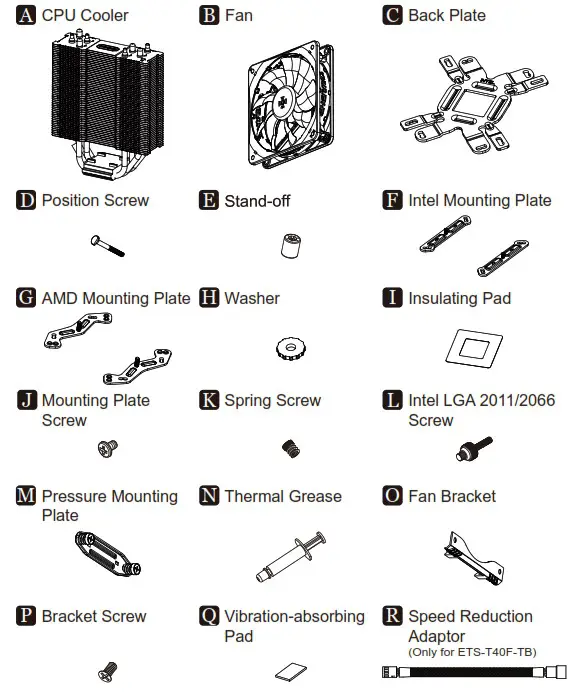
Notice: Actual specifications / product parts may vary according to different regions or countries.
Installation
Step 1-A-1
*LGA775/1200/115x/1366
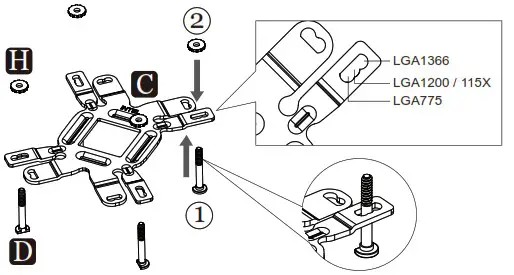
Insert the position screws into the proper holes on the back plate. Then use the washers to fix the position screws.《 If your CPU platform is Intel LGA2011/2066, please skip to step 1-B》
Step 1-A-2
*LGA775/1200/115x/1366
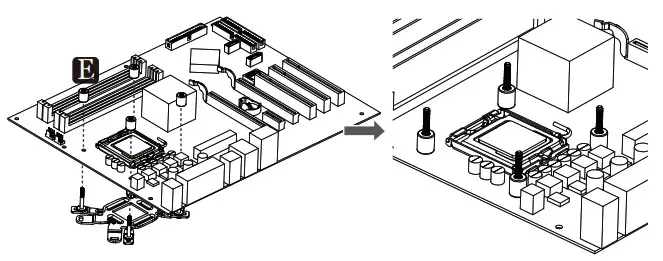
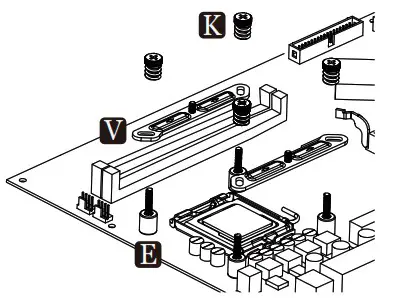
Install the back plate on to the back of the motherboard. Put the stand-offs into the back plate screws.
Step 1-B
*Intel LGA 2011/2066
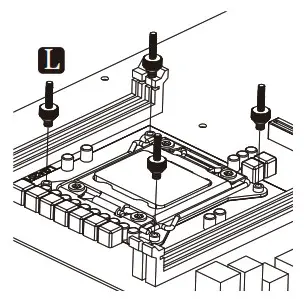
Fasten the Intel LGA 2011/2066 screws to the motherboard.
Step 2
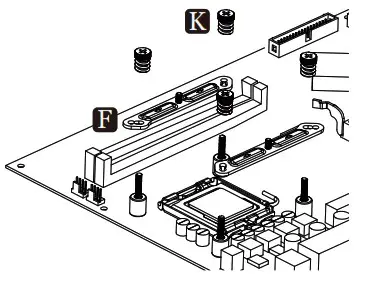
* For Intel installation
* LGA2066/2011-x/1200/115x/1366/775
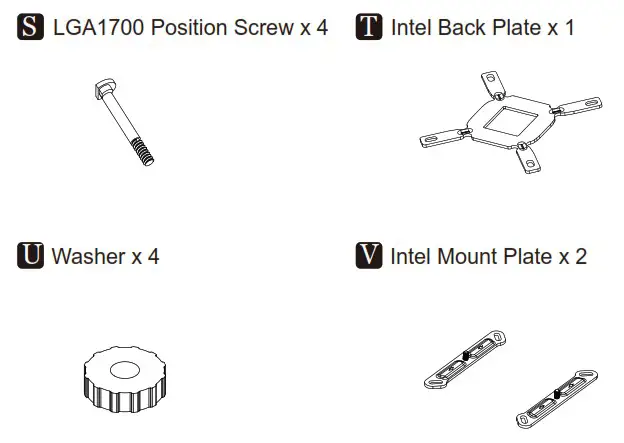
LGA1700 Part List
Step 3
*LGA1700
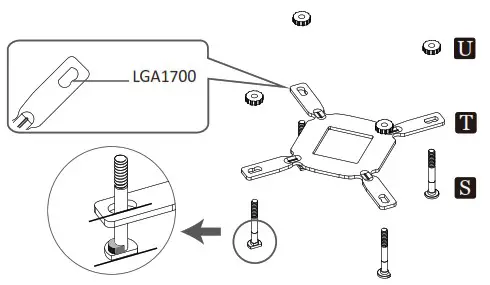
Insert the LGA1700 position screws into the proper holes on the back plate.
Then use the washers to fix the position screws.
Step 4
*For Intel installation
*LGA1700
Install the Intel mounting plates with the arrow marks towards to the CPU, then fasten them with spring screws.
Step 5-1
*For AMD installation
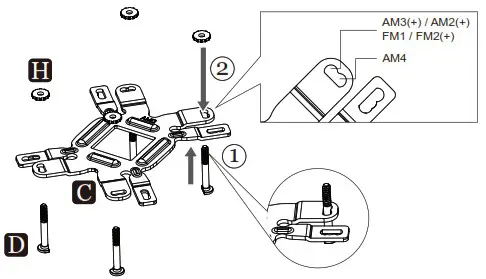
Insert the position screws into the proper holes on the back plate. Then use the washers to fix the position screws.
Step 5-2
*For AMD installation
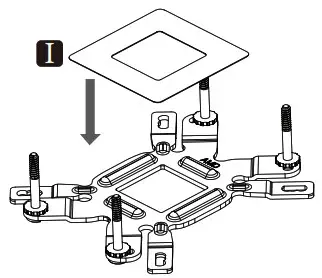
Stick the insulating pad on the appropriate position.
Step 5-3
*For AMD installation
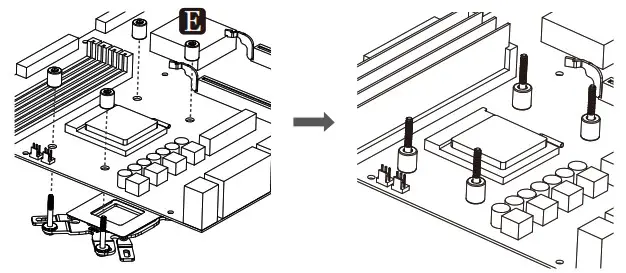
Install the back plate on to the back of the motherboard. Put the stand-offs into the back plate screws.
Step 5-4
*For AMD installation
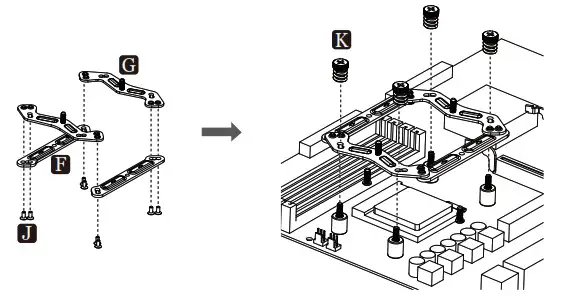
Combine the AMD mounting plates on the Intel mounting plates (arrow marks on the Intel plates facing towards the CPU) with the mounting plate screws. Then install the combined plate on the motherboard with spring screws.
Step 6
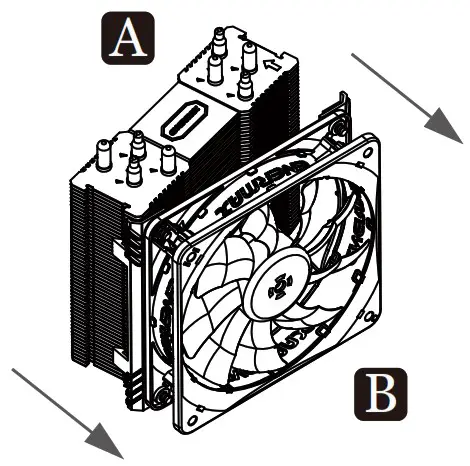
Remove the fan with the fan brackets before installing the cooler.
Step 7
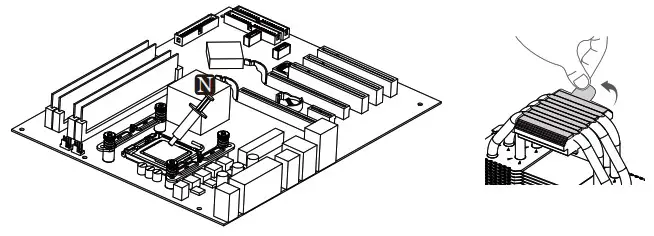
Apply the thermal grease evenly onto the CPU surface. Remove the protect film from the cooler base.
Step 8
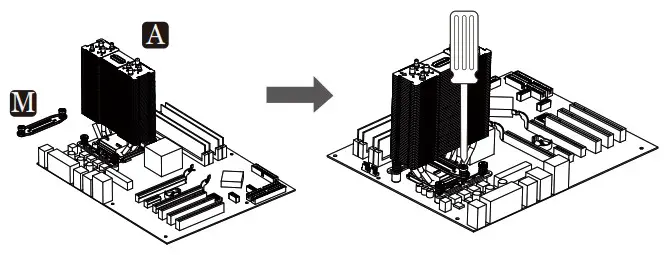
Secure the cooler using the pressure mounting plate and fasten the screws into the Intel / AMD mounting plate.
Step 9
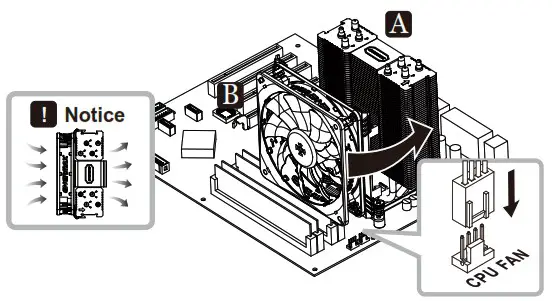
Attach the fan to the cooler with fan brackets. Connect the PWM 4 pin to the CPU Fan header on the motherboard.
!Install the fan as illustrated way gives best cooling airflow.
Supplement
*For 2 nd fan installation
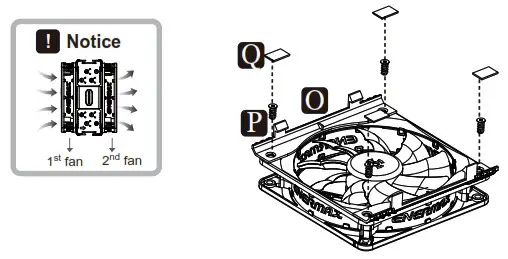
* Attach the fan brackets by fastening the bracket screws, then stick the vibration-absorbing pads to the fan.
Supplement
*For ETS-T40F-TB version only
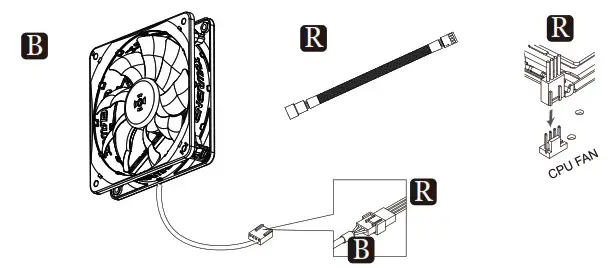
* Use speed reduction adaptor to reduce the fan speed to 400-900 RPM and provide quieter operation.