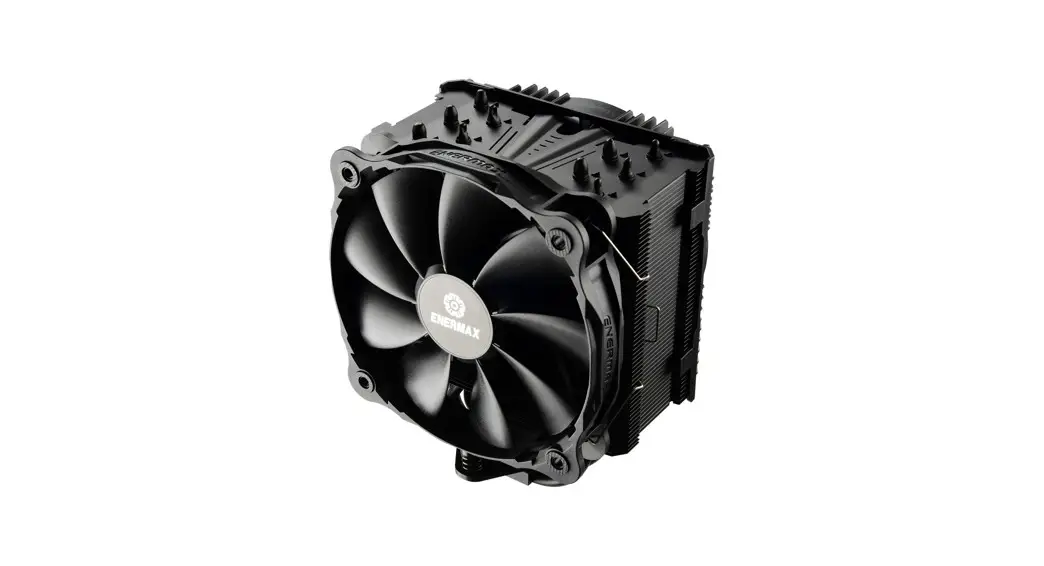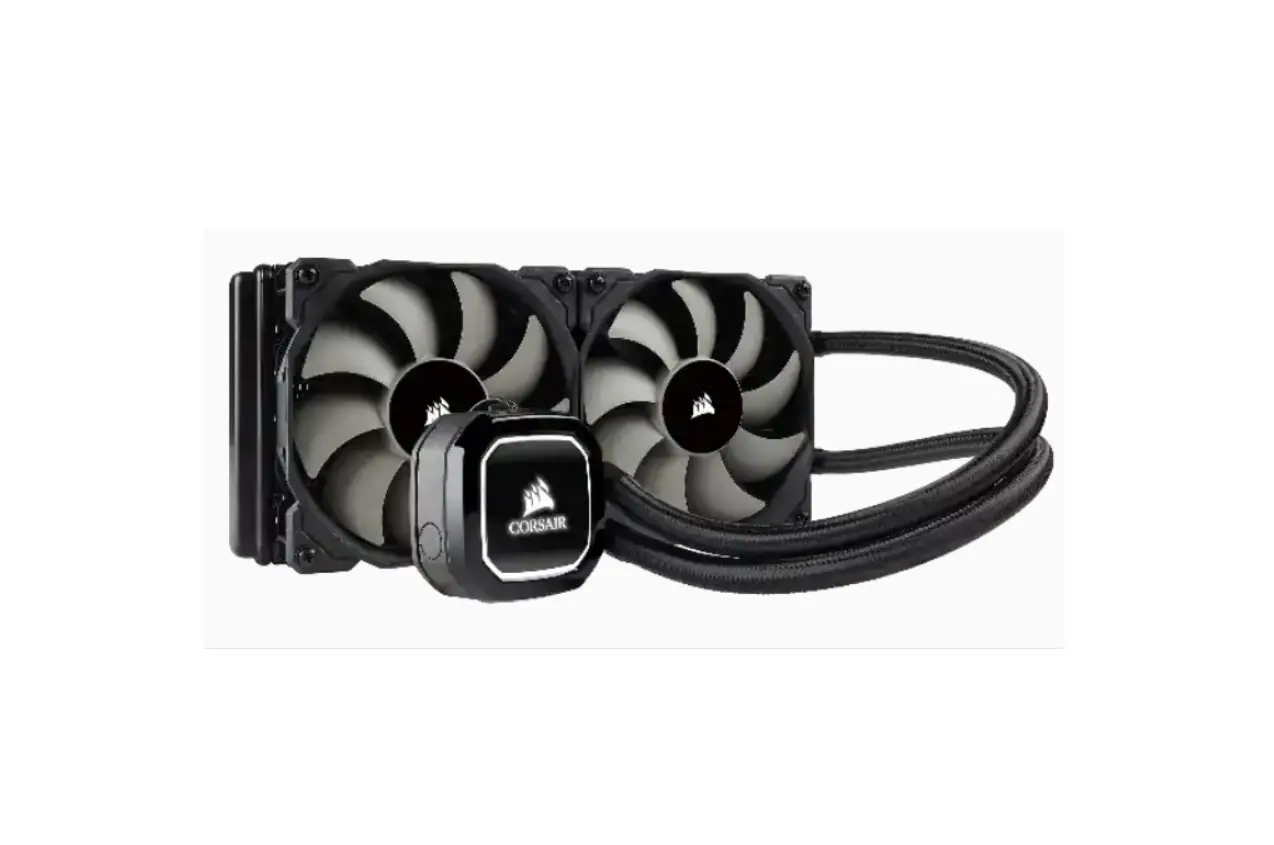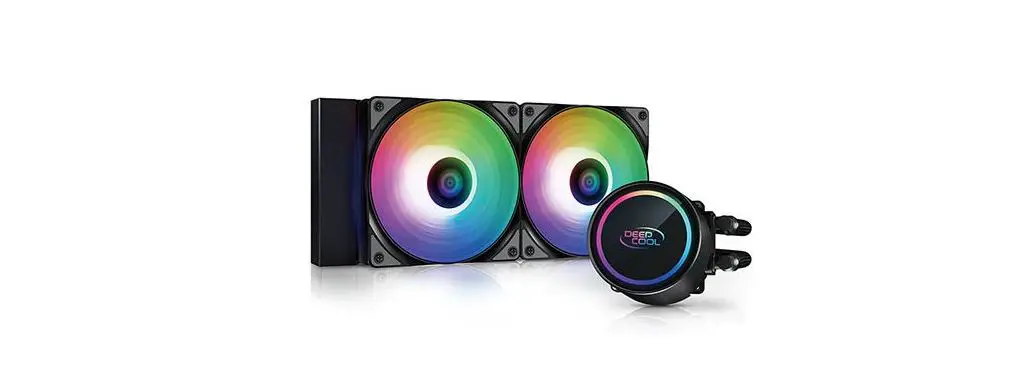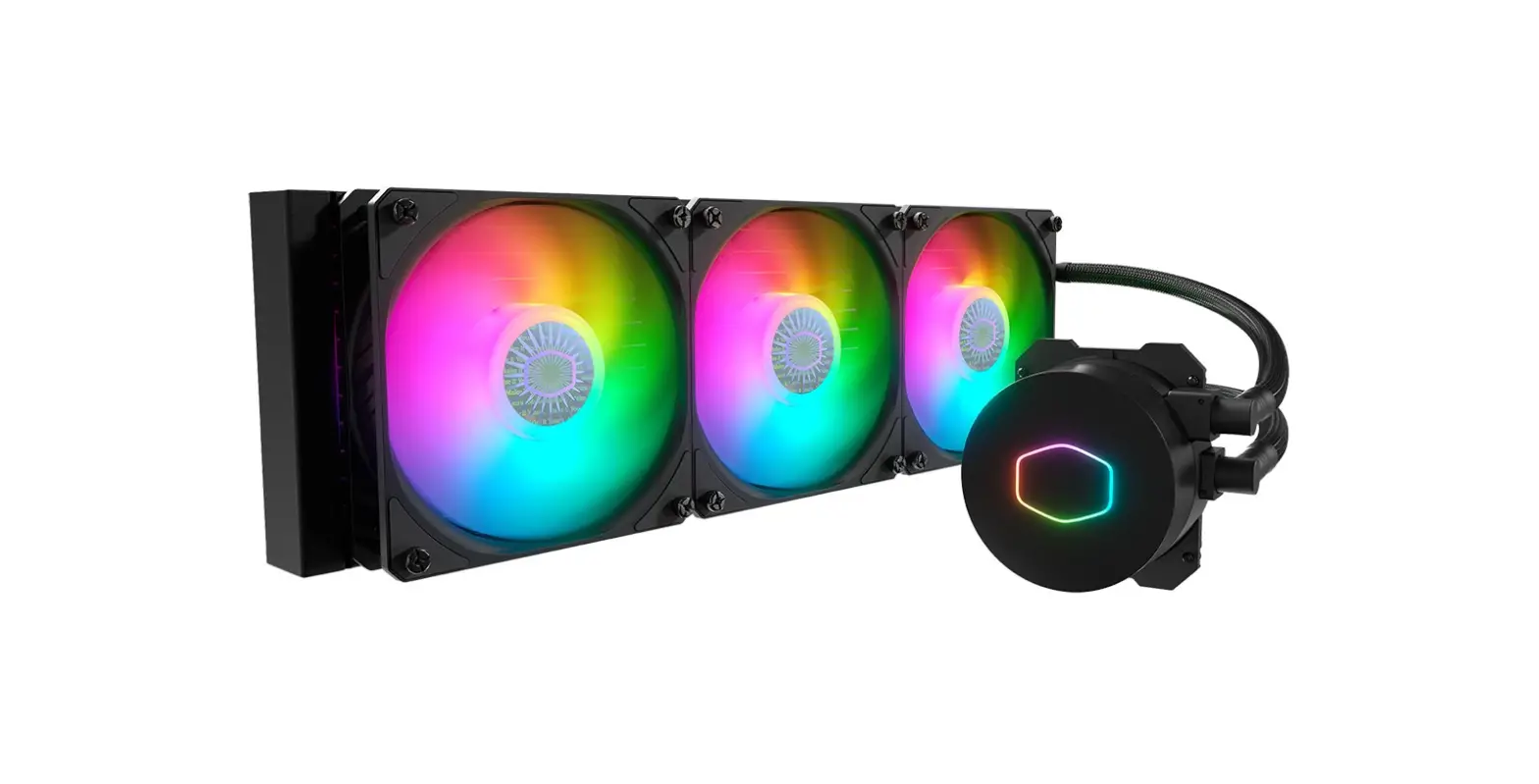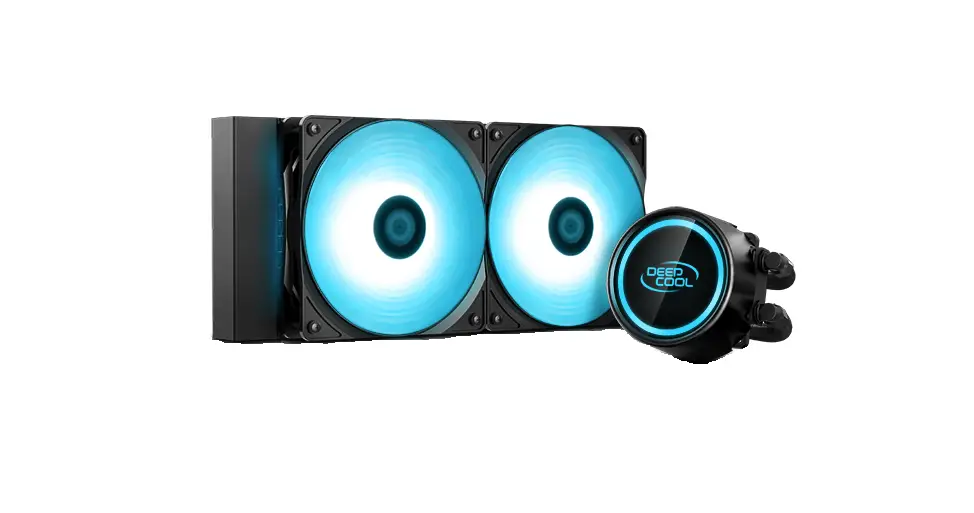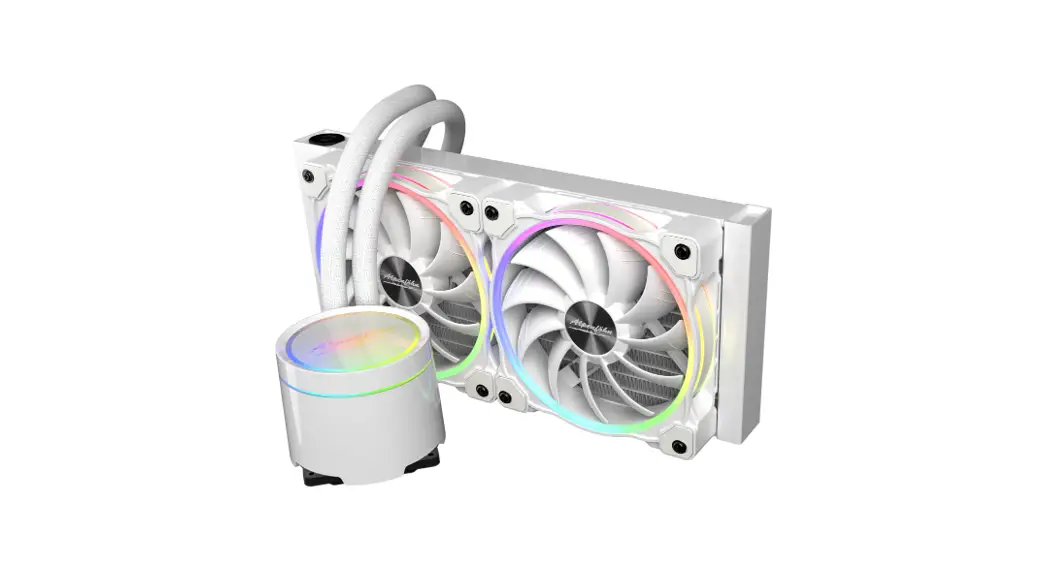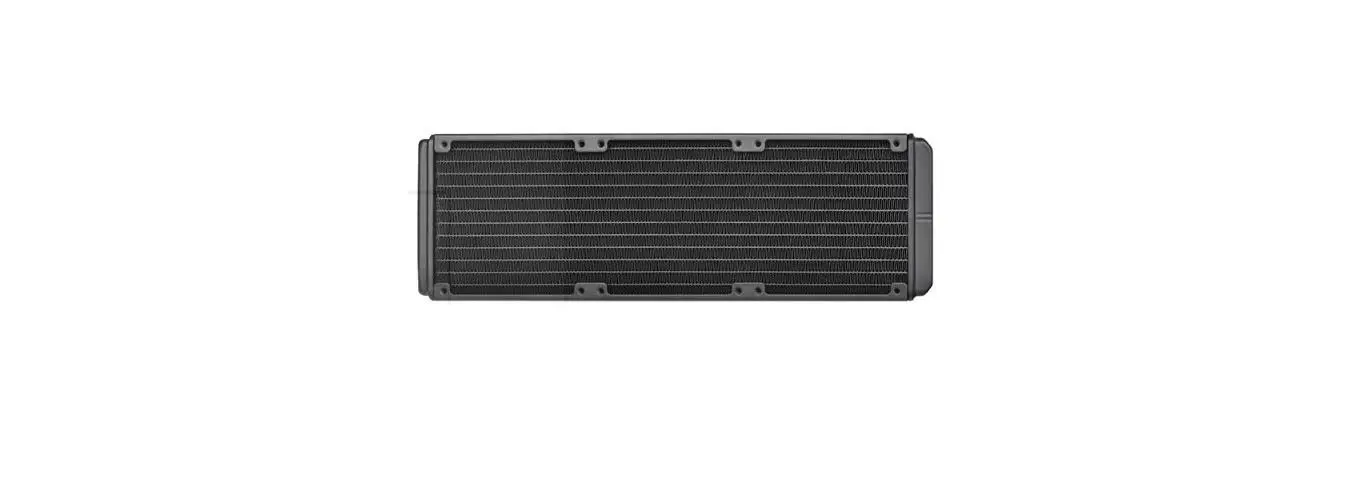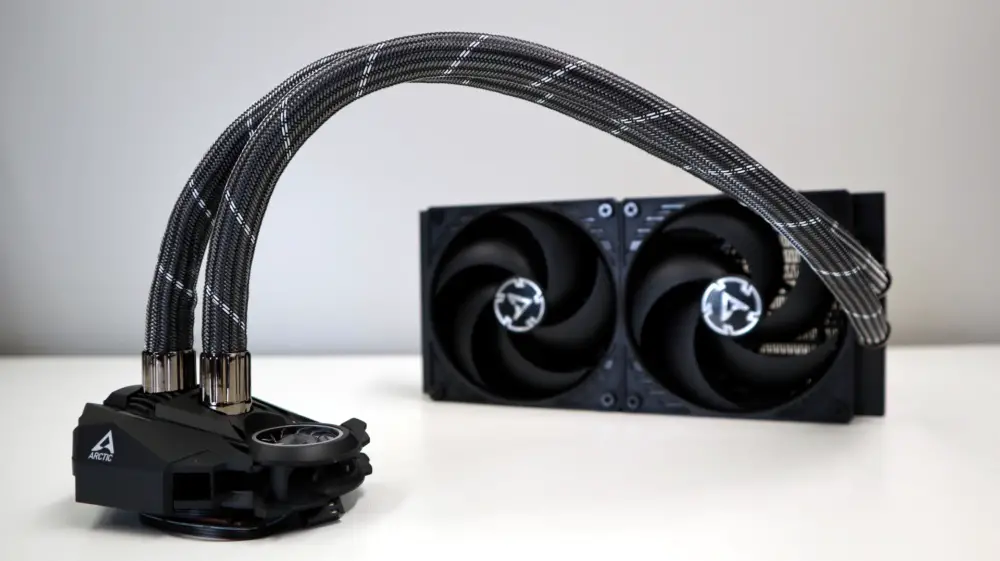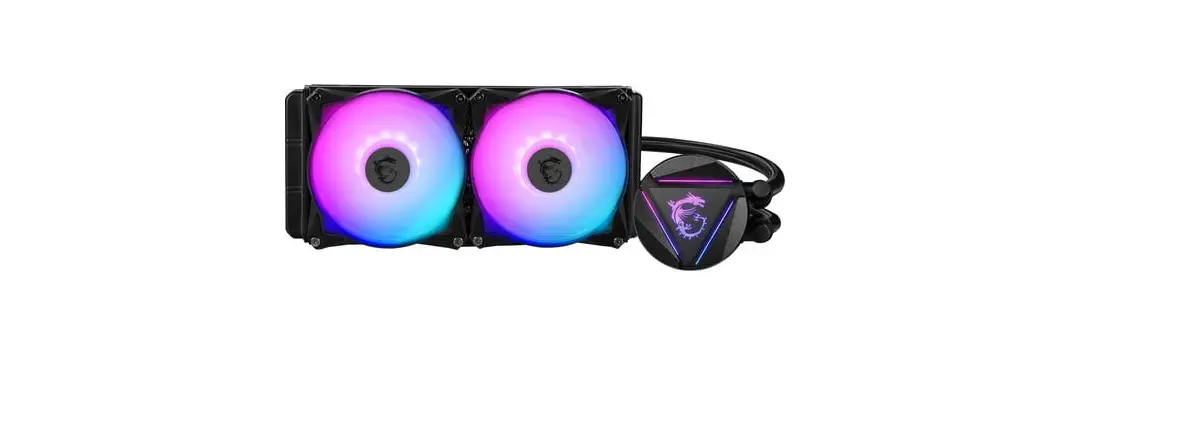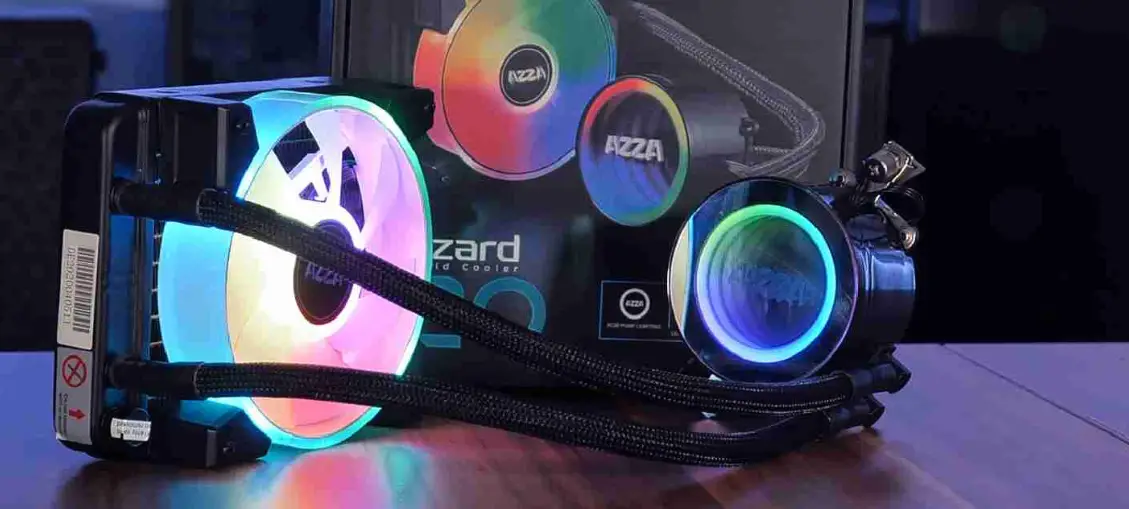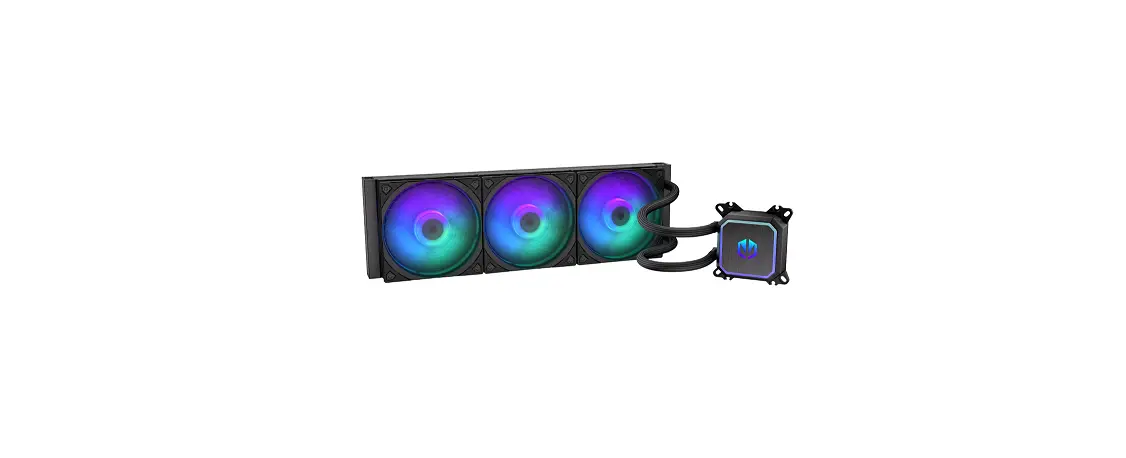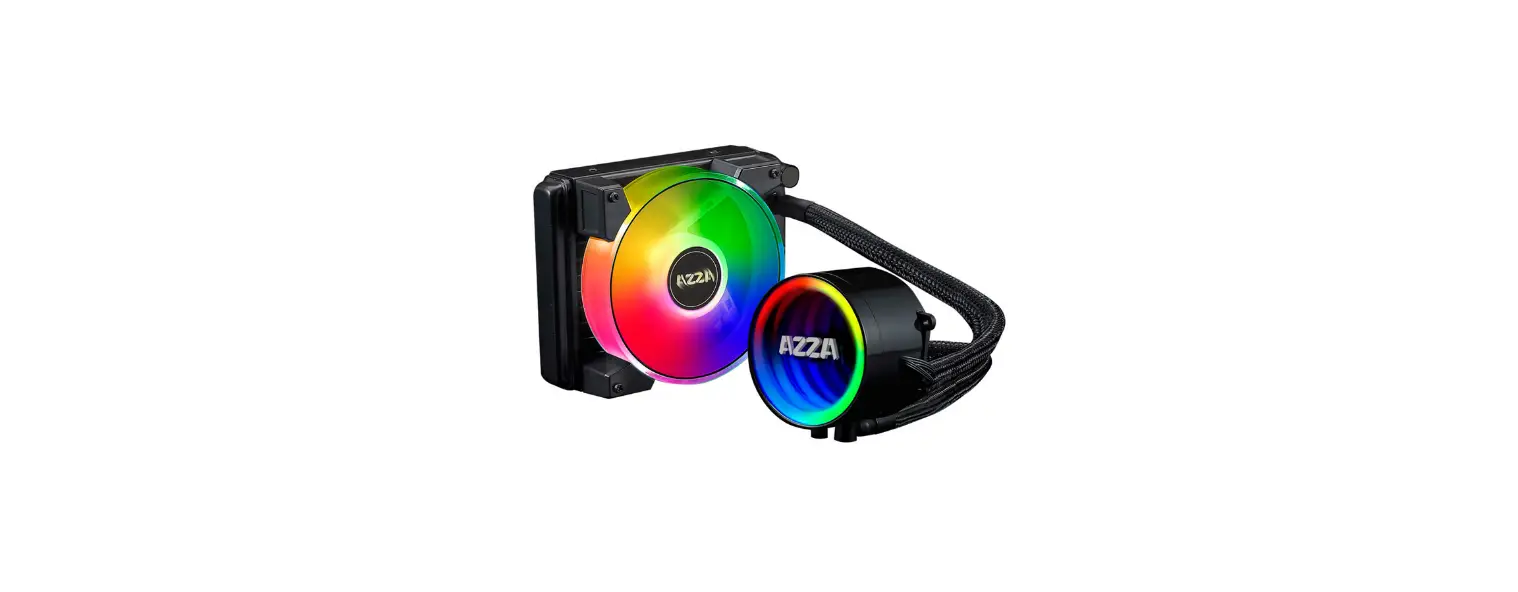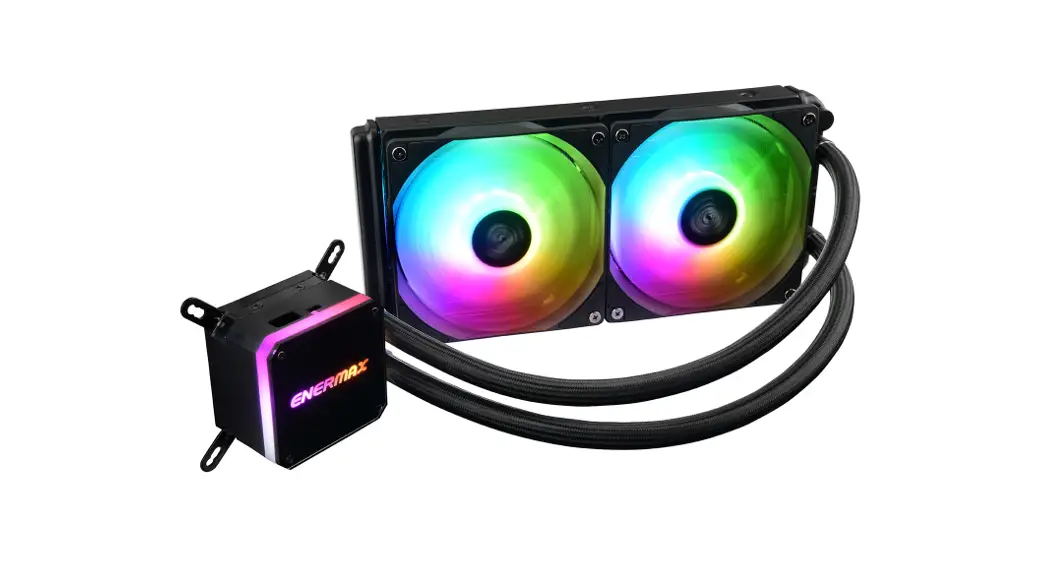
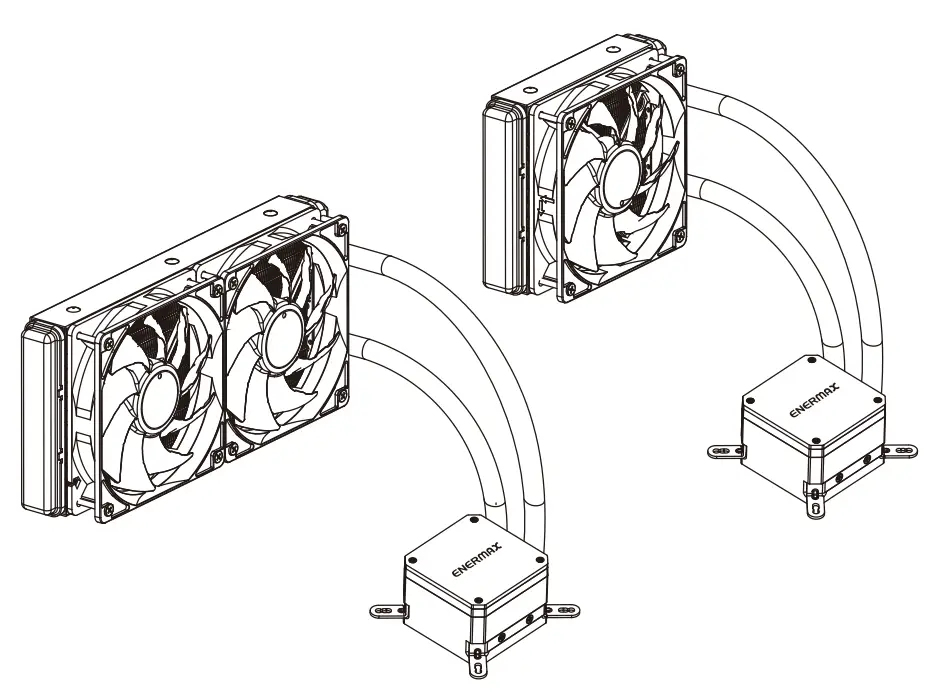
120|240|280|360 mm

User Manual
Limited Warranty
Please read this limited warranty carefully. Warranty is subject to void under the following criteria:
- The serial number label or warranty seal is defaced, modified, or removed.
- Taking apart of the product and/or modification of any component or cable without ENERMAX’s written authorization.
- Ignoring the connector’s faulty-insertion-prevention design by attaching a connector to a device under incorrect orientation.
- Damage is caused by natural phenomena or uncontrollable forces, such as lightning, flooding, fire, earthquake, misuse, abuse, negligence, accident, wear and tear, mishandling, or misapplication.
- ENERMAX is only liable for limited warranty service of ENERMAX products. ENERMAX is not liable for other damage or loss of me, interest, or commercial opportunity due to using defect product of ENERMAX.
This ENERMAX Technology Corporation product is warranted to be free from defects in material and workmanship for a period of two (2) years from the date of purchase. ENERMAX Technology Corporation agrees to repair or replace the product, at its own option and at no charge, if, during the warranty period, it is returned to the nearest ENERMAX Technology Corporation subsidiary/agent with all shipping charges prepaid and if the inspection reveals that the product is defective. Please present the proof of purchase for requesting RMA. Charges for removing or installing the product are excluded under the terms of this warranty agreement. This warranty shall not apply to any product, which has been subject to connection to a faulty power source, alteration, negligence, or accident, or to any product, which has been installed other than in accordance with these instructions. In no event shall ENERMAX Technology Corporation, or its subsidiaries, or agents be liable for damages for a breach of the warranty in an amount exceeding the purchase price of this product.
If you are uncertain whether or not your ENERMAX liquid cooler is defective, please contact your dealer/reseller for support! Web Site: http://www.enermax.com
E-mail: [email protected]
ENERMAX Technology Corporation, 15F-2, No. 888, Jing-Guo Road, Taoyuan City (330), Taiwan (R.O.C.), Tel. +886-3-316-1675, Fax. +886-3-346-6640
©2021 ENERMAX Technology Corporation. All rights reserved. Specifications are subject to change without prior notice. Actual products and accessories may differ from illustrations. Omissions and printing errors excepted. Content of delivery might differ in different countries or areas. Some trademarks may be claimed as the property of others. Reproduction in any manner without the written permission of ENERMAX is strictly forbidden.
Warranty & Support information For Australia
Our goods come with guarantees that cannot be excluded under the Australian Consumer Law. You are entitled to a replacement or refund for a major failure and for compensation for any other reasonably foreseeable loss or damage.
You are also entitled to have the goods repaired or replaced if the goods fail to be of acceptable quality and the failure does not amount to a major failure. Please read the above-limited warranty. This warranty is valid only for the ENERMAX products distributed by an authorized dealer(s) in Australia.
Please contact ENERMAX for warranty and support information.
ENERMAX Technology Corporation
15F-2, No. 888, Jing-Guo Road, Taoyuan City (330), Taiwan (R.O.C.)
Tel. +886-3-316-1675
Web Site: http://www.enermax.com
E-mail: [email protected]
This ENERMAX liquid cooler is warranted to be free from defects in material and workmanship for a period stats in two(2) years. ENERMAX Technology Corporation agrees to repair or replace the product, at its own option and at no charge, if during the warranty period, it is returned to the nearest ENERMAX Technology Corporation subsidiary/agent with all shipping charges prepaid and bearing a return merchandise authorization (RMA) number, and if the inspection reveals that the product is defective. Charges for removing or installing the product are excluded under the terms of this warranty agreement. This warranty shall not apply to any product, which has been subject to connection to a faulty power source, alteration, negligence, or accident, or to any product, which has been installed other than in accordance with these instructions. In no event shall ENERMAX Technology Corporation, or its subsidiaries, or agents be liable for damages for a breach of the warranty in an amount exceeding the purchase price of this product! Unless stated in the manual, the standard product warranty period is described as two(2) years. If the goods is found defective within the period of warranty from the date of purchase, please contact ENERMAX or your purchased retail shop/agent.
Please note that proof of purchase would be required when requesting the RMA.
Specifications
| Model | ELC-LMT120-ARGB | ELC-LM1240-ARGB ELC-LMT240-W-ARGB | ELC-LMT280-ARGB | ELC-LMT360-ARGB ELC-LMT360-W-ARGB | |
| CPU Socket | Intel° LGA 2066/2011-3/2011/1366/1200/1156/1155/1151/1150 AMC:is AM4/AM3+/AM3/AM2+/AM2/FM2+/FM2/FM 1 | ||||
| Material | Copper Base with Aluminum Radiator | ||||
| Pump | Bearing | Ceramic Bearing | |||
| MTBF | 50,000 hrs | ||||
| Motor Speed | 3100 RPM ± 10% | ||||
| Rated Voltage | 12 V | ||||
| Rated Current – Pump | 0.4 A or 0.53A if not connected to 4 pin RGB connector (5V/0/-/G) | ||||
| Water block | Rated Current – RGB LED | 0.18 A | |||
| Radiator | Dimension | 154 x 120 x 27 mm | 274 x 120 x 27 mm | 314 x 140 x 27 mm | 394 x 120 x 27 mm |
| Tube | Material | Rubber | |||
| Length | 400 mm | ||||
| Weight (W/O fan) | 690 g | 795 g | 954 g | 968 g | |
| Fan | Dimension | 120 x 120 x 25 mm | |||
| MTTF | 50,000 hrs | ||||
| Speed | 500-1600 RPM | ||||
| Rated Voltage | 12 V | ||||
| Rated Current – Fan | 0.17 A | ||||
| Rated Voltage – RGB LED | 5V | ||||
| Rated Current – RGB LED | 0.36 A | ||||
| Air Flow | 22.5-72.1 CFM | ||||
| Static Pressure | 0.2-1.98 mm-H20 | ||||
| Noise Level | 14-27 dBA | ||||
| Connector | 4 pin PWM connector 3 pin ARGB connector (5V/D/-/G) | ||||
| Thermal Grease | Dow Comings TC-5121C | ||||
| Warranty | 2 years | ||||
* Note: An addressable RGB mainboard with a 5V header is needed to provide full lighting capability. In stand-alone mode, only the water block is Illumina ed with the Racing-Rainbow effect.
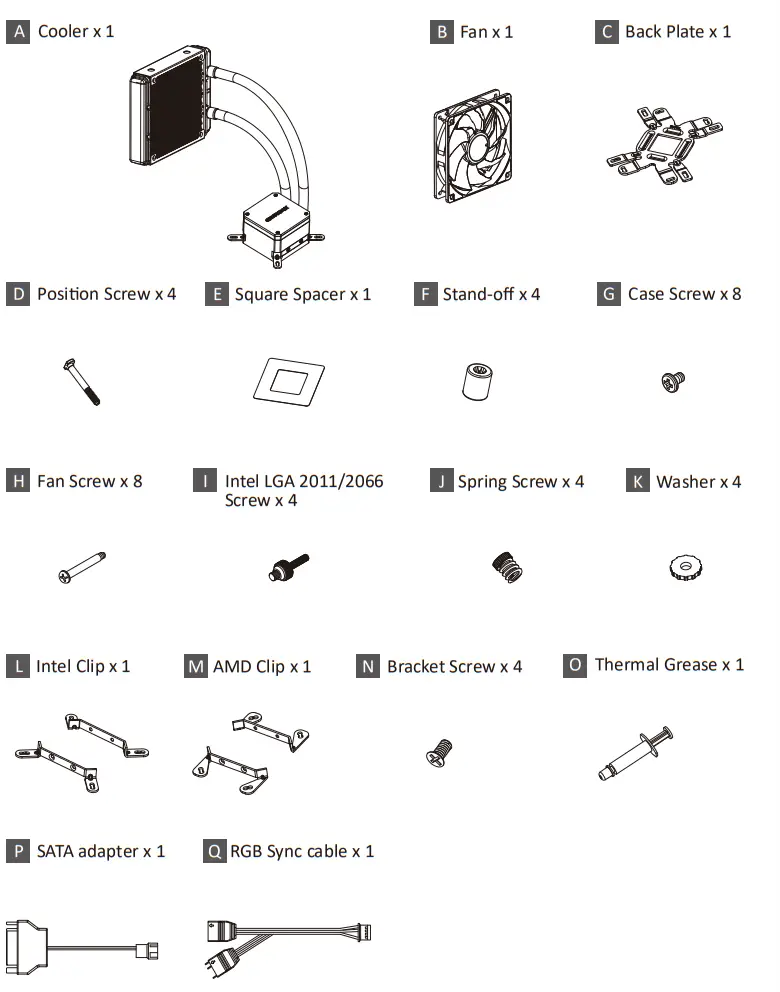
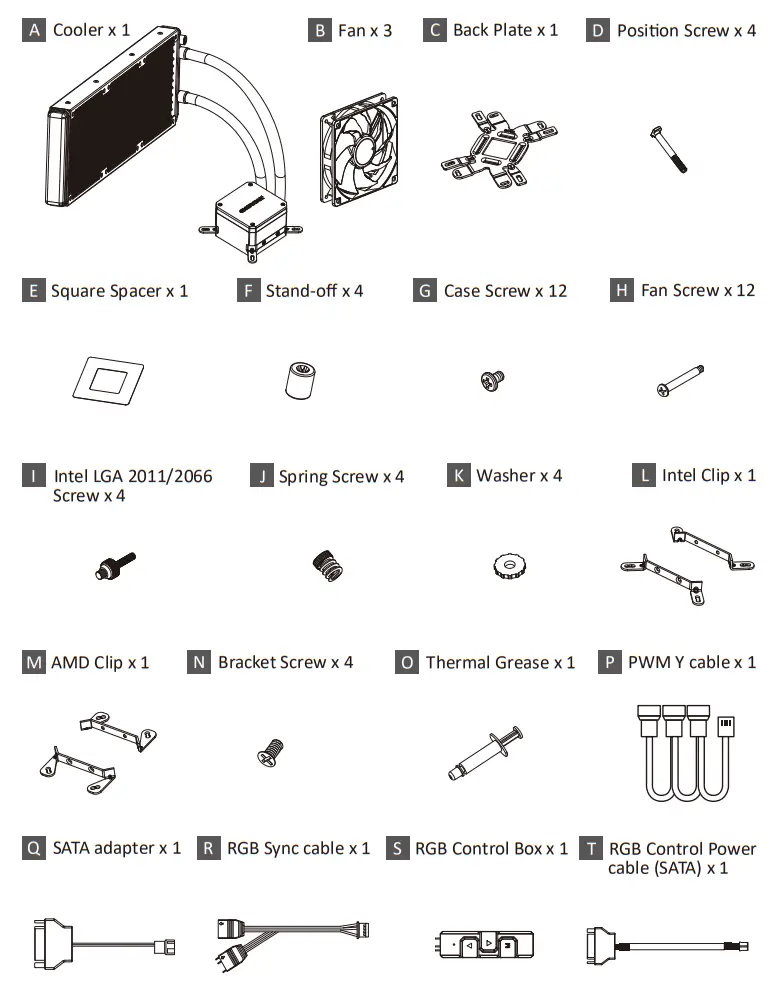
LIQMAX III ARGB 120 – Part List
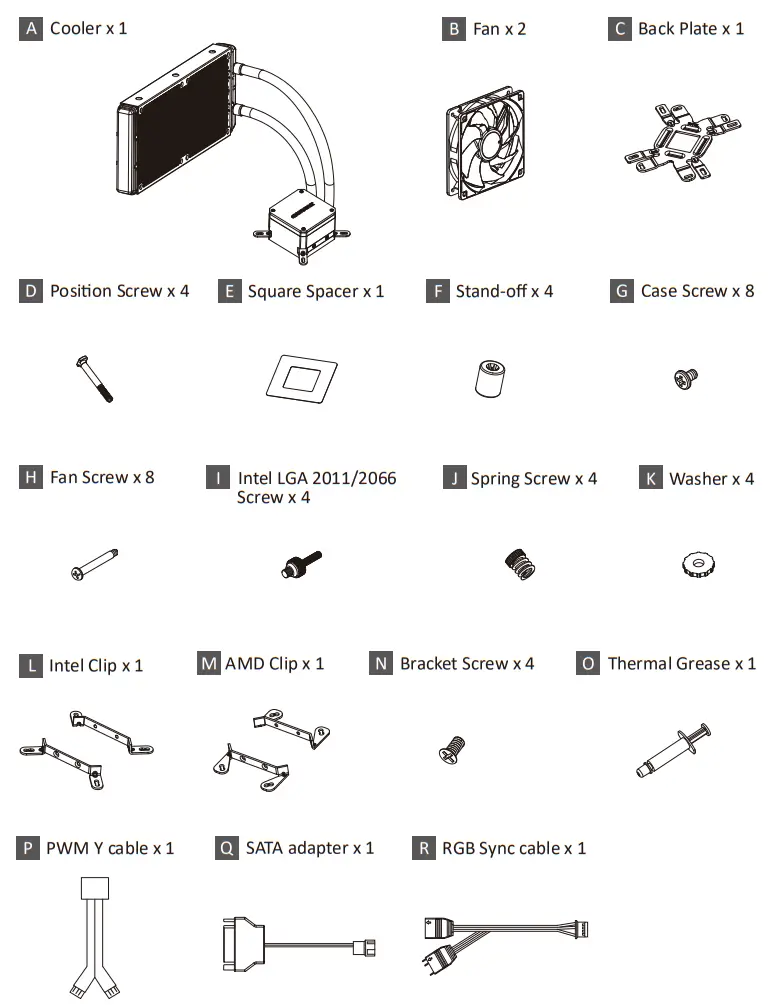
LIQMAX III ARGB 240 – Part List
LIQMAX III ARGB 280 – Part List
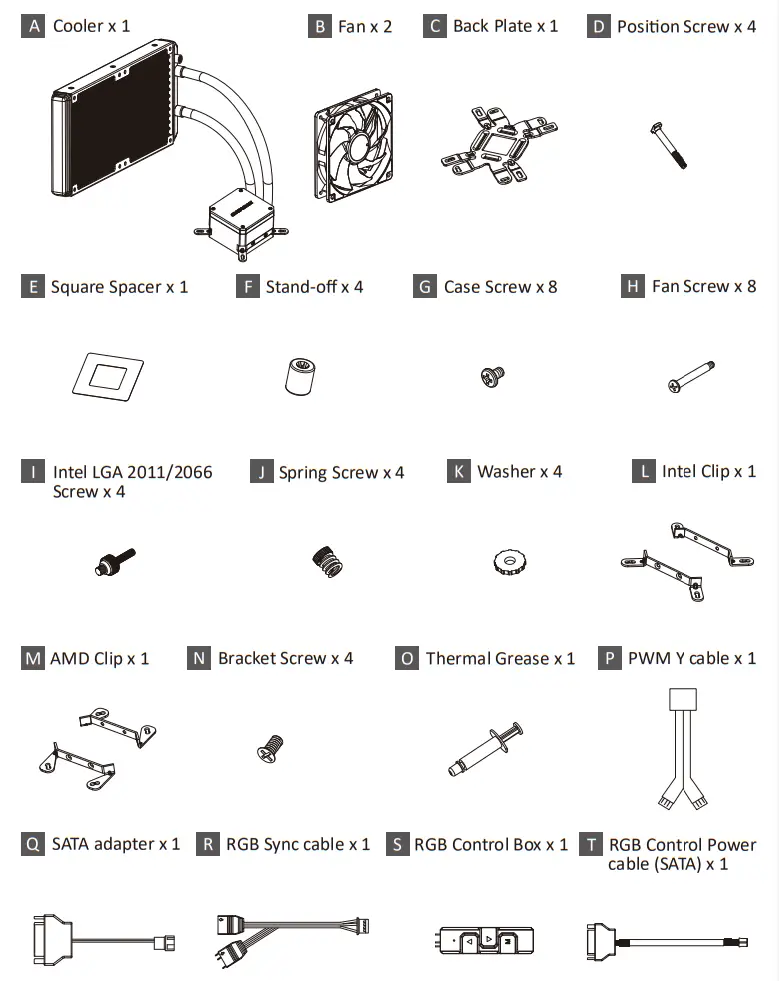
LIQMAX III ARGB 360 – Part List
Intel Installation
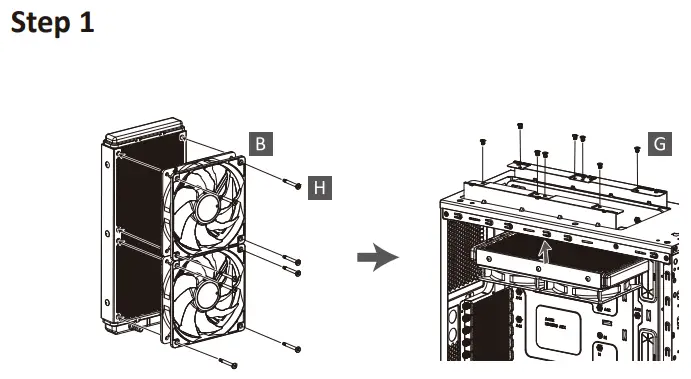
Attach the fan and the radiator to the chassis.
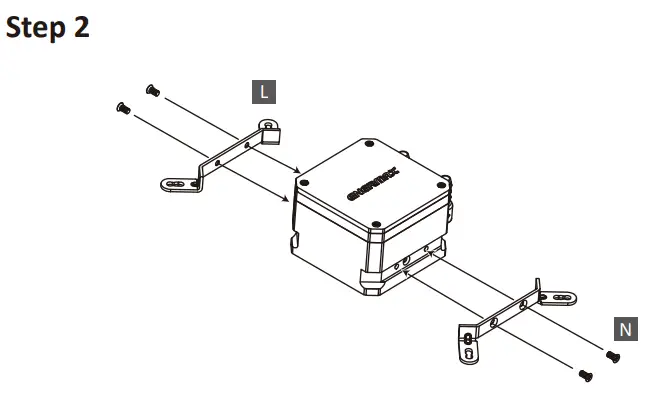
Install the Intel clip to the pump.
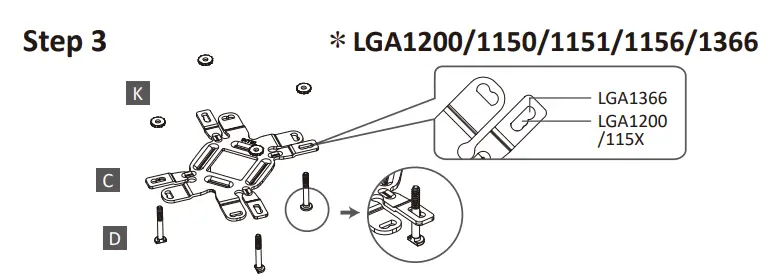
Insert the position screws into the proper holes on the backplate. Then use the washers to fix the position screws. 《 If your CPU platform is Intel LGA2011/2011-3/2066, please skip to steps 4-2 》
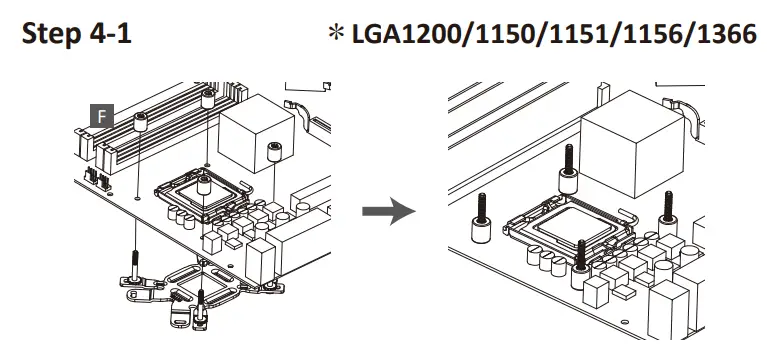
Install the Intel backplate onto the back of the motherboard; fix the backplate with the stand-off.
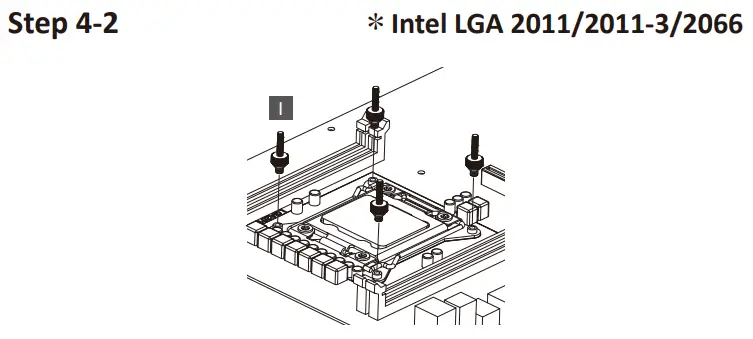
Tighten the Intel LGA2011/2011-3/2066 screw to the motherboard.
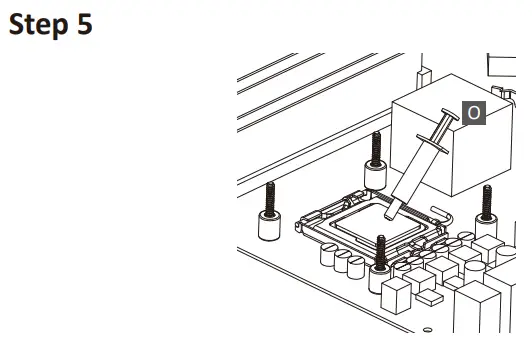
Apply the thermal grease evenly on the CPU surface.
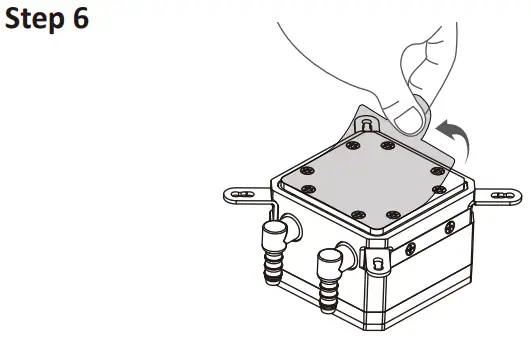
Remove the protect film from the cold plate.
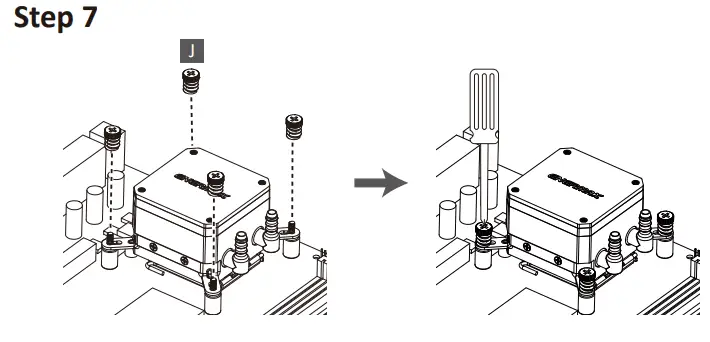
Place the pump on the CPU and tighten the spring screws until all four corners are secured.
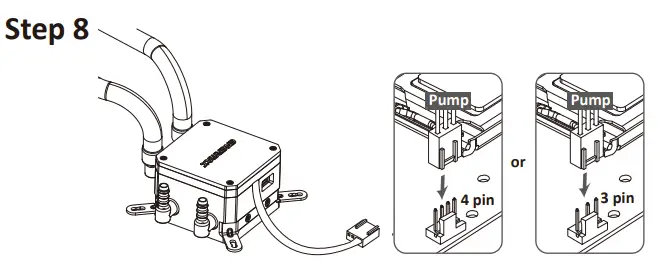
Connect the pump power connector to the motherboard.
Notice: If you recognize that your mainboard’s CPU fan or PWM sockets do not provide enough voltage to power the pump, please use the included 4-pin Molex adaptor and connect the pump directly to your PSU.
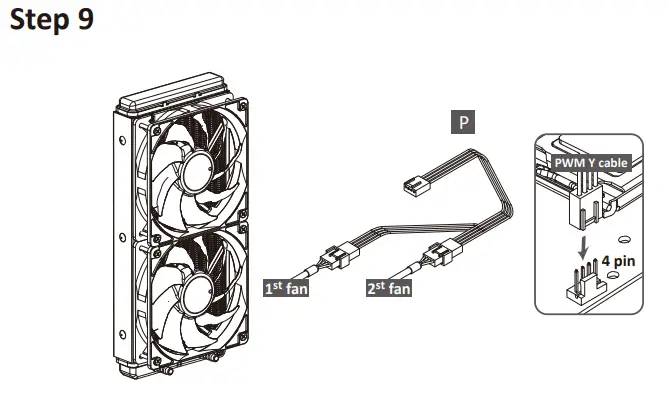
Connect the fan connector to the motherboard.
AMD Installation
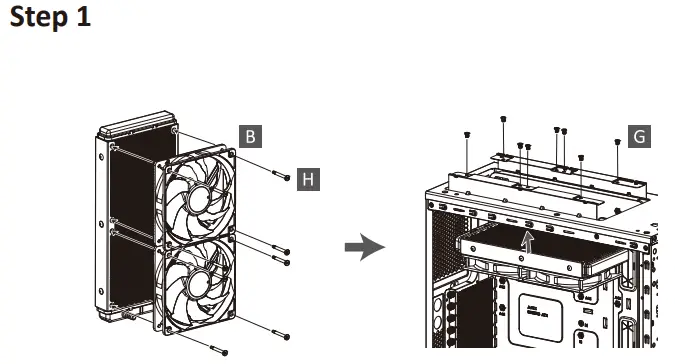
Attach the fan and the radiator to the chassis.
Install the AMD clip to the pump
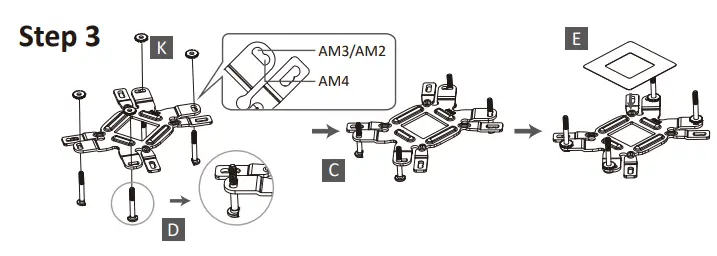
Insert the positioning screw into the appropriate hole on the back plate for your CPU socket.
Place the square spacer on the central hole of the back plate.
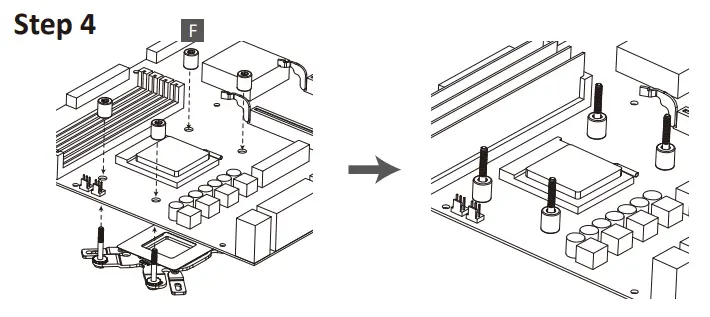
Install the AMD backplate onto the back of the motherboard; fix the backplate with the stand-off.
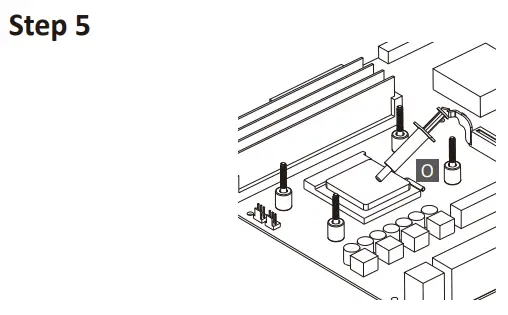
Apply the thermal grease evenly on the CPU surface.
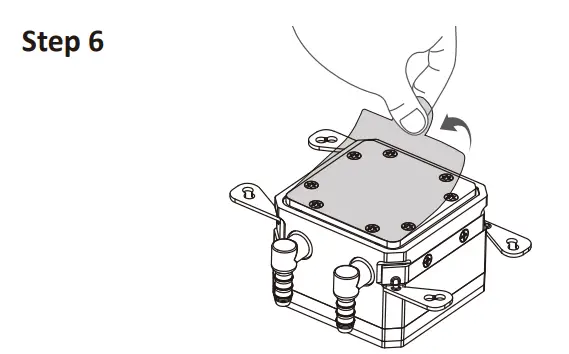
Remove the protect film from the cold plate.
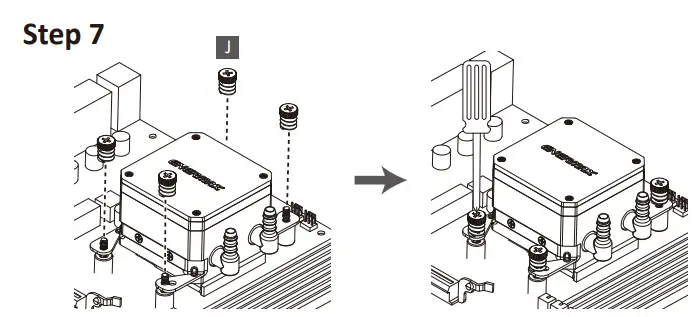
Place the pump on the CPU and tighten the spring screws until all four corners are secured.
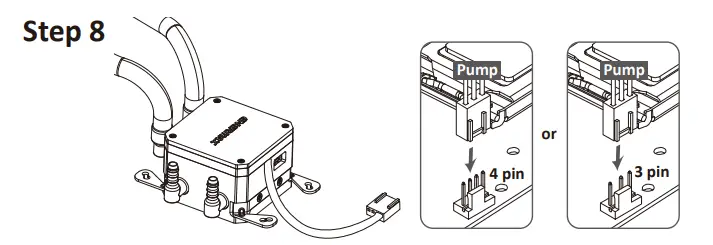
Connect the pump power connector to the motherboard.
Notice: If you recognize that your mainboard’s CPU fan or PWM sockets do not provide enough voltage to power the pump,
please use the included 4-pin Molex adaptor and connect the pump directly to your PSU.
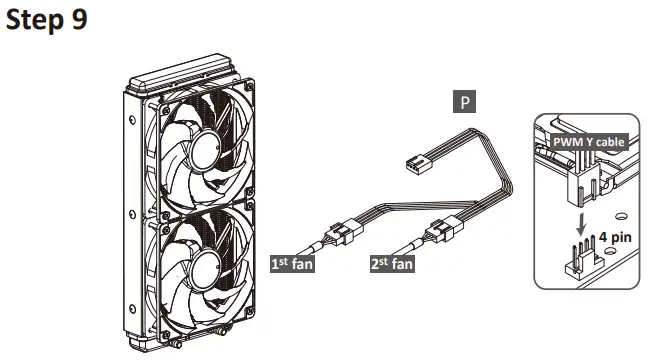
Connect the fan connector to the motherboard.
Motherboard Sync
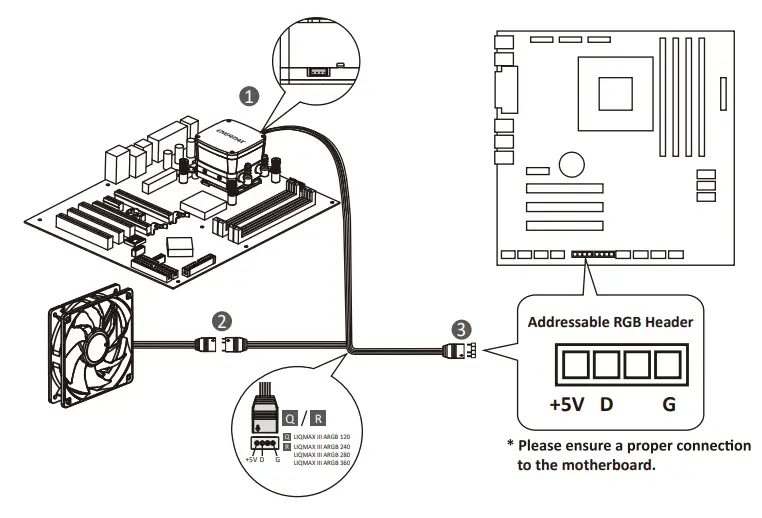
Connect the sync cable to a supported motherboard with an ARGB header
RGB Control Box
 For non-addressable RGB motherboard
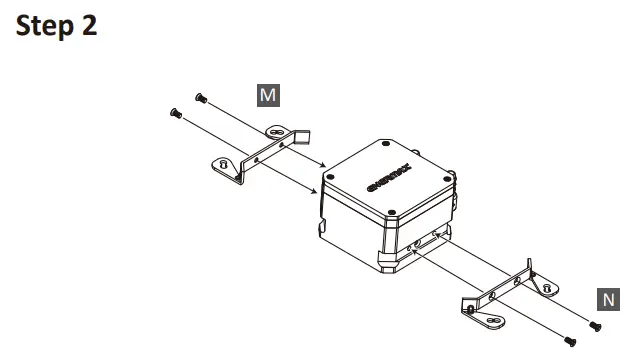
When you install the cooler onto the motherboard, please connect the RGB Sync cable to the water block, and then connect the power connectors to the RGB control box. Meanwhile, connect the SATA power cable to the PC power supply SATA connector.
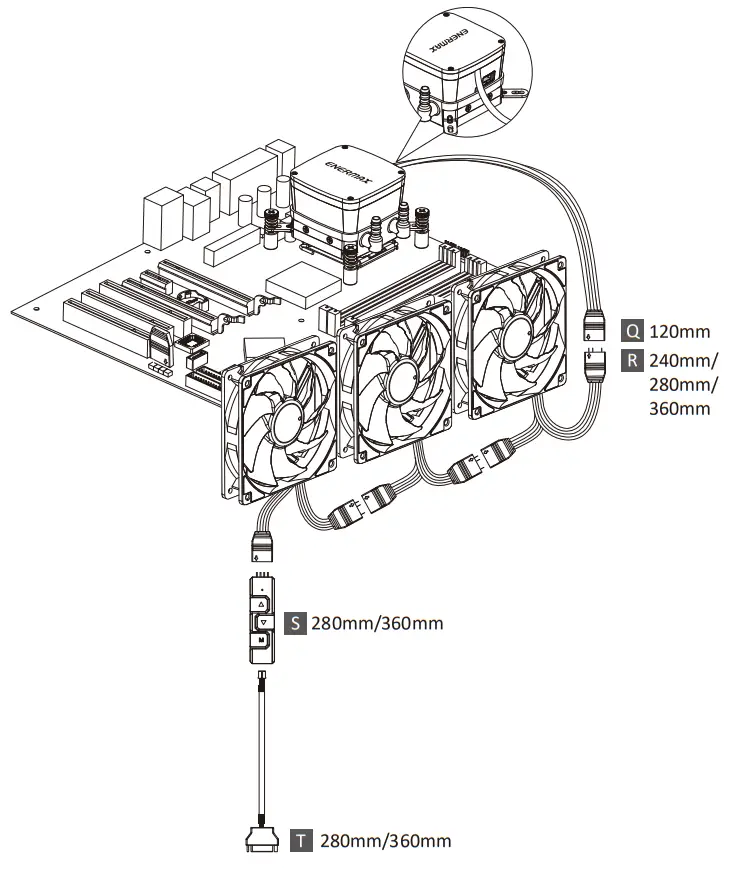
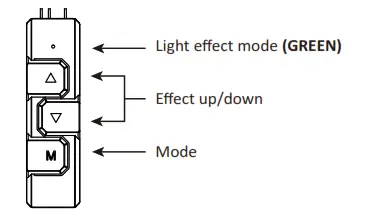
The 4 LED colors indicate the different modes: GREEN (Light Effect), RED (Effect Speed), BLUE (Brightness), and YELLOW (Auto-run).
- Press “M” until you reach the Light Effect Mode (GREEN).
- To change the effect, press the ▲ or ▼ bution.
- 10 pre-set light effects:
1) Racing-Rainbow (Default)
2) Breathing-Rainbow
3) Flash-Rainbow
4) Overlaying-Rainbow
5) Flow-Rainbow
6) Colors auto-run (8 colors)
Press ▲ for 3 seconds to fix the current color. Press ▲ for 3 seconds again to return to the Colors auto-run effect.
7) Ripple auto-run (8 colors)
Press ▲ for 3 seconds to fix the current color. Press ▲ for 3 seconds again to return to the Flash auto-run effect.
8) Overlaying-RED
9) Overlaying-GREEN
10) Overlaying-BLUE - Pressing ▼ for 3 seconds will return to the default “Racing-Rainbow” effect.
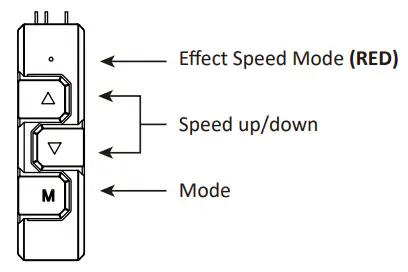
- Press “M” until you reach the Effect Speed Mode (RED).
- To change the effect speed, press the ▲or ▼bution.
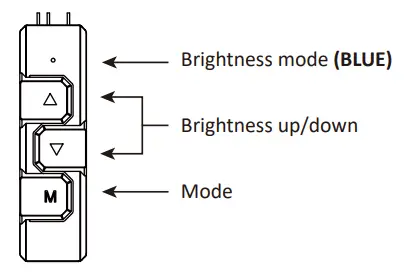
- Press “M” until you reach the Brightness Mode (BLUE).
- To adjust the brightness, press the ▲or ▼bution.
- Press “M” in any mode for 3 seconds to turn-off the light. Press “M” again to turn on the light and continue with the previous effect.

© 2020 ENERMAX TECHNOLOGY CORPORATION. All right reserved. Specifications are subject to change without prior notice. Some trademarks may be claimed as the property of others.
Mar. 2020