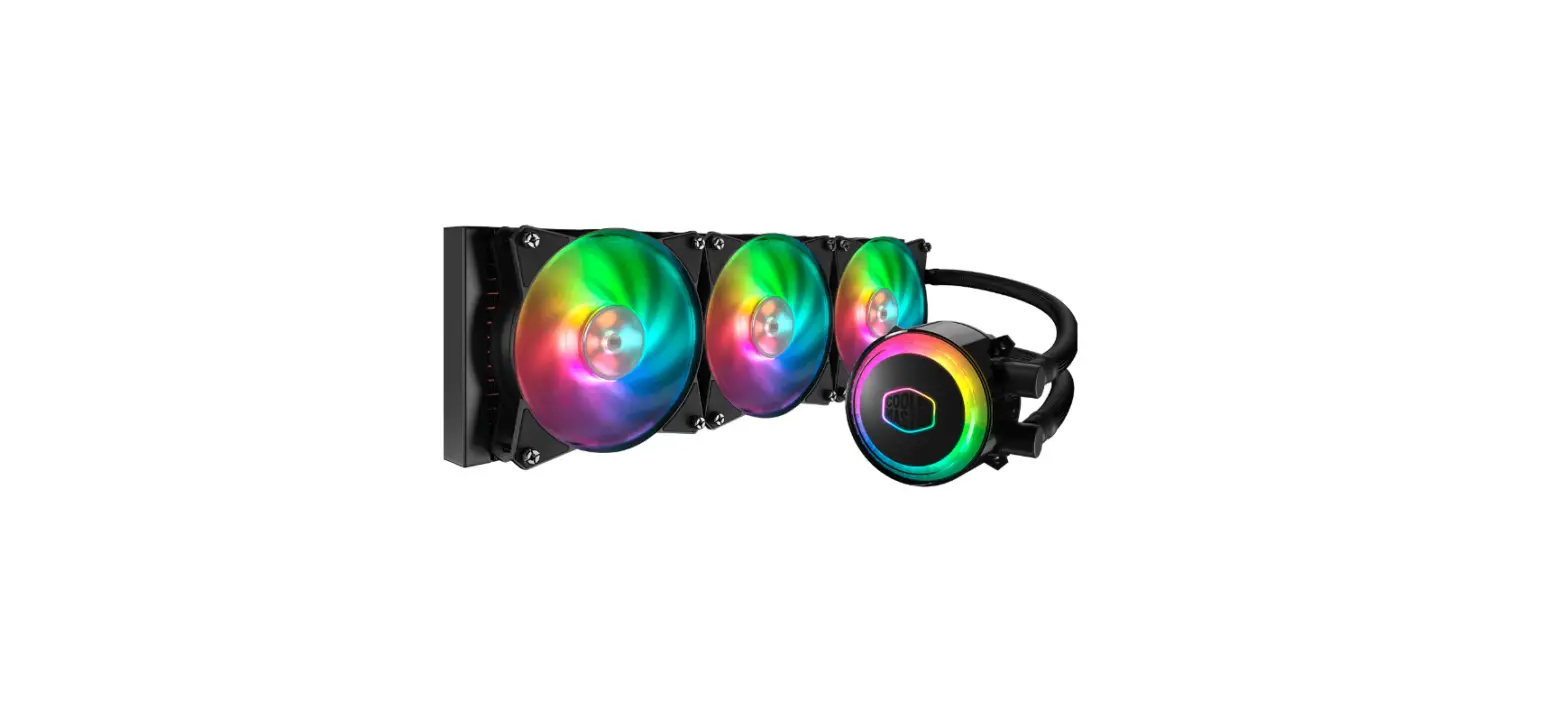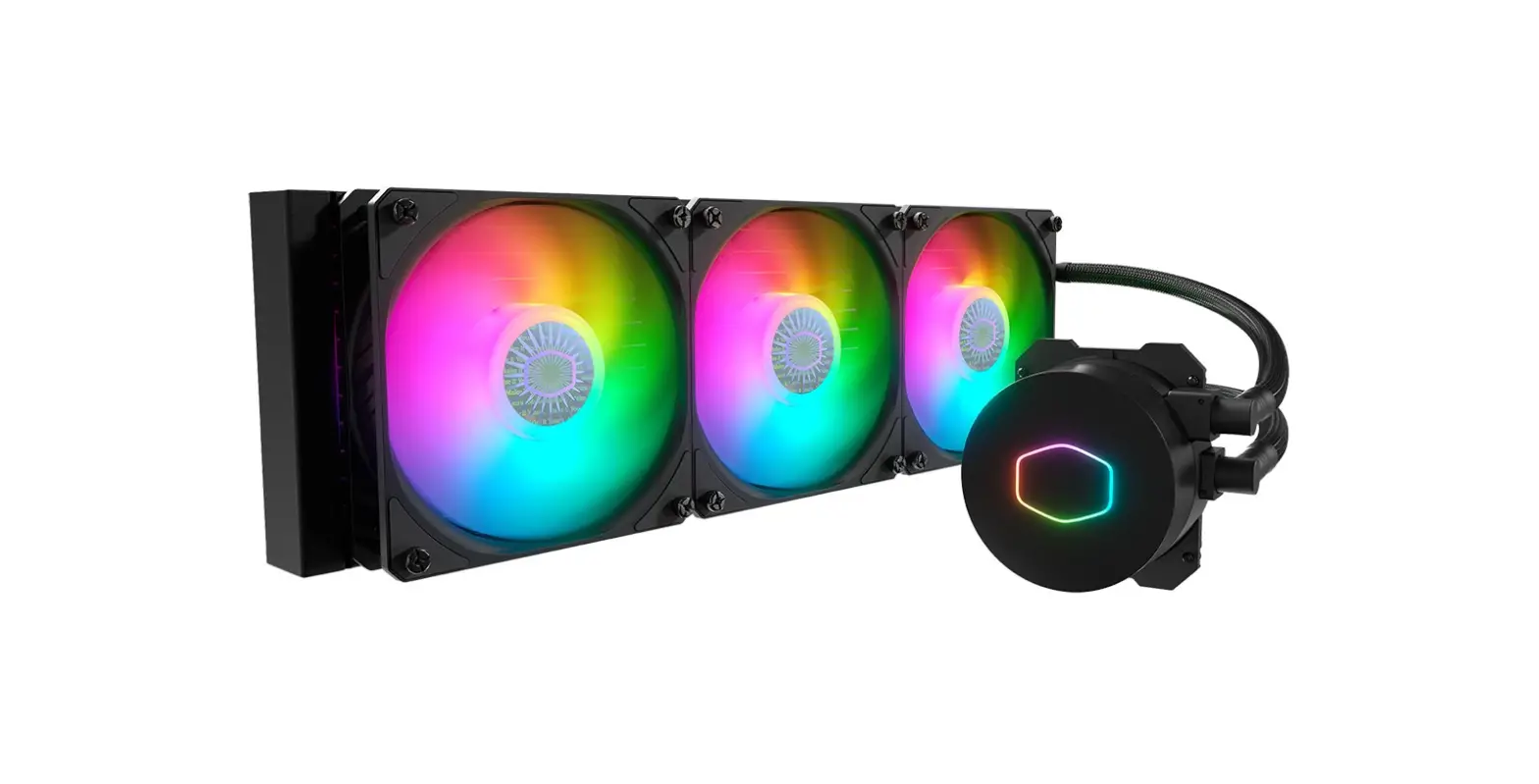

COOLER MASTER ML360L V2 ARGB V2 Liquid Cooler
Product Information
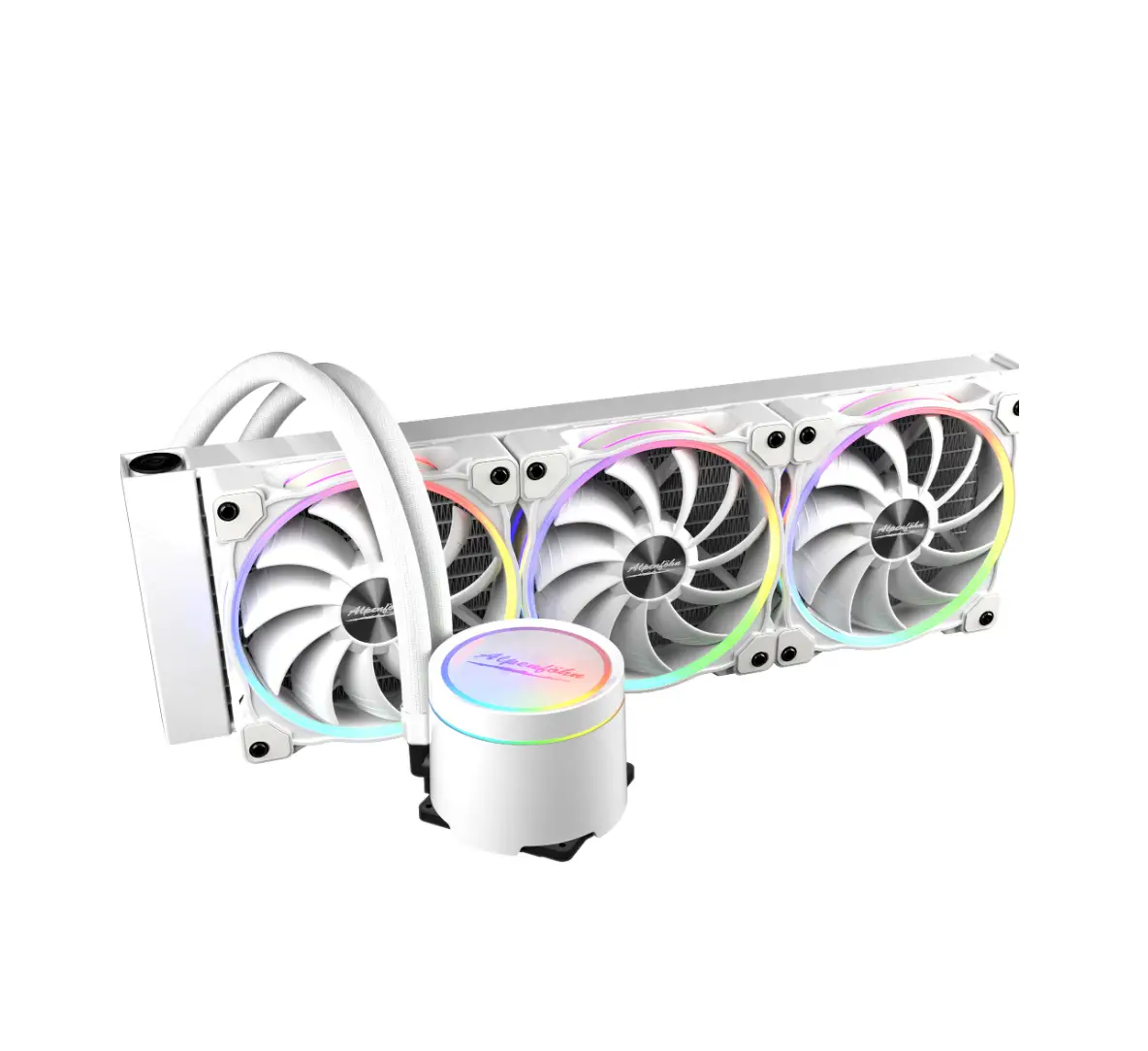
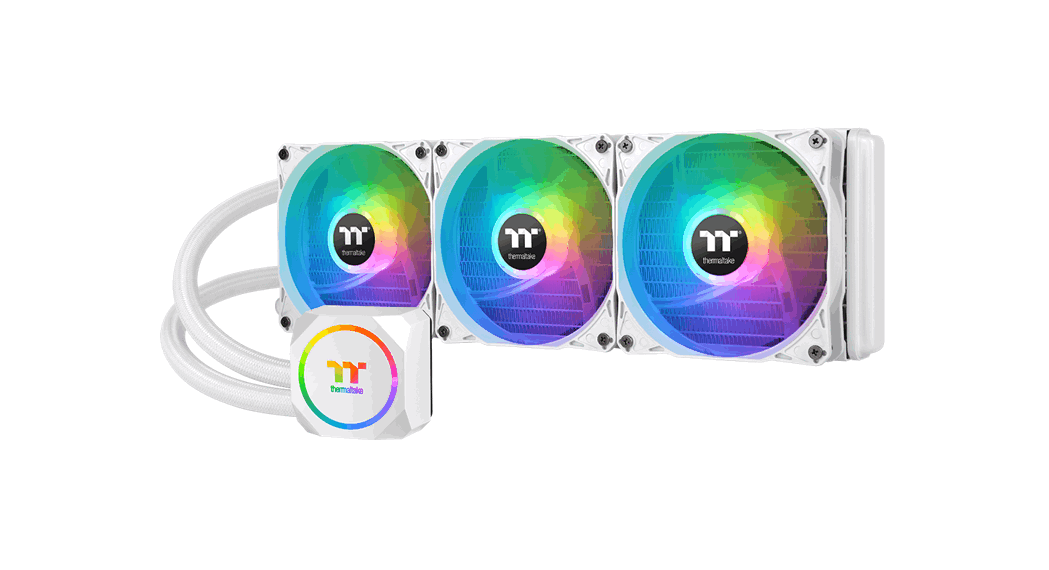
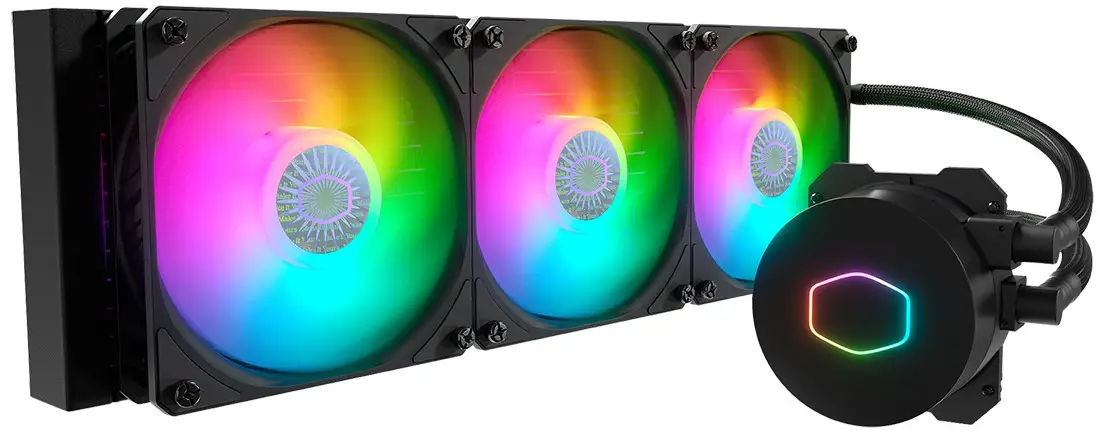
- The MasterLiquid ML360L V2 ARGB White Edition is a liquid CPU cooler designed for Intel and AMD sockets. It comes with 3 fans, 1 pump, and 2 ARGB LEDs. The cooler supports the following sockets:
- Intel LGA 2066/2011-v3/2011/115X/1200/1700
- AMD Socket AM4 / AM3+ / AM3 / AM2+ / FM2+ / FM2 / FM1
- The product is manufactured by Cooler Master Europe B.V. and is available in Europe and North America.
Product Usage Instructions
- Begin by turning off your computer and disconnecting it from the power source.
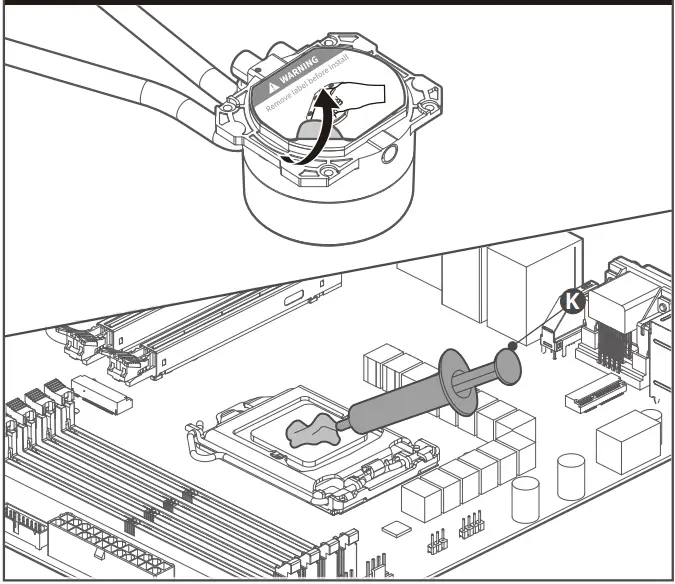
- Remove the old CPU cooler from your computer and clean the CPU surface with a lint-free cloth.
- Apply thermal paste to the center of the CPU surface. Do not apply too much as it can cause the cooler to malfunction.
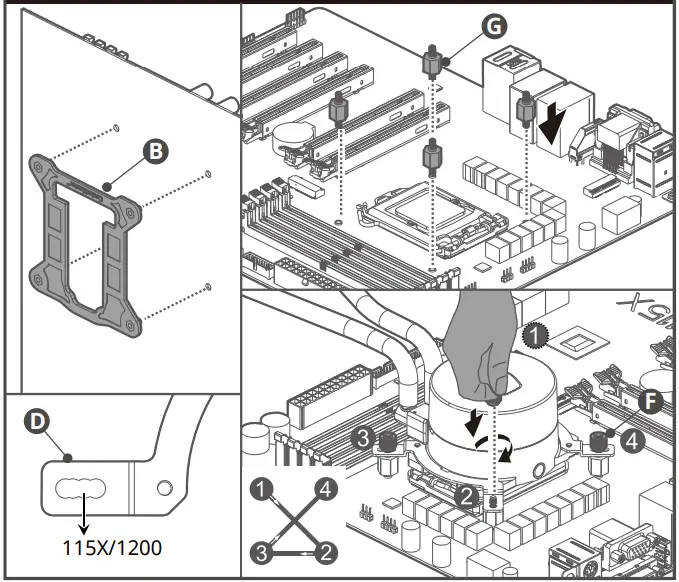
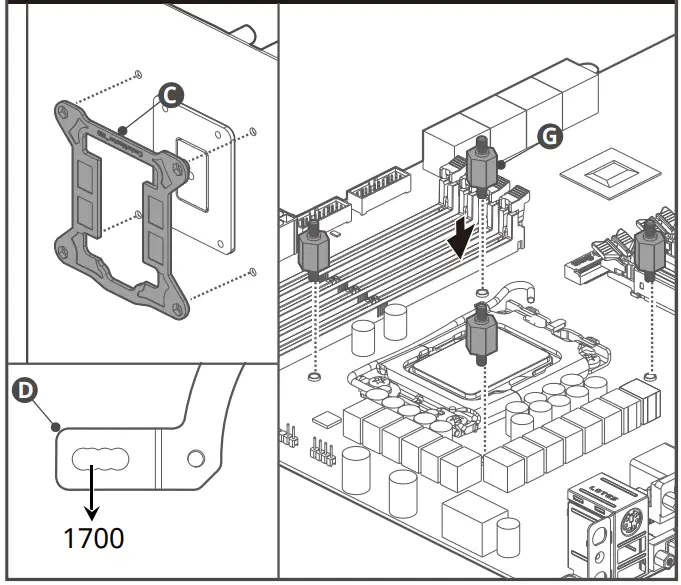
- Mount the backplate on the underside of the motherboard and secure it with the screws provided.
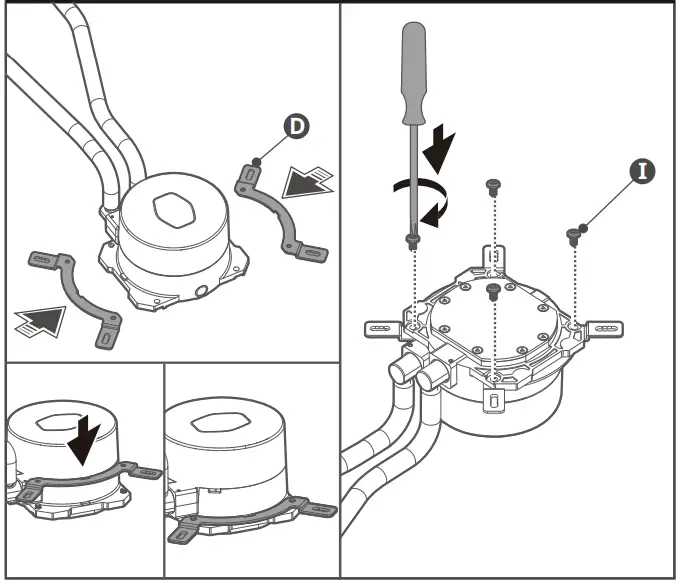
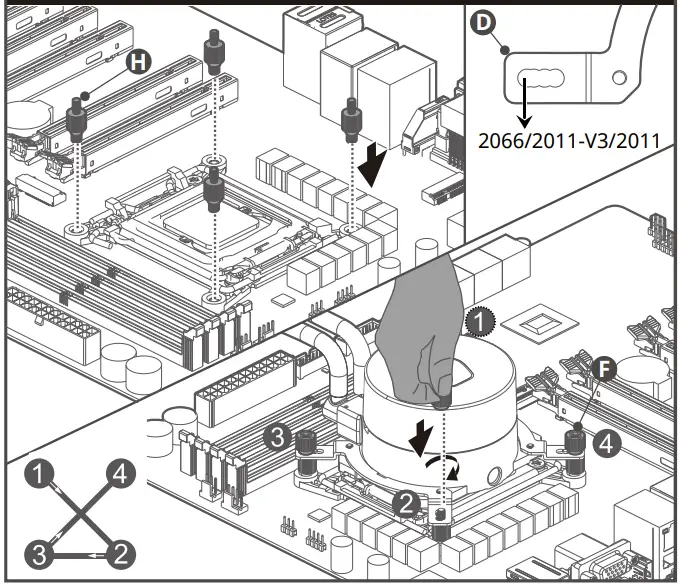
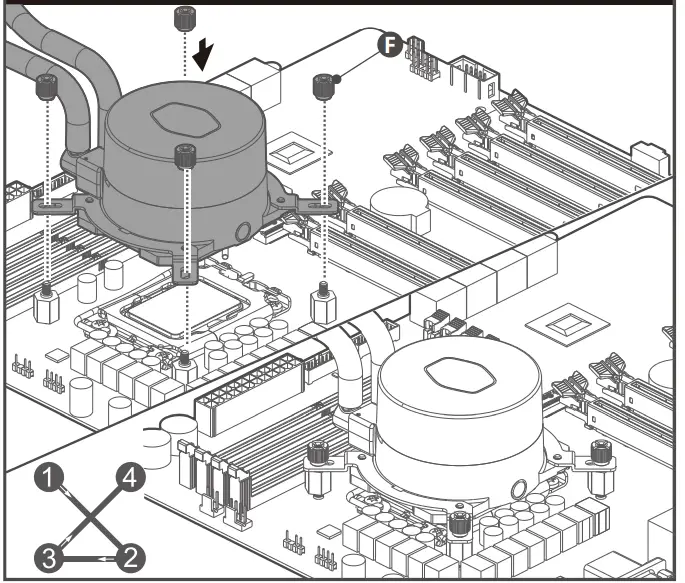
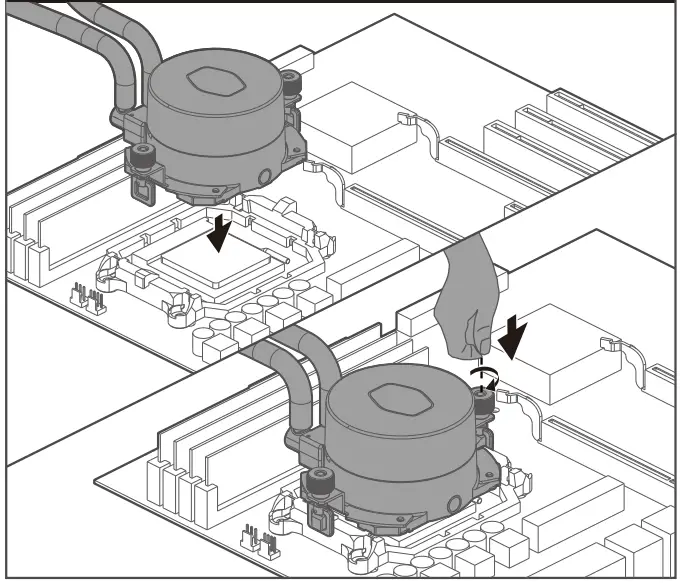
- Place the pump on top of the CPU and align the mounting holes with the standoffs on the backplate.
- Screw the pump onto the standoffs using the thumb screws provided. Use a diagonal pattern to ensure even pressure.
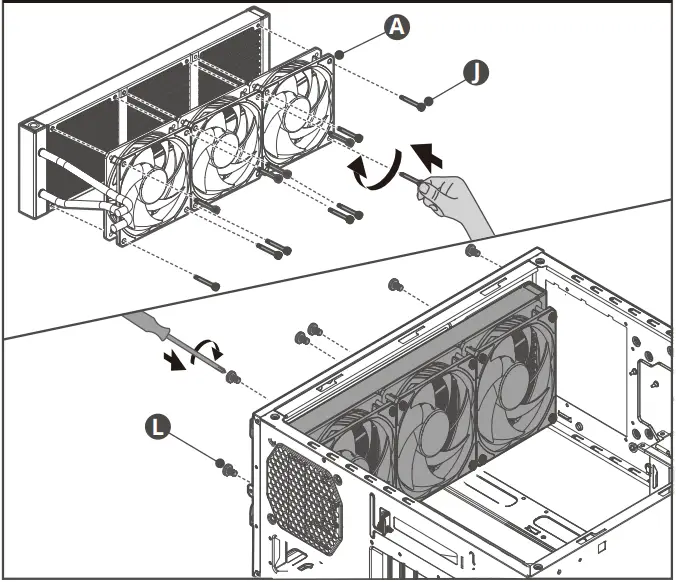
- Attach the fans to the radiator using the screws provided.
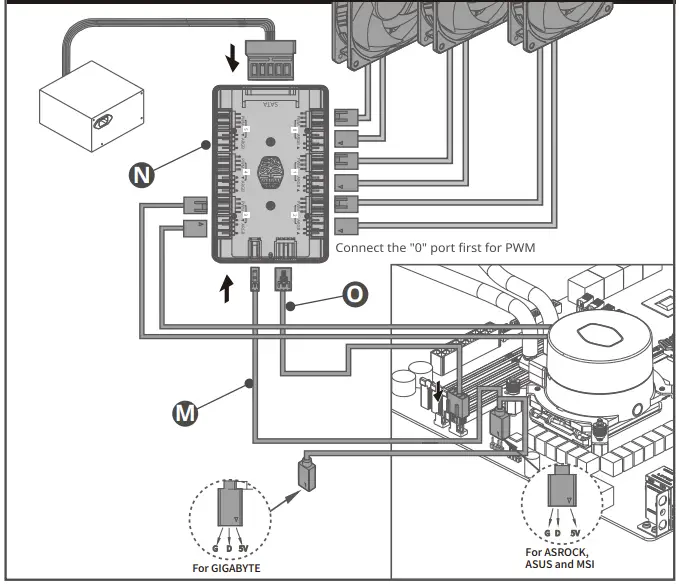
- Connect the fans to the splitter cable and connect the splitter cable to the pump’s ARGB header.
- Connect the pump’s power cable to the CPU fan header on your motherboard.
- Connect the ARGB LED cables to the appropriate headers on your motherboard. For GIGABYTE motherboards, use the G D 5V header. For ASROCK, ASUS, and MSI motherboards, use the G D 5V header.
- Turn on your computer and check that the pump and fans are functioning properly.
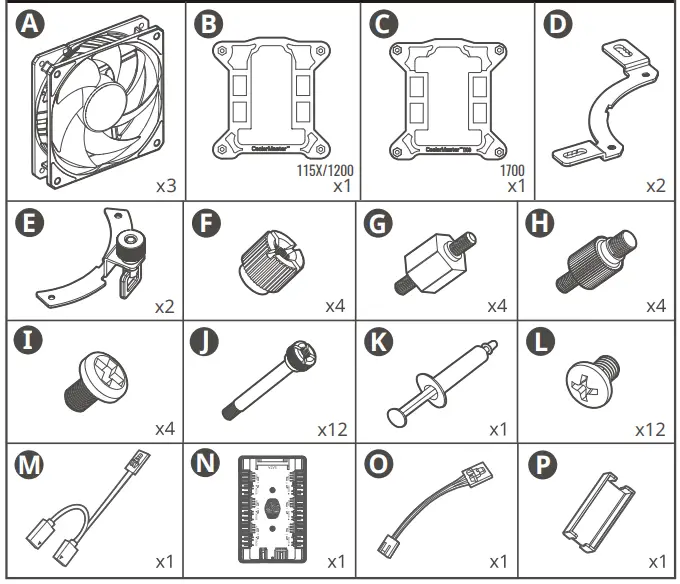
PART LIST
INSTALLATION INSTRUCTION
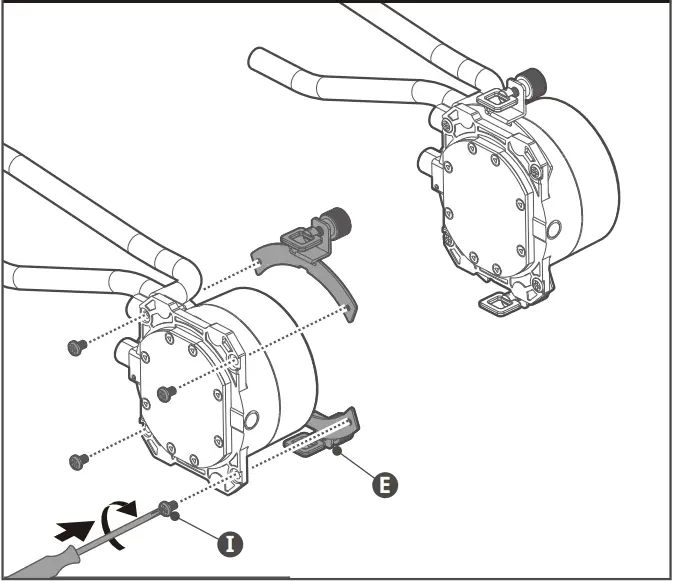
- Intel & AMD

- Intel & AMD

- Intel – LGA 2066/2011-v3/2011/115X/1200/1700

- Intel – LGA 115X/1200

- Intel – LGA 2066/2011-v3/2011

- Intel – LGA 1700

- Intel – LGA 1700

- AMD Socket AM4 / AM3+ / AM3 / AM2+ / FM2+ / FM2 / FM1

- AMD Socket AM4 / AM3+ / AM3 / AM2+ / FM2+ / FM2 / FM1

- ML360L V2 ARGB
As a result of bubbles in the coolant, you might hear sounds coming from your cooler on the first run. Just chill out for 15 minutes and the sounds will disappear.
ABOUT COMPANY
- Please visit our website at www.coolermaster.com
- Asia Pacific – Cooler Master Technology Inc. 7F., No. 398, Xinhu 1st Rd., Neihu Dist., Taipei City 114065 , Taiwan (R.O.C.)
Tel: +886-2-2225-3517 - China – Cooler Master China
- Room 2062, Floor 6, No. 421, Weiquing Rd., Jinshan District, Shanghai City, China
- Tel: +86-21-51872177
- Europe – Cooler Master Europe B.V. Lodewijkstraat 1b, 5652AC Eindhoven, The Netherlands
Tel: +31-(0)40-702-0900 - North America – Cooler Master NA
- 2929 E Imperial Highway, Ste 110 Brea CA, 92821, USA
- Tel: +1-888-624-5099
- For the most updated information, please visit our official website: www.coolermaster.com
- Cooler Master Support: https://account.coolermaster.com/