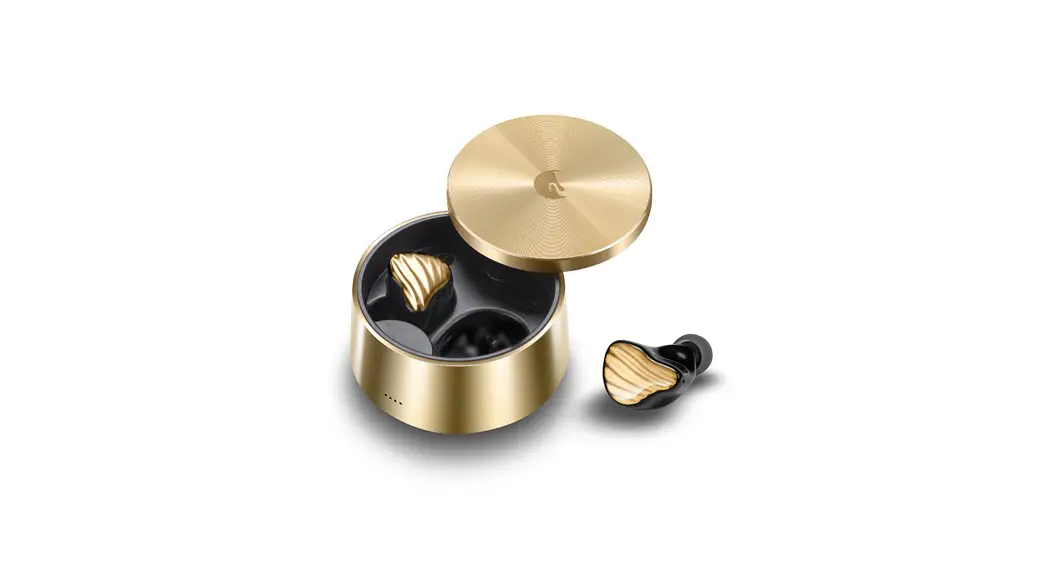


True wireless Bluetooth Headset
AW-75 User Manual
FCC ID: 2ANSMAW-75
CMIITID:2022DP12292
Thank you for choosing our product.
Please read the user’s manual carefully in advance to ensure proper operation.
FCC WARNING
This device complies with Part 15 of the FCC Rules. Operation is subject to the following two conditions:
- This device may not cause harmful interference, and
- this device must accept any interference received, including interference that may cause undesired operation.
NOTE 1:
This equipment has been tested and found to comply with the limits for a Class B digital device, pursuant to Part 15 of the FCC Rules. These limits are designed to provide reasonable protection against harmful interference in a residential installation. This equipment generates uses and can radiate radio frequency energy and, if not installed and used in accordance with the instructions, may cause harmful interference to radio communications. However, there is no guarantee that interference will not occur in a particular installation. If this equipment does cause harmful interference to radio or television reception, which can be determined by turning the equipment off and on, the user is encouraged to try to correct the interference by one or more of the following measures:
- Reorient or relocate the receiving antenna.
- Increase the separation between the equipment and receiver.
- Connect the equipment into an outlet on a circuit different from that to which the receiver is connected.
- Consult the dealer or an experienced radio/TV technician for help.
NOTE 2:
Any changes or modifications to this unit not expressly approved by the party responsible for compliance could void the user’s authority to operate the equipment.
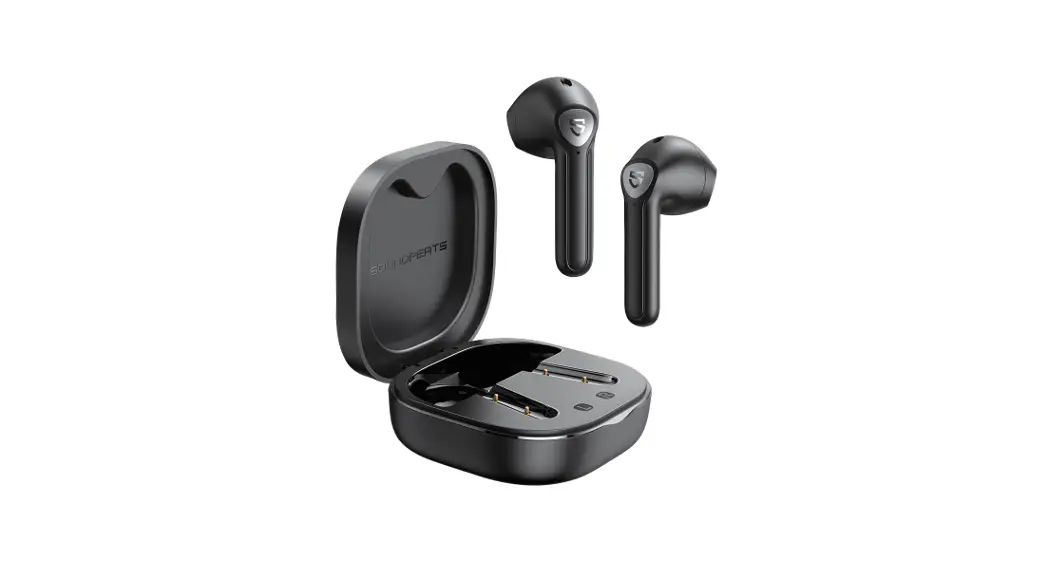
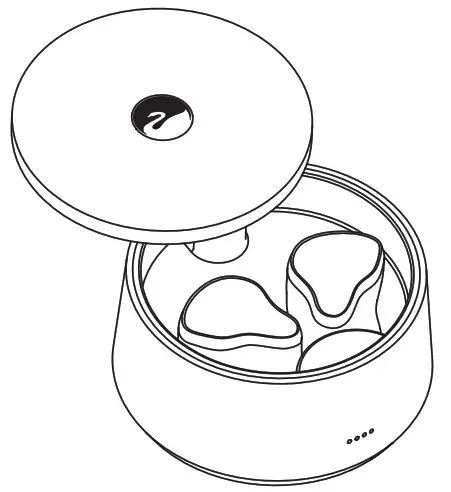
PRODUCT DISPLAY
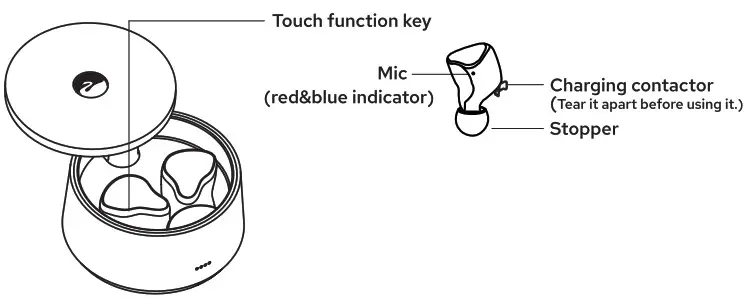
 Warning
- Please tear off the protective film of earphone charging contact before use (as shown in the picture).
- Do not touch the function key when earphone is charging in the charging chamber to avoid pairing failure.
- Keep the earphone dry when putting back into the charging chamber to avoid charging failure.
- Please unpair and reconnect the earphones no matter what obstacles during using.
- After taking out from the chamber, it indicates earphones are successfully paired if one earphone is alternating flashing red & blue indicator, and another is light off.
HOW TO TURN ON THE EARPHONE?
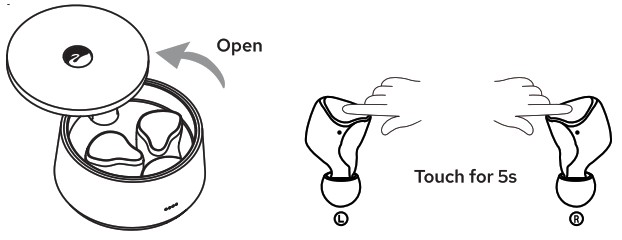
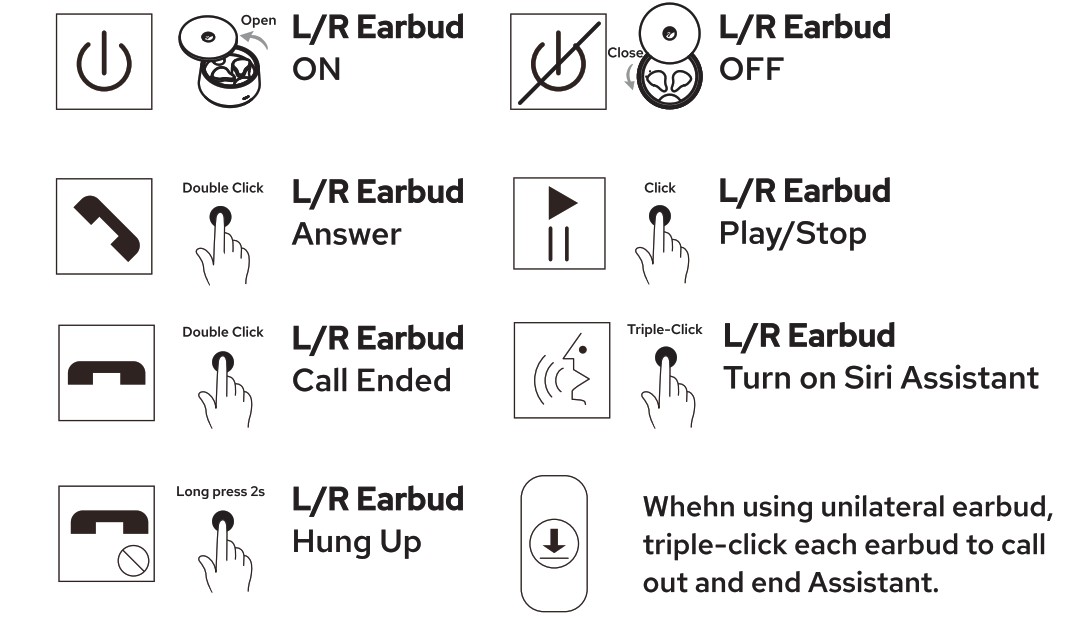
- When rotate the cover to open charging chamber, you’ll hear the prompt sound “Power on”.
- If the earphone is power off and not in the charging chamber, please press the button L or R for more than 5s. And you’ll hear the prompt.

HOW TO TURN OFF THE EARPHONE?
CONTROL KEY
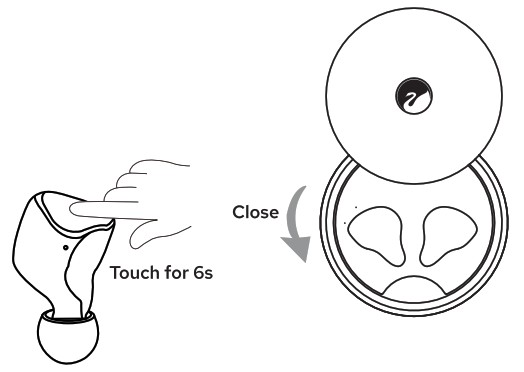
- Without putting back into the case, touch the key for 6s on L or R earbuds (Prompt: Power OFF).
- Earbud will automatically OFF if unpaired for more than 5mins.
- Put the earbuds into the case, and it will automatically OFF.

EARBUDS PAIRING
INITIAL PAIRING
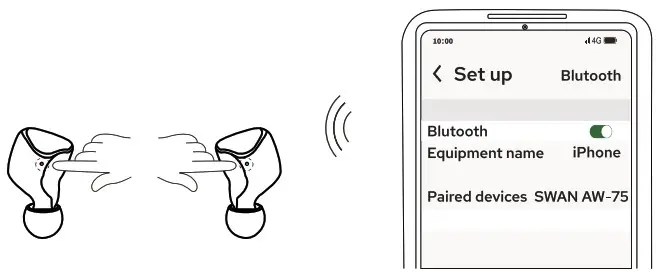
- Earbuds alternating flash in red and blue when take out from the chamber.
- Search Bluetooth name “SWAN AW-75” on the devise to paired connect Bluetooth.
- Long press the touch key 5s to enter pairing mode when earbuds are off. (Prompt: Pairing)

- After completing the initial pairing, earbuds will automatically connect when take out from the chamber.
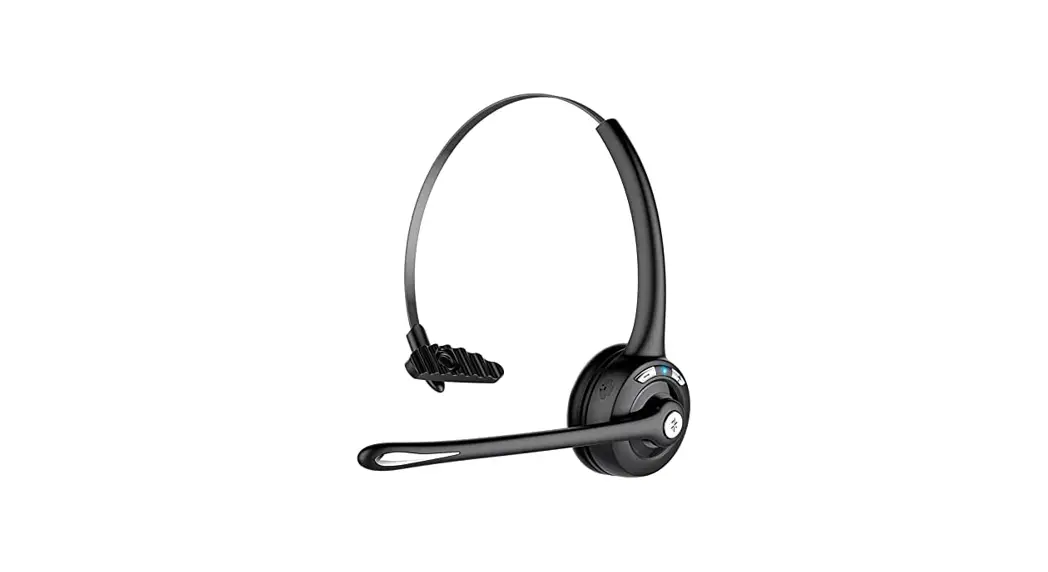
NOTE: Please unpair redundant Bluetooth devices if there’re more than two pairing records. When wearing the the earbuds, adjust the Mic anger clockwise to receive calls.
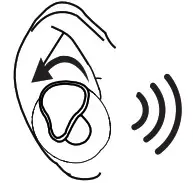 When wearing the the earbuds, adjust the Mic anger clockwise to receive calls.
OPERATIONS
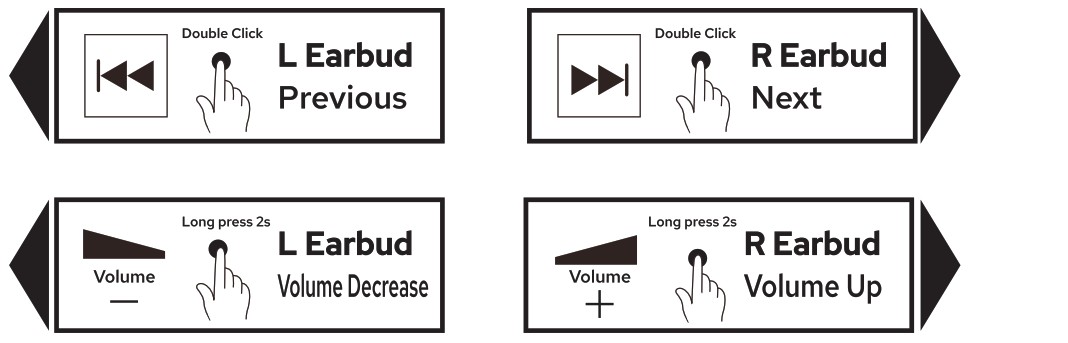
RESET EARPHONE
Please reset earphone in following situations:
- Unable to pair or mismatched.
- Unilateral earbud works.
- Operation ineffectiveness.
RESET GUIDANCE
- Unpair “SWAN AW-75” on the device and turn off Bluetooth.
- Turn on the earphone with pairing to any devices. Click the touch key for five times, then press and hold when the fifth (Prompt” Reset paired device list). The red and blue indicator will be OFF after simultaneous flashing for three times, and earphone enter OFF mode. Simultaneous emptying should be supported when the L and R earbud are connected.
Warning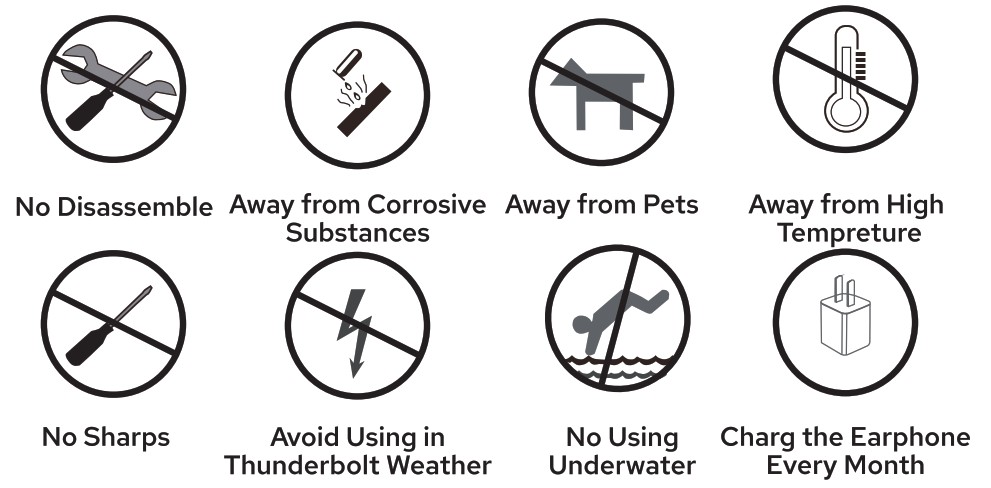
CHARGING EARPHONE
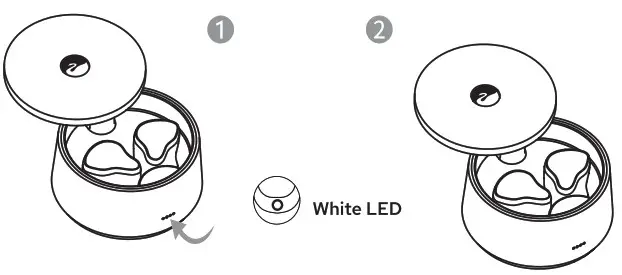
- Put the earbuds back into the chamber, the green indicator lights.(Figure 1)
- Earbuds will automatically OFF when charging.(Figure 2)

CHARGING CHAMBER
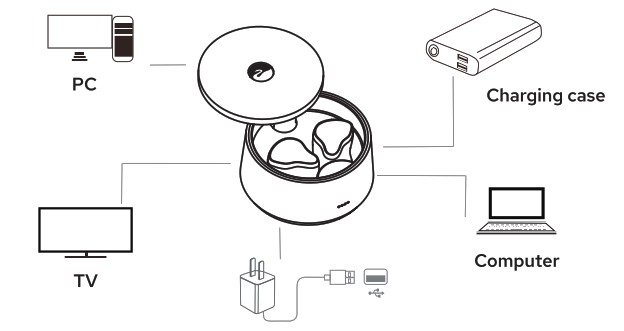
Charge the chamber with the following devices.
SPECIFICATION
| Model Name | AW-75 |
| Bluetooth Version | V5.2 |
| Support Version | HFP/HSP/A2DP/AVRCP/S PP |
| Transmission Distance | 10M |
| Frequency Range | 2.402GHz 2.480GHz |
| Speaker | 6 mm*2 Beryllium-plated Diaphragm |
| Impedance | 16Ω±15% |
| Standby Time | 90 days |
| Talk Time | 5~6H |
| Music Playing Time | 5.5~6.5H |
| Earphone Battery Capacity | 40 mash Button Battery |
| Earphone Charing Time | 1-1.5H |
| Case Battery Capacity | 400 mash |
| Case Charging Time | About 1.5~2H |
| Case Weight | 50.6g |
| Earbuds Weight | 6.2g |
EARPHONE INDICATORS
| ON | Blue indicator lights 3s | OFF | Red indicator lights 2~3s |
| Pairing Status | Red and blue indicator alternating flash | Pair with Phone | Light Off |
| Earphone Charging | Green indicator flash | Case Fully Charged | Green indicator continuously lights |
www.swanspeakers.com | Responsible Party: |