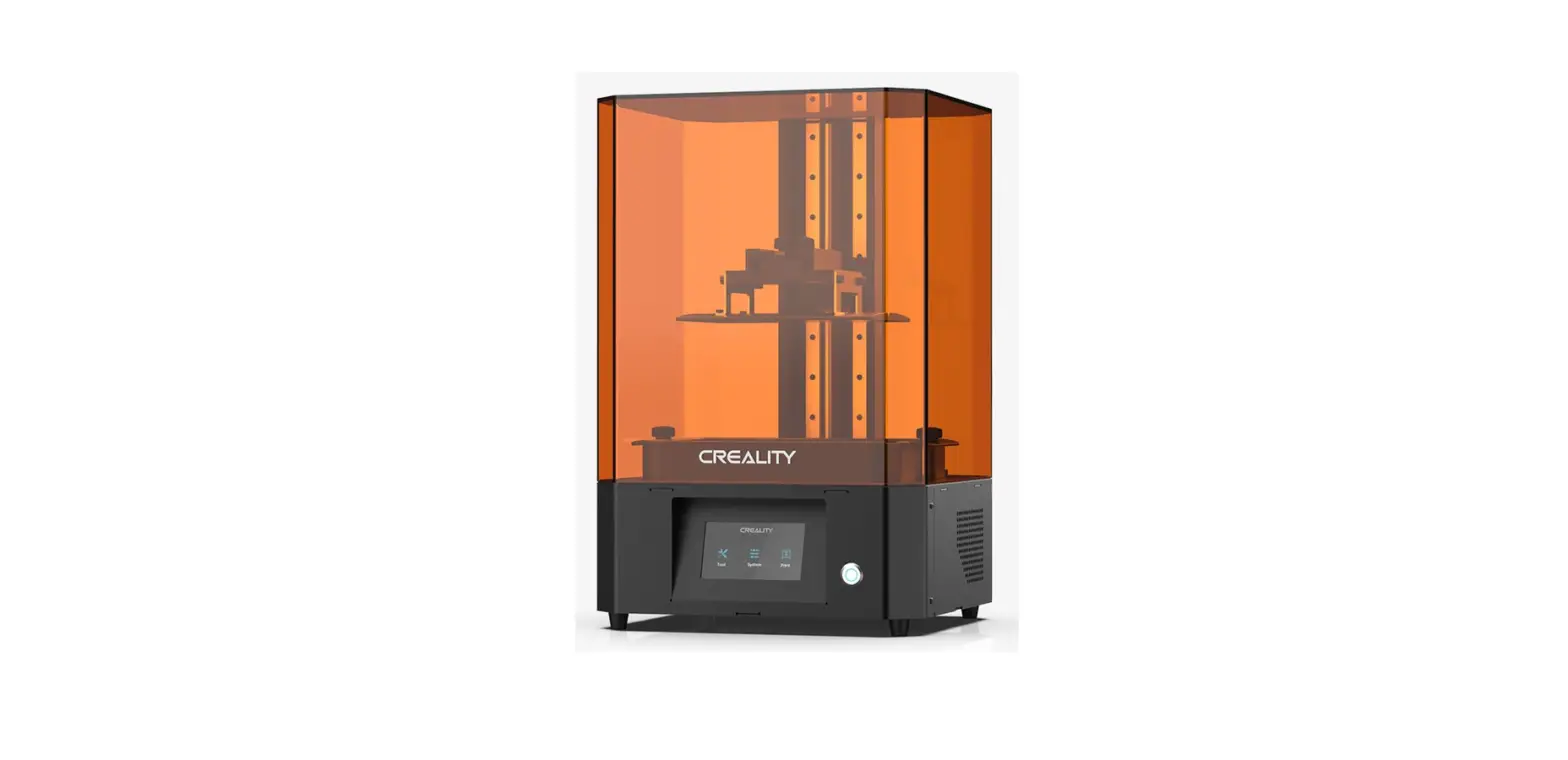
 User Manual
HOT-MAX
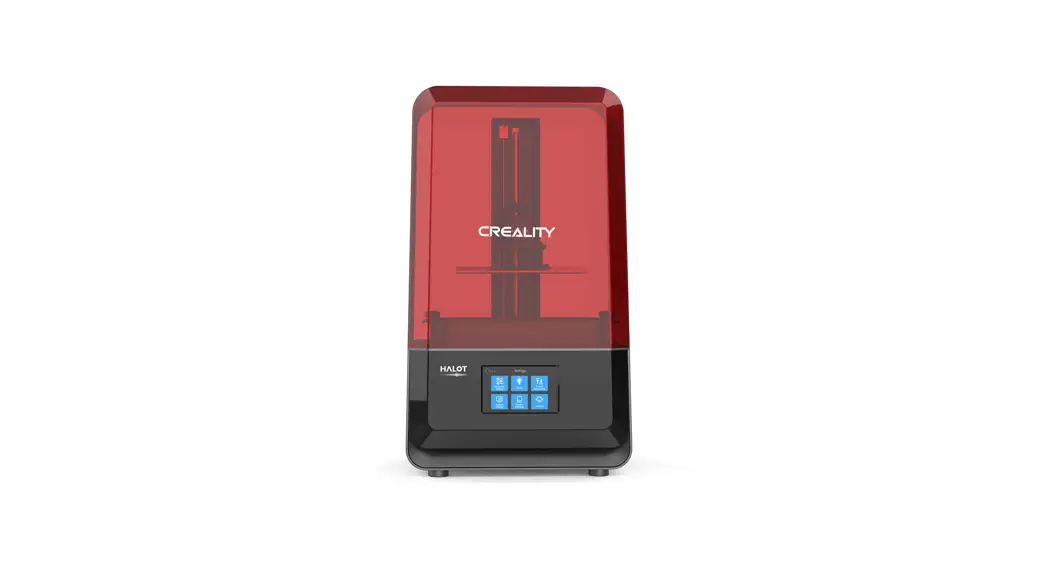
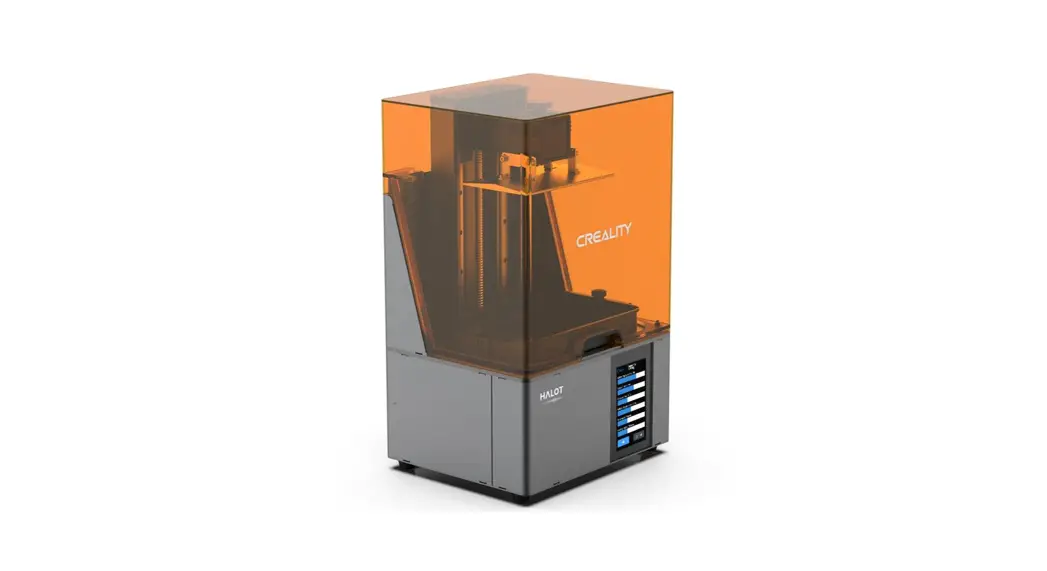
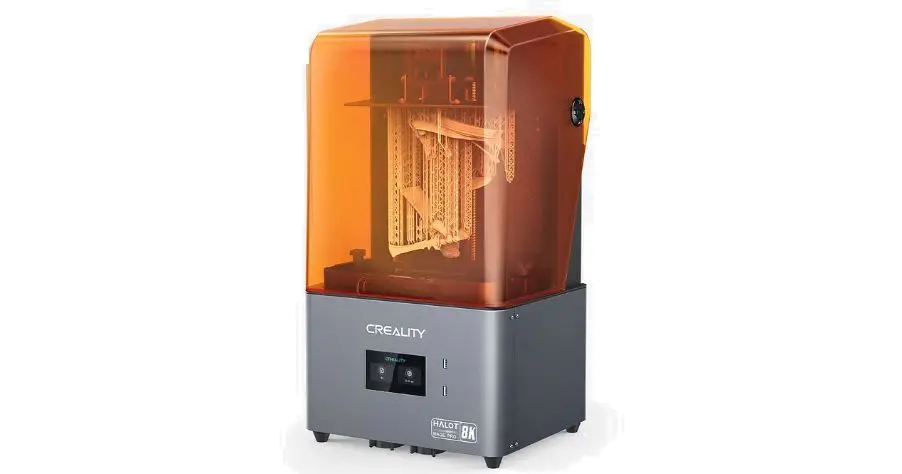
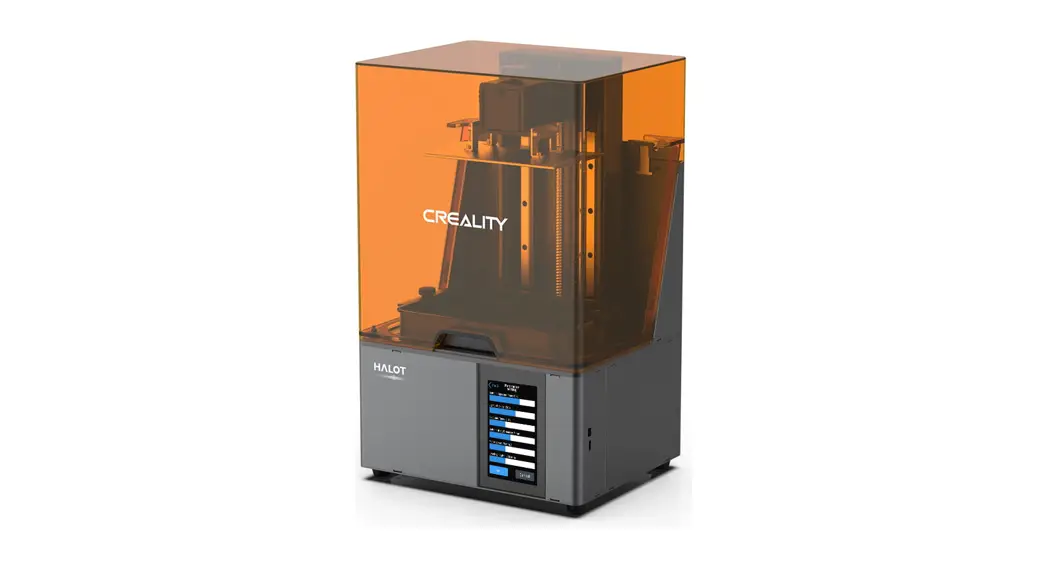
3D Printer User Manual
Dear Consumers,
Thank you for choosing our products For the best experience please read the instructions before operating the Printer. Our teams will always be ready to render you the best services. Please contact us via the phone number or e-mail address provided at the end when you encounter any problem with the Printer.
For a better experience in using our product, you can also learn how to use the printer in the following ways:
View the accompanying instructions and videos on the U disk.
Visit our official website(www.creality.com)to find relevant software/hardware information contact details and operation and maintenance instructions
Firmware Upgrade
Please login to the official website https://www.creality.com/download, switch the language, select the relevant printer and model and download the required firmware, you can use it after the installation is finished
NOTES
- Do not use the printer in any way other than described herein in order to avoid personal injury or property damage.
- Do not place the printer near any heat source or flammable or explosive objects. We suggest placing it in a well-ventilated, low-dust environment.
- Do not expose the printer to violent vibration or any unstable environment, as this may cause poor print quality.
- Please use recommended resin to avoid damage to the machine.
- Do not use any other power cable except the one supplied. Always use a grounded three-prong power outlet.
- Please do not open the plastic cover during usage, otherwise, the printing will be interrupted.
- Do not wear cotton gloves when operating the printer. Such clothes may become tangled in the printer’s moving parts leading to burns, possible bodily injury, or printer damage.
- Please wait a moment after the print is finished. And please wear gloves to take out the print by tools.
- Clean the printer frequently. Always turn the power off when cleaning, and wipe with a dry cloth to remove dust, adhered printing plastics, or any other material on the frame, guide rails, or wheels. Use glass cleaner or isopropyl alcohol to clean the print surface.
- Children under 10 years should not use the printer without supervision.
- Users should comply with the laws and regulations of the corresponding countries and regions where the equipment is located (used), abide by professional ethics, pay attention to safety obligations, and strictly prohibit the use of our products or equipment for any illegal purposes. Creality will not be responsible for any violators’ legal liability under any circumstance
Introduction
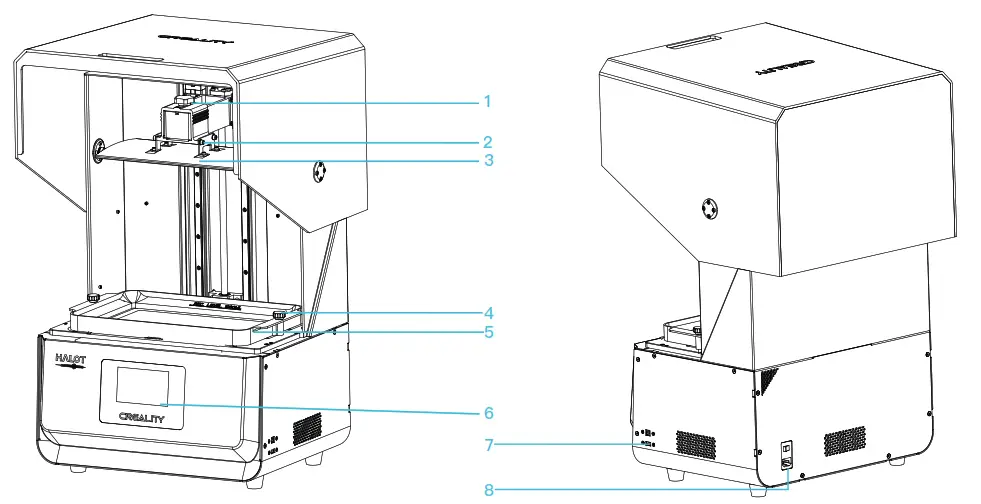
| 1 Thumb screw 2 Leveling screw 3 Building platform | 4 Vat thumb screw 5 Resin vat 6 Touch screen | 7 USB port 8 Power socket |
Equipment parameter
| Basic Parameter | |
| Model Name | HOT-MAX |
| Build Size | 293*165*300mm (length*width * height) |
| XY Axis Resolution | 3840*2160 |
| XY Axis Accuracy | 0.0765mm |
| Print Speed | 1-4S/ layer |
| Layer Thickness | 0.01-0.2mm |
| Touch Screen | 5-inch touch screen |
| Light Source Type | Integral Light Source(wavelength 405nm) |
| Rated Voltage | 100-240V~, 50/60Hz |
| Rated Power | 500W |
| Machine Size | 480*387*770 mm |
| Package Size | 650*560*950 mm |
| Net Weight | 32.5 KG |
| Gross Weight | 51.2 KG |
| Print Method | USB Disk, Creality Cloud |
| Machine Language | English |
| Slicing Software Operation System | Win7/Win8/Win 10 64bit, Mac system(32-bit is not supported) |
| Compatible Resi | Common rigid photosensitive, Standard resin, High hardness, High toughness, Dental model resin |
Package Content
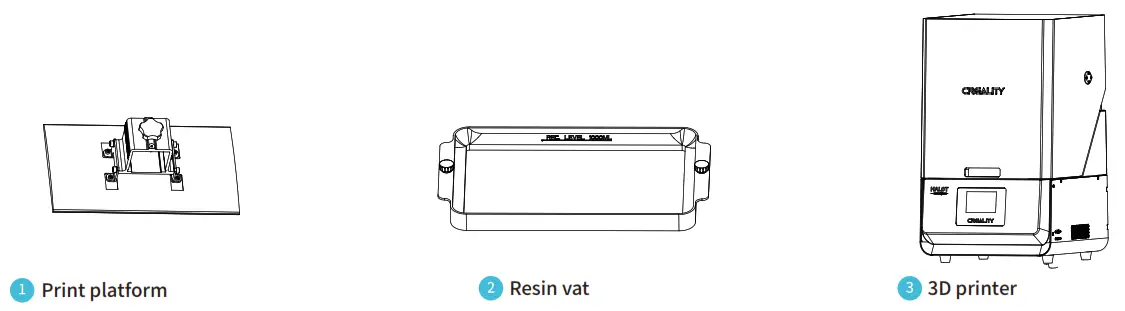
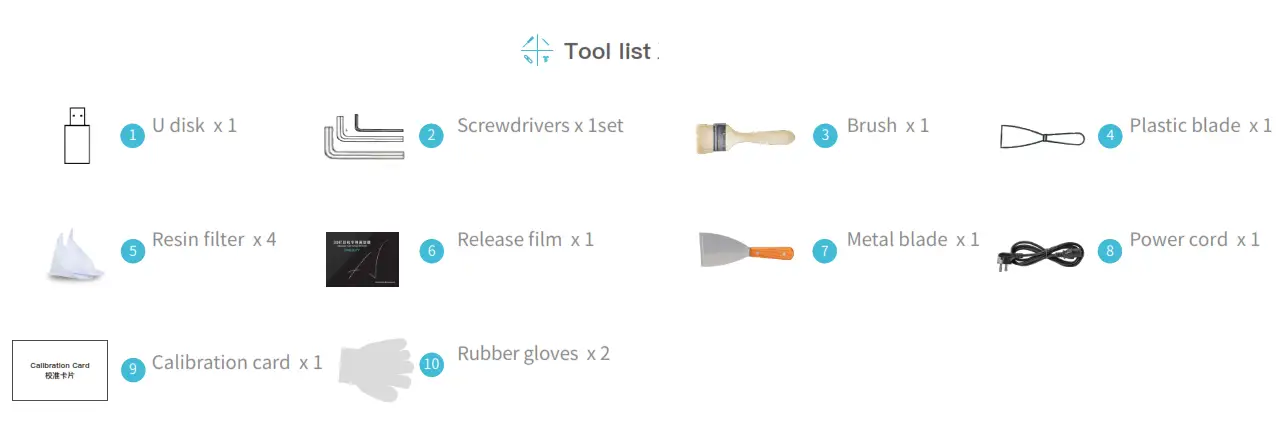
Tips: the above accessories are for reference only, in kind prevail
Interface Information

 Note: The interface of Checking and Setting the Printing Parameters is only for reference and shall be subject to UI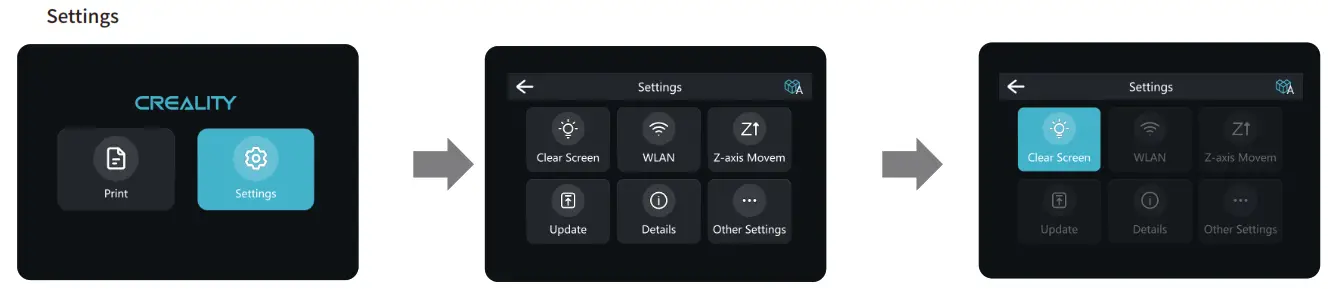
Note: The interface of Checking Whether the Light Source Works Well is only for reference and shall be subject to UI
Level Platform
Note: The printing platform has been leveled at the factory. If it needs leveling due to transportation or other reasons, please follow the steps below to adjust the printing platform.
- First, raise the platform, then loosen thumb screws on the left and right sides of the resin vat, and take out the resin vat.
- Loosen the four screws of the connecting plate of the prototype flat plate, fix the calibration card with the printing screen closely, press Setting→Z axis ovement→Leveling, refer to steps of leveling platform 2 to operate, and check whether the platform is evenly fit with the calibration card.
- Tighten the screws loosened in the previous step.
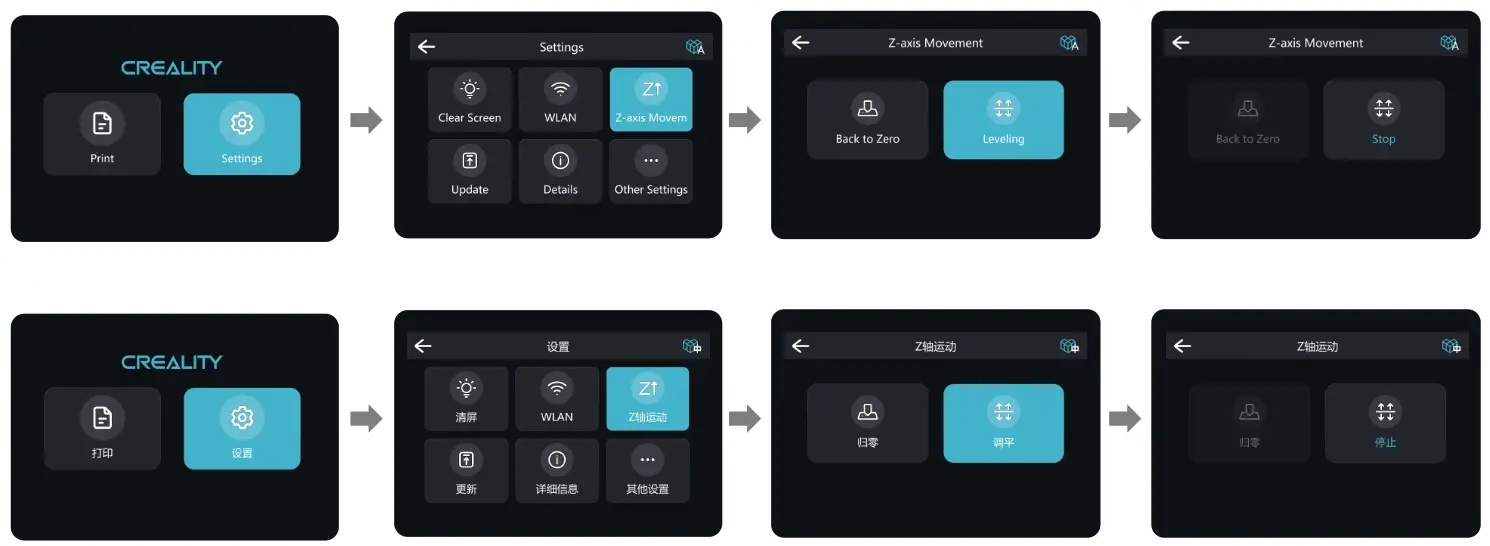
Note: The UI information is only for reference, the actual UI may be different.
Load Resin
Pour the UV photosensitive resin into the resin vat. The slot capacity is 1000ml.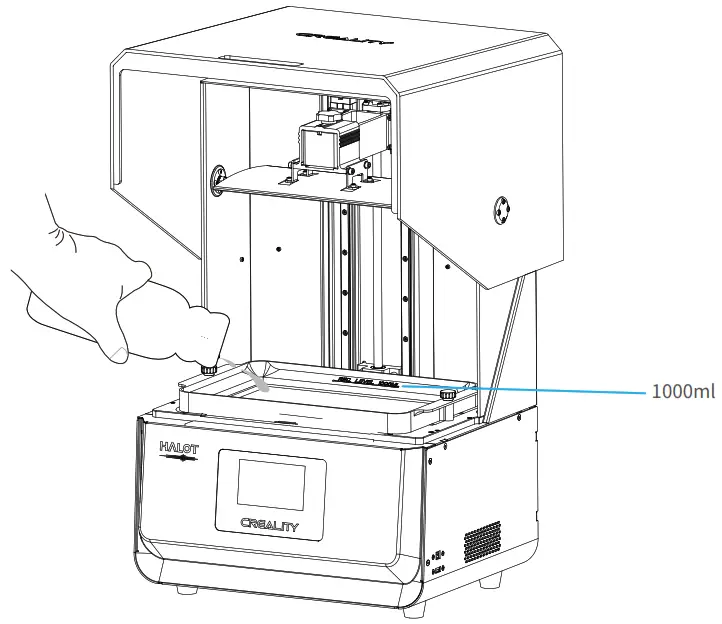 Tips: How to change resin:
Take out the resin vat slowly, pour out the remaining resin into a container, clean the resin vat, pour in new resin, and then install the resin vat in the machine. Caution: Resin may cause skin irritation or an allergic skin reaction. Please wear gloves before use to avoid direct contact with the skin.
Release Film Instructions
Installation steps
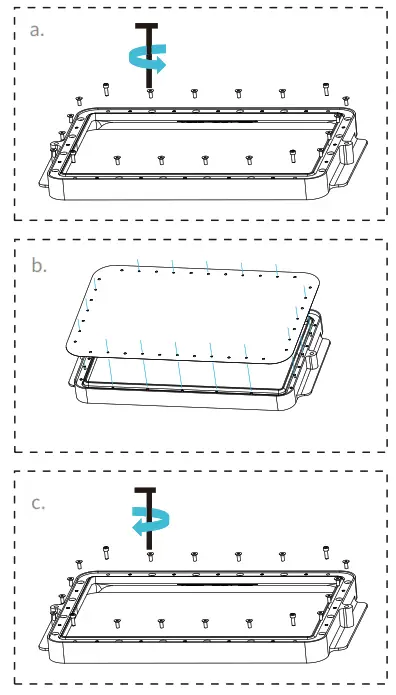 |  |  |
a. First, remove the 20 screws at the bottom of the vat and take down the old release film.
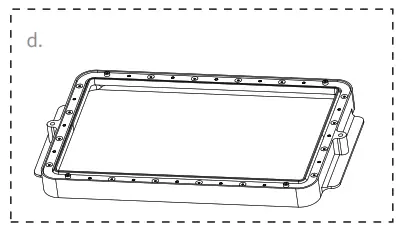
b. Prepare the new release film, peel off the protective films on both sides of the release film. Align the holes and fit the release film on the vat.
c. Place the clamping, install 16 countersunk head screws and four cylindrical head screws and use the opposite angle to tighten.
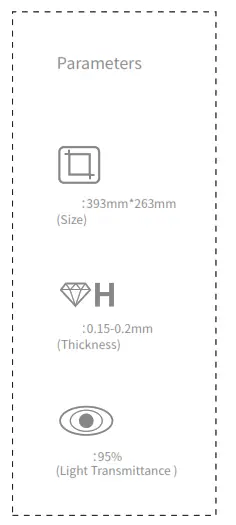
d. The installed release film is as shown.
Start Printing
1. Slicer
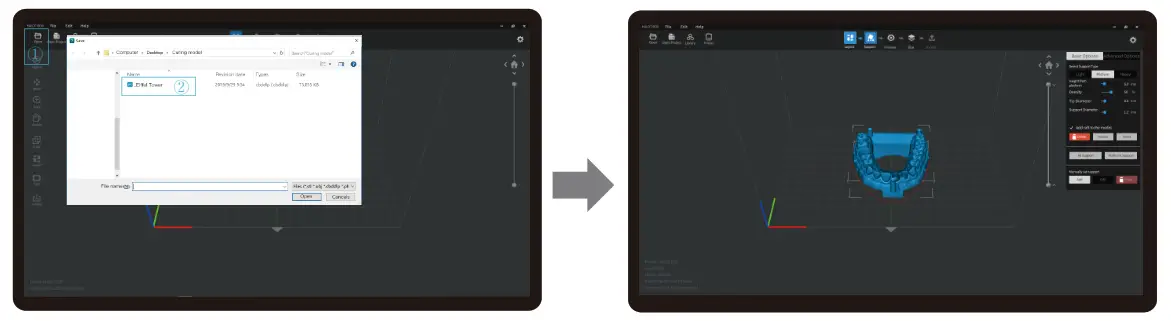
- Open the slicer software of the LED 3D printer, click”open” on the left of the screen and add the model file.
- If the model needs to add support, click the upper-left icon to set corresponding parameters.

- Click icon ①→Setting slice printing parameters②→kcilC
- wait for a slice to be finished→save the sliced file (Please refer to the official website www.creality.com for more details on slicing tutorial).
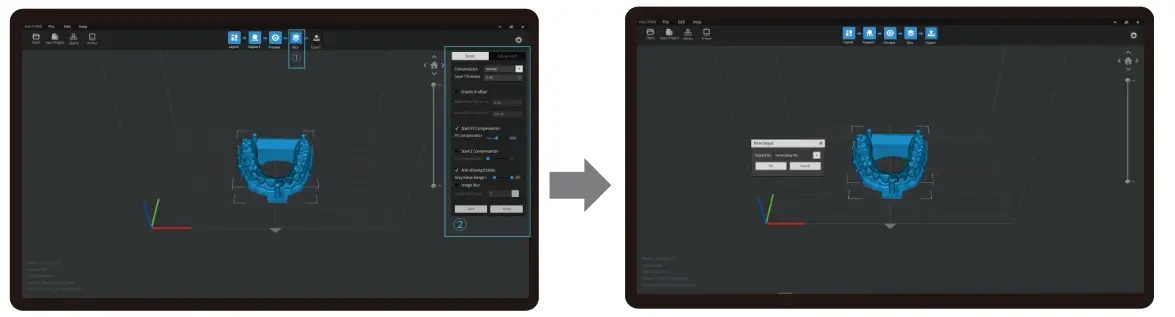
Note: The UI interface is for reference only, and shall be subject to the actual UI may be different.
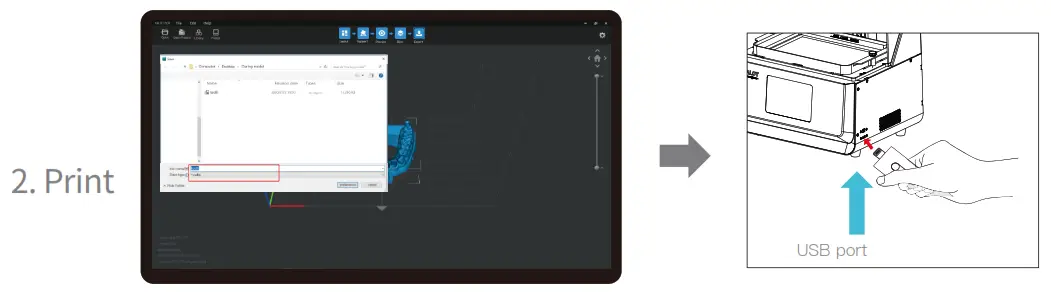
- Generate cxdlp file and save the file to U disk
- Insert U disk→ Select a file→ Press “Start”
Note: The UI interface is for reference only, and shall be subject to the actual UI. Warning: Do not shake the machine while printing to avoid influencing printing quality.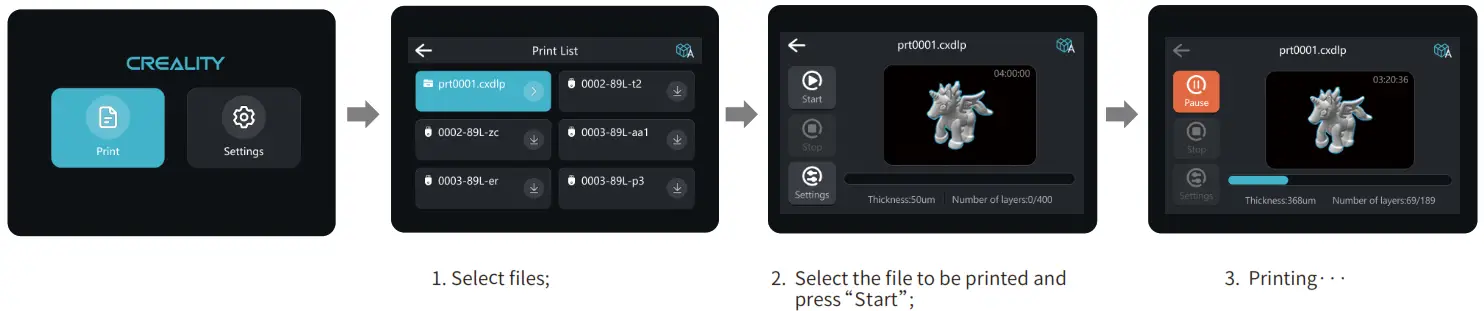 Note: The UI information is only for reference, the actual UI may be different.
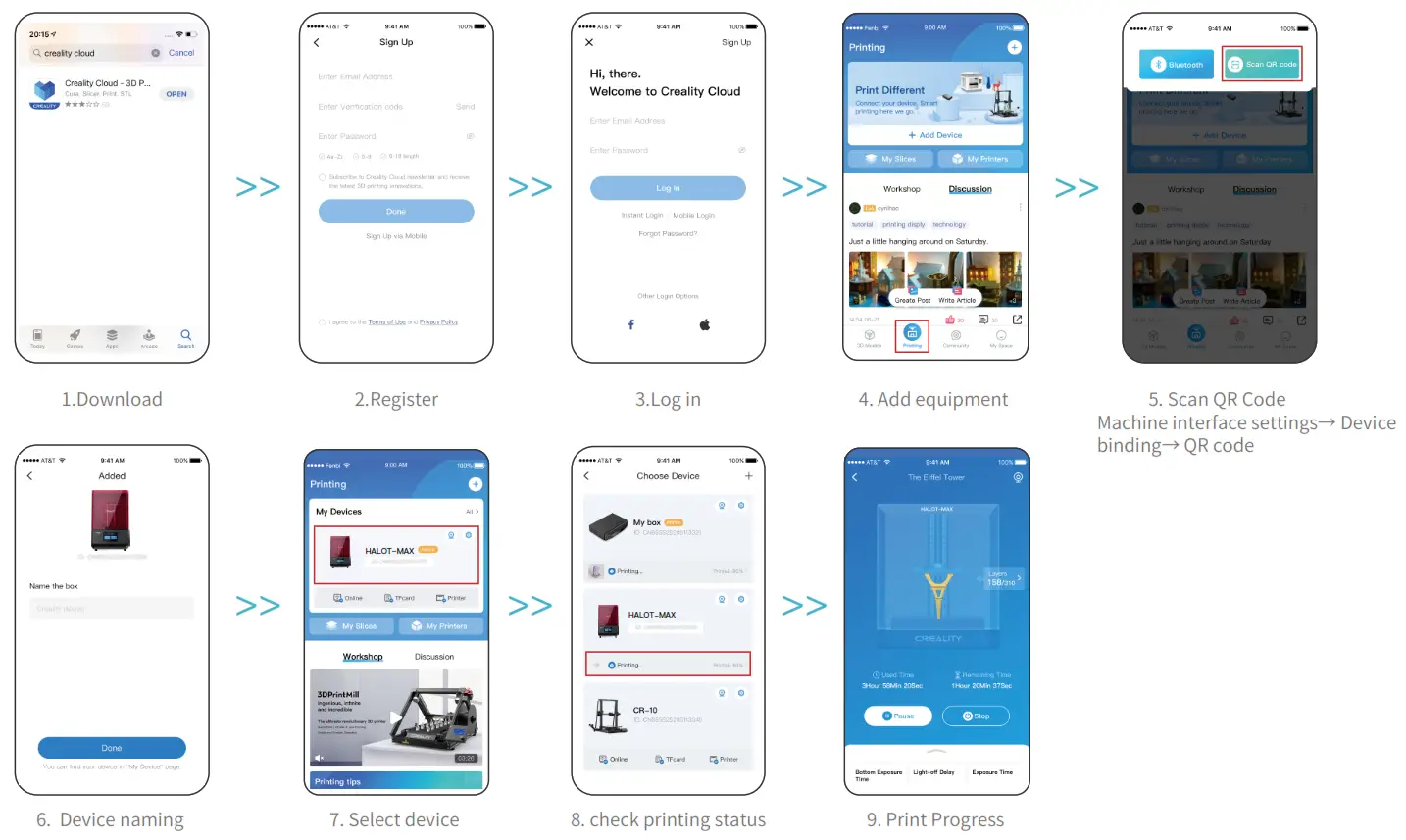
Control remote printing
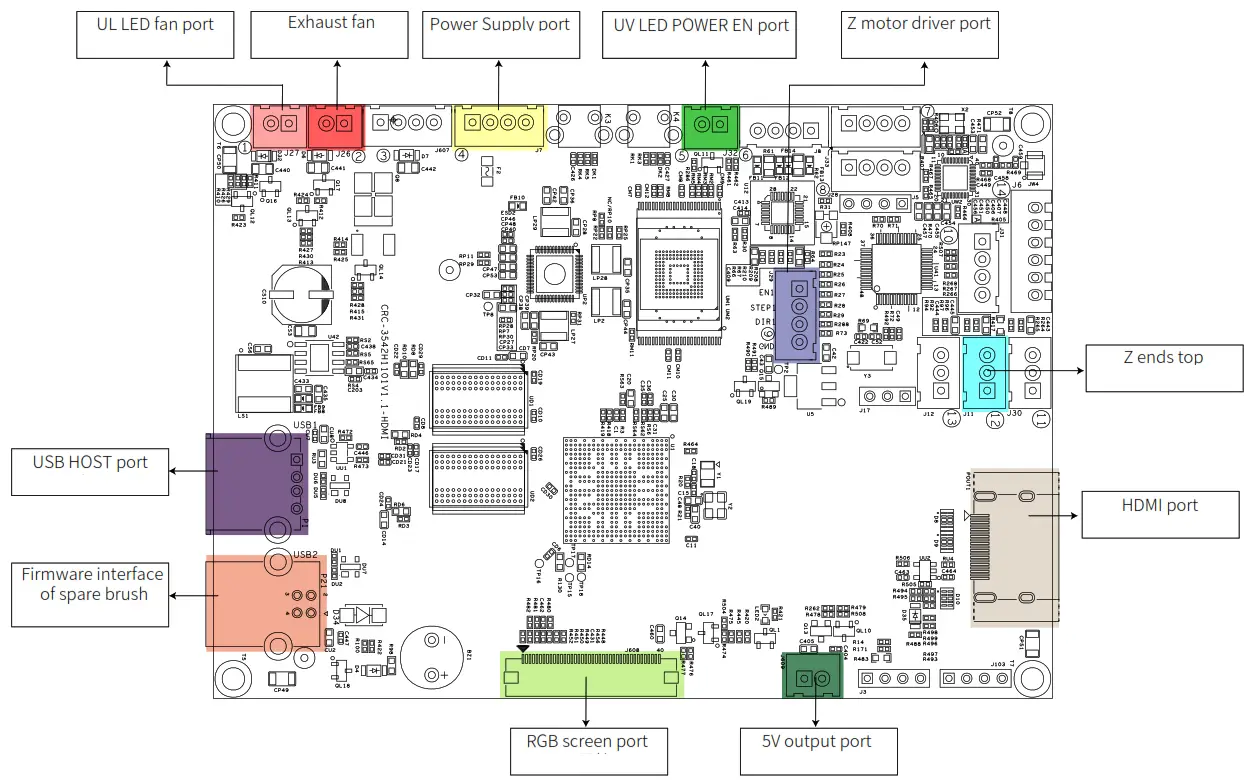
Wiring Connection
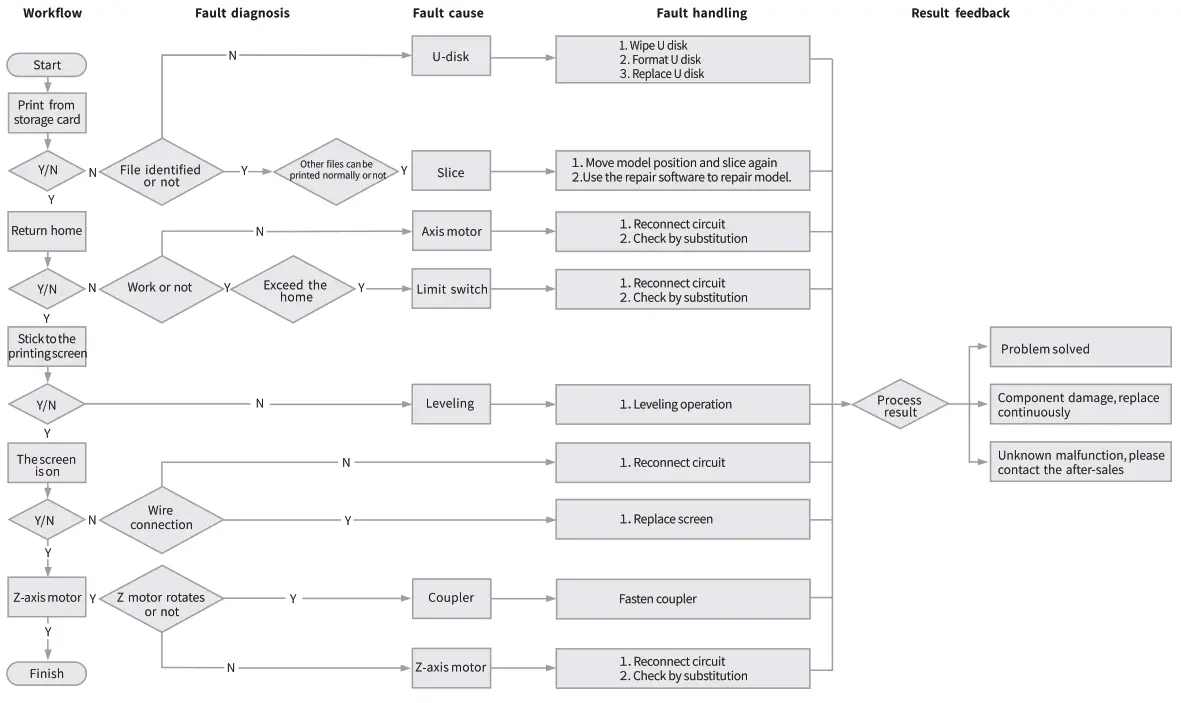
Troubleshooting
Due to the differences between different machine models, the physical objects and the final images can differ. The final explanation rights shall be reserved by Shenzhen Creality 3D Technology Co., Ltd.
 https://qr.creality.com
Scan To Learn More
SHENZHEN CREALITY 3D TECHNOLOGY CO., LTD.
Add:18F, JinXiuHongDu Building, Meilong Blvd., Longhua Dist.,
Shenzhen, China 518131 Official
Website: www.creality.com
Tel: +86 755-8523 4565
E-mail: [email protected]
[email protected]
 创想三维(CREALITY) - 3D打印机,教育/工业3D打印机领导品牌
 CREALITY - Official Website, Leading 3D Printer Supplier & Manufacturer
 创想三维(CREALITY) - 3D打印机,教育/工业3D打印机领导品牌