
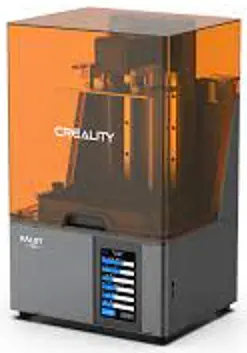
CREALITY
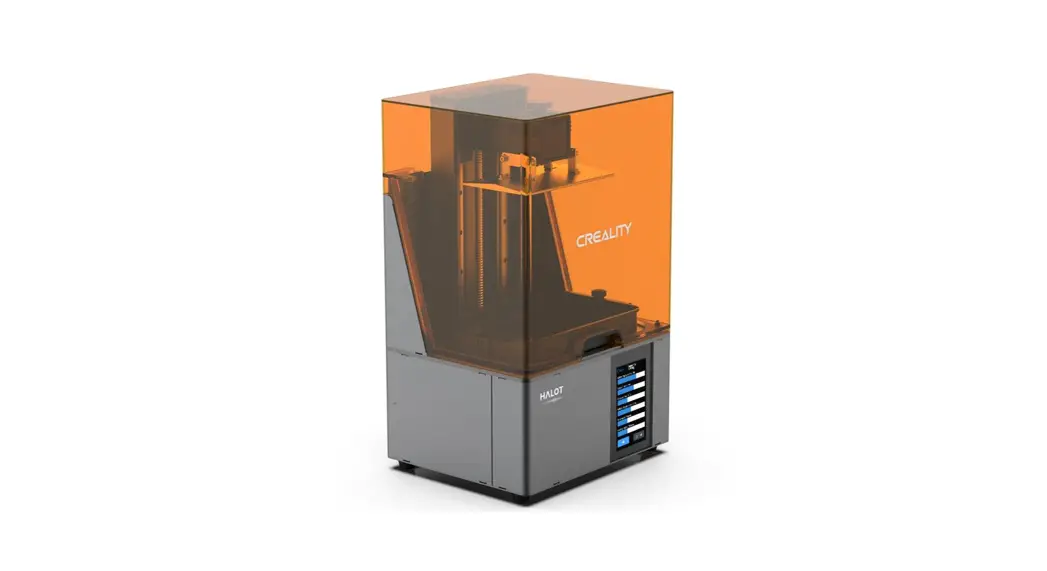
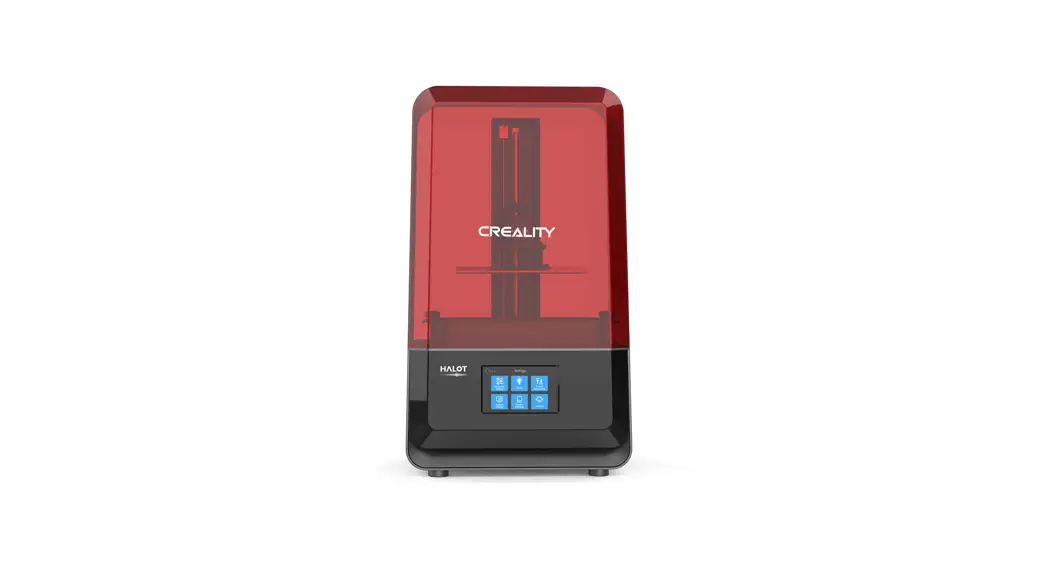
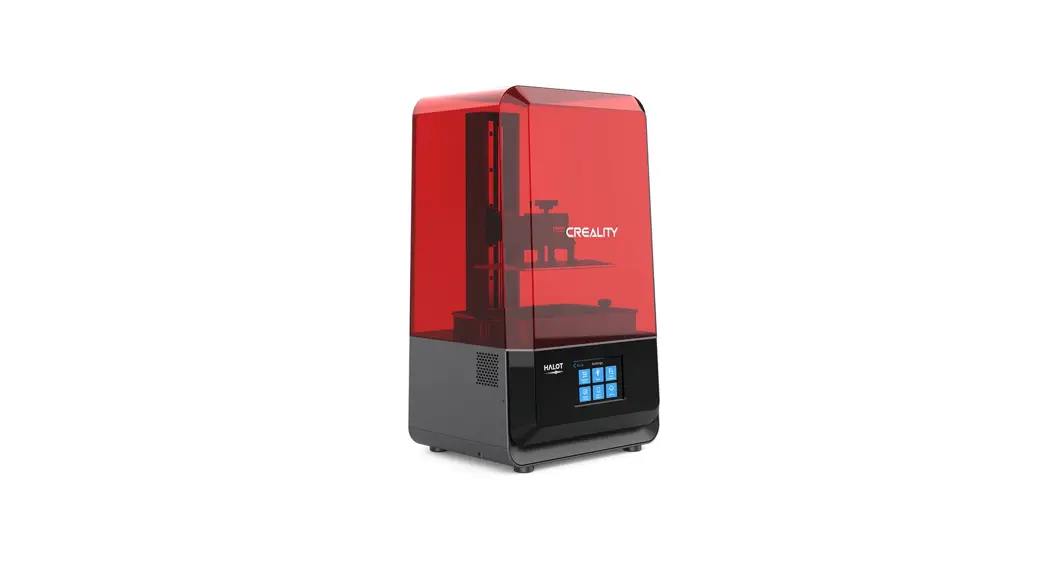
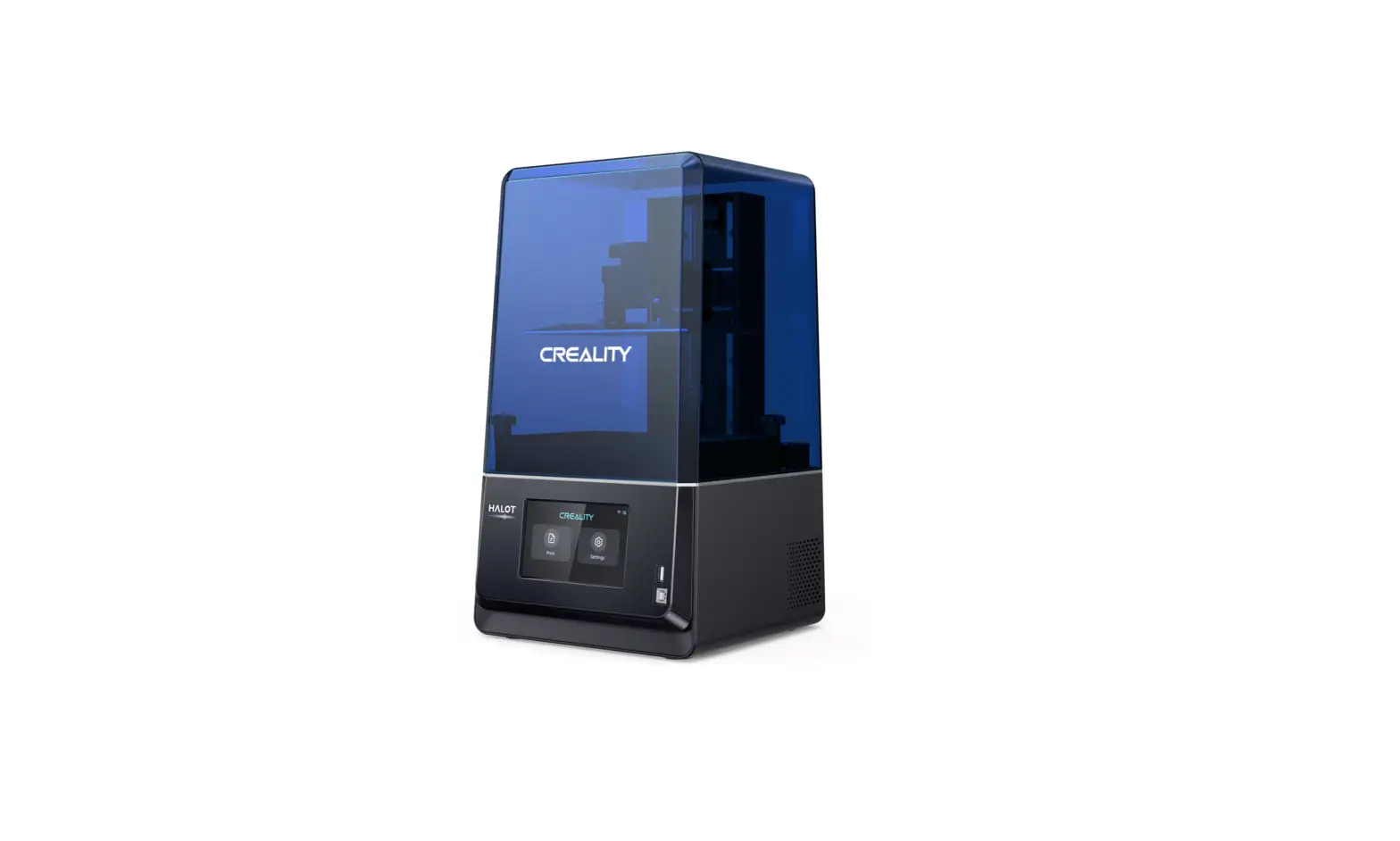
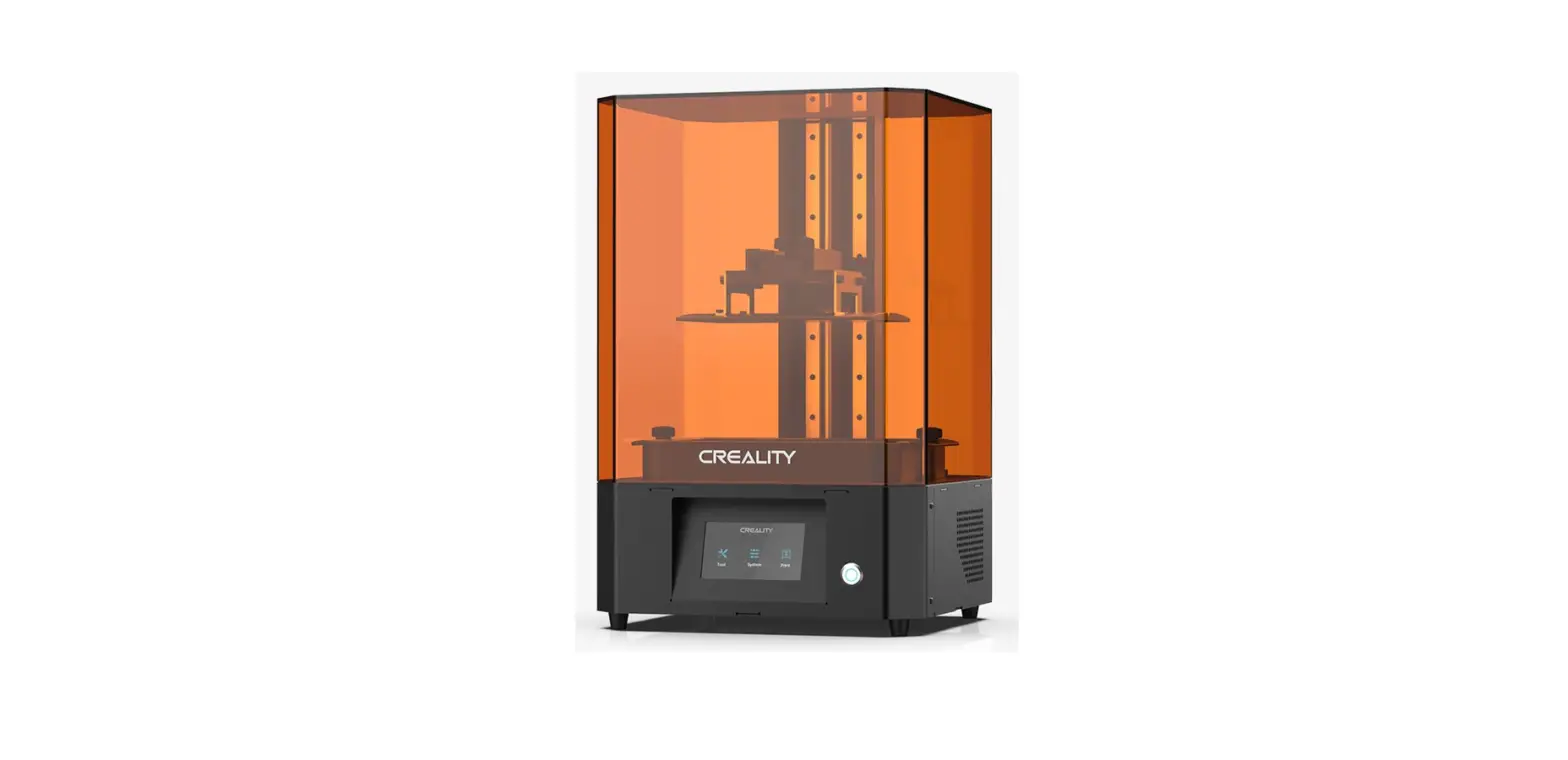
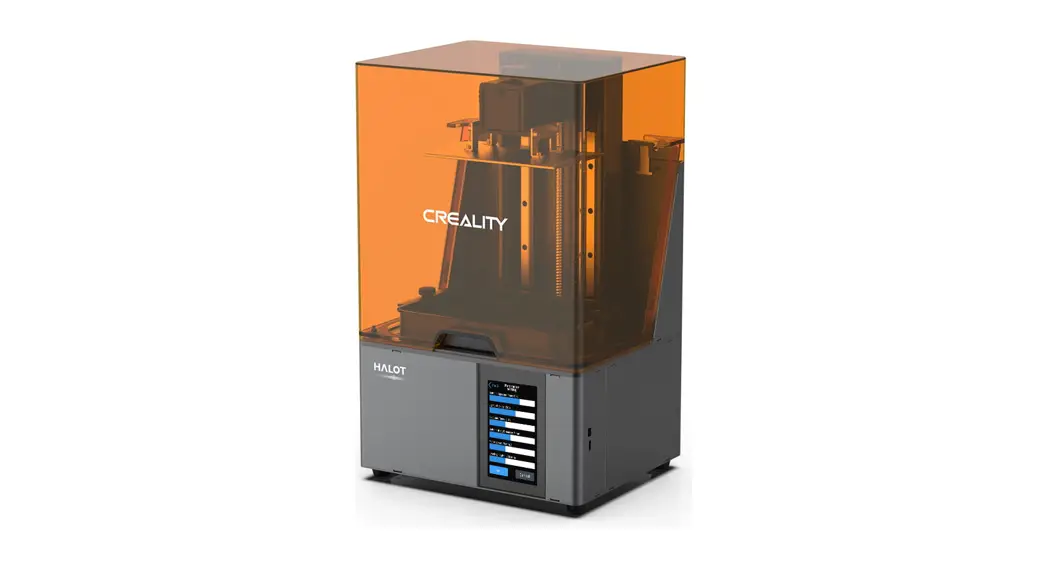
CL 89 Halot Sky
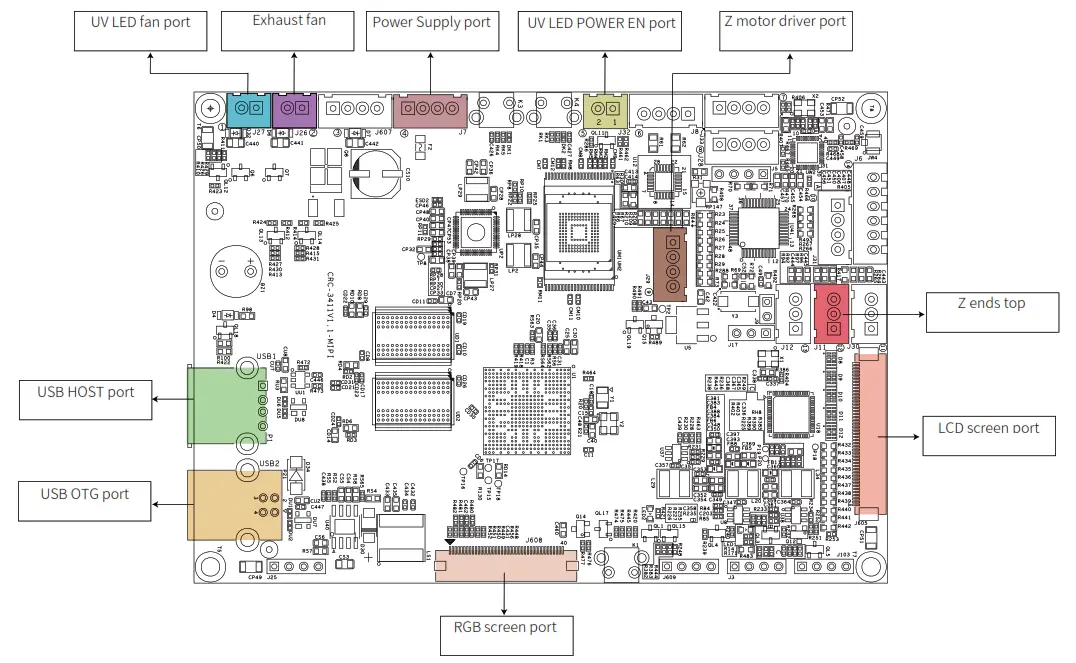
3D Printer – wiring connection
Dear Consumers
Thank you for choosing our products. For the best experience, please read the instructions before operating the Printer. Our teams will always be ready to render you the best services. Please contact us via the phone number or e-mail address provided at the end when you encounter any problem with the Printer. For a better experience in using our product, you can also learn how to use the printer in the following ways: View the accompanying instructions and videos on the U disk.
Visit our official website www.creality.com to find relevant software/hardware information, contact details, and operation and maintenance instructions.
Firmware Upgrade
Please login to the official website https://www.creality.com/download, switch the language select the relevant printer and model and download the required firmware, you can use it after the installation is finished.
NOTES
- Do not use the printer in any way other than described here in order to avoid personal injury or property damage.
- Do not place the printer near any heat source or flammable or explosive objects. We suggest placing it in a well-ventilated, low-dust environment.
- Do not expose the printer to violent vibration or any unstable environment, as this may cause poor print quality.
- Please use recommended resin in case of damage to the machine
- Do not use any other power cable except the one supplied. Always use a grounded three-prong power outlet.
- Please do not open the plastic cover during usage, otherwise, the printing will be interrupted.
- Do not wear cotton gloves when operating the printer. Such clothes may become tangled in the printer’s moving parts leading to burns, possible bodily injury, or printer damage.
- Please wait a moment after the print is finished. And please wear gloves to take out the print by tools.
- Clean the printer frequently. Always turn the power off when cleaning, and wipe with a dry cloth to remove dust, adhered printing plastics, or any other material of the frame, guide rails, or wheels. Use glass cleaner or isopropyl alcohol to clean the print surface.
- Children under 10 years should not use the printer without supervision.
- Tips: Do not plug or unplug the power cord when power on.
- Users should comply with the laws and regulations of the corresponding countries and regions where the equipment is located (used), abide by professional ethics, pay attention to safety obligations, and strictly prohibit the use of our products or equipment for any illegal purposes. Creality will not be responsible for any violators’ legal liability under any circumstance.
Introduction
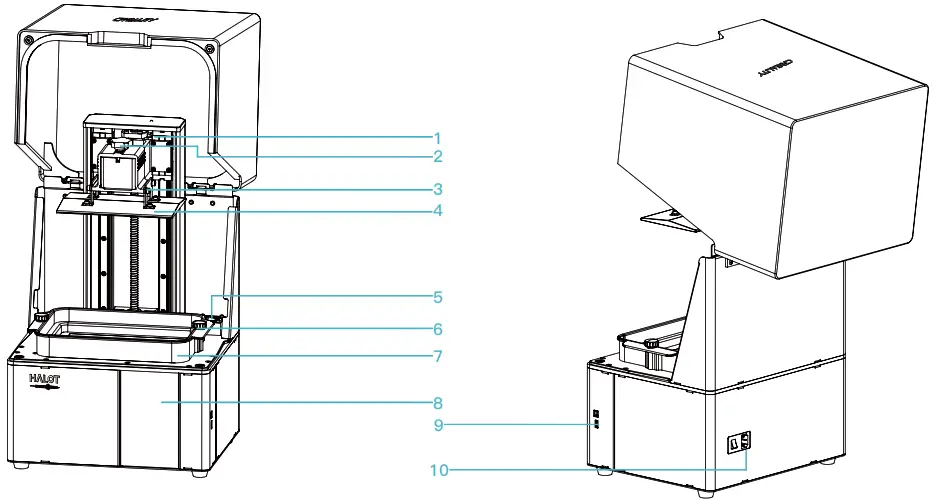
- Limit switch
- Hexalobular socket screw
- Leveling screw
- Building platform
- Air filter 9 USB port
- Hexalobular socket screw
- Resin vat
- Touch screen
- Power socket
Equipment parameters
Basic Parameters | |
| Model | HOT-SKY |
| Software language | English |
| Print method | U disk Online Printing of Creality Cloud |
| X/Y-axis resolution. | 0.05mm I 3840’2400 |
| Z-axis resolution | 0.01mm-0.1mm(layer thickness |
| Print speed | 1-4S/ layer |
| Special filaments | Common rigid photosensitive resin, Standard resin, Hight hardness, High toughness, Dental model resin. |
| Light source configuration | UV integrated lamp bead (wavelength 405nm) |
| Operation system | windows 7 and above systems, mac systems |
| Nominal power | 250W |
| Print size | 192’120’200mm (length-width ” height) |
| Machine size | 340*292*552mm |
| Package size | 450*390`705mm |
| Machine weight | 16.5KG |
| Gross weight’ | 22.45KG |
| Display screen | 5inch |
Package Content
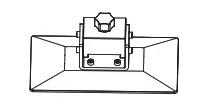 | 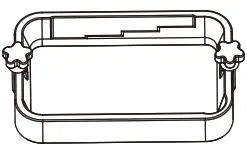 | 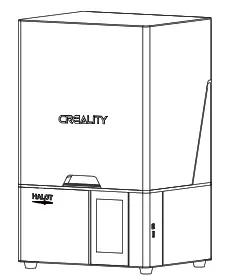 |
| Print platform | Resin vat | 3D printer |
 Tool list
 |  | 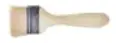 |  |  |
| U disk x 1 | Screwdrivers x 1 | Brush x 1 | Plastic blade x 1 | Resin filter x 4 |
 | 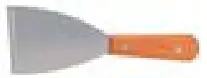 |  |  |  |
| Release film x 1 | Metal blade x 1 | Power cord x 1 | Vat cover x 1 | Calibration card x 1 |
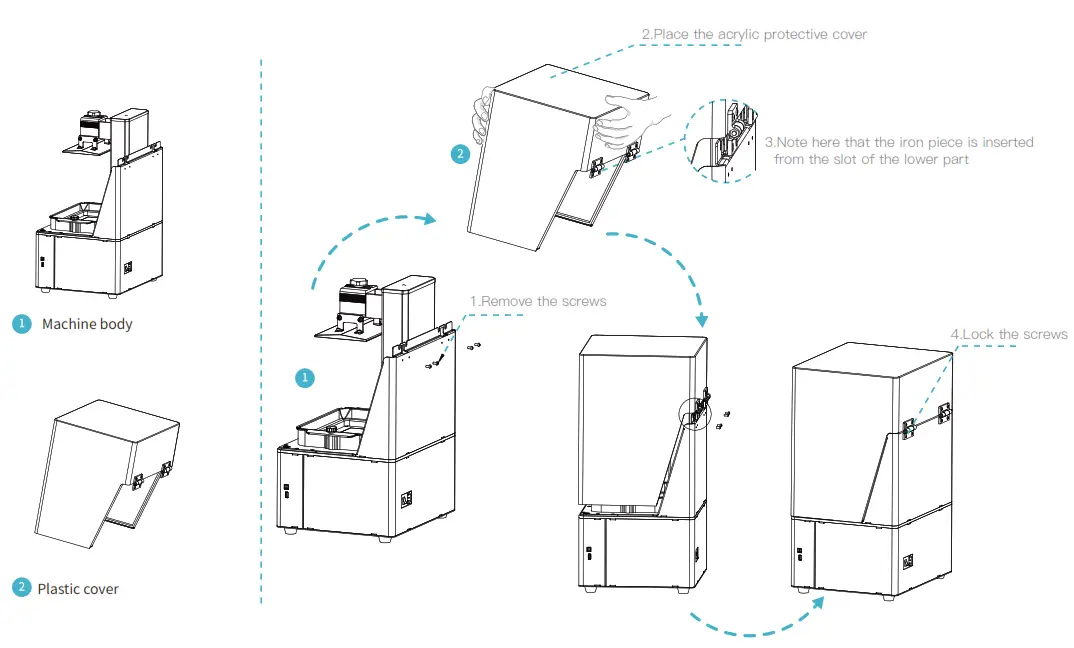
Assemble the 3DPrinter
 Interface Informationn
 Interface Informationn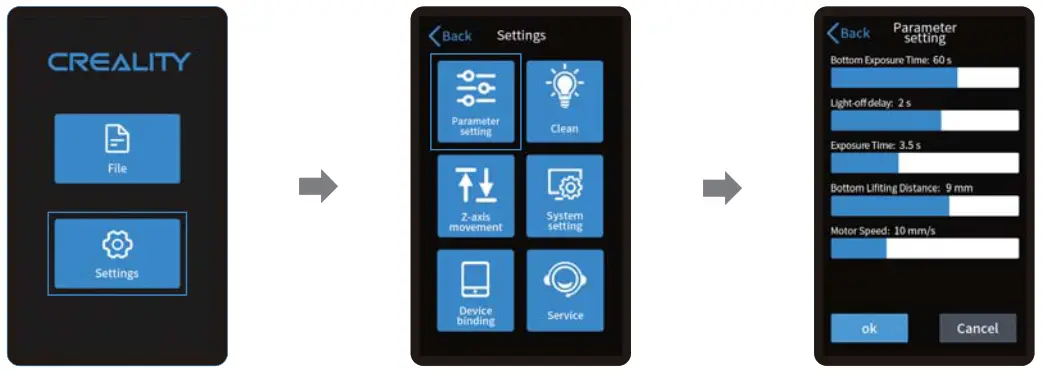
 Note: The current interface is for reference only, due to the continuous upgrading of functions, the actual to the official website of the latest firmware UI as the standard.
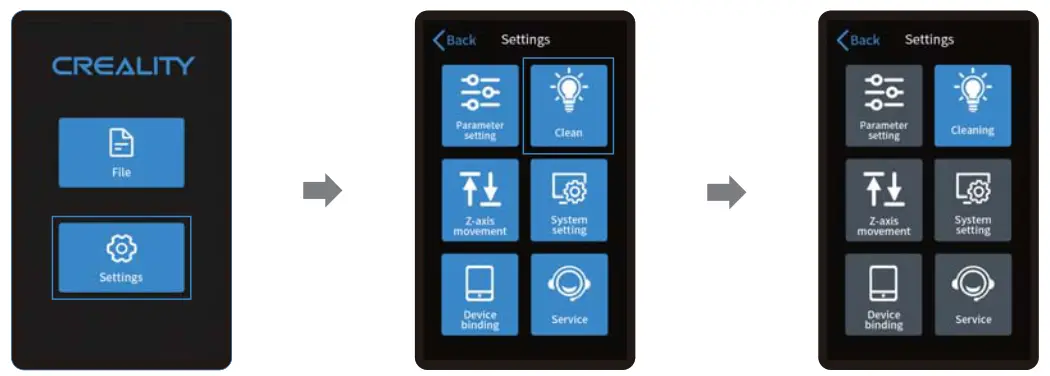 Note: The current interface is for reference only, due to the continuous upgrading of functions, the actual to the official website of the latest firmware UI as the standard.
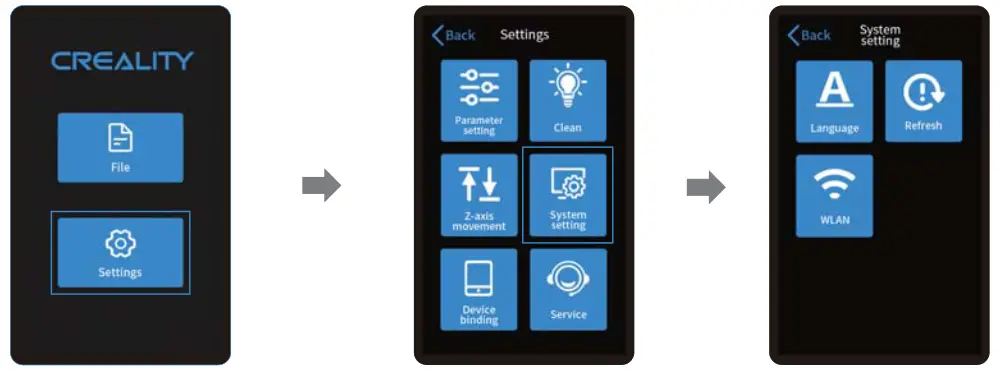 Note: The current interface is for reference only, due to the continuous upgrading of functions, the actual to the official website of the latest firmware UI as the standard.
Level Platform

1. First raise the platform, then loosen rubber screws on the left and right sides of the resin vat, and take out the resin vat.
2. Place the calibration card on the printing screen, go ” Tools —+ Manual —, Home” with the touch screen, and check whether the platform sticks into the calibration card evenly.
Note: The printing platform has been leveled at the factory. If it needs leveling due to transportation or other reasons, please follow the steps below to adjust the printing platform.
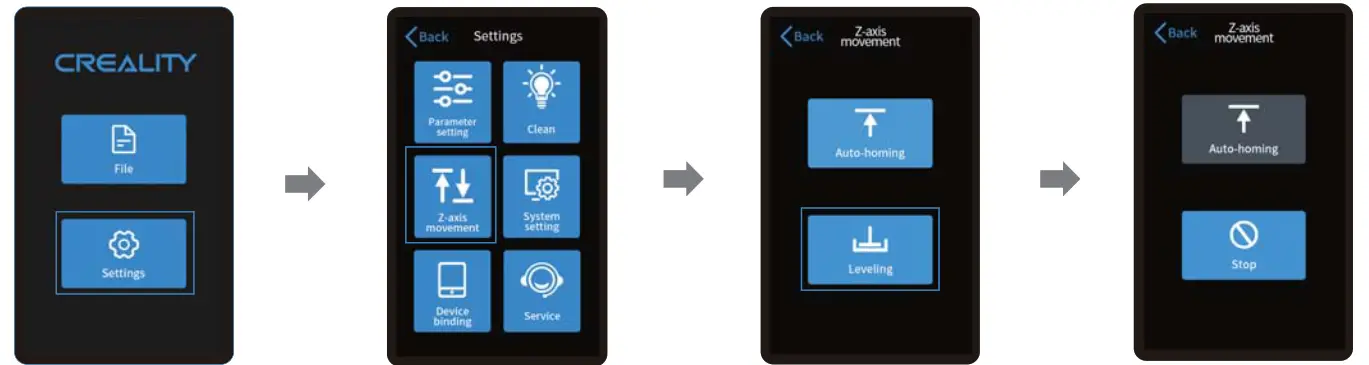
Note: The current interface is for reference only, due to the continuous upgrading of functions, the actual to the official website of the latest firmware UI as the standard.
Lond Resin
Pour the UV photosensitive resin into the resin vat. The slot capacity is 500m1/1000m1. 111
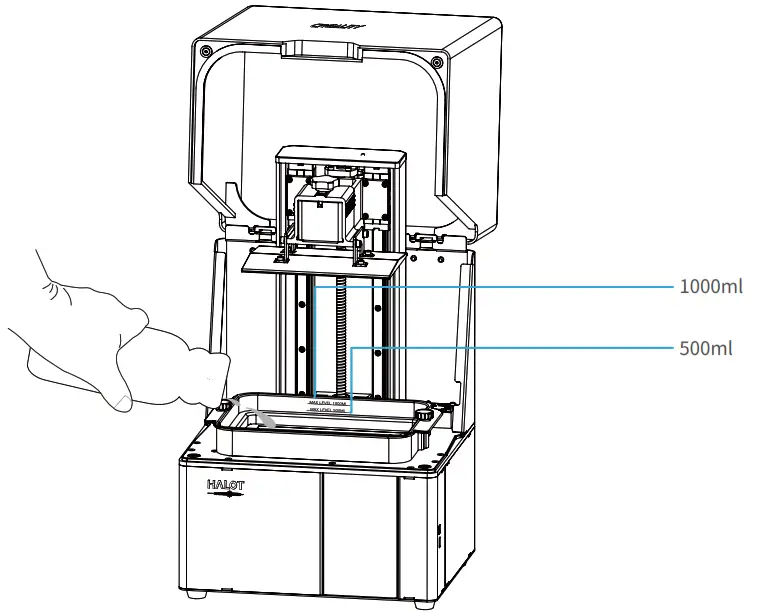
Tips: How to change resin: Take out the resin vat slowly, pour out the remaining resin into the container, clean the resin vat, pour in new resin, and then install the resin vat to the machine. caution: Resin may cause skin irritation or an allergy, skin reaction. Please wear gloves before use to avoid direct contact with the skin.
Release Film Instructions
Installation steps
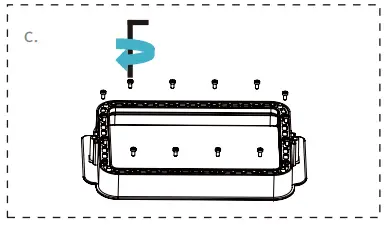 | 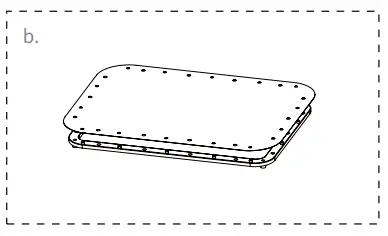 | 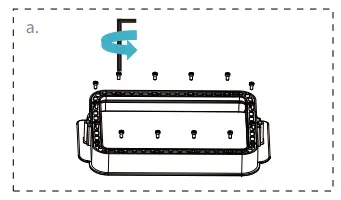 | 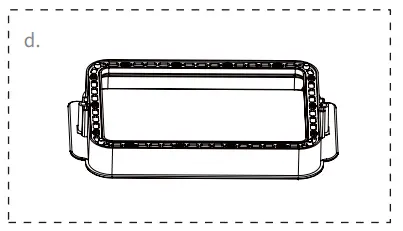 |
| a. First, remove the 14 screws at the bottom of the vat and take down the old release film. | b. Prepare the new release film, peel off the protective films on both sides of the release film. Align the holes and fit the release film on the clamping ring. | c. Finally, place the film-ring assembly back into the vat frame gently, then install and tighten the fixing screws diagonally. | d. The installed release film is as shown. |
Parameters
 |  |  |
| (Size):190mm*266mm | (Thickness):0.15-0.2mm | (Light Transmittance ):95% |
Start Printing
1. Slice
 Open the slicing software of LCD 3D printer, click “open” on
- If the model needs to add support, click the upper-left icon on the left of the screen and add the model file. to set corresponding parameters.

- Click icon 11,—>Setting slice printing parameters:4—>Click “Slice”
- waiting for a slice to be finished—>save the sliced file You are welcome to find more details of the slicing tutorial on the official website www.creality.com).
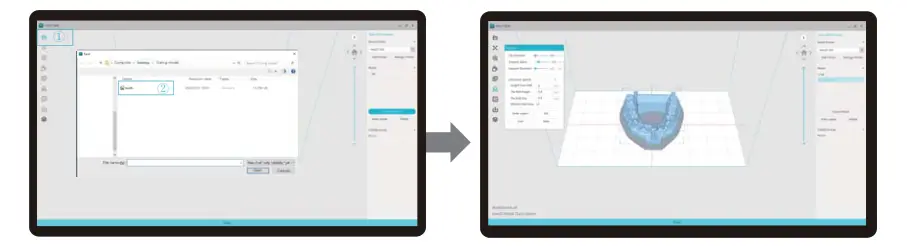 Open the slicing software of LCD 3D printer, click “open” on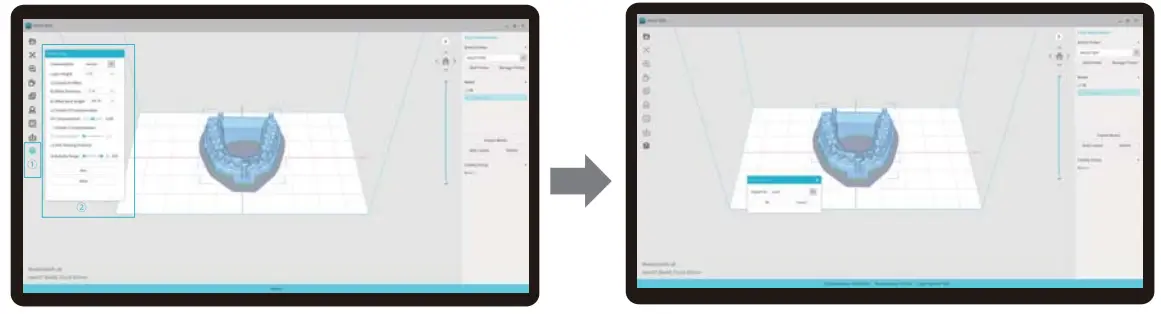
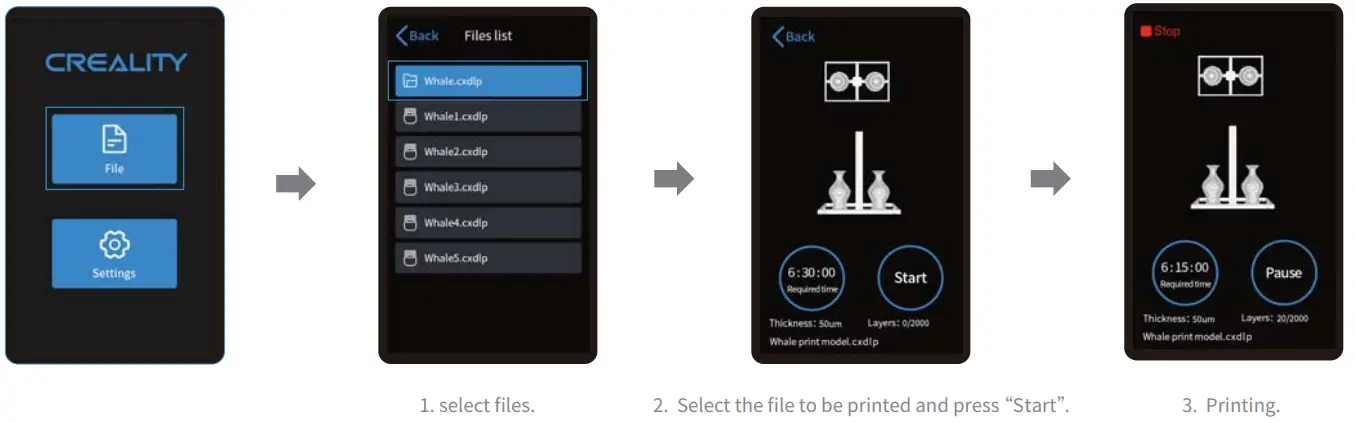
2. Print
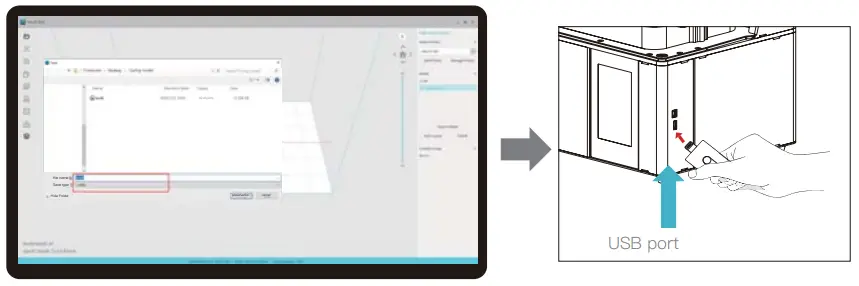
- Generate cxdlp file, and save the file to U disk.
- Insert the U disk —> press the print button.
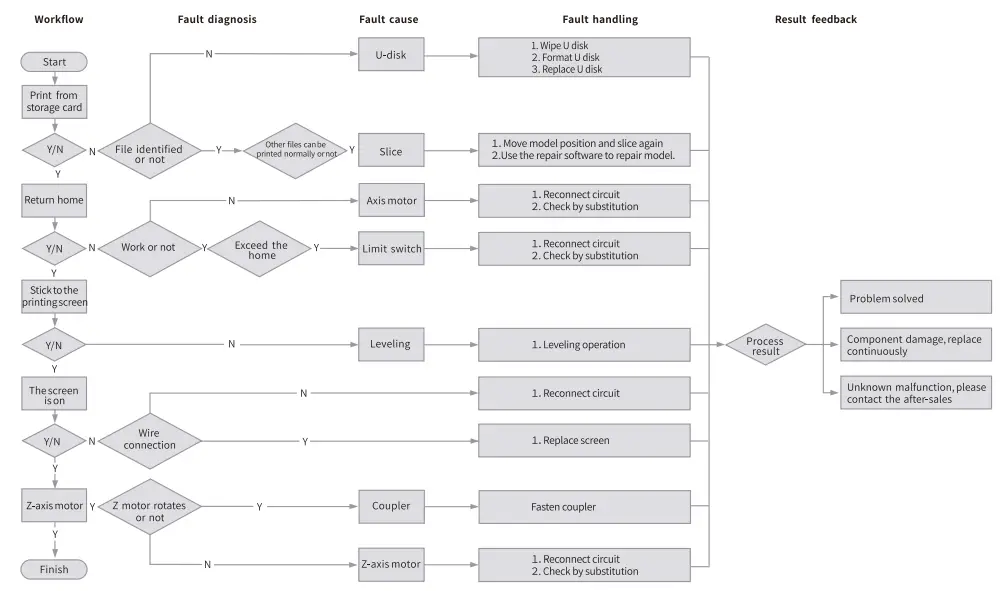
Wiring Connection
Troubleshooting
FDM 3D PRINTING FILAMENTS
3D PRINTER UV SENSITIVE RESIN
Standard Resin
Low shrinkage, fast printing speed, almost odorless, and it’s equipped with rigidity and toughness, suitable for printing common product prototypes and display models, that’s also highly compatible with LCD printers.
Low Odor Resin
Low odor, high precision, detailed textures are very expressive. Good fluidity, high printing success rate. Rich colors, to meet the customer’s color needs, are preferred for animation manual, craft furnishing industry, etc.
ABS Like Resin
With high hardness, high toughness of physical properties, and strong impact resistance, it can be directly drilled on the finished models, mainly used in industrial prototypes and other fields.
Dental Cast Resin
Low shrinkage, due to the low shrinkage characteristics, the size is more accurate. It s not easy to deform under pressure after molding. Used for making porcelain teeth.
Elastic Resin
Elastic Resin features good elasticity after high-strength extruding or stretching, is widely applied to damping and contacting surfaces, etc., preferred to be used by people full of originality and ideas in design.
Water Washable Resin
The model can be washed with water directly, and it’s safe, environmentally friendly, with high surface accuracy, short cleaning time, and low material cost. Water Washable Resin is currently one of the favorite new materials for schools, educational institutions, and printing enthusiasts.
Dental Mode Resin
The surface hardness is extremely high, scratch-resistant, and has low shrinkage characteristics. It is mainly used in dental implant restoration and invisible braces printing in medical dentistry.
Toughness Resin
Toughness Resin is a medium-hard, wear-resistant, and repeatedly stretchable material. It is used in parts that need to be repeatedly stretched in friction devices.
High-Temperature Resin
High-Temperature Resin is mainly used in making high-temperature rubber molds, which can withstand temperatures of about 200°C without cracking and maintain good strength, stiffness, and thermal stability.
Jewelry Cast Resin
Widely applied to the jewelry industry. Excellent combustion performance, low expansion coefficient, combustion without residue. The forming process is stable without deformation. The finished product has a smooth surface and high precision.
UV sensitive resin parameter information
| Related Parameters | Standard Resin | ABS Like Resin | Dental Cast Resin | Elastic Resin | Water Washable Resin | Dental Mode Resin | Toughness Resin | High Temperature Resin | Jewelry Cast Resin |
| Viscosity | 150-250MPa • s (NDJ-85 Rotational Viscometer (25t)) | 200-35OMPa • s (ND1-8S Rotational Viscometer (25t)) | 50-170MPa • s (NDJ-SS Rotational Viscometer (25°C)) | 300-1000MPa • s (NDJ-RS Rotational Viscometer (25t)) | 100-350MPa • s (NDJ-8S Rotational Viscometer (25t)) | 150-300MPa • s (NDJ-SS Rotational Viscometer (25°C)) | 150-300MPa • s (NDJ-85 Rotational Viscometer (25t9 | 150-300MPa • s (ND1-13S Rotational Viscometer (25T)) | 100-150MPa • s (NDJ-SS Rotational Viscometer pro |
| Absorption Band | 355nm–410nm | 355nm–410nm | 355nm-410nm | 385nm-410nm | 385nm-410nm | 355nm-410nm | 355nm-410nm | 355nm-410nm | 355nm-410nm |
| Liquid Density | 1.05-1.25g/cms (Density meter (25t)) | 105-1.13g/cm’ (Density meter (25t)) | 1.05-1.25g/cm3 (Density meter (25°C)) | 1.05-1.25g/cm’ (Density meter (25t)) | 1.05-1.25g/cms (Density meter (25°C)) | 1.05-1.258/cm3 (Density meter (25t)) | 1.05-1.25g/cms (Density meter (25t)) | 1.05-1.25g/cms (Density meter (25°C)) | 1.05-1.13g/cm3 (Density meter (25’C)) |
| Flexural Modulus | 1.882-2.385Mpa | 1.192-2.525Mpa | 1.192-2.525MPa | 1.882-2.385Mpa | 1.882-2.385Mpa | 1.882-2.385Mpa | 1.882-2.385Mpa | 1.882-2.385Mpa | 1.192-2.525Mpa |
| Bending Strength | 59-70MPa | 68-80MPa | 49-58MPa | 40-70MPa | 40-70MPa | 59-70MPa | 40-70MPa | 59-70MPa | 49-58MPa |
| Heat Distortion Temperature | 80°C | 80°C | 75°C | 80°C | 80°C | 80°C | 80°C | 220°C | 65°C |
| Thermal Expansion Coefficient | 95’E-6 | 95*E-6 | 95*E-6 | 95*E-6 | 95*E-6 | 95*E-6 | 95*E-6 | 95*E-6 | 95*E-6 |
| Volume Shrinkage | 3.724.24% | 3.724.24% | 1.88-2.45% | 3.72-4.24% | 3.72-4.24% | 1.56-1.95% | 3.72-4.24% | 3.72-4.24% | 4.06-5.08% |
| Linear Shrinkage | 1.05-1.35% | 1.05-1.35% | 0.8-1% | 1.05-1.35% | 1.05-1.35% | 0.85-1.05% | 1.05-1.35% | 1.05-1.35% | 1.05-1.35% |
| Tensile Strength | 36-52MPa | 42-62MPa | 42-62Mpa | 30-52MPa | 30-52MPa | 42-62MPa | 30-52MPa | 36-52MPa | 42-62MPa |
| Tensile Modulus | 1.779-2.385MPa | 1.86-2.645MPa | 1.86-2.645MPa | 1.779-2.385MPa | 1.779-2.385MPa | 1.779-2.385MPa | 1.779-2.385MPa | 1.779-2.385MPa | 1.86-2.645MPa |
| Elongation at Break | 11%-20% | 11%-21% | 11%-20% | 200% | 120% | 11%-20% | 130% | 11%-20% | 11%-20% |
| Shore Hardness | MD | 75-80D | 80-88D | 20-30D | 80-85D | 82D | 65-75D | 86D | 65D |
| Glass Transition Temperature | 100°C | 100°C | 78°C | 100°C | 100°C | 100°C | 100°C | 100°C | 78°C |
| Solid Density | 1.05-1.25g/cm3 | 1.05-1.13g/cm3 | 1.05-1.13g/cm3 | 1.05-1.25g/cm3 | 1.05-1.25g/cm3 | 1.05-1.25g/cm3 | 1.05-1.25g/cm3 | 1.05-1.25g/Cm3 | 1.05-1.13g/cm3 |
| Notched Impact Strength | 44-49J/m3 | 60-80J/m3 | 4449J/m3 | 41-48J/m3 | 41-48J/m3 | 41-49J/m3 | 41-48J/m3 | 44-49J/m3 | 44-49J/m3 |
FCC Statement
FCC Caution:
Any changes or modifications not expressly approved by the party responsible for compliance could void the user’s authority to operate the equipment.
This device complies with part 15 of the FCC Rules. Operation is subject to the following two conditions: (1) This device may not cause harmful interference, and (2) this device must accept any interference received, including interference that may cause undesired operation.
IMPORTANT NOTE:
Note: This equipment has been tested and found to comply with the limits for a Class B digital device, pursuant to part 15 of the FCC Rules. These limits are designed to provide reasonable protection against harmful interference in a residential installation. This equipment generates, uses, and can radiate radio frequency energy and, if not installed and used in accordance with the instructions, may cause harmful interference to radio communications. However, there is no guarantee that interference will not occur in a particular installation. If this equipment does cause harmful interference to radio or television reception, which can be determined by turning the equipment off and on, the user is encouraged to try to correct the interference by one or more of the following measures:
—Reorient or relocate the receiving antenna.
—Increase the separation between the equipment and receiver.
—Connect the equipment into an outlet on a circuit different from that to which the receiver is connected.
—Consult the dealer or an experienced radio/TV technician for help.
FCC Radiation Exposure Statement:
This equipment complies with FCC radiation exposure limits set forth for an uncontrolled environment.
This equipment should be installed and operated with a minimum distance of 20cm between the radiator& your body.
Due to the differences between different machine models, the physical objects and the final images can differ. The final explanation rights shall be reserved by Shenzhen Creality 3D Technology Co., Ltd.
 https://qr.creality.com
SHENZHEN CREALITY 3D TECHNOLOGY CO., LTD.
Add:18F, JinXiuHongDu Building, Meilong Blvd., Longhua Dist.,
Shenzhen, China 518131 Official
Website: www.creality.com
Tel: +86 755-8523 4565
E-mail: [email protected] [email protected]