
Manual
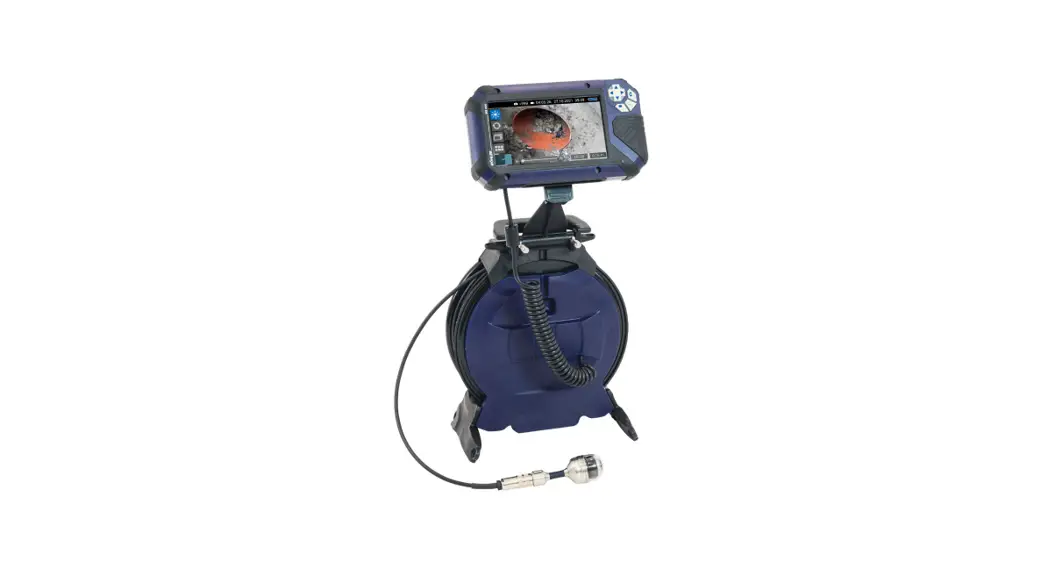
Cable Reel
Wöhler VIS 500
General information
1.1 Operation Manual Information

This operation manual allows you to work safely with the Wöhler Cable Reel. Please keep this manual for your information.
The Wöhler Cable Reel should be employed by professionals for its intended use only. Liability is void for any damages caused by not following this manual. This operation manual is printed on environmentally friendly recovered paper.
1.2 Notes
 ATTENTION!
Not following this note can cause permanent damage to the device. NOTE
NOTE
Useful information
1.3 Intended use
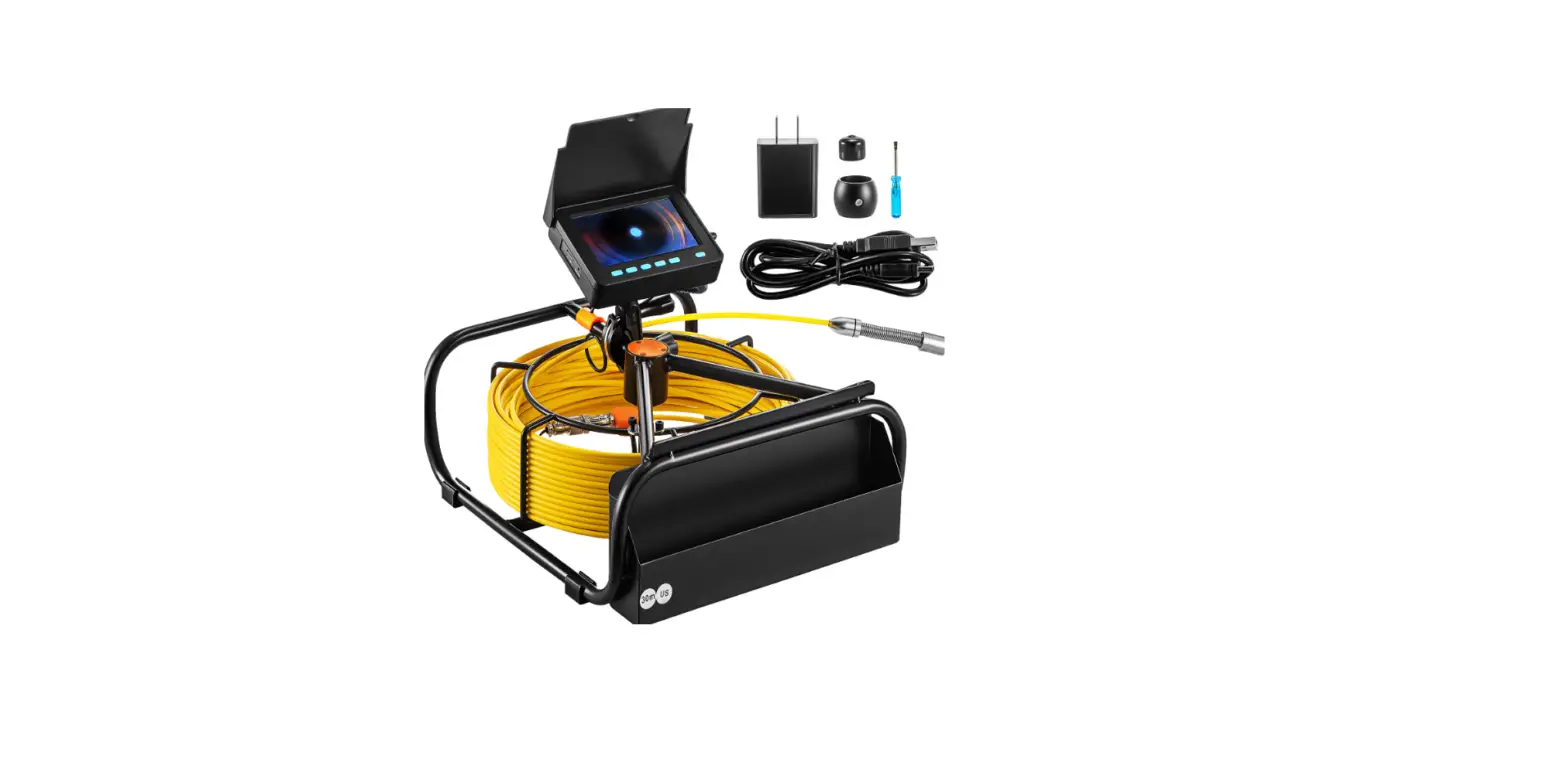
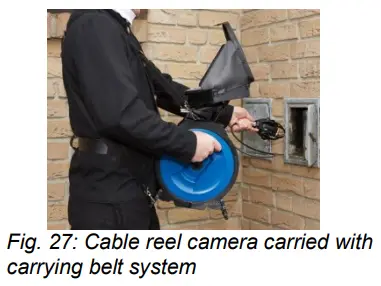
The Cable reel is used for winding the camera cable Wöhler VIS 500. It is especially applied for the inspection of vertical pipings, e.g chimneys, from above. For the video inspection, a camera head Wöhler VIS 500 will be connected to the camera cable of the Cable Reel. The monitor Wöhler VIS 500 will be installed on top of the Cable Reel. During the inspection, the Cable Reel can be carried in front of the body or positioned on the ground. Use the carrying belt system Wöhler VIS 500 for carrying the Cable Reel in front of the body.
1.4 Transport
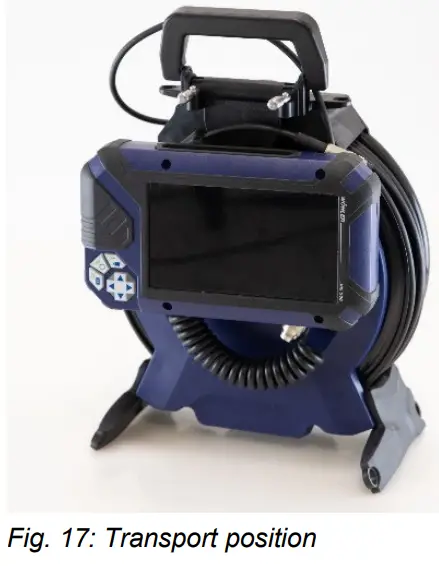
ATTENTION!
Improper transport can harm the instrument and especially the monitor if installed. To avoid transport damages, transport and stocking must be done with the monitor in the transport position, c.f. adjacent figure
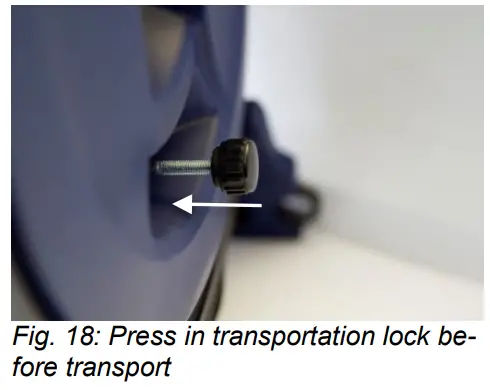
Besides, the transportation lock must be pressed in to avoid the camera cable unwinds.
General information
1.5 Information on disposal Electronic equipment does not belong to domestic waste, but must be disposed of in accordance with the applicable statutory provisions. Defective batteries are deemed to be hazardous waste and must be handed to recycling places or public disposal systems.
1.6 Manufacturer
Wöhler Technik GmbH
Wöhler-Platz 1
33181 Bad Wünnenberg
Tel.: +49 2953 73-100
Fax: +49 2953 7396-100
E-Mail: [email protected]
1.7 Technical data
Cable reel
| Diameter of the reel | 270 mm |
| Width x Height x Depth | 270 x 335 x 55 mm |
| Weight with 20 m cable | 3,4 kg |
| Coiled connecting cable between reel and monitor | Length: 1,5 m |
| Integrated metric marking | |
| Functional principle | digital |
| Resolution | 0,05 m |
| Max. deviation | 5 % of measured value |
Configuration and function
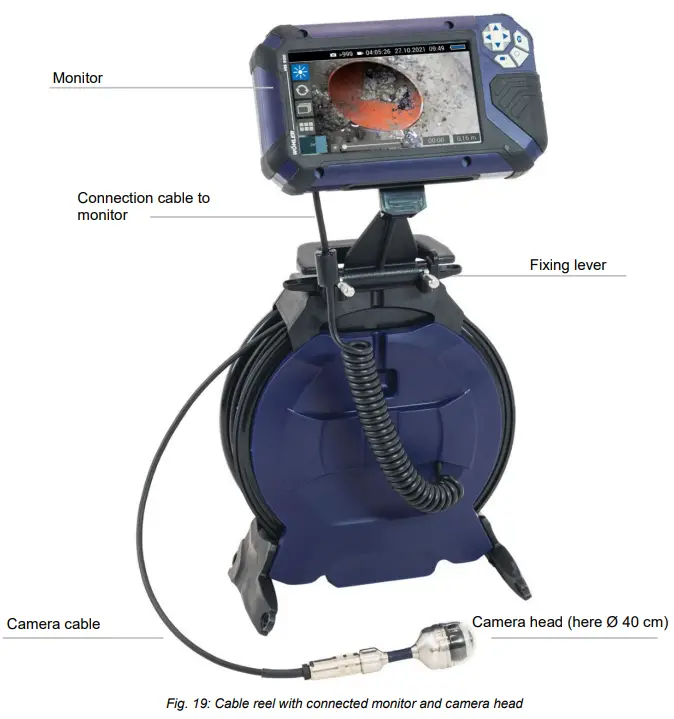
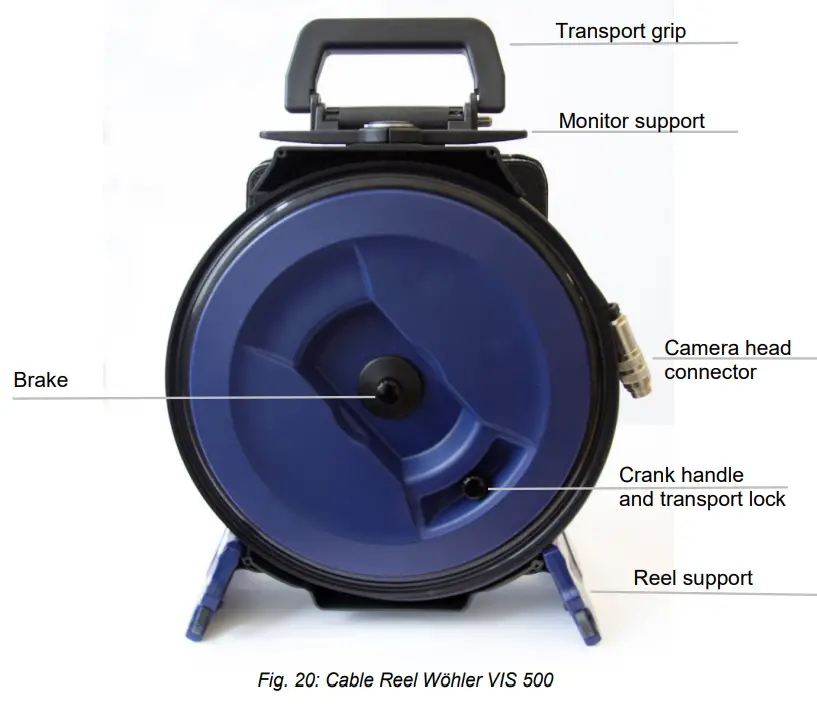
Connections
3.1 Connection of the camera head
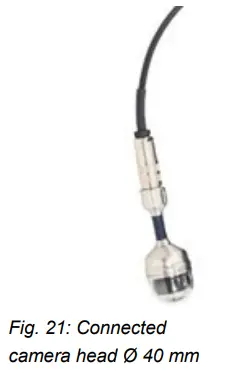
All camera- heads are connected via a clutch socket with 8 poles to the cable.
- Plug the cable jack and clutch socket of the camera head together and then turn the thread clockwise for closing the screw connection tightly.
ATTENTION!
Pay attention to a tight connection when plugging together.
3.2 Connection of the monitor
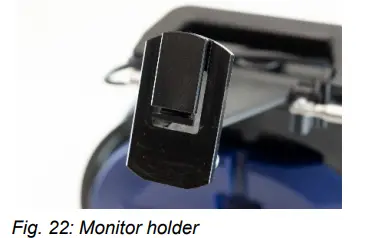
- Slide the monitor diagonally from above onto the monitor bracket until it locks into place.
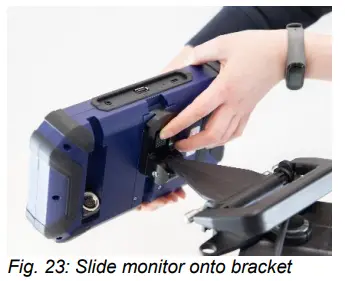
- To remove the monitor from the bracket after inspection, press the push lever.
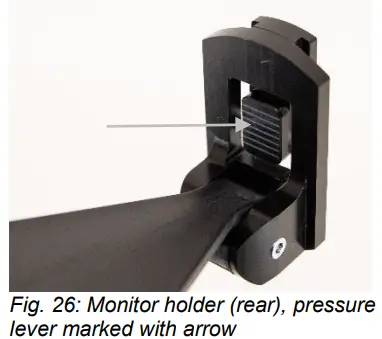
- Pull the monitor from the bracket at the same time.
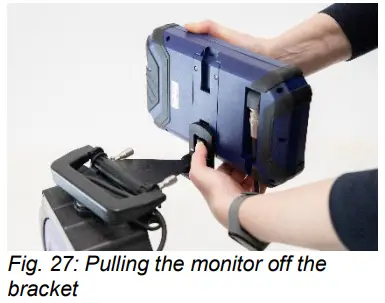
- Connect the connection cable of the ka-belt drum (cf. fig. 3) to the monitor.
- Insert the cable plug of the connection cable into the coupling socket of the monitor and then turn the threaded part of the cable plug clockwise to lock it.

Positioning the monitor on the Cable Reel
It is possible to rotate and tilt the monitor on the Cable Reel and to adjust the height.
4.1 Rotating the monitor
- Lift the monitor so that you can rotate it. Turn it into the working position.
 NOTE!
NOTE!
The monitor will lock in the rotary position and must not be secured. For this reason the position can easily be adjusted during the inspection. - Position the monitor transversely to the cable reel when carrying the camera system in front of the body.
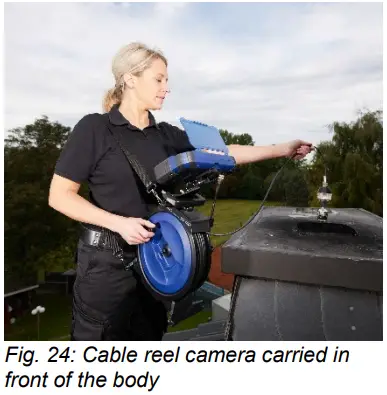
- When the camera system stands on the ground, the monitor can be rotated 360 de- grees. During the rotation, the monitor snaps in 24 snap points so that it will not be necessary to fix the position.
- Tilt the monitor to your optimal working position
NOTE!
The monitor will snap in the tilting angle and must not be fixed. For this reason the position can easily be adjusted during the inspection.
4.3 Inclining the monitor and changing the hight
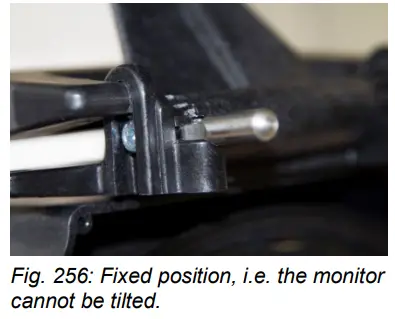
- Set the two fixing levers (cf. also fig. 20: cable drum with connected monitor and camera head) parallel to the cable drum so that the monitor can be tilted and adjusted in height.
- Move the monitor to the required position.
- Fix the position by inclining the two fixing levers by 90 degrees.
Attaching the carrying strap
The Cable Reel has 4 lugs for the carrying belt system.
– 2 eyelets each on the drum supports and 2 eyelets on the monitor bracket
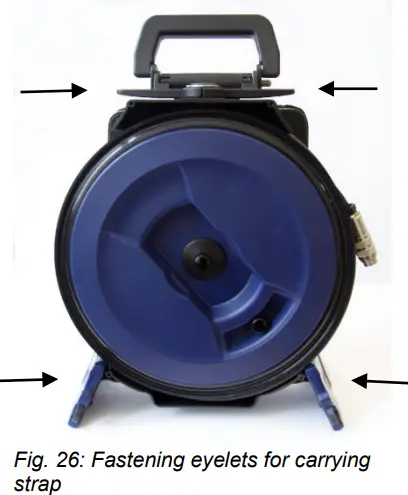
- Attach 2 snap hooks to the monitor and two snap hooks to the reel support.NOTE!
By choosing the reel support you decide with which hand you will crank.
Inspection
The cable reel camera is especially appropriate for the inspection of the exhaust systems, chimneys, and ventilation systems from above.
- Position the cable reel in a secure position on the ground or carry it in front of the body.
 ATTENTION!
When putting the cable reel on the ground take care that the center of gravity of the monitor is above the cable reel so that the cable reel stands stable.
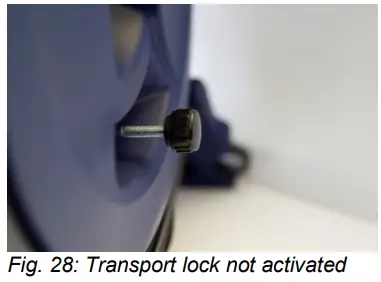
6.1 Loosening the transport lock
- Loosen the transport lock by pulling the crank handle out of the reel.
- The transport lock can be used as a crank handle now for winding and unwinding the camera cable.
NOTE!
When unwinding the cable you can consistently secure the position of the camera head by reinserting the crank handle until it locks. This way it is possible to inspect a certain point of the chimney in detail.
6.2 Adjusting the break
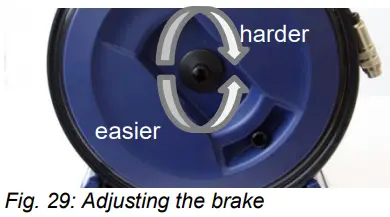
- With the brake you can adjust how easy it is to unroll the cable:
– Rotation to the right > Cable runs harder
– Rotation to the left > Cable runs easier
NOTE!
The braking system is steplessly adjustable.
6.3 Winding the camera cable ATTENTION!
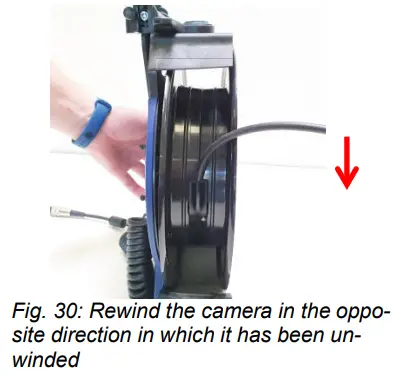
In case of unwinding the cable completely from the winder, do not pull on the cable to prevent damage. ATTENTION!
In case of unwinding the cable completely from the winder, rewind the camera in the opposite direction in which it has been unwinded. Otherwise internal parts may be damaged.
ATTENTION!
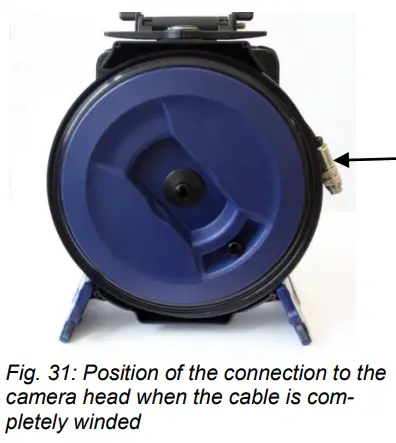
When winding the cable take care that the connection to the camera head does not slip into the reel.
Warranty and service
7.1 Warranty
Each Cable Reel Wöhler VIS 500 will be tested in all functions and will leave our factory only after extensive quality control testing.
If used properly, the warranty period for the Cable Reel Wöhler VIS 500 will be 12 months from the date of sale.
This warranty does not cover the freight and packing costs when the device is sent to the factory for repair.
Service by nonauthorized personnel or making modifications to Cable Reel voids any warranty.
7.2 Service
Wöhler has built our reputation on excellence in customer service. Therefore, of course, we are readily available to assist you after the warranty period ends.
- Send us the Cable reel and we will repair it and return it to you with our package service.
- Immediate help is provided by our technical staff over the telephone.
Accessories
Camera cable extension 10 m, with metrication: the camera cable can be extended to a maximum length of 50 m without interference. Order-no. 8636
Declaration of conformity
Manufacturer:
WÖHLER Technik GmbH
Wöhler-Platz 1, D-33181 Bad Wünnenberg
declares that the product:
Cable Reel Wöhler VIS 500
complies with the key safety requirements set down in the guidelines of the Council for the Harmonization of the Legal Requirements of the Member States in relation to the
electromagnetic compatibility (2014/30/EU) and Low Voltage (2014/35/EU).
The following standards were availed of to evaluate the product in respect of electromagnetic compatibility:
EN 55024
EN 55022 Klasse B
Points of sale and service
International
USA
Wohler USA Inc.
208 S Main Street Middleton, MA 01949
Tel.: +1 978 750 9876
www.wohlerusa.com
 Wöhler Technik GmbH
 Wöhler France SARL
 Wöhler Italia SRL
 Wöhler Nederland B.V.
 Wohler USA Inc.