HS11A-1 Electric Standing Desk Controller
Product Information
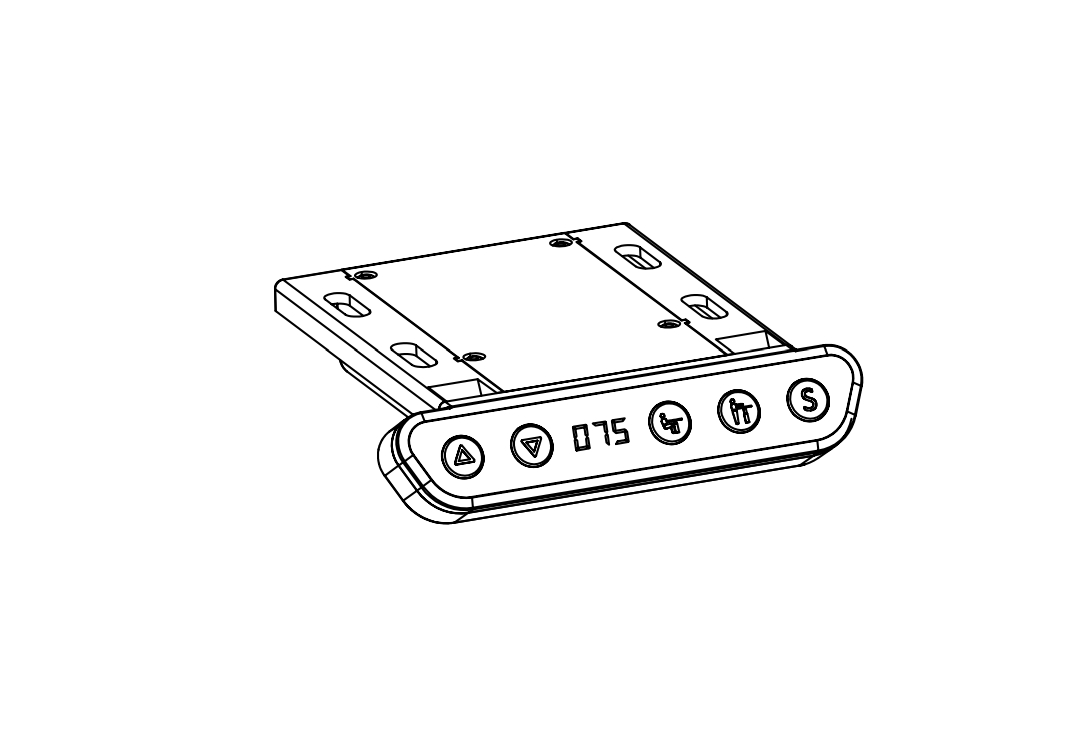
The Boost Electric Standing Desk Controller is a device designed
to control the height adjustment of an electric standing desk. It
features an LED display and seven buttons for easy operation.
Product Specification
- Button Introduction:
- ▲: Adjust the desk upwards
- ▼: Adjust the desk downwards
- 1: Position 1, first height position saved by
the user - 2: Position 2, second height position saved by
the user - 3: Position 3, third height position saved by
the user - M: Height memory function
- A: Alert button to remind users to change
posture
Product Usage Instructions
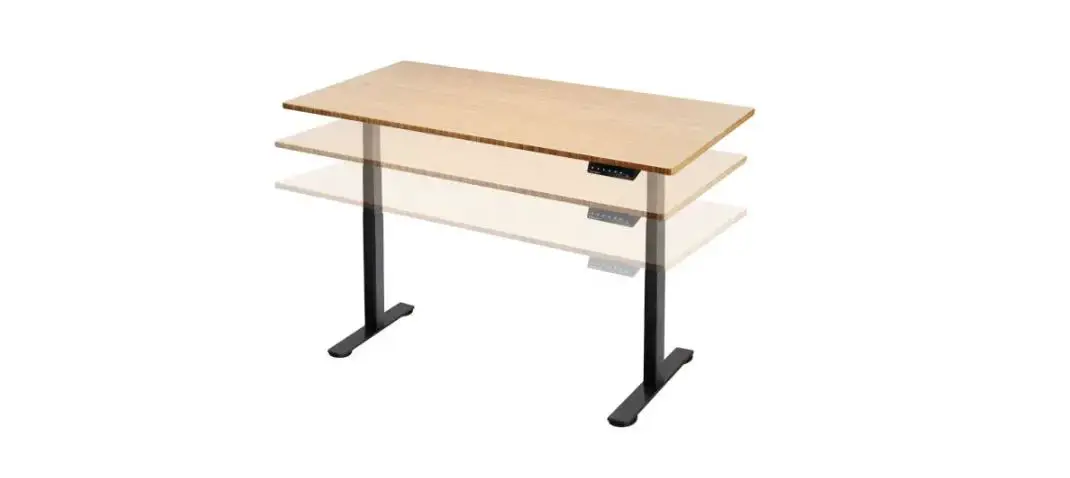
Height Adjustable Function
To adjust the height of the desk, press the ▲ button to raise it
or the ▼ button to lower it. The current height will be displayed
on the LED screen.
Height Memory Function
To save a desired height and assign it to a memory position:
- Press the ▲ or ▼ button to adjust the desk to the desired
height. - Press the M button to save the height.
- The screen will display “M” to indicate that the height has
been saved. - To assign the saved height to a specific position, press the
corresponding 1, 2, or 3 button. The screen will display “1”, “2”,
or “3” to indicate the assigned position.
To automatically adjust the desk to a memory height that has
been saved:
- Simply press the 1, 2, or 3 button directly. The desk will
adjust to the corresponding memory height.
Waste Disposal
This product should not be disposed of with other household
wastes. To ensure environmental safety and promote sustainable
reuse of materials, please recycle it responsibly. You can return
your used device through designated return and collection systems
or contact the retailer where the product was purchased for safe
recycling.
Boost Electric Standing Desk Controller Instructions
1. Product Outline
LED Display
2. Product Specification
Button introduction: There are seven buttons that “” , “” , “1” , “2” , “3” , “M” , “A” (1) “” : Adjust the desk upwards (2) “” : Adjust the desk downwards (3) “1” : Position 1, first height position saved by the user (4) “2” : Position 2, second height position saved by the user (5) “3” : Position 3, third height position saved by the user (6) “M” : Height memory function (7) “A” : Alert button to remind users changing posture
3. Operating Instructions
Height Adjustable Function: Press the”” or “” button to adjust the height. The LED display shows the current height.
Height Memory Function: a. Press UP or DOWN button and adjust the height to the desired height. Press “M” to save the height, and the screen will display ” “; Press “1” , “2” ,or “3” then, that is, save the height to the corresponding position 1 or 2 or 3, which will show in the display screen as ” ” ,” “, or ” “; b. Press “1”, “2” and “3” button directly to automatically adjust the memory height you saved.
Reminder Function a. Press REMINDER button “A” to activate the function. The LED display shows ” ” or ” “. b. Two seconds later, press the “” or “” button to adjust the reminder time only when the display screen flashes. The default time of the reminder is 45 minutes, which is shown as ” “. Then press any button to save the time setup, or wait 5 seconds and system will save the time setup automatically. During the countdown, any operation will lead to a repeat starting of the timer. When the countdown finishes, display screen will show ” ” the buzzer will be active with a 10-second “DiDi…DiDi…DiDi…”tone. c. Within the 10-second reminder buzz, press any button to reactivate the time countdown that is set up in (b) step. If no operation during the 10-second reminder buzz, there will be another reminder buzz after 5 minutes. No operation during the second buzz will turn off the Long-Time Sitting Reminder. d. Press and hold the “A” button for three seconds to turn off the Long-Time Sitting Reminder. The LED display shows ” ” or ” “.
Anti-collision sensitivity adjustment – optional features: a. Press and hold the “” “” button for 5 seconds at the same time to switch the sensitivity. Switch one level for 1 time and divide it into 4 levels (A-3, A-2, A-1, A-0); b. The display shows ” ” , the anti-collision function is off; the display shows ” “, low sensitivity; Display shows ” “, medium sensitivity; display shows” “, high sensitivity; c. During height adjustment, when tabletop comes in contact with another object, it instantly stops and reverses to avoid damage. d. Press and hold the “” “” button for 5 seconds at the same time. If the display does not display the above code, there is no anti-collision function.
Troubleshooting: a. When the LED display shows ” ” or ” “, long press the down key “”, the standing desk runs to the lowest or highest position and then runs in reverse until it stops, at this time the display shows the height number, release the down key ” “, After the reset, the desk can be used normally; b. When reporting the error code, short press the down key “” to enter the ” ” or ” ” state and perform the reset operation; c. If you perform the above operations, the desk still does not work properly, please contact customer service.
Waste disposal
This marking indicates that this product should not be disposed with other household wastes. To prevent possible harm to the environment or human health from uncontrolled waste disposal, recycle it responsibly to promote the sustainable reuse of material resources. To return your used device, please use the return and collection systems or contact the retailer where the product was purchased. They can take this product for environmental safe recycling.