
 INTEGRATION for TAHOMA® RTS
INTEGRATION GUIDE
VERSION 1.2 | AUGUST 2021 | Prepared by PROJECT SERVICES
OVERVIEW
INTRODUCTION
The Somfy Organization strength has been demonstrated with 50 years of experience in motorization. As leaders in the shading industry with innovation and modernization solutions for homes and commercial buildings, Somfy offers the widest range of strong, quiet motors and controls for all types of applications and technologies.
Who is this Guide for?
This guide is aimed at providing support and guidance to homeowners, installers, and dealers for achieving complete automation of Radio Technology Somfy® (RTS) motors and TaHoma® Smartphone and Tablet Interface.
What does this Guide contain?
The sections of this guide contain walkthroughs and methods of controlling RTS motors using the TaHoma® Smartphone and Tablet Interface as the bridge between IFTTT and the Smart Shading by Somfy.
This guide discusses the method of integration with IFTTT.
For questions or assistance please contact technical support: (800) 22-SOMFY (76639)
[email protected]
How should this Guide be used?
This guide is intended to be used as a reference manual.
RESOURCES & APPLICATIONS
Visit www.somfypro.com for the following guides:
- Somfy TaHoma Smartphone and Tablet Interface Programming Guide
- Somfy RTS Pocket Programming Guide
Subscribe to the Somfy YouTube Channel www.youtube.com/somfysystems
Visit the Google Play or iOS App Store for the Somfy TaHoma North America App:
https://play.google.com/store/apps/details?id=com.somfy.beecon&hl=en_CA&gl=US
https://apps.apple.com/us/app/tahoma-north-america/id1437975616
SETUP
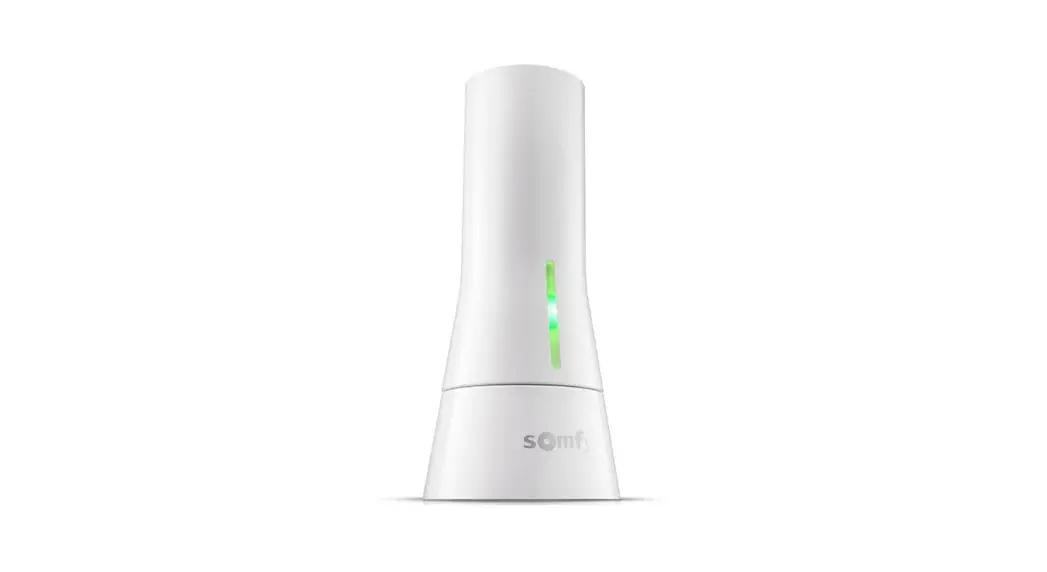
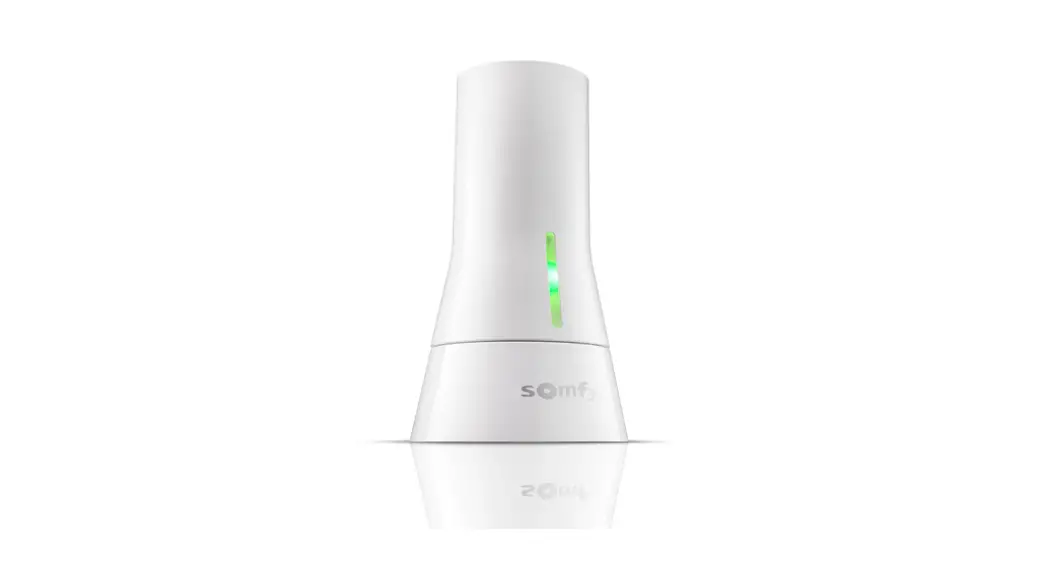
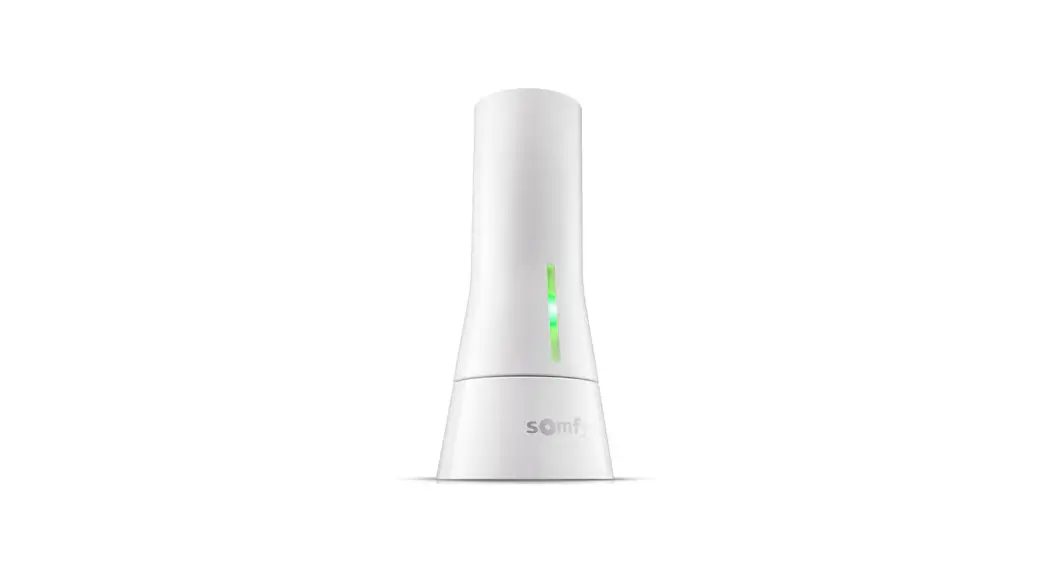
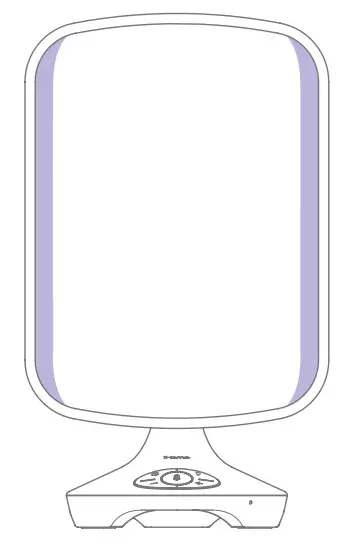
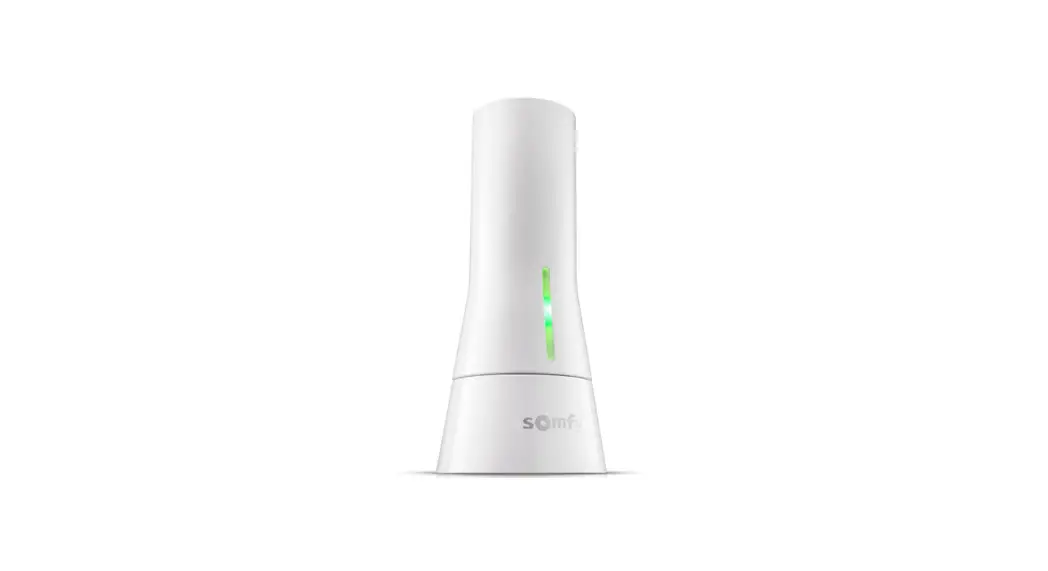
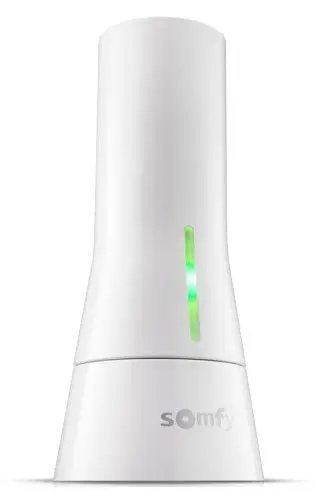
The Somfy TaHoma® Smartphone and Tablet Interface provides a single platform for Somfy RTS and future ecosystems with a wide range of interior and exterior applications.
- The TaHoma® Interface supports up to 40 RTS channels
- Install up to 10 interfaces as zone controllers to increase the RTS range
- The TaHoma® can support a maximum of 40 scenes with schedules per install
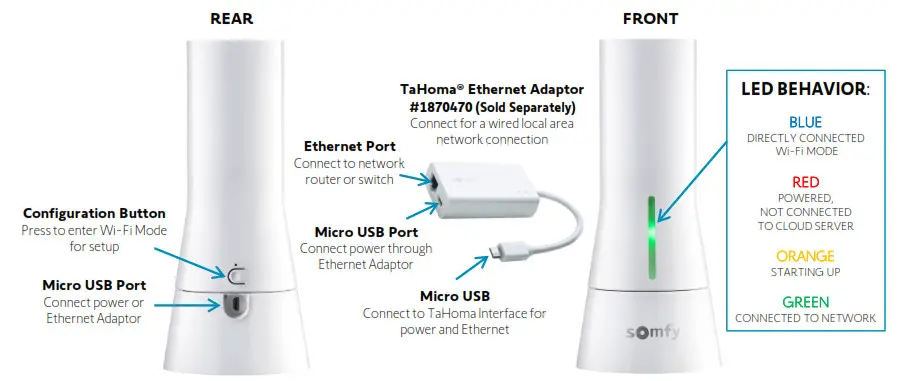
Each TaHoma Interface is connected to Wi-Fi or directly to the local area network by an optional Ethernet adaptor for IP Integration with third-party control systems. TaHoma® is compatible with the Somfy Synergy™ API.
Details of this controller and commissioning instruction are available in the Somfy TaHoma Smartphone and Tablet Interface Programming Guide.
SYSTEM REQUIREMENTS
PC running Windows 10 or higher
Crestron Toolbox Software
Crestron Home Setup Software
Crestron Home App
Somfy TaHoma Interface Driver
CONNECTIONS & INDICATORS
SYSTEM CONFIGURATION
A fully operational TaHoma system is required prior to Crestron programming. The TaHoma Interface supports up to 40 channels of RTS. RTS devices programmed to an RTS channel will only receive commands from the associated TaHoma Interface.
Interfaces must be placed within 25-35’ of the RTS devices they control.
- Confirm with Shade Commissioning Agent that the TaHoma Interface firmware is up to date
- An Integration Report is generated in the TaHoma App which will include the TaHoma Interface PIN and IP address
- Third-Party Integration and must first be enabled in the TaHoma App
ADD TAHOMA DRIVER TO WORKSPACE
A fully operational TaHoma system is required prior to Crestron programming. Third-Party Integration must be enabled in the TaHoma App.
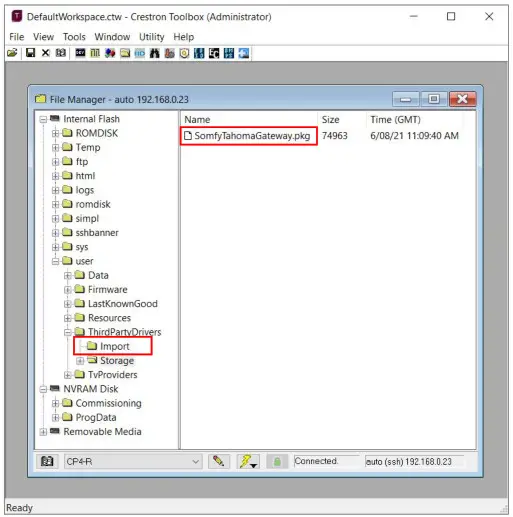
- Download the Somfy TaHoma Gateway driver package from the Crestron Marketplace
- In Crestron Toolbox, OPEN File Manager and Workspace
- Once connected to the Crestron Home control processor, PLACE the Somfy TaHoma driver into the Internal Flash > user > ThirdPartyDrivers > Import folder

- Restart the Crestron Home control processor
PAIR DEVICES
Third-Party Integration must be enabled in the TaHoma App. Reference the Integration Report for the TaHoma Interface IP address. Ensure that a MAC-based address reservation is being used.
ADD TAHOMA INTERFACE DEVICE TO ROOM
- Confirm Third-Party Integration for Crestron is enabled in the TaHoma App:
• Open the TaHoma App
• SELECT “Menu” from the bottom right-hand corner
• SELECT “Third-Party Integrations”
• SELECT “Crestron”
• SELECT “Enable/Refresh integrations”
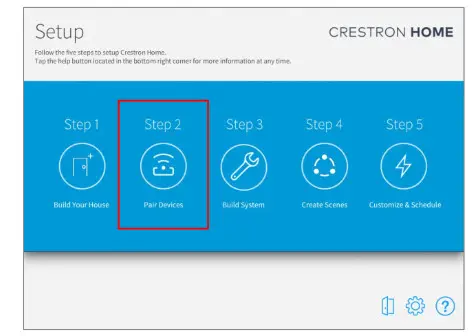
- In the Crestron Home Setup software, first complete Step 1 of adding rooms to Build Your House
- SELECT “Step 2” to Pair Devices
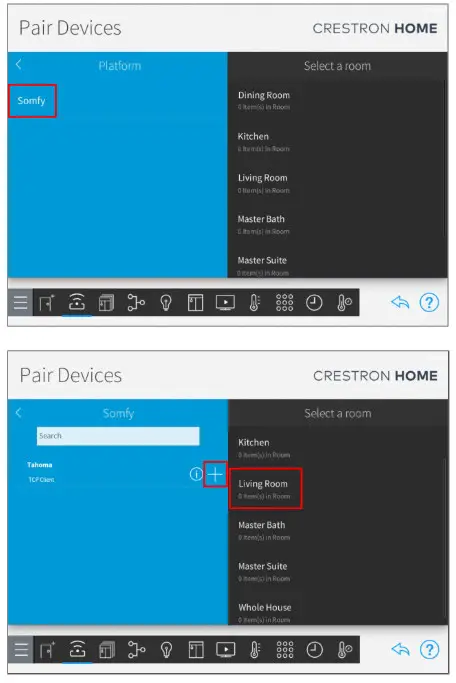
- In Pair Devices, select:
• SELECT “Drivers”
• SELECT “Platform”
• SELECT “Somfy”
- SELECT a room where the TaHoma Interface is located
- SELECT the + icon to add the TaHoma to the selected room

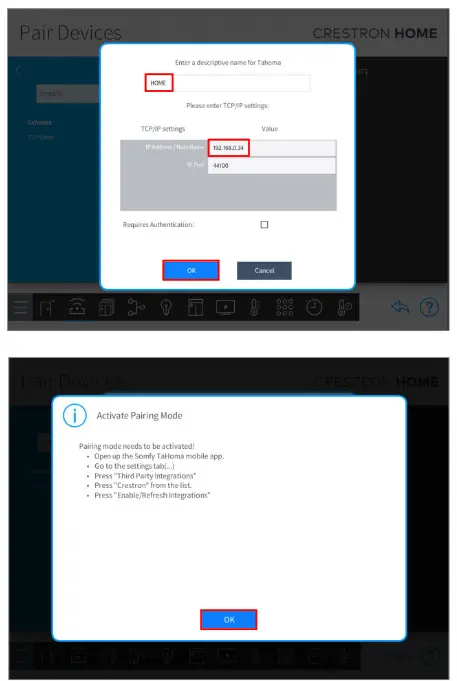
- Enter a descriptive name for the TaHoma
- Enter the IP address of the TaHoma, SELECT “OK”
- At the Activate Pairing Mode prompt, follow the steps to enable integration, SELECT “OK”

In a multiple TaHoma installation, repeat Step 5 for each additional TaHoma Interface
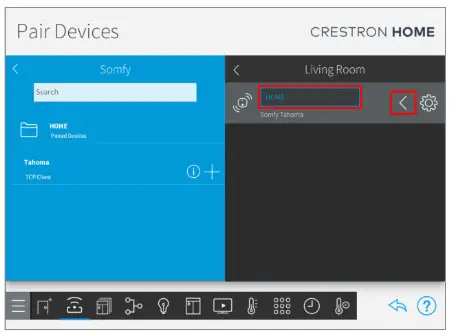
• Rename a TaHoma by typing in the device name field
• Remove a device by clicking the left arrow
ADD TAHOMA BLIND DEVICE TO ROOM
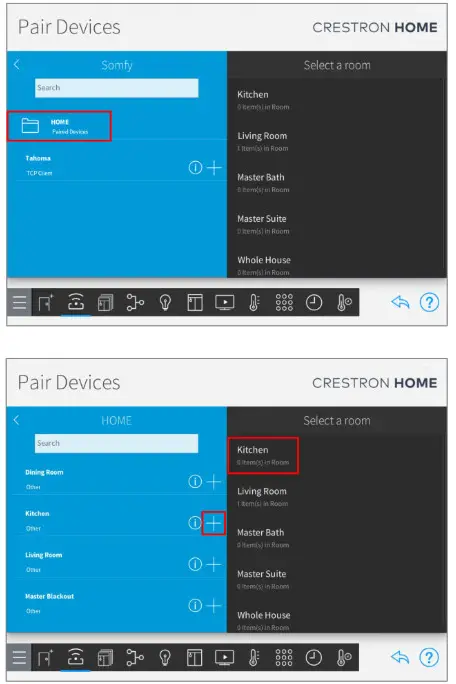
- Open the TaHoma Paired Devices folder The “Pair Devices” folder contains all devices already created in the Somfy TaHoma App.

- SELECT a room for where a Paired Device is located, SELECT “+” icon to add the device to the appropriate room
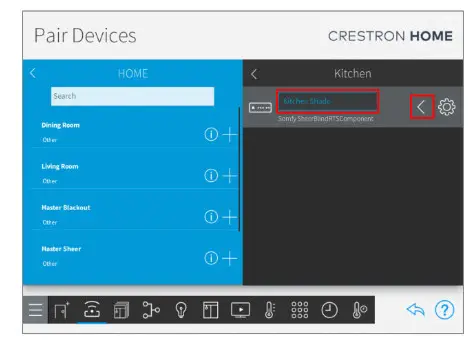
- Enter a descriptive name for the TaHoma Blind device, SELECT “OK”
• Rename a device by typing in the device name field
• Remove a device by selecting the left arrow - Use the Crestron Home App to test device operation

See Appendix A of this guide for a list of Somfy TaHoma specific commands and actions. RTS motors do not report positional feedback.
RTS motors are capable of one programmable “My” or favorite position that requires a Stop command when the motor is at rest. Use the Crestron Home App Favorite button to achieve the My position command.
APPENDIX
[APPENDIX A] AVAILABLE COMMANDS & ACTIONS
| TAHOMA RTS BLIND | |
| Open | Moves blind to the fully open position |
| Close | Moves blind to the fully closed position |
| Stop | Stops blind when moving |
| My | Moves blind to the programmed My position if blind is at rest |
ABOUT SOMFY
SOMFY® has been improving everyday life for more than 270 million people by designing and manufacturing intelligent motorization solutions for interior window coverings and exterior solar protection. Somfy innovates to automate and connect shades, blinds, draperies, awnings, rolling shutters, exterior screens & pergolas for commercial and residential buildings in 58 countries across the globe. With 170+ million motors produced over the last half-century, Somfy is committed to creating reliable and sustainable solutions that promote the best way of living and well-being for all.
FOR QUESTIONS OR ASSISTANCE PLEASE CONTACT TECHNICAL SUPPORT:
(800) 22-SOMFY (76639)
[email protected]
SOMFY SYSTEMS INC
SOMFY NORTH AMERICAN HEADQUARTERS
121 Herrod Blvd.
Dayton, NJ 08810
P: (609) 395-1300
F: (609) 395-1776
| FLORIDA 1200 SW 35th Ave. Boynton Beach, FL 33426 F: (561) 995-7502 | CALIFORNIA 15301 Barranca Parkway Irvine, CA 92618-2201 F: (949) 727-3775 | SOMFY ULC SOMFY Canada Division 5178 Everest Drive Mississauga, Ontario L4W2R4 P: (905) 564-6446 F: (905) 238-1491 |
A BRAND OF SOMFY GROUP
www.somfypro.com
© Somfy Systems, Inc. 8/2021. All brands, products and trademarks are the property of their respective owners.