Product Information
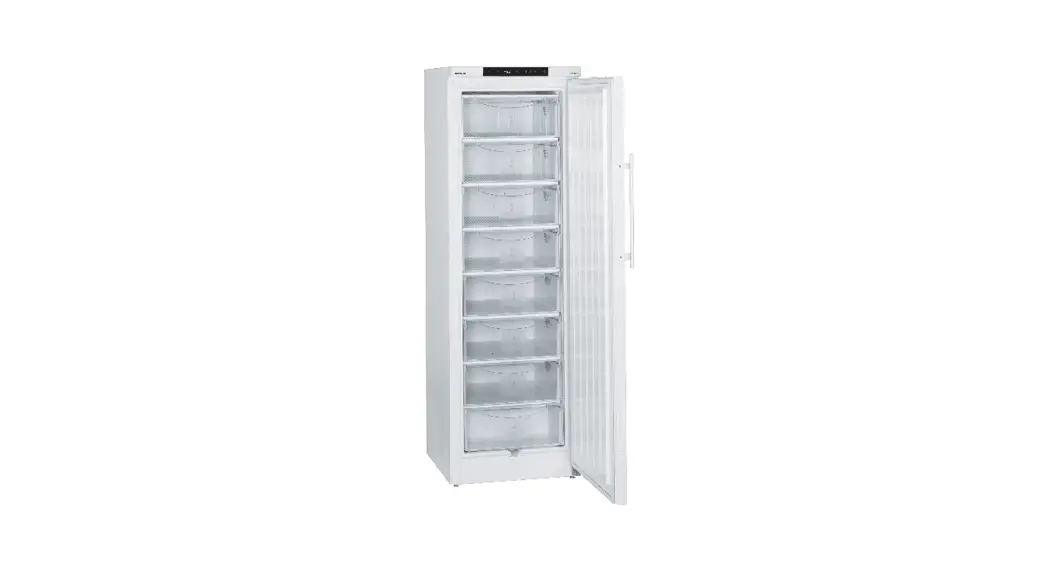
The NoFrost combined refrigerator-freezer is a household
appliance designed to efficiently store and preserve food items. It
features a spacious refrigerator compartment and a freezer
compartment, both equipped with advanced cooling technology to
maintain optimal temperature levels.
The appliance model number is ECBN 61, and it is manufactured
according to high-quality standards to ensure durability and
performance. The user manual provides detailed operating
instructions and safety guidelines for proper usage and
maintenance.
Product Usage Instructions
Follow these instructions to safely and effectively use the
NoFrost combined refrigerator-freezer:
- Installation:
- Ensure proper ventilation by not sealing the ventilation
openings on the appliance housing or enclosure. - During the defrosting process, use only mechanical devices or
aids recommended by the manufacturer. - Avoid damaging the refrigerant circuit.
- Only use electrical devices in the refrigerator compartment
that comply with the manufacturer’s recommendations. - Take care not to damage the mains cable during
installation. - Avoid positioning multi-sockets, distributor strips, or other
electronic devices at the rear of the appliance. - For any replacement or repair of the interior LED light,
contact customer service staff or trained personnel to avoid
electric shock. - Do not look directly at the LED light through optical lenses if
the cover is defective, as it may cause eye damage. - Securely install the appliance as described in the operating
instructions to prevent any stability risks. - Do not stand on the plinth, drawers, or doors, or use them to
support anything else. - Do not store explosive substances inside the appliance.
- For safe installation, it is recommended to have two people
handle the appliance. - Inspect the appliance for any signs of damage after unpacking.
Contact the supplier if any damage is found. Do not connect the
appliance to the mains power supply.
- Avoid prolonged skin contact with cold surfaces. If necessary,
use gloves to handle chilled or frozen products. - Do not consume ice cream, especially ice lollies or ice cubes,
immediately after taking them from the freezer compartment, as
extremely cold temperatures can cause burning. - Do not consume food that has been stored for too long, as it
may cause food poisoning.
- All repairs and work on the appliance should be carried out by
customer service personnel or trained individuals. This includes
changing the mains power cable. - Ensure the mains plug is visibly disconnected before conducting
any repair or maintenance work on the appliance. - Follow the instructions provided in the operating manual for
proper installation, connection, and disposal of the
appliance.
By following these instructions, you can safely and effectively
use the NoFrost combined refrigerator-freezer to store and preserve
your food items.
Operating instructions
NoFrost combined refrigerator-freezer
Page 18 EN
7084 839-01
ECBN 61
Priority of warnings
DANGER
identifies a situation involving direct danger which, if not obviated, may result in death or severe bodily injury.
WARNING identifies a dangerous situation which,
if not obviated, may result in death or severe bodily injury.
CAUTION
identifies a dangerous situation which, if not obviated, may result in minor or medium bodily injury.
NOTICE
identifies a dangerous situation which, if not obviated, may result in damage to property.
Note
identifies useful information and tips.
Safety instructions and warnings
– WARNING: do not seal ventilation openings on the appliance housing or enclosure.
– WARNING: only use the mechanical devices or other aids recommended by the manufacturer to help speed up the defrosting process.
– WARNING: do not damage the refrigerant circuit.
– WARNING: do not use any electrical devices in the refrigerator compartment which do not comply with the design recommended by the manufacturer.
– WARNING: the mains cable must not be damaged while installing the appliance.
– WARNING: multi-sockets or distributor strips and other electronic devices (such as halogen transformers) must not be positioned and operated at the rear of appliances.
– WARNING: danger of injury through electric shock.There are live parts under the cover. Only have the interior LED light replaced or repaired by customer service staff or trained personnel.
– WARNING: risk of injury from the LED lamp.The light intensity of the LED light complies with laser class RG 2. If the cover is defective, do not look directly at the light through optical lenses from close distance. This may damage your eyes.
– WARNING: this appliance must be secured as described in the operating instructions (Installation instructions) to rule out any potential risks due to its instability.
– Do not stand on the plinth, drawers or doors or use them to support anything else.
– This appliance may be used by children aged 8 and over and by people with reduced physical, sensory or mental abilities or a lack of experience and expertise if they are supervised or have been instructed on the safe use of the appliance and have understood the risks associated with it. Children must not be allowed to play with the appliance. Cleaning and user maintenance must not be carried out by children without supervision. Children aged 3 or over and 8 or younger may load and unload the refrigerator/freezer.
– Do not store any explosive substances, such as aerosol containers with flammable propellant gas, inside the appliance.
– To prevent injury and damage to property, the appliance should only be installed by two people.
– After unpacking it, check the appliance for signs of damage. Contact the supplier if it is damaged. Do not connect the appliance to the mains power supply.
– Avoid prolonged skin contact with cold surfaces (e.g. chilled/frozen products). If necessary, take safety action (e.g. gloves).
-Do not eat ice cream, particulary ice lollies or ice cubes, immediately after taking them from the freezer compartment as there is a risk of “burning” because of the very cold temperatures.
– Do not consume food which has been stored for too long, as it could cause food poisoning.
– All repairs and work on the appliance may only be carried out by customer service personnel or other trained personnel. The same applies to changing the mains power cable.
– Only carry out repair and other work on the appliance when the mains plug has visibly been disconnected.
– Only install, connect and dispose of the appliance as described in these operating instructions.
– In the event of a fault, pull out the plug or switch off the fuse.
– When disconnecting the appliance from the mains, pull on the plug. Do not pull on the cable.
– If you have a lockable appliance, do not keep the key near the appliance or within reach of children.
18
– The appliance is designed for use in enclosed areas. Do not operate the appliance outdoors or in areas where it is exposed to splash water or damp conditions.
– Do not use the interior LED light to light the room. The interior LED light is only designed to illuminate the interior of the appliance.
– Do not allow naked flames or ignition sources to enter the appliance.
– Alcoholic drinks or other vessels containing alcohol should be sealed tightly for storage.
EN
Symbols on the appliance
The symbol can be located on the compressor. It refers to the oil in the compressor and indicates the following danger: swallowing or inhaling can be fatal. This is only relevant for recycling. There is no danger in normal operation.
Warning about inflammable substances.
A sticker to this effect may be applied to the rear of the appliance. It refers to the foampadded panels in the door and/or the housing. This is only relevant for recycling. Do not remove the sticker.
Disposal notes
The appliance contains reusable materials and should be disposed of properly – not simply with unsorted household refuse. Appliances which are no longer needed must be disposed of in a professional and appropriate way, in accordance with the current local regulations and laws.
When disposing of the appliance, ensure that the refrigerant circuit is not damaged to prevent uncontrolled escape of the refrigerant it contains (data on type plate) and oil.
· Disable the appliance. · Pull out the mains plug. · Cut through the connection cable.
WARNING Danger of suffocation due to packing material and plastic film! Do not allow children to play with packaging material. Take the packaging material to an official collection point.
EPREL database
As from 1 March 2021, information about energy labelling and ecodesign requirements will be available in the European product database (EPREL). You can access the product database using the following link: https://eprel.ec.europa.eu/. You will be asked to enter the model identifier. You will find the model identifier on the type plate.
19
Description of the appliance
(1) Operating and control elements (2) Adjustable door racks (3) Adjustable storage shelves (4) Bottle racks (5) Type plate (behind the vegetable drawer on the left-hand side) (6) Vegetable drawers (7) Water filter (8) Upper freezer drawer (9) Lower freezer drawer (10) IceMaker (in the interior of the upper freezer drawer) (11) Ventilation grille. In this area, the exchange of air for the refrigera-
tion unit takes place. Never cover this grille or otherwise obstruct the air flow!
Temperature and control display
Water filter has to be changed
Operating and control elements
The electronic control panel has the “touch capacitance technology”. Any function can be activated by touching the corresponding icon.
The exact contact point is between the symbol and its label
Refrigerator temperature display
Menu mode is activated (for setting additional functions)
Freezer temperature display
Refrigerator operating icons
Refrigerator operating icons Mute alarm (refrigerator and freezer) SuperCool Refrigerator ON/OFF Temperature setting buttons
20
Control icons
Freezer operating icons
Control icons Power failure LED Dust filter LED
The dust filter in the appliance plinth must be cleaned.
SuperCool LED Child lock LED Alarm LED IceMaker ON LED SuperFrost LED
Freezer operating icons Temperature setting icons
Freezer ON/OFF SuperFrost IceMaker ON/OFF
Range of appliance use
The appliance is suitable solely for cooling food in a domestic environment or similar. This includes, for example, use
– in staff kitchenettes, bed and breakfast establishments,
– by guests in cottages, hotels, motels and other forms of accommodation,
– in catering and similar services in the wholesale trade.
Use the appliance solely as is customary within a domestic environment. All other types of use are inadmissible. The appliance is not suitable for storing and cooling medicines, blood plasma, laboratory preparations or similar substances and products covered by the 2007/47/EC Medical Devices Directive. Any misuse of the appliance may result in damage to or spoilage of stored goods. Furthermore, the appliance is not suitable for operation in potentially explosive atmospheres.
Climate rating
The climate rating indicates the room temperature at which the appliance may be operated in order to achieve full refrigeration performance.
The climate rating is indicated on the type plate.
The position of the type plate is shown in the section entitled Description of the appliance.
Climate rating
SN N ST T SN-ST SN-T
Room temperature
+10°C to +32°C +16°C to +32°C +16°C to +38°C +16°C to +43°C +10°C to +38°C +10°C to +43°C
Do not operate the appliance outside the specified room temperature range.
EN
Saving energy
– Always ensure good ventilation. Do not cover ventilation openings or grille.
– Always keep fan slits clear. – Do not place appliance in areas of direct sunlight or next to a
cooker, radiator or similar object. – The energy consumption depends on the installation conditions,
e.g. the ambient temperature. – Keep the time the appliance is open to a minimum. – Store food logically. – Ensure that all food is well packed and covered for storage. This
will prevent frost from forming. – First cool warm food to room temperature before storing it. – Defrost frozen food in the refrigerator. – Empty and switch off refrigerating unit for longer vacation pe-
riods.
Water filter
Before switching on the appliance, install the water filter provided in the interior rear wall of the refrigerator compartment. This ensures good ice cube quality and keeps the water circuit free of solids such as sand.
Water filter location
Replace the filter when the waterdrop symbol appears in the temperature display. Filters can be obtained from your dealer. The drop symbol must be cancelled after the filter has been changed. For detailed instructions see section entitled “Setup mode”.
Caution! To avoid the risk of bacteria growth, the water filter must be changed when the waterdrop symbol appears on the display!
It is not necessary to switch off the water supply when removing or installing the water filter.
21
Installing the water filter
1. Remove the cover of the filter socket.
2. Insert the filter and turn it 90° clockwise.
Removing the water filter
3. Turn the filter 90° anticlockwise and remove.
22
Switching the appliance on and off
You are advised to clean the appliance before switching it on for the first time (see “Cleaning”). Do not load with frozen food until the temperature shows at least -18°C. The refrigerator and freezer compartments can be operated separately.
Switching on: touch the On/Off icons (on left for refrigerator, on right for freezer) so that the temperature displays light up or flash.
Switching off: keep the On/Off icons pressed for approx. 3 seconds.
Setting the temperature
The appliance is pre-set for normal operation. We recommend temperatures of +5°C in the refrigerator and -18°C in the freezer.
To reduce the temperature: touch the Down icon; on left for refrigerator and on right for freezer. To increase the temperature: touch the Up icon.
– While you are entering the temperature, the set temperature will flash on the display.
– When you touch the temperature setting icons for the first time, the most recent setting (“reference setting”) is displayed.
– You can change the settings in increments of 1°C by briefly touching the icons again. If the icons are held, the temperature setting will change faster.
– Approximately 5 seconds after the last touch, the display will automatically show the actual freezing or cooling temperature (“actual setting”).
– You can change the temperatures in the refrigerator: between 9°C and 3°C and in the freezer: between -14°C and -28°C.
Temperature display
In normal operation, the following settings will be displayed: – the average refrigerator temperature and – the warmest frozen food temperature. When starting up for the first time or when the appliance is warm, dashes will appear until the temperature reaches a level that can be displayed (below 0°C in the freezer). The display will flash: – if you change the temperature or – if the temperature rises by several degrees, indicating cold
loss, e.g. if you place fresh, “warm” food in the freezer or if you remove or re-pack frozen food, the temperature may rise for a short time due to warm air flowing into the freezer. If F1 to F5 appears in the display, the appliance has a fault. Consult the customer service department indicating the fault number displayed.
Audible warning signal
The appliance is equipped with an alarm function.
Audible door alarm If an appliance door is left open for more than 60 seconds, the audible warning signal will sound. Touch the ALARM icon to cancel the alarm. The alarm switches back to standby when the door is shut.
Audible/visual temperature alarm It sounds when it is not cold enough in the freezer compartment. The temperature display and the LED will also flash.
The audible warning device is switched off by touching the ALARM icon. The temperature display will continue to flash until the cause of the alarm has been rectified.
This can be caused by: · the freezer door being left open for a long time, allowing warm
ambient air to enter; · a long power failure; · a fault in the appliance. In each case, make sure food has not thawed or perished.
Power failure/FrostControl display
If the LED comes on on the control panel, this means that the freezer temperature has risen too high during the last few hours or days due to a power failure.
If you touch the ALARM icon now, the highest temperature registered during the power failure will be displayed.
Check the quality of the food and its suitability for consumption in case it has become too warm or even defrosted.
The highest temperature will appear for appox. 1 minute. After that, the actual temperature in the freezer will re-appear.
The display can be switched off by touching the ALARM icon.
Setup mode
The following functions can be activated in setup mode: = Sabbath mode = Child lock = Confirm water filter change
= Ice maker vacation state = Water quantity for ice cube tray = Set BioFresh temperature = Display brightness = Door gasket heating control =Confirm dust filter cleaning
Activating setup mode · Touch the SuperFrost icon for five seconds. – The SuperFrost LED comes on for 5 seconds,
– after 5 seconds will flash in the display. The appliance is in setup mode now. You can select the setup mode functions by touching the freezer compartment temperature setting icons. Note In setup mode the display will flash continuously.
Exiting setup mode · Touch the freezer compartment On/Off icon The appliance will change back to normal operation.
EN
SuperCool
Touching the SuperCool icon switches the refrigerator compartment to maximum cooling. It is recommended particularly if you wish to cool large quantities of food, drinks, freshly baked goods or meals rapidly.
Switching on: Touch the SuperCool icon briefly so that the LED comes on. The refrigerator temperature will drop to its lowest value.
Note: The SuperCool function uses slightly more energy. After approximately six hours, however, the refrigerator switches back automatically to normal energy-saving operation. If required, the SuperCool function can be switched off sooner.
Switching off: Touch the SuperCool icon again until the LED goes out.
23
= Sabbath mode
This function complies with the religious requirements to be observed on the Sabbath or religious holidays. When Sabbath mode is activated, some of the functions of the control electronics are switched off.
· The interior light remains switched off if one of the appliance doors is opened.
· The interior fan remains in the status which is currently set (On or Off) if an appliance door is opened.
· No door open alarm. · No temperature alarm.
Activating the sabbath mode · Activate setup mode by touching the SuperFrost icon for
5 seconds.
– The display reads
· Touch the SuperFrost icon.
– The display reads
· Touch the SuperFrost icon again.
– The display reads
The sabbath mode is activated.
· Exit setup mode by touching the freezer compartment On/Off icon.
Note The Sabbath mode is deactivated automatically after 120 hours.
Deactivating the sabbath mode · Activate setup mode by touching the SuperFrost icon for
5 seconds.
– The display reads
· Touch the SuperFrost icon.
– The display reads
· Touch the SuperFrost icon again.
The in the display will go out.
The sabbath mode is deactivated.
· Exit setup mode by touching the freezer compartment On/Off icon.
= Child lock
The child lock is designed to protect the appliance from being switched off accidentally.
Activating the child lock · Activate setup mode by touching
the SuperFrost icon for 5 seconds.
· Touch the freezer compartment Down icon until appears in the display.
· Touch the SuperFrost icon. – The display reads
· Touch the SuperFrost icon again. – The LED is lit and the child lock is activated.
· Exit setup mode by touching the freezer compartment On/Off icon.
Deactivating the child lock · Activate setup mode by touching
the SuperFrost icon for 5 seconds.
– The display reads
· Touch the SuperFrost icon.
– The display reads
· Touch the SuperFrost icon again.
– The LED goes out. The child lock is deactivated.
· Exit setup mode by touching the freezer compartment On/Off icon.
= Confirm water filter change
After the water filter has been changed, the drop symbol on the display must be reset. Resetting the drop symbol · Activate setup mode by touching the
SuperFrost icon for 5 seconds.
· Touch the freezer compartment Down icon until appears in the display.
· Touch the SuperFrost icon. – The display reads
· Touch the SuperFrost icon again. – The display reads
· The drop symbol disappears.
· Exit setup mode by touching the freezer compartment On/Off icon.
24
= Ice maker vacation state
See section entitled “Ice maker”.
= Water quantity for ice cube tray
If the produced ice cubes of the ice maker are too small, the inflowing water quantity can be adjusted. Adjusting the water quantity · Activate setup mode by touching the SuperFrost icon for
5 seconds. · Touch the freezer compartment Down icon until appears in
the display.
· Touch the SuperFrost icon. – The display reads
E 4 · Touch the freezer compartment Up icon once only so that
appears in the display. Caution! Do not increase for more than one step. If the adjusted value is too high, the ice cube tray of the ice maker could overflow.
· Touch the SuperFrost icon again. · Exit setup mode by touching the freezer compartment On/Off
icon.
Check the ice cube size within the next days. If the ice cubes are still too small, follow the steps above again.
= Set BioFresh temperature
The temperature in the BioFresh drawers may be changed. Setting the BioFresh temperature · Activate setup mode by touching the SuperFrost icon for
5 seconds.
· Touch the freezer compartment Down icon until appears in the display.
· Touch the SuperFrost icon. – The display reads
· Touch the freezer compartment Up/Down icons and set
6 – 9 to increase the temperature (warmer), 4 – 1 to reduce the temperature.
CAUTION!
For values b4 – b1, the temperature in the drawers can drop to below 0°C. Food may freeze.
· Touch the SuperFrost icon at the desired value.
· Exit setup mode by touching the freezer compartment On/Off icon.
EN
= Display brightness
Adjusting the display brightness
· Activate setup mode by touching the SuperFrost icon for 5 seconds.
· Touch the freezer compartment Down icon until appears in the display.
· Touch the SuperFrost icon. – The display reads
· Touch the freezer compartment Up/Down icons to select
0 = minimum to 5 = maximum brightness.
· Touch the SuperFrost icon at the desired value.
· Exit setup mode by touching the freezer compartment On/Off icon.
= Lower hinge heating control
If condensed water appears in the lower hinge area or on the base plate between refrigerator and freezer compartment, increase the output of the heating located behind the base plate.
The factory setting is set to = medium output.
Changing the heating output
· Activate setup mode by touching the SuperFrost icon for 5 seconds.
· Touch the freezer compartment Down icon until appears in the display.
· Touch the SuperFrost icon. – The display reads · Touch the freezer compartment
Up/Down icons to select
= at slight condensation = at heavy condensation = heating off · Touch the SuperFrost icon at the desired value. · Exit setup mode by touching the freezer compartment On/Off icon. Note With normal ambient conditions no condensation will appear. With high humidity and low ambient temperature this feature helps to prevent condensation.
25
= Confirm dust filter cleaning
Once the dust filter in the appliance plinth has been cleaned, the dust filter LED in the display must be cancelled. Cancelling the dust filter symbol · Activate setup mode by touching the SuperFrost icon for
5 seconds. · Touch the freezer compartment Down icon until appears in
the display. · Touch the SuperFrost icon. – The display reads
· Touch the SuperFrost icon. – The display reads · The dust filter symbol has been cancelled. · Exit setup mode by touching
the freezer compartment On/Off icon.
Equipment
Removing the BioFresh drawer
Pull the drawer straight out, grip at the back and lift out.
Inserting the BioFresh drawer
Place the drawer on the pullout rails. The rails must be fully extended and aligned with the front of the drawer. Slide the drawer in.
Bottle shelf
The shelf above the BioFresh drawers can be used for storing bottles horizontally.
Remove the glass plate and insert it under the shelf plate.
Repositioning the door racks
Lift door rack vertically, lift out to the front and re-insert at a different height, following these steps in the reverse order.
Repositioning the shelves
1. Hold the shelf underneath with your hand to prevent from tipping down backwards when removing.
2. Lift the shelf at the front.
3. Pull the shelf towards you until the round cutout of the shelf is in line with the interior light cover.
4. Lift the shelf up and replace in the desired position.
Light cover
The recesses in the shelf plate ensure that the bottles are stored securely.
When storing tall bottles, the bottom door rack must be moved further up.
Removing the shelves
1. Follow the first three steps in the chapter above.
2. Move the shelf down and stop just over the vegetable drawer.
3. Move the front of the shelf upwards until the shelf is in a vertical position.
4. Turn the shelf by 90° and remove.
26
Interior light
The interior light is located at the left, right and top in the refrigerator compartment and above each drawer in the freezer compartment. It comes on if one of the doors or a freezer drawer is opened.
The light switches off automatically if one of the doors or a freezer drawer has been left open for more than 15 minutes. The audible warning signal sounds at the same time.
If one of the strip lights is not lit, it is defective.
Arranging food
Lighting
Class1
Light source
This product contains a light source that meets energy efficiency rating G
LED
1 The appliance may contain light sources with different energy efficiency classes. The lowest energy efficiency class is indicated.
EN
(1) butter, cheese (2) eggs (3) bottles (4) frozen food, ice cubes (5) meat, sausage products, dairy products (6) baked goods, pre-cooked meals (7) fruit, vegetables, salads (for high humidity setting)
meat, cold meats, dairy products (for low humidity setting)
The adjustable humidity is explained in the BioFresh compartment section.
Note
· Food which gives off or absorbs odours and flavours as well as liquids should always be stored covered or in closed containers.
· High-percentage alcohols should be tightly sealed and stored upright.
27
BioFresh compartment
The BioFresh compartment enables you to keep food for up to 3 times longer than in normal refrigerators.
The constant temperature of just above 0°C and the adjustable humidity provide the ideal storage conditions for different types of food.
The BioFresh compartment satisfies the requirements of a chill compartment to EN 62552:2021.
Freezer compartment description
Both drawers can be used for freezing of food or storage of frozen food. The ice cube bin in the upper drawer is intended for ice cubes only. If you need the whole upper drawer for freezing or storage, the ice cube bin can be removed. Important: the ice maker will not eject the ice cubes of its tray if the bin has been removed.
Ice cube bin
Ice maker
Space for freezing and storage
Humidity selection
Dry Small humidity symbol – slide control to left.
This setting is suitable for dry or wrapped food like dairy products, meat, fish, cold meats.
Humid High relative humidity of max. 90%, large humidity symbol slide control to right.
This setting is suitable for storing unwrapped food with a high moisture content such as salad, vegetables and fruit.
Notes · The humidity in the compartment depends on the moisture
content of the food in it, and the frequency with which the compartment is opened.
· The fresher the product and the higher its quality, the longer it will keep.
· Unwrapped animal and vegetable foods should be stored separately in the drawers. If there is not enough space for them to be stored separately, make sure that they are wrapped. Do not allow different types of meat to come into contact with one another but keep them packaged separately so as to avoid premature bacterial spoilage.
· The following products should not be stored in the BioFresh compartment: hard cheese, potatoes, cold-sensitive vegetables such as cucumbers, aubergines, avocadoes, semiripe tomatoes, zucchini, all cold-sensitive tropical fruits such as pineapples, bananas, grapefruit, melons, mangos, papayas, etc.
Freezing
Fresh food should be frozen to the core as rapidly as possible. Frozen food can also be given a cold boost. This is provided by the SuperFrost facility.
The maximum amount of food (in kg) which can be frozen in 24 hours is shown on the type plate (“Freezing capacity”).
This amount varies according to the model and climate rating.
28
Freezing with SuperFrost
Touch the SuperFrost icon comes on.
briefly so that the
LED
· For small amounts of frozen food switch on SuperFrost 6 hours beforehand. For the maximum amount (see freezing capacity on the type plate) you will need to switch it on 24 hours beforehand.
· Then place the fresh food inside the freezer.
– The SuperFrost function switches off automatically. Depending on the quantity of food placed in the freezer, this will normally be between 30 and max. 65 hours. The freezing process is now complete, the SuperFrost LED will go out.
You should not switch on the SuperFrost function: – when placing frozen food in the freezer; – when freezing up to approx. 2 kg fresh food daily.
Notes on freezing
· Always store identical food items together.
· Pack food which you are freezing yourself in quantities appropriate to your household. To ensure that the food freezes right through, the following quantities should not be exceeded per package: fruit, vegetables: up to 1 kg, meat: up to 2.5 kg.
· Pack frozen food in standard freezer bags or reuseable plastic, metal or aluminium containers.
· Do not allow fresh food which is to be frozen to come into contact with food already frozen. Always keep packs dry in order to avoid them sticking together.
· Always write the date and contents on the pack and do not exceed the stated storage time for the food.
· Do not freeze bottles and cans which contain carbonated drinks as they might burst.
· Only take out as much food as is immediately required for thawing. Use food which has been thawed in prepared meals as quickly as possible.
Frozen food can be thawed in the following ways: in a fan oven, in a microwave oven, at room temperature, in the refrigerator: the cold given off by the frozen food is used
for cooling.
EN
Ice maker
Safety instructions and warnings
· The ice maker is designed exclusively to make ice cubes in quantities required by a household and may only be operated with water suitable for this purpose.
· All repairs and work on the ice maker may only be carried out by customer service personnel or other trained personnel.
· The first three batches of ice must not be consumed or used. This applies both to using the appliance for the first time and also to using it after it has not been used for a lengthy period of time. This ensures that the water supply is purged.
· The manufacturer cannot accept liability for damage caused by a faulty connection to the mains water supply.
· The ice maker will only work if the combined refrigerator-freezer is connected to the electricity supply. It will only make ice cubes if the freezer compartment is operating.
· Ensure that the drawer is fully closed, as the ice maker can otherwise not produce ice cubes.
Bleeding the ice maker
To ensure that the ice maker works properly, the water supply line must be bled.
· Touch the IceMaker icon comes on.
so that the IceMaker LED
· Open the top freezer drawer.
· Press the ON/OFF button on the ice maker housing for approx. 3 seconds. The LED above the button starts flashing.
· Press the button again briefly. The LED flashes more quickly.
· Close the freezer drawer immediately. The water supply valve opens for 25 seconds and pumps all the air out of the water supply system.
· Then the ice cube tray of the ice maker must be completely emptied. See the section Activating the ice maker vacation state.
· Finally, clean the ice cube bin.
29
Switching the ice maker on
· Touch the IceMaker icon comes on.
so that the IceMaker LED
After you start the ice maker for the first time, it may take up to 24 hours before the first ice cubes are ready.
The production capacity depends on the temperature inside the freezer compartment. The lower the temperature, the more ice cubes can be produced over a period of time.
The ice cubes fall out of the ice maker into the ice cube bin. When the ice reaches a certain level in the bin, the appliance stops producing ice automatically.
Switching the ice maker off
If you do not need any ice cubes, the ice maker can be switched off independently of the freezer compartment.
· Touch the IceMaker icon goes out.
so that the IceMaker LED
The ice maker can also be switched on and off using the ON/OFF button at the ice maker housing.
Press the button for approximately 1 second.
Ice maker vacation state
In case of longer vacations, the ice cube tray should be emptied.
By setting the ice maker into the vacation state, the tray will rotate down and no water remains in the tray.
The freezer drawer must be left open so that the surface of the tray dries up and no mould or unpleasant odours can occur.
Activating the ice maker vacation state
Be sure the upper freezer drawer is completely closed and the ice cube bin is installed correctly.
· Activate setup mode by touching the SuperFrost icon for 5 seconds.
· TouchthefreezercompartmentDown icon until appears in the display.
· Touch the SuperFrost icon. – The display reads
Ice cube bin
or
depending on whether the ice maker is switched on or off.
· Touch the freezer compartment Down icon. – The display reads
· Touch the SuperFrost icon. – The digit flashes.
The ice cube tray rotates down.
When the interior temperature appears in the display, the tray is in the down position and the ice maker is switched off automatically.
30
Defrosting
Refrigerator compartment The refrigerator compartment defrosts automatically. The water that forms on the rear wall drains into a reservoir at the back of the appliance and evaporates automatically through the compressor heat.
Freezer compartment The NoFrost system automatically defrosts the appliance. Any moisture arising collects on the evaporator and freezes, and is periodically defrosted and evaporated.
Cleaning the dust filter
1. Disconnect the appliance from the mains.
2. Pull the bottom freezer drawer right out.
3. Remove the ventilation grille by pulling forwards.
EN
Cleaning
A failure to follow these instructions may result in the food being spoilt.
Before cleaning, always disconnect the appliance from the mains. Pull out the plug or switch off the fuse.
Surfaces which may come into contact with food and accessible drain systems must be cleaned at regular intervals.
If the door is left open for a lengthy period, the temperature in the appliance’s compartments may rise dramatically.
· Clean the inside, equipment parts and outer walls with lukewarm water and a little detergent. Do not use chemical solvents or any cleaning agents containing sand or acid.
· Use a glass cleaner to clean the glass surfaces and a commercially available stainless-steel cleaning agent for the stainlesssteel surfaces.
CAUTION
Risk of damage to the appliance components and risk of injury due to hot steam.
Do not use steam cleaning equipment to clean the appliance.
· Ensure that no cleaning water penetrates into the electrical components or ventilation grille.
· Dry all parts well with a cloth.
· Do not damage or remove the type plate on the inside of the appliance. It is very important for servicing purposes.
If the appliance is left empty for a lengthy period, it must be switched off, defrosted, cleaned and dried and the door is to be left open to prevent mould formation.
4. Push down the button on the filter, tilt the filter forwards and remove.
The dust filter can be washed in a dishwasher or by hand using water and detergent.
5. Dry the filter and then, in reverse order, replace it. 6. Re-attach the ventilation grille. 7. Cancel the dust filter LED in the display. See Setup mode,
= Confirm dust filter cleaning.
31
Removing the freezer drawer containers
· Open the refrigerator door. · Pull out the freezer drawer. · Pull the container upwards by the right and left corners (1). · Push the container backwards (2).
Side view of the freezer drawer pulled out
· Tilt the container at an angle and remove.
Malfunctions
You may be able to rectify the following faults by checking the possible causes yourself:
Appliance does not function: Is the appliance switched on? Is the plug correctly fitted in the mains socket? Is the fuse intact?
Loud running noise: Is the appliance set up firmly on the floor? Does the appliance cause nearby items of furniture or objects
to vibrate? Please note that noises caused by the refrigerant circuit cannot be avoided.
The temperature is not cold enough: Is the temperature setting correct (see “Setting the tempera-
ture”)? Have excessive amounts of fresh food been placed in the ap-
pliance? Does the separately installed thermometer show the correct
reading? Is the ventilation system working properly? Is the appliance set up too close to a heat source?
If none of the above causes apply and you cannot rectify the fault yourself, contact the nearest customer service department stating the type designation (1), service number (2) and appliance number (3) as indicated on the type plate.
The position of the type plate is shown in the section entitled Description of the appliance.
Shutting your appliance down
If your appliance is to be shut down for any length of time, switch it off and disconnect the plug or switch off or unscrew the fuse. Clean the appliance and leave the door open in order to prevent unpleasant smells.
The appliance complies with the relevant safety regulations and EU Directives 2014/35/EU, 2014/30/EU, 2009/125/EG and 2011/65/EU.
· Install the container in the reverse order.
32
EN
33
Liebherr Hausgeräte Lienz GmbH Dr.-Hans-Liebherr-Strasse 1 A-9900 Lienz Österreich www.liebherr.com
*708483901*
 Liebherr in the United States | Liebherr