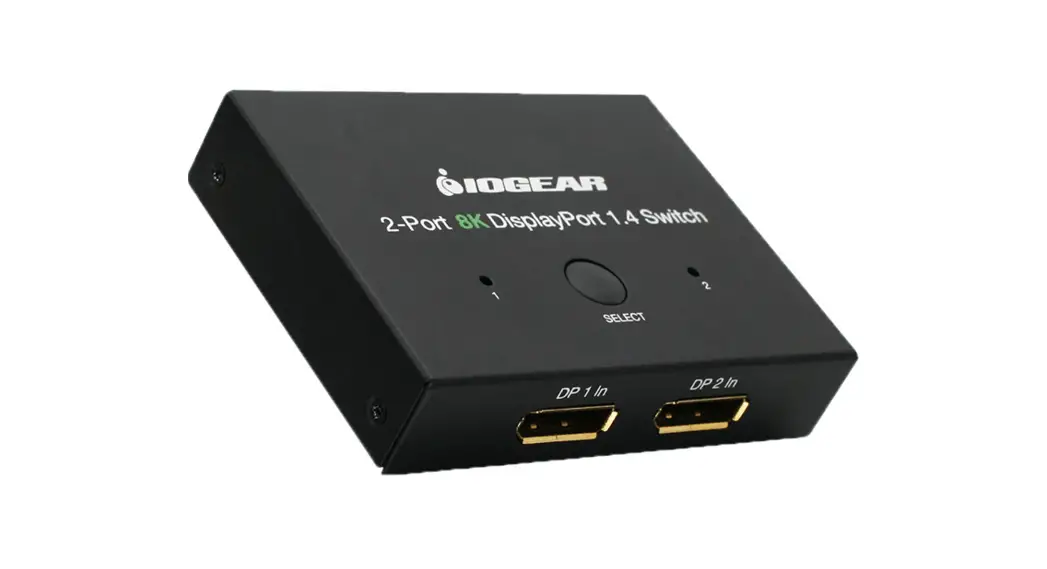
 GDP14SW2 2-Port 8K DisplayPort 1.4 Switch
User Guide 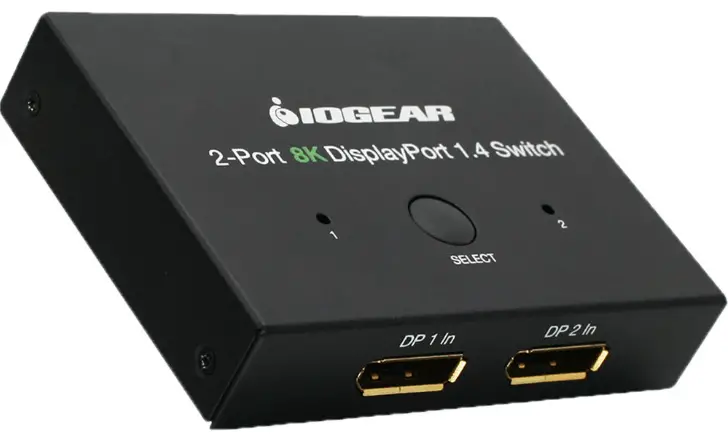
Quick Start Guide
2-Port 8K DisplayPort 1.4 Switch
GDP14SW2
PART NO. Q1662
www.iogear.com
Package Contents
1 x DisplayPort Switch
1 x USB-A to DC Power Cable
1 x Quick Start Guide
1x Warranty Card
System Requirements
- 2 x DisplayPort output source device (Bluray, Satellite box, PC etc.)
- 1 x DisplayPort input display device (HDTV, projector with DisplayPort port, etc.)
Overview
The GDP14SW2 is a manual switch for connecting 2 sources to a single monitor allowing to switch contents between the 2 sources. Complies with DP 1.4 specification. Supports:
8K @60Hz
8K @30Hz
4K @120Hz, 60Hz
1440 @165Hz, 144Hz, 120Hz, 60Hz.
1080P @165Hz, 144Hz, 120Hz, 60Hz.
Supported OS: Mac OS X, Windows.
Supports HDR.
Color sub-sampling: 4:4:4, 4:2:2, 4:2:0
Overview
Top View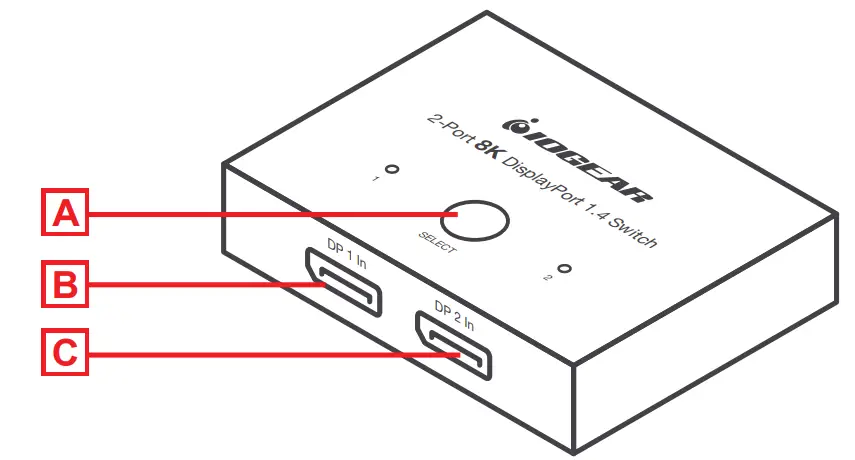 Back View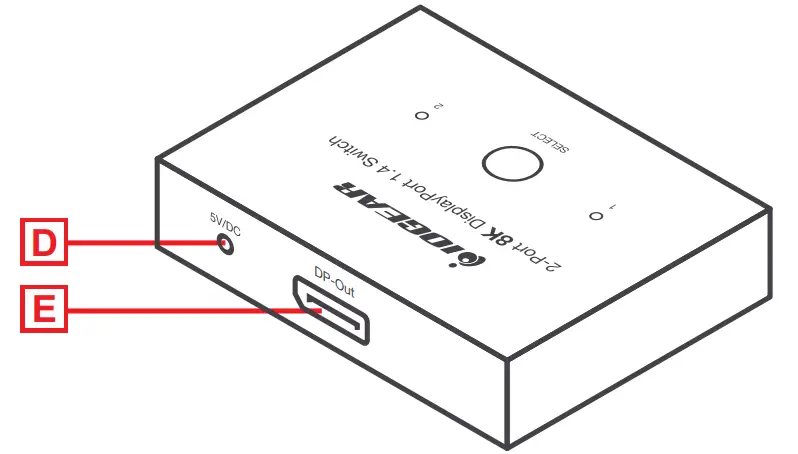
A. Port selection switch
B. DP1 Input port
C. DP2 Input port
D.Power port
E. DP Output port
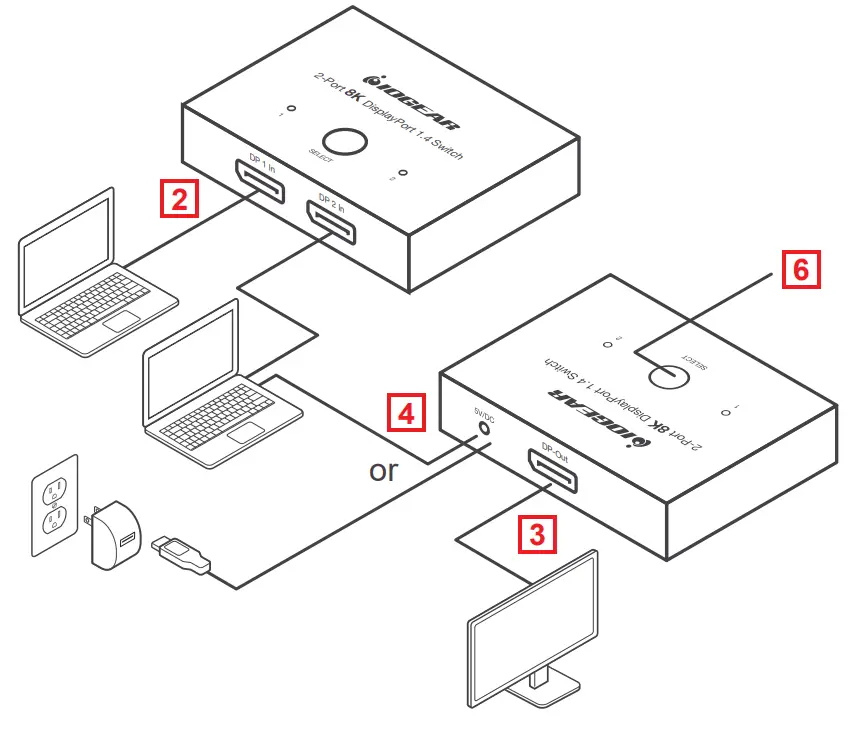
Hardware Installation
- Turn off all devices before connecting to the switch.
- Connect the DP output port of the source devices to DP1 and DP2 ports.
- Connect the display DP input port to the switch DP output port.
- Connect the supplied USB-A to a PC USB-A port or a power adapter with a USB-A port (not supplied) and the other end of the cable to the switch.
- Turn on your source and display devices.
- Press the “Select” button to select the source you want to display on your monitor/TV/projector.
Warranty
Warranty Information
This product carries a 3 Year Limited Warranty. For the terms and conditions of this warranty, please go to https://www.iogear.com/support/warranty
Register online at https://www.iogear.com/register
Important Product Information
Product Model
Serial Number
Contact
WE’RE HERE TO HELP YOU! NEED ASSISTANCE SETTING UP THIS PRODUCT?
Make sure you:
- Visit www.iogear.com for more product information
- Visit www.iogear.com/support for live help and product support
IOGEAR
https://iogear.custhelp.com
[email protected]
www.iogear.com
Compliance Information
Federal Communication Commission Interference Statement
This equipment has been tested and found to comply with the limits for a Class B digital service, pursuant to Part 15 of the FCC rules. These limits are designed to provide reasonable protection against harmful interference in a residential installation. Any changes or modifications made to this equipment may void the user’s authority to operate this equipment. This equipment generates, uses, and can radiate radio frequency energy. If not installed and used in accordance with the instructions, may cause harmful interference to radio communications. However, there is no guarantee that interference will not occur in a particular installation. If this equipment does cause harmful interference to radio or television reception, which can be determined by turning the equipment off and on, the user is encouraged to try to correct the interference by one or more of the following measures:
- Reorient or relocate the receiving antenna
- Increase the separation between the equipment and the receiver
- Connect the equipment to an outlet on a circuit different from
that to which the receiver is connected – Consult the dealer or an experienced radio/TV technician for help
FCC Caution:
Any changes or modifications not expressly approved by the party responsible for compliance could void the user’s authority to operate this equipment.
 IOGEAR :: HDMI Switch, PC to TV, Wireless Audio Video, KVM Switch, KVM, USB Switch, Video Splitter, Video Switch, KVM DVI, LCD KVM, Rackmount KVM
 Support Home Page