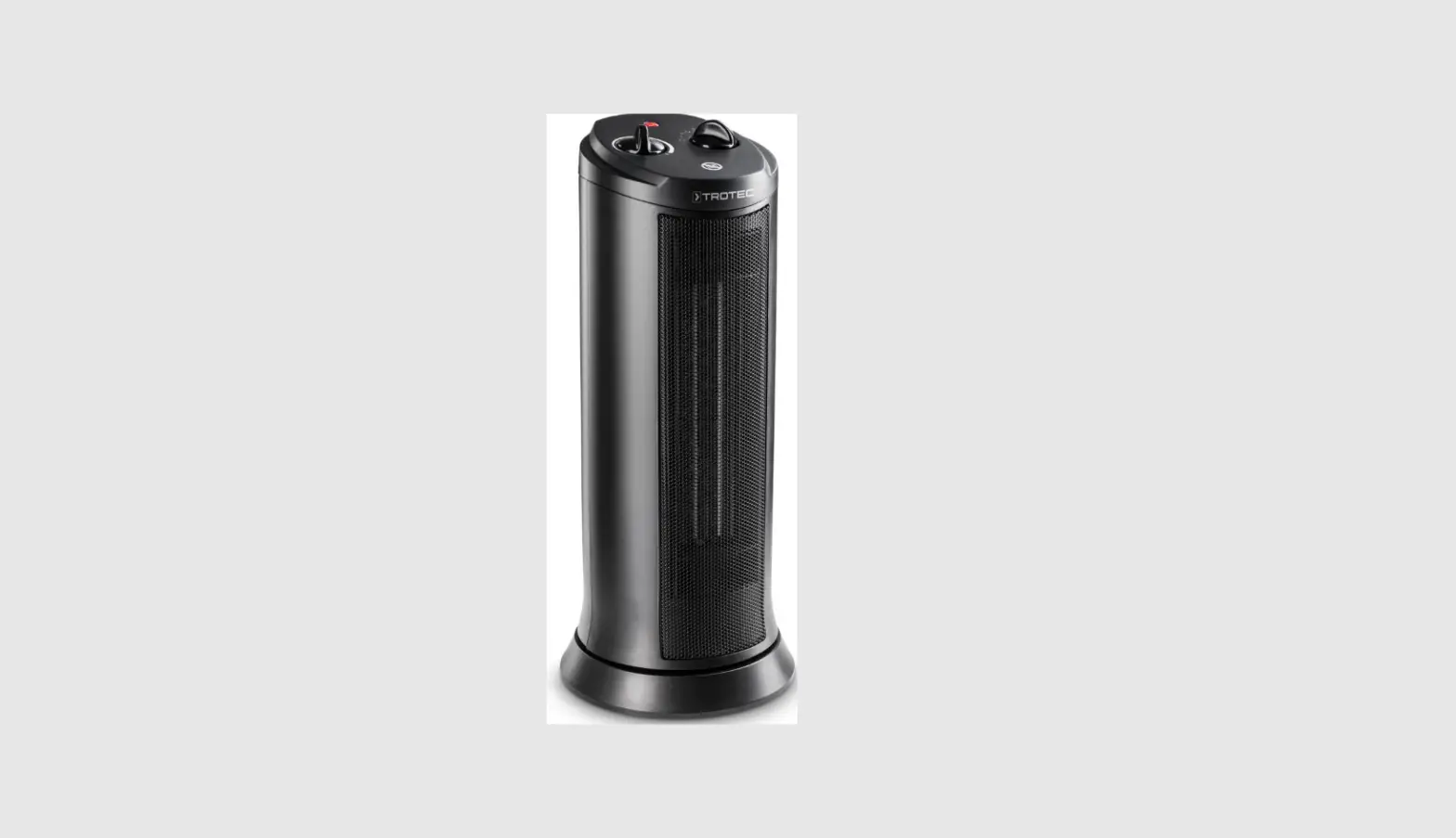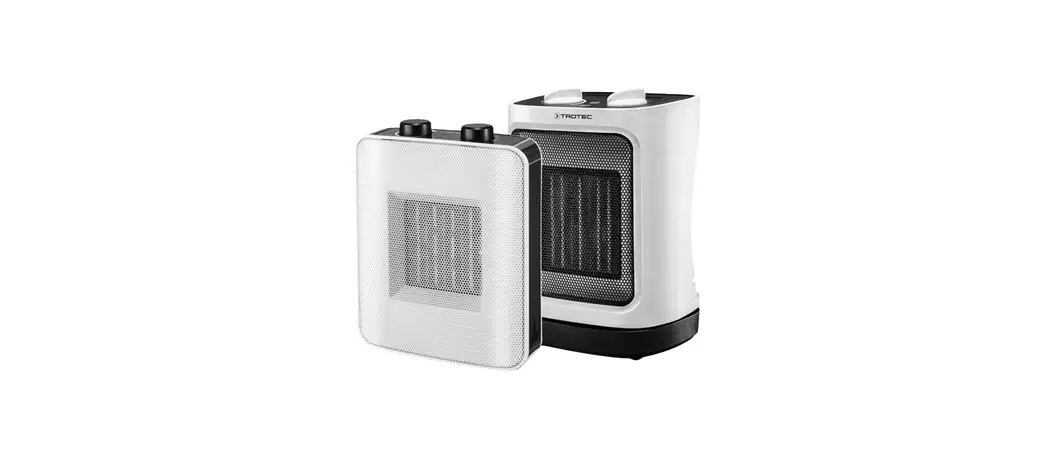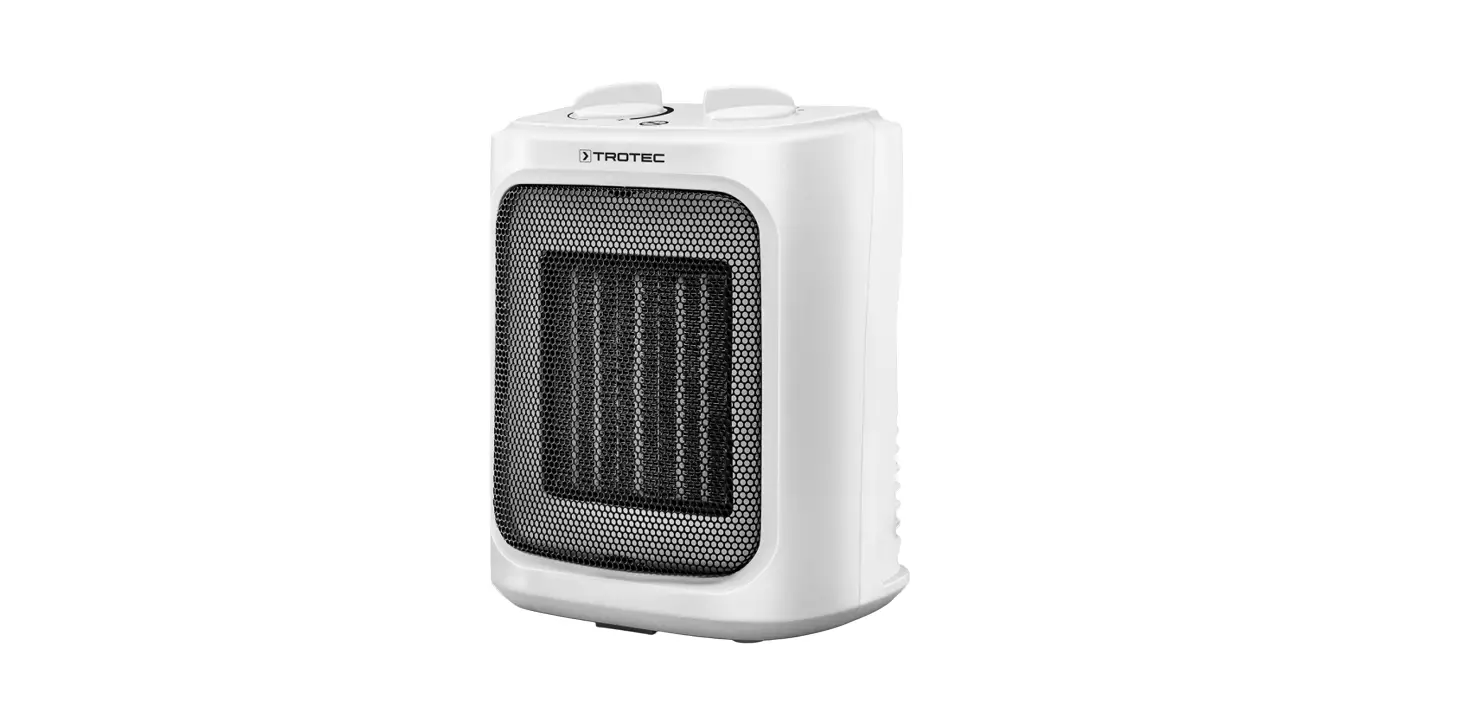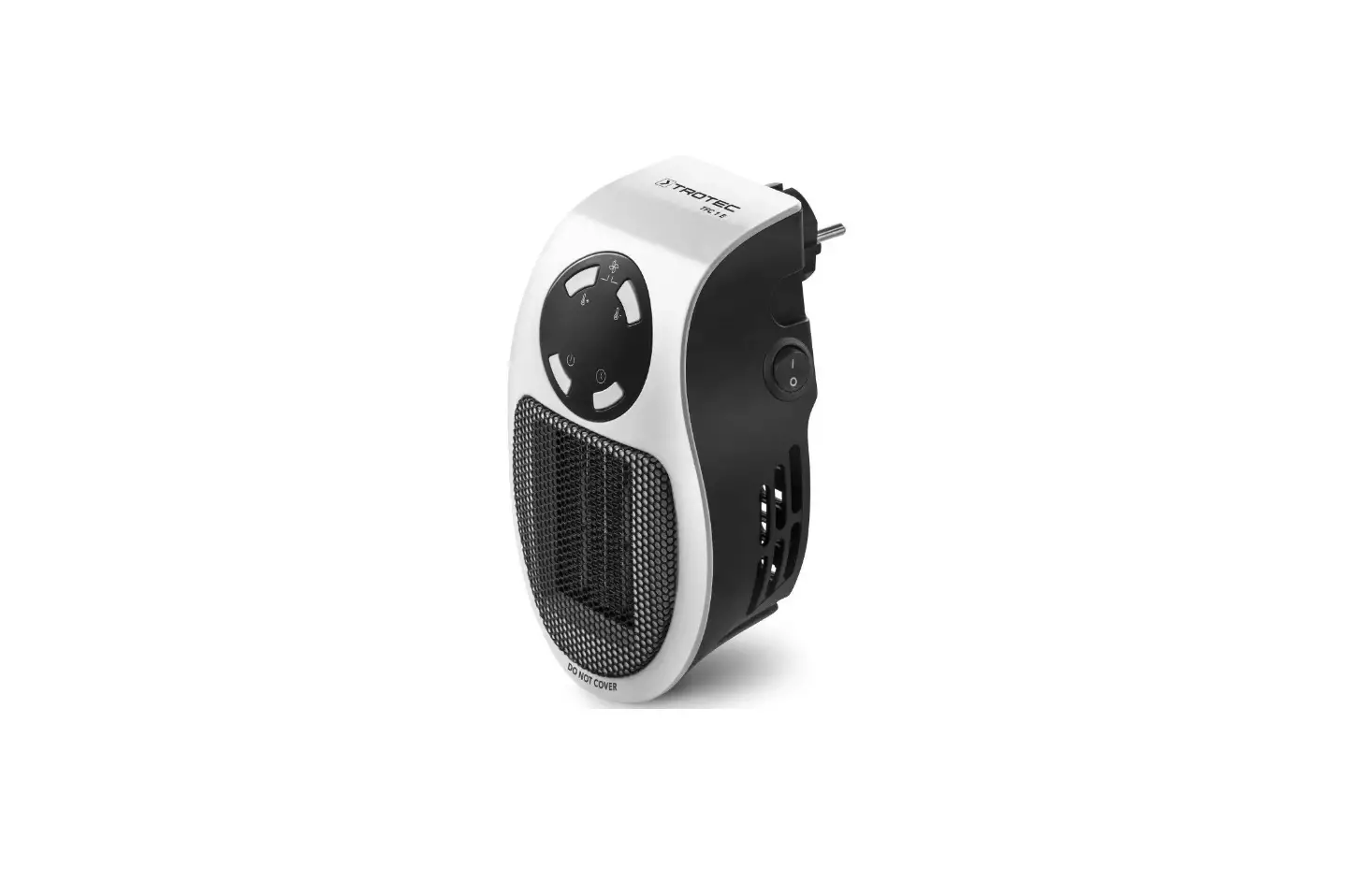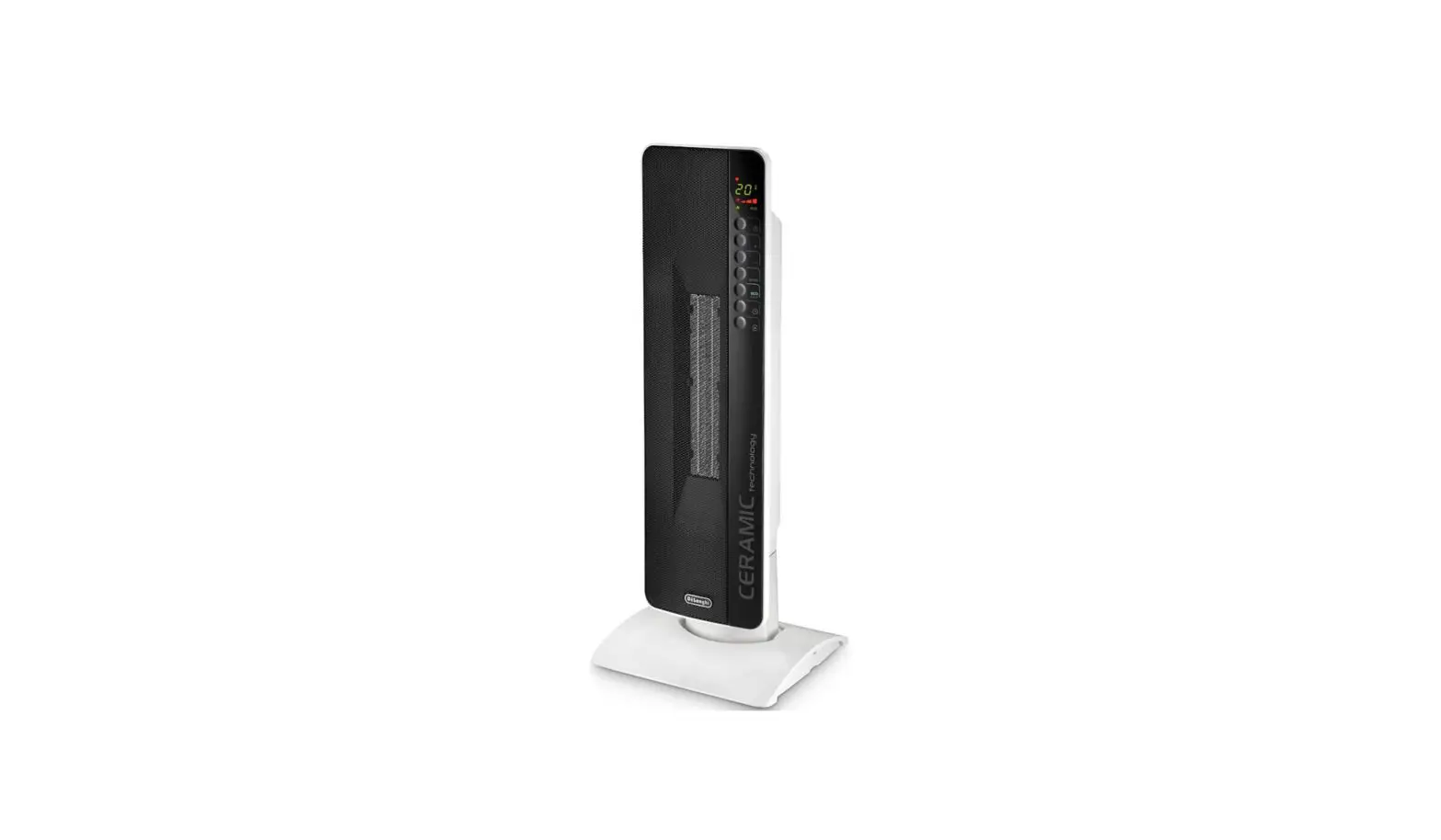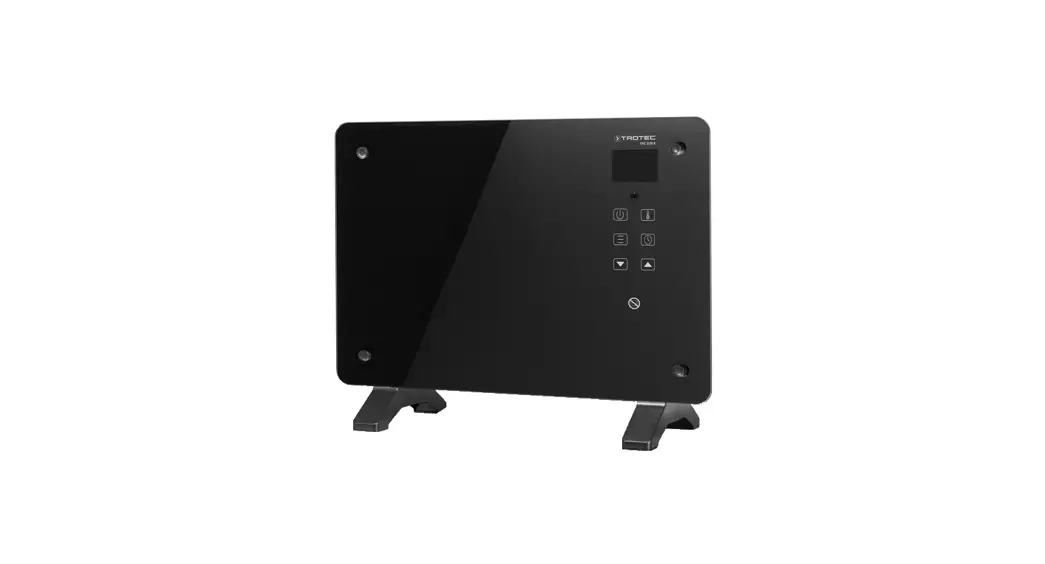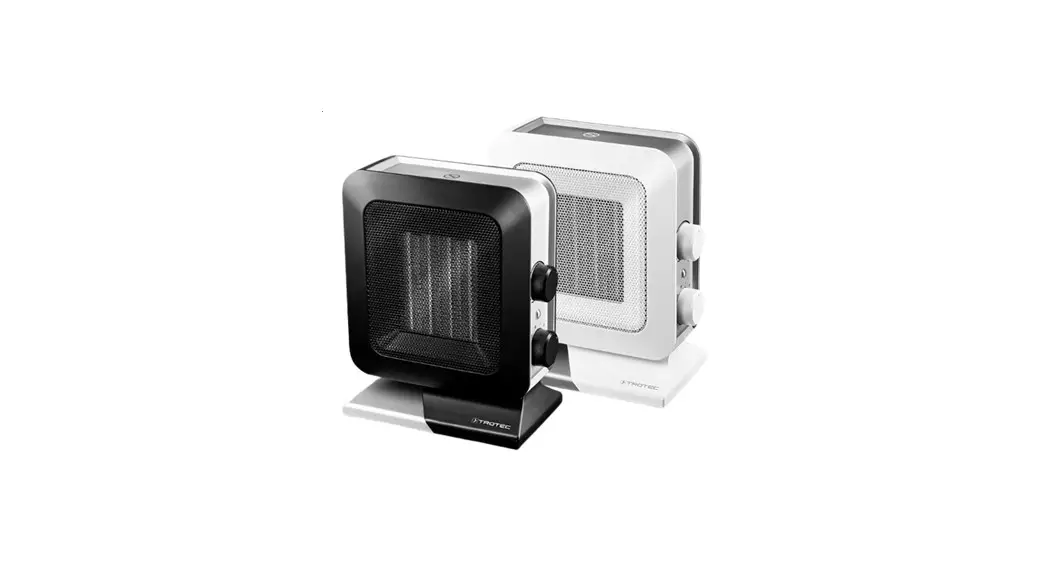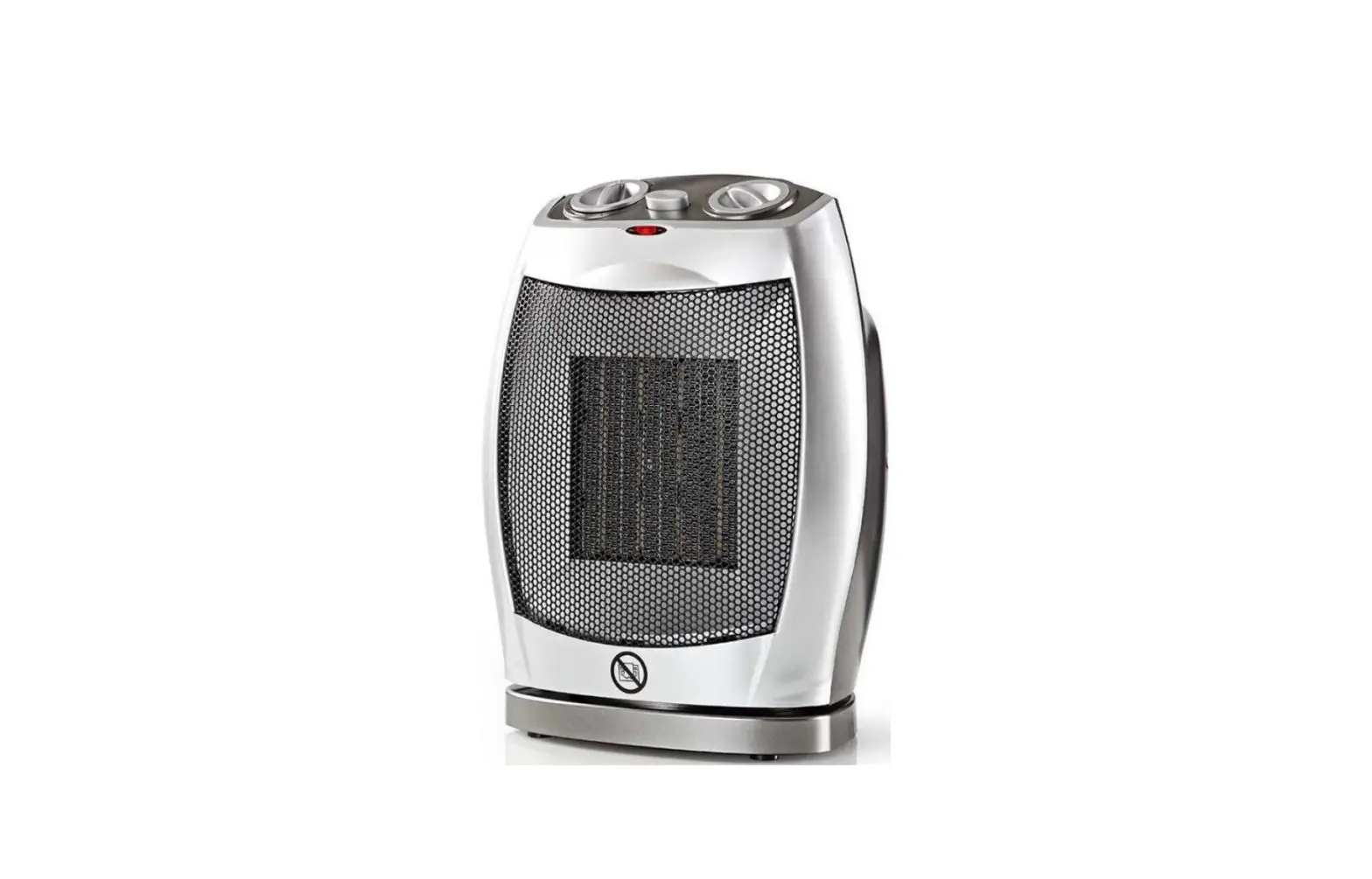
 TFC 15 E ceramic Fan Heater
User Manual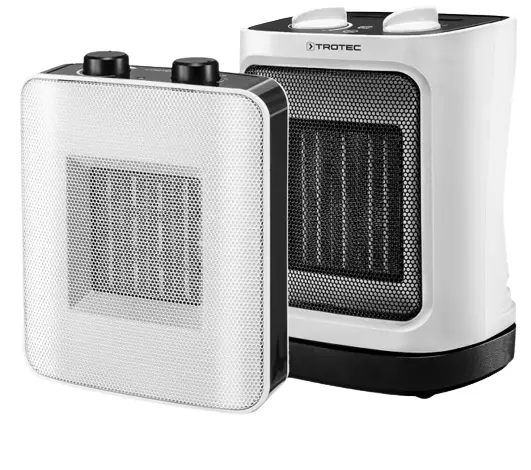
You can download the current version of the operating manual and the EU declaration of conformity via the following link:
 |  |
| https://hub.trotec.com/?id=41299 | https://hub.trotec.com/?id=42342 |
Notes regarding the operating manual
Symbols Warning of electrical voltage
This symbol indicates dangers to the life and health of persons due to electrical voltage. Warning of hot surface
This symbol indicates dangers to the life and health of persons due to hot surfaces. Warning
This signal word indicates a hazard with an average risk level that, if not avoided, can result in serious injury or death.Caution
This signal word indicates a hazard with a low-risk level which, if not avoided, can result in minor or moderate injury.
Note
This signal word indicates important information (e.g. material damage), but does not indicate hazards. Info
Info
Information marked with this symbol helps you to carry out your tasks quickly and safely. Follow the manual
Information marked with this symbol indicates that the operating manual must be observed.
Safety
Read this manual carefully before starting or using the device. Always store the manual in the immediate vicinity of the device or its site of use.
Warning
Read all safety warnings and all instructions.
Failure to follow the warnings and instructions may result in electric shock, fire, and/or serious injury. Save all warnings and instructions for future reference.
This appliance can be used by children aged 8 years and above and persons with reduced physical, sensory or mental capabilities or lack of experience and knowledge if they have been given supervision or instruction concerning the use of the appliance in a safe way and understand the hazards involved.
Children shall not play with the appliance. Children shall not make cleaning and user maintenance without supervision.
Warning
Children of less than 3 years should be kept away from the device unless continuously supervised.
Children aged from 3 years and less than 8 years shall only switch on/off the appliance provided that it has been placed or installed in its intended normal operating position and they have been given supervision or instruction concerning the use of the appliance in a safe way and understand the hazards involved.
Children aged from 3 years and less than 8 years shall not plug in, regulate and clean the appliance or perform user maintenance.
Warning
Do not use the device in small rooms if persons are present who cannot leave the room independently and who are not under constant supervision.
- Do not use the device in potentially explosive rooms or areas and do not install it there.
- Do not use the device in an aggressive atmosphere.
- Only put up the device in an upright, stable position on firm ground.
- Let the device dry out after a wet clean. Do not operate it when wet.
- Do not use the device with wet or damp hands.
- Do not expose the device to directly squirting water.
- Never insert any objects or limbs into the device.
- Do not cover the device during operation.
- Do not remove any safety signs, stickers, or labels from the device. Keep all safety signs, stickers, and labels in legible condition.
- Do not sit on the device.
- This appliance is not a toy. Keep away from children and animals. Do not leave the device unattended during operation.
- Check accessories and connection parts for possible damage prior to every use of the device. Do not use any defective devices or device parts.
- Ensure that all electric cables outside of the device are protected from damage (e.g. caused by animals). Never use the device if electric cables or the power connection are damaged!
- The main connection must correspond to the specifications in the Technical Annex.
- Insert the mains plug into a properly fused mains socket.
- Observe the device’s power input, cable length and intended use when selecting extensions to the power cable. Completely unroll extension cables. Avoid electrical overload.
- Before carrying out maintenance, care or repair work on the device, remove the mains plug from the mains socket. Hold onto the mains plug while doing so.
- Switch the device off and disconnect the power cable from the mains socket when the device is not in use.
- Do not under any circumstances use the device if you detect damages on the mains plug or power cable.
If the power cable is damaged, it must be replaced by the manufacturer, its service agent or similarly qualified persons in order to avoid a hazard.
Defective power cables pose a serious health risk! - When positioning the device, observe the minimum distances from walls and other objects as well as the storage and operating conditions specified in the Technical annex.
- Keep a safe distance of at least 1 m between the air inlet and the air outlet of the device and all combustible materials such as textiles, curtains, beds and sofas.
- Make sure that the air inlet and outlet are not obstructed.
- Make sure that the suction side is kept free of dirt and lost objects.
- Do not place the device on the combustible ground.
- Only use original spare parts, for otherwise safe and functional operation cannot be ensured.
- Allow the device to cool down before transport and/or maintenance work.
- The device must not be positioned directly beneath a wall socket.
- Do not use the device if it has been dropped or if it shows visible signs of damage.
- Do not use the heating device together with a programming device, a timer, a separate remote control system or any other device that automatically switches the heating device on, as there is a risk of fire if the heating device is covered or incorrectly positioned.
Intended use
The device is only suitable for well-insulated spaces or occasional use.
The fan heater serves the purpose of heating and ventilating closed rooms. The device was designed for private usage and is not suited for commercial use. The device is particularly well suited for additional heating. The device is only intended for floor installation.
Foreseeable misuse
- Do not place the device on wet or flooded ground.
- Do not place any objects, e.g. clothing, on the device.
- Do not use this device in the vicinity of fuel, solvents, varnishes, or other easily inflammable vapors or in rooms where these substances are stored.
- Do not use the device out of doors.
- Do not use the device for heating vehicles.
- This heating device must not be used in wet rooms.
- Never immerse the device in water.
- Never heat rooms with a cubature of less than 4 m³. Risk of overheating!
- Any use other than the intended use is regarded as a reasonably foreseeable misuse.
- Do not make any unauthorized modifications, alterations, or structural changes to the device.
Personnel qualifications
People who use this device must:
- be aware of the dangers that occur when working with electric devices in damp areas.
- have read and understood the operating manual, especially the Safety chapter.
Maintenance tasks that require the housing to be opened must only be carried out by specialist electrical companies or by Trotec.
Symbols on the device
| Symbols | Meaning |
 | This symbol located on the device indicates that it is prohibited to place objects (such as towels, clothes etc.) above or directly in front of the device. In order to avoid overheating and fire hazards, the heater must not be covered. |
Residual risksWarning of electrical voltage
Work on the electrical components must only be carried out by an authorized specialist company!Warning of electrical voltage
Before any work on the device, remove the main plug from the main socket!
Do not touch the mains plug with wet or damp hands.
Hold onto the mains plug while pulling the power cable out of the mains socket.Warning of electrical voltage
Risk of electric shock!
The device must not come into contact with water, otherwise, there is a risk of an electric shock!
Do not use this heating device in wet rooms!Warning of hot surface
Parts of this appliance can become very hot and cause burns. Particular attention is to be paid when there are children or vulnerable persons present!Warning
Improper handling entails a risk of burning and electric shock.
Only use the device as intended!Warning
Dangers can occur at the device when it is used by untrained people in an unprofessional or improper way!
Observe the personnel qualifications!Warning
The device is not a toy and does not belong in the hands of children.Warning
Risk of suffocation!
Do not leave the packaging lying around. Children may use it as a dangerous toy.Warning
Improper installation entails a risk of fire.
Do not place the device on the combustible ground.
Do not place the device on high-pile carpets.Warning
In order to avoid overheating and fire hazards, the device must not be covered!
Behavior in the event of an emergency
- Switch the device off.
- In an emergency, disconnect the device from the mains feed-in: Hold onto the mains plug while pulling the power cable out of the mains socket.
- Do not reconnect a defective device to the mains.
Overheating protection
The device is provided with a safety thermostat which is activated by overheating of the device (when exceeding the operating temperature).
Once the safety thermostat has switched itself on, the device will be turned off.
When the device has cooled down sufficiently, the heating will be switched back on.
Investigate the cause of overheating.
If the safety thermostat does not switch in the event of overheating, the overheating protection will be tripped. In that case, the device switches off completely. If so, please contact customer service to have the overheating protection replaced.
Tilt protection
The tilt protection switches the device off when it is inclined out of its vertical position. The device can again be used as usual only a few seconds after placing it back in vertical position and on solid ground.
TFC 15 E
The device TFC 15 E comes equipped with a tilt protection.
The tilt protection is a safety device intended to minimize the risk of fire in case the device is tipped over inadvertently. The device will be switched off when knocked over (or if its upright position is changed in any other manner).
The tilt protection switches the device off when it is inclined out of its vertical position. The device can again be used as usual only a few seconds after placing it back in vertical position and on solid ground.
TFC 17 E
The device TFC 17 E is equipped with a tilt protection switch (8).
The tilt protection switch is located at the bottom of the device.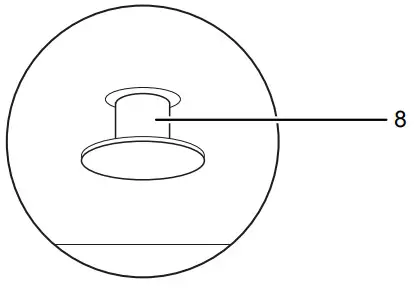
It is impossible to use the device unless the tilt protection switch was pushed entirely into the device. This occurs automatically when placing the device on suitable ground.
The tilt protection switches the device off when it is inclined by a few degrees out of its vertical position. The tilt protection is also tripped when lifting the device a little, e.g. for transport during operation. The device can again be used as usual only a few seconds after placing it back in a vertical position and on solid ground.
Information about the device
Device description
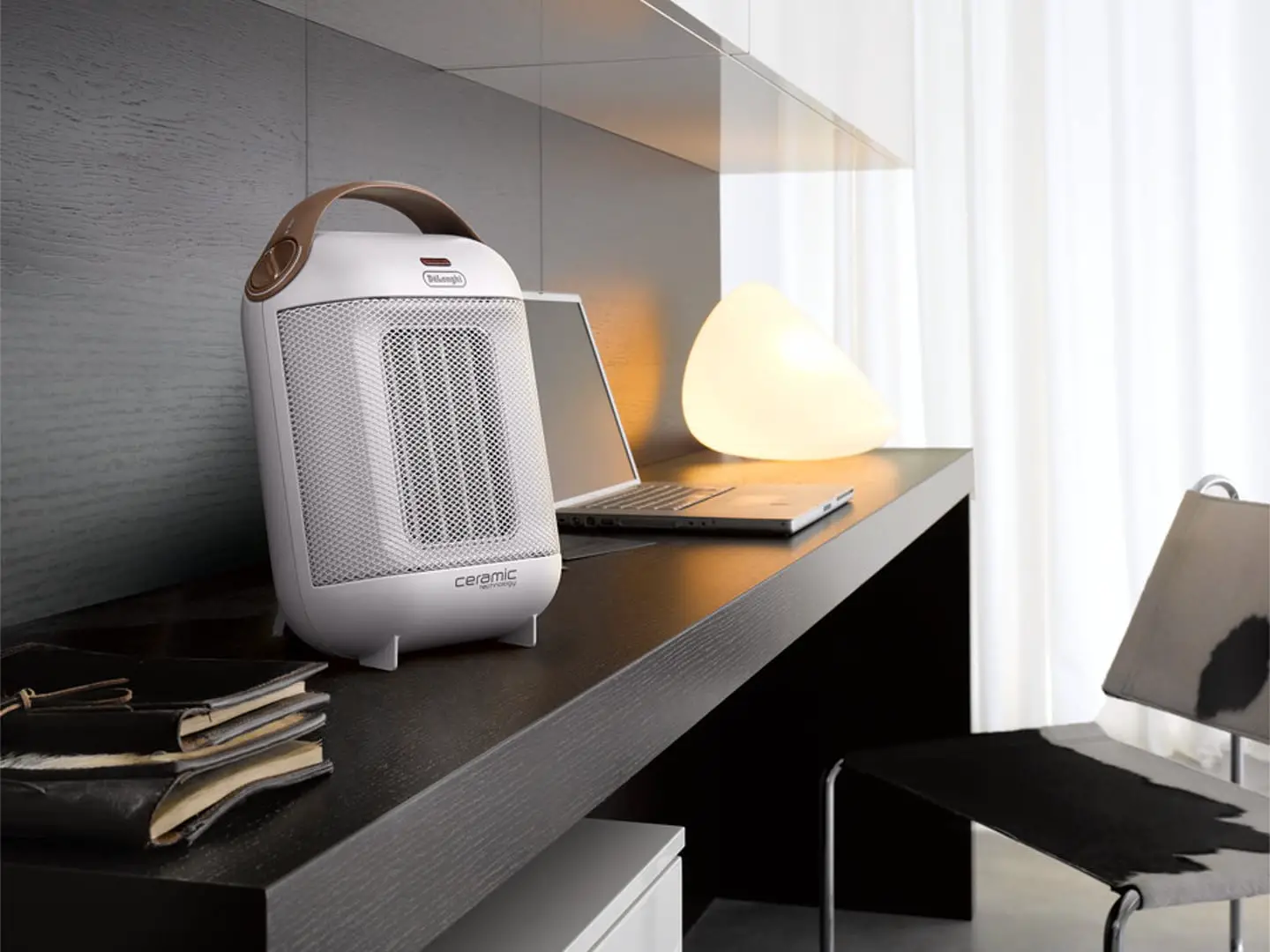
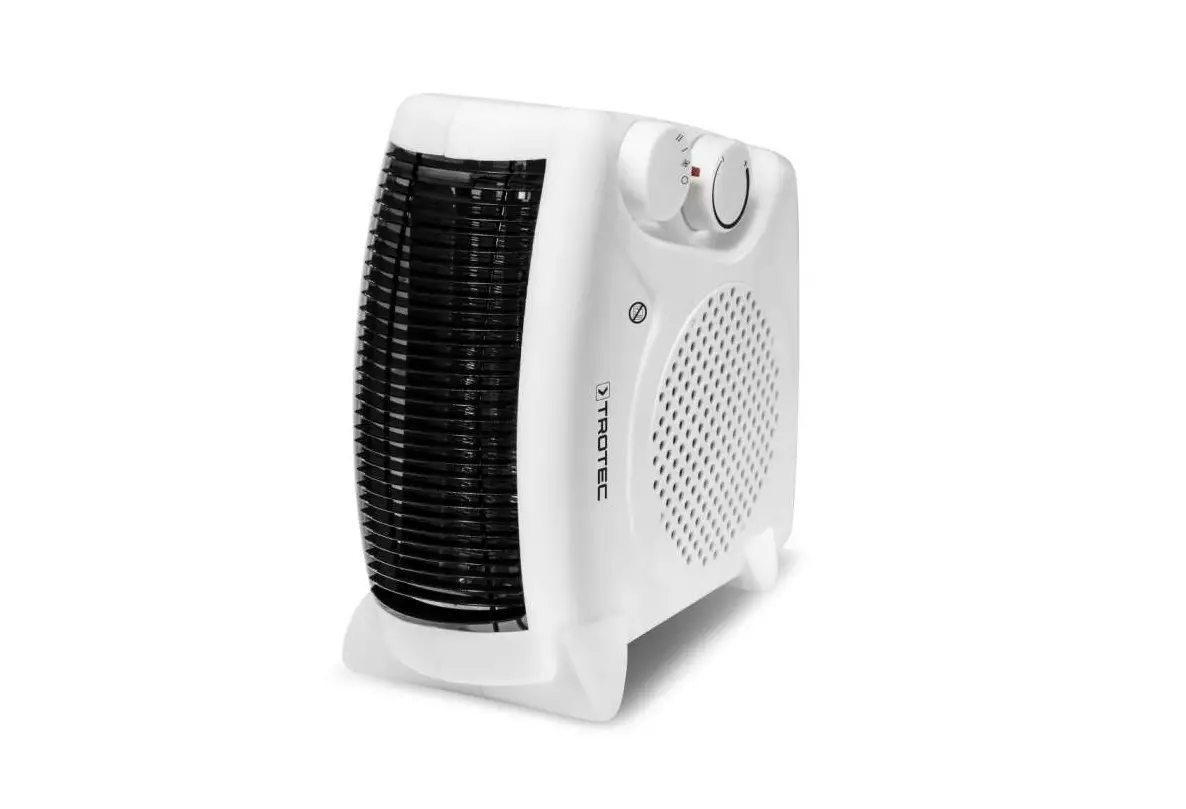
The ceramic heater serves to generate and distribute warm air, e.g. in interior spaces.
The device generates heat by means of a ceramic heating element. The air surrounding the ceramic heating element is heated. The heated air is blown into the room by a fan. the device is equipped with an integrated thermostat and so generates a constant flow of warm air.
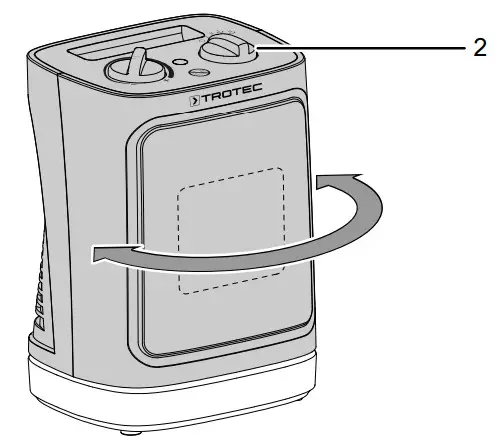
Moreover, the device comes with an on-demand 80° oscillation (TFC 15 E) / 60° oscillation (TFC 17 E) for an even better distribution of the warm air in the room.
The device is further equipped with overheating protection and integrated tilt protection (TFC 15 E) / tilt protection switch (TFC 17 E).
Device depiction
TFC 15 E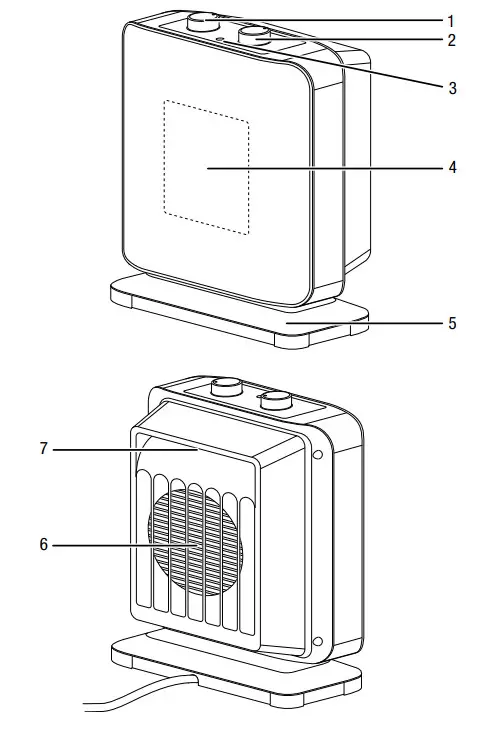
TFC 17 E
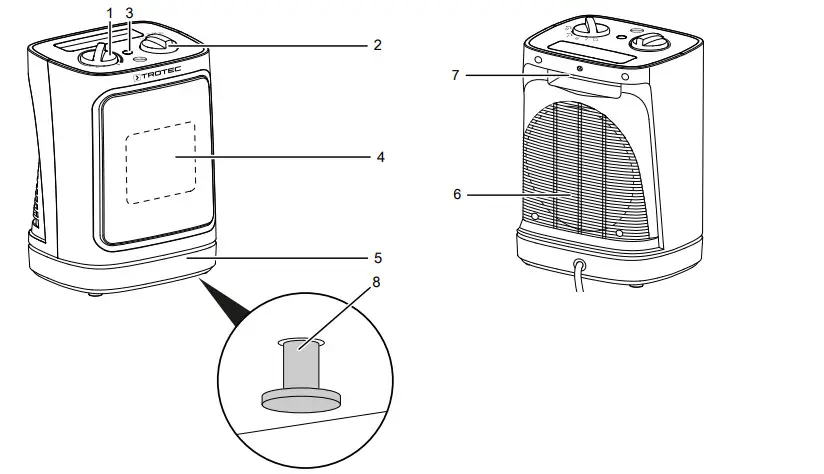
| No. | Designation |
| 1 | Rotary switch room thermostat |
| 2 | Function selector switch for heating levels and oscillation |
| 3 | Operating light |
| 4 | Air outlet |
| 5 | Foot |
| 6 | Air inlet |
| 7 | Transport handle |
| 8 | Tilt protection switch (TFC 17 E only) |
Transport and storage
Note
If you store or transport the device improperly, the device may be damaged.
Note the information regarding the transport and storage of the device.
Transport
To make the device easier to transport, it is fitted with a carry handle.
Before transporting the device, observe the following:
- Switch the device off.
- Hold onto the mains plug while pulling the power cable out of the mains socket.
- Do not use the power cable to drag the device.
- Allow the device to cool down sufficiently.
Storage
Before storing the device, proceed as follows:
- Hold onto the mains plug while pulling the power cable out of the mains socket.
- Allow the device to cool down sufficiently.
When the device is not being used, observe the following storage conditions: - dry and protected from frost and heat
- in an upright position where it is protected from dust and direct sunlight
- with a cover to protect it from invasive dust, if necessary
- Place no further devices or objects on top of the device to prevent it from being damaged.
Assembly and start-up
Scope of delivery
- 1 x device
- 1 x manual
Unpacking the device
- Open the cardboard box and take the device out.
- Completely remove the packaging.
- Fully unwind the power cable. Make sure that the power cable is not damaged and that you do not damage it during unwinding.
Start-up
Info
Odors might arise upon initial start-up or after a longer period of non-use.
When positioning the device, observe the minimum distance from walls or other objects as described in the chapter Technical annex.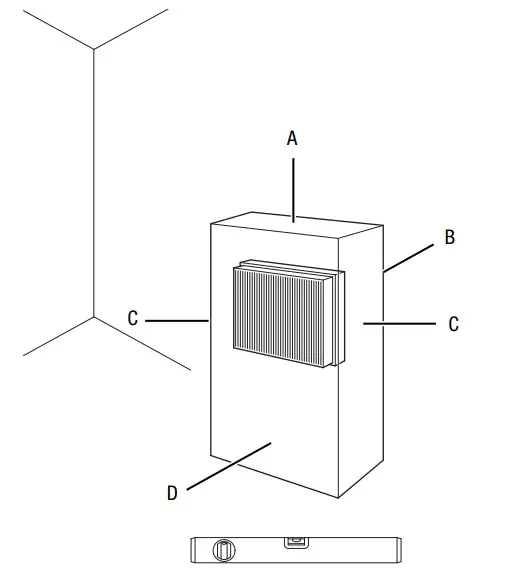
- Before restarting the device, check the condition of the power cable. If there are doubts as to the sound condition, contact the customer service.
- Do not create tripping hazards when laying the power cable or other electric cables, especially when positioning the device in the middle of the room. Use cable bridges.
- Make sure that extension cables are completely unrolled.
- Make sure that no curtains or other objects interfere with the airflow.
- Do not position the device directly below a wall socket.
- Make sure that the device cannot come into contact with moisture or water. Connecting the power cable
- Insert the mains plug into a properly fused mains socket. Make sure that the power cable is guided along the back of the device. Never guide the power cable along the front
Operation
- Avoid open doors and windows.
Control panel
TFC 15 E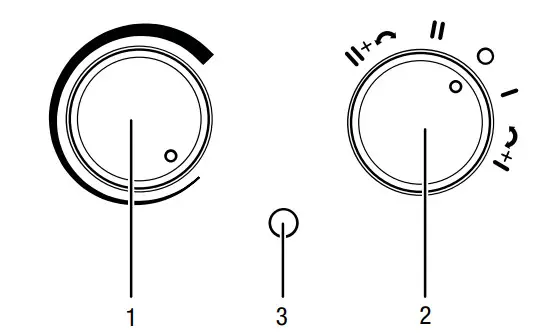
| No. | Designation |
| 1 | Rotary switch room thermostat |
| 2 | Function selector switch for heating levels and oscillation 0 : OFF I: heating level 1 (750 W) II: heating level 2 (1500 W)  : heating level 1 and oscillating : heating level 1 and oscillating : heating level 2 and oscillating : heating level 2 and oscillating |
| 3 | Operating light |
TFC 17 E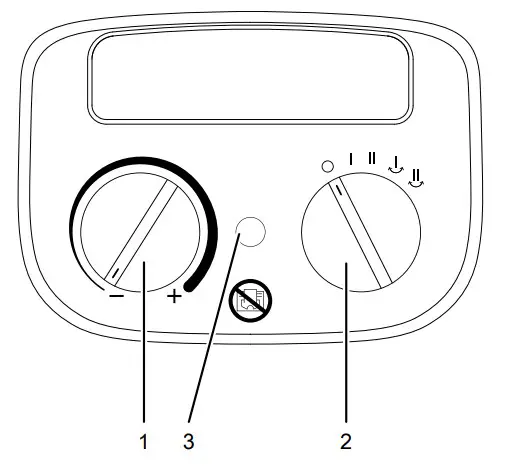
| No. | Designation |
| 1 | Rotary switch room thermostat |
| 2 | Function selector switch for heating levels and oscillation 0: OFF I: heating level 1 (1200 W) II: heating level 2 (2000 W)  : heating level 1 and oscillating : heating level 1 and oscillating : heating level 2 and oscillating : heating level 2 and oscillating |
| 3 | Operating light |
Switching the device on
Once you have completely installed the device as described in the chapter Assembly and start-up, you can switch it on.Info
The device will not be switched on until the room temperature falls below the temperature set at the room thermostat.
Setting the heating level
Info
Choose the smaller power stage e.g. for a smaller room. Should it turn out to be insufficient, switch to the higher level.
- Set the function selector switch (2) to I.
- Turn the rotary switch room thermostat (1) until the device switches on.
 The operating light (3) is illuminated.The device operates at heating level 1.
 - In order to achieve the maximum heating performance, set the function selector switch (2) to position II.The device operates at heating level 2.
 The operating light (3) is illuminated.
Setting the room thermostat
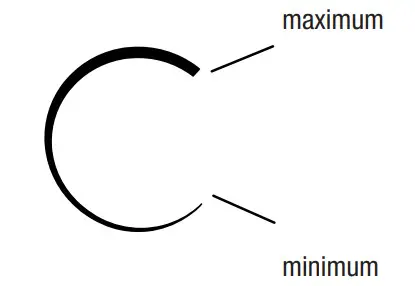
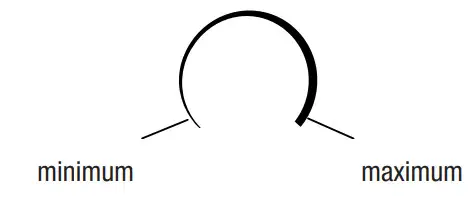
- Select the desired temperature via the stepless rotary switch (1) of the room thermostat.
TFC 15 E
TFC 17 E
To find the ideal thermostat setting, please proceed as follows:
- Set the thermostat control to maximum.
- As soon as the desired temperature has been reached, slowly turn the thermostat control back until the device is switched off.
- The operating light goes out.The device now automatically maintains the desired temperature level.
The room thermostat controls the room temperature automatically:
- When the set value is exceeded, the heating switches off.
- When the set value is fallen below, the heating automatically switches back on.
Info
The desired room temperature should be higher than the current room temperature.
Using the oscillation function
By means of the oscillation function, you can achieve consistent heating.
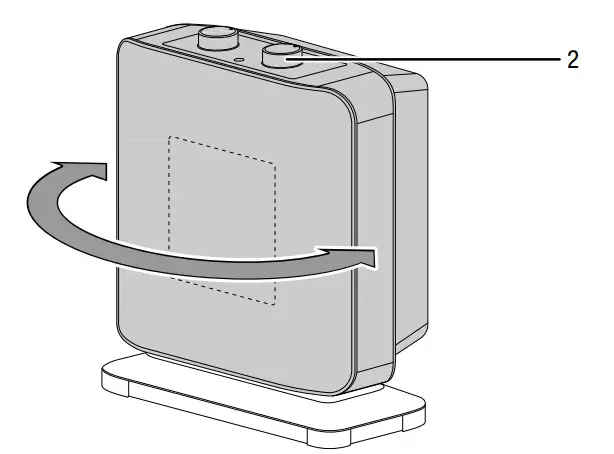
TFC 15 E
- Set the function selector switch (2) to either
 or
or .The oscillation function is activated.The device operates at heating level 1 or 2.The device turns to and fro by up to 80°.
- Set the function selector switch (2) to position I or II to switch the oscillation function back off.
TFC 17 E
- Set the function selector switch (2) to either
 or
or .The oscillation function is activated.The device operates at heating level 1 or 2.The device turns to and fro by up to 60°.
- Set the function selector switch (2) to position I or II to switch the oscillation function back off.The oscillation function is deactivated.The device continues the heating operation at heating
level 1 or 2.
Note
Never attempt to manually adjust the pivoting mechanism. The mechanism could be damaged. Only change the airflow direction by use of the function selector switch.
Shutdown
Warning of electrical voltage
Do not touch the mains plug with wet or damp hands.
- Set the rotary switch (1) of the room thermostat to the lowest level.
- Switch the device off by setting the function selector switch (2) to the 0 positions.
- Hold onto the mains plug while pulling the power cable out of the mains socket.
- Allow the device to cool down completely.
- Clean the device according to the Maintenance chapter.
- Store the device according to the Transport and storage chapter.
Errors and faults
Warning of electrical voltage
Tasks that require the device to be opened must only be carried out by authorized specialist companies or by Trotec.
The device has been checked for proper functioning several times during production. If malfunctions occur nonetheless, check the device according to the following list.
The device does not start:
- Check the power connection.
- Check the power cable and mains plug for damage. If you notice damages, do not try to take the device back into operation.
If the supply cord is damaged, it must be replaced by the manufacturer, its service agent or similarly qualified persons in order to avoid a hazard. - Check the on-site fusing.
- Check the room temperature. The room thermostat may have switched off, because the desired room temperature has been reached.
- The motor might be defective. Have a defective motor replaced by a specialist electrical company.
- Check whether the device is standing upright and on level ground. The tilt protection may have been tripped owing to the fact that the device was knocked over. Always put up the device in an upright position on a suitable, sufficiently dimensioned surface.
- The room thermostat might be defective. Have a defective room thermostat replaced by a specialist electrical company.
- The overheating protection may have been tripped. Have a specialist electrical company or Trotec check the electrics and replace the overheating protection.
- Wait for 10 minutes before restarting the device. If the device is not starting, have the electrics checked by a specialist company or by Trotec.
The device is switched on, the fan is operating, but the heating is not:
- Check the room temperature. The room thermostat may have switched off because the desired room temperature has been reached.
- Check whether the overheating protection has tripped (see chapter Safety).
- The heating resistor might have blown. Have a defective heating resistor replaced by a specialist electrical company.
- The room thermostat might be defective. Have a defective room thermostat replaced by a specialist electrical company.
The air current is reduced:
- Check the air inlet and outlet. Make sure that air inlet and outlet are not obstructed. Remove any dirt. Observe the minimum distance from walls or other objects according to the technical data.
The device is loud or vibrates:
- Check whether the device is set up in a stable and upright position.
Note
Wait for at least 3 minutes after maintenance and repair work. Only then switch the device back on.
The device still does not operate correctly after these checks:
Please contact customer service. If necessary, bring the device to an authorized specialist electrical company or to Trotec for repair.
Maintenance
Activities required before starting maintenanceWarning of electrical voltage
Do not touch the mains plug with wet or damp hands.
- Switch the device off.
- Hold onto the mains plug while pulling the power cable out of the mains socket.
- Allow the device to cool down completely.
Warning of electrical voltage
Tasks that require the device to be opened must only be carried out by authorized specialist companies or by Trotec.
Cleaning the housingWarning of electrical voltage
Never immerse the device in the water!
Clean the housing with a soft, damp, and lint-free cloth. Make sure that no moisture enters the housing. Protect electrical components from moisture. Do not use any aggressive cleaning agents such as cleaning sprays, solvents, or alcohol-based or abrasive cleaners to dampen the cloth.
Wipe the housing dry after cleaning.
Technical annex
Technical data
| Parameter | Value | |
| Model | TFC 15 E | TFC 17 E |
| Heating capacity level 1: level 2: | 750 W 1500 W | 1200 W 2000 W |
| Operating range | -5 °C to +25 °C | |
| Mains connection | 220 — 240 V / 50 Hz | |
| Max. power consumption | 1500 W | 2000 W |
| Nominal current consumption | 6.5 A | 8.7 A |
| Fusing | 10 A | |
| Plug type | CEE 7/17 | |
| Protection class | II / | |
| Type of protection | IP20 | IPXO |
| Cable length | 1.5 m | 1.5 m |
| Sound pressure level (at a distance of 1 m) | 48 dB(A) | 57 dB(A) |
| Overheating protection | at 150 °C | at 65 °C |
| Dimensions (depth x width x height) | 115 x 215 x 300 mm | 185 x 155 x 262 mm |
| Minimum distance to walls and other objects A: top: B:rear: C:side: D:front: | 100 cm 100 cm 100 cm 100 cm | |
| Weight | 2 kg | |
Information requirements for electrical local space heaters
| Parameter | Value/item | |
| Model | TFC15E | TFC17E |
| Heat output | ||
| Nominal heat output Pnom | 1.5 kW | 2.0 kW |
| Minimum heat output (indicative) Pssb | 0.75 kW | 1.2 kW |
| Maximum continuous heat output Pmaxs | 1.5 kW | 2.0 kW |
| Auxiliary electricity consumption | ||
| At nominal heat output elms | NA | 1.933 kW |
| At minimum heat output elm, | NA | 1.352 kW |
| In standby mode with | NA | 0.000 kW |
| Type of heat input | ||
| Manual heat charge control, with integrated thermostat | NA | NO |
| Manual heat charge control with room and/or outdoor temperature feedback | NA | NO |
| Electronic heat charge control with room and/or outdoor temperature feedback | NA | NO |
| Fan-assisted heat output | NA | NO |
| Type of heat output/room temperature control | ||
| Single stage heat output, no room temperature control | NO | NO |
| Two or more manual stages, no room temperature control | NO | NO |
| With mechanic thermostat room temperature control | YES | YES |
| With electronic room temperature control | NO | NO |
| With electronic room temperature control plus a day timer | NO | NO |
| With electronic room temperature control plus a week timer | NO | NO |
| Other control options | ||
| Room temperature control, with presence detection | NO | NO |
| Room temperature control, with open window detection | NO | NO |
| With the distance control option | NO | NO |
| With adaptive start control | NO | NO |
| With working time limitation | NO | NO |
| With a black bulb sensor | NO | NO |
| Contact details | Trotec GmbH Grebbener StraBe 7 D-52525 Heinsberg | |
Disposal
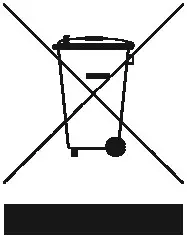 The icon with the crossed-out waste bin on waste electrical or electronic equipment stipulates that this equipment must not be disposed of with the household waste at the end of its life. You will find collection points for free return of waste electrical and electronic equipment in your vicinity. The addresses can be obtained from your municipality or local administration. You can also find out about other return options that apply to many EU countries on the website https://hub.trotec.com/?id=45090. Otherwise, please contact an official recycling center for electronic and electrical equipment authorized in your country.
The separate collection of waste electrical and electronic equipment aims to enable the re-use, recycling, and other forms of recovery of waste equipment as well as to prevent negative effects on the environment and human health caused by the disposal of hazardous substances potentially contained in the equipment.
Trotec GmbH
Grebbener Str. 7
D-52525 Heinsberg +49 2452 962-400+49 2452 962-200
[email protected]
www.trotec.com