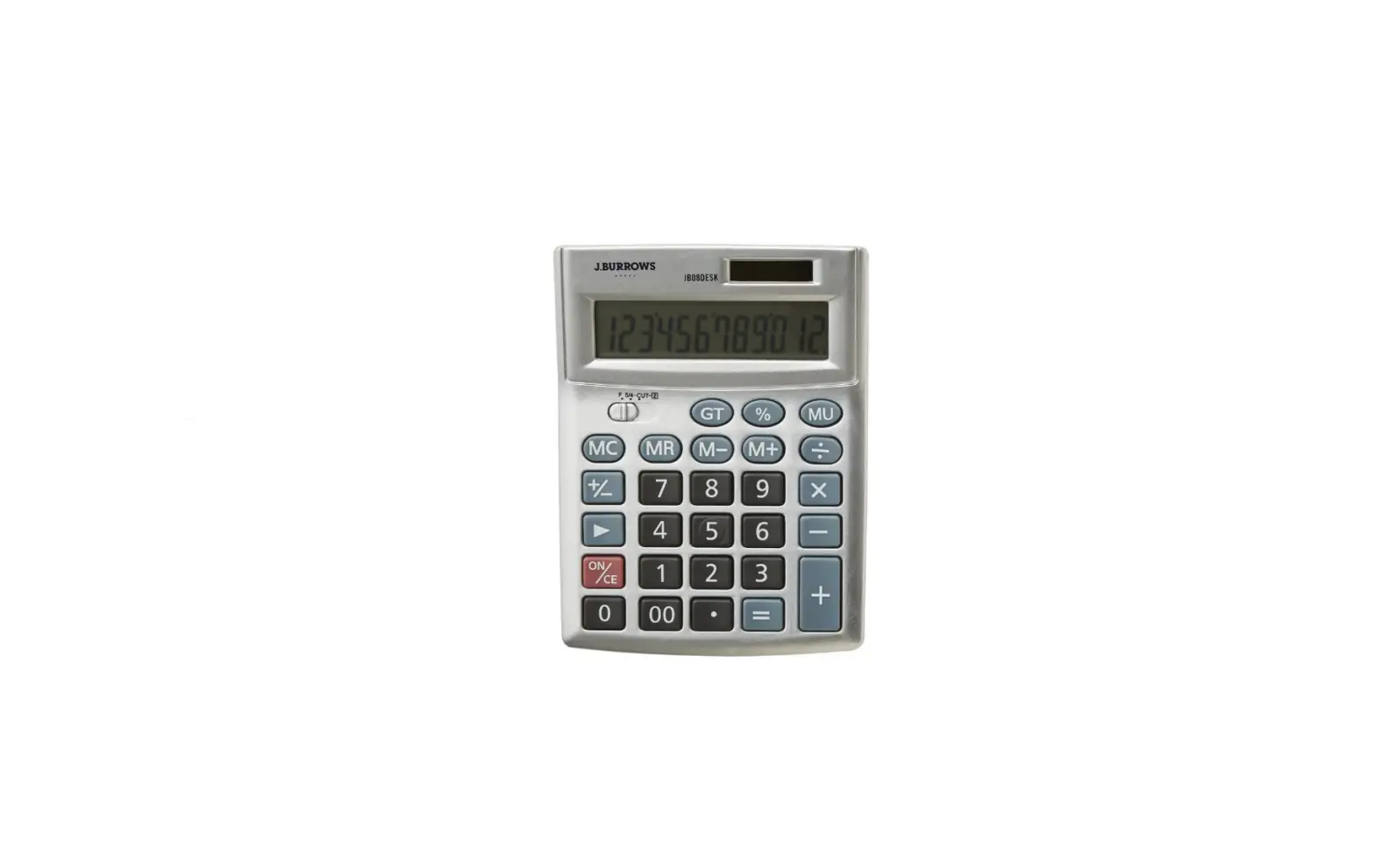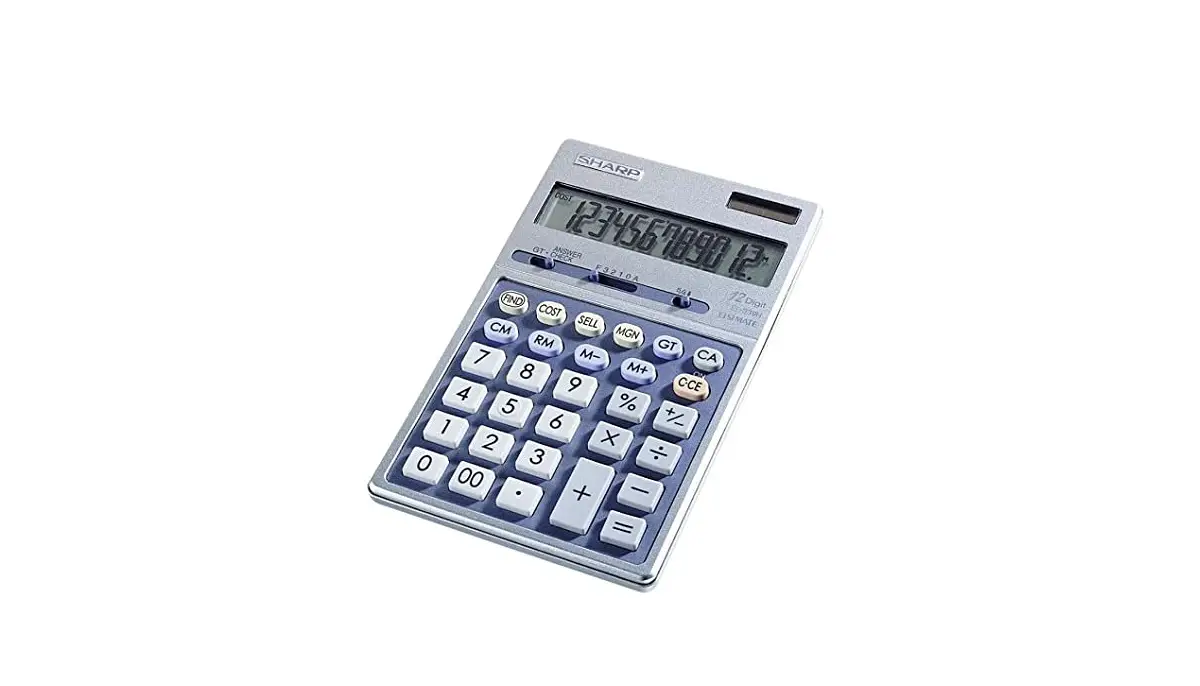

ELECTRONIC CALCULATOR

EL-339H
OPERATION MANUAL
PRINTED IN CHINA 17BSC(TINSZA184EHMV)
BEFORE USE
- Do not press too hard against the LCD panel because it contains glass.
- Never dispose of the battery in a fire.
- Keep battery out of reach of children.
- Since this product is not waterproof, do not use it or store it where fluids, for example water, can splash onto it. Raindrops, water spray, juice, coffee, steam, perspiration, etc. will also cause malfunction.
- Please press
 if you see no indication.
 - This product, including accessories, may change due to upgrading without prior notice.
 if you see
 SHARP will not be liable nor responsible for any incidental or consequential economic or property damage caused by misuse and/or malfunctions of this product and its peripherals, unless such liability is acknowledged by law.
SPECIFICATIONS
| Type: | Electronic calculator |
| Operating capacity: | 12 digits |
| Power supply: | Built-in solar cell and Alkaline manganese battery (1.5V  (DC) LR44 or equivalent x 1) (DC) LR44 or equivalent x 1) |
| Operating time: (varies according to use and other factors) | Approx. 24 months (with 1 hour of daily use, using the alkaline battery only) |
| Automatic Power-off: | Approx. 7 min. |
| Operating temperature: | 0°C – 40°C (32°F-104°F) |
| Dimensions: | 109 mm(W) x 176 mm(D) x 18.5 mm(H) 4-9/32(W) x 6-15/16(D) x 23/32(H) |
| Weight: (battery included) | Approx. 165 g (0.36 lb.) |
| Accessories: | Alkaline manganese battery (installed), Operation manual |
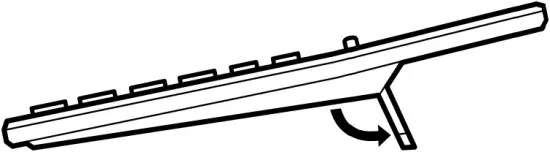
KICK STAND

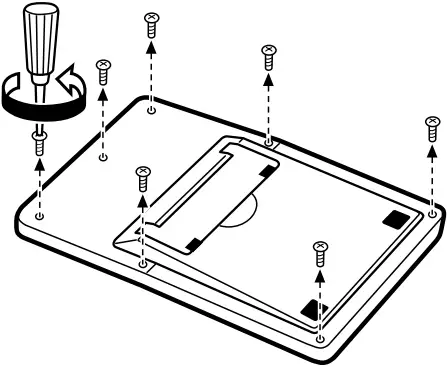
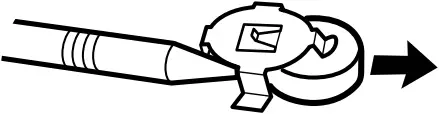
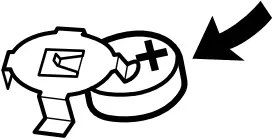
BATTERY REPLACEMENT

OPERATIONS
- Press
 twice to clear any residual values and calculation instructions in the calculator.
 - Upon starting memory calculation, press
 to clear the memory. Likewise, preceding grand total calculation, press
  twice to clear the grand total memory.
 - The position of any switch that is not specifically designated, may be set to any position.
- For expressing calculation examples, only the symbols that are required for explanation are mentioned.
- Example procedures are listed in following manner unless otherwise specified.
 to clear the memory. Likewise, preceding grand total calculation, press
  twice to clear the grand total memory.
| (1) Example | (2) Key operations | (3) Display |

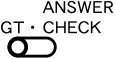
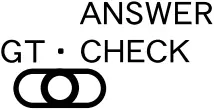
GRAND TOTAL (GT)/ANSWER CHECK SWITCH:
“GT” position: Subtotal (value obtained by pressing  or
or  ) value will automatically be added in the grand total memory.
“•” position: Select this position if ordinary calculations are required without the use of grand total memory or answer check.
“ANSWER CHECK” position: Stores the previous calculation result, and compares the stored value with the subsequent calculation result.
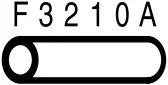
DECIMAL POINT ASSIGNMENT SWITCH:
“F” position: Set the decimal point to “floating” point.
“3,2,1,0” positions: The decimal figures can be set to the respective numbers.
“A” position: Assigns Adding mode (sets the decimal to 2). The decimal point will be set to 2 automatically in the case of addition / subtraction, or when  (or
(or  ) is pressed after an entry. If
  is registered, or in case of non-additive/non-subtractive calculation, this function is not applicable.
ROUNDING SELECTOR:
Specifies the handling of the digit immediately below the position set by the decimal selector. (For example, if the decimal selector is set to 3, then the fourth decimal will be rounded.)
“5/4″ position: The answer will be rounded off.
“ ” position: The answer will be rounded down.
* While the decimal selector is set to “F” (i.e., floating) position, or if the decimal place cannot be determined (preliminary calculation results, for instance), the answer will always be rounded down regardless of the setting above.
 ANSWER CHECK (COMPARISON)
- If the answer obtained with
 ,
,  agrees with the succeeding tested result, “OK” will be displayed.
 - Pressing
 will clear the previously calculated result, disabling the comparison.
 - The Answer Check cannot be performed for calculation results obtained by memory calculations, COST / SELL / MARGIN calculation, and sampled values in the middle of the calculation.
 will clear the previously calculated result, disabling the comparison.
(1) 120×3652+670-258=438652
| (2) | (3) | |
 |  | First calculation |
120  |  | |
3652  | 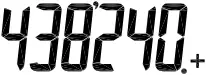 | |
670  | 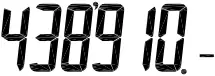 | |
| 258 | 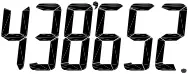 = = | |
| | Second calculation |
| 120 3652 670 | | |
| 258 | =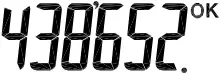 | • Displayed when it agrees with the previous calculated result. (Not displayed if it disagrees.) |
EL-339H(LQO)-1
COST / SELL / MARGIN CALCULATION
- The entered value (enter value, then press
 ,
,  , or
, or  ) will be kept in the buffer; re-entry will not be necessary when recalculating. The buffer contents will be cleared upon new entry, or when is pressed.
 - Immediately after pressing , , , or , the set value of cost price / selling price / margin can be verified by using , , or key.
(1) • Determine the cost price for 30% margin when the selling price is set at $500.
1 Selling Price 2 Margin 3 Cost Price
| (2) | (3) |
1
500 | 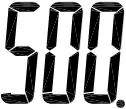 SELL |
| 2 30 | 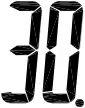 MGN |
| 3
| COST = |
- Entries in the order of “30 500 ” are also valid.
(1) • Determine the selling price for 30% margin when the cost price is set at $350.
1 Cost Price 2 Margin 3 Selling Price
Note: Performing a selling price calculation will result in an error if the margin is set to 100%. Press to clear the error.
| (2) | (3) |
1
| 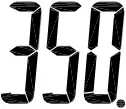 COST COST |
2 30 | MGN |
| 3
| SELL = |
- Entries in the order of “30 350 ” are also valid.
(1) • Determine the margin when the cost price is set at $350, and the selling price at $500.
1 Cost Price 2 Selling Price 3 Margin
Also, obtain the margin when the cost price is set to $250.
| (2) | (3) |
| 1
| COST |
2 500 | SELL |
| 3
| MGN = |
| 250 | 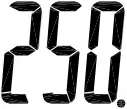 COST COST |
| SELL |
  | MGN
|
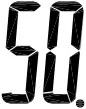 =
=- Entries in the order of “500 350 ” are also valid.
HOW TO PERFORM BASIC CALCULATIONS
| (1) | (2) | (3) |
 | 0. | |
| (-24+2)÷4=-5.5 | 24 2  4 4 | -5.5 |
| 13x(-4) ÷2=-26 | 13 4  2 2 | -26. |
| 34+57=91 45+57=102 | 34 57 45 | 91. 102. |
| 38-26=12 35-26=9 | 38 26 35 | 12. 9. |
| 68x25=1700 68x40=2720 | 68 25 40 | 1’700. 2’720. |
| 35÷14=2.5 98÷14=7 | 35 14 98 | 2.5 7. |
| 200×10%=20 | 200 10 | 20. |
| (9÷36)x100=25 | 9 36 | 25. |
| 200+(200×10%)=220 | 200 10 | 220. |
| 46=(43)2=4096 | 4 | 4’096. |
| 1/8=0.125 | 8 | 0.125 |
| 25×5=125 -) 84÷3=28 +) 68+17=85 182 |
84 68
| 125.M 28.M 85.M 182.M |
| 2+3 → 2+4=6 | 2 3 4 | 6. |
| 5×2 → 5÷2=2.5 | 5 2 | 2.5 |
| 987654320988÷0.444×555 = 1234.56790123×1012 | 987654320988 0.444 555 (1234.56790123×1012 = 1234567901230000) | 2.22444666889E 1’234.56790123 |
| 23.5+42.3=65.8 72.4-37.321+12=47.08 +) 27-19-21.61=-13.61 99.27 | 
23.5 72.4 27
| 0. 65.80G 47.08G -13.61G 99.27G |
| 1$45ȼ 45$00 ȼ -7$63 ȼ 38$82 ȼ | 145 4500 763 | 1.45 46.45 38.82 |
 25
25 


For EU only:
Manufactured by
SHARP CORPORATION
1 Takumi-cho, Sakai-ku, Sakai City,
Osaka 590-8522, Japan
In Europe represented by
Sharp Electronics Europe Ltd.
4 Furzeground Way, Stockley Park,
Uxbridge, Middlesex, UB11 1EZ, U.K.
http://www.sharp.eu/
Imported into Europe by
MORAVIA Europe, spol. s r.o.,
Olomoucka 83, 627 00 Brno, Czech Republic
Visit our Web site
http://www.moravia-europe.eu
Information on the Disposal of this Equipment and its Batteries
 IF YOU WISH TO DISPOSE OF THIS EQUIPMENT OR ITS BATTERIES, DO NOT USE THE ORDINARY WASTE BIN ! DO NOT PUT THEM INTO A FIREPLACE !
1. In the European Union
Used electrical and electronic equipment and batteries must be collected and treated SEPARATELY in accordance with law. This ensures an environment-friendly treatment, promotes recycling of materials, and minimizes final disposal of waste. Each household should participate ! ILLEGAL DISPOSAL can be harmful to human health and the environment due to contained hazardous substances ! THIS SYMBOL appears on electrical and electronic equipment and batteries (or the packaging) to remind you of that ! If ‘Hg’ or ‘Pb’ appears below it, this means that the battery contains traces of mercury (Hg) or lead (Pb), respectively.
Take USED EQUIPMENT to a local, usually municipal, collection facility, where available. Before that, remove batteries. Take USED BATTERIES to a battery collection facility; usually a place where new batteries are sold. Ask there for a collection box for used batteries. If in doubt, contact your dealer or local authorities and ask for the correct method of disposal.
2. In other Countries outside the EU
If you wish to discard this product, please contact your local authorities and ask for the correct method of disposal.
EL-339H(LQO)-2