
BEFORE USE
- Do not press too hard against the LCD panel because it contains glass.
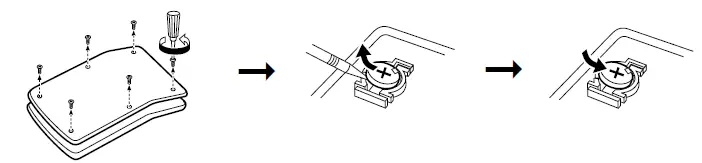
- Never dispose of the battery in a fire.
- Keep the battery out of reach of children.
- Please press if you see no indication.
- This product, including accessories, may change due to upgrading without prior notice.
- Since this product is not waterproof, do not use it or store it where fluids, for example, water, can splash onto it. Raindrops, water spray, juice, coffee, steam, perspiration, etc. will also cause malfunctioning.
SHARP will not be liable nor responsible for any incidental or consequential economic or property damage caused by misuse and/or malfunctions of this product and its peripherals unless such liability is acknowledged by law.
SPECIFICATIONS
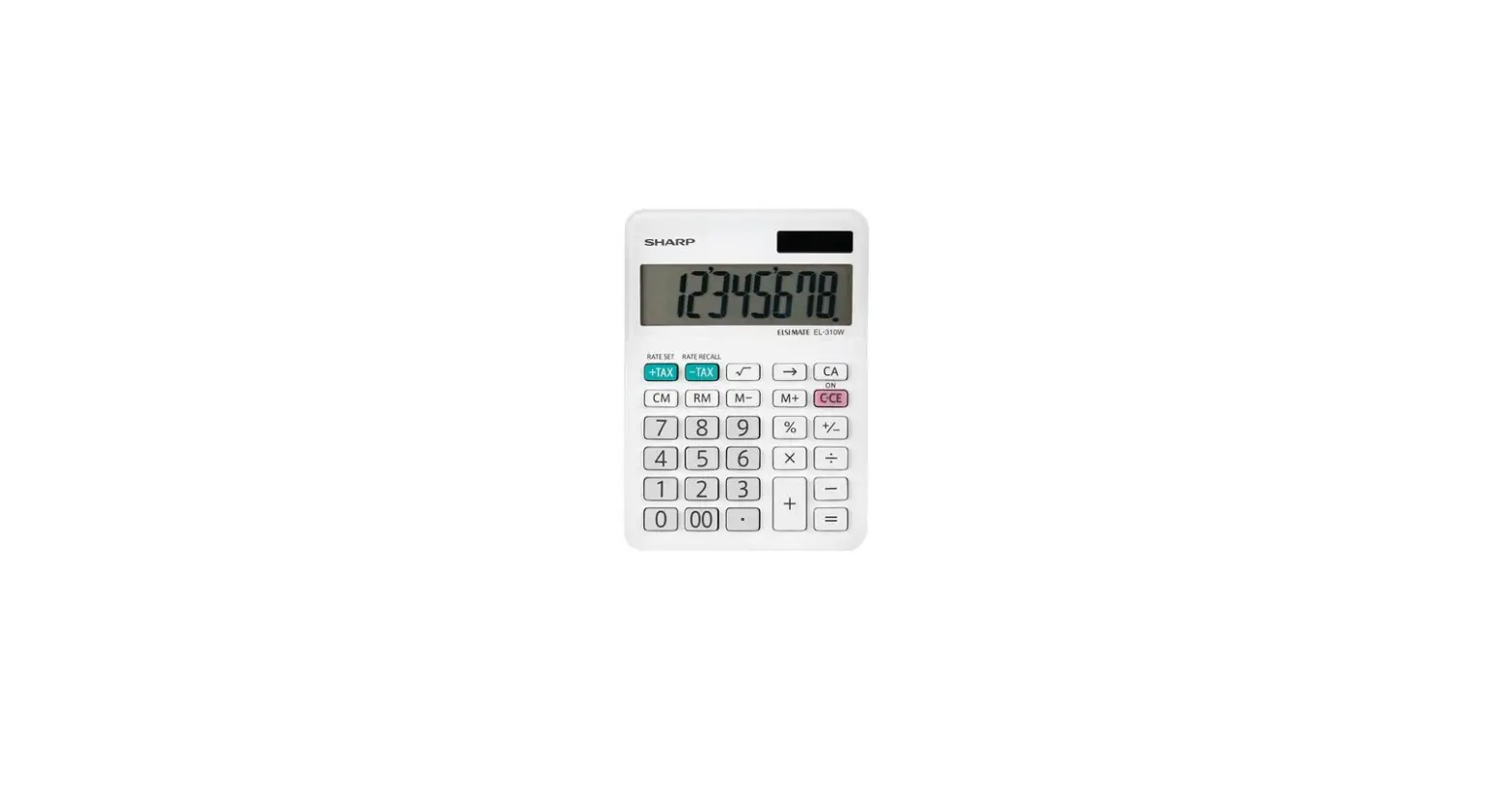
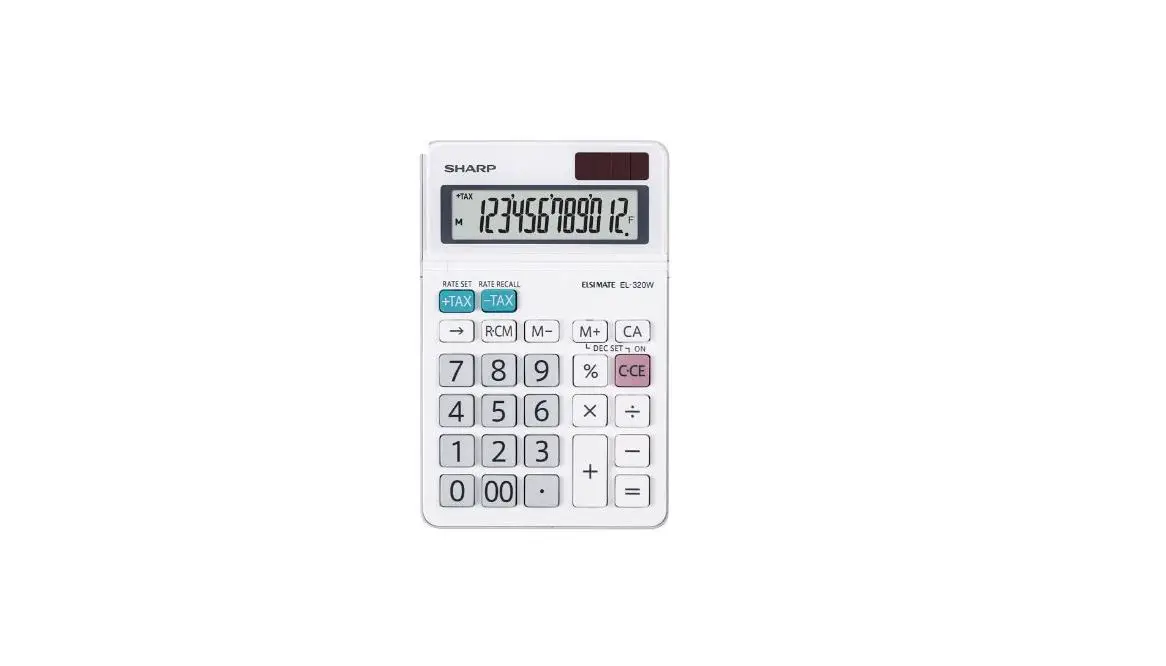
- Type: Electronic calculator
- Operating capacity: 8 digits
- digitsPower supply: Built-in solar cell and alkaline manganese battery (1.5V … (DC)LR1130 or equivalent ×1)
- Automatic Power-off: Approx. 7 min. Operating
- temperature: 0°C – 40°C (32°F-104°F)
- Dimensions:71mm(W) × 116 mm(D)× 16.5mm(H)2-25/32(W) × 4-9/16 (D)× 21/32(H)
- Weight:Approx. 58 g (0.13 lb.)(battery included)
- Accessories: Alkaline manganese battery (installed), Operation manualFRANÇAISAVANT
OPERATIONS
Press twice to clear any residual values and calculation instructions in the calculator.Also, check the setting of the number of decimal digits.2.Upon starting memory calculation, press to clear the memory.3.For expressing calculation examples, only the symbols that are required for explanation arementioned.4.Example procedures are listed in the following manner unless otherwise specified.
- Example
- Key operations
- Display
SETTING THE NUMBER OF DECIMAL DIGITS
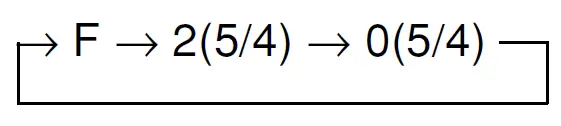
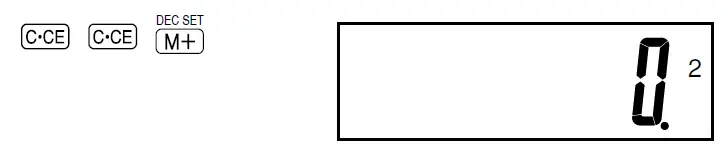
After pressing, press DEC SET to set the method of rounding calculation results and the number of decimal digits to be displayed. (initial setting: F)The decimal setting is indicated on the display.
- Example: To change decimal place setting from F to 2

HOW TO PERFORM BASIC CALCULATIONS
| (1) | (2) | (3) | |||||
|
| 0.F | ||||||
| (–24+2)÷4=–5.5 | 24 | 2 | 4 | –5.5 F | |||
| 34+57=91 | 34 57 | 91.F | |||||
| 45+57=102 | 45 | 102.F | |||||
| 38–26=12 | 38 26 | 12.F | |||||
| 35–26=9 | 35 | 9.F | |||||
| 68´25=1700 | 68 25 | 1’700.F | |||||
| 68´40=2720 | 40 | 2’720.F | |||||
| 35÷14=2.5 | 35 14 | 2.5 F | |||||
| 98÷14=7 | 98 | 7.F | |||||
| 200´10%=20 | 200 10 | 20.F | |||||
| (9÷36)´100=25 | 9 36 | 25.F | |||||
| 200+(200´10%)=220 | 200 10 | 220.F | |||||
| 46=(43)2=4096 | 4 | 4’096.F | |||||
| 1/8=0.125 | 8 | 0.125 F | |||||
| 25 ´ 5 = 125 | 25 5 | M | 125.F | ||||
| –) 84 ÷ 3 = 28 | 84 3 | M | 28.F | ||||
| +) 68 + 17 = 85 | 68 17 | M | 85.F | ||||
| 182 | M | 182.F | |||||
| 2+3 ® 2+4=6 | 2 3 4 | 6.F | |||||
| 5´2 ® 5÷2=2.5 | 5 2 | 2.5 F | |||||
| 98765432÷0.444 | 98765432 0.444 | E | 2.2244466 F | ||||
| ´555 | 555 | 1’234.5678 F | |||||
| =1234.5678´108 | (1234.5678´108=123456780000) | ||||||
CALCULATING TAX
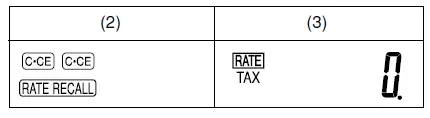
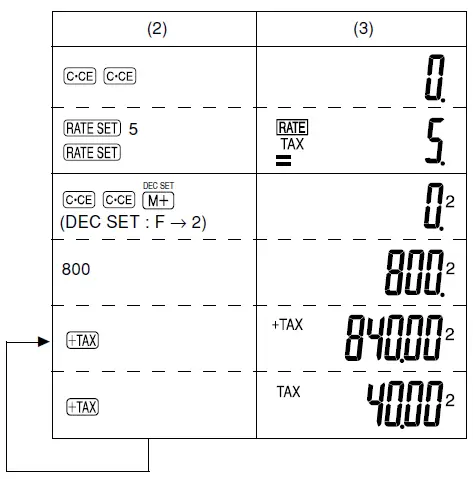
To perform a tax calculation, first, it is absolutely necessary to set and check the tax rate. (The initial tax rate is 0.)A tax rate can be set (or changed) with a number containing up to four digits. (The decimal point is not regarded as a digit.)The set tax rate is retained until it is changed. However, the set tax rate may be changed or lost if the battery is consumed largely.
- Confirming the tax rate. (0%)

- Set a 5% tax rate.Calculate the tax on $800 and calculate the total Including tax.

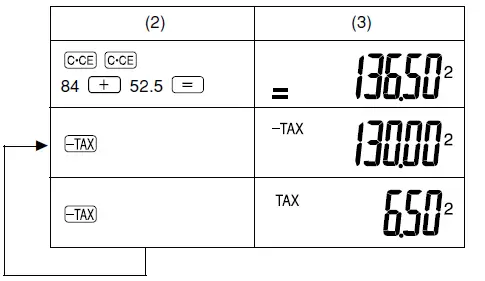
- Perform two calculations using$84 and $52.5, both of which already include tax. (tax rate:5%)Calculate the tax on the total and the total without tax.

BATTERY REPLACEMENT