FOXTECH 3DM PSDK Cube Oblique Camera User Manual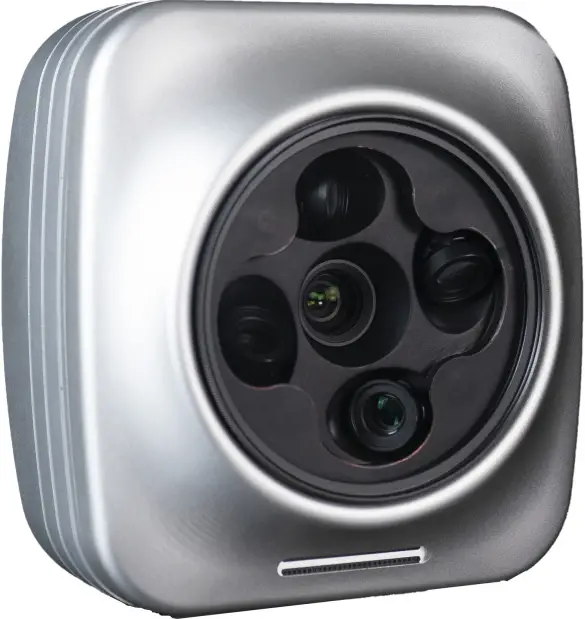
Disclaimer
Thank you for purchasing this product. You can log in to the website for the latest product information, technical support and user manual. It is recommended that you download and use the latest version of the user manual. This manual is subject to change without notice. You can also get product usage information or technical support through official customer service. Due to different production batches, the appearance or function parameters are slightly different and will not affect the normal use of the product. Please read this statement carefully before using. Once used, it is deemed to be an endorsement and acceptance of the entire contents of this statement. Please read the instruction manual carefully and strictly follow the instructions in this manual to install and use this product. Foxtech will not be liable for any result or loss caused by improper use, installation, assembly or modification of users
Intellectual Property
The intellectual property rights of this product and manual are owned by Foxtech. Any organization or individual may not copy, reproduce or distribute in any form without written permission. If you need to quote, you need to indicate the source, and shall not make any modifications, deletions and references to this manual.
Product Brief Introduction
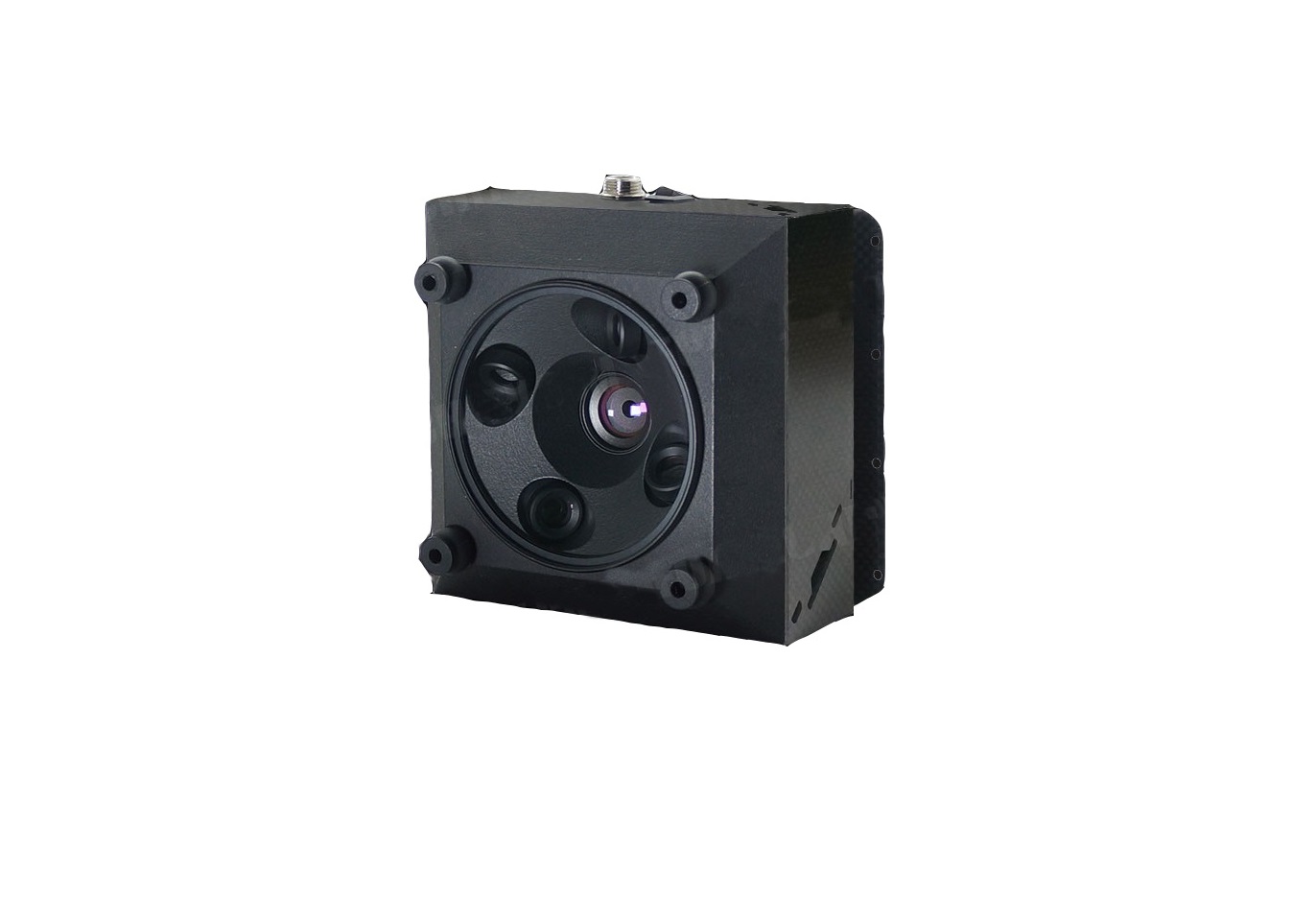
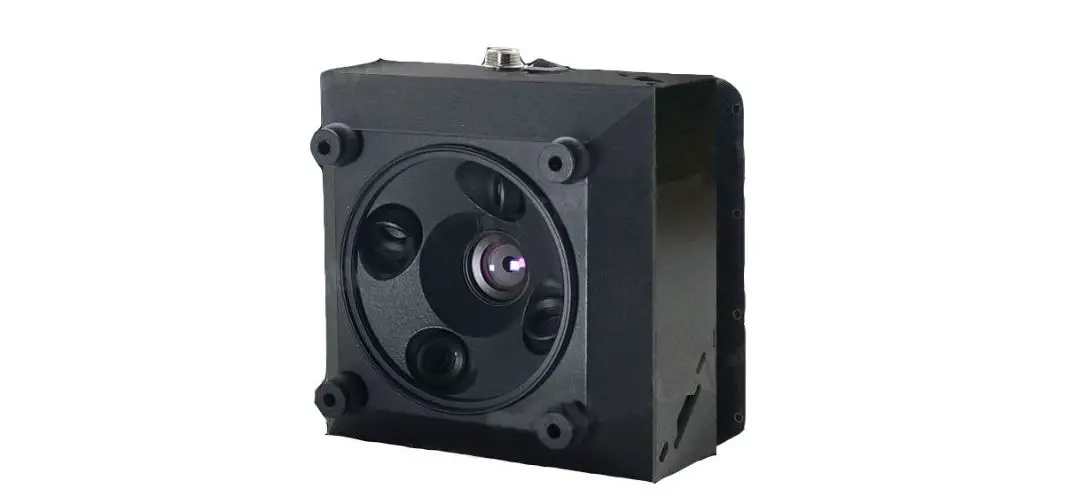
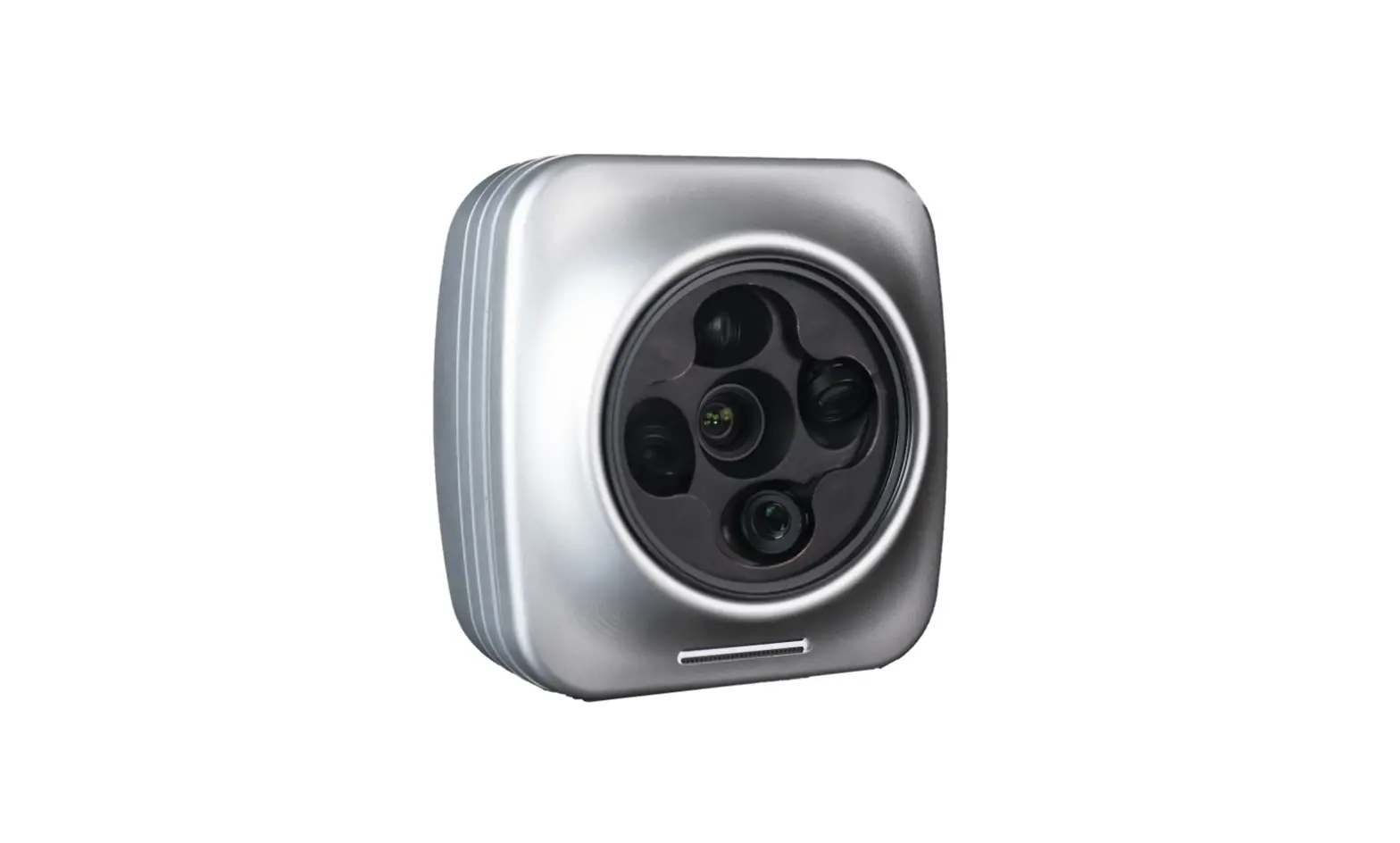
Foxtech 3DM PSDK-Cube is a light, intelligent and easy-to-use 3D modeling oblique camera with total 121.5 mega pixels developed based on DJI PSDK. With DJI SKYPORT interface, the 3DM PSDK is fully compatible with DJI M300RTK, M210RTK and M200 industrial UAVs, which can be used to generate high-precision orthophoto maps and digital elevation models in many fields such as territorial planning, urban and rural construction, emergency rescue etc.
- High-strength aluminum alloy, only 680g weight.
- Ground control point: 100% exempt(with DJI aircraft that supports RTK)
- Original precise measurement technology,the data accuracy can reach 1cm.
- Completely solve the problem of missed shooting and photo lost,ensure the data reliability and integrality.
- With pre-processing software,automatically collect and organize original photos,one-key data post-processing.
- Compatible with mainstream data processing software such as CC and DJI Terra.
| Specification | |||
| Single pixels | 24.3 mega pixels | Total pixels | 121.5 mega |
| Pixel size | 3.92microns | Number of lenses | 5 |
| Sensor size | 23.5*15.6mm | Camera weight | 680g |
| Frame | APS-C | Camera size | 10.3*10.3*13cm |
| Resolution | 6000*4000 | Storage | 320G |
| Shutter speed | 1/1000s | Communication inter- face | DJI SKYPORT |
| Shutter trigger mode | Flight control signal trigger | Data interface | TYPE-C |
| Shutter type | Mechanical shutter | Working temperature | -20℃ ~50℃ |
| Stable continuous shooting interval | ≥0.8s | Product material | Aluminum alloy |
| Focal length | 25mm+35mm | Compatible aircraft | DJI M300RTK, M210RTK, M200 |
| Features | |||
| Time synchronizationalgorithm | Time Sync | Accuracy in modeling | meets the national 1:500 accura- cy standard |
| Photo anti-lost algo- rithm | Instant Shot | Ground station software | DJI Pilot |
| Camera repair algo- rithm | Regular Repair | Firmware upgrade meth- od | Online upgrade |
| Photo collection algo- rithm | Auto Folder | Data processing soft- ware | CC and DJI Terra |
| Ground control point | 100% exempt | International certifica- tion | Fcc、CE、ROSH |
Application
Urban and Rural Planning
Provide professional and efficient overall solutions for 3D modeling, urban renewal and reconstruction, countryside construction etc.
3D Smart City
Provide city-level digital image maps to perfectly display the city’s 3D space and provide a data foundation for smart analysis and application.
Public Security
Provide a variety of data results such as high-precision orthophoto maps, digital elevation modes, and three-dimensional real-world models to meet the needs of public security electronic sand tables, hidden terrain reconnaissance, emergency real-time command.
User Manual of ZHIXING
This software is used to pre-process the data of 3DM PSDK-Cube, so the photo can be directly used in DJI Terra and CC to generate 3D model.
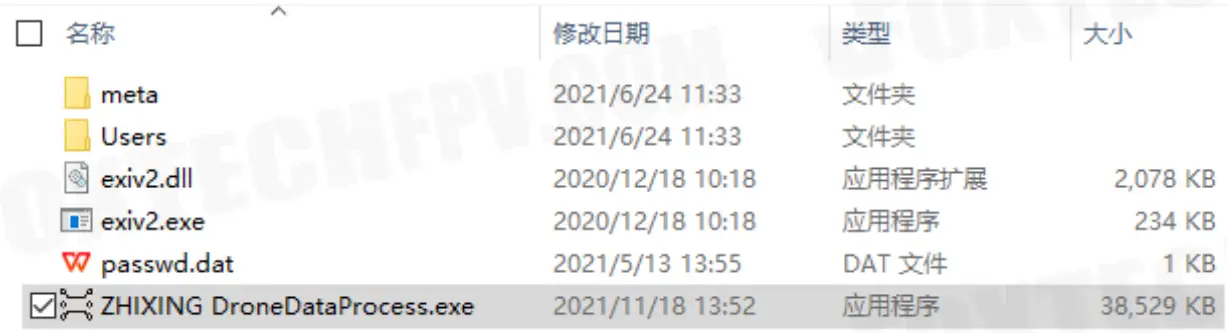
- Decompress the file, don’t change the name of the files in folders.

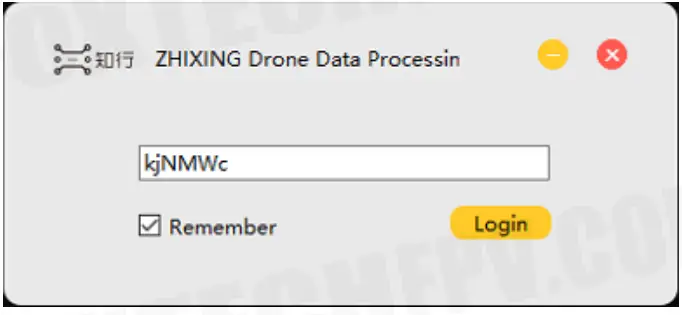
- Start the software and enter the password kjNMWc.

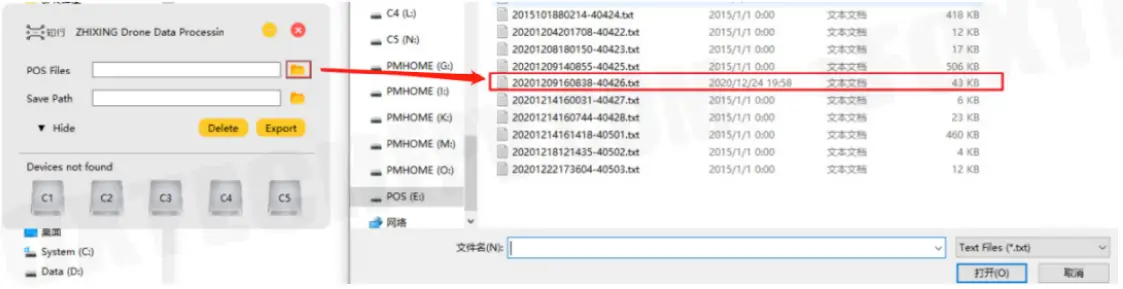
- Select the flight data you want to export, use Ctrl+left mouse button to do multiple selection.

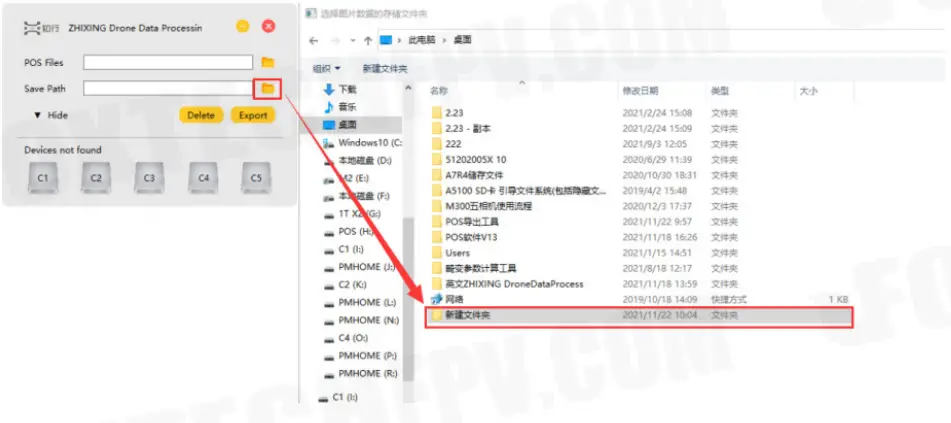
- Select the folder you want to export the photo to

- Click on “Export” and wait for it running, click on “YES” when the export process is completed.
- Check the exported photos.
This content is subject to change.
Download the latest version from
https://www.foxtechfpv.com/foxtech-3dm-psdk-cube-oblique-camera.html
For everyday updates, please follow
Facebook: https://www.facebook.com/foxtechhobby
YouTube: https://www.youtube.com/user/foxtechonline
Instagram: https://www.instagram.com/foxtech_drone/
Linkedin: https://www.linkedin.com/company/foxtechaero/
 Foxtechhobby (@foxtech_drone) • Instagram photos and videos