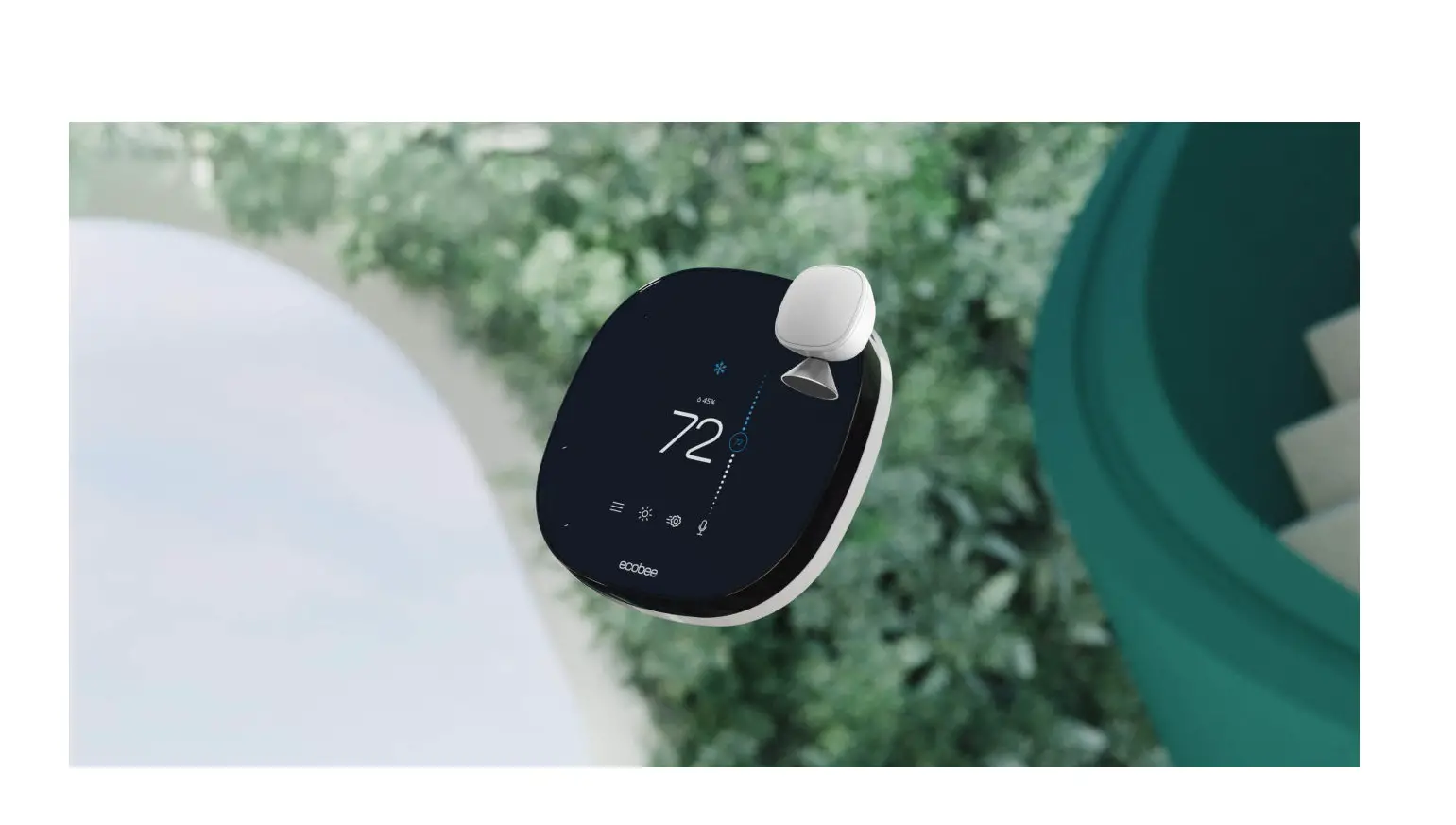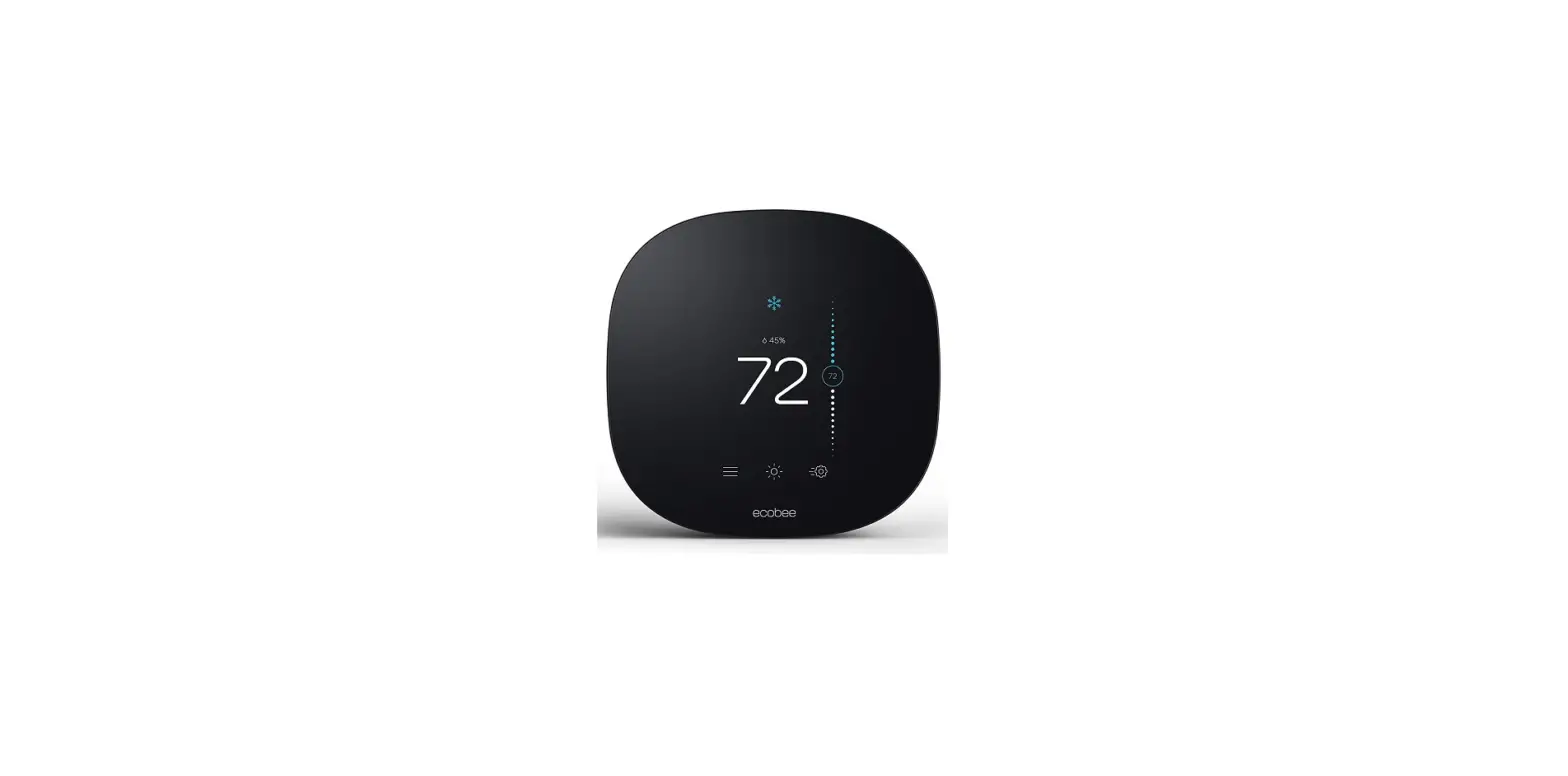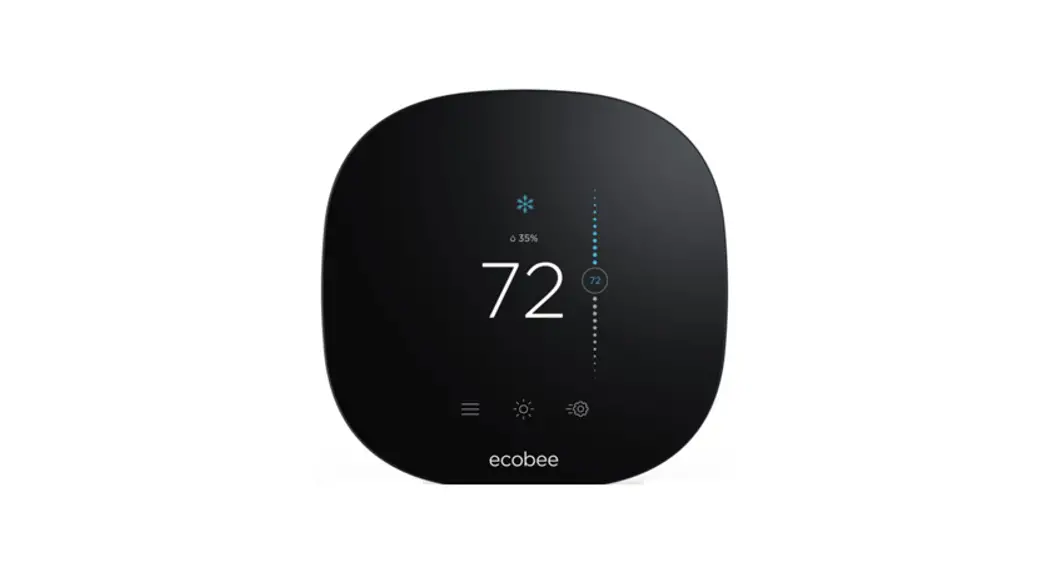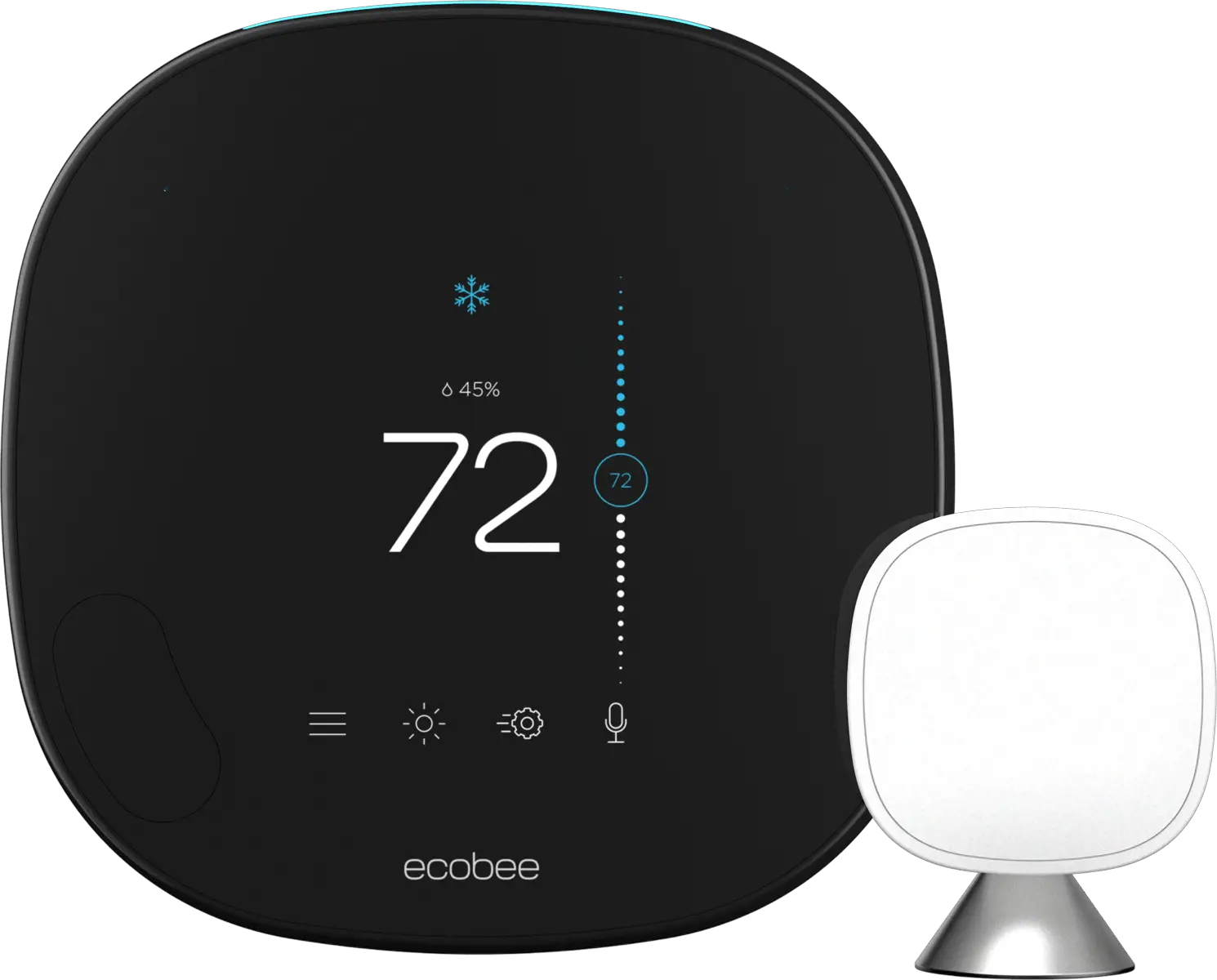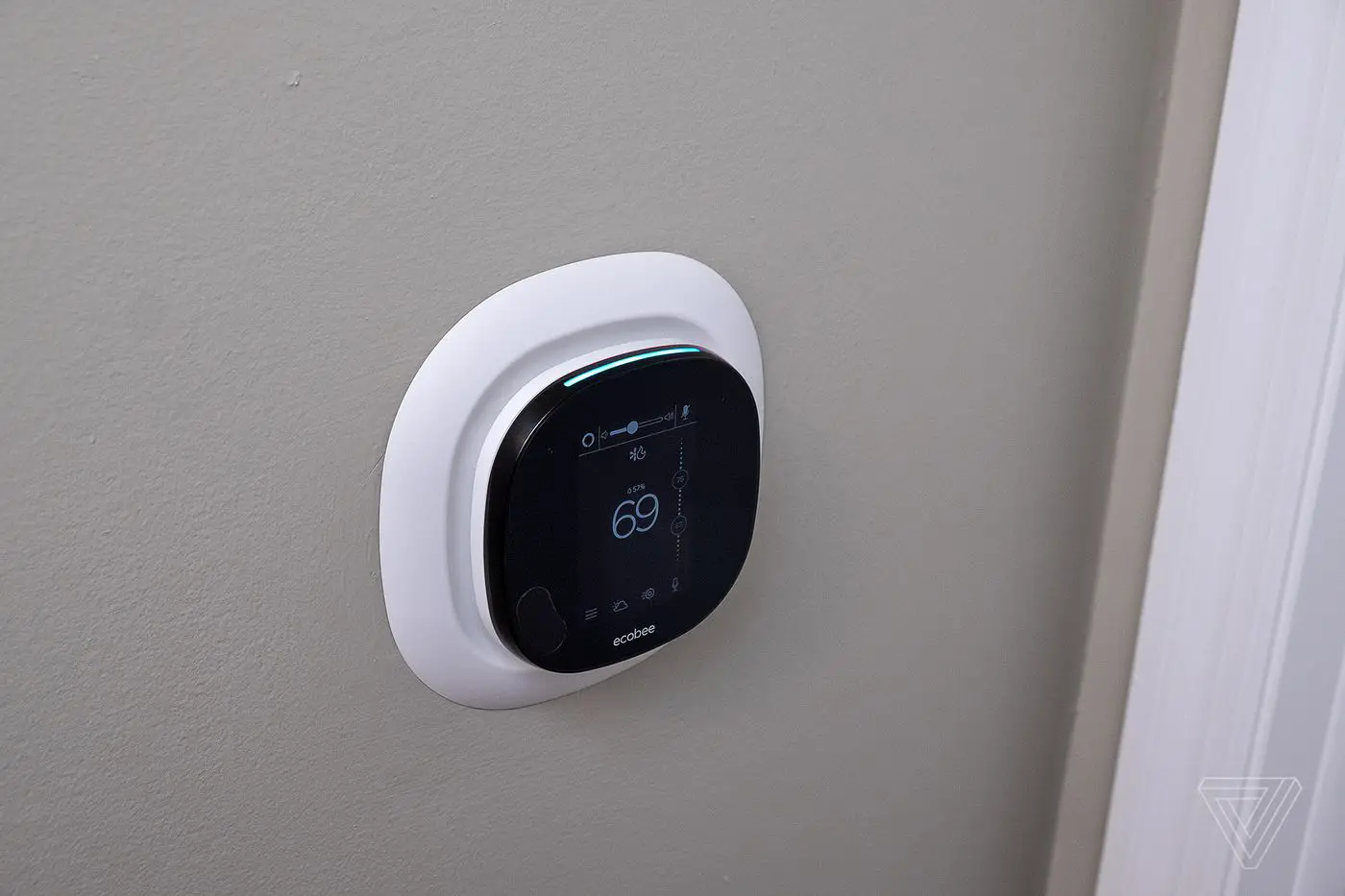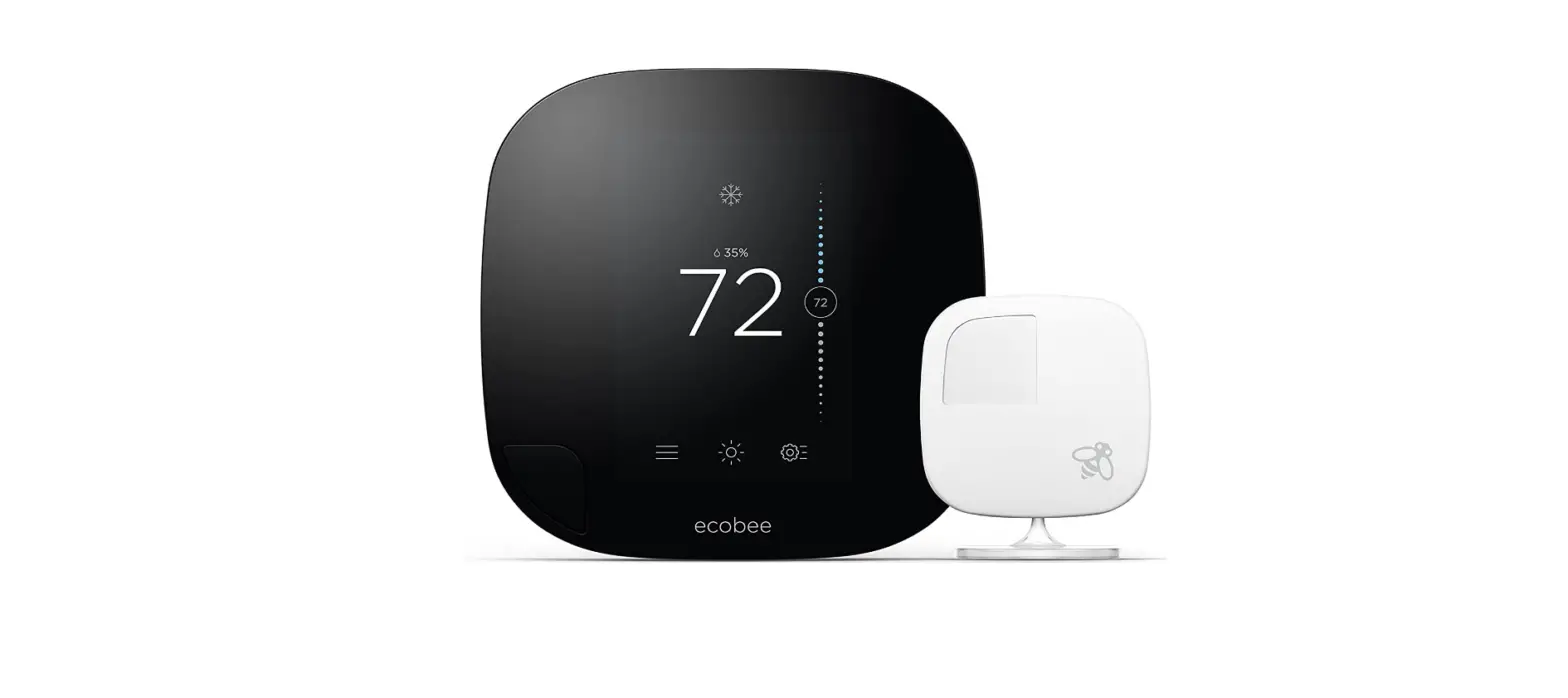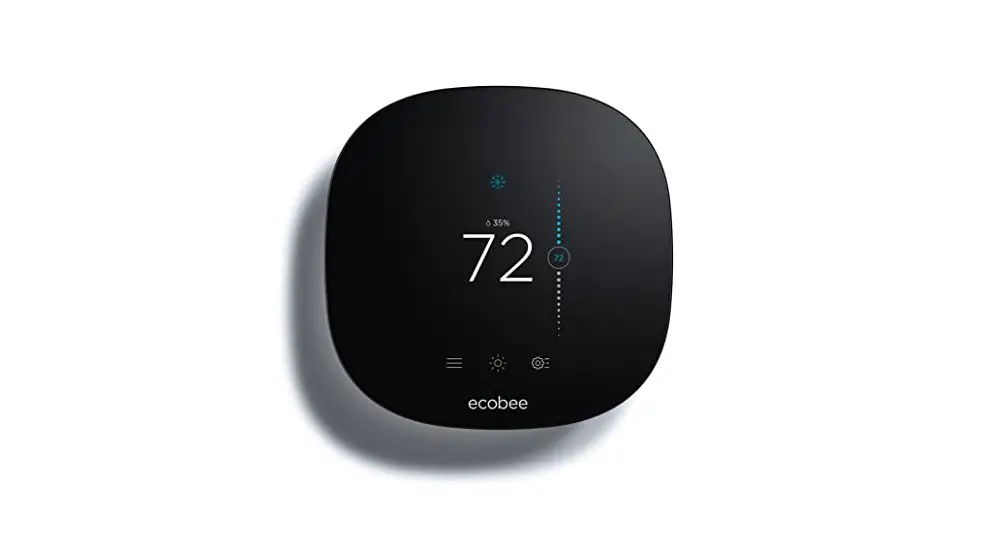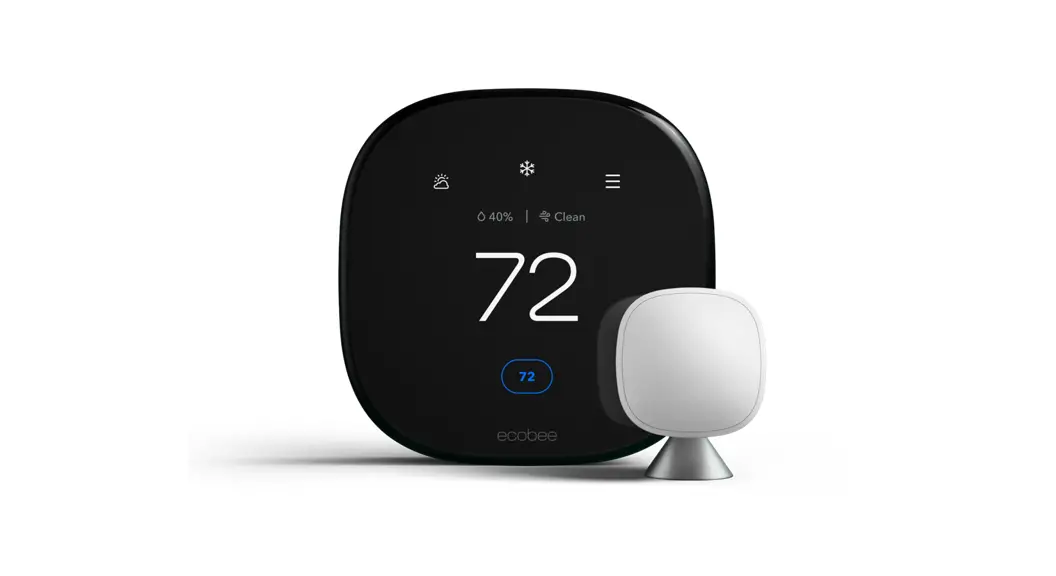
 ecobee Smart Thermostat Premium User Guide
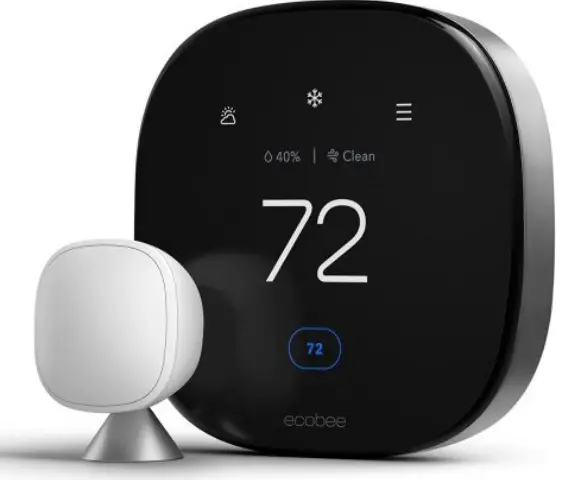
ecobee Smart Thermostat Premium User Guide
WELCOME!
If you have questions, we have answers.
Visit ecobee.com/support for tutorials, how-to videos, and FAQs. Technical support is also available by email or by phone:
[email protected]
1-866-518-6740
COMPATIBLE SYSTEMS
Smart Thermostat Premium works with most centralized residential heating and cooling systems.
Heating: Up to 2 stages
Cooling: Up to 2 stages
Heat pumps: Air, Water, and Geothermal with up to 2 stages, and 2 stages of AUX heat.
Accessories: Dehumidifier, humidifier, or ventilation device.
Fan coil units: 2- and 4-Pipe with up to 3 fan speeds. Pipe sensors supported.
Packaged Terminal Air Conditioners (PTAC): Up to 3 fan speeds
TERMINAL DESCRIPTIONS
| G | Fan |
| Rc | Cool transformer |
| Rh | Heat transformer |
| O/B | Heat pump reversing valve |
| Y1, Y2 | Used for 1-2 stages of conventional A/C or 1-2 stages of heat pump compressor |
| W1, W2 | Used for 1-2 stages of conventional heat or 1-2 stages of auxiliary heat with a heat pump |
| C | 24VAC common |
| ACC+/– | Used for dehumidifiers, humidifiers, ventilators, HRVs, or ERVs |
| PEK+ | Power Extender Kit (PEK), which extends a C-wire when a physical wire is not available. PEK is sold separately for Pro Builder models. |
 | IMPORTANT — TURN OFF THE POWER Power off the HVAC system with the master switch or circuit breaker box. |
| WARNING! ecobee Smart Thermostat Premium is designed for 24VAC with a 2A maximum current. Do not connect it to line (high) voltage or millivolt systems. |
CONVENTIONAL HEATING AND COOLING (UP TO 2 STAGES EACH)
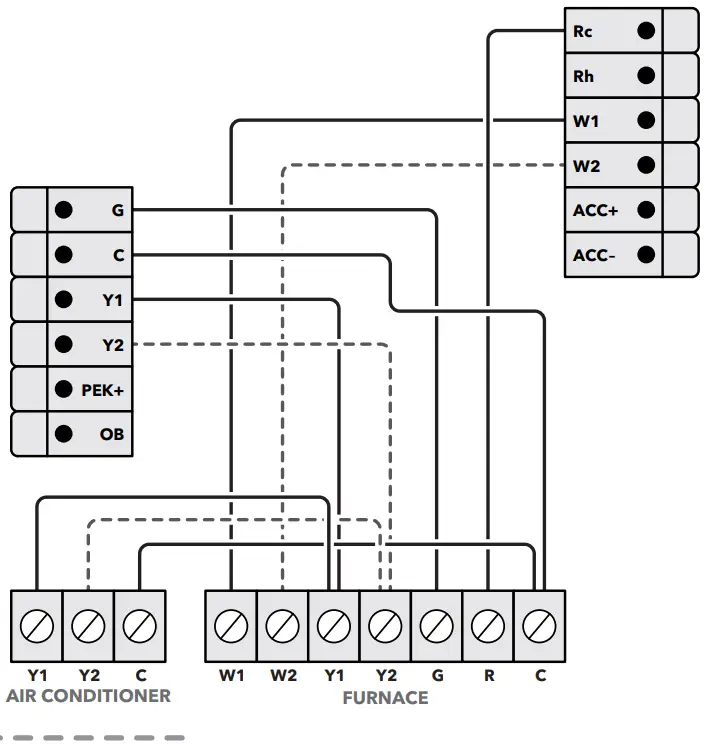
Stage 2 heat and cool, if applicable
HEAT PUMP (AIR OR GEOTHERMAL) WITH AUXILIARY HEAT
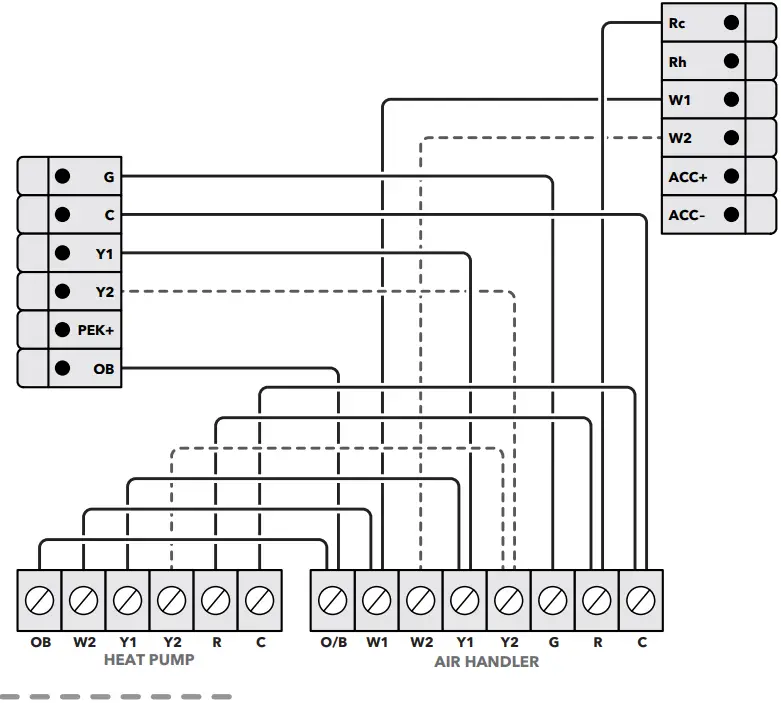
Stage 2 compressor, if applicable
NOTE: Heat pumps use an internet-based weather feed and do not require an outdoor temp sensor and/or a dual-fuel kit.
1-WIRE ACCESSORY
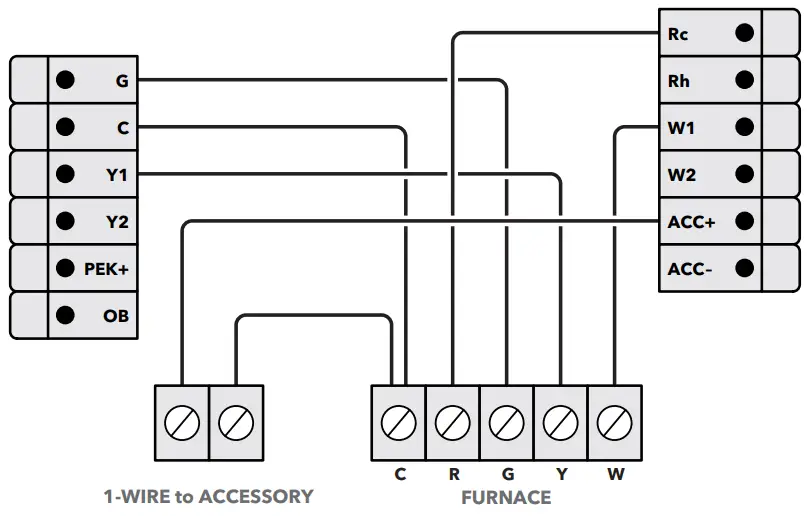
NOTE: Self-powered 24V accessories can be controlled using the ACC+ and ACC− terminals.
4-PIPE FAN COIL UNIT
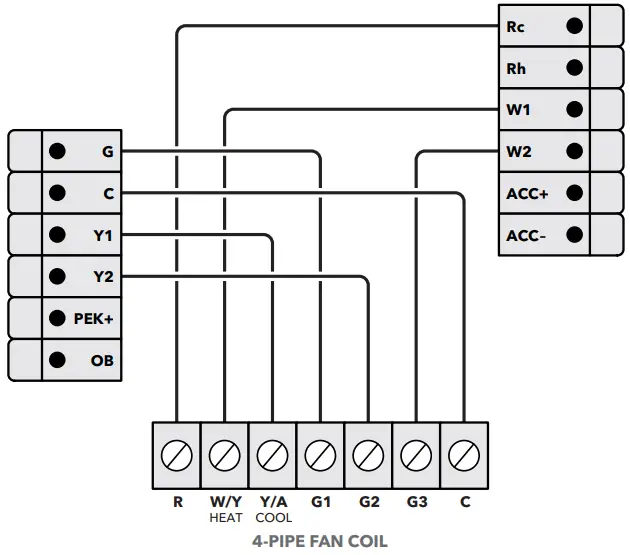
NOTE: G1, G2, and G3 may also be labeled as GL, GM, GH
CONVENTIONAL HEATING AND COOLING (WITH PEK)
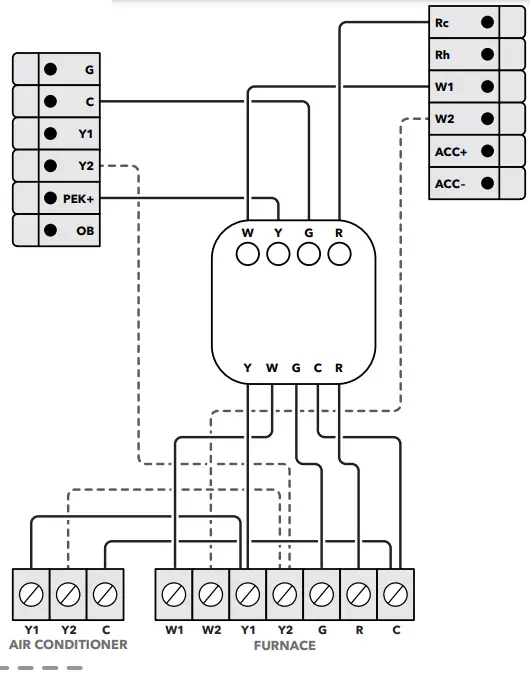
Stage 2 heat and cool, if applicable
NOTES:
- When using a PEK with a heat pump system, the O/B terminal is wired directly to the thermostat.
- The PEK is not compatible with dual transformer or fan coil units.
PACKAGED TERMINAL AIR CONDITIONER (PTAC) WITH MULTISPEED FAN
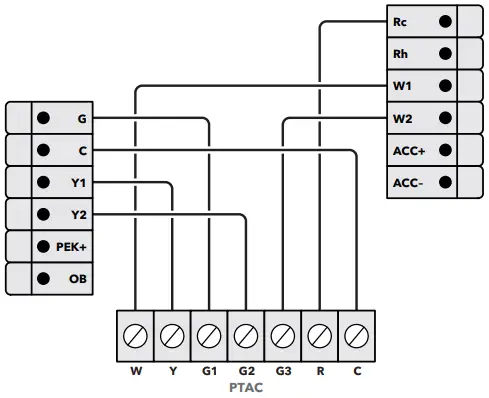
NOTE: G1, G2, and G3 may also be labeled as GL, GM, GH
2-PIPE FAN COIL UNIT WITH AUX HEAT (PIPE SENSORS OPTIONAL)
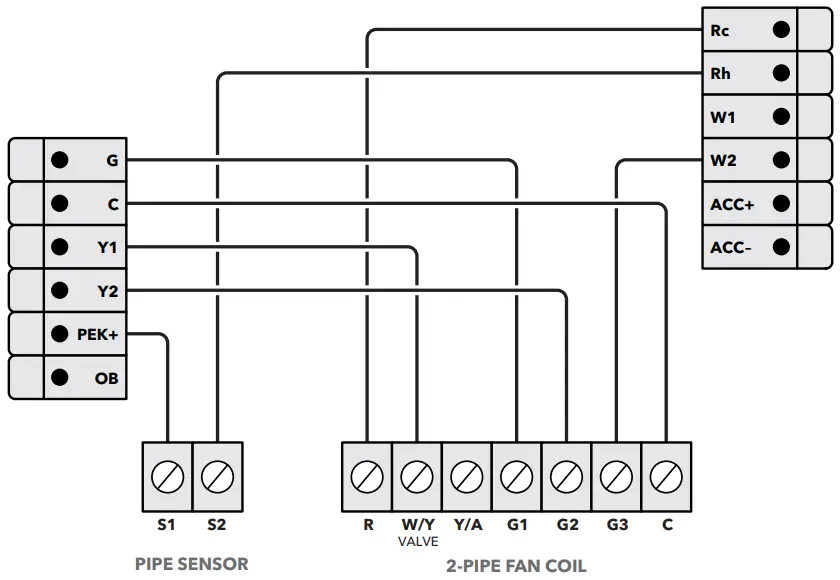
NOTE: G1, G2, and G3 may also be labeled as GL, GM, GH
BOILER OR RADIANT SYSTEM
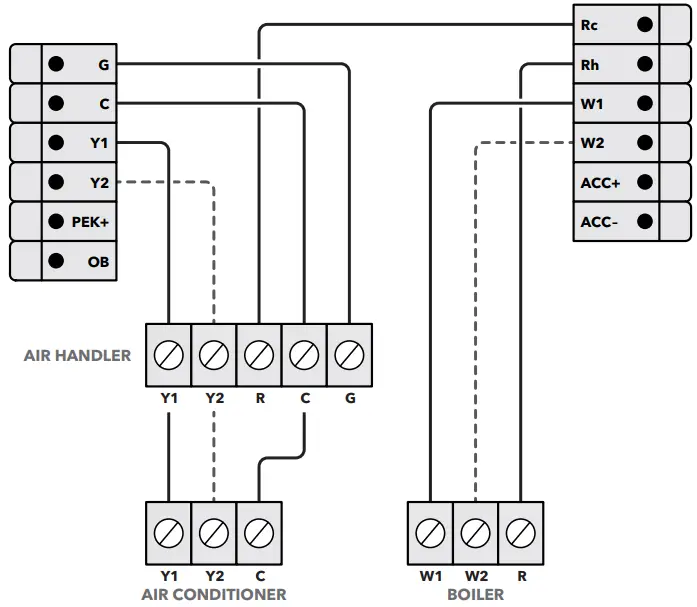
Installation Settings
THRESHOLD SETTINGS
 Menu > Settings > Installation Settings > Thresholds
| SETTING NAME | DESCRIPTION | DEFAULT |
| Conventional & Hoatpwnp Systems | ||
| Auto Heat/Cool | In Auto Mode, the thermostat will engage both your heating and cooling as necessary. | Enabled |
| Heat/Cool Min Delta | The minimum temperature difference between the desired Heat and Cool set points in Auto mode. | SF |
| Configure Staging | Configure staging Manually, to select and customize values such as dissipation time, temperature deltas, and runtimes for both your heating and cooling equipment (See *Manual Setting Options) | Automatic |
| Compressor Min Cycle Off Time | The amount of time the compressor remains off between cycles. | 300 seconds |
| Compressor Min Outdoor Temperature | The AC or Heatpump compressor will not run below this outdoor temperature. AC- 35F / | Heatpump – User defined |
| AC Overcool Max | Will allow the air conditioner to overcool (above the Cool setpoint) by this value to help decrease humidity. | Disabled |
| Heat Min On Time | The minimum amount of time the furnace/boiler will stay on during a call for heat | 5 minutes |
| Compressor Min On Time | The minimum amount of time the compressor will stay on. | 5 minutes |
| Temperature Correction | If the thermostat sensor reading is incorrect, a correction may be applied to achieve an accurate reading. | +0F |
| HumidityCorrection | If the thermostat sensor reading is incorrect, a correction may be applied to achieve an accurate reading. | +0% |
| Thermal Protect | The minimum temperature reading difference between sensors will trigger the algorithm to ignore the inaccurate sensor reading. | Disabled |
| Installer Code | When enabled, this restricts access to Installation Settings (Code 3262 permits access) | Disabled |
| Heatpump only Systems | ||
| Aux Savings Optimization | This setting simplifies Heatpump to A tor Heating staging based on Savings vs. Comfort. Comfo The higher the temperature setting will sacrifice comfort for savings. | 2 F |
| Aux Heat Max Outdoor Temperature | The Auxiliary Heat will not run above this outdoor temperature. | 35 F |
| Aux Min On Time | The minimum amount of time your auxiliary heat will stay on during a call for aux heat. | 5 minutes |
| Compressor To Aux Temperature Delta | The minimum number of degrees from the current temperature vs. setpoint before engaging the auxiliary heat. | Auto |
| Compressor to Aux Runtime | The minimum number of minutes the Heatpump compressor will run for before switching to auxiliary heat. | Auto |
| Aux Reverse Staging | When enabled, aux heat will be engaged if the current temperature is greater than the value designated in the Compressor to Aux Temperature Delta setting. | off |
| *Manual Setting Options | ||
| Heat Differential Temperature | The minimum temperature differential before engaging heating. | 0.5F |
| Heat Dissipation Time | The amount of time the fan will continue to run once the heating cycle is completed. | Auto |
| Cool Differential Temperature | The minimum temperature differential before engaging cooling. | Auto |
| Cool Dissipation Time | The amount of time the fan will continue to run once the cooling cycle is completed. | Auto |
| Compressor Reverse Staging | When enabled, the second-stage compressor will be engaged if the current temperature is greater than the value designated in the Compressor Stage 2 Temperature Delta setting. | off |
| Compressor Stage 2 Temperature Delta | The minimum number of degrees from the current temperature vs. setpoint before engaging the second stage of the compressor. | Auto |
| Compressor Stage 1 Max Runtime | The maximum number of minutes running stage 1 before engaging the second stage of the compressor. | Auto |
| Heat Reverse Staging | When enabled, second stage heat will be engaged if the current temperature is greater than the value designated in the Heat Stage 2 Temp Delta setting. | off |
| Heat Stage 2 Temp Delta | The minimum number of degrees from the desired set point before engaging the 2nd stage of heat | Auto |
| Heat Stage 1 Max Runtime | The maximum number of minutes running stage 1 before engaging the second stage heating. | Auto |
ACCESSORY SETTINGS
Menu > Settings > Installation Settings > Equipment
| SETTING NAME | DESCRIPTION |
| Humidifier | |
| Evaporative or Steam | An ‘Evaporative’ humidifier will operate with a heating cycle whereas a ‘Steam’ humidifier can operate with/without a heating cycle. |
| Min Runtime Delta | The humidifier will run beyond the desired humidity setpoint by the selected amount |
| Window Efficiency | The Frost Control setting uses the efficiency rating to determine the desired humidity within the range of 15 to 50%. |
| Dehumidifier | |
| Dehumidify with Fan | When enabled, this will activate the furnace/air-handler fan during a call for Dehumidification. |
| Min Runtime Delta | The dehumidifier will run beyond the desired humidity setpoint by the selected amount |
| Dehumidify in Heat Mode | Will permit the Dehumidifier to operate independently of a heating cycle. |
| Dehumidifier Active | This setting is dependent on whether the HVAC system or Dehumidifier requires it to be open or closed while active. |
| Ventilator | |
| Pre-Occupancy Purge | Enable to run ventilator for 1 hour prior to expected occupancy |
| Free Cooling Max Outdoor Temperature | Free Cooling will not run when the outdoor temperature is above this point |
| Free Cooling Max Outdoor Temperature | Maximum Outdoor Humidity to permit Free Cooling to run |
| Indoor/Outdoor Temperature Delta | Permit Free Cooling if Indoor Temp vs. Outdoor Temp is greater than Temperature Delta |
| Max Desired Temperature Delta | The maximum delta between current and desired temperature to engage Free Cooling |
| Pre-Occupancy Purge | Enable to run ventilator for 1 hour prior to expected occupancy |
REMINDERS & ALERTS SETTINGS
Menu > Reminders and Alerts > Preferences
SEWING NAME | DESCRIPTION | DEFAULT |
| HVAC Maintenance | Maintenance interval for the heating & cooling systems. | Enabled,6 months |
| Furnace Filter | The frequency of filter reminders is based on months or runtime. | Enabled, 3 months |
| UV Lamp | The frequency when maintenance is needed is based on months or runtime hours. | Disabled |
| Low Temp Alert | When indoor temperature meets/exceeds this setting an alert will be generated. | Enabled, 50F |
| High Temp Alert | When indoor temperature meets/exceeds this setting an alert will be generated. | Enabled, 92F |
| Aux Outdoor Temp Alert | An alert will be generated when Aux Heat is used at this value or above. | Disabled |
| Aux Heat Runtime Alert | An alert will be generated when Aux Heat meets/exceeds this runtime value in a 24hr period. | Disabled |
| Low Humidity Alert | An alert will be generated if humidity falls below this value. | Disabled |
| High Humidity Alert | An alert will be generated if the humidity rises above this value. | Disabled |
| Display Alerts on Thermostat | When enabled, Alerts will also appear on the thermostat display. | Disabled |
| Enable Heating/Cooling Alerts | An alert will be generated indicating that the system has failed to heat or cool the indoor location. | Enabled |
465-00396-RevB_Ares_Pro_Wiring-Guide_20220406
FAQS
ecobee Smart Thermostat Premium, ecobee Smart Sensor, Backplate, Wire labels, Screws & drywall plays plugs, power extender kit (for sysytems without a c-wire), trim plate, and quick start guide
ecobee Smart Thermostat Premium, Smart Thermostat Enhanced1, Smart Thermostat with voice control, ecobee4, and ecobee3 support most common HVAC accessories such as humidifiers, dehumidifiers, and ventilators.
The old sensors will work in the ecobee app but will always show “No Response” in homekit. Can’t even remove them from homekit. Very annoying.
Yes, and a humidifier
Yes
Yes it’s does!
The microphone is replaced by a red symbol when the microphone is turned off. Nothing is red if you don’t connect it to Alexa in the first place. The microphone is too good. From the next room over the Alexa on the thermostat responds even when I have an echo Within 3 feet of where I’m sitting.
you can set a geo fence
Yes it will work
Yes sure!
YeS, you can lock it with a security code.
If you look in the app you can turn off the follow me function. From my understanding it turns off the sensor.
Yes only in white
yes
Yes
Yes, always. Usually it’s let’s than fine 5 minutes, mostly if you have a heat pump system.
If a higher resolution display, stainless steel frame, and an air quality monitor are important to you, then yes.
Yes.
Yes it can do both and also ventilation.
It does accept drop in requests, but doesn’t permit you to make a drop in to other echos on your network. The work around is to just make an announcement, and have the person you’re wishing to speak with in the mansion drop in to your thermostat.
VIDEO

 Help Centre