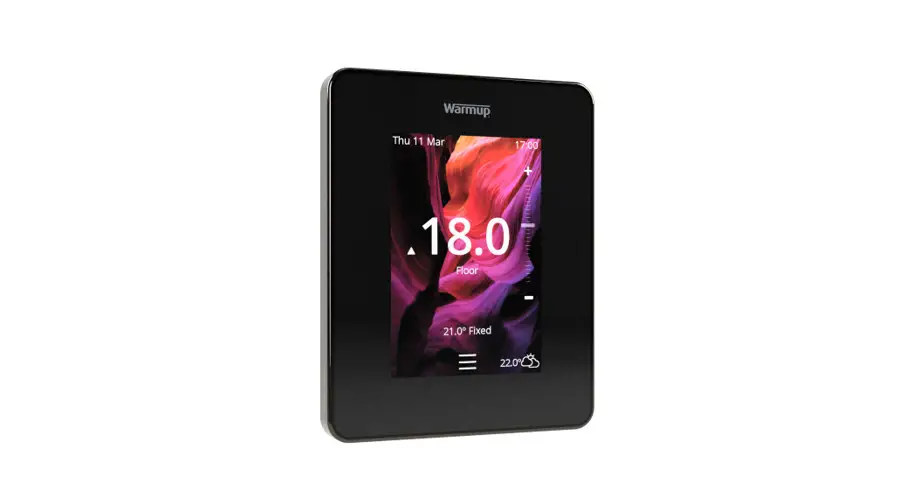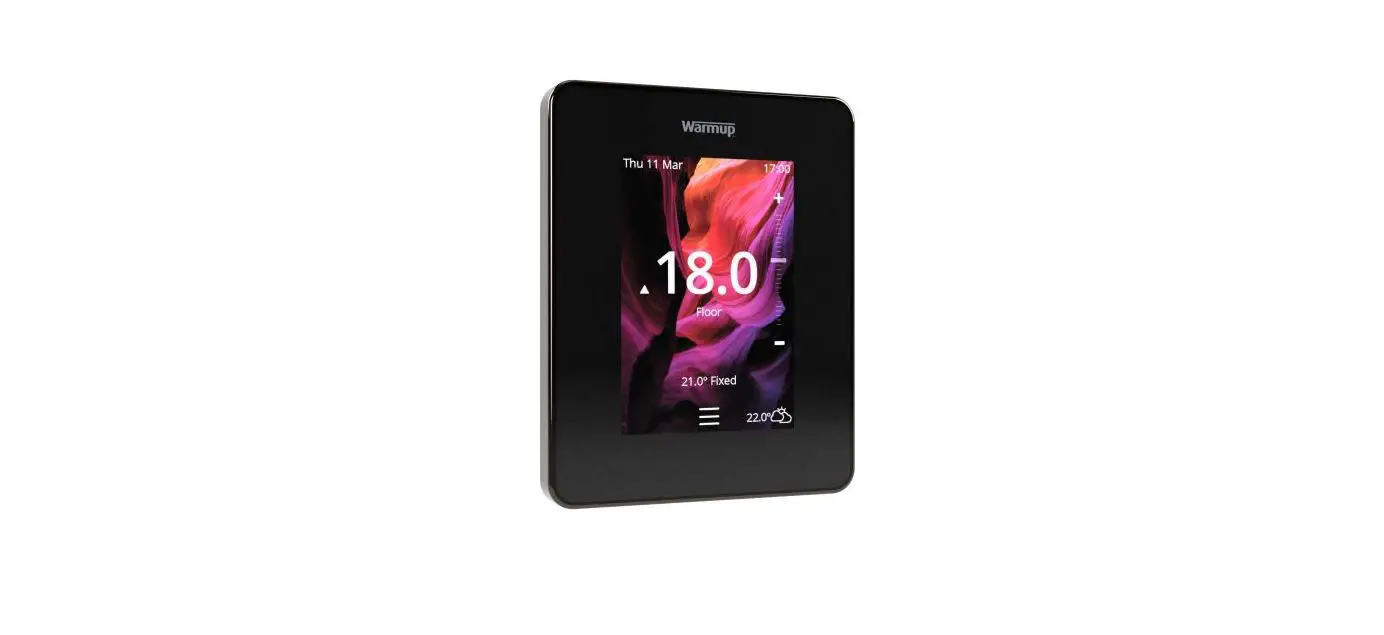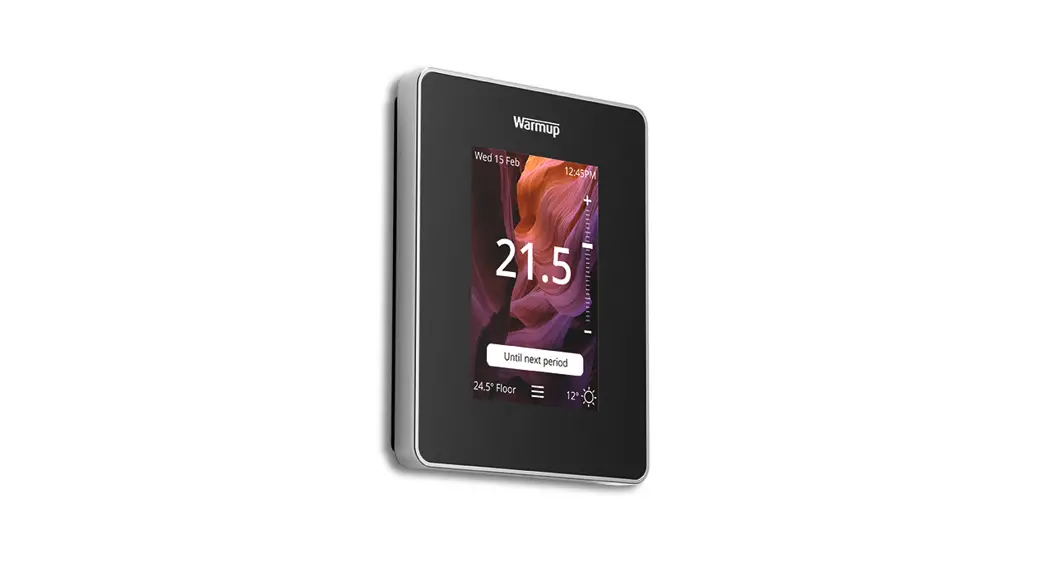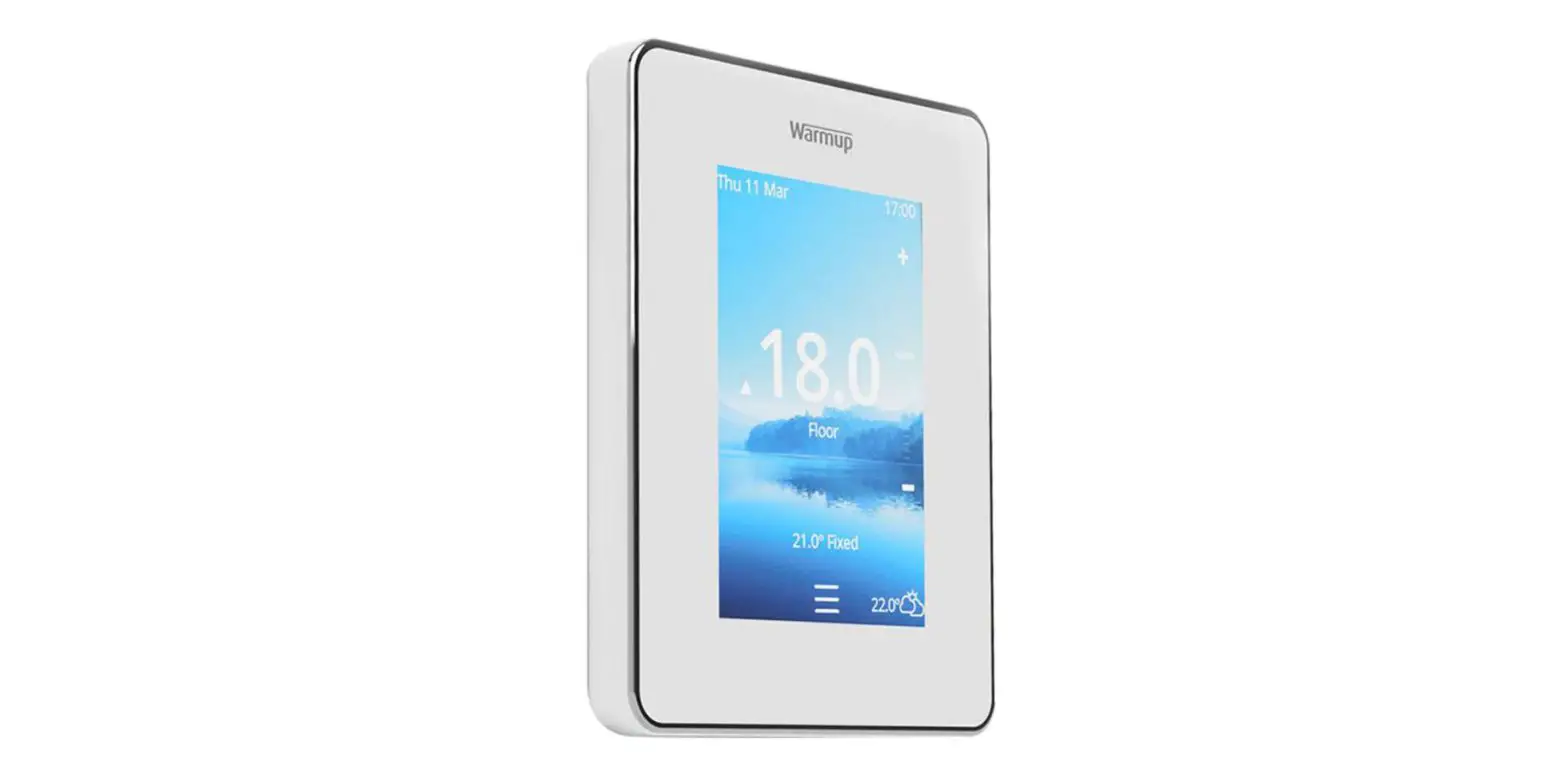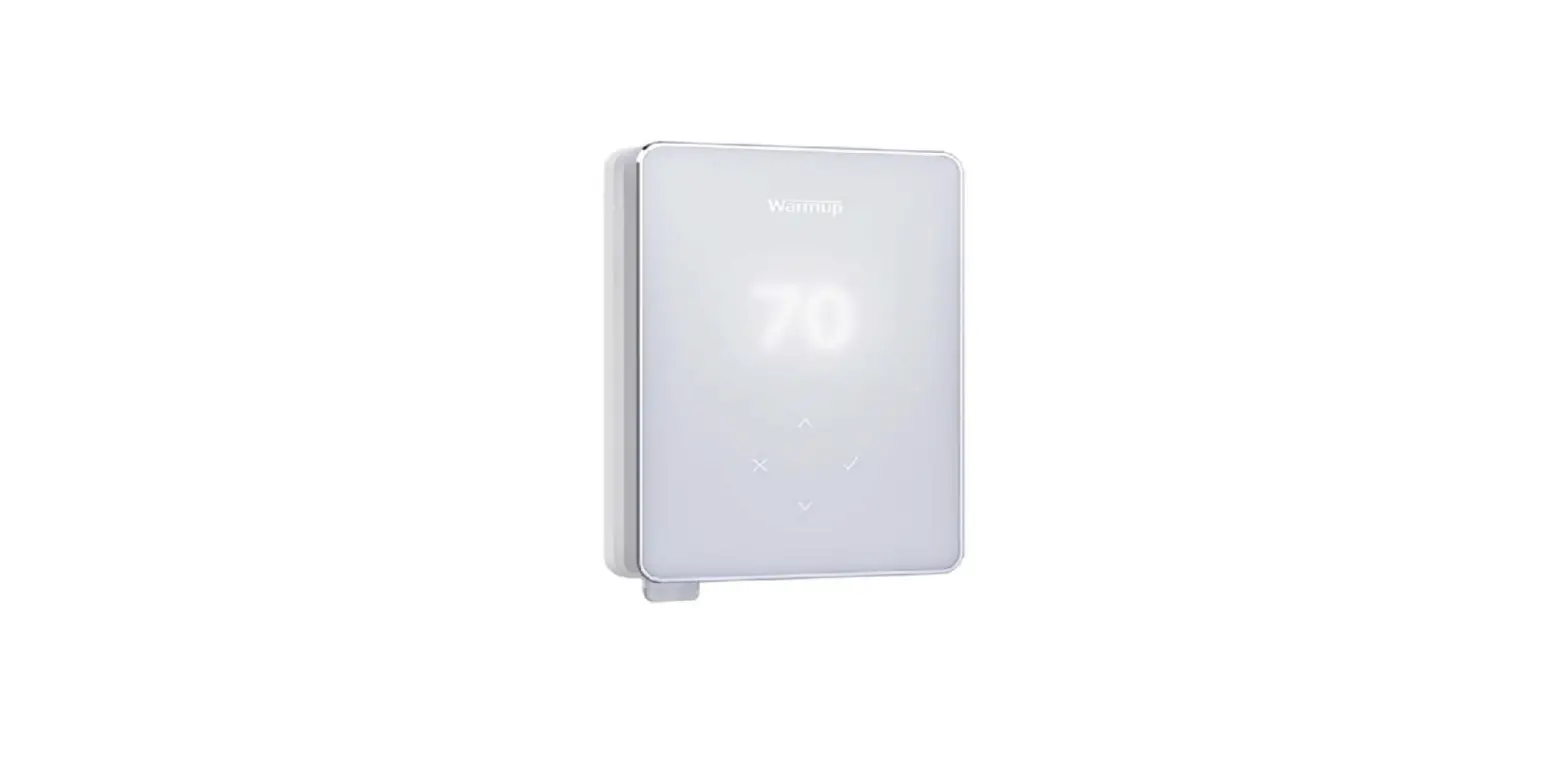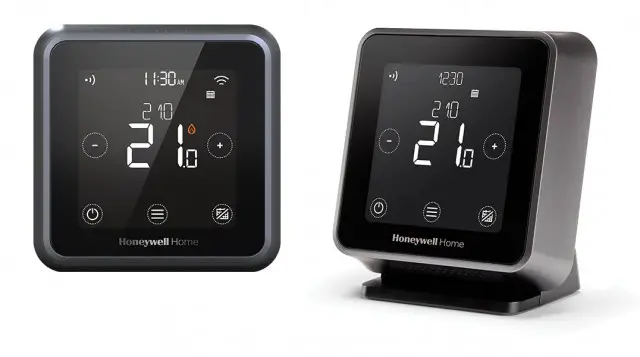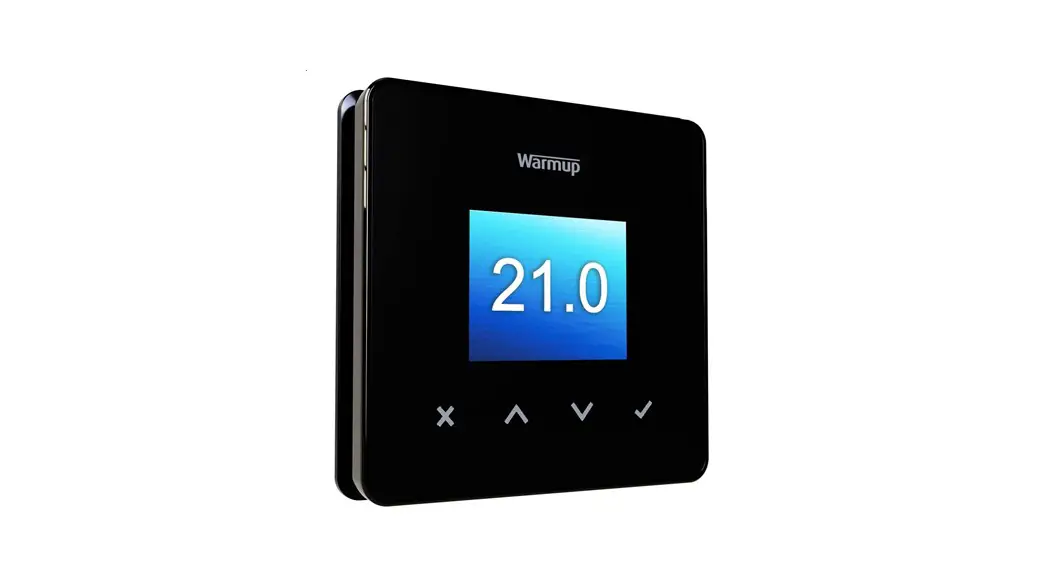

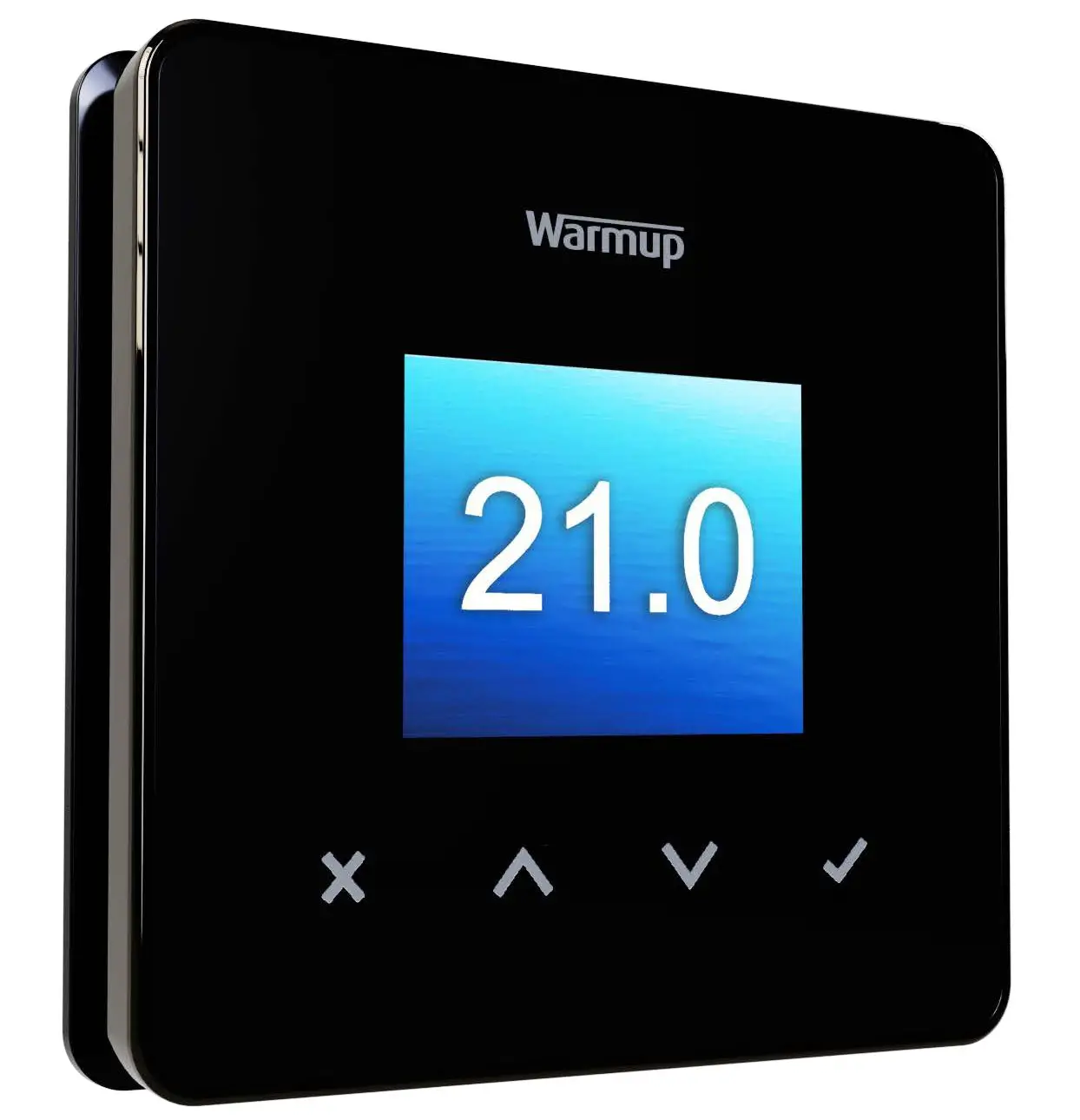
6 iE mini™ WiFi Thermostat
The smartest, most efficient way to control the world’s best selling floor heating.
Miniaturised.
User Guide
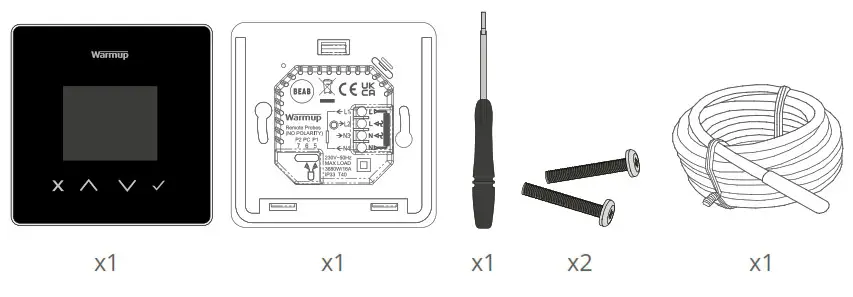
Pack Contents
Safety Information
- The 6iE mini must be installed by a qualified electrician. It requires a permanent 230 V AC supply from a 30mA RCD or RCBO protected circuit in accordance with the current edition of the BS7671 Wiring Regulations.
- Isolate the 6iE mini from the mains supply throughout the installation process. Ensure that wires are fully inserted into the terminals and secured, free strands should be trimmed, as they could cause a shortcircuit.
- Install the 6iE mini in an area with good ventilation. It should not be beside a window/door, in direct sunlight or above another heat generating device (e.g. radiator or TV).
- Ensure the distance from your router to the 6iE mini is not excessive. This will ensure the wireless connection is not subject to range or interference issues once installed.
- For bathroom installations the 6iE mini MUST be mounted outside of Zones 0, 1 and 2. If this is not possible then it must be installed in an adjacent room, controlling the rooms using the floor sensor only.
- The 6iE mini and its packaging are not toys; do not allow children to play with them. Small components and packaging present a risk of choking or suffocation.
- The 6iE mini is suitable for indoor use only. It must not be exposed to moisture, vibrations, mechanical loads or temperatures outside of its rated values.
- For safety and licensing reasons (CE/UKCA), unauthorised change and/or modification of the 6iE mini is not permitted.
Step 1 – Installation
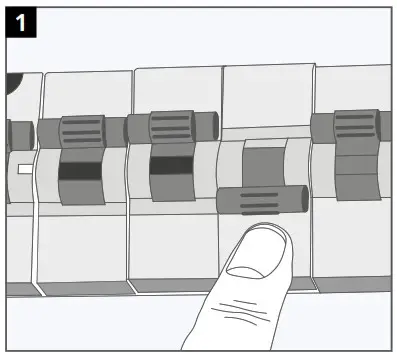 | 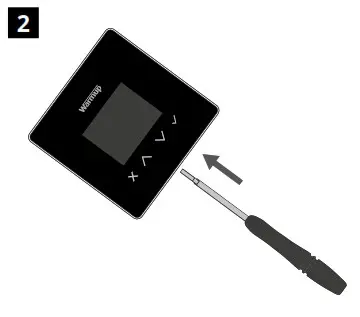 |
| Isolate the thermostat supply from the mains supply. | Unclip the display from the power base. |
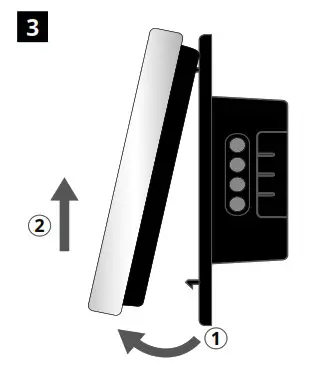 | 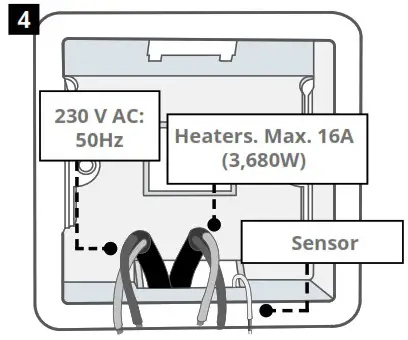 |
| Release the display as shown. | Install a 50 mm deep electrical back box in your preferred thermostat location. Pull wires (heater, supply and sensor(s) through back box and complete terminal wiring. |
Step 2 – Wiring Connections
WARNING!
The 6iE mini must be installed by a qualified electrician in accordance with the current edition of the BS7671 Wiring Regulations. NOTE: For loads above 10 A, the conductor wire gauge should be at least 2.5mm²
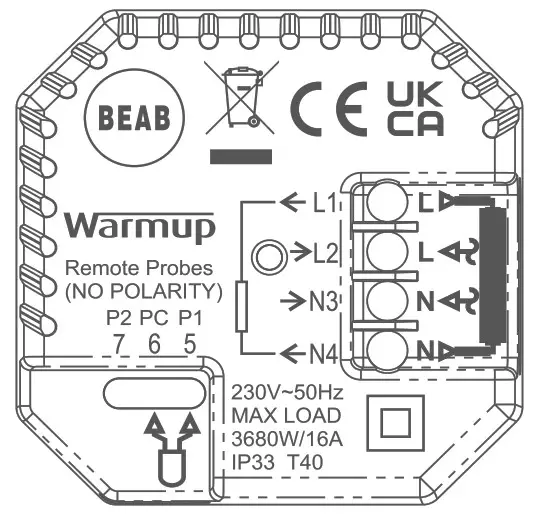
Electric Underfloor Heating
| L1 & N4 | Heater Live and Neutral Max. 16A (3680W) |
| L2 & N3 | Supply Live and Neutral |
| Hydronic Underfloor Heating | |
| L1 | Switched Live to Wiring Centre |
| L2 & N3 | Supply Live and Neutral |
| N4 | Not Used |
| Central Heating | |
| L1 | Switched Live to Zone Valve /Boiler |
| L2 & N3 | Supply Live and Neutral |
| N4 | Not Used |
For extra low voltage or volt-free systems a contactor must be used. Connecting the 6iE mini directly to extra low voltage or volt-free boilers may cause damage to the boiler circuit.
Sensor Connection
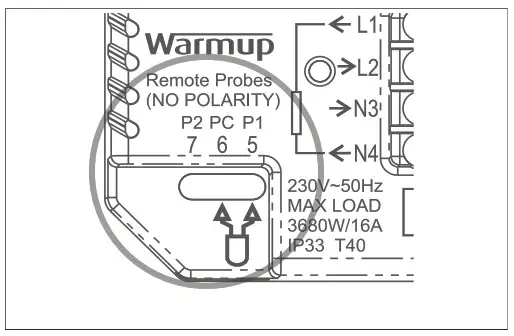
| 5 & 6 | Probe 1 – Floor/Air Control Sensor (No Polarity) |
| 6 & 7 | Probe 2 – Limit Sensor (No Polarity) |
| See Table 1.0 for thermostat use cases | |
Step 2 – Wiring Connections – Loads over 16 amps
Warmup thermostats are rated for a maximum of 16 amps (3680 W). A contactor must be used to switch loads exceeding 16 amps. Please see wiring diagram below.
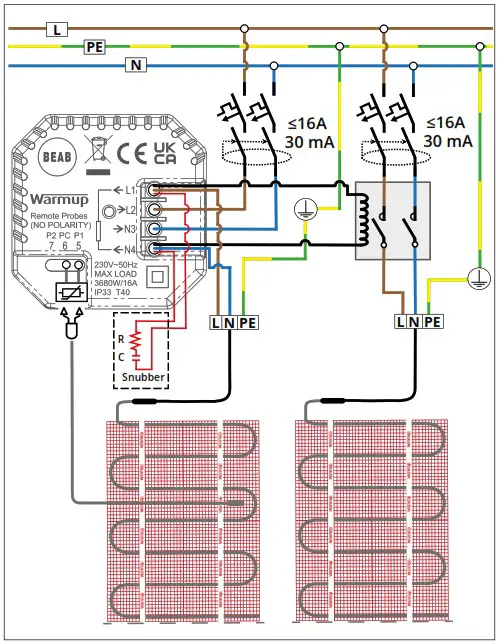
Table 1.0 Thermostat Use Cases
| # | Use Case | System Type | Control | Limit Sensor |
| 1 | Thermostat IN room Air temperature schedule No floor limit |  | Internal Air Sensor | None |
| 2* | Thermostat IN/OUT of room Floor temperature schedule Floor limit |  | Probe 1 (5 & 6) Floor Sensor | None |
| 3 | Thermostat IN room Floor temperature schedule Air limit |  | Probe 1 (5 & 6) Floor Sensor | Internal Air Sensor |
| 4 | Thermostat OUT of room Air temperature schedule No floor limit | | Probe 1 (5 & 6) Air Sensor | None |
| 5″ | Thermostat IN room Air temperature schedule Floor limit | | Internal Air Sensor | Probe 2 (6 & 7) Floor Limit |
| 6 | Thermostat IN/OUT of room Floor temperature schedule Floor limit | | Probe 1 (5 & 6) Floor Sensor | Probe 2 (6 & 7) Floor Limit |
| 7 | Thermostat OUT of room Air temperature schedule Floor limit | | Probe 1 (5 & 6) Air Sensor | Probe 2 (6 & 7) Floor Limit |
| 8 | Thermostat IN/OUT of room Regulator schedule No limit |  | Reg. | None |
| 9 | Thermostat IN room Regulator schedule Air limit | | Reg. | Internal Aft Sensor |
| 10 | Thermostat IN/OUT of room Regulator schedule No limit | | Reg. | None |
| 11 | Thermostat IN/OUT of room Regulator schedule Floor limit | | Reg. | Probe 2 (6 & 7) Floor Limit |
| 12 | Thermostat IN/OUT of room Regulator schedule Floor limit | | Reg. | Probe 2 (6 & 7) Floor Limit |
 Conventional Electric underfloor heating Hydronic underfloor heating
2* Recommended when thermostat is OUT of the heated room
5** Recommended when thermostat is IN the heated room
Step 3 – Thermostat Mounting
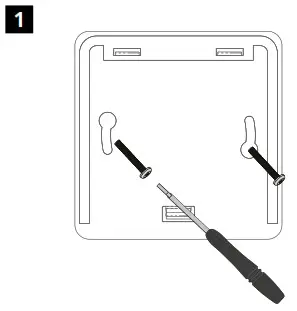 |  |
| Insert fixing screws through mounting holes of the power base and tighten. | Re-attach the front housing until a “click” is heard. You can now power up the 6iE mini. |
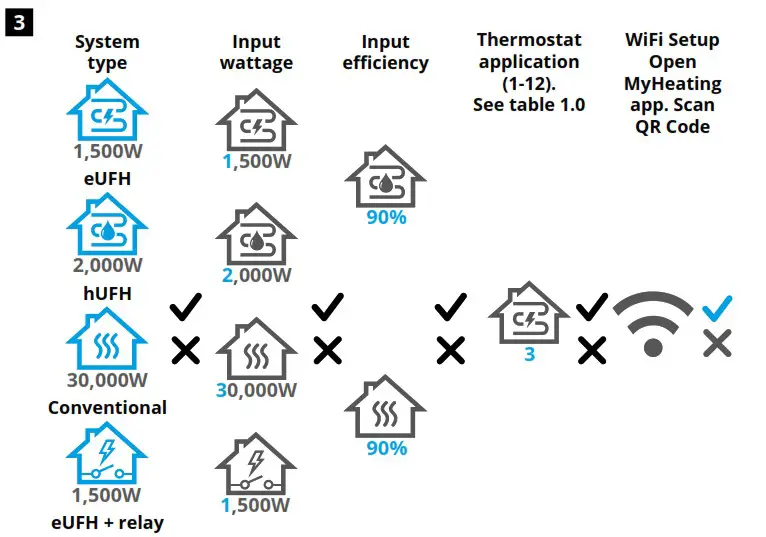
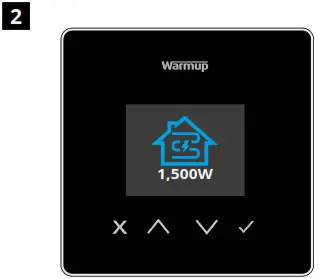
Follow the on screen icons to set up your system.
 | Accept |
 | Back/Cancel |
 | Up/Down Change value/setting |
Step 4 – Initial Setup
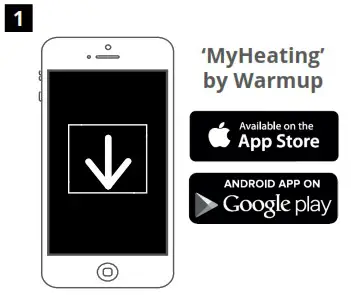 | 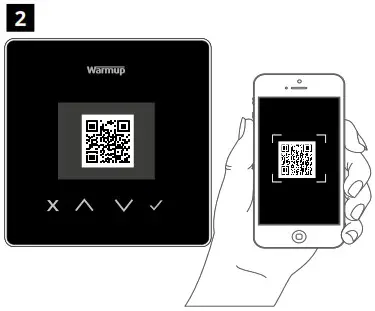 www.warmup.co.uk www.warmup.co.uk |
| Download the MyHeating App. | Open the My Heating App and scan the QR Code on the 6iE mini screen protector or on reverse of the display. Follow the instructions in the App to complete setup. |
Welcome to the 6iE mini
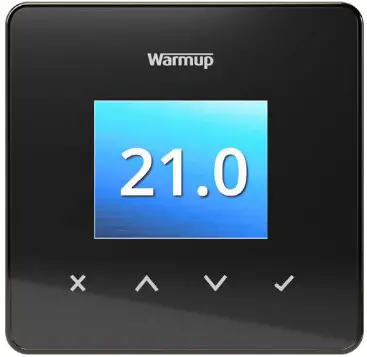
| Accept |
| Back/Cancel |
| Up/Down Change value/setting |
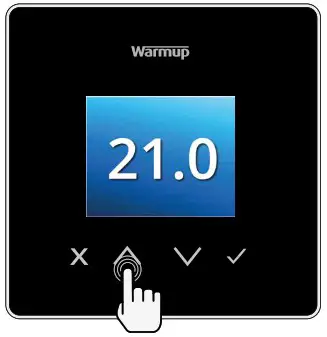
How to quickly change the temperature
Press  to change your target temperature.
If in program mode this will set a temporary override until your next heating period. See “How to set a temporary override”.
If in manual mode this will set a fixed target temperature. See “How to set into Manual Mode”
Once the target temperature is set above current floor/air temperature the heating indicator  will appear in the top right hand corner.
How to quickly change mode
Mode select allows you to quickly change from manual mode, program mode or simply switch the heating off.
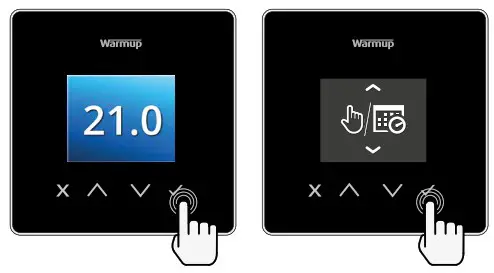
 | Manual Mode |
 | Program Mode |
 | Heating OFF 9 |
Heating
How to set a program
Setting a program allows you to set comfort temperatures at set times throughout the day. Days can programmed individually, all days the same or weekdays as a block and weekends as a block, the choice is yours.
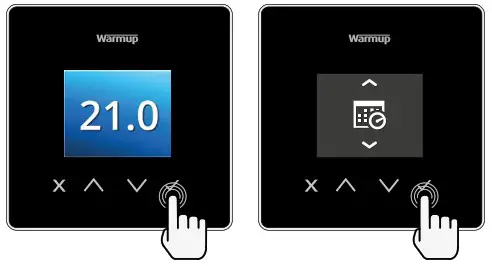
 | Edit Program |
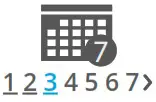 | To select the days you wish to program press . A bar will appear below the day of the week. Press to move to the next day. |
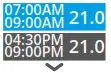 | Press to set a program. |
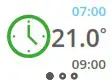 | Set the start time, followed by target temperature, and finally the end time for that period. Press to accept. |
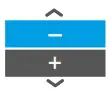 | To add/remove heating period, Press to on the plus/minus. Up to 5 periods can be set. |
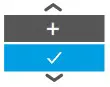 | Scroll to the tick and Press to confirm your program. |
 | Setback temperature |
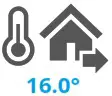 | Set setback temperature. The setback temperature is a lower energy efficient temperature when outside of a heating period. |
How to set into Manual Mode
Setting into manual mode allows you to set a fixed target temperature for the thermostat to achieve. The thermostat will continue to maintain this temperature until another operating mode or temperature is selected.
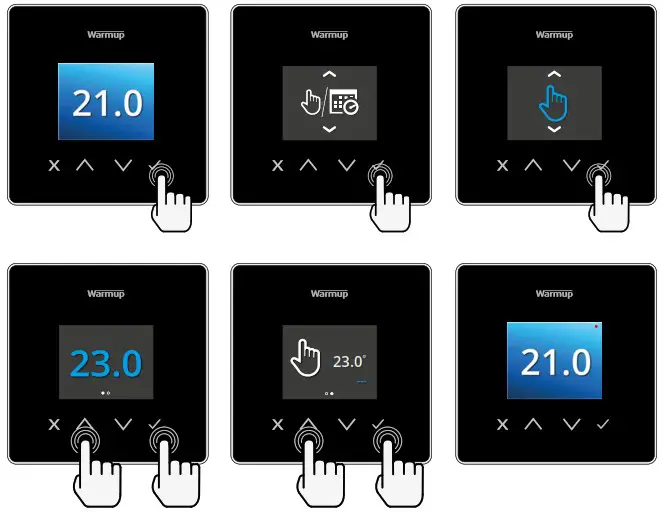
 | Sets the target temperature indefinitely. |
 | Set the duration of the manual mode. |
How to set a Temporary Override
Setting a temporary override allows you to set a target temperature which will override your current heating program until your next heating period or for a set duration.
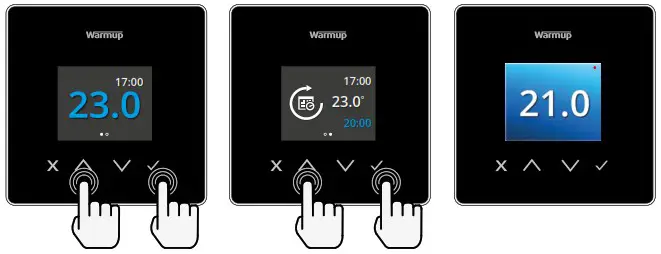
| Sets the override until next scheduled heating period. |
| Sets the duration of the override. |
Energy Monitor
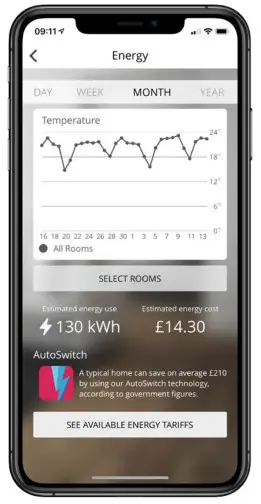
How Energy Monitor works
The 6iE mini learns how you use your system and how your house reacts to heating and weather. Using the MyHeating App, energy monitoring will show the amount of energy consumed over a certain time period. This will be calculated through system power multiplied by efficiency and run time.
You will need to enter the power of your system, and in some cases, the efficiency. If you do not know these, speak to your installer or system manufacturer.
SmartGeo
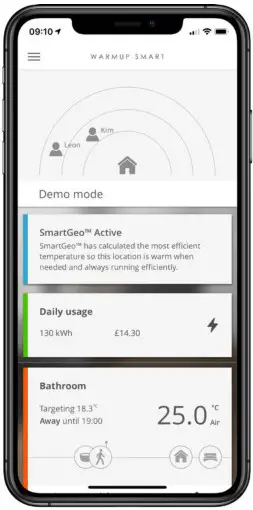
How SmartGeo works
SmartGeo is a unique technology developed by Warmup and built into the MyHeating App that uses an advanced algorithm to understand the most efficient heat settings for your home.
Working automatically; it learns your routines and location through background communication with your smartphone and lowers temperatures when you are away, only rising them up to your ideal comfort temperature in time for your arrival home.
Smartgeo will operate when the thermostat is in the program or manual run modes. It is turned off by default. Use the MyHeating App to switch SmartGeo on.
Settings
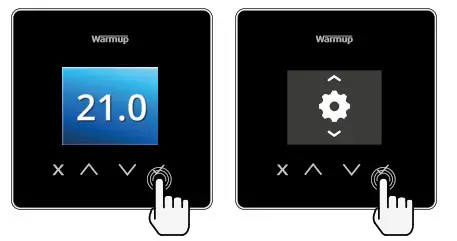
 | Date and time |
 | Set the current date and time. Press to begin, press to change date/ time. Press to confirm. |
 | Thermostat application |
 | Swaps probe usage, 1 being the Control Sensor Probe and 2 being the Limit Sensor Probe. Press to swap probe usage.Press to confirm. |
 | See Table 1.0 Thermostat Application. Press to change application. Press to confirm |
 | Change Control Sensor Probe 1 (5 & 6) type. Set between 5, 10, 12, 15, 100K sensor settings. |
 | Change Limit Sensor Probe 2 (6 & 7) type. Set between 5, 10, 12, 15, 100K sensor settings. |
 | Set Air limit |
 | Set Floor limit |
 | Set display brightness |
 | Set active brightness |
 | Day standby brightness |
 | Night standby brightness |
Settings cont’d
 | Change homescreen override colour |
 | Select the override colour. |
 | Open window function |
 | The windows open detection feature is designed to switch off heating to save energy when the thermostat detects that a indow or door has been opened. |
 | Display lock |
 | Switch display lock on. |
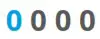 | Set display lock code. |
 | Switch display lock off. |
 | WiFi |
 | WiFi Setup |
 | Open MyHeating App and scan the QR code on the back of the 6iE mini display to complete WiFi setup. |
 | Factory reset |
 | Factory reset will erase all of your settings and restore the thermostat to factory defaults. |
Notifications & Error codes
 | Date and time needs to be set. |  | Heating switched OFF |
 | Open window function triggered. |  | Display locked |
 | Temporary override enabled |  | Sensor P2 (6 & 7) error |
 | Holiday mode enabled. (Configured in MyHeating App) |  | Sensor P1 (5 & 6) not connected / damaged or Internal air sensor fault |
 | Frost protect enabled. (Configured in MyHeating App) |  | WiFi not setup |
Troubleshooting
| Display is blank | Power | (Electrician Required) Electrician required to verify power is going to the 6iE mini and that it is correctly wired. |
| Control (5 & 6)/ Interal Air sensor error | 1.Please see Table 1.0 and ensure you have selected the correct thermostat application. 2.(Electrician Required) Electrician required to verify that the floor sensor has been wired correctly. If it is correctly wired the electrician will need to check the resistance of the floor sensor using a multi meter. For temperatures between 20°C – 30°C the resistance of the floor sensor should measure between 8K ohms and 12K ohms. If the electrician finds a fault, and the 61E mini is in the room to be heated then it can be set into “AirMode’. To set into “Air Mode; see Table 1.0 Thermostat application. If “ ” still remains when set into air mode the thermostat will have to be replaced. |
| Limit Sensor Error (6 & 7) | |
| Heating Is coming on earlier than programmed times | Adaptive learning (Early start) On | Adaptive learning (Early start) will use the historic heating/cooling rates for the time of day, historic external temperatures and the forecast external temperatures, to work out the heating start time In order to reach the comfort time at the start of the comfort period. It will only work in Program Mode. |
| WM Error Symbol | WiFi not setup | 1.Download and open the MyHeating App 2.Remove thermostat from the wall 3.Scan QR code on the back of the display 4.Place thermostat back on the wall and power-up 5.Thermostat will be in pairing mode for 1 minute. App should automatically connect to phone 6.Follow instructions in App |
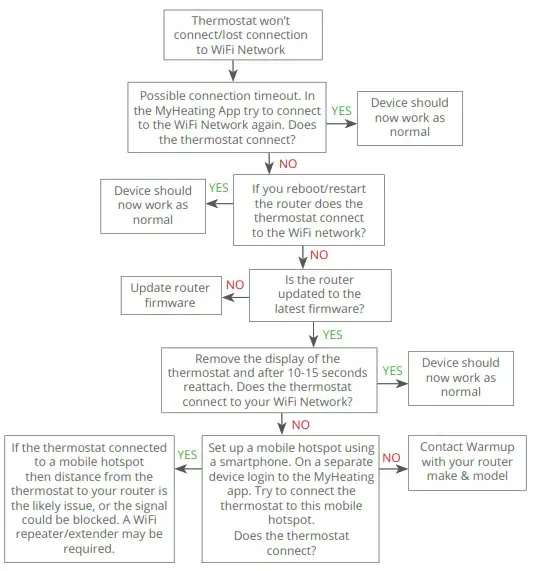
| WIFI disconnected | Follow the step above to try and to re-connect to the WiFi Network. If the 61E mini still fails to connect, see WiFi Troubleshooting. | |
| Clock Icon | Time and Date not set | Connect the 6iE mini to a MR network or alternatively set the time and date from the settings menu. |
WiFi Troubleshooting
Before following the troubleshooting guide below please check the following:
- The password is WPA2 protected.
- The router is set to a 2.4 GHz band. (802.11 b, g, n, b/g mixed, b/g/n mixed)
NOTE: If you need to change any of the items listed above, please refer to your router manual.
Technical Specifications
| Model | PSW-02-XX-YY |
| Operating Voltage | 230 V AC : 50 Hz |
| Protection Class | Class II  |
| Max. Load | 16A (3680W) |
| Rated impulse voltage | 4000V |
| Automatic action | 100,000 cycles |
| Disconnection means | Type 1B |
| Pollution degree | 2 |
| Max. Ambient Temperature | 0 – 40°C |
| Relative Humidity | 80% |
| IP Rating | IP33 |
| Dimensions (Assembled) | 90 x 115 x 39 mm |
| Screen size | 1.8″ |
| Sensors | Air & Floor (Ambient) |
| Sensor Type | NTC10k 3m Long (Can Be Extended To 50m) |
| Operating Frequency | 2401 – 2484MHz |
| Max. Radio-Frequency Power Transmitted | 20dBm |
| Installation Depth | Recommended: 50 mm Back Box Minimum: 35 mm Back Box |
| Compatibility | Electric, Hydronic Underfloor Heating. Max. 16A (3680W) Central Heating Systems (Combi & system boilers with switch live, 230V AC input) |
| Er-P Class | IV |
| Warranty | 12 Years |
| Approvals | BEAB |
 NOTE: Hereby, Warmup plc, declares that the radio equipment type RSW-02-XX-YY is in compliance with the RED Directive 2014/53/EU and Radio Equipment Regulations 2017. The declarations of conformity may be consulted by scanning the QR Code or visiting www.literature.warmup.co.uk/d-o-c/6iE-mini.
 Instructions for Disposal
Do not dispose of the device with regular domestic waste! Electronic equipment must be disposed of at local collection points for waste electronic equipment in compliance with the Waste Electrical and Electronic Equipment Directive.
Warranty

Warmup plc warrants this product, to be free from defects in the workmanship or materials, under normal use and service, for a period of twelve (12) years from the date of purchase by the consumer when installed with a Warmup heater.
If at any time during the warranty period the product is determined to be defective, Warmup shall repair or replace it, at Warmup’s option. If the product is defective, please either;
Return it, with a bill of sale or other dated proof of purchase, to the place from which you purchased it, or Contact Warmup. Warmup will determine whether the product should be returned or replaced.
The twelve (12) year warranty only applies if the product is registered with Warmup within 30 days after purchase. Registration can be completed online at www.warmup.co.uk
This warranty does not cover removal or re-installation costs and shall not apply if it is shown by Warmup that the defect or malfunction was caused by failure to follow the instruction manuals, incorrect installation or damage which occurred while the product was in the possession of a consumer. Warmup’s sole responsibility shall be to repair or replace the product within the terms stated above. If the thermostat is installed with a non-Warmup heater a three (3) year warranty will apply. This warranty does not extend to any associated software such as apps or portals.
WARMUP SHALL NOT BE LIABLE FOR ANY LOSS OR DAMAGE OF ANY KIND, INCLUDING ANY INCIDENTAL OR CONSEQUENTIAL DAMAGES RESULTING, DIRECTLY OR INDIRECTLY, FROM ANY BREACH OF ANY WARRANTY, EXPRESS OR IMPLIED, OR ANY OTHER FAILURE OF THIS PRODUCT. THIS WARRANTY IS THE ONLY EXPRESS WARRANTY WARMUP MAKES ON THIS PRODUCT. THE DURATION OF ANY IMPLIED WARRANTIES, INCLUDING THE WARRANTIES OF MERCHANTABILITY AND FITNESS FOR A PARTICULAR PURPOSE, IS HEREBY LIMITED TO THE TWELVE-YEAR DURATION OF THIS WARRANTY.
This Warranty does not affect your statutory rights.

Warmup plc
www.warmup.co.uk
[email protected]
T: 0345 345 2288 F: 0345 345 2299
Warmup plc • 704 Tudor Estate • Abbey Road • London • NW10 7UW • UK
Warmup GmbH • Ottostraße 3 • 27793 Wildeshausen • DE
Warmup – UG – 6iE mi1n9i – V1.2 2022-03-07_EN
 6iE
6iE WARMUP Plc — Underfloor Heating | Official UK Website