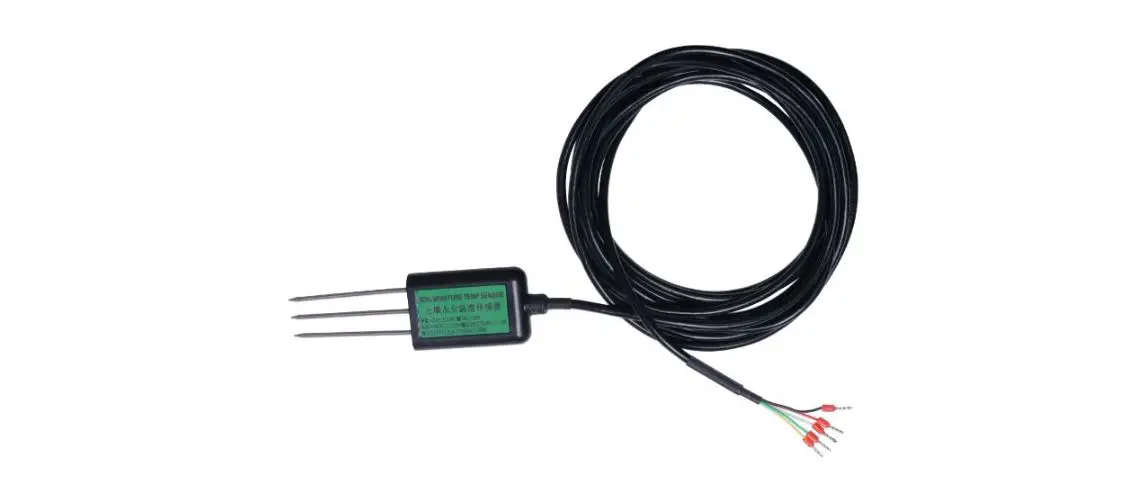
MS-7004SD Soil Moisture Meter
Product Information:
- Product Name: SD Card Real Time Recorder 4 PINS Soil Moisture
Meter - Model: MS-7004SD
Features:
- Measurement Ranges: 0 ~ 100% for soil moisture, 0 ~ 60°C for
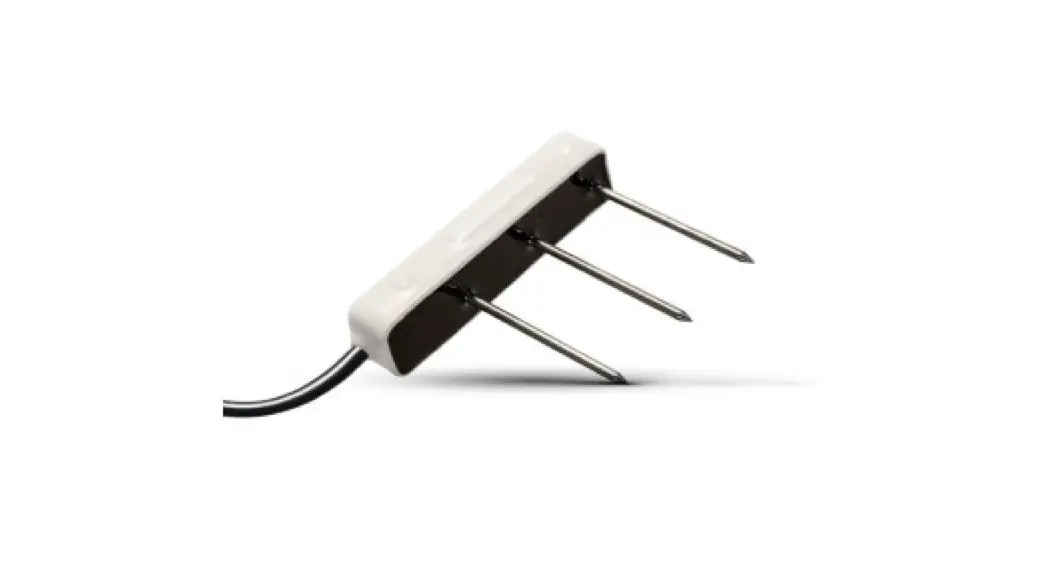
thermister temperature - Four PIN probe
- High accuracy
- Fast response
- Remote probe
- Thermister temperature sensor
- Real-time SD memory card Datalogger with built-in clock
Specifications:
General Specifications:
- Circuit: Custom one-chip microprocessor LSI circuit
- Display: LCD size – 52 mm x 30 mm, LCD with green backlight
(ON/OFF) - Measurement Range: Soil moisture – 0 ~ 100%, Thermister
temperature – 0 ~ 60°C - Datalogger Sampling Time Setting Range: Auto – 1 second to 3600
seconds (Memory data may be lost if set to 1 second), Manual – Push
the data logger button once to save data one time, Manual mode can
also select the position (Location) number from 1 to 99 - Memory Card: SD memory card
- Advanced Features: Set clock time, set sampling time, auto
power off management, set beep sound ON/OFF, decimal point of SD
card setting, SD memory card format, set temperature unit to °C or
°F - Temperature Compensation: Automatic temperature compensation
for the NTC thermister
Data Hold Memory Recall Sampling Time of Display Data
Output:
- Operating Temperature: 0 to 50°C
- Operating Humidity: Less than 85% R.H.
- Power Supply: Alkaline or heavy-duty DC 1.5 V battery (UM3, AA)
x 6 PCs, or equivalent, DC 9V adapter input (AC/DC power adapter is
optional) - Power Current: Normal operation (w/o SD card save data and LCD
backlight is OFF) – Approx. DC 46 mA, When SD card saves the data
but LCD backlight is OFF – Approx. DC 65 mA (AC/DC power adapter
consumption will increase approx. 16 mA) - Auto Shut Off: Approx. 10 minutes to save battery life or
manual off by pushing the power button for more than 2 seconds - Weight: 538 g/1.12 LB. (without battery)
- Dimension: METER – 177 x 68 x 45 mm (7.0 x 2.7 x 1.9 inch)
Standard Accessories Included:
- Instruction manual – 1 PC
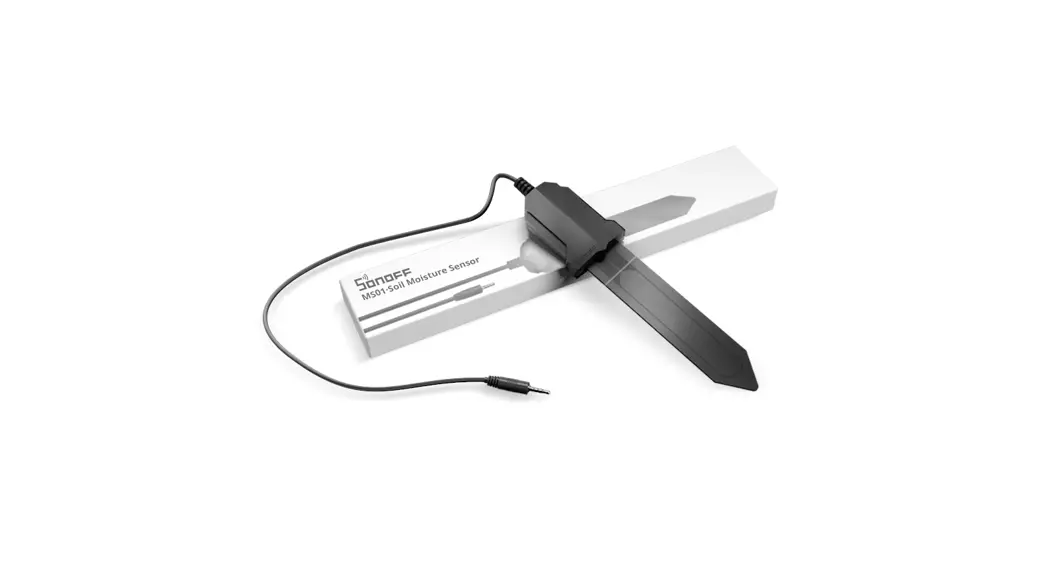
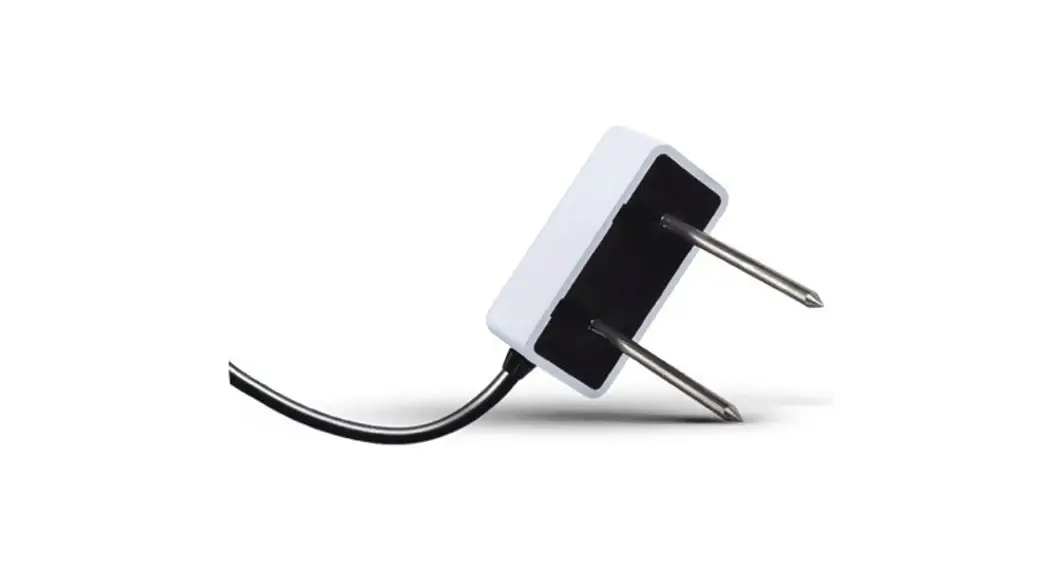
- Moisture sensor with protective cover – 1 PC
Optional Accessories:
- SD Card
- AC to DC 9V adapter
- USB cable (USB-01)
- RS232 cable (UPCB-02)
- Data Acquisition software (SW-U801-WIN)
- Hard carrying case (CA-07A)
Soil Moisture Measurement:
- Measurement Range: 0 ~ 100.0%
- Resolution: 0.1%
- Accuracy: Not specified
Thermister Temperature Measurement:
- Measurement Range: 0 to 60.0°C
- Resolution: 0.1°C
- Accuracy: Not specified
Note:
Above specifications are tested under the environment RF Field
Strength less than 3 V/M & frequency less than 30 MHz only.
Front Panel Description:

Refer to the above image for the front panel description:
- Display
- Power Button (Backlight Button)
- Hold Button
- REC Button
- +
- –
- SET Button (Clock Button)
- LOG Button (ENTER Button)
- Probe input socket
- Probe 4 pin protective cover
- SD card socket
- RS-232 Output Terminal
Please refer to the user manual for detailed instructions on
operating the SD Card Real Time Recorder 4 PINS Soil Moisture
Meter.
SD card real time recorder 4 PINS
SOIL MOISTURE METER
Model : MS-7004SD
OPERATION MANUAL
NOTE: if you are unable to turn off the meter &/or change settings. This often occurs when the meter is in record mode (REC). This is a fail-safe to prevent someone from inadvertently turning off the meter during the data logging process. In order to determine if this mode had been activated, you should see the (REC) indication at the top of the reading on the screen of the meter. Therefore preventing the meter from being powered off. If this is the case, and you are not in the middle of data-logging, hold the (REC) button for 2 to3 seconds or until the (REC) indicator is off. At this time you will then be able to power the meter off as you normally would by holding the (POWER) button for 2 to 3 seconds until the meter is powered off.
TABLE OF CONTENTS
1. FEATURES……………………………………………………………………………………………………………1…………….. 2. SPECIFICATIONS………………………………………………………………………………………………….2…………….. 3. FRONT PANEL DESCRIPTION……………………………………………………………………………….5…………….. 4. MEASURING PROCEDURE……………………………………………………………………………………6……………..
4-1 Function selection/Measurement……………………………………………………………………….6.. 4-2 Data Hold……………………………………………………………………………………………………….7…………….. 4-3 Data Record ( Max./ Min. reading )…………………………………………………………………….7…………….. 4-4 LCD Backlight ON/OFF…………………………………………………………………………………….7…………….. 5. DATALOGGER………………………………………………………………………………………………………8…………….. 5-1 Preparation before execute datalogger function…………………………………………………..8…………….. 5-2 Auto Datalogger ( Set sampling time 1 second )……………………………………………..9…………….. 5-3 Manual Datalogger ( Set sampling time = 0 second )…………………………………………..1..0…………… 5-4 Check time information…………………………………………………………………………………….1..0……………. 5-5 SD Card Data structure…………………………………………………………………………………….1..1…… 6. Saving data from the SD card to the computer……………………………………………………………1..2…………… 7. ADVANCED SETTING……………………………………………………………………………………………1..3…. 7-1 Set clock time ( Year/Month/Date, Hour/Minute/ Second )…………………………………….1..4……………. 7-2 Set sampling time ……………………………………………………………………………………………1..5………. 7-3 Auto power OFF management ………………………………………………………………………….1.5 7-4 Set beep Sound ON/OFF…………………………………………………………………………………15 7-5 Decimal point of SD card setting………………………………………………………………………..1..6…… 7-6 SD memory card format……………………………………………………………………………………1. 6 7-7 Select the temperature unit to or ………………………………………………………………1..7……… 8. POWER SUPPLY from DC ADAPTER……………………………………………………………………..1..8… 9. BATTERY REPLACEMENT…………………………………………………………………………………….1..8…………… 10. SYSTEM RESET………………………………………………………………………………………………….1..9…………… 11. RS232 PC serial interface……………………………………………………………………………………..1..9……………. 12. PATENT………………………………………………………………………………………………………………2..1……………
1. FEATURES
* Measurement ranges, 0 ~ 100 %. 0 ~ 60 * Four PIN probe * High accuracy * Fast response. * Remote probe. * Thermister temperature sensor. * Real time SD memory card Datalogger, it Built-in Clock and
Calendar, real time data recorder , sampling time set from 1 second to 3600 seconds. * Manual datalogger is available ( set the sampling time to 0 ), during execute the manual datalogger function, it can set the different position ( location ) No. ( position 1 to position 99 ). * Innovation and easy operation, computer is not need to setup extra software, after execute datalogger, just take away the SD card from the meter and plug in the SD card into the computer, it can down load the all the measured value with the time information ( year/month/date/ hour/minute/second ) to the Excel directly, then user can make the further data or graphic analysis by themselves. * SD card capacity : 1 GB to 16 GB. * LCD with green light backlight, easy reading. * Can default auto power off or manual power off. * Data hold, record max. and min. reading. * Microcomputer circuit, high accuracy. * Power by UM3/AA ( 1.5 V ) x 6 batteries or DC 9V adapter. * RS232/USB PC COMPUTER interface.
1
2. SPECIFICATIONS
2-1 General Specifications
Circuit
Custom one-chip of microprocessor LSI
circuit.
Display
LCD size : 52 mm x 30 mm
LCD with green backlight ( ON/OFF ).
Measurement
Soil moisture : 0 ~ 100 %
Range.
Thermister temperature : 0 ~ 60 .
Datalogger Sampling Time Setting range
Auto
1 second to 3600 seconds
@ Sampling time can set to 1 second,
but memory data may loss.
Manual Push the data logger button
once will save data one time.
@ Set the sampling time to
0 second.
@ Manual mode, can also select the
1 to 99 position ( Location ) no.
Memory Card
SD memory card.
Advanced
* Set clock time ( Year/Month/Date,
setting
Hour/Minute/ Second )
* Set sampling time
* Auto power OFF management
* Set beep Sound ON/OFF
* Decimal point of SD card setting
* SD memory card Format
* Set temperature unit to or
Temperature Compensation
Automatic temp. compensation for the NTC thermister.
2
Data Hold Memory Recall Sampling Time of Display Data Output
Operating Temperature Operating Humidity Power Supply
Power Current
Power off Weight Dimension Standard Accessories Included
Freeze the display reading. Maximum & Minimum value. Approx. 1 second.
RS 232/USB PC computer interface. * Connect the optional RS232 cable
UPCB-02 will get the RS232 plug.
* Connect the optional USB cable
USB-01 will get the USB plug. 0 to 50 .
Less than 85% R.H.
* Alkaline or heavy duty DC 1.5 V battery
( UM3, AA ) x 6 PCs, or equivalent. * DC 9V adapter input. ( AC/DC power
adapter is optional ).
Normal operation ( w/o SD card save
data and LCD Backlight is OFF) : Approx. DC 46 mA.
When SD card save the data but and
LCD Backlight is OFF) : Approx. DC 65 mA.
* AC/DC power adapter is optional. consumption will increase approx. 16 mA.
Auto shut off ( approx. 10 minutes) saves battery
life or manual off by push power button > 2 sec..
538 g/1.12 LB. ( without battery )
METER : 177 x 68 x 45 mm ( 7.0 x 2.7 x 1.9 inch)
PROBE : Ø 50 * 113 mm ( TEST PIN 78 mm )
* Instruction manual…………………………
1 PC
* Moisture sensor with protective
…………………………………….
1 PC
3
Optional Accessories
SD Card AC to DC 9V adapter. USB cable, USB-01. RS232 cable, UPCB-02. Data Acquisition software,SW-U801-WIN. Hard carrying case, CA-07A.
2-2 Electrical Specifications (23±5 )
Soil Moisture
Measurement Range
Resolution
Accuracy
Soil Moisture 0 ~ 100.0 %
0.1%
± ( 5 % F.S.+ 5d )
Thermister temprature
Measurement Range
thermister temperation.
0 to 60.0
* F.S. = Full Scale
Resolution
Accuracy
0.1
± ( 1.5% F.S.+ 5d )
@ Above specification tests under the environment RF Field Strength less than 3 V/M & frequency less than 30 MHz only.
4
3. FRONT PANEL DESCRIPTION
Fig. 1
3-1 Display 3-2 Power Button ( Backlight Button ) 3-3 Hold Button 3-4 REC Button 3-5 Button 3-6 Button 3-7 SET Button ( Clock Button ) 3-8 LOG Button ( ENTER Button ) 3-9 Probe input socket 3-10 Probe 4 pin protective 3-11 SD card socket 3-12 RS-232 Output Terminal
3-13 Reset Button 3-14 DC 9V Power Adapter Input Socket 3-15 Battery Compartment/Cover 3-16 Battery Cover Screws 3-17 Stand 3-18 Tripod Fix Nut 3-19 Probe Plug 3-20 Probe Handle 3-21 Soil moisture/Temp. sensiong
5
4. MEASURING PROCEDURE
4-1 Soil moisture/temp. Measurement 1) Power on the meter by pressing the ” Power button ” ( 3-2, Fig. 1 ) > 3 seconds continuously. * After already power on the meter, pressing the ” Power button ” > 3 seconds continuously will turn off the meter. 2) Install the ” Probe Plug ” ( 3-19, Fig. 1 ) into the ” Probe Input Socket ” ( 3-9, Fig. 1 ). 3) When Power on the meter, the meter display will show the ” % ” ( moisture ) & ” ” ( temp. ) unit Now the meter is ready for make the measurement. 4) Use the hand to hold the ” Sensor Handle ” ( 3-20 ), sensor test stainles 4pin ” soil Sensor ” ( 3-21, Fig. 1 ) into soil about 4 cm to measurement soil moisture & temp., The display will show the soil measurement value. Remark : * If want to chang the Temp. unit ( or ) please refer chapter 7-7 ( page 17 ). * if finish the measurement please clean stainless test pin and use the protective unit to protec the stainlesstest pin.
6
4-2 Data Hold During the measurement, press the ” Hold Button ” ( 3-3, Fig. 1 ) once will hold the measured value & the LCD will display a ” HOLD ” symbol. Press the ” Hold Button ” once again will release the data hold function.
4-3 Data Record ( Max., Min. reading ) 1) The data record function records the maximum and
minimum readings. Press the ” MAX/MIN Button ” ( 3-4, Fig. 1 ) once to start the Data Record function and there will be a ” REC ” symbol on the display. 2) With the ” REC ” symbol on the display : a) Press the ” MAX/MIN Button ” ( 3-4, Fig. 1 ) once, the
” REC MAX ” symbol along with the maximum value will appear on the display. b) Press the ” MAX/MIN Button ” ( 3-4, Fig. 1 ) again, the ” REC MIN ” symbol along with the minimum value will appear on the display. c) Press the ” MAX/MIN Button ” ( 3-4, Fig. 1 ) again, the ” MIN ” symbol will be disappeared, LCD only show the ” REC ” symbol, the meter start the Data Record function again. 3) To exit the memory record function, just press the ” MAX/MIN Button ” ( 3-4, Fig. 1 ) > 3 seconds continuously. The display will revert to the current reading.
4-4 LCD Backlight ON/OFF 1) After power ON, the ” LCD Backlight ” will light
automatically. During the measurement, Push the ” Backlight Button ” ( 3-2, Fig. 1 ) once , will turn OFF the ” LCD Backlight “. 2) Push the ” Backlight Button ” once will turn ON the ” LCD Backlight ” again.
7
5. DATALOGGER
5-1 Preparation before execute datalogger function
a. Insert the SD card Prepare a ” SD memory card ” ( 1 G to 16 G, optional ), insert the SD card into the ” SD card socket ” ( 3-11, Fig. 1). The front panel of the SD card should face against the the down case.
b. SD card Format If SD card just the first time use into the meter, it recommend to make the ” SD card Format ” at first. , please refer chapter 7-6 ( page 16 ).
c. Time setting If the meter is used at first time, it should to adjust the clock time exactly, please refer chapter 7-1 ( page 14 ).
d. Decimal format setting The numerical data structure of SD card is default used the ” . ” as the decimal, for example “20.6” “1000.53” . But in certain countries ( Europe …) is used the ” , ” as the decimal point, for example ” 20, 6 ” “1000,53”. Under such situation, it should change the Decimal character at first, details of setting the Decimal point, refer to Chapter 7-5, page 16.
8
5-2 Auto Datalogger ( Set sampling time 1 second )
a. Start the datalogger
Press the ” LOG Button ( 3-8, Fig. 1 ) > 3 seconds continuously, the upper LCD show symbol of ” LOGGER ” then ” SAVE ” symbol will flashing per sampling time, at the same time the measuring data along the time information will be saved into the memory circuit.
Remark : * How to set the sampling time, refer to Chapter 7-2,
page 1 5. * How to set the beeper sound is enable, refer to
Chapter 7-4, page 1 5.
b. Pause the datalogger
During execute the Datalogger function, if press the ” LOG Button ” ( 3-8, Fig. 1 ) once will pause the Datalogger function ( stop to save the measuring data into the memory circuit temporally ). In the same time the the ” SAVE ” symbol will stop flashing, the upper LCD will show the text of ” LOGGER “.
Remark : If press the ” LOG Button ” ( 3-8, Fig. 1 ) once again will execute the Datalogger again, the ” SAVE ” symbol will flashing.
c. Finish the Datalogger
During execute the Datalogger function, press the ” LOG Button ( 3-8, Fig. 1 ) > 3 seconds continuously again will finish the Datalooger function, the ” LOGGER ” symbol will be disappeared and finish the Datalogger.
9
5-3 Manual Datalogger ( Set sampling time = 0 second )
a. Set sampling time is to 0 second
Press the ” LOG Button ( 3-8, Fig. 1 ) > 3 second , the upper LCD will show the ” Position no. ” , then press the ” LOG Button ” ( 3-8, Fig. 1 ) once, the ” LOGGER ” symbol will flashing once and Beeper will sound once, at the same time the measuring data along the time information will be saved into the memory circuit. Remark : During execute the Manual Datalogger, it can use the ” Button ” ( 3-5, Fig. 1) or ” Button ” ( 3- 6 , Fig. 1 ) to set the measuring position ( 1 to 99, for example room 1 to room 99 ) to identify the measurement location , the lower Display will show P x ( x = 1 to 99 ). ( x = 1 to 99 ).
b. Finish the Datalogger
During execute the Datalogger function, press the ” LOG Button ( 3-8, Fig. 1 ) > 3 seconds continuously again will finish the Datalooger function, the Position no. ” PXX ” will be disappeared and finish the Datalogger. function.
5-4 Check time information During the normal measurement ( not execute the Datalogger ), If press ” Clock Button ” ( 3-7, Fig. 1 ) once , the LCD display will present the time information of Year/Month, Date/Hour, Minute/Second and the Sampling time information in same time.
10
5-5 SD Card Data structure
1) WWhheenn tthhee SfiDrstctaimrde,isthuesSedDicnatordthies museetedr,inthtoethSeDmcaertder, the SD card will generate a folder :
MSD01
2) If the first time to execute the Datalogger, under the route MSAD01, will generate a new file name MSAD01001.XLS. After exist the Datalogger, then execute again, the data will save to the MSAD01001.XLS until Data column reach to 30,000 columns, then will generate a new file, for example MSA01002.XLS
3) Under the folder MSA01, if the total files more than 99 files, will generate a new route, such as MSA02 ……..
4) The file’s route structure : MSA01 MSA01001.XLS MSA01002.XLS ………………… MSA01099.XLS MSA02 MSA02001.XLS MSA02002.XLS ………………… MSA02099.XLS MSAXX ………………… Remark : XX : Max. value is 10.
11
6. Saving data from the SD card to the computer ( EXCEL software )
1) After execute the Data Logger function, take away the SD card out from the ” SD card socket ” ( 3-11, Fig. 1 ).
2) Plug in the SD card into the Computer’s SD card slot ( if your computer build in this installation ) or insert the SD card into the ” SD card socket “. then connect the ” SD card socket ” into the computer.
3) Power ON the computer and run the ” EXCEL software “. Down load the saving data file ( for example the file name : MSA01001.XLS, MSA01002.XLS ) from the SD card to the computer. The saving data will present into the EXCEL software screen ( for example as following EXCEL data screens ) , then user can use those EXCEL data to make the further Data or Graphic analysis usefully.
EXCEL data screen ( for example )
12
0.648… 0.648… 0.648… 0.648… 0.648… 0.648… 0.648… 0.648… 0.648… 0.648… 0.648… 0.648… 0.648… 0.648… 0.648… 0.648… 0.648… 0.648… 0.648…
EXCEL graphic screen ( for example )
44
%
42
40
38
36
34
23.7 23.6 23.5 23.4 23.3 23.2 23.1
23
Value Value
0.648414352 0.6484375
0.648460648 0.648483796 0.648506944 0.648530093 0.648553241 0.648576389 0.648599537 0.648622685 0.648645833 0.648668981
0.64869213 0.648715278 0.648738426 0.648761574 0.648784722
0.64880787 0.648831019 0.648854167
7. ADVANCED SETTING
Under do not execute the Datalogger function, press the ” SET Button ” ( 3-7, Fig. 1 ) continuously at least two seconds will enter the ” Advanced Setting ” mode. then press the ” SET Button ” ( 3-7, Fig. 1 ) once a while in sequence to select the eight main function, the lower display will show :
DATE…… Set clock time ( Year/Month/Date, Hour/Minute/ Second )
SP-T…… Set sampling time ( Hour/Minute/Second ) POFF……. Auto power OFF management BEEP…….. Set beeper sound ON/OFF DEC…….. Set SD card Decimal character SD-F….. SD memory card Format T-CF……. Select the Temp. unit to or
13
Remark : During execute the ” Advanced Setting ” function, if press ” SET Button ” ( 3- 7 , Fig. 1 ) > 3 seconds will exit the ” Advanced Setting ” function, the LCD will return to normal screen. 7-1 Set clock time ( Year/Month/Date,
Hour/Minute/ Second ) When the lower display show ” DATE ” 1) Use the ” Button ” ( 3-5, Fig. 1 ) or ” Button ”
( 3-6, Fig. 1 ) to adjust the value ( Setting start from Year value ). After the desired value is set, press the ” Enter Button ” ( 3-8, Fig. 1 ) once will going to next value adjustment ( for example, first setting value is Year then next to adjust Month, Date, Hour, Minute, Second value ). 2) After set all the time value ( Year, Month, Date, Hour, Minute, Second ), press the ” ENTER Button ” ( 3-8, Fig. 1 ) once will save the time value. Remark : After the time value is setting, the internal clock will run precisely even Power off if the battery is under normal condition ( No low battery power ).
14
7-2 Set sampling time ( Seconds )
When the lower display show ” SP-T ”
1) Use the ” Button ” ( 3-5, Fig. 1 ) or ” Button ” ( 3-6, Fig. 1 ) to adjust the value ( 0, 1, 2, 5, 10, 30,60, 120, 300, 600, 1800,3600 seconds ).
2) After the Sampling value is selected, press the ” Enter Button ” ( 3-8, Fig. 1 ) will save the setting function with default.
7-3 Auto power OFF management
When the lower display show ” POFF ”
1) Use the ” Button ” ( 3-5, Fig. 1 ) or ” Button ” ( 3-6, Fig. 1 ) to select the upper value to ” YES ” or ” NO “.
YES – Auto Power Off management will enable. NO – Auto Power Off management will disable.
2) After select the upper text to ” YES ” or ” NO “, press the ” ENTER Button ” ( 3-8, Fig. 1 ) will save the setting function with default.
7-4 Set beeper sound ON/OFF
When the lower display show ” BEEP ”
1) Use the ” Button ” ( 3-5, Fig. 1 ) or ” Button ” ( 3-6, Fig. 1 ) to select the upper value to ” YES ” or ” NO “.
YES – Meter’s beep sound will be ON with default. NO – Meter’s beep sound will be OFF with default.
15
2) After select the upper text to ” YES ” or ” NO “, press the ” ENTER Button ” ( 3-8, Fig. 1 ) will save the setting function with default.
7-5 Decimal point of SD card setting The numerical data structure of SD card is default used the ” . ” as the decimal, for example “20.6” “1000.53” . But in certain countries ( Europe …) is used the ” , ” as the decimal point, for example ” 20,6 ” “1000,53”. Under such situation, it should change the Decimal character at first.
When the lower display show ” DEC ”
1) Use the ” Button ” ( 3-5, Fig. 1 ) or ” Button ” ( 3-6, Fig. 1 ) to select the upper text to ” USA ” or ” EURO “.
USA – Use ” . ” as the Decimal point with default. EURO – Use ” , ” as the Decimal point with default.
2) After select the upper text to ” USA ” or ” EURO “, press the ” ENTER Button ” ( 3-8, Fig. 1 ) will save the setting function with default.
7-6 SD memory card Format
When the lower display show ” SD- F ”
1) Use the ” Button ” ( 3-5, Fig. 1 ) or ” Button ” ( 3-6, Fig. 1 ) to select the upper value to ” YES ” or ” NO “.
16
YES – Intend to format the SD memory card NO – Not execute the SD memory card format 2) If select the upper to ” YES “, press the ” Enter Button ” ( 3-8, Fig. 1 ) once again, the Display will show text ” SURE ” to confirm again, if make sure to do the SD memory card format, then press ” Enter Button ” once will format the SD memory clear all the existing data that already saving into the SD card. 7-7 Select the Temp. unit to or When the lower display show ” T-CF ” 1) Use the ” Button ” ( 3-5, Fig. 1 ) or ” Button ” ( 3-6, Fig. 1 ) to select the upper Display text to ” C ” or ” F “. C – Temperature unit is F – Temperature unit is 2) After Display unit is selected to ” C ” or ” F “, press the ” Enter Button ” ( 3-8, Fig. 1 ) will save the setting function with default.
17
8. POWER SUPPLY from DC ADAPTER
The meter also can supply the power supply from the DC 9V Power Adapter ( optional ). Insert the plug of Power Adapter into ” DC 9V Power Adapter Input Socket ” ( 3-14, Fig. 1 ). The meter will permanent power ON when use the DC ADAPTER power supply ( The power Button function is disable ).
9. BATTERY REPLACEMENT
1) When the left corner of LCD display show ”
“, it
is necessary to replace the battery. However, in-spec.
measurement may still be made for several hours after low
battery indicator appears before the instrument become
inaccurate.
2) Loosen the screws of the ” Battery Cover Screws ” ( 3-16, Fig. 1 ) and remove the ” Battery Cover ” ( 3-15, Fig. 1 ) from the instrument and remove the batteries.
3) Replace with (6) AA alkaline or equivalent 1.5vDC battery ( UM3 ) and reinstall the cover & screws.
4) Make sure the battery cover is secured after changing the battery.
18
10. SYSTEM RESET
If the meter happen the troubles such as :
CPU system is hold ( for example, the key button can not be operated… ).
Then make the system RESET will fix the problem. The system RESET procedures will be either following method :
During the power on, use a pin to press the ” Reset Button ” ( 3-13, Fig. 1 ) once a while will reset the circuit system.
11. RS232 PC SERIAL INTERFACE
The instrument has RS232 PC serial interface via a 3.5 mm terminal ( 3-12, Fig. 1 ).
The data output is a 16 digit stream which can be utilized for user’s specific application.
A RS232 lead with the following connection will be required to link the instrument with the PC serial port.
Meter
PC (9W ‘D” Connector)
Center Pin…………………………………….. Pin 4 (3.5 mm jack plug) Ground/shield……………………………………. Pin 2
Pin 5
2.2 K resistor
19
The 16 digits data stream will be displayed in the following format :
D15 D14 D13 D12 D11 D10 D9 D8 D7 D6 D5 D4 D3 D2 D1 D0
Each digit indicates the following status :
D0
End Word
D1 & D8
Display reading, D1 = LSD, D8 = MSD
For example :
If the display reading is 1234, then D8 to
D1 is : 00001234
D9
Decimal Point(DP), position from right to the
left
0 = No DP, 1= 1 DP, 2 = 2 DP, 3 = 3 DP
D10
Polarity
0 = Positive
1 = Negative
D11 & D12 Annunciator for Display
= 01
= 02
% = 03
D13
When send the upper display data = 1
When send the lower display data = 2
D14
4
D15
Start Word
RS232 FORMAT : 9600, N, 8, 1
Baud rate
9600
Parity
No parity
Data bit no.
8 Data bits
Stop bit
1 Stop bit
20
12. PATENT
The meter ( SD card structure ) already get patent or patent pending in following countries :
Germany JAPAN TAIWAN CHINA
Nr. 20 2008 016 337.4 3151214 M 456490 ZL 2008 2 0189918.5 ZL 2008 2 0189917.0
21