MONODEAL
MONODEAL Wireless TV Headphones
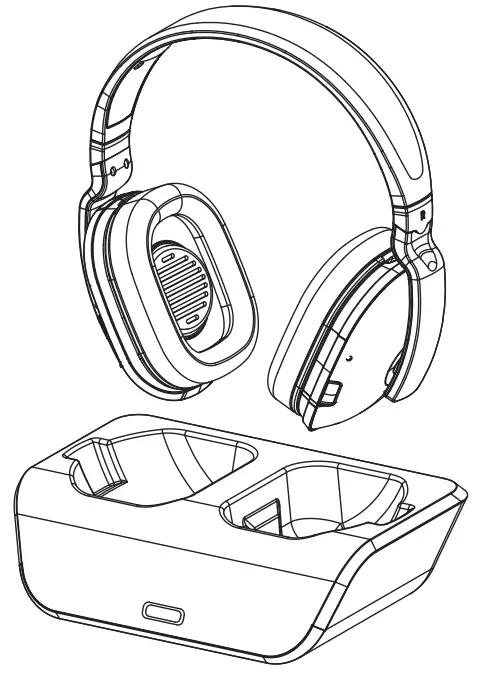
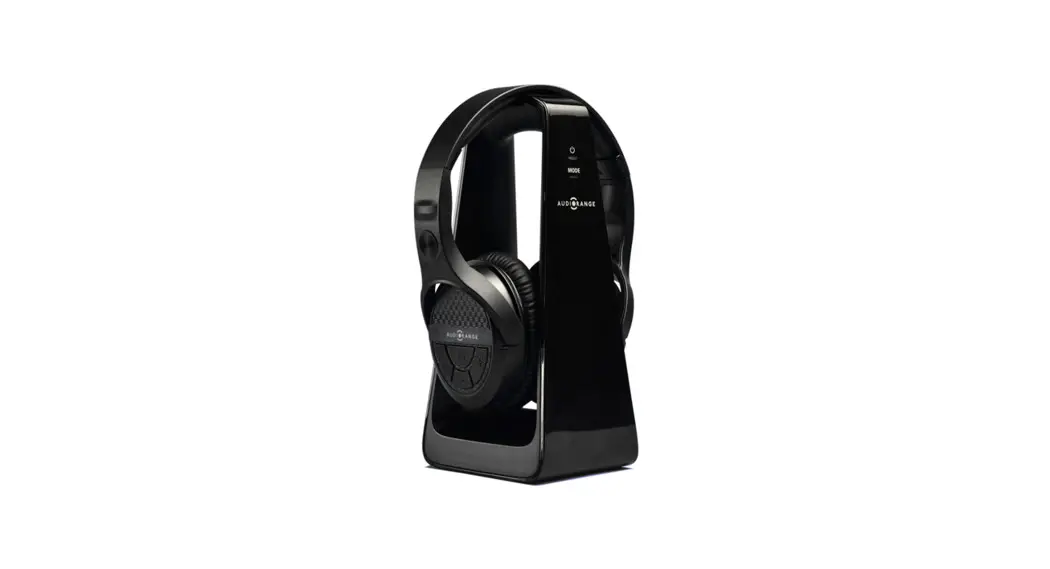
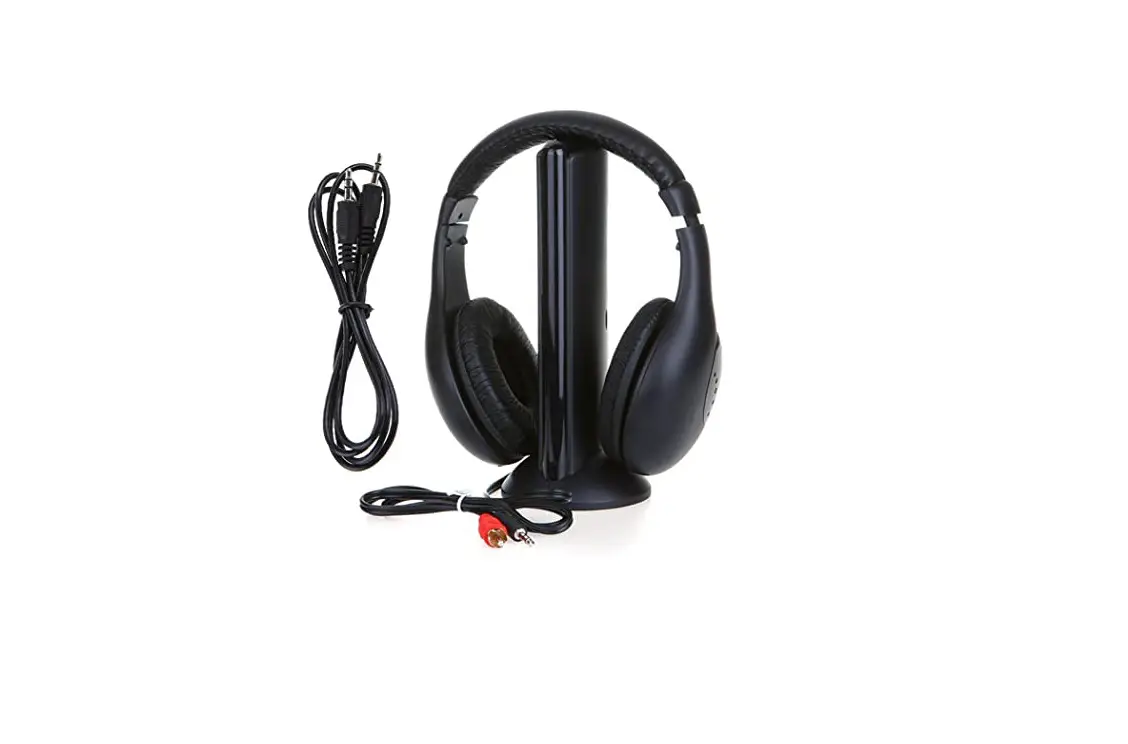
COMPONENT PART LIST
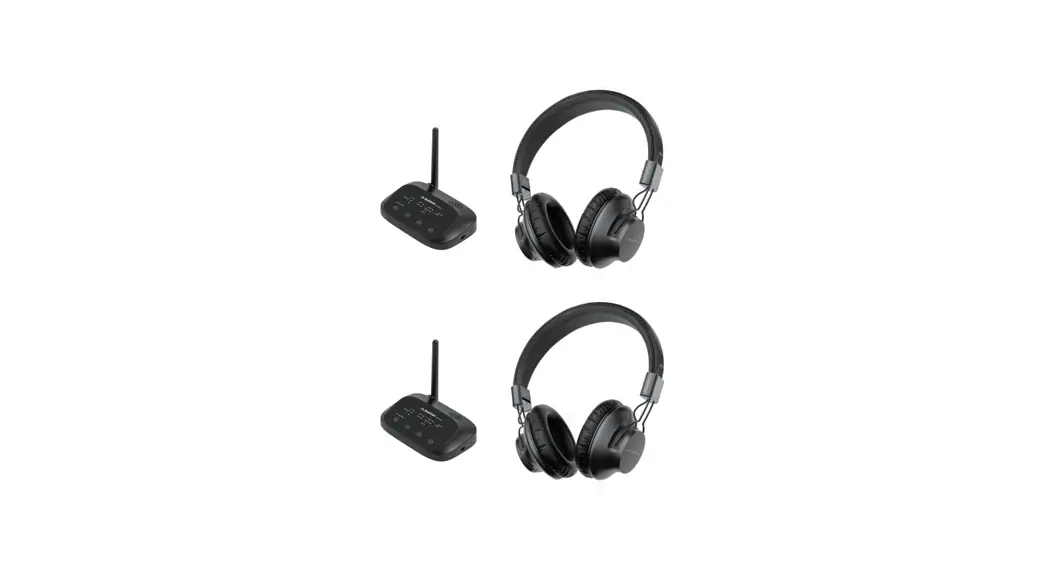
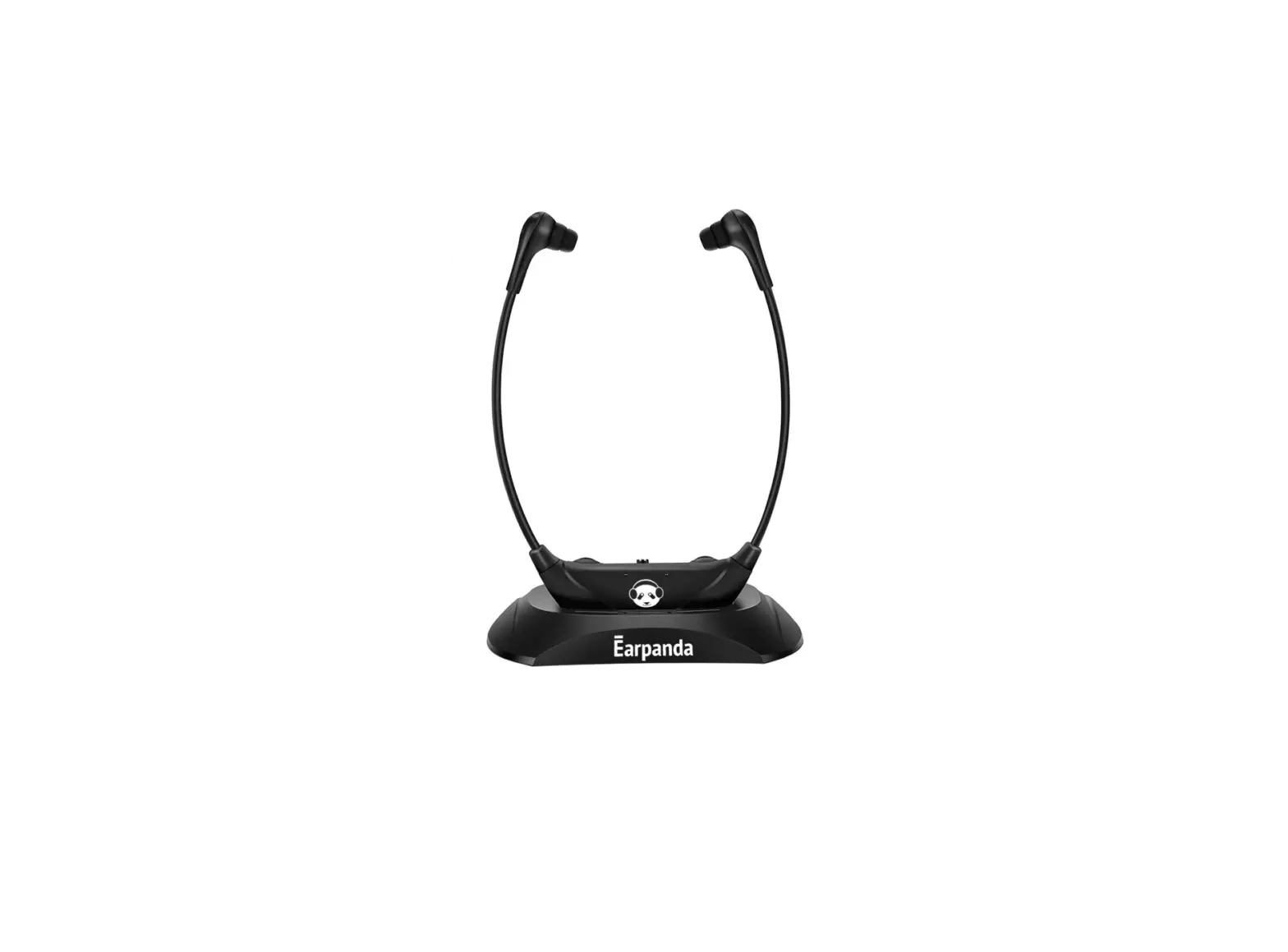
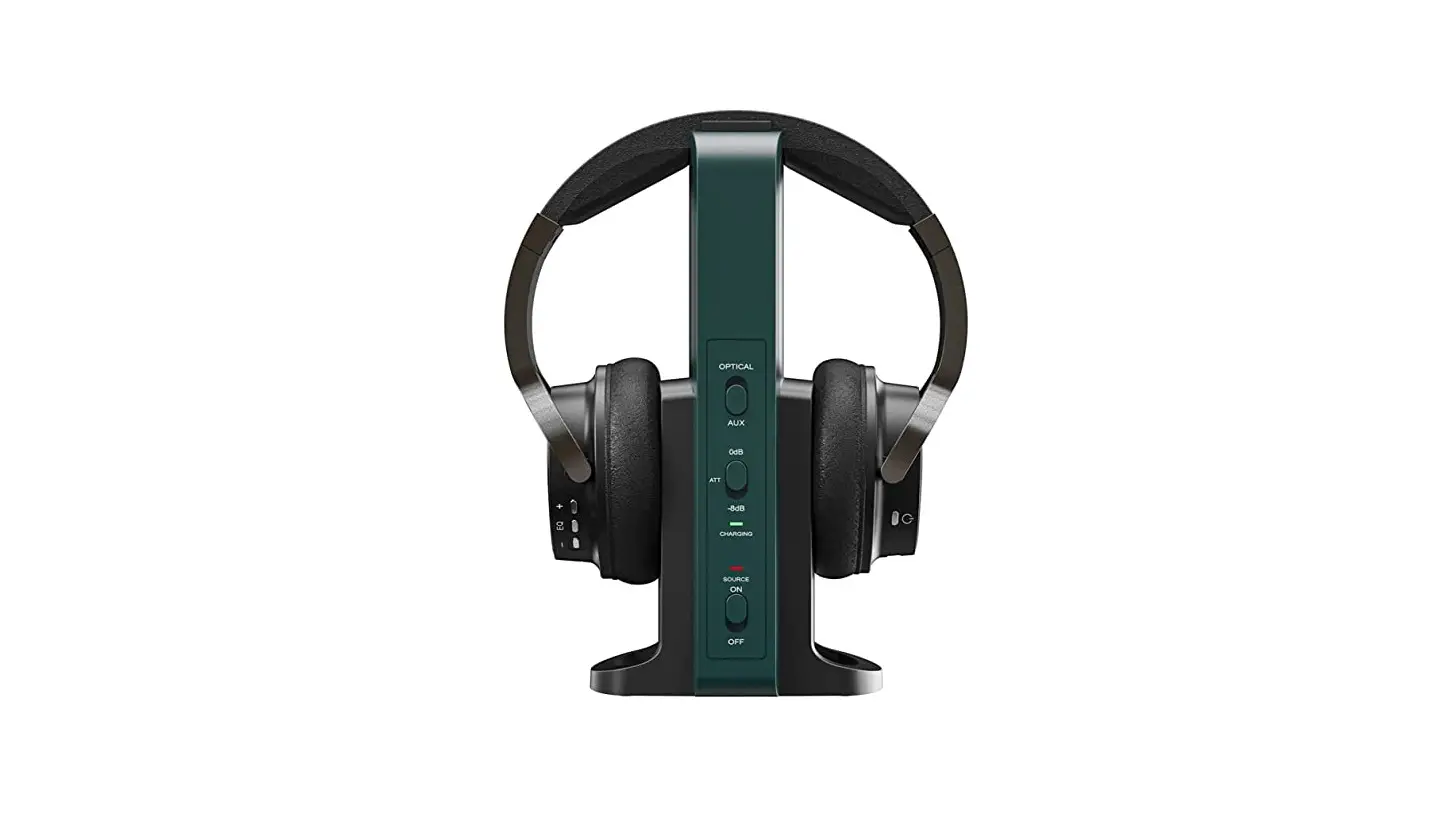
Transmitter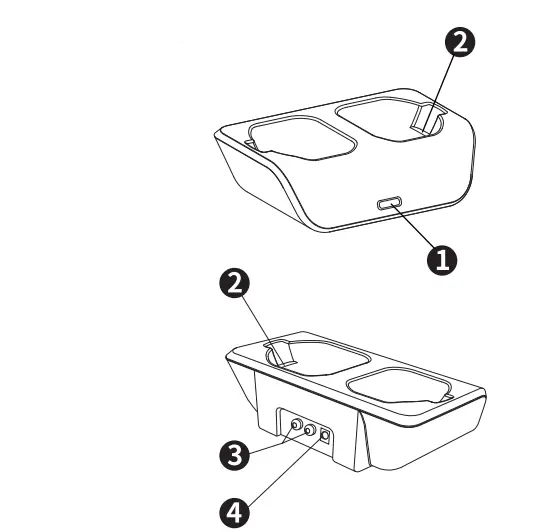
- Power/Audio Signal Charging indicator
- Charging pins
- Audio IN Socket
- DC IN Socket
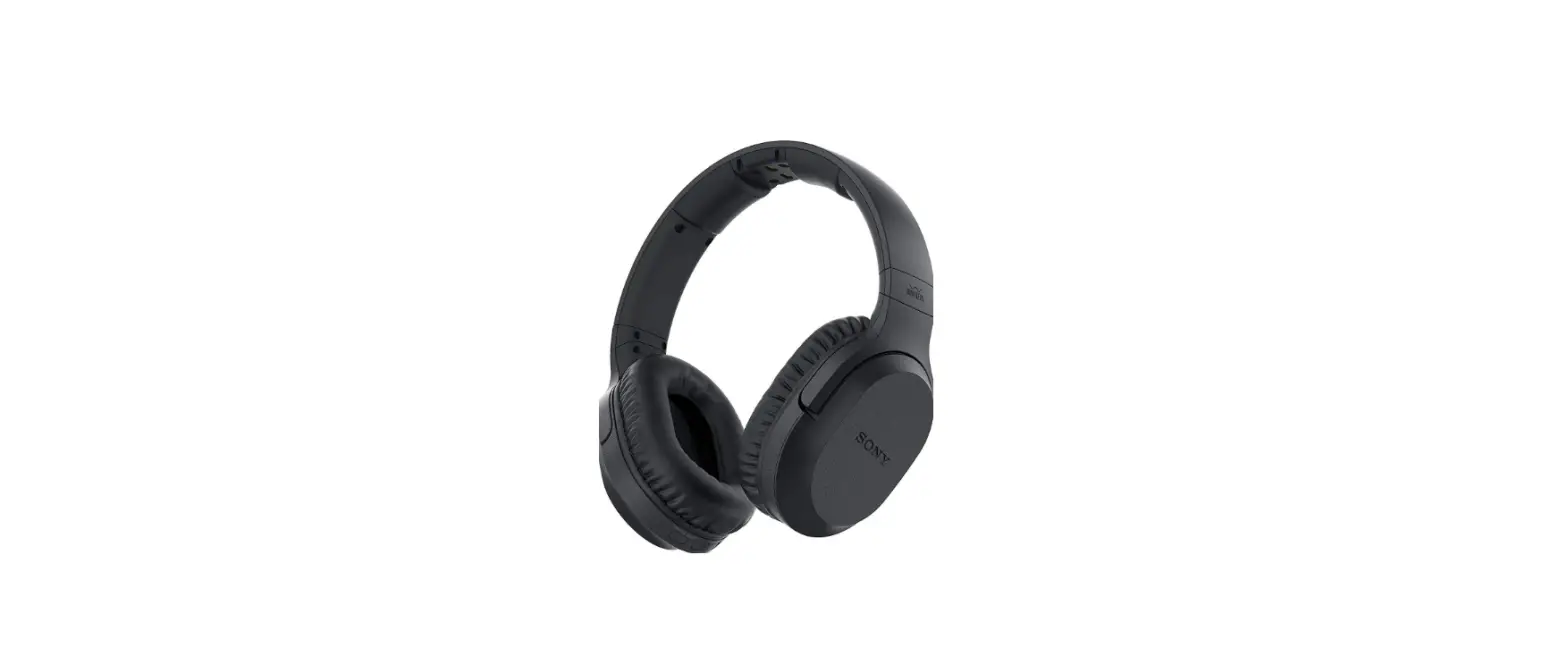
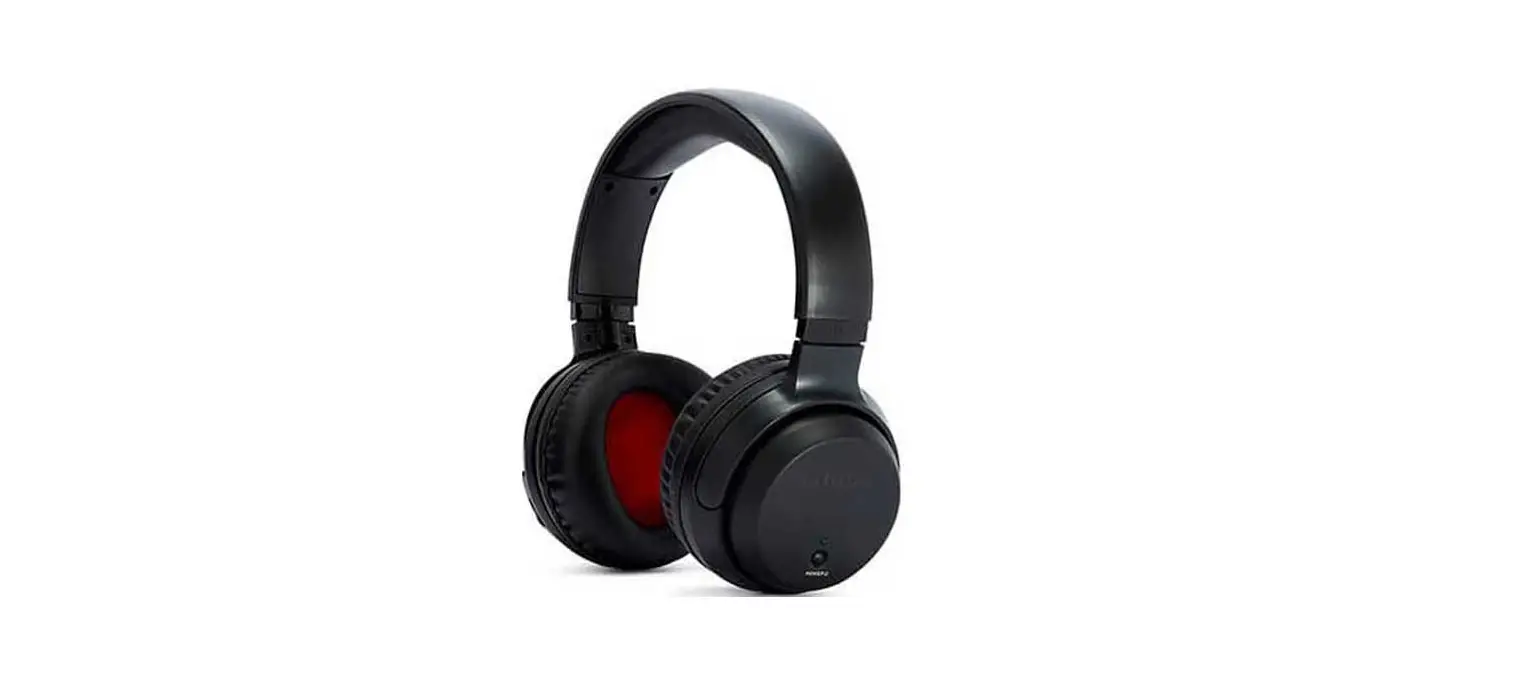
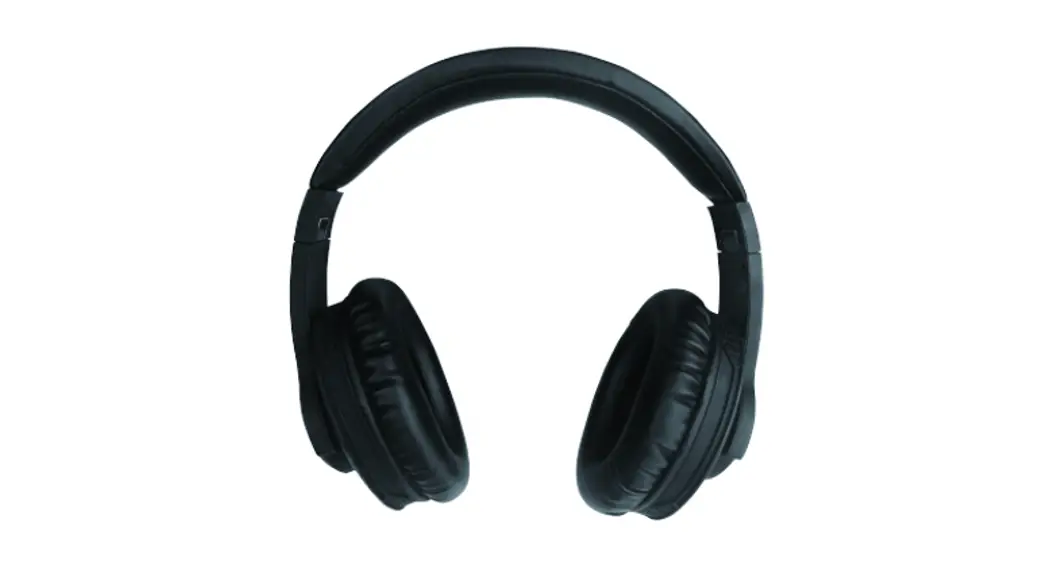
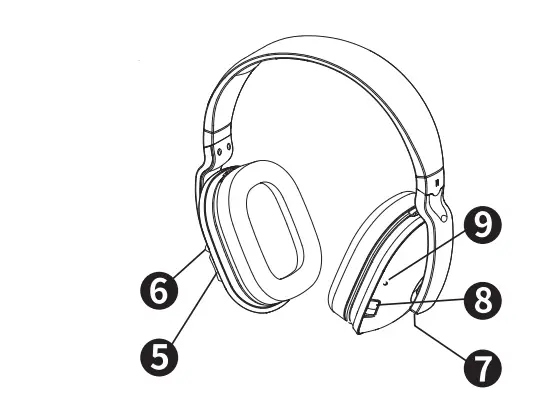
Headphone Receiver
- Volume Up and Down Control
- Signal link LED indicator
- Charging contacts
- ON/OFF Control
- Power LED indicator
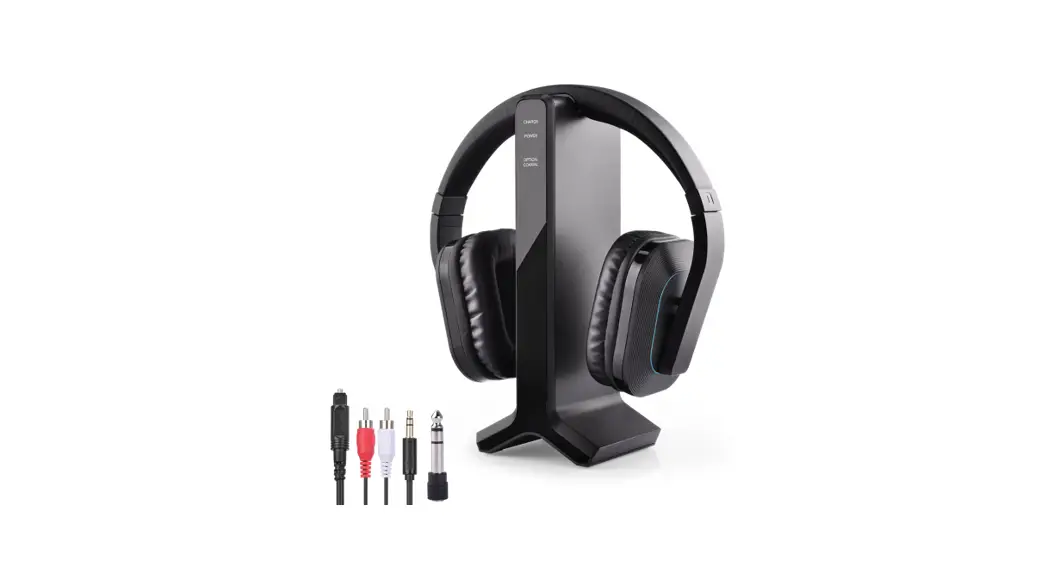
Accessories
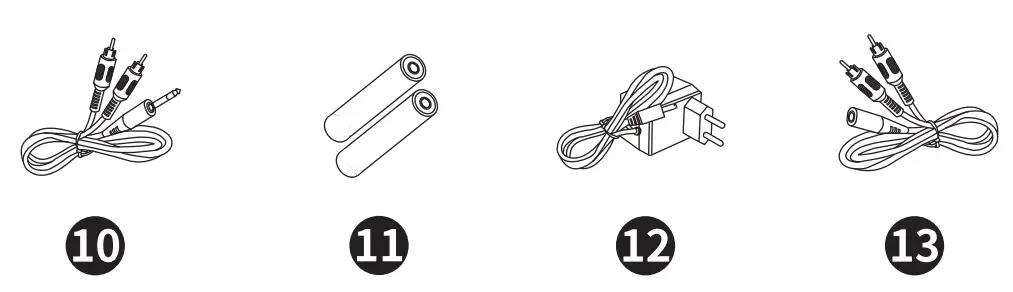
- RCA-3.5mm cable
- NiMH AAA size batteries for headphones (2 pieces) (Installed in headphones)
- AC/DC adaptor
- RCA- Female 3. 5mm cable
CHARGING
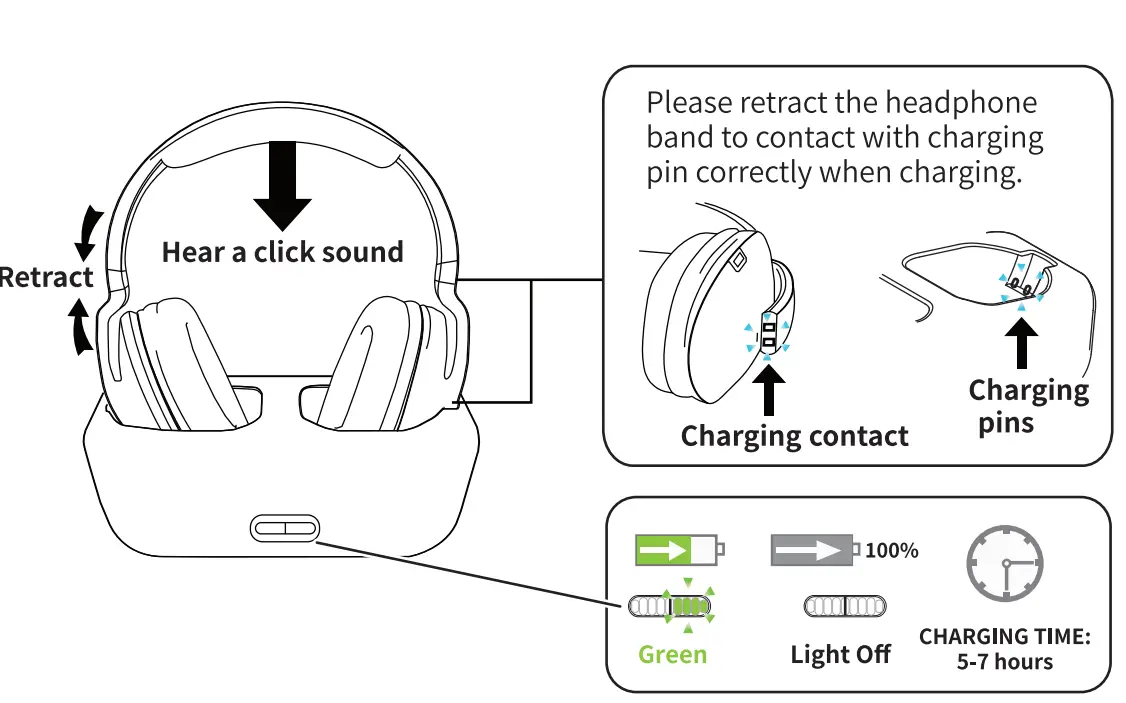
- For your convenience, rechargeable batteries have been inserted in wireless headphones. Please charge it for 7 hours before first use.
- Turn OFF the headset by pressing and holding the power button for about 2 seconds. Charge the transmitter, the red LED light start tob flash for around 6 seconds.
- Retract the headphone band to contact with charging pin correctly when charging.
- Place the headphone on the charging cradle. Green LED will turn on when it is charging correctly. Green LED will turn off after fully charged.

AUTO OFF: Headset will turn off automatically if there is no input of the audio signal or the signal is too weak in 3 minutes, need to restart the headset and play sound again.
Note: Rechargeable batteries have durable life. If you need to replace them, the batteries are on the right earmuff. You just press the latch down lightly, don’t need much strength. Then insert 2 pcs AAA rechargeable batteries supplied by ARTISTE into the compartment. Make sure the batteries are placed at the right polarity. Never attempt to charge other types of batteries or non-rechargeable batteries.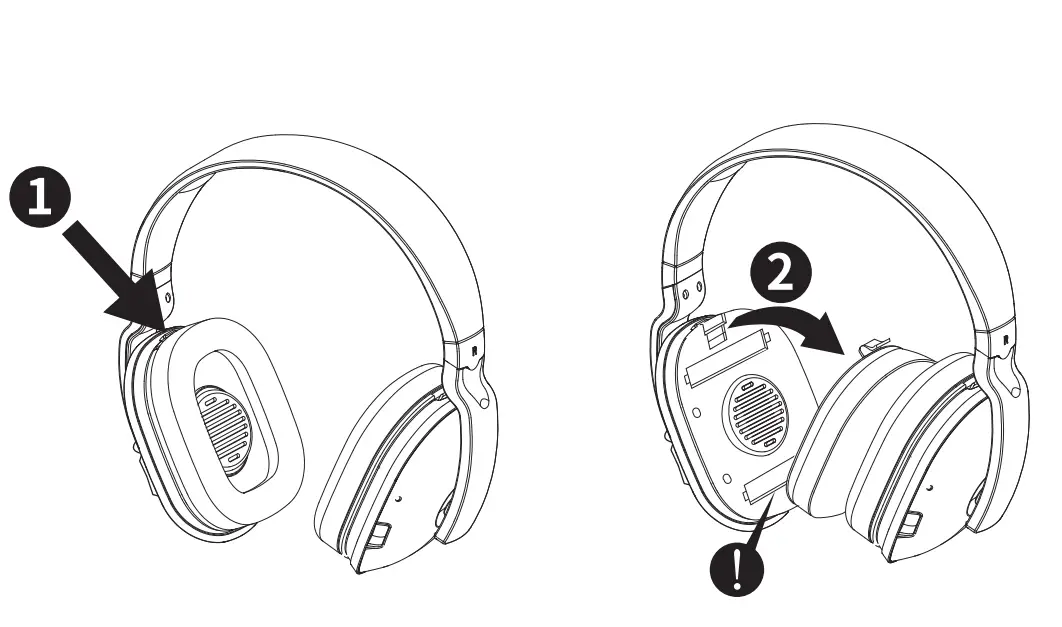
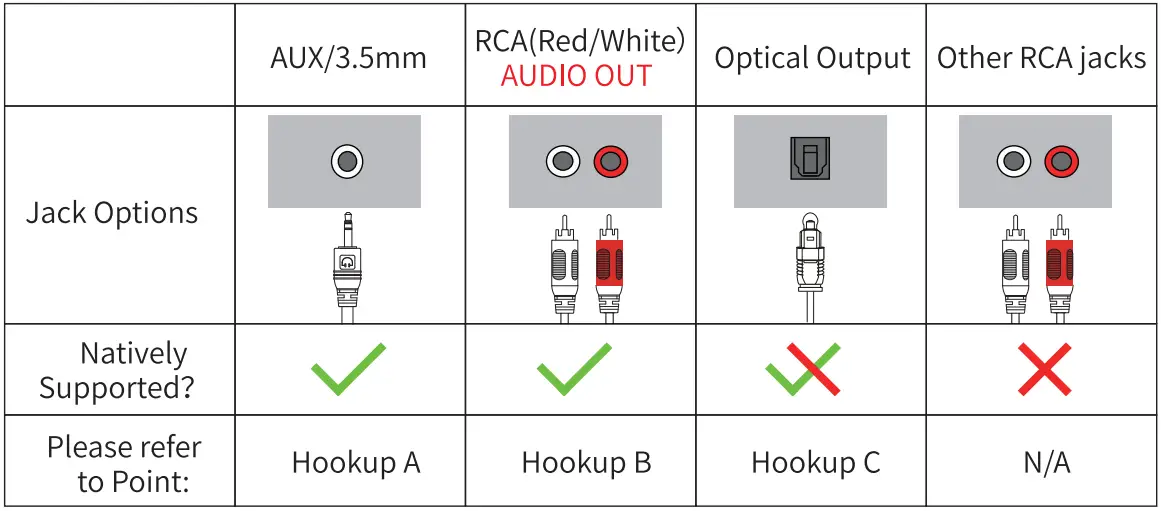
CHECK YOUR DEVICE’ S OUTPUT PORTS
PHONE TEST
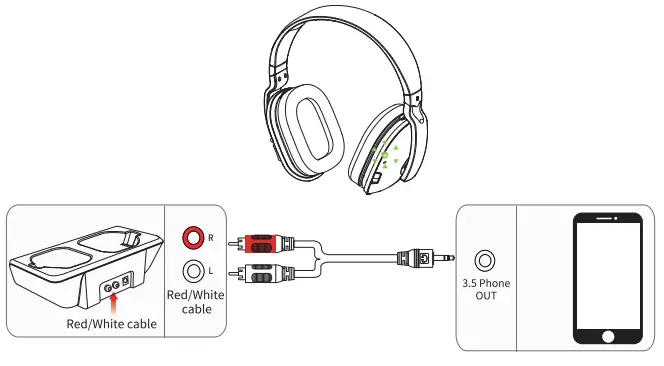
Before connect the transmitter to TV, it is better to connect to a phone via 3.5mm cable to test the item. Connect the transmitter to your phone via 3.5mm cable, then connect power to the transmitter, turn on it, the LED Iight shows red. Play phone music, turn on the headphone, LED light on the left turns to green, indicating the headphone and the transmitter are connected successfully; you will hear sound. (Refer Point 6.1 for detail).
CONNECTION AND USE
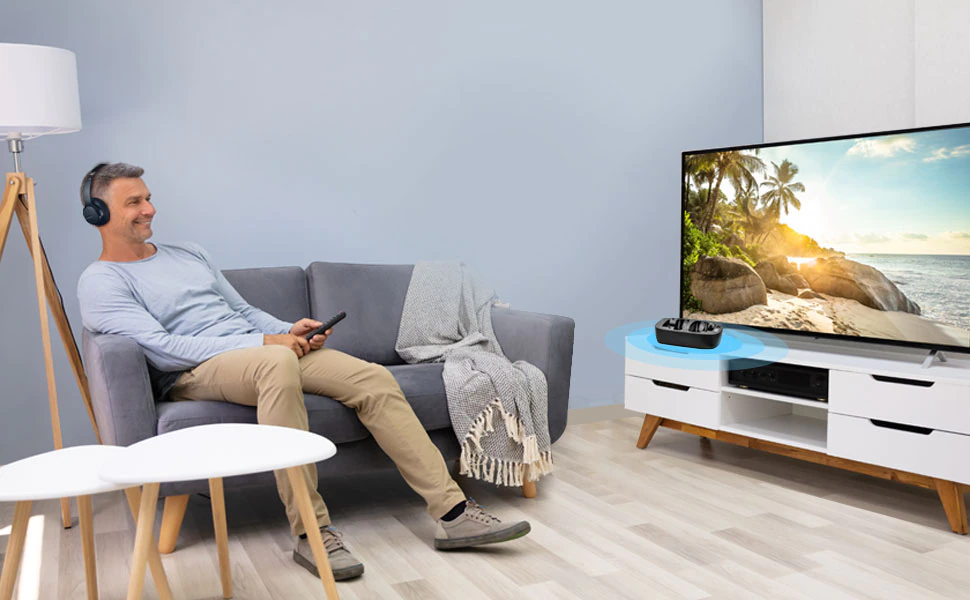
Following Hookup:
You need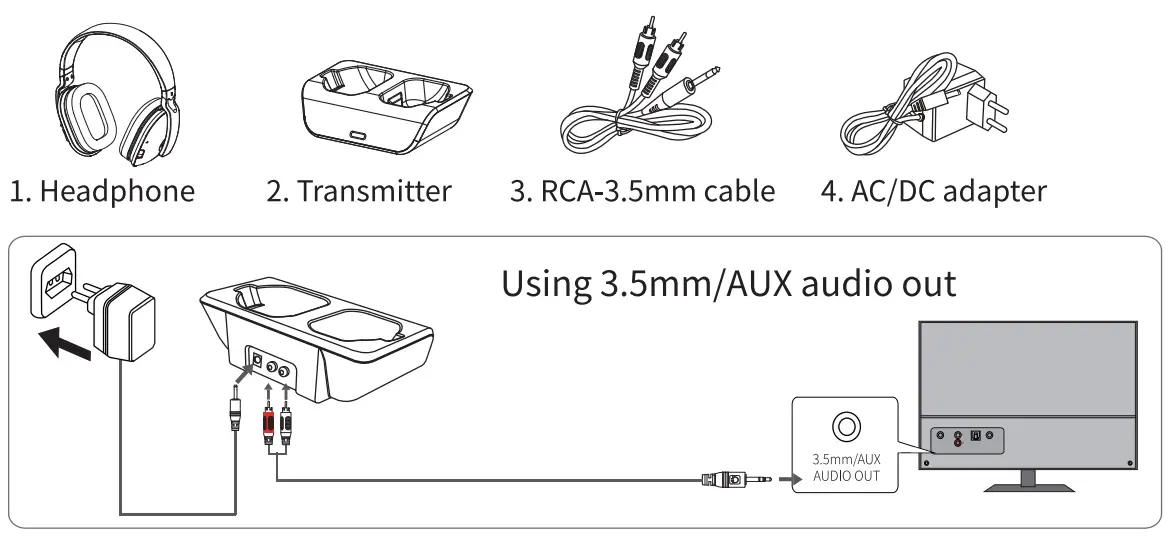 You need to use it after hookup
If no sound, please check the TV setting, refer to “5.TV SETTING” Note: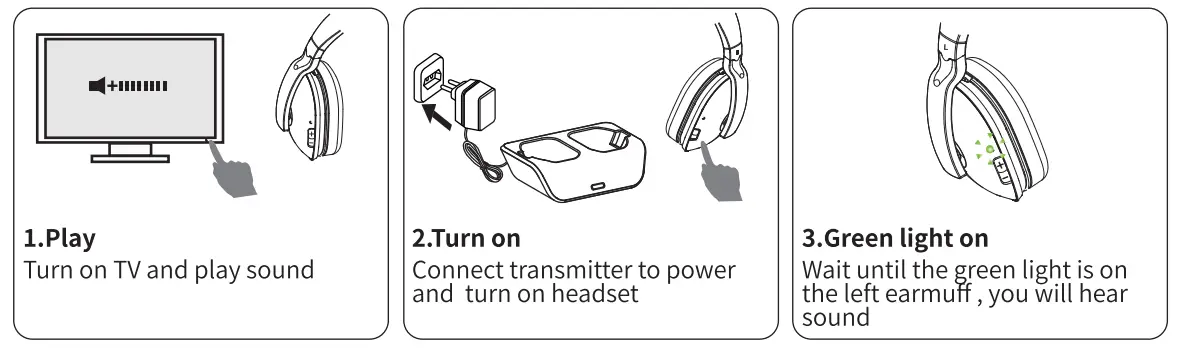
- Please remember to turn the volume down before put them on, since the default Sound is high.
- lf you still can not receive audio on the headphone: connect the transmitter to your Cable Box/Satellite Box rather than your television.
Following Hookup:
You need: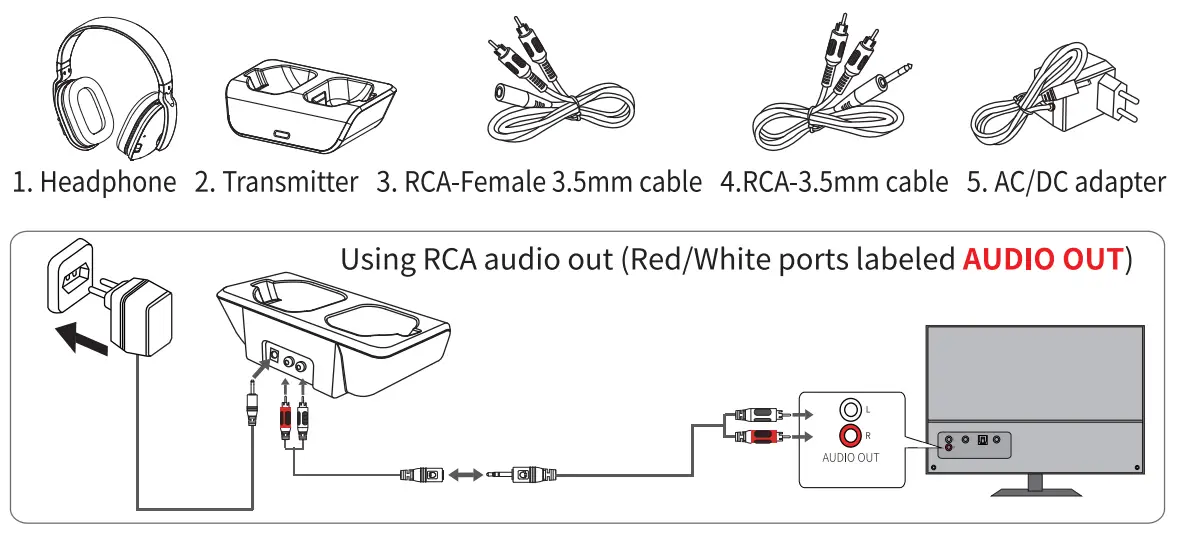
You need to use after hookup: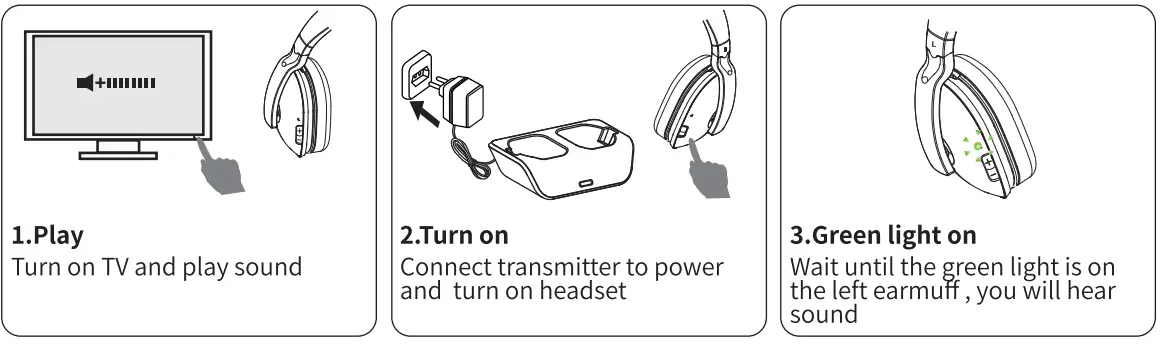
lf no sound. please check the TV set. refer to “5. TV SETTING” Note:
- Please remember to turn the volume down before putting them on, since the default Sound is high.
- lf you still can not receive audio on the headphones while at the same time hearing audio from the television speakers: connect the transmitter to your Cable Box/Satellite Box RCA audio out rather than your television.
Following Hookup:
Using Optical audio out (Need to purchase 6/7/8 separately)
You need: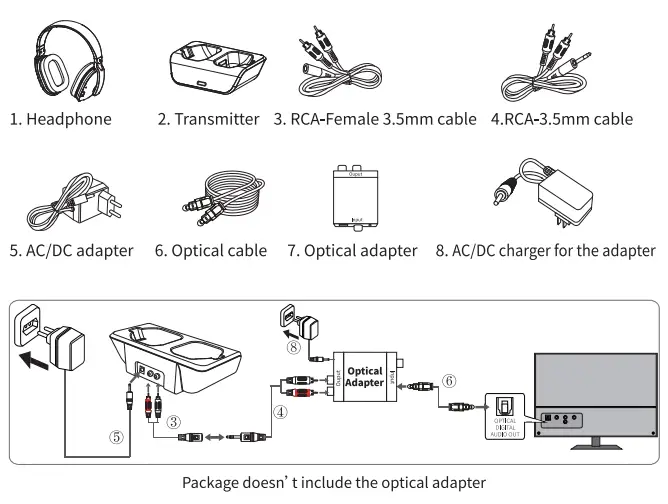
TV SETTING
Note: Other TVs are similar to the settings Or contact your TV manufacturer for more details.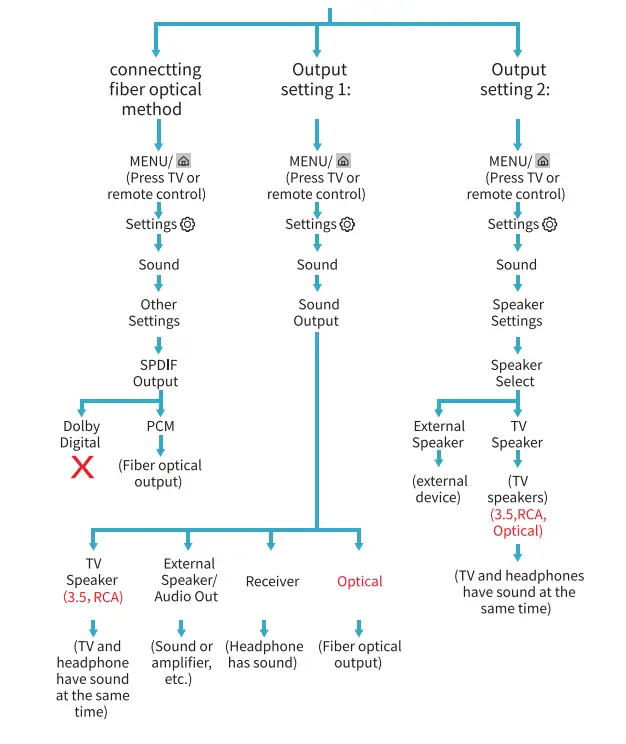 LG TV
LG TV 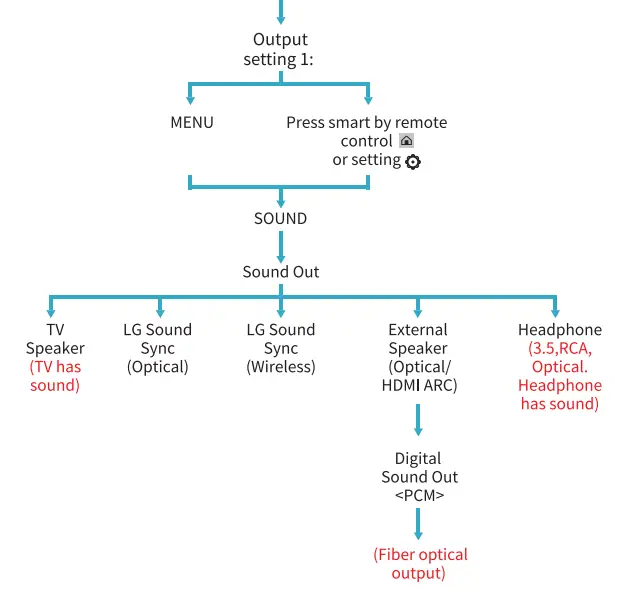
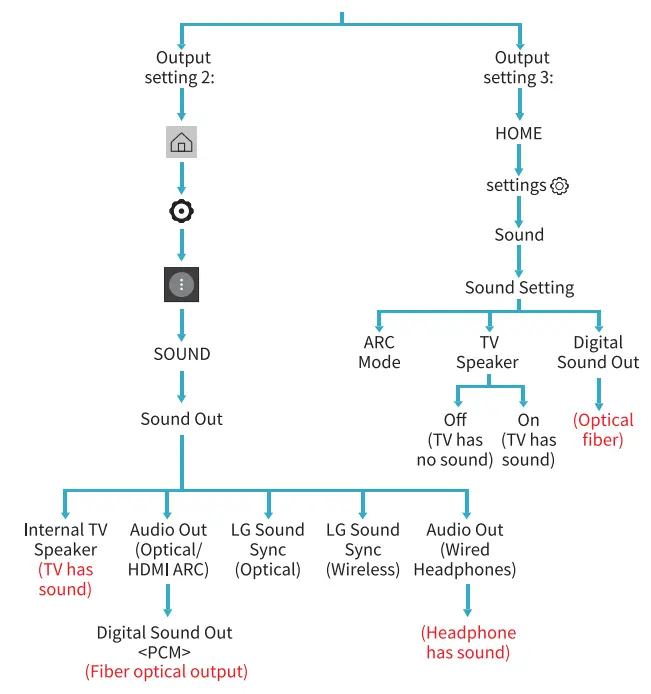
IF DOES’ T WORK WITH AN OPTICAL CONNECTION, PLEASE TRY BELOW:
- Connect the transmitter to your phone with 3.5mm aux cable, make sure whether the headphone works.

- Note to charge the optical adapter and power light is on.

- The plastic caps need to be removed.

- Make sure optical cable connect correctly with your TV.
 NOTE: Please plug correctly, otherwise may get static or no sound. Do not tie it up and fold it into 90 degrees, since Optical cable is made of glass and plastic.
 - Must set TV audio to “PCM” with optical audio out. (IMPORTANT!)

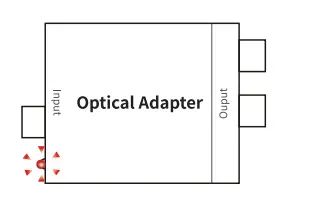
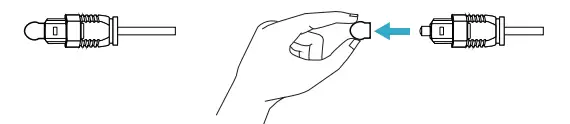
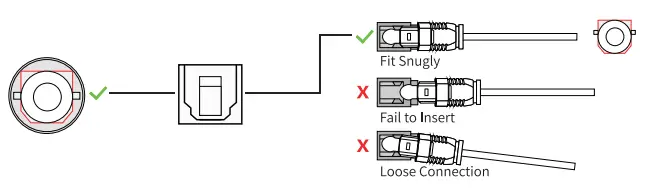 NOTE: Please plug correctly, otherwise may get static or no sound. Do not tie it up and fold it into 90 degrees, since Optical cable is made of glass and plastic.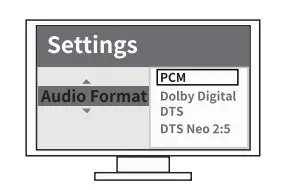
TWO HEADSETS PAIR WITH 1 TRANSMITTER
- Connect the transmitter with your TV, and turn on your TV and play sound.
- Disconnect transmitter power.
- Press and hold the power button on the new headset for about 8 seconds until the green light near the volume button flashes.
- Then, pen the original headphone at the same time.
- Then get power to the transmitter, the red indicator light flashes, indicating it begins to identify the surrounding headphones. About 10 seconds later, the red light on the base goes off, means the search is completed.
- Green light on both of the two headsets will be on and the red light of the base will turn on brightly, indicating that the additional headset is also paired with the base successfully. Then, both units work.
TROUBLESHOOTING 


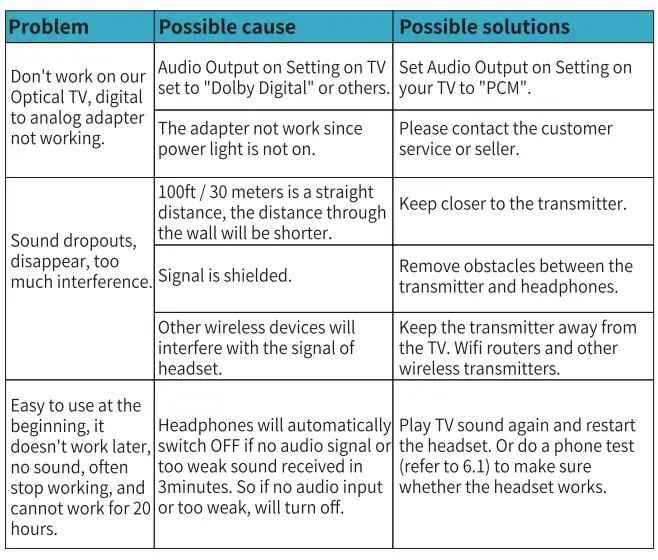
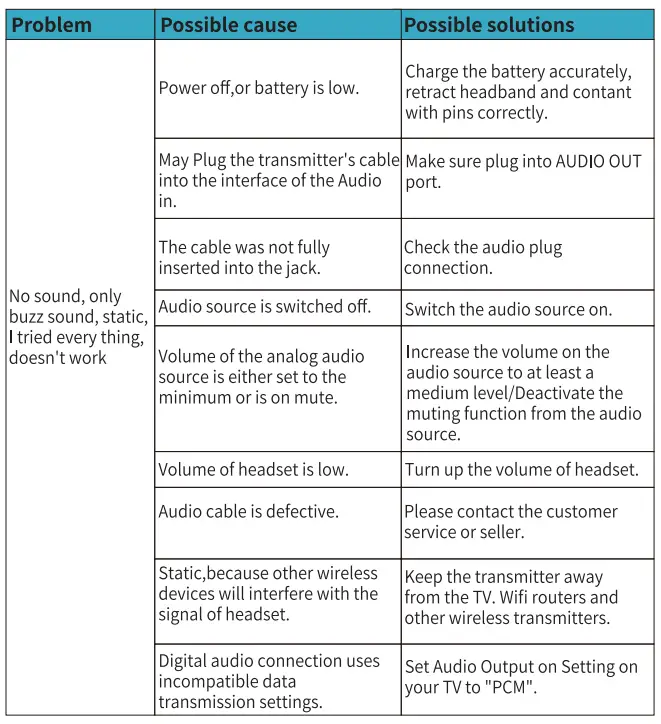
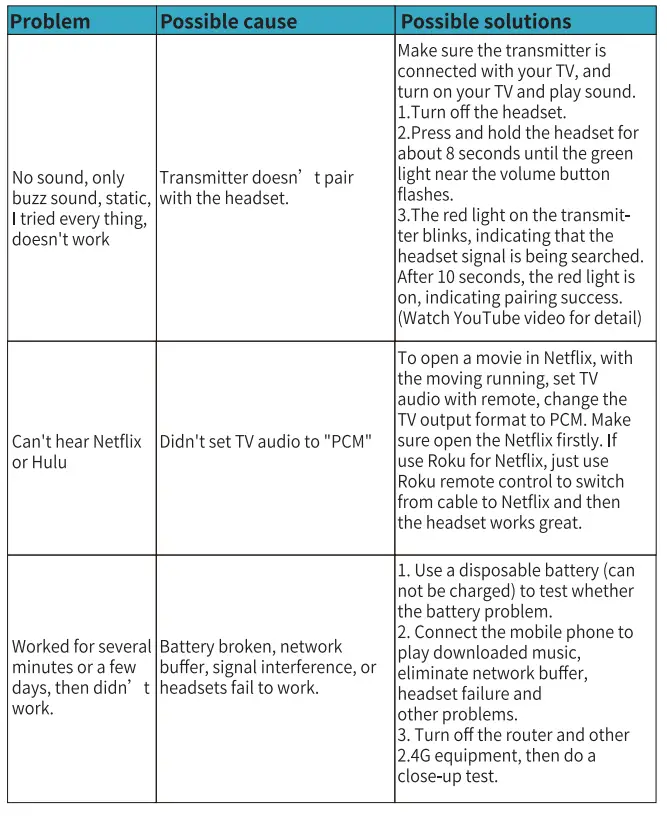
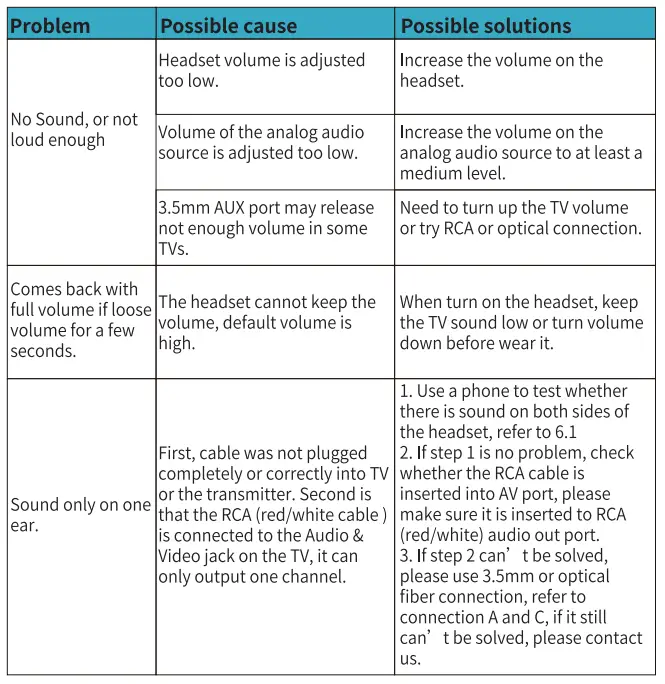
If you have any suggestions for our manual, please contact us.
LED INDICATOR 
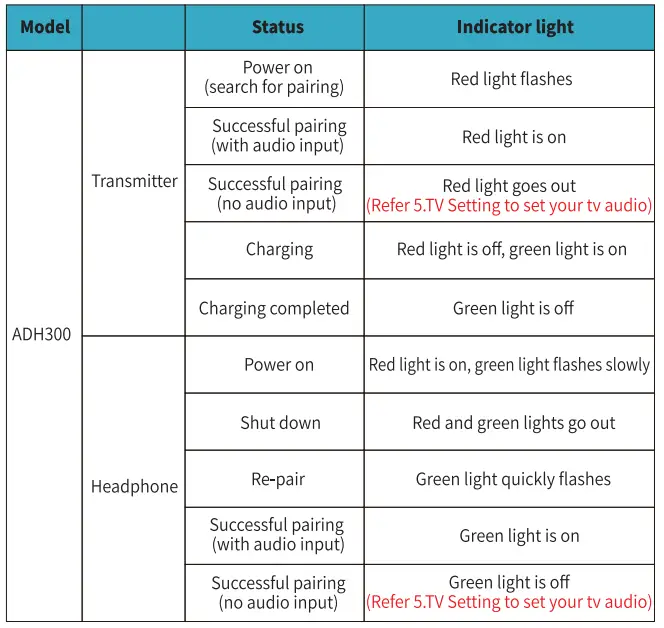
Note: Please refer to the indicator light to find out the reason of the problem and contact us if cannot solve it.
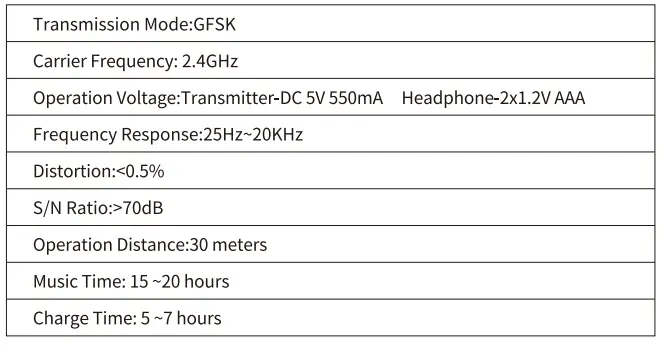
TECHNICAL SPECIFICATIONS
YouTube Video
ARTISTE ADH300 Wireless TV Headphones Use and Troubleshooting Video
ARTISTE Headphone This video will show you how to use and connect ARTISTE ADH300 Wireless TV Headphones.
CAUTION NOTE
This equipment has been tested and found to comply with the limits for a Class B digital device, pursuant to Part 15 of the FCC Rules. These limits are designed to provide reasonable protection against harmful interference in a residential installation. This equipment generates uses and can radiate radio frequency energy and, if not installed and used in accordance with the instructions, may cause harmful interference to radio communications. However, there is no guarantee that interference will not occur in a particular installation. If this equipment does cause harmful interference to radio or television reception, which can be determined by turning the equipment off and on, the user is encouraged to try to correct the interference by one of the following measures
- Reorient or relocate the receiving antenna. Increase the separation between the equipment and receiver.
- Connect the equipment into an outlet on a circuit different from that to which the receiver is connected.
- Consult the dealer or an experienced radio/TV technician for help.
WARNING: Any changes or modifications not expressly approved by the party responsible for compliance could void the user’s authority to operate this equipment.
The device must not be co-located or operating in conjunction with any other antenna or transmitter.
This device complies with FCC radiation exposure limits set forth for an uncontrolled environment.
ARTISTE TECHNOLOGY LTD.
The 6th Building, No. 173, Dune Road, Haizhu District, Guangzhou, Guangdong, China www.artiste-audio.com Made In China
FAQS
yes if it has an output ip hook up to.. not quite ; oud enough for my gear son, though. He needs VOLUME.
You can if the hearing aids are smaller hearing aids.
You need to contact the seller to buy just the headphones without the transmitter. You can use 5 headsets on one transmitter.
Yes; I have two sets, one hooked directly to a TV with RCA cables, the other connected to an AV receiver with RCA cables as well. They both work the same.
No, it is still working you won’t need it, the only thing it is you have to plug and unplug every time you want use the headphones
Yes. The charging station on the base can only accept one set of headphones at a time. Also note that, when drained completely, the headphones can take several hours to charge. I would recommend purchasing a base/headphone set for each pair of headphones you plan to use (to have ample chargers), but only transmitting from one base unit. Incidentally, I have owned/used these headphones -heavily- for several months now and still love them as much as when they first arrived. Zero problems, zero obvious reduction in battery life, and zero regrets! Still highly recommend them.
Not sure the pair I got wouldn’t connect to any of my TVs. Sent back and got a different brand, sent that one back also was a way to tinny sound and a lot of background static. Gave up on them
You have to make sure the little metal tips on one end of the headphones is touching the metal tips inside the charging cradle. Sometimes you have to jiggle them around a little bit to make sure they’re touching. Other than that, mine works great. They charge perfectly and stay charged for quite a long time.
The wireless TV Headphones support up to 20 hours of gaming or TV use after a full charge.
Digital would be an HDMI connection These will need to connect to the white and red RCA ports on the back of the TV they will not work on optical audio hook up
We had the geek squad to install them and they would not work. We had to buy new ones. Can’t return them we threw all the packaging away.
Just earphones, no mic
Gues it’s too long
The headset automatically tunes in and there is no static. Just plug the base into the audio jack in the back of your TV and it’s ready to use. My TV has a picture of headphones next to the jack.
The headphones receive the wireless signal from the docking station. The docking station has a wired connection. To the TV. I suppose you could mount the docking station on a wall near the TV. Although the headphones have a pretty good range so as long as you with 20 or so feet from the docking station you should be ok leaving the docking station near the TV.