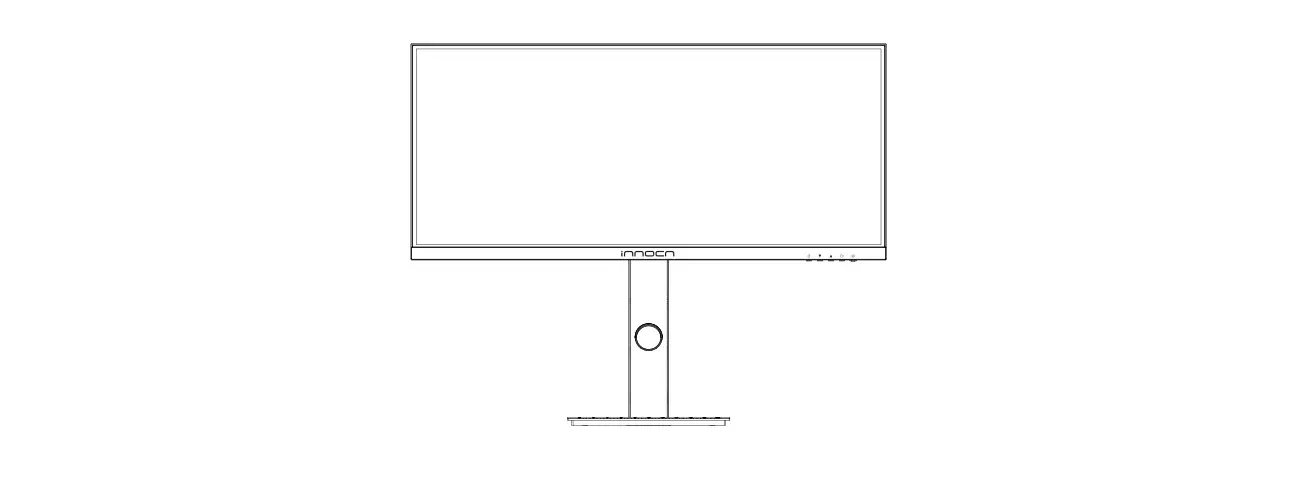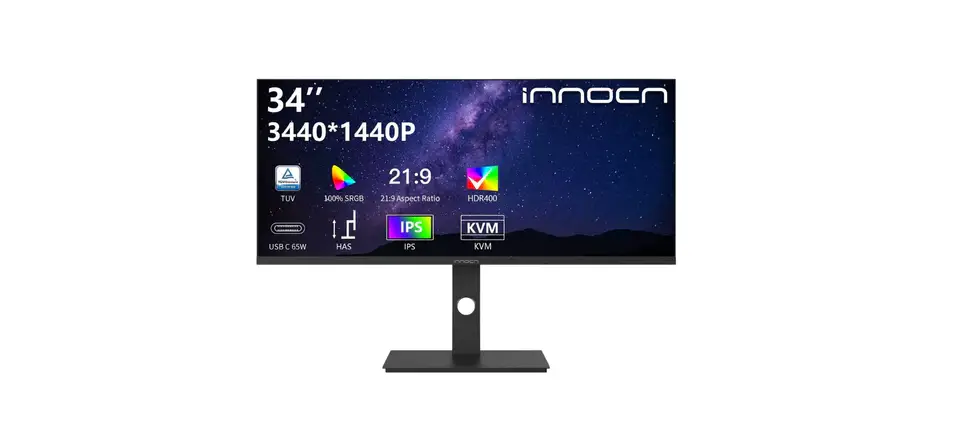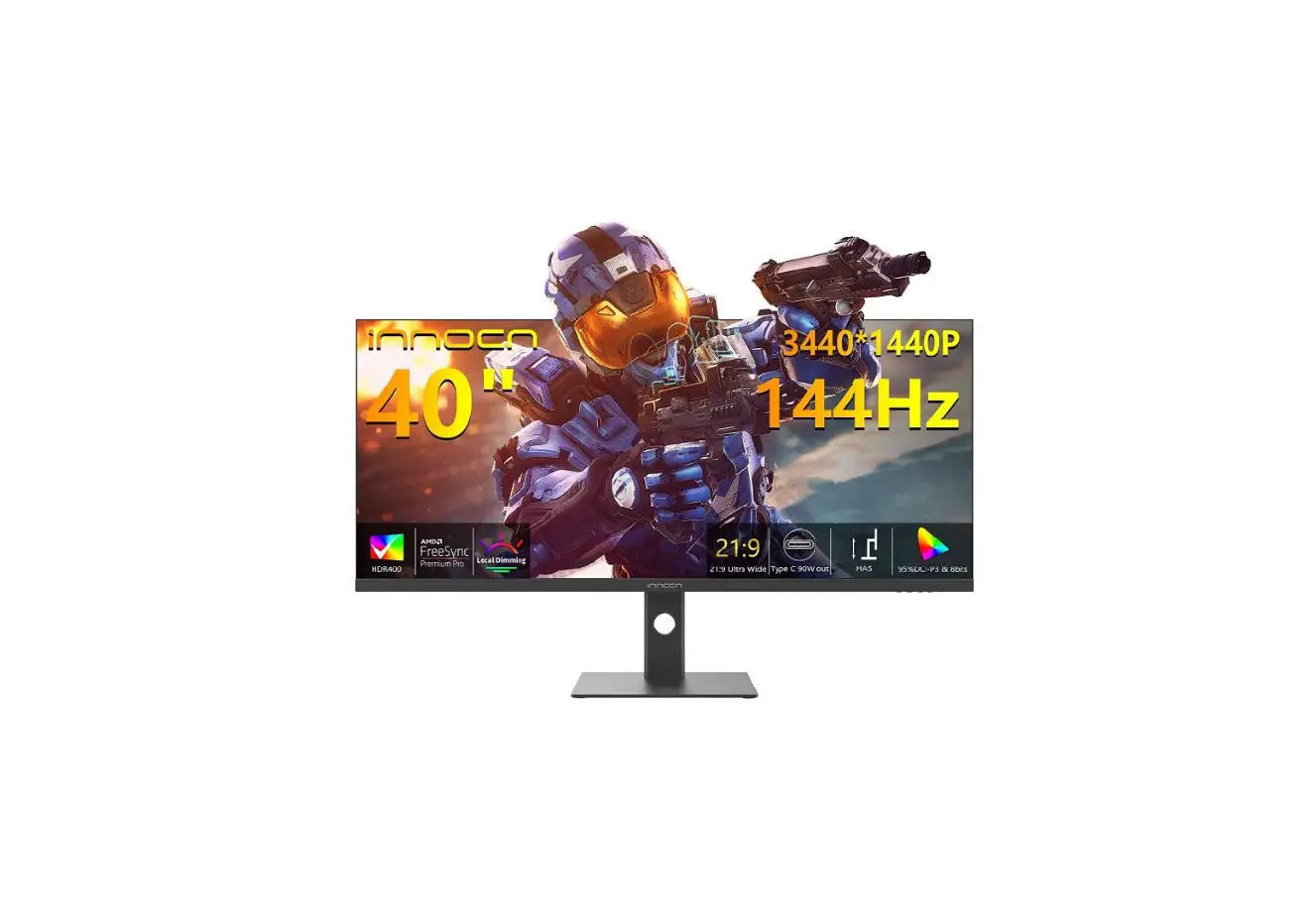

INNOCN 29C1F-D 29 Inch Ultrawide Screen Art Monitor
Precautions
- Keep the monitor away from water sources or damp places, such as bath rooms, kitchens, basements and swimming pools.
- Make sure the monitor is placed on a flat surface. If the monitor falls down, it may cause human injury or device damage.
- Store and use the monitor in a cool, dry and well-ventilated place, and keep it away from emission and heat sources.
- Do not cover or block the vent hole in the rear casing, and do not use the product on a bed, sofa, blanket or similar objects.
- The range of the supply voltage of the monitor is printed on the label on the rear casing.
- If it is impossible to determine the supply voltage, please consult the distributor or local power company.
- If the monitor will not be used for a long period, please cut off the power supply to avoid electric shock in rainy days and damage due to abnormal supply voltage.
- Please use a reliable grounded socket, Do not overload the socket, or it may cause fire or electric shock.
- Do not put foreign matters into the monitor, or it may cause short circuits resulting fire or electric shock.
- Do not disassemble or repair this product by self to avoid electric shock. If faults occur, please contact the after-sales service directly.
- Do not pull or twist the power cable forcedly.
- There is a polarizer layer (not a protective film) on the surface of the screen. Do not peel it off, or the product may be damaged and the warranty will be invalid.
Package Content
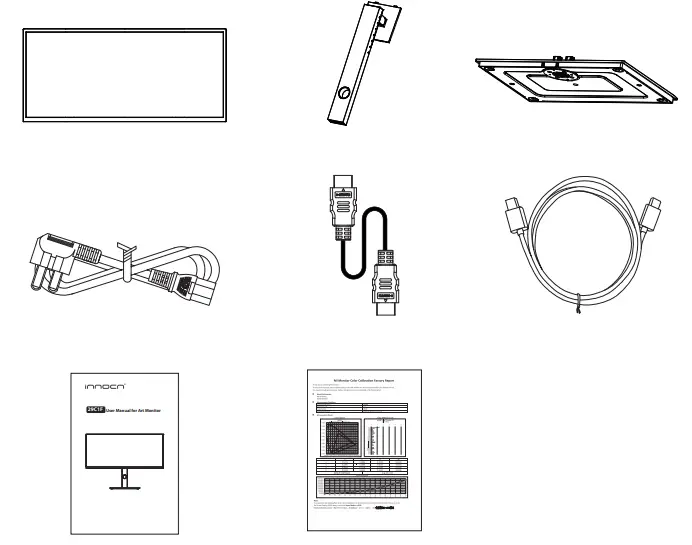
Packing list
- Please check that the package of the monitor contains all parts. If any part is lost, please contact the distributor.
- The color and shape of parts may vary with models. Figures in this User Manual are for reference only.
- Cables supplied may vary with purchased products. Figures in this User Manual are for reference only
- Display screen
- Stand
- Base
- Type-C cable
- Power cable
- HDMI Cable
- User Manual
- Color calibration report
Installation
Installation of base
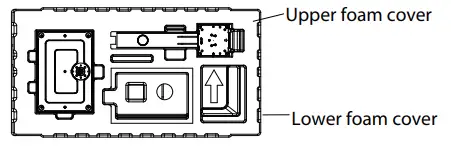
- Open the carton package, take out the upper and lower foam covers and put them flat on the table top.

- Take off the top cover of Polylong, take out the body bag and put the body back into the original bottom cover of Baolong.

- Take out the bracket and base, and tighten the manual screws on the base after assembly.

- Insert the hook at the front end of the shaft of the lifting bracket into the bayonet of the rear shell obliquely, and gently press the tail end perpendicular to the surface of the rear shell, so that the lock of the lifting bracket can be buckled on the quick release button of the rear shell, and the quick release button has a return. The snap action indicates that the tail end has also been snapped into place.

- Simply hold the stand with hand to stand the monitor upright.

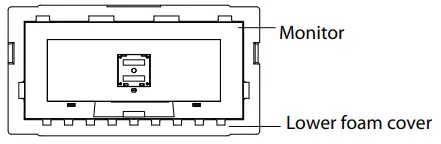
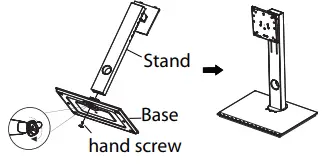
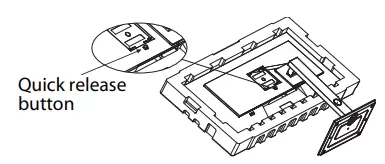
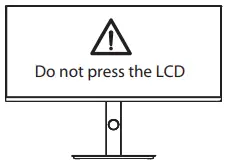
Note: During standing of the monitor, do not take out the monitor from foams, and do not pinch the liquid crystal screen with hand to avoid damage to the screen.
Adjustment of monitor
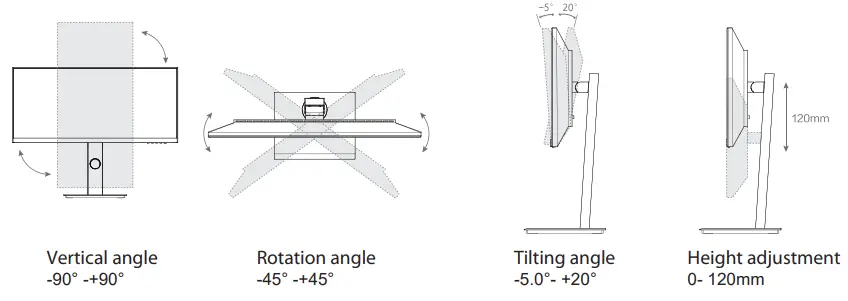
Instructions for use
Cable connection:
The bottom interface configuration at the back of the monitor varies with products.
* Note: If the power cable or signal cable is damaged, you must replace it with special soft cables or special components purchased from the manufacture or maintenance department.
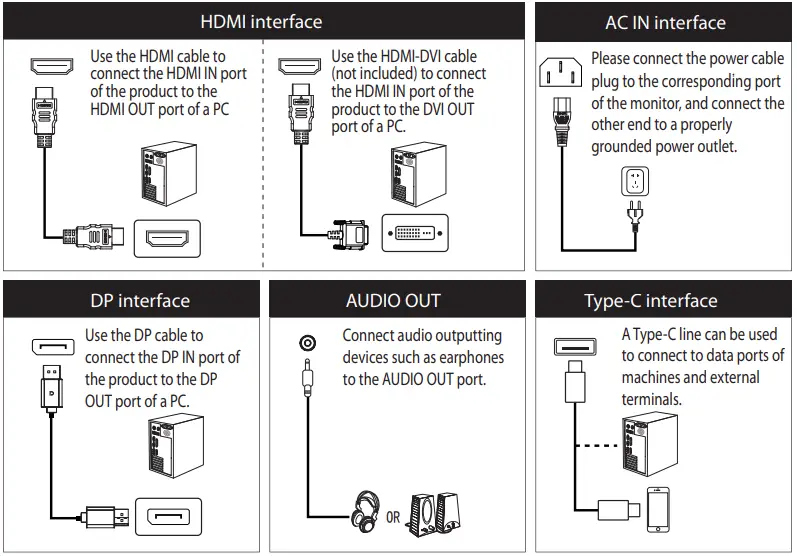
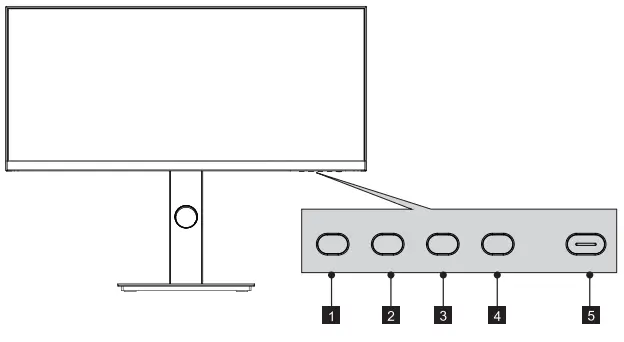
Function
- Menu button: Press to enter sub-menus/ quickly enter the main menu
- Down button: Press to move down in the menu/quickly adjust the brightness
- Up button: Press to move up in the menu/quickly adjust the volume
- Exit/hot key: Press to return to the previous menu/quickly switch input signals of the port
- Power button: Press to turn on/off the monitor
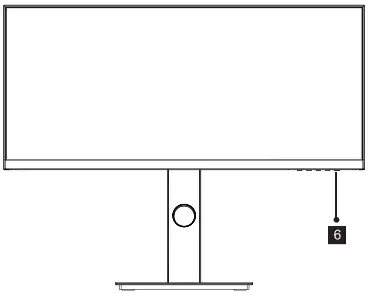
- Indicator light: If the white light is normally on, it is indicated that the device is powered on, and that the monitor is running normally. red light indicates no video signal detected or low voltage. Please make sure that your computer is turned on and all video cables are fully plugged in and/or connected.
Explanation of indicator light
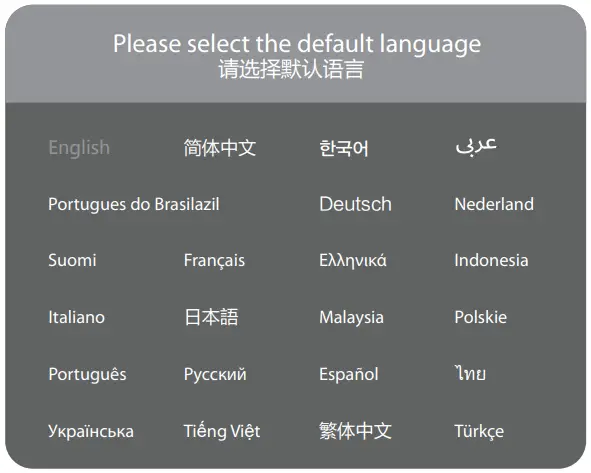
When booting for the first time, you need to set the default language of the monitor menu.
Press buttons (  ) to select the language to be set, and press the OK button(
  ) to confirm.
- The color and shape of the OSD menu of the actual computer may be slightly different from them shown in the figure.
- Specifications of the OSD menu may change with improvements of functions without prior notice.
The screen display (OSD) menu can be used to adjust settings of the monitor and is shown on the screen after the monitor is powered on and the button is pressed.
- Press one of the buttons (


 ) to activate the browser screen.
- Enter the main menu
- Adjust the brightness
- Adjust the volume
- Switch port input signal
- Power ON/OFF
- Press to enter the OSD screen.

- Press
 to scroll through the functions.
- Select the desired function, and press
 to enter the sub-menu.
 - Press to scroll through sub-menus, and press key to select and confirm the desired function.
- Press to select one option, and press to confirm settings and exit from the current menu.
- Select the desired function, and press
- Press
 to exit from the menu screen

 ) to activate the browser screen.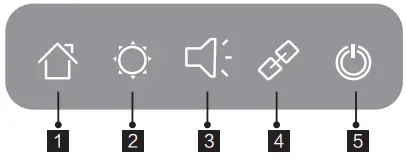
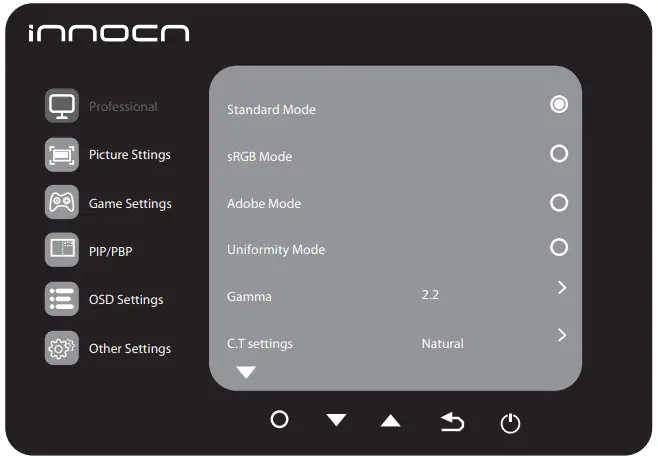
 to scroll through the functions.
 to enter the sub-menu.
 to exit from the menu screen
Functions of the monitor vary with models, and the functions in this manual are for reference only
|
Professional | Standard Mode | N/A |
| sRGB Mode | N/A | |
| Adobe Mode | N/A | |
| Uniformity Mode | N/A | |
| Gamma | 1.6/1.8/2.0/2.2/2.4/2.6/2.8/S.curve | |
| C.T settings | Natural/Design/Warm/Cool/User C.T1/User C.T2/User C.T3 | |
| Sharpness | 0-5 | |
| Shadow Balance | 0-100 | |
| Low blue light | 0-100 | |
| Hue | R/G/B/C/M/Y | |
| Saturation | R/G/B/C/M/Y | |
| Dynamic Brightness | Off/Standard/Expert/Elaboration |
Functions of the monitor vary with models, and the functions in this manual are for reference only.
|
Picture Sttings | Brightness | 0-100 |
| Contrast | 0-100 | |
| DCR | Off/On | |
| Contextual model | Off/Movie mode/Reading mode/Night mode/Care eyes mode | |
| Aspect ratio | Wide Screen/4:3/1:1/Auto | |
|
Game Settings | RTS/RPG Mode | Off/On |
| FPS Arena Mode | Off/On | |
| MOBA Arena Mode | Off/On | |
| Adaptive-Sync | Off/On | |
| Response Time | Off/Normal/Fast/Ultrafast | |
| Refresh Rate | Off/On/Position | |
| Game Crosshair | Off/Crosshair 1/Crosshair 2/Crosshair3/Crosshair 4/Crosshair 5/Crosshair6 | |
|
PIP/PBP | PIP/PBP Mode | Off/PIP Mode/PBP 2win 1:1/PBP( Phone1)/PBP( Phone2) |
| Sub-Singal Source | DP/HDMI/Type-C | |
| Audio source | Auto/DP/HDMI/Type-C | |
| PIP Position | Top Right/Top Left/Bottom Right/Bottom Left | |
| PIP Size | Small/Medium/Large | |
| Window Swap | ||
|
OSD Settings | Language | English/简体中文/한국어/ /Portugues do Brasilazil/ Deutsch/Nederland/ Suomi/ Français/Ελληνικά/Indonesia/Italiano/日本語/Malaysia/Polskie/Português/Pусский/ Español/ไทย/Українська/Tiếng Việt/繁體中文/Türkçe |
| OSD Time Out | 5-100 | |
| OSD H-Position | 0-100 | |
| OSD V-Position | 0-100 | |
| OSD transparency | 0-5 | |
| Hotkey1 Setting | Brightness/Contrast/Volume/Mute/Shadow Balance/Game Crosshair/Refresh Rate/Contextual model/ PIP/PBP Mode/Input Signal/Dynamic Brightness | |
| Hotkey2 Setting | ||
| Hotkey3 Setting | ||
|
Other Settings | Input Sinal | Auto/DP/HDMI/Type-C |
| Volume | 0-100 | |
| Mute | Off/On | |
| Auto Power | Off/On | |
| Eyeshield Remind | Off/On | |
| Reset | No/Yes | |
| Information | Input Source: HDMI/ Resolution: 2560×1080@60Hz/Mode: Standard Mode/ SN:0000000000000 |

The terms HDMI and HDMI High-Definition Multimedia Interface, and the HDMI Logo are trademarks or registered trademarks of HDMI Licensing Administrator, Inc. in the United States and other countries.

This device complies with part 15 of the FCC Rules. Operation is subject to the following two conditions:
- This device may not cause harmful interference,
- this device must accept any interference received, including interference that may cause undesired operation.
CAN ICES-3 (B)/NMB-3(B)
Specification
| Product Name | LCD Monitor | ||
| Product Model | 29B2F-P | ||
| Product Code | 29C1F-D | ||
| Screen Size | 29inch(73cm) | ||
| Aspect Ratio | 21:9 | ||
| Viewing Angle | 178°(H) / 178°(V) | ||
| Pixel pitch | 0.2628 (H) × 0.2628 (V)mm | ||
| Contrast ratio | 1000:1(TYP) | ||
| Color | 16.7M | ||
| Resolution | 2560×1080 | ||
| Refresh Rate | 75Hz | ||
| Power Input | 100-240V~ 50/60Hz, 2.0A The standard voltage and power supply may vary with countries, please refer to the label at the back of the product. | ||
| Product Dimentions (with Height range) | Without base | 688.6×314.1×49.8 mm approx. 4.3 kg | |
| With base | 688.6×554.1×218.9 mm approx. 6.5 kg | ||
| Tilting angle | Forward tilting5°±2°/Backward tilting20°±2° | ||
| Height range | 120±5mm | ||
| Rotation angle | -45°/+45° | ||
| Vertical angle | -90°/+90° | ||
| Environmental conditions | Action | Temperature: 0°C~ 40°C(32°F ~ 104°F) Humidity: 10%~90% RH (non-condensing) | |
| Storage | Temperature: -20°C~ 60°C(-4°F ~ 140°F) Humidity: 10%~90% RH (non-condensing) | ||
German Rhine TÜV Low Blue Light Certification
The light the screen radiates contains a blue component, which may lead to fatigue and discomfort in the eye. The “low blue light” function tunes down the radiation of blue lights from the screen and thus reduces eye fatigue arising from the intensive use of the screen.
Blue light may cause eye fatigue and discomfort. Joint Innovation now offers a screen that passes German Rhine TÜV Low Blue Light certification to ensure the comfort and health of users’ eyes. Please follow the instructions below to operate the screen to reduce symptoms caused by prolonged exposure to blue light on the screen.
- Place the screen 20-28 inches (50-70 cm) away from the eyes, with the center of the screen slightly below the line of sight.
- When you need to use the screen for a long time, blinking consciously from time to time will help reduce eye fatigue.
- Take a 20-minute break every 2 hours.
- Take your eyes away from the screen when you rest and stare at distant objects for at least 20 seconds.
- Stretch moderately during rest to relieve physical fatigue or pain.
- After factory setting, when the low blue light function is set to 50,70,100, it conforms to TUV Rheinland’s low blue light certification.
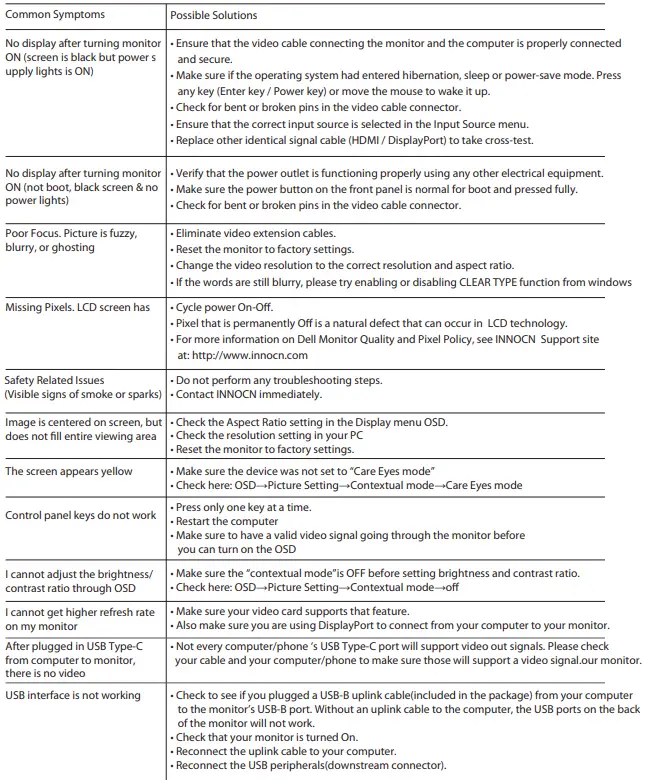
Common troubleshooting
The following table contains general information about common monitor problems you might encounter and the possible solutions.
Warranty Information
- What is covered in your warranty?
Item Warranty term Monitor 1 Year - Contact us
Service Email [email protected] Service Website http://www.innocn.com - This Warranty is not applicable:
- The product is not purchased from an Authorized Innocn dealer.
- The product is not used according to instructions given in the instruction manual.
- Defects caused by improper use as determined by company personnel.
- Modification or alteration of any nature is made in the electrical circuitry / or physical construction of the set.
- Installation / repair work is carried out by persons / agency other than authorized by the company.
- The original serial number is removed, obliterated or altered from the machine or cabinet.
- Accidents, Acts of God, lightning, water, fire, public disturbances, improper ventilation, voltage fluctuations or any cause beyond the control of Innocn.
Contact us
Thank you for choosing Innocn®!
We hope the Innocn® product you purchased will serve you well. To ensure safety and trouble-free operation of your device, please read the user guide carefully and keep it for future needs.
Please email us for customer service & technical support at [email protected].
We recommend you go online to our homepage for the most up-to-date guidance for your product.
registering Innocn membership; refering to warranty information. http://www.innocn.com
 INNOCN | Portable Monitors & Desktop Monitors, 4K Monitors, Ultrawide
 TÜV Rheinland - Home | US | TÜV Rheinland