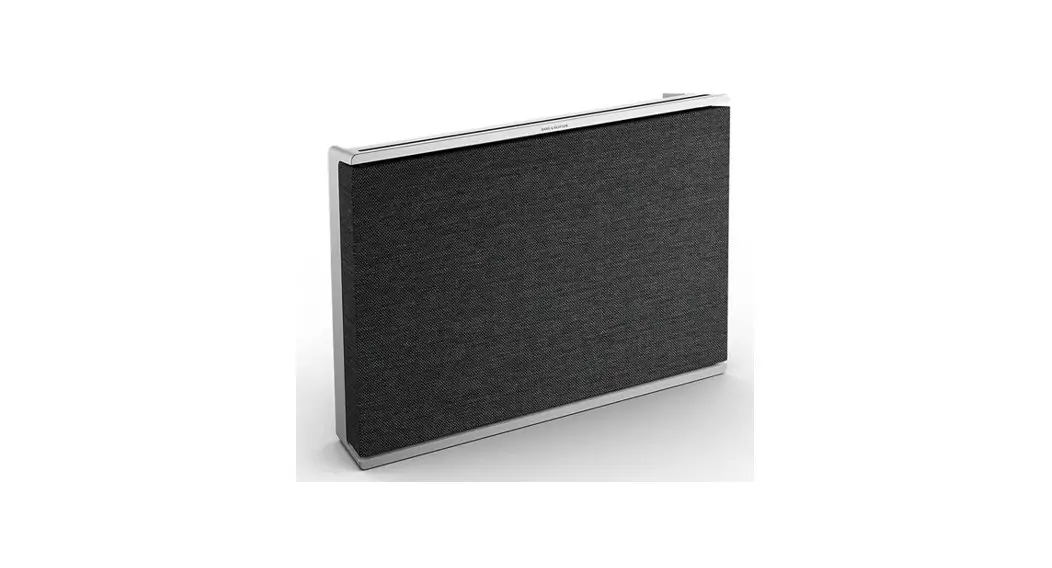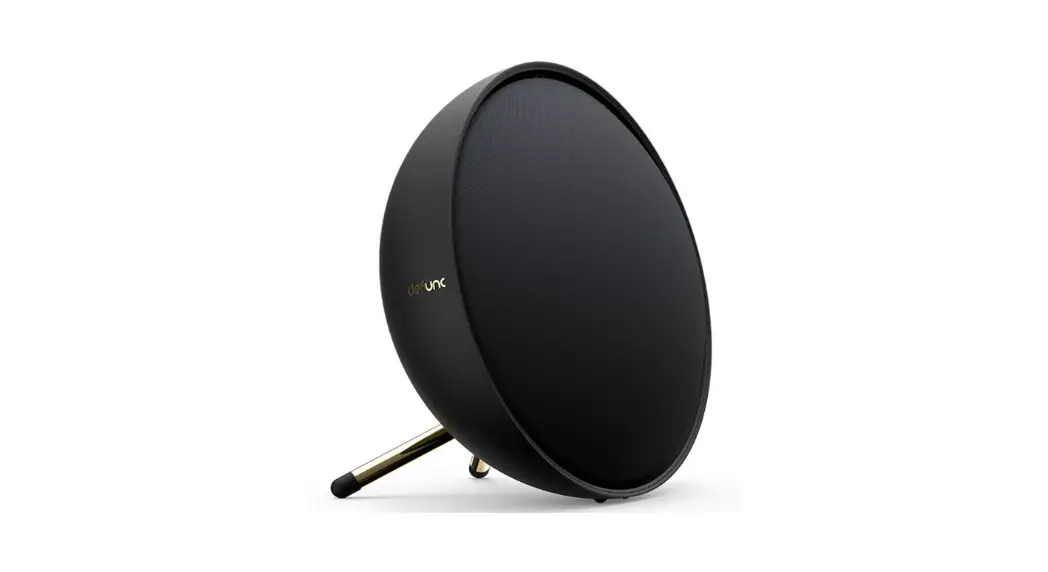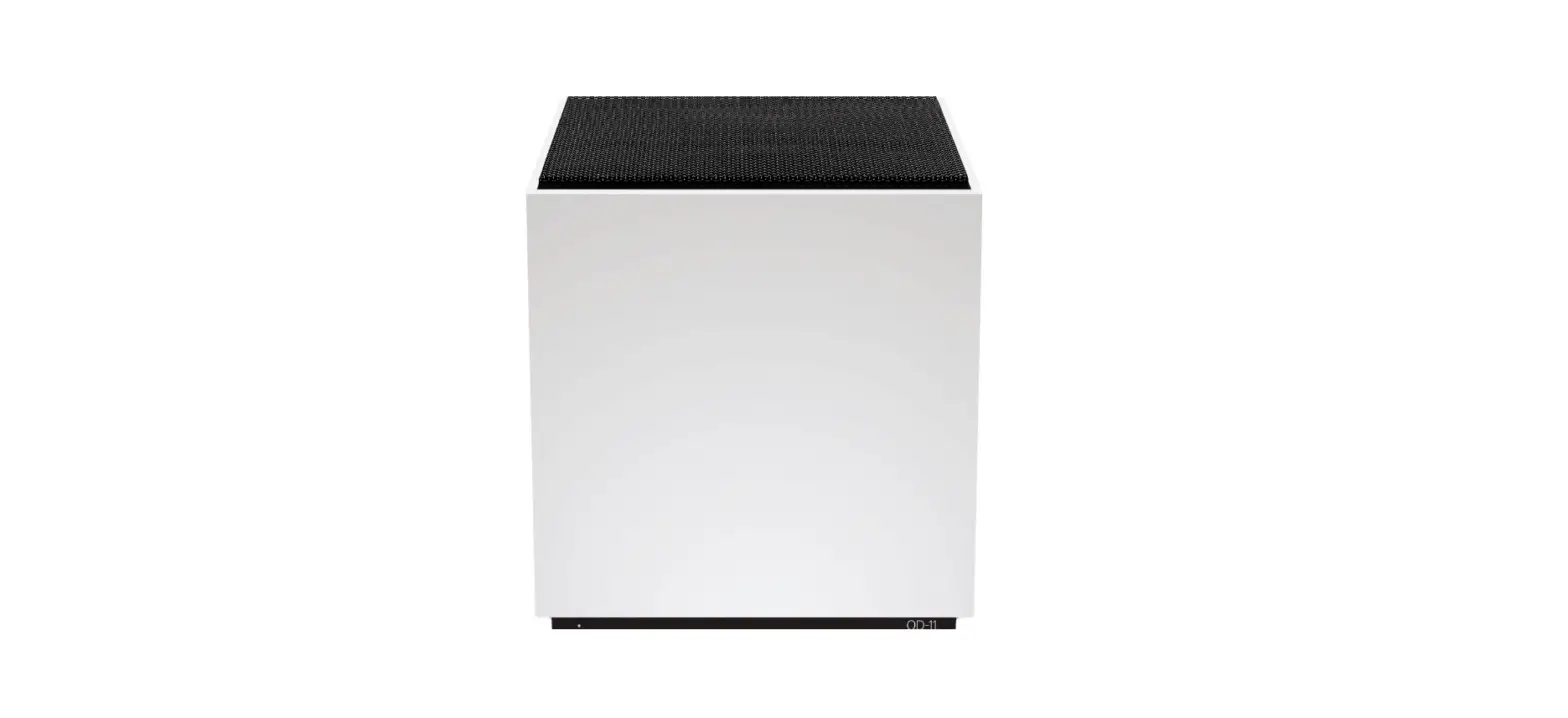

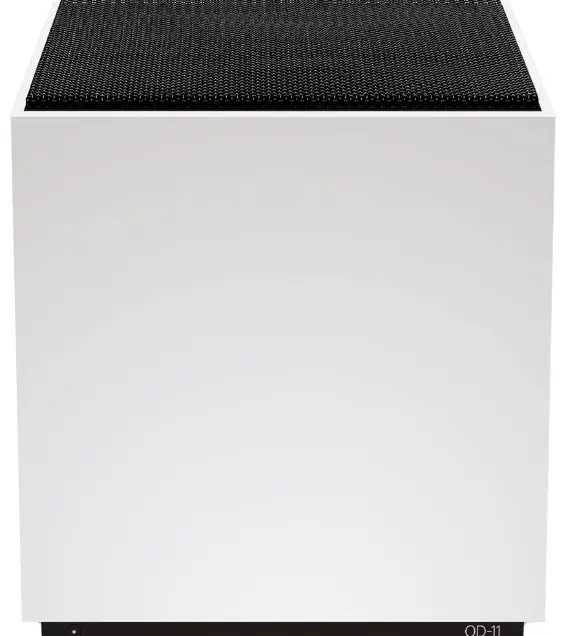
Teenage Engineering OD-11 Cloud Speaker with Wi-Fi
Let’s install
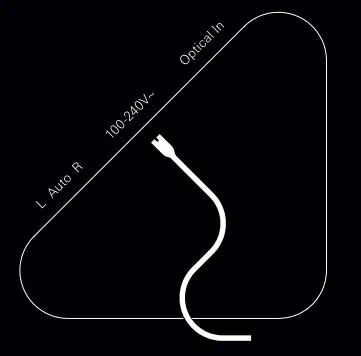
- Insert the power cord.
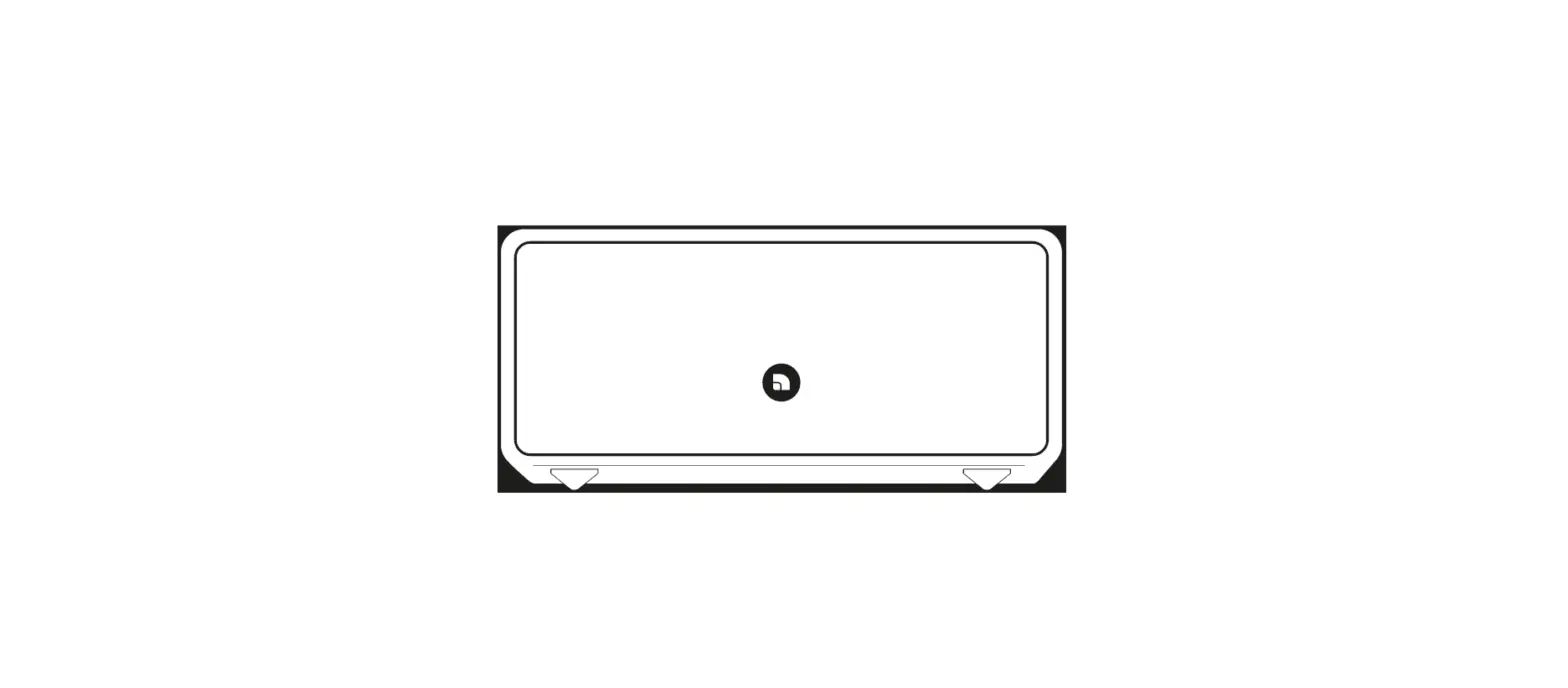
- You will find the power inlet located in the center of the triangle shape on the back side of your OD-11.
- Next, you need to connect OD-11 to your
- WiFi network. Go to www.orthoplay.com and follow the instructions.
- When setup is complete, you will be able to control OD-11 by orthoplay web, the mobile app or the ortho remote.
- Done.

important safety instructions
- Read instructions. All the safety and operating instructions should be read before the product is operated.
- Retain instructions. The safety and operating instructions should be retained for future reference.
- Heed warnings. All warnings on the product and in the operating instructions should be adhered to.
- Follow instructions. All operating and use instructions should be followed.
- Cleaning. Unplug this product from the wall outlet before cleaning. Do not use liquid cleaners or aerosol cleaners. Clean only with dry cloth.
- Attachments. Do not use attachments not recommended by the product manufacturer as they may cause hazards.
- Water and moisture. Do not use this product near water – for example, near a bath tub, wash bowl, kitchen sink, or laundry tub; in a wet basement; or near a swimming pool; and the like.
- Accessories. Do not place this product on an unstable cart, stand, tripod, bracket, or table. The product may fall, causing serious injury to a child or adult, and serious damage to the product. Use only with a cart, stand, tripod, bracket, or table recommended by the manufacturer, or sold with the product.
- Any mounting of the product should follow the manufacturer’s instructions, and should use a mounting accessory recommended by the manufacturer.
- Use only with a cart, stand, tripod, bracket, or table specified by the manufacturer, or sold with the apparatus. When a cart is used, use caution when moving the cart/apparatus combination to avoid injury from tip-over.
- Ventilation. Slots and openings in the cabinet are provided for ventilation and to ensure reliable operation of the product and to protect it from overheating, and these openings must not be blocked or covered. The openings should never be blocked by placing the product on a bed, sofa, rug, or other similar surface. This product should not be placed in a built-in installation such as a bookcase or rack unless proper ventilation is provided or the manufacturer’s instructions have been adhered to.
- Power sources. This product should be operated only from the type of power source indicated on the marking label. If you are not sure of the type of power supply to your home, consult your product dealer or local power company. The primary method of isolating the amplifier from the mains supply is to disconnect the mains plug. Ensure that the mains plug remains accessible at all times. Unplug the ac power cord from the ac outlet if the unit will not be used for several months or more. The socket-outlet shall be installed near the equipment and shall be easily accessible.
- Grounding or polarization. This product may be equipped with a polarized alternating-current line plug (a plug having one blade wider than the other). This plug will fit into the power outlet only one way. This is a safety feature. If you are unable to insert the plug fully into the outlet, try reversing the plug. If the plug should still fail to fit, contact your electrician to replace your obsolete outlet. Do not defeat the safety purpose of the polarized plug.
- Power cord protection. Power-supply cords should be routed so that they are not likely to be walked on or pinched by items placed upon or against them, paying particular attention to cords at plugs, convenience receptacles, and the point where they exitfrom the product.
- Outdoor antenna grounding. If an outside antenna or cable system is connected to the product, be sure the antenna or cable system is grounded so as to provide some protection against voltage surges and built-up static charges. Article 810 of the national electrical code, ansi/nfpa 70, provides information with regard to proper grounding of the mast and supporting structure, grounding of the lead-in wire to an antenna discharge unit, size of grounding conductors, location of antenna discharge unit, connection to grounding electrodes, and requirements for the grounding electrode.
- Lightning. For added protection for this product during a lightning storm, or when it is left unattended and unused for long periods of time, unplug it from the wall outlet and disconnect the antenna or cable system. This will prevent damage to
the product due to lightning and power line surges. - Overloading. Do not overload wall outlets, extension cords, or integral convenience receptacles as this can result in a risk of fire or electric shock.
- Object and liquid entry. Never push objects of any kind into this product through openings as they may touch dangerous voltage points or short out parts that could result in a fire or electric shock. Never spill liquid of any kind on the product.
- The apparatus should not be exposed to dripping or splashing, and objects filled with liquids, such as vases, should not be placed on the apparatus. As with any electronic products, use care not to spill liquids into any part of the system. Liquids can cause a failure and/or a fire hazard.
- Damage requiring service. Unplug this product from the wall outlet and refer servicing to qualified service personnel under the following conditions:
- (a) when the power supply cord or plug is damaged.
- (b) if liquid has been spilled, or objects have fallen into the product.
- (c) if the product has been exposed to rain or water.
- (d) if the product does not operate normally by following the operating instructions. Adjust only those controls that are covered by the operating instructions as an improper adjustment of other controls may result in damage and will often require extensive work by a qualified technician to restore the product to its normal operation.
- (e) if the product has been dropped or damaged in any way.
- (f) when the product exhibits a distinct change in performancethis indicates a need for service.
- Replacement parts. When replacement parts are required, be sure the service technician has used replacement parts specified by the manufacturer or have the same characteristics as the original part. Unauthorized substitutions may result in fire, electric shock, or other hazards.
- Safety check. Upon completion of any service or repairs to this product, ask the service technician to perform safety checks to determine that the product is in proper operating condition.
- Heat. The product should be situated away from heat sources such as radiators, heat registers, stoves or other products (including amplifiers) that produce heat.
Overview
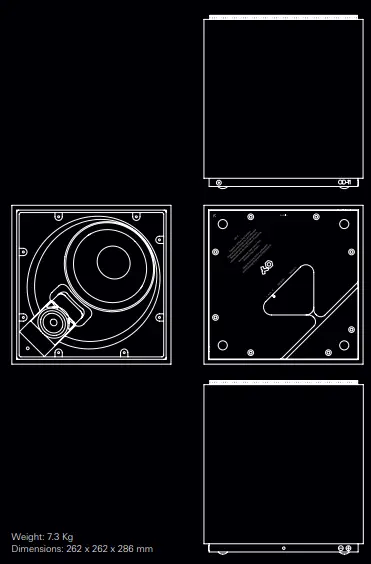
Placement
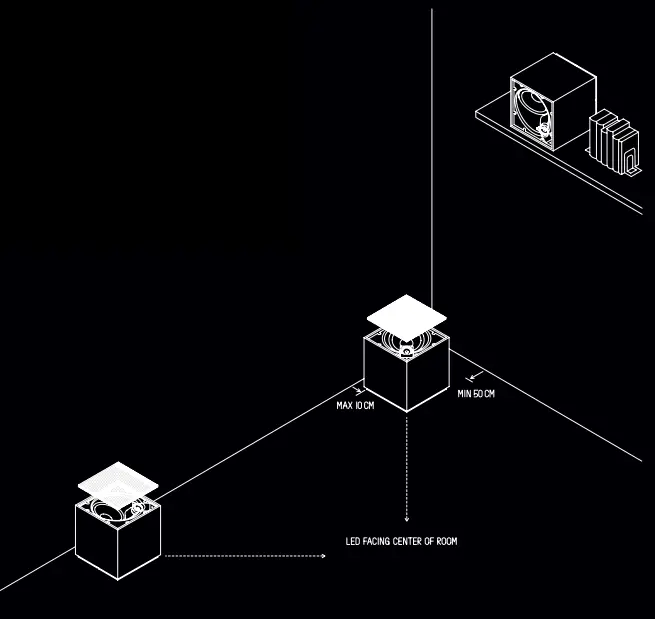
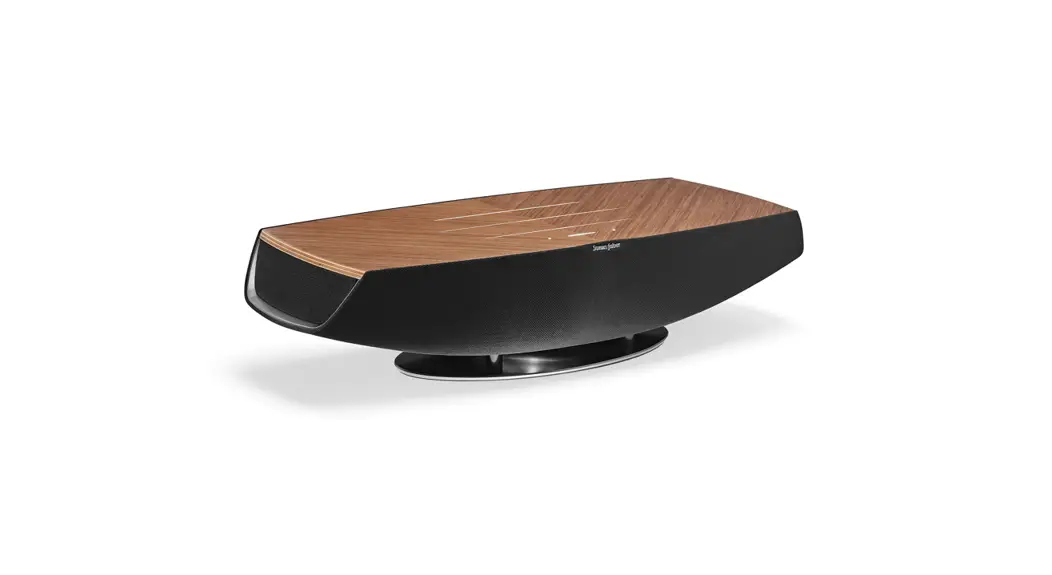
Place the OD-11 on the floor with the grill facing upwards and the LED facing towards the center of the room, as close to a wall as possible but not directly in a corner. When placing a pair of OD-11s, the distance between them should be about 80% of the listening distance. Alternatively, when placing the OD-11 in a shelf, it should be placed on its side with the back side close to the wall. The LED should always be towards the center of the room, facing upwards if positioned below the listening point and downwards if close to the ceiling.
- To ensure your own safety and to prevent possible damage to your OD-11
- Please turn off the power to all units before connecting your OD-11 to other devices.
- This will help prevent malfunctions and/or damage to the speaker or other devices.
- Even thought OD-11 has very low power consumption, we recommend you to unplug it if you are not going to use it for a long period of time.
- Please don’t place any liquid container on top of your OD-11. For example your coffee or water cup.
- In addition, do not expose your OD-11 to rain or moisture.
- Clean only with dry cloth. When placing OD-11 on a shelf, make sure it’s securely settled and the shelf surface is horizontal to prevent it from falling off.
- To protect your hearing, please be careful when turning up the volume to full.
- Do not listen too close to the speaker or for an extented period of time with high volume.
Operating temperature 10 ºC to 35 ºC
Storage temperature -10 ºC to 45 ºC
Relative humidity
20% to 80% non-condensing Read the full important safety instructions in the booklet for more issues regarding safety. Enjoy your music while being safe!
Warning
To reduce the risk of fire or electric shock, do not expose this product to rain or moisture.
Caution
To prevent electric shock, match wide blade of plug to wide slot, fully insert.
Warning
Changes or modifications to this unit not expressly approved by the party responsible for compliance could void the user’s authority to operate the equipment.
Note
- Under the influence of electrostatic phenomenon, the product may malfunction and require user to reset.
- Under environment with radio frequency interference, the product may malfunction and require user to reset.
- Under the environment with electrical fast transient, the product may malfunction and require user to reset.
Caution Marking and rating plate is located at back side of the apparatus.
Note
This equipment has been tested and found to comply with the limits for a Class B digital device, pursuant to Part 15 of the FCC Rules. These limits are designed to provide reasonable protection against harmful interference in a residential installation. This equipment generates, uses and can radiate radio frequency energy and, if not installed and used in accordance with the instructions, may cause harmful interference to radio communications. However, there is no guarantee that interference will not occur in a particular installation. If this equipment does cause harmful interference to radio or television reception, which can be determined by turning the equipment off and on, the user is encouraged to try to correct the interference by one or more of the following measures:
- Reorient or relocate the receiving antenna.
- Increase the separation between the equipment and receiver.
- Connect the equipment into an outlet on a circuit different from that to which the receiver is connected.
- Consult the dealer or an experienced radio/TV technician for help.
This device complies with Industry Canada license-exempt RSS-210. Operation is subject to the following two conditions:
- this device may not cause Interference, and
- this device must accept any interference, including interference that may cause undesired operation of the device. no naked flame sources such as lighted candles should be placed on the apparatus; the use of apparatus in tropical climates
This device complies with Part 15 of the FCC rules. Operation is subject to the following two conditions:
- This device may not cause harmful interference, and
- This device must accept any interference received, including interference that may cause undesired operation.
Caution Regarding Placement
To maintain proper ventilation, be sure to leave a space around the unit (from the largest outer dimensions including projections) that is equal to or greater than shown below.
- Left and Right Panels: 10 cm
- Rear Panel: 10 cm
Warning
If this product is used at 240VAC, a suitable attachment plug should be used.
FCC RF Radiation Exposure Statement
Caution: To maintain compliance with the FCC’s RF exposure guidelines, place the equipment at least 20cm from nearby persons.
FAQS
Wireless speakers are a great way to listen to music without the mess of wires. They’re also convenient if you want to listen to music in different rooms of your home. Here are some of our favorites.
The difference between Bluetooth and Wi-Fi speakers is that Bluetooth speakers tend to be better for smaller spaces and are very portable. Wi-Fi speakers have better range, sound quality, and are less likely to have their signal interrupted, but usually need to be connected to power at all times
A WiFi speaker connects wirelessly via your home network with your smartphone or tablet. This allows you to easily exit the room with your smartphone without stopping the music. You simply connect multiple speakers in different rooms to each other via WiFi and an app on your smartphone
Electronic devices can have both Bluetooth and wi-fi capabilities because they serve different purposes. It’s simple to connect them, and the result is that a Bluetooth-enabled device can access a wi-fi network without any interference between the two signals.
Yes. You can use Bluetooth without Wi-Fi. In fact, Bluetooth does not need any internet access at all to be set up and used
Regular bluetooth speakers just connect to your phone or computer to play audio, and don’t do much else. The biggest difference is that smart speakers have built-in internet assistants like Alexa, Siri, and Google Assistant.
While you will need internet access to stream content, the communication between devices that utilize your Wi-Fi network will still continue. This is how the Sonos speakers work. It’s certainly not anything new; in fact, many smart devices use this method to connect to each other without the need for a smart bridge.
This allows you to easily exit the room with your smartphone without stopping the music. You simply connect multiple speakers in different rooms to each other via WiFi and an app on your smartphone. This way you can easily create a multiroom sound setup in your home
When choosing what kind of speakers to use, there is one thing that matters above all else: sound quality. Almost across the board, Wi-Fi speakers have better sound quality than Bluetooth speakers. Bluetooth compresses the data more than Wi-Fi speakers.
Bluetooth allows for short-range data transfer between devices. As an example, it is commonly employed in headsets for mobile phones, enabling hands-free phone use. Wi-Fi, on the other hand, allows devices to connect to the Internet.
Bluetooth speakers connect at varying ranges. Most will reach distances of around 30 feet (9 meters) all the way up to 100 feet (30 meters), depending on the size and style you choose.
A transmitter connected to the stereo system converts electrical signals to radio waves by sending alternating current through an antenna. The radio waves broadcast out from the antenna. An antenna and receiver on the wireless speaker detect the radio signal, and the receiver converts it into an electrical signal
Yes, most wireless speakers use AC adaptors and plug into an ordinary power outlet or power strip. Some systems use rechargeable batteries to become ‘fully wireless’ but this feature requires charging and repositioning as regular chores in order to use this kind of surround sound system
Wifi works via the Internet. When it comes to streaming music, it is the connection that you set up between a storage device (for example, your phone) via a network to a receiver. So your phone sends your music to the network, and the network sends it to your speakers.
Can you use Bluetooth without Wi-Fi? Yes. You can use Bluetooth without Wi-Fi. In fact, Bluetooth does not need any internet access at all to be set up and used.