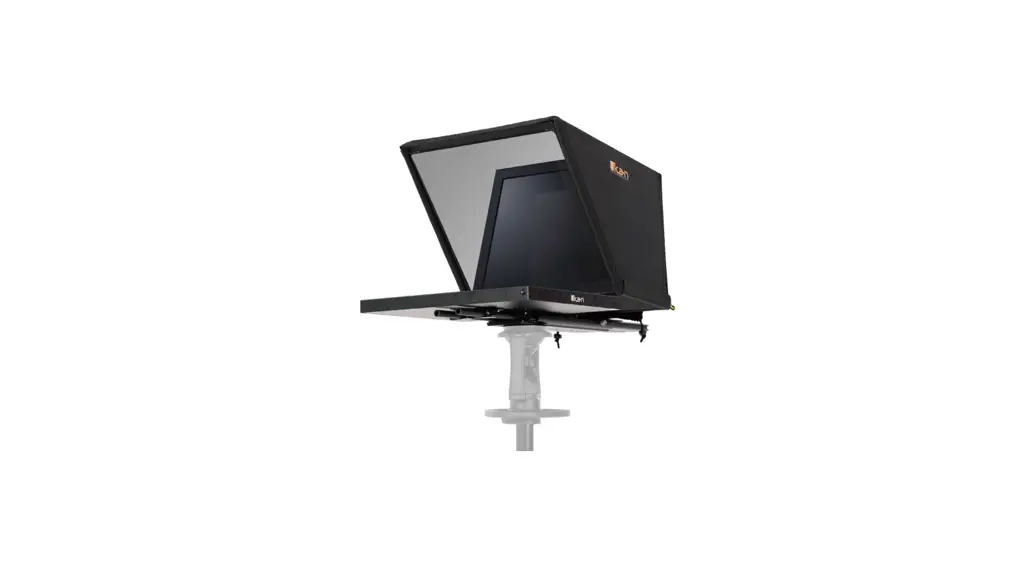
 PT4900S-PTZ Professional 19 Inch High Bright PTZ Compatible Teleprompter with 3G-SDI
User Guide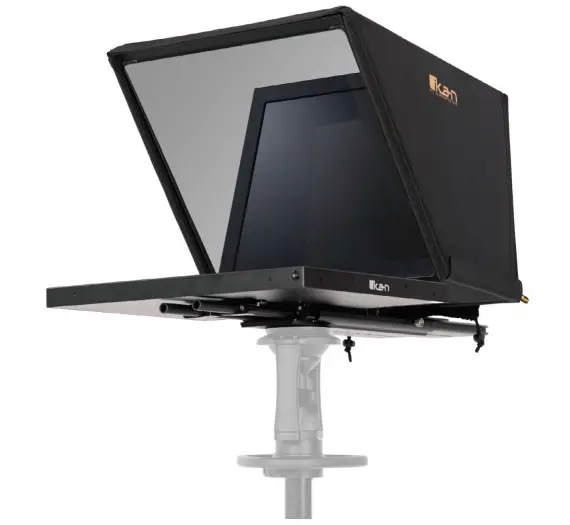
OVERVIEW
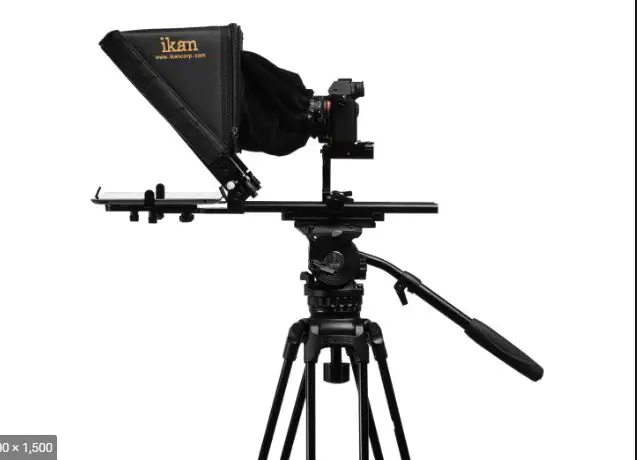
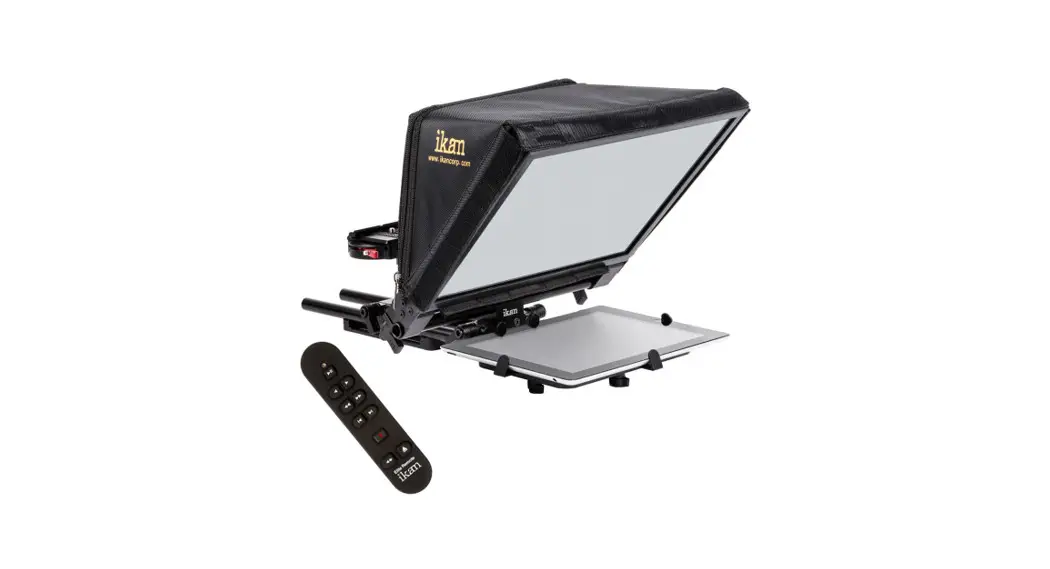
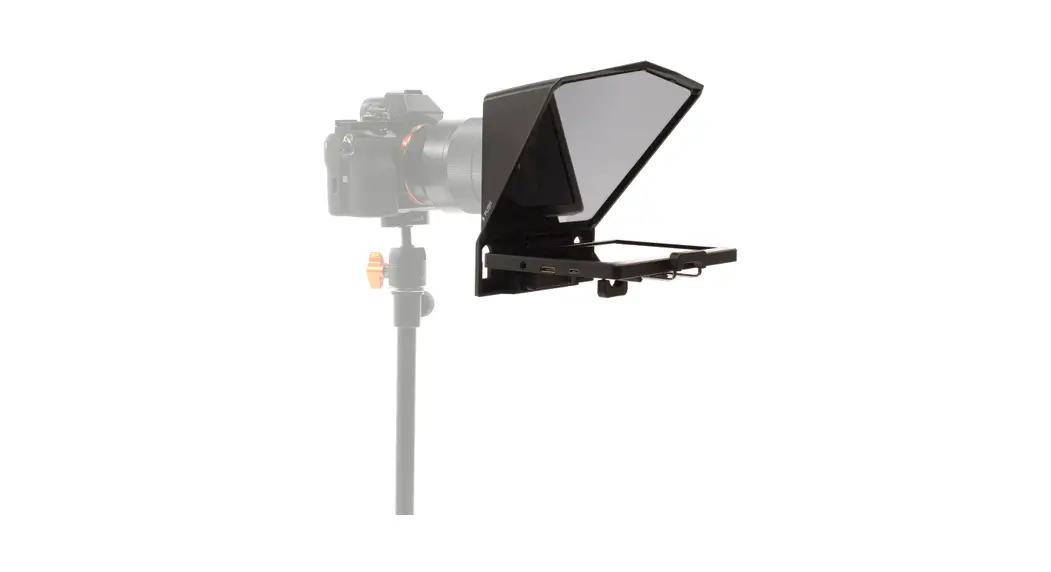
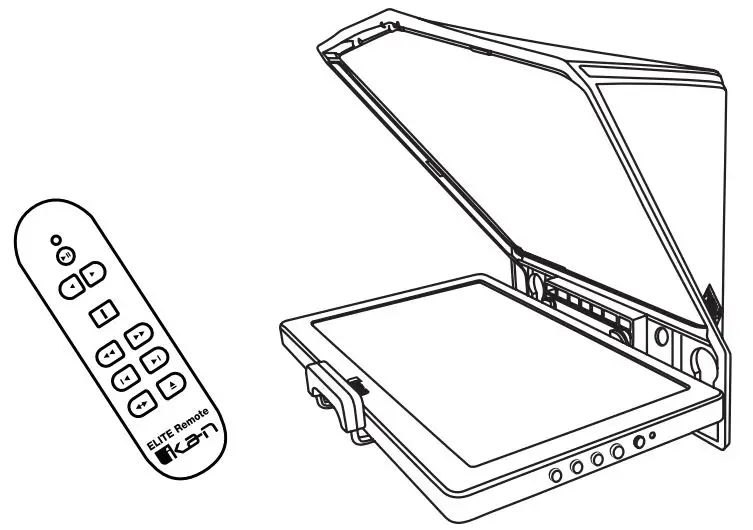
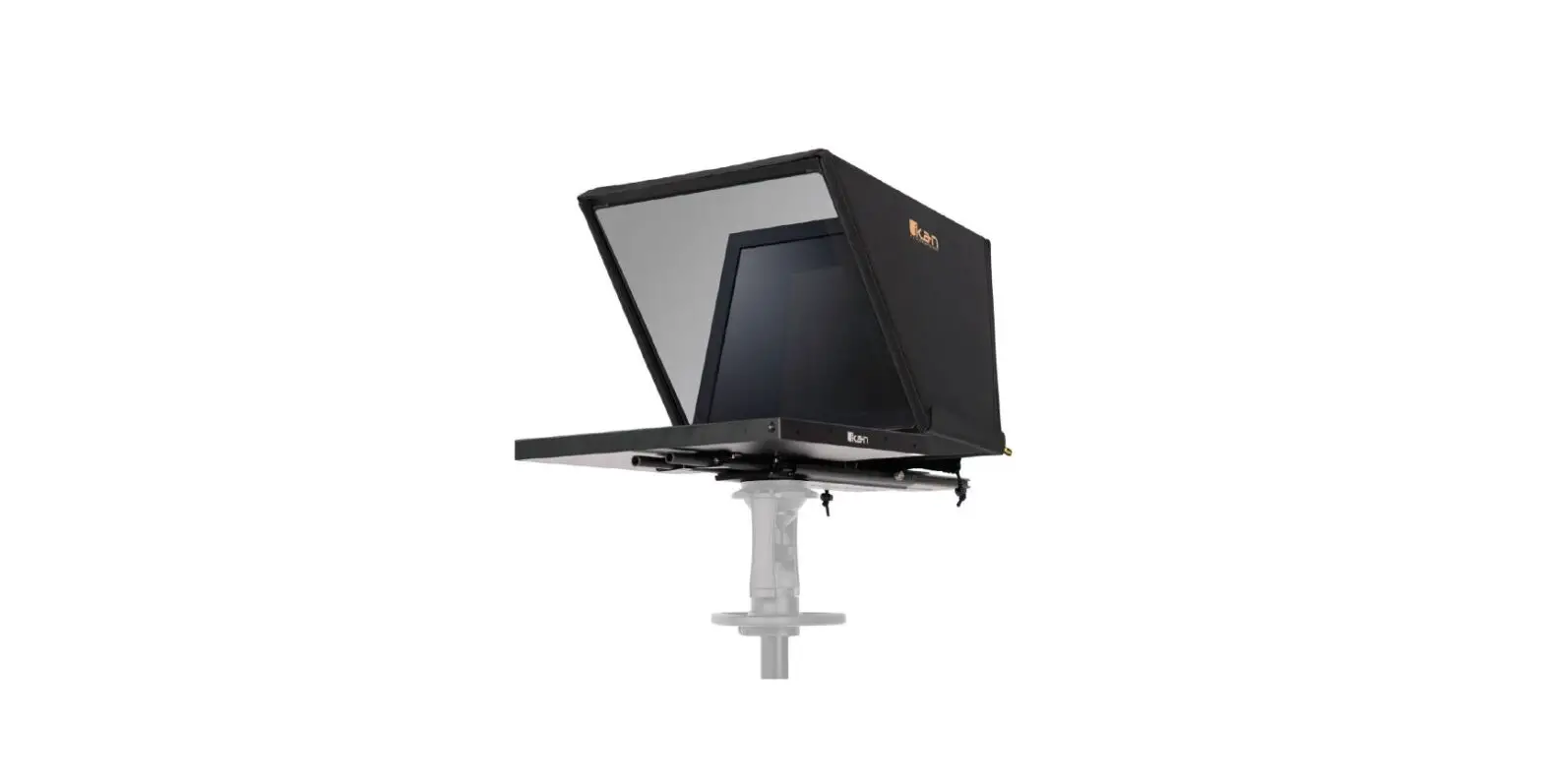
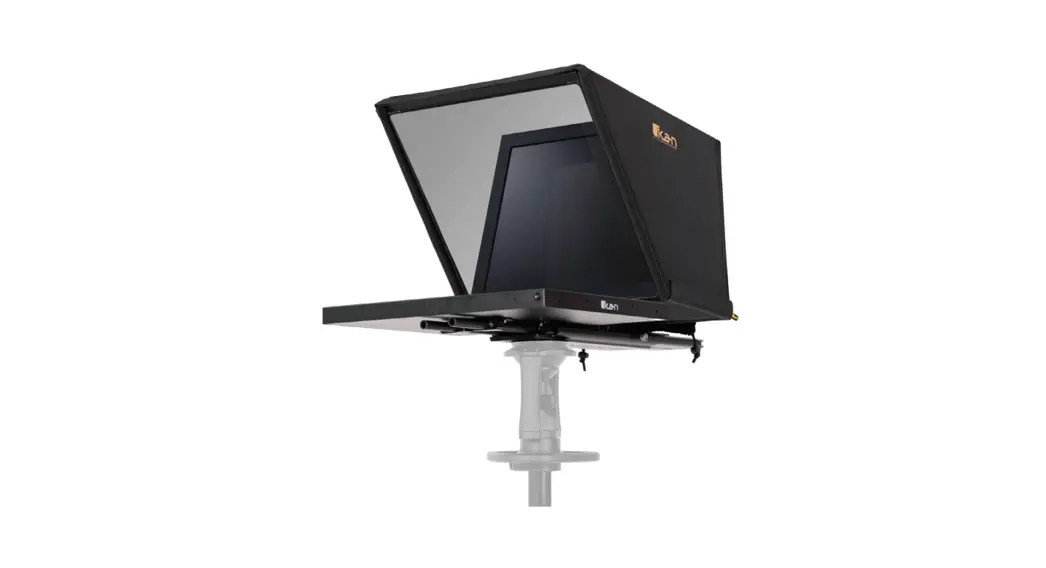
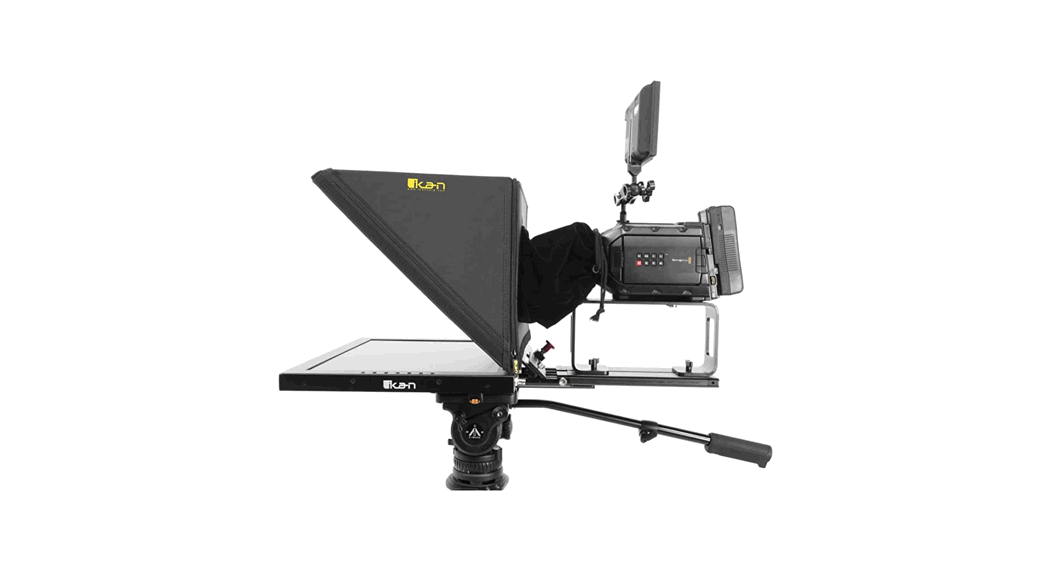
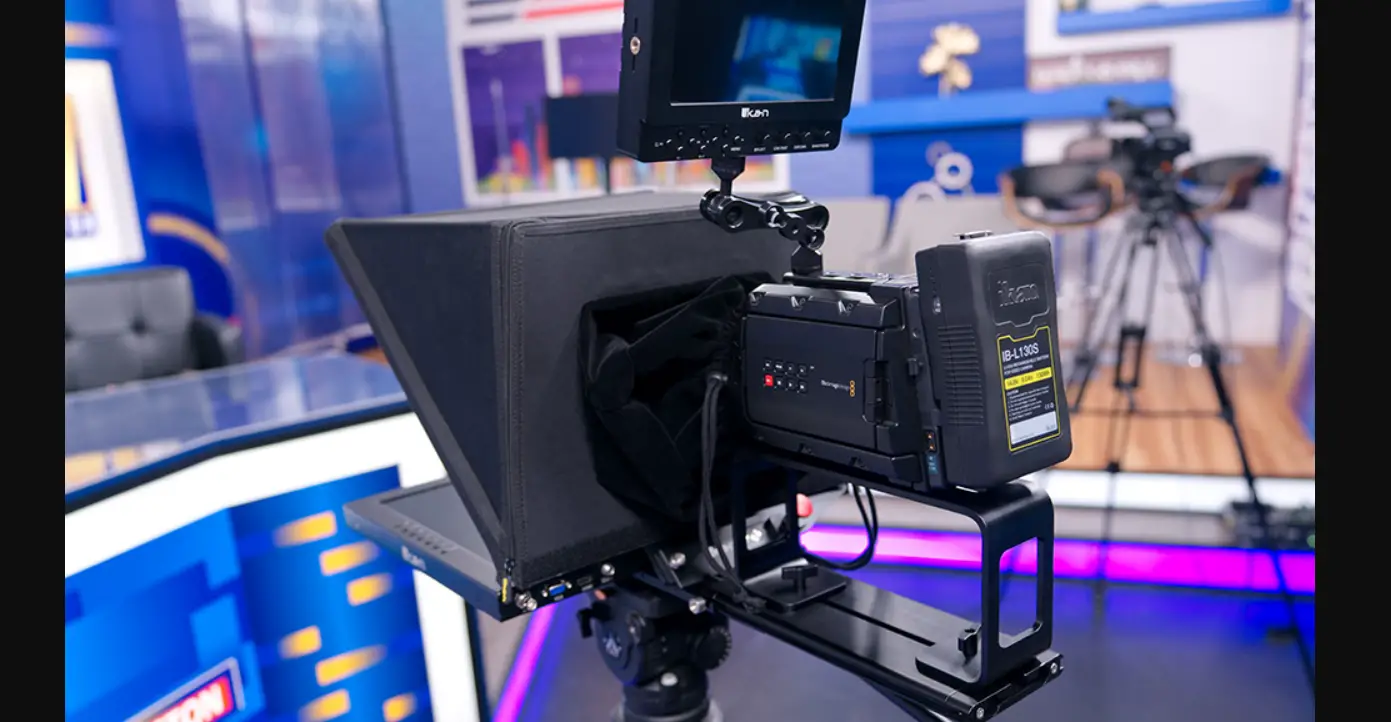
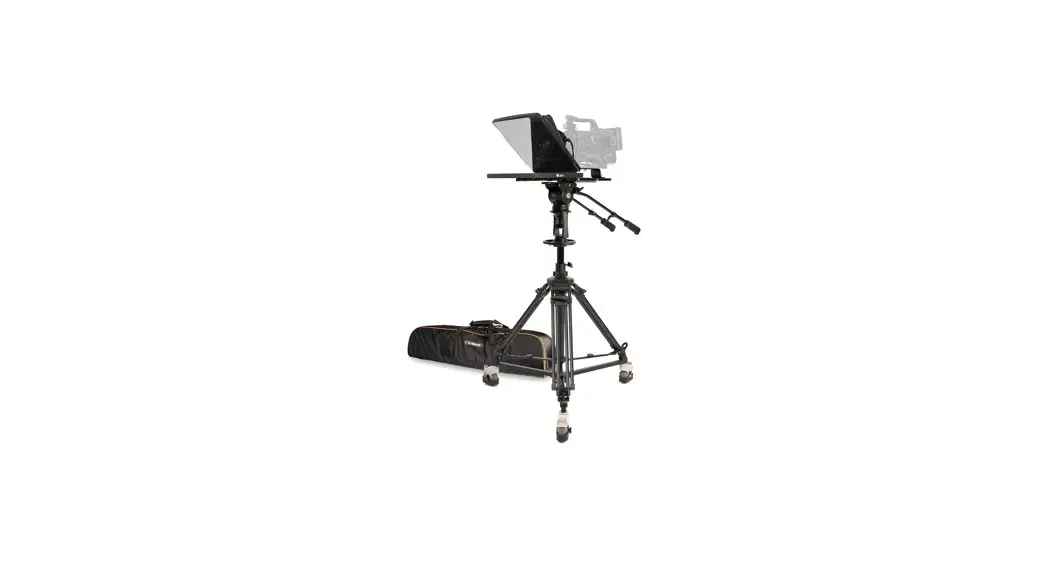
The 19″PTZ Teleprompter from lkan is a professional solution for teleprompting with PTZ cameras. The package provides an extra-wide hood assembly to allow considerable movement of the camera within the wide beam splitter glass. The PTZ Teleprompter features a 19 1000 cd/m? monitor, 70/30 20″ -wide beamsplitter glass, and a 25′ reading range. The teleprompter is designed for use with a wide range of PTZ cameras, as the wide beamsplitter provides for a wide amount of left-right panning. The teleprompter includes a base system that can be easily shifted forward and backwards, which enables mounting the camera to the prompter without requiring counterweights.
Please note that the PTZ4900S-PTZ includes parts to build two types of teleprompter systems, a standard 19″ Teleprompter that is compatible with various types of mirrorless and broadcast cameras, and a 19″ PTZ teleprompter that is compatible with a wide range of PTZ cameras. This Quick Start Guide will show you how to set up the 19″ Teleprompter for PTZ cameras. For instructions on how to set up the PT 4900 for broadcast or mirrorless cameras, please refer to the PT 4900 Quick Start Guide on our website.
What’s Included
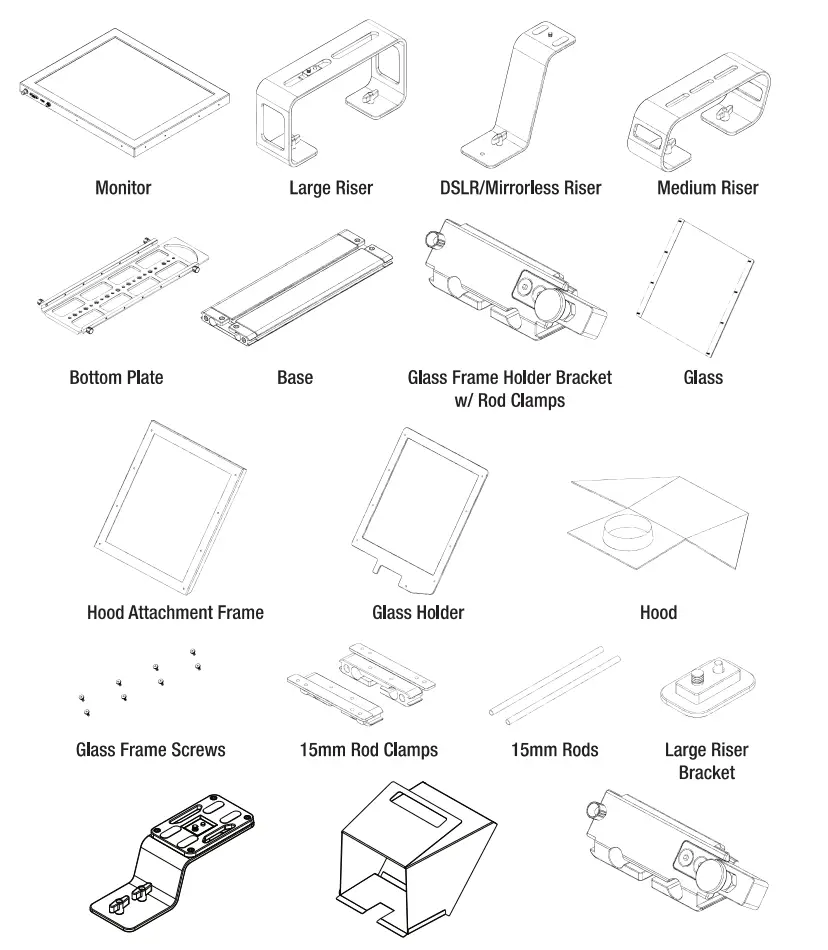
Teleprompter Assmebly Setup
Step 1
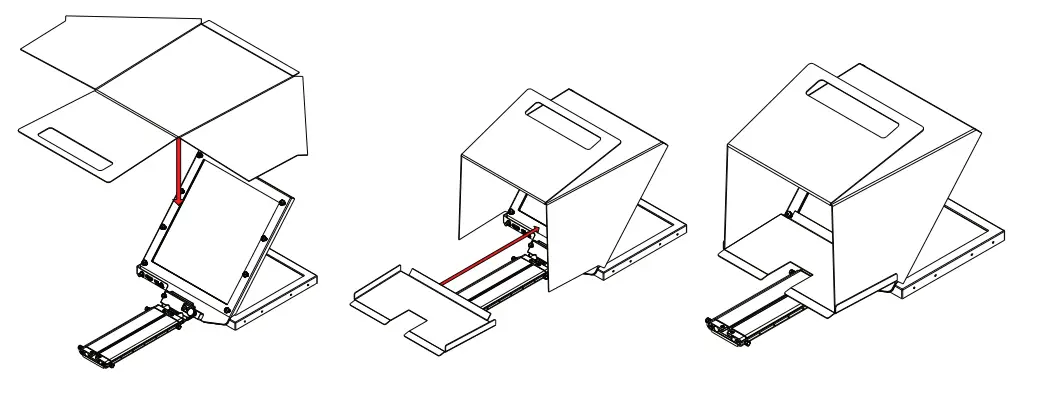
Place the Hood Attachment Frame over the Glass Holder. Then place the glass against the Glass Holder. Make sure the screws pass through the holes on the both the Hood Attachment Frame and the Glass Holder. 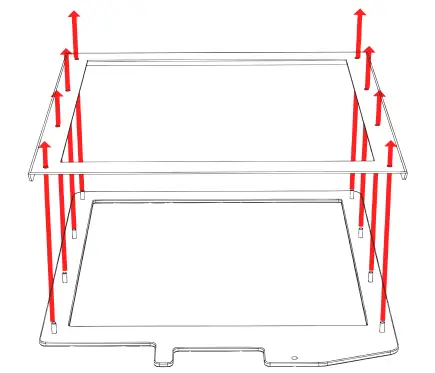
Step 2
Secure the Glass Holder by fastening the knurled nuts to the screws as pictured below. 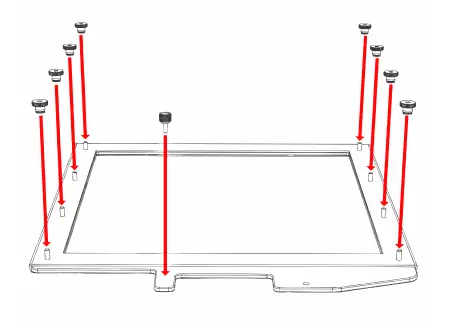
Step 3
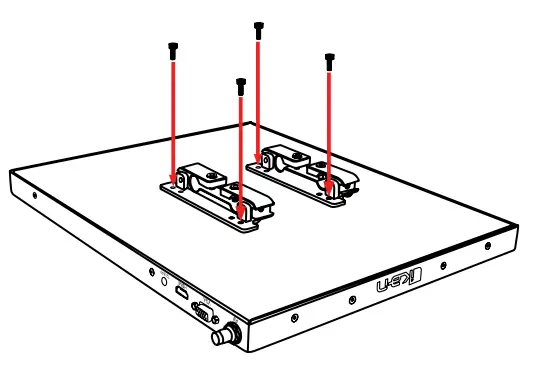
Remove the monitor mounts from the teleprompter base using the included larger 4mm hex key to loosen from the 15mm rods. 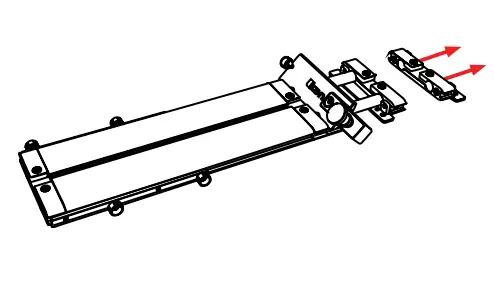
Step 4
Put the washers on before tightening the screws. The washers and 4 additional screws are inside a bag on the bottom foam.
Step 5
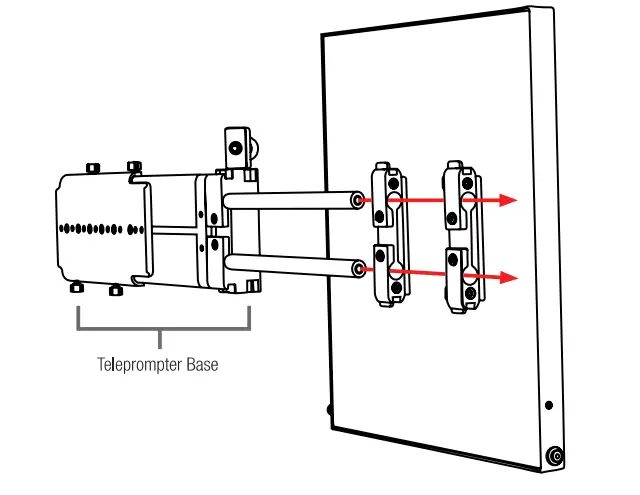
After the monitor mounts are attached, adjust the 15mm rods to accommodate the monitor. Leave about 1 inch of room for the teleprompter bracket.
Make sure the 15mm rods go through both set of monitor mounts. Please ensure that all screws are properly tightened after inserting the monitor.
*SAFETY NOTE* Make sure to leave at least 2 inches of the rods inside the teleprompter base.
Step 6
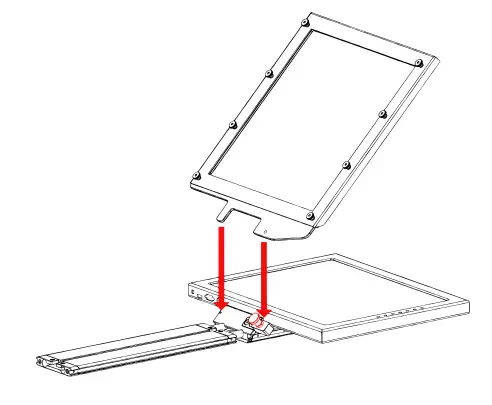
While sliding the teleprompter bracket into the slot of the Glass Frame Holder Bracket, pull on the red knob to allow the bracket to fully slide in.
Step 7
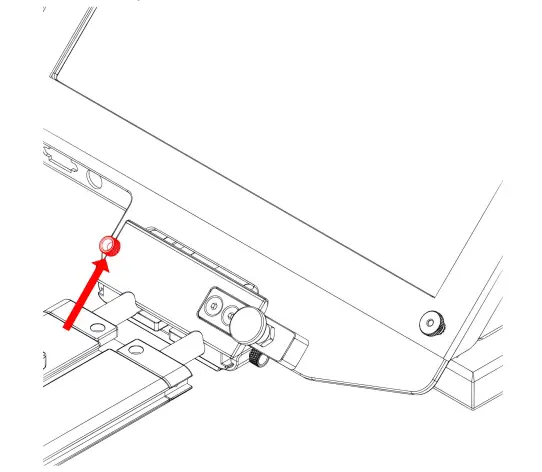
Once the bracket is in place, tighten the side screw to lock in place.
Double check and make sure all the screws are tightened with the included hex keys.
Step 8
Fold the flaps of the Hood alongside the edges of the Hood Attachment Frame. The flaps of the Hood are magnetic so they will automatically attach. Connect the bottom part of the hood by attaching the magnetic flap to glass frame holder. Connect the velcro straps to the sides of the hood.
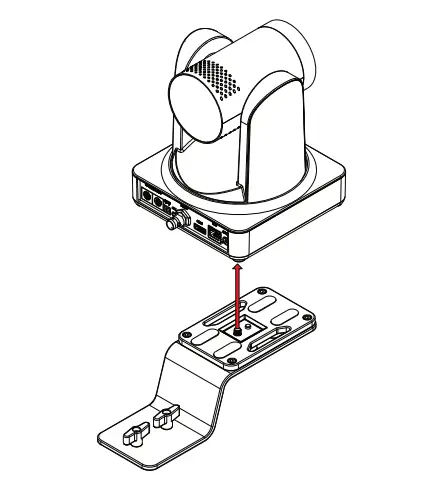
Step 9-A: Connecting the PTZ Riser to the lkan OTTICA
To connect the PTZ Camera Riser to the lkan OTTICA camera, fasten the %%-20 screw on the PTZ Riser Plate to the thread on the bottom of the OTTICA camera.
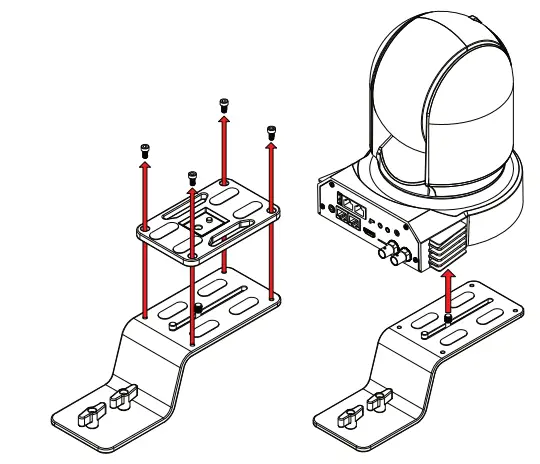
Step 9-B: Connecting the PTZ Riser to other PTZ Cameras
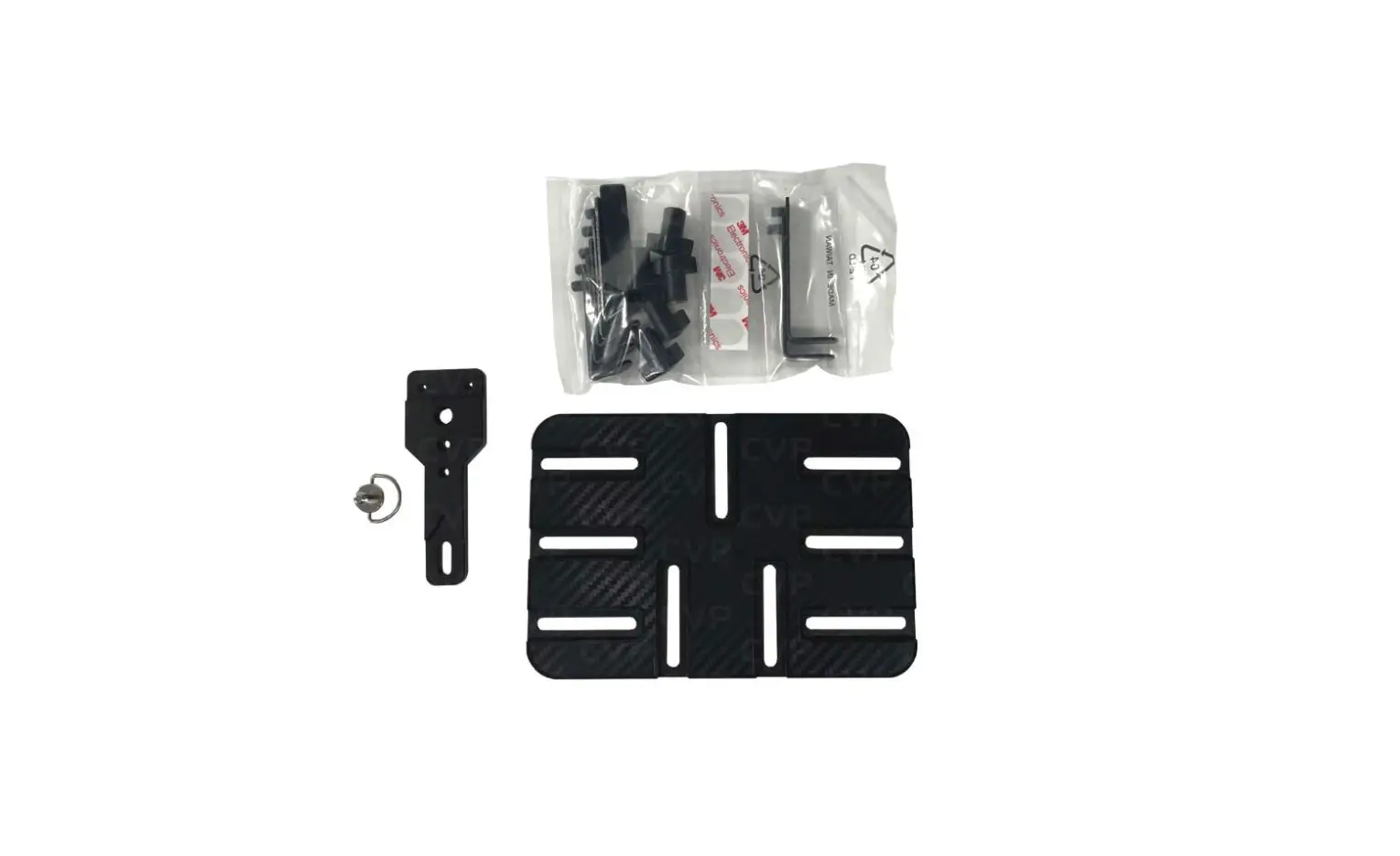
To connect the PTZ Camera Riser to the other PTZ cameras, Remove the plate on top of the PTZ Riser by unfastening the four screws on the surface of the plate. Once the plate has been removed, fasten the ¼-20 screw on the PTZ Riser Plate to the thread on the bottom of the PTZ camera.
Step 10
Set the PTZ camera inside the hood by aligning the screws on the riser plate to the slot on the Base. Once the screws are aligned, Slide the riser plate into the Base. 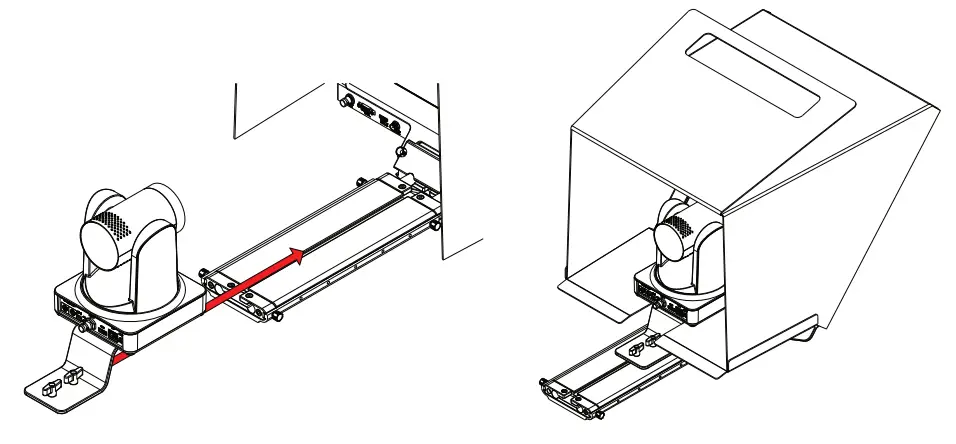
Step 11
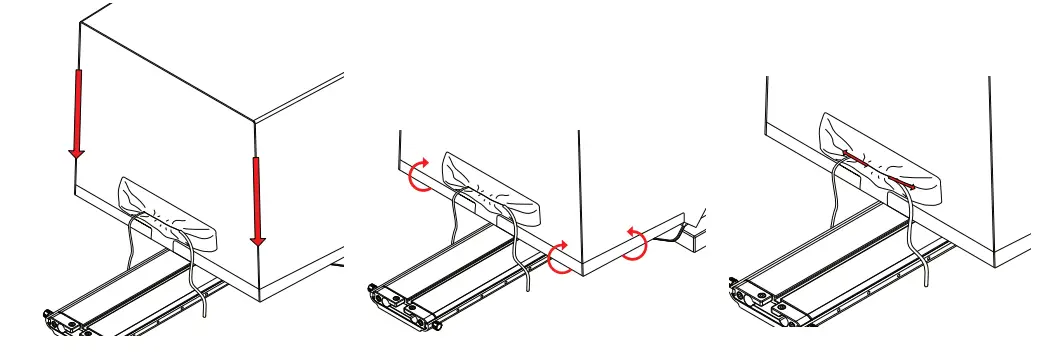
To prevent light from leaking through the hood, seal both zippers down, attach the velcro straps along the back and sides of the hood. Connect the cables to the back of your PTZ camera by putting them through the slot on the back of the PTZ Hood. Once your cables are connected, tighten the draw string on the back of the PTZ Hood.
Step 12
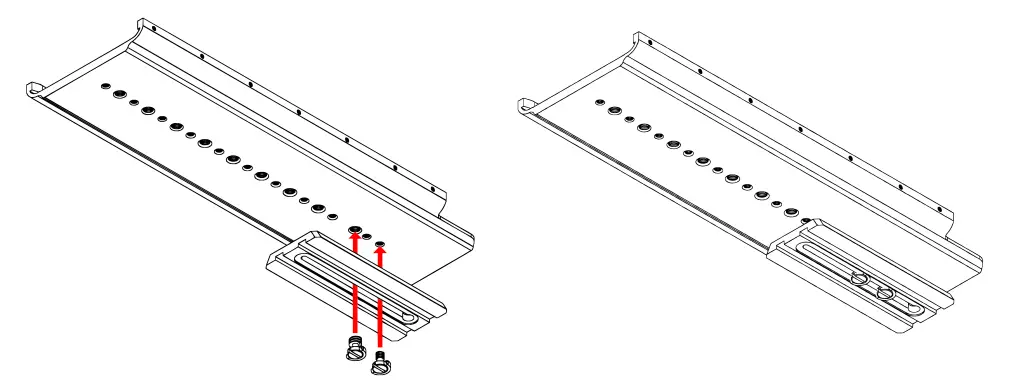
Mount your own tripod plate to the bottom plate by aligning the 1/4-20 and/or 3/8-16 screws and fastening them to the Bottom Plate. It is recommended that you connect your tripod plate to front of the Bottom Plate so that you can balance your teleprompter easier. Once your tripod plate is connected to the Bottom Plate, mount the tripod plate to your tripod head.
Step 13
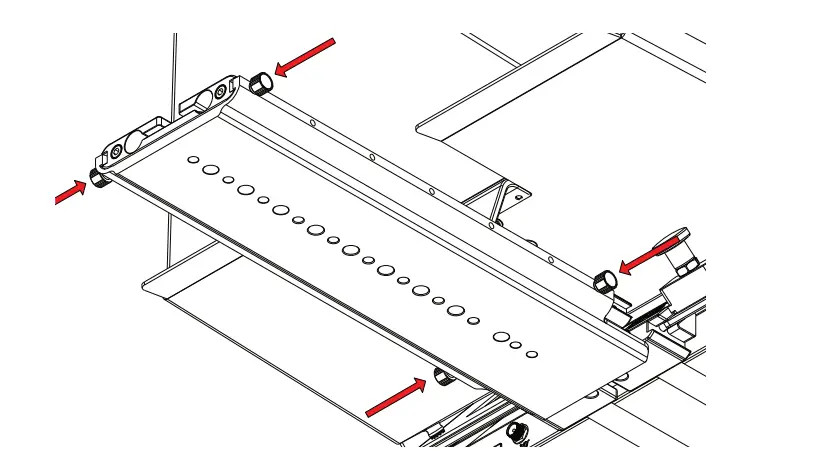
In order to properly balance the teleprompter, loosen the 4 screws on the bottom plate and slide the entire teleprompter system back or forward until the center of gravity has been determined. Once the center of gravity has been determined, tighten the thumb screws to keep the base from sliding.
Step 14
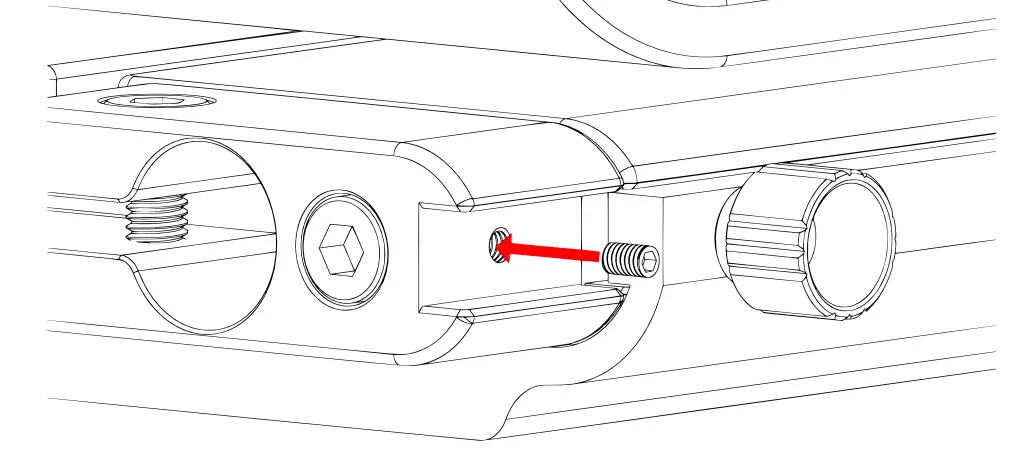
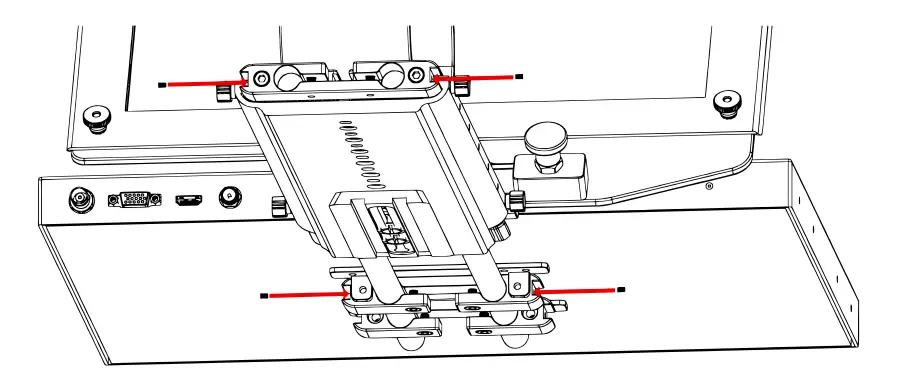
To secure your teleprompter system, insert the included headless screws into the threads behind and in front of the Base.
Step 15
The headless screws should be inserted to the threads as pictured below.
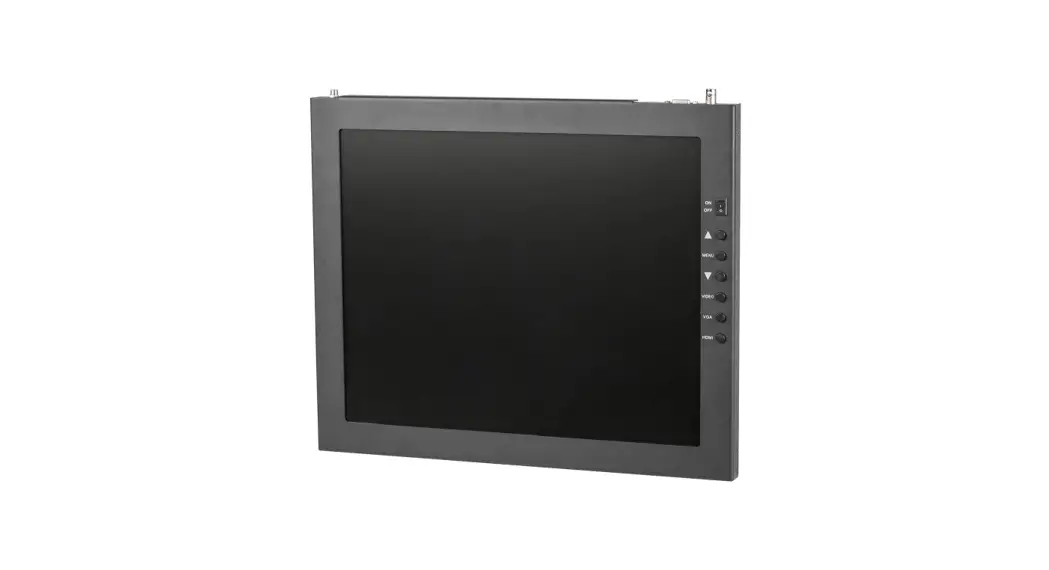
Monitor Ports
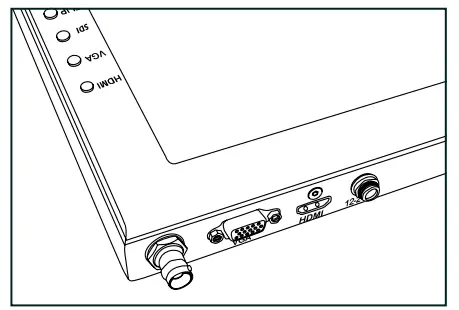
3G-SDI- Serial Digital Interface Connection
VGA – Video Graphics Array DE15 Connection
HDMI — High-Definition Multimedia Interface Input Connection Power Port –12-24 Input
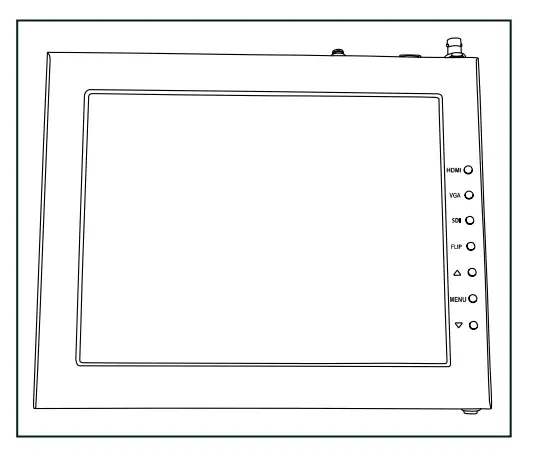
HDMI- Switch HDMI input
VGA- Switch to VGA input
SDI- Switch to 3G-SDI input
Flip – Toggle image flip (Can be set to horizontal, vertical, or both via menu)
Up Arrow – Toggle up to adjust setting
Menu – Access to monitor settings
Down Arrow – Toggle down to adjust setting
Video Config
Contrast (White Level)
Brightness (Black Level)
Tint (Chroma Hue)
Chroma (Chroma Saturation)
Sharpness (Detail)
RGB Setup – Manually configure RGB
Return
System Config
Menu Duration – Set duration of how long menu stays
on screen
Video Ratio – Set screen aspect ratio 16:9 or 4:3 (4:3 is
native resolution, 16:9 will create black bars)
Flip-H – Assign toggle button to flip image horizontally
Flip-V – Assign toggle button to flip image vertically
Reset – Factory reset
Return
PC Setup (Only available for VGA)
H-Position – Adjust horizontal position
V-Position – Adjust vertical position
Auto — Monitor automatically adjust position
Return
Exit
- Press MENU button
- Navigate to SYSTEM CONFIG.
- Navigate to FLIP-V or FLIP-H
- Change FLIP-V and/or FLIP-H to “ON”
- Exit MENU
The FLIP button should now be activated and can be pressed to mirror the image Horizontally or Vertically - When FLIP-His ON, the image will flip Horizontally
- When FLIP-V is ON, the image will flip Vertically
- If both are ON, the FLIP button will toggle both Horizontal and Vertical flip
Watch our VIDEO TUTORIAL on how to assemble lkan Professional Telepromopters:

https://youtube.com/playlist?list=PLcjaK5n9Y8ctrbYS3t2g4nyx2uADOXjuF[Elis.lg]
Specifications for PT4900S-PTZ
TELEPROMPTER SPECS
| Riser Plate Height | Low: 2.06 in./52.5mm I Medium: 3.74 in./95mml High: 5.31 in./135mm I DSLR: 6.29 in./160mm |
| Length of Rods | 15mm x 400mm |
| Build Material | Chassis: Anodized Aluminum I Rods: Carbon Fiber |
| Reading Range | 25 ft. / 7.62 m |
| Beamsplitter Ratio | 70/30 |
| Beamsplitter Shape | Rectangular |
| Beamsplitter Material | Glass |
| Tripod Mounts | 11 x 1/4 in. -20 Female I 9 x 3/8 in. -16 Female |
| Product Weight w/ Low Plate | 22.70 lbs. |
| Product Weight w/ Medium Plate | 23.10 lbs. |
| Product Weight w/ High Plate | 23.23 lbs. |
| Product Weight w/ DSLR Plate | 22.60 lbs. |
| Height of Teleprompter | 16 in./ 406mm |
| Angle of Glass Frame Holder | 50° |
| Material of Hood | Polyester Canvas |
| Material of Riser Plates | Aluminum |
| Material of Glass Frame Holder | Aluminum |
MONITOR SPECS
| Aspect Ratio | 4:03 |
| Maximum Brightness | 1000 cd/m2 |
| Screen Size (Diagonal) | 18.5 in. |
| Mount | VESA 100mm |
| Video Inputs | 3G-SDI, HDMI, VGA |
| Input Voltage | DC 12v / 4A |
| Power Consumption | 21W |
| Product Weight | 6 lbs. |
| Product Dimensions | 17 in. x 15 in. x 1 in. |
| Native Resolution | 1280 x 1024 |
| Viewing Angle | 160° (H) / 170° M |
| Build Material | Aluminum Chassis |
| Image Flip | Horizontal: Yes I Vertical: Yes |
Optional Accessories
| PT4900-GM | Replacement Glass for PT 4900 |
| PT19W-TALLY | 19″ Widescreen Talent Monitor w/ Tally Add-on Kit for PT 4900 |
| PT-PEDAL | Teleprompter Foot Control Pedal |
| PT-CASE-V2 | Rolling Hard Case for PT 4900 Teleprompter |
Foam Case
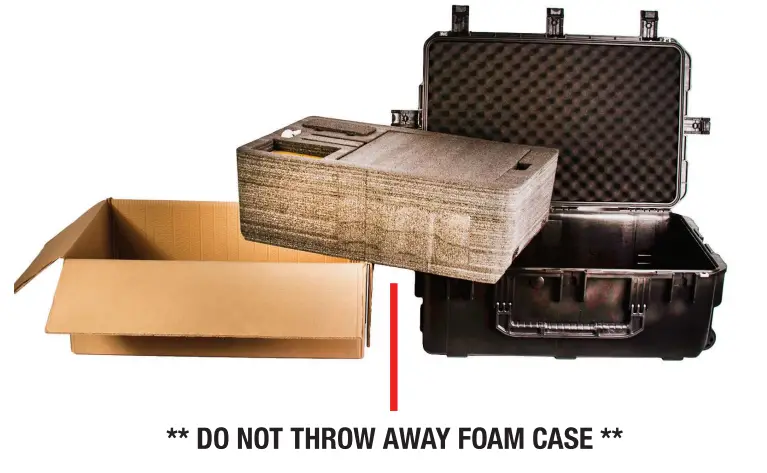
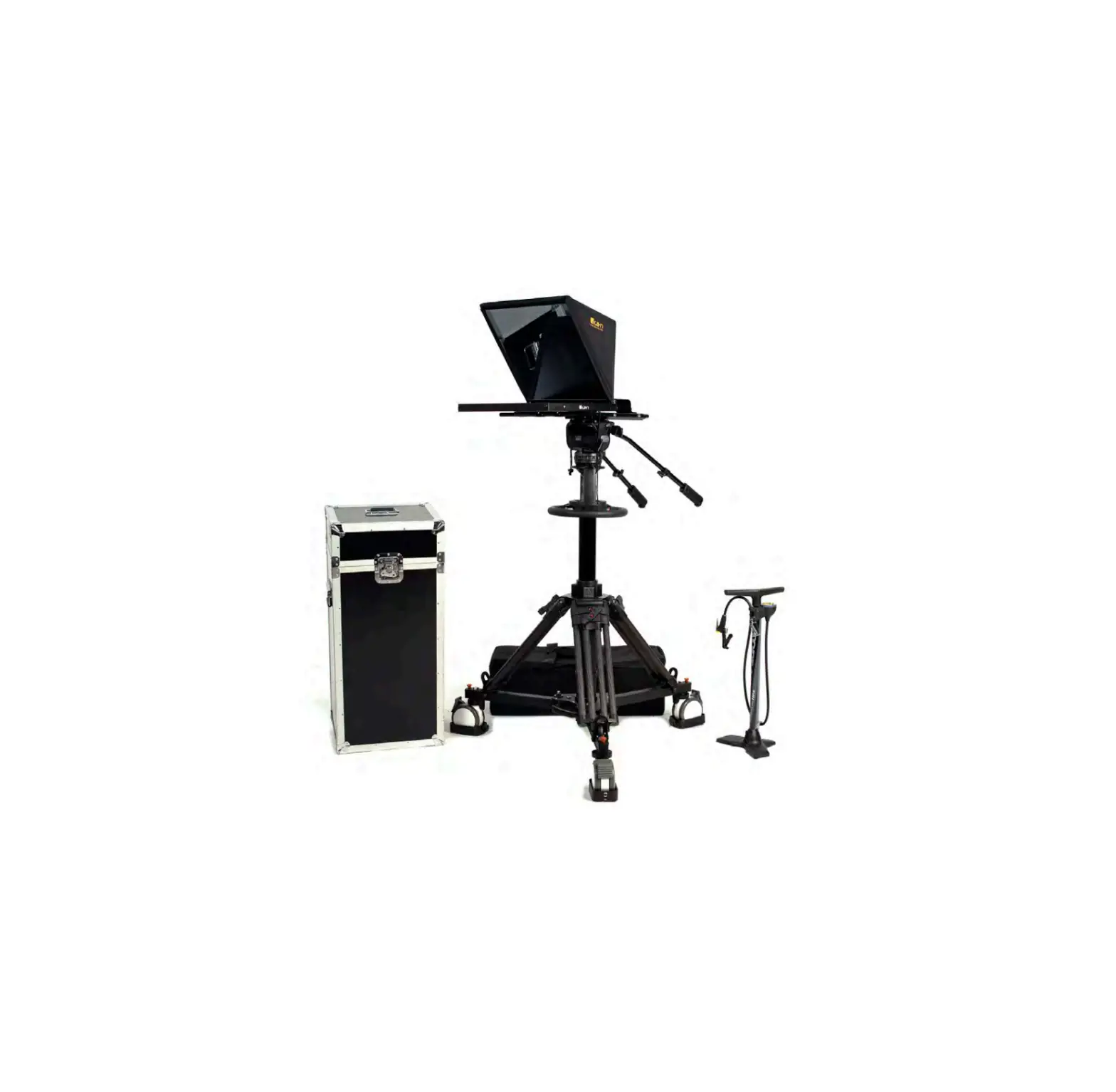
To make your teleprompter more portable, we packed it in a reusable, high-quality foam.
The shape and size of the foam was designed to fit into lkan’s PT-CASE-V2.
Learn More
More dynamic information at official website: www.ikancorp.com
Support
Contact email: [email protected]
CONDITIONS OF WARRANTY SERVICE
- Free service for one year from the day of purchase if the problem is caused by manufacturing errors.
- The components and maintenance service fee will be charged if the warranty period is expired.
Free Service will not be Provided in the Following Situations:(*Even if the product is still within the warranty period.) - Damage caused by abuse or misuse, dismantling, or changes to the product not made by the company.
- Damage caused by natural disaster, abnormal voltage, and environmental factors, etc.
©2022 lkan International. All rights reserved.
www.ikancorp.com 11.713.272.8822 I [email protected] 

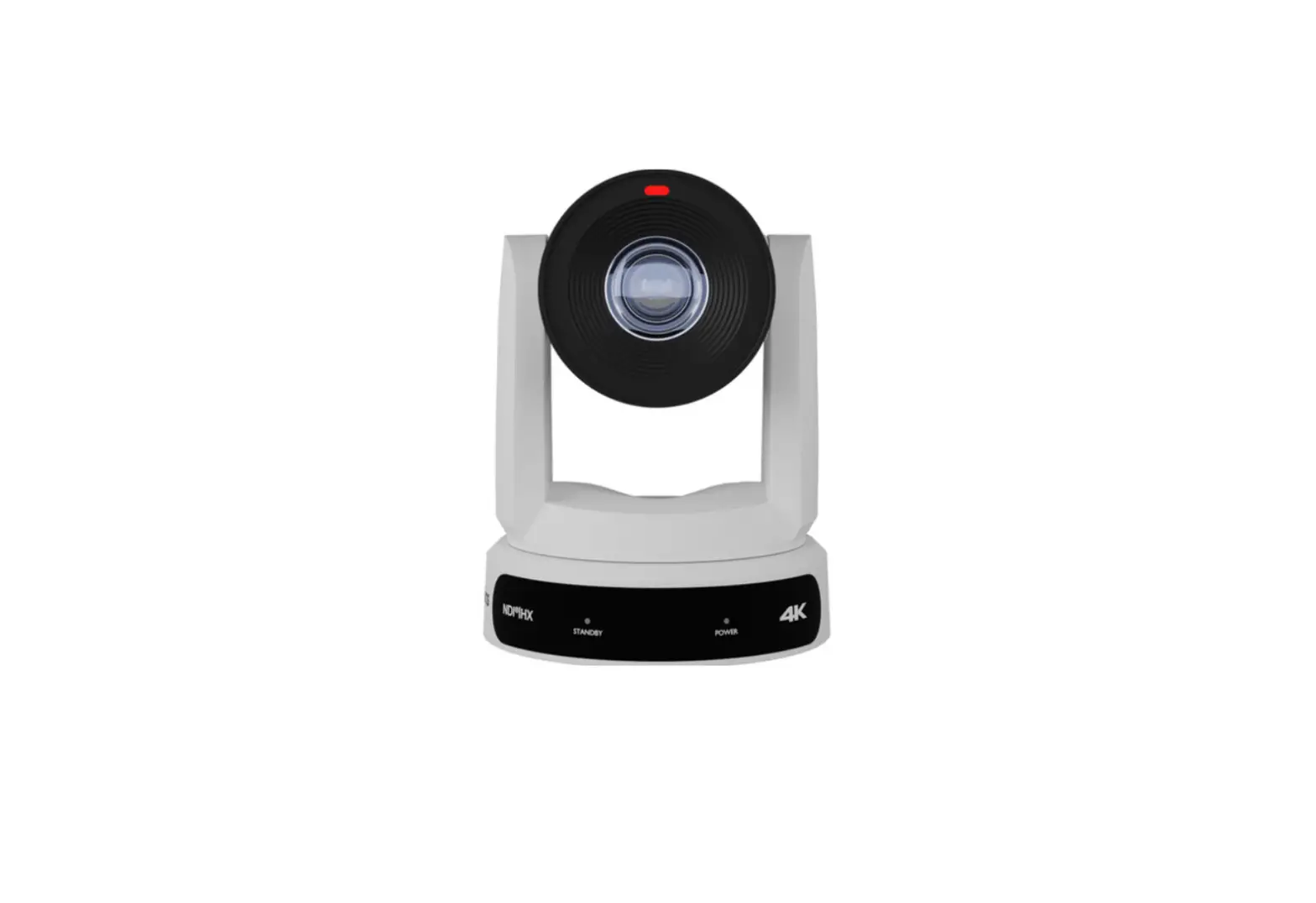
![Ptzoptics 20x 3g-sdi Gen 2 Live Streaming Ptz Camera User Manual [pt20x-sdi-gy-g2 Pt20x-sdi-wh-g2]](https://static-data1.manualsee.com/1/img/440/60714/2021/02/PTZOptics-20x-3G-SDI-GEN-2-Live-Streaming-PTZ-Camera-User-Manual-PT20X-SDI-GY-G2-PT20X-SDI-WH-G2.jpg "Ptzoptics 20x 3g-sdi Gen 2 Live Streaming Ptz Camera User Manual [pt20x-sdi-gy-g2 Pt20x-sdi-wh-g2]")