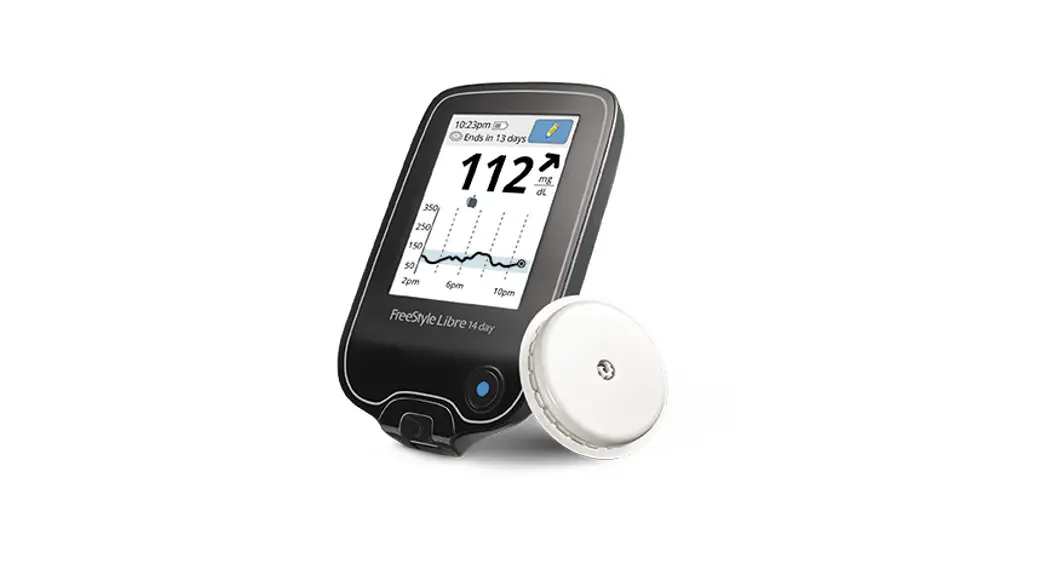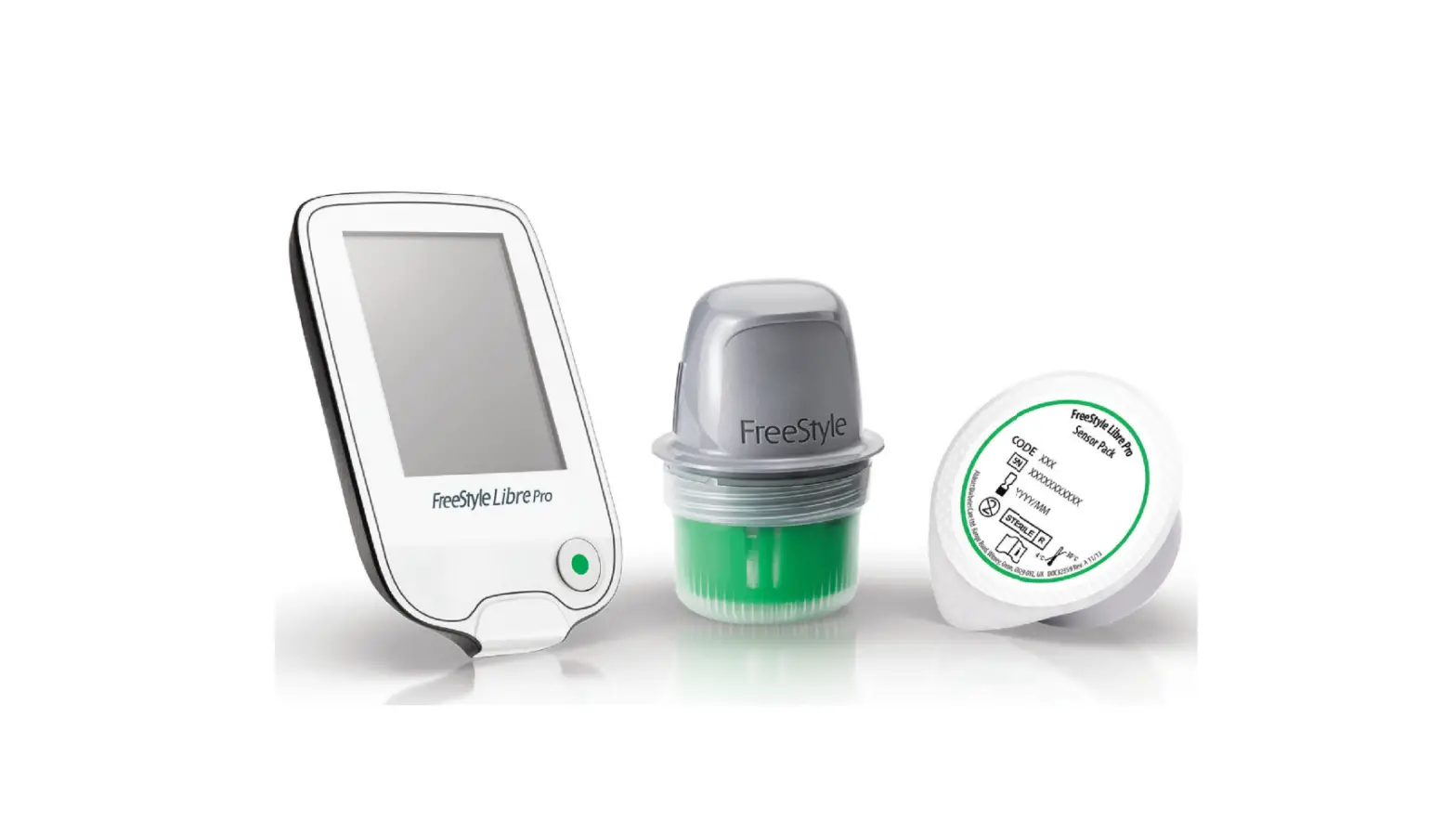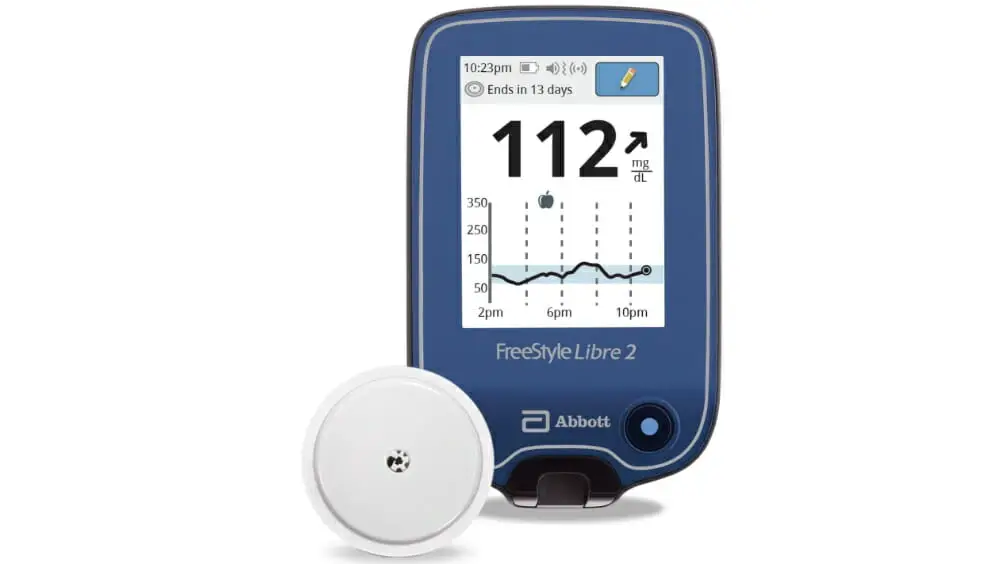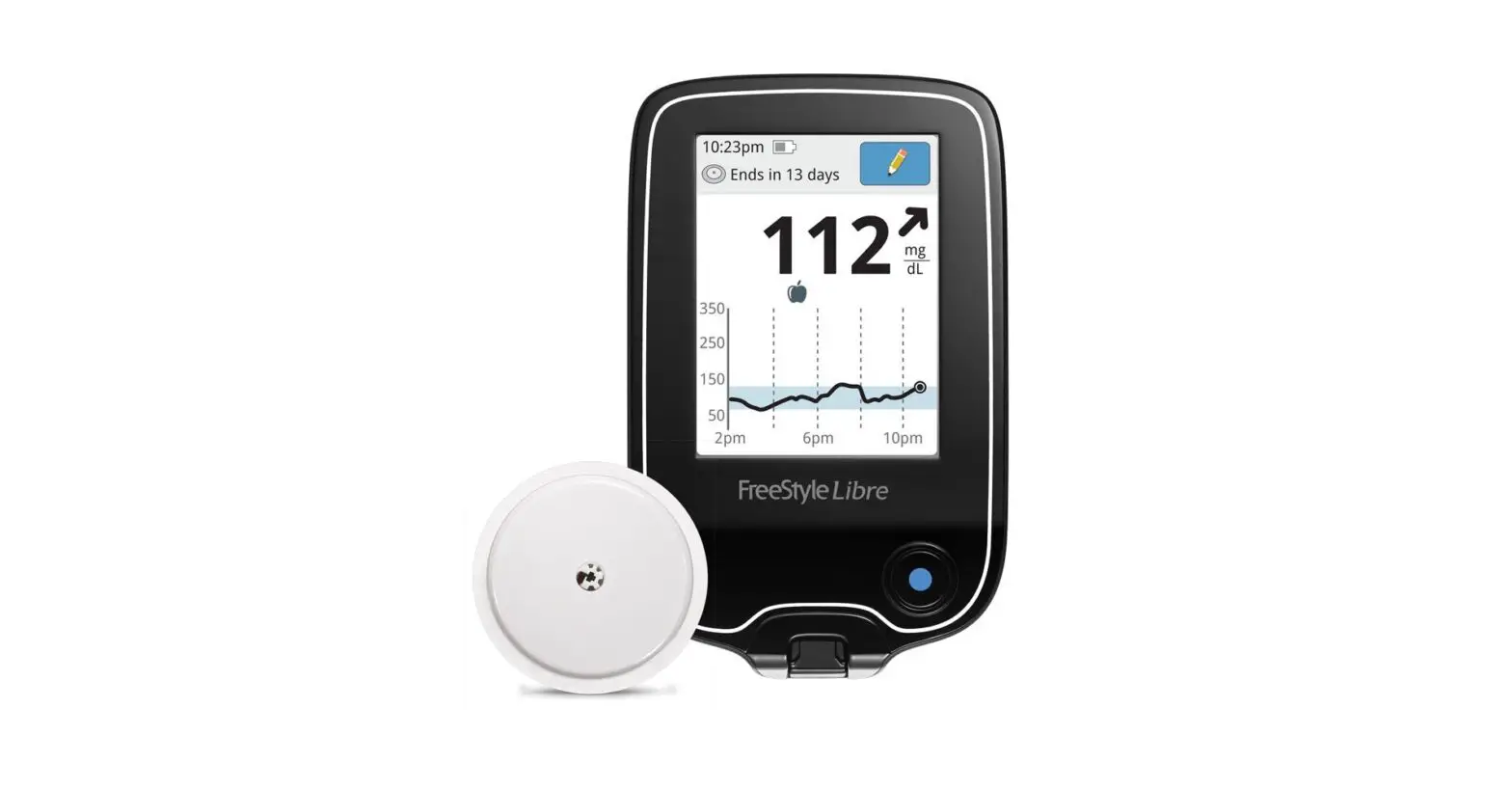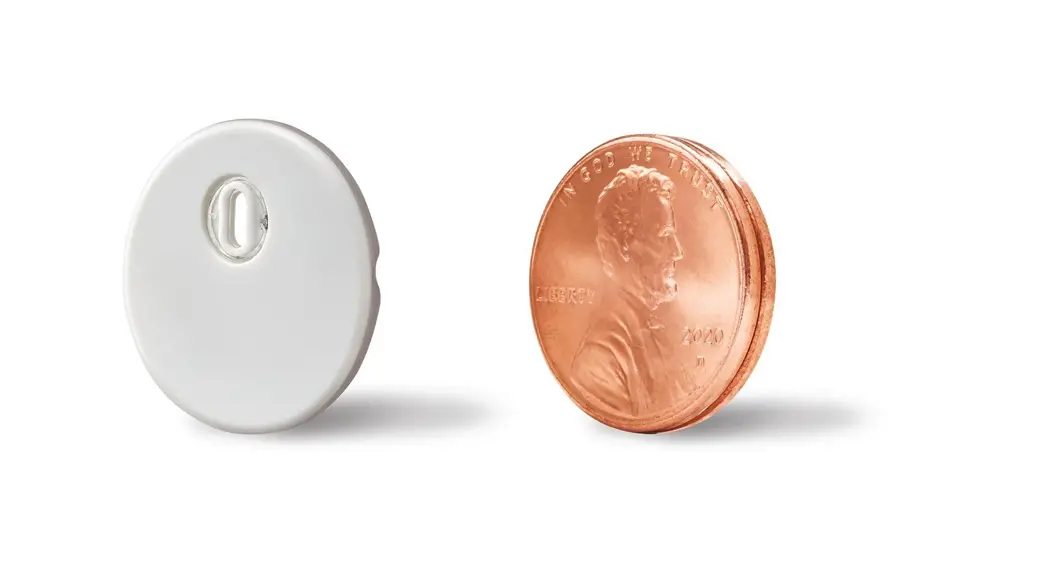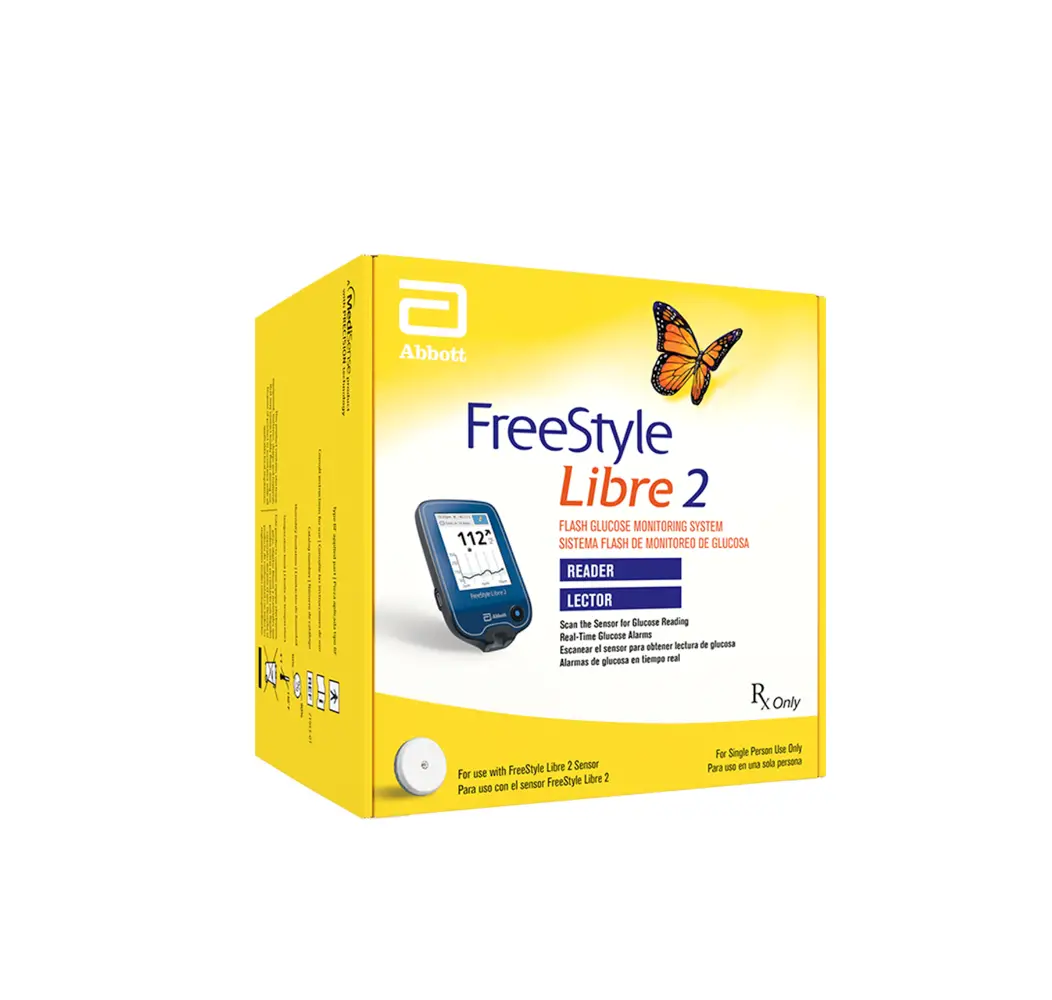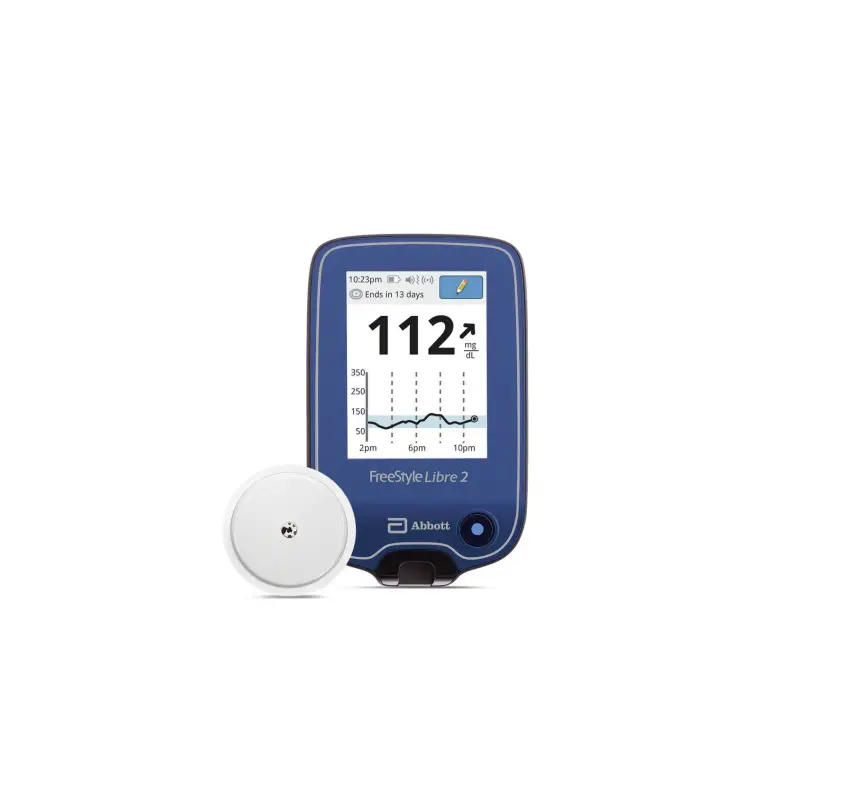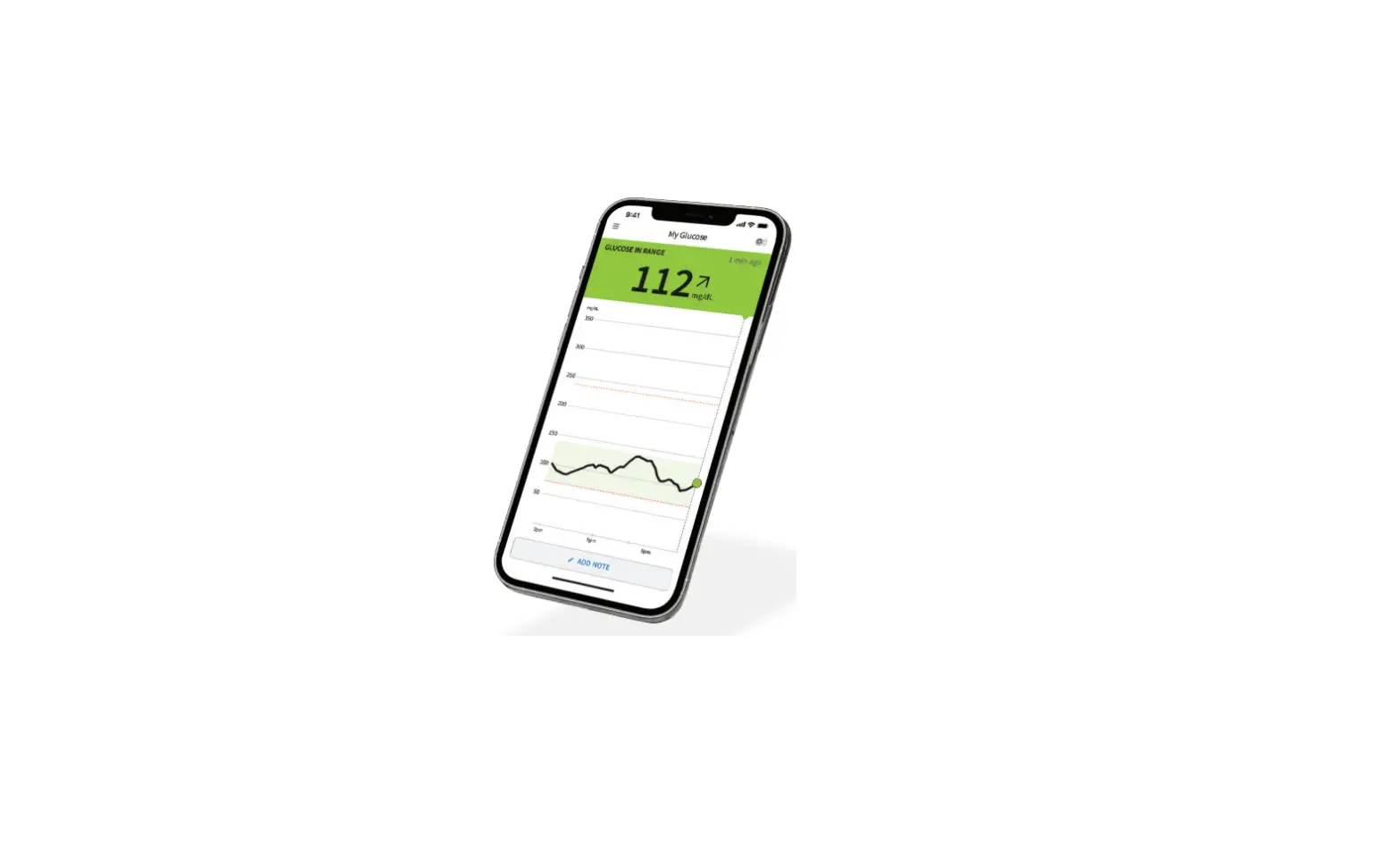
Freestyle Libre 2 Flash Glucose Monitoring System User Guide

Freestyle Libre 2 Flash Glucose Monitoring System User Guide

FreeStyle Libre 2 Flash Glucose Monitoring 
System User Guide

FreeStyle Libre 2 Flash Glucose Monitoring System User Guide

Setup Overview

Refer to your User’s Manual for full System instructions and information.
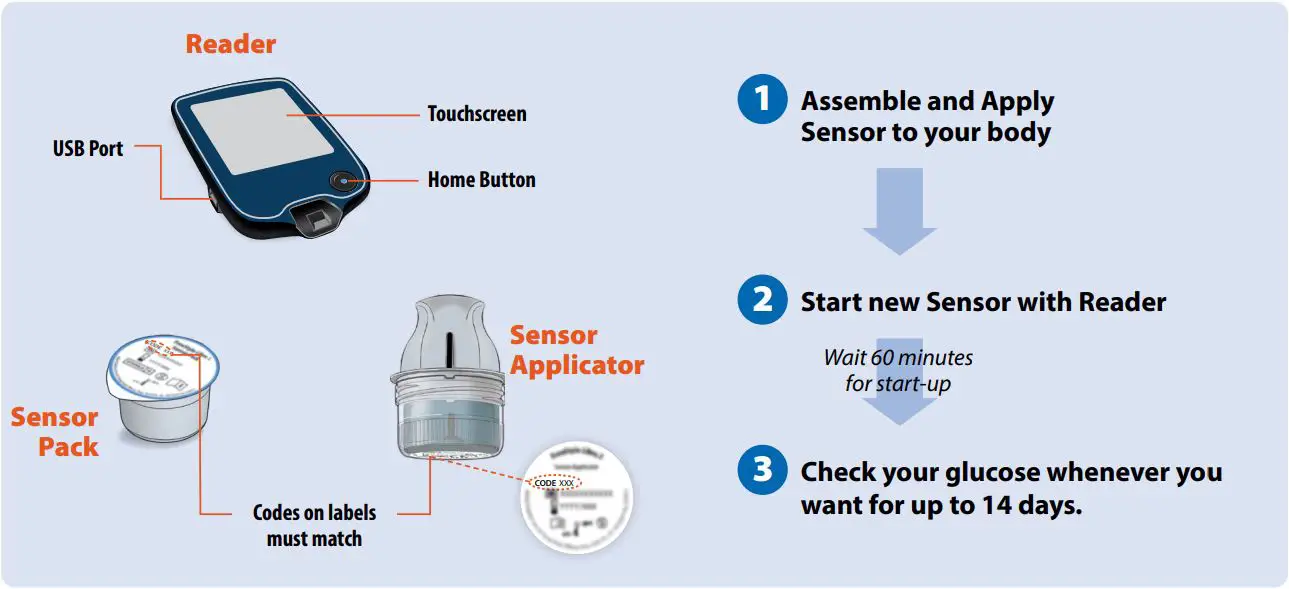
FreeStyle Libre 2 Flash Glucose Monitoring System User Guide - Setup Overview

Assemble and Apply Sensor to your body
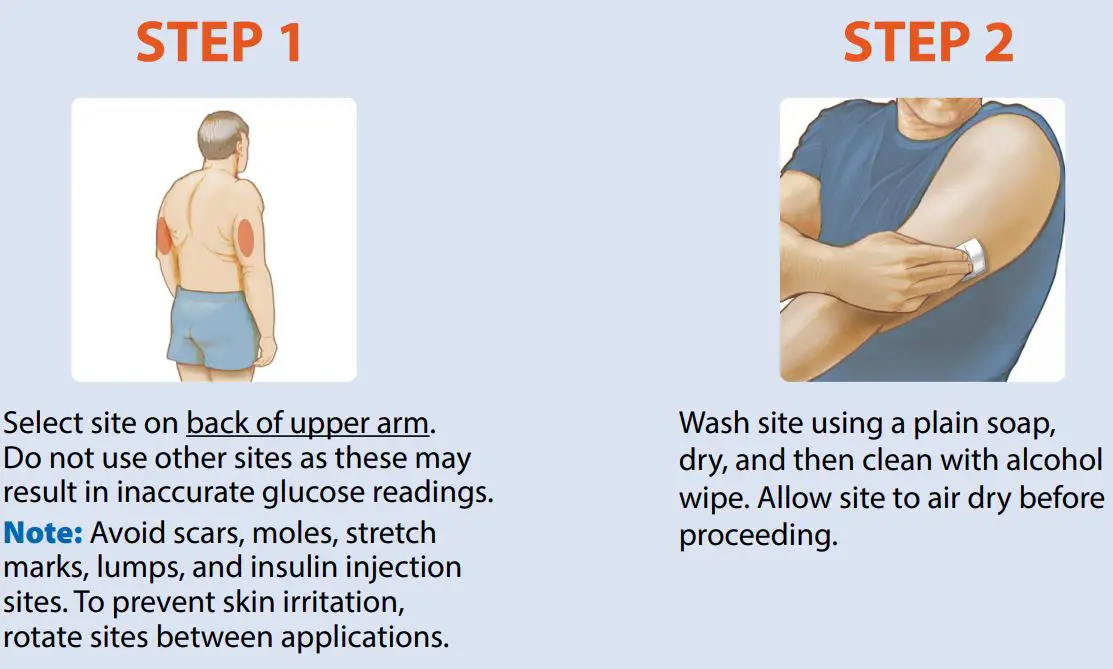
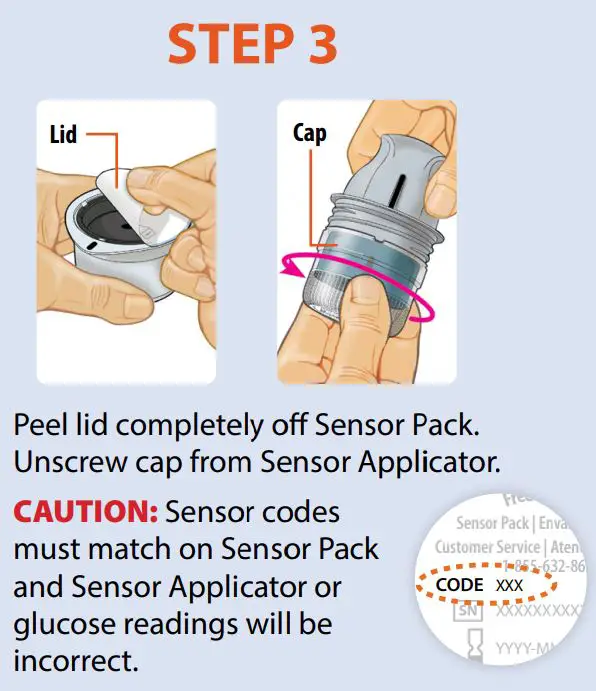
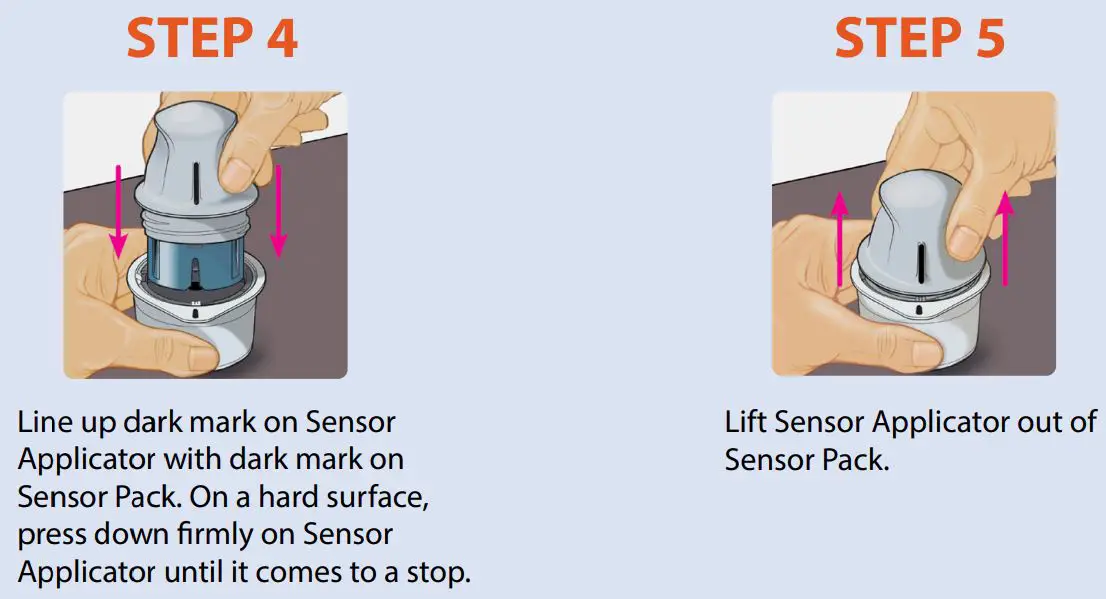
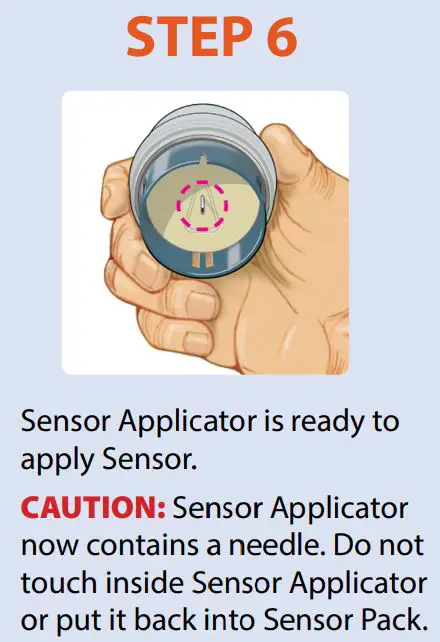
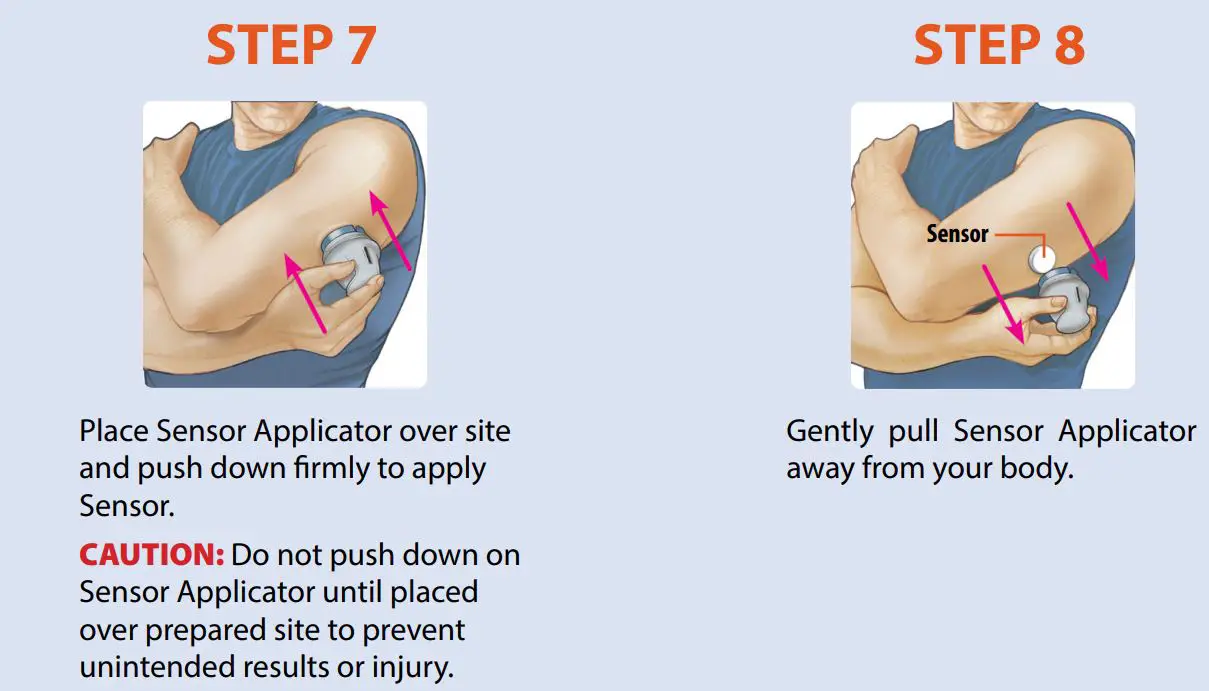
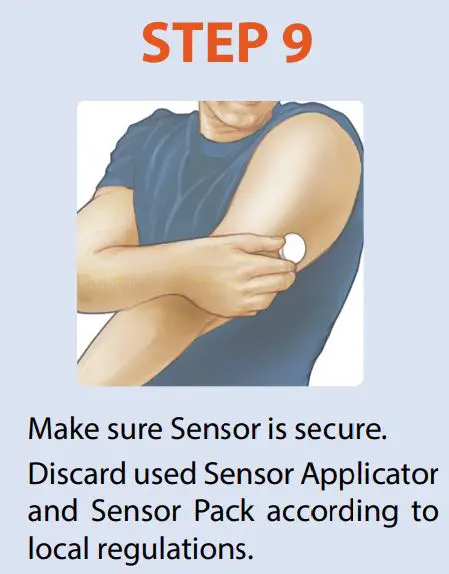
FreeStyle Libre 2 Flash Glucose Monitoring System User Guide - Assemble and Apply Sensor to the back of your upper armFreeStyle Libre 2 Flash Glucose Monitoring System User Guide - Assemble and Apply Sensor to the back of your upper armFreeStyle Libre 2 Flash Glucose Monitoring System User Guide - Assemble and Apply Sensor to the back of your upper armFreeStyle Libre 2 Flash Glucose Monitoring System User Guide - Assemble and Apply Sensor to the back of your upper armFreeStyle Libre 2 Flash Glucose Monitoring System User Guide - Assemble and Apply Sensor to the back of your upper armFreeStyle Libre 2 Flash Glucose Monitoring System User Guide - Assemble and Apply Sensor to the back of your upper arm

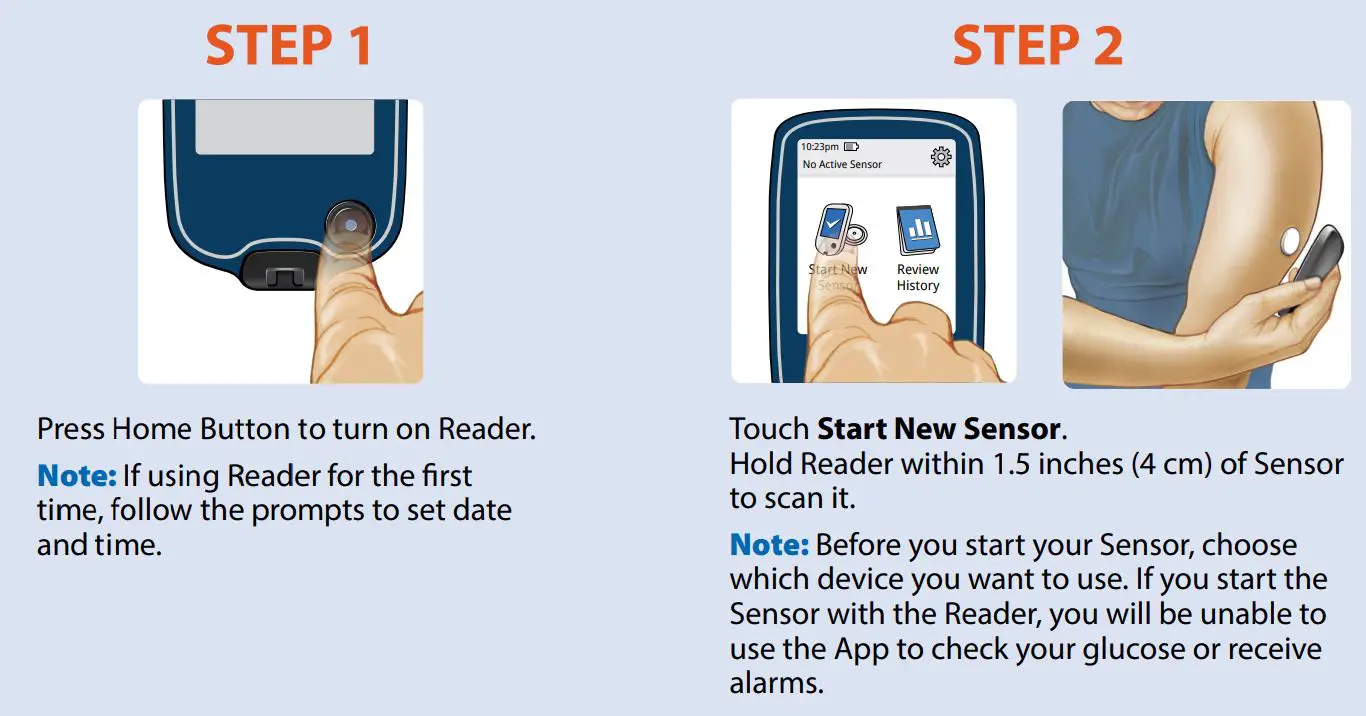
Start new Sensor with Reader

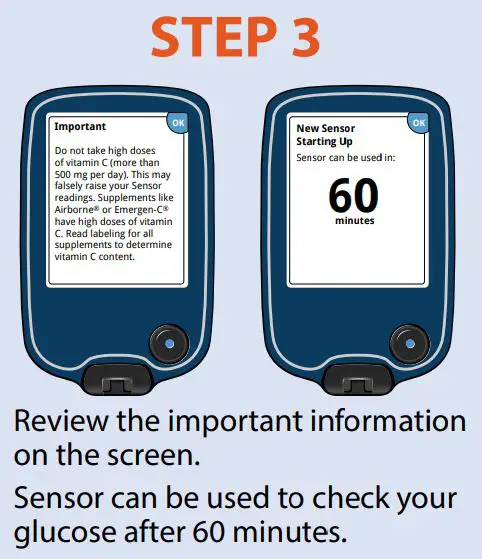
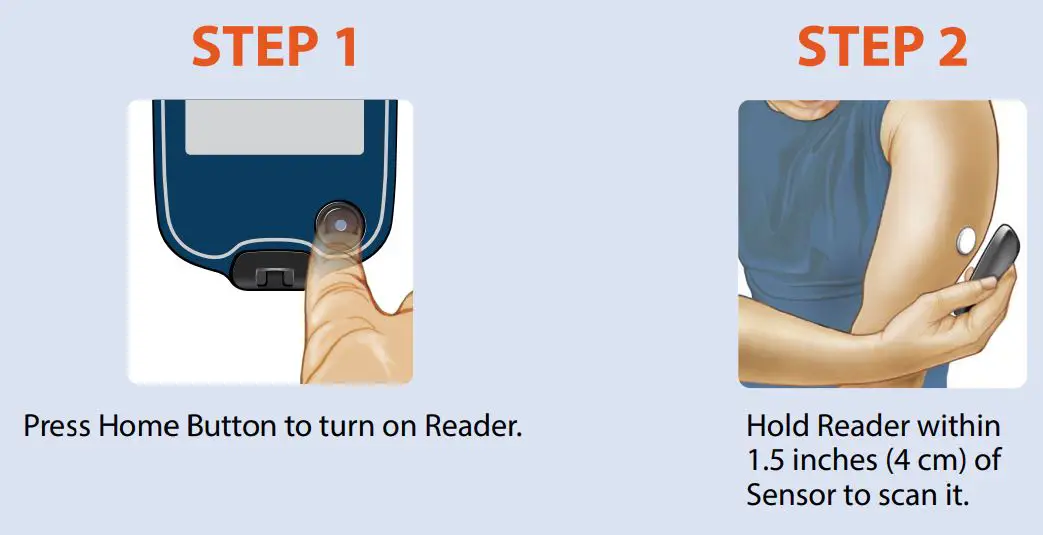
FreeStyle Libre 2 Flash Glucose Monitoring System User Guide - Start new Sensor with ReaderFreeStyle Libre 2 Flash Glucose Monitoring System User Guide - Start new Sensor with Reader
Check your glucose
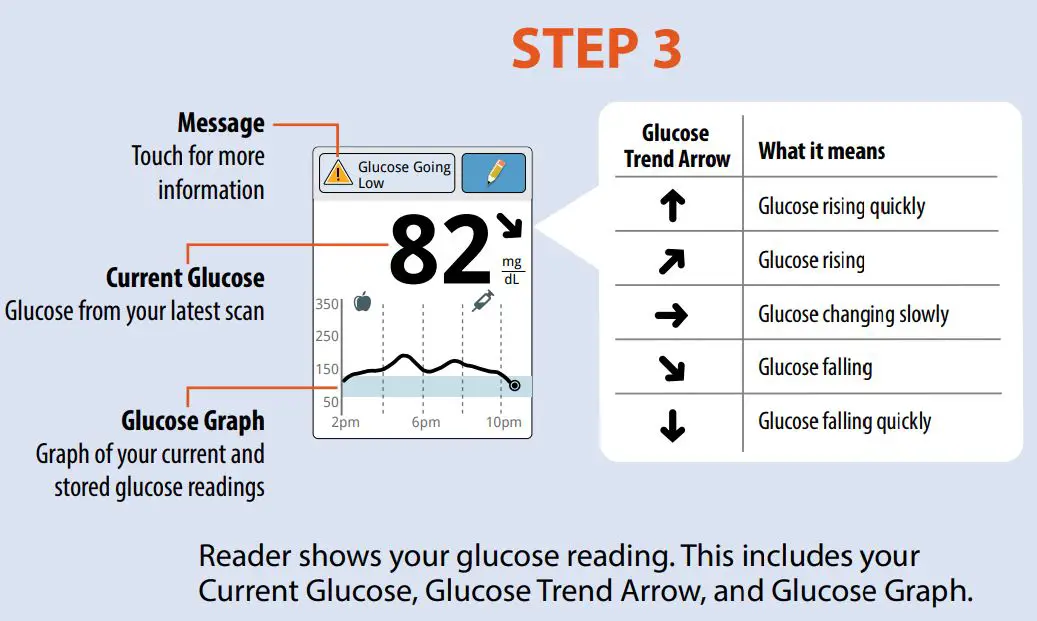
FreeStyle Libre 2 Flash Glucose Monitoring System User Guide - Check your glucoseFreeStyle Libre 2 Flash Glucose Monitoring System User Guide - Check your glucose

Setting Alarms

The Sensor automatically communicates with the Reader and can give you glucose alarms. Alarms are on by default. To change their settings or turn alarms off, follow these steps.
IMPORTANT: Glucose alarms are an important safety feature. Please consult your health care professional before making changes.
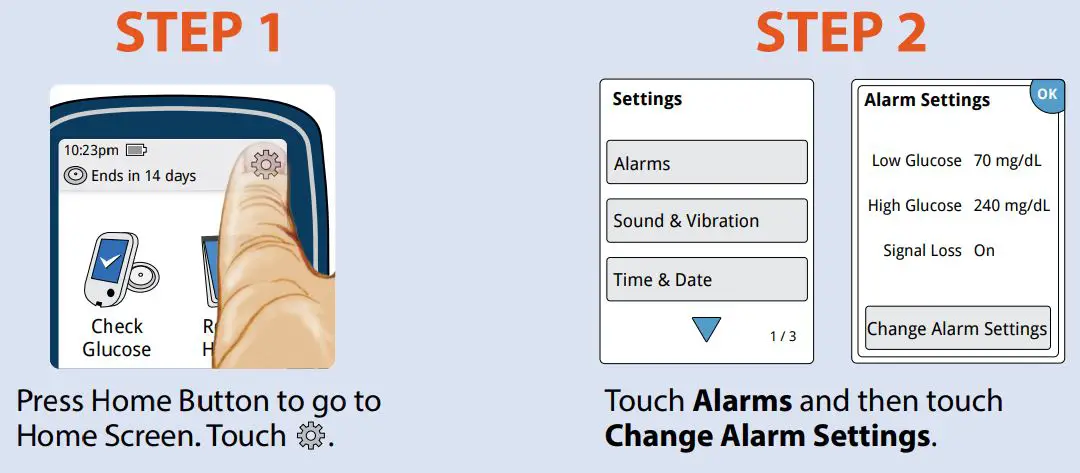
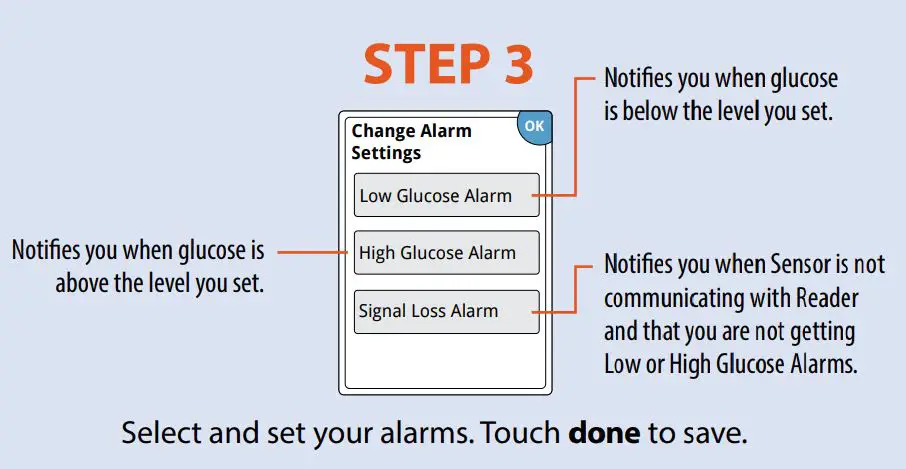
FreeStyle Libre 2 Flash Glucose Monitoring System User Guide - Setting AlarmsFreeStyle Libre 2 Flash Glucose Monitoring System User Guide - Setting Alarms

Using Alarms

You must scan your Sensor to see your glucose reading.
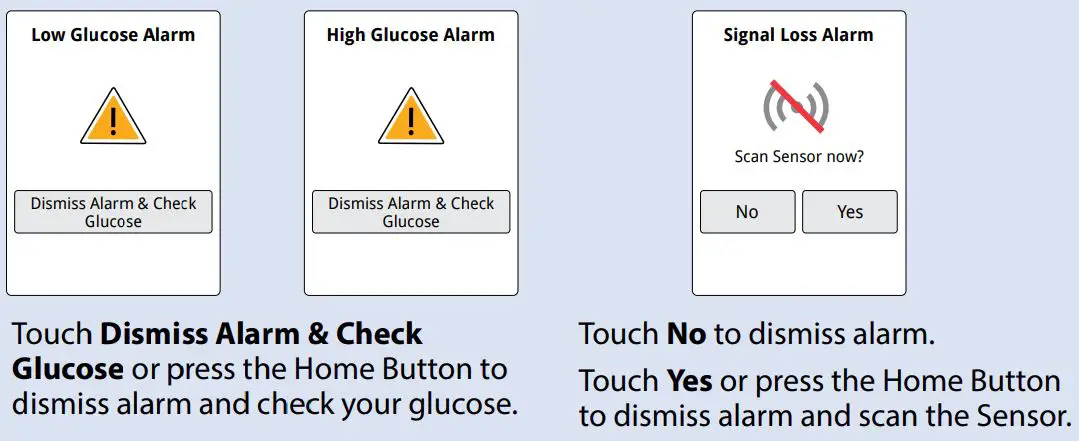
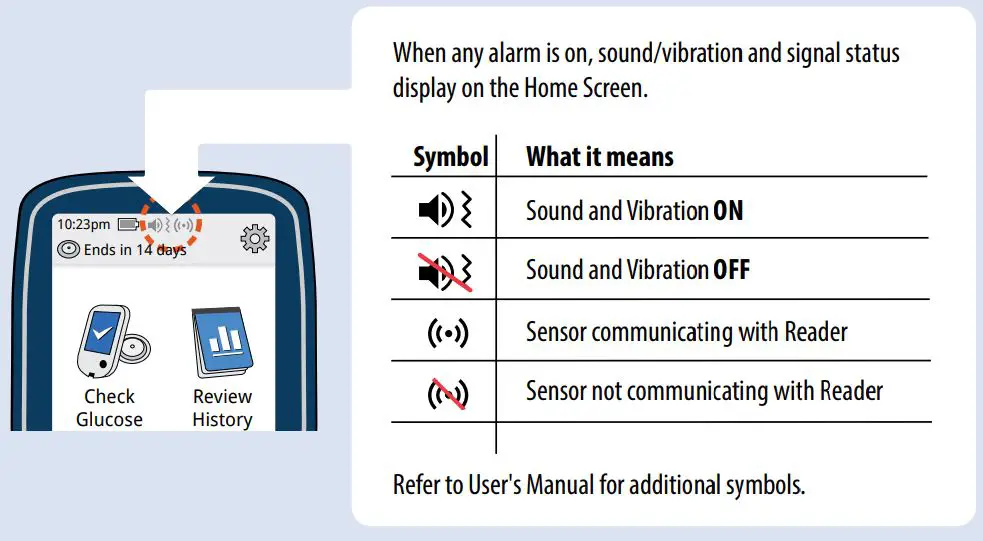
FreeStyle Libre 2 Flash Glucose Monitoring System User Guide - Using AlarmsFreeStyle Libre 2 Flash Glucose Monitoring System User Guide - Using Alarms

If you have followed the instructions described in the User’s Manual and are still having difficulty setting up your System or if you are not sure about a message or reading, contact your health care professional.

The circular shape of the sensor housing, FreeStyle, Libre, and related brand marks are marks of Abbott. ©2018-2020 Abbott ART40392-003 Rev. A 01/21

FreeStyle Libre 2 Flash Glucose Monitoring System User Guide - Information iconManufacturer Consult instructions for use

FreeStyle Libre 2 Flash Glucose Monitoring System User Guide - Manufacturer IconManufacturer
Abbott Diabetes Care Inc. 1360 South Loop Road Alameda, CA 94502 USA

FreeStyle Libre 2 Flash Glucose Monitoring System User Guide - Abbott Logo

Documents / Resouces

Download manual
Here you can download full pdf version of manual, it may contain additional safety instructions, warranty information, FCC rules, etc.


Related Manuals