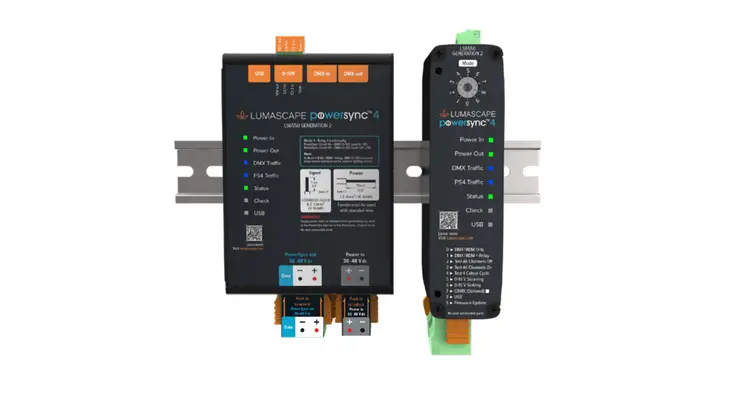
 PowerSync™ PS4 Data Injector LS6550
Installation Instructions
GENERATION 2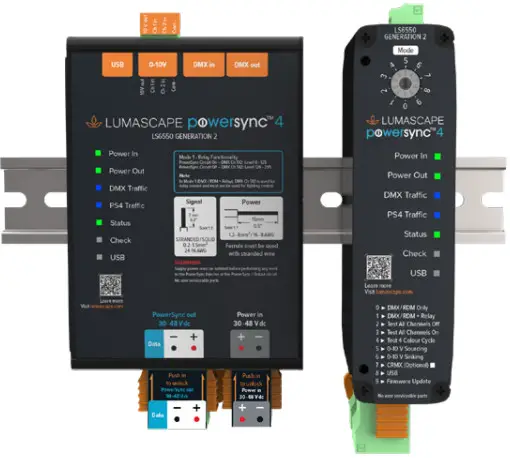
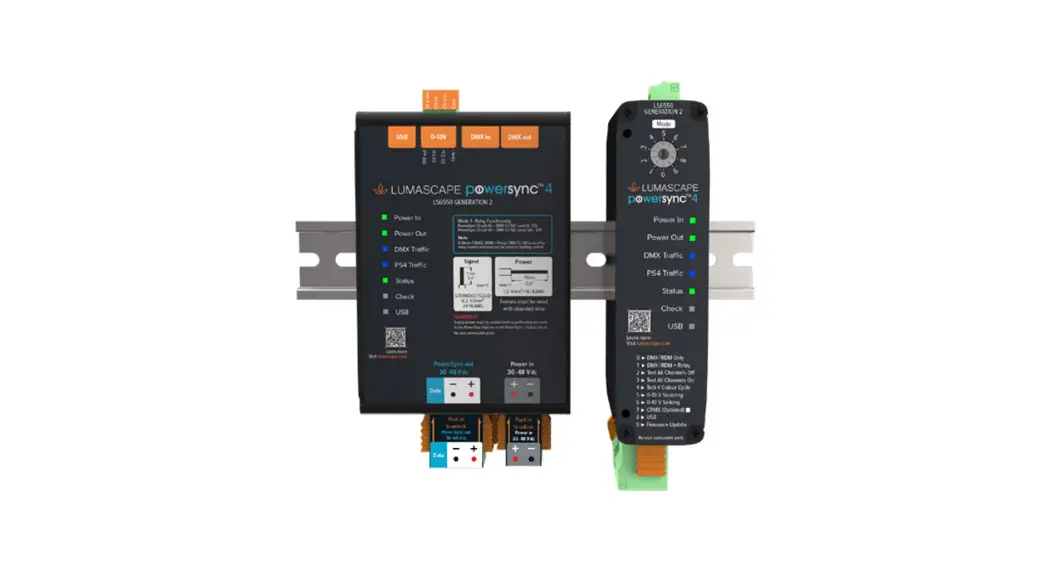
LS6550 PowerSync PS4 Data Injector
DANGER ISOLATE DEVICE FROM POWER
Failure to isolate power supply before installation or maintenance may result in fire, serious injury, electric shock, death and may damage the device.
Product Warranty is void if product is not installed as per installation instructions and in compliance with the local electrical code.
 |  |  |  |
| NO POWER TOOLS | DO NOT USE SILICONE ON OUTSIDE SURFACE | KEEP ELECTRONICS FREE FROM DIRECT AND MOISTURE | DO NOT HOSE OR PRESSURE CLEAN |
READ ALL SAFETY INSTRUCTIONS FIRST
- Follow instructions carefully; failure to do so will void warranty.
- Ensure installation complies with local laws and applicable standards.
- Keep PowerSync free from debris and in an easily accessible location.
- Only use Lumascape power supplies, and leader cables.
- Ensure mains input power is surge protected.
- Never make connections whilst power is connected.
- Do not make modifications or alter product.
- Connections and LS6550 Data Injector is to be kept clean and dry at all times.
- A PowerSync terminator is required on the last fitting of run.
Products and specifications are subject to change without notice.
IN0194-230510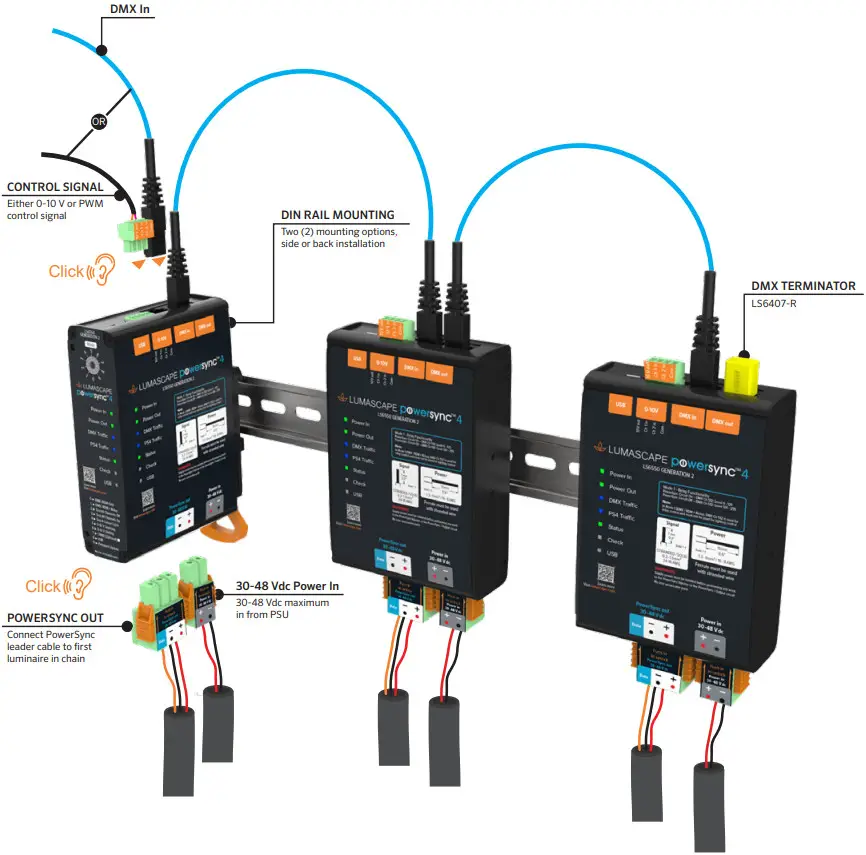
Control via 0-10 V or PWM Input
STEP 1
Strip the individual wire strands of the data cable as per the specification below.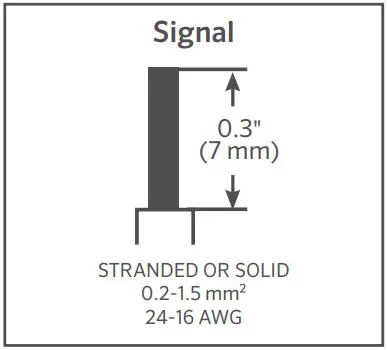 STEP 2
Pull up to remove terminal block.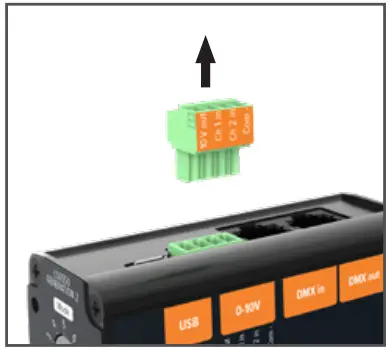 STEP 3
Using a screwdriver, loosen the screw to open the terminal and insert stranded wire, then screw back up.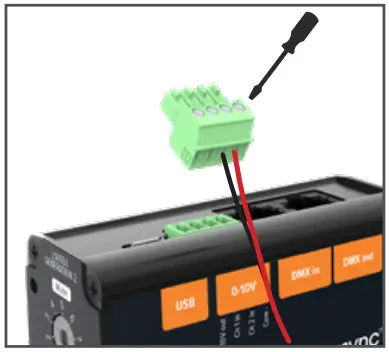 STEP 4
Reconnect terminal block.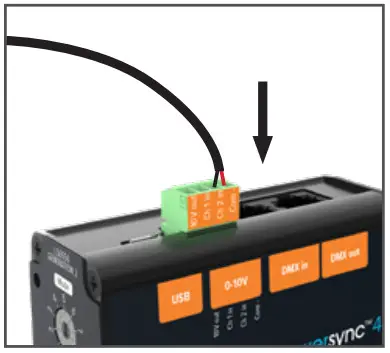
| Label | Designation | ||
| Use with 0-10 V Sinking Dimmers¹ | Use with 0-10 V Sourcing Dimmers² | PWM³ | |
| 10 V Out | 10 V source | Not connected | Not connected |
| Ch 1 In | Channel 1 return | Channel 1 + | Channel 1 + |
| Ch 2 In | Channel 2 return | Channel 2 + | Channel 2 + |
| Corn- | Not connected | Common – | Common – |
¹Mode 5, ²Mode 3, ³Mode 4
Refer to Mode Switch table
PSU Connections
STEP 1
Strip the individual wire strands of the data cable as per the specification below.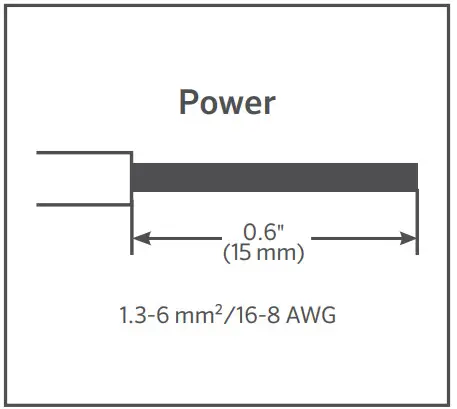 STEP 2
Push Orange sliders in then pull down to remove terminal block.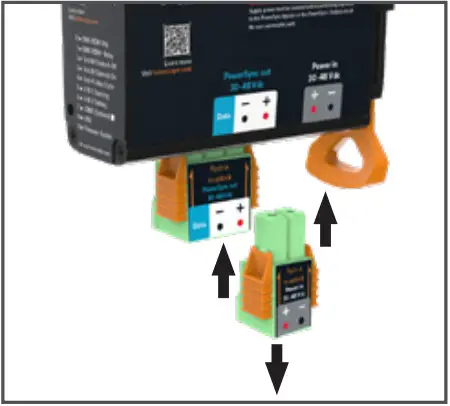 STEP 3
Using a screwdriver, insert into hole, push to hold open terminal while inserting stranded wire.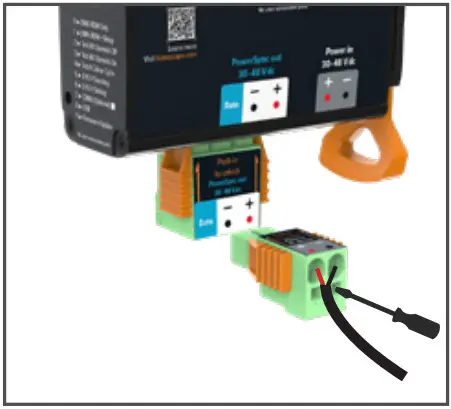 STEP 4
Reconnect terminal block.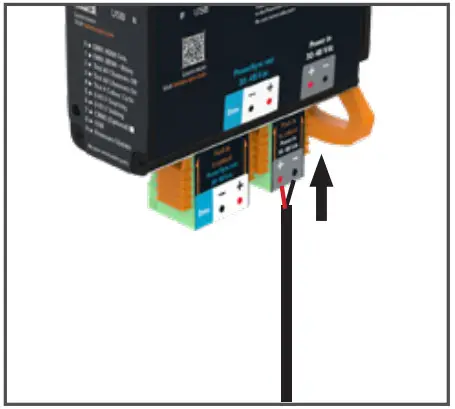
| Color | PowerSync Out Cable |
| 2-Core | |
| Red | Power + |
| Black | Power – |
Connecting Luminaires via PowerSync Leader Cable
STEP 1
Strip the individual wire strands of the data cable as per the specification below.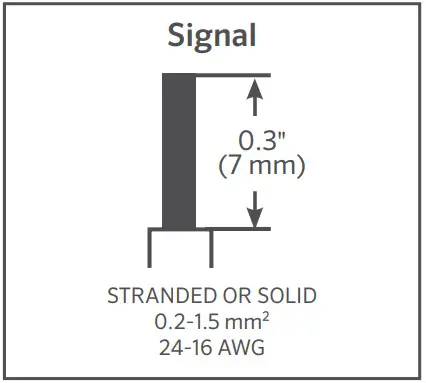 STEP 2
Push Orange sliders in then pull down to remove terminal block.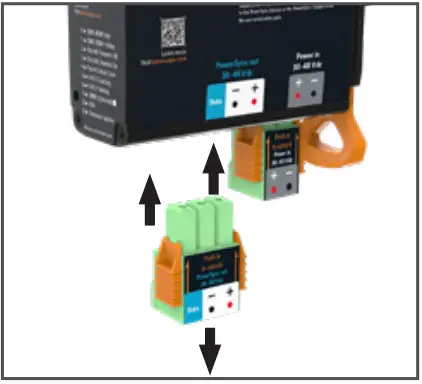 STEP 3
Using a screwdriver, insert into hole, push to hold open terminal while inserting stranded wire.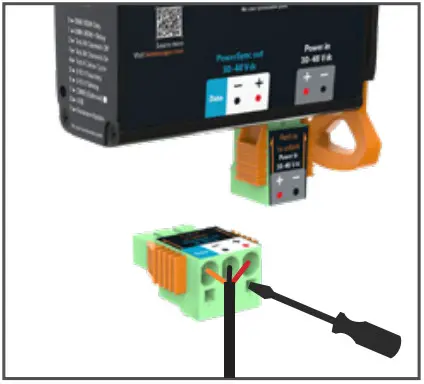 STEP 4
Reconnect terminal block.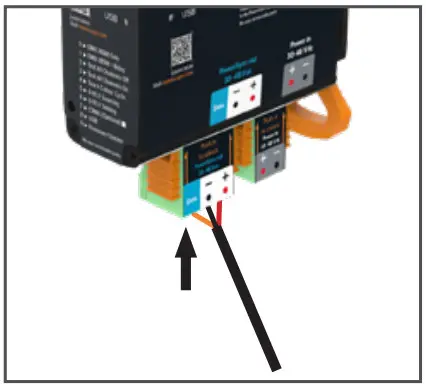
| Color | PowerSync In Cable |
| 3-Core | |
| Red | Power + |
| Black | Power – |
| Orange | Data + |
10 Position Mode Switch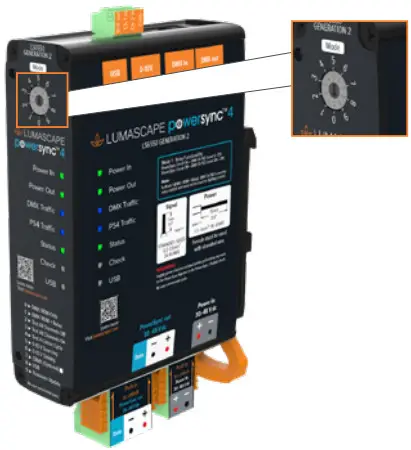
| Label | Designations | |
| TYPICAL OPERATION MODE | 0 | DMX/RDM Only |
| 1 | DMX/RDM + Relay | |
| TEST MODES | 2 | Test All Channels Off |
| 3 | Test All Channels On | |
| 4 | Test 4 Color Cycle | |
| 5 | 0-10 V Sourcing | |
| 6 | 0-10 V Sinking | |
| 7 | CRMX (Optional) | |
| 8 | USB | |
| 9 | Firmware Update |
NOTE:
- This function list is ONLY for Generation 2 PowerSync Injectors.
- Generation 2 is marked on the faceplate of the label on the PowerSync Injector.
The LS6550 provides three (3) test modes for PowerSync luminaires. These require only connected luminaires and power, and no connected input signal. If an input signal is connected, the LS6550 will not respond to this signal in any of the modes below.
NOTE: These test signals apply to the relevant unit’s PowerSync output only –– it will not be passed through on the DMX/RDM connectors if multiple LS6550 units are connected.
Indicator Lights
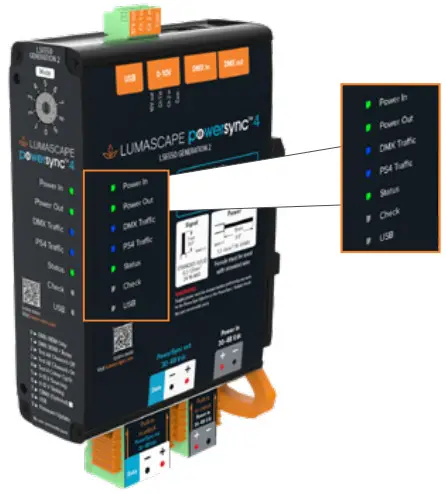 INDICATOR LIGHTS
| LED Indicator | Event | Appearance |
| Power In | Main input power | Illuminates |
| Power Out | Output power relay closed | Illuminates |
| DMX Traffic | DMX Traffic detected Dimming signal detected | Flashing with signal 1.2 Hz blinking, proportional to input level |
| PS4 Traffic | PowerSync output enabled | Illuminates |
| Status | Startup Normal operation | 3 flashes 1 flash, every 5 seconds |
| Circuit fault detected Over voltage Short circuit | 2 flashes, every 5 seconds 3 flashes, every 5 seconds | |
| PowerSync fault detected Power fault/over temperature | 4 flashes, every 5 seconds | |
| Check | Relay open Manual override Startup/Fault detected | Power out, light off Flashing Illuminates |
| USB | USB connected | Illuminates/flashes with data |
RJ45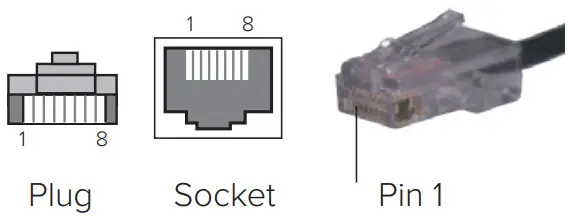 DMX PIN DESIGNATIONS
| Signal | Connector Type RJ45 Std |
| Data + | 1 |
| Data – | 2 |
| Ground | 7 |
Example of Low Voltage Hardwired PowerSync System
OPTION 1: Looping the PowerSync circuit through the luminaires. Not all luminaires allow for connection inside the luminaire.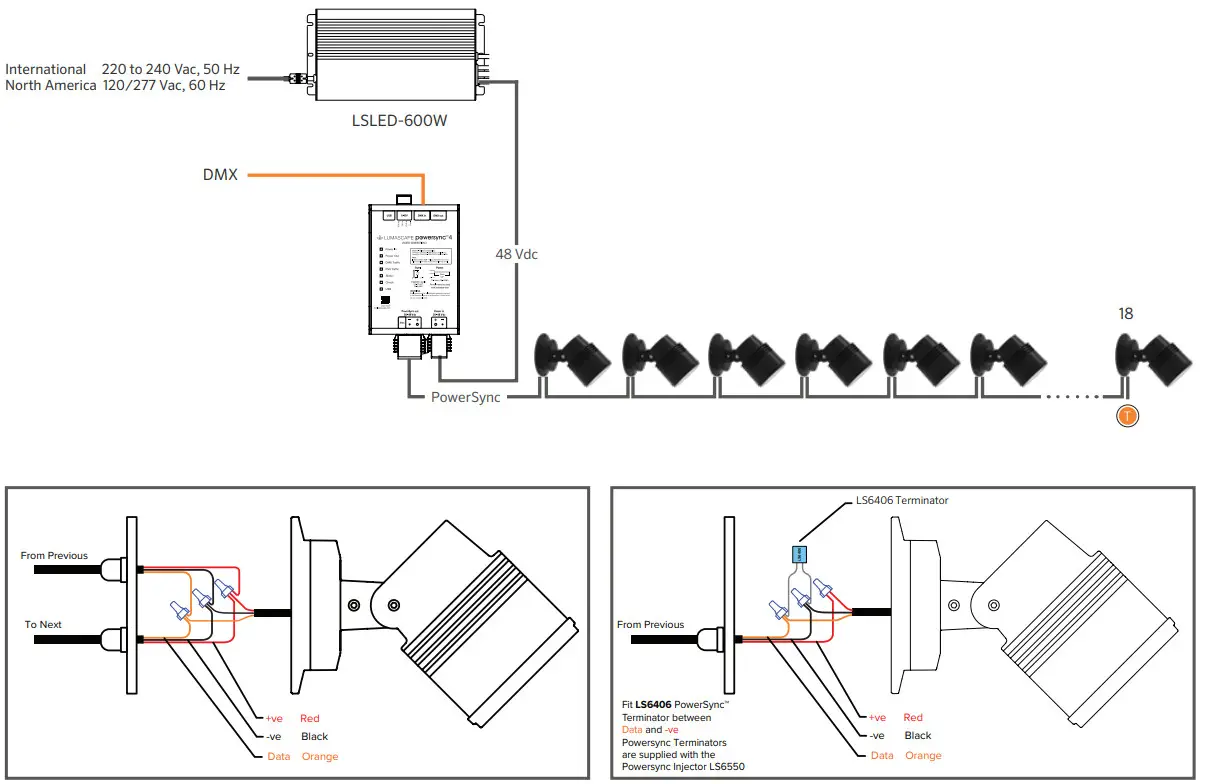 OPTION 2: Connecting drop cables to a Trunk cable in junction boxes.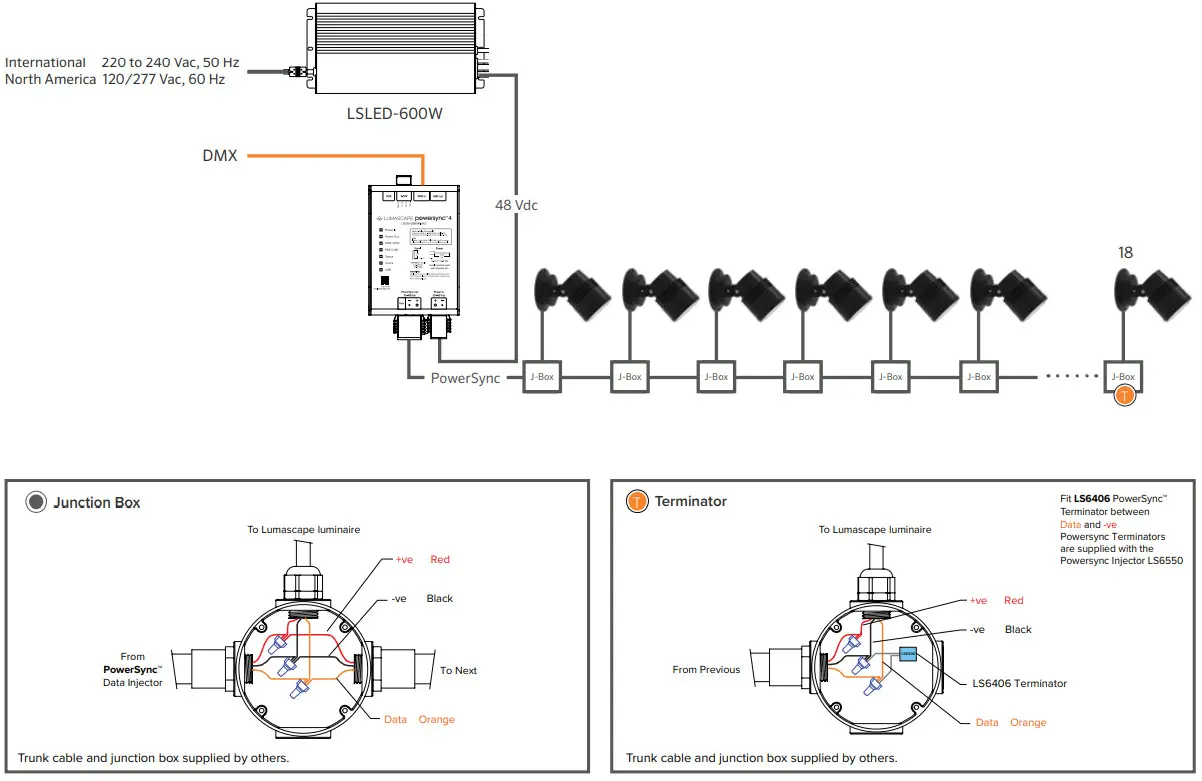
 https://www.lumascape.com/asset/download/3199/e88a09/in0194-200902.pdf?inline=1
ARCHITECTURAL & FACADE LIGHTING