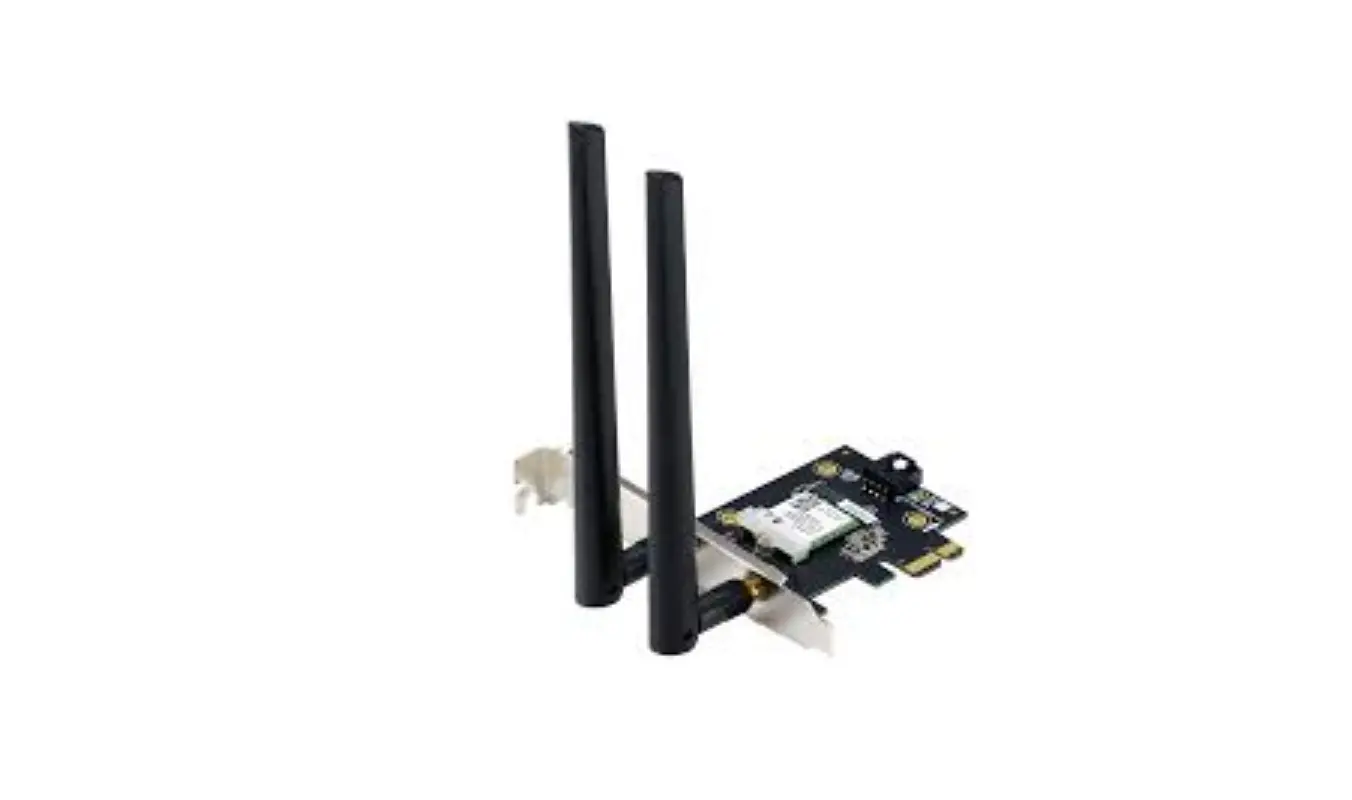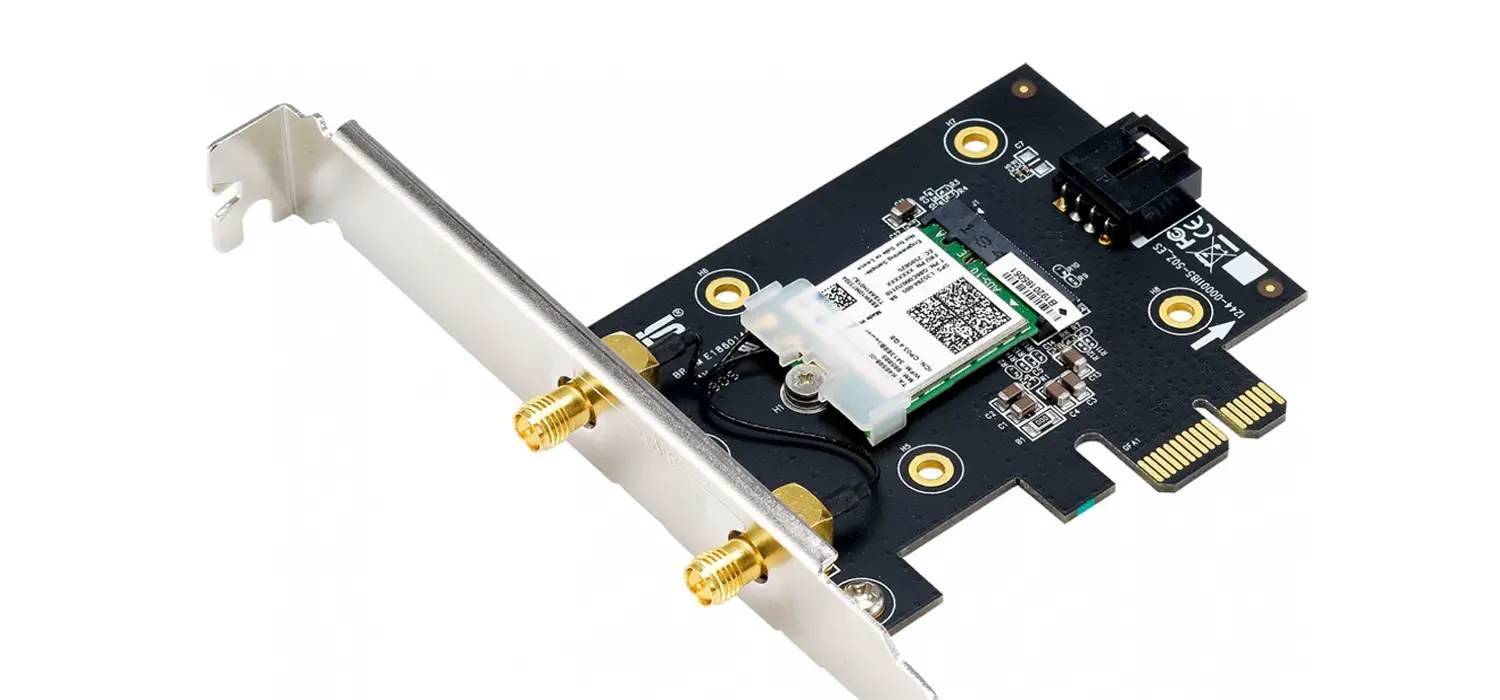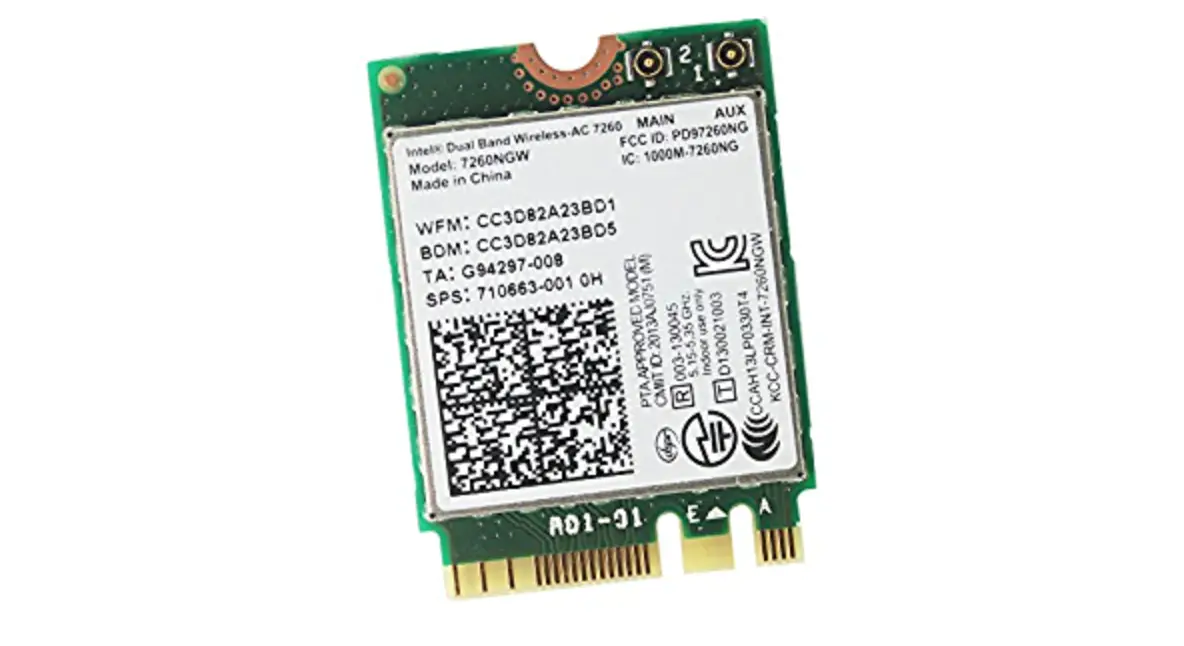
 PCE-AC88 Quick Start Guide
Fast. Easy. Setup!
Hardware installation
Turn off your computer, unplug the power cord, and open the system cover.
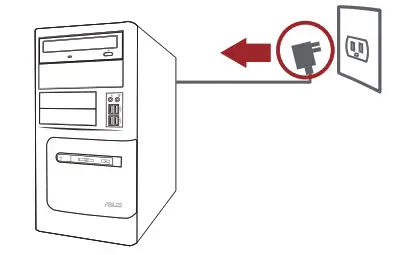
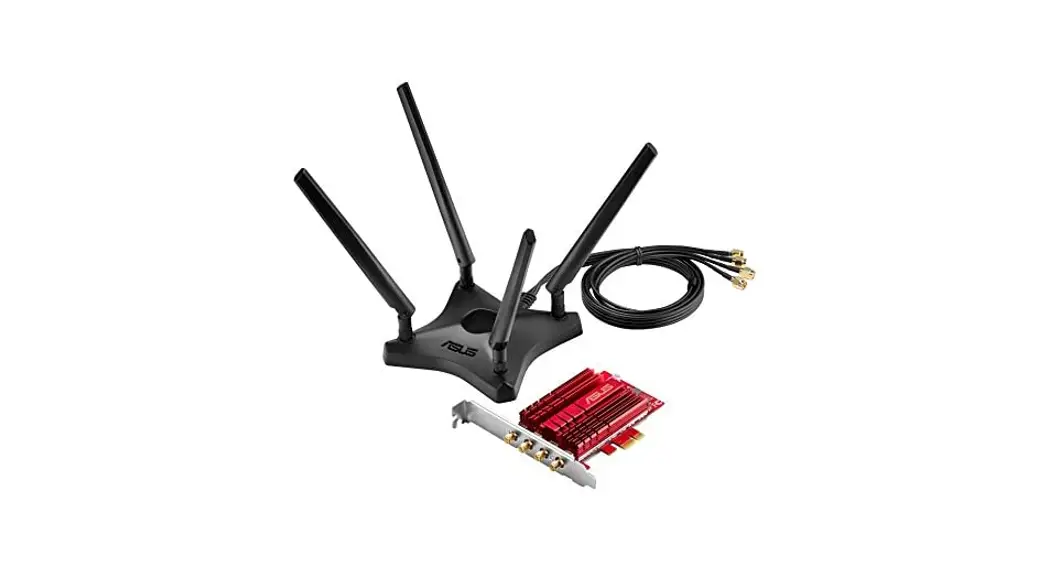
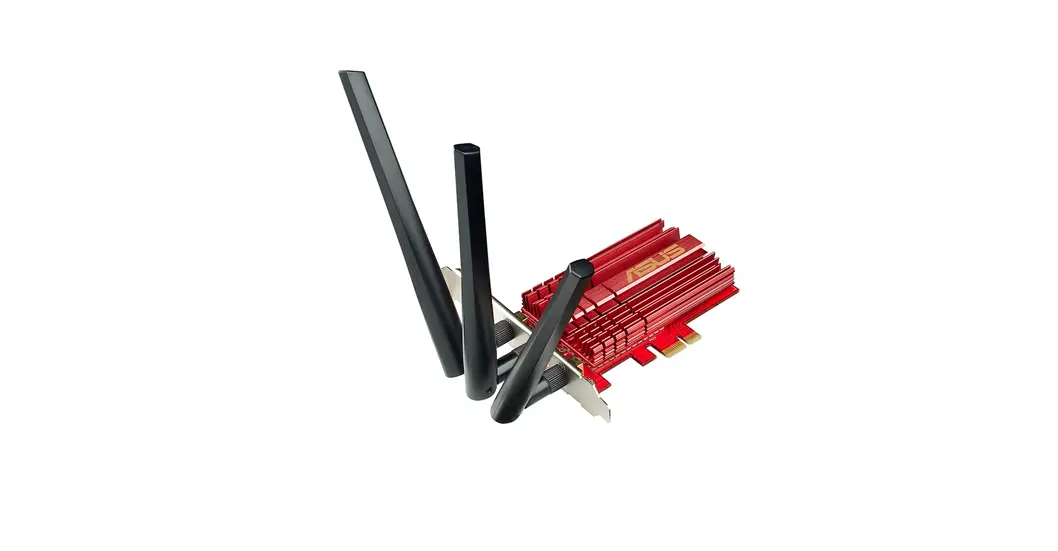
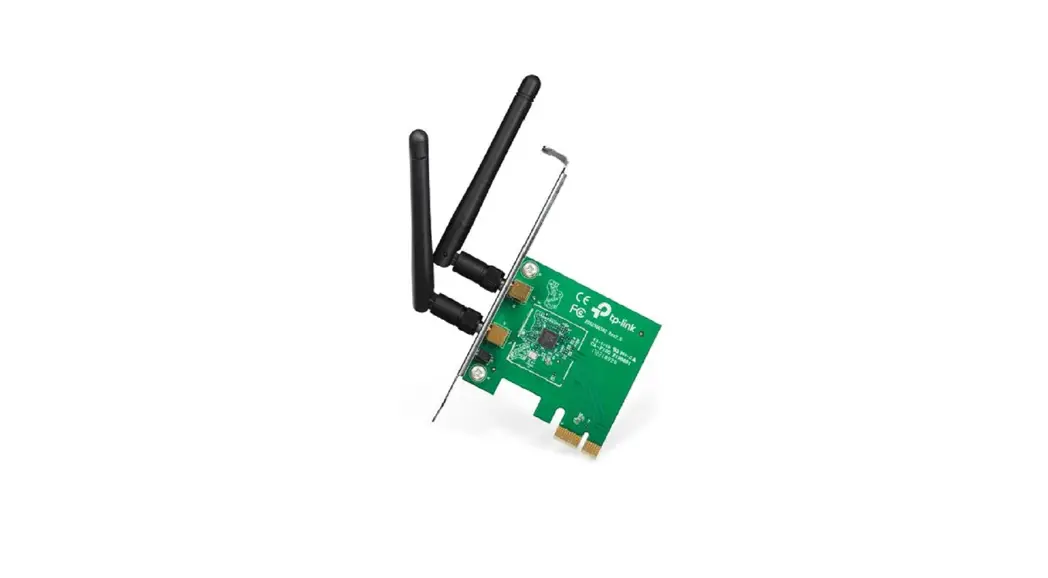
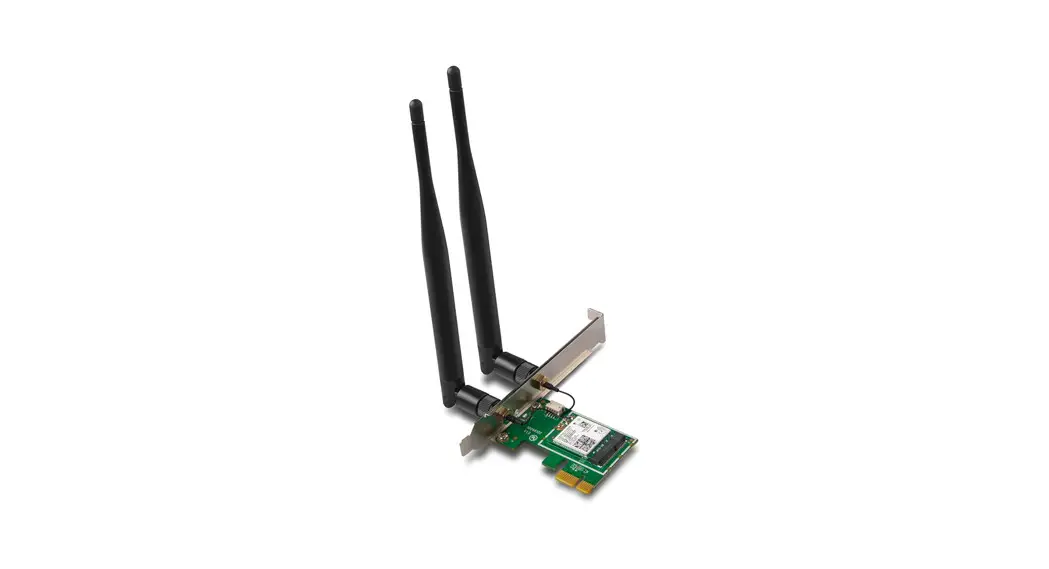
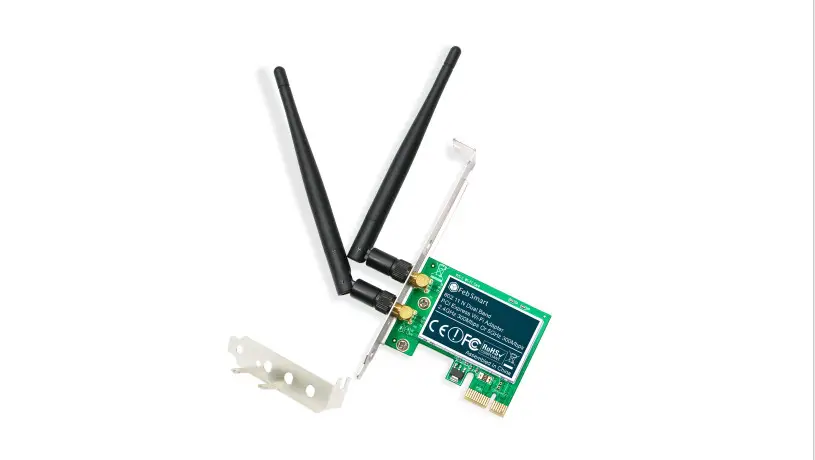
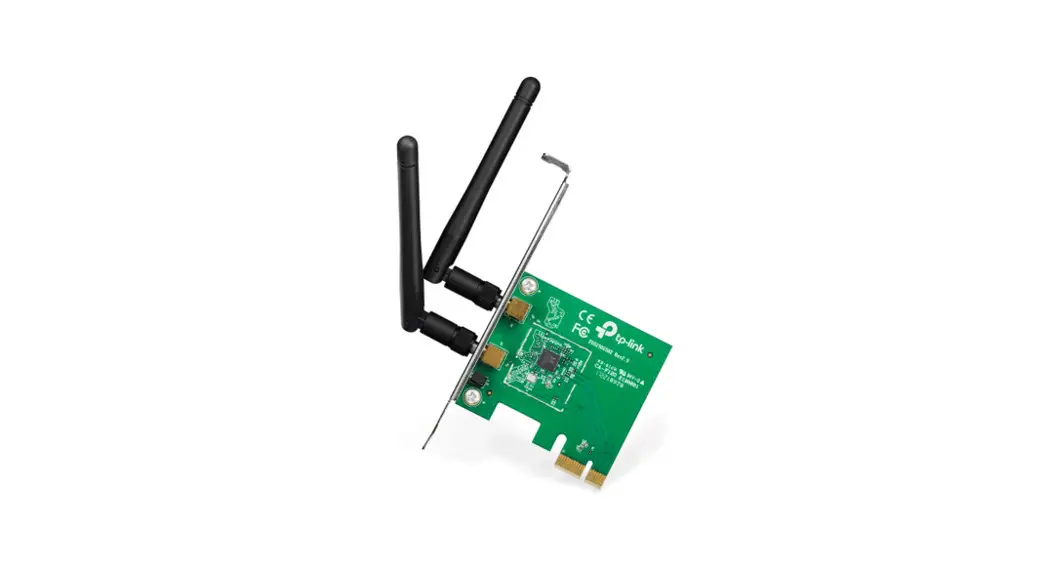
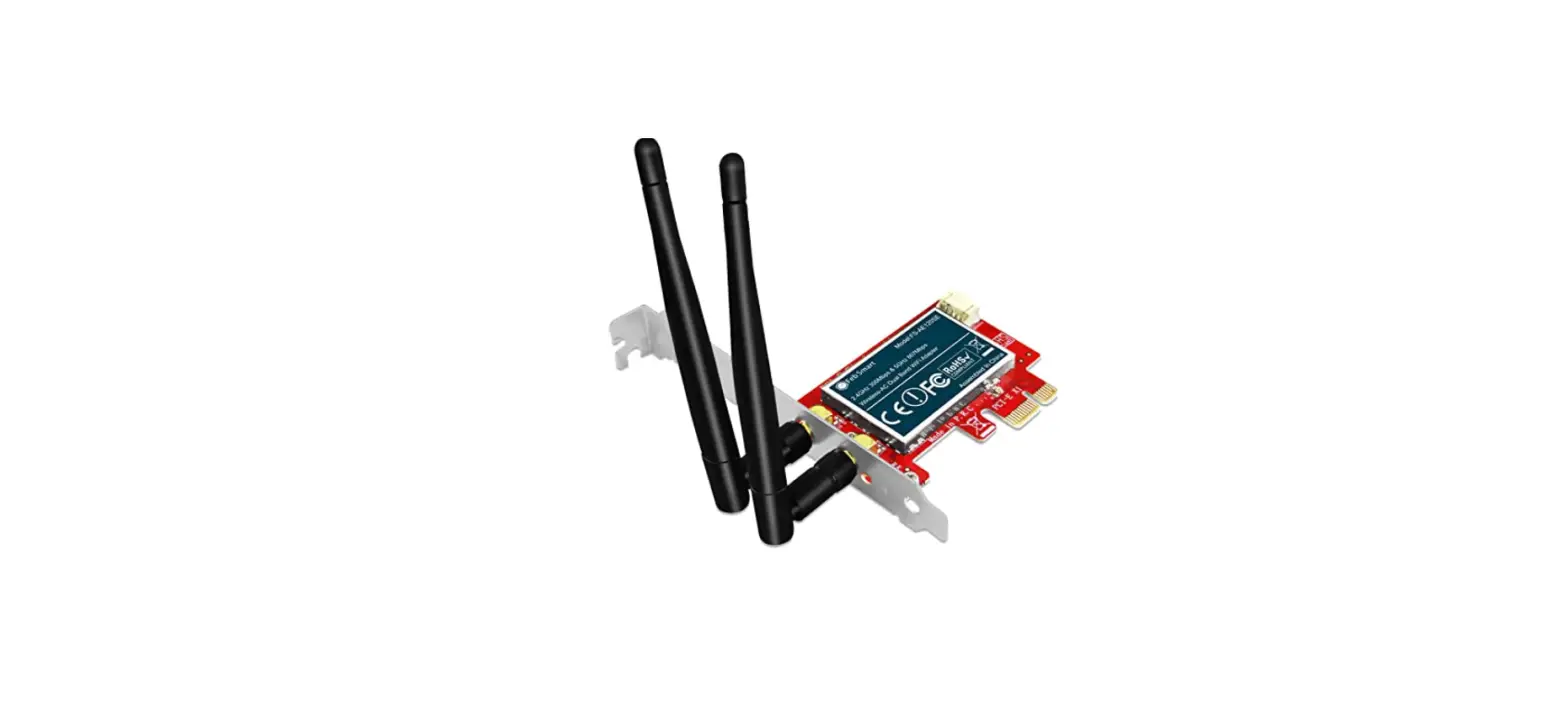
Insert the PCE-AC88 network card into the PCI-E slot, ensuring that it si completely seated on the slot.
 Driver Installation
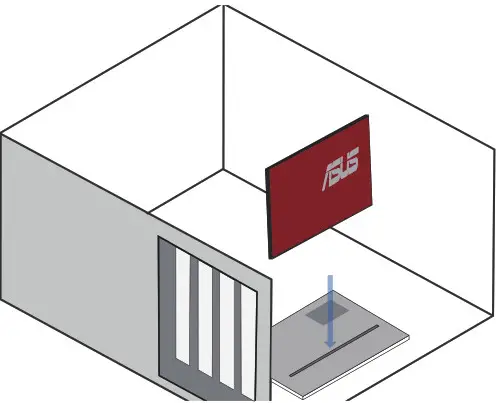 Driver Installation
Turn on your computer. Insert the support CD into the optical drive or download the driver from: https://www.asus.com/Networking/PCEAC88/HelpDesk_Download/
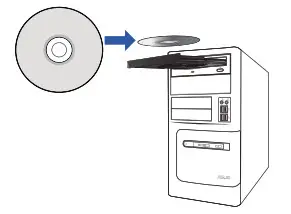 Double click setup.exe to install the driver.
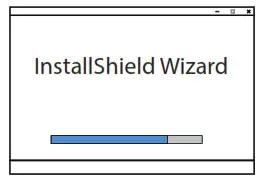
When the setup is completed, your computer now has Wi-Fi functionality.
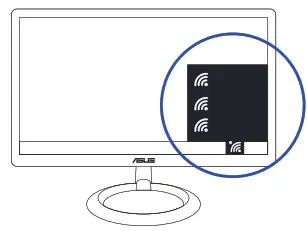
3.Connect to a wireless network
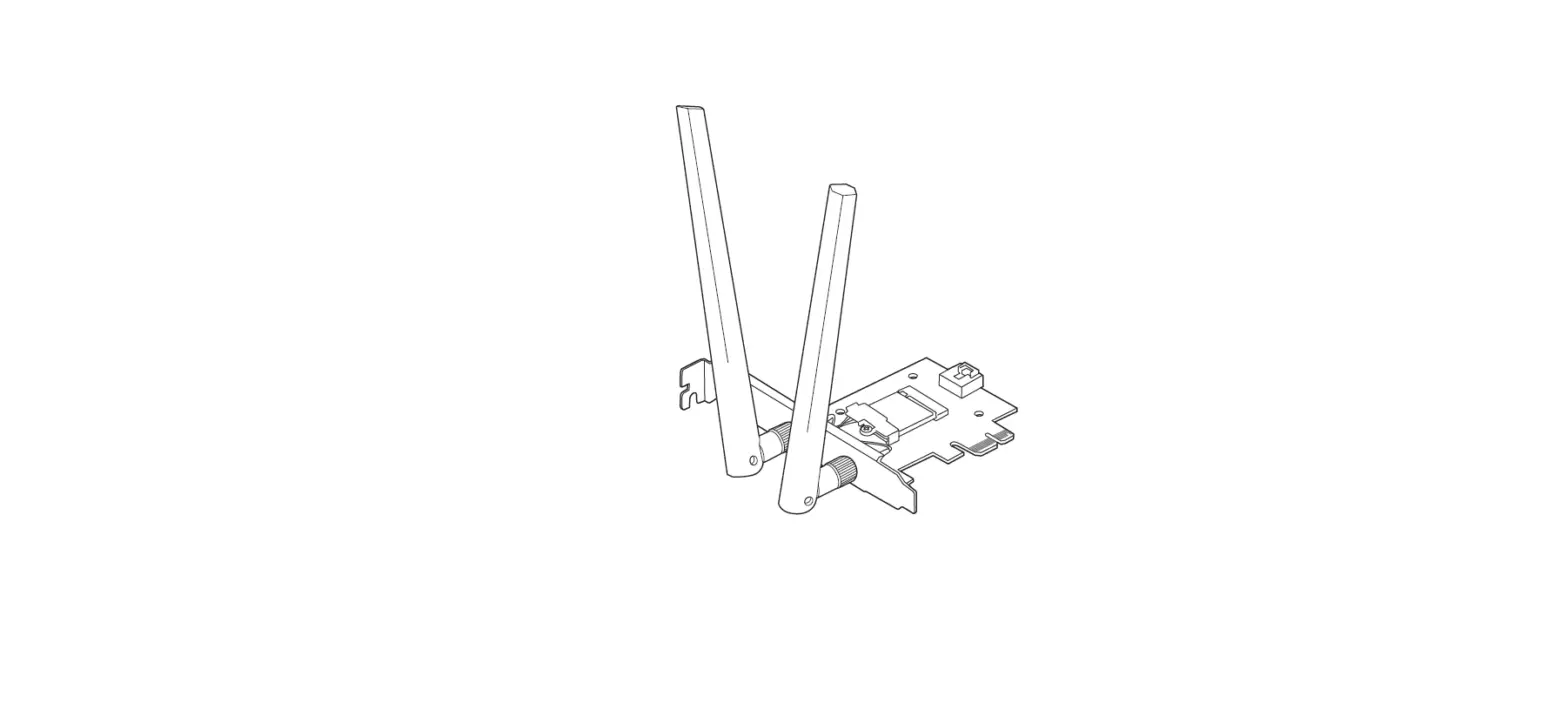
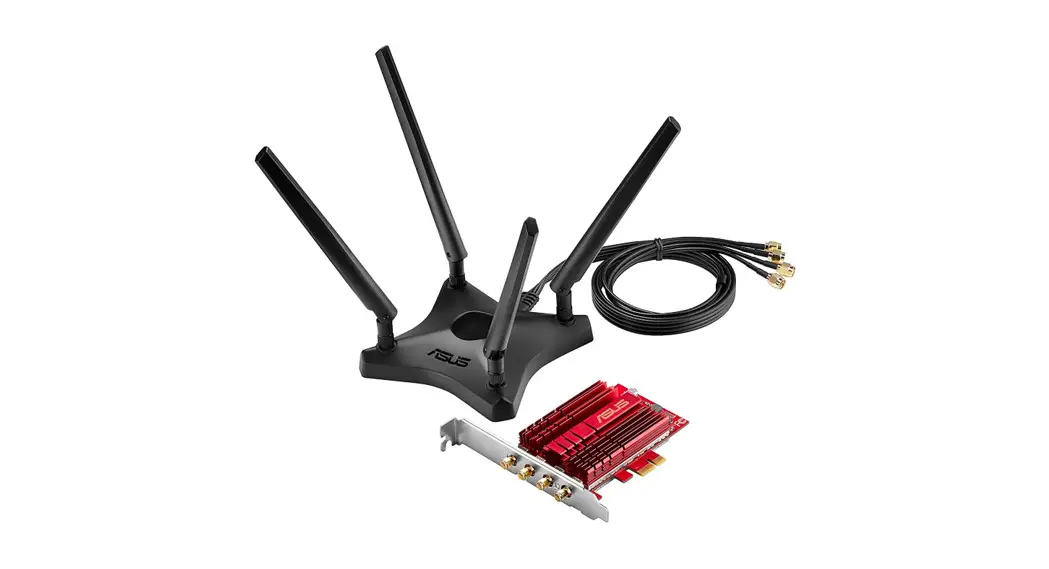
To install the antennas properly:
- Install the antennas to the antenna base.
- Connect the antenna base to the PCE-AC88 network card.
 Adjust the magnetic antenna base to get the best signal with your router.
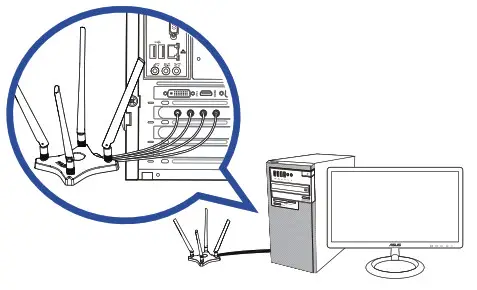 Adjust the magnetic antenna base to get the best signal with your router.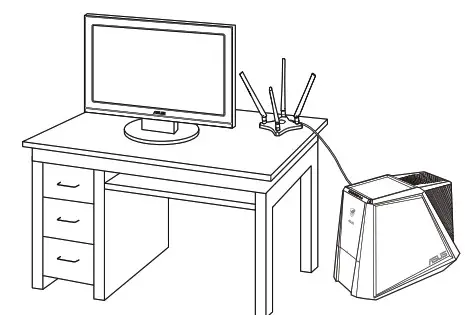
This guide applies to Model Name: PCE-AC88
| Area | Country/ Region | Hotline Number | Service Hours |
| Europe | Cyprus | 800-92491 | 09:00-13:00 ; 14:00-18:00 Mon-Fri |
| France | 0033-170949400 | 09:00-18:00 Mon-Fri | |
| Germany | 0049-1805010920 0049-1805010923 ( component support ) 0049-2102959911 (Fax) | 09:00-18:00 Mon-Fri 10:00-17:00 Mon-Fri | |
| Hungary | 0036-15054561 | 09:00-17:30 Mon-Fri | |
| Italy | 199-400089 | 09:00-13:00 ; 14:00-18:00 Mon-Fri | |
| Greece | 00800-44142044 | 09:00-13:00 ; 14:00-18:00 Mon-Fri | |
| Austria | 0043-820240513 | 09:00-18:00 Mon-Fri | |
| Netherlands / Luxembourg | 0031-591570290 | 09:00-17:00 Mon-Fri | |
| Belgium | 0032-78150231 | 09:00-17:00 Mon-Fri | |
| Norway | 0047-2316-2682 | 09:00-18:00 Mon-Fri | |
| Sweden | 0046-858769407 | 09:00-18:00 Mon-Fri | |
| Finland | 00358-969379690 | 10:00-19:00 Mon-Fri | |
| Denmark | 0045-38322943 | 09:00-18:00 Mon-Fri | |
| Poland | 0048-225718040 | 08:30-17:30 Mon-Fri | |
| Spain | 0034-902889688 | 09:00-18:00 Mon-Fri | |
| Portugal | 00351-707500310 | 09:00-18:00 Mon-Fri | |
| Slovak Republic | 00421-232162621 | 08:00-17:00 Mon-Fri | |
| Czech Republic | 00420-596766888 | 08:00-17:00 Mon-Fri | |
| Switzerland-German | 0041-848111010 | 09:00-18:00 Mon-Fri | |
| Switzerland-French | 0041-848111014 | 09:00-18:00 Mon-Fri | |
| Switzerland-Italian | 0041-848111012 | 09:00-18:00 Mon-Fri | |
| United Kingdom | 0044-1442265548 | 09:00-17:00 Mon-Fri | |
| Ireland | 0035-31890719918 | 09:00-17:00 Mon-Fri | |
| Russia and CIS | 008-800-100-ASUS | 09:00-18:00 Mon-Fri | |
| Ukraine | 0038-0445457727 | 09:00-18:00 Mon-Fri | |
| Asia-Pacific | Australia | 1300-278788 | 09:00-18:00 Mon-Fri |
| New Zealand | 0800-278788 | 09:00-18:00 Mon-Fri | |
| Japan | 0800-1232787 0081-570783886 ( Non-Toll Free ) | 09:00-18:00 Mon-Fri 09:00-17:00 Sat-Sun 09:00-18:00 Mon-Fri 09:00-17:00 Sat-Sun | |
| Korea | 0082-215666868 | 09:30-17:00 Mon-Fri | |
| Thailand | 0066-24011717 1800-8525201 | 09:00-18:00 Mon-Fri | |
| Singapore | 0065-64157917 0065-67203835 ( Repair Status Only ) | 11:00-19:00 Mon-Fri 11:00-19:00 Mon-Fri 11:00-13:00 Sat |
| Area | Country/ Region | Hotline Number | Service Hours |
| Asia-Pacific | Malaysia | 0060-320535077 | 10:00-19:00 Mon-Fri |
| Philippine | 1800-18550163 | 09:00-18:00 Mon-Fri | |
| India India(WL/NW) | 1800-2090365 | 09:00-18:00 Mon-Sat 09:00-21:00 Mon-Sun | |
| Indonesia | 0062-2129495000 500128 ( Local Only ) | 09:30-17:00 Mon-Fri 09:30-12:00 Sat | |
| Vietnam | 1900-555581 | 08:00-12:00 13:30-17:30 Mon-Sat | |
| Hong Kong | 00852-35824770 | 10:00-19:00 Mon-Sat | |
| Taiwan | 0800-093-456 02-81439000 | 09:00-12:00 Mon-Fri 13:30-18:00 Mon-Fri | |
| Americas | USA Canada | 1-812-282-2787 | 08:30-12:00 EST Mon-Fri 09:00-18:00 EST Sat-Sun |
| Mexico | 001-8008367847 | 08:00-20:00 CST Mon-Fri 08:00-15:00 CST Sat | |
| Brazil | 4003 0988 (Capital) 0800 880 0988 (demais local blades) | 09:00-18:00 Mon-Fri | |
| Middle East + Africa | Egypt | 800-2787349 | 09:00-18:00 Sun-Thu |
| Saudi Arabia | 800-11212787 | 09:00-18:00 Sat-Wed | |
| UAE | 00971-42958941 | 09:00-18:00 Sun-Thu | |
| Turkey | 0090-2165243000 | 09:00-18:00 Mon-Fri | |
| South Africa | 0861-278772 | 08:00-17:00 Mon-Fri | |
| Israel | *6557/00972-39142800 *9770/00972-35598555 | 08:00-17:00 Sun-Thu 08:30-17:30 Sun-Thu | |
| Balkan Countries | Romania | 0040-213301786 | 09:00-18:30 Mon-Fri |
| Bosnia Herzegovina | 00387-33773163 | 09:00-17:00 Mon-Fri | |
| Bulgaria | 00359-70014411 00359-29889170 | 09:30-18:30 Mon-Fri 09:30-18:00 Mon-Fri | |
| Croatia | 00385-16401111 | 09:00-17:00 Mon-Fri | |
| Montenegro | 00382-20608251 | 09:00-17:00 Mon-Fri | |
| Serbia | 00381-112070677 | 09:00-17:00 Mon-Fri | |
| Slovenia | 00368-59045400 00368-59045401 | 08:00-16:00 Mon-Fri | |
| Baltic Countries | Estonia | 00372-6671796 | 09:00-18:00 Mon-Fri |
| Latvia | 00371-67408838 | 09:00-18:00 Mon-Fri | |
| Lithuania-Kaunas | 00370-37329000 | 09:00-18:00 Mon-Fri | |
| Lithuania-Vilnius | 00370-522101160 | 09:00-18:00 Mon-Fri |
 NOTES:
- UK support E-mail [email protected]
- For more information, visit the ASUS support site at https://www.asus.com/support/
Federal Communications Commission Statement
This device complies with Part 15 of the FCC Rules. Operation is subject to the following two conditions:
- This device may not cause harmful interference.
- This device must accept any interference received, including interference that may cause undesired operation.
This equipment has been tested and found to comply with the limits for a Class B digital device, pursuant to Part 15 of the FCC Rules. These limits are designed to provide reasonable protection against harmful interference in a residential installation. This equipment generates, uses, and can radiate radio frequency energy and, if not installed and used in accordance with the instructions, may cause harmful interference to radio communications. However, there is no guarantee that interference will not occur in a particular installation. If this equipment does cause harmful interference to radio or television reception, which can be determined by turning the equipment off and on, the user is encouraged to try to correct the interference by one or more of the following measures:
- Reorient or relocate the receiving antenna.
- Increase the separation between the equipment and receiver.
- Connect the equipment into an outlet on a circuit different from that to which the receiver is connected.
- Consult the dealer or an experienced radio/TV technician for help.i
 CAUTION: Any changes or modifications not expressly approved by the party responsible for compliance could void the user’s authority to operate the equipment.
Operate the device in the 5150-5250MHz frequency band for indoor use only.
Prohibition of Co-location
This device and its antenna(s) must not be co-located or operating in conjunction with any other antenna or transmitter.
FCC Radiation Exposure Statement
This equipment complies with FCC radiation exposure limits set forth for an uncontrolled environment.
WARNING
Any change or modifications not expressly approved by the party responsible for compliance could void the user’s authority to operate the equipment. Prohibition of Colocation. This device and its antenna(s) must not be co-located or operating in conjunction with any other antenna or transmitter.
Users must not modify this device. Modification by anyone other than the party responsible for compliance with the rules of the Federal Communications Commission (FCC) may void the authority granted under FCC regulations to operate this device. This equipment complies with FCC radiation exposure limits set forth for an uncontrolled environment. SAR test distance is 5 mm.
NCC Warning Statement
Article 12
Without permission, any company, firm or user shall not alter the frequency, increase the power, or change the character and functions of the original design of the certified lower power frequency electric machinery.
Article 14
The application of lower power frequency electric machinery shall not affect the navigation safety nor interfere a legal communication, if an interference is found, the service will be suspended until improvement is made and the interference no longer exists.
IC Warning Statement
This radio transmitter (IC: 3568A-USBR700) has been approved by Industry Canada to operate with the antenna types listed below with the maximum permissible gain and required antenna impedance for each antenna type indicated. Antenna types not included in this list, having a gain greater than the maximum gain indicated for that type, are strictly prohibited for use with this device.
This Class [B] digital apparatus complies with Canadian ICES-003.
For products available in the USA/Canada market, only channel 1~11 can be operated. Selection of other channels is not possible.
IC Radiation Exposure Statement:
This equipment complies with IC RSS-102 radiation exposure limits set forth for an uncontrolled environment.
Operation is subject to the following two conditions: (1) this device may not cause interference, and (2) this device must accept any interference, including interference that may cause undesired operation of the device.
Safety information Disconnect the AC power and peripherals before cleaning. Wipe the Desktop PC using a clean cellulose sponge or chamois cloth dampened with a solution of nonabrasive detergent and a few drops of warm water then remove any extra moisture with a dry cloth.
- DO NOT place on uneven or unstable work surfaces.
Seek to service if the casing has been damaged. - DO NOT expose to dirty or dusty environments. DO NOT operate during a gas leak.
- DO NOT place or drop objects on top and do not shove any foreign objects into the Desktop PC.
- DO NOT expose to strong magnetic or electrical fields.
- DO NOT expose to or use near liquids, rain, or moisture. DO NOT use the modem during electrical storms.
- Battery safety warning: DO NOT throw the battery on fire. DO NOT short circuit the contacts.
- DO NOT disassemble the battery.
- Use this product in environments with ambient temperatures between 0°C (32°F) and 40°C (104°F).
- DO NOT cover the vents on the Desktop PC to prevent the system from getting overheated.
- DO NOT use damaged power cords, accessories, or other peripherals.
- To prevent electrical shock hazards, disconnect the power cable from the electrical outlet before relocating the system.
- Seek professional assistance before using an adapter or extension cord. These devices could interrupt the grounding circuit.
- Ensure that your power supply is set to the correct voltage in your area. If you are not sure about the voltage of the electrical outlet you are using, contact your local power company.
- If the power supply is broken, do not try to fix it by yourself.
Contact a qualified service technician or your retailer.
Hazardous moving parts. The desktop should be completely shut down before servicing the product.
Replacing fan components should only be attempted by qualified service personnel.
Hazardous Moving Parts Warning
WARNING: Keep fingers and other body parts away from any moving parts.
Precautions for the use of the device
- Pay particular attention to personal safety when using this device in airports, hospitals, gas stations, and professional garages.
- Medical device interference: Maintain a minimum distance of at least 15 cm (6 inches) between implanted medical devices and ASUS products in order to reduce the risk of interference.
- Kindly use ASUS products in good reception conditions in order to minimize the radiation level.
- Keep the device away from pregnant women and the lower abdomen of the teenager.
REACH
Complying with the REACH (Registration, Evaluation, Authorisation, and Restriction of Chemicals) the regulatory framework, we published the chemical substances in our products at ASUS REACH website at http://csr.asus.com/english/REACH.htm.WARNING! This product may contain chemicals known to the States of California to cause cancer and harm. Wash hands after handling.
Manufacturer
ASUSTeK Computer Inc.
Tel: +886-2-2894-3447
Address: 4F, No. 150, LI-TE RD., POITOU, TAIPEI 112, TAIWAN
Authorized representative in Europe
ASUS Computer GmbH
Address: HARKORT STR. 21-23, D-40880 RATINGEN, DEUTSCHLAND
Authorized distributors in Turkey
OGAZICI BIL GISAYAR SAN. VE TIC. A.S.
Tel: +90 212 3311000
Address: AYAZAGA MAH. KEMERBURGAZ CAD. NO.10 AYAZAGA/ISTANBUL
CIZGI Elektronik San. Tic. Ltd. Sti.
Tel: +90 212 3567070
Address: CEMAL SURURI CD. HALIM MERIC IS MERKEZI
No: 15/C D:5-6 34394 MECIDIYEKOY/ISTANBUL
FCC Statement :
Federal Communication Commission Interference Statement
This equipment has been tested and found to comply with the limits for a Class B digital device, pursuant to Part 15 of the FCC Rules. These limits are designed to provide reasonable protection against harmful interference in a residential installation. This equipment generates, uses, and can radiate radio frequency energy and, if not installed and used in accordance with the instructions, may cause harmful interference to radio communications. However, there is no guarantee that interference will not occur in a particular installation. If this equipment does cause harmful interference to radio or television reception, which can be determined by turning the equipment off and on, the user is encouraged to try to correct the interference by one of the following measures:
- Reorient or relocate the receiving antenna.
- Increase the separation between the equipment and receiver.
- Connect the equipment into an outlet on a circuit different from that to which the receiver is connected.
- Consult the dealer or an experienced radio/TV technician for help.
FCC Caution: Any changes or modifications not expressly approved by the party responsible for compliance could void the user’s authority to operate this equipment.
This device complies with Part 15 of the FCC Rules. Operation is subject to the following two conditions: (1) This device may not cause harmful interference, and (2) this device must accept any interference received, including interference that may cause undesired operation.
For products available in the USA/Canada market, only channel 1~11 can be operated. Selection of other channels is not possible.
This device and it’s antennas(s) must not be co-located or operating in conjunction with any other antenna or transmitter except in accordance with FCC multi-transmitter product procedures.
IMPORTANT NOTE :
FCC Radiation Exposure Statement:
This equipment complies with FCC radiation exposure limits set forth for an uncontrolled environment. This equipment should be installed and operated with a minimum distance of 20 cm between the radiator & your body.
IC Statement :
This device complies with Industry Canada license-exempt RSS standard(s). Operation is subject to the following two conditions: (1) this device may not cause interference, and (2) this device must accept any interference, including interference that may cause undesired operation of the device.
For products available in the USA/Canada market, only channel 1~11 can be operated. Selection of other channels is not possible.
This device and it’s antennas(s) must not be co-located or operating in conjunction with any other antenna or transmitter except in accordance with IC multi-transmitter product procedures.
The device for operation in the band 5150–5250 MHz is only for indoor use to reduce the potential for harmful interference to co-channel mobile satellite systems.
The maximum antenna gain permitted for devices in the band 5725-5850 MHz shall be such that the equipment still complies with the e.i.r.p. limits specified for point-to-point and non-point-to-point operation as appropriate.
IMPORTANT NOTE:
IC Radiation Exposure Statement:
This equipment complies with IC RSS-102 radiation exposure limits set forth for an uncontrolled environment. This equipment should be installed and operated with a minimum distance 25m between the radiator & your body.
This radio transmitter (IC: 3568A-PCIE0U00) has been approved by Industry Canada to operate with the antenna types listed below with the maximum permissible gain and required antenna impedance for each antenna type indicated. Antenna types not included in this list, having a gain greater than the maximum gain indicated for that type, are strictly prohibited for use with this device.
| Set | Brand | P/N | Type | Connector | Gain (dBi) | ||
| 2.4GHz | 5GHz Band 1 | 5GHz Band 4 | |||||
| 1 | WHA YU | C660-510336-A ( SRF20141892) | Dipole | Reversed-SMA | 1.86 | 1.97 | 1.95 |
| Set | Loss of Cable (dB) | True Gain (dBi) | ||||
| 2.4GHz | 5GHz Band 1 | 5GHz Band 4 | 2.4GHz | 5GHz Band 1 | 5GHz Band 4 | |
| 1 | 1.70 | 2.80 | 2.80 | 0.16 | -0.83 | -0.85 |
Simplified EU Declaration of Conformity
ASUSTek Computer Inc. hereby declares that this device is in compliance with the essential requirements and other relevant provisions of Directive 2014/53/EU. Full text of EU declaration of conformity is available at https://www.asus.com/support/.
The device is restricted to indoor use only when operating in the 5150 to 5350 MHz frequency range.
This equipment may be operated in AT, BE, CY, CZ, DK, EE, FI, FR, DE, GR, HU, IE, IT, LU, MT, NL, PL, PT, SK, SL, ES, SE, GB, IS, IS, LI, NO, CH, BG, RO, TR, UA.
 | AT | BE | BG | CH | CY | CZ | DE |
| DK | EE | EL | ES | Fl | FR | HR | |
| HU | IE | IS | IT | LI | LT | LU | |
| LV | MT | NL | NO | PL | PT | RO | |
| SE | SI | SK | TR | UA | UK |
 ASUS Corporate Social Responsibility
 Frequently Asked Questions (FAQ) on Radiofrequency (RF) Energy and Health
 WiFi 6 - All series|ASUS Global