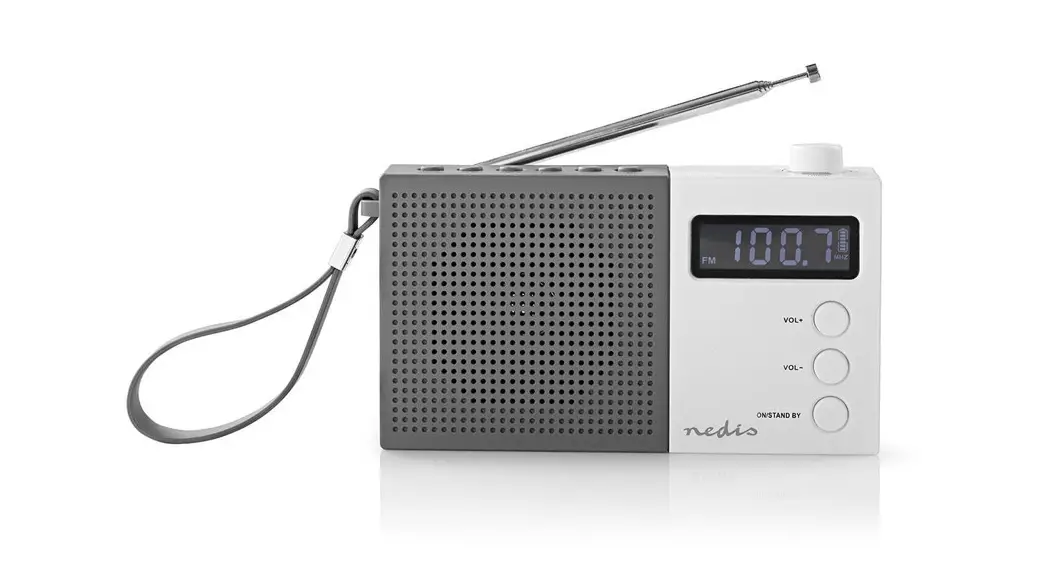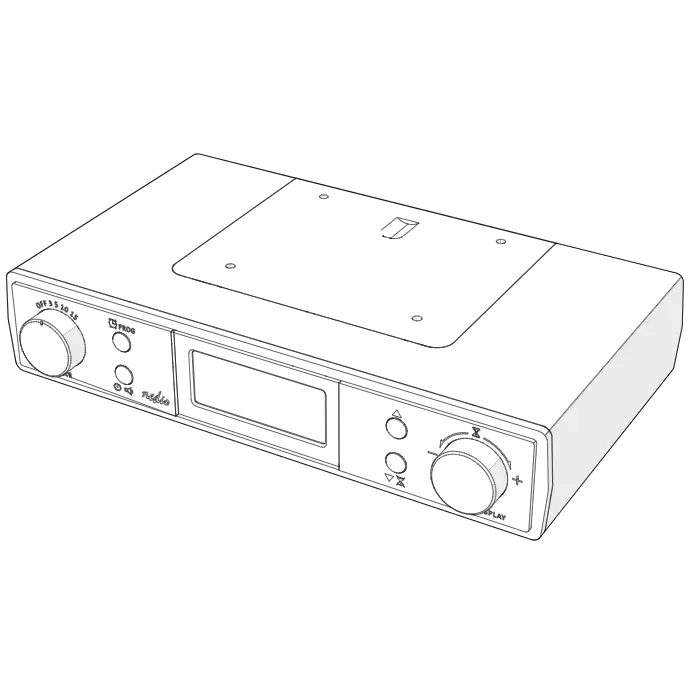

DAB+ / FM Radio with alarm clock radio
RDDB5110BK

Quick start guide
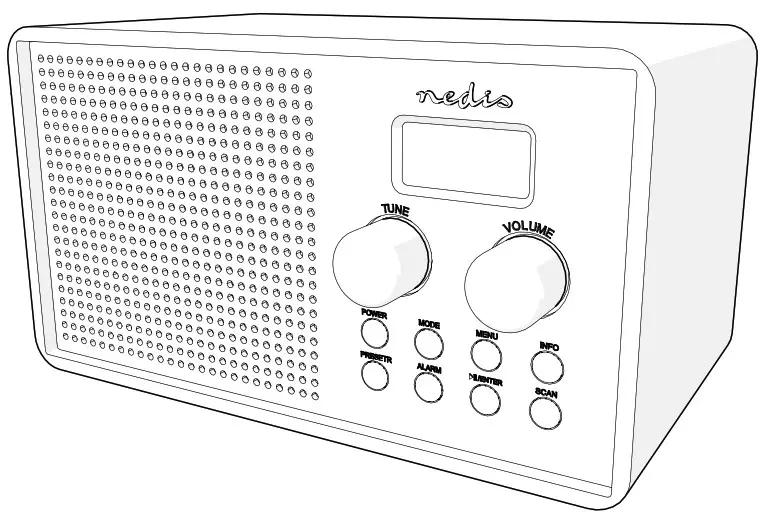
DAB+ / FM radio
RDDB5110BK
For more information see the extended manual online: ned.is/rddb5110bk
Intended use
The product is exclusively intended to be used as a radio with alarm clock. Any modification of the product may have consequences for safety, arranty
and proper functioning.
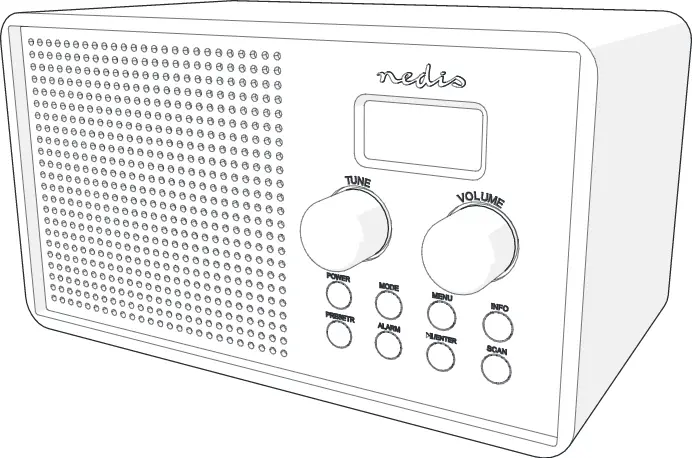
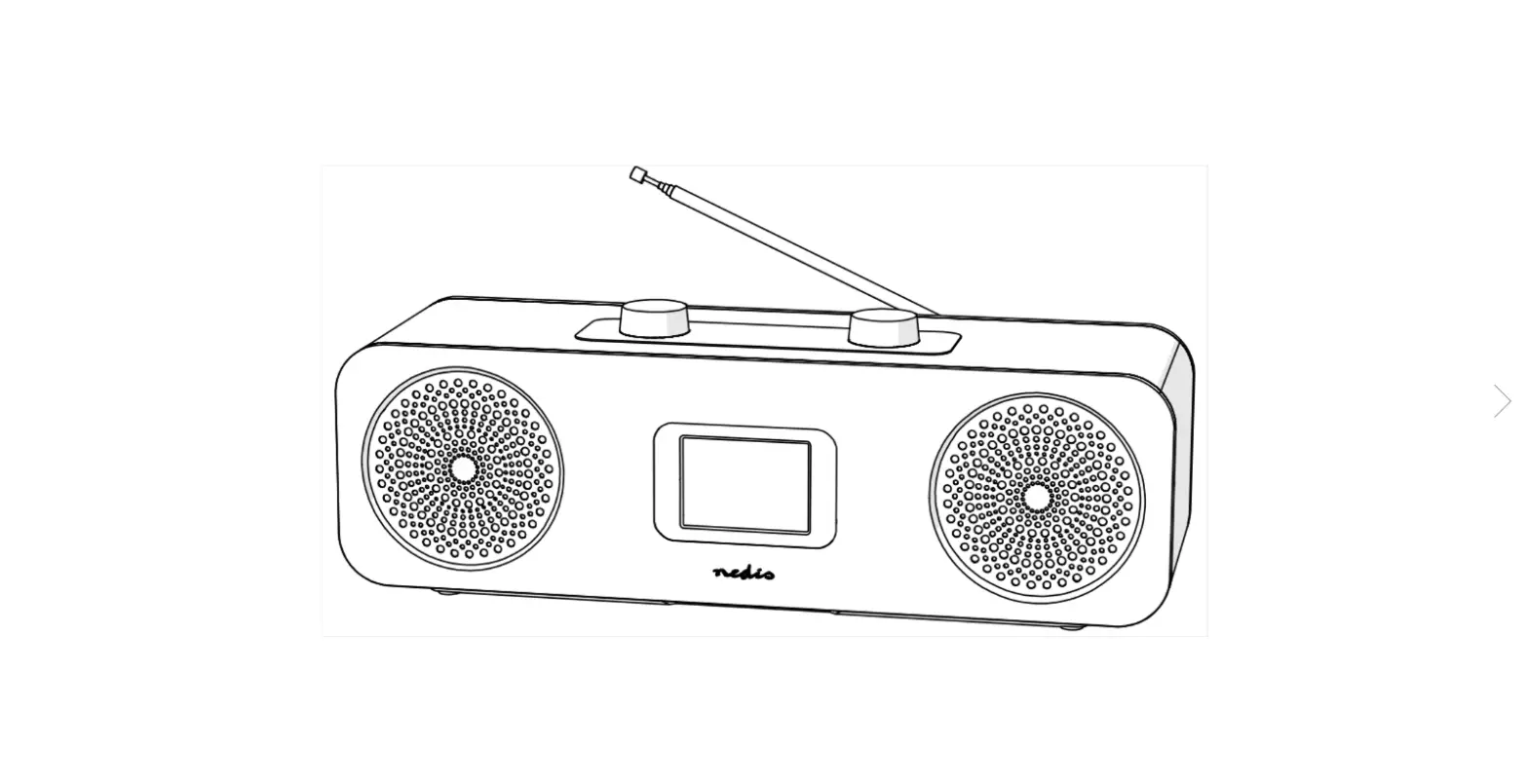
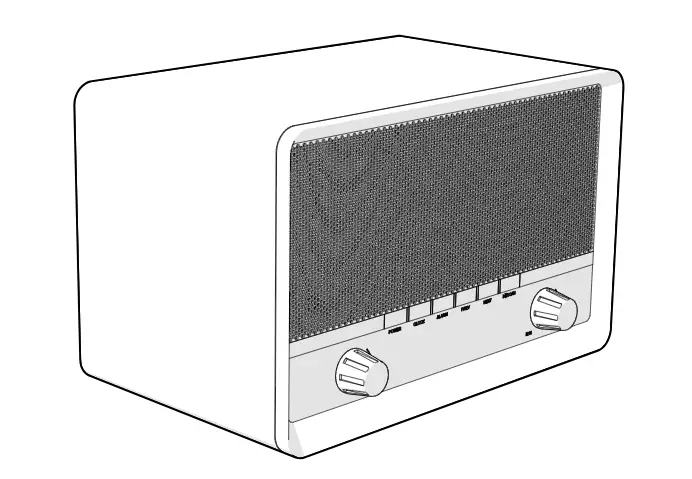
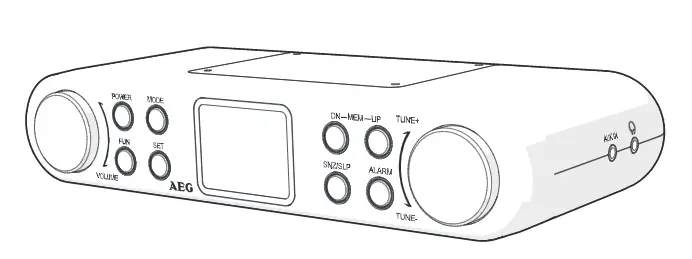
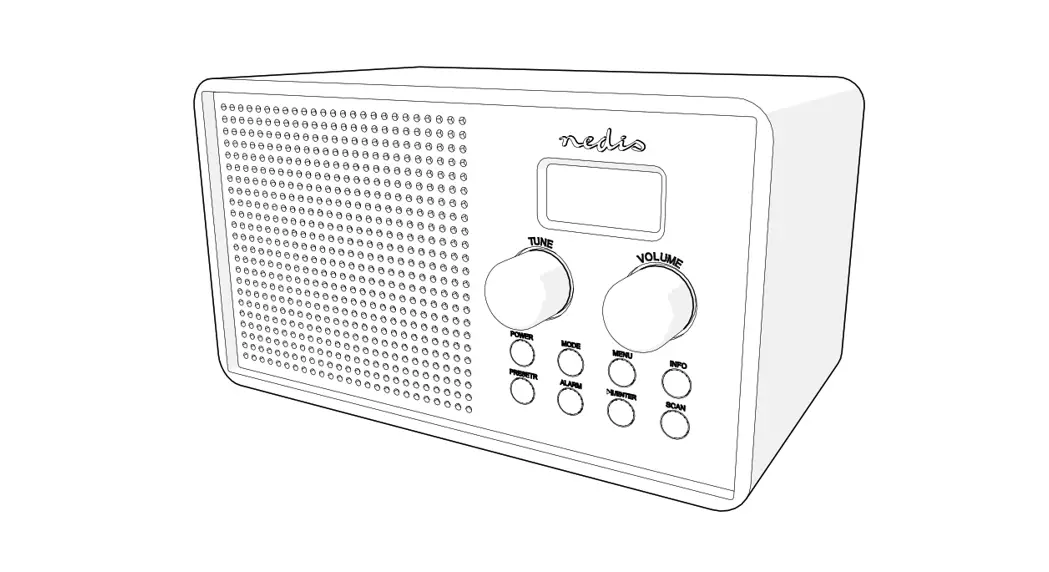
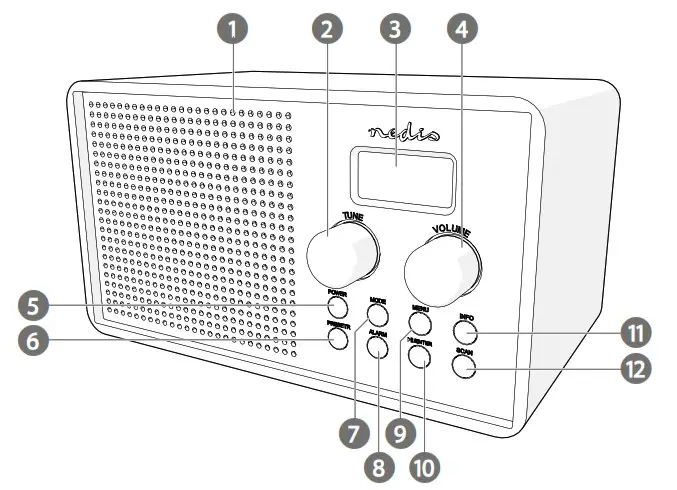
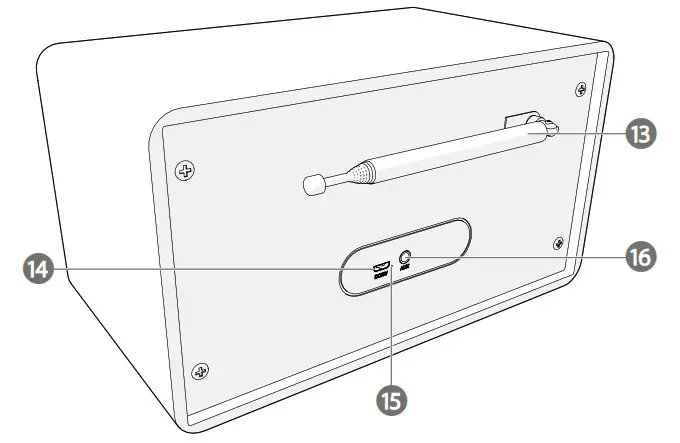
Main parts (image A)
| 1. DAB+ / FM radio | 5. Power button | 9. Menu button | 13. Antenna |
| 2. Tune knob | 6. Preset button | 10. Pause / Play / Enter button | 14. Micro-USB charging port |
| 3. Display | 7. Mode button | 11. Info button | 15. Charging indicator LED |
| 4. Volume knob | 8. Alarm button | 12. Scan button | 16. AUX in |
Safety instructions
 WARNING
- Only use the product as described in this manual.
- Read the instructions before use.
- Do not let water enter the product.
- Do not use the product in wet or damp environments.
- Do not use the product in dusty environments.
- This product may only be serviced by a qualified technician for maintenance to reduce the risk of electric shock.
Setup
- Connect the micro USB cable to A
 and an USB adapter.
 - Connect the adapter to a power outlet to charge the radio.
 The charging indicator LED A
 lights up during charging. A full charge takes approximatey 3 hours. 4
 - Extend the antenna A.Alternatively, you can use built-in battery.
 and an USB adapter.
 lights up during charging. A full charge takes approximatey 3 hours. 4
 .
.Setting date and time If a DAB+ signal is found, date and time will be set automatically.
DAB+ mode
- When the radio is in FM or AUX mode, press Mode A
 to switch to DAB+.The radio will scan for available DAB+ stations automatically.
 - Turn Tune A to switch stations.
 to switch to DAB+.
 to switch stations.
FM mode
- When the radio is in DAB+ or AUX mode, press Mode A to switch to FM.The radio will scan for available FM stations automatically.
- Turn Tune A to switch stations.
AUX mode
- Connect a device via a 3.5 mm jack to the AUX port A.
- When the radio is in DAB+ or FM mode, press Mode A to switch to AUX.
 .
.Using presets
- Press and hold Preset A
 to save the current station.You can save up to 40 DAB+ stations and 40 FM stations.
 - Turn Tune A.
- Press Enter A
 to confirm.
 to save the current station.
 to confirm.
Using the menu
- Press Menu A to enter the menu.
 to enter the menu.
Using the alarm
- Turn Tune A to choose between:
- Press Enter A to confirm.
| Scan | Scan for radio stations |
| Time / date | Set date and time |
| Backlight | Switch the backlight of the LCD display on or off |
| Contrast | Change the contrast level of the LCD display on or off |
| System version | Check the system version |
| Factory reset | Reset to factory defaults |
Two different alarms can be set.
- Press A to select alarm 1.
- Press A again to select alarm 2.
- Press Enter A to confirm.
- Turn A to set the hours of the wake up time. Press A to confirm.
- Turn A to set the minutes. Press A to confirm.
- Turn A to choose the source of the alarm: DAB+ / FM or buzzer. Press A to confirm.
- Turn A to choose when to sound the alarm. Choose between Daily / Weekends / Weekdays / Once. Press A to confirm.
- Turn A to set the alarm volume. Press A to confirm.
- Turn A to switch the alarm on or off. Press Ato confirm.
 to select alarm 1.
Snoozing and switching off the alarm
- Press Enter A to snooze the alarm
- Turn A to select the snooze time between 5/10/15/30 minutes. Press A to confirm.
- Press A to switch off the alarm.
Specifications
| Product | DAB+ / FM radio |
| Article number | RDDB5110BK |
| Dimensions (l x w x h) | 200 x 110 x 110 mm |
| Weight | 800 g |
| Power input | 5 VDC – 500 mA |
| Power (RMS) | 1.5 W |
| Peak power | 4.5 W |
| Radio bands | DAB+ / FM |
| DAB+ frequency | 174 – 240 MHz |
| FM frequency | 87.5 – 108 MHz |
| Preset channels | 80 (40 DAB+, 40 FM) |
| Tuning type | PLL |
| Play time | Up to 4 hours |
| Battery capacity | 1200 mAh |
| Charging time | 3 hours |
| LCD display | Yes |
| Alarm clock | Yes |
| Snooze function | Yes |
| Connection | Aux input, micro USB |
Declaration of Conformity
We, Nedis B.V. declare as manufacturer that the product RDDB5110BK from our brand Nedis®, produced in China, has been tested according to all relevant CE standards and regulations and that all tests have been passed successfully. This includes, but is not limited to the RED 2014/53/EU regulation.
The complete Declaration of Conformity (and the safety datasheet if applicable) can be found and downloaded via webshop.nedis.com/RDDB5110BK#support
For additional information regarding the compliance, contact the customer service:
Web: www.nedis.com
E-mail: [email protected]
Phone: +31 (0)73-5991055 (during office hours)
Nedis B.V., de Tweeling 28
5215 MC ‘s-Hertogenbosch, the Netherlands
References
 DAB+ Radio | Table Design | DAB+ / FM | 1.3 " | Black White Screen | Battery Powered | Digital | 4.5 W | Alarm clock | Black | Nedis
 DAB+-Radio | Tafelmodel | DAB+ / FM | 1.3 " | Zwart-Wit Scherm | Batterij Gevoed | Digitaal | 4.5 W | Wekker | Zwart | Nedis
-
DAB+ Radio | Table Design | DAB+ / FM | 1.3 " | Black White Screen | Battery Powered | Digital | 4.5 W | Alarm clock | Black | Nedis
-
Nedis | Your wholesaler of consumer electronics
-
Nedis | Your wholesaler of consumer electronics
-
Nedis | Your wholesaler of consumer electronics
-
Radio DAB + | Conception de table | DAB+ / FM | 1.3 " | Écran noir blanc | Alimenté par pile | Numérique | 4.5 W | Réveil | Noir | Nedis
-
Nedis | Your wholesaler of consumer electronics
-
Nedis | Su mayorista de confianza en electronica de consumo | Nedis
-
DAB+ Rádio | Stolní Provedení | DAB+ / FM | 1.3 " | Černo-bílý displej | Napájení z baterie | Digitální | 4.5 W | Budík | Černá | Nedis
-
Nedis | Your wholesaler of consumer electronics
-
Nedis | Your wholesaler of consumer electronics
 DAB+ Radio | Table Design | DAB+ / FM | 1.3 " | Black White Screen | Battery Powered | Digital | 4.5 W | Alarm clock | Black | Nedis
 DAB+-Radio | Tafelmodel | DAB+ / FM | 1.3 " | Zwart-Wit Scherm | Batterij Gevoed | Digitaal | 4.5 W | Wekker | Zwart | Nedis
 DAB+ Radio | Table Design | DAB+ / FM | 1.3 " | Black White Screen | Battery Powered | Digital | 4.5 W | Alarm clock | Black | Nedis
 Nedis | Your wholesaler of consumer electronics
 Nedis | Your wholesaler of consumer electronics
 Nedis | Your wholesaler of consumer electronics
 Radio DAB + | Conception de table | DAB+ / FM | 1.3 " | Écran noir blanc | Alimenté par pile | Numérique | 4.5 W | Réveil | Noir | Nedis
 Nedis | Your wholesaler of consumer electronics
 Nedis | Su mayorista de confianza en electronica de consumo | Nedis
 DAB+ Rádio | Stolní Provedení | DAB+ / FM | 1.3 " | Černo-bílý displej | Napájení z baterie | Digitální | 4.5 W | Budík | Černá | Nedis
 Nedis | Your wholesaler of consumer electronics
 Nedis | Your wholesaler of consumer electronics