
User Manual
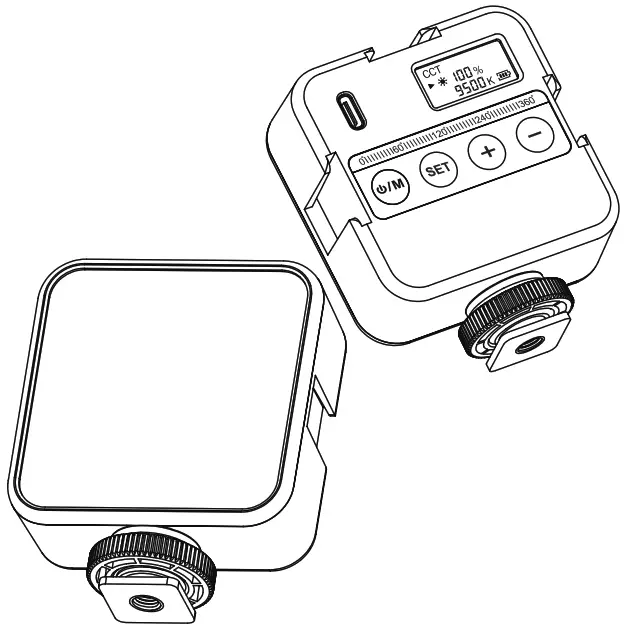
YN60RGB
FUNCTION INTRODUCTION
Thank you for using the YN60RGB. Please read the manual carefully before using the product.
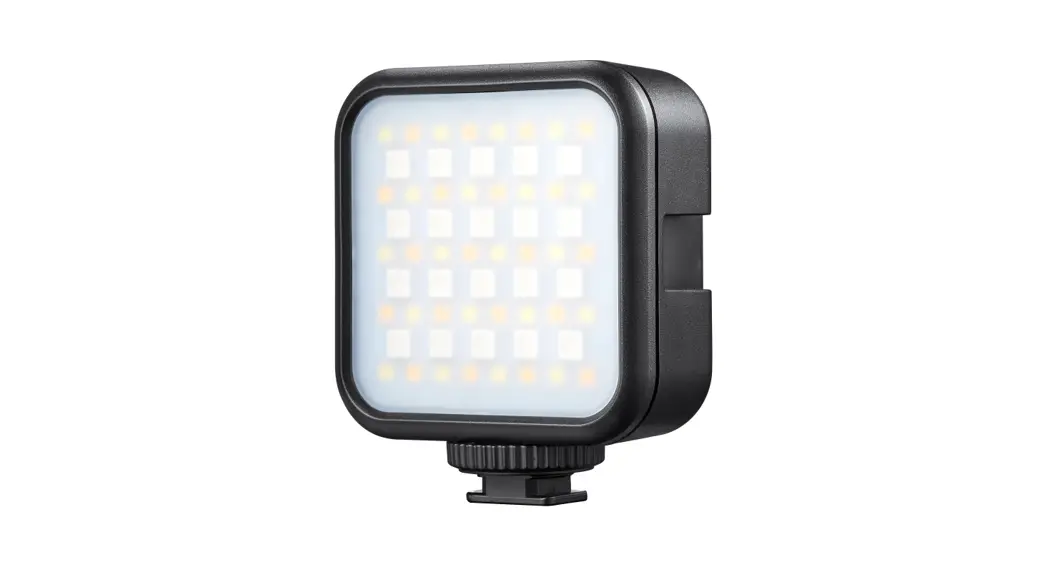
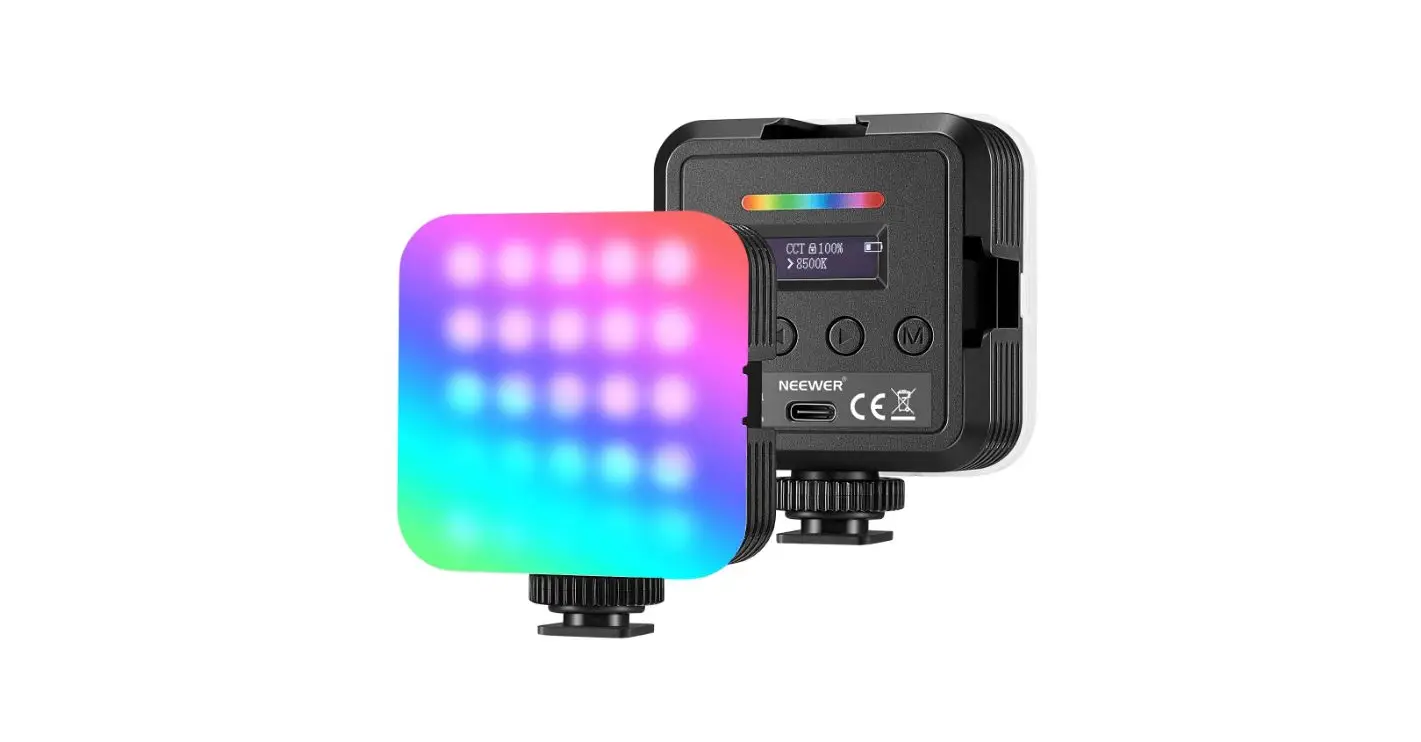
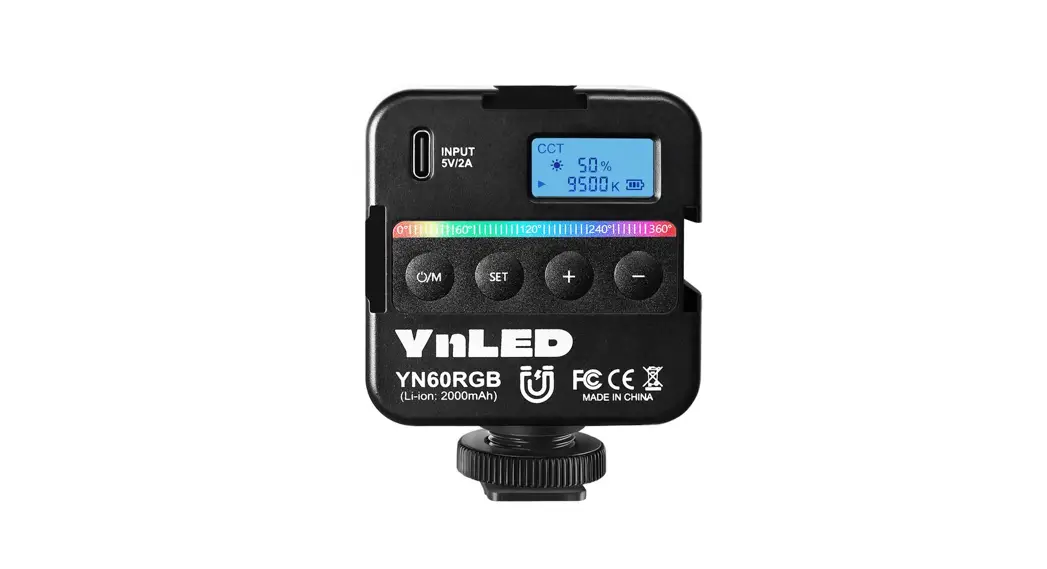
LED VIDEO LIGHT YN60RGB
- Dimensions: 79.2mmx65mmx27mm.
- Shell: ABS shell, LCD display.
- Brightness adjustment range: 0-100%, support quick adjustment, the light will be off at 0%.
- CCT color temperature adjustment range: 2500-9500K
- Color rendering index (CRI): ≥95 TLCL: ≥97
- RGB hue (HSI): adjustable full color 0-360° hue, brightness 0-100% adjustable, the light will be off at 0%.
- Scene modes: simulated lightning (two types), cinema, police car lights, ambulance lights, fire car lights, RGB color temperature cyclic gradient (two types), SOS, candlelight.
- Built-in battery: 2000mAh lithium battery.
- Size: 50mm*35mm*10mm.
- Charging interface: Type-C, support 5V*2A.
- Power: about 3W.
- Battery life: about 2 hours at 100% brightness.
- Full charge time: about 2.5 hours.
- Interface type: equipped with 1/4 inch screw interface at the bottom, equipped with pan/tilt holder, built-in magnet
- Built-in professional LED driver chip, there will be no ripple or flicker during shooting.
- Applicable scenarios: creative shooting, live broadcasting, camping, selfie, still life shooting, video shooting, etc.
WARNING
- Please keep the product dry, do not touch the product with wet hands, and please do not immerse the product in water or expose it to rain.
- Do not use this product in a high-temperature environment or a closed space under direct sunlight.
- This product has a built-in lithium battery. Please avoid disassembling, impacting, squeezing this product, or throwing it into a fire, otherwise, it may cause an explosion or fire.
NOTES
- Please remove the charging cable after charging.
- If the product has not been used for a long time, please charge the product first.
- This product has a built-in lithium battery. After a long period of use, the battery life may be shortened.
This is a normal phenomenon. - Please do not use LEDs to illuminate the eyes of humans or animals at close range, otherwise, it may temporarily affect eyesight.
PART NAME
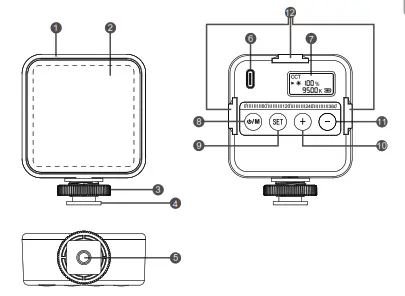
| 1 Shell 3 Nut 5 1/4 Screw nut hole 7 LCD display 9【 SET 】button 11【 -】button | 2 LED lamp beads 4 Cold shoe 6 TYPE-C charging port 8 Power switch (long press) /scene mode switch key (short press) 10 【 + 】button 12 Cold shoe interface |
INSTRUCTIONS FOR USE
- Turn on and set the working mode
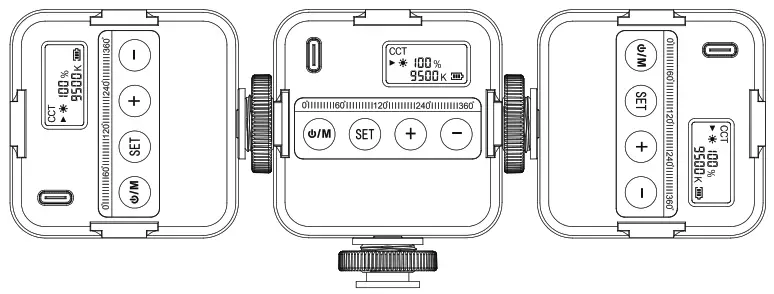
Long press the button to turn on, and the LCD screen will light up, the display will show the current battery level, then short press the button to set the working mode, and then cycle through CCT color temperature mode/HSI mode/scene mode, and long press the button again to shut down.
Note:
After turning on the power, the LCD screen displays the last saved parameter value, and the LED lights light up according to the parameter value. - CCT color temperature mode
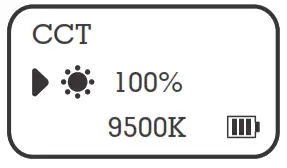
Press the【 SET 】button to switch the brightness or color temperature, and press the【 + 】button or the【 -】button to set the brightness or color temperature, the brightness adjustment range is 0%-100%, and the color temperature adjustment range is 2500K-9500K.
Long press【 + 】【 -】 key to making the quick adjustments.
- HSI tone mode
Press the【 SET 】button to switch the hue/brightness respectively, and then press the【 + 】 button or the【 -】 button to set each parameter. -The brightness adjustment range is 0%-100%, and the hue setting range is 0°-360°
- Scene mode (SCENE)
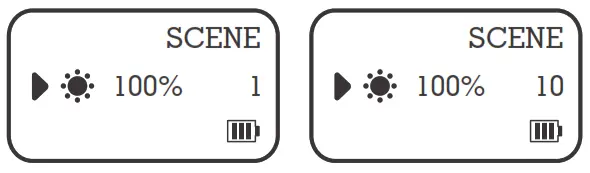
Short press the button to enter the scene mode setting, this product supports 10 kinds of scene modes, press the【 SET 】 button to cycle through the scene modes, and press the【 + 】 button or the【 -】 button to set the brightness.
No. Scene Effect Mode Effect 1 Lightning1 Lightning1 2 Lightning2 Lightning2 3 Cinema Cinema Simulation 4 Police Van Police Van Simulation 5 Ambulance Ambulance Simulation 6 Fire Truck Fire Truck Simulation 7 Fast RGB RGB Cycle Fast Speed 8 Slow RGB RGB Cycle Low Speed 9 SOS SOS 10 Candlelight Candlelight Simulation - About the battery icon
Each grid represents about 1/3 of the power. When the power is exhausted, the battery icon will flash, and it will automatically shut down after about 1 minute. Please charge it in time.
- Charging
The charging interface is Type-c and supports up to 5V*2A (the charging head needs to be purchased separately). - Magnetic
There is a built-in magnet on the back of the lamp, so you can attach the lamp to iron objects. - Set the automatic save function
When the product is turned off, it will automatically save the currently set working mode. - Restore factory settings
Press and hold the multi-function button for 3 seconds. The product will restore the factory settings (CCT mode, 5500K color temperature, 0% brightness). - How to use cold shoe seat and cold shoe interface
This product is equipped with a fixed cold shoe seat and three cold shoe interfaces. The cold shoe seat can be installed with a product equipped with a hot shoe interface or a cold shoe interface. It can be locked by turning the nut clockwise. The cold shoe interface can be installed with a standard hot shoe interface or cold shoe mount products, you can also use multiple YN60RGB video lights spliced and combined; the bottom of the cold shoe mount is equipped with a 1/4 inch screw port, which can be installed on a product with a 1/4-inch screw interface.
 button to turn on, and the LCD screen will light up, the display will show the current battery level, then short press the button to set the working mode, and then cycle through CCT color temperature mode/HSI mode/scene mode, and long press the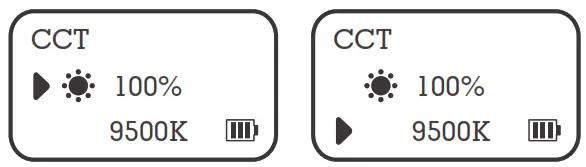
 -The brightness adjustment range is 0%-100%, and the hue setting range is 0°-360°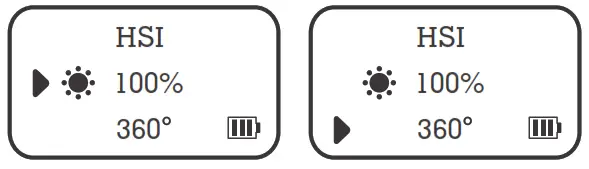
SPECIFICATIONS
| Product Name | LED Video Light |
| Product Model | YN60RGB |
| Color Rendering CRI | Ra:≥95 |
| Color Rendering TLCI | Qa: ≥97 |
| CCT Color Temperature | 2500~9500K( 100K) |
| Number of Lamp Beads | 36 (12 warm white light beads + 12 cold white light beads + 12 RGB beads) |
| RGB Tone (HSI) | 0°~360° |
| Fixed interface | 1/4 nut interface hole x1 |
| Scene Mode | support (10 types) |
| Brightness Adjustment | 0~100% |
| Power | about 6W |
| Display | 0.96-inch LCD display |
| Battery Life | Approximately 2 hours at 100% power |
| Built-in Lithium Battery | 103550 (2000mAh) |
| Charging Port | Type-c |
| Charging Power | 5V2A |
| Material | PC ABS |
| Size | 79.2x65x27mm |
| Weight | about 104g |
| 100% Power Illuminance | Distance | Warm White | Cool White | R(Red) | G(Green) | B(Blue) |
| 0.3M | 824 Lux | 1050 Lux | 265 Lux | 831 Lux | 183 Lux | |
| 0.5M | 458 Lux | 590 Lux | 154 Lux | 475 Lux | 105 Lux | |
| 1M | 94.2 Lux | 121 Lux | 29.8 Lux | 95.8 Lux | 20.8 Lux | |
| Lumen (LM) | 169 LM | 228.6 LM | 71.3 LM | 218.5\ LM | 38 LM | |
Note:
The specifications of this product are tested in accordance with the company’s laboratory samples. The finished product may be slightly different, which will not affect normal use; the design and specifications are subject to change without notice.
WARRANTY CARD
Dear users, in order to serve you better, please fill out this warranty card carefully after purchasing the product so that we can serve you in the future. Please take good care of the warranty card after purchase. This warranty card is an important certificate of warranty service, thank you!
| User Info | |
| Product Model | |
| Name | |
| Phone | |
| Address | |
| Purchase Date | |
| Failure Description | |
Warranty Policy
- The warranty period of the product is 12 months (calculated from the date of purchase).
- During the normal use of the product, if there is a performance failure that is not artificially damaged, we will provide free repair services.
- Please note: The following conditions are not covered by the warranty service.
1 The warranty has expired.
2 Damage caused by improper use, maintenance, and storage of the product.
3 Damage caused by repair and disassembly from non-manufacturer service personnel or unauthorized service provider.
4 The warranty card model does not match the repair model or is altered.

https://www.hkyongnuo.com/home
The specifications of this product are tested in accordance with the company’s laboratory samples. The finished product may be slightly different, which will not affect normal use; the design and specifications are subject to change without notice.
Manufacturer: Shenzhen Xikong Trade Co., Ltd.
Address: West 2C506, Building 2, Saige Keji Yuan, 120 Zhenxing Road, Licun Community, Huaqiang North Street, Futian District, Shenzhen, Guangdong, China
Dealer: Shenzhen YONGNUO Photographic Equipment Co., Ltd.
Address: Building A, Shenfubao modern optics factory, Kengzi Street, Pingshan District, Shenzhen
Phone: (86) 0755-83762448
Fax: (86) 0755-83762765
Website: www.hkyongnuo.com
After-sales phone: 400-001-3888
Executive standard: Q/YNSY 001-2018
 深圳市永诺摄影器材股份有限公司