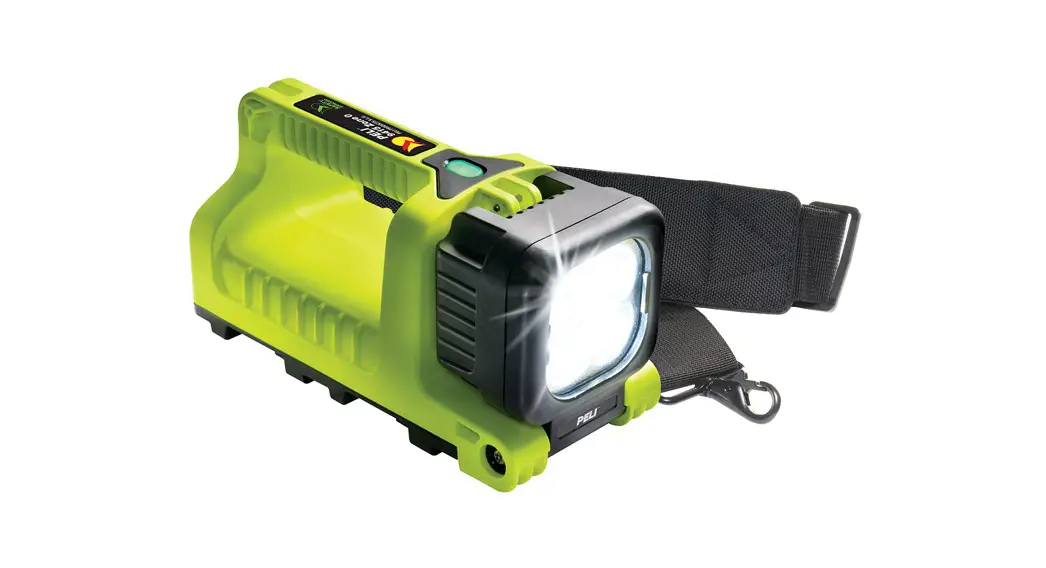
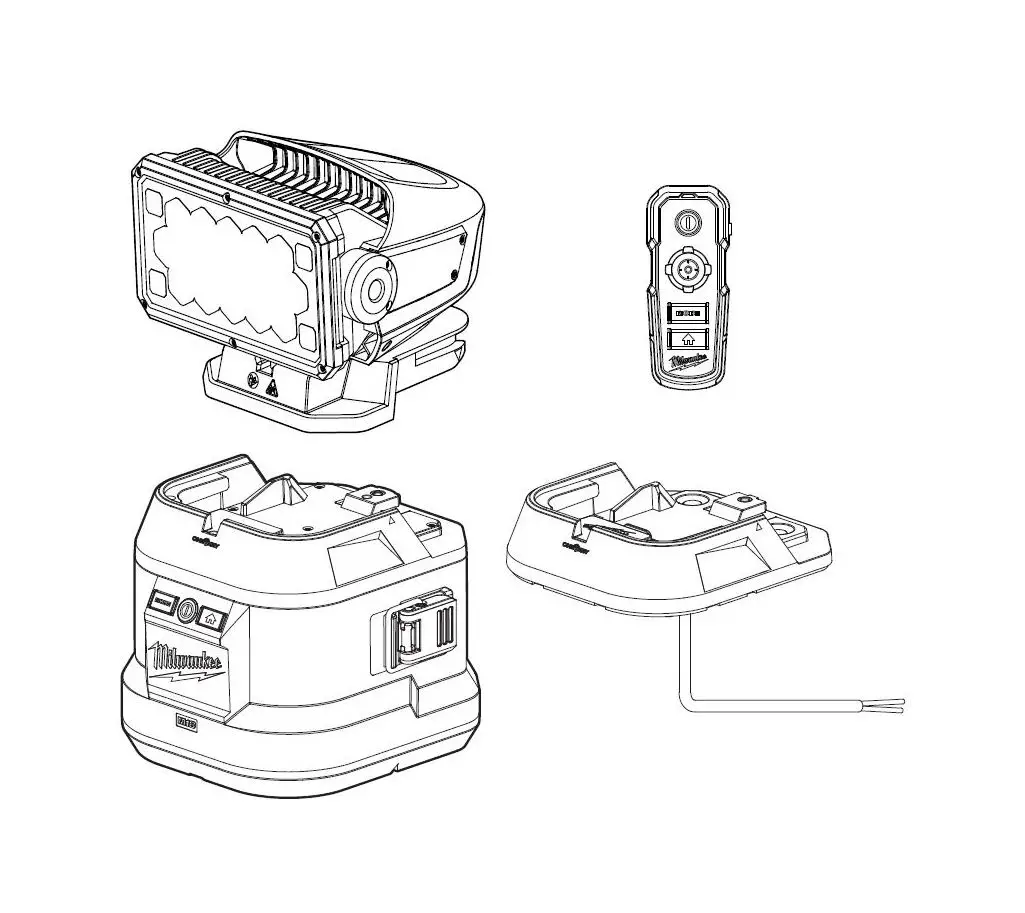
9490 Rals Remote Area Light
Product Information
Product Name: PELICANTM 9490 RALS
Catalog Number: 9490
User Manual: PELICANTM 9490 RALS USER MANUAL
Mast Operation
- Lift the light and pole to a selected position, then twist the
red locking collar clockwise to lock the pole in place. - To extend the mast, release the clamp on each section and
raise. Lock each clamp until you have reached your chosen
height. - To collapse the mast, reverse the procedure.
Light Operation
Prior to light operation, locate the required fuse.
A. With a slot screwdriver, screw the fuse into the fuse
receptacle on the side of the power pack.

1. Press power button on keypad once to switch on. The default
setting is the preset high mode (as indicated by the three symbols
at the top of the screen). Your remaining run time is displayed in
the center of the screen and your battery level is shown at the
bottom of the screen.

2. Press the bottom left button on the keypad to change between
high, medium, and low power. Your remaining run time varies between
these settings.
3. Press the up or down buttons on the keypad at any time to
enter the Intelligent Control (IC) mode. The IC mode allows you to
select any run time up to 24 hours. In this mode, your power level
is displayed at the top of the screen instead of the preset sun
symbols. You can go back to preset mode at any time by pressing the
bottom left button on the keypad.
4. Press the power button on the keypad to switch off.
Preset Modes and Lux Levels:
| SETTING | LUX AT 1M | LUX AT 2M | LUX AT 3M |
|---|---|---|---|
| 3 Suns | 4000 | 1,260 | 620 |
| 2 Suns | 2180 | 700 | 340 |
| 1 Sun | 670 | 210 | 100 |
The 9490 features the ability to be used while charging. When
the charger is connected to AC power and the product is switched
on, the 9490 will automatically select a light level to allow
continuous operation – automatic mode. In this mode, the battery
level will remain constant, and the light will be at 50% level.
In AC mode, the display will show the battery level and power
level, but the time display will be replaced by –:– and the
hourglass icon will be extinguished.
Manual adjustment of the brightness will still be possible. If
the brightness is increased, then automatic mode will be exited, a
new runtime will be computed based upon the new operating
conditions. The battery level and the display will revert to the
normal IC mode (or preset mode if the bottom left button has been
used). If the brightness is decreased, the unit will remain in
continuous mode (and the battery will charge up slowly).
If the charger is removed, the unit will return to normal
operation, and the run time display will show the remaining time
for the selected setting.
Flash Mode
1. Press and hold the power button for 3 seconds until flashing
begins, then select the required power level.
2. To switch flashing mode off, press the power button
again.
Power Pack
The 9490 power pack is removable.
C. To remove the power pack, simply release the clips and lift
via the handle.

Power Pack Level
The power pack is equipped with a power level monitor which
remains permanently illuminated to tell the user how much power the
battery contains. The level monitor will glow brightly when the
product is switched on and dim when not in use.
9490 RALS Cat. # 9490
EN
PELICANTM 9490 RALS USER MANUAL
Mast Operation
1. Lift the light and pole to a selected position, then twist the red locking collar clockwise to lock the pole in place.
2. To extend the mast, release the clamp on each section and raise. Lock each clamp until you have reached your chosen height.
3. To collapse the mast, reverse the procedure.
Light Operation
Prior to light operation, locate the required fuse.
A
With a slot screwdriver, screw the fuse into the fuse receptacle on the side of the power pack. (A)
1. Press power button on keypad once to switch on.
The default setting is the preset* high mode (as indicated
by the three symbols at the top of the screen). (B) Your
remaining run time is displayed in the center of the
screen and your battery level is shown at the bottom of
the screen.
B
2. Press the bottom left button
on the keypad to
change between high, medium and low power. Your
remaining run time varies between these settings.
3. Press the up or down buttons on the keypad at any time
to enter the Intelligent Control (IC) mode. The IC mode
allows you to select any run time up to 24 hours. In this
mode, your power level is displayed at the top of the
screen instead of the preset `sun’ symbols. You can go
back to preset mode at any time by pressing the bottom
left button on the keypad.
4. Press the power button on the keypad to switch off.
The 9490 IC features three preset modes which provide recommended lux levels over a certain distance. Please see table below:
*
SETTING
LUX AT 1M
LUX AT 2M
LUX AT 3M
3 Suns
4000
1,260
620
2 Suns
2180
700
340
1 Sun
670
210
100
The 9490 features the ability to be used while charging. When the charger is connected to AC power and the product is switched on, the 9490 will automatically select a light level to allow continuous operation. – automatic mode. (In this mode, the battery level will remain constant, and the light will be at 50% level.)
In AC mode the display will show the battery level and power level but the time display will be replaced by –:– and the hourglass icon will be extinguished.
Manual adjustment of the brightness will still be possible. If the brightness is increased, then automatic mode will be exited, a new runtime will be computed based upon the new operating conditions. The battery level and the display will revert to the normal IC mode, (or preset mode if the bottom left button has been used). If the brightness is decreased, the unit will remain in continuous mode (and the battery will charge up slowly).
If the charger is removed, the unit will return to normal operation and the run time display will show the remaining time for the selected setting.
Flash Mode
1. Press and hold the power button for 3 seconds until flashing begins, then select the required power level.
2. To switch flashing mode off, press the power button again.
Power Pack
The 9490 power pack is removable. C
D
This allows for continuous use of the
product by replacing it with another
fully charged power pack when
required.
To remove the power pack simply release the clips and lift via the handle. (C, D)
Power Pack Level
The power pack is equipped with a power level monitor which remains permanently illuminated to tell the user how much power the battery contains. The level monitor will glow brightly when the product is switched on and dim when not in use.
While the product is switched on, the number of segments illuminated in the level monitor will gradually reduce over time. The product will switch off soon after a single red flashing segment is displayed. Once the product has switched itself off, the single red segment in the level monitor will continue to flash, indicating that a recharge is required.
Power Pack Charging
The power pack can be charged inside or outside of the main 9490 housing. 1. Remove the dust cap from the charging socket and plug in charger. 2. Connect the charger to the mains AC power supply.
Charge Cycle Indication
During charging, the level monitor display will become brighter and continue to cycle until all segments of the display are shown. Once the display stops cycling and shows all segments, the battery is fully charged.
Note: The power pack can be left attached to the charger without any harm to the battery.
WARNING: ONLY USE APPROVED POWER SUPPLY AND ENSURE CHARGING IS CARRIED OUT IN A WELL VENTILATED ROOM.
DO NOT STORE BATTERY PACKS IN A DISCHARGED STATE. WHEN NOT IN USE, RECHARGE THE BATTERY PACK EVERY 3 MONTHS.
ONCE FULLY CHARGED ALWAYS REMOVE THE POWER SUPPLY.
Battery/Fuse Replacement
Contact your dealer for a replacement battery or fuse.
Environmental
At the end of its technical life, the sealed lead battery should be sent to a suitable recycling center or returned to the point of purchase.
BATTERY SAFETY
BATTERY SAFETY YOU MUST READ THESE WARNINGS AND INSTRUCTIONS BEFORE USING OR CHARGING YOUR BATTERIES!
WARNING: HANDLE AND STORE BATTERIES PROPERLY TO AVOID INJURY OR DAMAGE
BATTERIES CAN BE DANGEROUS!
IMPROPER HANDLING OF BATTERIES CAN LEAD TO LEAKING, FIRE OR EXPLOSION WHICH CAN CAUSE SERIOUS INJURY OR PROPERTY DAMAGE.
Rechargeable Batteries
» Hazardous Location Safety Approvals for explosive environments are only valid for the
Pelican battery pack that is supplied with the equipment.
» For replacement battery packs, only use the approved Pelican battery pack for the
model of the product that you are using. The use of other battery packs will reduce
performance, expose the user or others to serious injury, and will invalidate the safety
approval.
» Equipment should only be charged in a non-hazardous location.
» Equipment should only be charged using the Pelican charger base that is supplied.
» Batteries should be charged and operated between the temperatures shown in this
table:
BATTERY TYPE
CHARGING TEMP
OPERATING TEMP
Lead Acid
15°C to 40°C (5°F to 104°F)
15°C to 50°C (5°F to 122°F)
Ni-MH
0°C to 40°C (32°F to 104°F)
20°C to 50°C (4°F to 122°F)
Li-Ion and LiFePO4
0°C to 45°C (32°F to 113°F)
20°C to 60°C (4° F to 140°F)
» DO NOT charge rechargeable alkaline batteries while they are still in the equipment. Charging the alkaline batteries while they are still in the equipment can cause internal gas or heat generation resulting in venting, explosion or possibly fire which could cause serious injury or property damage.
» Deep discharge* of the rechargeable batteries may cause batteries to vent potentially dangerous gasses and electrolytes.
» It is strongly recommended to condition* batteries every three months. During storage, the capacity of the battery decreases due to self-discharging. Leaving the product unused for long periods of time will decrease the battery life. Withdrawal of the charger from the product prior to a `READY’ indication will result in an inadequate charge.
» If products are stored that contain regchargeable products, it is advisable to do so in a cool, dry place. If the average temperature exceeds 25°C (77°F) (below 30°C or 86°F), the frequency of supplementary charging should increase.
» It is advisable to always condition a battery that has been stored before use.
* Deep Discharge: The battery has been allowed to discharge most of its capacity to a point beyond which irreparable damage has occurred. See battery specifications for the specific levels.
* Condition a Battery: Charge your battery to the fullest capacity and then disconnect from charger. Let the light run until it completely drains the battery and turns itself off. Place the flashlight back onto its charger and completely recharge the battery before using it. This conditioning or “cycling” of the battery will help it retain a fuller charge for a longer period of time.
Warning
» If the charger fails to indicate a full charge after repeated charging attempts, or the battery exhibits a marked reduction in performance, a battery replacement is required.
» DO NOT use chargers designed for a different battery technology or equipment, or model. Doing so may damage the product and expose the user to serious injury or property damage.
» Ni-MH Rechargeable Battery Packs: DO NOT use Ni-MH rechargeable battery packs for longer than three years or 500 charge/discharge cycles, whichever comes first. Using Ni-MH rechargeable battery packs for longer than three years or 500 charge/discharge cycles will reduce the performance of the battery and expose the user to serious injury or property damage.
» Li-Ion and LiFePO4 Rechargeable Battery Packs: DO NOT use Li-Ion and LiFePO4 rechargeable battery packs for longer than five years. Using for a period longer than five years will reduce the performance of the battery and expose the user to serious injury or property damage.
» Lead Acid Battery: DO NOT use lead acid batteries for longer than five years or 400 charge/discharge cycles at 100% DOD ( Depth Of Discharge) * , whichever comes first. Using lead acid batteries for longer than five years or 400 charge/discharge cycles at 100% DOD will reduce the performance of the battery and expose the user to serious injury or property damage.
* DOD (Depth Of Discharge) *: is the fraction or percentage of the capacity which has been removed from the fully charged battery. Depth of Discharge is defined as the total amount of energy that is discharged from a battery, divided by the battery’s nominal capacity. Depth of discharge is normally expressed as a percentage.
Battery Recycling
ALWAYS dispose of batteries properly at an approved battery recycling center. Failure to do so may be a crime and can lead to the release of harmful toxic materials. Pelican has partnered with Call 2 Recycle in the US and Canada to dispose of recyclable batteries. Please call 1-800-822-8837 to find a battery recycling center near you.
ES
MANUAL DE USUARIO DEL SISTEMA DE ILUMINACIÓN 9490 RALS DE PELICANTM
Funcionamiento Del Mástil
1. Levantar el cabezal del sistema a la posición deseada y a continuación girar la anilla roja para bloquearlo.
2. Para extender el mástil, soltar la pestaña de cada lateral y levantar. Bloquear las pestañas una vez ajustada la altura.
3. Para plegar el mástil, seguir el procedimiento inverso.
Funcionamiento De La Linterna
A
Antes de ponerla en marcha localizar el fusible. Con ayuda de un destornillador plano, introducir el fusible en el receptáculo situado en el lateral de la batería. (A)
1. Pulsar el botón de encendido del panel de control
una vez para encender la linterna. Por defecto* se
encenderá en modo de alta intensidad (tal como indican
los tres símbolos que aparecen la parte superior de
la pantalla). (B) En el centro de la pantalla aparece el
B
tiempo de autonomía restante del sistema y en la parte
inferior, el nivel de batería.
2. Pulsar el botón de la parte inferior izquierda
del
panel para alternar entre alta, media y baja potencia. El
nivel de intensidad afecta a la autonomía de la linterna.
3. Pulsar la flecha hacia arriba o hacia abajo del teclado
para acceder al modo de control inteligente. El modo
de control inteligente permite seleccionar el tiempo de
autonomía (hasta 24 h). Con esta función activada, el
nivel de batería aparece en la parte superior de la pantalla en lugar de los soles que
aparecen de fábrica. Para volver al modo normal en cualquier momento pulsar el botón
de la parte inferior izquierda del panel.
4. Pulsar el botón de encendido del panel de control para apagar la linterna.
El control inteligente del modelo 9490 cuenta con tres ajustes que recomiendan distintos niveles de intensidad (lux) según la distancia. Consulta la tabla siguiente:
*
AJUSTE
LUX A 1M
LUX A 2M
LUX A 3M
3 Soles
4000
1,260
620
2 Soles
2180
700
340
1 Sol
670
210
100
El modelo 9490 puede usarse mientras se está cargando. Si está enchufada a la corriente y encendida, el sistema de iluminación seleccionará automáticamente un nivel de bajo consumo para que no se apague (modo automático). En este modo, el nivel de batería no variará. La intensidad de la luz estará al 50%.
En la pantalla veremos el nivel de batería y de potencia, pero el ajuste de la hora pasará a –:– y el icono del reloj de arena desaparecerá.
No obstante, el brillo podrá ajustarse manualmente. Al aumentar el brillo, el modo automático se desactiva, y se calcula un nuevo tiempo de autonomía en función de las nuevas condiciones de funcionamiento. El nivel de batería y la pantalla volverán al modo de control inteligente normal (o al modo de fábrica, si se activa el botón de la parte inferior izquierda). Al bajar el brillo, la linterna seguirá funcionado en modo ininterrumpido (y la batería se irá cargando lentamente).
Al desconectar el cargador, la linterna volverá al funcionamiento normal y aparecerá la autonomía prevista para el modo de funcionamiento seleccionado.
Modo Intermitente
1. Mantener pulsado el botón de encendido durante 3 segundos hasta que parpadee. A continuación seleccionar el nivel de potencia deseado.
2. Para desactivar el modo intermitente, pulsar de nuevo el botón de encendido.
Batería
C
D
La batería del modelo 9490 es extraíble. De esta manera se puede sustituir por otra totalmente cargada al momento cuando sea necesario.
Para sacar la batería solo hay que soltar las pestañas y levantarla por el asa. (C, D)
Nivel De Carga De La Batería
La batería cuenta con un indicador de nivel de carga que permanece encendido para informar al usuario del estado de la batería. El indicador brilla con más intensidad cuando el producto está encendido y la luz se atenúa cuando está apagado.
Cuando el producto está encendido, la cantidad de segmentos iluminados en el indicador va bajando con el tiempo. El producto se apagará poco después de que aparezca un segmento rojo intermitente. Una vez apagado, el segmento rojo del indicador seguirá parpadeando para indicar que hay que cargar el producto.
Cargar La Batería
La batería puede cargarse dentro o fuera de la carcasa del modelo 9490. 1. Sacar la cubierta protectora de la toma del cargador y enchufar el cargador. 2. Enchufar el cargador a la corriente.
Indicación Del Ciclo De Carga
Mientras se carga, la luz del indicador se hará más brillante y seguirá en movimiento hasta que aparezcan todos los segmentos. En ese punto, la batería estará totalmente cargada.
Observación: la batería puede seguir conectada al cargador sin sufrir daños.
ADVERTENCIA: USAR ÚNICAMENTE UNA FUENTE DE ALIMENTACIÓN HOMOLOGADA Y CARGAR LA BATERÍA EN UNA ZONA BIEN VENTILADA.
NO ALMACENAR BATERÍAS DESCARGADAS. DE NO USAR EL PRODUCTO, CARGAR LA BATERÍA CADA 3 MESES.
UNA VEZ CARGADA, SACAR LA FUENTE DE ALIMENTACIÓN.
Cambiar La Batería/El Fusible
Ponte en contacto con tu distribuidor para conseguir una batería o un fusible de repuesto.
Reciclado
Al final de su vida técnica, la batería sellada de plomo debe llevarse a un centro de reciclaje o devolverse al punto de compra.
SEGURIDAD SOBRE BATERÍAS
SEGURIDAD DE LAS BATERÍAS: ¡USTED DEBE LEER ESTAS ADVERTENCIAS E INSTRUCCIONES ANTES DE USAR O CARGAR SUS BATERÍAS!
ADVERTENCIA: MANEJE Y ALMACENE LAS BATERÍAS ADECUADAMENTE PARA EVITAR LESIONES O DAÑOS
¡LAS BATERÍAS PUEDEN SER PELIGROSAS!
EL MANEJO INADECUADO DE LAS BATERÍAS PUEDE OCASIONAR FUGAS, INCENDIOS O EXPLOSIONES, LO QUE PUEDE CAUSAR LESIONES GRAVES O DAÑOS MATERIALES.
Baterías Recargables
» Las aprobaciones de seguridad para ubicaciones peligrosas en entornos explosivos
sólo son válidas para la batería Pelican suministrada con el equipo.
» Para baterías de reemplazo, use únicamente baterías Pelican aprobadas para el
modelo del producto que esté usando. Usar otras baterías reducirá el rendimiento,
expondrá al usuario, o a otras personas, a lesiones graves e invalidará la aprobación de
seguridad.
» La batería del equipo nunca debe recargarse en un lugar peligroso.
» El equipo sólo debe recargarse usando el cargador Pelican provisto.
» Las baterías deben usarse o recargarse en el rango de temperaturas que se muestran
en esta tabla:
TIPO DE PILA
TEMPERATUREA TEMPERATUREA DE
DE LA CARGA
FUNCIONAMIENTO
Plomo-Ácido
15°C a 40°C (5°F a 104°F)
15°C a 50°C (5°F a 122°F)
Ni-MH
0°C a 40°C (32°F a 104°F)
20°C a 50°C (4°F a 122°F)
Ion-Litio y LiFePO4
0°C a 45°C (32°F a 113°F)
20°C a 60°C (4° F a 140°F)
» NO RECARGUE baterías alcalinas recargables mientras todavía estén en el equipo. Cargar baterías alcalinas mientras están en el equipo puede generar gases o calor interno, esto puede provocar escape de gases, explosión o hasta un incendio, lo que podría causar lesiones graves o daños a la propiedad.
» Descargar profundamente* las baterías recargable puede hacer que las baterías dejen escapar gases y electrolitos potencialmente peligrosos.
» Se recomienda encarecidamente acondicionar* las baterías cada tres meses. Durante el almacenamiento, la capacidad de la batería disminuye debido a la autodescarga. Si deja el producto sin usar durante períodos de tiempo extensos, disminuirá la vida útil de la batería. Si desconecta el cargador del producto antes de la indicación READY (“LISTO”), la batería no se cargará adecuadamente.
» Si se almacenan productos que contienen productos recargables, es recomendable hacerlo en un lugar fresco y seco. Si la temperatura promedio supera los 25 °C (77 °F) (por debajo de los 30 °C o 86 °F), la frecuencia de la carga complementaria debe aumentar.
» Se recomienda acondicionar siempre una batería almacenada antes de utilizarla.
* Descarga profunda: Permitir que la batería descargue la mayor parte de su capacidad hasta un punto a partir del cual se producen daños irreparables. Consulte las especificaciones de la batería para conocer los niveles específicos.
* Acondicionar una batería: Cargue la batería al máximo y luego desconéctela del cargador. Deje que la lámpara funcione hasta que la batería se agote por completo y se apague por sí misma. Vuelva a colocar la lámpara en su cargador y recargue completamente la batería antes de usarla. Este acondicionamiento o “ciclado” de la batería le ayudará a retener una carga más completa durante un período de tiempo más largo.
Advertencia
» Si, después de varios intentos, el cargador no indica una carga completa o el rendimiento de la batería se reduce significativamente, deberá reemplazarla.
» NO USE cargadores diseñados para una tecnología de batería distinta o un equipo/ modelo diferente. Hacerlo puede dañar el producto y exponer al usuario a lesiones graves o daños a la propiedad.
» Baterías recargables Ni-MH: NO USE baterías recargables Ni-MH por más de tres años o 500 ciclos de carga/descarga, lo que ocurra primero. Usar baterías recargables NiMH por más de tres años o 500 ciclos de carga/descarga reducirá el rendimiento de la batería y expondrá al usuario a lesiones graves o daños materiales.
PART #
REV
009493-3110-000
B
BLACK
SIDES
PAPER THICKNESS
ECR # 5-37518 FLAT SIZE
RELEASE DATE
DATE
MR 22
7-22-21
NUMBER OF FOLDS
VERSION 1
FOLDED SIZE
2 Sided
16.00″h x 13.00″w
3
4.00″h x 6.50″w
DESIGN TEAM Tyler Bennett 3-25-22
MARKETING COPY Elissa Teitelman
TECHNICAL COPY Jon French
PRODUCT MGR. TEAM Paulo Quitain
3-1-22
No Changes
APPROVED FOR PRINT – MUST BE APPROVED BY ALL TEAM MEMBERS
3-2-22
» Baterías recargables Li-Ion y LiFePO4: NO USE baterías recargables Li-Ion y LiFePO4 por más de cinco años. Usarlas por más de cinco años reducirá el rendimiento de la batería y expondrá al usuario a lesiones graves o daños a la propiedad.
» Batería de Plomo-Ácido: NO USE baterías de Plomo-Ácido por más de cinco años o 400 ciclos de carga/descarga, al 100 % de DOD (profundidad de descarga), lo que ocurra primero. Usar baterías de Plomo-Ácido por más de cinco años o 400 ciclos de carga/descarga al 100 % de DOD reducirá el rendimiento de la batería y expondrá al usuario a lesiones graves o daños materiales.
* DOD (Profundidad de descarga)*: es la fracción o el porcentaje de la capacidad que se eliminó de la batería completamente cargada. Por profundidad de descarga se entiende la cantidad total de energía que se descarga de una batería, dividida por la capacidad nominal de la misma. La profundidad de descarga se expresa normalmente en porcentaje.
Reciclaje De Baterías
SIEMPRE deseche las baterías correctamente en un centro de reciclaje de baterías aprobado. No hacerlo puede ser un delito y puede provocar la liberación de materiales tóxicos nocivos. Pelican se asoció con Call 2 Recycle en los EE. UU. y Canadá para desechar baterías reciclables. Llame al 1-800-822-8837 para encontrar un centro de reciclaje de baterías cerca de usted.
FR
MANUEL D’UTILISATEUR PELICAN TM9490 RALS
Fonctionnement Du Mât
1. Soulever la torche et la tige à une position définie, puis tourner le collier de fixation r ouge vers la droite pour verrouiller la tige en place.
2. Pour étendre le mât, relâcher le dispositif de serrage de chaque section puis soulever. Verrouiller chaque dispositif de serrage jusqu’à atteindre la hauteur désirée.
3. Pour rétracter le mât, procéder dans l’ordre inverse.
Fonctionnement De La Lampe
A
Avant toute utilisation de la lampe, localiser le fusible
emballé requis avec les accessoires fournis.
À l’aide d’un tournevis plat, visser le fusible dans le compartiment à fusible sur le côté du bloc d’alimentation. (A)
1. Presser une fois le bouton d’alimentation sur le
clavier pour mettre sous tension. Le réglage par défaut
est le mode élevé prédéfini* (comme indiqué par les
B
trois symboles en haut de l’écran. (B) Le temps de
fonctionnement restant est affiché au centre de l’écran et le niveau de la batterie au bas de l’écran.
2. Presser le bouton inférieur gauche
sur le clavier
pour commuter entre l’alimentation élevée, moyenne et
basse. Le temps de fonctionnement restant varie selon
ces réglages.
3. A tout moment, presser les boutons de Hausse ou de
Baisse sur le clavier pour passer en mode Contrôle
Intelligent (IC) Le mode IC permet de sélectionner tout temps de fonctionnement jusqu’à
24h. Avec ce mode, le niveau d’alimentation est affiché en haut de l’écran à la place des symboles « soleil » prédéfinis. Il est également possible de revenir en mode prédéfini à tout moment en pressant le bouton inférieur gauche sur le clavier.
4. Presser le bouton d’alimentation sur le clavier pour éteindre.
Le 9490 IC présente trois modes prédéfinis qui fournissent les niveaux lux recommandés à une distance donnée. Merci de consulter le tableau suivant :
* RÉGLAGE
LUX À 1M
LUX À 2M
LUX À 3M
3 Soleils
4000
1,260
620
2 Soleils
2180
700
340
1 Soleil
670
210
100
Le 9490 présente la possibilité de pouvoir être utilisé alors qu’il est en cours de chargement. Une fois le chargeur branché à l’alimentation CA et le produit mis sous tension, le 9490 sélectionne automatiquement un niveau lumineux permettant un fonctionnement continu (mode automatique). (Dans ce mode, le niveau de batterie reste constant.) La torche aura un niveau de 50%.
En mode CA, l’afficheur indique le niveau de batterie et le niveau d’alimentation mais l’afficheur de temps est remplacé par –:– et l’icône Sablier disparaît.
L’ajustement manuel de la luminosité sera encore possible. Si la luminosité est augmentée, alors le mode automatique est quitté et un nouveau temps de fonctionnement est calculé sur la base des nouvelles conditions de fonctionnement. Le niveau de batterie et l’afficheur reviendront en mode IC normal, (ou en mode prédéfini si le bouton inférieur gauche a été utilisé). Si la luminosité est réduite, l’unité restera en mode continu (et la batterie se chargera lentement).
Si le chargeur est déposé, l’unité reviendra en fonctionnement normal et l’afficheur de temps de fonctionnement indiquera le temps résiduel pour le réglage sélectionné.
Mode Clignotement
1. Presser et maintenir le bouton d’alimentation enfoncé pendant 3 secondes jusqu’à ce que la lampe commence à clignoter, puis sélectionner le niveau d’alimentation requis.
2. Pour arrêter le mode clignotement, presser à nouveau le bouton d’alimentation.
Bloc D’alimentation
Le bloc d’alimentation 9490 est
C
D
déposable. Cela permet, si
nécessaire, de continuer à
utiliser le produit en remplaçant
le bloc d’alimentation par un autre
entièrement chargé.
Pour déposer le bloc d’alimentation, relâcher simplement les attaches et soulever par la poignée. (C, D)
Niveau Du Bloc D’alimentation
Chaque bloc d’alimentation est équipée d’un moniteur de niveau d’alimentation qui reste allumé en permanence pour indiquer à l’utilisateur l’autonomie de batterie restante. Le moniteur de niveau brille fortement à l’allumage du produit et puis s’atténue lorsque le produit n’est pas utilisé.
Lorsque le produit est allumé, le nombre de segments allumés sur le moniteur de niveau baisse progressivement au fil du temps. Le produit s’éteint rapidement après avoir affiché d’un seul segment rouge clignotant. Une fois que le produit s’est éteint tout seul, le segment rouge unique du moniteur de niveau continue de clignoter, pour indiquer que la batterie doit être rechargée.
Chargement Du Bloc D’alimentation
Le bloc d’alimentation peut être chargé à l’intérieur ou à l’extérieur du logement principal du 9490. 1. Retirer le cache anti-poussière de la prise de chargement et brancher le chargeur. 2. Brancher le chargeur à l’alimentation électrique CA réseau.
Indication Du Cycle De Chargement
Pendant le chargement, l’écran du moniteur de niveau s’éclaire davantage et continue en cycle jusqu’à affichage de tous les segments. Quand le cycle de l’affichage est terminé et tous les segments sont affichés, la batterie est entièrement chargée.
Remarque : Le bloc d’alimentation peut rester fixé au chargeur pendant la maintenance sans que cela n’endommage la batterie.
AVERTISSEMENT : UTILISER UNIQUEMENT UNE ALIMENTATION ÉLECTRIQUE APPROUVÉE ET S’ASSURER QUE LE CHARGEMENT EST EFFECTUÉ DANS UNE PIÈCE BIEN AÉRÉE. NE PAS RANGER UN BLOC-PILE S’IL EST DÉCHARGÉ.
SI UN BLOC-PILE N’EST PAS UTILISÉ PENDANT UNE PÉRIODE PROLONGÉE, LE RECHARGER TOUS LES 3 MOIS.
UNE FOIS LA CHARGE TERMINÉE, TOUJOURS DÉBRANCHER L’ALIMENTATION ÉLECTRIQUE.
Remplacement De La Batterie / Du Fusible
Contactez votre distributeur pour toute batterie ou fusible de rechange.
Environnement
Au terme de sa durée de vie technique, la batterie au plomb scellée doit être envoyée à un centre de recyclage approprié ou retournée au point d’achat.
SÉCURITÉ DES PILES
SÉCURITÉ DES PILES – VOUS DEVEZ LIRE CES AVERTISSEMENTS ET INSTRUCTIONS AVANT D’UTILISER OU DE CHARGER VOS PILES!
AVERTISSEMENT : MANIPULEZ ET STOCKEZ LES PILES CORRECTEMENT POUR ÉVITER TOUT RISQUE DE BLESSURE OU DE DOMMAGE
LES PILES PEUVENT ÊTRE DANGEREUSES!
UNE MAUVAISE MANIPULATION DES PILES PEUT ENTRAINER UNE FUITE, UN INCENDIE OU UNE EXPLOSION POUVANT CAUSER DES BLESSURES GRAVES OU DES DOMMAGES MATÉRIELS.
Piles Rechargeables
» Les Approbations de sécurité des emplacements dangereux pour les environnements
explosifs sont valides uniquement pour le bloc-pile Pelican fourni avec l’équipement.
» Pour remplacer les blocs-piles, utilisez uniquement les blocs-piles Pelican approuvés
pour les modèle de produit que vous utilisez. L’utilisation d’autres blocs-piles peut
réduire les performances, exposer l’utilisateur ou d’autres personnes à des blessures
graves et invalidera l’approbation de sécurité.
» L’équipement doit uniquement être chargé dans un emplacement non dangereux.
» L’équipement doit uniquement être chargé à l’aide du chargeur Pelican fourni.
» Les piles doivent être chargées et utilisées dans la plage de températures indiquée dans
ce tableau:
TYPE DE PILE
TEMPÉRATURE DE CHARGE
TEMPÉRATURE D’UTILISATION
Plomb-acide
15°C à 40°C (5°F à 104°F)
15°C à 50°C (5°F à 122°F)
Ni-MH
0°C à 40°C (32°F à 104°F)
20°C à 50°C (4°F à 122°F)
Li-Ion et LiFePO4
0°C à 45°C (32°F à 113°F)
20°C à 60°C (4° F à 140°F)
» ÉVITEZ de charger des piles alcalines rechargeables qui sont encore dans l’équipement. La charge de piles alcalines encore dans l’équipement peut causer des gaz internes ou générer de la chaleur entrainant un dégazage, une explosion ou un incendie pouvant causer des blessures graves ou des dommages matériels.
» Une décharge poussée* de les piles rechargeable peut entrainer des émanations de gaz et d’électrolytes potentiellement dangereux.
» Il est fortement recommandé de contrôler* les piles tous les trois mois. Pendant le stockage, la capacité de la pile diminue en raison de la décharge spontanée. La nonutilisation du produit sur des périodes prolongées entrainera une diminution de la durée de vie de la pile. Le retrait du chargeur du produit avant l’indication « PRÊT » entrainera une charge inadéquate.
» Il est recommandé de stocker les produits contenant des piles rechargeables dans un endroit frais et sec. Si la température moyenne est supérieure à 25°C (77°F) (inférieure à 30°C ou 86°F), la fréquence des charges supplémentaires doit être augmentée.
» Il est recommandé de toujours contrôler une pile qui a été stockée avant son utilisation.
* Décharge poussée : La pile est déchargée de la majeure partie de sa capacité, jusqu’à un point où des dommages irréparables ont été causés. Voir les spécifications de la pile pour obtenir les niveaux spécifiques.
* Contrôler une pile : Chargez la pile au maximum et retirez-la du chargeur. Laissez la lampe allumée jusqu’à ce que la pile soit complètement déchargée et que la lampe s’éteigne. Placez la lampe sur le chargeur et rechargez complètement la pile avant de l’utiliser. Ce contrôle ou « cyclage » de la pile l’aidera à conserver une charge plus complète plus longtemps.
Avertissement
» Si le chargeur n’indique pas de charge complète après plusieurs tentatives de charge, ou que la pile montre une réduction significative de ses performances, le remplacement de la pile est requis.
» ÉVITEZ d’utiliser des chargeurs conçus pour une technologie, un équipement ou un modèle de pile différent. Cela pourrait endommager le produit et exposer l’utilisateur à des blessures graves ou des dommages matériels.
» Blocs-piles Ni-MH rechargeables : ÉVITEZ d’utiliser les blocs-piles Ni-MH rechargeables pendant plus de trois ans ou 500 cycles de charge/décharge, selon la première de ces éventualités. L’utilisation de blocs-piles Ni-MH rechargeables pendant plus de trois ans ou 500 cycles de charge/décharge réduira les performances de la pile et exposera l’utilisateur à des blessures graves ou des dommages matériels.
» Blocs-piles Li-Ion et LiFePO4 rechargeables : ÉVITEZ d’utiliser les blocs-piles Li-Ion et LiFePO4 rechargeables pendant plus de cinq ans. L’utilisation de ces blocs-piles pendant plus de cinq ans réduira les performances de la pile et exposera l’utilisateur à des blessures graves ou des dommages matériels.
» Piles au plomb-acide : ÉVITEZ d’utiliser des piles au plomb-acide pendant plus de cinq ans ou 400 cycles de charge/décharge à 100 % DOD (Depth Of Discharge – profondeur de décharge) *, selon la première de ces éventualités. L’utilisation de piles au plombacide pendant plus de cinq ans ou 400 cycles de charge/décharge à 100 % DOD réduira les performances de la pile et exposera l’utilisateur à des blessures graves ou des dommages matériels.
* DOD (Depth Of Discharge – profondeur de décharge) correspond à la fraction ou au pourcentage de la capacité qui a été retirée de la pile complètement chargée. La profondeur de décharge est définie comme le montant total d’énergie déchargée de la pile divisé par la capacité nominale de la pile. La profondeur de décharge est généralement exprimée en pourcentage.
Recyclage Des Piles
Éliminez TOUJOURS les piles correctement dans un centre de recyclage de piles approuvés. Le non-respect de cette instruction peut constituer un crime est entrainer la libération de matières toxiques nocives. Pelican a formé un partenariat avec Call 2 Recycle aux États-Unis et au Canada pour l’élimination des piles recyclables. Appelez le 1-800-8228837 pour trouver le centre de recyclage de piles le plus proche de chez vous.
b
PELICAN 1 YEAR LIMITED WARRANTY
Pelican Products, Inc. (“Pelican”) guarantees its Remote Area Lighting Systems (RALS) against defects in materials and workmanship under normal use, service, and maintenance for one year from the date of purchase. This warranty applies only to the original purchaser and is not transferable.
TO THE EXTENT PERMITTED BY LAW: (A) THIS WARRANTY IS IN LIEU OF ALL WARRANTIES, EXPRESS OR IMPLIED, INCLUDING, BUT NOT LIMITED TO, THE IMPLIED WARRANTIES OF MERCHANTABILITY AND FITNESS FOR A PARTICULAR PURPOSE; (B) ALL OTHER IMPLIED WARRANTIES AND ANY LIABILITY NOT BASED UPON CONTRACT ARE HEREBY DISCLAIMED AND EXCLUDED; AND (C) IN NO EVENT SHALL PELICAN BE LIABLE FOR ANY INDIRECT, PUNITIVE, INCIDENTAL OR CONSEQUENTIAL DAMAGES, OR SPECIAL DAMAGES, REGARDLESS OF WHETHER A CLAIM FOR SUCH DAMAGES IS BASED ON WARRANTY, CONTRACT, NEGLIGENCE OR OTHERWISE, nor shall Pelican’s liability to the purchaser for damages exceed the purchase price of the product in respect of which damages are claimed.
With valid dated proof of purchase, Pelican will either repair or replace any defective product, at our sole option. Certain products are available for a limited time only. If a claim is made involving one of these products, Pelican reserves the right to replace a broken or defective product with a standard Pelican product of comparable size and quality if no comparable limited edition product is available at the time of a claim. TO THE EXTENT PERMITTED BY LAW, THIS SHALL BE THE SOLE AND EXCLUSIVE REMEDY OF THE PURCHASER. Any repaired or replacement product is covered only for the unexpired portion of the warranty on the original product purchased.
To make a warranty claim, the purchaser must complete the warranty claim form at https://www.pelican.com/ us/en/support/warranty/. Any warranty claims shall be made by the purchaser as soon as practicable and in no event more than one year from the date of purchase. The purchaser must provide valid dated proof of purchase and obtain a return authorization number from Pelican Customer Service prior to returning any product, and is responsible for paying for all warranty freight costs. If Pelican determines that any returned product is not defective, within the terms of this warranty, the purchaser shall pay Pelican all costs of handling, return freight and repairs at Pelican’s prevailing rates.
All warranty claims of any nature are barred if the product has been altered or in any way physically changed, or subjected to abuse, misuse, negligence or accident.
Some states and countries do not allow limitations on how long an implied warranty lasts or the exclusion or limitation of incidental or consequential damages, so the above limitation or exclusion may not apply to you. This warranty gives you specific legal rights, and you may have other rights which vary from state to state and country to country.
In Australia: The benefits provided to you under this warranty are in addition to your rights and remedies as a consumer under the Australian Consumer Law as contained in the Competition and Consumer Act 2010 (Cth) (“the Act”). Nothing in this warranty limits the rights or obligations of a party under the Act in relation to the supply to consumers of goods which cannot be limited, modified or excluded. If applicable, our goods come with guarantees that cannot be excluded under the Act. Consumers are entitled to a replacement or refund for a major failure and compensation for any other reasonably foreseeable loss or damage. Consumers are also entitled to have the goods repaired or replaced if the goods fail to be of acceptable quality and the failure does not amount to a major failure. If you are not a consumer under the Act, then your rights may be limited. To make a warranty claim, the purchaser may contact Pelican Products Australia, Suite 2.33, West Wing, Platinum Bldg., Erina NSW 2250, Tel: +612 4367 7022, or email: info.australia@ pelican.com. Any claims should be made as soon as practicable. To expedite claims, the purchaser should
obtain a return authorization number from Pelican Customer Service prior to returning any product. The purchaser is responsible for paying for all freight costs. If Pelican determines that any returned product is not defective, within the terms of this warranty or the Act, the purchaser may pay Pelican all costs of handling, return freight and repairs at Pelican’s prevailing rates. In the event that Pelican determines that any returned product is defective, within the terms of this warranty or the Act, Pelican shall pay the purchaser all reasonable costs of the purchaser in making a claim under this warranty.
GARANTÍA LIMITADA DE 1 AÑO DE PELICAN
Pelican Products, Inc. (“Pelican”) ofrece una garantía para sus Sistemas de Iluminación de Área Remota (Remote Area Lighting Systems, RALS) contra defectos de materiales y fabricación en condiciones normales de uso, servicio y mantenimiento durante un año a partir de la fecha de compra. Esta garantía se aplica únicamente al comprador original y no es transferible. EN LA MEDIDA EN QUE LO PERMITE LA LEY: (A) ESTA GARANTÍA REEMPLAZA TODAS LAS GARANTÍAS, EXPRESAS O IMPLÍCITAS, INCLUIDAS, ENTRE OTRAS, LAS GARANTÍAS IMPLÍCITAS DE COMERCIABILIDAD E IDONEIDAD PARA UN FIN DETERMINADO; (B) POR EL PRESENTE DOCUMENTO, SE RECHAZAN Y EXCLUYEN TODAS LAS DEMÁS GARANTÍAS IMPLÍCITAS Y CUALQUIER RESPONSABILIDAD AJENA AL CONTRATO, Y (C) EN NINGÚN CASO PELICAN SE HARÁ RESPONSABLE DE DAÑOS INDIRECTOS, PUNITIVOS, INCIDENTALES O CONSECUENTES, O DAÑOS PECUNIARIOS, INDEPENDIENTEMENTE DE SI LA RECLAMACIÓN POR DICHOS DAÑOS ESTÁ BASADA EN GARANTÍA, CONTRATO, NEGLIGENCIA; ni la responsabilidad de Pelican ante el comprador por los daños superará el precio de compra del producto respecto al cual se reclaman los daños. Con un comprobante de compra válido y con fecha, Pelican reparará o cambiará cualquier producto dañado, a su absoluto criterio. Algunos productos están disponibles solo por tiempo limitado. Si se presenta una reclamación relacionada con uno de estos productos, Pelican se reserva el derecho de cambiar un producto dañado o defectuoso por un producto de Pelican convencional de tamaño y calidad similares si no hay un producto de edición limitada similar disponible en el momento de la reclamación. EN LA MEDIDA EN QUE LO PERMITA LA LEY, EL PRESENTE SERÁ EL ÚNICO Y EXCLUSIVO RECURSO DEL COMPRADOR. Cualquier producto que haya sido reparado o cambiado tendrá cobertura solo durante el tiempo restante de la garantía del producto original adquirido. Para realizar una reclamación de garantía, el comprador debe completar el formulario de reclamación de garantía en https://www.pelican.com/us/en/support/warranty/. Todas las reclamaciones de garantía las deberá hacer el comprador tan pronto como sea posible y en ningún caso después de un año a partir de la fecha de compra. El comprador debe presentar un comprobante de compra con fecha válida y recibir un número de autorización de devolución por parte del Servicio de atención al cliente de Pelican antes de devolver cualquier producto, además de que es responsable de pagar todos los gastos de flete de la garantía. Si Pelican determina que algún producto devuelto no está dañado, según los términos de esta garantía, el comprador deberá pagar a Pelican todos los costos de gestión, flete de devolución y reparaciones según las tarifas vigentes de Pelican. Todas las reclamaciones relacionadas con la garantía, sin importar su naturaleza, quedan invalidadas si el producto fue alterado o modificado físicamente de alguna manera, o si fue sometido a un mal uso, negligencia o accidente. En algunos estados y países no se permite establecer limitaciones a la duración de las garantías implícitas ni la exclusión o limitación de los daños incidentales o consecuentes, por lo que es posible que la limitación o exclusión anterior no se aplique en su caso. Con esta garantía se le otorgan derechos legales específicos, además de otros derechos que pueden variar de un estado a otro y de un país a otro.
GARANTIE LIMITÉE DE 1 AN DE PELICAN
Pelican Products, Inc. (« Pelican ») garantit ses Systèmes d’éclairage Zones d’accès difficile (RALS) contre les défauts de matériaux et de fabrication dans des conditions normales d’utilisation, de service et d’entretien pendant un an à compter de la date d’achat. Cette garantie s’applique uniquement à l’acheteur d’origine et elle n’est pas transférable. DANS LA MESURE PERMISE PAR LA LOI : (A) LA PRÉSENTE GARANTIE REMPLACE TOUTES LES GARANTIES, EXPRESSES OU IMPLICITES, Y COMPRIS, MAIS SANS S’Y LIMITER, LES GARANTIES IMPLICITES RELATIVES À LA QUALITÉ MARCHANDE ET À LA CONFORMITÉ À UN USAGE PARTICULIER; (B) TOUTES LES AUTRES GARANTIES IMPLICITES ET TOUTE RESPONSABILITÉ NON FONDÉE SUR LE CONTRAT SONT PAR LES PRÉSENTES REJETÉES ET EXCLUES; ET (C) EN AUCUN CAS PELICAN NE POURRA ÊTRE TENUE RESPONSABLE DE TOUT DOMMAGE INDIRECT, PUNITIF, ACCESSOIRE OU CONSÉCUTIF, OU ENCORE DE DOMMAGES PARTICULIERS, INDÉPENDAMMENT DU FAIT QUE LA RÉCLAMATION RELATIVE À DE TELS DOMMAGES SOIT FONDÉE SUR LA GARANTIE, LE CONTRAT, LA NÉGLIGENCE OU D’AUTRES MOTIFS; la responsabilité de Pelican vis-àvis de l’acheteur pour des dommages ne peut s’avérer supérieure au prix d’achat du produit pour lequel des dommages sont réclamés. Sur présentation d’une preuve d’achat datée valide, Pelican s’engage à réparer ou à remplacer tout produit défectueux, à sa seule discrétion. Certains produits ne sont offerts que pour une durée limitée. Si une réclamation concerne un tel produit, Pelican se réserve le droit de remplacer le produit brisé ou défectueux par un produit Pelican standard de taille et de qualité comparable si aucun produit comparable en édition limitée n’est disponible au moment de la demande. DANS LA MESURE PERMISE PAR LA LOI, IL S’AGIT DU SEUL ET UNIQUE RECOURS POUR L’ACHETEUR. Tout produit réparé ou produit de remplacement n’est couvert que pour la partie restante de la garantie applicable au produit acheté à l’origine. Pour présenter une réclamation en vertu de la garantie, l’acheteur doit remplir le formulaire de réclamation à l’adresse https://www.pelican.com/us/en/support/warranty/. Toute réclamation en vertu de la garantie doit être présentée par l’acheteur dès que possible, et en aucun cas elle ne peut être présentée plus d’un an après la date d’achat. L’acheteur doit fournir une preuve d’achat datée valide et obtenir un numéro d’autorisation de retour auprès du service à la clientèle de Pelican avant de procéder au retour de tout produit, et il est responsable du paiement de tous frais de transport associés à la garantie. Si Pelican détermine qu’un produit retourné n’est pas défectueux en vertu des termes de la présente garantie, l’acheteur devra payer à Pelican tous les frais de manutention, de retour et de réparation, selon la grille de tarifs en vigueur appliquée par Pelican. Toute réclamation en vertu de la garantie, de quelque nature que ce soit, sera rejetée si le produit a été retouché ou modifié physiquement de quelque manière que ce soit, ou encore s’il a fait l’objet d’un usage abusif, d’une mauvaise utilisation, d’une négligence ou d’un accident. Certains États et certains pays n’autorisent pas de limitations quant à la durée d’une garantie implicite ou encore l’exclusion ou la limitation des dommages accessoires ou consécutifs; ainsi, il est possible que la limitation ou l’exclusion ci-dessus ne s’applique pas à vous. Cette garantie vous confère des droits légaux spécifiques; il est possible que vous ayez d’autres droits, qui varient d’un État à l’autre et d’un pays à l’autre.
PELICAN PRODUCTS, INC.
23215 Early Avenue · Torrance, CA 90505 USA Tel (310) 326-4700 · FAX (310) 326-3311 · www.pelican.com
PELICAN PRODUCTS ULC
10221-184th Street · Edmonton, Alberta T5S 2J4 Tel (780) 481-6076 · FAX (780) 481-9586 · www.pelican.ca
009493-3110-000 5-37518 Rev B MR/22 © 2022 Pelican Products, Inc.
All trademarks are registered and/or unregistered trademarks of Pelican Products, Inc., its subsidiaries and/or affiliates.
RoHS Compliant
PART #
REV
009493-3110-000
B
BLACK
SIDES
PAPER THICKNESS
ECR # 5-37518 FLAT SIZE
RELEASE DATE
DATE
MR 22
7-22-21
NUMBER OF FOLDS
VERSION 1
FOLDED SIZE
2 Sided
16.00″h x 13.00″w
3
4.00″h x 6.50″w
DESIGN TEAM Tyler Bennett 3-25-22
MARKETING COPY Elissa Teitelman
TECHNICAL COPY Jon French
PRODUCT MGR. TEAM Paulo Quitain
3-1-22
No Changes
APPROVED FOR PRINT – MUST BE APPROVED BY ALL TEAM MEMBERS
3-2-22
 Cases, Flashlights, Coolers, and Travel gear | Pelican
 Cases, Flashlights, Coolers, and Travel gear | Pelican
 Cases, Flashlights, Coolers, and Travel gear | Pelican