
TC ELECTRONIC
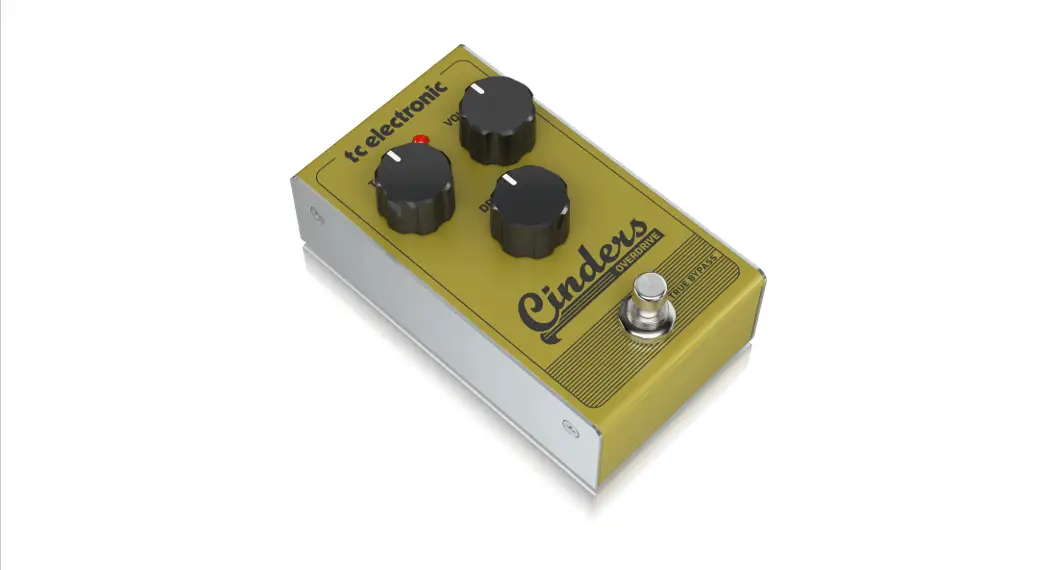
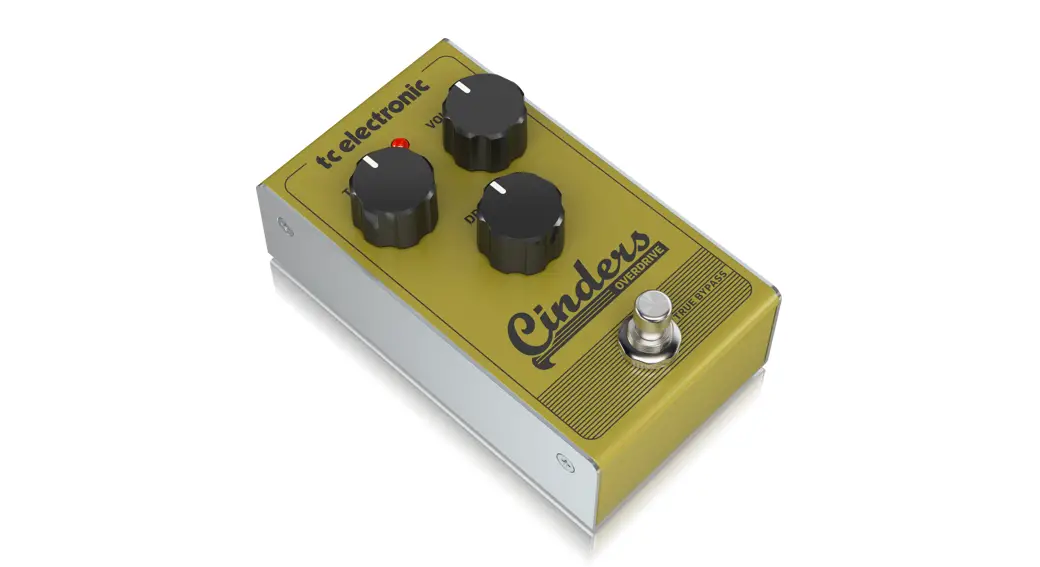
CINDERS OVERDRIVE
Tube-Like Overdrive with Extremely
Responsive and Expressive Feel
Quick Start Guide
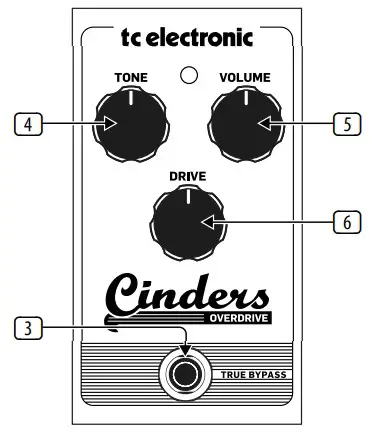
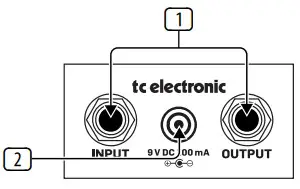
Controls
- Input/Output jacks – Connect a 1/4″ cable from your guitar to the INPUT jack, and connect a cable from the
OUTPUT jack to your amplifier. - 9 V DC – Connect a 9 V power supply (not included).
- Footswitch – Turns the effect on and off. The LED will light when the pedal is engaged. The pedal operates in true bypass when disengaged.
- Tone – Adjusts the amount of high-frequency contour for a brighter or rounder sound.
- Volume – Adjusts the output level when the pedal is engaged.
- Drive – Adjusts the amount of distortion.
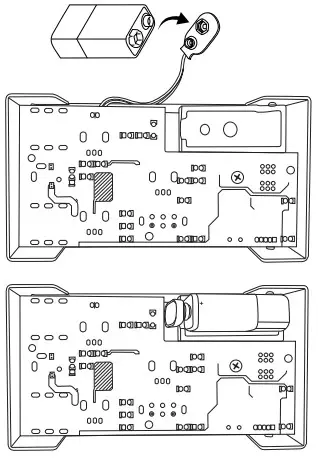
Battery Replacement
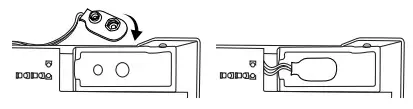
Storage
Specification
| Connectors | |
| Input | 1/4″ TS, unbalanced |
| Impedance | >400 kΩ |
| Output | 1/4″ TS, unbalanced |
| Impedance | 1 kΩ |
| Power input | Standard 9 V DC, center negative, >100 mA |
| Battery option | Internal 9 V battery connector |
| Current consumption | <20 mA |
| Physical | |
| Dimensions (H x W x D) | 58 x 74 x 132 mm (2.3 x 2.9 x 5.2″) |
| Weight | 0.5 kg (1.1 lbs) |
LIMITED WARRANTY
For the applicable warranty terms and conditions and additional information regarding MUSIC Tribe’s Limited Warranty, please see complete details online at musictri.be/warranty.

This product conforms with essential requirements of the EMC Directive
2014/30/EU, RoHS Directive 2011/65/EU, and WEEE Directive – 2012/19/EU.
 Music tribe – Music is life