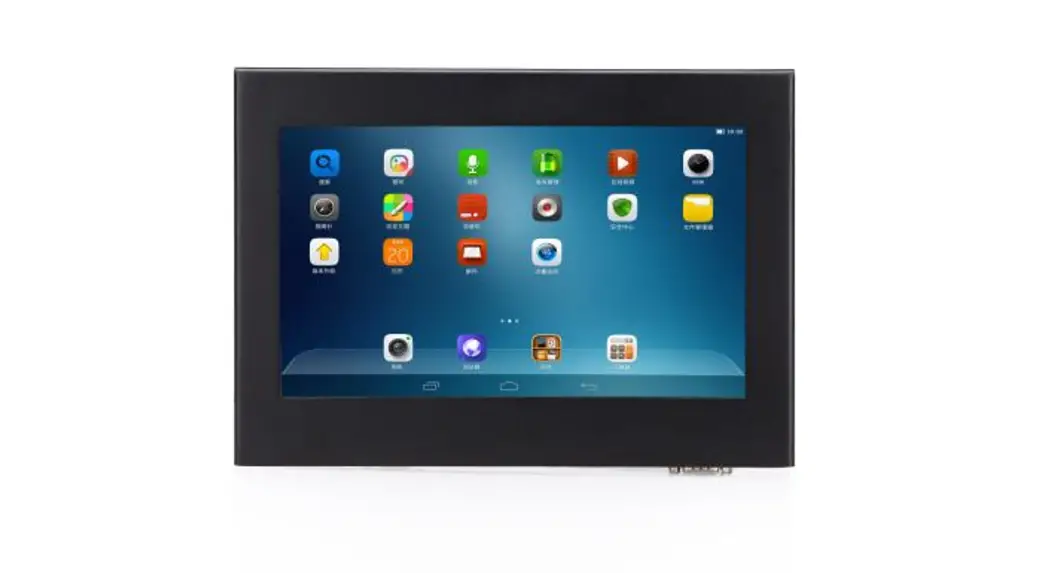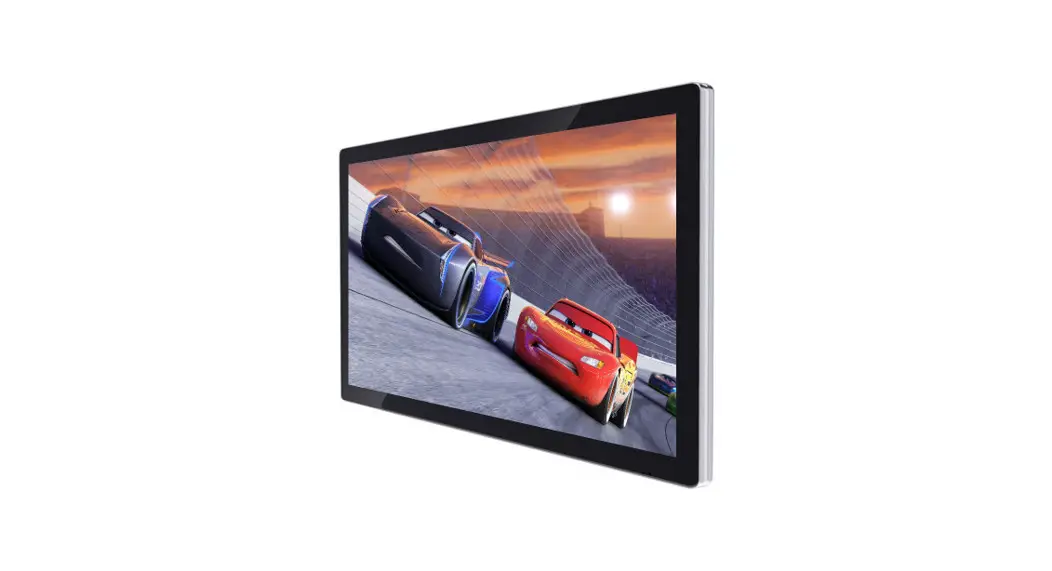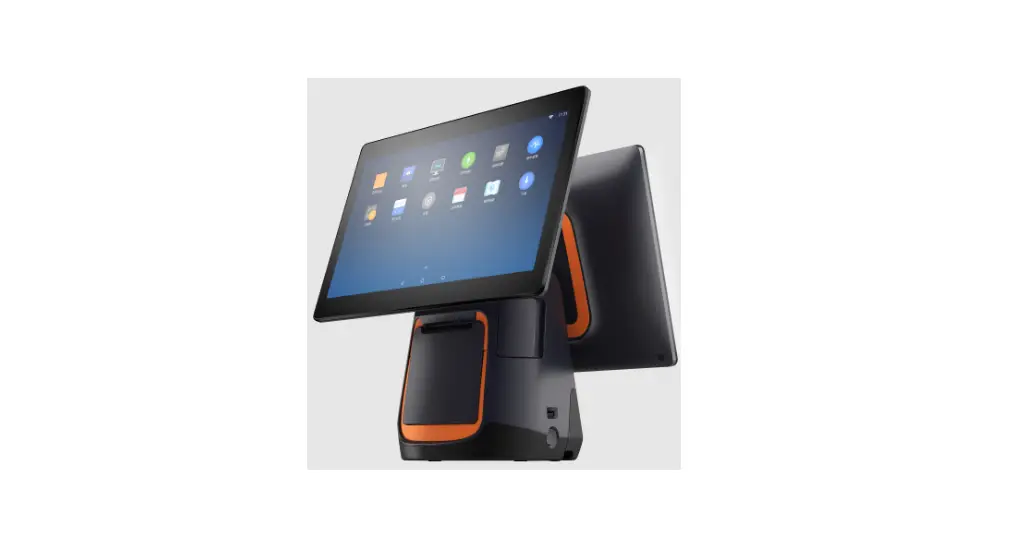

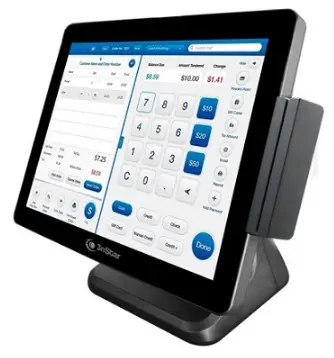
3nStar PTA0157 Android Point of Sale System
Safety Precautions
- Please place the machine on a flat vibration free surface.
- Please make sure to avoid direct sunlight, water and other elements from entering the machine.
- Please keep away from any strong electronic interference.
- Do not cover the machine.
- In areas with unstable power supply, please connect an external UPS or power source to ensure electronic stability.
- he product comes standard with a power connector with earth leakage. Please do not change the connector unless certain of the power requirements.
- Make sure that the ground wire of the wall socket is connected. If the ground is not connected it may cause electronic shock and even cause a fire.
- The machine should not share the same power socket with any high-powered electronic appliances. Please ensure that all the machine has a dedicated wall socket for operation.
- The machine will be connected to various other peripherals. Ensure that the cable and connectors are well insulated and that all screws are tightened well.
- To clean the machine, use a damp cloth and refrain from using corrosive chemicals that might damage the machine.
- Should operation fail on the machine, remove the machine from live power. Refrain from opening or repairing the machine. Contact an authorized repair center or person to assist with repairs.
“WARNING“: For the non-compliance with the above issues, as well as non-qualified service personnel or the use of non-designated by the Company to provide and repair parts for maintenance of all the consequences, the Company does not assume any responsibility.
Initial Installation
Unpacking
Immediately after receiving the machine, unpack and check for any damage. In case of damage, the shipping company shall be informed immediately report the claim to the manufacturer. After unpacking also check the that the spare parts are complete.
Preparing for Installation
Examine the case for cleanliness, Logos, marks and insure labeling is correct. Check the working environment: Because the POS is a precision instrument, the working environment should be checked and make sure it is suitable for the cash register. If the work environment is not sufficient, please do not make use of the POS.
The main technical specifications
- Power supply voltage: 220VAC~ ± 15%
- Power: 80W ± 15%
- Frequency: 50—60Hz
- Operating Temperature: 0 ℃ ~ 40 ℃
- Storage: -20 ℃ ~ +55 ℃
- Relative humidity: 20% ~ 93% (40 ℃)
Preparing for use
- Place the machine on a flat surface and ensure that the cabling is neat and sufficient. Insert the power connector in the appropriate socket.
- Power on the machine (note: stable power source and ground is important).
- Android OS is installed by default on the POS unit.
Main technical specifications
| Main board configuration | |
| Processer (CPU) | RK3568 Quad-core A55 2.0GHz |
| System Memory (RAM) | 2G |
| Storage Device (Flash) | 8G |
| Display | |
| Size | 15.6’’ |
| Resolution: | 1920*1080 |
| I/O port | |
| USB port | 6pcs |
| LAN port | 1pcs |
| COM | 1pcs DB9+1pcs RJ45 |
| RJ12 Cash Drawer | 1pcs |
| DC IN | 1x DC 12V |
| TF Card | 1pcs |
| Audio | 1pcs |
| Environmental | |
| Working temperature | 0-50℃ |
| Humidity | 20-90% |
| Operating system | Android 11 |
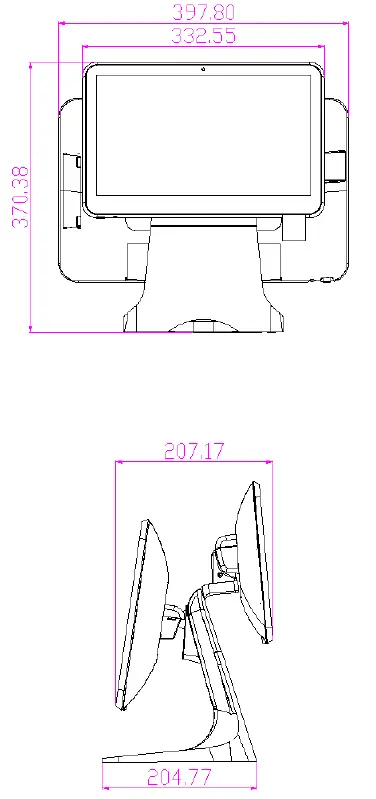
Product Measurement
PTA0157 Single Screen
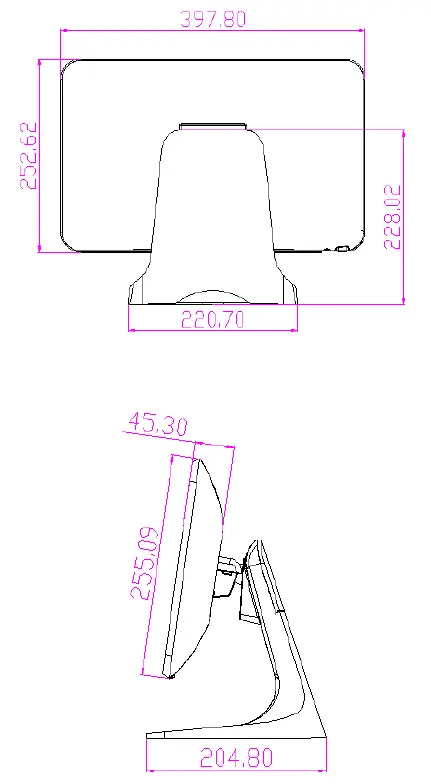
PTA0157 Dual Screen
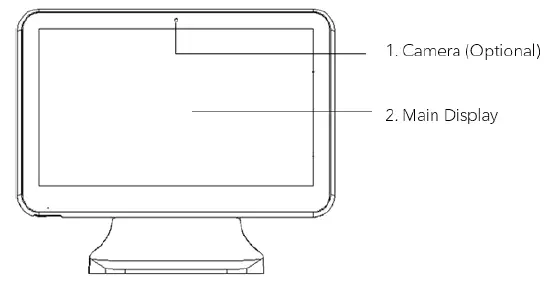
Product Appearance
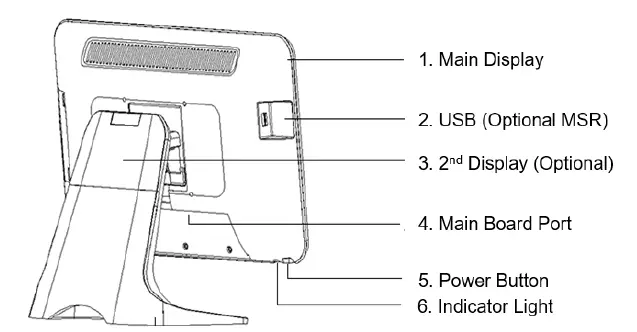
Single Screen
Front
Back
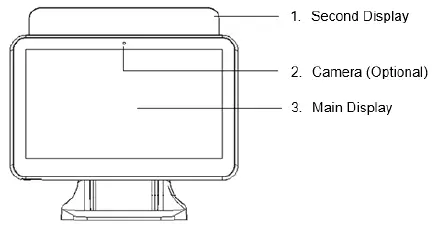
Dual Screen
Front
Back
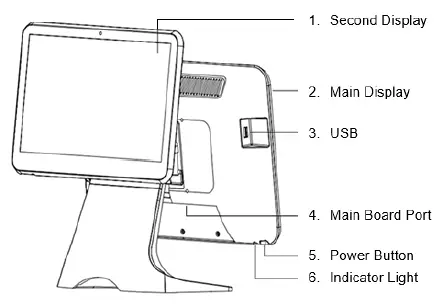
Second Display Specifications
13.3” LED display specifications
| Item | Specification | Unit |
| Screen Diagonal | 13.3 | Inch |
| Active Area | 293.76(H)×165.24V) | mm |
| Pixel Pitch | 0.153(H)×0.153(V) | mm |
| Resolution | 1920×1080 | – |
| Pixel Arrangement | R.G.B. Vertical stripe | – |
| Display Mode | Normally Black | – |
| White Luminance | 220(Typ) | cd/m2 |
| Contrast Ratio | 1000:1(Typ)700:1(Min) | – |
| Viewing angle range | 89(Typ) | Deg. |
| Response Time | 25 | ms |
| Operating Voltage | 3.3V | V |
| Surface Treatment | Anti-glare (3H) | – |
| Outline Dimension | 305.2(W)×187.9(V)×2.6(D)Typ. | mm |
| Input signal | EDP | – |
| Support Colors | 16,777,216 | – |
15.6” LED display specifications
| Item | Specification | Unit |
| Screen Diagonal | 15.6 | Inch |
| Active Area | 344.16(H)×193.59(V) | mm |
| Pixel Pitch | 0.17925(H)×0.17925(V) | mm |
| Resolution | 1920×1080 | – |
| Pixel Arrangement | R.G.B. Vertical stripe | – |
| Display Mode | Normally White | – |
| White Luminance | 220(Typ) | cd/m2 |
| Contrast Ratio | 500:1(Typ)400:1(Min) | – |
| Viewing angle range | 45(Typ) | Deg. |
| Response Time | 16 | ms |
| Operating Voltage | 3.3V | V |
| Surface Treatment | Anti-glare | – |
| Outline Dimension | 359.5(W)×206.5(V)×3.2(D)Typ. | mm |
| Input signal | EDP | – |
| Display Colors | 6bit +Hi-FRC | – |
Main Board Ports
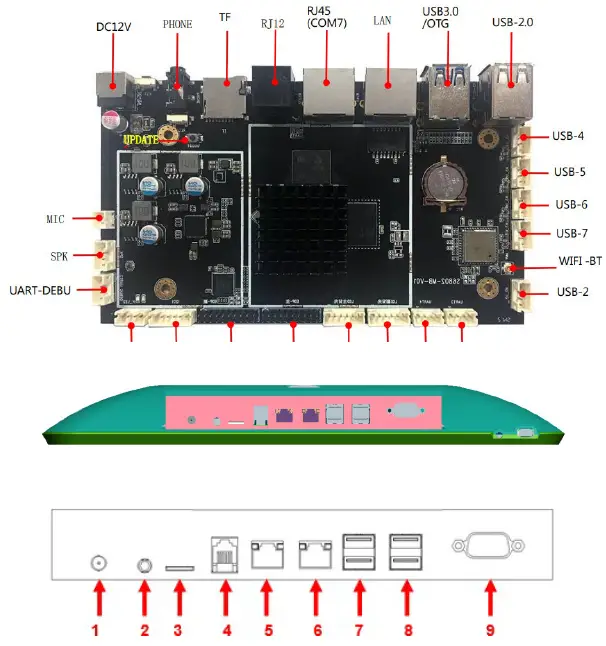
| No. | Description |
| 1 | DC IN (Power input) |
| 2 | Audio (Audio input) |
| 3 | TF (TF card) |
| 4 | RJ12 (Cash drawer port) |
| 5 | RJ45 (COM port) |
| 6 | LAN (LAN port) |
| 7 | USB |
| 8 | USB |
| 9 | COM |
Appendix: Names of toxic and harmful substances or elements and their contents
| Part | Hazardous substance | |||||
| Pb | Hg | Cd | Cr(Ⅵ) | PBB | PBDE | |
| External device | × | × | ○ | ○ | ○ | ○ |
| Cable part | × | ○ | ○ | ○ | ○ | ○ |
| Switching power supply | × | × | ○ | ○ | ○ | ○ |
| Mainboard and PCBA | × | ○ | ○ | ○ | ○ | ○ |
| Memory | × | ○ | ○ | ○ | ○ | ○ |
| HDD/SSD | × | ○ | ○ | ○ | ○ | ○ |
| FAN | × | × | ○ | ○ | ○ | ○ |
| Plastic part | ○ | ○ | ○ | ○ | ○ | ○ |
| Aluminum alloy | × | ○ | ○ | × | ○ | ○ |
- aid the content of toxic and harmful substances in all homogeneous materials in the parts are specified in the SJ/T 113632006 limited the following requirements.
- Said the content of toxic and harmful substances in at least one of the homogeneous materials beyond the limitation of SJ/T11363 – 2006 provisions; on the table in the “X” components, due to technical reasons at present cannot achieve the replacement, follow-up will gradually improve.
Note: the peripheral component contains the keyboard, display, printer, cash drawer, adapter, customer display, laser gun or scanner.
Warm Tips:
3nStar does not provide any data restoration and the backup service. The company is not responsible for damage or loss of data, programs, or storage media. Please make sure you are in time to backup any information or programs that you consider valuable. Thank you for your cooperation!